
VPN Technology
Table of Contents
History Of VPN
History of VPN (Virtual Private Network):
1. Early Network Security (1990s):
The concept of a VPN started in the 1990s when companies began connecting remote offices through the Internet instead of using expensive leased lines. Organizations wanted a secure way to send data through public networks, so encrypted tunnels were developed to protect information.
2. Development of PPTP Protocol (1996)
In 1996, the Microsoft along with other companies developed the Point-to-Point Tunneling Protocol (PPTP). PPTP was one of the first widely used VPN protocols and allowed users to create encrypted tunnels over the Internet. It made remote access to company networks possible.
3. Introduction of IPsec (Late 1990s)
In the late 1990s, the Internet Engineering Task Force (IETF) developed Internet Protocol Security (IPsec). IPsec provided strong encryption and authentication for secure communication between networks. It became a standard technology used in many enterprise VPN systems.
4. SSL VPN Technology (Early 2000s)
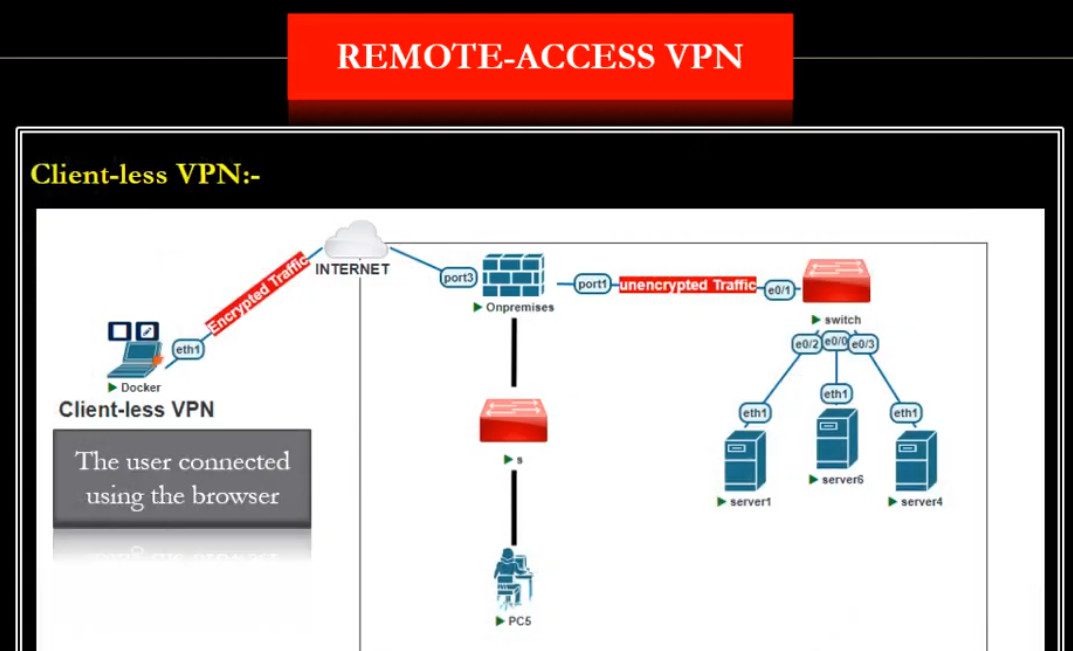
In the early 2000s, VPN technology improved with SSL-based VPNs, which used the Secure Sockets Layer (SSL) encryption protocol. SSL VPN allowed users to access company resources securely using a web browser without installing special VPN software.
5. Growth of Commercial VPN Services (2010s)
Around the 2010s, VPN services became popular for privacy and security. Many companies started offering VPN services to individuals to protect their internet traffic from hackers, ISPs, and surveillance. People also used VPNs to access restricted websites and protect their online identity.
6. Modern VPN Technologies
Today, modern VPN protocols such as OpenVPN, WireGuard, and IKEv2 provide faster speeds, stronger encryption, and better security. VPNs are widely used in remote work, corporate networks, cybersecurity, and personal privacy.
Short Summary:
- 1990s – VPN concept for secure remote network access
- 1996 – PPTP protocol introduced
- Late 1990s – IPsec standard developed
- Early 2000s – SSL VPN technology
- 2010s – Commercial VPN services for privacy
- Today – Modern protocols like OpenVPN, WireGuard, and IKEv2
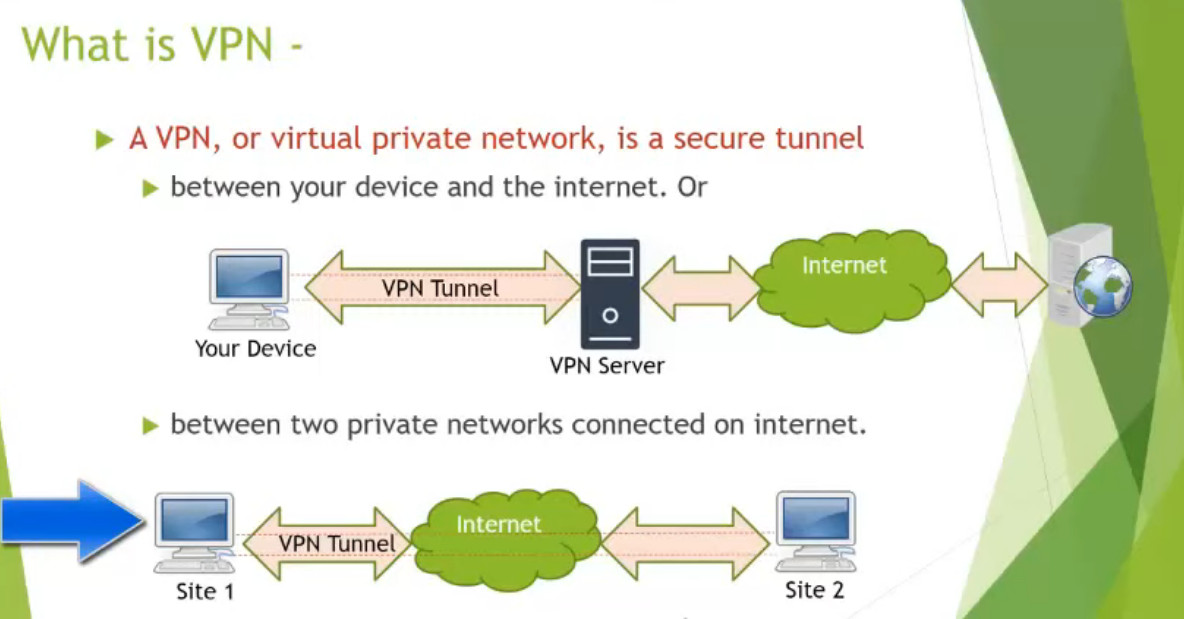
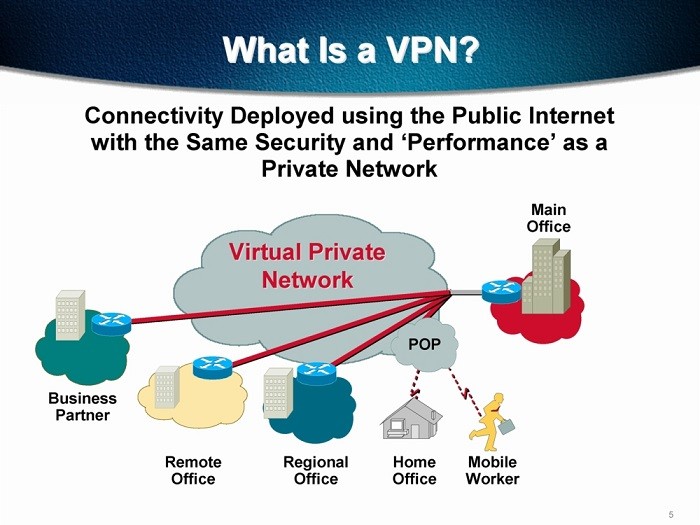
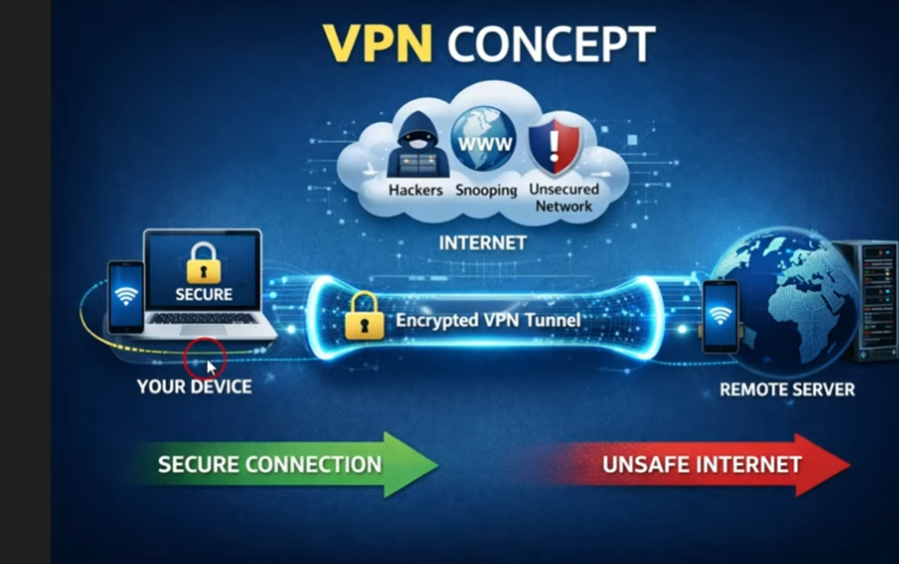
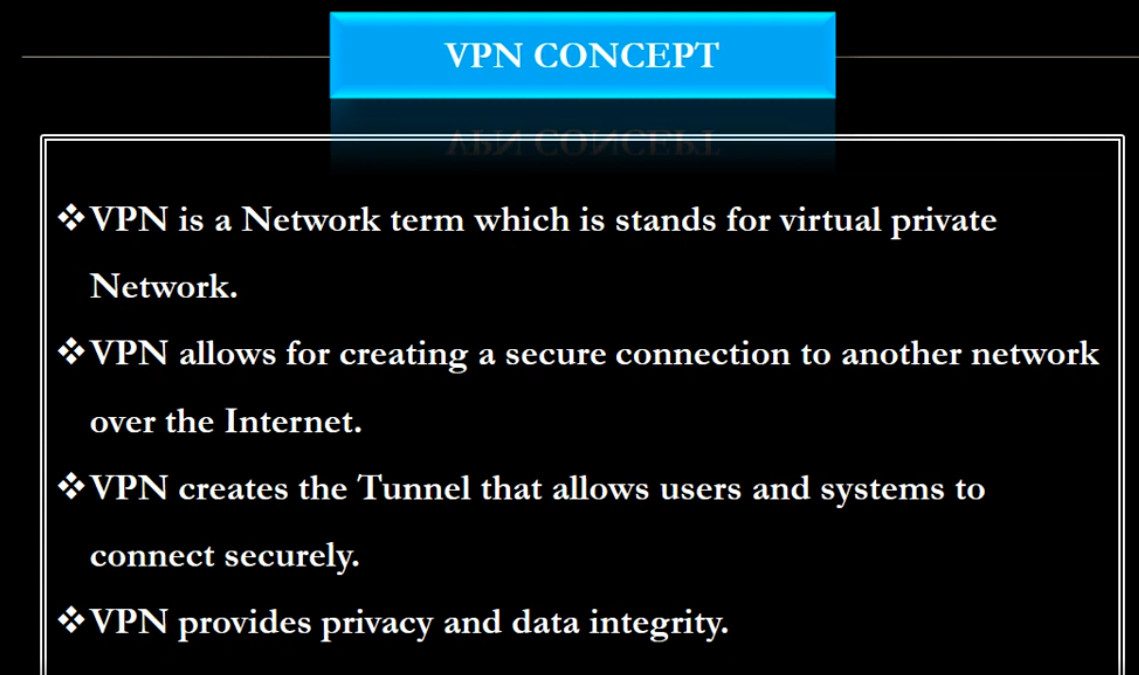
What is VPN?
How VPN Works?
Step-by-Step Working of VPN
1. User Connects to VPN
The user opens a VPN application and connects to a VPN server. The VPN client and server authenticate each other before establishing the connection.
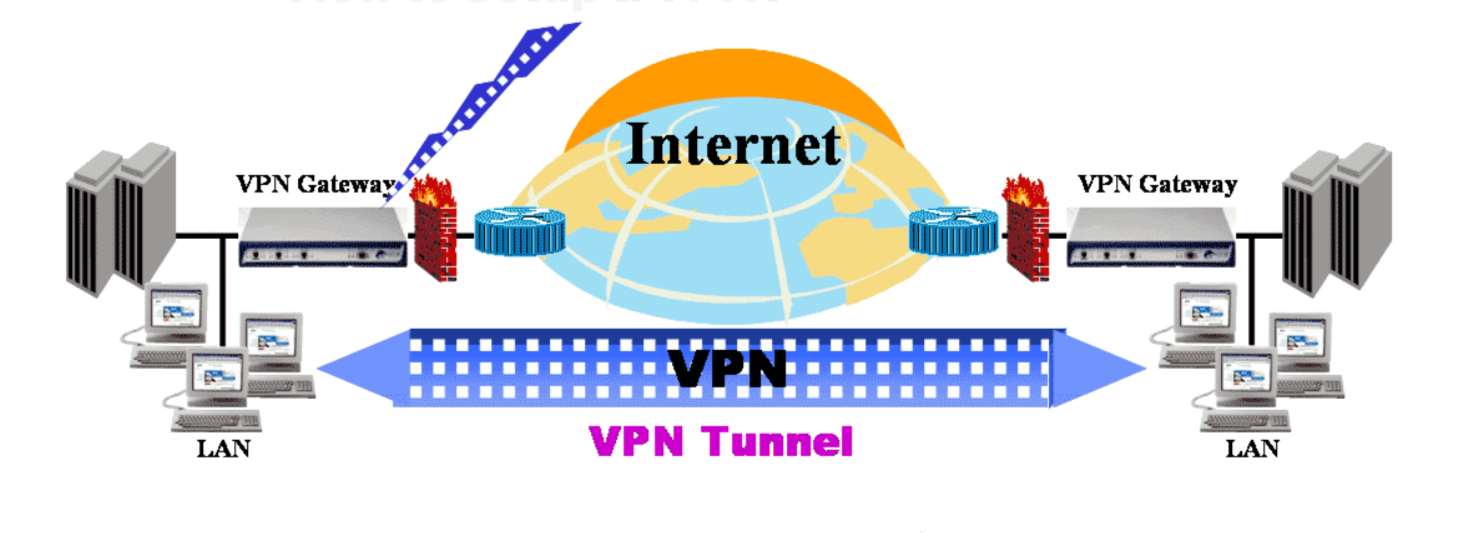
2. VPN Tunnel is Created
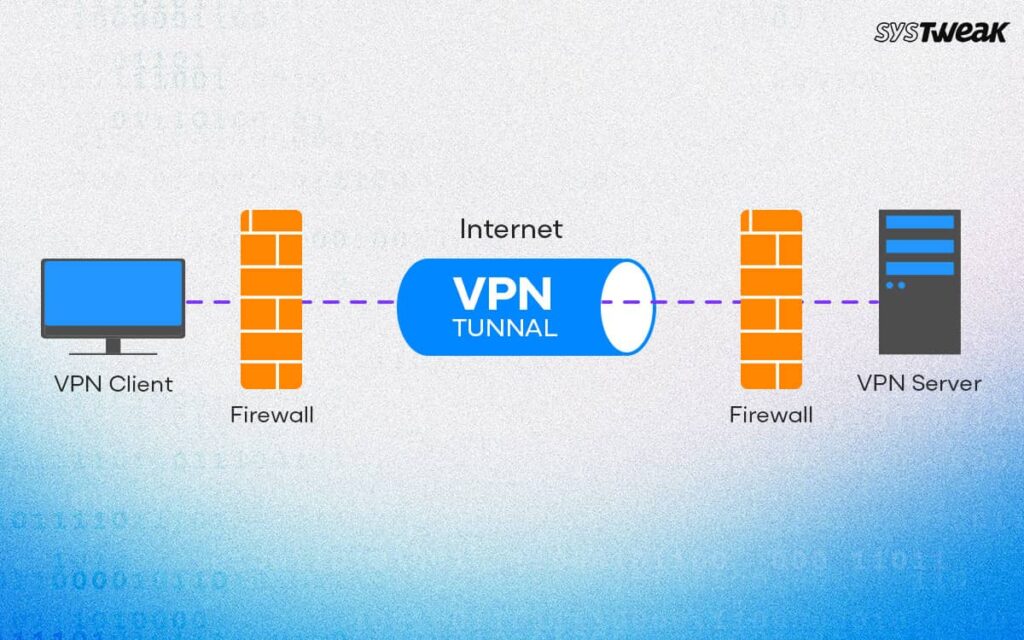
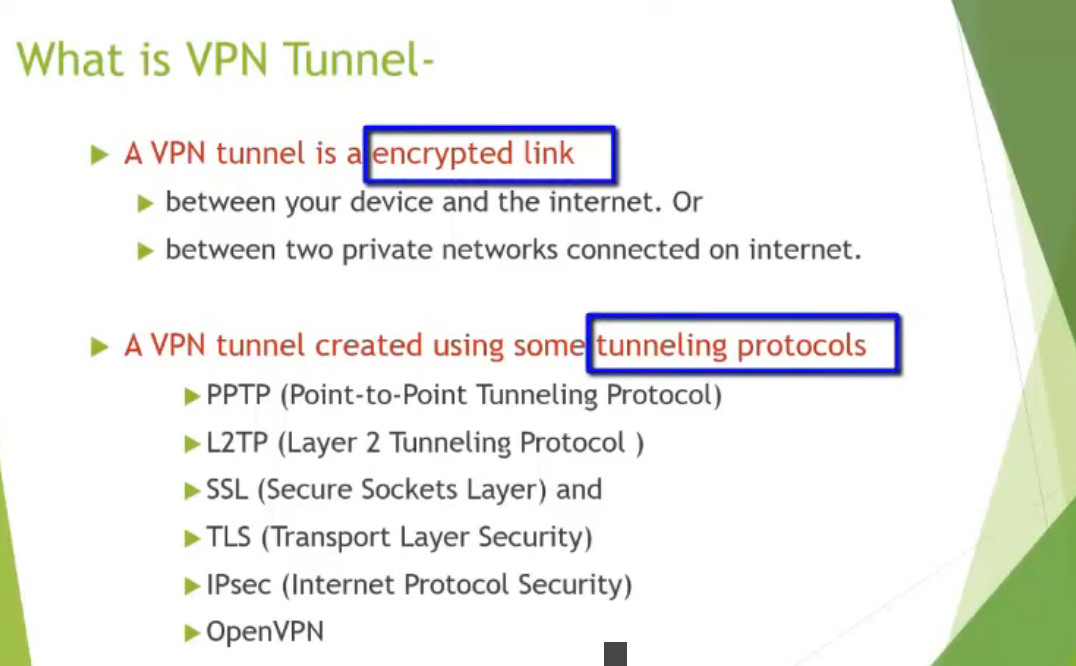
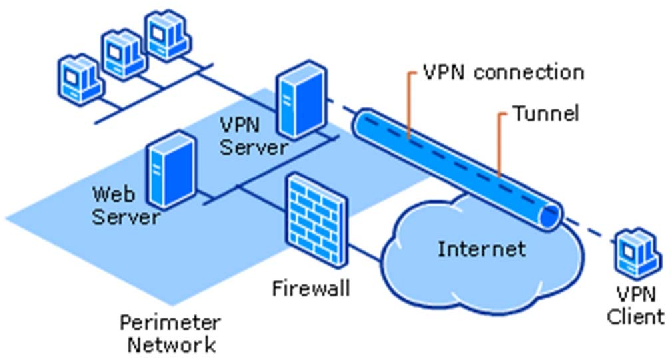
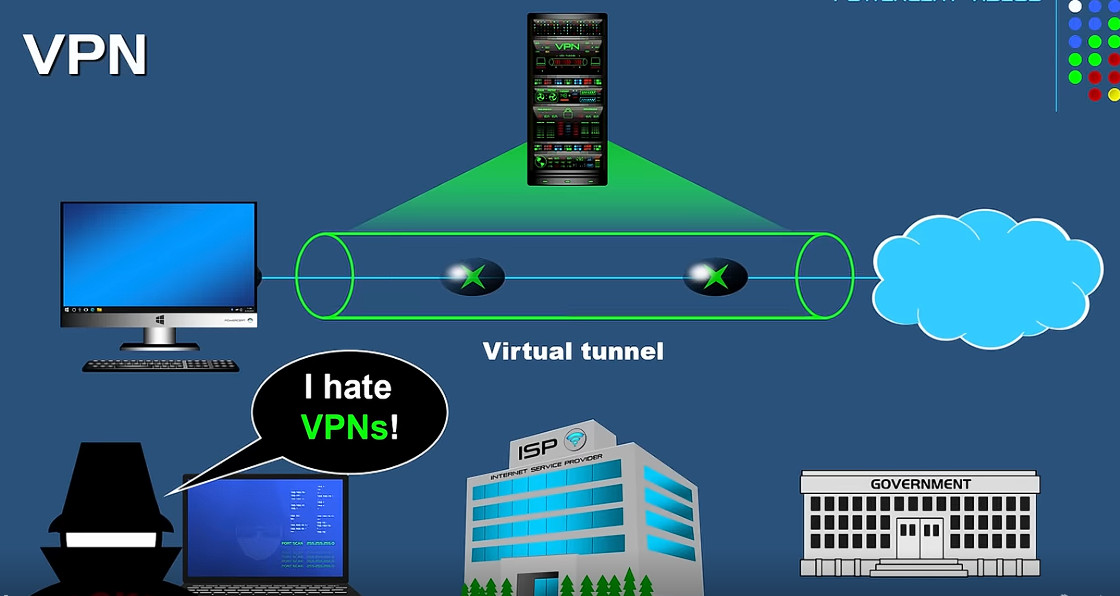
A secure tunnel is established between the user’s device and the VPN server using protocols such as IPsec, OpenVPN, WireGuard, or SSL/TLS.
3. Data is Encrypted
Before data leaves the device, it is encrypted using algorithms such as AES-256. This converts readable data into unreadable ciphertext.
4. Data Travels Through the Internet
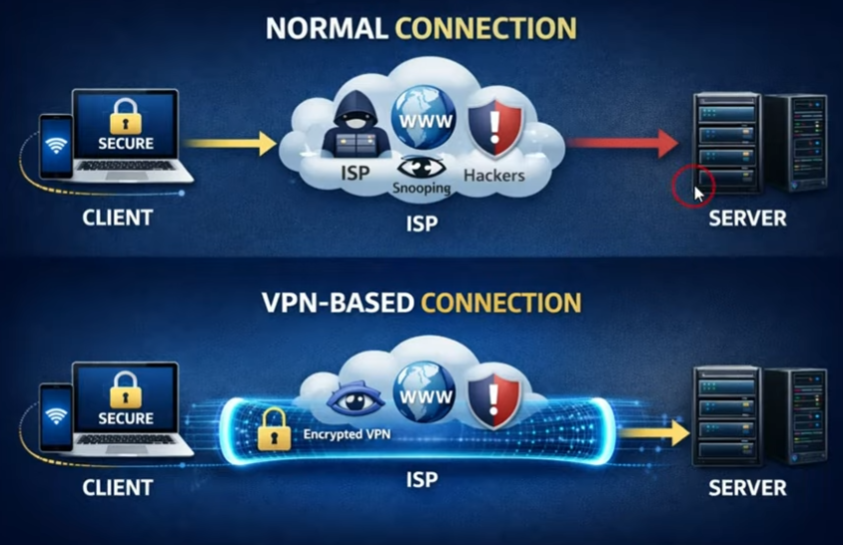
The encrypted data travels through the public Internet. Even if someone intercepts the traffic, they cannot read the contents without the encryption key.
5. VPN Server Decrypts Data
The VPN server receives the encrypted traffic and decrypts it to obtain the original data.
6. VPN Server Sends Data to Destination
The VPN server forwards the request to the destination website, application, or network resource.
7. Response Returns Through VPN
The destination server sends data back to the VPN server, which encrypts the response and sends it through the secure tunnel to the user.
8. User Receives Data
The VPN client decrypts the received data and displays the information to the user.
- User Connects to VPN – The user starts the VPN application and connects to a VPN server through the Internet.
- Authentication Process – The VPN client and VPN server verify each other’s identity using usernames, passwords, certificates, or cryptographic keys.
- VPN Tunnel Creation – A secure virtual tunnel is established using protocols such as IPsec, OpenVPN, or WireGuard.
- Data Encryption – Before transmission, user data is encrypted using algorithms such as AES-256 to protect confidentiality.
- Secure Data Transmission – The encrypted data travels through the public Internet and cannot be easily read by attackers.
- VPN Server Receives Traffic – The VPN server receives the encrypted packets from the user device.
- Data Decryption – The VPN server decrypts the traffic to obtain the original data and requests.
- Request Forwarding – The VPN server forwards the request to the target website, application, or network resource.
- Response Collection – The destination server processes the request and sends a response back to the VPN server.
- Response Encryption – The VPN server encrypts the response before sending it to the user.
- Data Delivery to User – The VPN client decrypts the received data and displays it to the user.
- Secure Communication Maintained – Throughout the session, all traffic remains protected inside the encrypted VPN tunnel.
Network Flow:
User Device → VPN Client → Encrypted VPN Tunnel → VPN Server → Destination Server → VPN Server → User Device
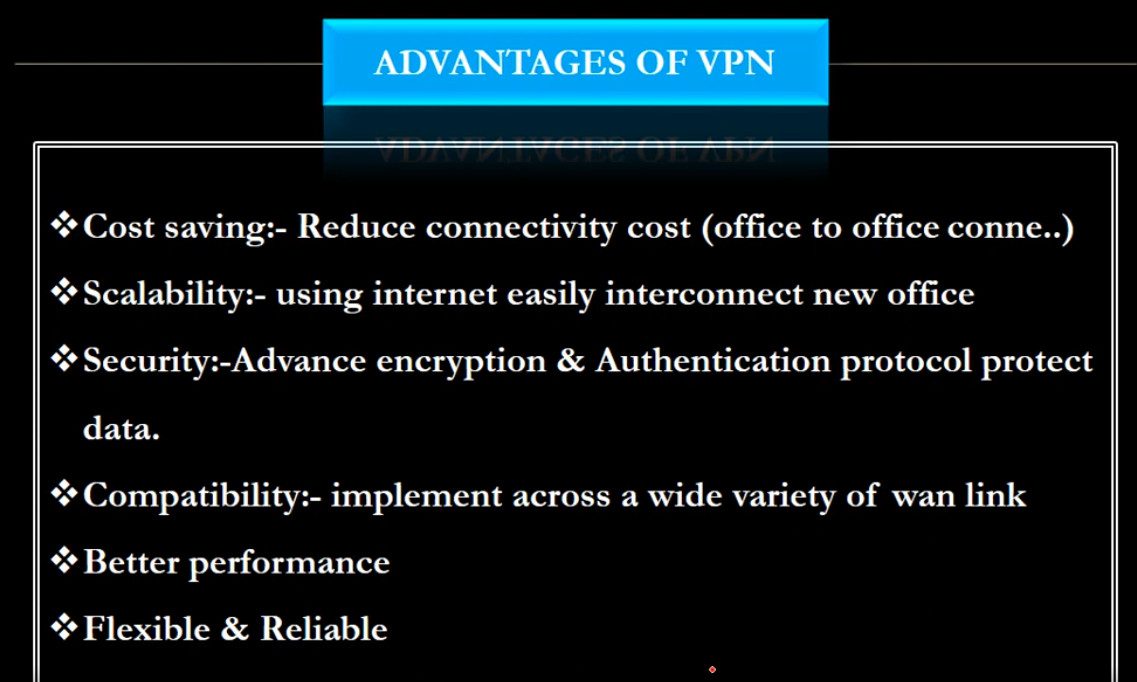
Advantages of VPN?
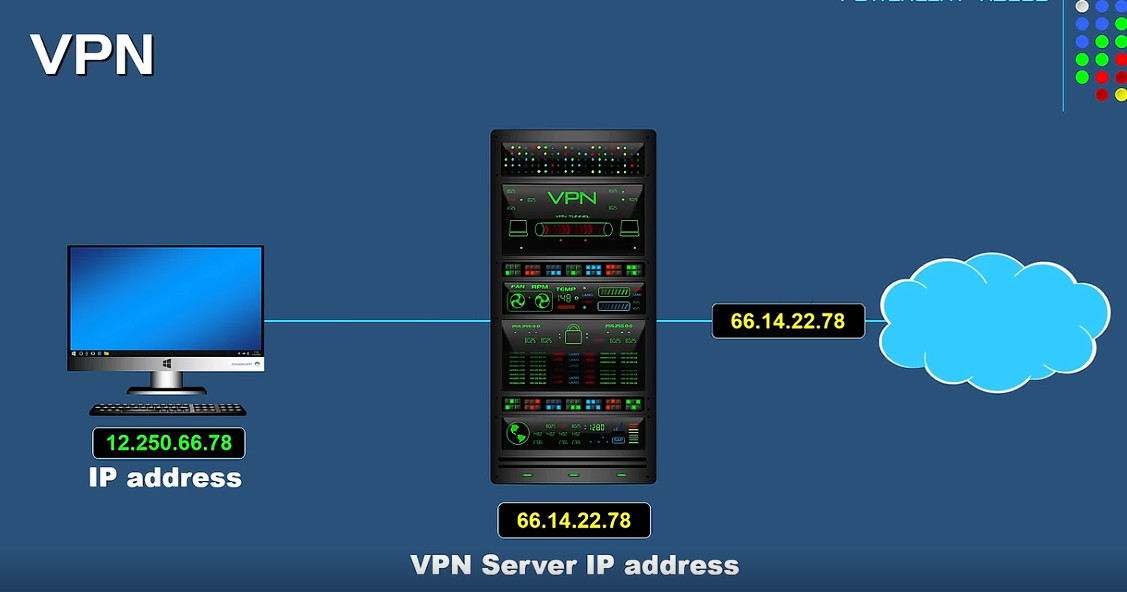
- Hides Your IP Address – Masks your real public IP address by replacing it with the VPN server’s IP address.
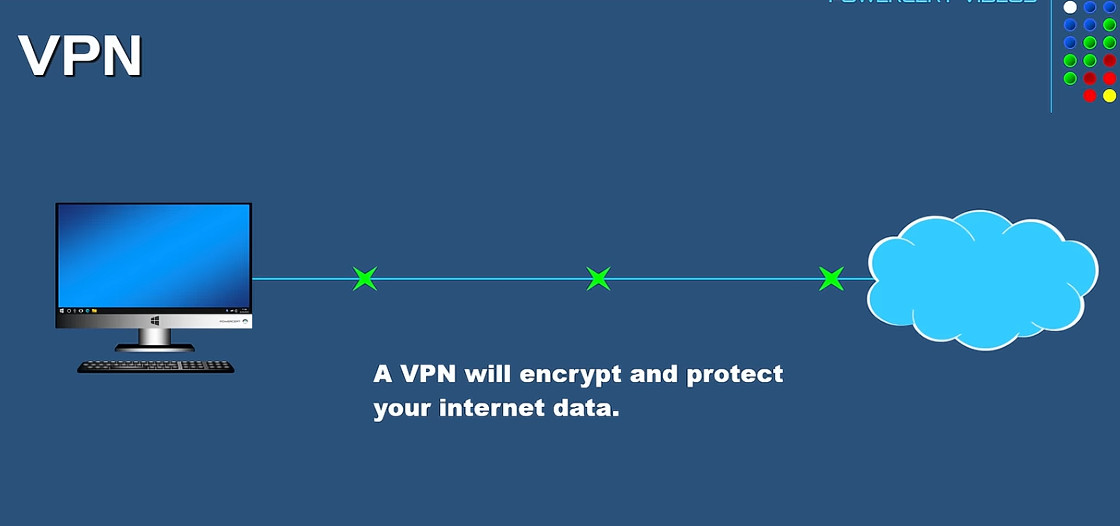
- Encrypts Internet Traffic – Protects data using strong encryption algorithms such as AES-256.
- Improves Online Privacy – Prevents websites and third parties from easily identifying your real network address.
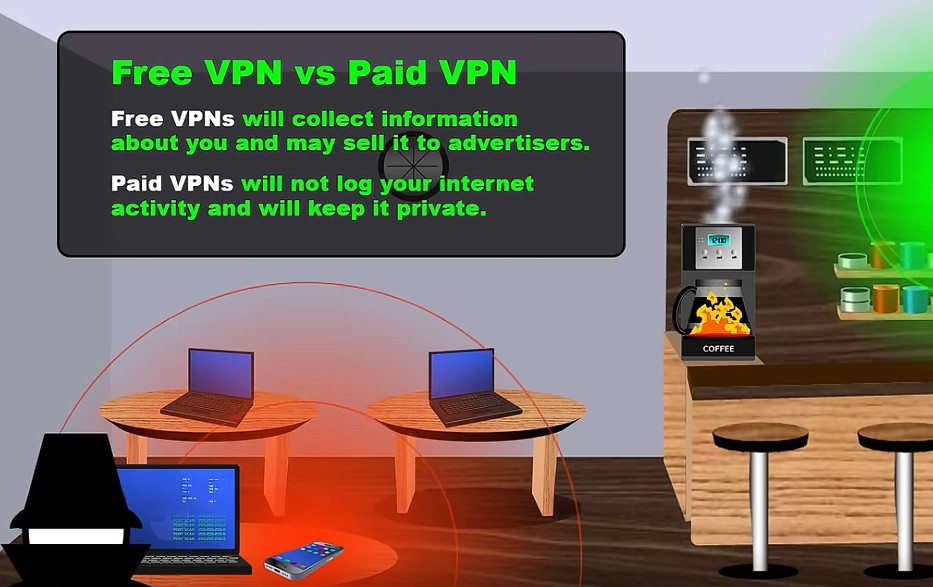
- Secures Public Wi-Fi – Protects sensitive data when using public Wi-Fi networks in hotels, airports, and cafés.
- Protects Sensitive Information – Helps secure passwords, banking details, emails, and personal data during transmission.
- Prevents Data Interception – Makes it difficult for attackers to read network traffic even if it is intercepted.
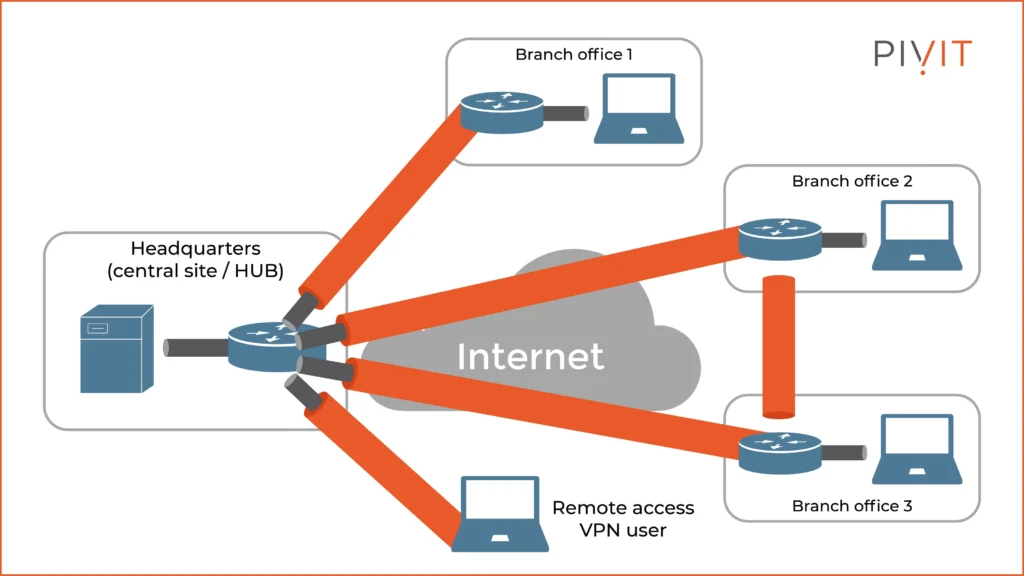
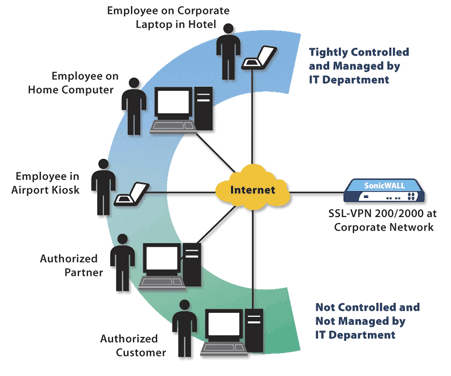
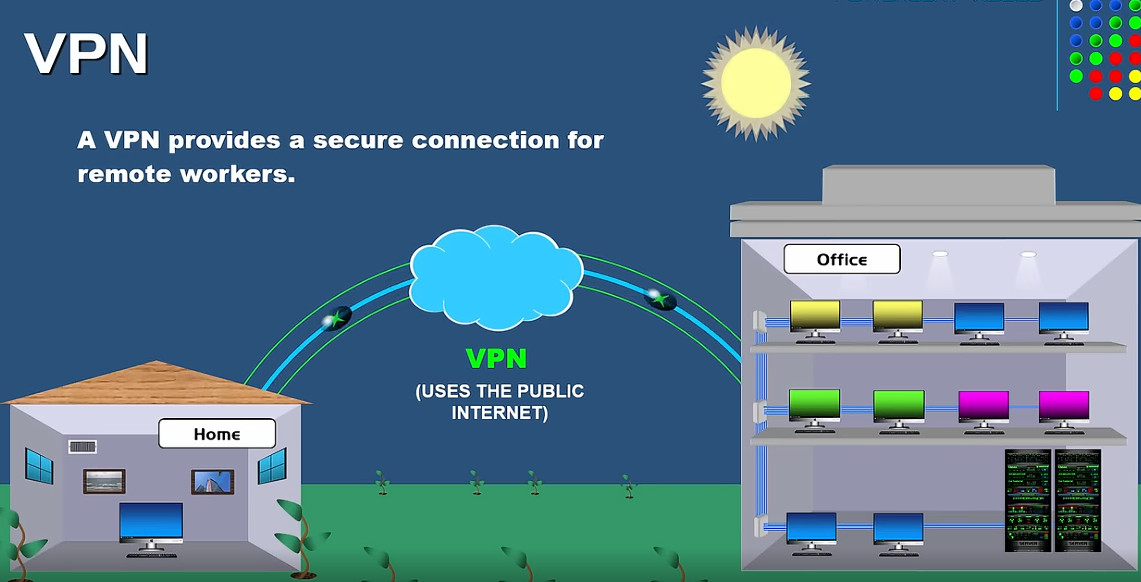
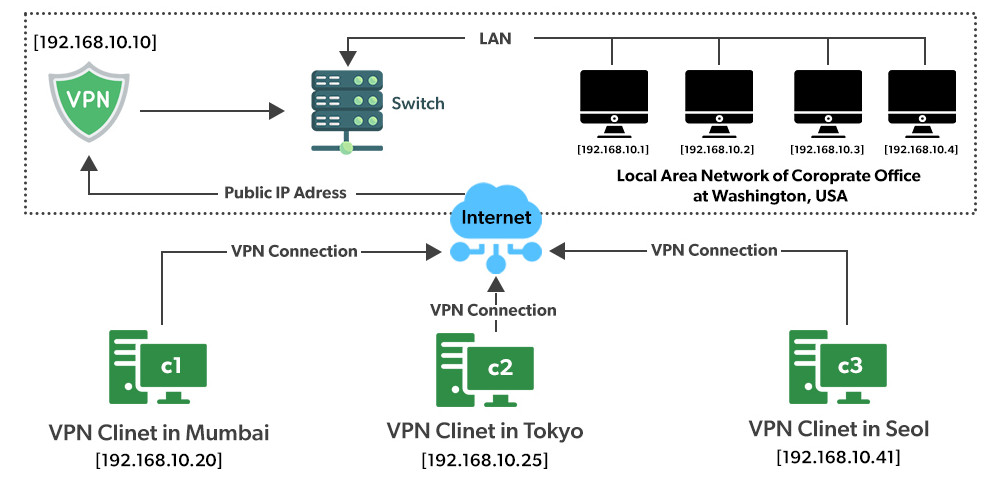
- Provides Secure Remote Access – Allows employees to securely access company resources from remote locations.
- Supports Safe File Sharing – Encrypts data exchanged between connected devices and networks.
- Enhances Business Security – Protects communication between branch offices and corporate networks.
- Reduces Tracking – Makes it harder for websites and advertisers to track users based on their IP address.
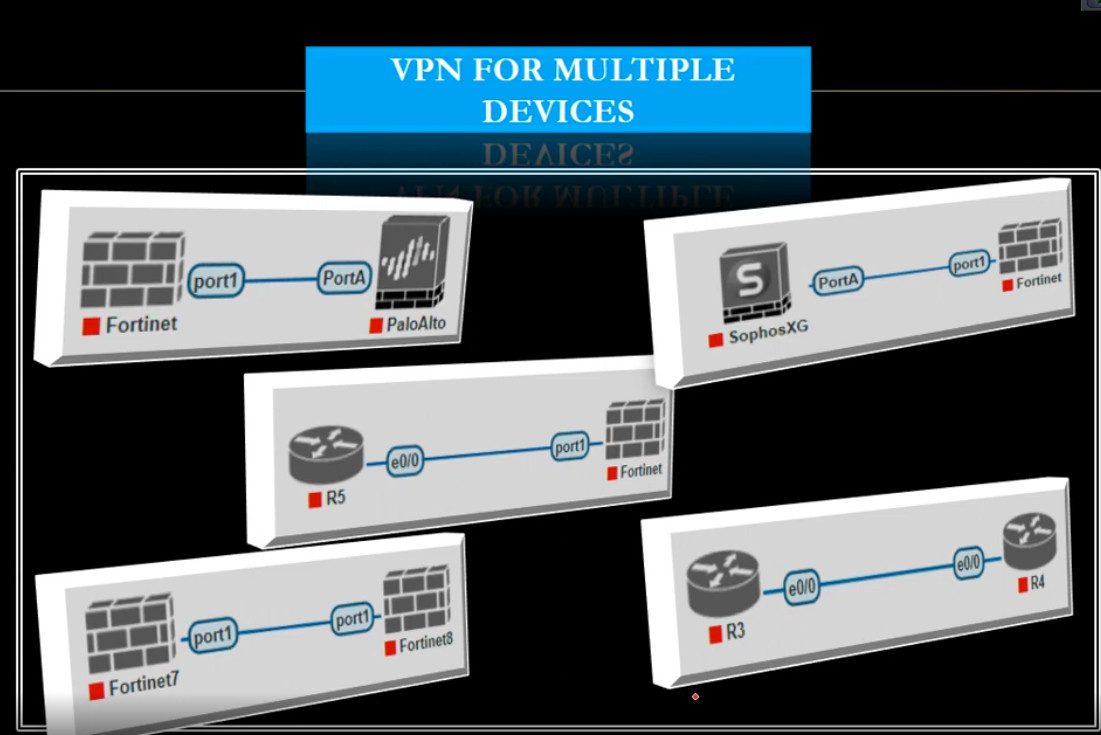
- Supports Multiple Devices – Can be used on computers, smartphones, tablets, and routers.
- Protects Data Integrity – Helps ensure that transmitted data is not modified during communication.
- Secure Branch Connectivity – Connects multiple office locations securely over the Internet.
- Cost-Effective Security Solution – Provides secure communication without requiring dedicated leased lines.
- Widely Supported – Available on most operating systems and network devices using protocols such as IPsec, OpenVPN, and WireGuard.
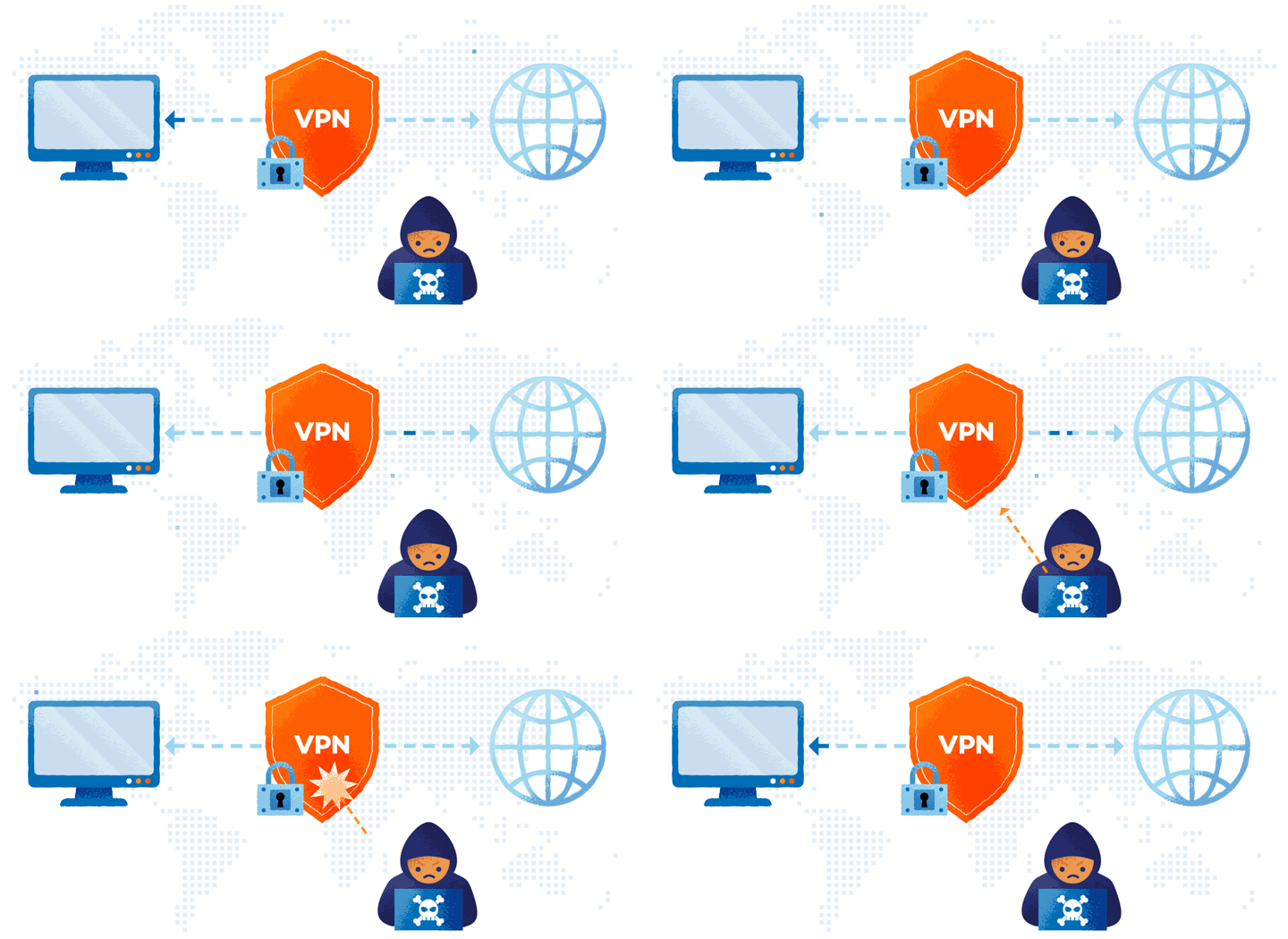
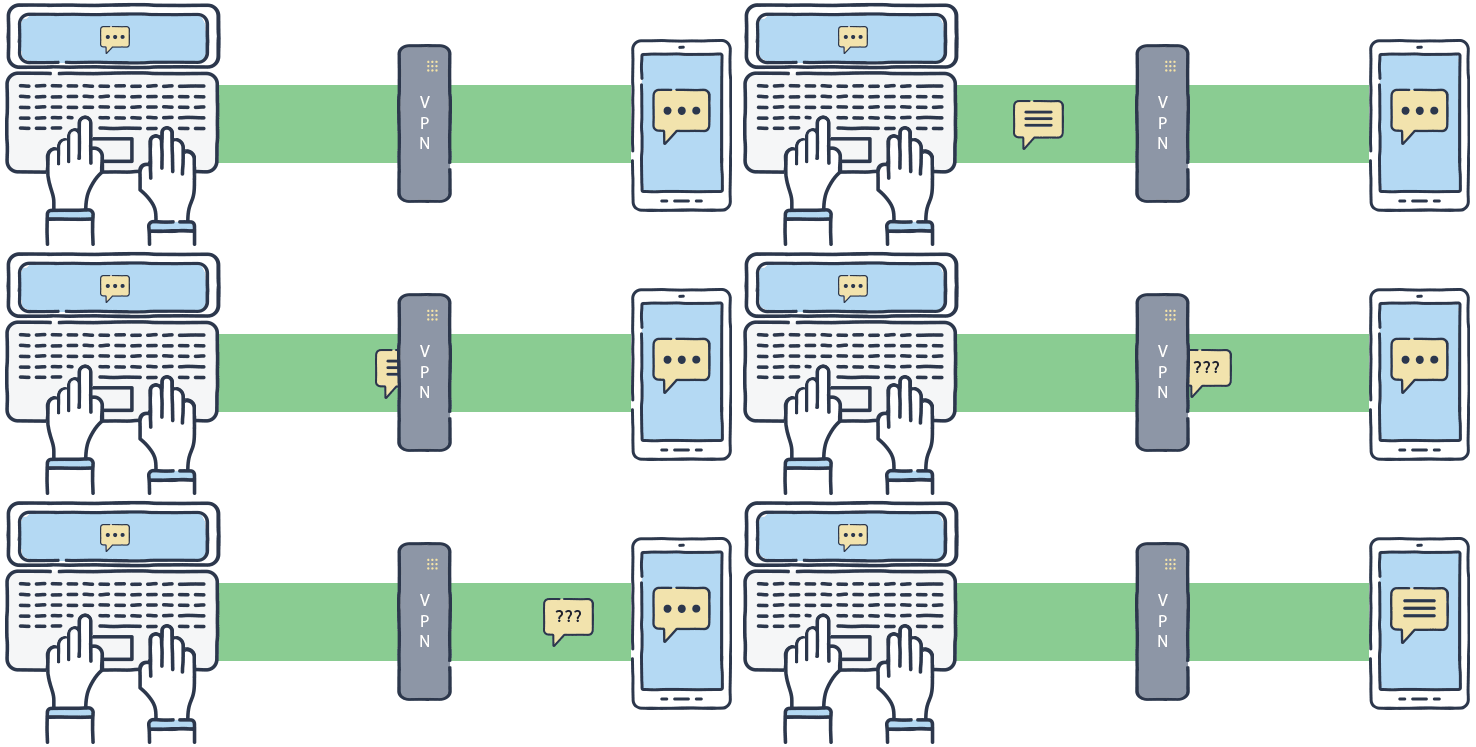
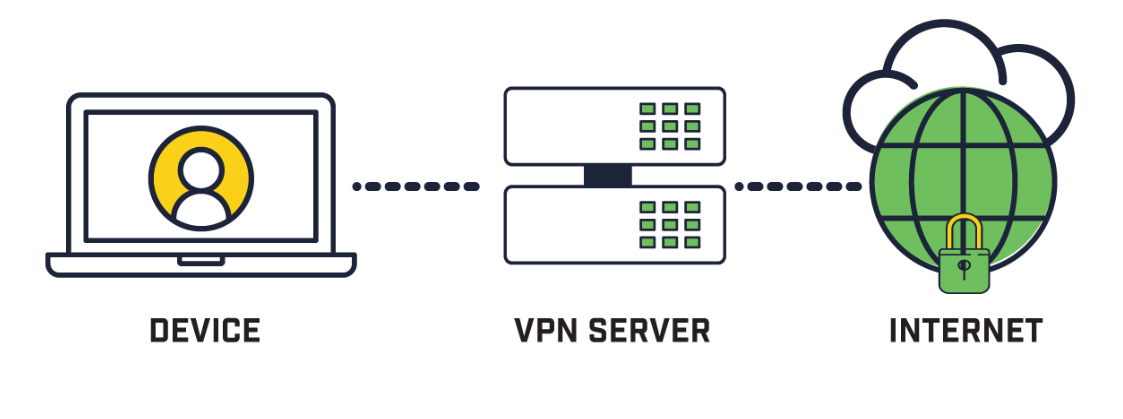
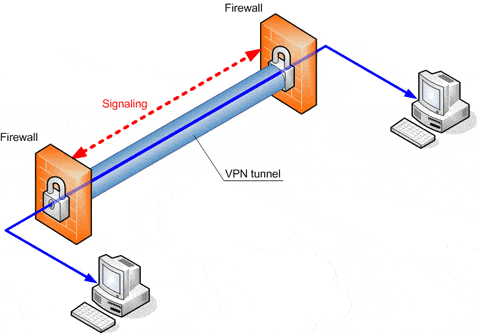
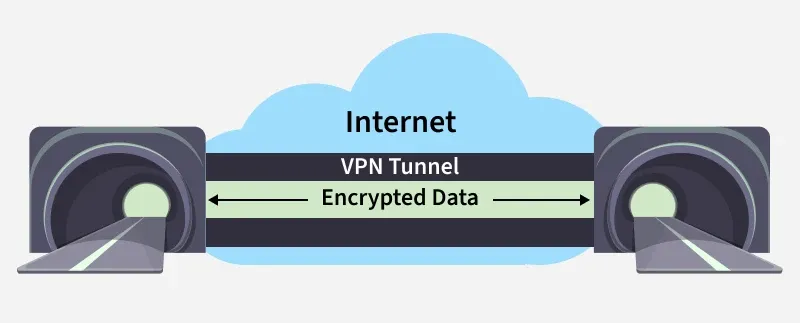
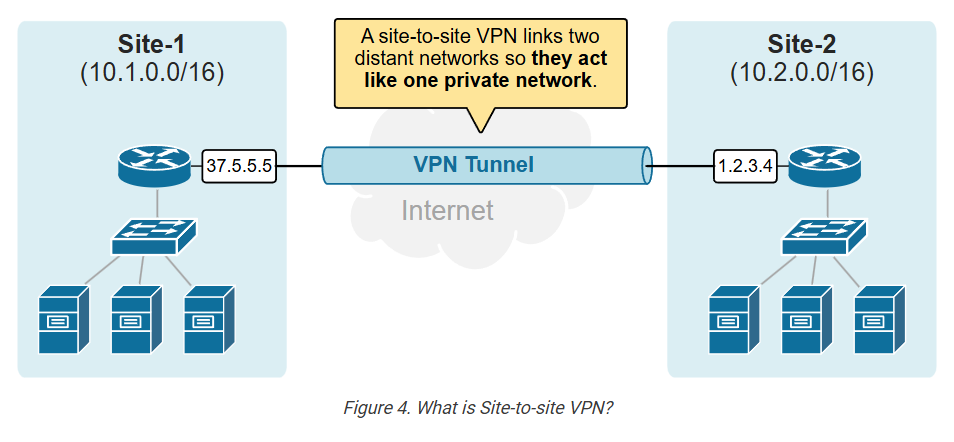
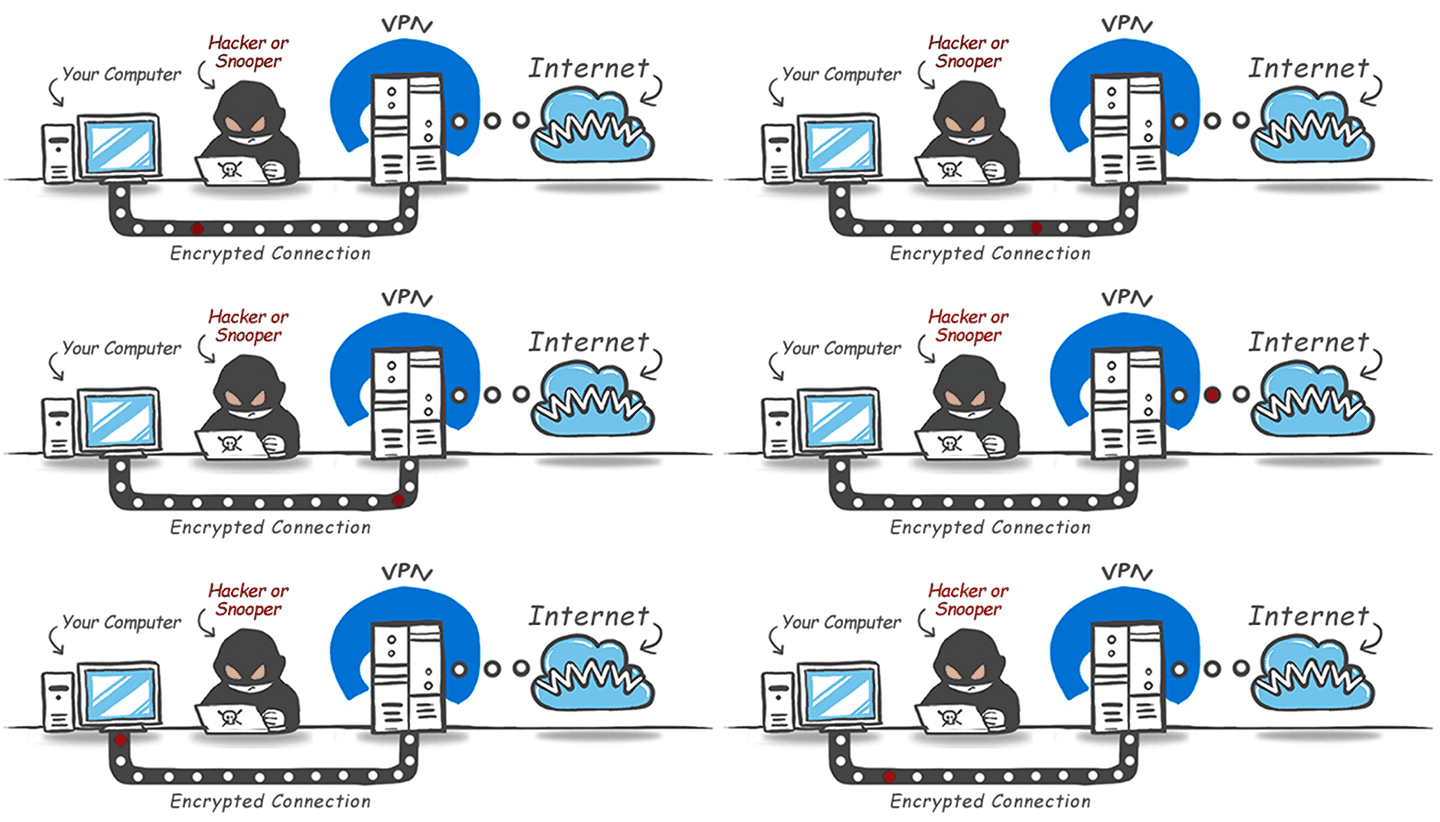
What is VPN Tunnel?

How a VPN Hides Your IP Address?
Why Need A VPN?
VPN (Virtual Private Network) is needed to ensure security, privacy, and safe access to networks over the internet. It protects sensitive data by encrypting all communication between the user’s device and the destination network, which prevents hackers and cybercriminals from stealing information, especially when using public Wi-Fi in places like airports, cafes, or hotels. A VPN also hides the user’s real IP address and online identity, helping to maintain privacy and avoid tracking by websites, advertisers, or internet service providers. In companies, VPNs are essential for remote work because they allow employees to securely access internal office systems, servers, and applications from outside the organization as if they were physically in the office. Additionally, VPNs help bypass geographic restrictions and censorship by connecting through servers in different locations. Overall, a VPN is needed to provide secure communication, protect personal and business data, support remote access, and ensure privacy in an increasingly connected digital world.
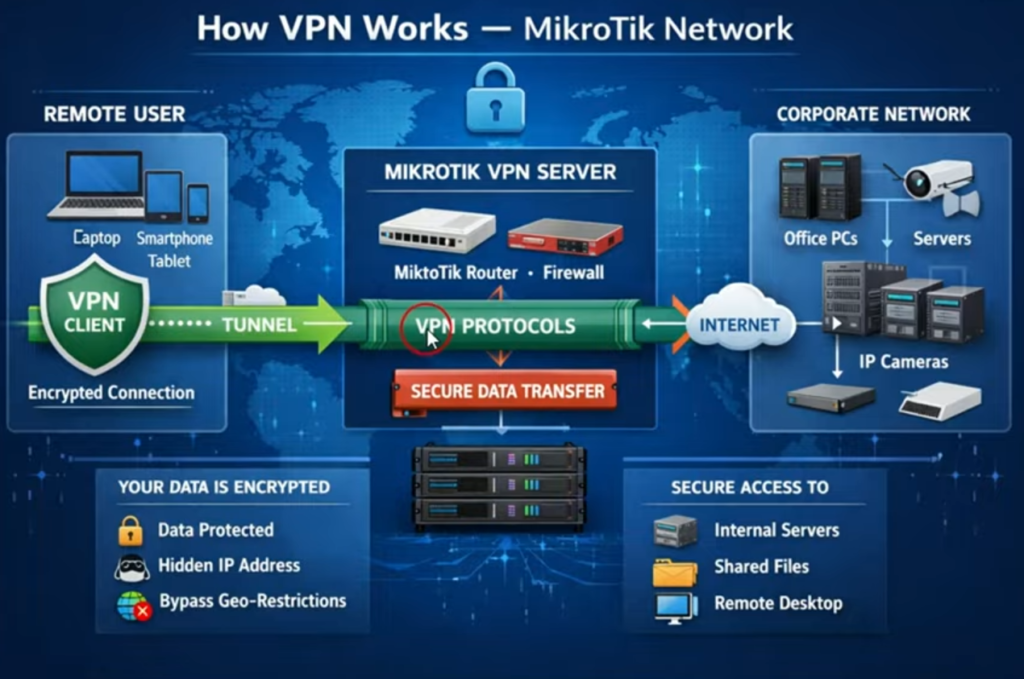
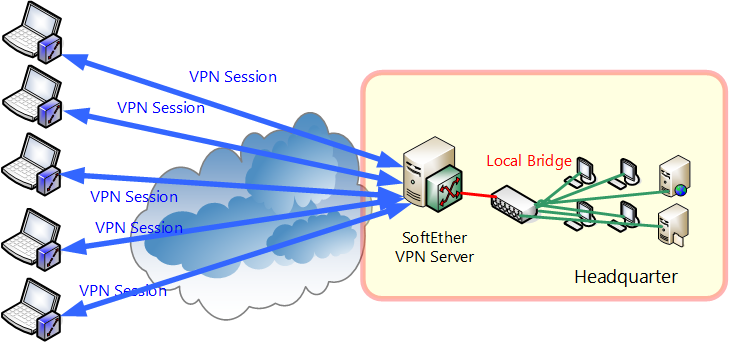
A VPN (Virtual Private Network) Server is used to create a secure and encrypted connection between remote users or branch offices and a private network over the internet. It allows users to access internal company resources safely without exposing the network directly to the public internet.
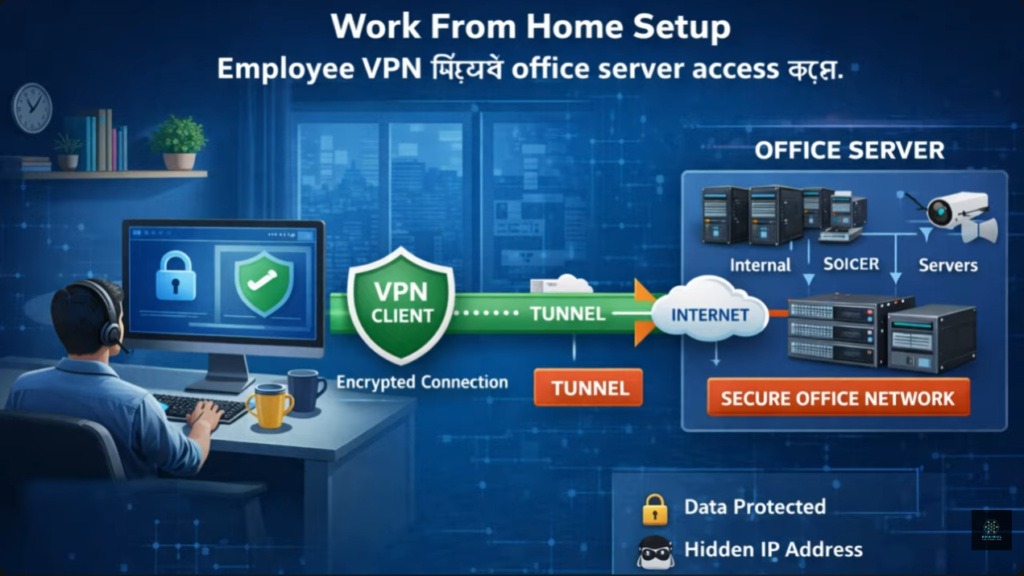
A VPN server is essential for businesses with employees working from home or traveling. Instead of visiting the office, users can securely connect to the company’s network and access shared folders, databases, printers, ERP software, CCTV systems, and other internal services as if they were physically present in the office.
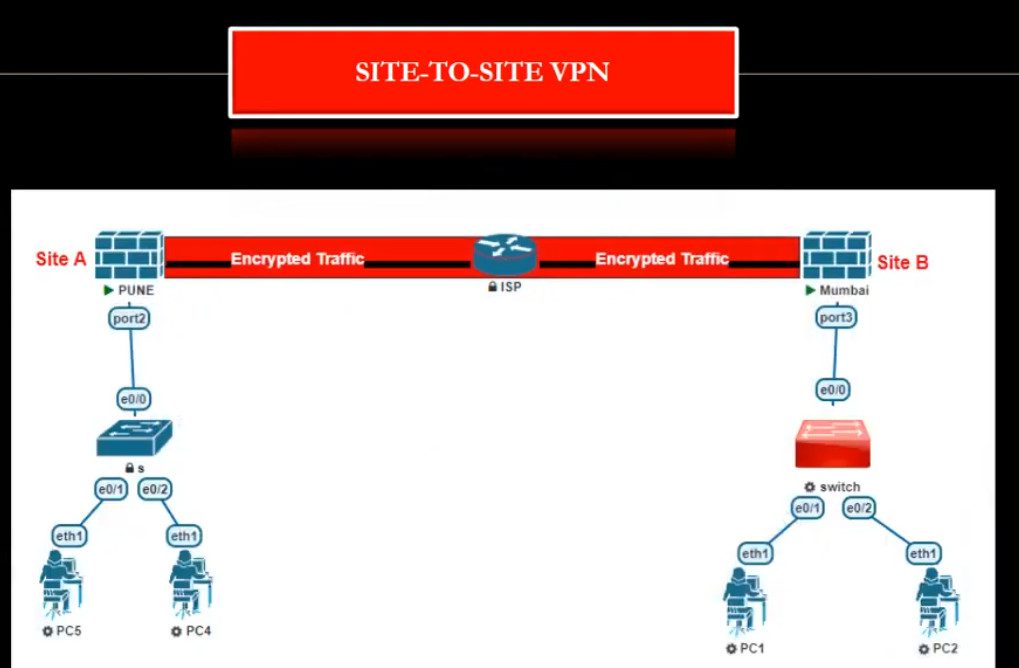
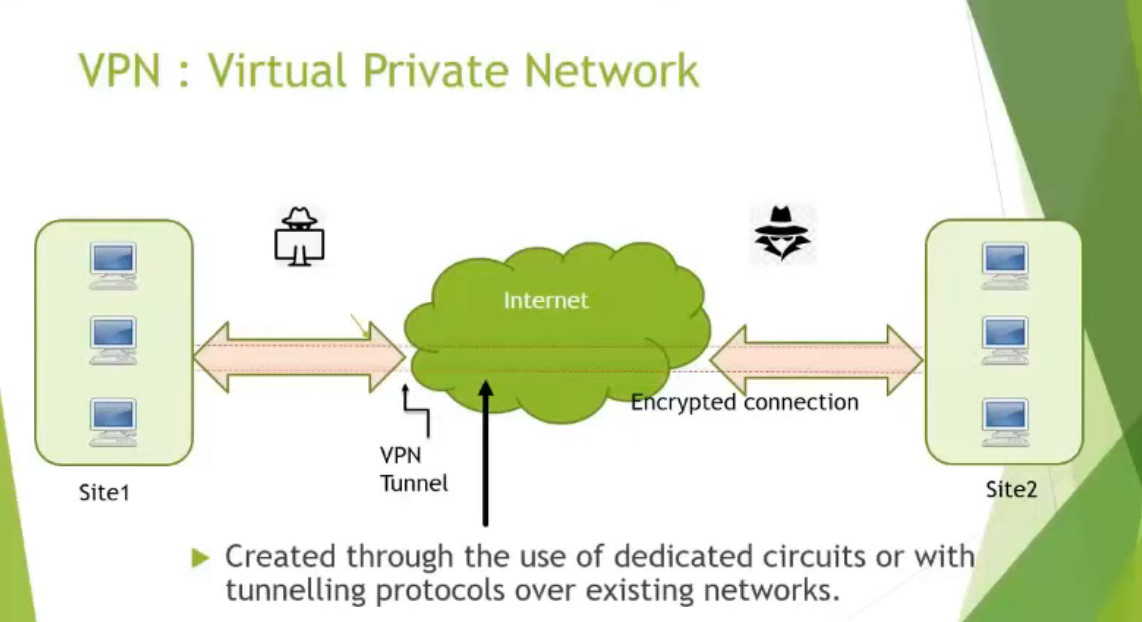
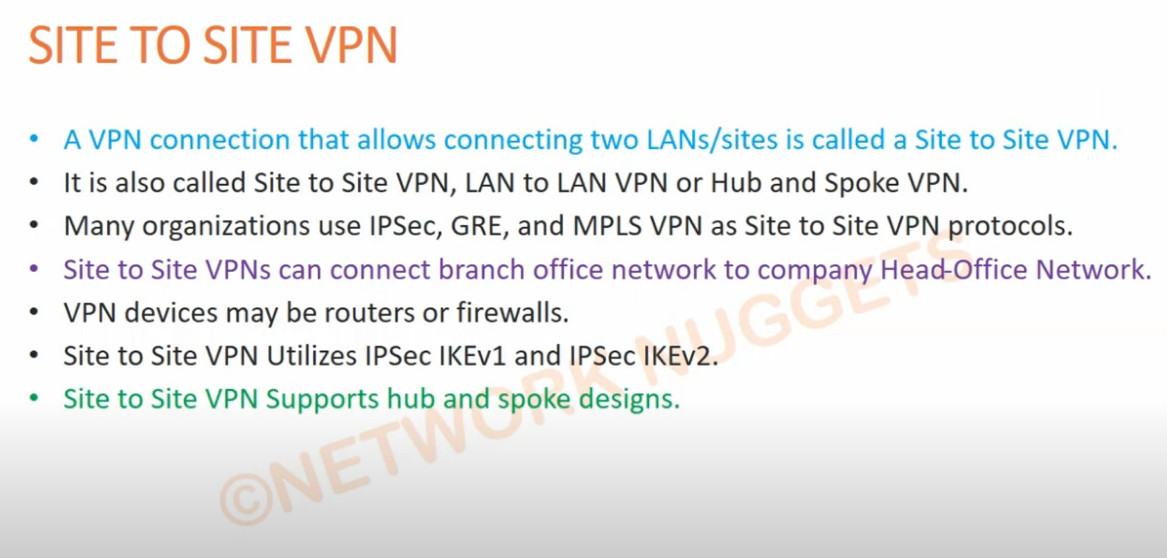
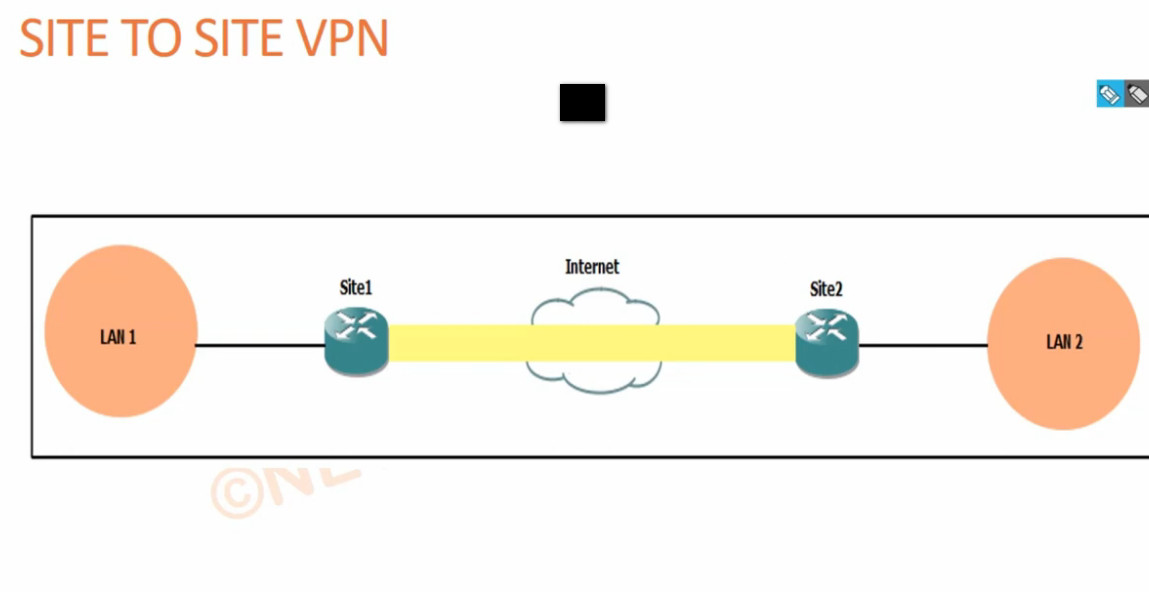
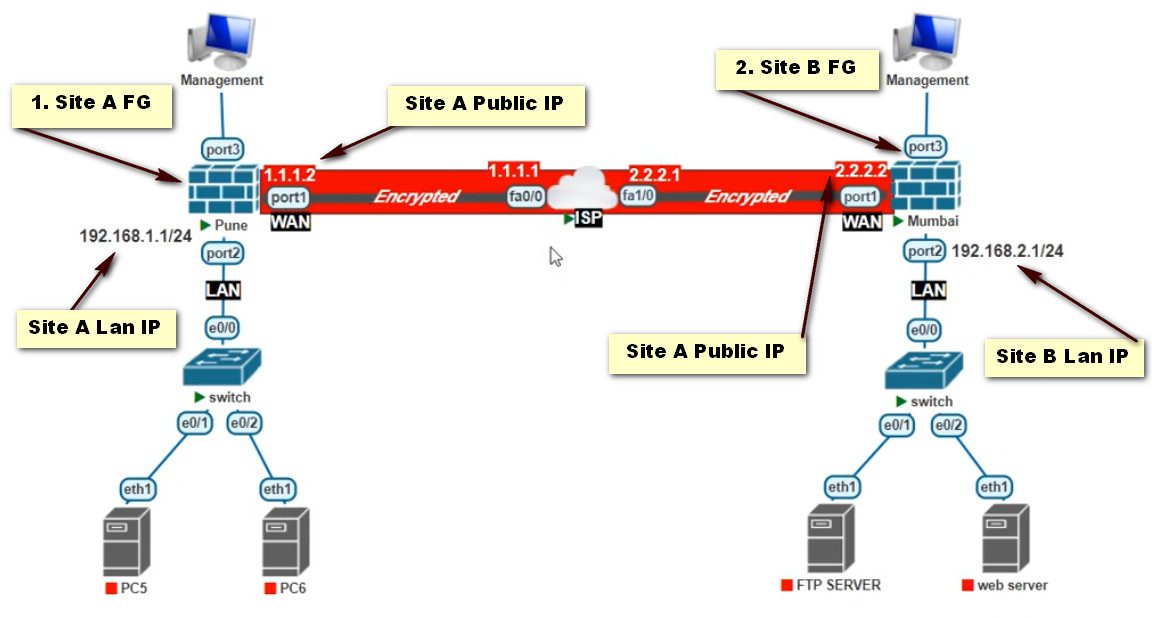
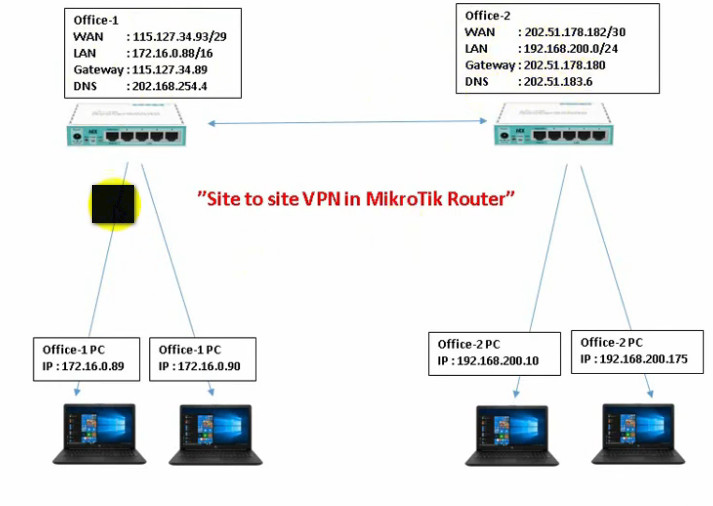
For organizations with multiple branches, a VPN server enables secure communication between different office locations. For example, if the head office is in Kolkata and a branch office is in Delhi, both locations can be connected through a Site-to-Site VPN. Employees at either office can securely access shared files, servers, and business applications.
A VPN server also protects sensitive business data by encrypting all traffic between the user and the company network. Even when using public Wi-Fi in places such as airports, hotels, or cafés, the transmitted information remains protected from unauthorized access.
Using a VPN server reduces the need to expose services such as Remote Desktop (RDP), file servers, or CCTV systems directly to the internet. Instead of opening multiple ports that attackers may target, users first authenticate with the VPN server and then securely access internal resources.
A VPN server helps businesses manage remote IT infrastructure efficiently. Network administrators can securely configure routers, switches, firewalls, servers, IP cameras, and other network devices from any location without being physically present.
For example, a company has a file server with IP address 192.168.1.10, a CCTV NVR with 192.168.1.20, and an ERP server with 192.168.1.30. An employee working from home connects to the VPN server, receives a VPN IP address such as 10.10.10.2, and can securely access all these internal resources exactly as if they were connected to the office LAN.
Overall, a VPN server provides secure remote access, protects confidential data through encryption, connects multiple office locations, enables safe remote management of IT systems, and significantly improves the security of business networks.
Can a VPN Access a Website That Is Blocked?
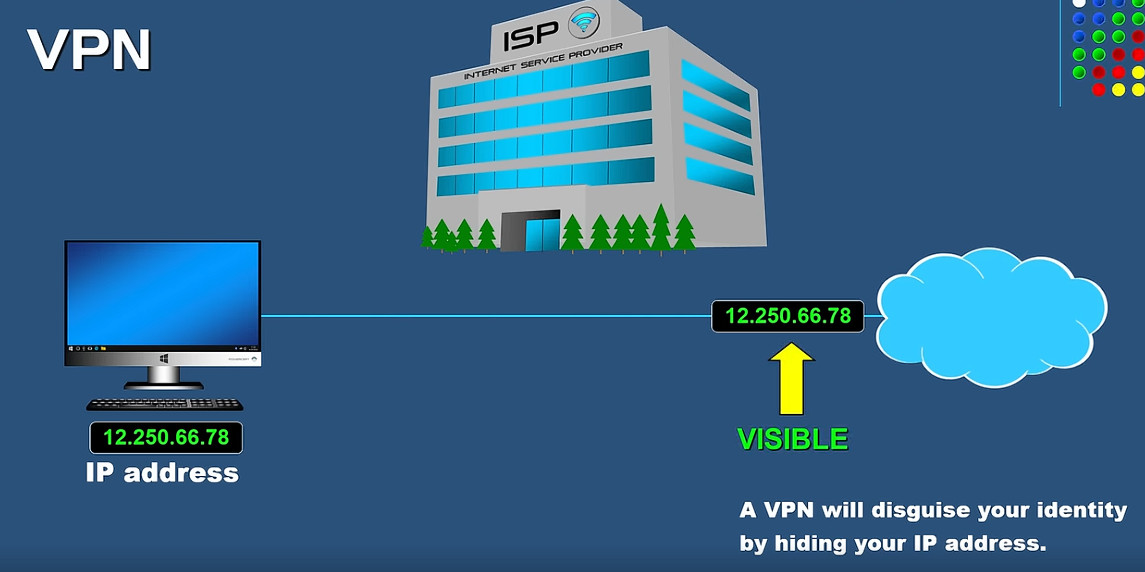
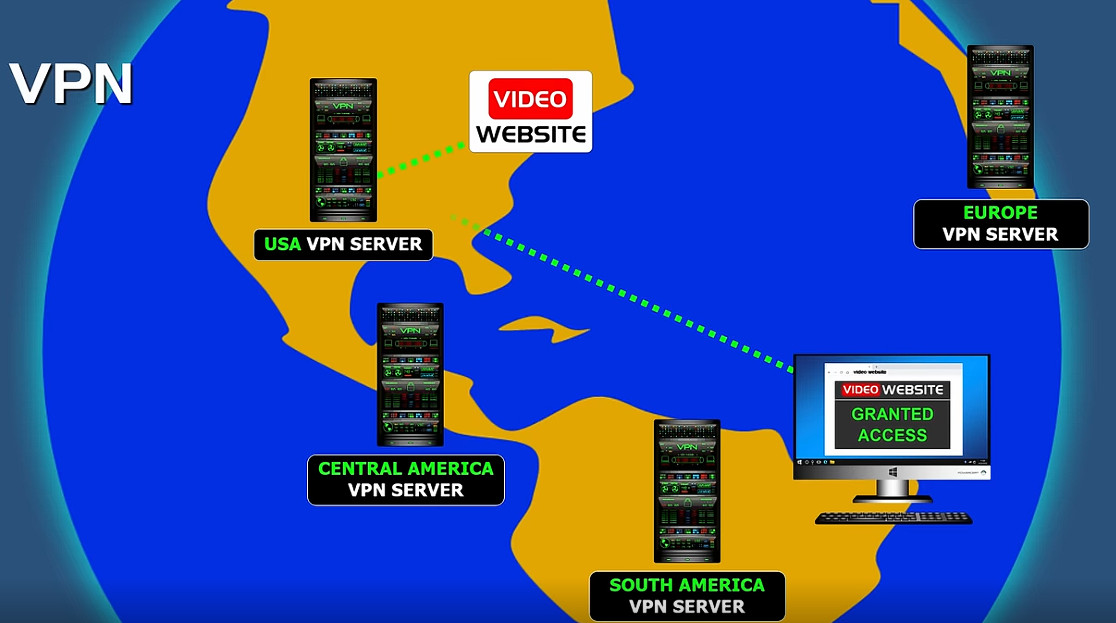
Yes, in many cases a VPN can help access a website that has blocked your IP address. A VPN works by routing your Internet traffic through a VPN server and replacing your real public IP address with the VPN server’s IP address. As a result, the website sees the VPN server’s IP address instead of your actual IP address.
For example, suppose a website has blocked your IP address 103.25.147.210. If you connect to a VPN server with the IP address 45.76.120.55, your requests will appear to come from 45.76.120.55. Since the website no longer sees your original IP address, it may allow access if the VPN server’s IP address is not blocked.
However, a VPN does not guarantee access to every blocked website. Many websites and online services maintain databases of known VPN server IP addresses and may block them. Some websites also use additional methods such as account verification, cookies, browser fingerprinting, or geographic restrictions to identify users and enforce access controls.
Therefore, a VPN can often bypass blocks that are based solely on IP addresses, but it may not work against more advanced blocking mechanisms. The effectiveness of a VPN depends on how the website implements its restrictions and whether the VPN server’s IP address is also restricted.
Why Need VPN In Company Network?
A company needs a VPN (Virtual Private Network) to provide secure and private communication between employees, branch offices, and company servers over the internet. It allows staff to safely access internal systems such as file servers, databases, email, and business applications from remote locations or while traveling, as if they were inside the office network. A VPN encrypts all data traffic, which protects sensitive company information from hackers, cyberattacks, and data theft—especially when employees use public Wi-Fi or home networks. It also helps maintain confidentiality, integrity, and compliance with security policies by controlling who can access company resources. In addition, VPNs support business continuity by enabling remote work during emergencies or office downtime and allow secure connection between multiple office locations (site-to-site VPN). Overall, a VPN is essential for protecting company data, enabling remote access, and ensuring secure and reliable business operations.
Why Companies Need VPN?
Companies use Virtual Private Networks (VPNs) to protect sensitive business information and provide secure access to company resources. As organizations expand and employees work from different locations, a VPN helps ensure that communication remains private and protected from unauthorized access.
One of the main reasons companies use VPNs is to enable secure remote access. Employees working from home, traveling, or operating from remote locations can connect securely to the company network through an encrypted VPN tunnel. This allows them to access internal applications, file servers, databases, and other business resources as if they were physically present in the office.
VPNs are also used to connect multiple branch offices. For example, a company such as Tata Consultancy Services may have offices in Kolkata, Delhi, Mumbai, and Bengaluru. A Site-to-Site VPN can securely connect these locations over the Internet, allowing employees to share resources and communicate safely between offices.
Another important benefit is data protection. VPNs encrypt network traffic, making it difficult for hackers or unauthorized individuals to intercept and read sensitive information. This is especially important when employees use public Wi-Fi networks in airports, hotels, or cafés, where network security may be limited.
VPNs also help organizations maintain privacy, improve network security, and reduce the risk of data breaches. By encrypting communications and controlling access to internal systems, companies can better protect customer information, financial records, intellectual property, and other critical business assets.
In summary, companies use VPNs to provide secure remote access, connect branch offices, protect confidential data, secure Internet communications, and support business operations in a safe and reliable manner.
Suppose a company called Infosys has its main office in Bengaluru and branch offices in Kolkata, Delhi, and Mumbai.
The company stores important data such as employee records, customer information, project files, and financial documents on servers located in the Bengaluru headquarters. Employees working in other offices need access to these resources every day.
Without a VPN, data would travel over the Internet with a higher risk of interception or unauthorized access. To improve security, the company deploys a VPN solution.
When an employee in the Kolkata office wants to access a file stored on the Bengaluru server, the employee first connects to the company VPN. A secure encrypted tunnel is created between the employee’s computer and the company network. The data travels through this encrypted tunnel, preventing unauthorized users from reading the information.
Similarly, employees working from home can connect to the VPN and securely access company applications, email, databases, and file servers. To them, it appears as though they are connected directly to the office network.
Why Do Hackers Use VPN?
Hackers may use VPNs to hide their real IP addresses and make their Internet activity more difficult to trace. A VPN encrypts traffic and replaces the user’s public IP address with the VPN server’s IP address.
However, a VPN does not give someone the ability to hack a device. A VPN only provides privacy and changes the visible IP address. To compromise a device, an attacker would still need to exploit vulnerabilities, steal credentials, trick users, or use other attack methods.
Reasons Attackers May Use VPNs:
- Hide Real IP Address – Makes it harder to identify their actual network location.
- Mask Geographic Location – Traffic appears to come from the VPN server’s location.
- Encrypt Traffic – Helps protect their communications from local network monitoring.
- Bypass IP-Based Blocks – May avoid restrictions that target specific IP addresses.
- Increase Anonymity – Adds a layer of privacy to Internet activity.
Important Fact:
Using a VPN does not automatically make someone anonymous or untraceable. VPN providers may keep logs, websites can use other tracking methods, and law enforcement can still investigate cybercrimes through legal processes.
Simple Example
Without VPN:
Attacker → Website
Website sees: 103.25.147.210
With VPN:
Attacker → VPN Server → Website
Website sees: 45.76.120.55
The VPN hides the original IP address, but it does not provide hacking capabilities by itself.
Hackers may use VPNs to hide their real IP address and make it more difficult to identify their actual location. By routing internet traffic through a VPN server, the destination website or service sees the VPN server’s IP address instead of the hacker’s original IP address.
A VPN encrypts internet traffic between the user’s device and the VPN server. This encryption helps protect the connection from being intercepted on untrusted networks. While encryption is a legitimate security feature, it can also make monitoring traffic more challenging.
Hackers sometimes use VPNs to make it harder for investigators to trace their activities. However, a VPN does not make someone anonymous or immune from investigation. Many VPN providers keep logs, and law enforcement may be able to obtain information through legal processes.
Some attackers use VPNs to bypass IP-based restrictions or blocking. For example, if an IP address has been blocked by a website or service, they may switch to another VPN server to appear as though they are connecting from a different IP address.
It is important to understand that VPNs are not only used by hackers. Millions of legitimate users—including businesses, remote employees, travelers, and privacy-conscious individuals—use VPNs every day to securely access company networks, protect their data on public Wi-Fi, and improve online privacy.
In summary, a VPN is a legitimate security tool designed to protect privacy and secure communications. Like many technologies, it can be misused by criminals, but its primary purpose is to provide secure and private network connectivity for lawful users.
Real Example 1: Hiding a Real IP Address:
A cybercriminal wants to access a website without revealing their actual IP address.
- Real IP Address: 203.0.113.25
- VPN Server IP: 198.51.100.10
Without a VPN, the website logs the real IP (203.0.113.25).
With a VPN, the website only sees 198.51.100.10 (the VPN server’s IP), not the user’s real IP.
Real Example 2: Public Wi-Fi:
A person connects to free Wi-Fi at an airport.
Without a VPN:
- Data sent over the network may be easier to observe by others on the same network if websites or apps are not using secure connections.
With a VPN:
- Traffic between the device and the VPN server is encrypted, making it much harder for others on the same Wi-Fi network to read it.
This is a common and legitimate use of a VPN.
Real Example 3: Company Remote Access:
A company has:
- File Server: 192.168.1.10
- CCTV NVR: 192.168.1.20
- ERP Server: 192.168.1.30
An employee works from home.
The employee connects to the company’s VPN server and receives a VPN IP such as 10.10.10.2. They can then securely access the file server, ERP system, and CCTV just as if they were in the office.
Important Note:
Some criminals misuse VPNs to hide their IP address while carrying out illegal activities, but using a VPN does not make someone untraceable or legalize criminal actions. VPNs are primarily designed to improve privacy and security for legitimate users, such as businesses, remote workers, and travelers.
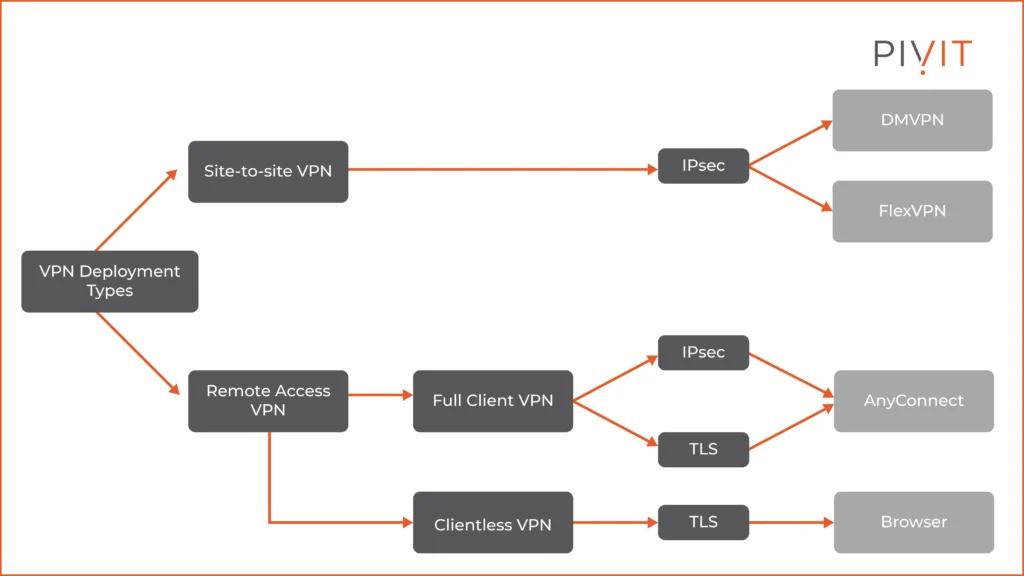
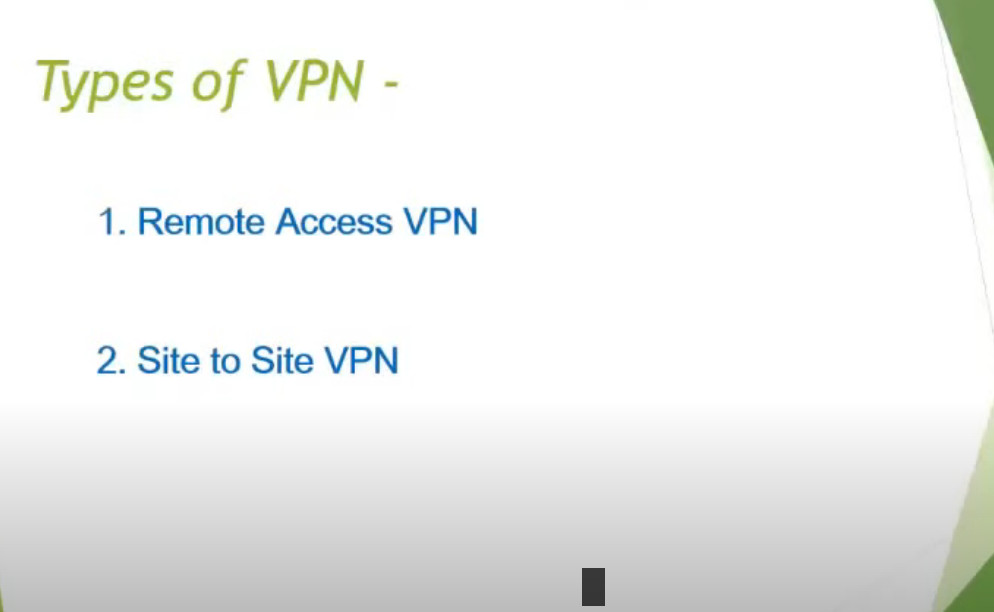
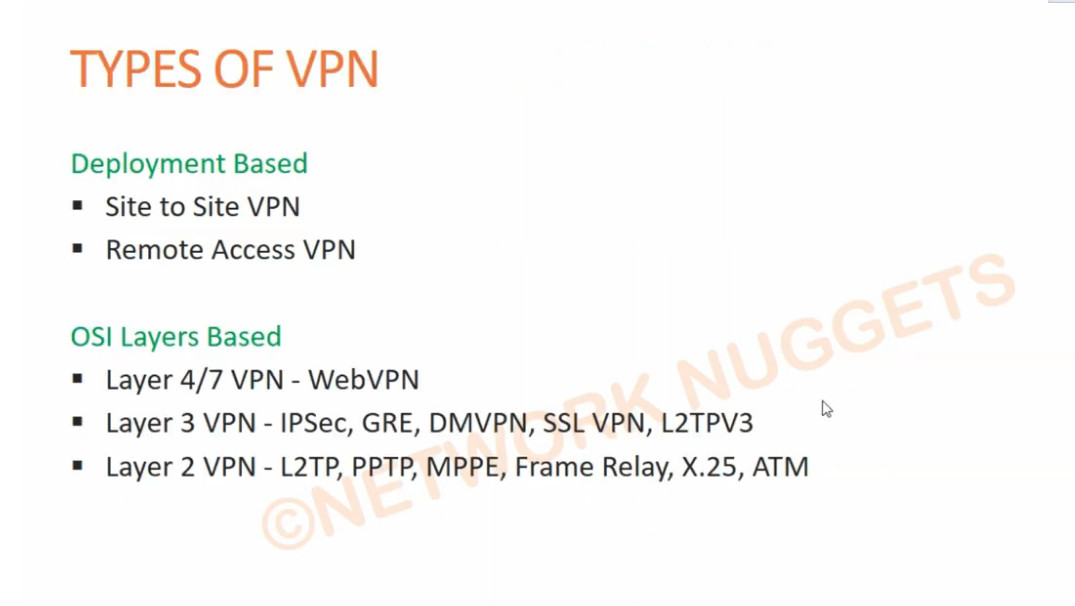
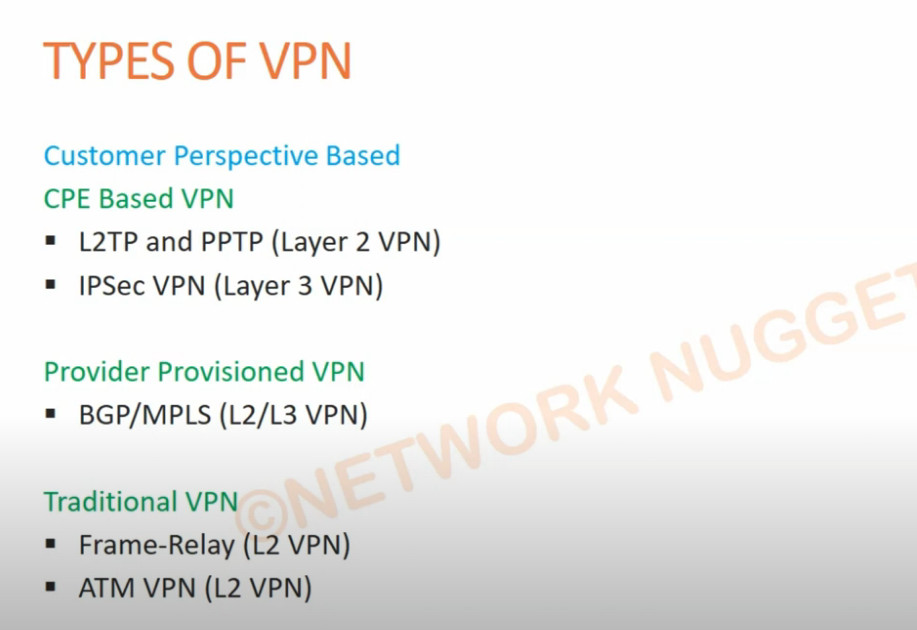
Type Of VPN?
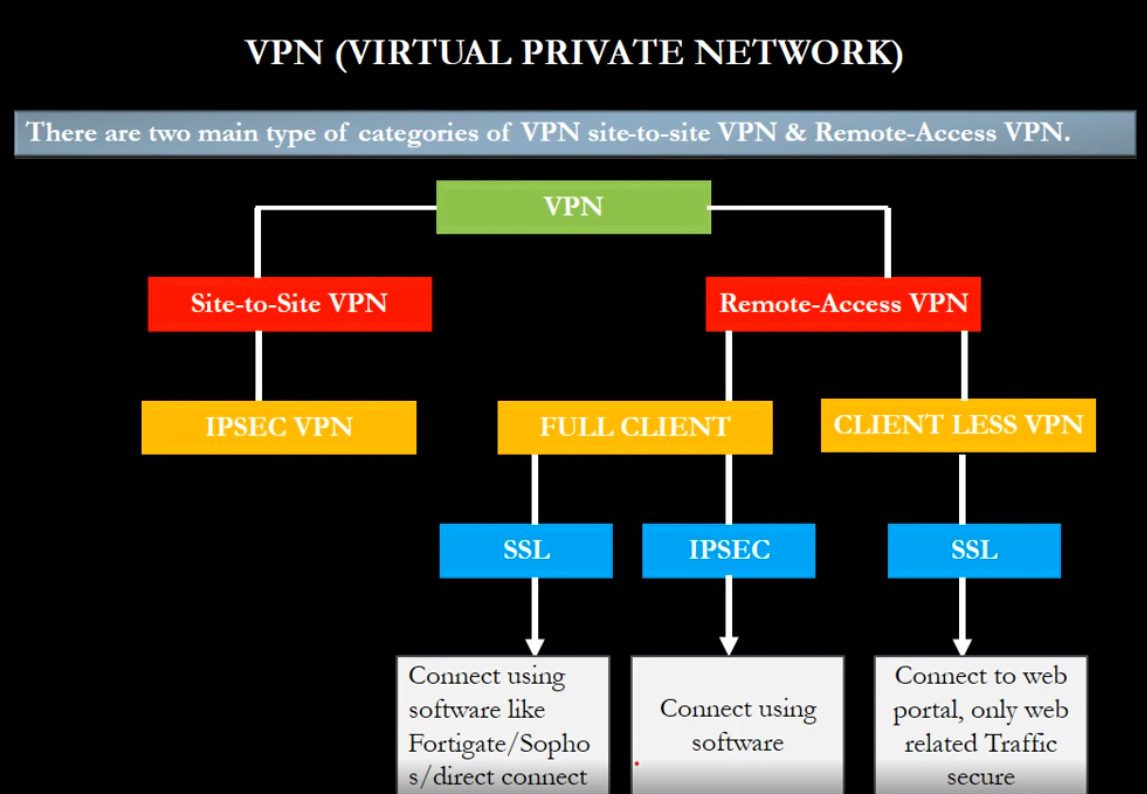
There are several types of VPN, classified based on how they are used and how they connect networks and users. Each type serves a different purpose in personal and company environments.
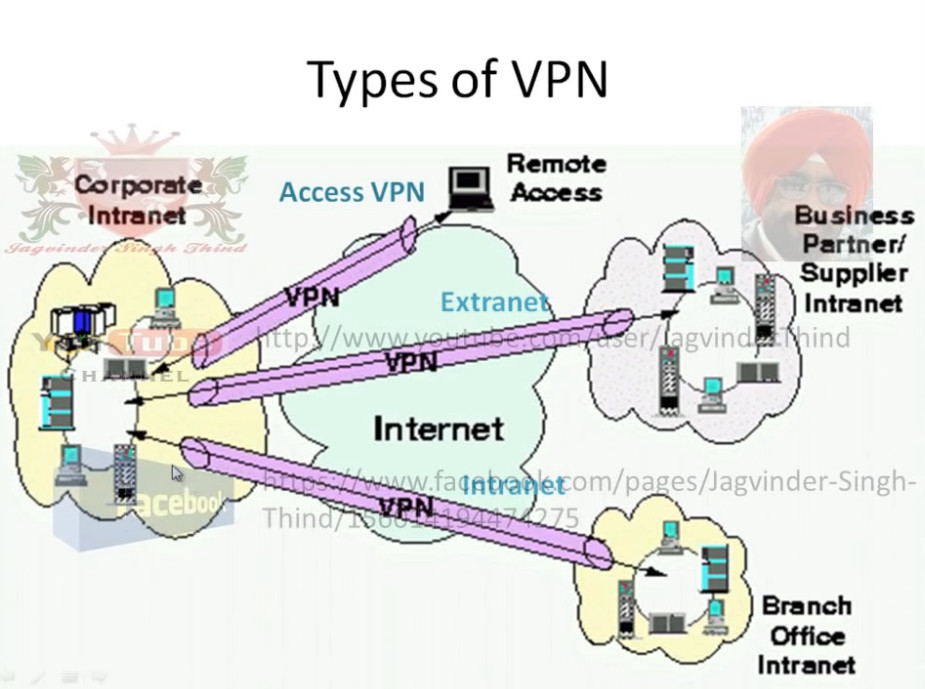
Remote Access VPN (Client-to-Site VPN):
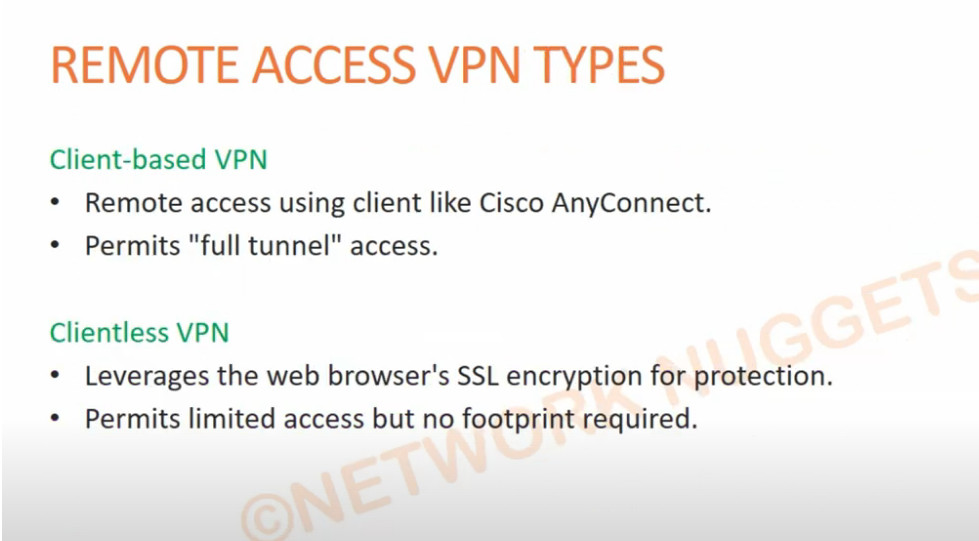
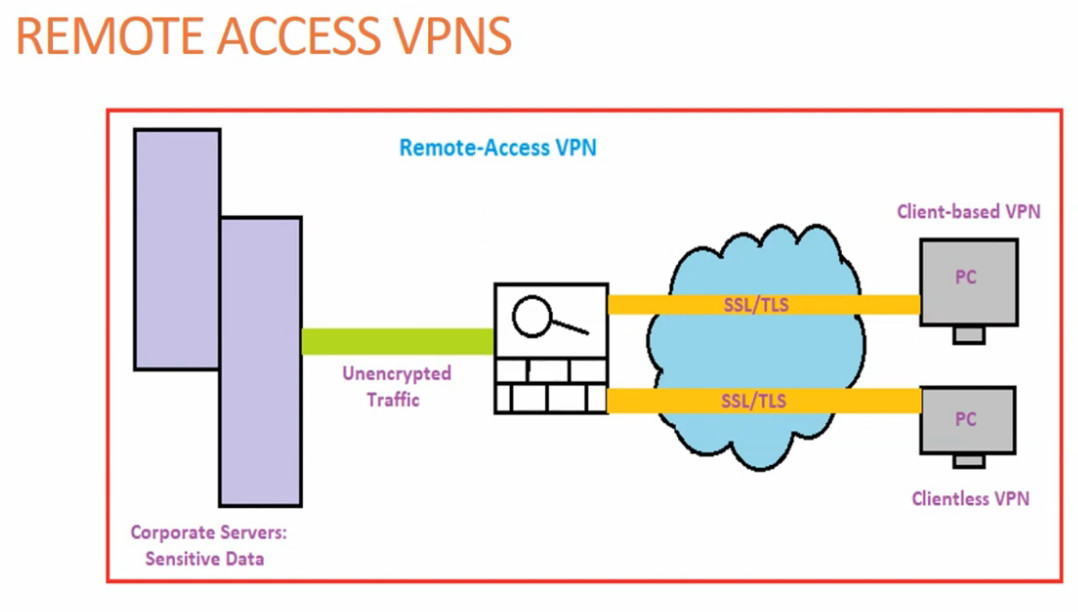
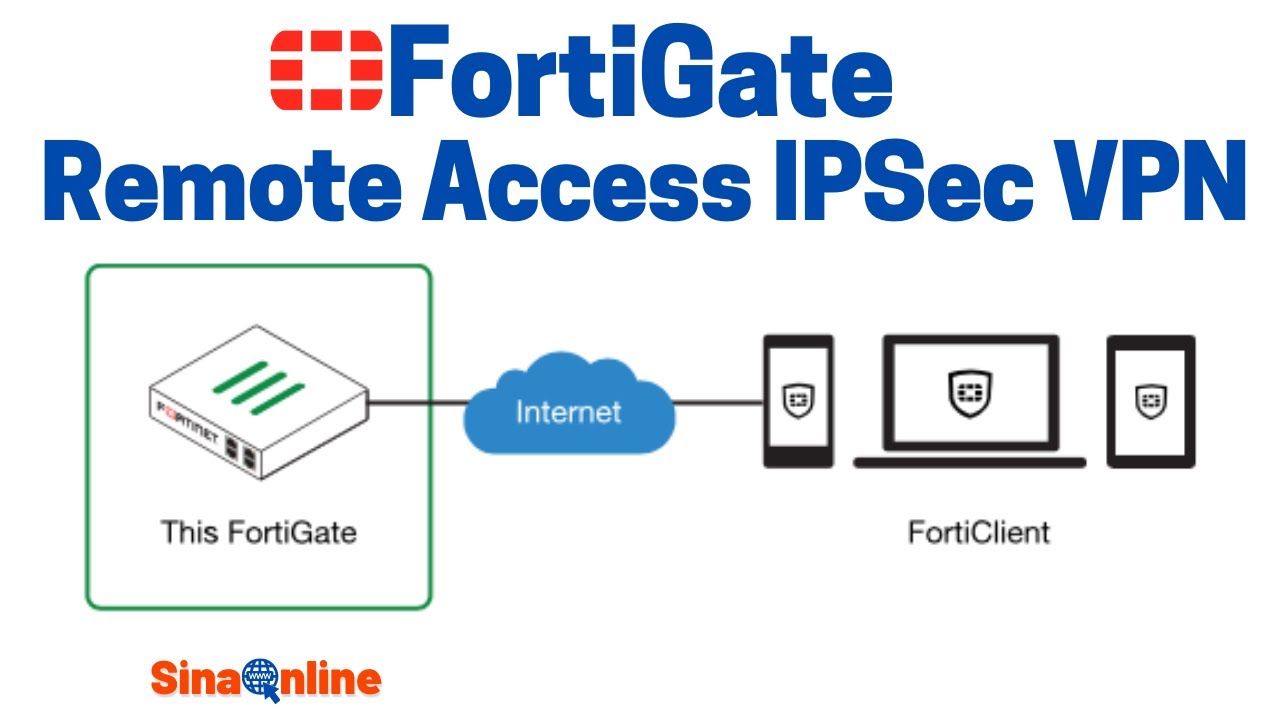
A Remote Access VPN allows individual users (employees or users at home) to securely connect to a company’s private network over the internet. The user installs a VPN client application on their computer or mobile device and logs in with a username and password or certificate. Once connected, they can access company resources such as file servers, email, and internal applications as if they were physically in the office. This type of VPN is commonly used for work-from-home employees and traveling staff.
Site-to-Site VPN:
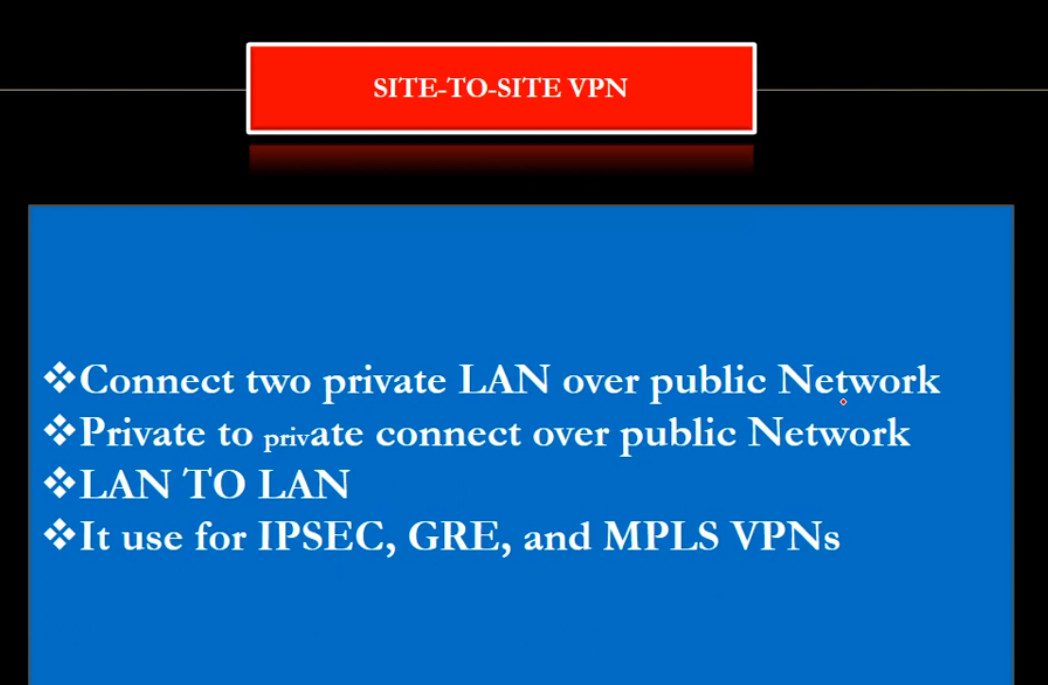
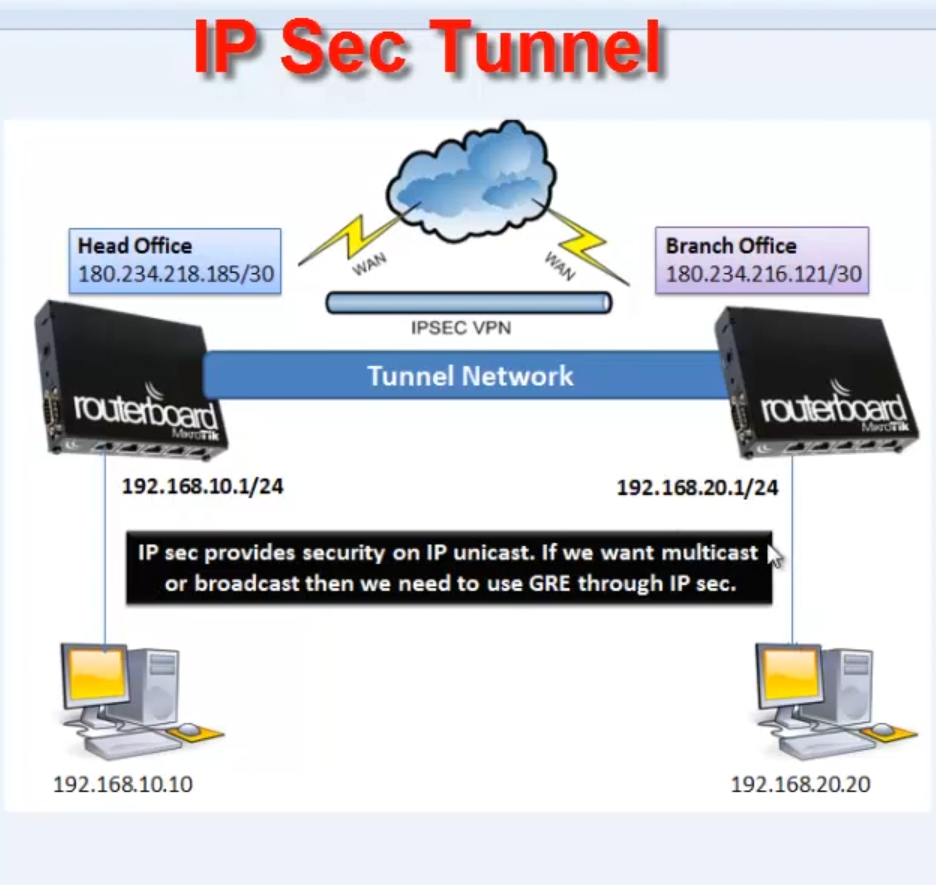
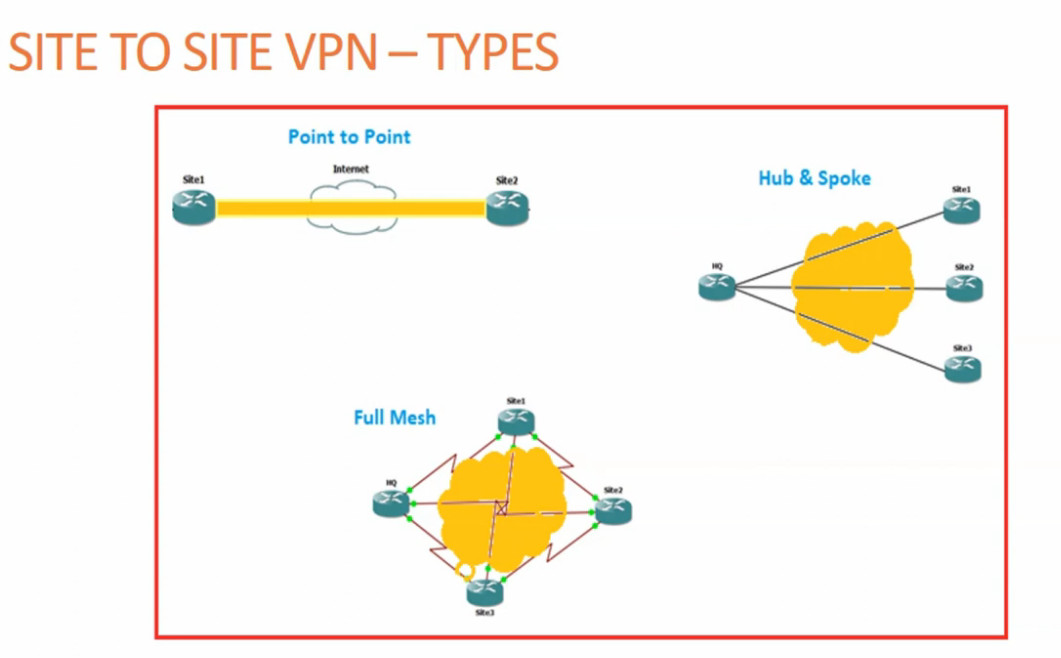
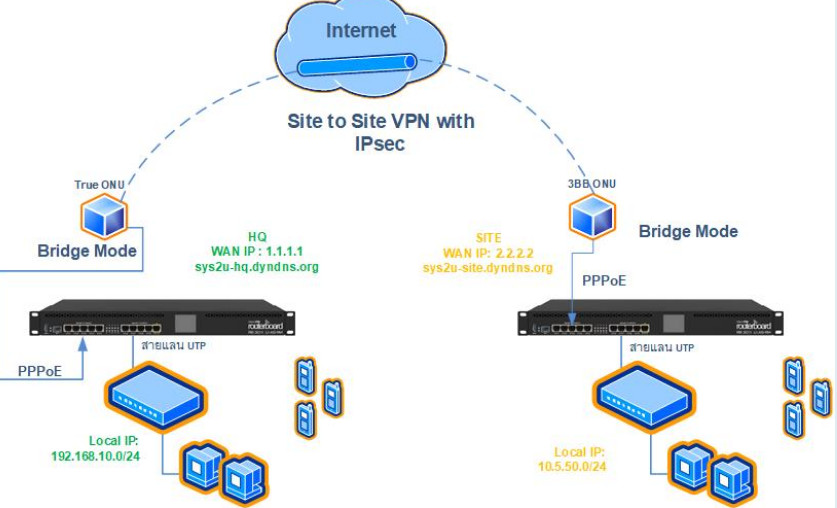
A Site-to-Site VPN connects two or more entire networks together over the internet. It is mainly used by companies with multiple branch offices. For example, the head office network and branch office network are connected through a VPN tunnel so that computers in both locations can communicate securely. This VPN works automatically between routers or firewalls without requiring user login each time. There are two types of Site-to-Site VPN:
- Intranet VPN: connects multiple offices of the same company.
- Extranet VPN: connects a company network with partner or vendor networks securely.
SSL VPN:
An SSL VPN uses Secure Sockets Layer (SSL) or TLS encryption and is usually accessed through a web browser or lightweight client software. It is easy to use and does not require complex configuration. SSL VPN is very popular for remote users because it allows secure access to specific applications or websites instead of the full network. It is widely used for secure web-based access to company portals and cloud services.
IPsec VPN:
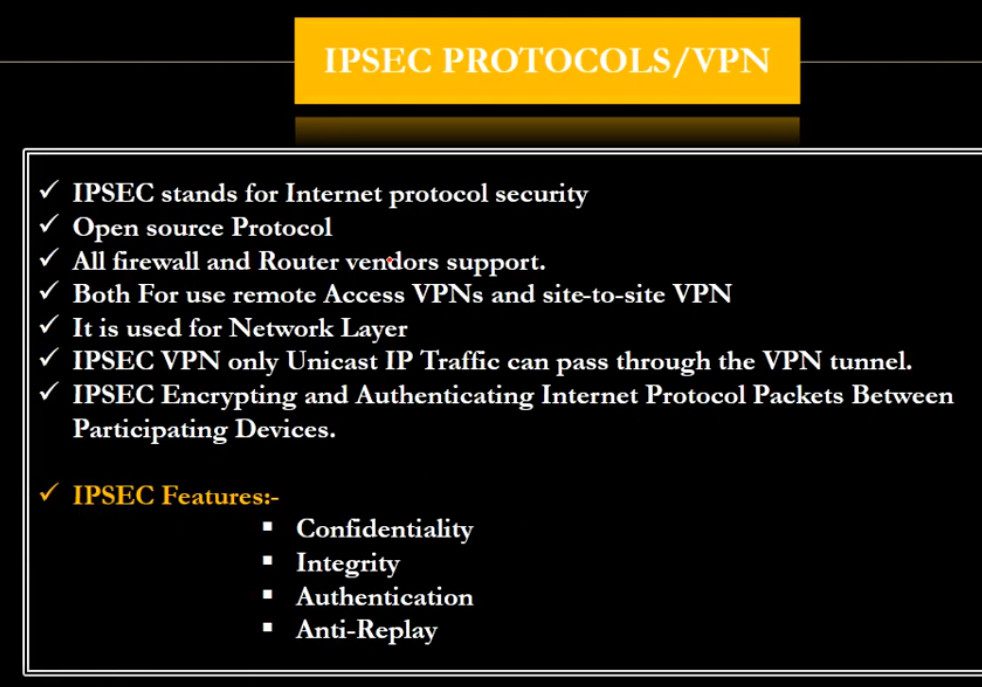
IPsec (Internet Protocol Security) VPN is a protocol-based VPN that provides strong encryption and authentication for data communication. It is commonly used in Site-to-Site VPN and also in Remote Access VPN. IPsec works at the network layer and ensures data confidentiality, integrity, and authentication. It is highly secure and suitable for enterprise-level networks.
MPLS VPN:
MPLS VPN (Multiprotocol Label Switching VPN) is provided by internet service providers for large organizations. It does not use the public internet directly like traditional VPNs but uses a private managed network from the service provider. MPLS VPN offers high speed, reliability, and guaranteed performance, making it suitable for banks, large enterprises, and critical applications.
Cloud VPN:
Cloud VPN connects on-premises networks with cloud platforms such as cloud servers and applications. It allows secure communication between company offices and cloud data centers. This type of VPN is important for organizations using cloud services for storage, applications, and backups.
In summary, the main types of VPN are Remote Access VPN, Site-to-Site VPN, SSL VPN, IPsec VPN, MPLS VPN, Protocol-based VPNs, and Cloud VPN. Each type is designed to provide secure communication, protect data, and support remote work and multi-branch connectivity in personal and business environments.
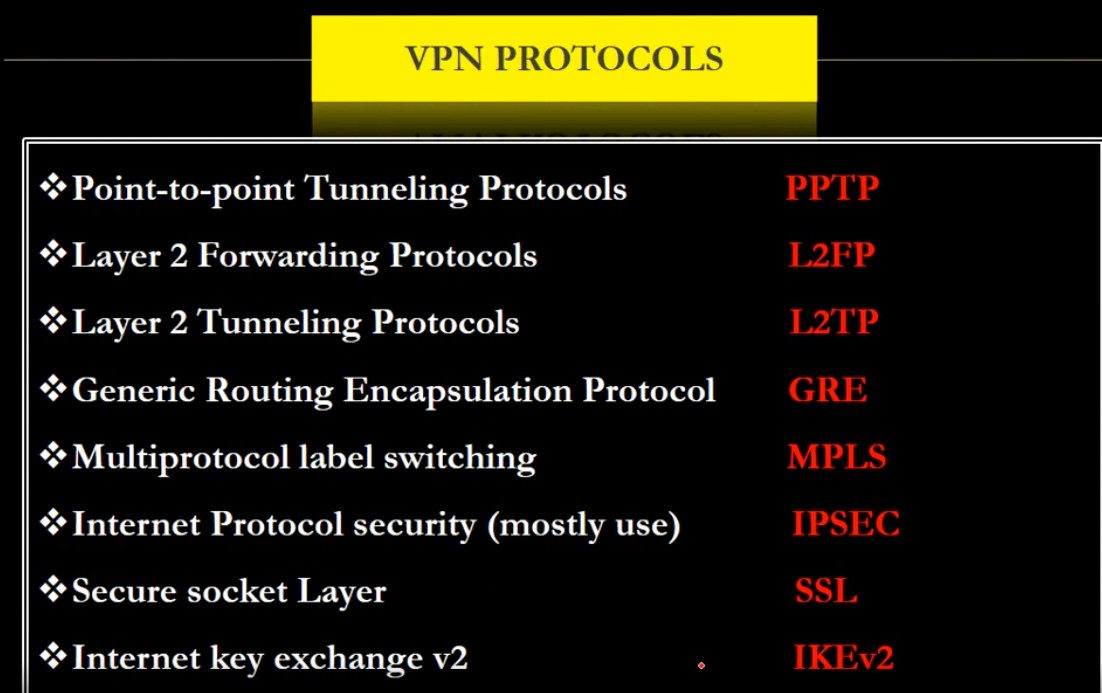
Type Of VPN Protocol?
A VPN protocol is a set of rules and technologies that determine how data is securely transmitted between a user’s device and a VPN server through an encrypted tunnel. Each VPN protocol differs in terms of security level, speed, compatibility, and use case. Below are the main VPN protocols explained in detail:
PPTP (Point-to-Point Tunneling Protocol):
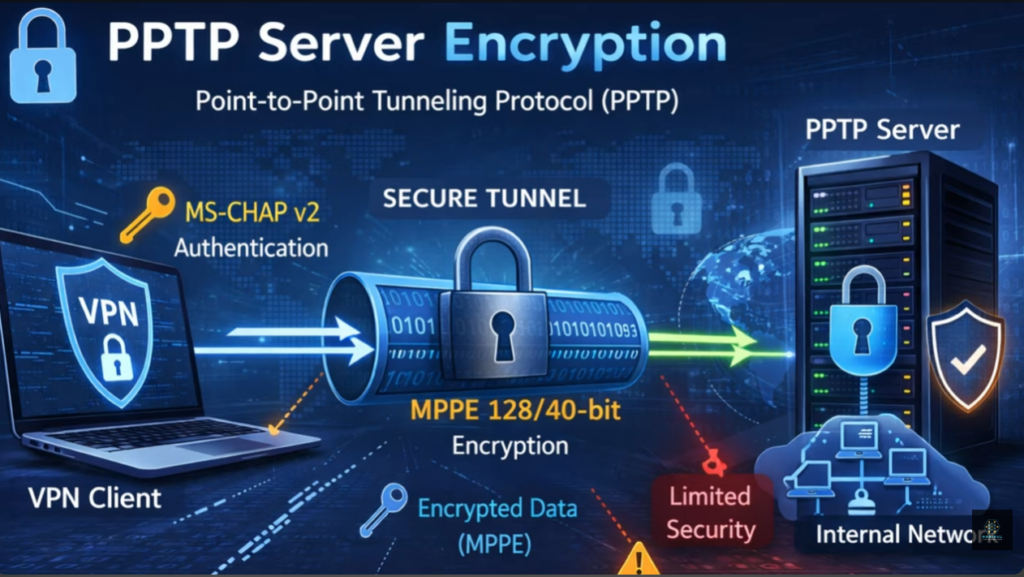
PPTP is one of the oldest VPN protocols developed by Microsoft. It is easy to set up and provides fast connection speeds because it uses basic encryption. However, its security is weak by modern standards and it is vulnerable to hacking and data interception. Due to low security, PPTP is not recommended for sensitive data or business use, but it may still be used where speed is more important than security.
L2TP/IPsec (Layer 2 Tunneling Protocol with IPsec):
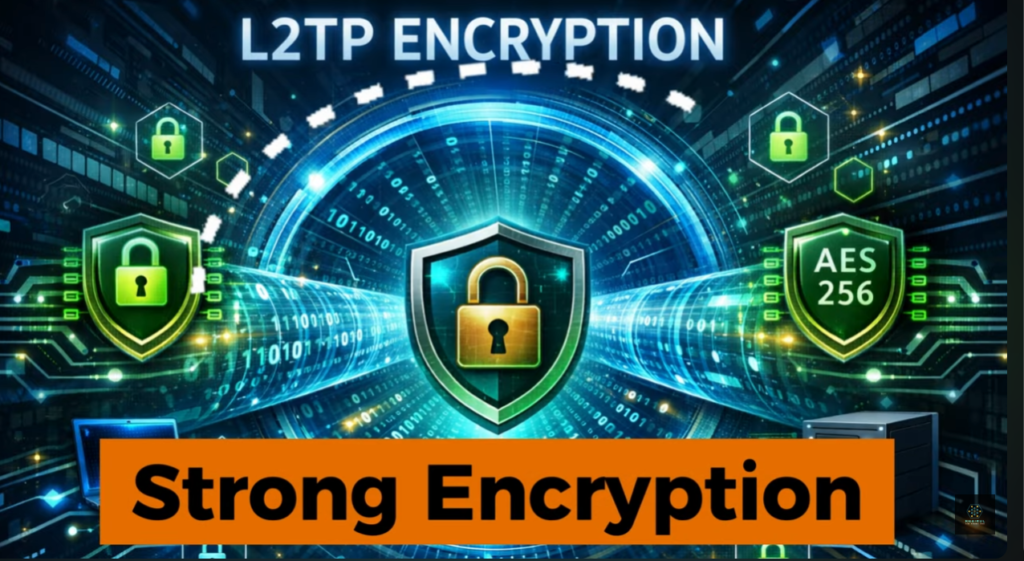
L2TP by itself does not provide encryption, so it is combined with IPsec for security. This protocol offers strong encryption and better security than PPTP. It is widely supported on most operating systems like Windows, Linux, macOS, and mobile devices. L2TP/IPsec is more secure but slightly slower than PPTP because of double encapsulation of data.
IPsec (Internet Protocol Security):
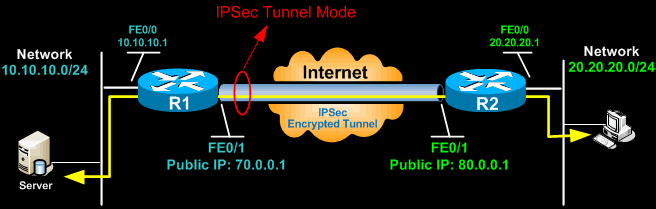
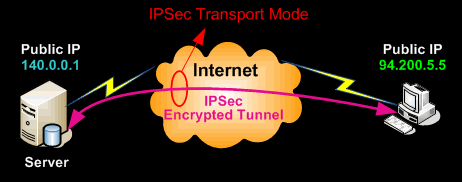
IPsec is a very secure protocol suite used to protect data at the network layer. It provides encryption, authentication, and data integrity. IPsec is commonly used in Site-to-Site VPNs (connecting branch offices) and Remote Access VPNs. It supports two modes:
- Transport Mode: encrypts only the data portion of packets.
- Tunnel Mode: encrypts the entire IP packet. IPsec is trusted for enterprise and government-level security.
OpenVPN:
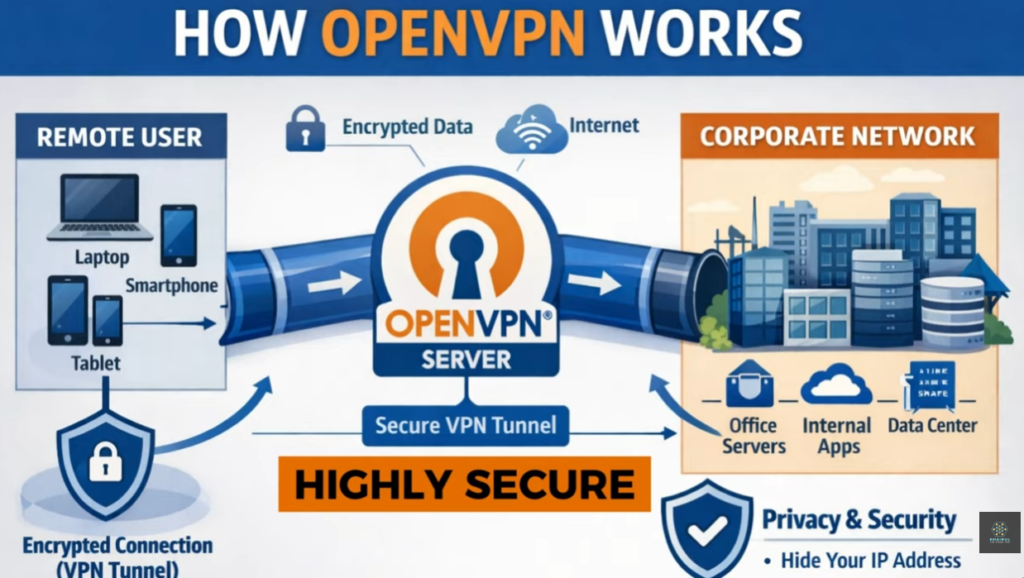
OpenVPN is an open-source and highly secure VPN protocol that uses SSL/TLS encryption. It is very flexible and works on almost all platforms (Windows, Linux, macOS, Android, iOS). OpenVPN can use either TCP or UDP ports and can bypass firewalls easily. It is known for strong security, reliability, and is widely used by commercial VPN services and corporate networks.
SSTP (Secure Socket Tunneling Protocol):
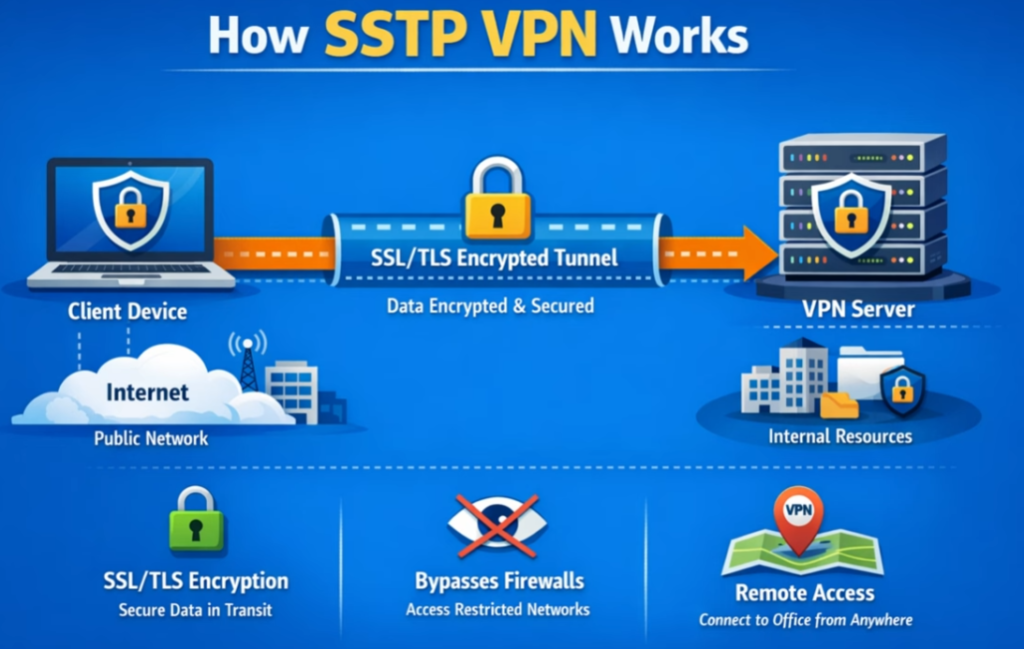
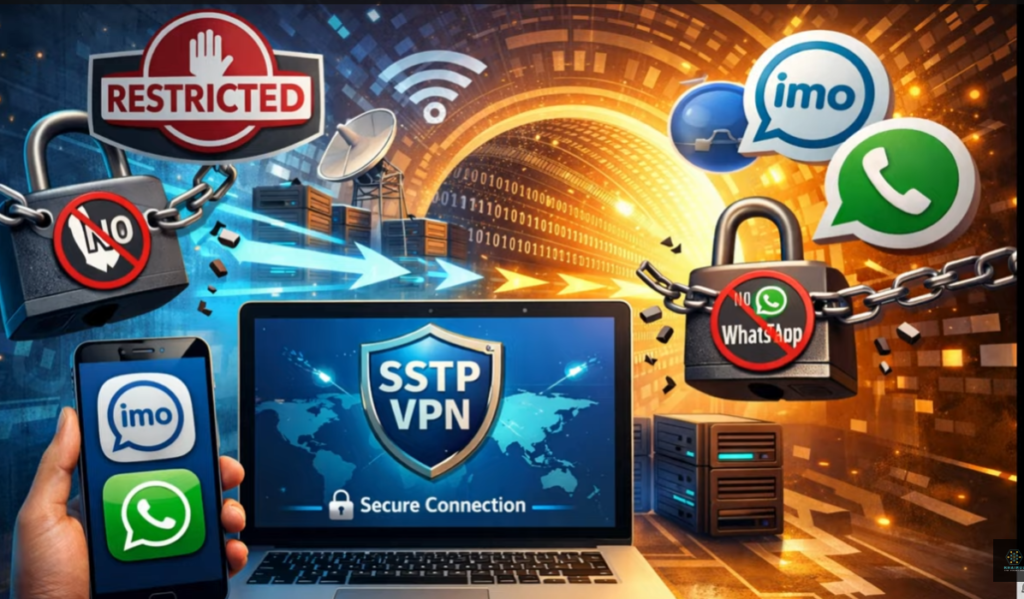
SSTP is developed by Microsoft and uses SSL/TLS over TCP port 443, which is the same port used for HTTPS traffic. This makes it very good at bypassing firewalls and proxy servers. SSTP provides strong encryption and is mainly used in Windows environments. It is secure but less flexible on non-Windows systems.
IKEv2/IPsec (Internet Key Exchange version 2):
IKEv2 works with IPsec to provide secure and fast VPN connections. It is very stable and supports automatic reconnection when switching networks (for example, from Wi-Fi to mobile data). This makes it ideal for mobile users. IKEv2 offers strong security, high speed, and good performance for smartphones and laptops.
SSL/TLS VPN (Browser-based VPN):
SSL VPNs allow users to connect through a web browser without installing special software. They are commonly used for remote access to specific applications like web portals or email systems. They provide secure communication using SSL/TLS encryption and are easy to deploy for organizations.
Layer-3 VPN Protocol
1. MPLS L3 VPN :
This is the most widely used type of L3 VPN. It is implemented by Internet Service Providers using MPLS and VRF (Virtual Routing and Forwarding). Each customer has a separate routing table (VRF) on the provider router, and routes are exchanged using MP-BGP.
Use case: Banks, government offices, large companies with many branch locations.
2. IPsec-based L3 VPN :
In this type, the customer builds VPN tunnels over the public internet using IPsec protocol. Routing is handled by the customer routers or firewalls.
Use case: Small and medium businesses, remote office connectivity.
3. GRE over IPsec L3 VPN:
This type combines GRE (Generic Routing Encapsulation) with IPsec. GRE provides routing and multicast support, while IPsec provides encryption.
Use case: Enterprises needing dynamic routing and secure site-to-site VPN.
4. DMVPN (Dynamic Multipoint VPN):
DMVPN is an advanced form of L3 VPN that allows multiple branch offices to communicate dynamically without creating permanent tunnels between every site.
Use case: Large organizations with many branch offices.
What is MPLS VPN?
MPLS VPN (Multiprotocol Label Switching Virtual Private Network) is a type of private network service provided by an Internet Service Provider (ISP) that connects multiple branch offices of an organization using a dedicated and secure backbone network instead of the public internet. In MPLS VPN, data packets are forwarded using labels rather than traditional IP routing, which makes communication faster, more efficient, and more reliable. Each customer’s traffic is logically separated using Virtual Routing and Forwarding (VRF), so even though many companies share the same provider infrastructure, their data remains private and isolated. MPLS VPN is known for high performance, low latency, guaranteed bandwidth (QoS), and strong reliability, making it suitable for business-critical applications like voice (VoIP), video conferencing, ERP systems, and database access.
Unlike normal internet-based VPNs (IPsec VPN), MPLS VPN does not rely on encryption over the public internet. Instead, it uses the service provider’s private network to ensure security and controlled routing. Because of this, MPLS VPN offers better stability, predictable performance, and service-level agreements (SLA) such as uptime and latency guarantees.
Layer 3 VPN (L3VPN):
A Layer 3 Virtual Private Network (L3VPN) is a networking technology that allows multiple remote sites, branch offices, or customer networks to communicate securely over a shared service provider infrastructure while maintaining separate and private routing information. L3VPN operates at the Network Layer (Layer 3) of the OSI model and is commonly implemented using MPLS (Multiprotocol Label Switching) networks.
How L3VPN Works:
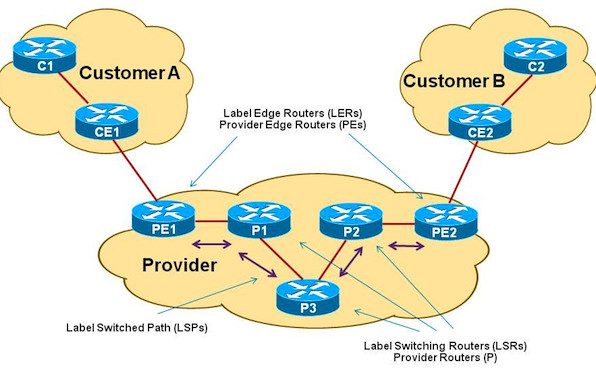
In an L3VPN environment, the service provider participates in the customer’s routing process. Customer Edge (CE) routers connect to Provider Edge (PE) routers, and routing information is exchanged between them using routing protocols such as OSPF, BGP, RIP, or static routes. The service provider’s MPLS network transports customer traffic between different sites while keeping each customer’s routing table isolated through Virtual Routing and Forwarding (VRF) instances.
Main Components of L3VPN:
Customer Edge (CE) Router:
The CE router is located at the customer’s site and connects directly to the service provider’s network. It exchanges routing information with the PE router.
Provider Edge (PE) Router:
The PE router is responsible for maintaining customer VRFs, exchanging routes with customer devices, and forwarding traffic through the MPLS backbone.
Provider (P) Router:
The P router exists within the service provider’s core network and forwards MPLS-labeled packets without maintaining customer routing information.
Virtual Routing and Forwarding (VRF):
VRF technology creates separate routing tables for different customers, ensuring complete traffic isolation and security.
Multiprotocol Label Switching (MPLS):
MPLS uses labels instead of IP lookups for packet forwarding, improving performance, scalability, and traffic engineering capabilities.
Features of L3VPN (Layer 3 VPN):
Secure Private Connectivity – Provides secure communication between multiple branch offices over a shared service provider network while keeping customer traffic isolated.
Routing Managed by Service Provider – The service provider handles routing functions, reducing network management complexity for customers.
MPLS-Based Transport – Uses MPLS technology for fast, efficient, and scalable packet forwarding across the provider backbone.
VRF (Virtual Routing and Forwarding) Support – Maintains separate routing tables for different customers, ensuring complete traffic separation and privacy.
Support for Dynamic Routing Protocols – Works with routing protocols such as BGP, OSPF, RIP, EIGRP, and static routing.
Scalable Network Architecture – Easily supports the addition of new sites, branches, and users without major network redesign.
Multi-Site Connectivity – Connects geographically distributed offices through a single private WAN infrastructure.
Overlapping IP Address Support – Different customers can use identical IP address ranges without causing routing conflicts.
High Network Performance – MPLS label switching reduces routing lookup overhead and improves packet forwarding efficiency.
Quality of Service (QoS) Support – Enables prioritization of critical applications such as voice, video conferencing, and business traffic.
Centralized Network Management – Simplifies network administration by allowing routing and connectivity management from a central location.
Reliable WAN Solution – Provides stable and predictable connectivity for enterprise and service provider networks.
Traffic Isolation – Customer traffic remains logically separated from other customers using VRF and MPLS technologies.
Flexible Connectivity Options – Supports various access technologies including Ethernet, Fiber, Leased Line, and Metro Ethernet.
IPv4 and IPv6 Support – Capable of transporting both IPv4 and IPv6 traffic across the VPN infrastructure.
Fast Route Convergence – Dynamic routing protocols quickly adapt to network topology changes and failures.
Cost-Effective Alternative to Leased Lines – Reduces the need for dedicated point-to-point circuits while maintaining private connectivity.
Business Continuity Support – Allows organizations to maintain communication between branches and data centers during network changes or failures.
Enterprise WAN Integration – Commonly used for connecting headquarters, branch offices, data centers, and cloud services into a unified network.
Service Provider Scalability – Enables providers to support thousands of customers on the same MPLS infrastructure while maintaining complete route separation.
Advantages of L3VPN:
- Secure Communication – Provides secure and private connectivity between multiple sites over a shared service provider network.
- High Scalability – New branches and locations can be added easily without major network changes.
- Simplified Routing Management – The service provider manages routing, reducing administrative workload for customers.
- MPLS Performance – MPLS label switching enables faster and more efficient packet forwarding.
- Multi-Site Connectivity – Connects headquarters, branch offices, data centers, and remote locations through a single VPN infrastructure.
- Traffic Isolation – VRF technology keeps customer traffic separate and secure from other customers.
- Supports Dynamic Routing – Compatible with BGP, OSPF, RIP, EIGRP, and static routing protocols.
- Quality of Service (QoS) – Prioritizes critical applications such as VoIP, video conferencing, and business applications.
- Reliable Network Operation – Provides stable connectivity with high availability and predictable performance.
- Centralized Network Control – Makes monitoring and management easier across large enterprise networks.
- Supports IPv4 and IPv6 – Can transport both IPv4 and IPv6 traffic across the VPN.
- Flexible WAN Solution – Works with different access technologies such as Fiber, Ethernet, and Leased Lines.
- Cost Effective – Often reduces costs compared to deploying multiple dedicated leased circuits.
- Fast Route Convergence – Dynamic routing protocols quickly adapt to link or network failures.
- Suitable for Large Enterprises – Ideal for banks, government organizations, retail chains, educational institutions, and multinational companies.
Disadvantages of L3VPN:
- Higher Cost – MPLS L3VPN services are generally more expensive than standard Internet-based VPN solutions.
- Service Provider Dependency – Customers rely on the service provider for routing, troubleshooting, and network management.
- Limited Network Control – Customers have less control over the provider’s backbone infrastructure and routing decisions.
- Complex Configuration – Initial deployment and configuration of MPLS, MP-BGP, and VRF can be complicated.
- Troubleshooting Difficulty – Diagnosing routing and MPLS-related issues often requires advanced networking knowledge.
- Provider Availability – MPLS L3VPN services may not be available in all geographic locations.
- Long Provisioning Time – Setting up new VPN sites can take longer than Internet-based VPN solutions.
- Scalability Costs – Adding new branches and bandwidth often increases recurring service costs.
- Single Provider Dependence – Network performance and reliability depend heavily on the service provider’s infrastructure.
- Less Customer Routing Flexibility – Some routing policies and configurations may be restricted by the provider.
- Requires Skilled Engineers – Deployment and maintenance require knowledge of MPLS, BGP, VRF, and routing protocols.
- Migration Complexity – Moving from traditional WAN networks to L3VPN can involve significant planning and configuration changes.
- Potential Vendor Lock-In – Organizations may become dependent on a specific service provider’s MPLS network and services.
- Additional Service Charges – Features such as QoS, backup links, and higher bandwidth may require extra monthly costs.
- Internet Access Not Included by Default – Separate Internet connectivity may be required depending on the provider’s design and service package.
Difference Between IPsec VPN and MPLS VPN?
IPsec VPN:
IPsec (Internet Protocol Security) VPN is a secure VPN technology that uses the public Internet to connect remote users, branch offices, and corporate networks. It protects data by encrypting all traffic between endpoints, ensuring confidentiality, integrity, and authentication. Since it operates over existing Internet connections, IPsec VPN is cost-effective and easy to deploy. However, network performance depends on Internet quality, which can result in variable latency and bandwidth.
MPLS VPN:
MPLS (Multiprotocol Label Switching) VPN is a private WAN solution provided by a service provider. Instead of using the public Internet, traffic travels through the provider’s MPLS backbone network. MPLS VPN offers predictable performance, low latency, high reliability, and Quality of Service (QoS) capabilities. It is widely used by large enterprises, banks, government organizations, and businesses with multiple branch offices. Although MPLS VPN is generally more expensive than IPsec VPN, it provides better scalability and network performance.
Security:
IPsec VPN provides strong security through encryption and authentication, making it highly secure for transmitting sensitive data over the Internet. MPLS VPN provides traffic isolation through a private network infrastructure, but encryption is usually not enabled by default and may require additional security solutions.
Performance:
IPsec VPN performance depends on Internet conditions and may vary during peak usage periods. MPLS VPN delivers more consistent and predictable performance because traffic travels through a dedicated service provider network.
Cost:
IPsec VPN is generally less expensive because it uses existing Internet connections and does not require dedicated WAN infrastructure. MPLS VPN involves higher monthly service costs due to provider-managed private network services.
Management:
In IPsec VPN deployments, the customer is responsible for configuring and managing VPN tunnels, security policies, and routing. In MPLS VPN deployments, much of the routing and WAN management is handled by the service provider.
Scalability:
IPsec VPN is suitable for small and medium-sized networks but can become difficult to manage as the number of sites increases. MPLS VPN is designed for large-scale enterprise networks and can efficiently support many branch locations.
Conclusion:
IPsec VPN is best suited for organizations looking for secure and cost-effective connectivity over the Internet. MPLS VPN is ideal for enterprises that require reliable performance, Quality of Service, and scalable private WAN connectivity across multiple locations.
Main Differences Between IPsec VPN and MPLS VPN:
| Feature | IPsec VPN | MPLS VPN |
|---|---|---|
| Network Type | Public Internet | Private ISP network |
| Security | Encrypted tunnel | Logical separation (VRF), no encryption by default |
| Cost | Low | High |
| Performance | Variable | High and stable |
| QoS | Not guaranteed | Guaranteed |
| Reliability | Medium | Very high |
| Setup | Customer managed | Provider managed |
| Use Case | Small/medium business, remote access | Large enterprise, banks, government |
Which One to Choose?
- Choose IPsec VPN if you want low cost + strong encryption and can tolerate variable performance.
- Choose MPLS VPN if you need high reliability, guaranteed speed, and QoS for critical applications like banking, VoIP, and ERP systems.
- Some companies use MPLS + IPsec together to get both performance and encryption.
Summary
IPsec VPN is an encrypted tunnel over the internet, while MPLS VPN is a private provider network with high performance and reliability. IPsec focuses on security, and MPLS focuses on speed, stability, and quality of service.
VPN Slide Note
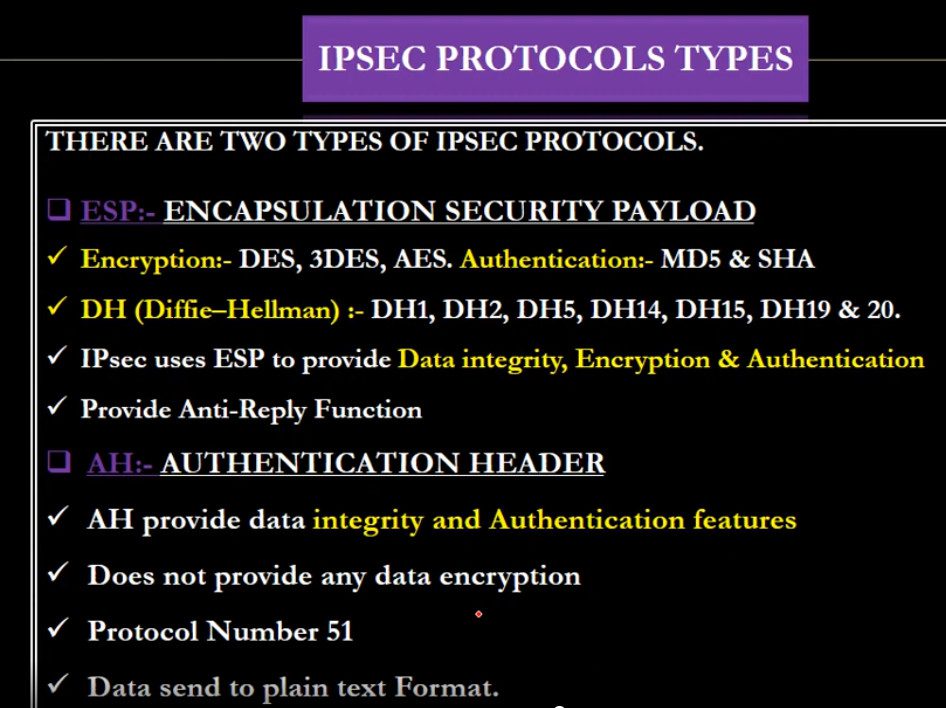
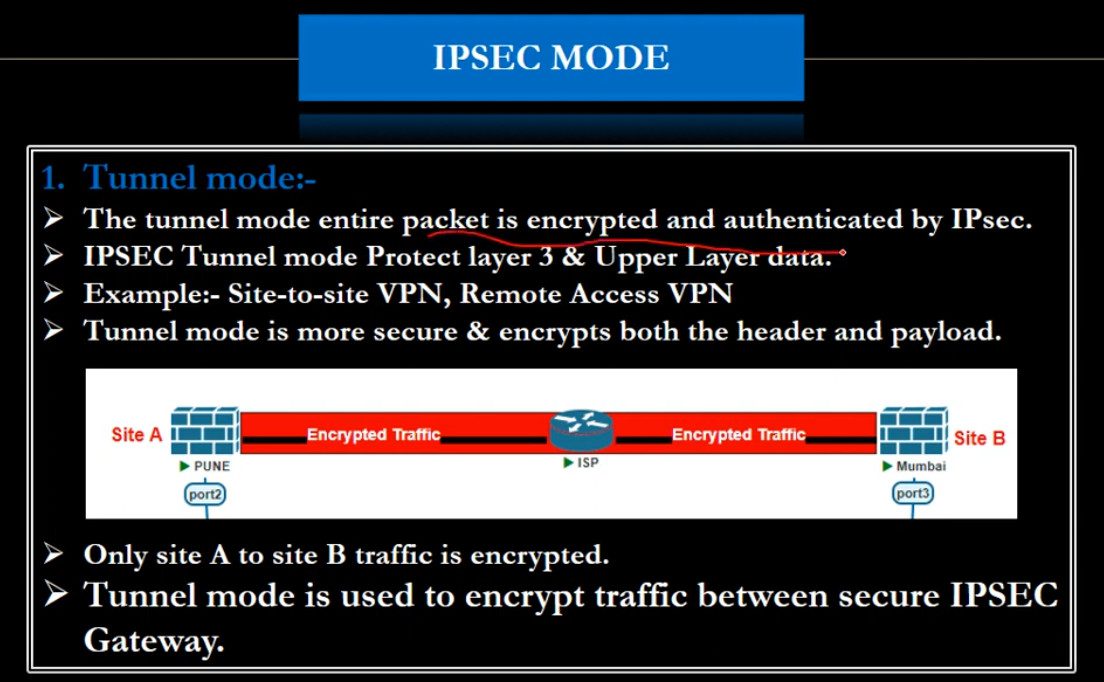
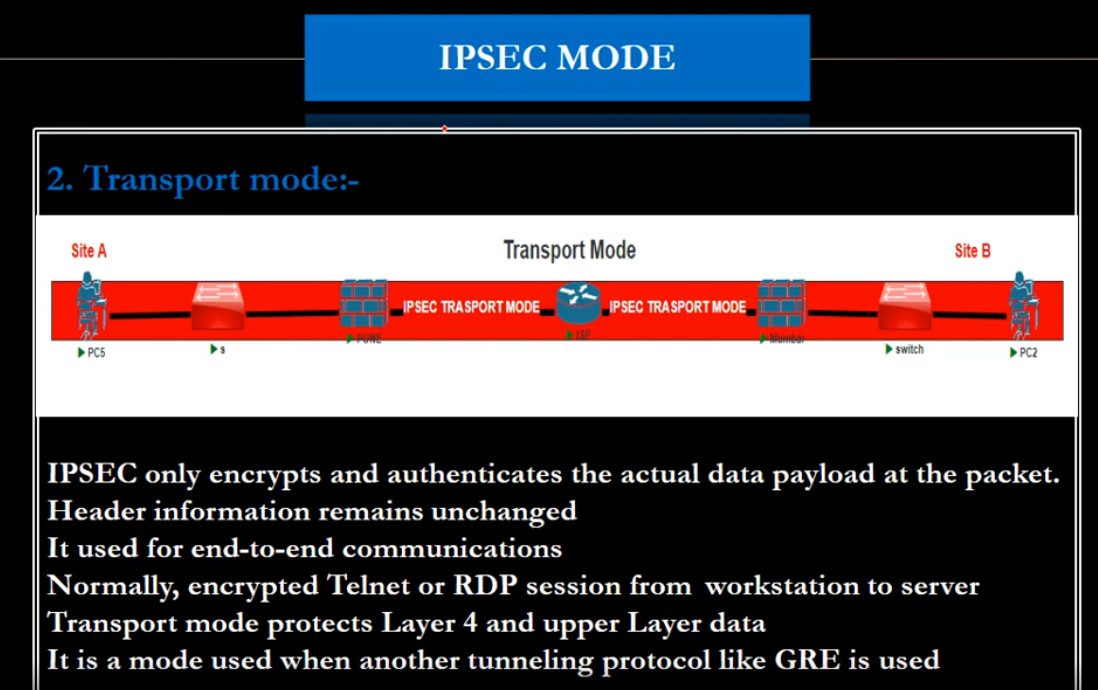
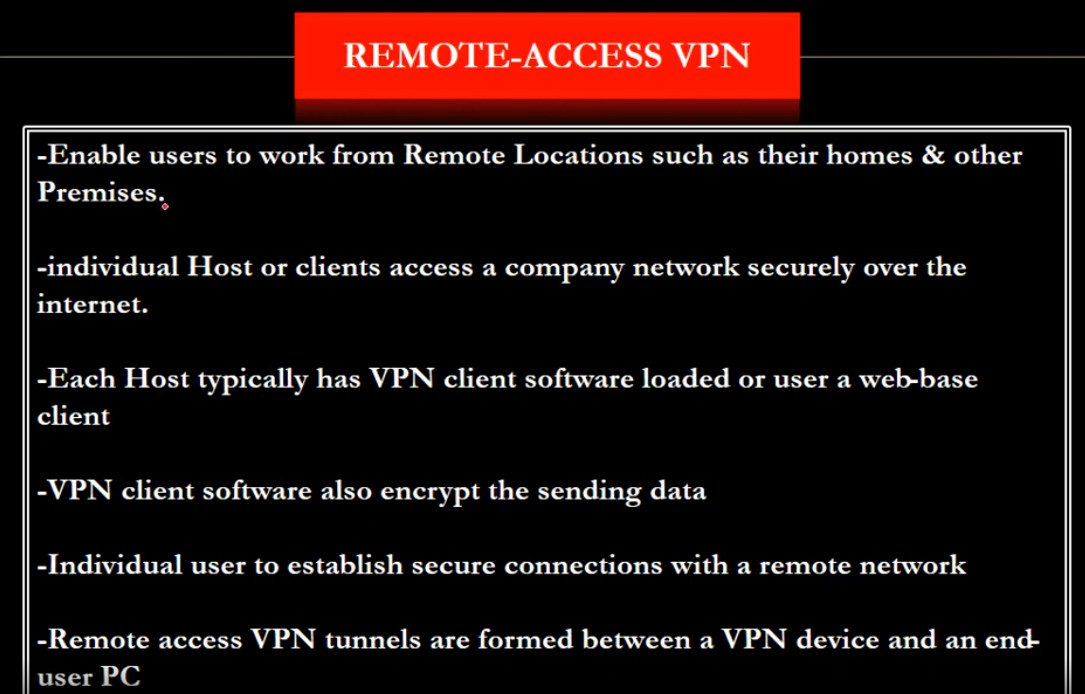





What is Encryption?
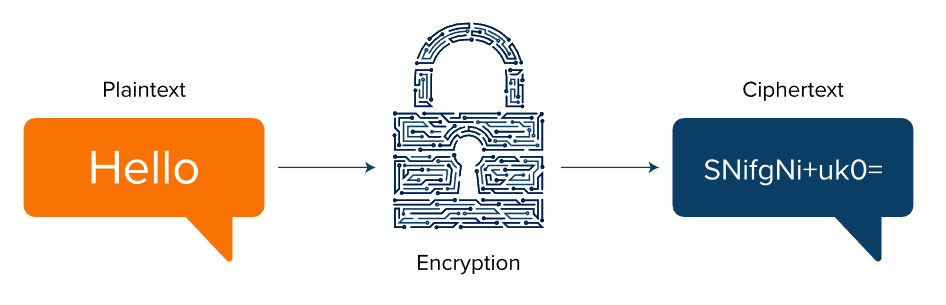
Encryption is a security process used to protect data by converting readable information (called plaintext) into an unreadable coded form (called ciphertext) so that only authorized people or systems can understand it. This is done using special mathematical algorithms and a secret value called a key. Even if hackers or unauthorized users intercept the data, they cannot read or use it without the correct decryption key.
Encryption is widely used to secure data while it is being transmitted over networks (such as emails, online banking, and VPN connections) and while it is stored on devices (such as hard drives, databases, and cloud storage). For example, when you use a VPN, encryption protects your internet traffic from being monitored on public Wi-Fi. Similarly, websites use HTTPS encryption to secure communication between your browser and the server. Overall, encryption ensures confidentiality, privacy, and data security by preventing unauthorized access and protecting sensitive personal and business information.
Example of Encryption:
Encryption is the process of converting readable information, known as plaintext, into an unreadable format called ciphertext. This process protects data from unauthorized access during storage or transmission. Only users who possess the correct decryption key can convert the encrypted data back into its original readable form.
For example, suppose a user sends the message “HELLO”. Using an encryption algorithm, the message may be transformed into “KHOOR” or another unreadable string. Anyone intercepting the encrypted message will only see meaningless characters and cannot understand the original content without the proper key.
A common real-world example is online banking. When a user logs into a banking website, sensitive information such as usernames, passwords, account numbers, and transaction details are encrypted before being transmitted over the Internet. This prevents attackers from reading the data even if they intercept the network traffic.
VPN technologies such as IPsec VPN also use encryption. If a user sends the message “My Account Balance is ₹50,000”, the VPN encrypts the data into a random-looking ciphertext before transmitting it through the network. The receiving VPN device decrypts the message and restores the original information.
Modern encryption standards include AES (Advanced Encryption Standard), RSA (Rivest-Shamir-Adleman), and ECC (Elliptic Curve Cryptography). Among these, AES-256 is one of the most widely used encryption methods in VPNs, banking systems, cloud services, and secure communications because of its strong security and efficiency.
Encryption plays a critical role in cybersecurity by protecting confidentiality, maintaining data privacy, securing online transactions, and preventing unauthorized access to sensitive information.
Examples of Encryption:
- Encryption converts readable data (plaintext) into unreadable data (ciphertext) to protect information from unauthorized access.
- Decryption converts encrypted ciphertext back into its original readable form using the correct key.
- HELLO → KHOOR is a simple example of encryption using a character-shifting technique.
- AES-256 is a highly secure encryption standard widely used in VPNs, banking systems, and cloud services.
- IPsec VPN encrypts network traffic to ensure secure communication over the Internet.
- HTTPS websites use TLS/SSL encryption to protect data exchanged between users and web servers.
- Online banking encrypts login credentials, account details, and transactions to prevent data theft.
- WhatsApp uses end-to-end encryption so that only the sender and receiver can read messages.
- Wi-Fi WPA2/WPA3 encryption protects wireless networks from unauthorized access and eavesdropping.
- RSA is a public-key encryption algorithm commonly used for authentication and secure key exchange.
- ECC (Elliptic Curve Cryptography) provides strong security while using smaller cryptographic keys.
- Encrypted data appears as random characters, making it unreadable without the proper decryption key.
- Only authorized users with the correct encryption key can access the original information.
- Encryption protects sensitive data such as passwords, emails, files, and financial information.
- VPN encryption helps prevent hackers from viewing intercepted network traffic on public networks.
- Modern cybersecurity relies heavily on encryption to maintain privacy, confidentiality, and data integrity.
Type of Encryption?
Encryption is mainly classified into three major types based on how cryptographic keys are used and the purpose they serve: Symmetric encryption, Asymmetric encryption, and Hashing. Each type plays an important role in securing data in modern computer networks and applications.
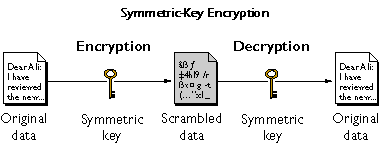
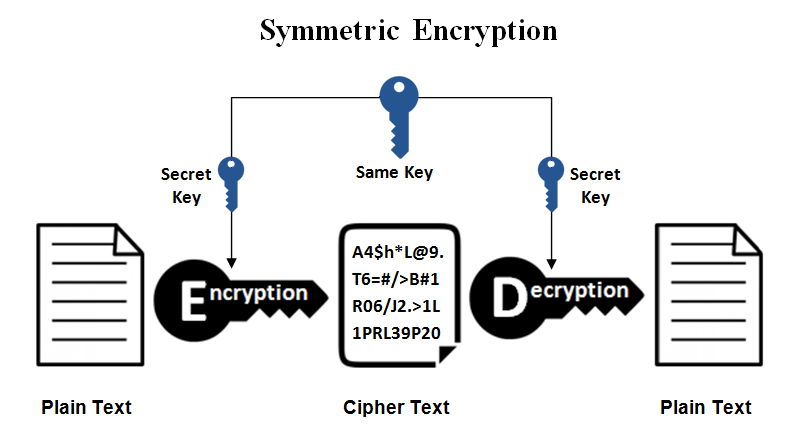
- Symmetric encryption uses the same secret key for both encryption and decryption. This means the sender and receiver must already share the key securely before communication begins. It is very fast and efficient, which makes it suitable for encrypting large amounts of data such as files, databases, and VPN traffic. Common examples of symmetric encryption algorithms include AES (Advanced Encryption Standard), DES, and 3DES. Symmetric encryption is widely used in disk encryption, backup encryption, and secure network communication because of its speed and low computational cost.
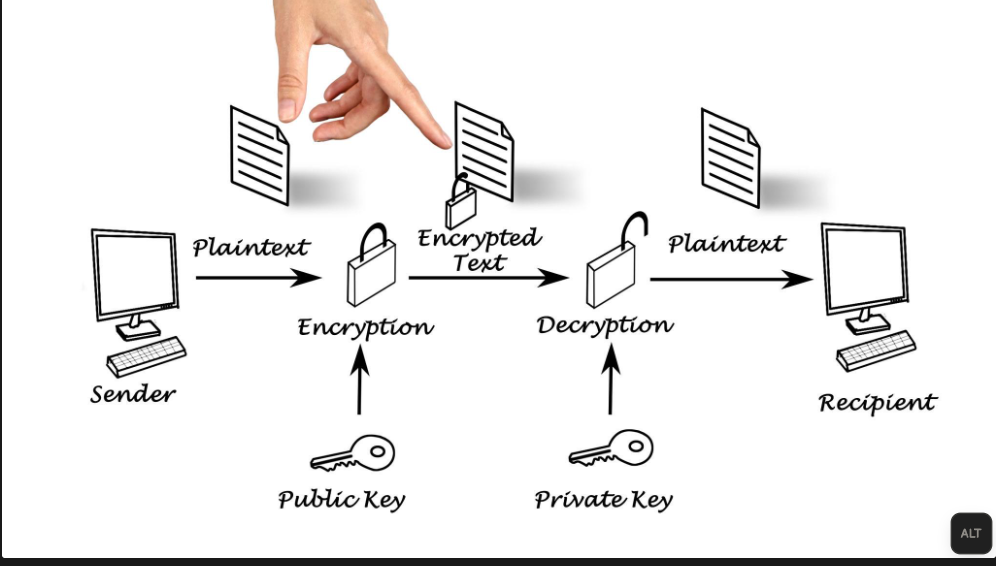
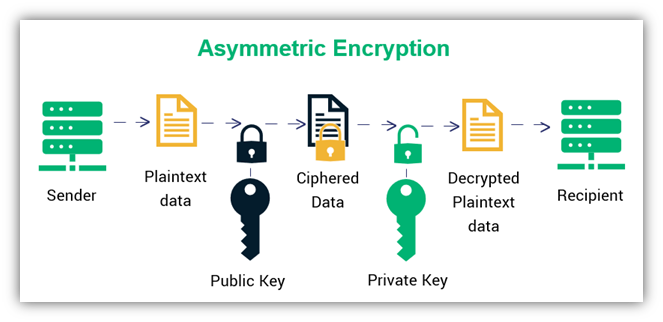
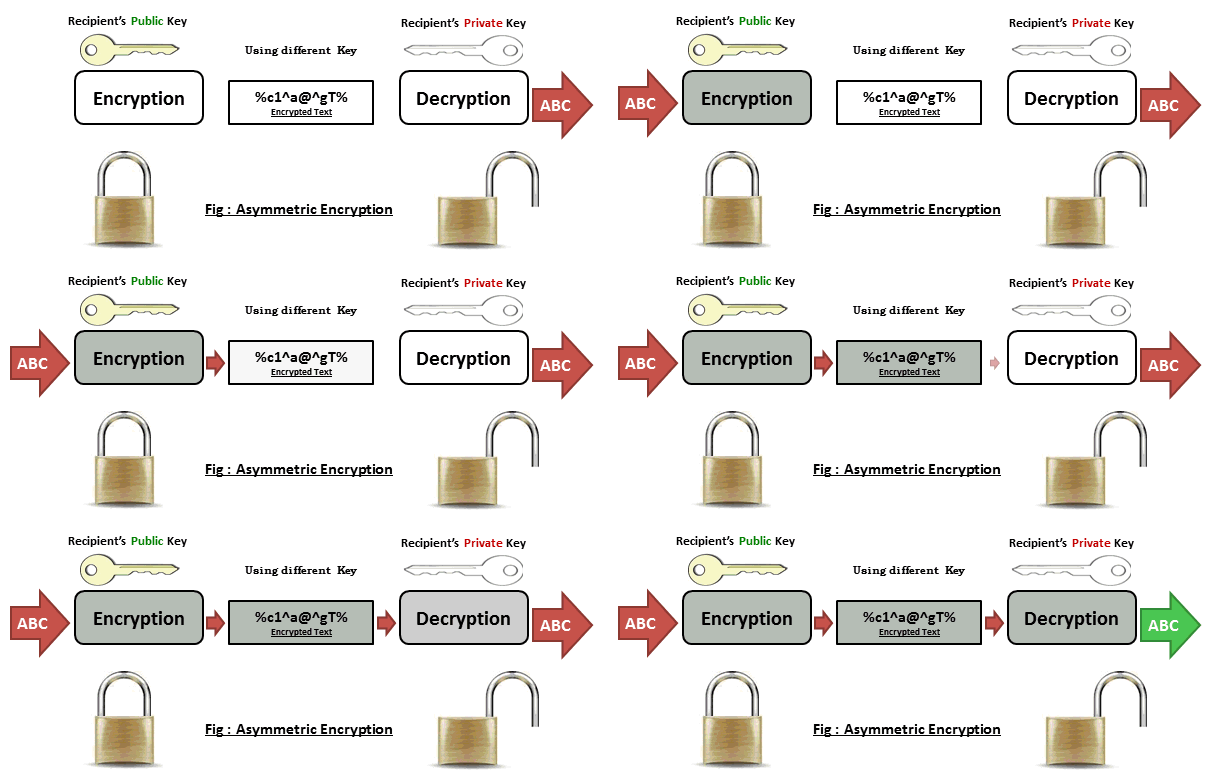
- Asymmetric encryption, also known as public key encryption, uses two different keys: a public key and a private key. The public key is shared openly and is used to encrypt data, while the private key is kept secret and is used to decrypt the data. This method solves the problem of securely sharing secret keys and is mainly used for authentication, digital signatures, and secure key exchange. Popular asymmetric encryption algorithms include RSA and ECC (Elliptic Curve Cryptography). Asymmetric encryption is commonly used in HTTPS (SSL/TLS), secure email systems, and VPN authentication, although it is slower than symmetric encryption and usually combined with symmetric encryption for actual data transfer.
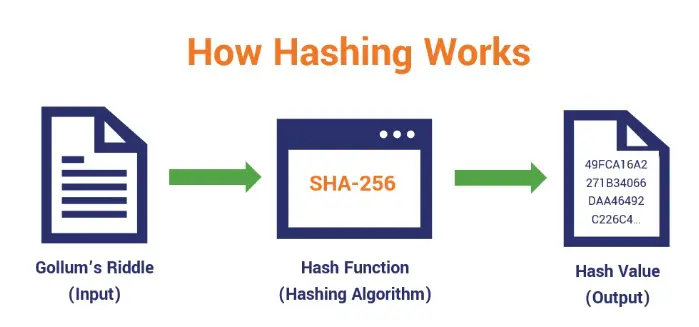
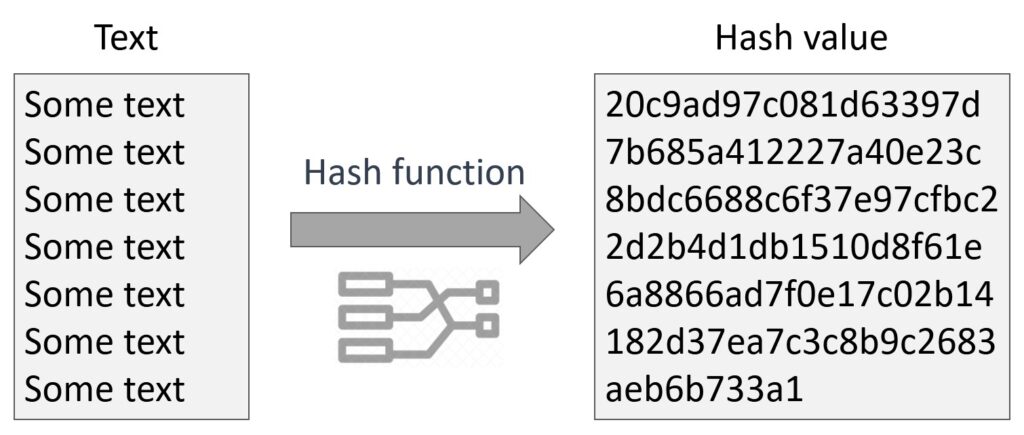
- Hashing is a one-way cryptographic process that converts data into a fixed-length value called a hash. Unlike symmetric and asymmetric encryption, hashing cannot be reversed to obtain the original data. It is mainly used to ensure data integrity and securely store passwords. When a user enters a password, the system hashes it and compares it with the stored hash value instead of storing the real password. Common hashing algorithms include SHA-256 and SHA-512. Hashing is also used in digital signatures, file verification, and blockchain technology to detect any changes in data.
In modern security systems, all three types are used together. Asymmetric encryption is used first to securely exchange keys, symmetric encryption is then used to encrypt large volumes of data efficiently, and hashing is used to verify data integrity and protect passwords. Together, these encryption methods provide confidentiality, authentication, and integrity, making communication and data storage safe in today’s digital world.
Example of Hashing:
Hashing is the process of converting data into a fixed-length value called a hash or digest using a mathematical algorithm. Unlike encryption, hashing is a one-way process, meaning the original data cannot normally be recovered from the hash value. Hashing is mainly used for password storage, data integrity verification, and digital signatures.
For example, a user creates a password such as “Admin123”. Instead of storing the actual password in a database, the system generates a hash value from the password and stores the hash. When the user logs in, the entered password is hashed again and compared with the stored hash. If both hash values match, access is granted.
A key feature of hashing is that even a small change in the input produces a completely different hash output. For example, “HELLO” and “Hello” generate different hash values because hashing is case-sensitive. This property helps detect unauthorized modifications to data.
Hashing algorithms such as MD5, SHA-1, SHA-256, and bcrypt are commonly used in computing and cybersecurity. While MD5 and SHA-1 are now considered insecure for password protection, SHA-256 and bcrypt provide much stronger security and are widely used in modern systems.
A real-world example of hashing can be seen when logging into websites, email services, banking applications, and social media platforms. These systems typically store password hashes rather than actual passwords, helping protect user accounts even if the database is compromised.
Hashing plays an important role in cybersecurity by ensuring data integrity, securing passwords, verifying file authenticity, and supporting technologies such as digital signatures and blockchain systems.
Examples of Hashing:
- Hashing converts data into a fixed-length hash value and is designed to be one-way.
- Unlike encryption, hashed data cannot normally be converted back to the original text.
- Password:
Admin123→ Hash:240be518fabd2724ddb6f04eebc42a0f - Password:
Hello123→ Hash:42f749ade7f9e195bf475f37a44cafcb
What is DES, 3DES, and AES?
DES (Data Encryption Standard):
Data Encryption Standard is one of the earliest encryption standards developed in the 1970s. It uses a 56-bit key to encrypt data in fixed-size blocks (64 bits). Initially, DES was widely used in banking and government systems. However, due to its short key length, it became vulnerable to brute-force attacks, where attackers can try all possible keys to break the encryption. Today, DES is considered insecure and is no longer recommended.
3DES (Triple DES):
Triple Data Encryption Standard was introduced as an improvement over DES. Instead of encrypting data once, it applies the DES algorithm three times with multiple keys (Encrypt–Decrypt–Encrypt process). This increases the effective key length (112 or 168 bits), making it much more secure than DES. However, 3DES is slower because of repeated processing, and modern systems are gradually phasing it out due to performance issues and emerging vulnerabilities.
AES (Advanced Encryption Standard):
Advanced Encryption Standard is the modern and most secure encryption standard used today. It was introduced in the early 2000s to replace DES and 3DES. AES supports key sizes of 128, 192, and 256 bits and operates on 128-bit data blocks. It is highly secure, fast, and efficient, making it ideal for use in VPNs, Wi-Fi security (WPA2/WPA3), online banking, and government systems. AES is currently considered very strong and resistant to known attacks.
Summary Difference:
- DES → Old, 56-bit key, insecure
- 3DES → Improved DES, more secure but slow
- AES → Modern, fast, highly secure, widely used
In short, DES and 3DES are now outdated, while AES is the current standard for strong encryption in modern networks and applications.
Why Are DES, 3DES, and AES Needed?
Encryption algorithms such as DES, 3DES, and AES are used to protect data from unauthorized access. They convert readable information (plaintext) into unreadable ciphertext so that only someone with the correct secret key can decrypt and read it. Encryption helps maintain confidentiality, prevents attackers from understanding intercepted data, and secures communication over untrusted networks such as the internet.
Real Example:
An employee connects to the company VPN from home to access confidential business files. The VPN encrypts all data before it leaves the employee’s computer. If an attacker intercepts the network traffic, they will only see encrypted data, not the actual usernames, passwords, or documents. Older VPNs may use 3DES, while most modern VPNs use AES-256 because it provides stronger security and better performance.
Example 1: Sending a Password
Suppose a user logs in to a website.
Original Data (Plaintext):
					Username: saikat
Password: MyPassword123
Before sending the data over the internet, AES-256 encrypts it.
Encrypted Data (Ciphertext):
A7F9C2E84B91D3F6E1A4B8C97D5F1234...
If someone intercepts the traffic, they only see the encrypted ciphertext, not the actual username or password.
The website uses the same secret AES key to decrypt the ciphertext back into the original data.
What is Symmetric and Asymmetric Encryption?
Symmetric and Asymmetric Encryption are two important methods used to protect data and ensure secure communication over networks. Both techniques are widely used in cybersecurity, online banking, VPNs, email security, and HTTPS websites.
Symmetric Encryption uses a single secret key for both encryption and decryption. The sender encrypts the data using the key, and the receiver uses the same key to decrypt it. Because only one key is involved, symmetric encryption is very fast and efficient, making it suitable for encrypting large amounts of data. Common symmetric encryption algorithms include AES, DES, and 3DES. However, the main challenge is securely sharing the secret key between communicating parties.
Asymmetric Encryption uses two different keys: a public key and a private key. The public key is used to encrypt data, while the private key is used to decrypt it. The public key can be shared openly without compromising security because only the corresponding private key can decrypt the data. Common asymmetric encryption algorithms include RSA and ECC. Although asymmetric encryption provides better security for key exchange and authentication, it is slower than symmetric encryption.
In real-world applications, both methods are often used together. For example, when a user visits an HTTPS website, asymmetric encryption is used to securely exchange a session key between the browser and the web server. Once the session key is established, symmetric encryption is used to encrypt the actual data because it offers faster performance.
Symmetric encryption is best suited for high-speed data encryption, while asymmetric encryption is ideal for secure key exchange, digital signatures, and authentication. Together, they provide the foundation for modern secure communications and data protection systems.
A simple example of Symmetric Encryption is when two users share the same secret key for communication. Suppose Alice wants to send the message “HELLO” to Bob. Alice encrypts the message using a secret key called Key123. The encrypted message is then sent over the network. When Bob receives the message, he uses the same Key123 to decrypt it and read the original message. In symmetric encryption, the same key is used for both encryption and decryption, which makes the process fast and efficient.
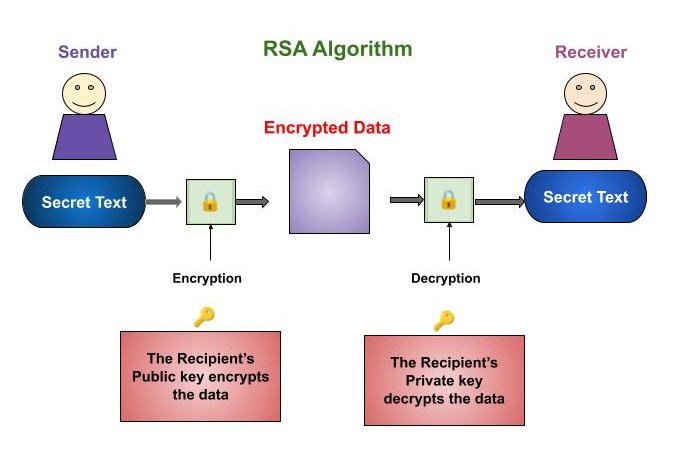
A simple example of Asymmetric Encryption is when Bob creates two keys: a Public Key and a Private Key. Bob shares his Public Key with Alice while keeping his Private Key secret. Alice encrypts the message “HELLO” using Bob’s Public Key and sends the encrypted message to him. When Bob receives the message, he decrypts it using his Private Key. Even if someone intercepts the encrypted message, they cannot read it without Bob’s Private Key. This makes asymmetric encryption highly secure for key exchange and authentication.
A real-world example can be seen when accessing an HTTPS website. The browser and web server first use asymmetric encryption (RSA or ECC) to securely exchange a session key. After the secure key exchange is completed, symmetric encryption (AES) is used to encrypt the actual communication because it is much faster. This combination provides both strong security and high performance, which is why modern websites, VPNs, and online banking systems use both encryption methods together.
What is Diffie-Hellman Key Exchange?
Diffie–Hellman key exchange is a cryptographic method used to securely exchange a secret key between two parties over an insecure network (like the internet). It is a type of asymmetric cryptography, but it is not used to encrypt data directly—instead, it is used to create a shared key that both sides can use later for encryption.
History of Diffie -Hellman
The Diffie–Hellman key exchange was introduced in 1976 by two American cryptographers, Whitfield Diffie and Martin Hellman. Their groundbreaking work was published in a paper titled “New Directions in Cryptography.” This paper is considered one of the most important milestones in the history of modern cryptography.
Before Diffie–Hellman, all encryption systems were based on symmetric key cryptography, where both sender and receiver needed to share a secret key in advance. This created a major problem known as the key distribution problem, because securely sharing keys over long distances or insecure networks was very difficult and risky.
Diffie and Hellman solved this problem by introducing the concept of public-key cryptography, where two parties can establish a shared secret over an insecure channel without actually transmitting the secret key. This was revolutionary because it allowed secure communication over open networks like the internet, which was not possible before.
Their work was later expanded and led to the development of other important algorithms such as RSA algorithm. Although Diffie–Hellman itself is not used for encrypting data directly, it is widely used for secure key exchange in modern protocols like Transport Layer Security, Internet Protocol Security, and Secure Shell.
Interestingly, years later it was revealed that a similar concept had already been discovered secretly by British intelligence (GCHQ) in the early 1970s, but it was not made public at that time. Therefore, Diffie and Hellman are officially credited with introducing this concept to the world.
Diffie–Hellman is needed to solve a fundamental problem in cryptography called the key distribution problem—how to share a secret key securely between two parties over an insecure network like the internet.
Before Diffie–Hellman, systems used symmetric encryption (such as Advanced Encryption Standard), where both sender and receiver must have the same secret key. The challenge was how to send this key safely. If the key is transmitted directly, an attacker can intercept it and decrypt all communication.
Diffie–Hellman solves this problem by allowing two parties to generate a shared secret key without actually sending the key over the network. Each side uses a private value (kept secret) and public values (shared openly) to compute the same final key independently. Even if an attacker can see all the exchanged data, they cannot easily derive the secret key.
This method is essential because it enables secure communication over open networks. It is widely used in modern protocols like Transport Layer Security (for HTTPS websites), Internet Protocol Security (for VPNs), and Secure Shell (for secure remote access).
In summary, Diffie–Hellman is needed because it provides a safe way to establish a shared secret key, which is then used for fast and secure data encryption, making it a critical part of modern network security.
❌ Problem (Without Diffie–Hellman):
Suppose you want to use symmetric encryption like Advanced Encryption Standard:
- You need to send a secret key (e.g., “KEY123”) to your friend
- If a hacker intercepts this key, they can decrypt all your data
👉 So direct key sharing is not safe
Solution (Diffie–Hellman Example with Numbers):
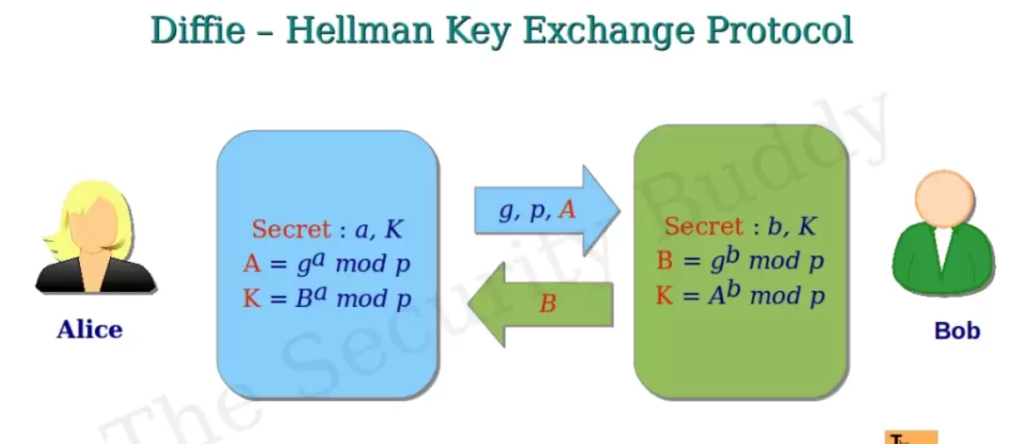
Step 1: Public values (known to everyone)
- Prime number: p = 23
- Base: g = 5
Step 2: Private values (secret)
- User A chooses: a = 6
- User B chooses: b = 15
Step 3: Calculate public values
- A calculates:
A = gᵃ mod p = 5⁶ mod 23 = 8 - B calculates:
B = gᵇ mod p = 5¹⁵ mod 23 = 19
👉 They exchange 8 and 19 (public)
Step 4: Generate shared secret
- A computes:
Key = Bᵃ mod p = 19⁶ mod 23 = 2 - B computes:
Key = Aᵇ mod p = 8¹⁵ mod 23 = 2
Final Result:
Both get the same secret key = 2
👉 This key was never sent over the network
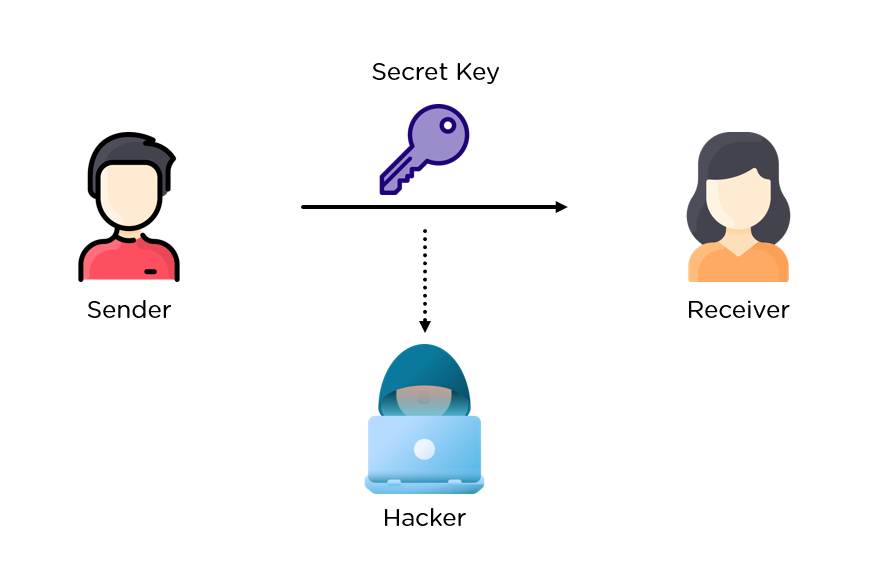
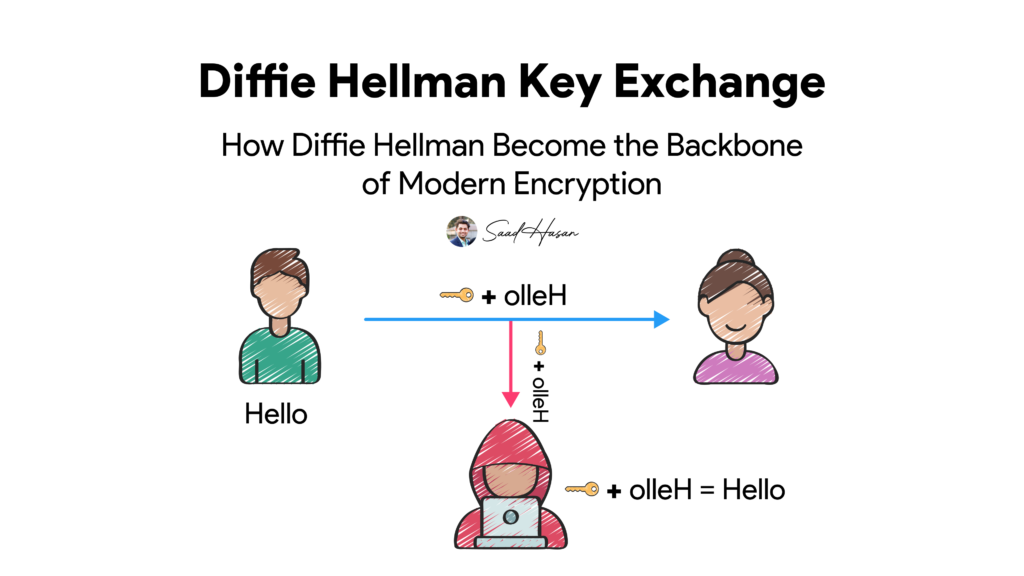
Diffie-Hellman (DH) is a cryptographic key exchange algorithm used to securely establish a shared secret key between two devices over an untrusted network, such as the internet. Instead of sending the secret encryption key directly, both devices independently generate the same shared key using mathematical operations. This shared key is then used by encryption algorithms like AES to protect data.
Why is Diffie-Hellman Needed?
Diffie-Hellman is needed because symmetric encryption algorithms such as AES require both the client and the server to use the same secret key. Sending this key directly over the internet would allow an attacker to intercept it. Diffie-Hellman solves this problem by enabling both parties to create the same secret key without ever transmitting the key itself, making the key exchange process much more secure.
Real Example:
A remote employee wants to connect to the company’s VPN server. Before any confidential information is transmitted, the employee’s laptop and the VPN server perform a Diffie-Hellman key exchange. Both devices independently calculate the same shared secret key without sending it across the internet. Once the shared key is established, AES-256 uses that key to encrypt all VPN traffic. As a result, even if an attacker captures the network packets during the connection, they cannot easily determine the shared secret key or read the encrypted communication.
OR
AES requires both the client and the server to use the same secret key. The challenge is how to exchange that secret key safely over the internet. If the key is sent directly, an attacker who intercepts it could decrypt all future communication.
Diffie-Hellman solves this problem by allowing both parties to generate the same secret key independently without ever transmitting the key itself across the network.
Real Example:
An employee connects to the company VPN from home.
- The employee’s laptop and the VPN server perform a Diffie-Hellman key exchange.
- They each calculate the same secret key independently.
- The secret key is never sent over the internet.
- Both sides then use that shared key with AES-256 to encrypt all VPN traffic.
					Client                          VPN Server
   |                                  |
   |---- Public Information --------->|
   |<--- Public Information ----------|
   |                                  |
   | Both independently calculate     |
   | the same shared secret key       |
   |                                  |
   |======== AES Encrypted Tunnel ========|
Summary:
- Diffie-Hellman securely establishes a shared secret key.
- AES uses that shared key to encrypt and decrypt data.
- Without Diffie-Hellman (or another secure key exchange method), safely sharing an AES key over the internet would be much more difficult.
- Diffie-Hellman is widely used in VPNs, HTTPS/TLS, SSH, and other secure communication protocols.
Diffie-Hellman Example:
Diffie-Hellman (DH) is a cryptographic key exchange method that allows two parties to establish a shared secret key over an insecure network. The main purpose of Diffie-Hellman is not to encrypt data directly but to securely generate a common secret key that can later be used by symmetric encryption algorithms such as AES.
For example, Alice and Bob want to communicate securely over the Internet. They first agree on two public values: a prime number (P = 23) and a generator (G = 5). These values are public and can be known by anyone.
Alice then chooses a private number, for example 6, while Bob chooses a private number, for example 15. Using the public values and their private numbers, both generate public keys and exchange them over the network. Although an attacker can see the exchanged public keys, the private numbers remain secret.
After receiving each other’s public keys, Alice and Bob perform mathematical calculations using their own private numbers. As a result, both independently generate the same shared secret key. In this example, both arrive at the secret value 2. This shared key is never transmitted across the network, making it extremely difficult for an attacker to obtain.
A real-world example of Diffie-Hellman can be found in HTTPS websites, IPsec VPNs, SSL/TLS connections, and SSH sessions. When a user connects to a secure website or VPN, Diffie-Hellman is often used to establish a shared session key. Once the key exchange is complete, a symmetric encryption algorithm such as AES uses the shared key to encrypt and protect the actual data being transmitted.
Diffie-Hellman is widely used because it enables secure key exchange over untrusted networks and forms a fundamental part of modern cybersecurity and secure communications.
What is RSA Algorithm?
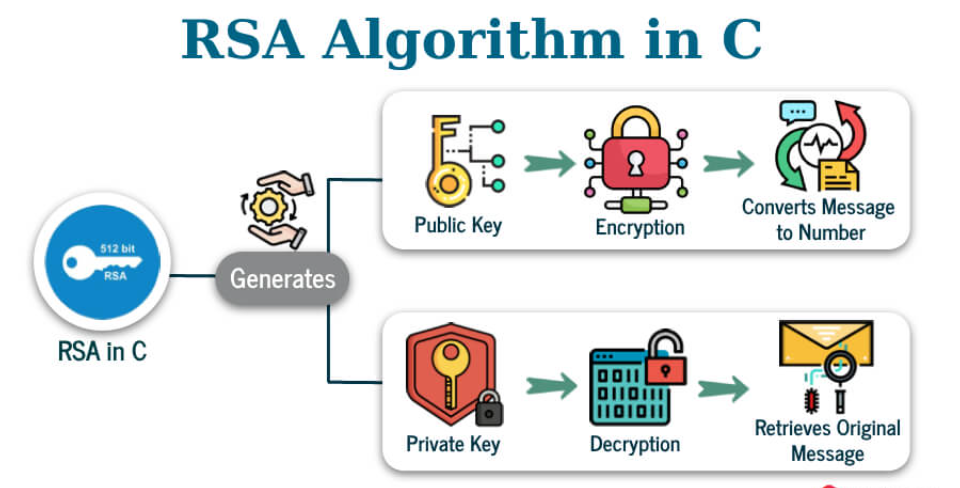
The RSA algorithm is a widely used asymmetric encryption technique that enables secure communication over insecure networks like the internet. It works using a pair of keys: a public key, which is shared openly and used to encrypt data, and a private key, which is kept secret and used to decrypt the data. This ensures that even if someone intercepts the encrypted message, they cannot read it without the private key. RSA is based on complex mathematical principles, particularly the difficulty of factoring large prime numbers, which makes it highly secure. It is commonly used in applications such as secure web browsing (HTTPS), digital signatures, and authentication systems. Although RSA provides strong security, it is slower compared to symmetric algorithms, so it is often used for key exchange and authentication rather than encrypting large amounts of data directly.
RSA algorithm:
The RSA algorithm was developed in 1977 by three researchers:
- Ron Rivest
- Adi Shamir
- Leonard Adleman
The name RSA comes from the first letters of their surnames (Rivest, Shamir, Adleman). Their work was first published in 1978 and became one of the earliest practical implementations of public-key cryptography.
Before RSA, encryption mainly relied on symmetric key methods, where both parties needed to share a secret key in advance. This created a major challenge known as the key distribution problem. The idea of solving this problem was first introduced by Whitfield Diffie and Martin Hellman in 1976 with the concept of public-key cryptography. RSA built on this idea and provided a practical way to both encrypt data and create digital signatures.
Interestingly, later disclosures revealed that a similar concept had already been discovered secretly by the British intelligence agency GCHQ in the early 1970s, but it was classified and not made public at the time.
RSA quickly became a cornerstone of modern cybersecurity and has been widely used in protocols like Transport Layer Security, Secure Shell, and email security systems. Although newer algorithms are now also used, RSA remains one of the most important and historically significant encryption methods.
Summary:
- Developed in 1977
- Invented by Rivest, Shamir, Adleman
- First practical public-key encryption system
- Solved key distribution problem
- Still widely used in modern security systems
👉 In short: RSA made secure communication over the internet practical and scalable.
RSA Algorithm Example:
RSA (Rivest-Shamir-Adleman) is an asymmetric encryption algorithm that uses two keys: a Public Key for encryption and a Private Key for decryption. It is commonly used in HTTPS, SSL/TLS, email security, digital signatures, and secure communications.
In a simple example, Bob generates an RSA key pair consisting of a Public Key and a Private Key. Bob shares the Public Key with Alice while keeping the Private Key secret.
Alice wants to send the message “HELLO” to Bob. She encrypts the message using Bob’s Public Key. The encrypted message becomes unreadable ciphertext and is sent over the network. Even if an attacker intercepts the message, it cannot be decrypted without Bob’s Private Key.
When Bob receives the encrypted message, he uses his Private Key to decrypt it and recover the original message “HELLO”. Because only Bob possesses the Private Key, only he can read the message.
A real-world example is HTTPS websites. When a user visits a secure website, RSA may be used to securely exchange cryptographic information between the browser and the web server. After the secure exchange is completed, a faster symmetric encryption algorithm such as AES is used to protect the actual communication session.
Difference Between RSA and Diffie-Hellman?
Diffie–Hellman Key Exchange:
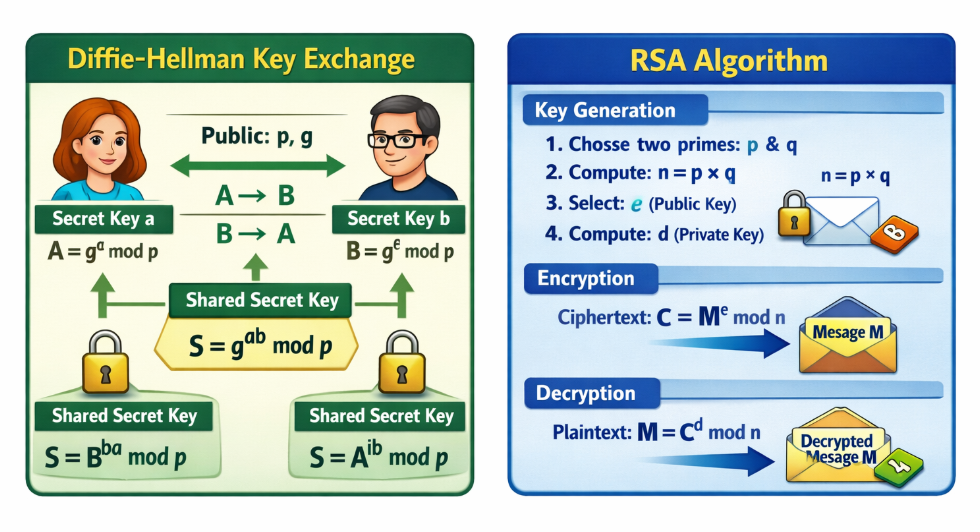
Diffie–Hellman is a cryptographic method used to securely exchange a secret key between two parties over an insecure network. It does not encrypt actual data; instead, it helps both sender and receiver generate the same shared secret key without directly transmitting it. This method is based on the mathematical difficulty of solving the discrete logarithm problem. However, Diffie–Hellman alone does not provide authentication, so it is vulnerable to man-in-the-middle attacks if not combined with other security techniques. It is widely used in VPNs and secure communication protocols like TLS to establish session keys.
RSA Algorithm:
RSA is a widely used public-key cryptographic algorithm designed for encryption, decryption, and digital signatures. It works using a pair of keys: a public key (used for encryption) and a private key (used for decryption). RSA is based on the mathematical difficulty of factoring large prime numbers. Unlike Diffie–Hellman, RSA can both securely exchange keys and encrypt actual data, while also providing authentication. Because of its strong security features, RSA is commonly used in HTTPS, email encryption, and digital certificates.
Difference Between RSA and Diffie-Hellman:
| RSA | Diffie-Hellman (DH) |
|---|---|
| Used for encryption, digital signatures, and key exchange. | Used only for secure key exchange. |
| Uses a public key to encrypt data and a private key to decrypt it. | Does not encrypt data directly; it creates a shared secret key. |
| One party generates the public/private key pair. | Both parties participate in generating the shared secret. |
| Can be used to verify digital signatures and authenticate identities. | Does not provide digital signatures by itself. |
| Often used to securely exchange an encryption key. | Used to establish the encryption key without transmitting it. |
| Commonly used in certificates, HTTPS, email encryption, and digital signatures. | Commonly used in VPNs, TLS, SSH, and secure communication protocols. |
What is RSA?
RSA is an asymmetric cryptographic algorithm that uses two different keys: a public key and a private key. The public key is shared with others, while the private key remains secret. RSA is used for encryption, digital signatures, and authentication.
What is Diffie-Hellman?
Diffie-Hellman (DH) is a key exchange algorithm that allows two devices to securely generate the same shared secret key over the internet without sending the key itself. That shared key is then used with a symmetric encryption algorithm such as AES.
Real Example:
When you connect to a company VPN or open a secure HTTPS website, the client and server first authenticate and establish a secure session. They typically use a key exchange method such as Diffie-Hellman (or its modern variant, ECDH) to create a shared secret key. Once the key is established, AES encrypts all communication. RSA may be used for authentication or digital signatures, but modern protocols generally do not use RSA to encrypt all session data because Diffie-Hellman provides stronger properties such as forward secrecy.
OR
Difference Between RSA and Diffie-Hellman (DH):
| Feature | RSA | Diffie-Hellman (DH) |
|---|---|---|
| Full Form | Rivest-Shamir-Adleman | Diffie-Hellman |
| Purpose | Encryption, Decryption, Digital Signature | Secure Key Exchange |
| Encryption Support | Yes | No |
| Decryption Support | Yes | No |
| Key Exchange | Yes | Primary Purpose |
| Digital Signature | Supported | Not Supported |
| Keys Used | Public Key and Private Key | Public Values and Private Numbers |
| Main Function | Protects and encrypts data | Generates a shared secret key |
| Shared Secret Key | Not directly generated | Directly generates a shared key |
| Performance | Slower | Faster for key exchange |
| Security Basis | Integer Factorization Problem | Discrete Logarithm Problem |
| Used In | HTTPS, SSL/TLS, Email Security, Digital Signatures | IPsec VPN, SSL/TLS, SSH |
| Authentication | Yes | No (by itself) |
| Data Encryption | Yes | No |
| Data Decryption | Yes | No |
RSA:
RSA is an asymmetric cryptographic algorithm that uses a Public Key and a Private Key. It can encrypt data, decrypt data, perform authentication, and create digital signatures. RSA is commonly used in HTTPS websites, secure email systems, and digital certificate infrastructures.
Diffie-Hellman (DH):
Diffie-Hellman is a key exchange algorithm designed to securely create a shared secret key between two parties over an insecure network. It does not encrypt or decrypt data directly. The generated shared key is usually used by symmetric encryption algorithms such as AES to secure communications.
Real-World Example:
- RSA → Encrypt a message and create digital signatures.
- Diffie-Hellman → Securely generate a shared AES key between two devices.
Simple Comparison:
- RSA = Encryption + Decryption + Digital Signature
- Diffie-Hellman = Secure Key Exchange Only
- RSA protects data directly.
- Diffie-Hellman creates the secret key used to protect data.
What is MD5 and SHA?
What is MD5 and SHA:
MD5 and SHA are cryptographic hash functions used to convert data into a fixed-size value called a hash (digital fingerprint). They are mainly used for data integrity, security, and authentication.
MD5 (Message Digest Algorithm 5)
MD5 was developed by Ron Rivest in 1991.
Definition
MD5 takes any input (text, file, password) and produces a 128-bit hash value (32 hexadecimal characters).
Example
					Input:  hello
MD5:    5d41402abc4b2a76b9719d911017c592
Features:
- Fixed output (128-bit)
- Fast processing
- One-way function (cannot reverse easily)
Problem:
- Not secure today
- Vulnerable to collision attacks
SHA (Secure Hash Algorithm)
SHA is a family of hash functions developed by the National Security Agency.
Types of SHA
- SHA-1 → 160-bit (weak ❌)
- SHA-256 → 256-bit (secure ✅)
- SHA-512 → 512-bit (very strong ✅)
Example (SHA-256)
					Input:  hello
SHA-256:
2cf24dba5fb0a30e26e83b2ac5b9e29e
1b161e5c1fa7425e73043362938b9824
Features:
- Larger hash size → more secure
- Strong resistance to attacks
- Used in modern security systems
Simple Understanding:
- MD5 → Old lock (easy to break)
- SHA → Strong modern lock
Conclusion:
- MD5 is outdated and insecure
- SHA (especially SHA-256) is recommended for secure applications
History of MD5:
MD5 (Message Digest Algorithm 5) is a widely known cryptographic hash function developed by Ronald Rivest in 1991. It was designed as an improved replacement for earlier hash algorithms such as MD4, with the goal of providing better security and reliability for generating message digests.
The MD5 algorithm produces a 128-bit hash value from any input data, regardless of the size of the original message. It quickly became popular because of its speed, simplicity, and ability to verify data integrity. During the 1990s and early 2000s, MD5 was widely used in operating systems, software downloads, digital signatures, and password storage systems.
One of the primary uses of MD5 was file integrity verification. Software vendors would publish the MD5 hash of a file, allowing users to calculate the hash of their downloaded copy and compare the results. If the hash values matched, the file was considered unchanged and free from corruption during transmission.
As computing power increased, researchers discovered weaknesses in MD5. In 2004, cryptographers demonstrated practical collision attacks, where two different inputs could produce the same MD5 hash value. This significantly reduced trust in MD5 for security-sensitive applications such as digital certificates and cryptographic signatures.
Because of these vulnerabilities, security organizations and technology companies gradually replaced MD5 with stronger hash functions such as SHA-256 and SHA-3. Today, MD5 is considered cryptographically broken and is not recommended for password hashing, digital signatures, or other security-critical purposes.
Although MD5 is no longer secure for modern cryptographic applications, it is still sometimes used for non-security purposes such as file checksums, data verification, and detecting accidental file corruption where strong security is not required.
Example of MD5:
MD5 (Message Digest Algorithm 5) is a cryptographic hash function that converts data of any size into a fixed 128-bit hash value. The purpose of MD5 is to create a unique digital fingerprint of the input data. The resulting hash is usually displayed as a 32-character hexadecimal string.
For example, if the input text is “hello”, the MD5 algorithm generates the hash value 5d41402abc4b2a76b9719d911017c592. Every time the same input is processed through MD5, it produces the same hash value. This consistency makes MD5 useful for verifying data integrity.
A common real-world use of MD5 was password storage. Instead of storing a user’s actual password, a system would store the MD5 hash of the password. When the user logged in, the entered password would be hashed again and compared with the stored hash. If the values matched, the user was authenticated.
Another use of MD5 was file integrity verification. Software developers often published the MD5 hash of a file alongside the download. After downloading the file, users could calculate the MD5 hash of their copy and compare it with the published value. If both hashes matched, the file had not been altered or corrupted during transfer.
One important characteristic of MD5 is that even a small change in the input creates a completely different hash value. For example, the words “hello” and “Hello” generate entirely different MD5 hashes, even though only one letter is changed. This property helps detect modifications to data.
Although MD5 was once widely used, security researchers discovered vulnerabilities that allow collision attacks, where different inputs can produce the same hash value. Because of these weaknesses, MD5 is no longer recommended for security-sensitive applications. Modern systems now use stronger hashing algorithms such as SHA-256, bcrypt, and Argon2 for improved security and password protection.
What is SHA?
SHA (Secure Hash Algorithm) is a family of cryptographic hash functions used to convert data of any size into a fixed-length hash value. It is designed to ensure data integrity, verify file authenticity, and securely store sensitive information such as passwords.
SHA was developed by the National Security Agency (NSA) and standardized by the National Institute of Standards and Technology (NIST). It is widely used in cybersecurity, digital signatures, SSL/TLS certificates, VPNs, blockchain technology, and file verification systems.
When data is processed through a SHA algorithm, it generates a unique hash value known as a message digest. Even a very small change in the original data produces a completely different hash value. This property makes SHA useful for detecting data modification or corruption.
For example, the text “hello” processed through SHA-256 generates a unique 256-bit hash value. If the text is changed to “Hello”, the resulting hash will be completely different.
SHA (Secure Hash Algorithm) is a family of cryptographic hash functions developed by the National Security Agency (NSA) and published by the National Institute of Standards and Technology (NIST). It was created to provide stronger security than earlier hash algorithms and became a standard for data integrity and cryptographic applications.
The first version, SHA-0, was released in 1993. However, researchers found weaknesses in its design, and it was quickly replaced by SHA-1 in 1995. SHA-1 generated a 160-bit hash value and became widely used in digital signatures, SSL/TLS certificates, software verification, and security systems.
For many years, SHA-1 was considered secure, but advances in cryptanalysis and computing power revealed vulnerabilities. In 2017, researchers demonstrated a practical collision attack against SHA-1, proving that two different files could produce the same hash value. As a result, SHA-1 was deprecated for security-sensitive applications.
To address these concerns, NIST introduced the SHA-2 family in 2001. SHA-2 includes several algorithms such as SHA-224, SHA-256, SHA-384, and SHA-512. Among these, SHA-256 became the most widely used because of its strong security and efficiency. Today, SHA-256 is commonly used in HTTPS, VPNs, digital certificates, blockchain technology, and password security systems.
In 2015, NIST officially standardized SHA-3, a completely different hash algorithm based on the Keccak design. SHA-3 was developed as an additional secure alternative in case vulnerabilities were ever discovered in SHA-2. Both SHA-2 and SHA-3 are considered secure and are widely used today.
SHA Timeline
1993 – SHA-0 released.
1995 – SHA-1 released as an improved version.
2001 – SHA-2 family introduced (SHA-224, SHA-256, SHA-384, SHA-512).
2015 – SHA-3 standardized by NIST.
2017 – Practical SHA-1 collision attack demonstrated.
What is SHA-256?
SHA-256 (Secure Hash Algorithm 256-bit) is a cryptographic hash function, not an encryption algorithm. It converts data of any size into a fixed 256-bit (64 hexadecimal characters) hash. Unlike encryption, a hash cannot be decrypted back to the original data.
Why is SHA-256 Needed?
SHA-256 is used to verify data integrity, securely store passwords (typically together with a salt and a password-hashing scheme), verify file downloads, create digital signatures, and support blockchain technology. If even a single character in the original data changes, the SHA-256 hash changes completely.
Real Example 1: Password Verification
A user creates an account with the password:
MyPassword123
Instead of storing the password directly, the server stores a SHA-256 hash (real SHA-256 output):
c929bdfb8d5cf7a4d6f6f0dff2b1b0e6d6f1f9c7b6d66f93d7b92d9f54a4d9b8
When the user logs in, the server hashes the entered password again and compares it with the stored hash. If they match, the password is correct.
In practice, modern systems usually store passwords using dedicated password-hashing algorithms such as Argon2, bcrypt, or scrypt rather than plain SHA-256
Real Example 2: File Integrity:
A company uploads a software installer.
Original File
Software_Setup.exe
SHA-256 Hash:
3F79BB7B435B05321651DAEFD374CDC681DC06FAA65E374E38337B88CA046DEA
After downloading the file, the user calculates its SHA-256 hash.
- If the hash matches, the file has not been changed.
- If the hash is different, the file may be corrupted or modified.
Difference Between MD5 and SHA?
Difference Between MD5 and SHA
| Feature | MD5 | SHA |
|---|---|---|
| Full Form | Message Digest Algorithm 5 | Secure Hash Algorithm |
| Developed By | Ronald Rivest | National Security Agency (NSA) |
| Release Year | 1991 | 1993 |
| Hash Length | 128-bit | 160-bit to 512-bit+ |
| Output Length | 32 Hex Characters | 40 to 128+ Hex Characters |
| Security | Weak | Strong |
| Collision Resistance | Poor | Better |
| Speed | Faster | Slightly Slower |
| Current Status | Not Recommended | SHA-256 and SHA-3 Recommended |
| Common Use | File Checksums | HTTPS, VPNs, Digital Signatures |
MD5
MD5 is a hashing algorithm that generates a 128-bit hash value. It was widely used for password storage and file integrity checking. However, security researchers discovered collision vulnerabilities, making MD5 unsuitable for modern security applications.
SHA:
SHA is a family of hashing algorithms that provides stronger security than MD5. Versions such as SHA-256 and SHA-512 generate longer hash values and offer better protection against attacks. Today, SHA is widely used in cybersecurity, SSL/TLS certificates, VPNs, blockchain systems, and digital signatures.
Example:
Input: hello
MD5 Output:5d41402abc4b2a76b9719d911017c592
SHA-256 Output:2cf24dba5fb0a30e26e83b2ac5b9e29e1b161e5c1fa7425e73043362938b9824
Conclusion:
MD5 is faster but no longer secure for sensitive applications. SHA, especially SHA-256 and SHA-3, provides much stronger security and is the preferred hashing standard in modern systems.
What is Cryptography (CIA)?
Cryptography is the science and practice of protecting information by converting it into a secure format so that only authorized people can read or use it. It uses mathematical algorithms and secret keys to transform normal readable data (called plaintext) into an unreadable form (called ciphertext). The main goal of cryptography is to ensure that data remains safe from unauthorized access, tampering, and misuse during storage and transmission over networks such as the internet. Cryptography is the foundation of modern digital security and is used in technologies like HTTPS websites, VPNs, online banking, email security, and digital certificates.
Cryptography provides four important security services: confidentiality, integrity, authentication, and non-repudiation. Confidentiality means only authorized users can access the data through encryption. Integrity ensures that the data has not been altered during transmission by using hash functions and checks. Authentication verifies the identity of users or systems using passwords, digital certificates, and cryptographic keys. Non-repudiation ensures that a sender cannot deny sending a message or transaction, which is achieved through digital signatures. These principles make cryptography essential for secure communication and trusted digital systems.
There are two main types of cryptography: symmetric key cryptography and asymmetric key cryptography. Symmetric cryptography uses the same secret key for both encryption and decryption and is fast and efficient for large data transfers. Asymmetric cryptography uses a pair of keys (public key and private key), where the public key encrypts the data and the private key decrypts it, making it more secure for key exchange and identity verification. In addition, hash functions are used in cryptography to create a fixed-length value from data to ensure data integrity and securely store passwords.
In today’s digital world, cryptography is essential for protecting sensitive information such as personal data, financial transactions, government communications, and corporate secrets. Without cryptography, online services like e-commerce, cloud computing, and secure messaging would not be possible. Overall, cryptography is the backbone of cybersecurity, ensuring trust, privacy, and security in modern communication systems.
What is CIA?
CIA in information security means the CIA Triad. It is a security model used to protect data and computer systems. CIA stands for Confidentiality, Integrity, and Availability. These three principles help organizations keep their information safe and reliable.
1. Confidentiality
Confidentiality means keeping data private and secure so that only authorized users can access it. Unauthorized people should not be able to see or use the information.
For example, in a company network, employee salary details or customer data should only be accessible to specific employees such as HR managers or administrators. Security methods like passwords, encryption, and access control are used to maintain confidentiality.
2. Integrity
Integrity means ensuring that data remains accurate, correct, and unchanged. No one should be able to modify or delete the data without proper permission.
For example, in a banking system, if a transaction record shows ₹5000, it should not be changed to another value without authorization. Technologies such as hashing, digital signatures, and checksums help protect data integrity.
3. Availability
Availability means that data and systems should be accessible whenever authorized users need them. Systems must remain operational without long downtime.
For example, a company’s website, email server, or database server should always be available for employees and customers. Methods like backup systems, redundant servers, and disaster recovery help ensure availability.
Short Definition:
CIA (Confidentiality, Integrity, Availability) is a fundamental model used in cybersecurity and network security to protect information and ensure that data is secure, accurate, and accessible.
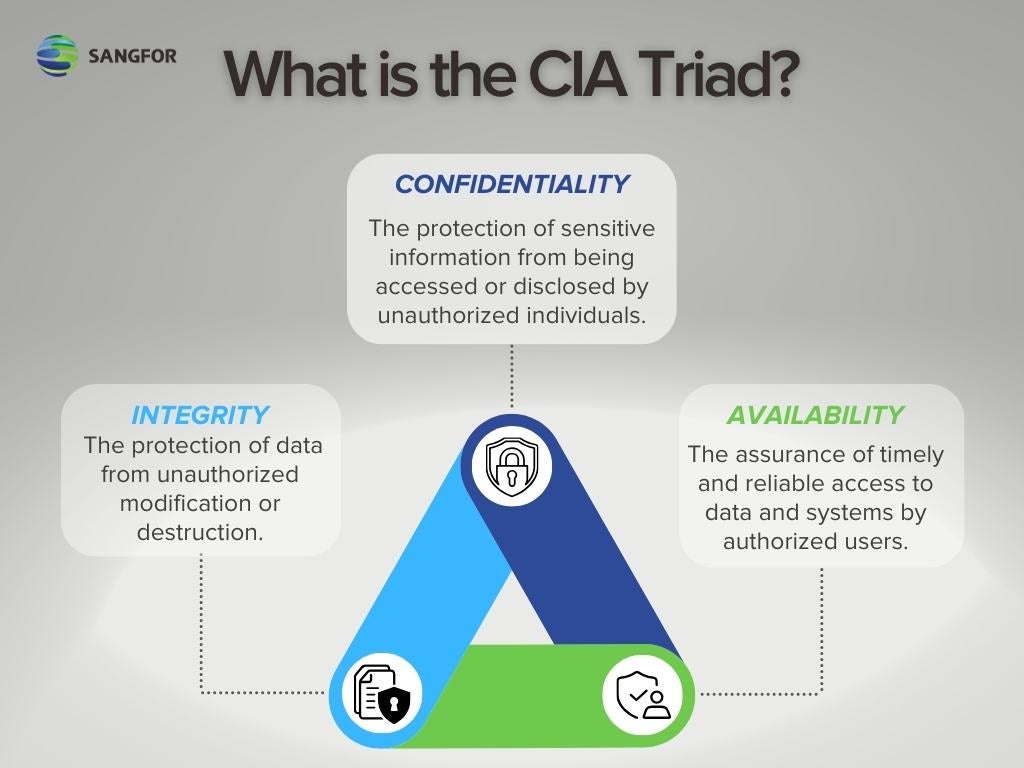
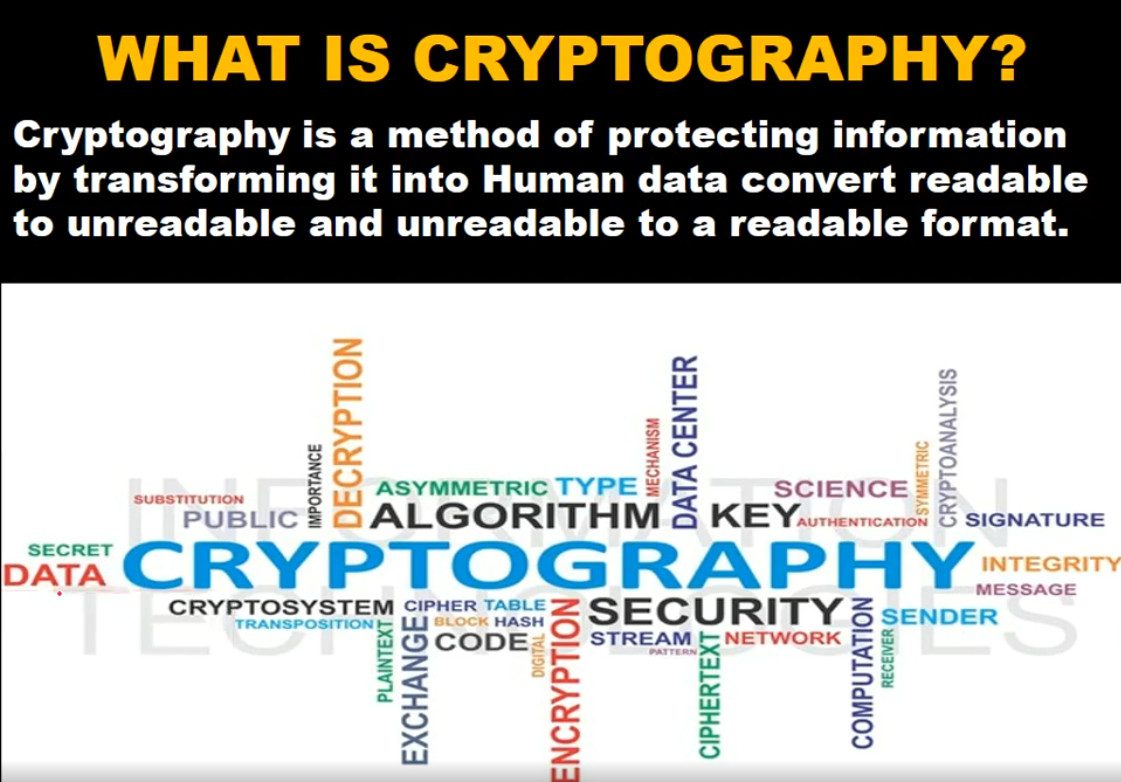
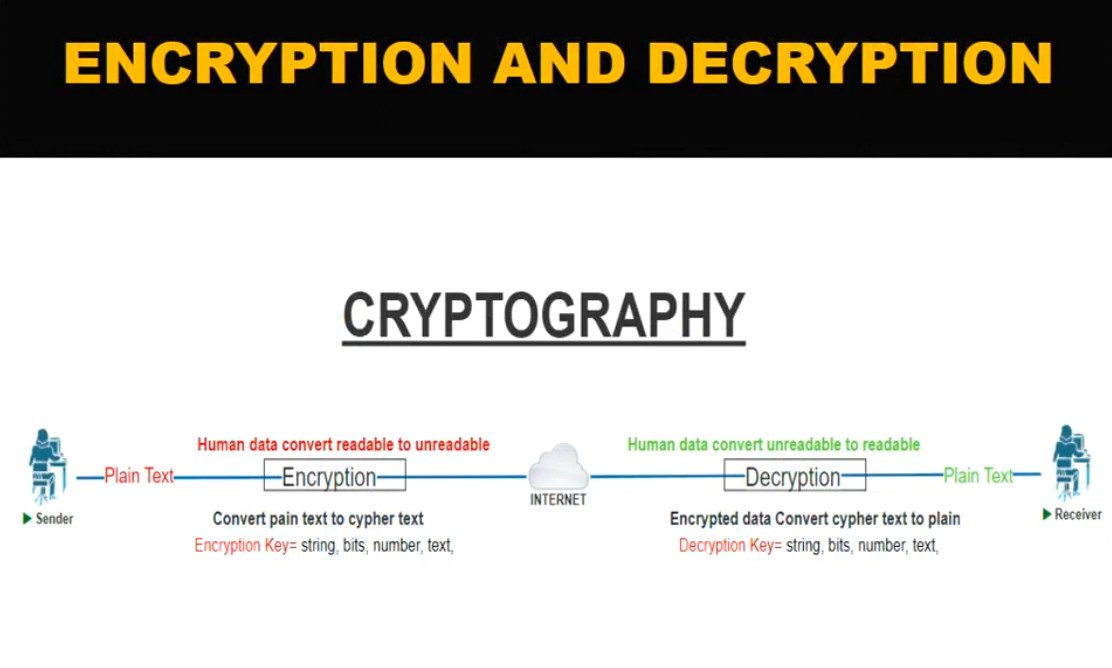
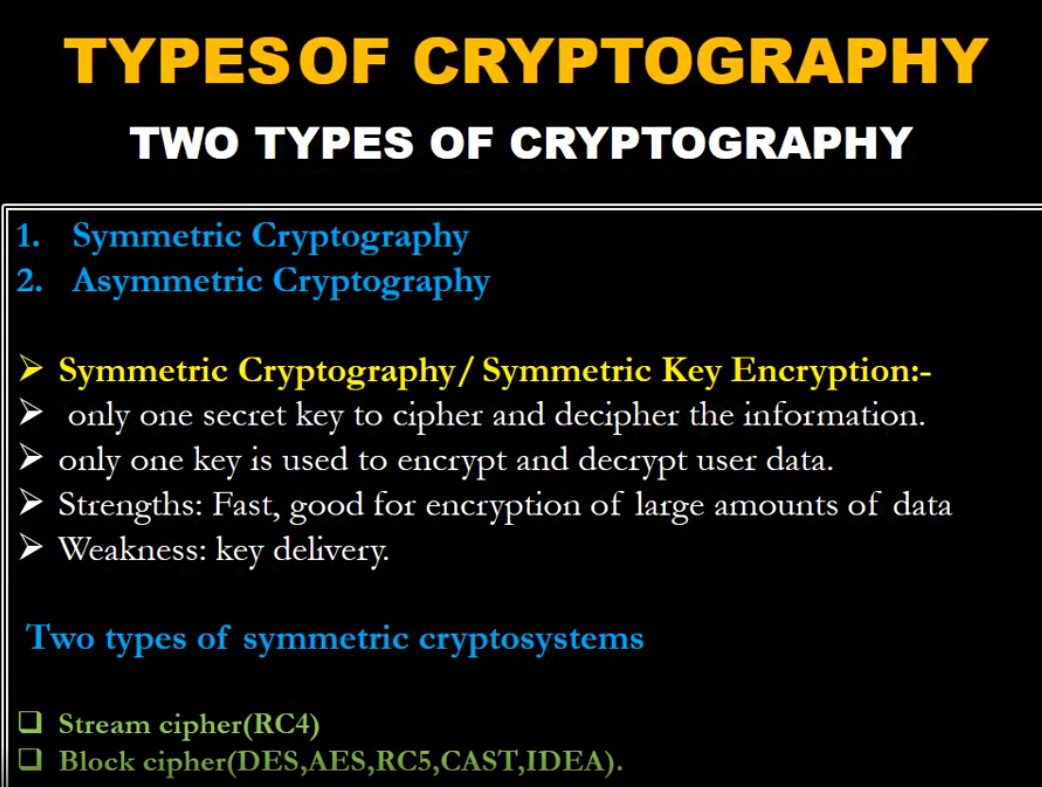
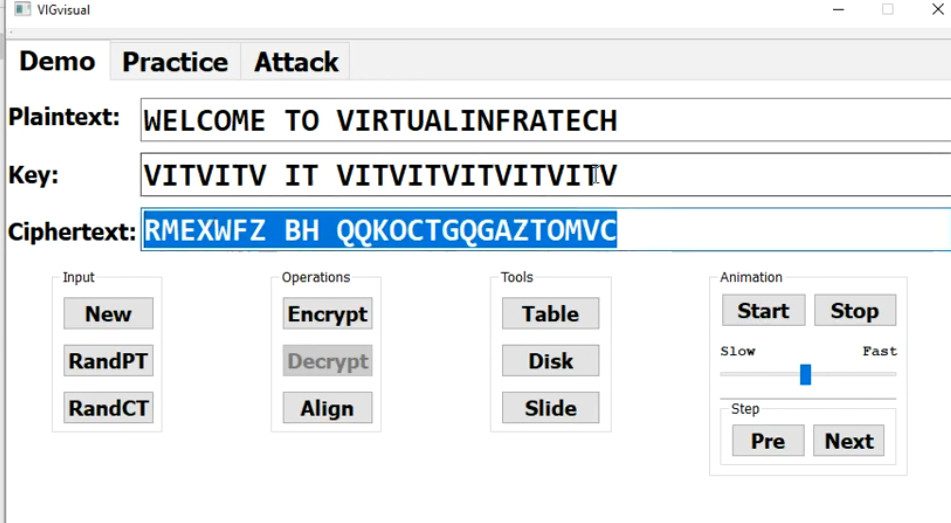
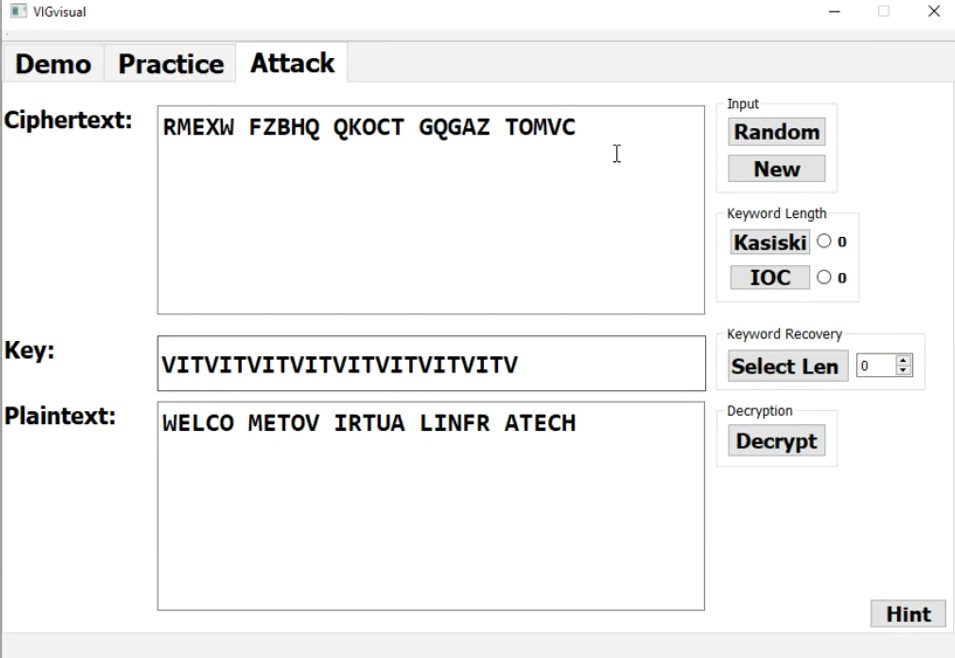
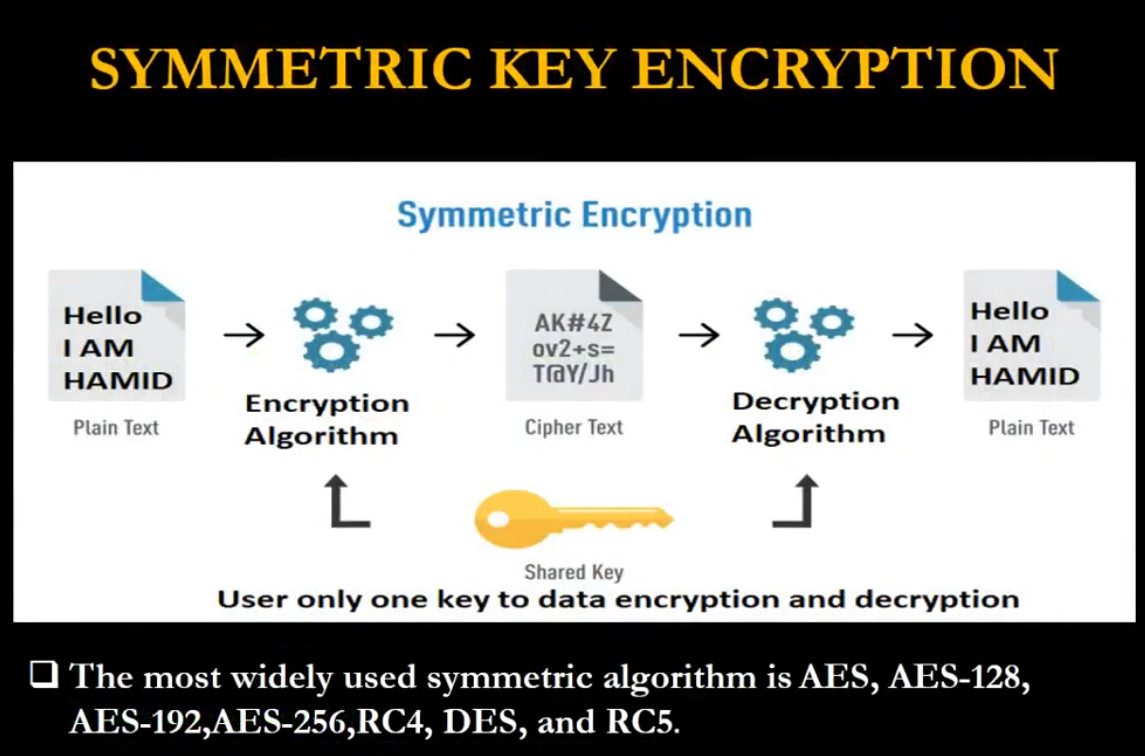
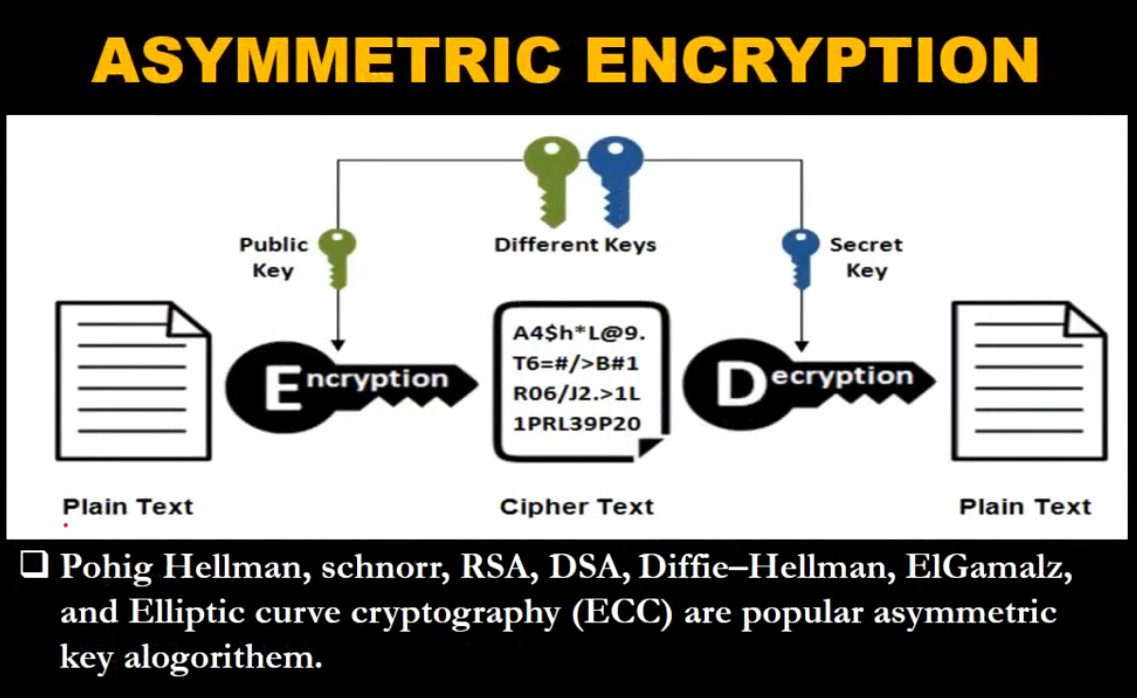
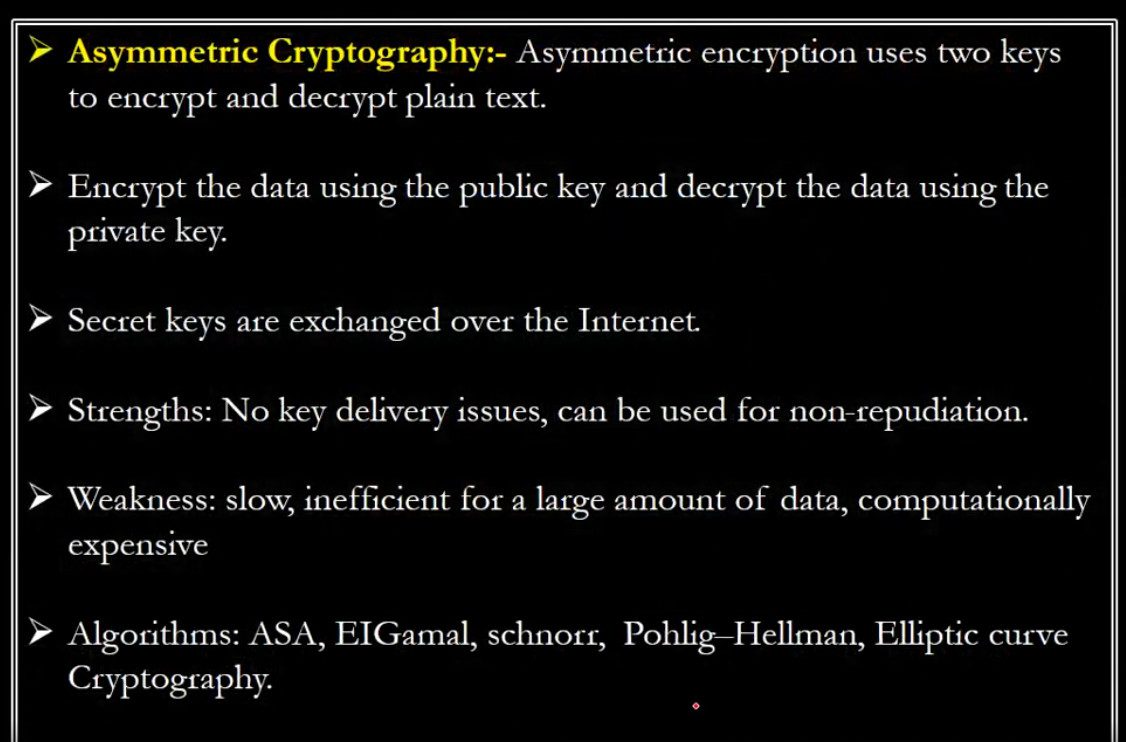
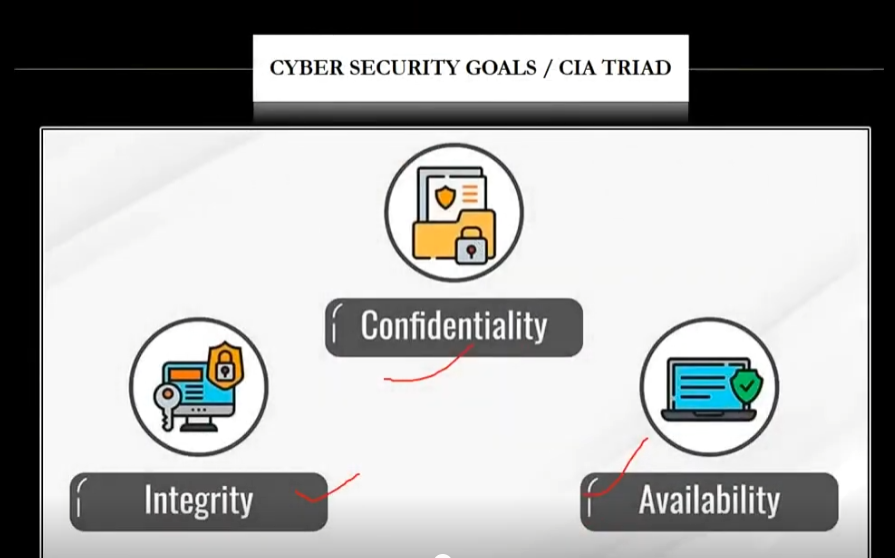
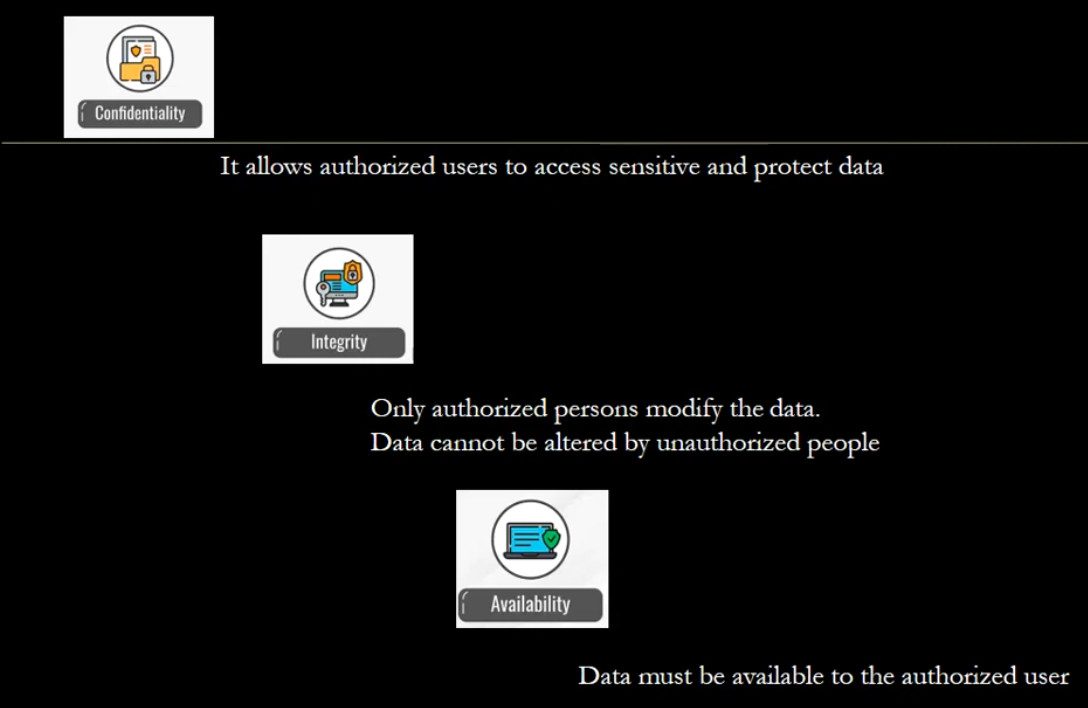
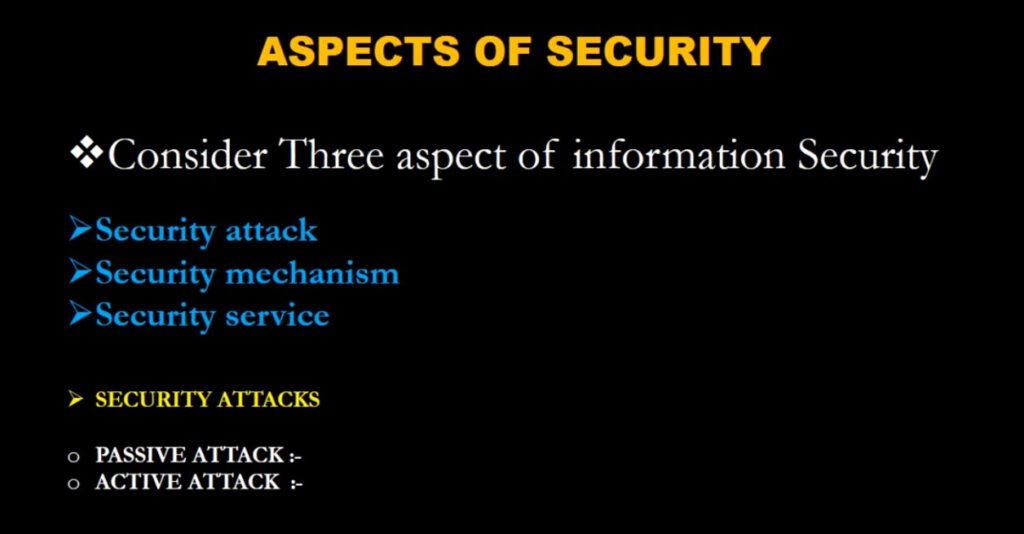
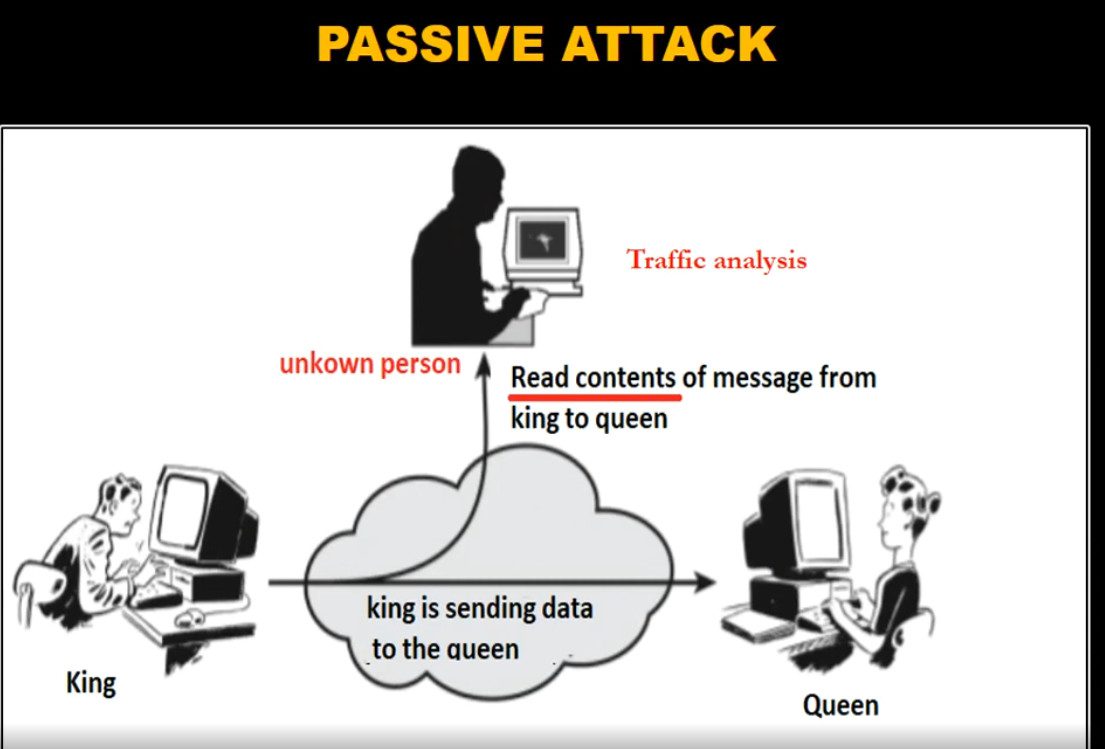
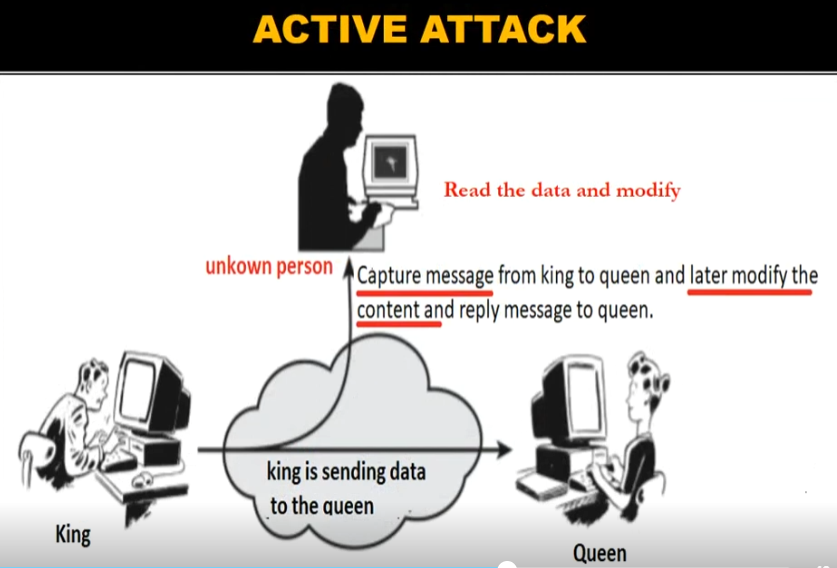
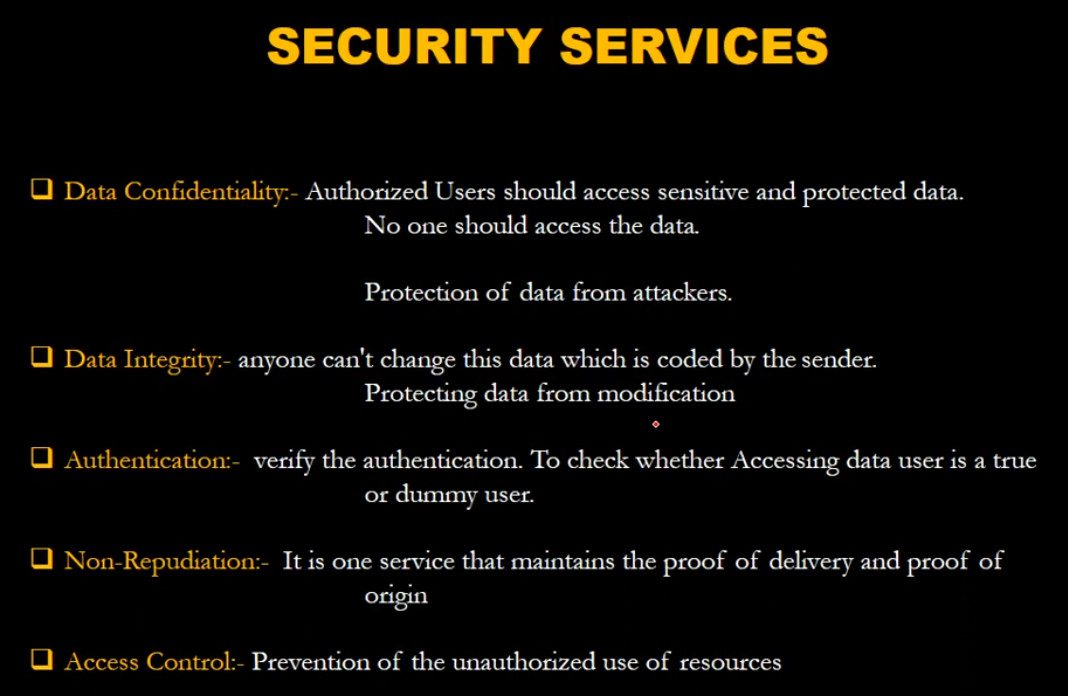
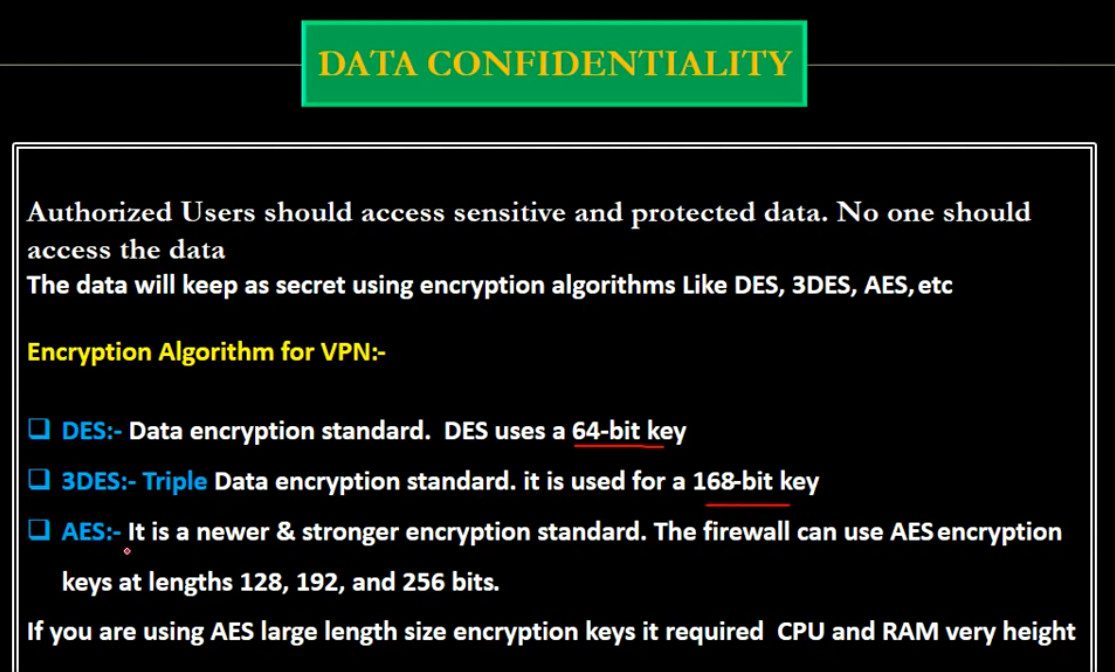
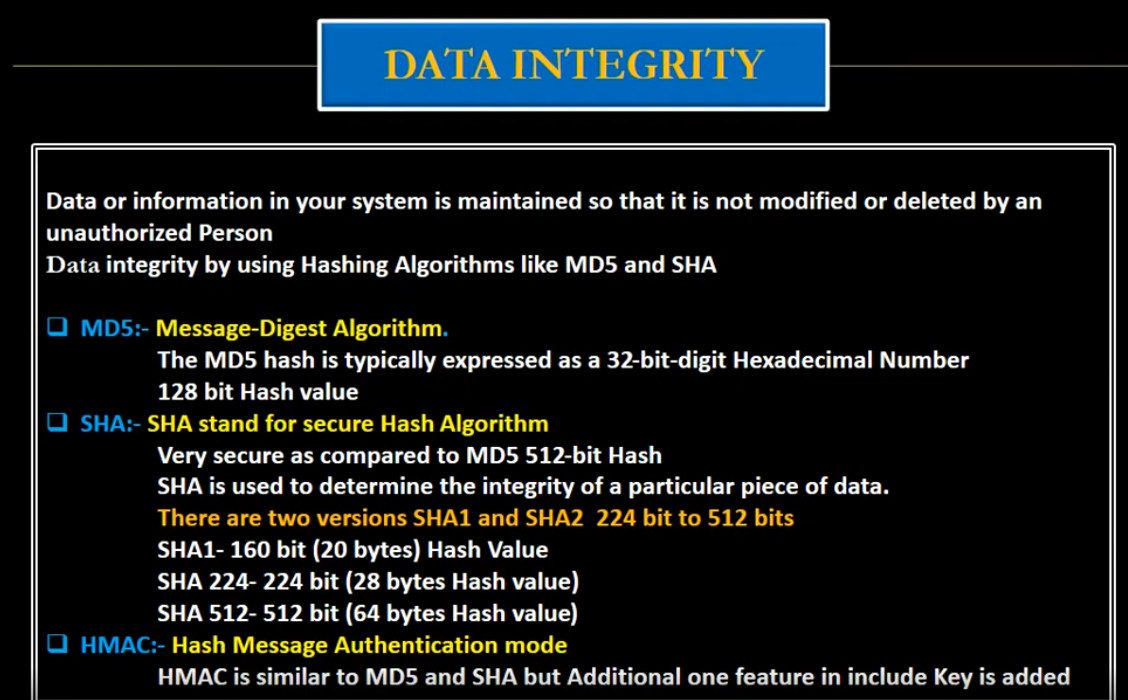
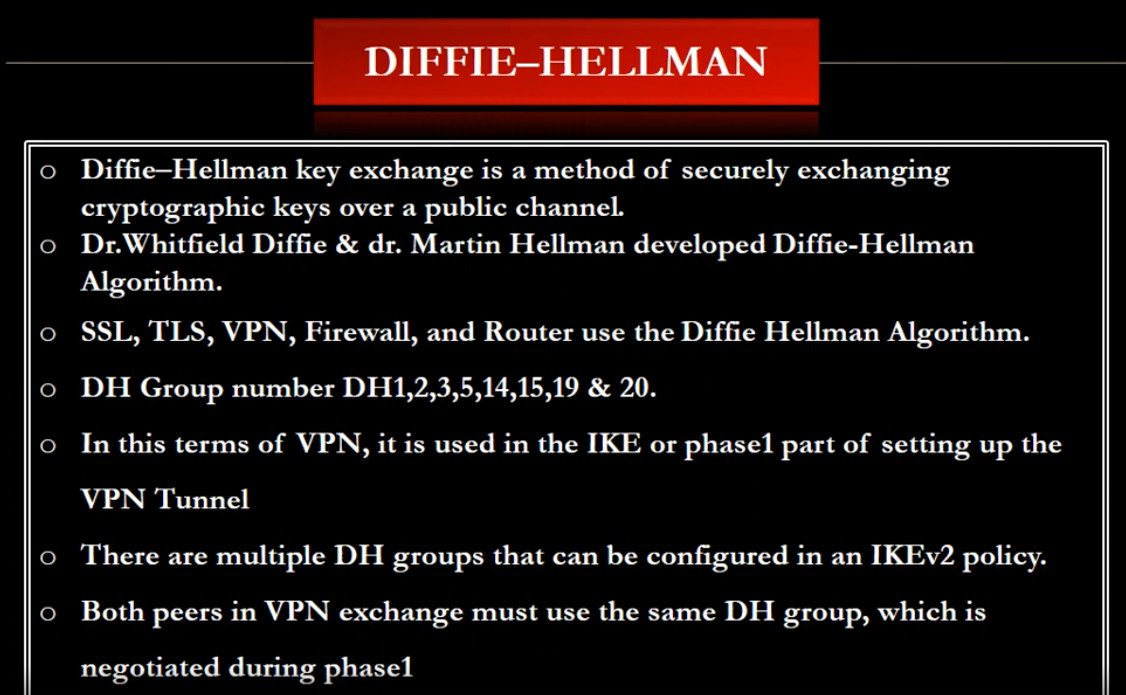
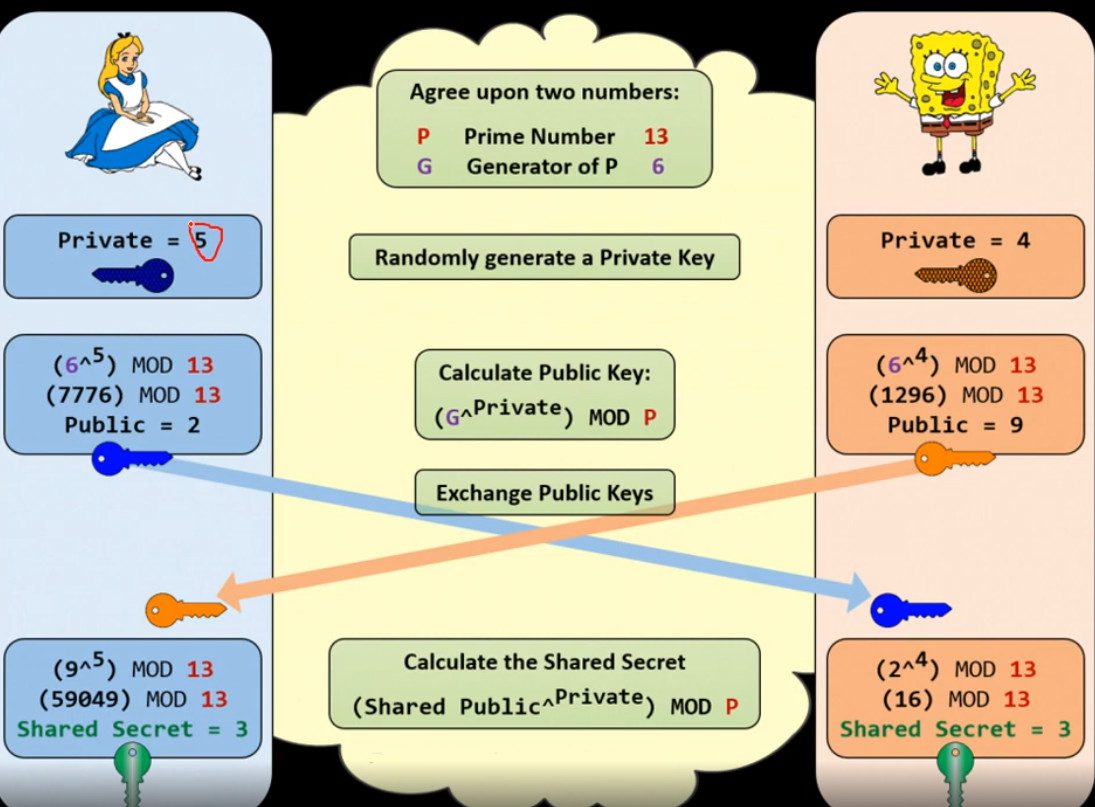
Slide Note
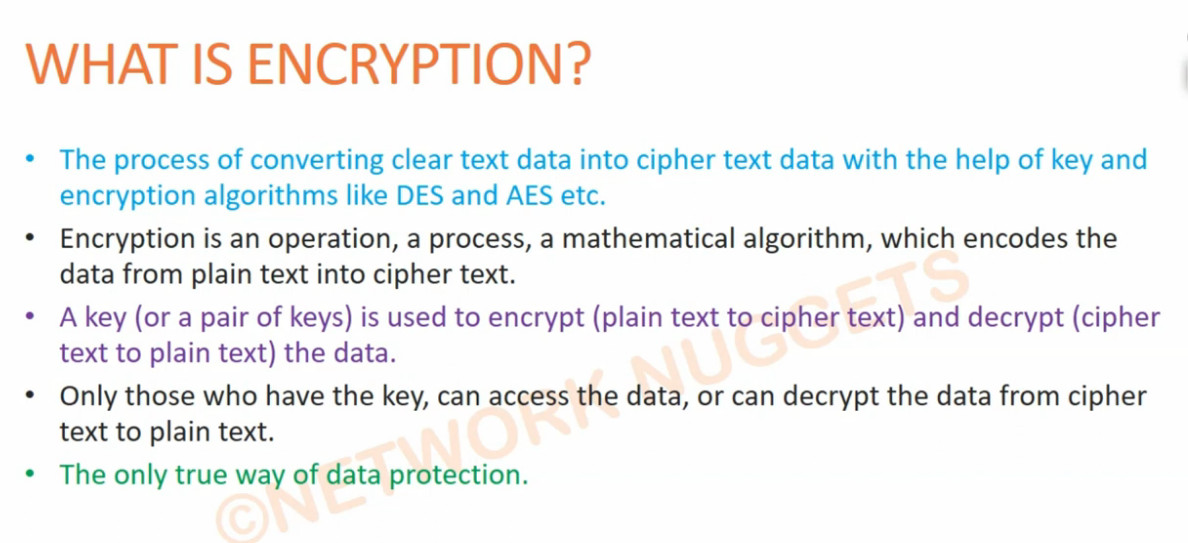
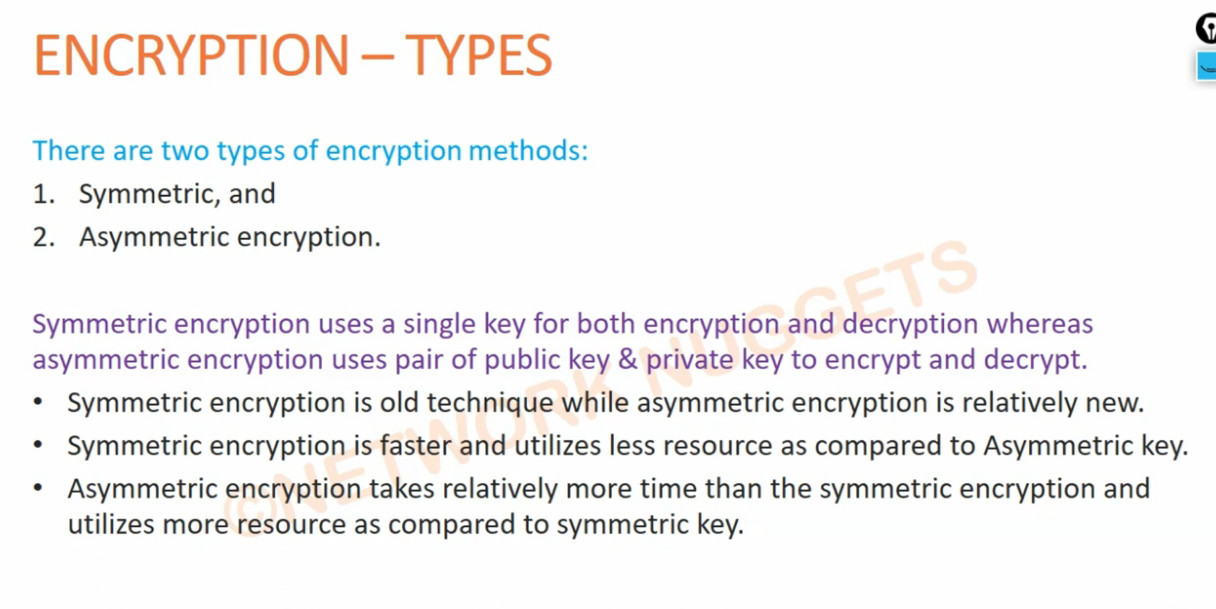
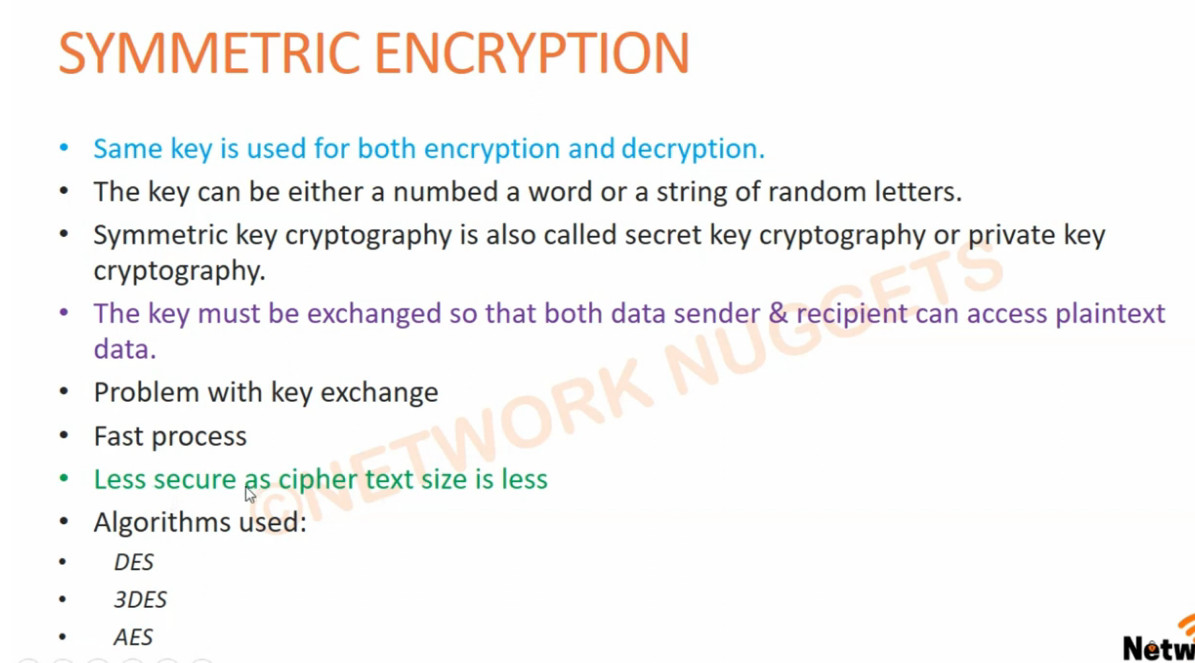
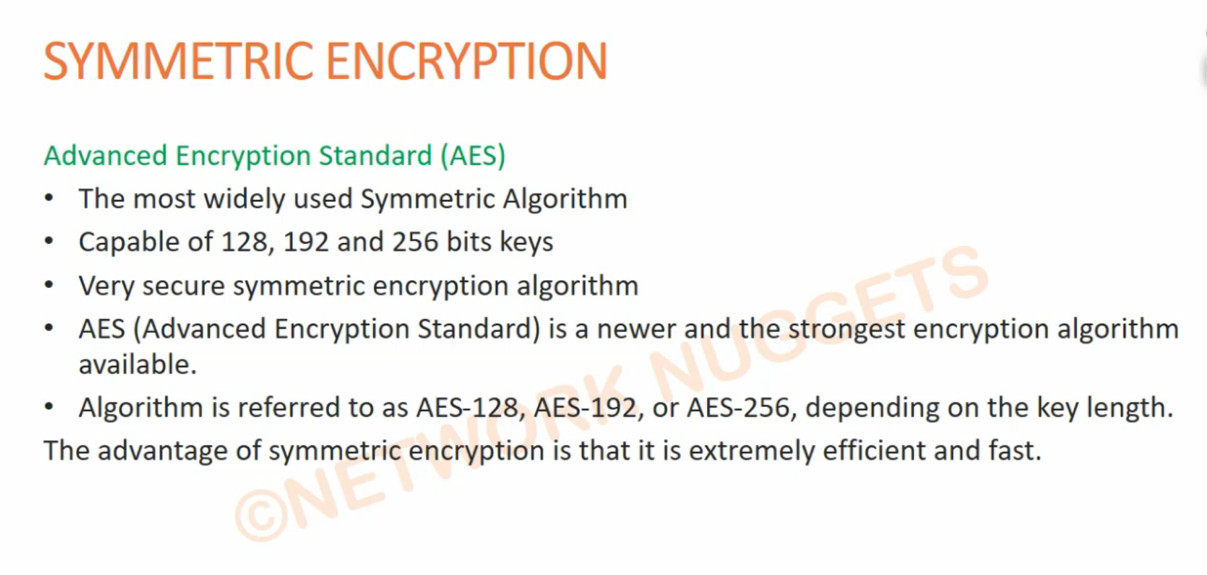
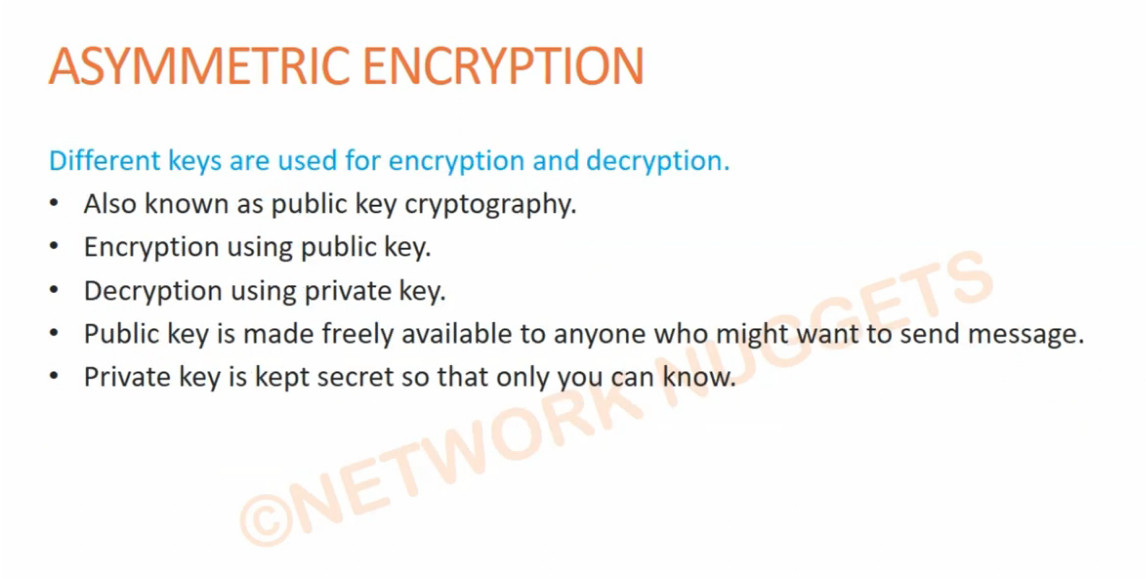
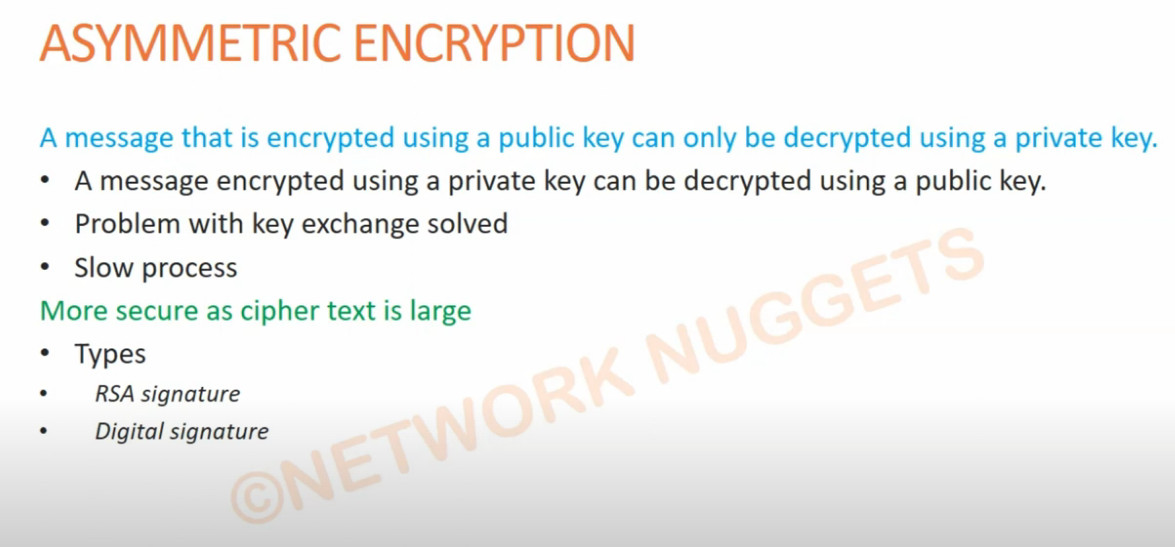
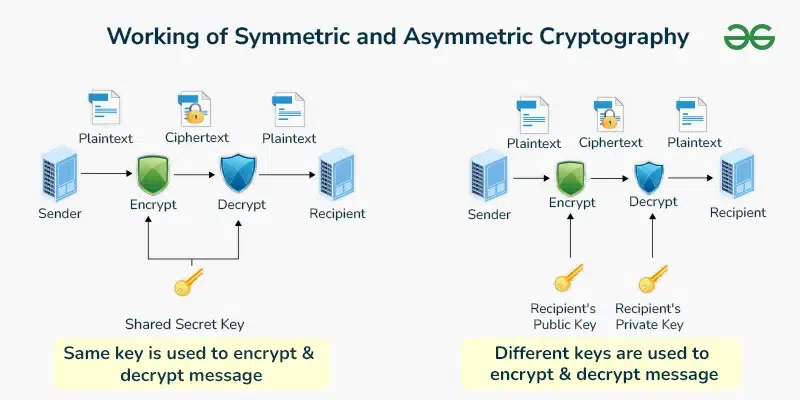


VPN Technology Q&A
VPN (Virtual Private Network) Q&A
1. Q: What is VPN?
A: VPN is a technology that creates a secure and encrypted connection over the internet to protect data and privacy.
2. Q: Why is VPN needed?
A: VPN is needed for secure communication, data protection, remote access, and privacy on public networks.
3. Q: How does VPN work?
A: VPN creates an encrypted tunnel between the user device and VPN server so data travels securely.
4. Q: What are the types of VPN?
A: Remote Access VPN and Site-to-Site VPN.
5. Q: What is Remote Access VPN?
A: It allows individual users to securely connect to a private network from remote locations.
6. Q: What is Site-to-Site VPN?
A: It connects two or more networks (branch offices) securely over the internet.
7. Q: What protocols are used in VPN?
A: IPsec, SSL/TLS, L2TP, PPTP (old), OpenVPN, and WireGuard.
8. Q: What is encryption in VPN?
A: Encryption converts data into unreadable form to protect it from hackers.
9. Q: What is VPN tunnel?
A: A secure encrypted path between client and server or between two networks.
10. Q: What is authentication in VPN?
A: It verifies user or device identity using username/password, certificates, or MFA.
11. Q: What is split tunneling?
A: It allows some traffic to go through VPN and other traffic directly to the internet.
12. Q: What is full tunneling?
A: All internet traffic goes through the VPN tunnel.
13. Q: What is VPN client?
A: Software installed on user devices to connect to VPN server.
14. Q: What is VPN server?
A: A device (firewall/router) that accepts VPN connections and provides secure access.
15. Q: What is IPsec VPN?
A: A VPN using IPsec protocol for secure encrypted communication.
16. Q: What is SSL VPN?
A: A VPN that uses SSL/TLS (HTTPS) for secure remote access.
17. Q: What is MFA in VPN?
A: Multi-Factor Authentication adds extra security using OTP, token, or biometrics.
18. Q: Is VPN safe on public Wi-Fi?
A: Yes, VPN encrypts data and protects it from attackers on public Wi-Fi.
19. Q: What is Kill Switch in VPN?
A: It blocks internet access if VPN disconnects to prevent data leaks.
20. Q: Advantages of VPN?
A: Security, privacy, remote work support, cost savings, and data protection.
21. Q: Disadvantages of VPN?
A: Slower speed, depends on internet, setup complexity, and device security risks.
22. Q: Can VPN be used on mobile phones?
A: Yes, VPN works on smartphones, tablets, and laptops.
23. Q: What is logging in VPN?
A: It refers to storing user activity records by VPN provider (some use no-log policy).
24. Q: Difference between VPN and Proxy?
A: VPN encrypts all traffic, proxy only forwards traffic without strong encryption.
25. Q: Who uses VPN?
A: Companies, IT administrators, remote employees, students, and travelers.
Remote Access VPN Q&A
Here are mostly asked Remote Access VPN Q&A (short and clear, exam + interview useful):
1. Q: What is Remote Access VPN?
A: Remote Access VPN allows users to securely connect to a private company network from remote locations using the internet with encrypted communication.
2. Q: Why is Remote Access VPN needed?
A: It is needed to protect data, allow work-from-home access, and securely connect employees to internal resources like servers and applications.
3. Q: How does Remote Access VPN work?
A: It creates an encrypted tunnel between the user device and the VPN server, then authenticates the user before giving access to the network.
4. Q: What are the main components of Remote Access VPN?
A: VPN client, VPN server/firewall, authentication system, and encryption protocols.
5. Q: Which protocols are used in Remote Access VPN?
A: Common protocols are IPsec, SSL/TLS, L2TP, PPTP (old), and OpenVPN.
6. Q: Difference between Remote Access VPN and Site-to-Site VPN?
A: Remote Access VPN connects individual users to a network, while Site-to-Site VPN connects two or more networks together.
7. Q: What is VPN authentication?
A: It verifies user identity using username/password, certificates, or multi-factor authentication (MFA).
8. Q: What is encryption in VPN?
A: Encryption protects data by converting it into unreadable format so hackers cannot understand it.
9. Q: What is split tunneling?
A: Split tunneling allows VPN traffic and normal internet traffic to use different paths instead of forcing all traffic through VPN.
10. Q: What are the advantages of Remote Access VPN?
A: Secure remote work, data privacy, cost savings, flexibility, and centralized access control.
11. Q: What are the disadvantages of Remote Access VPN?
A: Internet dependency, slower speed, configuration complexity, and possible security risks if user devices are infected.
12. Q: What is a VPN client?
A: A VPN client is software installed on user devices to create a secure connection to the VPN server.
13. Q: Can Remote Access VPN work on mobile phones?
A: Yes, it works on smartphones, tablets, laptops, and desktops.
15. Q: Is Remote Access VPN secure on public Wi-Fi?
A: Yes, VPN encrypts data and protects it from attackers on public Wi-Fi networks.
16. Q: What is VPN tunnel?
A: A VPN tunnel is a secure encrypted path between the user device and VPN server.
17. Q: What is SSL VPN?
A: SSL VPN uses web browsers or client software to securely connect users using HTTPS.
18. Q: Who uses Remote Access VPN?
A: Companies, IT administrators, remote employees, students, and travelers use Remote Access VPN.
19. Q: What happens if VPN connection drops?
A: Data transfer stops or may become unsecured unless kill-switch feature is enabled.
20. Q: What is Kill Switch in VPN?
A: It blocks internet access automatically if VPN disconnects to prevent data leakage.
What are the risks of remote access VPN?
Remote access VPNs can present risks such as limited scalability, potential security vulnerabilities, and increased complexity in managing access control.
What is the difference between VPN and remote connection?
A VPN creates a secure tunnel for data transmission, while a remote connection refers generally to any access to a network from a non-local source.
What is the difference between remote access VPN and personal VPN?
A remote access VPN connects a user to a corporate network, while a personal VPN protects a user’s internet connection.
How do I set up a VPN for remote access?
To set up a VPN for remote access, one configures a secure connection between a device and a network, often involving software installation and network configuration. The exact setup process varies depending on the VPN service.
When shouldn’t I use a VPN?
Why do you need a VPN for remote access?
What are the alternatives to remote access VPNs?
What are three drawbacks of VPNs as a remote access solution?
What is a client-to-site VPN?
How does a client-to-site VPN work?
What is the difference between a client VPN and site-to-site VPN?
Site-to-Site VPN Q&A
1. Q: What is Site-to-Site VPN?
A: Site-to-Site VPN is a VPN connection that securely connects two or more separate networks (branches/offices) over the internet using encrypted tunnels.
2. Q: Why is Site-to-Site VPN needed?
A: It is needed to securely share data and resources between branch offices without using expensive leased lines.
3. Q: How does Site-to-Site VPN work?
A: VPN gateways (firewalls/routers) at each site create an encrypted tunnel over the internet to exchange data securely.
4. Q: Difference between Site-to-Site VPN and Remote Access VPN?
A: Site-to-Site VPN connects entire networks, while Remote Access VPN connects individual users.
5. Q: What protocols are used in Site-to-Site VPN?
A: IPsec is the most commonly used protocol. Others include GRE over IPsec and SSL VPN (less common for site-to-site).
6. Q: What are the main components of Site-to-Site VPN?
A: VPN gateway/router, encryption protocols, authentication method, and internet connection.
7. Q: What is IPsec?
A: IPsec (Internet Protocol Security) is a protocol suite that encrypts and authenticates data between two networks.
8. Q: What is VPN tunnel?
A: A secure encrypted path created between two VPN gateways for transmitting data safely.
9. Q: What is authentication in Site-to-Site VPN?
A: It verifies the identity of VPN devices using pre-shared keys (PSK) or digital certificates.
10. Q: What is encryption in Site-to-Site VPN?
A: Encryption protects data by converting it into unreadable form during transmission.
11. Q: What is IKE (Internet Key Exchange)?
A: IKE negotiates security parameters and keys between VPN devices before creating the tunnel.
12. Q: What is Phase 1 and Phase 2 in IPsec VPN?
A: Phase 1 establishes a secure channel (ISAKMP SA) and Phase 2 establishes the data tunnel (IPsec SA).
13. Q: What is policy-based VPN?
A: Traffic is selected for VPN based on security policies and ACL rules.
14. Q: What is route-based VPN?
A: Uses virtual tunnel interfaces and routing tables to control VPN traffic.
15. Q: What are advantages of Site-to-Site VPN?
A: Secure communication, cost-effective, centralized management, and easy branch connectivity.
16. Q: What are disadvantages of Site-to-Site VPN?
A: Depends on internet quality, complex configuration, and troubleshooting can be difficult.
17. Q: Can Site-to-Site VPN connect different vendors (Cisco, Fortinet, MikroTik)?
A: Yes, as long as both sides support the same VPN protocols and encryption settings.
18. Q: What happens if VPN tunnel goes down?
A: Communication between sites stops until the tunnel is re-established.
19. Q: What is split tunneling in Site-to-Site VPN?
A: Usually not used; all inter-site traffic passes through the VPN tunnel.
20. Q: Where is Site-to-Site VPN commonly used?
A: In companies with multiple branches, data centers, and cloud-to-office connections (AWS/Azure).