
VPN Technology
History Of VPN
History of VPN (Virtual Private Network)
1. Early Network Security (1990s)
The concept of a VPN started in the 1990s when companies began connecting remote offices through the Internet instead of using expensive leased lines. Organizations wanted a secure way to send data through public networks, so encrypted tunnels were developed to protect information.
2. Development of PPTP Protocol (1996)
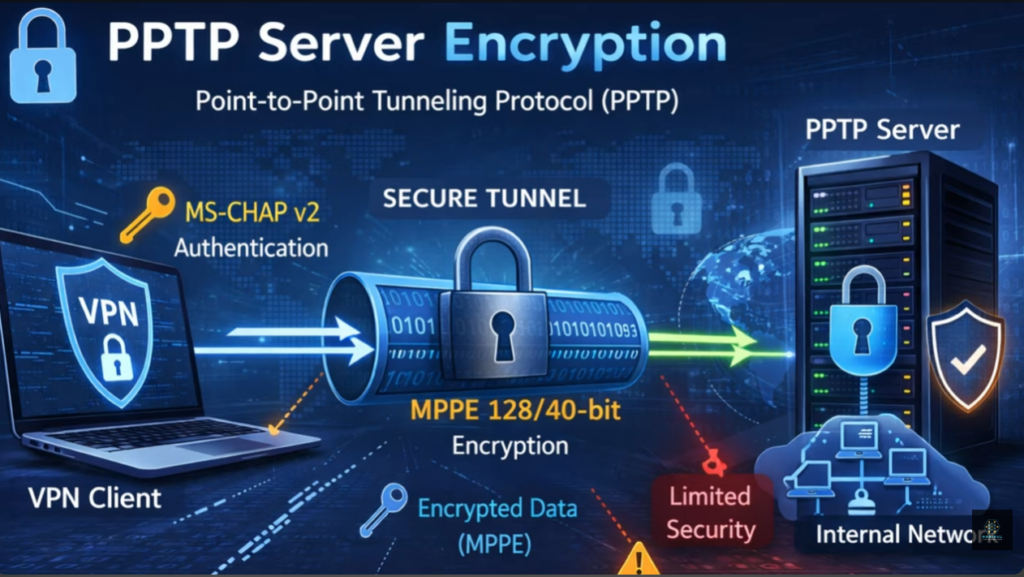
In 1996, the Microsoft along with other companies developed the Point-to-Point Tunneling Protocol (PPTP). PPTP was one of the first widely used VPN protocols and allowed users to create encrypted tunnels over the Internet. It made remote access to company networks possible.
3. Introduction of IPsec (Late 1990s)
In the late 1990s, the Internet Engineering Task Force (IETF) developed Internet Protocol Security (IPsec). IPsec provided strong encryption and authentication for secure communication between networks. It became a standard technology used in many enterprise VPN systems.
4. SSL VPN Technology (Early 2000s)
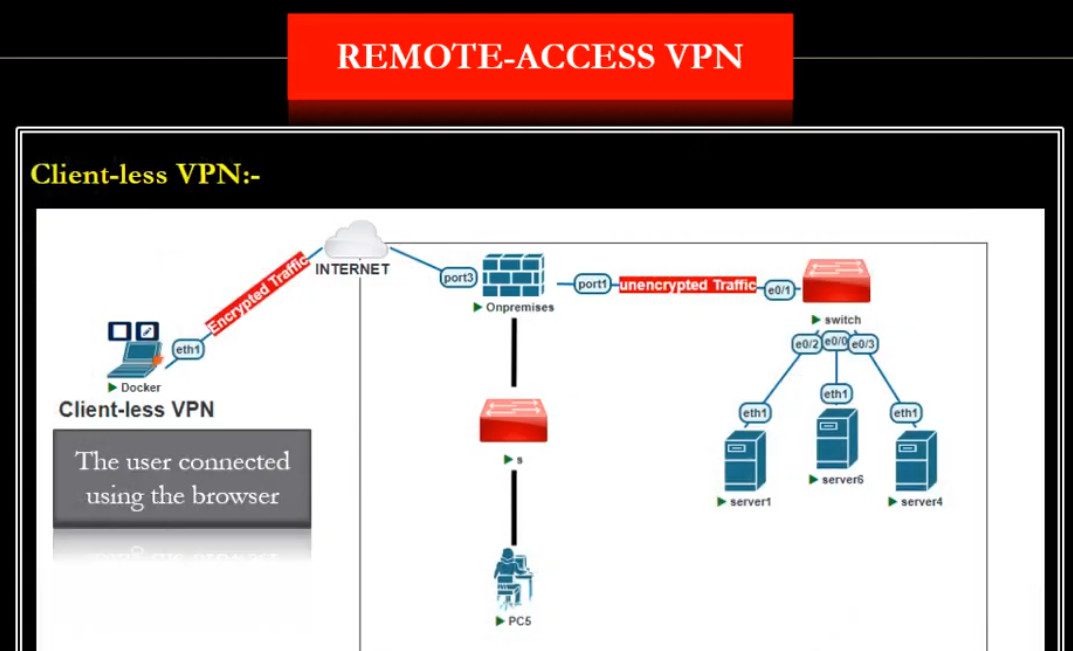
In the early 2000s, VPN technology improved with SSL-based VPNs, which used the Secure Sockets Layer (SSL) encryption protocol. SSL VPN allowed users to access company resources securely using a web browser without installing special VPN software.
5. Growth of Commercial VPN Services (2010s)
Around the 2010s, VPN services became popular for privacy and security. Many companies started offering VPN services to individuals to protect their internet traffic from hackers, ISPs, and surveillance. People also used VPNs to access restricted websites and protect their online identity.
6. Modern VPN Technologies
Today, modern VPN protocols such as OpenVPN, WireGuard, and IKEv2 provide faster speeds, stronger encryption, and better security. VPNs are widely used in remote work, corporate networks, cybersecurity, and personal privacy.
Short Summary
- 1990s – VPN concept for secure remote network access
- 1996 – PPTP protocol introduced
- Late 1990s – IPsec standard developed
- Early 2000s – SSL VPN technology
- 2010s – Commercial VPN services for privacy
- Today – Modern protocols like OpenVPN, WireGuard, and IKEv2
What is VPN
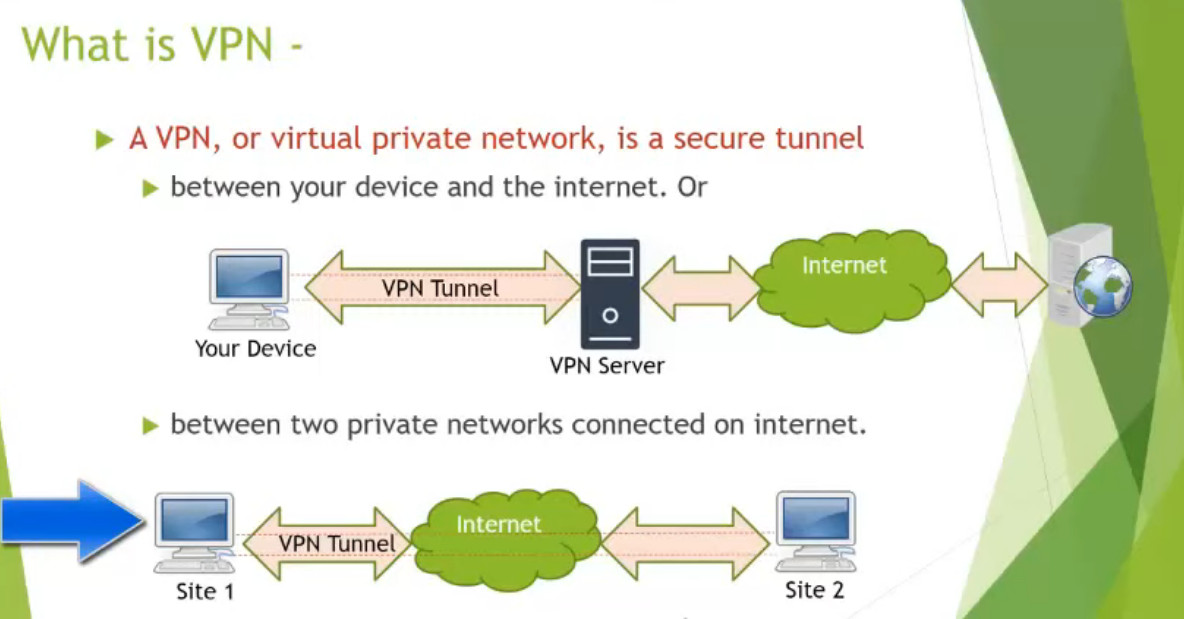
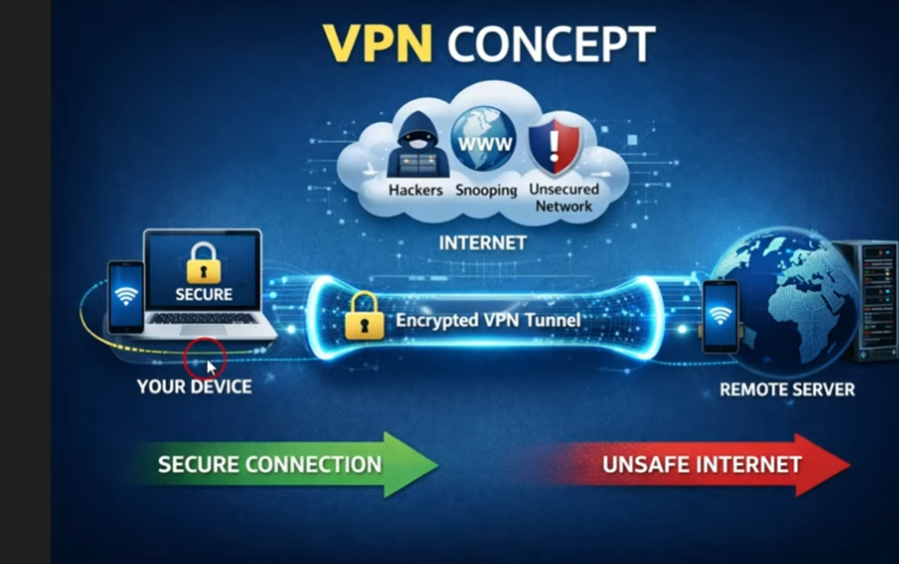
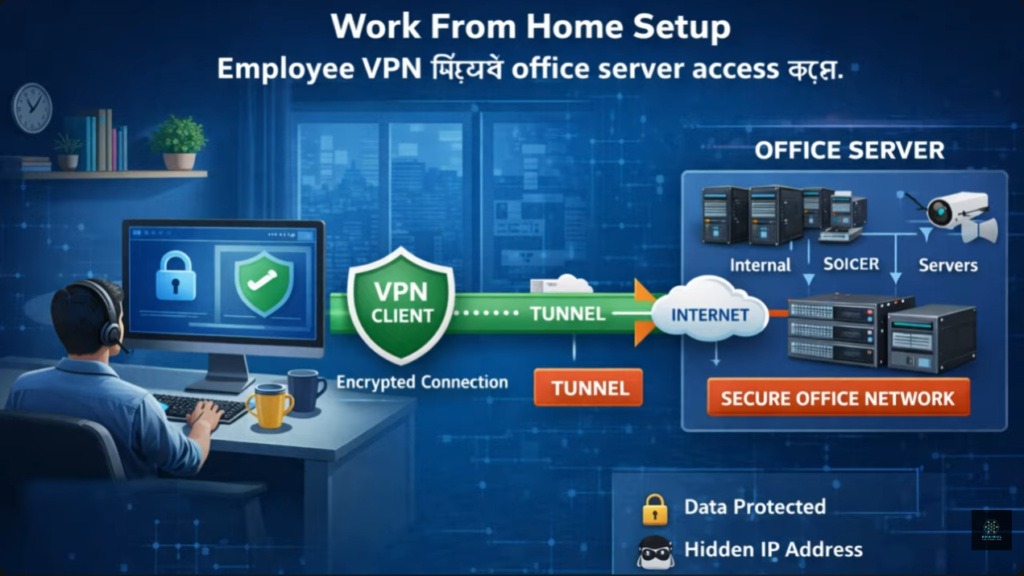
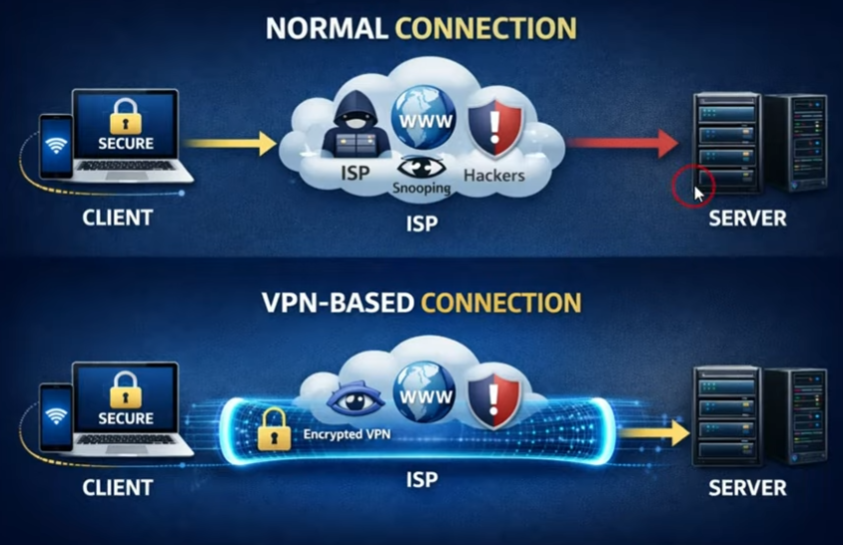
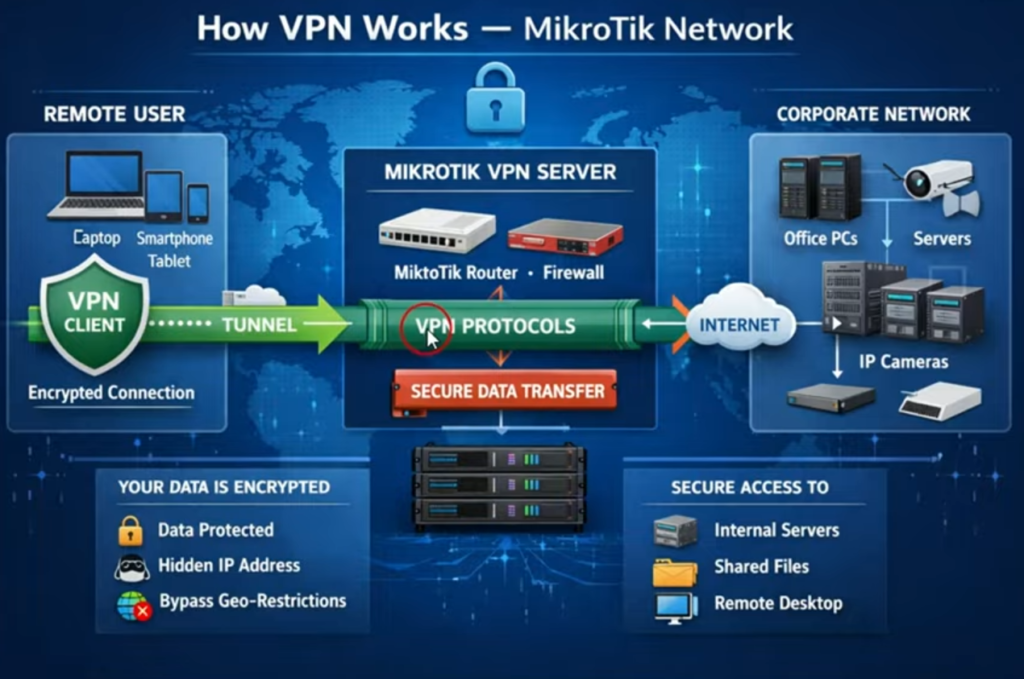
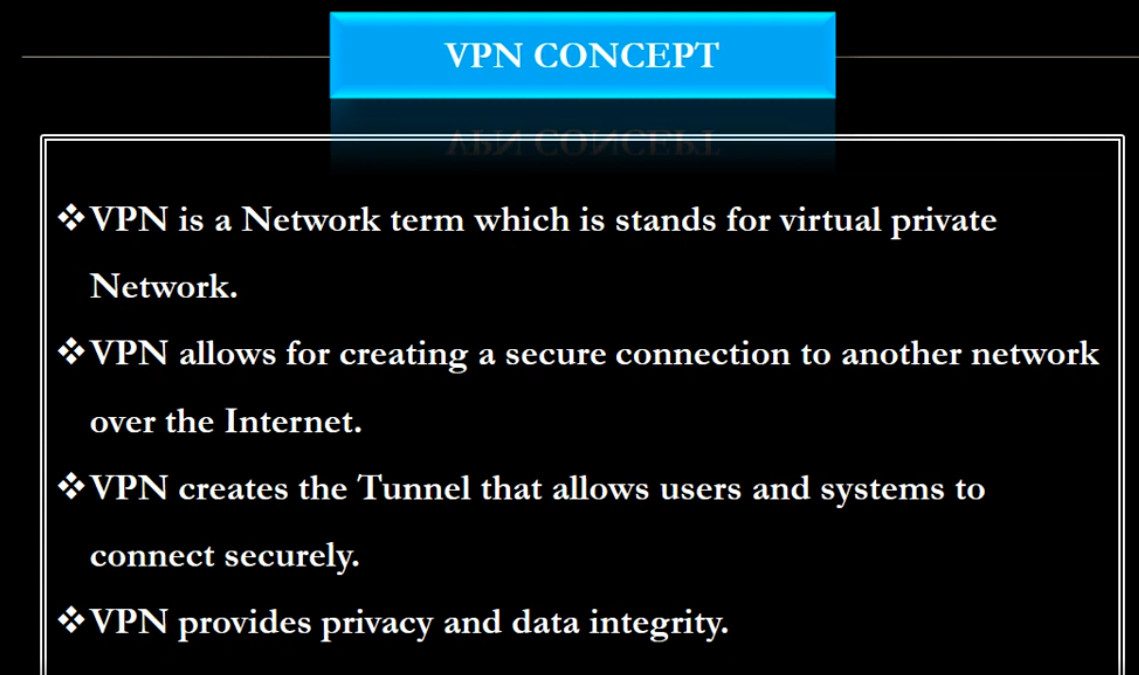
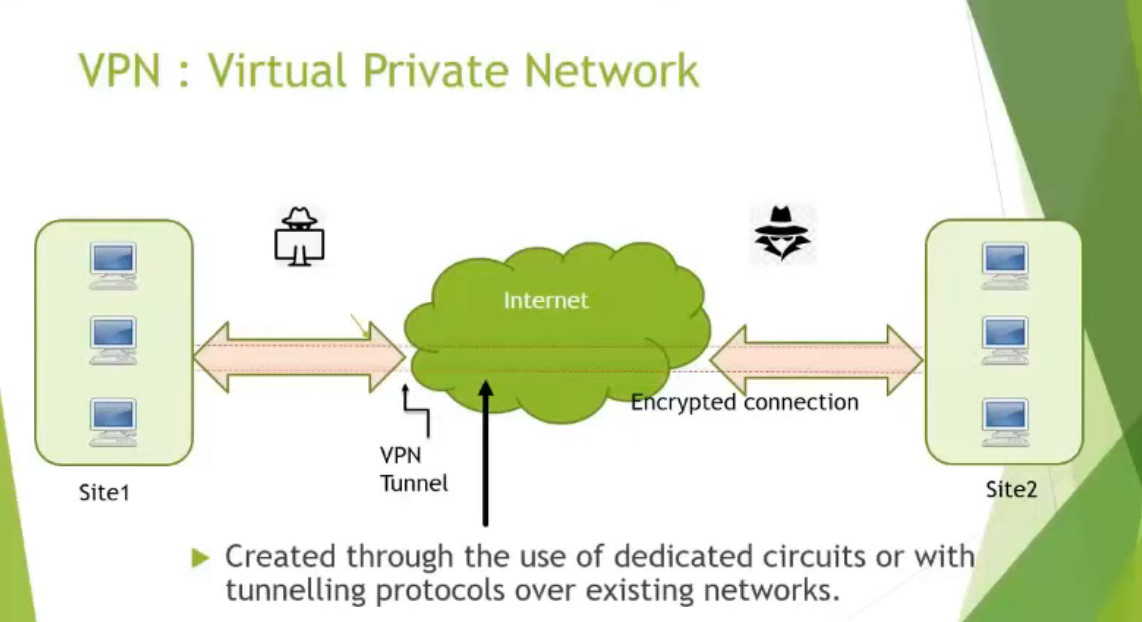
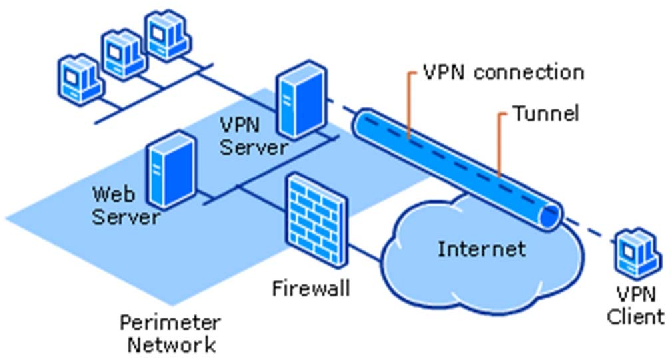
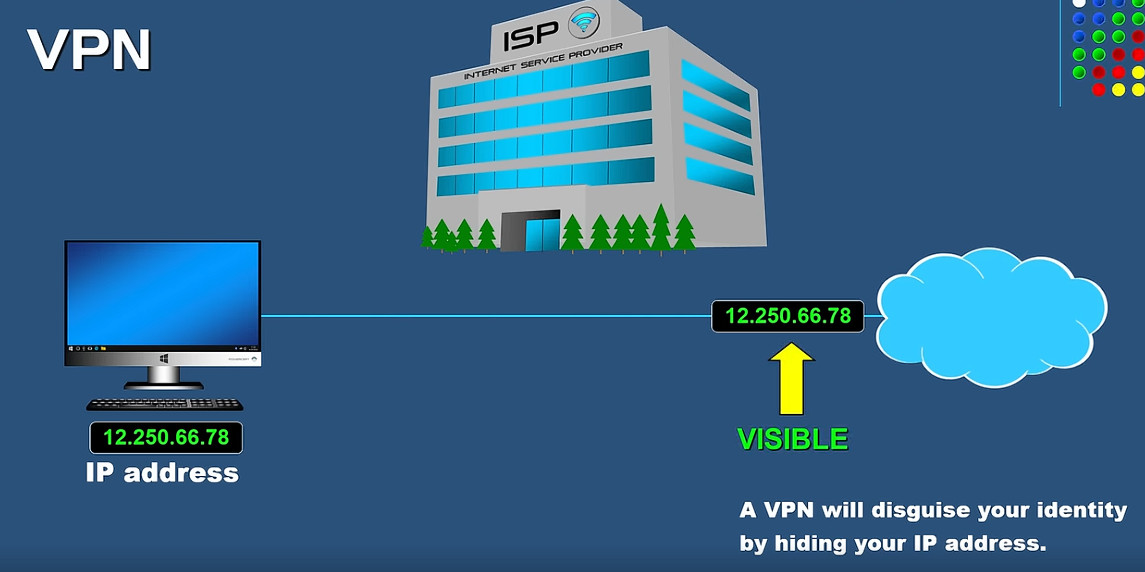
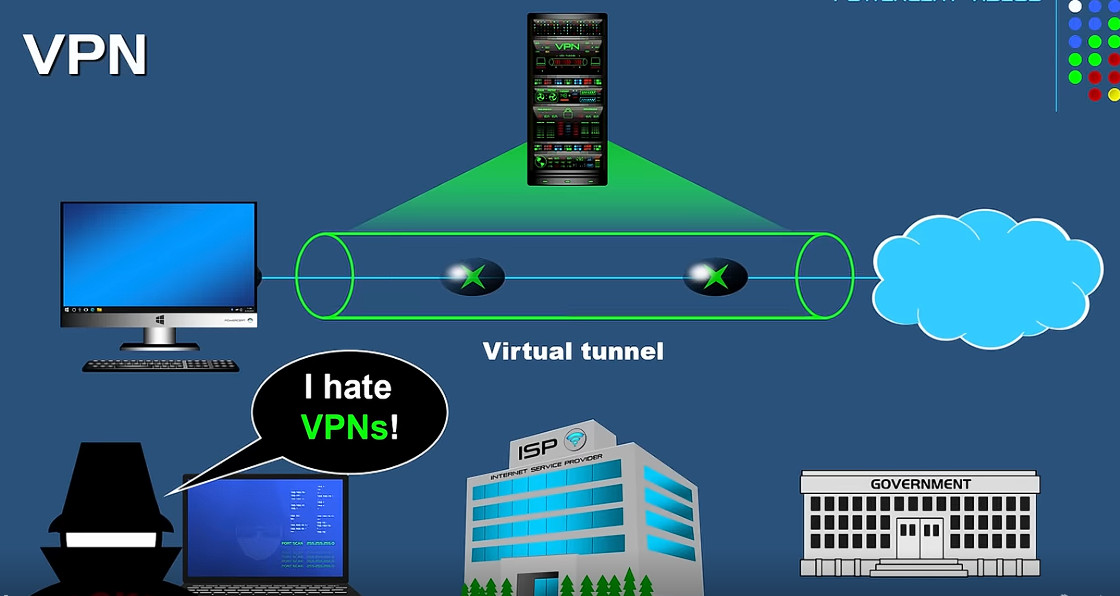
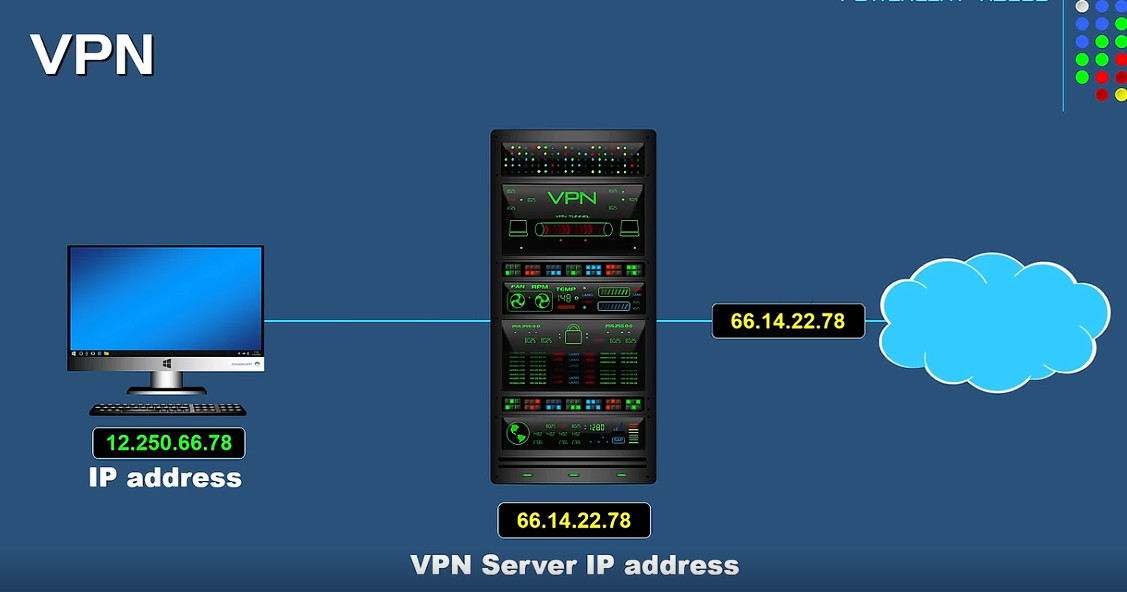
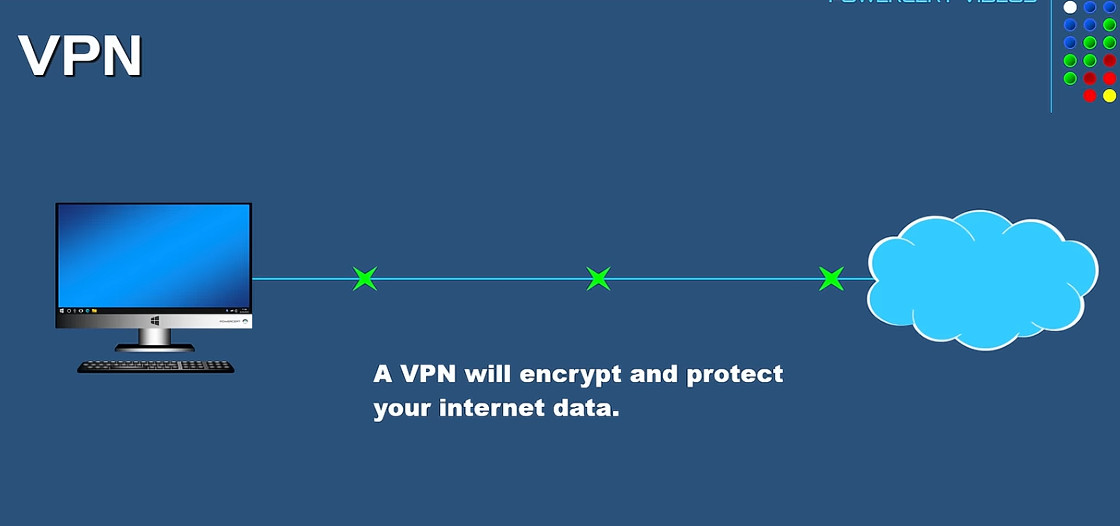
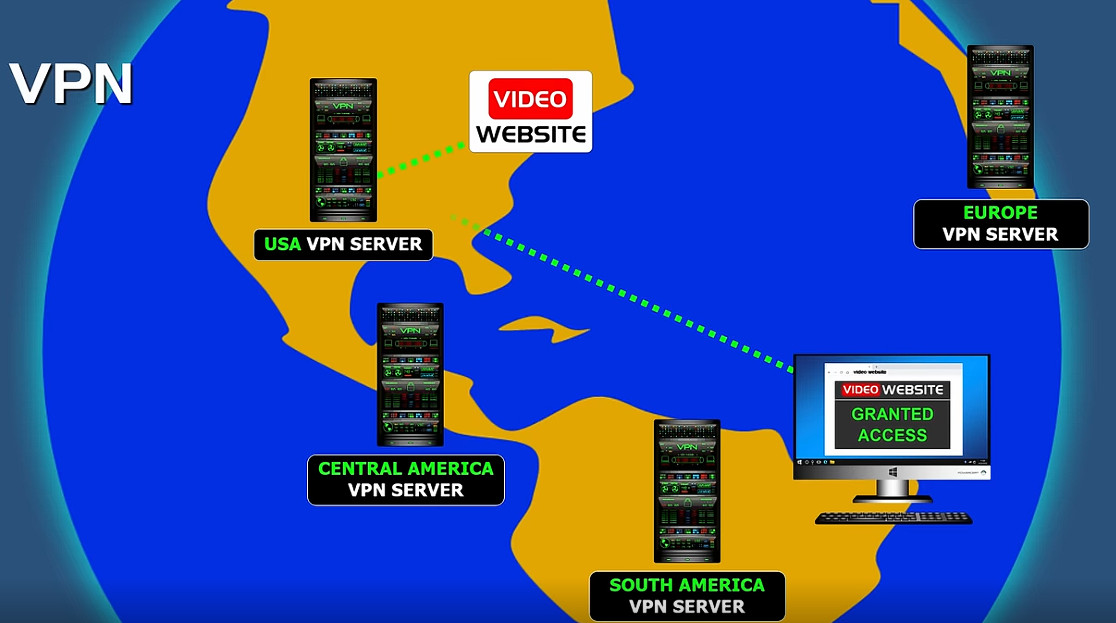
A Virtual Private Network (VPN) is a technology that creates a secure and encrypted connection over the internet between a user’s device and a remote network or server. It works by tunneling all internet traffic through a protected pathway so that data cannot be easily intercepted, monitored, or altered by hackers, internet service providers (ISPs), or other third parties. When a VPN is enabled, the user’s real IP address is hidden and replaced with the IP address of the VPN server, which improves privacy and anonymity while browsing. VPNs are widely used in companies to allow employees to safely access internal office networks from remote locations, ensuring that sensitive business data such as emails, files, and applications remain protected. They are also used by individuals to secure public Wi-Fi connections, prevent data theft, bypass geographical restrictions, and maintain confidentiality of online activities. Overall, a VPN enhances security, privacy, and controlled network access by using encryption, authentication, and secure tunneling protocols over public networks like the internet.
Why Need VPN
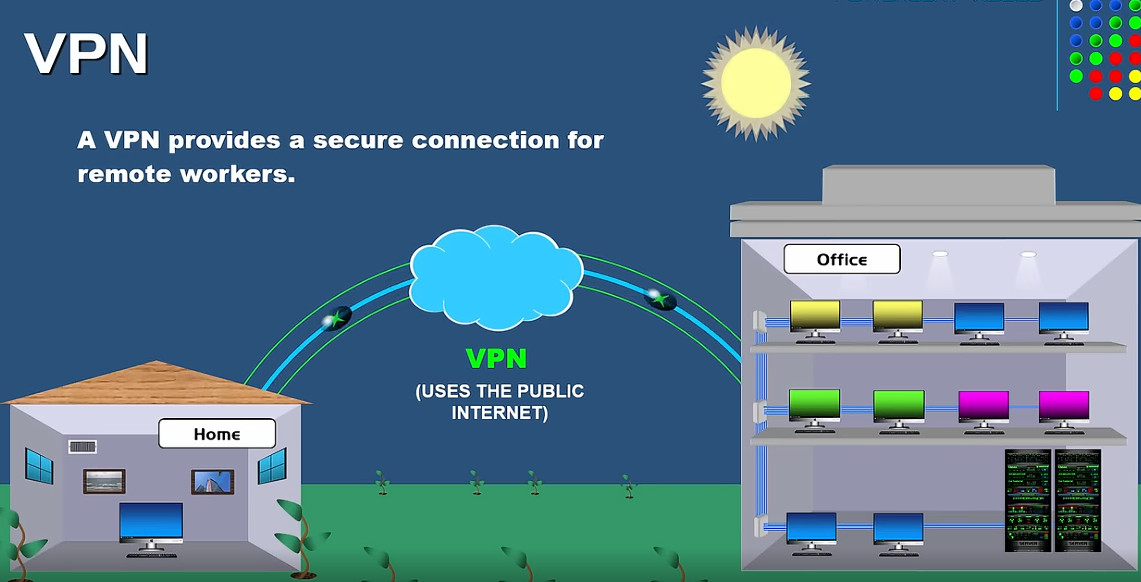
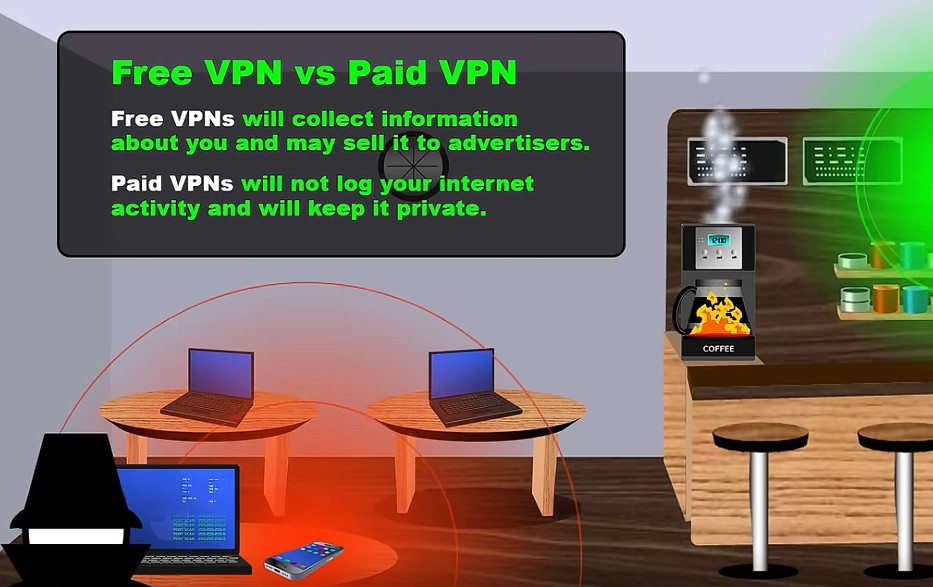
VPN (Virtual Private Network) is needed to ensure security, privacy, and safe access to networks over the internet. It protects sensitive data by encrypting all communication between the user’s device and the destination network, which prevents hackers and cybercriminals from stealing information, especially when using public Wi-Fi in places like airports, cafes, or hotels. A VPN also hides the user’s real IP address and online identity, helping to maintain privacy and avoid tracking by websites, advertisers, or internet service providers. In companies, VPNs are essential for remote work because they allow employees to securely access internal office systems, servers, and applications from outside the organization as if they were physically in the office. Additionally, VPNs help bypass geographic restrictions and censorship by connecting through servers in different locations. Overall, a VPN is needed to provide secure communication, protect personal and business data, support remote access, and ensure privacy in an increasingly connected digital world.
Why Need VPN Company
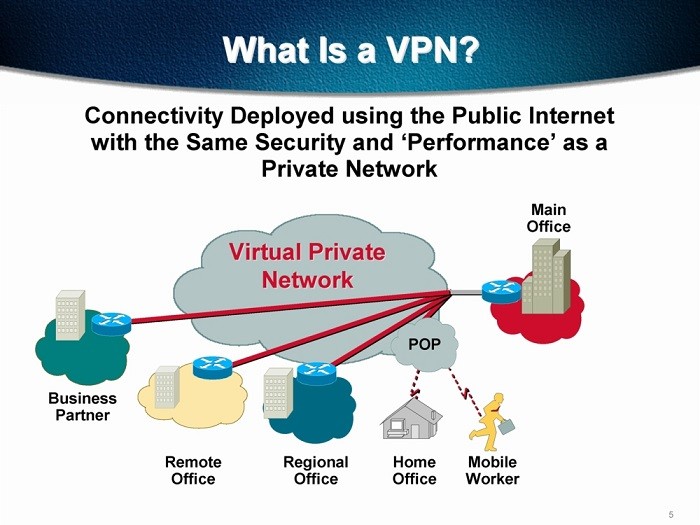
A company needs a VPN (Virtual Private Network) to provide secure and private communication between employees, branch offices, and company servers over the internet. It allows staff to safely access internal systems such as file servers, databases, email, and business applications from remote locations or while traveling, as if they were inside the office network. A VPN encrypts all data traffic, which protects sensitive company information from hackers, cyberattacks, and data theft—especially when employees use public Wi-Fi or home networks. It also helps maintain confidentiality, integrity, and compliance with security policies by controlling who can access company resources. In addition, VPNs support business continuity by enabling remote work during emergencies or office downtime and allow secure connection between multiple office locations (site-to-site VPN). Overall, a VPN is essential for protecting company data, enabling remote access, and ensuring secure and reliable business operations.
Type Of VPN
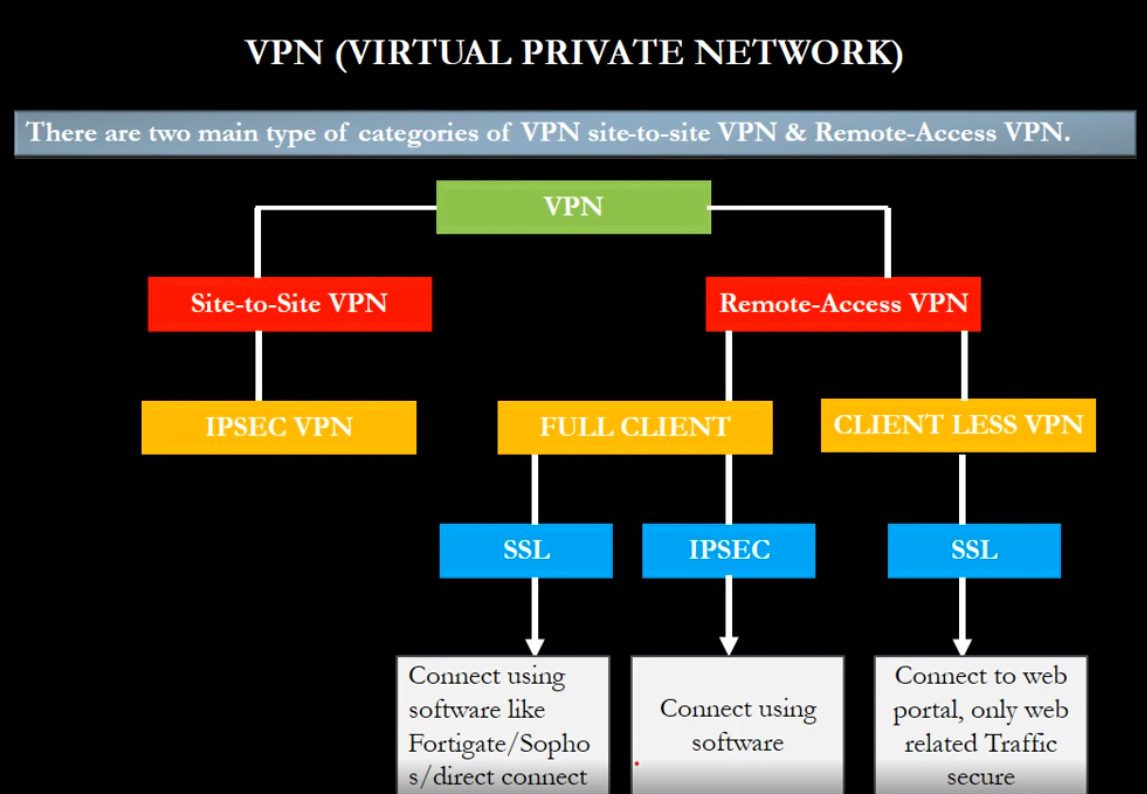
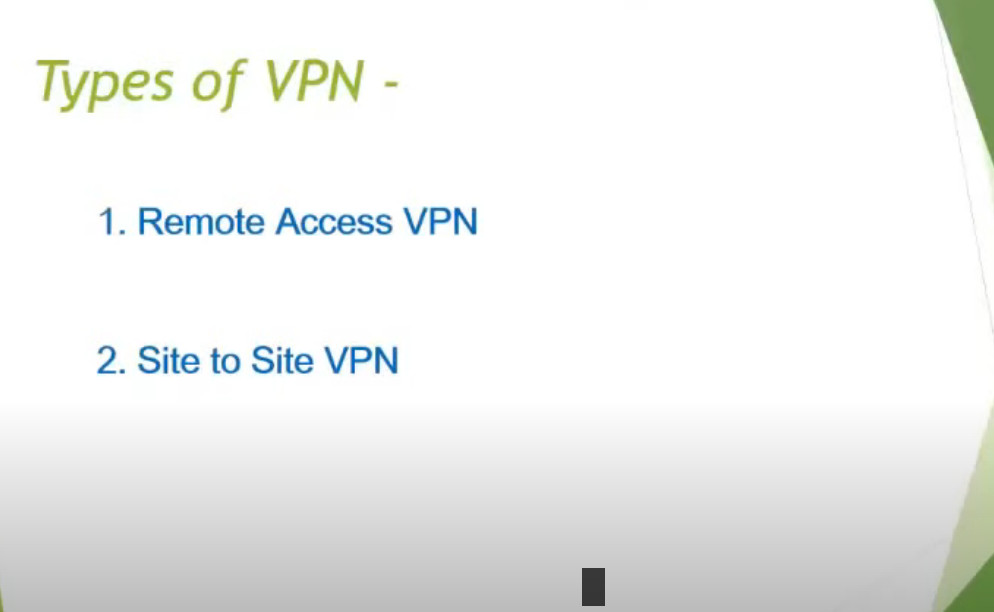
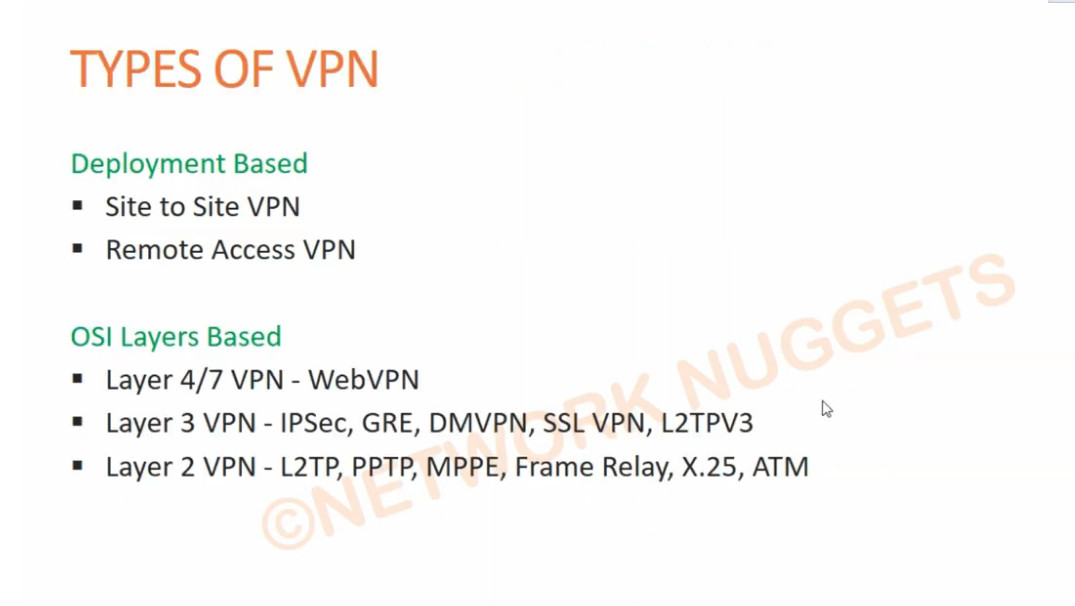
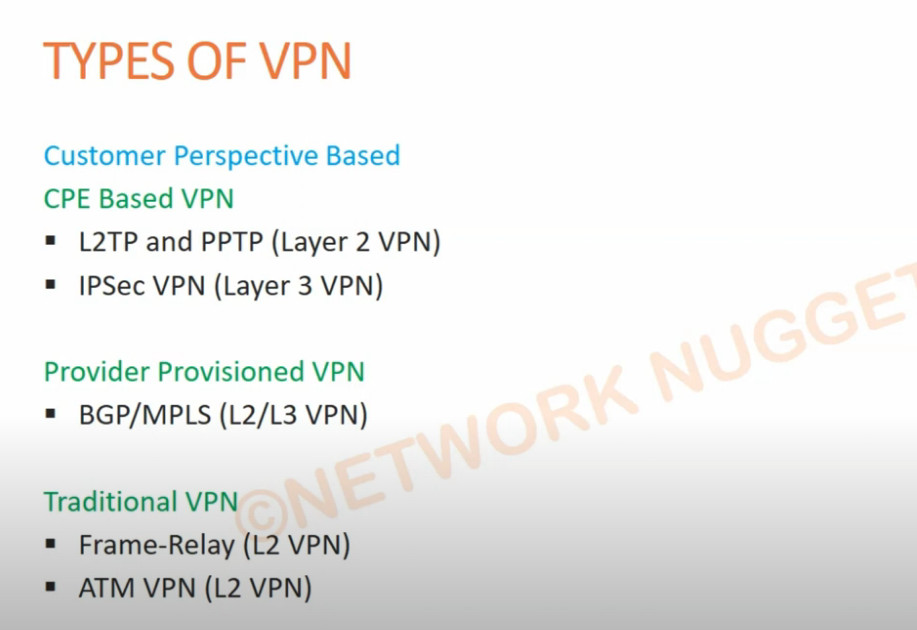
There are several types of VPN, classified based on how they are used and how they connect networks and users. Each type serves a different purpose in personal and company environments.
1. Remote Access VPN (Client-to-Site VPN):
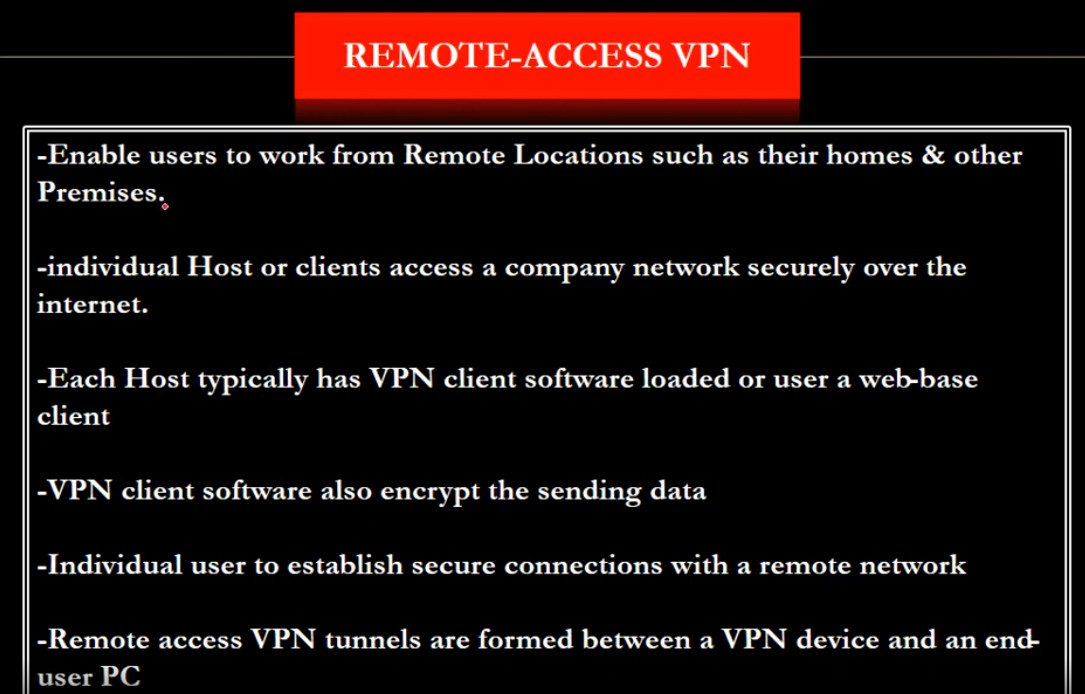
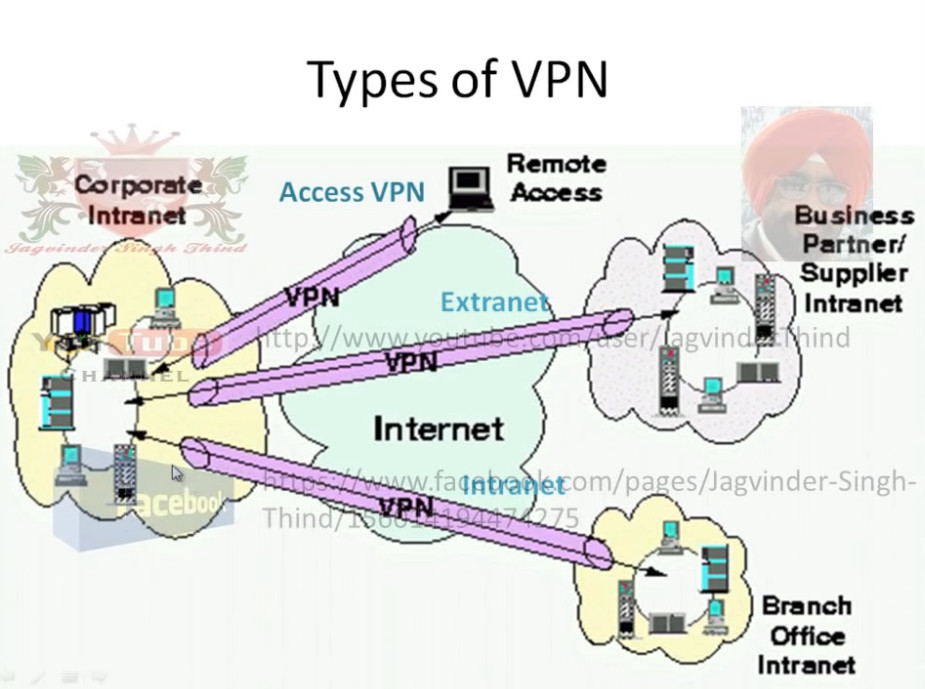
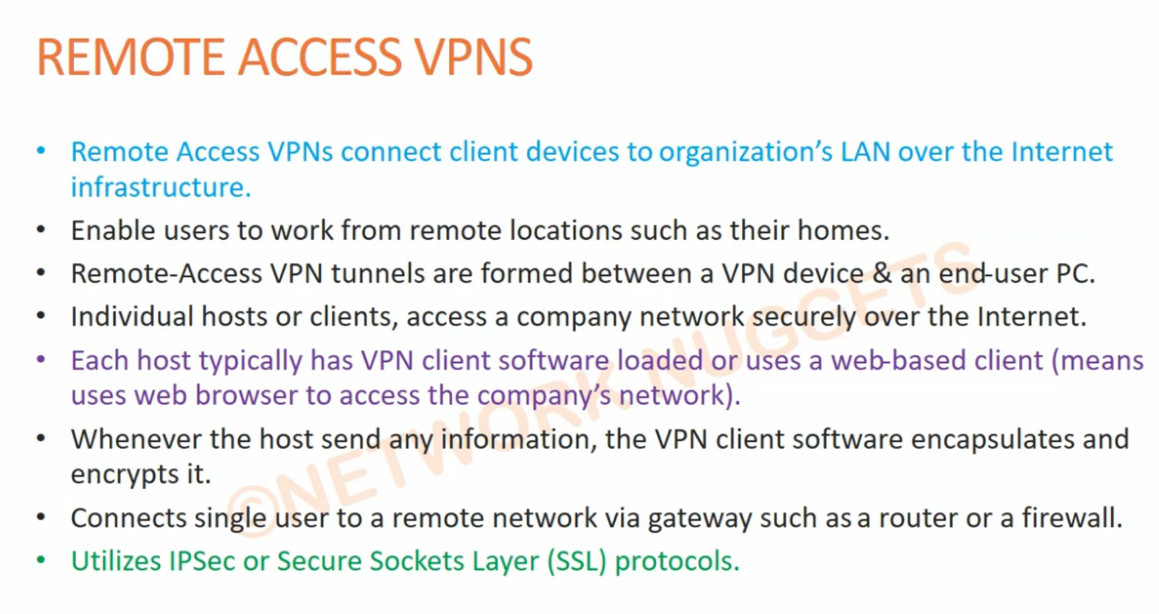
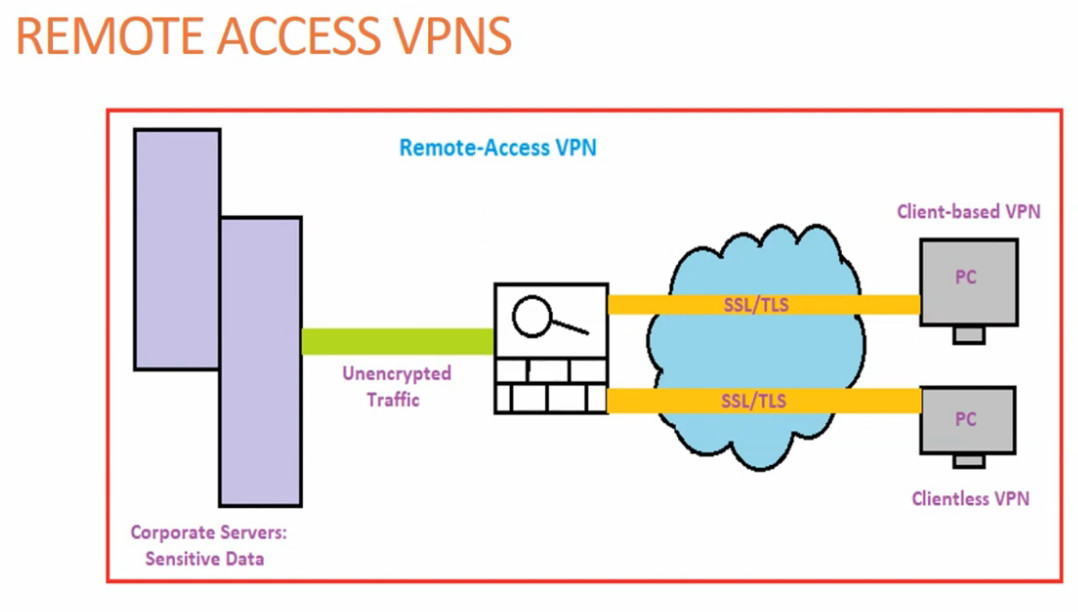
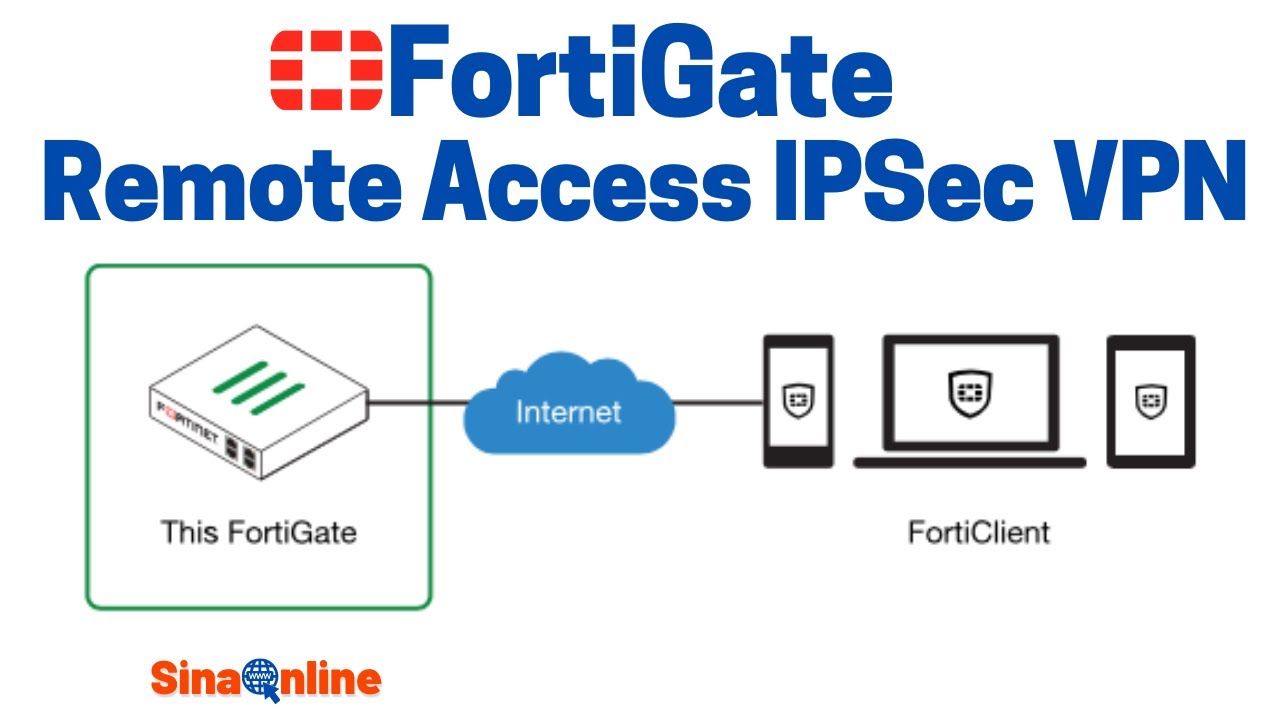
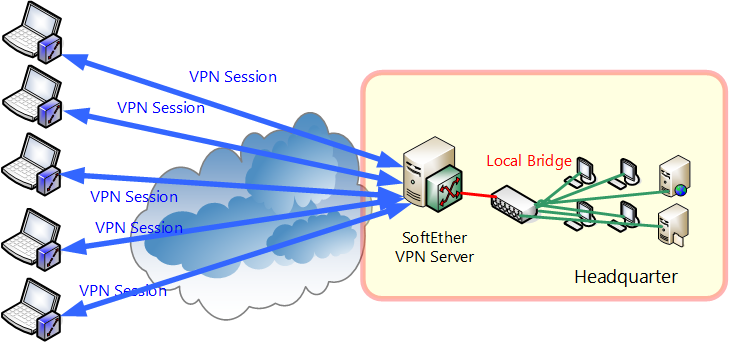
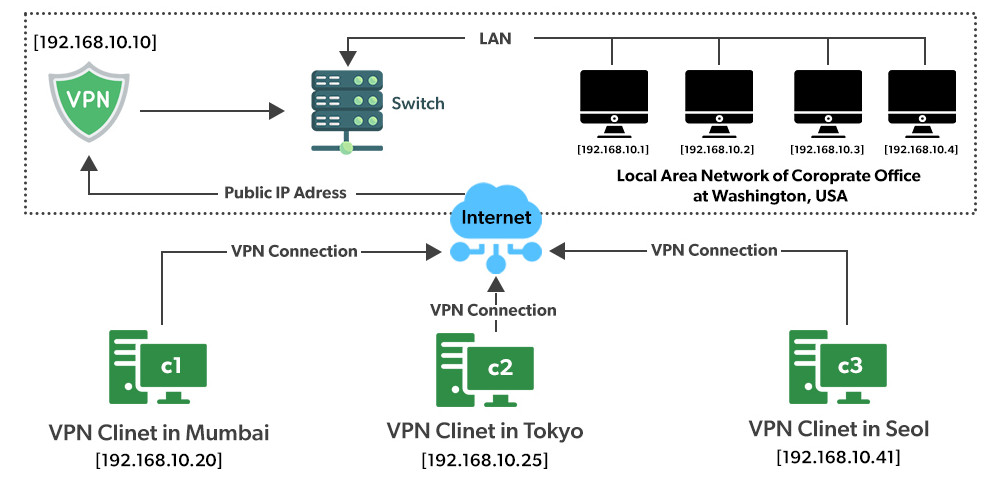
A Remote Access VPN allows individual users (employees or users at home) to securely connect to a company’s private network over the internet. The user installs a VPN client application on their computer or mobile device and logs in with a username and password or certificate. Once connected, they can access company resources such as file servers, email, and internal applications as if they were physically in the office. This type of VPN is commonly used for work-from-home employees and traveling staff.
2. Site-to-Site VPN:
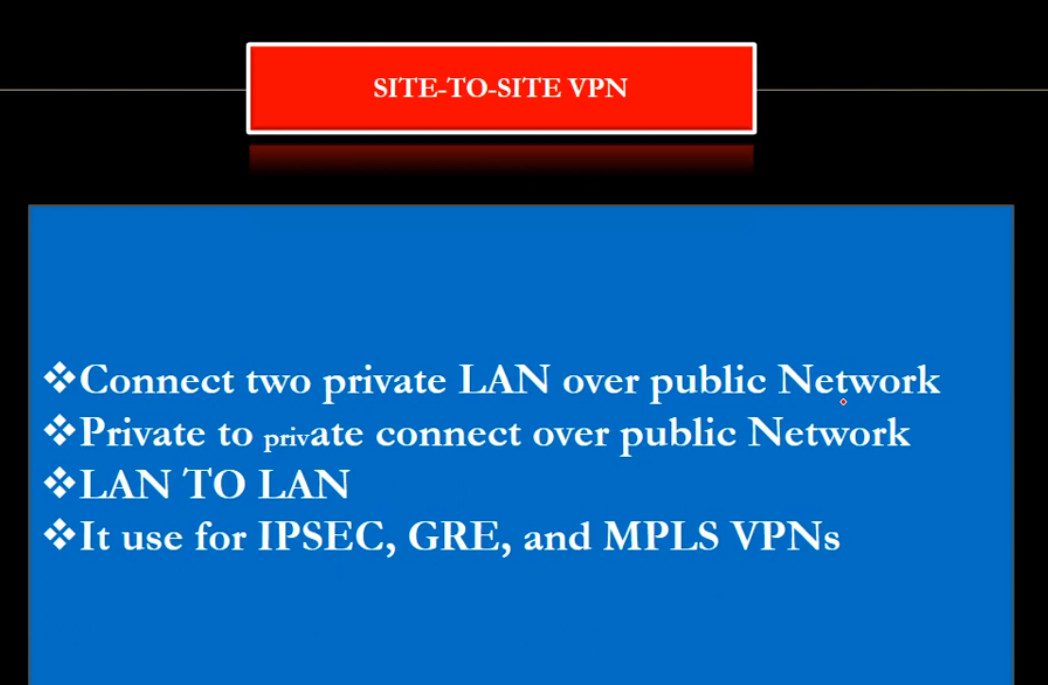
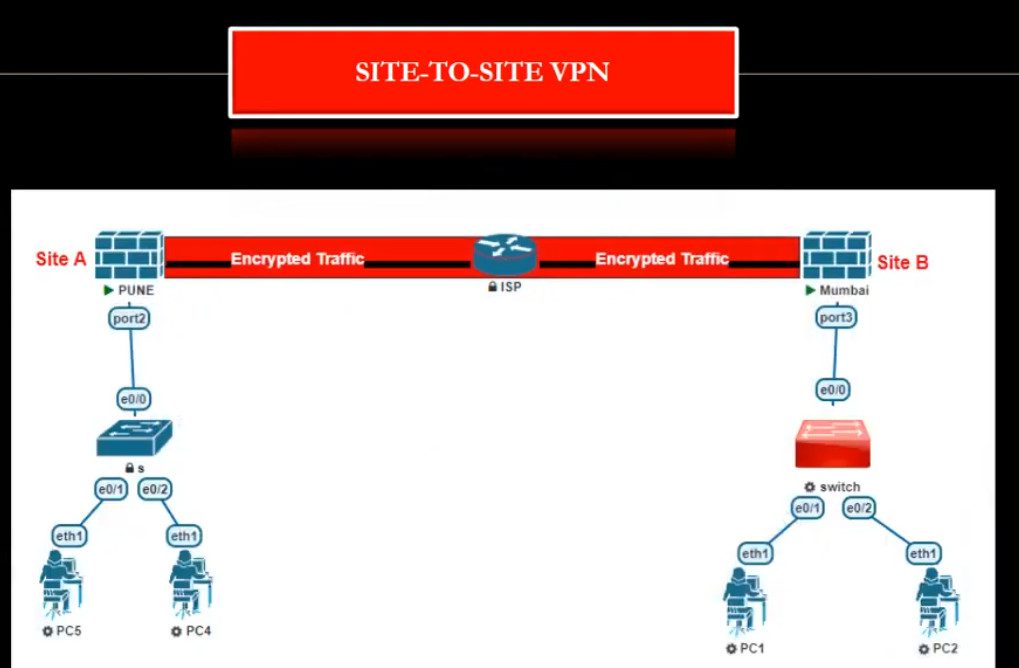
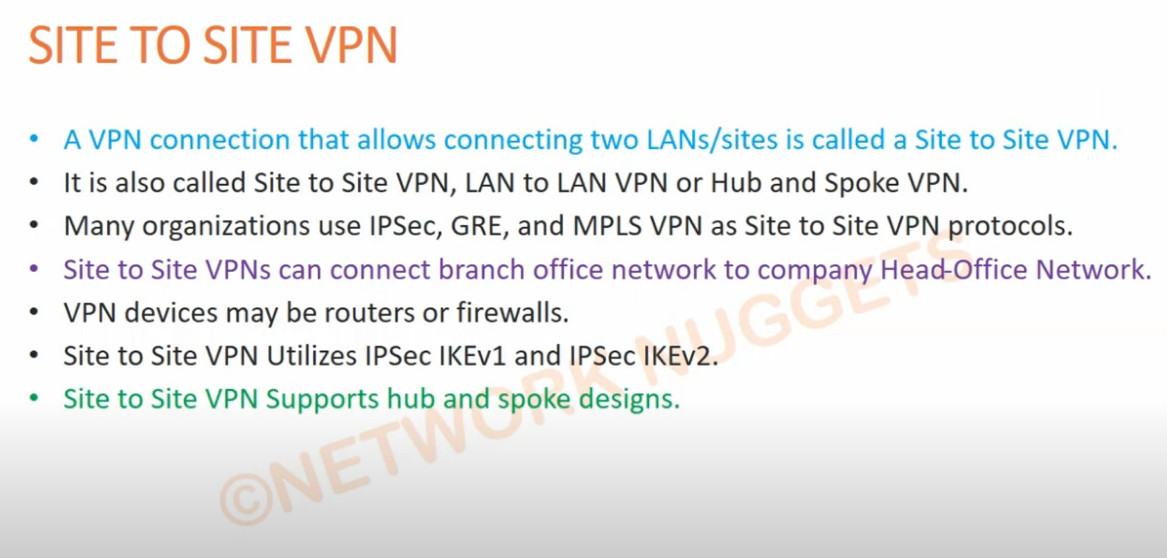
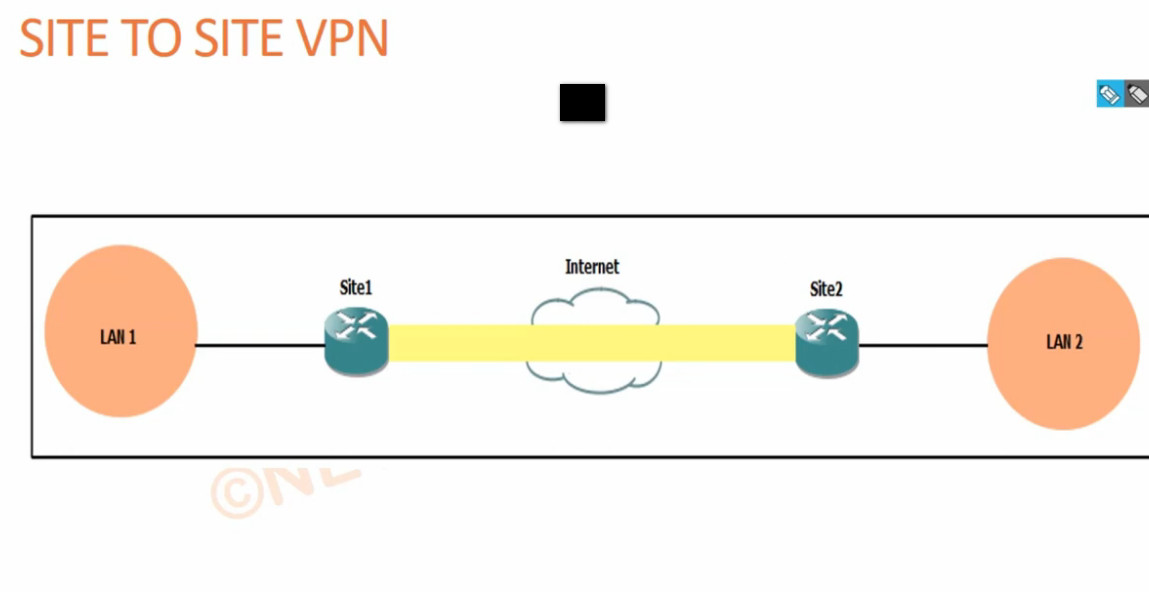
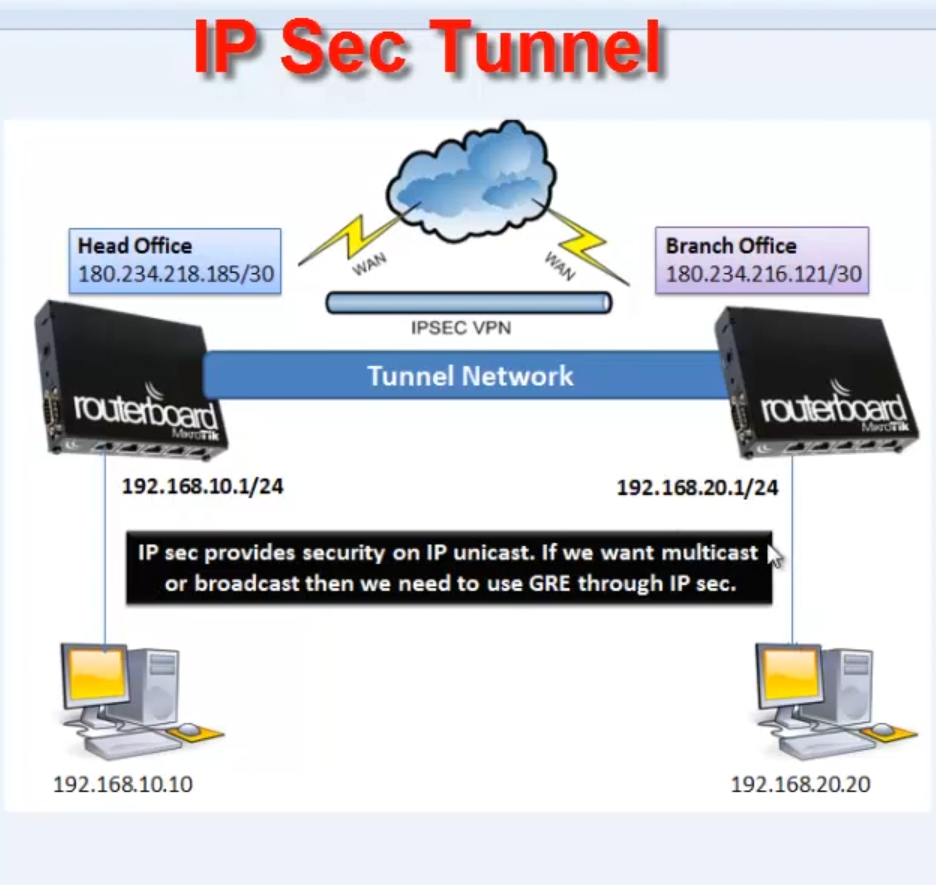
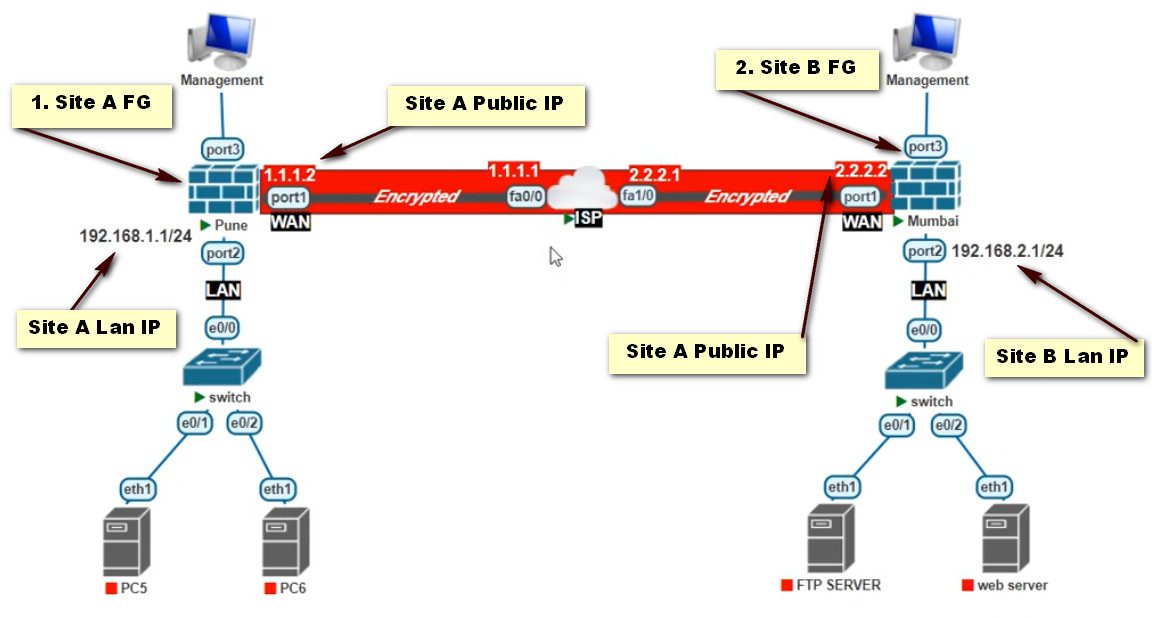
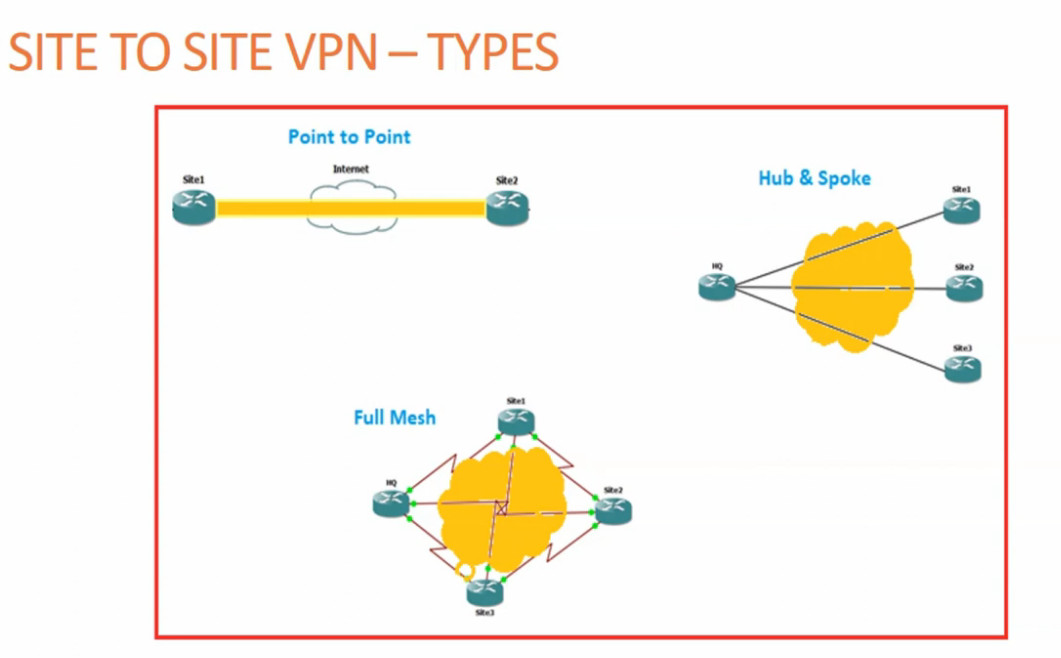
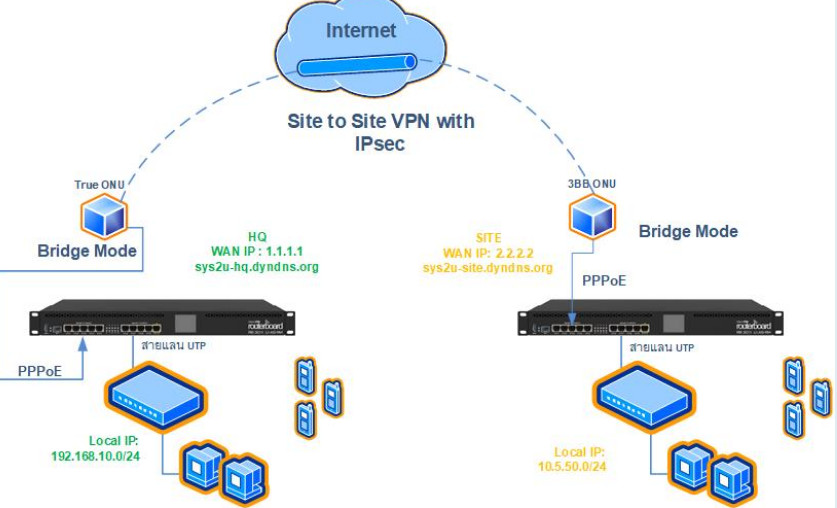
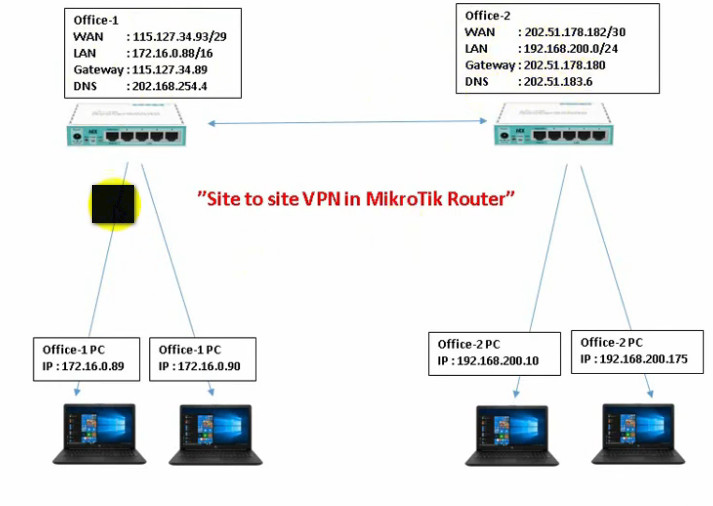
A Site-to-Site VPN connects two or more entire networks together over the internet. It is mainly used by companies with multiple branch offices. For example, the head office network and branch office network are connected through a VPN tunnel so that computers in both locations can communicate securely. This VPN works automatically between routers or firewalls without requiring user login each time. There are two types of Site-to-Site VPN:
Intranet VPN: connects multiple offices of the same company.
Extranet VPN: connects a company network with partner or vendor networks securely.
3. SSL VPN:
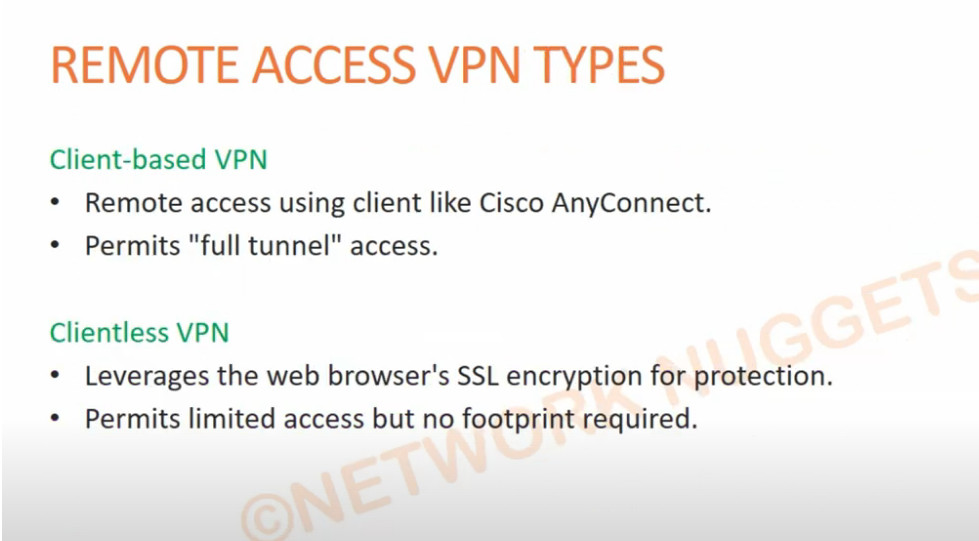
An SSL VPN uses Secure Sockets Layer (SSL) or TLS encryption and is usually accessed through a web browser or lightweight client software. It is easy to use and does not require complex configuration. SSL VPN is very popular for remote users because it allows secure access to specific applications or websites instead of the full network. It is widely used for secure web-based access to company portals and cloud services.
4. IPsec VPN:
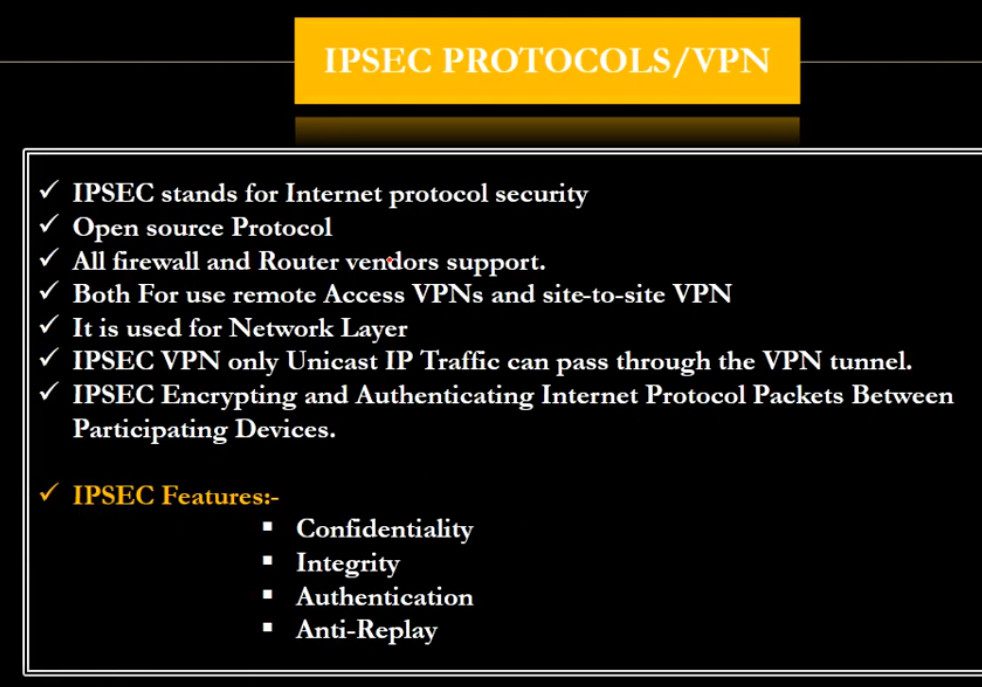
IPsec (Internet Protocol Security) VPN is a protocol-based VPN that provides strong encryption and authentication for data communication. It is commonly used in Site-to-Site VPN and also in Remote Access VPN. IPsec works at the network layer and ensures data confidentiality, integrity, and authentication. It is highly secure and suitable for enterprise-level networks.
5. MPLS VPN:
MPLS VPN (Multiprotocol Label Switching VPN) is provided by internet service providers for large organizations. It does not use the public internet directly like traditional VPNs but uses a private managed network from the service provider. MPLS VPN offers high speed, reliability, and guaranteed performance, making it suitable for banks, large enterprises, and critical applications.
7. Cloud VPN:
Cloud VPN connects on-premises networks with cloud platforms such as cloud servers and applications. It allows secure communication between company offices and cloud data centers. This type of VPN is important for organizations using cloud services for storage, applications, and backups.
In summary, the main types of VPN are Remote Access VPN, Site-to-Site VPN, SSL VPN, IPsec VPN, MPLS VPN, Protocol-based VPNs, and Cloud VPN. Each type is designed to provide secure communication, protect data, and support remote work and multi-branch connectivity in personal and business environments.
Type Of VPN Protocol
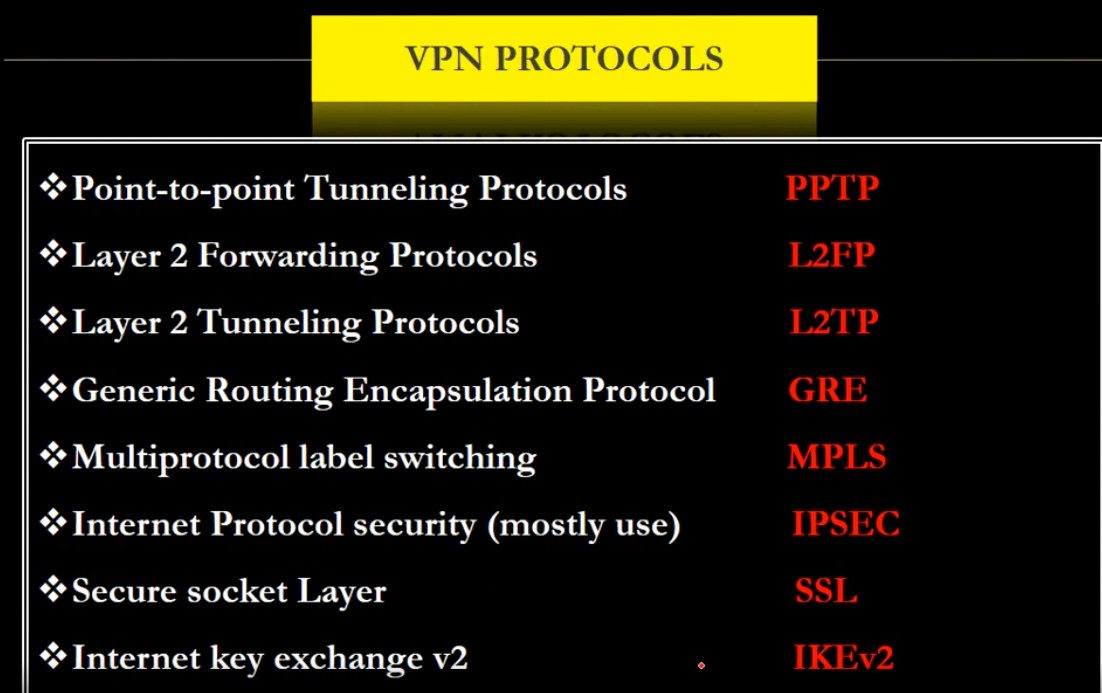
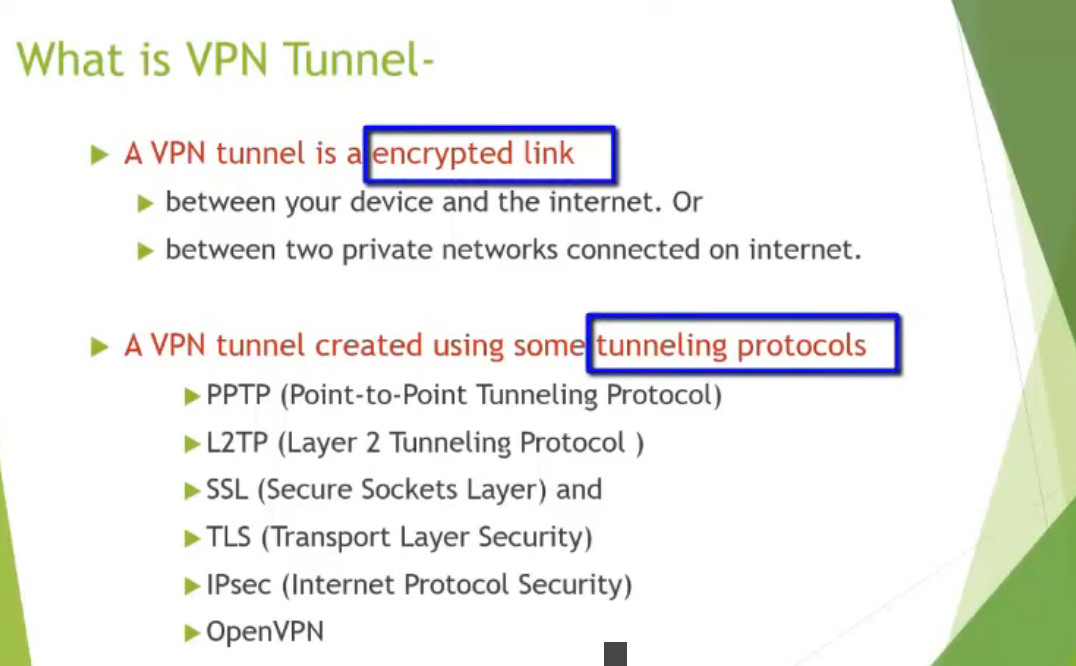
A VPN protocol is a set of rules and technologies that determine how data is securely transmitted between a user’s device and a VPN server through an encrypted tunnel. Each VPN protocol differs in terms of security level, speed, compatibility, and use case. Below are the main VPN protocols explained in detail:
1. PPTP (Point-to-Point Tunneling Protocol)
PPTP is one of the oldest VPN protocols developed by Microsoft. It is easy to set up and provides fast connection speeds because it uses basic encryption. However, its security is weak by modern standards and it is vulnerable to hacking and data interception. Due to low security, PPTP is not recommended for sensitive data or business use, but it may still be used where speed is more important than security.
2. L2TP/IPsec (Layer 2 Tunneling Protocol with IPsec)
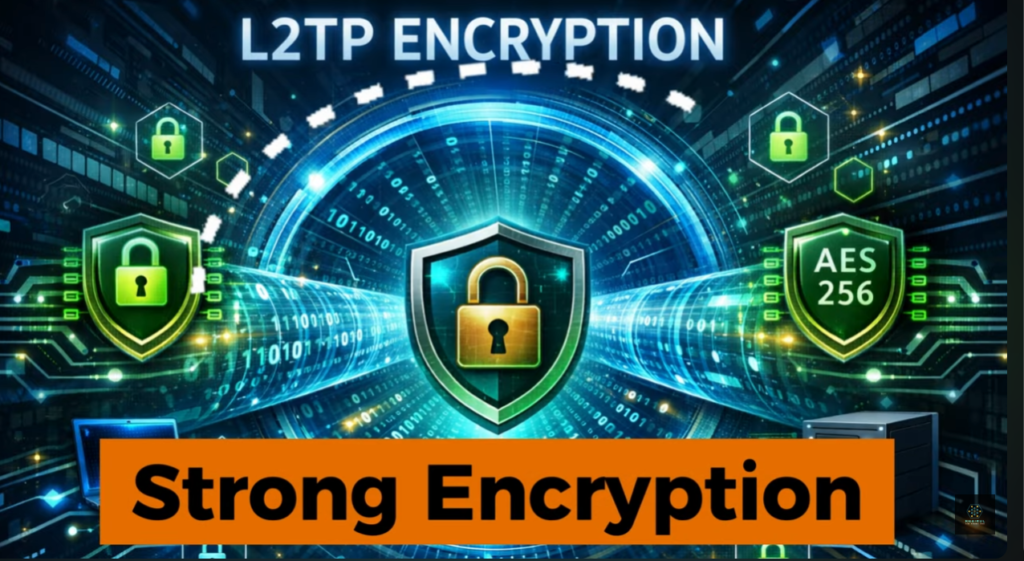
L2TP by itself does not provide encryption, so it is combined with IPsec for security. This protocol offers strong encryption and better security than PPTP. It is widely supported on most operating systems like Windows, Linux, macOS, and mobile devices. L2TP/IPsec is more secure but slightly slower than PPTP because of double encapsulation of data.
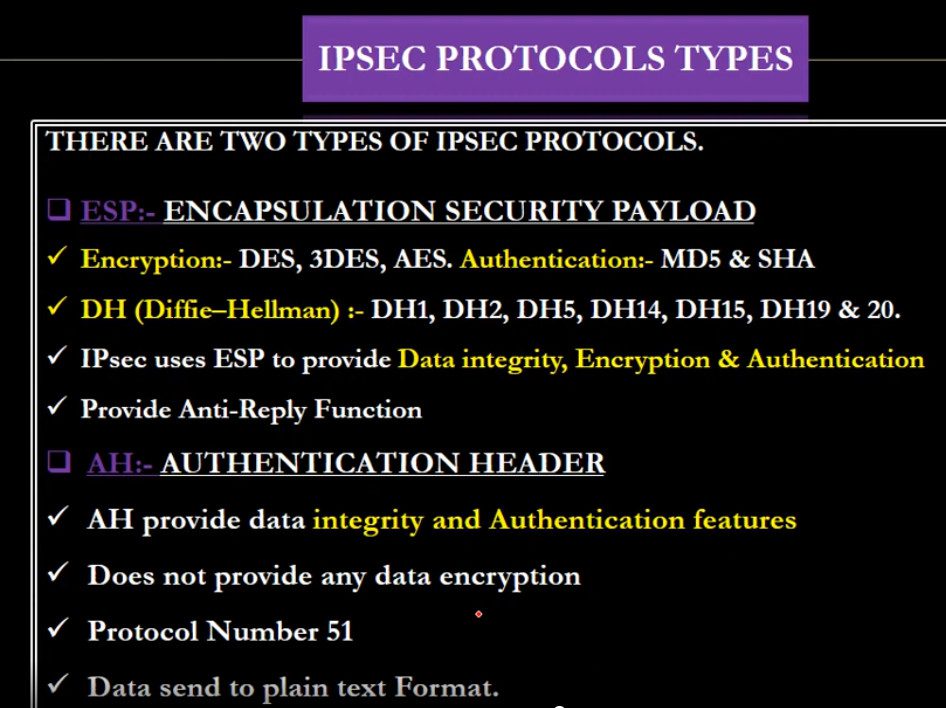
3. IPsec (Internet Protocol Security)
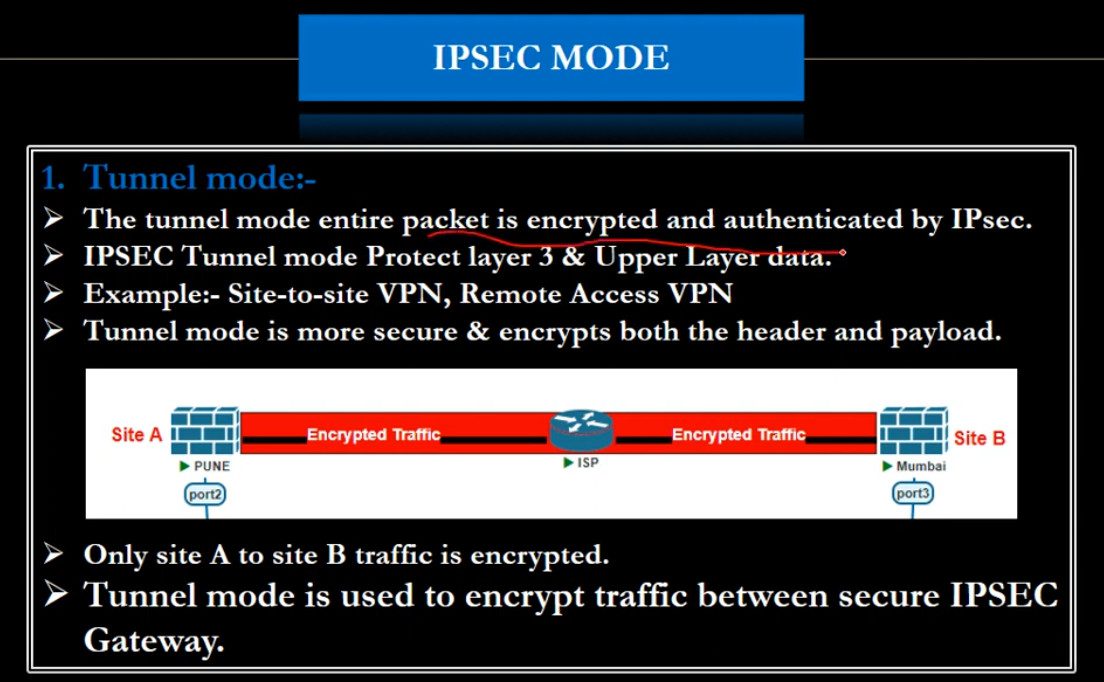
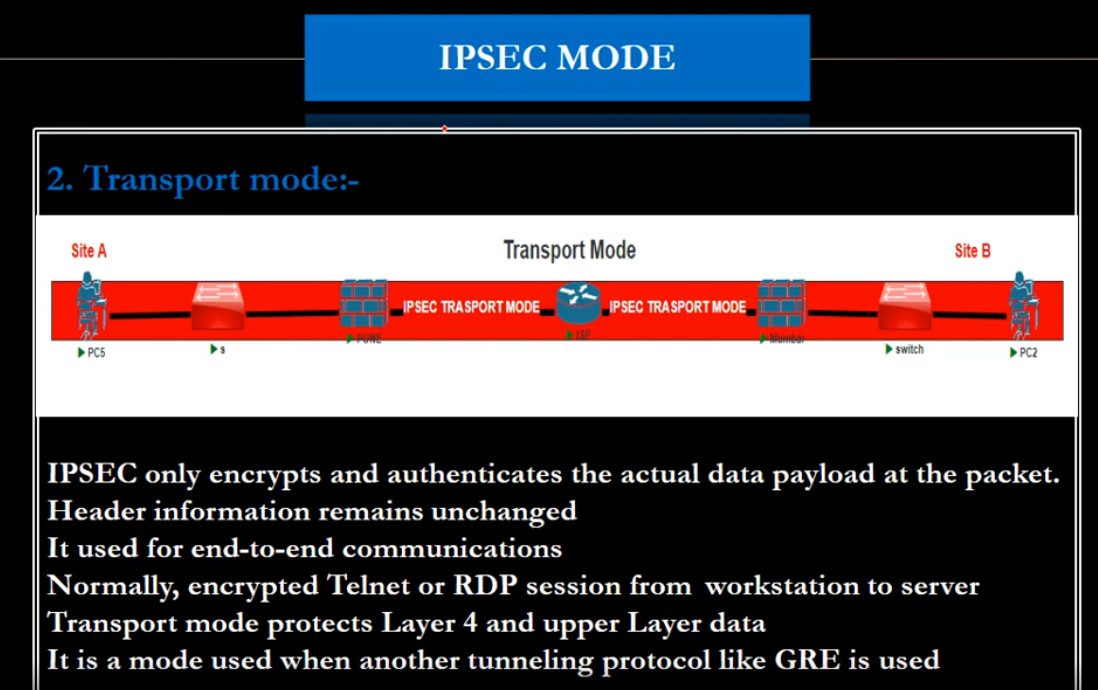
IPsec is a very secure protocol suite used to protect data at the network layer. It provides encryption, authentication, and data integrity. IPsec is commonly used in Site-to-Site VPNs (connecting branch offices) and Remote Access VPNs. It supports two modes:
Transport Mode: encrypts only the data portion of packets.
Tunnel Mode: encrypts the entire IP packet.
IPsec is trusted for enterprise and government-level security.
4. OpenVPN
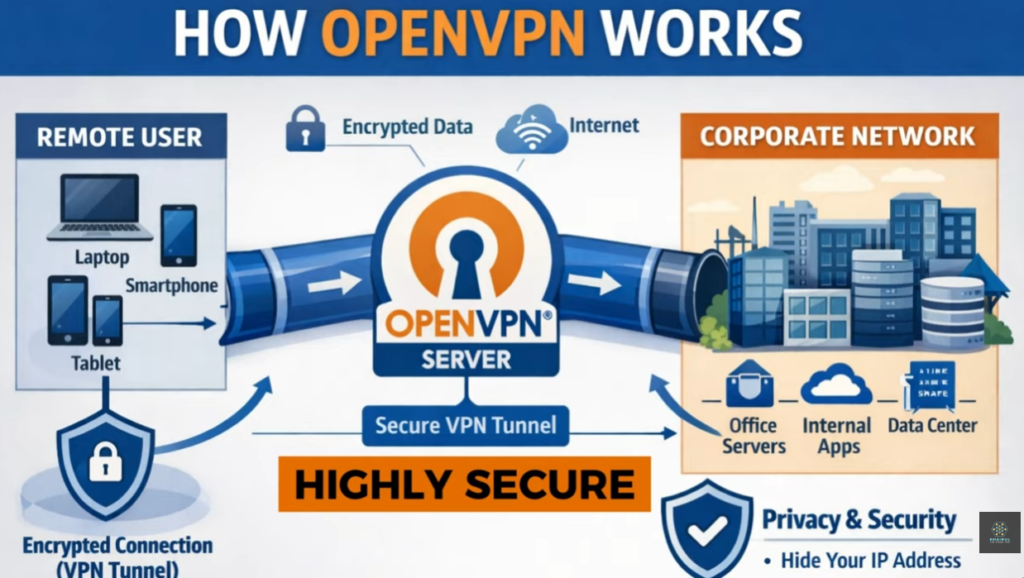
OpenVPN is an open-source and highly secure VPN protocol that uses SSL/TLS encryption. It is very flexible and works on almost all platforms (Windows, Linux, macOS, Android, iOS). OpenVPN can use either TCP or UDP ports and can bypass firewalls easily. It is known for strong security, reliability, and is widely used by commercial VPN services and corporate networks.
5. SSTP (Secure Socket Tunneling Protocol)
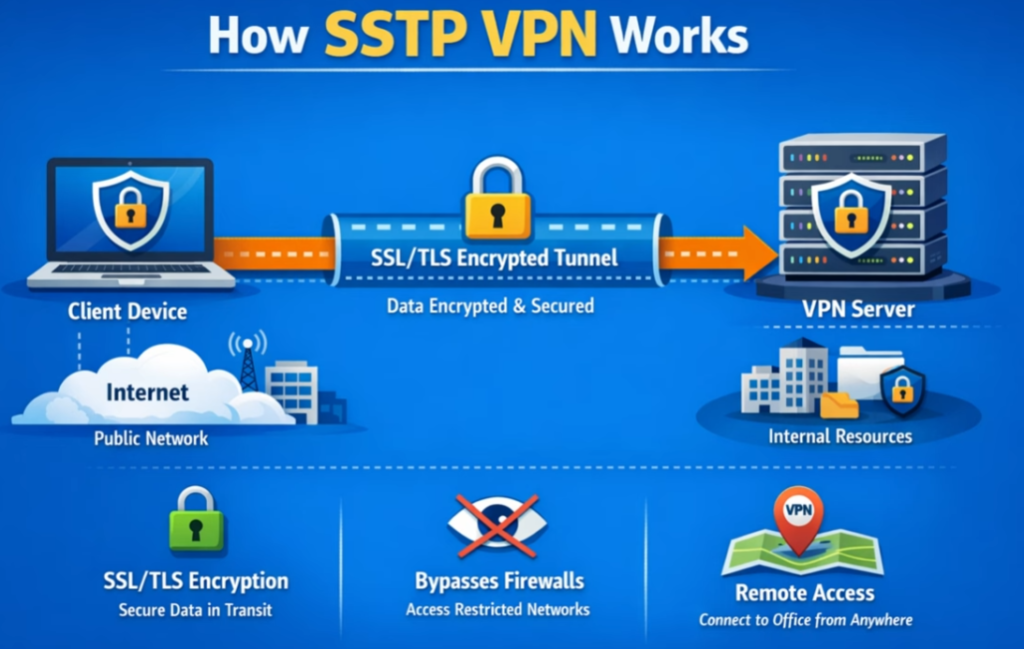
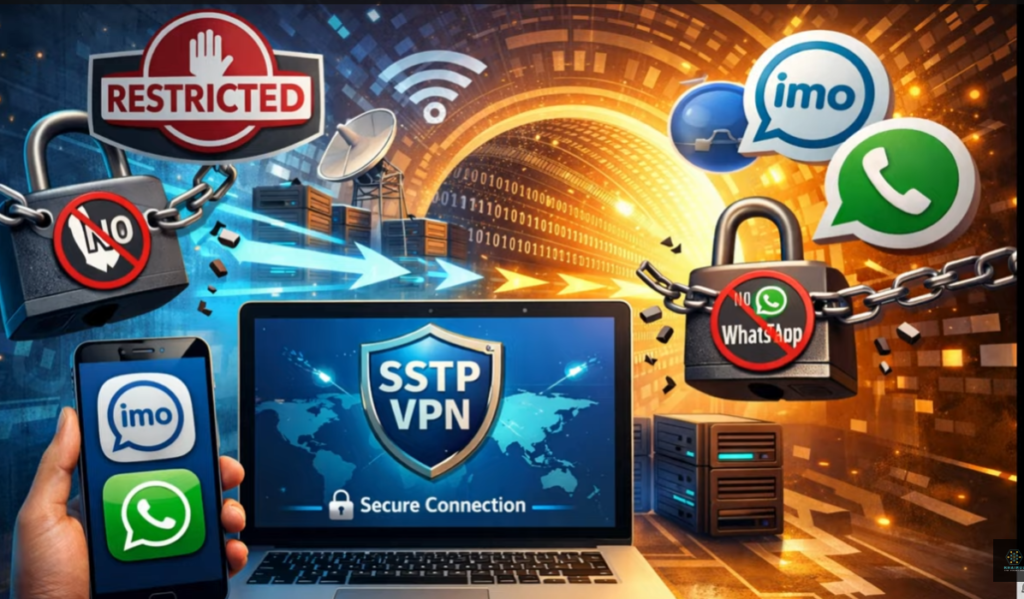
SSTP is developed by Microsoft and uses SSL/TLS over TCP port 443, which is the same port used for HTTPS traffic. This makes it very good at bypassing firewalls and proxy servers. SSTP provides strong encryption and is mainly used in Windows environments. It is secure but less flexible on non-Windows systems.
6. IKEv2/IPsec (Internet Key Exchange version 2)
IKEv2 works with IPsec to provide secure and fast VPN connections. It is very stable and supports automatic reconnection when switching networks (for example, from Wi-Fi to mobile data). This makes it ideal for mobile users. IKEv2 offers strong security, high speed, and good performance for smartphones and laptops.
7. SSL/TLS VPN (Browser-based VPN)
SSL VPNs allow users to connect through a web browser without installing special software. They are commonly used for remote access to specific applications like web portals or email systems. They provide secure communication using SSL/TLS encryption and are easy to deploy for organizations.
L3 VPN Protocol
1. MPLS L3 VPN (Provider-Provisioned VPN – PPVPN)
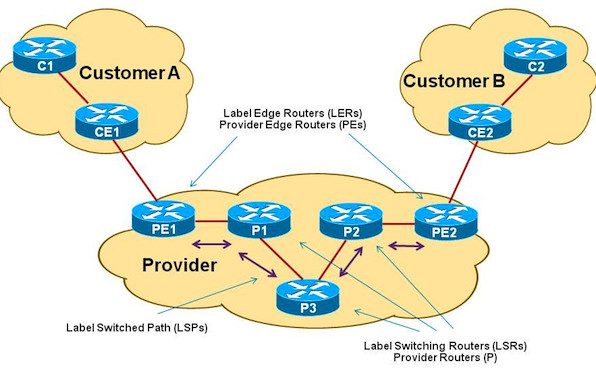
This is the most widely used type of L3 VPN. It is implemented by Internet Service Providers using MPLS and VRF (Virtual Routing and Forwarding). Each customer has a separate routing table (VRF) on the provider router, and routes are exchanged using MP-BGP.
Features:
- High performance and scalability
- Traffic separation using VRF
- Provider manages routing
- Used for multi-branch enterprises
Use case: Banks, government offices, large companies with many branch locations.
2. IPsec-based L3 VPN (Customer-Provisioned VPN – CPVPN)
In this type, the customer builds VPN tunnels over the public internet using IPsec protocol. Routing is handled by the customer routers or firewalls.
Features:
- Uses encryption for security
- Cheaper than MPLS L3 VPN
- Runs over public internet
- Customer controls routing
Use case: Small and medium businesses, remote office connectivity.
3. GRE over IPsec L3 VPN
This type combines GRE (Generic Routing Encapsulation) with IPsec. GRE provides routing and multicast support, while IPsec provides encryption.
Features:
- Supports dynamic routing protocols (OSPF, EIGRP, BGP)
- Supports multicast and broadcast traffic
- Encrypted communication
- Flexible design
Use case: Enterprises needing dynamic routing and secure site-to-site VPN.
4. DMVPN (Dynamic Multipoint VPN)
DMVPN is an advanced form of L3 VPN that allows multiple branch offices to communicate dynamically without creating permanent tunnels between every site.
Features:
- Hub-and-spoke or spoke-to-spoke communication
- Uses GRE + IPsec + NHRP
- Highly scalable
- Automatic tunnel creation
Use case: Large organizations with many branch offices.
What is MPLS VPN
MPLS VPN (Multiprotocol Label Switching Virtual Private Network) is a type of private network service provided by an Internet Service Provider (ISP) that connects multiple branch offices of an organization using a dedicated and secure backbone network instead of the public internet. In MPLS VPN, data packets are forwarded using labels rather than traditional IP routing, which makes communication faster, more efficient, and more reliable. Each customer’s traffic is logically separated using Virtual Routing and Forwarding (VRF), so even though many companies share the same provider infrastructure, their data remains private and isolated. MPLS VPN is known for high performance, low latency, guaranteed bandwidth (QoS), and strong reliability, making it suitable for business-critical applications like voice (VoIP), video conferencing, ERP systems, and database access.
Unlike normal internet-based VPNs (IPsec VPN), MPLS VPN does not rely on encryption over the public internet. Instead, it uses the service provider’s private network to ensure security and controlled routing. Because of this, MPLS VPN offers better stability, predictable performance, and service-level agreements (SLA) such as uptime and latency guarantees.
Who Uses MPLS VPN?
1. Large Enterprises and Corporations:
Companies with multiple branch offices in different cities or countries use MPLS VPN to connect all locations into one secure private network. Examples include IT companies, manufacturing firms, and multinational corporations that need reliable and fast communication between offices.
2. Banks and Financial Institutions:
Banks use MPLS VPN for secure and stable connections between branches, ATMs, and data centers. Since financial transactions require high security and low delay, MPLS VPN is ideal for this environment.
3. Government Organizations:
Government departments use MPLS VPN to connect offices across regions for secure data sharing, internal applications, and centralized systems while maintaining confidentiality.
4. Hospitals and Healthcare Organizations:
Hospitals and medical networks use MPLS VPN to connect labs, clinics, and data centers for accessing patient records, medical systems, and real-time applications.
5. Educational Institutions (Universities and Large School Networks):
Universities and large education networks use MPLS VPN to connect campuses, libraries, and administrative offices securely.
6. Retail Chains and Logistics Companies:
Retail stores and warehouses use MPLS VPN for inventory systems, billing, and centralized management across many locations.
Key Benefits of MPLS VPN
- High speed and low latency
- Reliable and stable connection
- Secure private network (not public internet)
- Quality of Service (QoS) for voice and video
- Centralized network management
- SLA-based performance from service provider
Summary
MPLS VPN is mainly used by large organizations that need a fast, reliable, and secure connection between multiple locations. Typical users include banks, government offices, hospitals, universities, multinational companies, and large retail chains. It is chosen where performance, uptime, and data privacy are more important than low cost.
Difference between IPsec VPN and MPLS VPN
IPsec VPN
IPsec VPN is a VPN technology that uses the public internet to create an encrypted tunnel between two sites or between a user and a company network. It secures data by using strong encryption, authentication, and integrity checks, so even though traffic travels over the internet, it remains confidential and protected from hackers.
Key Features of IPsec VPN:
Works over the public internet
- Provides strong encryption and security
- Low cost compared to MPLS
- Easy to deploy
- Used for site-to-site and remote access VPN
- Performance depends on internet quality
Advantages:
- Very secure (encrypted data)
- Cost-effective
- Ideal for small and medium businesses
- Good for remote workers
Disadvantages:
- Speed and latency are not guaranteed
- Can be affected by internet congestion
- Less reliable than MPLS
- No QoS guarantee
MPLS VPN
MPLS VPN (Multiprotocol Label Switching VPN) is a private WAN service provided by Internet Service Providers. It does not use the public internet; instead, it uses the service provider’s private backbone network. Data is separated using VRF (Virtual Routing and Forwarding) and forwarded using labels, ensuring fast and reliable delivery.
Key Features of MPLS VPN:
- Uses private ISP network
- No encryption by default (security through separation)
- High performance and low latency
- Guaranteed bandwidth and QoS
- SLA (Service Level Agreement) from provider
- Very reliable
Advantages:
- Stable and predictable performance
- Supports voice and video (QoS)
- Highly scalable
- Best for large enterprises
Disadvantages:
- More expensive
- Depends on service provider
- No built-in encryption (can be combined with IPsec if needed)
Main Differences Between IPsec VPN and MPLS VPN
| Feature | IPsec VPN | MPLS VPN |
|---|---|---|
| Network Type | Public Internet | Private ISP network |
| Security | Encrypted tunnel | Logical separation (VRF), no encryption by default |
| Cost | Low | High |
| Performance | Variable | High and stable |
| QoS | Not guaranteed | Guaranteed |
| Reliability | Medium | Very high |
| Setup | Customer managed | Provider managed |
| Use Case | Small/medium business, remote access | Large enterprise, banks, government |
Which One to Choose?
Choose IPsec VPN if you want low cost + strong encryption and can tolerate variable performance.
Choose MPLS VPN if you need high reliability, guaranteed speed, and QoS for critical applications like banking, VoIP, and ERP systems.
Some companies use MPLS + IPsec together to get both performance and encryption.
Summary
IPsec VPN is an encrypted tunnel over the internet, while MPLS VPN is a private provider network with high performance and reliability. IPsec focuses on security, and MPLS focuses on speed, stability, and quality of service.
VPN Slide





What is Encryption
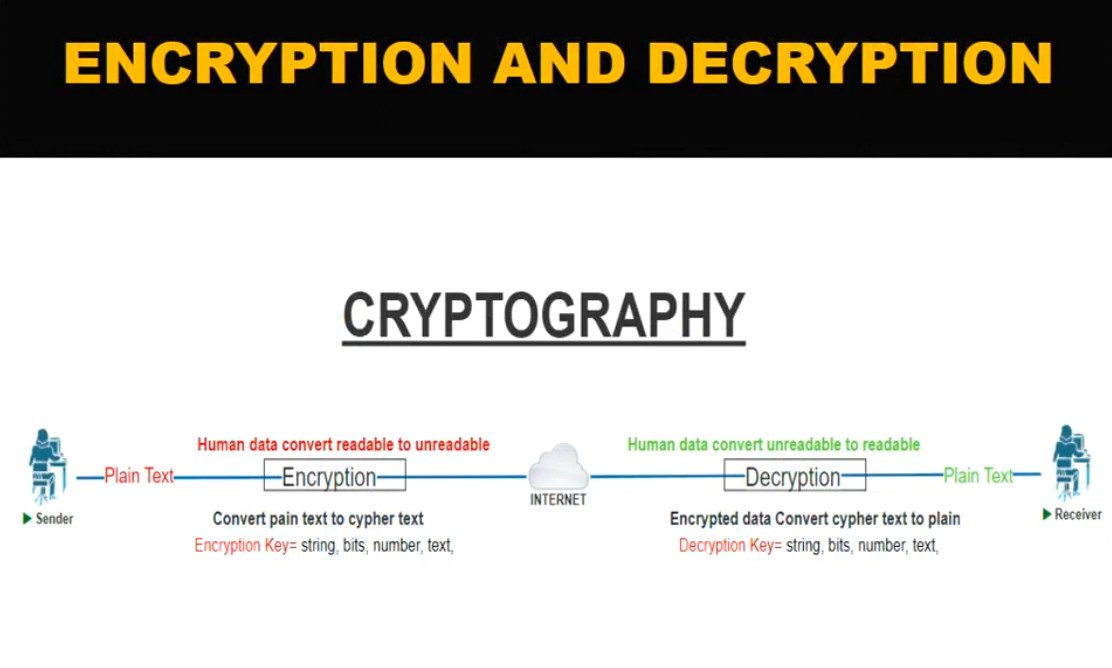
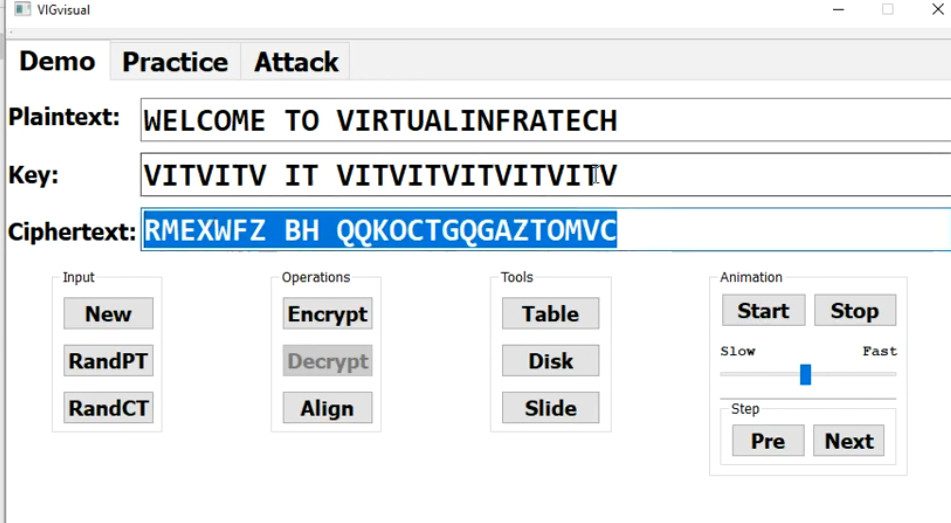
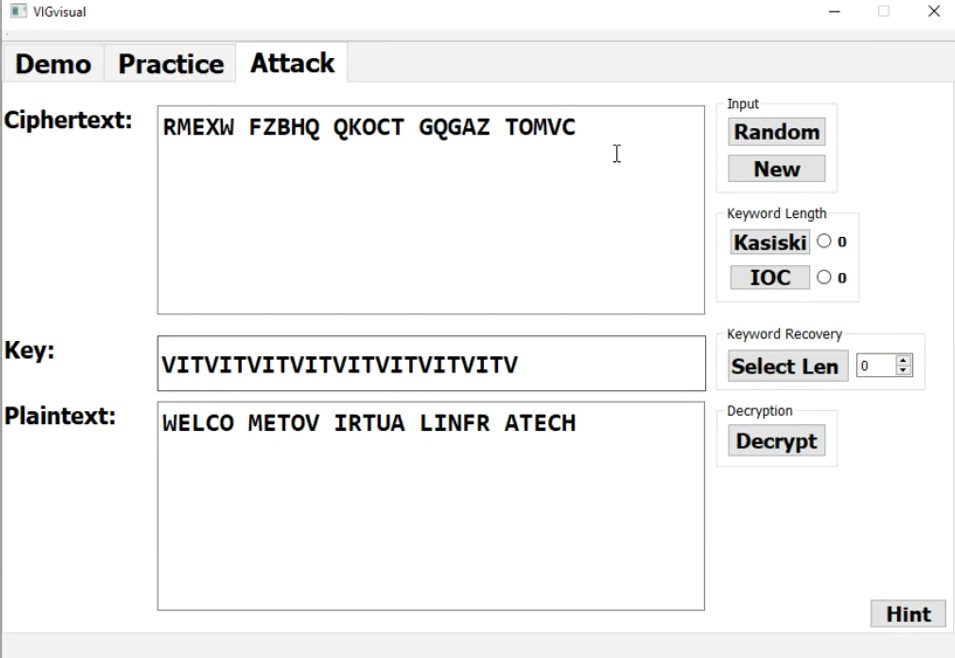
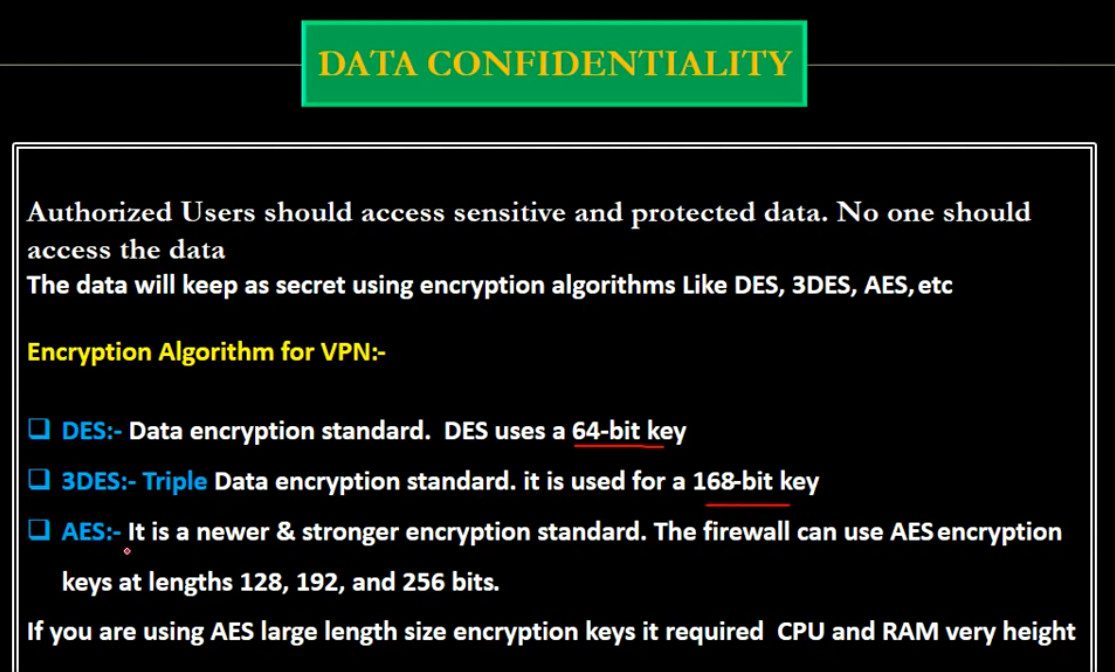
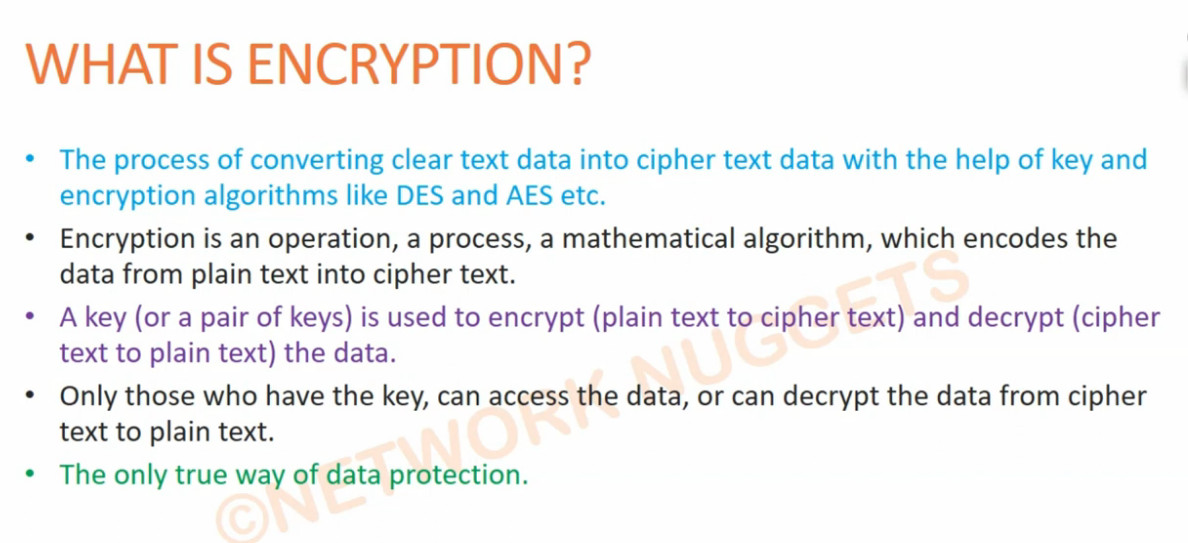
Encryption is a security process used to protect data by converting readable information (called plaintext) into an unreadable coded form (called ciphertext) so that only authorized people or systems can understand it. This is done using special mathematical algorithms and a secret value called a key. Even if hackers or unauthorized users intercept the data, they cannot read or use it without the correct decryption key.
Encryption is widely used to secure data while it is being transmitted over networks (such as emails, online banking, and VPN connections) and while it is stored on devices (such as hard drives, databases, and cloud storage). For example, when you use a VPN, encryption protects your internet traffic from being monitored on public Wi-Fi. Similarly, websites use HTTPS encryption to secure communication between your browser and the server. Overall, encryption ensures confidentiality, privacy, and data security by preventing unauthorized access and protecting sensitive personal and business information.
Type of Encryption
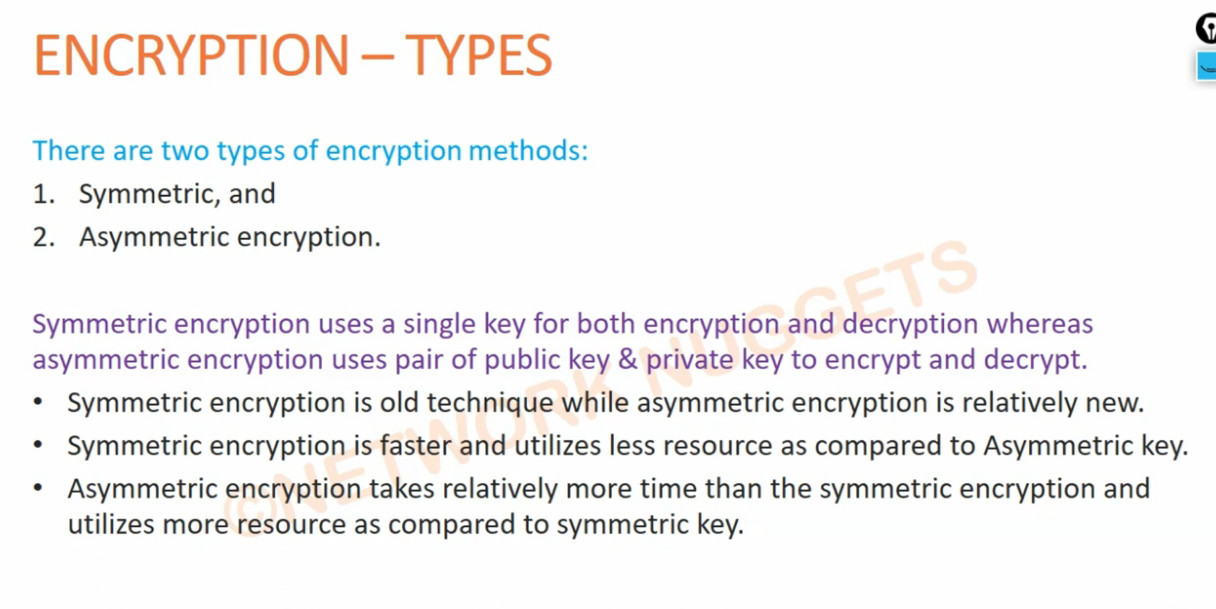
Encryption is mainly classified into three major types based on how cryptographic keys are used and the purpose they serve: Symmetric encryption, Asymmetric encryption, and Hashing. Each type plays an important role in securing data in modern computer networks and applications.
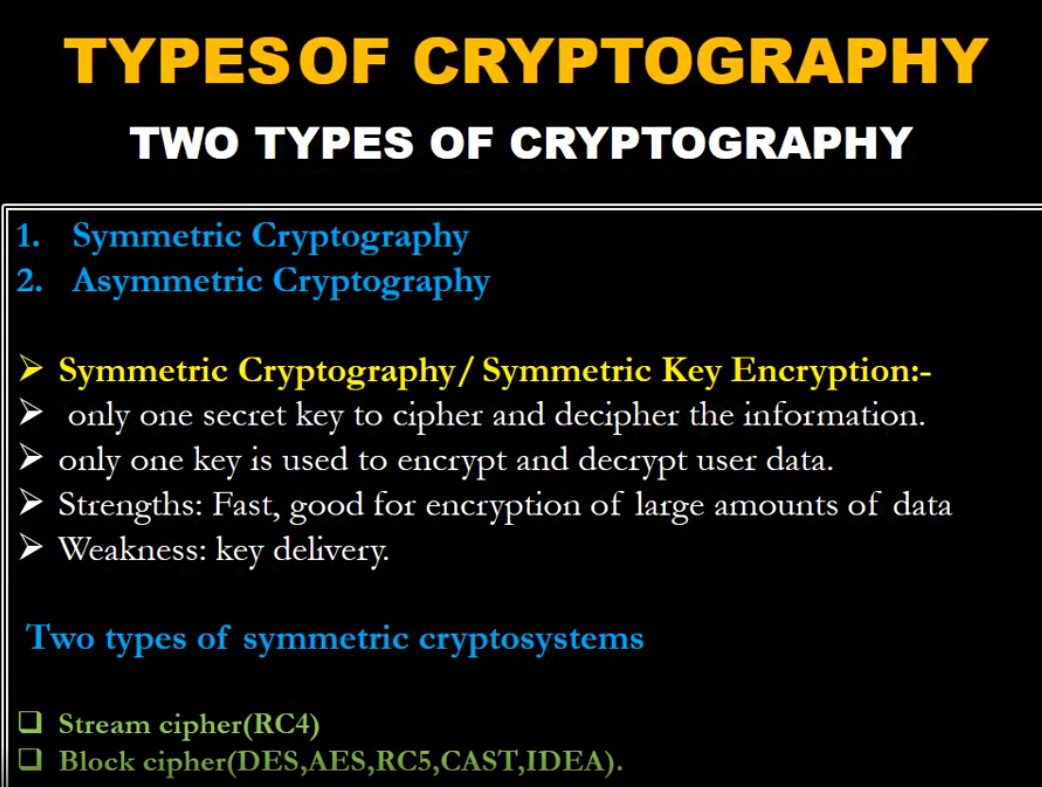
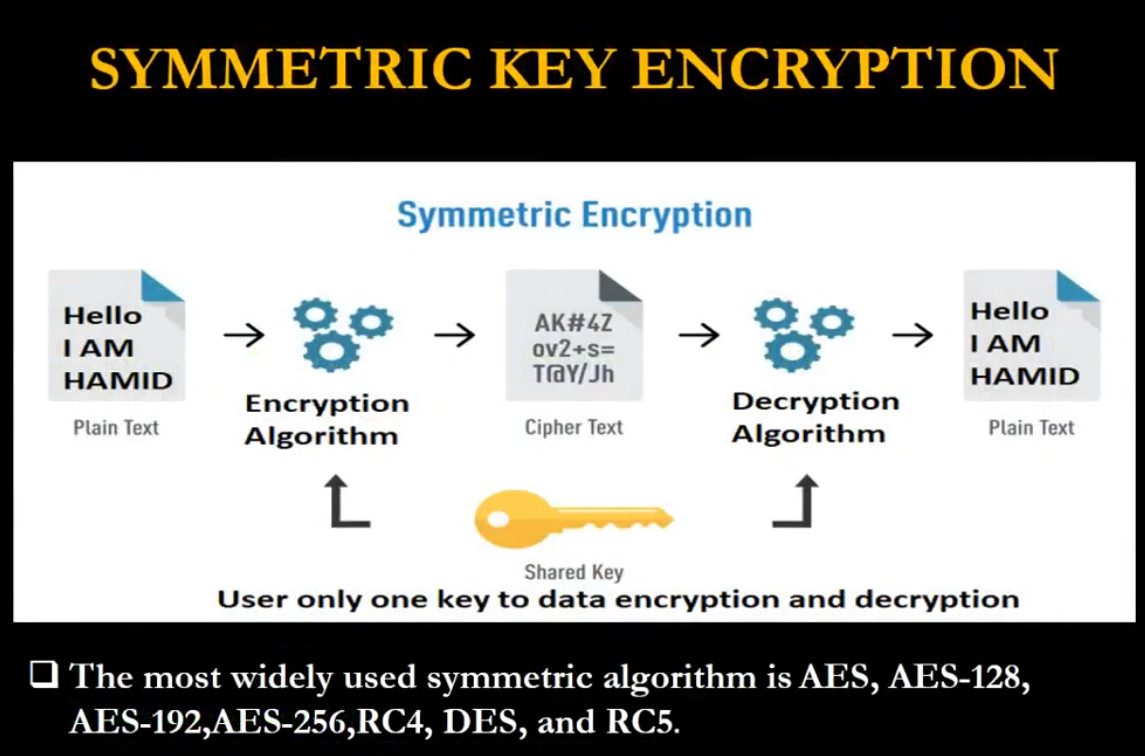
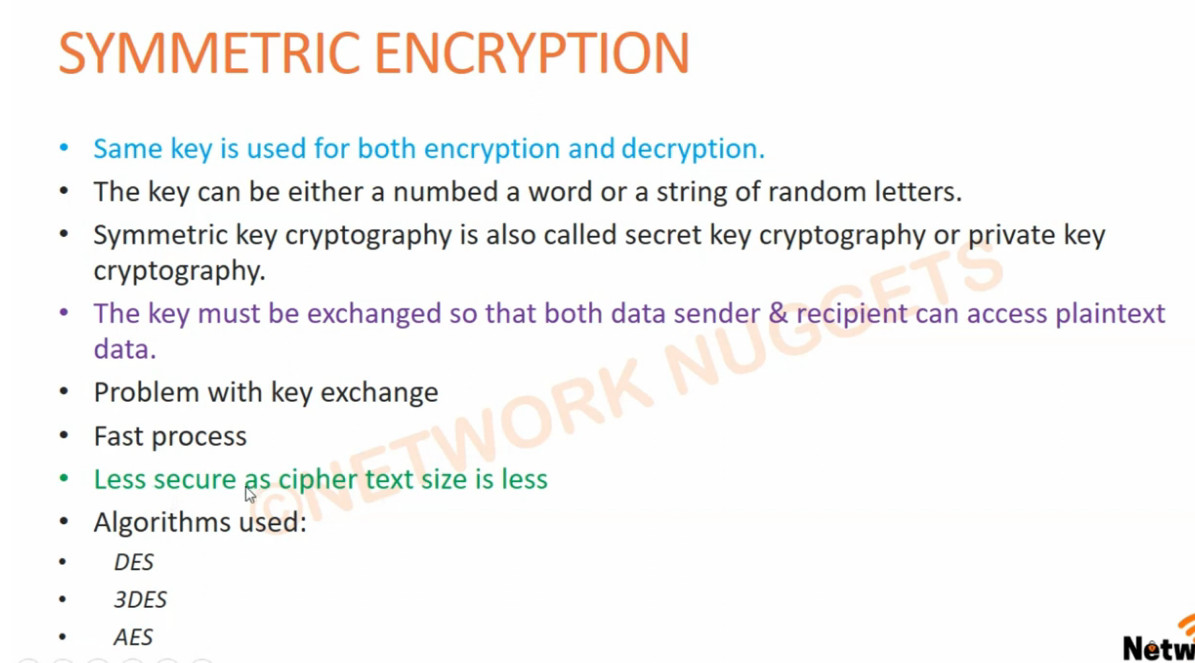
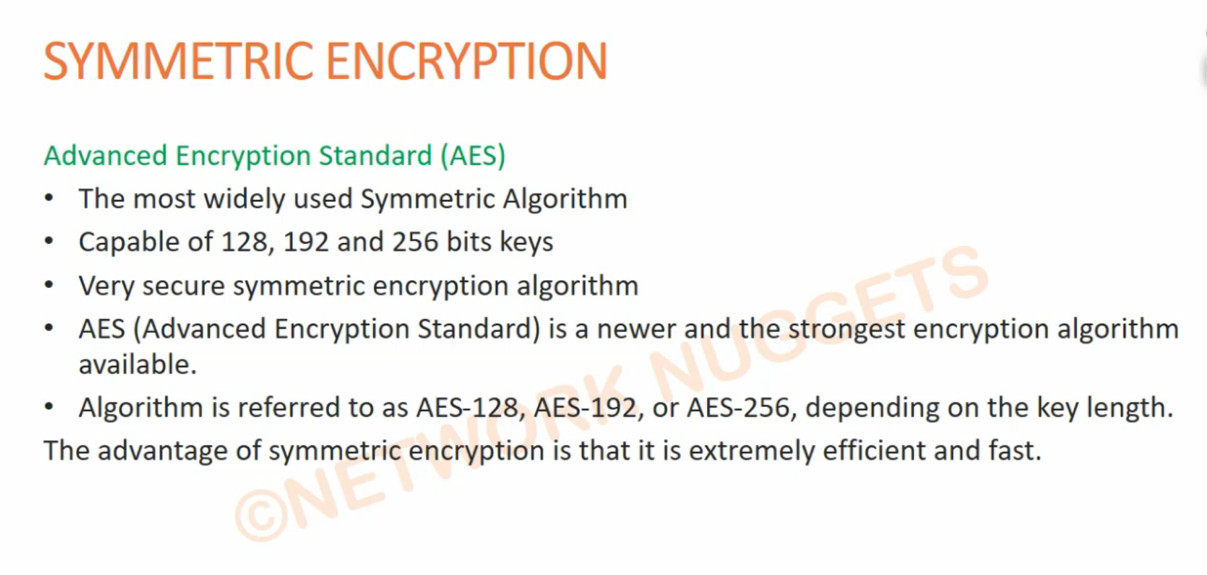
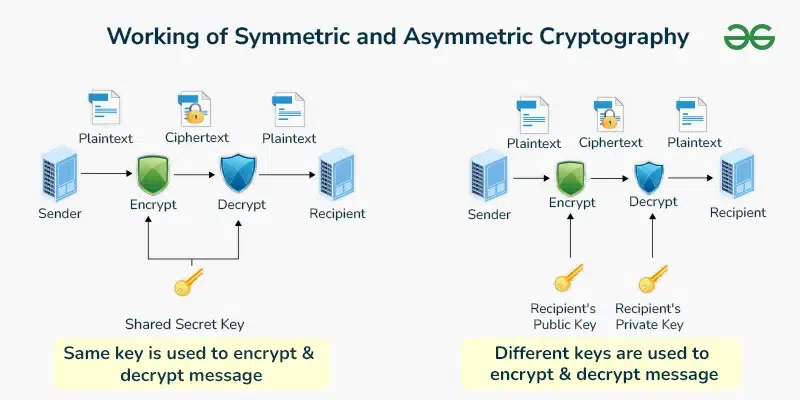
Symmetric encryption uses the same secret key for both encryption and decryption. This means the sender and receiver must already share the key securely before communication begins. It is very fast and efficient, which makes it suitable for encrypting large amounts of data such as files, databases, and VPN traffic. Common examples of symmetric encryption algorithms include AES (Advanced Encryption Standard), DES, and 3DES. Symmetric encryption is widely used in disk encryption, backup encryption, and secure network communication because of its speed and low computational cost.
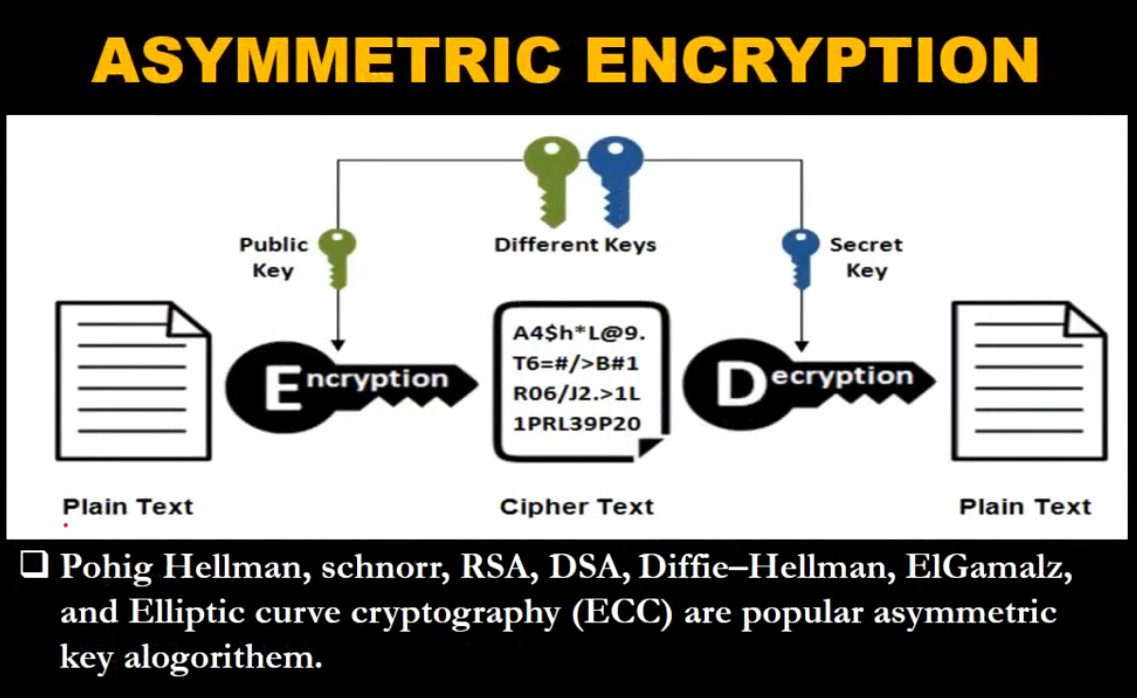
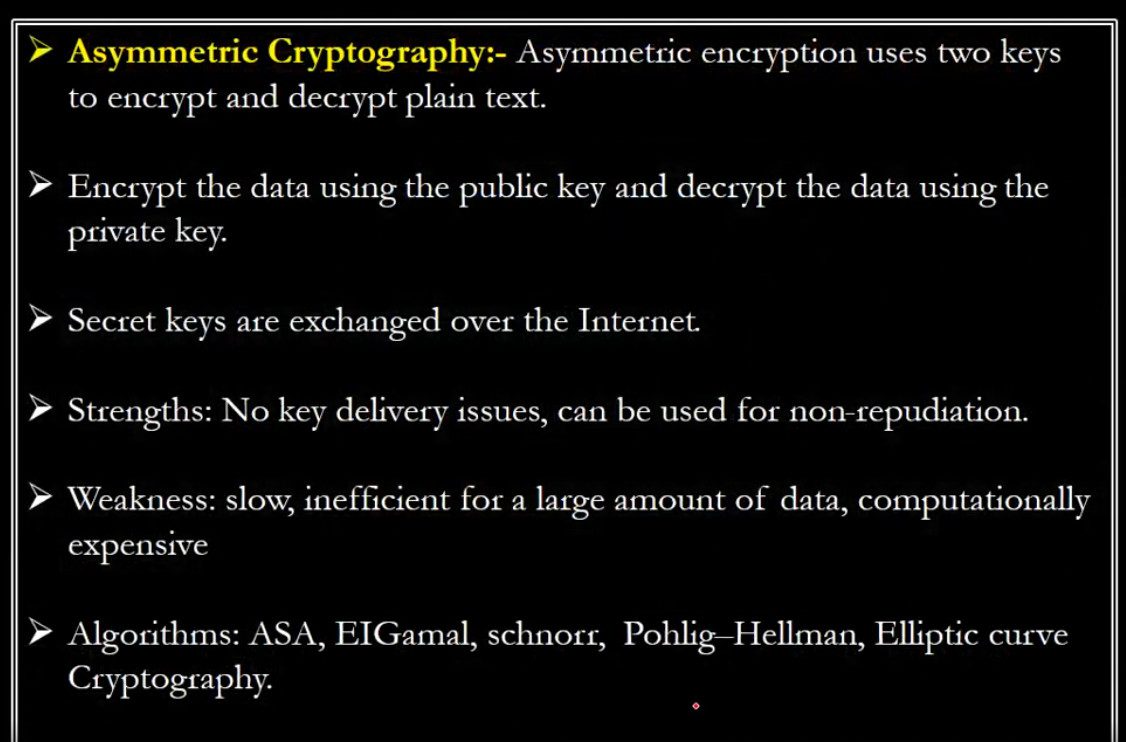
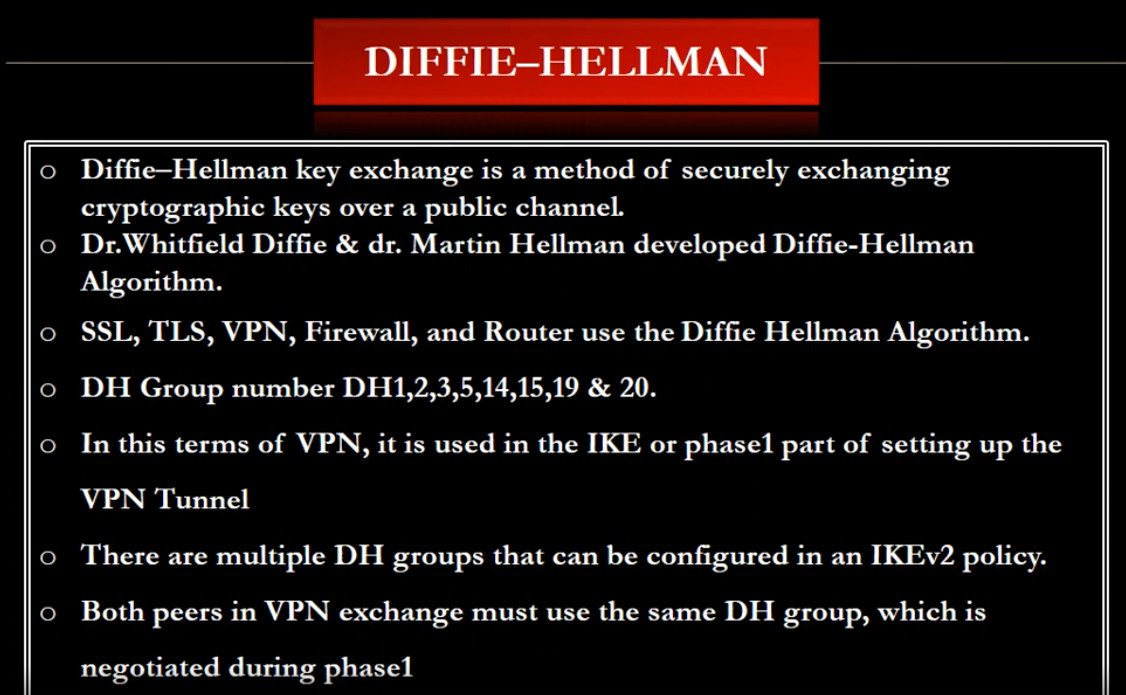
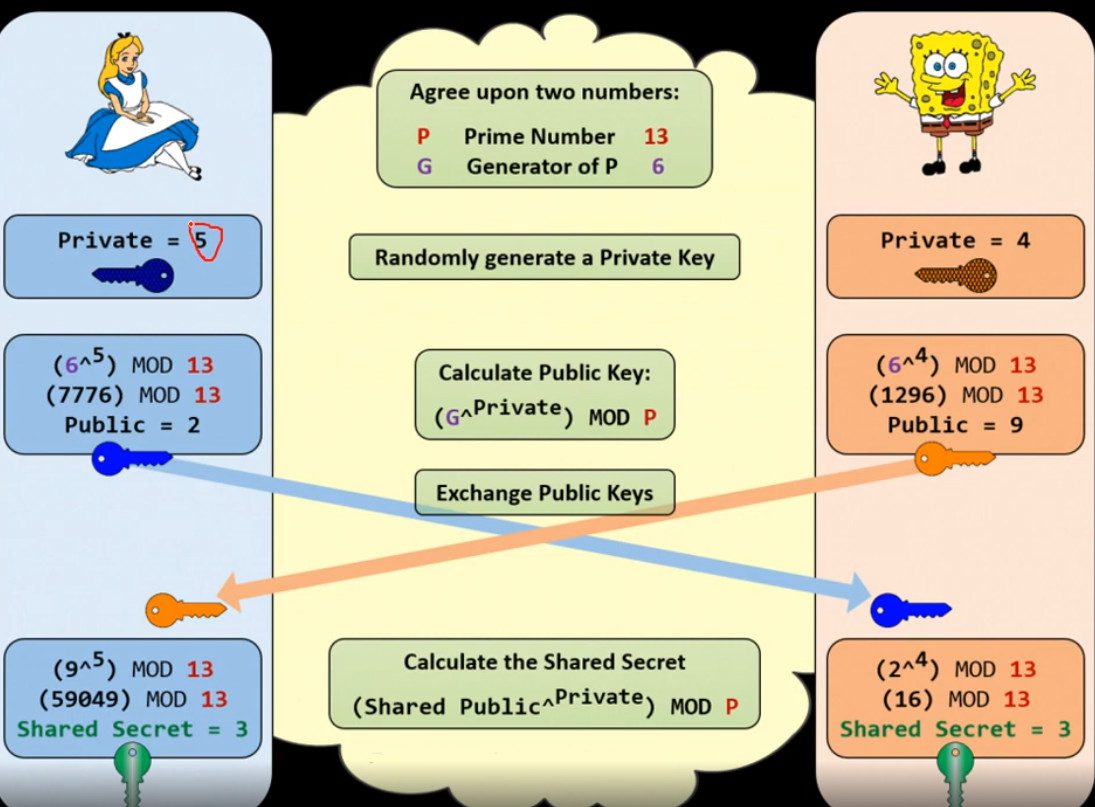
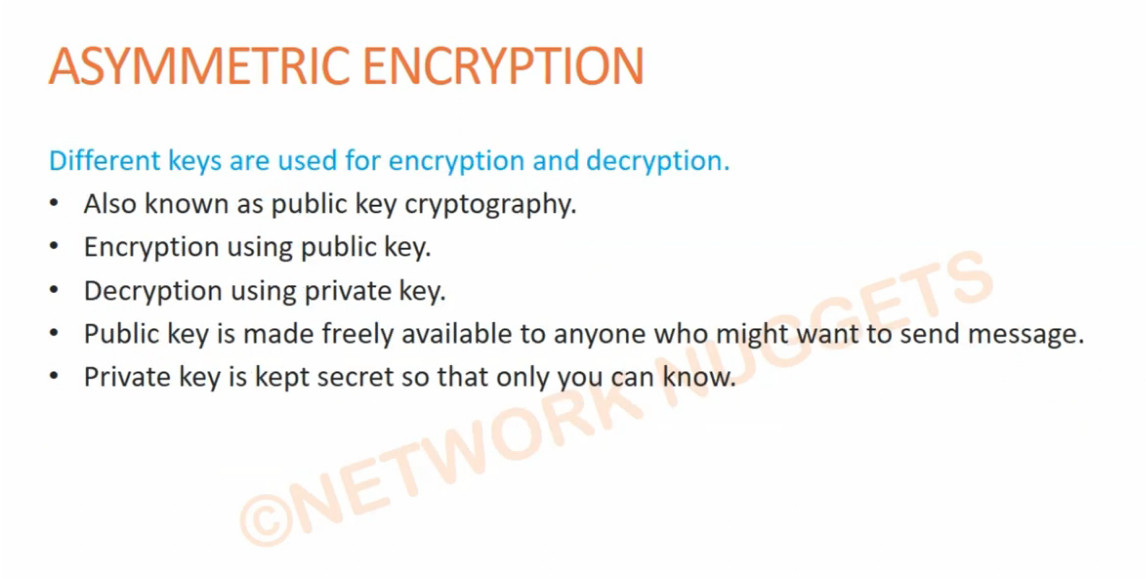
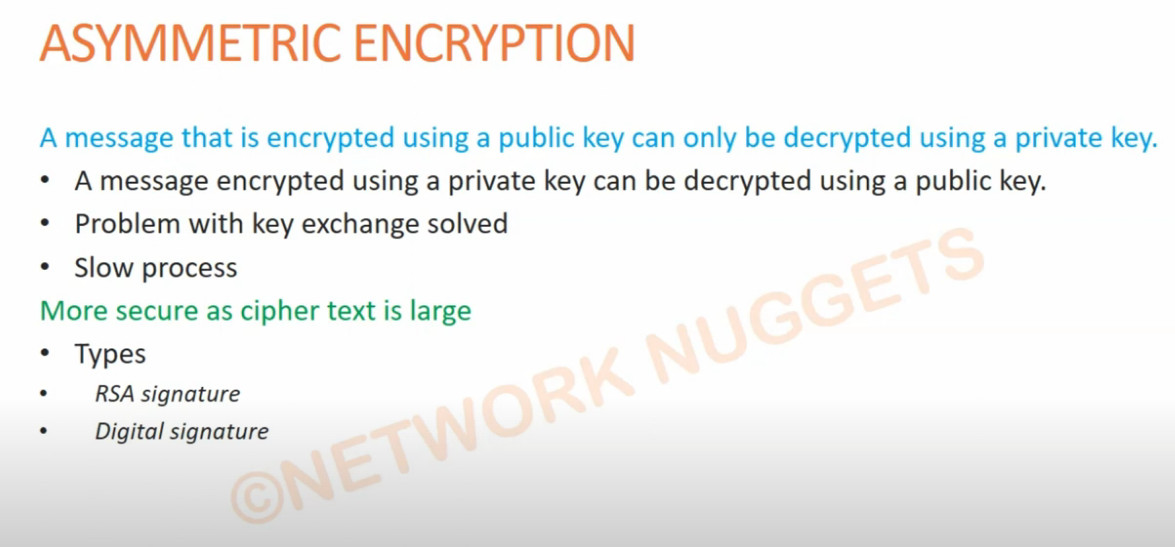
Asymmetric encryption, also known as public key encryption, uses two different keys: a public key and a private key. The public key is shared openly and is used to encrypt data, while the private key is kept secret and is used to decrypt the data. This method solves the problem of securely sharing secret keys and is mainly used for authentication, digital signatures, and secure key exchange. Popular asymmetric encryption algorithms include RSA and ECC (Elliptic Curve Cryptography). Asymmetric encryption is commonly used in HTTPS (SSL/TLS), secure email systems, and VPN authentication, although it is slower than symmetric encryption and usually combined with symmetric encryption for actual data transfer.
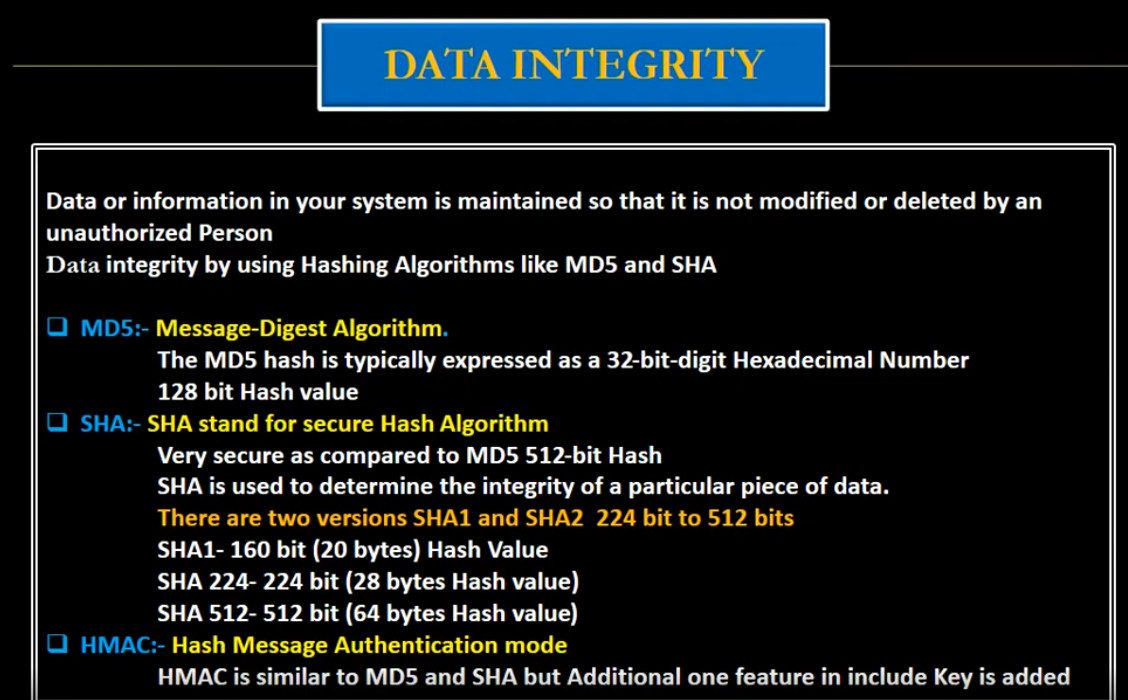
Hashing is a one-way cryptographic process that converts data into a fixed-length value called a hash. Unlike symmetric and asymmetric encryption, hashing cannot be reversed to obtain the original data. It is mainly used to ensure data integrity and securely store passwords. When a user enters a password, the system hashes it and compares it with the stored hash value instead of storing the real password. Common hashing algorithms include SHA-256 and SHA-512. Hashing is also used in digital signatures, file verification, and blockchain technology to detect any changes in data.
In modern security systems, all three types are used together. Asymmetric encryption is used first to securely exchange keys, symmetric encryption is then used to encrypt large volumes of data efficiently, and hashing is used to verify data integrity and protect passwords. Together, these encryption methods provide confidentiality, authentication, and integrity, making communication and data storage safe in today’s digital world.
What is Cryptography
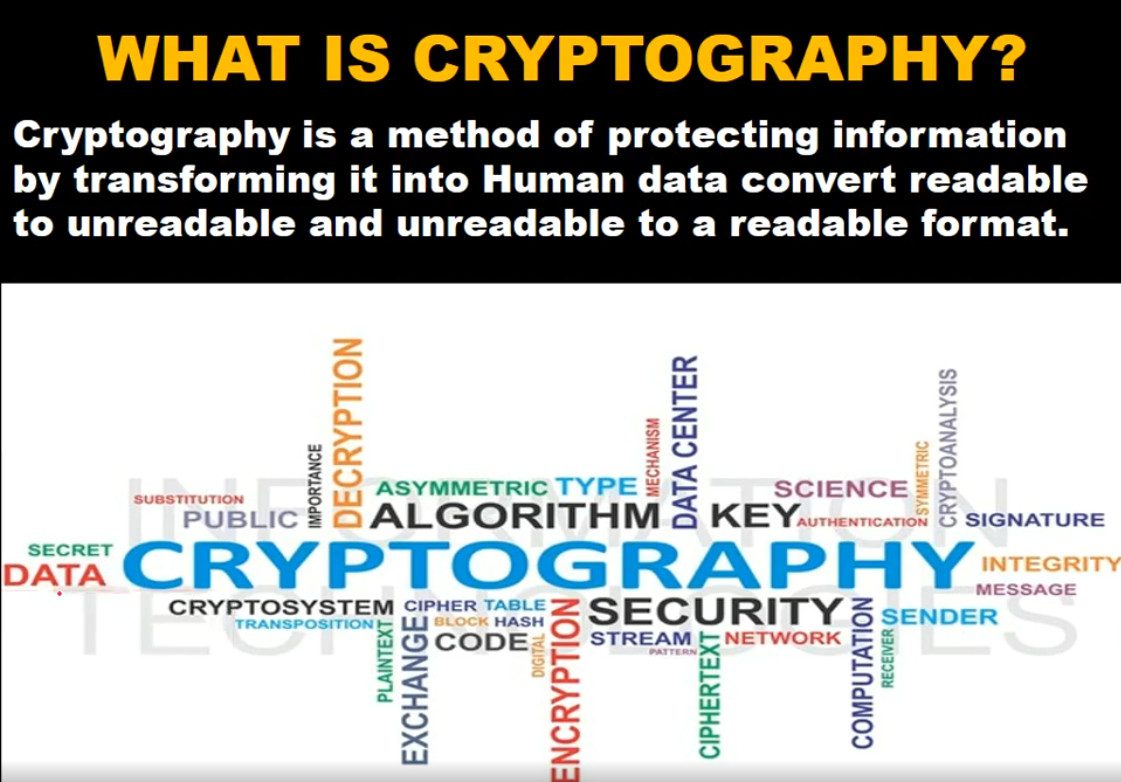
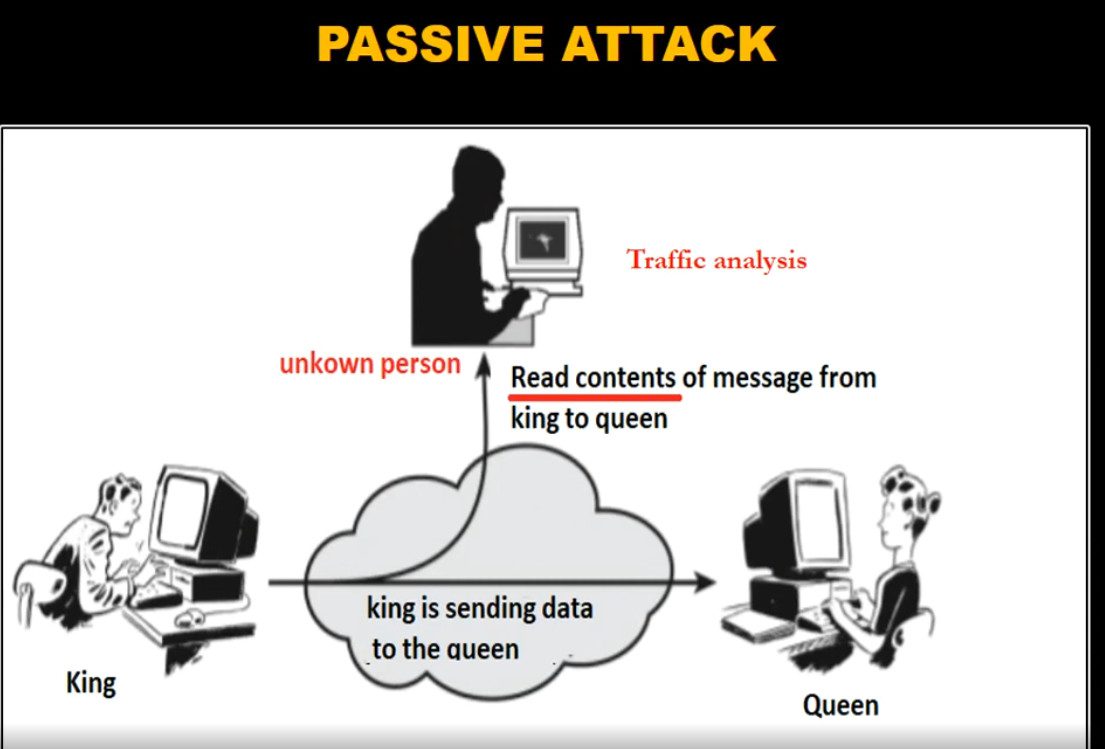
Cryptography is the science and practice of protecting information by converting it into a secure format so that only authorized people can read or use it. It uses mathematical algorithms and secret keys to transform normal readable data (called plaintext) into an unreadable form (called ciphertext). The main goal of cryptography is to ensure that data remains safe from unauthorized access, tampering, and misuse during storage and transmission over networks such as the internet. Cryptography is the foundation of modern digital security and is used in technologies like HTTPS websites, VPNs, online banking, email security, and digital certificates.
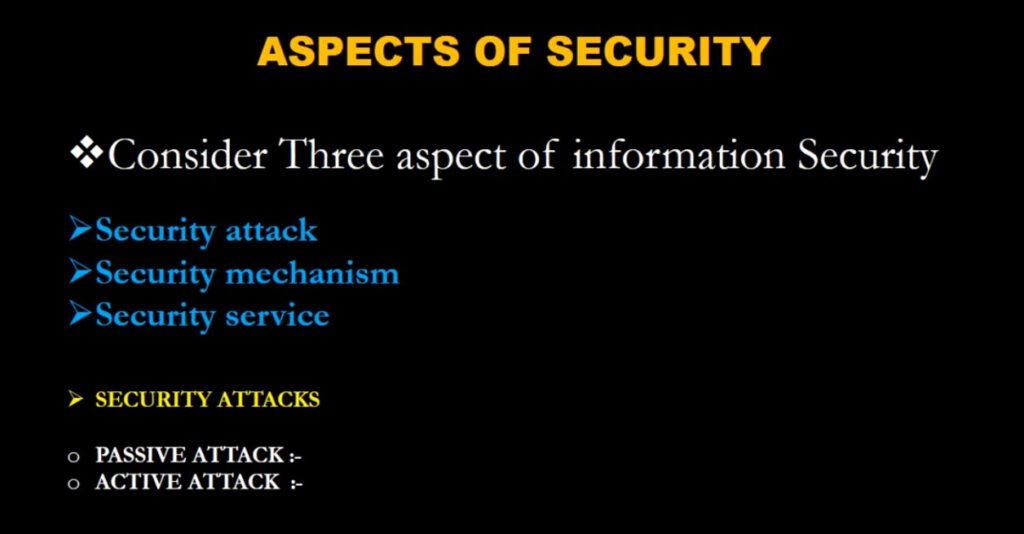
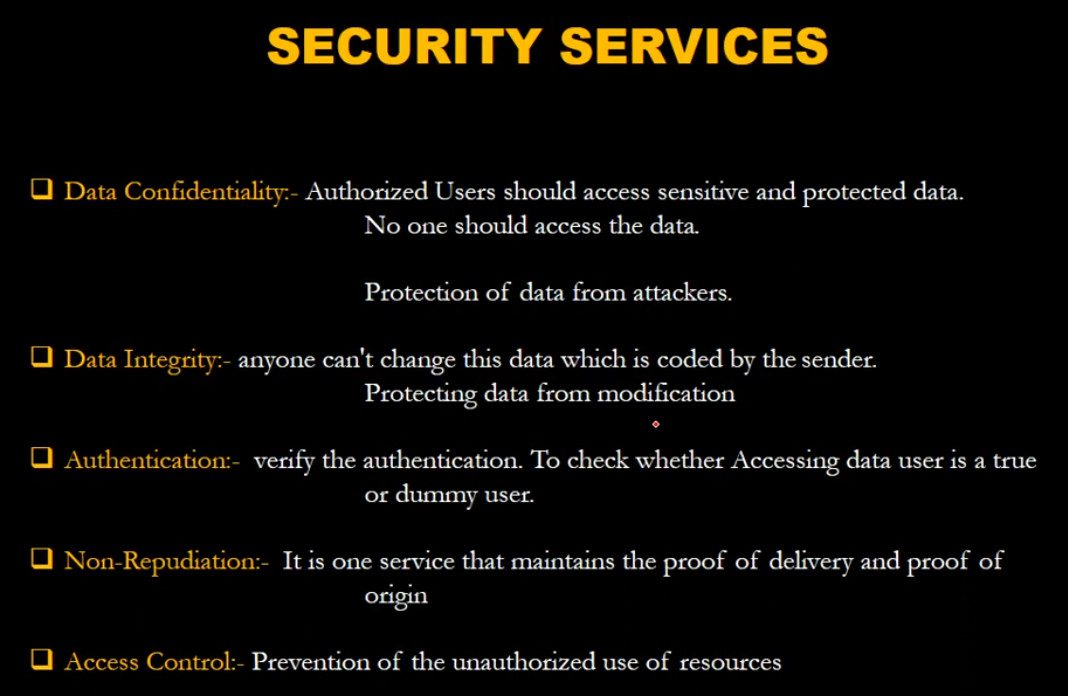
Cryptography provides four important security services: confidentiality, integrity, authentication, and non-repudiation. Confidentiality means only authorized users can access the data through encryption. Integrity ensures that the data has not been altered during transmission by using hash functions and checks. Authentication verifies the identity of users or systems using passwords, digital certificates, and cryptographic keys. Non-repudiation ensures that a sender cannot deny sending a message or transaction, which is achieved through digital signatures. These principles make cryptography essential for secure communication and trusted digital systems.
There are two main types of cryptography: symmetric key cryptography and asymmetric key cryptography. Symmetric cryptography uses the same secret key for both encryption and decryption and is fast and efficient for large data transfers. Asymmetric cryptography uses a pair of keys (public key and private key), where the public key encrypts the data and the private key decrypts it, making it more secure for key exchange and identity verification. In addition, hash functions are used in cryptography to create a fixed-length value from data to ensure data integrity and securely store passwords.
In today’s digital world, cryptography is essential for protecting sensitive information such as personal data, financial transactions, government communications, and corporate secrets. Without cryptography, online services like e-commerce, cloud computing, and secure messaging would not be possible. Overall, cryptography is the backbone of cybersecurity, ensuring trust, privacy, and security in modern communication systems.
What is CIA?
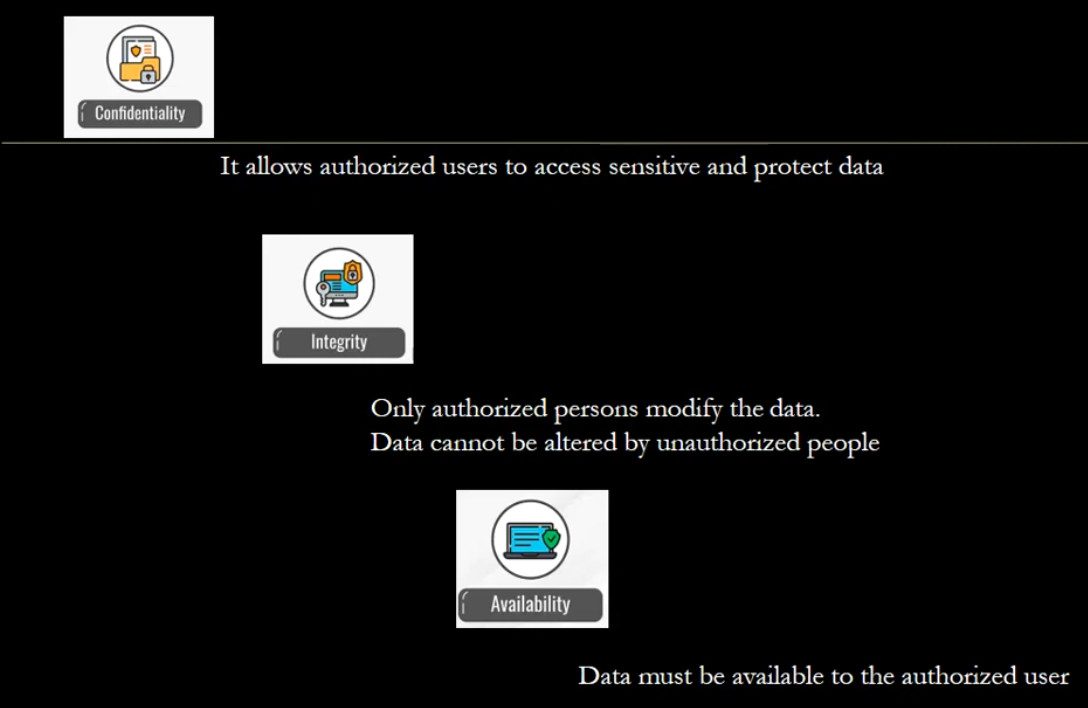
CIA in information security means the CIA Triad. It is a security model used to protect data and computer systems. CIA stands for Confidentiality, Integrity, and Availability. These three principles help organizations keep their information safe and reliable.
1. Confidentiality
Confidentiality means keeping data private and secure so that only authorized users can access it. Unauthorized people should not be able to see or use the information.
For example, in a company network, employee salary details or customer data should only be accessible to specific employees such as HR managers or administrators. Security methods like passwords, encryption, and access control are used to maintain confidentiality.
2. Integrity
Integrity means ensuring that data remains accurate, correct, and unchanged. No one should be able to modify or delete the data without proper permission.
For example, in a banking system, if a transaction record shows ₹5000, it should not be changed to another value without authorization. Technologies such as hashing, digital signatures, and checksums help protect data integrity.
3. Availability
Availability means that data and systems should be accessible whenever authorized users need them. Systems must remain operational without long downtime.
For example, a company’s website, email server, or database server should always be available for employees and customers. Methods like backup systems, redundant servers, and disaster recovery help ensure availability.
Short Definition:
CIA (Confidentiality, Integrity, Availability) is a fundamental model used in cybersecurity and network security to protect information and ensure that data is secure, accurate, and accessible.
Slide


VPN Technology Q&A
VPN (Virtual Private Network) Q&A
1. Q: What is VPN?
A: VPN is a technology that creates a secure and encrypted connection over the internet to protect data and privacy.
2. Q: Why is VPN needed?
A: VPN is needed for secure communication, data protection, remote access, and privacy on public networks.
3. Q: How does VPN work?
A: VPN creates an encrypted tunnel between the user device and VPN server so data travels securely.
4. Q: What are the types of VPN?
A: Remote Access VPN and Site-to-Site VPN.
5. Q: What is Remote Access VPN?
A: It allows individual users to securely connect to a private network from remote locations.
6. Q: What is Site-to-Site VPN?
A: It connects two or more networks (branch offices) securely over the internet.
7. Q: What protocols are used in VPN?
A: IPsec, SSL/TLS, L2TP, PPTP (old), OpenVPN, and WireGuard.
8. Q: What is encryption in VPN?
A: Encryption converts data into unreadable form to protect it from hackers.
9. Q: What is VPN tunnel?
A: A secure encrypted path between client and server or between two networks.
10. Q: What is authentication in VPN?
A: It verifies user or device identity using username/password, certificates, or MFA.
11. Q: What is split tunneling?
A: It allows some traffic to go through VPN and other traffic directly to the internet.
12. Q: What is full tunneling?
A: All internet traffic goes through the VPN tunnel.
13. Q: What is VPN client?
A: Software installed on user devices to connect to VPN server.
14. Q: What is VPN server?
A: A device (firewall/router) that accepts VPN connections and provides secure access.
15. Q: What is IPsec VPN?
A: A VPN using IPsec protocol for secure encrypted communication.
16. Q: What is SSL VPN?
A: A VPN that uses SSL/TLS (HTTPS) for secure remote access.
17. Q: What is MFA in VPN?
A: Multi-Factor Authentication adds extra security using OTP, token, or biometrics.
18. Q: Is VPN safe on public Wi-Fi?
A: Yes, VPN encrypts data and protects it from attackers on public Wi-Fi.
19. Q: What is Kill Switch in VPN?
A: It blocks internet access if VPN disconnects to prevent data leaks.
20. Q: Advantages of VPN?
A: Security, privacy, remote work support, cost savings, and data protection.
21. Q: Disadvantages of VPN?
A: Slower speed, depends on internet, setup complexity, and device security risks.
22. Q: Can VPN be used on mobile phones?
A: Yes, VPN works on smartphones, tablets, and laptops.
23. Q: What is logging in VPN?
A: It refers to storing user activity records by VPN provider (some use no-log policy).
24. Q: Difference between VPN and Proxy?
A: VPN encrypts all traffic, proxy only forwards traffic without strong encryption.
25. Q: Who uses VPN?
A: Companies, IT administrators, remote employees, students, and travelers.
Remote Access VPN Q&A
Here are mostly asked Remote Access VPN Q&A (short and clear, exam + interview useful):
1. Q: What is Remote Access VPN?
A: Remote Access VPN allows users to securely connect to a private company network from remote locations using the internet with encrypted communication.
2. Q: Why is Remote Access VPN needed?
A: It is needed to protect data, allow work-from-home access, and securely connect employees to internal resources like servers and applications.
3. Q: How does Remote Access VPN work?
A: It creates an encrypted tunnel between the user device and the VPN server, then authenticates the user before giving access to the network.
4. Q: What are the main components of Remote Access VPN?
A: VPN client, VPN server/firewall, authentication system, and encryption protocols.
5. Q: Which protocols are used in Remote Access VPN?
A: Common protocols are IPsec, SSL/TLS, L2TP, PPTP (old), and OpenVPN.
6. Q: Difference between Remote Access VPN and Site-to-Site VPN?
A: Remote Access VPN connects individual users to a network, while Site-to-Site VPN connects two or more networks together.
7. Q: What is VPN authentication?
A: It verifies user identity using username/password, certificates, or multi-factor authentication (MFA).
8. Q: What is encryption in VPN?
A: Encryption protects data by converting it into unreadable format so hackers cannot understand it.
9. Q: What is split tunneling?
A: Split tunneling allows VPN traffic and normal internet traffic to use different paths instead of forcing all traffic through VPN.
10. Q: What are the advantages of Remote Access VPN?
A: Secure remote work, data privacy, cost savings, flexibility, and centralized access control.
11. Q: What are the disadvantages of Remote Access VPN?
A: Internet dependency, slower speed, configuration complexity, and possible security risks if user devices are infected.
12. Q: What is a VPN client?
A: A VPN client is software installed on user devices to create a secure connection to the VPN server.
13. Q: Can Remote Access VPN work on mobile phones?
A: Yes, it works on smartphones, tablets, laptops, and desktops.
15. Q: Is Remote Access VPN secure on public Wi-Fi?
A: Yes, VPN encrypts data and protects it from attackers on public Wi-Fi networks.
16. Q: What is VPN tunnel?
A: A VPN tunnel is a secure encrypted path between the user device and VPN server.
17. Q: What is SSL VPN?
A: SSL VPN uses web browsers or client software to securely connect users using HTTPS.
18. Q: Who uses Remote Access VPN?
A: Companies, IT administrators, remote employees, students, and travelers use Remote Access VPN.
19. Q: What happens if VPN connection drops?
A: Data transfer stops or may become unsecured unless kill-switch feature is enabled.
20. Q: What is Kill Switch in VPN?
A: It blocks internet access automatically if VPN disconnects to prevent data leakage.
What are the risks of remote access VPN?
Remote access VPNs can present risks such as limited scalability, potential security vulnerabilities, and increased complexity in managing access control.
What is the difference between VPN and remote connection?
A VPN creates a secure tunnel for data transmission, while a remote connection refers generally to any access to a network from a non-local source.
What is the difference between remote access VPN and personal VPN?
A remote access VPN connects a user to a corporate network, while a personal VPN protects a user’s internet connection.
How do I set up a VPN for remote access?
To set up a VPN for remote access, one configures a secure connection between a device and a network, often involving software installation and network configuration. The exact setup process varies depending on the VPN service.
When shouldn’t I use a VPN?
Why do you need a VPN for remote access?
What are the alternatives to remote access VPNs?
What are three drawbacks of VPNs as a remote access solution?
What is a client-to-site VPN?
How does a client-to-site VPN work?
What is the difference between a client VPN and site-to-site VPN?
Site-to-Site VPN Q&A
1. Q: What is Site-to-Site VPN?
A: Site-to-Site VPN is a VPN connection that securely connects two or more separate networks (branches/offices) over the internet using encrypted tunnels.
2. Q: Why is Site-to-Site VPN needed?
A: It is needed to securely share data and resources between branch offices without using expensive leased lines.
3. Q: How does Site-to-Site VPN work?
A: VPN gateways (firewalls/routers) at each site create an encrypted tunnel over the internet to exchange data securely.
4. Q: Difference between Site-to-Site VPN and Remote Access VPN?
A: Site-to-Site VPN connects entire networks, while Remote Access VPN connects individual users.
5. Q: What protocols are used in Site-to-Site VPN?
A: IPsec is the most commonly used protocol. Others include GRE over IPsec and SSL VPN (less common for site-to-site).
6. Q: What are the main components of Site-to-Site VPN?
A: VPN gateway/router, encryption protocols, authentication method, and internet connection.
7. Q: What is IPsec?
A: IPsec (Internet Protocol Security) is a protocol suite that encrypts and authenticates data between two networks.
8. Q: What is VPN tunnel?
A: A secure encrypted path created between two VPN gateways for transmitting data safely.
9. Q: What is authentication in Site-to-Site VPN?
A: It verifies the identity of VPN devices using pre-shared keys (PSK) or digital certificates.
10. Q: What is encryption in Site-to-Site VPN?
A: Encryption protects data by converting it into unreadable form during transmission.
11. Q: What is IKE (Internet Key Exchange)?
A: IKE negotiates security parameters and keys between VPN devices before creating the tunnel.
12. Q: What is Phase 1 and Phase 2 in IPsec VPN?
A: Phase 1 establishes a secure channel (ISAKMP SA) and Phase 2 establishes the data tunnel (IPsec SA).
13. Q: What is policy-based VPN?
A: Traffic is selected for VPN based on security policies and ACL rules.
14. Q: What is route-based VPN?
A: Uses virtual tunnel interfaces and routing tables to control VPN traffic.
15. Q: What are advantages of Site-to-Site VPN?
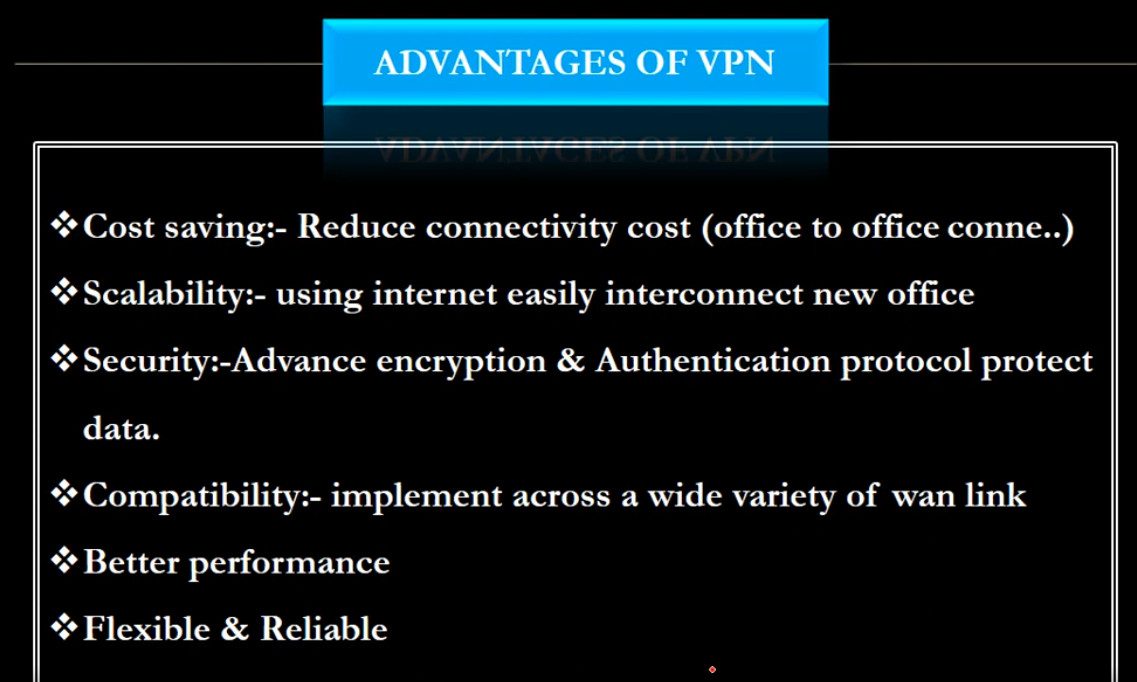
A: Secure communication, cost-effective, centralized management, and easy branch connectivity.
16. Q: What are disadvantages of Site-to-Site VPN?
A: Depends on internet quality, complex configuration, and troubleshooting can be difficult.
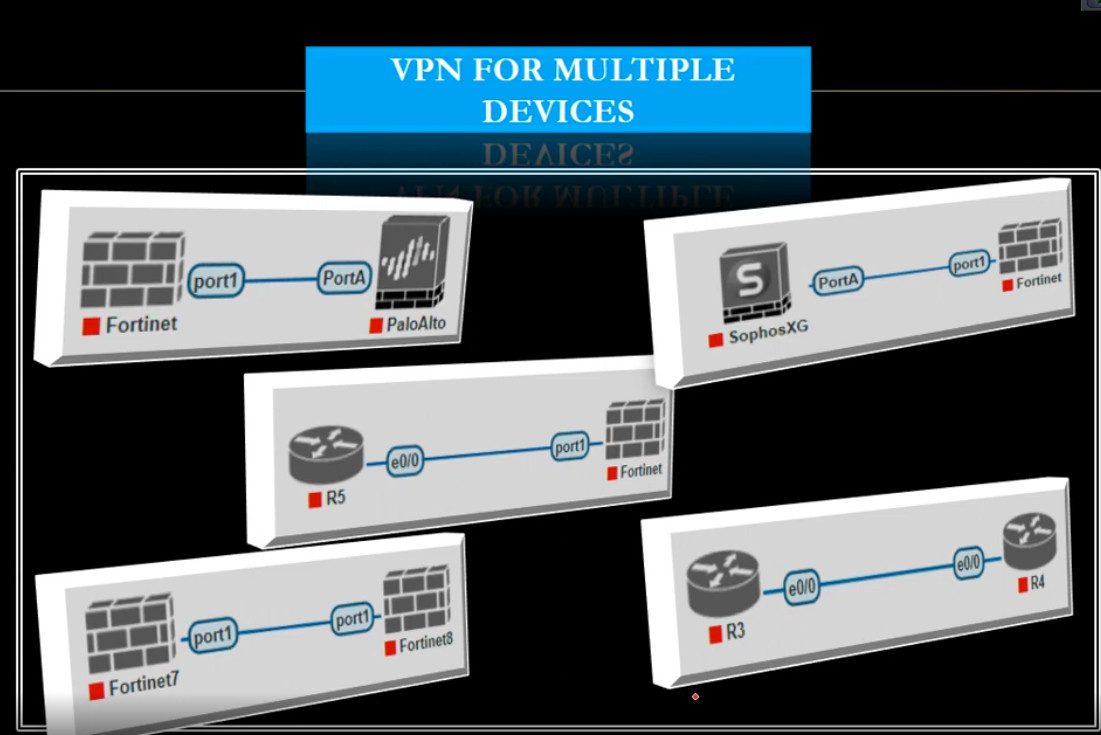
17. Q: Can Site-to-Site VPN connect different vendors (Cisco, Fortinet, MikroTik)?
A: Yes, as long as both sides support the same VPN protocols and encryption settings.
18. Q: What happens if VPN tunnel goes down?
A: Communication between sites stops until the tunnel is re-established.
19. Q: What is split tunneling in Site-to-Site VPN?
A: Usually not used; all inter-site traffic passes through the VPN tunnel.
20. Q: Where is Site-to-Site VPN commonly used?
A: In companies with multiple branches, data centers, and cloud-to-office connections (AWS/Azure).