What is VPN
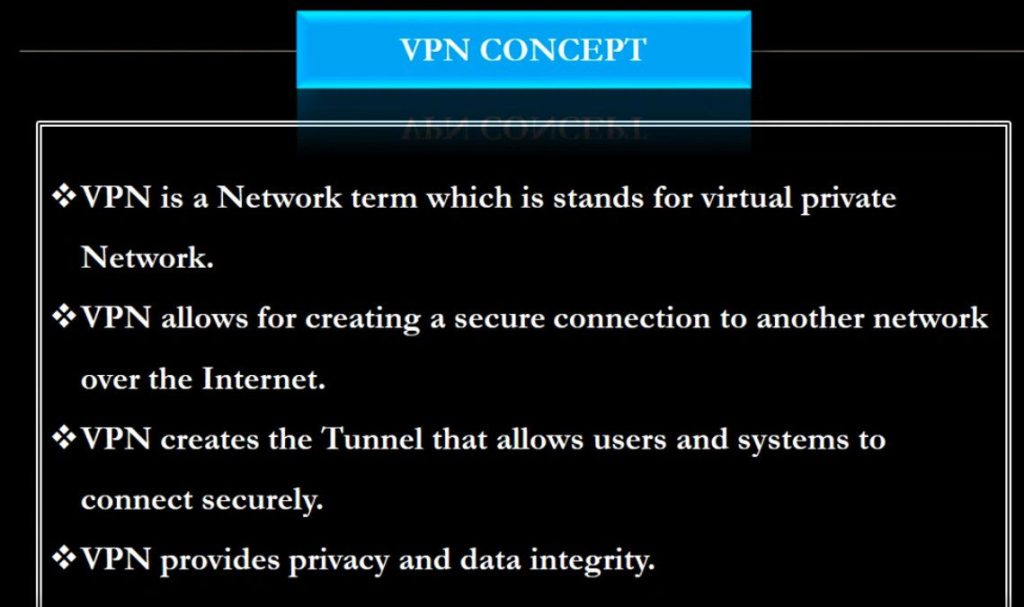
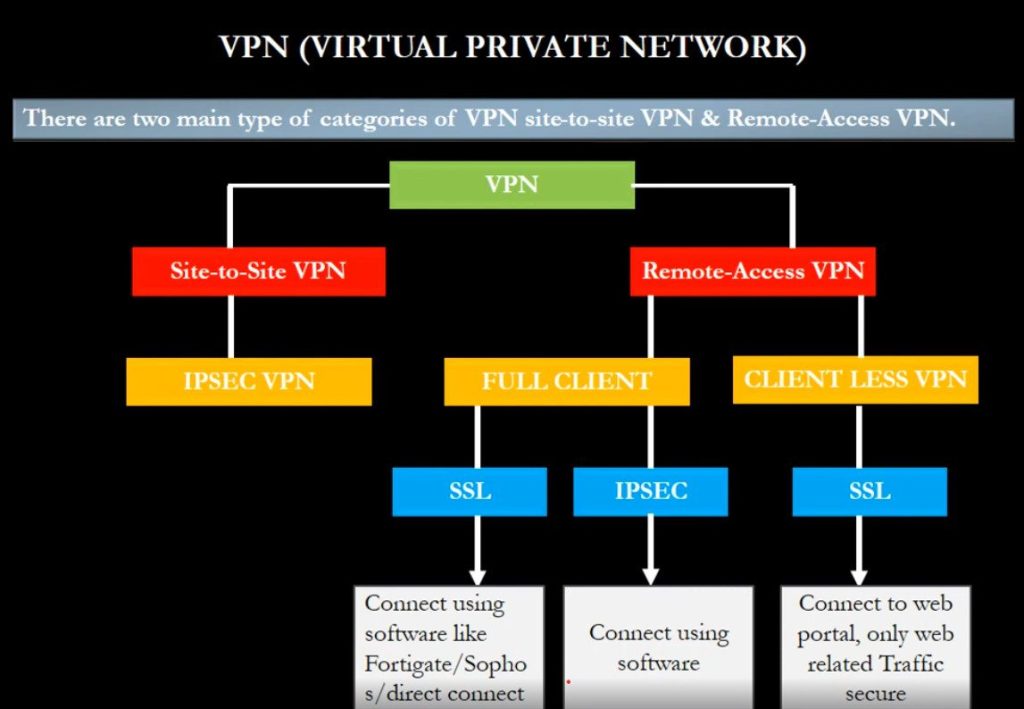
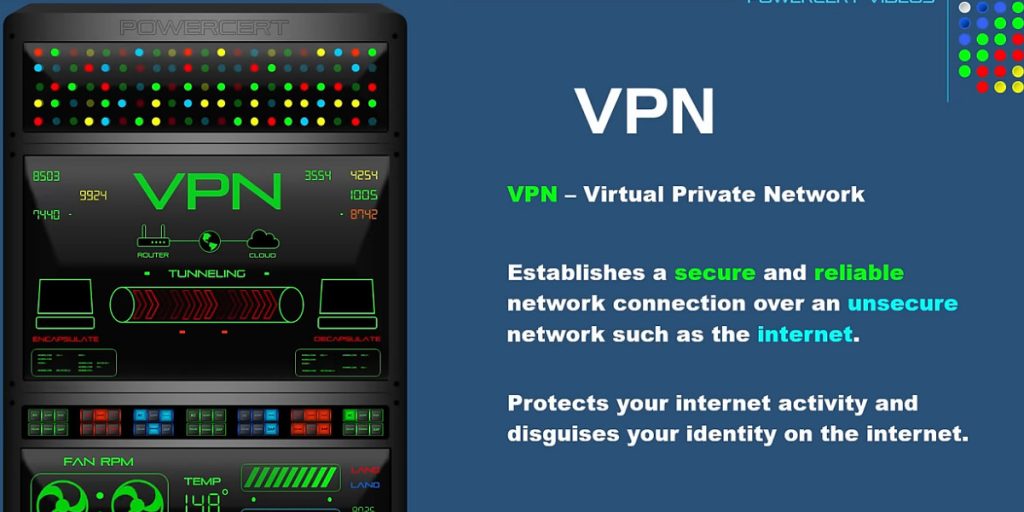
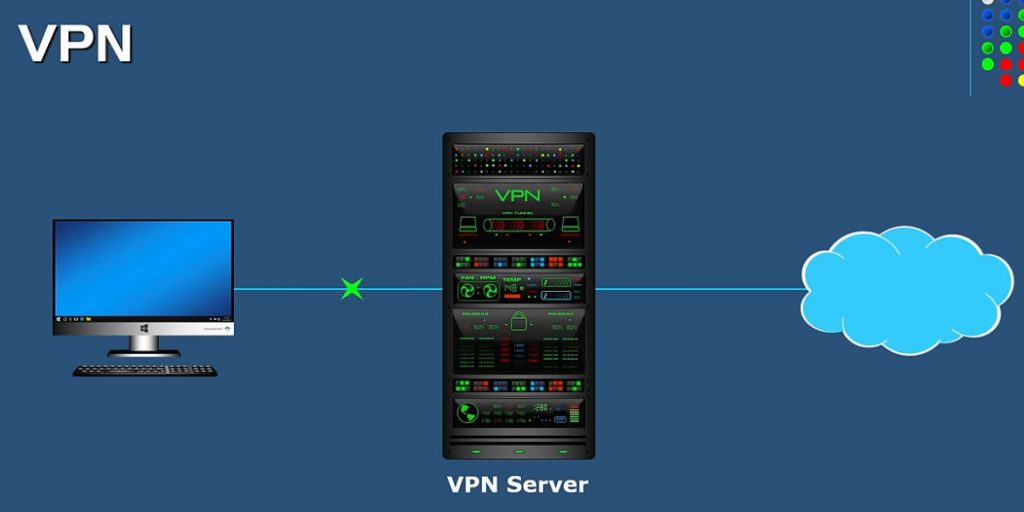
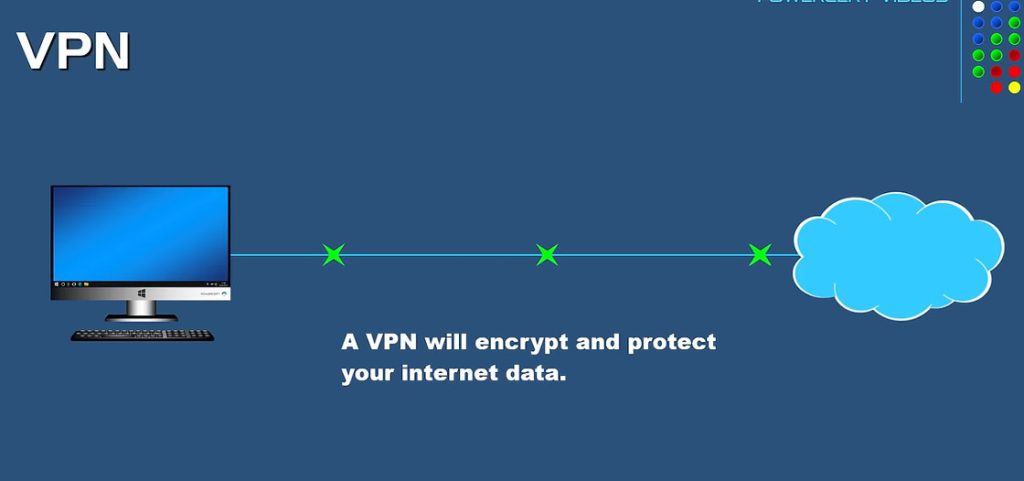
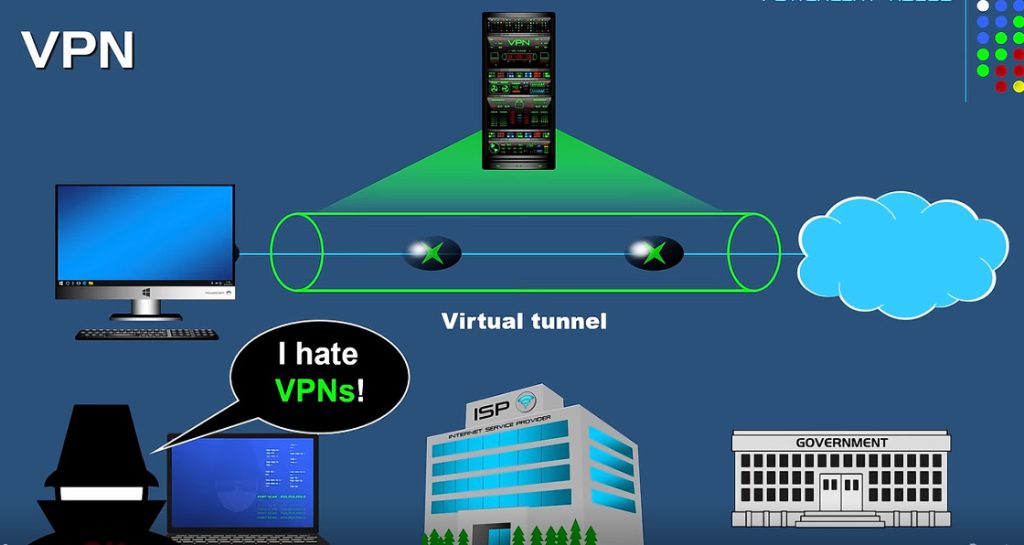
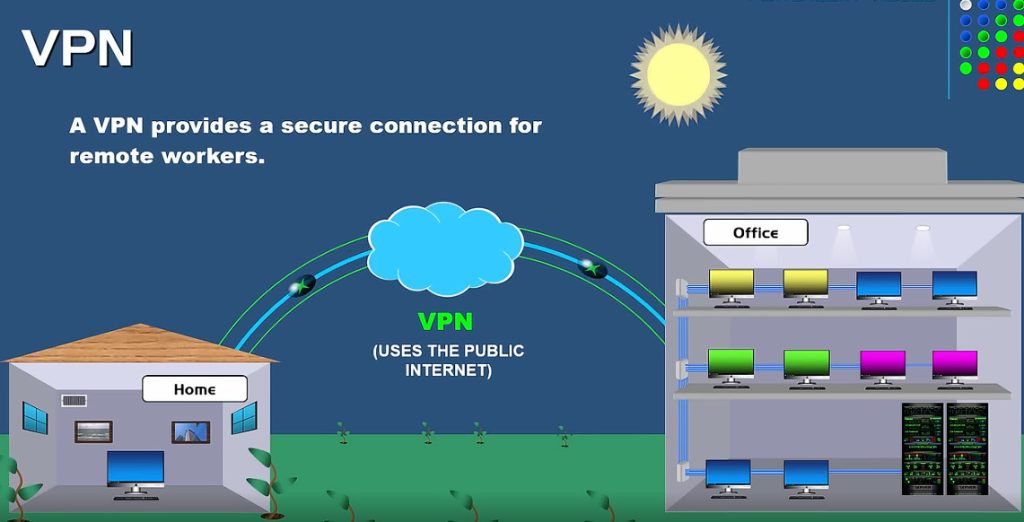
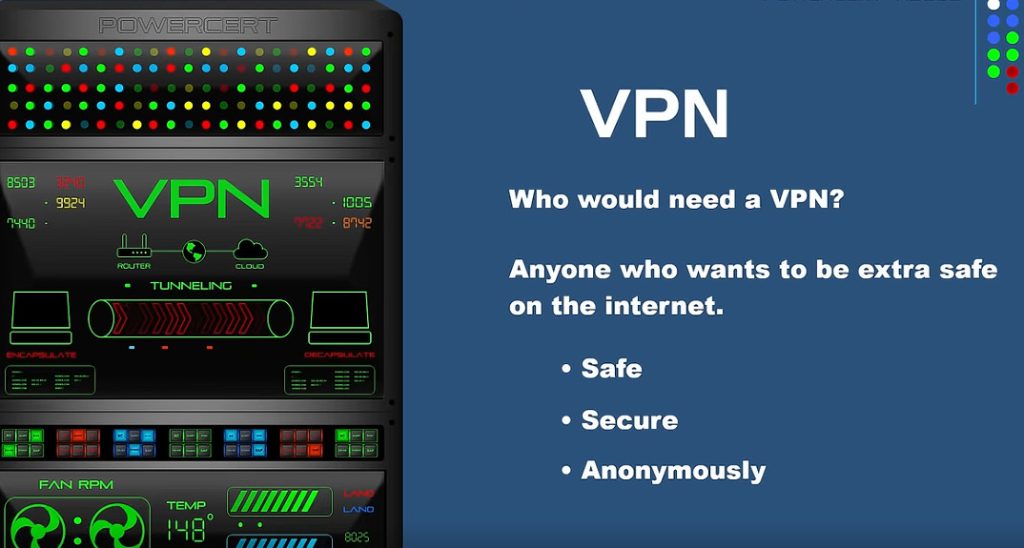
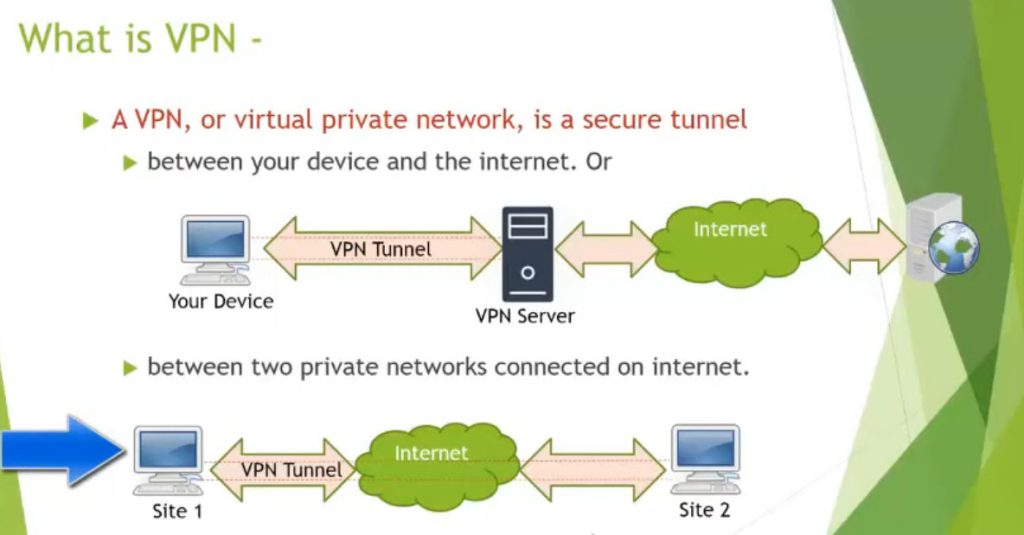
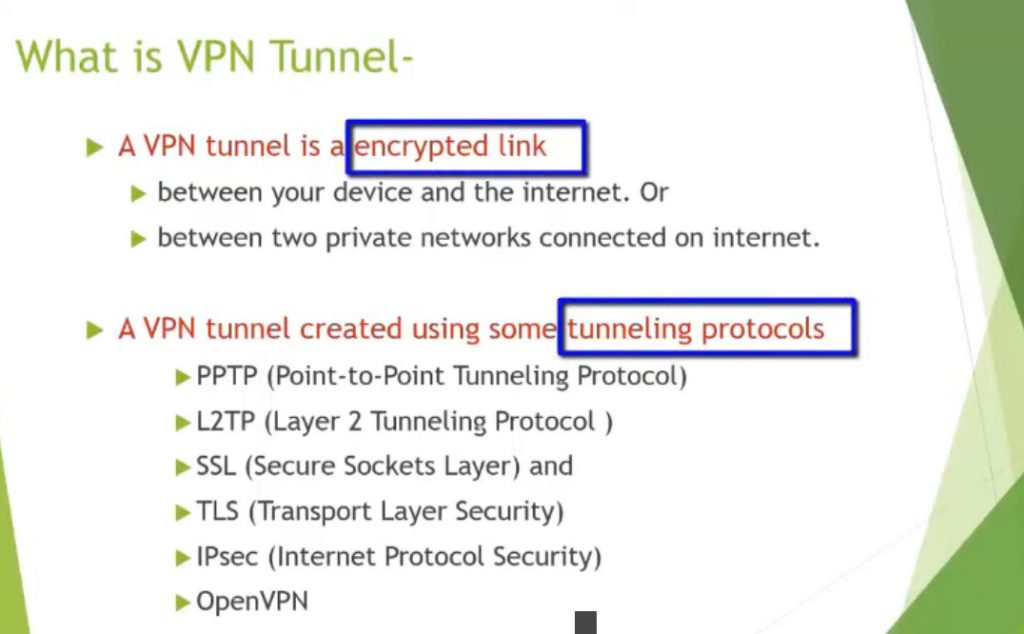
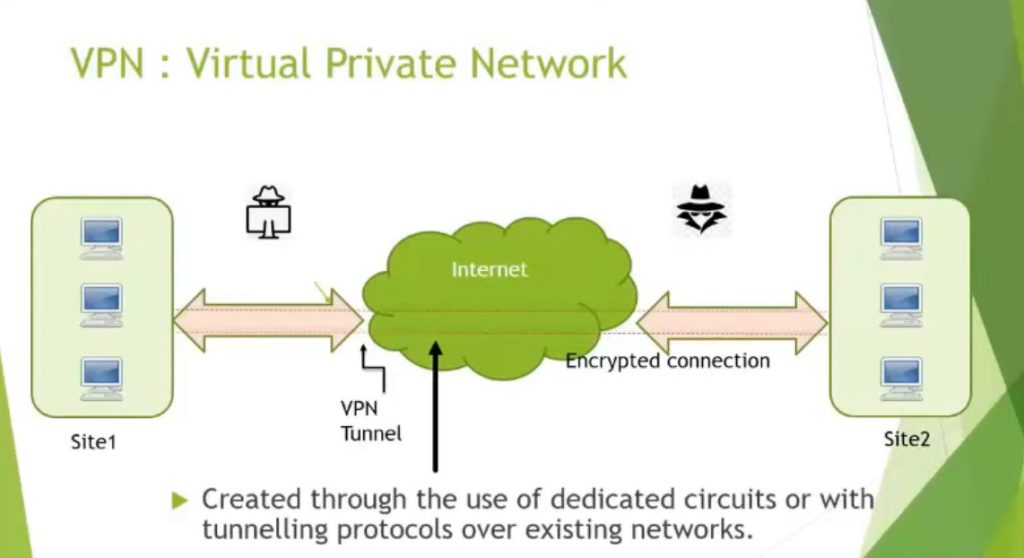
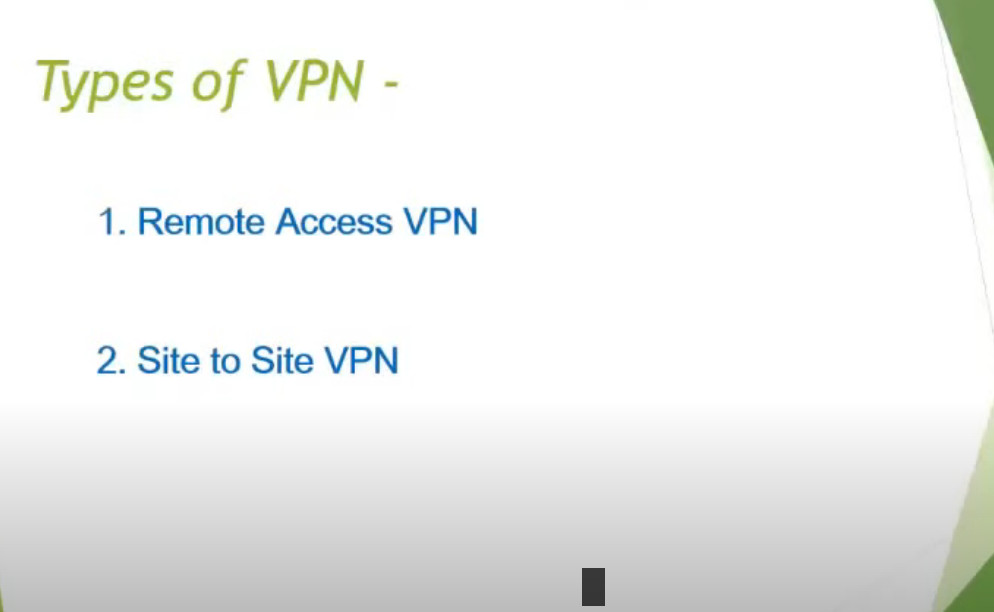
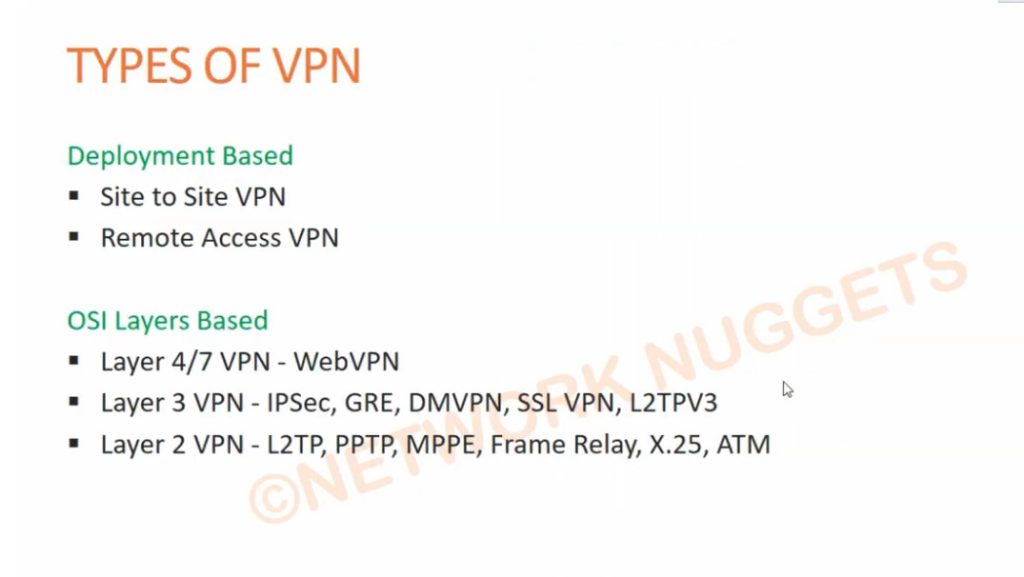
VPN stands for Virtual Private Network (VPN), that allows a user to connect to a private network over the Internet securely and privately. VPN creates an encrypted connection that is called VPN tunnel, and all Internet traffic and communication is passed through this secure tunnel. Virtual Private Network (VPN) is basically of 2 types:
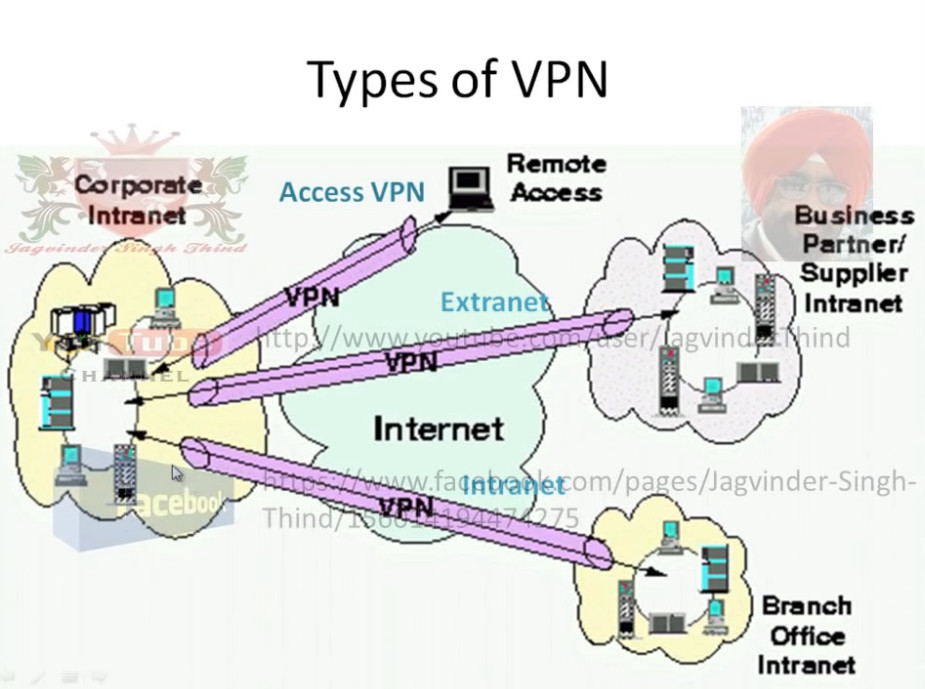
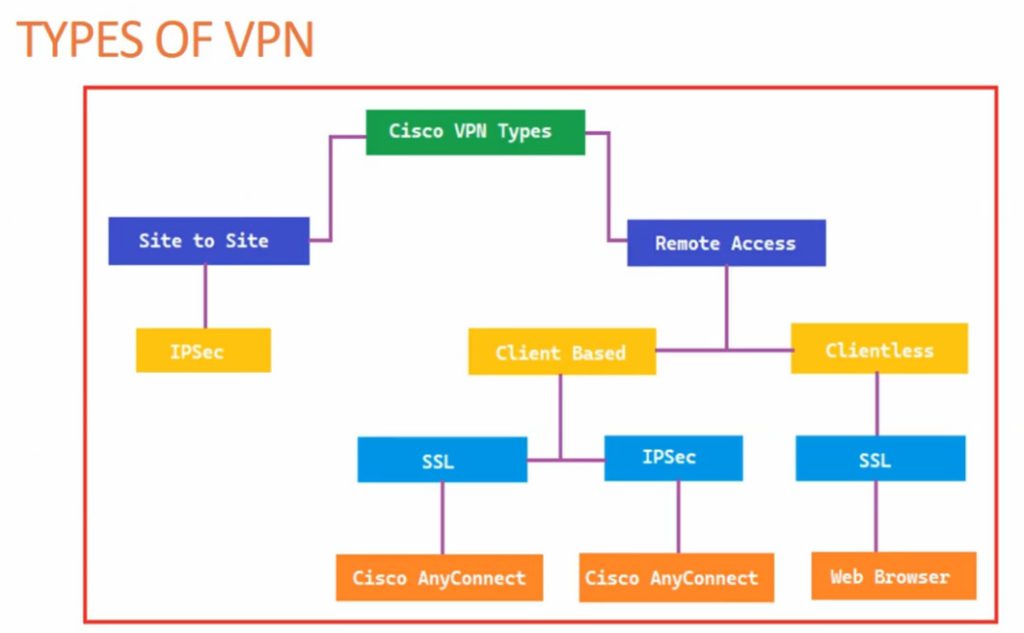
- Remote Access VPN
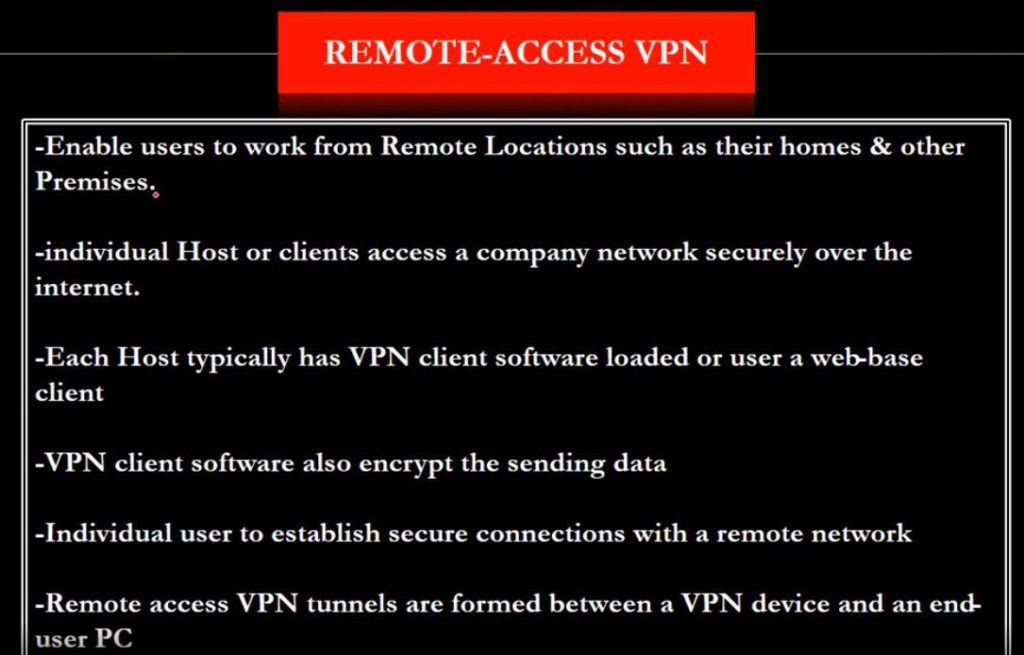
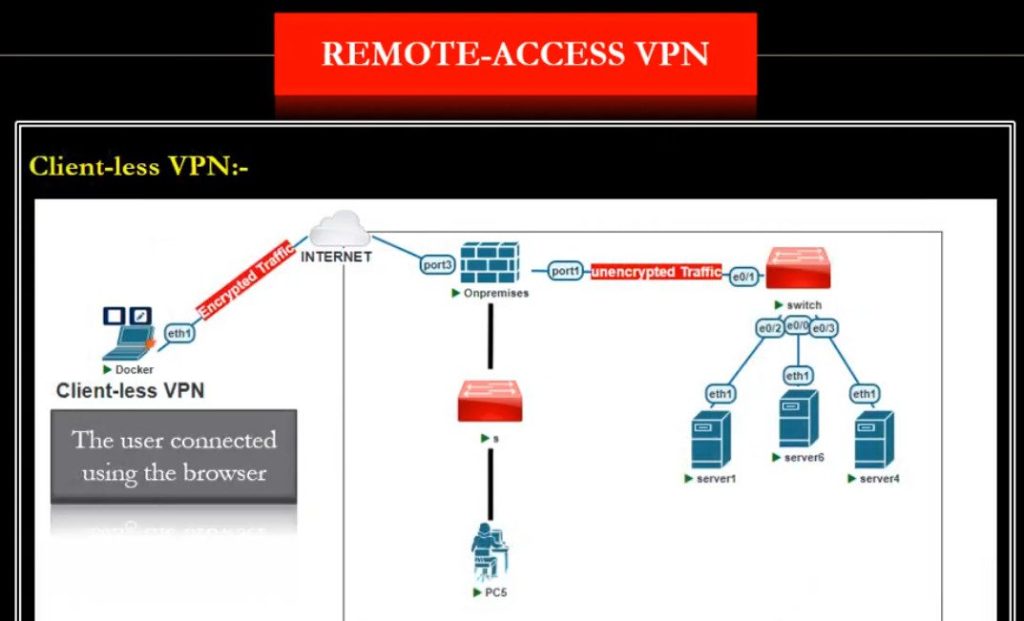
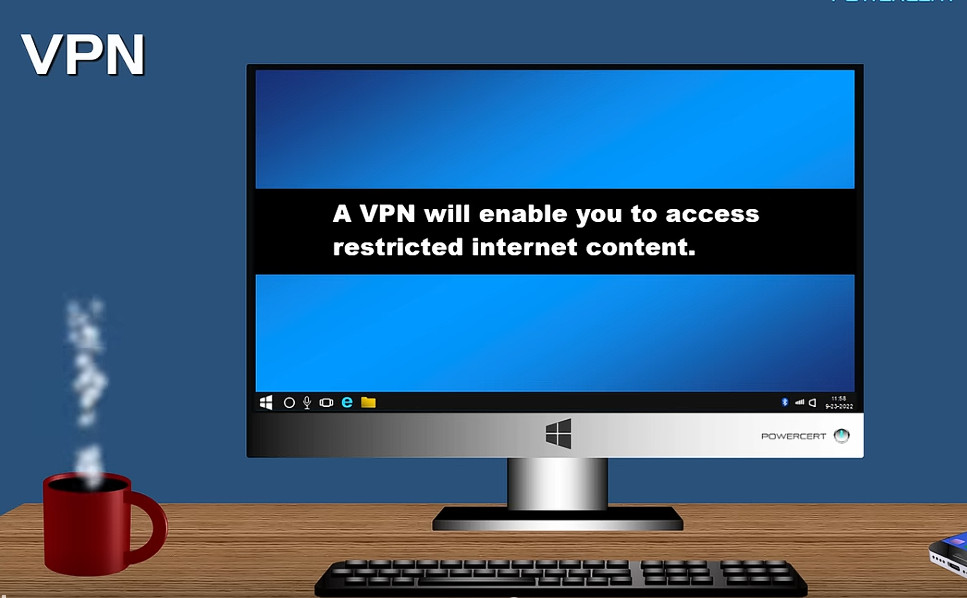
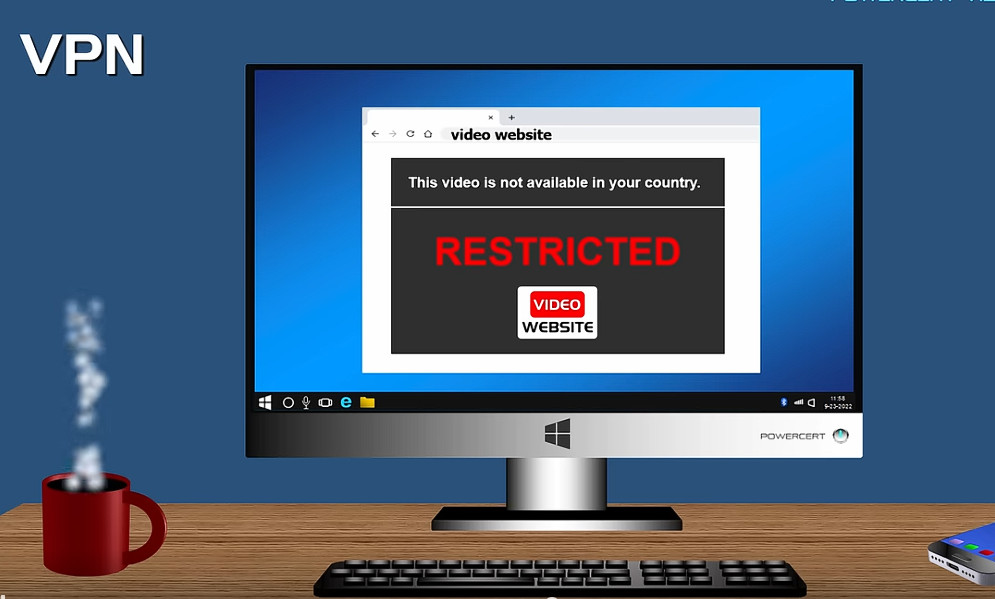
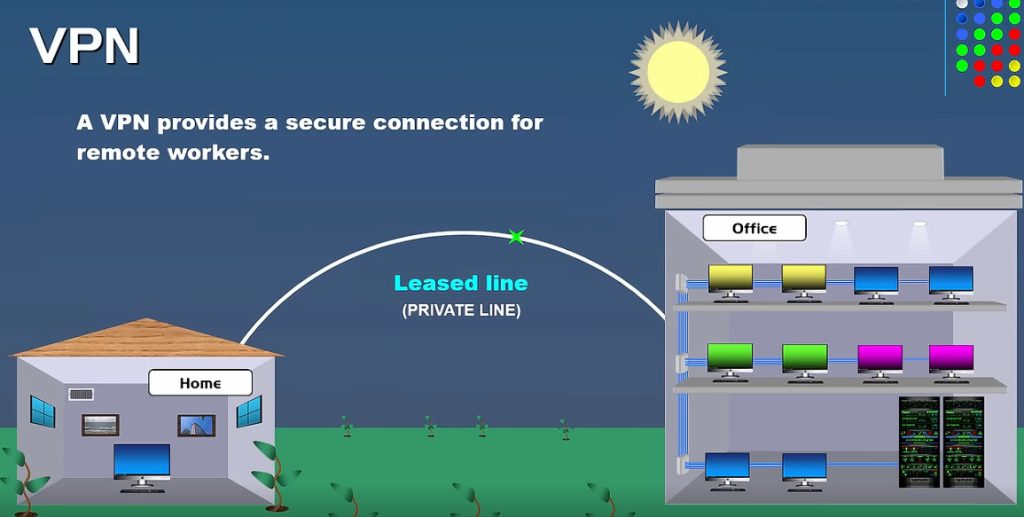
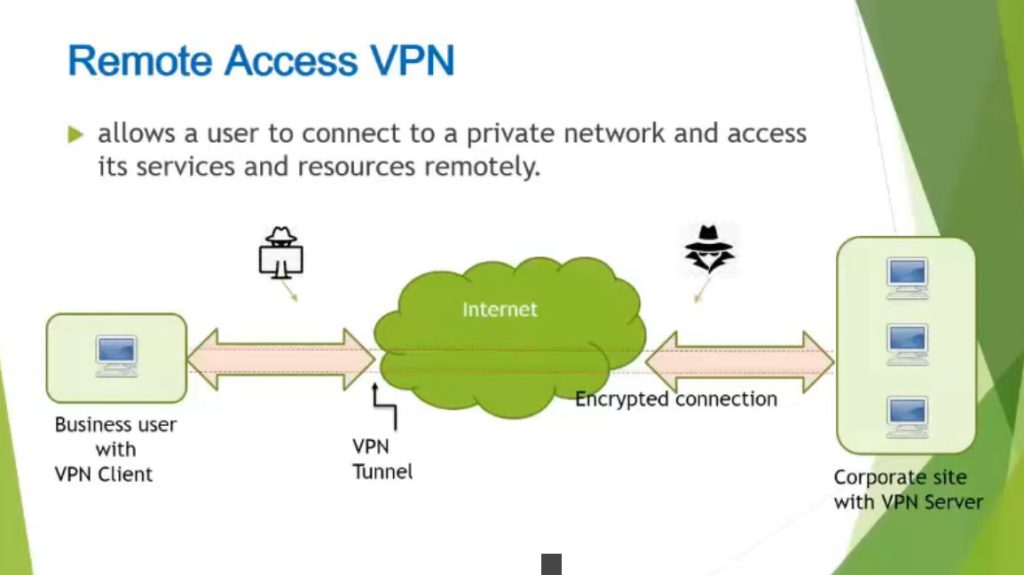
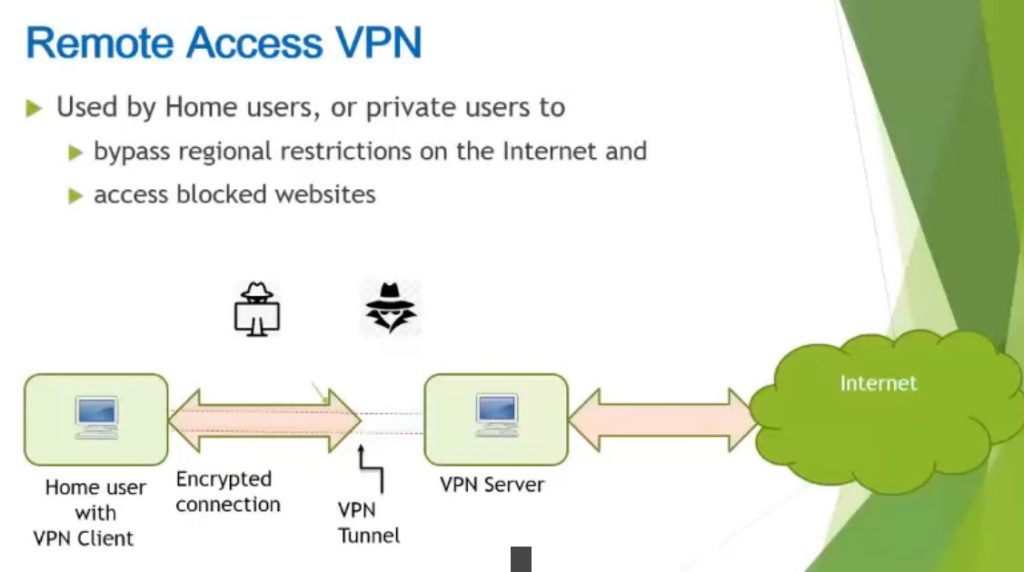
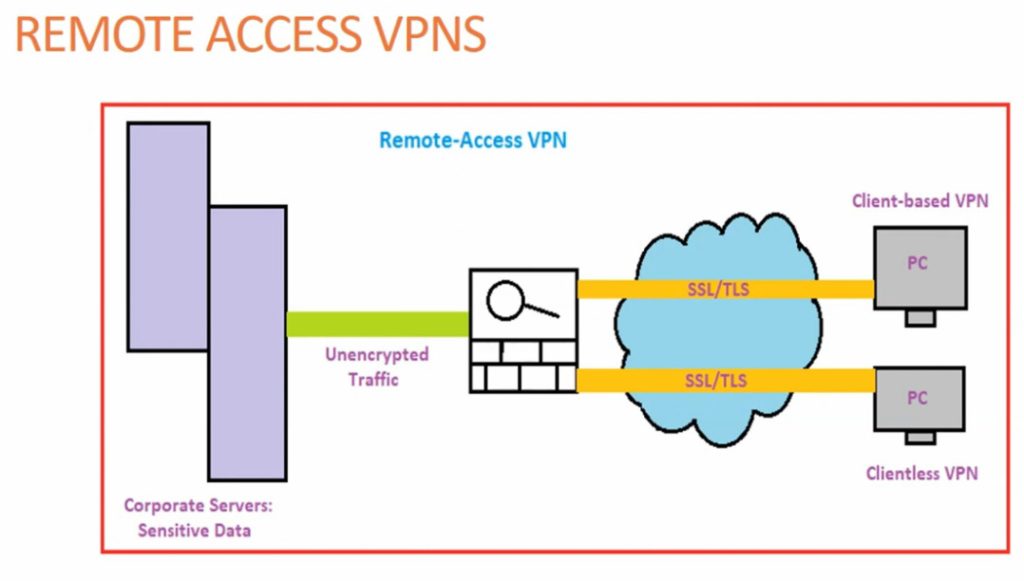
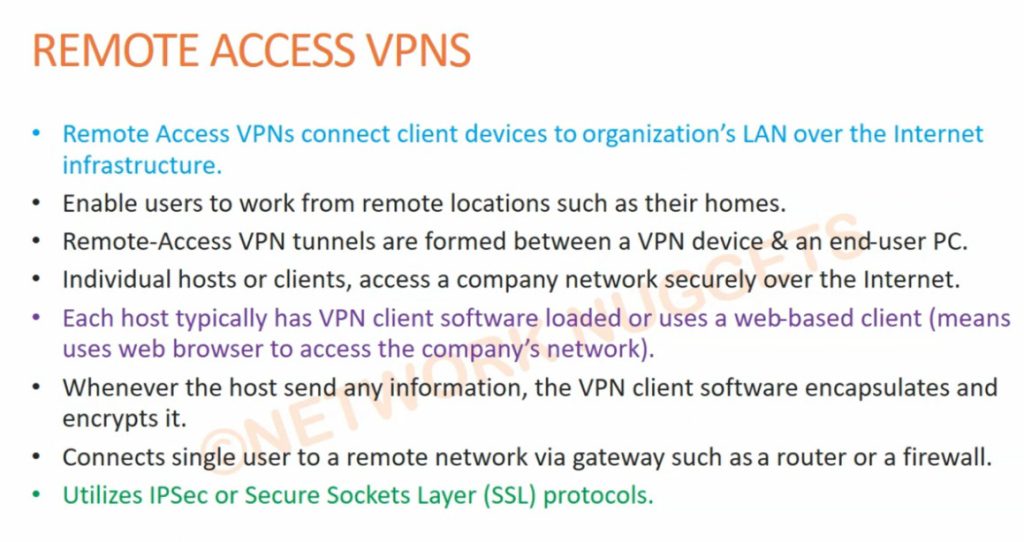
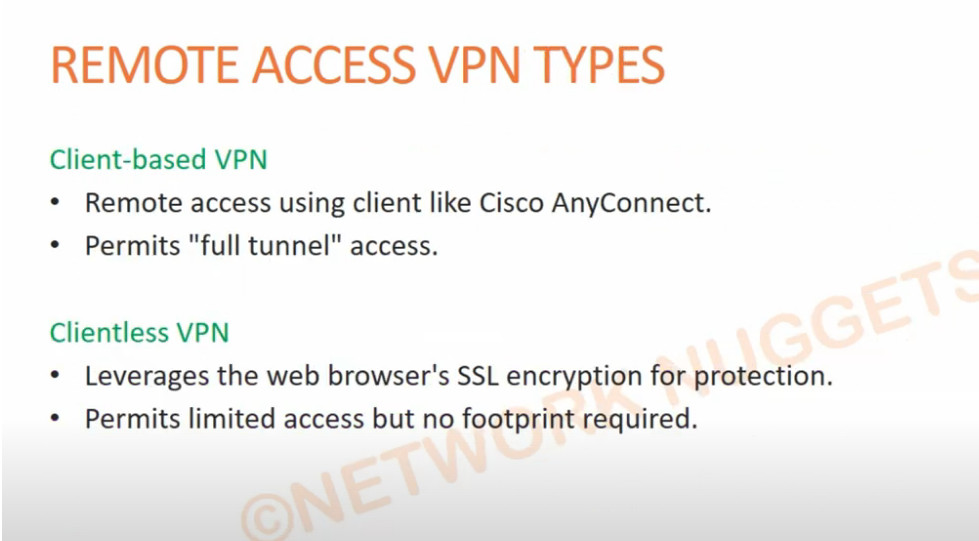
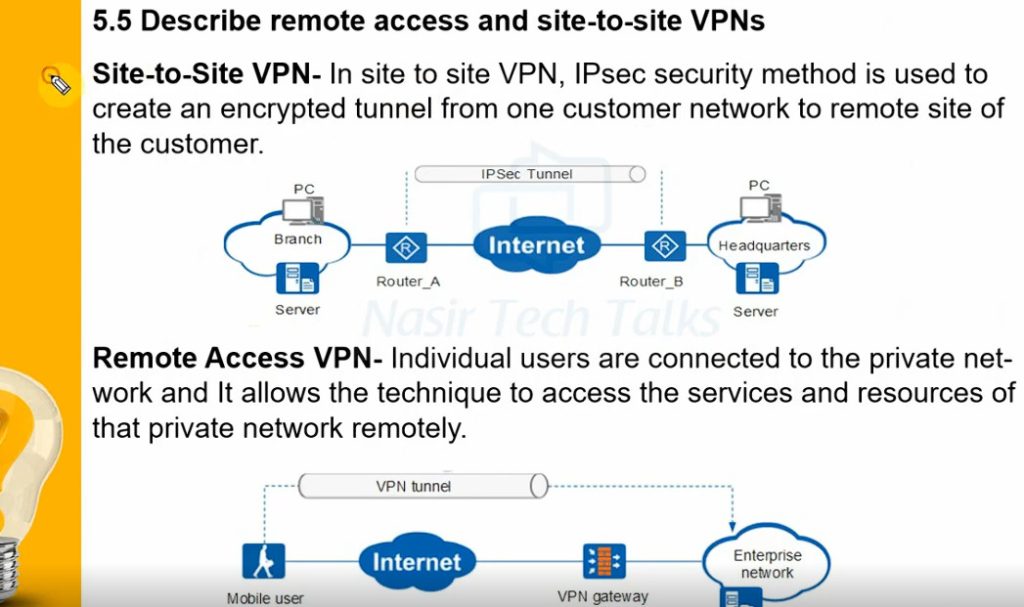
Remote Access VPN permits a user to connect to a private network and access all its services and resources remotely. The connection between the user and the private network occurs through the Internet and the connection is secure and private. Remote Access VPN is useful for home users and business users both. An employee of a company, while he/she is out of station, uses a VPN to connect to his/her company’s private network and remotely access files and resources on the private network. Private users or home users of VPN, primarily use VPN services to bypass regional restrictions on the Internet and access blocked websites. Users aware of Internet security also use VPN services to enhance their Internet security and privacy.
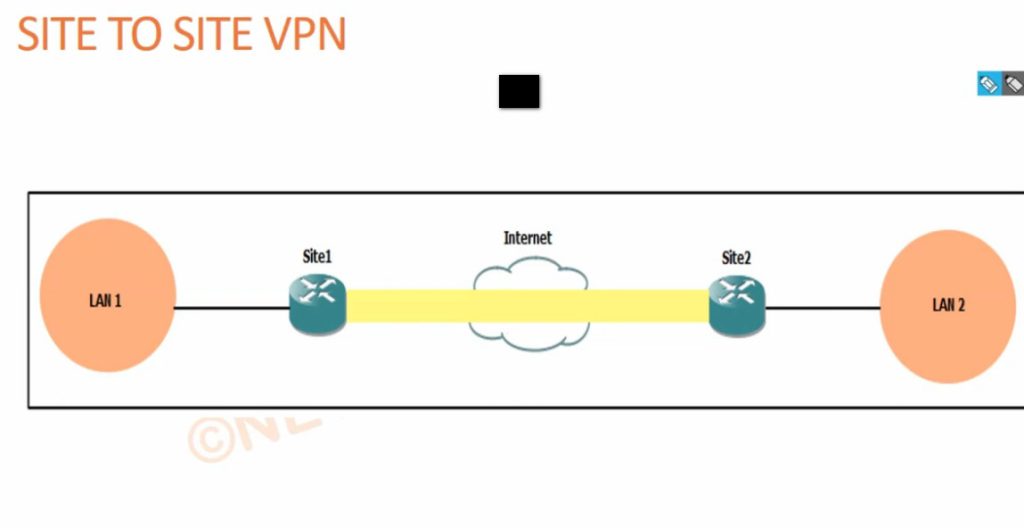
- Site to Site VPN
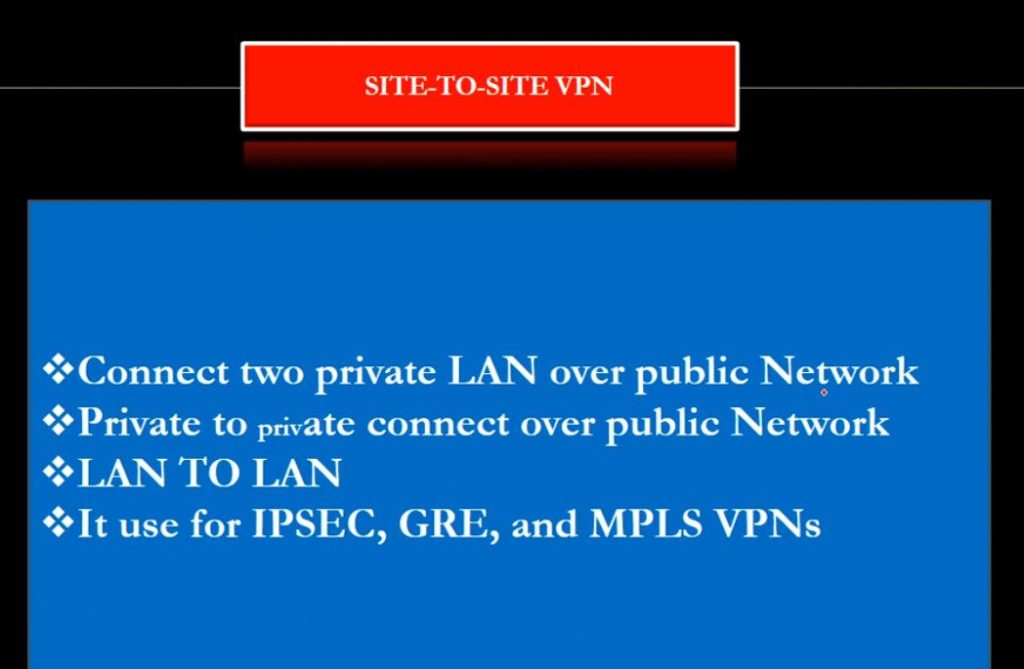
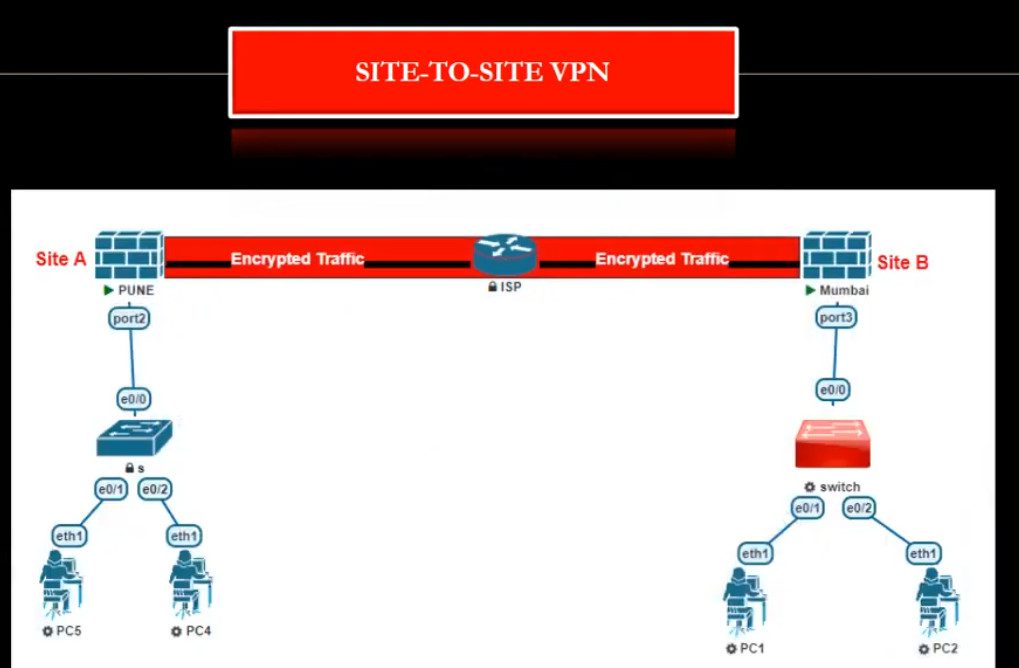
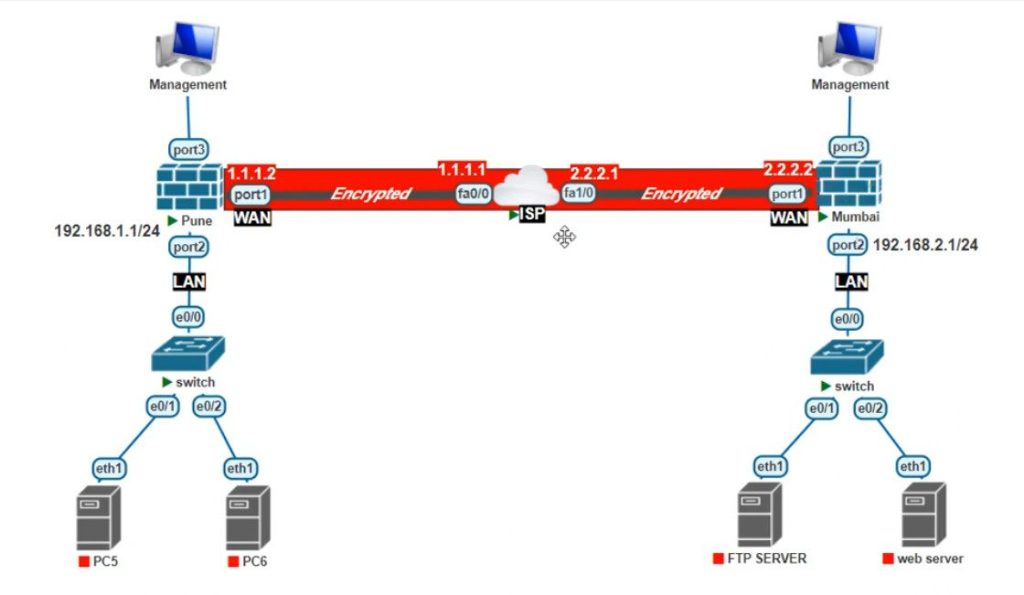
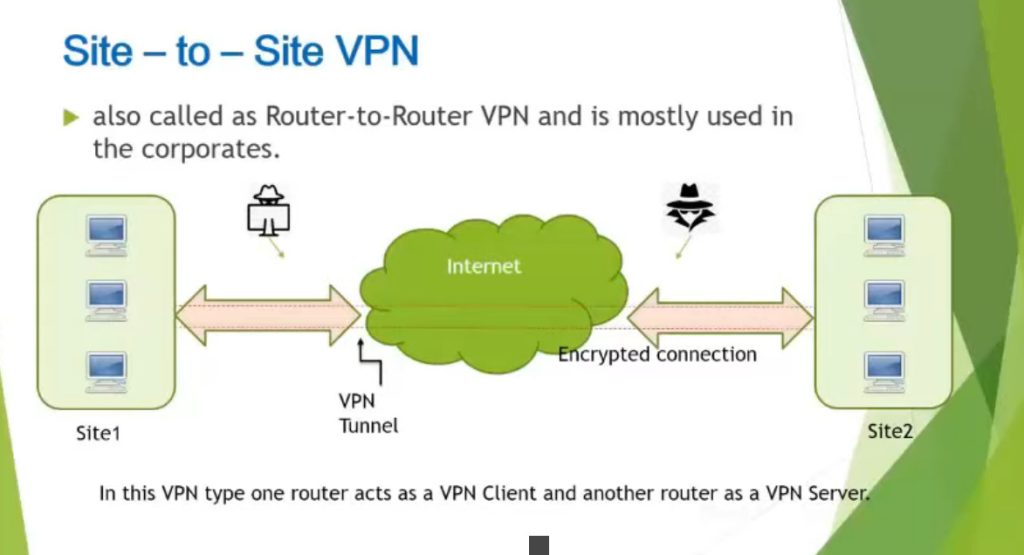
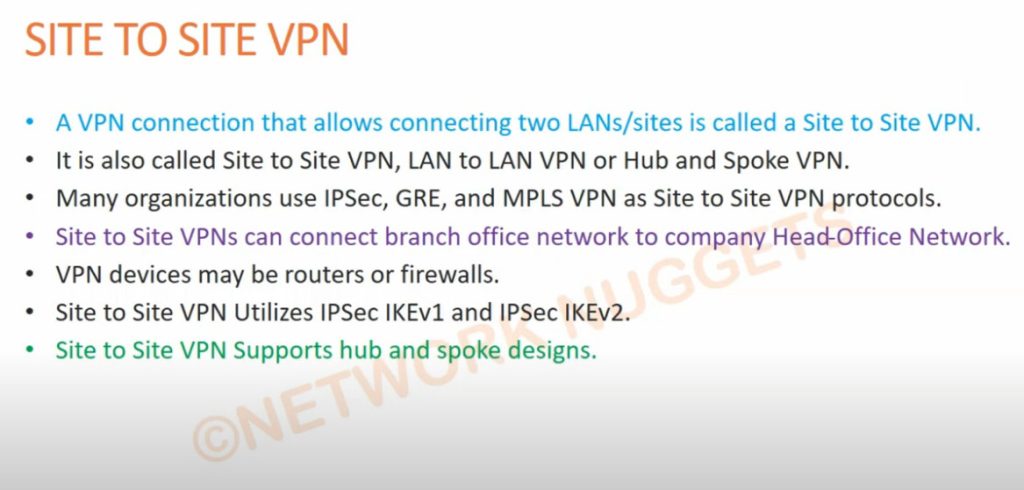
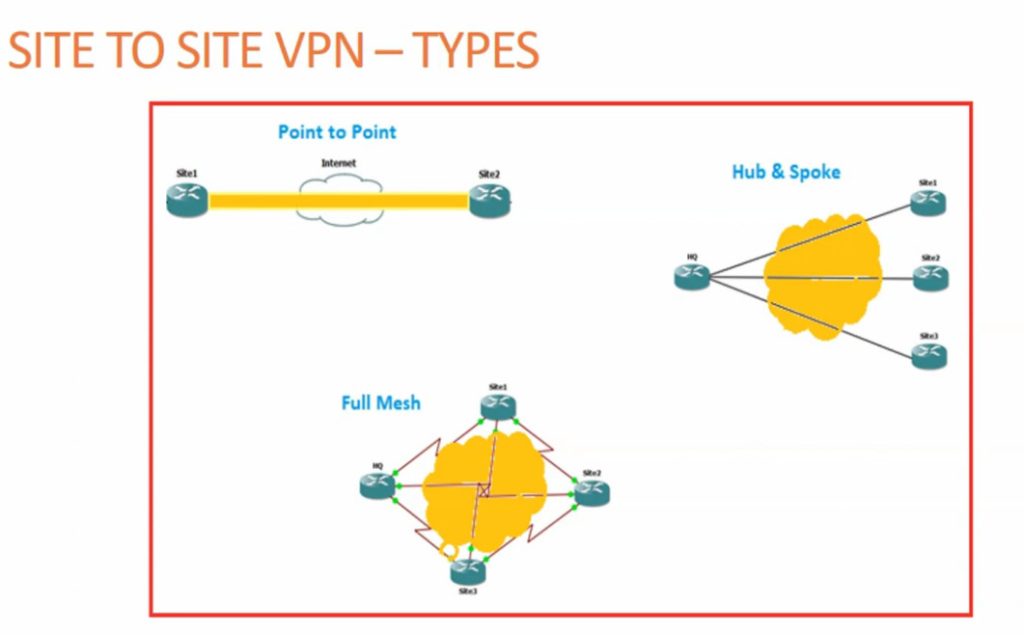
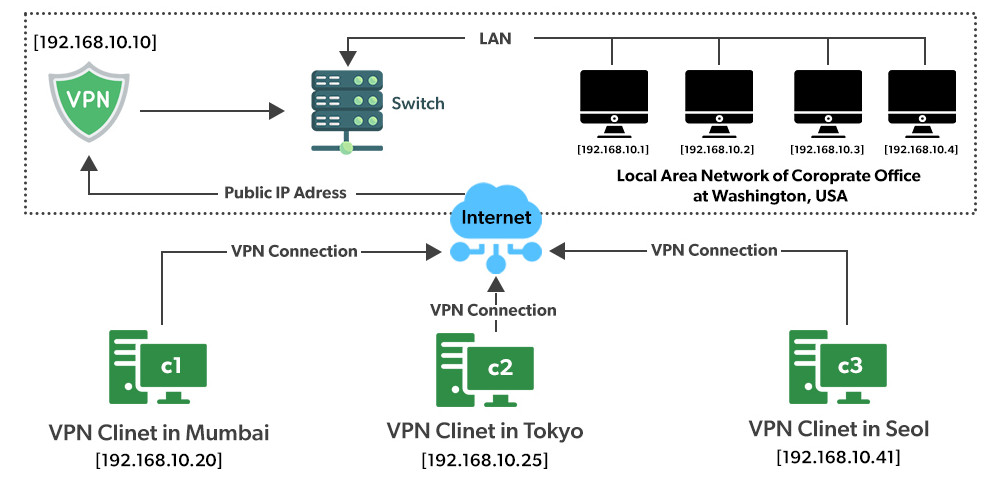
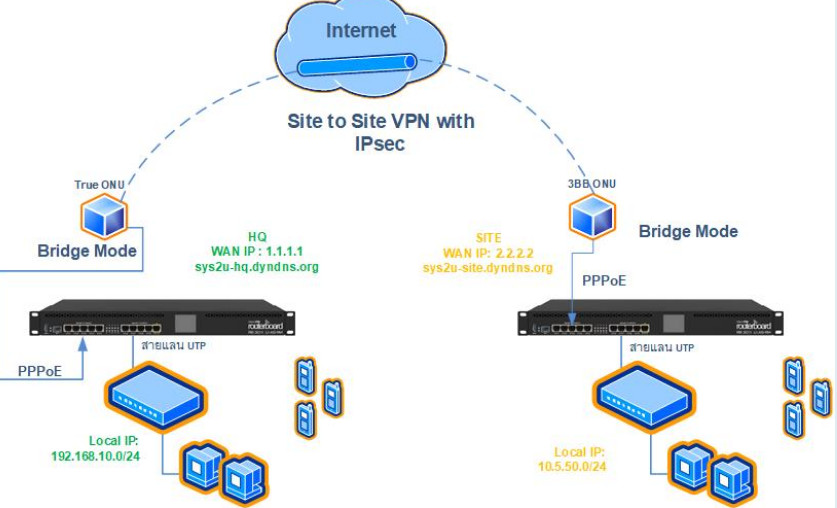
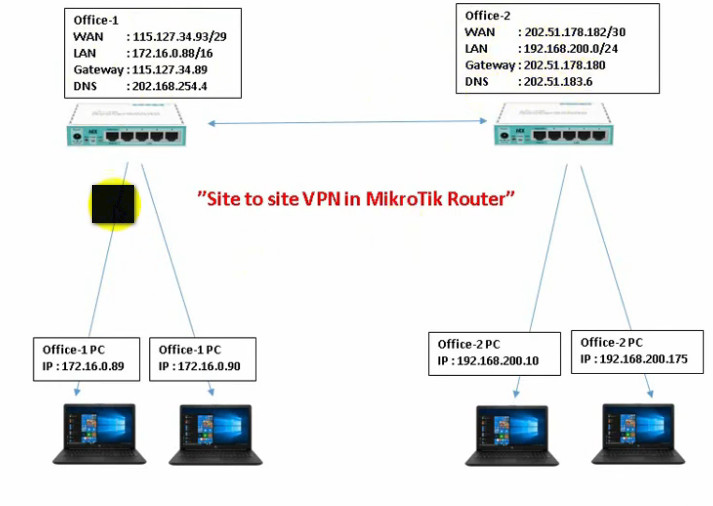
A Site-to-Site VPN is also called as Router-to-Router VPN and is commonly used in the large companies. Companies or organizations, with branch offices in different locations, use Site-to-site VPN to connect the network of one office location to the network at another office location.
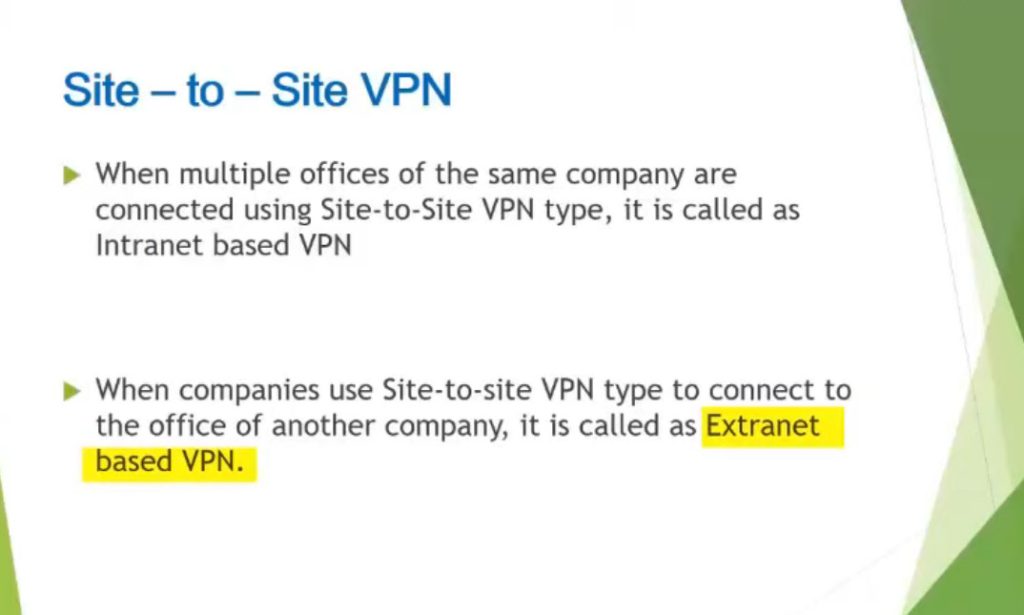
- Intranet based VPN: When several offices of the same company are connected using Site-to-Site VPN type, it is called as Intranet based VPN.
- Extranet based VPN: When companies use Site-to-site VPN type to connect to the office of another company, it is called as Extranet based VPN
- Cloud VPN
A Cloud VPN is a virtual private network that allows users to securely connect to a cloud-based infrastructure or service. It uses the internet as the primary transport medium to connect the remote users to the cloud-based resources. Cloud VPNs are typically offered as a service by cloud providers such as Amazon Web Services (AWS) and Microsoft Azure. It uses the same encryption and security protocols as traditional VPNs, such as IPsec or SSL, to ensure that the data transmitted over the VPN is secure. Cloud VPNs are often used by organizations to securely connect their on-premises resources to cloud-based resources, such as cloud-based storage or software-as-a-service (SaaS) applications
- SSL VPN
SSL VPN (Secure Sockets Layer Virtual Private Network) is a type of VPN that uses the SSL protocol to secure the connection between the user and the VPN server. It allows remote users to securely access a private network by establishing an encrypted tunnel between the user’s device and the VPN server. SSL VPNs are typically accessed through a web browser, rather than through a standalone client. This makes them easier to use and deploy, as they don’t require additional software to be installed on the user’s device. It can be used to access internal resources such as email, file servers, or databases. SSL VPNs are considered more secure than traditional IPsec VPNs because they use the same encryption protocols as HTTPS, the secure version of HTTP used for online transactions. - PPTP (Point-to-Point Tunneling Protocol) VPN
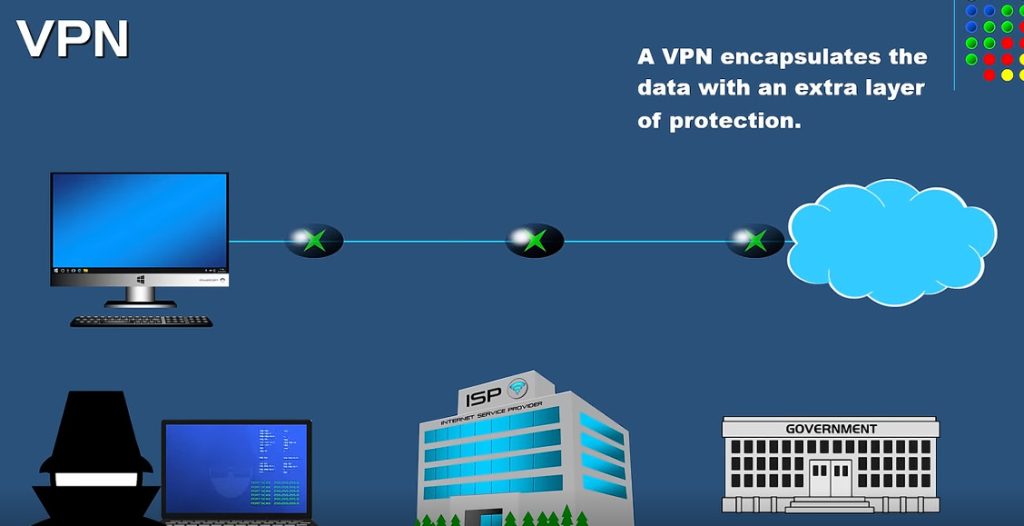
PPTP (Point-to-Point Tunneling Protocol) is a type of VPN that uses a simple and fast method for implementing VPNs. It creates a secure connection between two computers by encapsulating the data packets being sent between them. PPTP is relatively easy to set up and doesn’t require any additional software to be installed on the client’s device. It can be used to access internal resources such as email, file servers, or databases. PPTP is one of the oldest VPN protocols and is supported on a wide range of operating systems. However, it is considered less secure than other VPN protocols such as L2TP or OpenVPN, as it uses a weaker encryption algorithm and has been known to have security vulnerabilities.
- L2TP (Layer 2 Tunneling Protocol) VPN
L2TP (Layer 2 Tunneling Protocol) is a type of VPN that creates a secure connection by encapsulating data packets being sent between two computers. L2TP is an extension of PPTP, it adds more security to the VPN connection by using a combination of PPTP and L2F (Layer 2 Forwarding Protocol) and it uses stronger encryption algorithm than PPTP. L2TP is relatively easy to set up and doesn’t require additional software to be installed on the client’s device. It can be used to access internal resources such as email, file servers, or databases. It is supported on a wide range of operating systems, but it is considered less secure than other VPN protocols such as OpenVPN, as it still has some vulnerabilities that can be exploited.
- OpenVPN
OpenVPN is an open-source software application that uses SSL and is highly configurable and secure. It creates a secure and encrypted connection between two computers by encapsulating the data packets being sent between them. OpenVPN can be used to access internal resources such as email, file servers, or databases. It is supported on a wide range of operating systems and devices, and can be easily configured to work with various network configurations and security settings. It is considered one of the most secure VPN protocols as it uses the industry standard SSL/TLS encryption protocols and it offers advanced features such as two-factor authentication and kill switch.
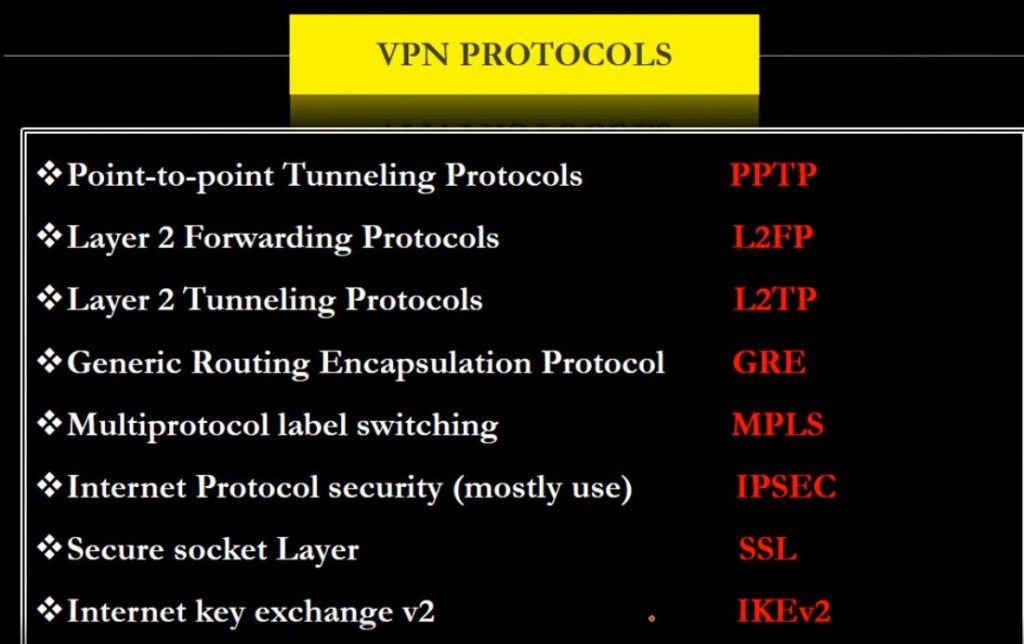
Types of Virtual Private Network (VPN) Protocols:
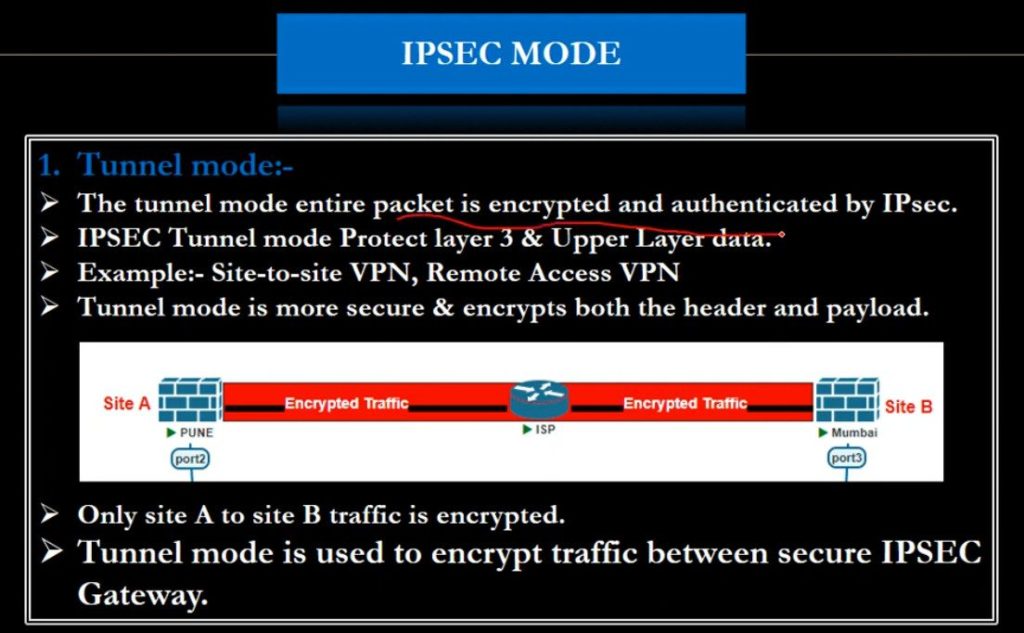
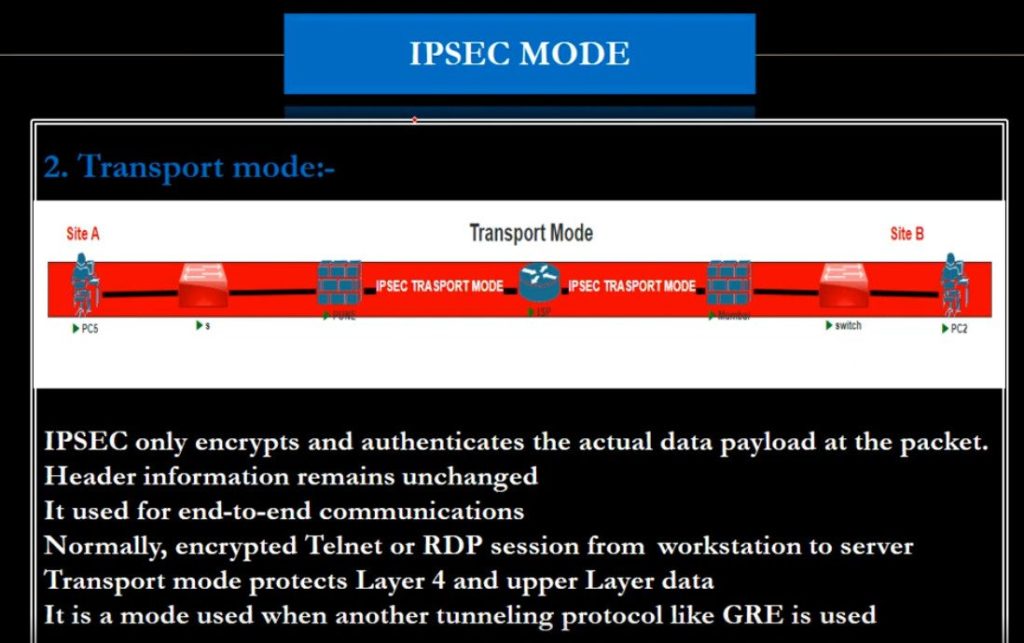
Internet Protocol Security (IPSec): Internet Protocol Security, known as IPSec, is used to secure Internet communication across an IP network. IPSec secures Internet Protocol communication by verifying the session and encrypts each data packet during the connection. IPSec runs in 2 modes:
(i) Transport mode
(ii) Tunneling mode
Layer 2 Tunneling Protocol (L2TP): L2TP or Layer 2 Tunneling Protocol is a tunneling protocol that is often combined with another VPN security protocol like IPSec to establish a highly secure VPN connection. L2TP generates a tunnel between two L2TP connection points and IPSec protocol encrypts the data and maintains secure communication between the tunnel.
Point–to–Point Tunneling Protocol (PPTP): PPTP or Point-to-Point Tunneling Protocol generates a tunnel and confines the data packet. Point-to-Point Protocol (PPP) is used to encrypt the data between the connection. PPTP is one of the most widely used VPN protocol and has been in use since the early release of Windows. PPTP is also used on Mac and Linux apart from Windows.
SSL and TLS: SSL (Secure Sockets Layer) and TLS (Transport Layer Security) generate a VPN connection where the web browser acts as the client and user access is prohibited to specific applications instead of entire network. Online shopping websites commonly uses SSL and TLS protocol. It is easy to switch to SSL by web browsers and with almost no action required from the user as web browsers come integrated with SSL and TLS. SSL connections have “https” in the initial of the URL instead of “http”.
SSTP (Secure Socket Tunneling Protocol): A VPN protocol developed by Microsoft that uses SSL to secure the connection, but only available for Windows.
IKEv2 (Internet Key Exchange version 2): A VPN protocol that provides fast and secure connections, but not widely supported by VPN providers.
L3 VPN
Layer 3 VPNs (L3 VPNs) use various protocols to facilitate secure communication between different networks at the network layer (Layer 3). These protocols are responsible for routing, encryption, and maintaining secure tunnels across different sites, often over the public internet or private networks. Below are the most common Layer 3 VPN protocols used for secure and scalable network communication:
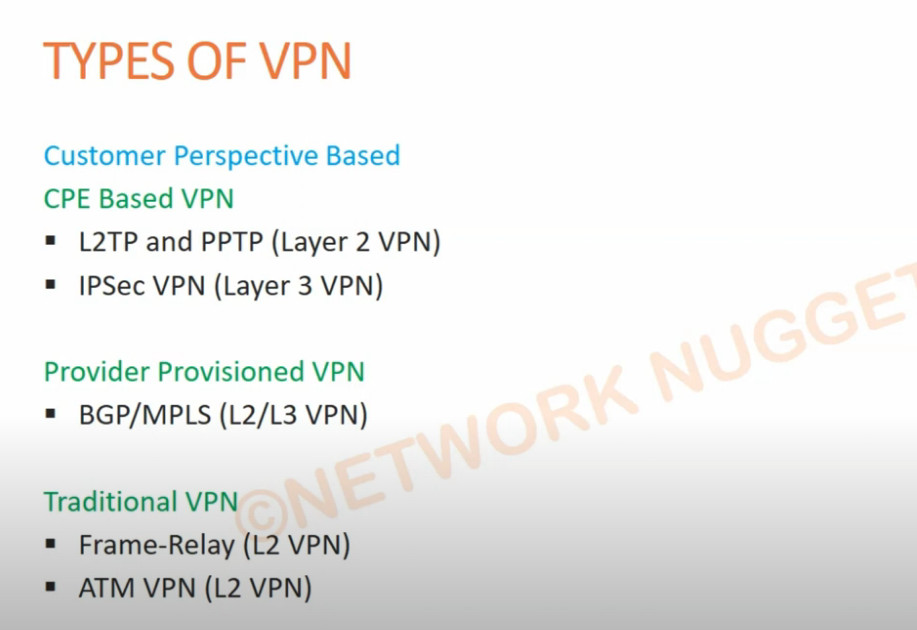
- MPLS (Multiprotocol Label Switching)
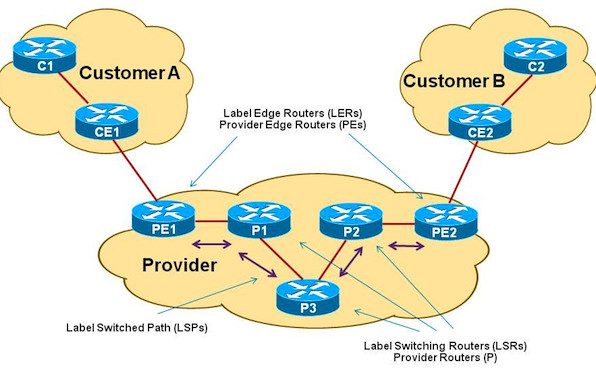
Description: MPLS is one of the most widely used Layer 3 VPN protocols. It uses labels to forward data rather than IP addresses, enabling efficient routing and traffic engineering. MPLS is a highly scalable and flexible protocol that allows service providers to manage traffic over a shared network infrastructure while maintaining isolation between different customers’ traffic.
Key Features:
- Supports Virtual Routing and Forwarding (VRF), which creates isolated routing tables for different customers.
- Provides traffic engineering and quality of service (QoS).
- Enables secure communication across wide-area networks (WANs) by encapsulating data packets with labels.
- Use Case: Large enterprises, service providers, and businesses with geographically dispersed offices or data centers.
- IPsec (Internet Protocol Security)
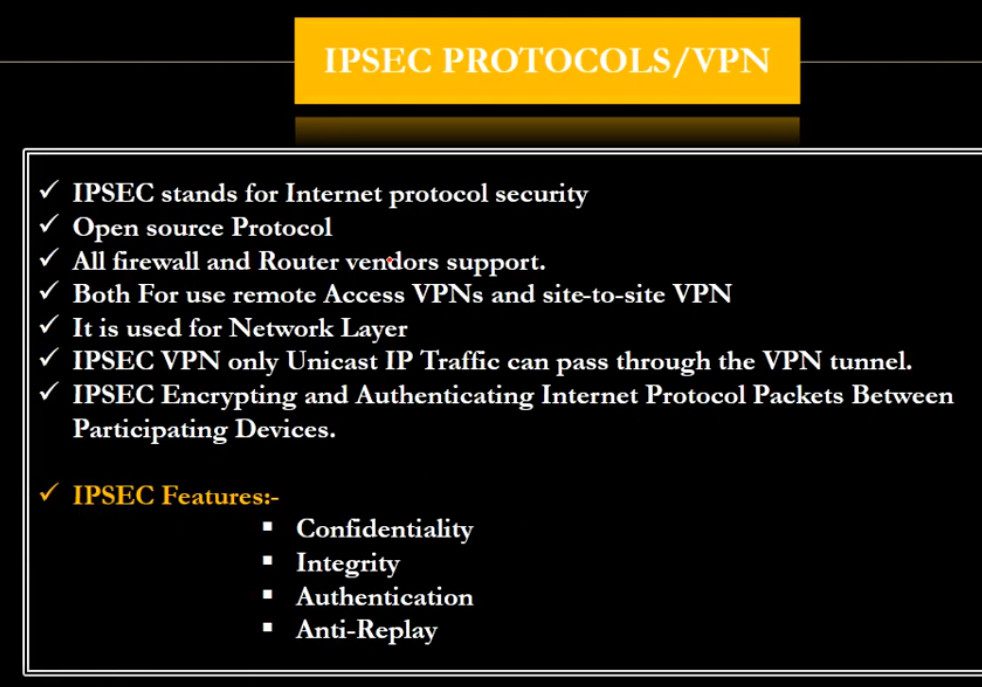
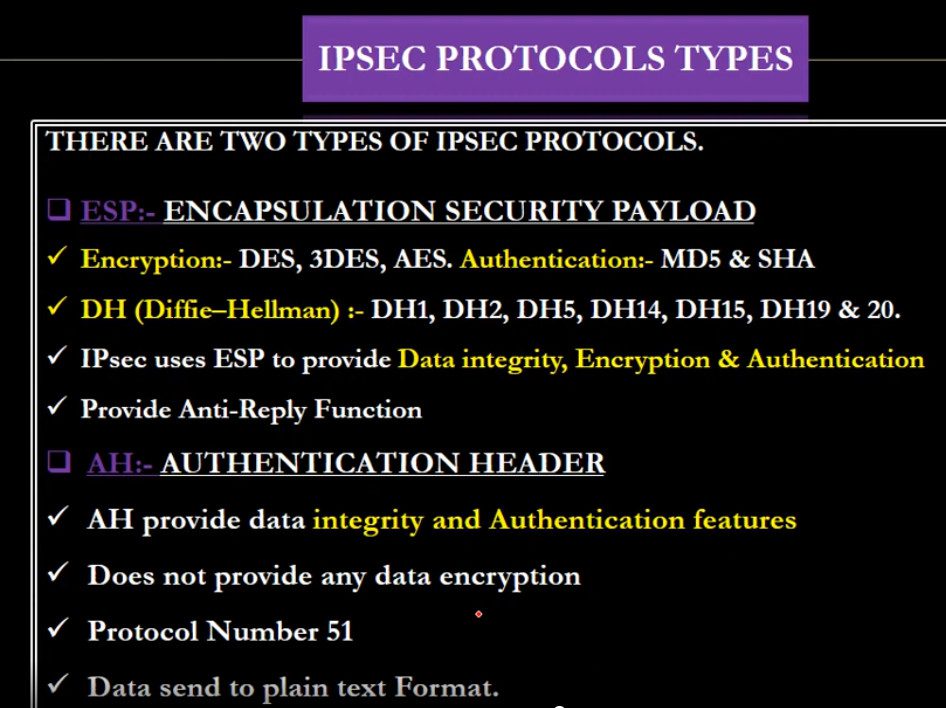
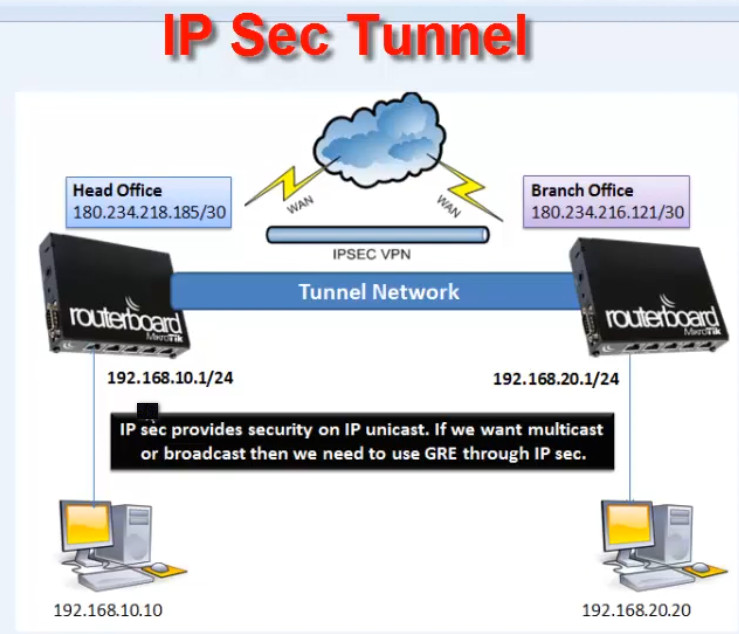
Description: IPsec is a protocol suite that provides security services for IP packets at the network layer. It ensures data confidentiality, integrity, and authentication. While IPsec is commonly used in site-to-site and remote access VPNs, it can also be used in Layer 3 VPNs.
Key Features:
- Encryption: IPsec uses strong encryption algorithms like AES to secure traffic.
- Authentication: Provides authentication to verify the identity of the parties communicating.
- Tunneling: Encrypts entire IP packets and sends them through a secure tunnel.
- Can be used with routing protocols (e.g., BGP, OSPF) for dynamic routing.
- Use Case: Secure communication between remote sites or between branch offices over the internet, especially in smaller or medium-sized networks.
- DMVPN (Dynamic Multipoint Virtual Private Network)
Description: DMVPN is a Cisco proprietary VPN technology that allows dynamic, on-demand communication between remote sites over a public or private network. DMVPN combines GRE (Generic Routing Encapsulation) tunneling with IPsec encryption and uses dynamic routing protocols like EIGRP or OSPF to establish direct communication between remote sites.
Key Features:
- Dynamic Tunnel Creation: Tunnels are established dynamically between remote sites as needed.
- Multipoint Connectivity: Allows for secure direct communication between multiple remote sites without needing to route traffic through a central hub.
- Uses GRE tunneling for encapsulation and IPsec for encryption.
- Use Case: Ideal for organizations with a large number of remote offices that need a flexible, scalable, and secure VPN solution.
- GRE (Generic Routing Encapsulation)
Description: GRE is a simple, lightweight tunneling protocol used to encapsulate a wide variety of Layer 3 protocols (such as IP, IPv6, and multicast) for transmission over an IP network. While GRE itself does not provide encryption, it is often combined with IPsec or other security protocols to secure the traffic.
Key Features:
- Encapsulation: Encapsulates Layer 3 packets for transport across an IP network.
- Protocol Transparency: Supports any Layer 3 protocol, which makes it versatile.
- Does not inherently provide encryption, so additional security layers (like IPsec) are needed.
- Use Case: Used for connecting remote offices in a simple, lightweight, and cost-effective manner, often in combination with IPsec for security.
- BGP/MPLS L3 VPN (Border Gateway Protocol/MPLS Layer 3 VPN)
Description: BGP/MPLS L3 VPN is a solution that uses BGP to distribute routing information between multiple sites and MPLS to label the traffic for efficient forwarding. This approach is typically used by service providers to manage and route data for multiple customers over a shared MPLS network infrastructure.
Key Features:
- Uses BGP for routing and distributing VPN-specific information (like route prefixes) across the network.
- Leverages MPLS labels for forwarding traffic without relying solely on IP addresses.
- VRF (Virtual Routing and Forwarding): Isolates different customers’ routing information within separate virtual routing tables.
- Use Case: Large enterprises and ISPs that need to connect multiple customers securely over a shared infrastructure while maintaining routing isolation.
- VxLAN (Virtual Extensible LAN)
Description: VxLAN is an overlay network technology designed to create a virtual Layer 3 network on top of an existing physical network, using IPsec or MPLS for encapsulation. It extends Layer 2 networks over long distances, allowing virtual networks to span data centers.
Key Features:
- Encapsulation: VxLAN encapsulates Ethernet frames inside UDP packets, allowing Layer 2 networks to extend over Layer 3 infrastructure.
- Network Isolation: Allows for multi-tenancy by creating isolated Layer 2 domains.
- Scalable: Provides scalability by supporting up to 16 million unique VXLAN segments (compared to the 4,094 available VLANs).
- Use Case: Often used in data center networks, particularly for multi-tenant environments and cloud services.
What are VPNs used for?
Regular internet users and organizations use VPNs for virtual privacy. Organizations deploy VPNs to ensure authorized users can access their data center using encrypted channels. VPNs also enable users to connect to a database from the same organization located in a different area.
VPNs provide remote employees, gig economy freelance workers and business travelers with access to software applications hosted on proprietary networks. To gain access to a restricted resource through a VPN, the user must be authorized to use the VPN and provide one or more authentication factors. These can be passwords, security tokens or biometric data.
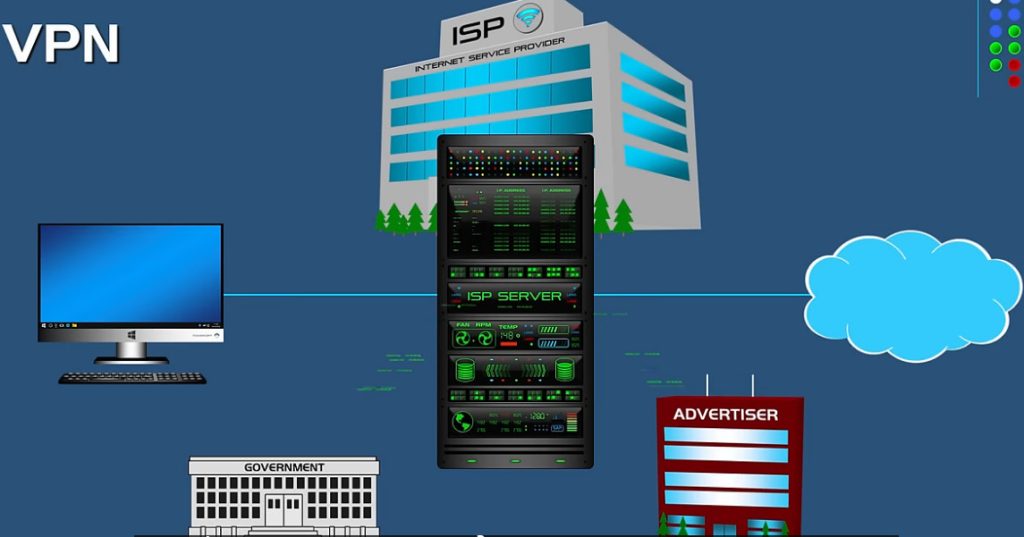
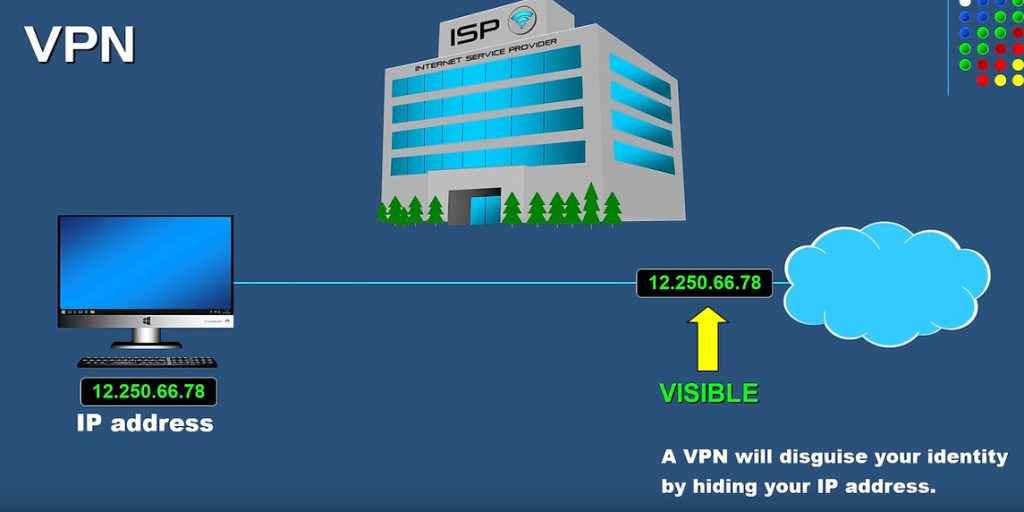
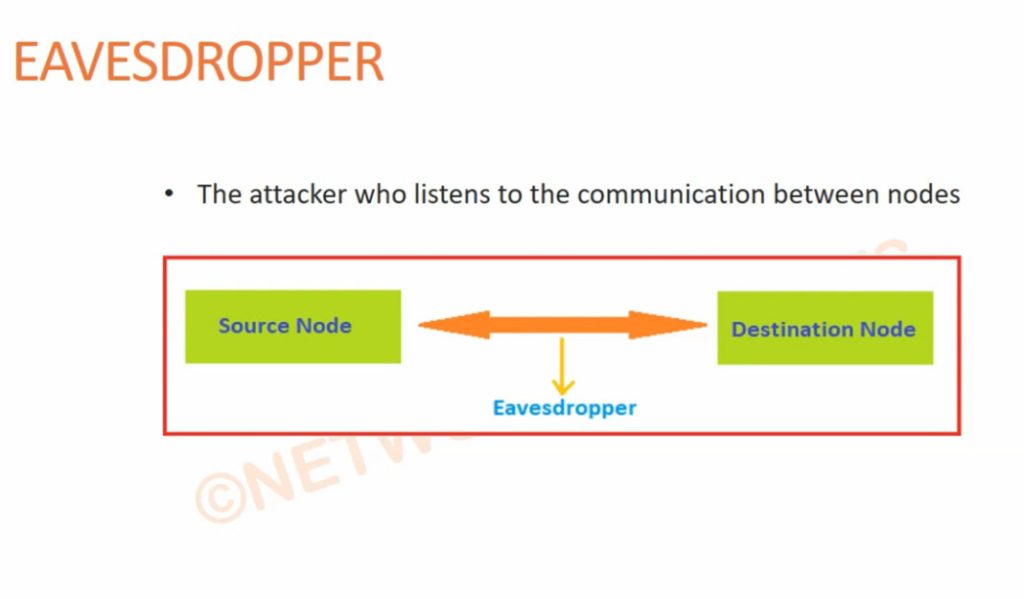
When an internet user surfs the web, an attacker could access information, including browsing habits or IP addresses. If privacy is a concern, a VPN can provide users with peace of mind. Most users find value in VPN’s encryption, anonymity and ability to get around geographically blocked content.
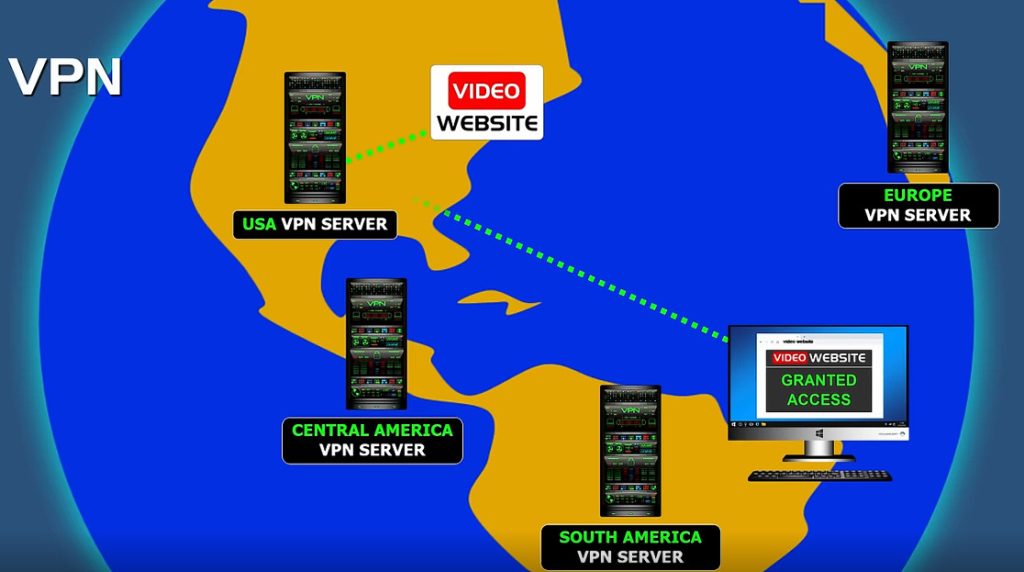
For example, getting around blocked content from another country might be extremely useful for journalists. If a country is likely to block internet content from foreign entities, journalists could use a VPN to look like they’re within that country.
VPN protocols
VPN protocols ensure an appropriate level of security to connected systems when the underlying network infrastructure alone can’t provide it. Several different protocols can secure and encrypt data. They include the following:
- IP Security (IPsec).
- Secure Sockets Layer (SSL) and Transport Layer Security (TLS).
- Point-to-Point Tunneling Protocol (PPTP).
- Layer 2 Tunneling Protocol (L2TP).
- OpenVPN.
Benefits and challenges of using a VPN
Benefits of using a VPN include the following:
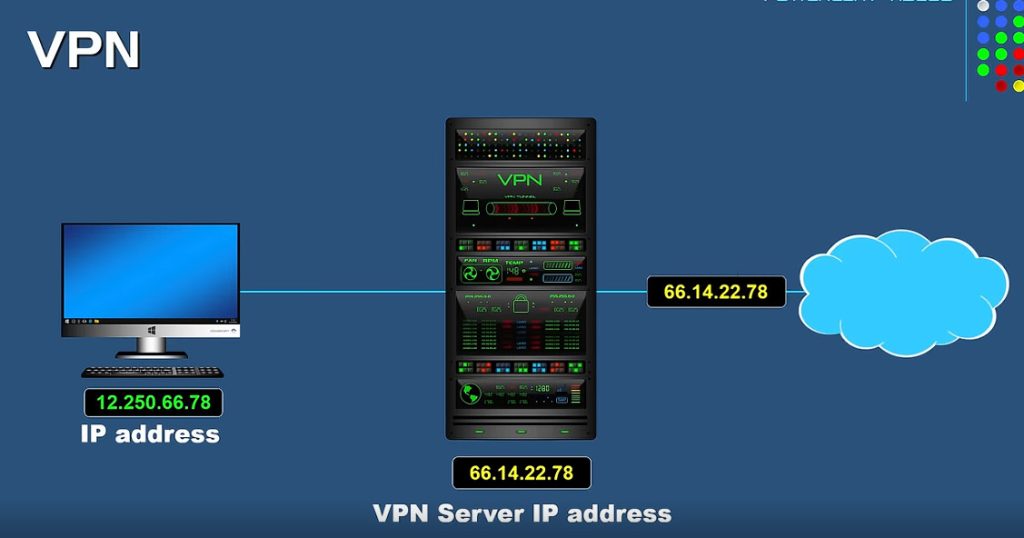
- The ability to hide a user’s IP address and browsing history.
- Secure connections with encrypted data.
- Bypassing geo-blocked content.
- Making it more difficult for advertisers to target ads to individuals.
The challenges of using a VPN include the following:
- Not all devices support a VPN.
- VPNs do not protect against every threat.
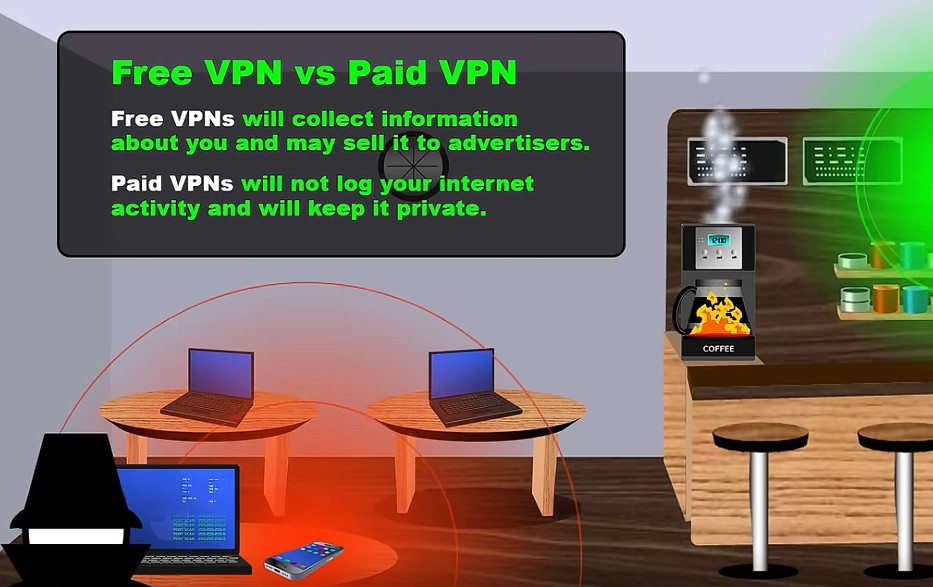
- Paid VPNs are more trusted, secure options.
- A VPN might slow down internet speeds.
- Anonymity through VPNs has limitations — for example, browser fingerprinting is still possible.
History of VPNs
VPN technology was first used in 1996 when a Microsoft employee developed PPTP. The protocol created a more secure private connection between a user device and the internet. In 1999, Microsoft published the specification.
In the early 2000s, VPNs were mostly associated with and used by businesses to access private business networks. In this use case, organizations were able to access company data from anywhere while looking as if they were in the office. Secure file sharing between different offices became possible. However, the technology wasn’t often used by average online users.
After this, encryption standards became more powerful and new tunneling protocols were developed. As individuals started to learn about potential online threats and privacy issues, VPN use expanded to individual, at-home users. Privacy scandals were injected into the modern zeitgeist, such as WikiLeaks or the separate security leaks by Edward Snowden.
Around 2017, internet users in the U.S. learned that ISPs could collect and sell their browsing history. Net neutrality became a concept citizens had to fight for — and effectively lost. The U.S. House of Representatives passed a bill in 2019 to bring back net neutrality but was ultimately blocked by the Senate. In 2024, the FCC voted to restore net neutrality, but U.S. courts blocked the ruling in August of the same year. Some states have enacted versions of net neutrality laws. With this knowledge, the use of VPNs became a more legitimate need for individuals.
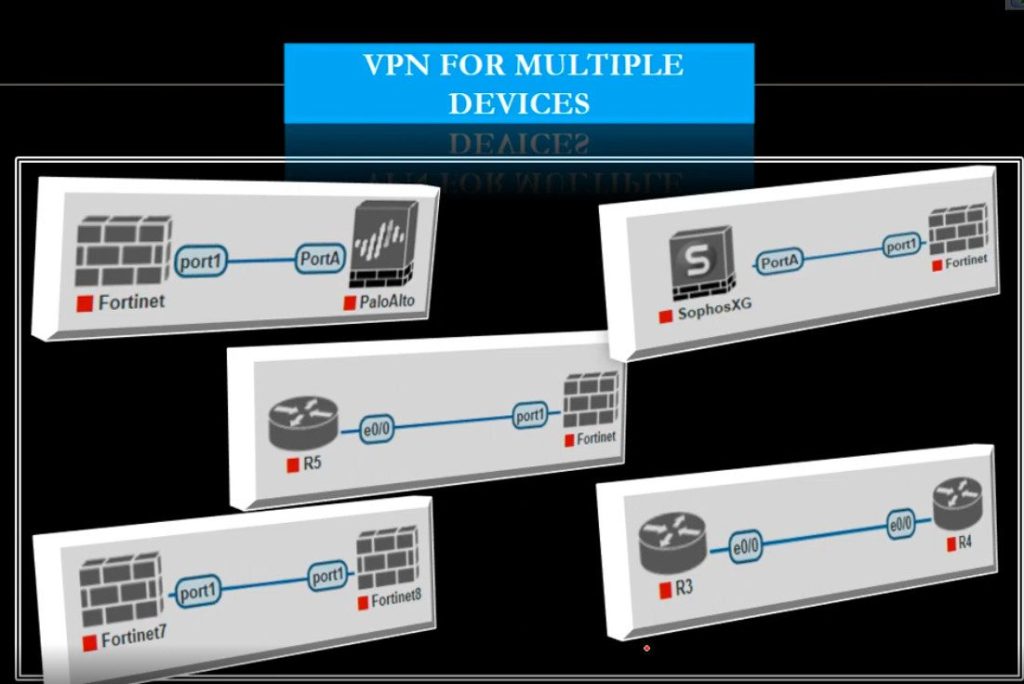
VPN Slide

VPN Slide 2
VPN Slide 3

How does Symmetric and Asymmetric Key Cryptography Works Together
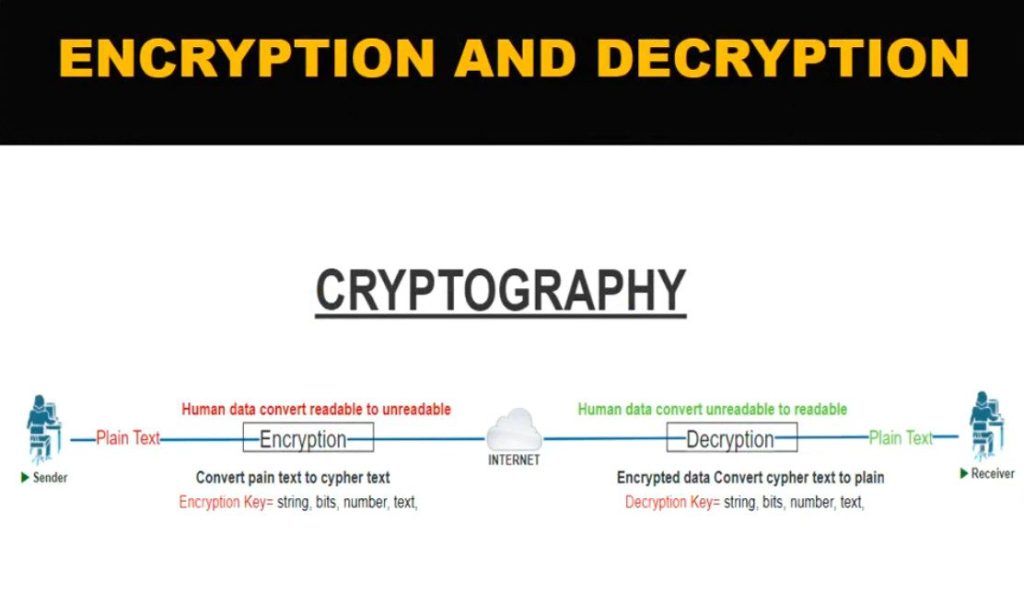
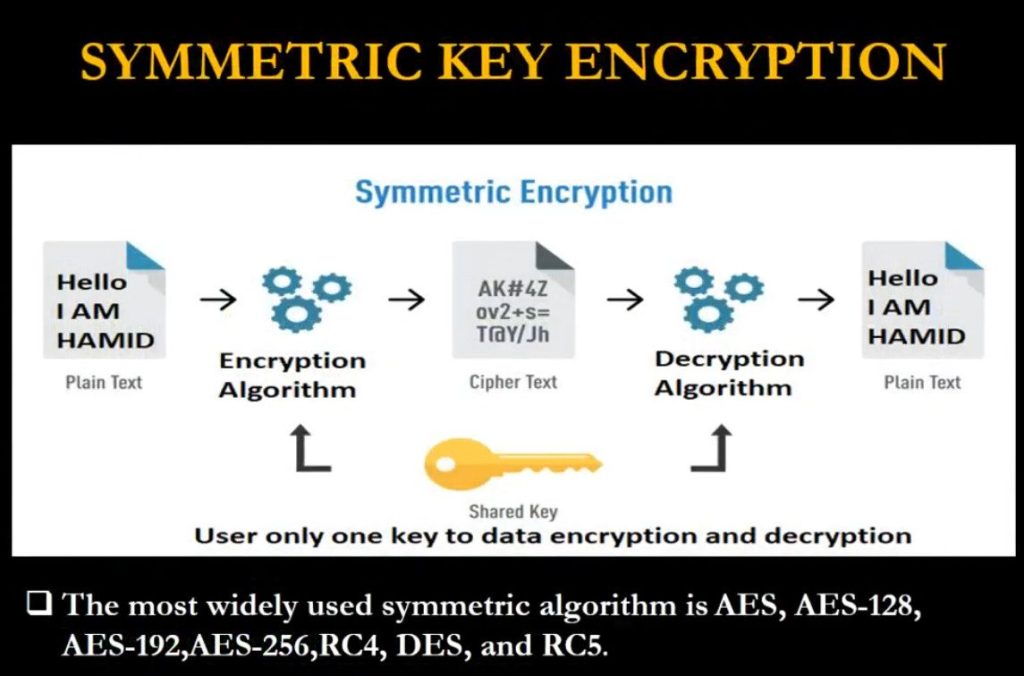
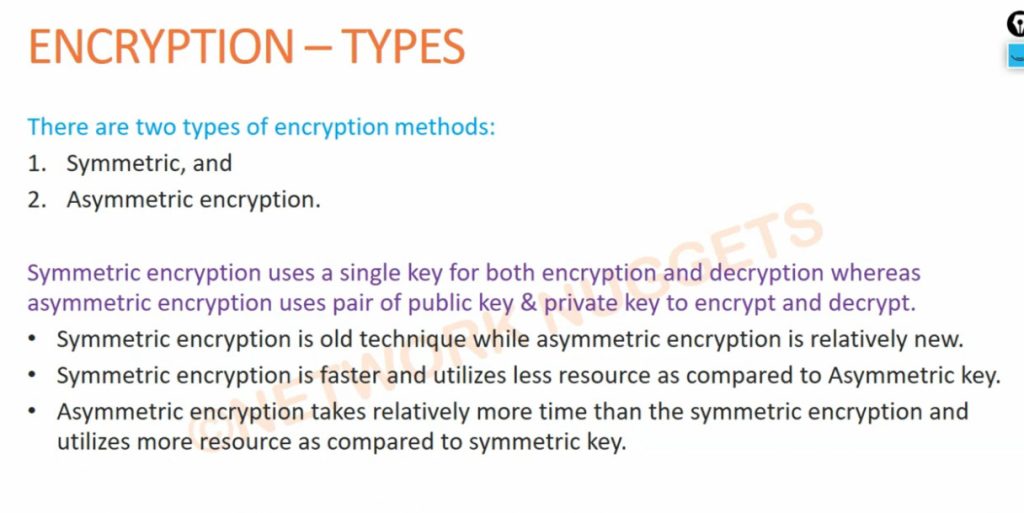
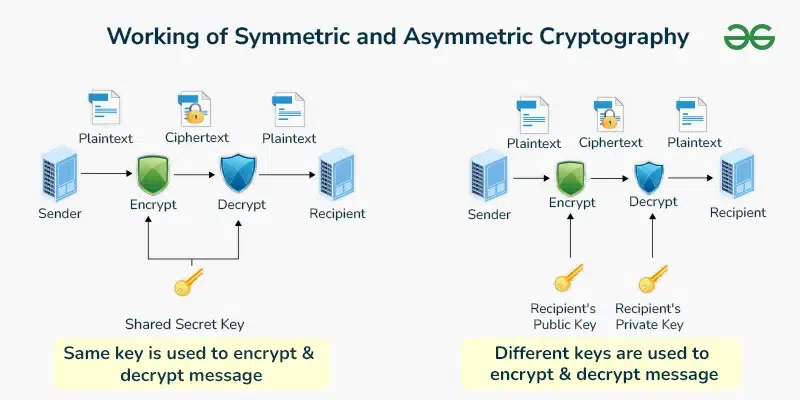
While using the symmetric and the asymmetric key cryptography the secure communication system can take advantage of all the parameters and the outcomes of both. As for the second type of key, the areas of application of symmetric key cryptography are high efficiency and the speed at which operations are carried out, therefore, it is advisable to use big data for encryption. In contrast, asymmetric key cryptography involves the use of two zones of secure keys namely the public and the private keys to provide a fair yet more secure means of exchanging keys and the process of authenticating the same.
In this approach, integrating both methods can guarantee that systems can transmit data securely, the asymmetric cryptographic method safely transmits the symmetric keys needed to encrypt vast amounts of data. This type of cryptography combines the strengths of security and performance and is widely used in modern cryptographic protocols.
What is Symmetric Key Cryptography?
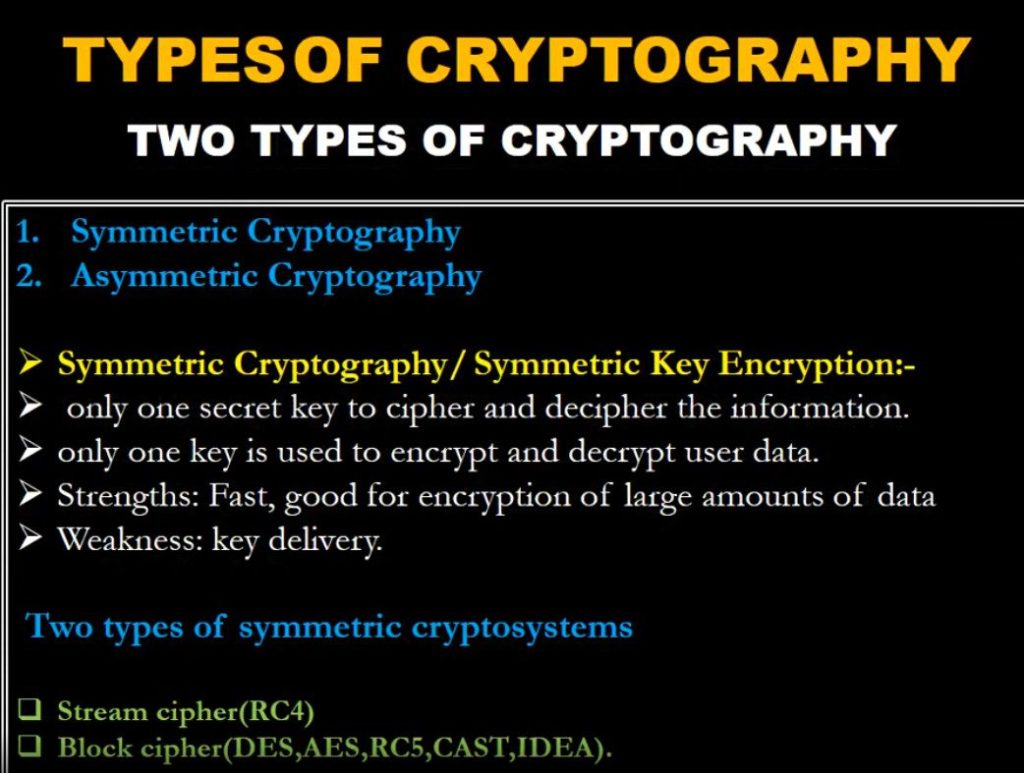
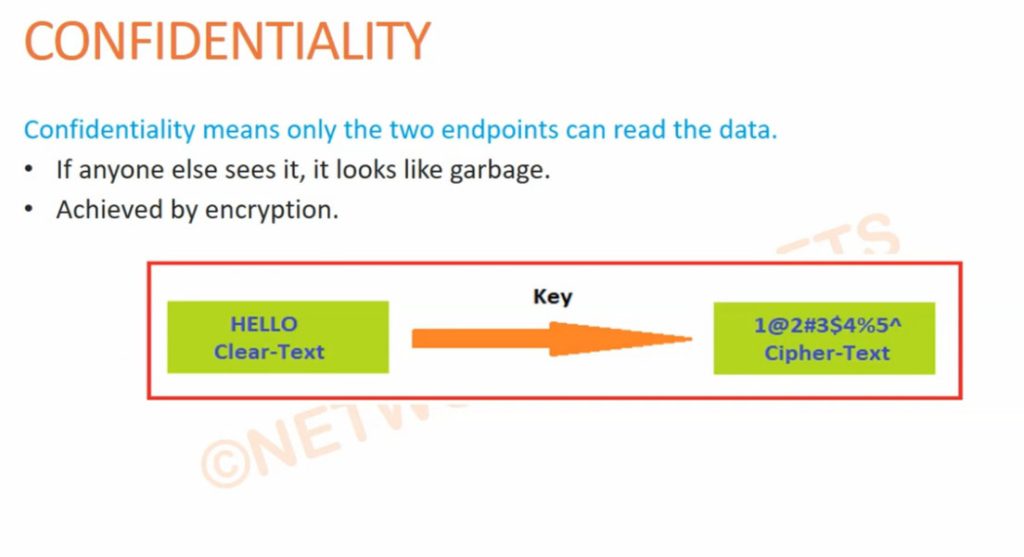
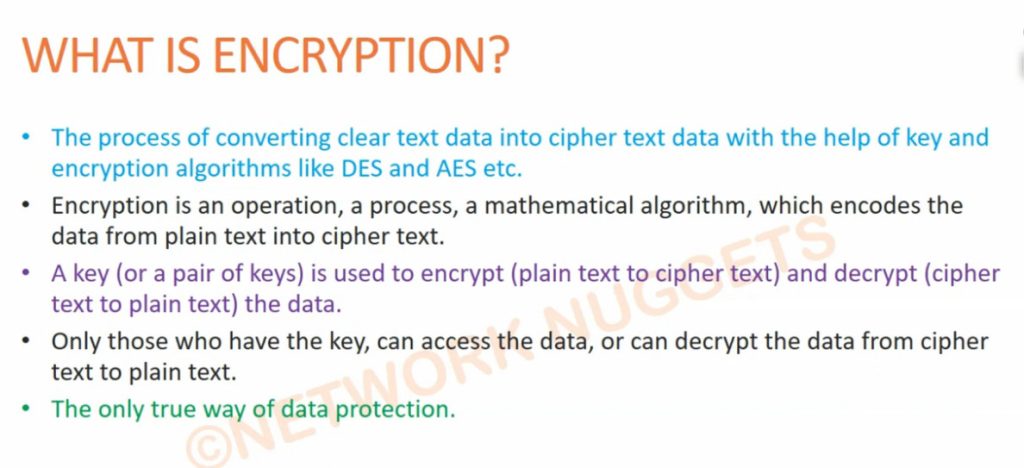
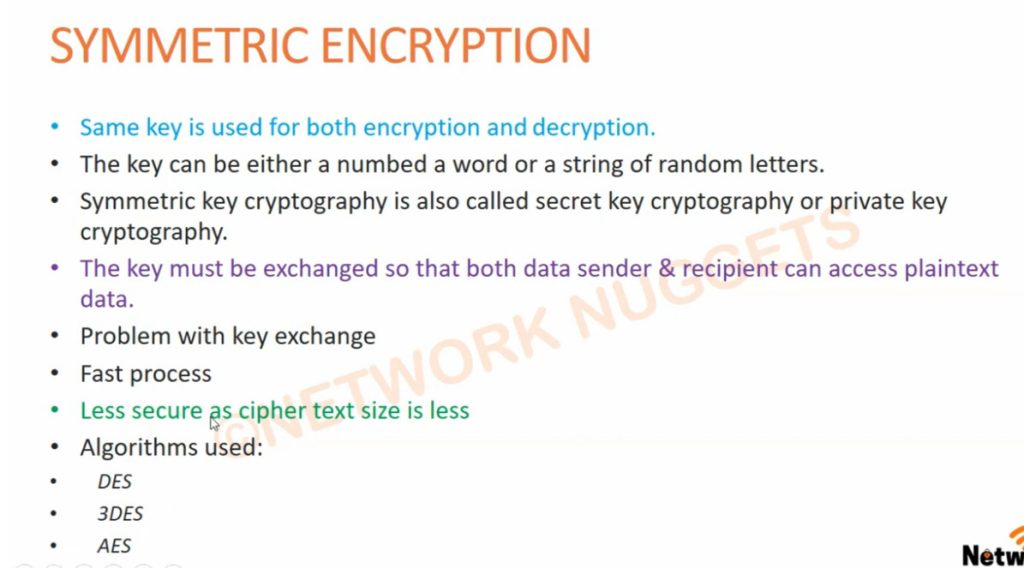
Symmetric key cryptography often referred to as secret key cryptography involves the use of a single key for both the encryption and decryption of the message. In this system, the same key is implemented in the sender and receiver to make certain only they can unscramble the information. This method depends on the key and the key is sensitive such that if it comes into the wrong hands the messages being transmitted are at a high risk of being intercepted. It is used when there is a necessity to transfer a large amount of data, often it is faster and consumes fewer resources than asymmetric key cryptography.
Features of Symmetric Key Cryptography
- Efficiency: Often, symmetric key cryptography may take less time and is more effective as it is a good choice for large amounts of data.
- Simplicity: It only requires one key- the secret key to both encrypt and decrypt the text, making it easier in cryptology.
- Security: Security is with the key used in the communication, and it thus means that the two parties in the communication should ensure the secrecy of the key.
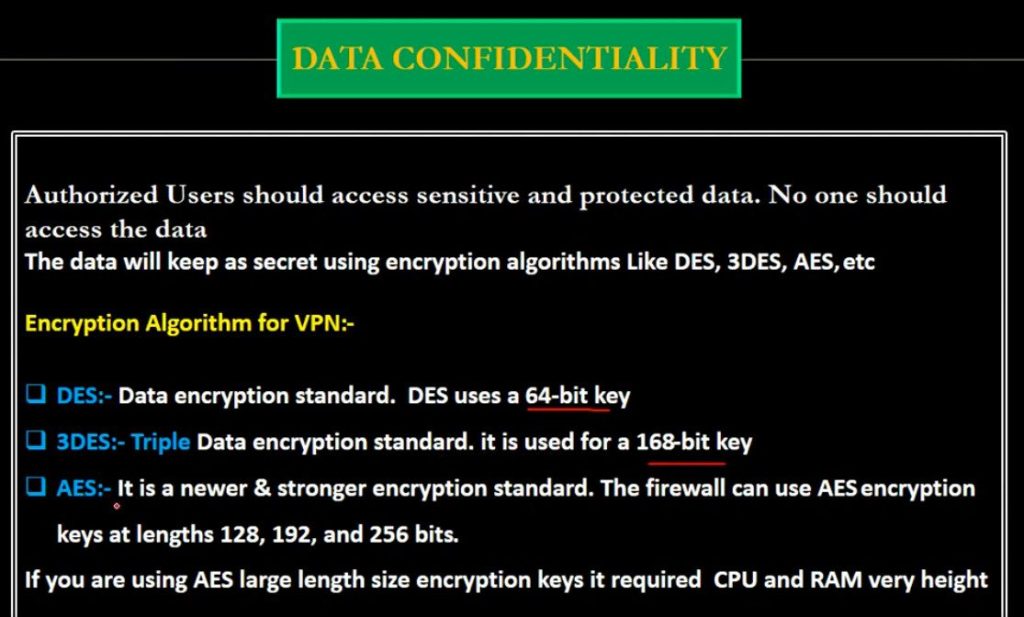
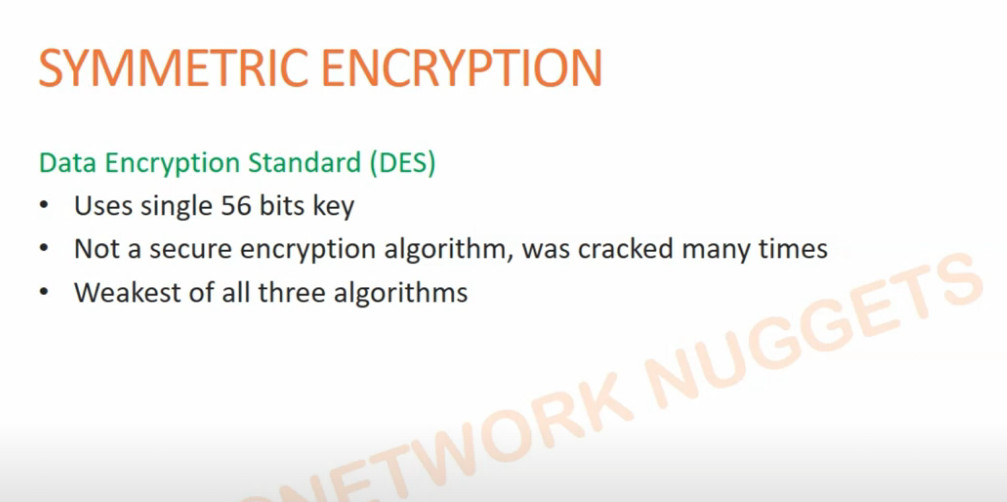
- Speed: These cryptographic algorithms like AES(Advanced Encryption Standard) and DES(Data Encryption Standard) are specifically designed to work with the speed of encryption and decryption hence making them real-time.
- Symmetry: The same key is used both for the encryption method and the decryption method, therefore, the communicating parties require secure methods of key distribution.
What is Asymmetric Key Cryptography?
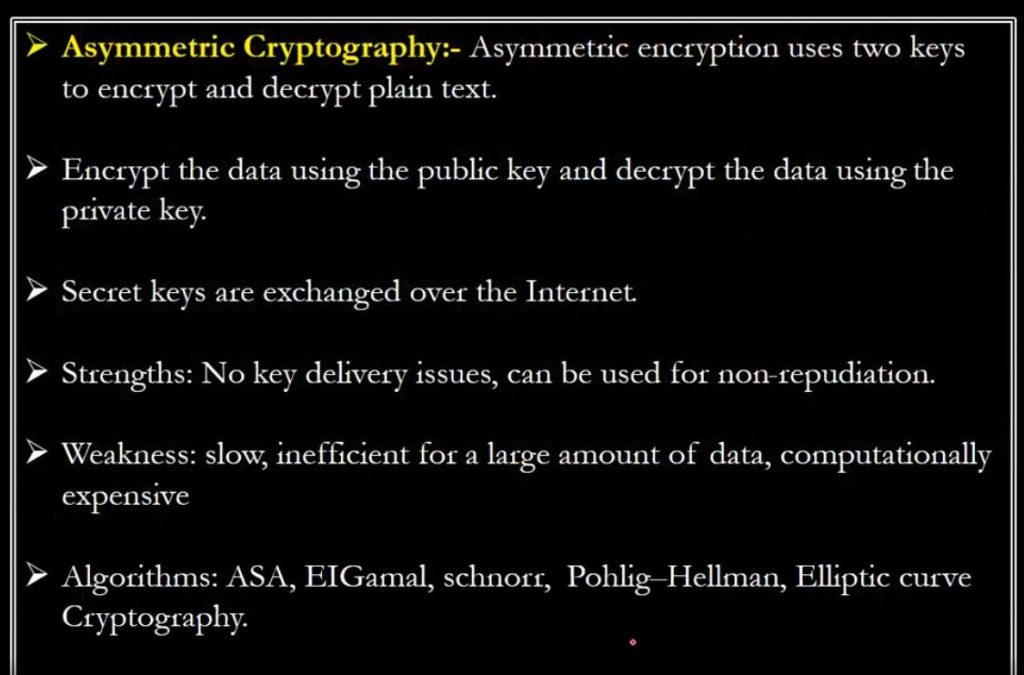
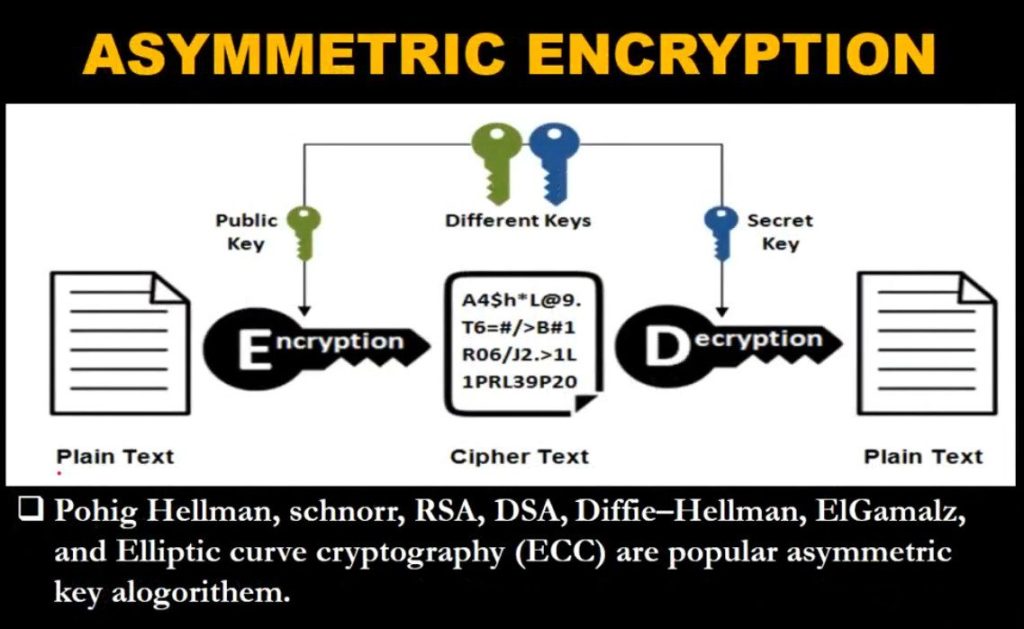
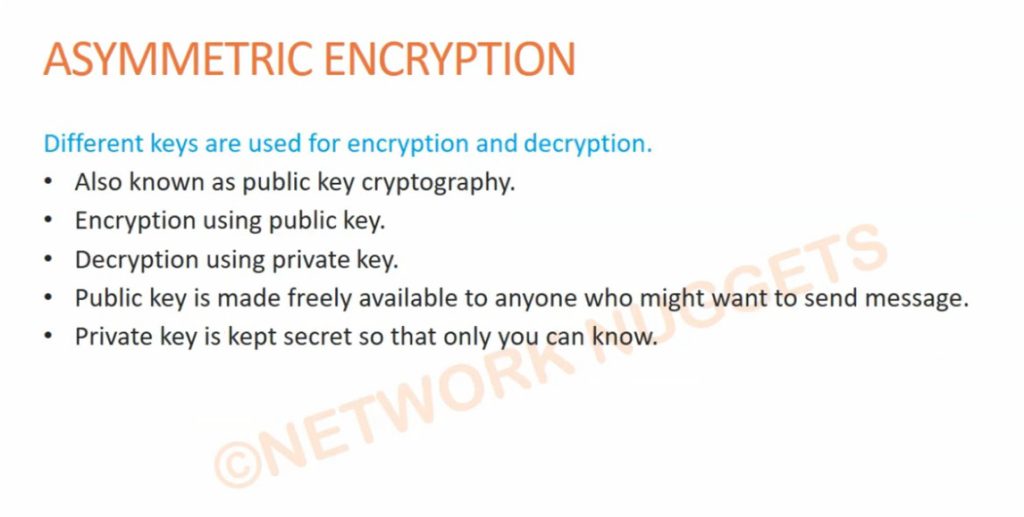
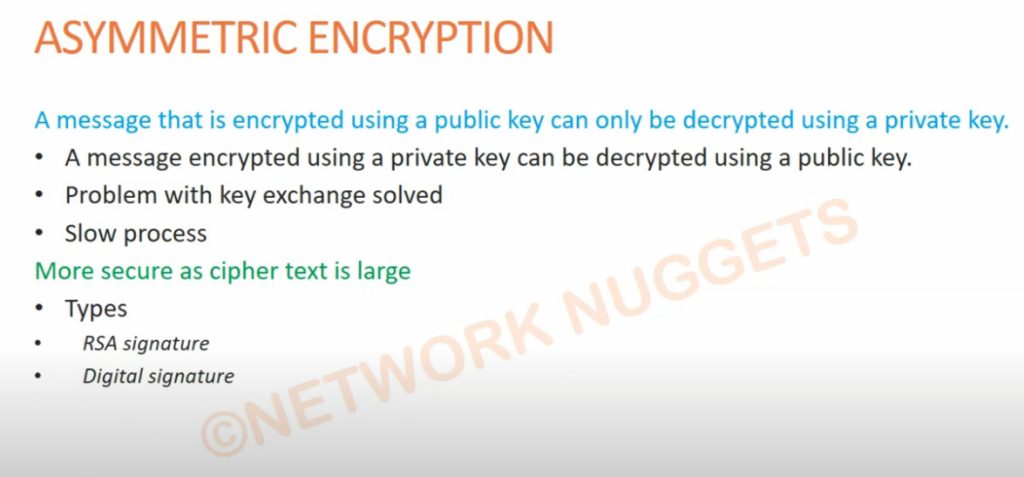
Public-key cryptography or asymmetric-key cryptography is another type where the same key is not used for the encryption and decryption processes, instead, it involves the use of two keys – the public key and the private key. The public semi-identical key is employed for the encryption of the data and the private unique key for decryption of the data. This method does not require the users to exchange secret keys which coupled with the asymmetrical key system makes the method sound and secure to implement in other unsecured networks. Based on the asymmetric cryptography mechanism, digital signatures and secure key exchange mechanisms are essential in numerous security protocols.
Features of Asymmetric Key Cryptography
- Key Pair: Encrypts and decrypts data using a combination of two keys, the public and the private thereby increasing the level of security.
- Confidentiality: Public keys do not require secrecy while private keys are only known to the clients to enhance security.
- Digital Signatures: Allows generating of digital signatures, guaranteeing the message’s noninterest and originality.
- Key Distribution: More secure as only the public key has to be exchanged and not the private key, which helps prevent an opponent from getting access to those keys.
- Resource Intensive: The typical attributes of asymmetric key cryptography are usually that it is marginally slower and more resource-consuming than symmetric one and therefore is not well applicable to large amounts of data including massive files.
How is Each Type of Encryption Used?
Symmetric Encryption
1. Data Encryption
- Usage: Encoding of a large number of data as fast as possible.
- Example: AES (Advanced Encryption Standard) is used to encrypt files, databases and communication channels in some high-speed encryption applications.
2. Secure Communication
- Usage: Maintaining secure transfer of data in one’s real-time.
- Example: In website security during browsing, symmetric encryption such as TLS employs AES to encrypt data.
3. Storage Encryption
- Usage: Data safety or storage contained on the devices and media.
- Example: There are other full-disk encryption solutions which include, BitLocker and FileVault Full-disk encryption employs AES to encrypt the entire contents of a disk.
Asymmetric Encryption
1. Key Exchange
- Usage: Swapping of keys to be used in an arrangement over an untrusted network.
- Example: During the SSL/TLS initiation, RSA or ECC is used to encrypt the series of keys safely.
2. Digital Signatures
- Usage: Incorporating the features related to the protection of messages and documents’ authenticity and integrity.
- Example: RSA or DSA (Digital Signature Algorithm) in email security programs like S/MIME or services like Adobe Sign recognize the sender’s identity and confirm that the message was not altered.
3. Email Encryption
- Usage: Preventing unauthorized access to the contents of the emails.
- Example: PGP and GPG use asymmetric encryption to encrypt the symmetric key which in turn encrypts the content of the email and can be decrypted only by the intended recipient.
VPN oneshot Explain
A VPN (Virtual Private Network) is a service that allows you to connect to the internet through an encrypted tunnel, providing security and privacy. There are several types of VPNs, each with different protocols and uses. Here’s an overview of the common types of VPNs:
1. Remote Access VPN
- Purpose: Allows individual users to connect to a private network (such as a corporate network) from a remote location over the internet.
- Use case: Commonly used by employees working remotely or traveling.
- Example: A company employee accessing their work computer securely from home.
2. Site-to-Site VPN
- Purpose: Connects two or more networks (usually offices) over the internet securely, so they can communicate as if they were on the same local network.
- Use case: Used by businesses with multiple offices in different locations to securely share data and resources.
- Example: A company with offices in New York and London uses a site-to-site VPN to share files and resources securely between the offices.
3. Client-to-Site VPN
- Purpose: A type of remote access VPN where a user (client) connects to a private network (site).
- Use case: Similar to remote access VPN but specifically for client applications, allowing devices to securely access the site.
4. MPLS VPN (Multiprotocol Label Switching)
- Purpose: A type of VPN that uses a high-performance data-carrying technique for routing traffic across a private network.
- Use case: Mostly used by large enterprises for linking geographically dispersed locations.
- Example: A large corporation uses MPLS to link several data centers and offices around the world securely.
VPN Protocol Types
These protocols define how a VPN connection is established and how data is transmitted securely. Some common VPN protocols include:
PPTP (Point-to-Point Tunneling Protocol)
- Security: Low (outdated and considered less secure).
- Speed: Fast, but weak encryption.
- Use case: Mostly used for simple, low-security connections.
L2TP/IPsec (Layer 2 Tunneling Protocol with Internet Protocol Security)
- Security: Stronger encryption than PPTP.
- Speed: Moderate speed due to double encapsulation.
- Use case: Good for secure communications where speed is not the primary concern.
OpenVPN
- Security: Very secure (uses SSL/TLS encryption).
- Speed: Moderate to high speed.
- Use case: Preferred for private and open-source VPNs due to high security and flexibility.
IKEv2/IPsec (Internet Key Exchange version 2)
- Security: Very secure and fast.
- Speed: Fast and stable.
- Use case: Ideal for mobile devices because it reconnects quickly after a drop in connection.
WireGuard
- Security: Very secure and efficient, using modern cryptography.
- Speed: Faster than older protocols like OpenVPN and IKEv2.
- Use case: Gaining popularity for its simplicity, performance, and strong security.
SSTP (Secure Socket Tunneling Protocol)
- Security: Strong (uses SSL/TLS for encryption).
- Speed: Moderate.
- Use case: Often used when connecting over networks that block other VPN protocols, such as strict firewalls.
Summary:
The choice of VPN type and protocol depends on the specific needs, such as security requirements, speed, and the type of device being used. For most users, OpenVPN and WireGuard are recommended for their security and performance.
Advantages of VPN
- Security: VPN provides a high level of security by encrypting data and ensuring that the user’s IP address is hidden.
- Privacy: VPN offers privacy by masking the user’s identity and location, making it difficult for advertisers and trackers to monitor user behavior.
- Access to geo-restricted content: VPN allows users to access content that is blocked or restricted in their region by connecting to a server in another location.
- Flexibility: VPN is flexible and can be used with a variety of devices and operating systems.
- Remote access: VPN allows remote access to a company’s network, making it easy for employees to work from anywhere.
Disadvantages of VPN
- Slower speeds: VPN can cause slower internet speeds due to the overhead associated with encryption and decryption of data.
- Higher cost: Some VPN services require a subscription fee, which can be a barrier to entry for some users.
- Risk of malware: Some free VPN services may carry malware or other security risks, so it is important to choose a reputable provider.