
What is Raid
RAID (Redundant Array of Independent Disks) is a data storage technology that combines multiple physical hard drives into a single logical unit to improve performance, increase storage capacity, and provide data protection against disk failure. Instead of storing all data on one single hard drive, RAID distributes data across two or more drives using different techniques such as striping, mirroring, and parity. Striping divides data into small blocks and writes them across multiple disks at the same time, which increases read and write speed. Mirroring creates an exact copy of data on another disk so that if one disk fails, the data is still available from the second disk. Parity stores extra recovery information that can be used to rebuild lost data when a disk fails. The main purpose of RAID is to ensure high availability of data, better system performance, and fault tolerance in storage systems such as servers, data centers, and NAS devices.
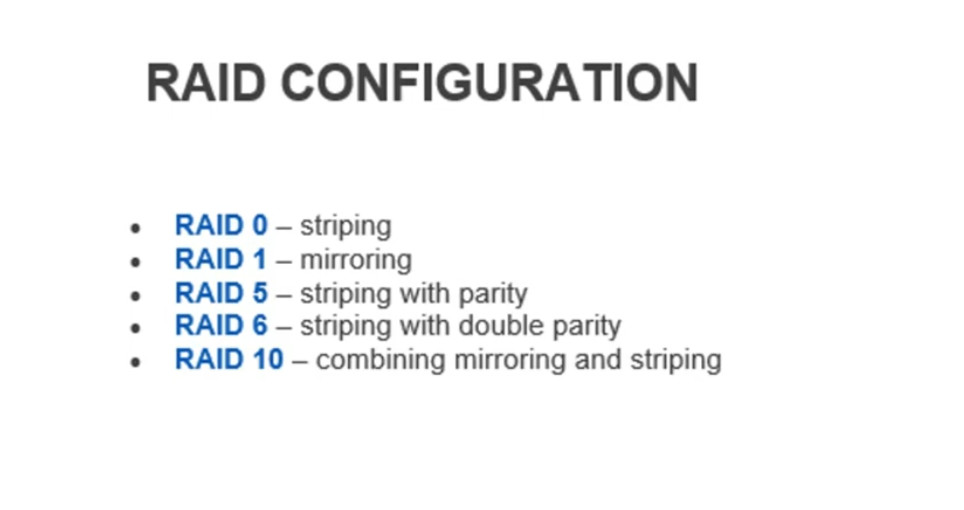
There are several RAID levels, each designed for different needs. RAID 0 uses striping only and focuses entirely on performance. It splits data across two or more disks, which makes read and write operations very fast, but it provides no fault tolerance at all. If even one disk fails in RAID 0, all data is lost. RAID 1 uses mirroring, meaning the same data is written to two disks simultaneously. This provides high data protection because if one disk fails, the system can continue working using the mirrored disk. However, RAID 1 uses more storage because only half of the total disk space is usable. RAID 5 uses both striping and parity and requires at least three disks. It distributes parity information across all drives, allowing the system to survive the failure of one disk without losing data. RAID 6 is similar to RAID 5 but stores double parity information, which means it can tolerate the failure of two disks at the same time. RAID 10 (also called RAID 1+0) combines the benefits of RAID 1 and RAID 0 by mirroring pairs of disks and then striping across those pairs. This provides both high performance and strong data protection, but it requires at least four disks and uses only half of the total storage capacity.
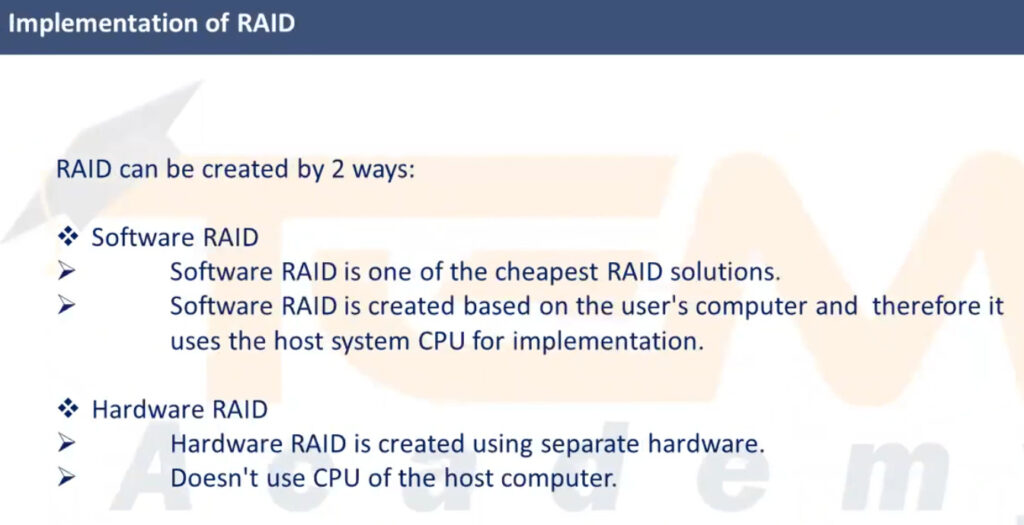
RAID can be implemented in two main ways: Hardware RAID and Software RAID. Hardware RAID uses a dedicated RAID controller card or built-in controller on a motherboard to manage the disks independently from the operating system. This method offers better performance, reliability, and faster rebuild times but is more expensive. Software RAID is managed by the operating system itself, such as in Windows Server or Linux, and does not require special hardware. It is cheaper and easier to configure but uses system CPU resources and is usually slower than hardware RAID. In both cases, the operating system sees the RAID array as a single large logical drive instead of multiple separate disks.
One important point to understand is that RAID is not the same as backup. RAID only protects against hardware disk failure, but it does not protect against accidental file deletion, virus attacks, ransomware, fire damage, or theft. If a file is deleted or corrupted, the same change is immediately mirrored or striped across all disks in the RAID array. Therefore, RAID must always be used together with a proper backup solution such as external drives or cloud storage. RAID improves availability and uptime, while backup ensures long-term data safety.
RAID is widely used in Servers, enterprise storage systems, network-attached storage (NAS), cloud data centers, and high-performance workstations. It is especially useful in environments where downtime is unacceptable, such as banking systems, hospitals, databases, and business servers. By using RAID, organizations can ensure continuous operation even when a hard disk fails, reduce the risk of data loss, and improve overall system performance. However, RAID also has disadvantages, including higher cost due to the need for multiple disks, complexity in setup and management, and long rebuild times when a disk fails and is replaced. Despite these limitations, RAID remains one of the most important and widely used storage technologies in modern computing.
In summary, RAID is a powerful storage technology that combines multiple disks into one system to achieve better speed, higher reliability, and continuous data availability. Different RAID levels provide different balances between performance, fault tolerance, and storage efficiency. RAID 0 focuses on speed, RAID 1 focuses on safety, RAID 5 and RAID 6 balance both speed and protection, and RAID 10 offers the best combination of performance and redundancy at a higher cost. Although RAID does not replace backup, it plays a critical role in protecting systems from disk failure and ensuring stable and reliable data storage in both small and large computing environments.
What is RAID?
RAID (Redundant Array of Independent Disks) is a technology that combines multiple hard disks into one logical unit to improve:
- Performance (speed)
- Data safety (fault tolerance)
- Storage capacity
Instead of using one single hard disk, RAID uses 2 or more disks together.
Why RAID is Needed?
Single hard disk problems:
- Disk can fail anytime ❌
- Slow read/write speed ❌
- No data protection ❌
RAID solves these problems by:
- Distributing data across disks
- Creating copies (mirror)
- Adding parity (error recovery)
How RAID Works (Basic Concept)
RAID uses three main techniques:
Striping
Data is split into blocks and written across multiple disks.
- Faster speed
- No protection
Mirroring
Exact copy of data is stored on another disk.
- High safety
- Uses double space
Parity
Extra information is stored to rebuild data if one disk fails.
- Balance of speed + safety
Types of RAID (All Levels Explained)
RAID 0 (Striping)
Minimum disks: 2
Data protection: ❌ None
Speed: Very fast
Usable space: 100%
Example:
2 disks × 1TB = 2TB usable
Advantages:
- High performance
- Full storage use
Disadvantages:
- If one disk fails → all data lost
Used in: Gaming PC, video editing (not for important data)
RAID 1 (Mirroring)
Minimum disks: 2
Data protection: Yes
Speed: Good read speed
Usable space: 50%
Example:
2 disks × 1TB = 1TB usable
Advantages:
- Very safe
- Easy recovery
Disadvantages:
Half storage wasted
Used in: Servers, OS disks
RAID 5 (Striping + Parity)
Minimum disks: 3
Data protection: ✅ 1 disk can fail
Speed: Good
Usable space: (N-1)
Example:
3 disks × 1TB = 2TB usable
Advantages:
- Balance of speed + safety
- Efficient storage use
Disadvantages:
- Slower write speed
- Rebuild takes time
Used in: File servers, NAS, enterprise storage
RAID 6 (Double Parity)
Minimum disks: 4
Data protection: ✅ 2 disks can fail
Speed: Slower than RAID 5
Usable space: (N-2)
Example:
4 disks × 1TB = 2TB usable
Advantages:
- Very safe
- Best for large storage
Disadvantages:
- More disks used for parity
- Write performance slower
Used in: Data centers, critical servers
RAID 10 (RAID 1 + RAID 0)
Combination of mirroring + striping
Minimum disks: 4
Data protection: ✅ Yes
Speed: Very fast
Usable space: 50%
Example:
4 disks × 1TB = 2TB usable
Advantages:
- High speed
- High safety
- Fast rebuild
Disadvantages:
Expensive (needs more disks)
Used in: Databases, enterprise servers
RAID Hardware vs Software
Hardware RAID
Uses RAID controller card
- Faster
- Independent of OS
- Costly
Software RAID
Managed by OS (Windows/Linux)
- Cheap
- Uses CPU
- Slower than hardware RAID
RAID is NOT Backup (Important)
RAID protects from disk failure only.
It does NOT protect from:
- Virus ❌
- File deletion ❌
- Fire/theft ❌
- Ransomware ❌
You still need backup (external disk / cloud).
Advantages of RAID
- Higher performance
- Data protection
- High availability
- Large storage pool
Disadvantages of RAID
- ❌ Expensive (more disks)
- ❌ Complex setup
- ❌ Rebuild time
- ❌ Not replacement for backup
Where RAID is Used?
- Servers
- NAS storage
- Data centers
- Database systems
- Video editing systems
- Cloud storage
Raid Slide



RAID Controller Card
A RAID Controller Card is a hardware device used in computers and servers to manage multiple hard drives or SSDs as a single logical storage unit using RAID (Redundant Array of Independent Disks) technology. It improves performance, data security (redundancy), and storage management compared to using single disks individually.
What is a RAID Controller Card?
A RAID controller card is an expansion card (usually PCIe) installed on the motherboard. It controls how data is written to and read from multiple disks based on the selected RAID level (like RAID 0, RAID 1, RAID 5, RAID 10, etc.).
It acts as a bridge between the operating system and physical storage drives.
Main Functions of RAID Controller Card
Disk Management
Combines multiple physical drives into one logical drive.
OS sees it as a single disk.
Data Protection (Redundancy)
Supports mirroring and parity (RAID 1, 5, 6, 10).
If one drive fails, data can still be accessed.
Performance Improvement
Uses striping (RAID 0, RAID 10) to increase read/write speed.
Ideal for servers and databases.
Error Detection & Recovery
Detects disk failure.
Automatically rebuilds data on a new drive (hot spare).
Cache Memory (Advanced Cards)
Some RAID cards have onboard cache (512MB–8GB).
Battery Backup Unit (BBU) or Super Capacitor keeps cache data safe during power failure.
Types of RAID Controllers
Hardware RAID Controller
- Dedicated physical card.
- Has its own processor and memory.
- High performance and reliability.
- Used in servers and enterprise systems.
- Example: Dell PERC, HP Smart Array, LSI/Avago RAID cards.
Software RAID
- Managed by operating system (Windows/Linux).
- No extra hardware needed.
- Uses CPU resources.
- Slower and less reliable than hardware RAID.
Fake RAID / Firmware RAID
- Built into motherboard chipset.
- Needs drivers and OS support.
- Not true hardware RAID.
Advantages of RAID Controller Card
✅ Better disk performance
✅ Data redundancy and fault tolerance
✅ Hot swap support
✅ Automatic rebuild
✅ Centralized storage management
✅ Ideal for servers, NAS, and data centers
Disadvantages
❌ Costly compared to software RAID
❌ If controller fails, same model may be needed to recover data
❌ Configuration is more complex
Where RAID Controller Cards are Used
- Servers (Windows Server, Linux Server)
- NAS / SAN storage systems
- Database servers
- Video editing systems
- Enterprise IT infrastructure
