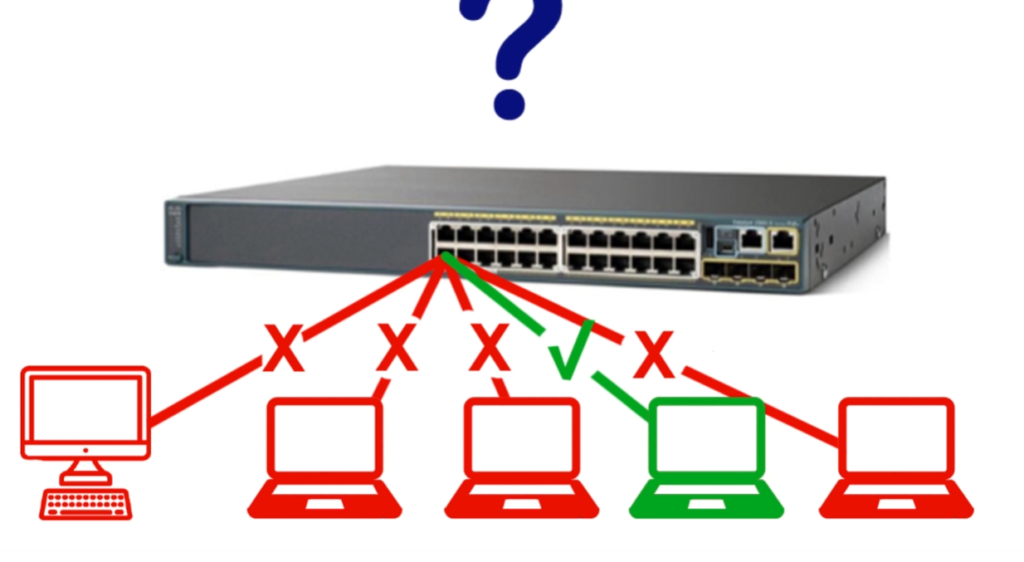
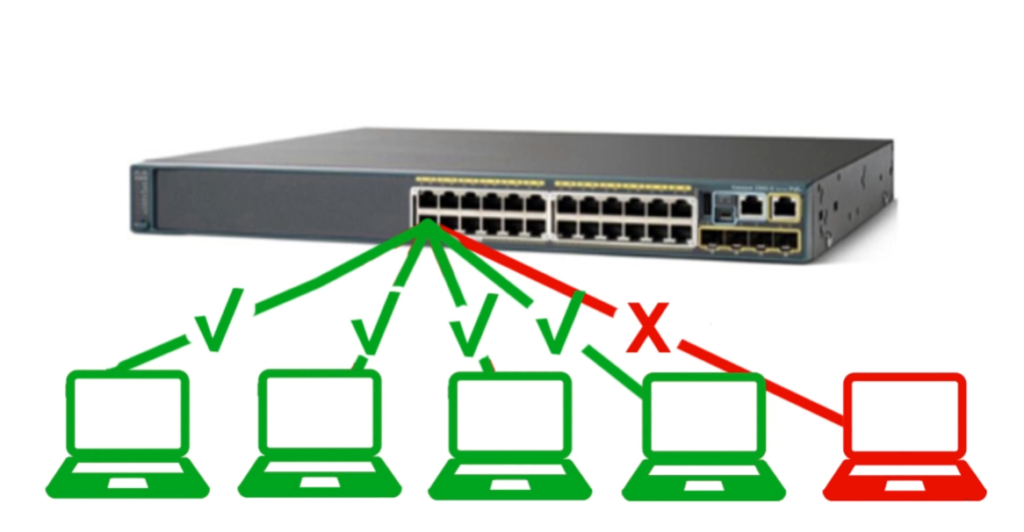
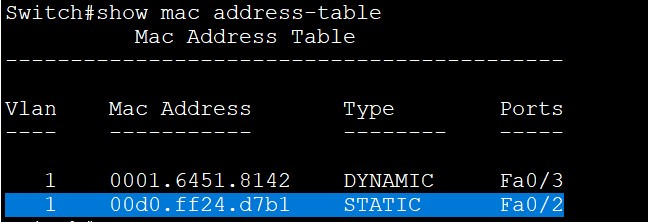
Port Security is a network switch security feature that allows only specific or limited MAC addresses to connect to a switch port and blocks or disables the port when an unauthorized device tries to access the network, helping to protect the LAN from unknown devices and security threats.
Port Security – Example
Example 1 (Office Network)
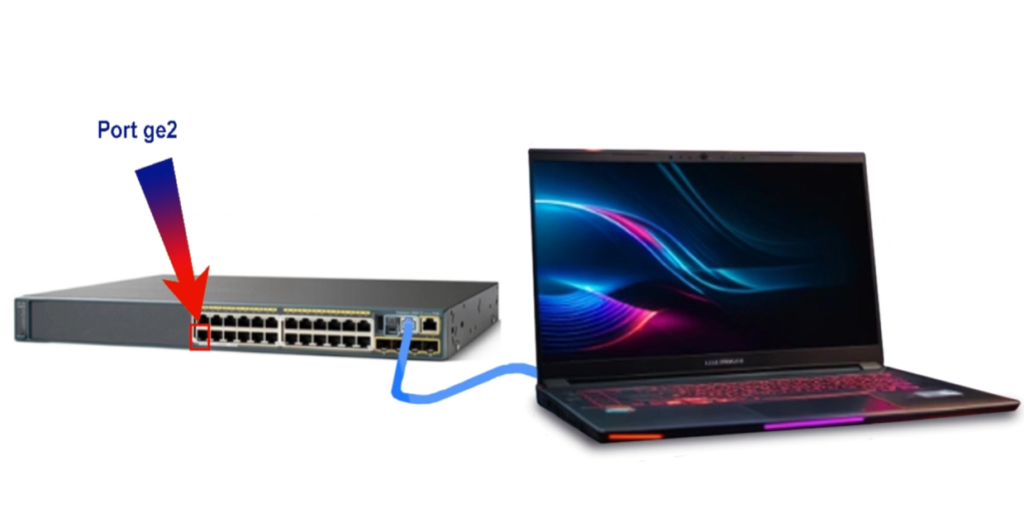
In a company office, Port 5 of a switch is assigned to a desktop computer with MAC address 00:1A:2B:3C:4D:5E. Port Security is enabled so only this device can use the port. If another laptop is connected to Port 5, the switch detects a different MAC address and blocks the connection or shuts down the port.
Example 2 (School Lab)
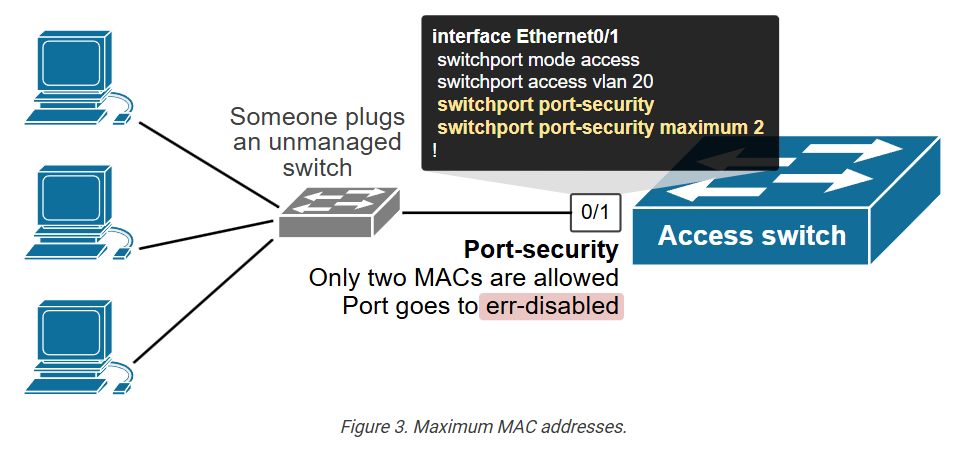
In a computer lab, each switch port is configured with Port Security to allow only one PC per port. If a student tries to connect a personal laptop or switch to the same port, the network blocks it, preventing unauthorized access and maintaining control over the lab network.
Example 3 (Server Room)
A server is connected to a switch port with Port Security enabled. Only the server’s MAC address is allowed. If someone tries to connect another device to that port, the switch immediately disables the port to protect important business data and services.
1. Definition
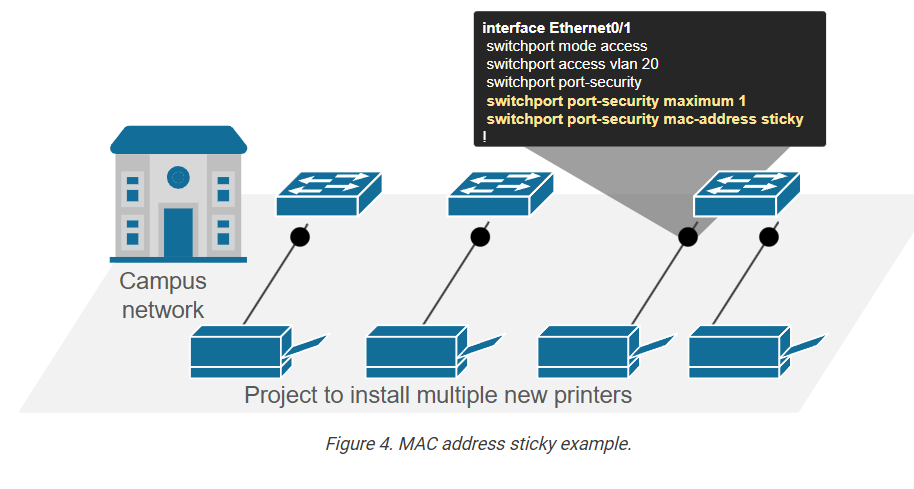
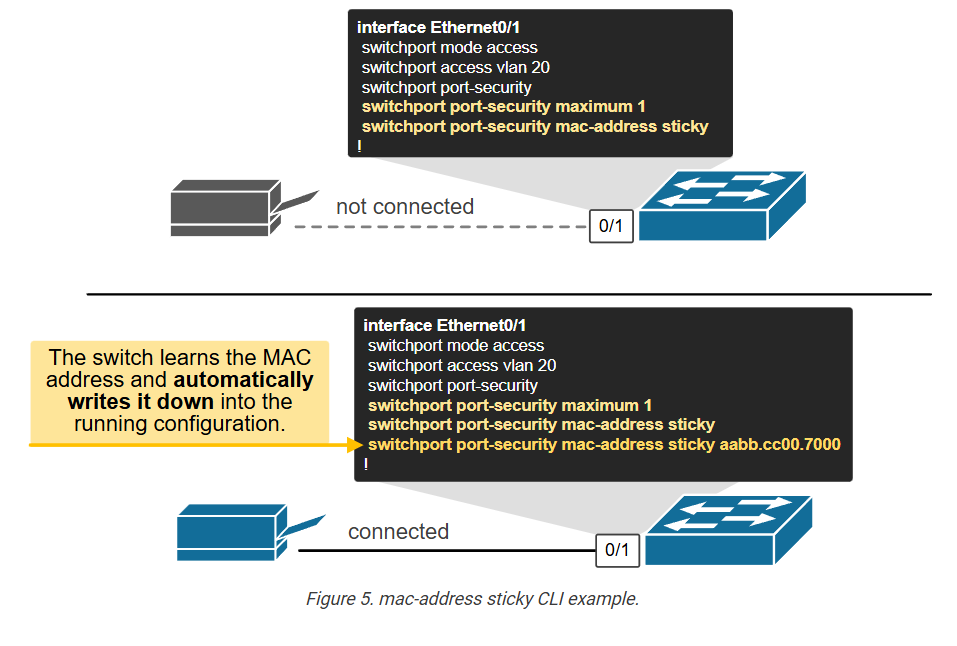
Port Security is a security feature available on managed network switches that controls which devices are allowed to connect to a specific switch port. It works mainly by checking the MAC address of connected devices. The network administrator can configure the switch port to accept only approved MAC addresses or limit how many devices can connect to that port. This prevents unknown or unauthorized devices from joining the network.
2. How Port Security Works
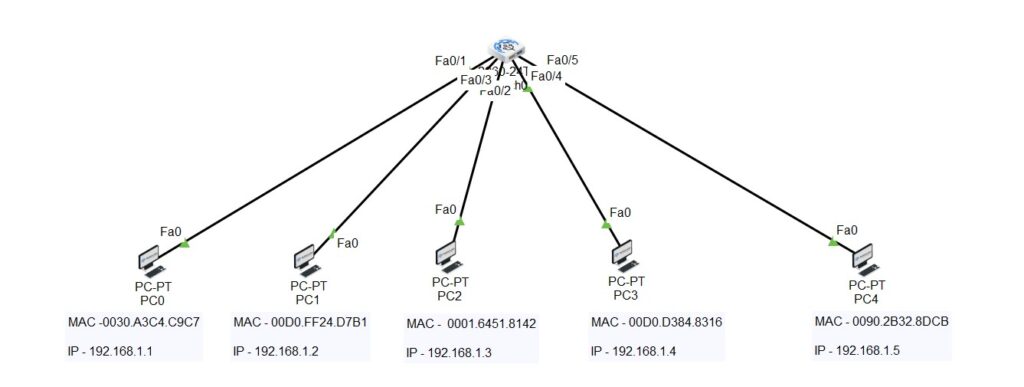
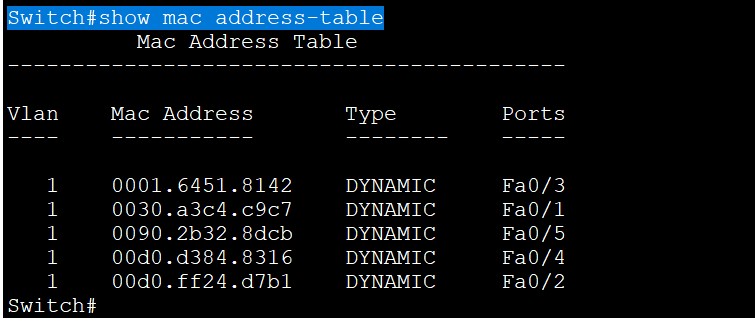
When a device connects to a secured switch port, the switch reads the device’s MAC address and compares it with the allowed MAC address list configured on that port. If the MAC address matches, the device is allowed to communicate on the network. If the MAC address is unknown or exceeds the allowed device limit, the switch treats it as a security violation and takes action based on configuration.
3. Violation Actions
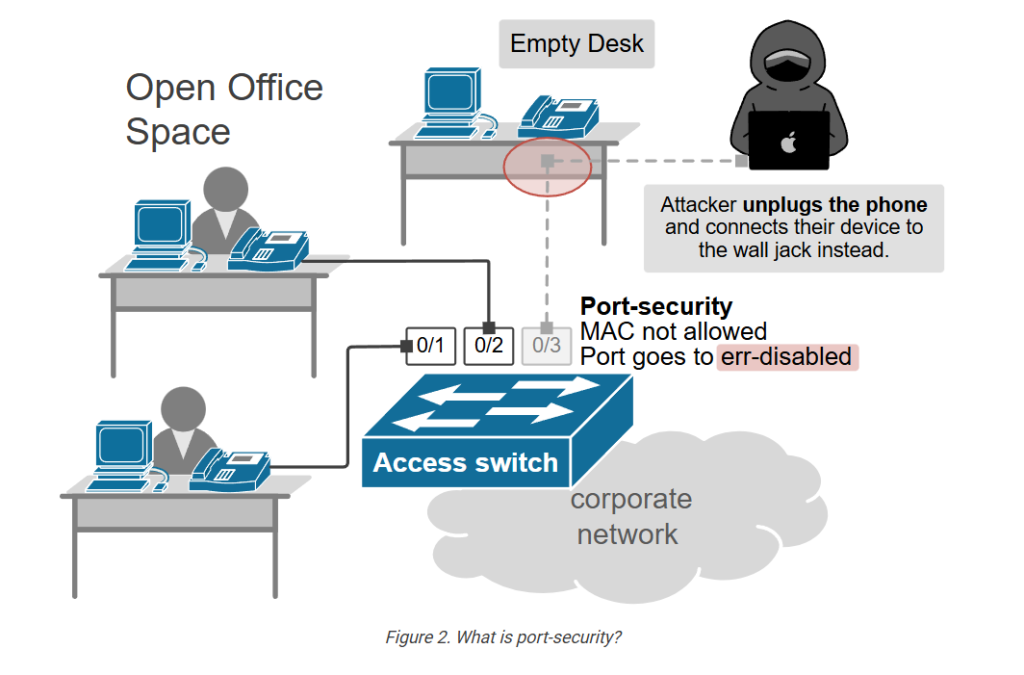
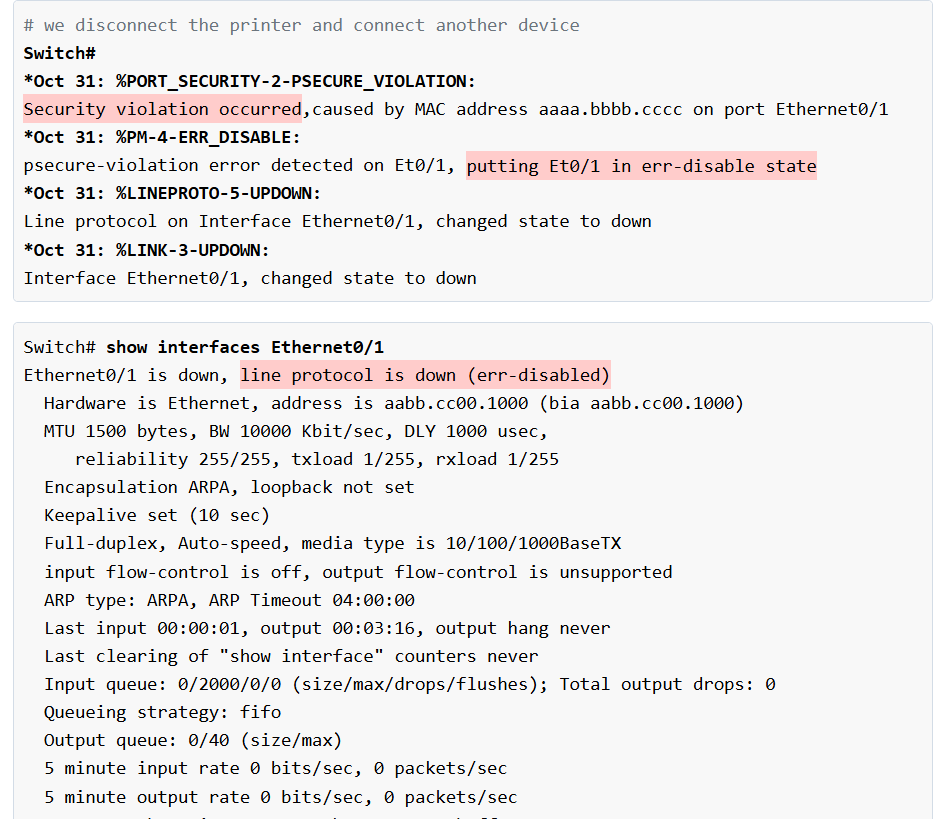
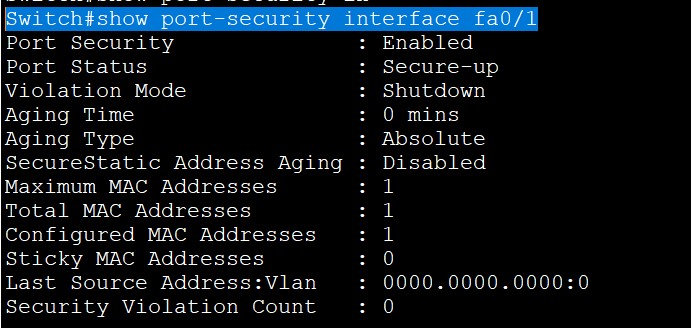
If an unauthorized device connects, the switch can respond in different ways. In Protect mode, the switch silently drops traffic from the unauthorized device. In Restrict mode, the switch drops traffic and also records logs or sends alerts to the administrator. In Shutdown mode, the switch completely disables the port until the administrator manually enables it again. Shutdown mode is commonly used for stronger security.
4. Why Port Security Is Needed
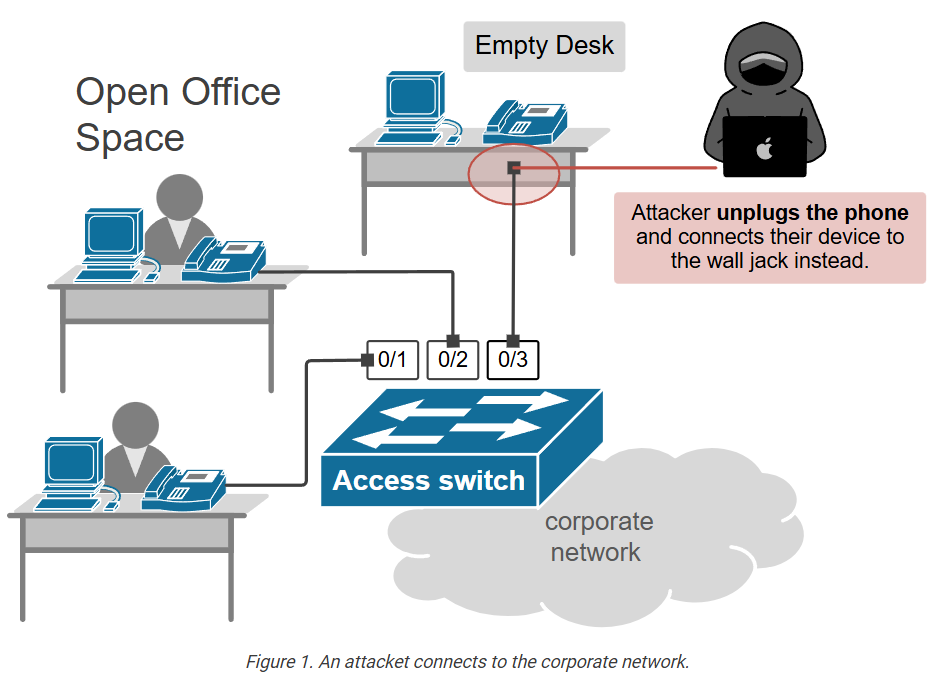
Port Security is important because it protects the network from unauthorized access. Without it, any person could connect a laptop, switch, or unknown device to an office network port and gain access to internal resources. Port Security also helps prevent MAC flooding attacks, where attackers try to overload the switch MAC table to intercept traffic. It improves control over who and what can connect to the network.
5. Real Example
Suppose a company office PC with MAC address 00:1A:2B:3C:4D:5E is connected to Switch Port 5. The administrator configures Port Security to allow only that MAC address on that port. Later, if someone disconnects that PC and connects an unauthorized laptop, the switch detects a different MAC address and blocks communication or shuts down the port. This prevents unauthorized network access.
6. Where It Is Used
Port Security is mostly used on access ports, where end devices such as computers, printers, IP phones, and office workstations connect. It is commonly used in company offices, schools, banks, hospitals, and enterprise networks where network access must be controlled for security reasons.
7. Benefits
Port Security improves LAN security, blocks unauthorized devices, limits the number of connected devices per port, protects against certain network attacks, and gives network administrators better control over switch port access. It is a simple but effective security feature for wired networks.