
Mikrotik Router
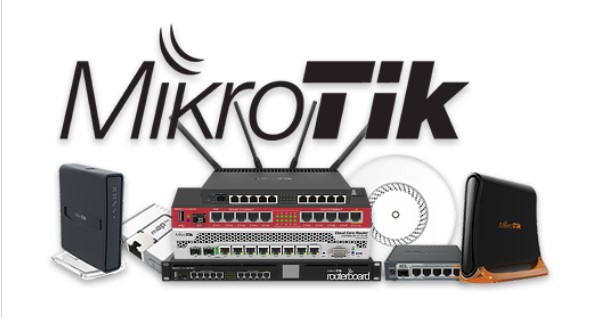
History
MikroTik was established in 1996 by founders John Tully and Arnis Riekstiņš in Riga, Latvia, developing networking software for x86 PC hardware that would develop into a product called RouterOS. The earliest versions of RouterOS were based on Linux 2.2.
In 2002, MikroTik expanded its product line by producing their own networking-focused low-power single-board computers (SBC), branded RouterBoard, that ran RouterOS. These early SBCs could be expanded and/or integrated as components of other systems, but as time passed, this RouterBoard/RouterOS platform would develop into a full line of network equipment.
MikroTik is a famous networking company, especially known for routers, wireless devices, and RouterOS. Here’s the clear and simple history of MikroTik:
Origin of MikroTik (1996)
MikroTik was founded in 1996 in Riga, Latvia by:
- John Trully (American entrepreneur)
- Arnis Riekstiņš (Latvian engineer)
Their main goal was to create low-cost internet networking equipment for Internet Service Providers (ISPs).
Early Days (1996–2001)
- Initially, MikroTik developed RouterOS, a Linux-based router operating system.
- At first, RouterOS was installed on standard PCs (x86 computers) to work as routers.
- This made enterprise routing affordable for small ISPs and businesses.
Hardware Launch – RouterBOARD (2002)
- In 2002, MikroTik launched its own hardware called RouterBOARD.
- RouterBOARD devices came preinstalled with RouterOS.
- This made setup easier, cheaper, and more reliable than PC-based routers.
Growth in Wireless Networking (2005–2010)
MikroTik became very popular for:
- Wireless ISP (WISP) solutions
- Point-to-Point (PtP) and Point-to-Multipoint (PtMP) wireless links
- Hotspot and bandwidth management
Their products were widely adopted in:
- Asia
- Africa
- Eastern Europe
- South America
because of low cost + powerful features.
Global Expansion (2010–2020)
MikroTik grew into a global brand with:
- Offices and distributors in many countries
- Annual MUM (MikroTik User Meeting) conferences worldwide
- Millions of devices deployed across the globe
Key product families:
- hAP series (home/office routers)
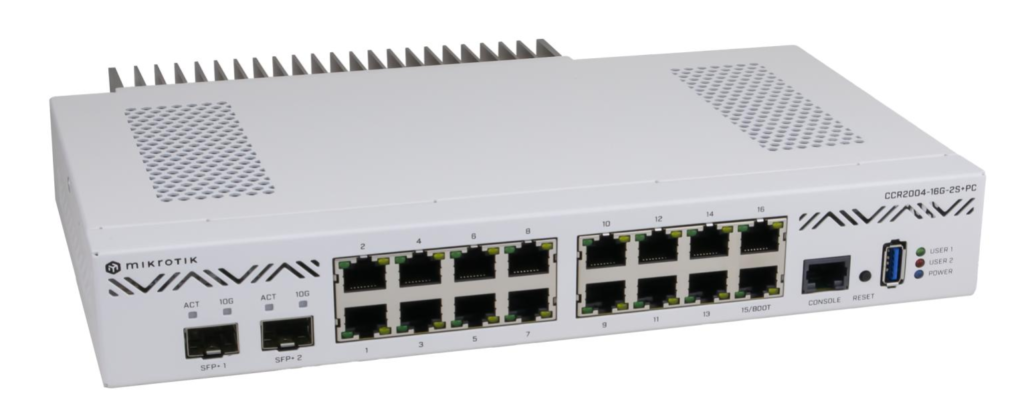
- CCR (Cloud Core Router) for high performance
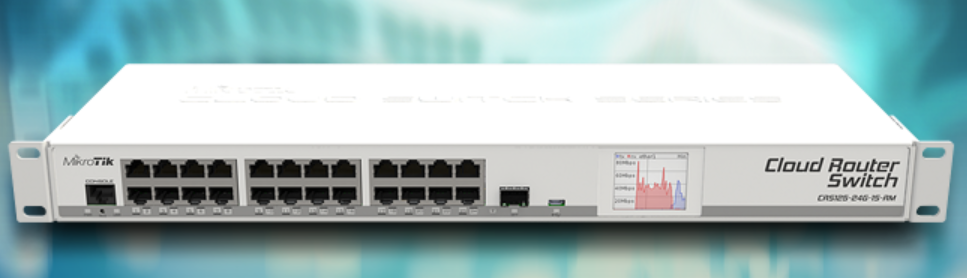
- CRS (Cloud Router Switch) for switching + routing
- Wireless & LTE devices
RouterOS versions:
- RouterOS v6 (long-term stable)
- RouterOS v7 (modern kernel, better routing & BGP support)
Today MikroTik is known for:
Affordable enterprise networking
Powerful RouterOS features
Huge ISP and networking community
MikroTik is a Latvian company that develops hardware and software for computer networking. They are well-known for producing a wide range of networking equipment, including routers, switches, wireless devices, and more. MikroTik’s products are widely used by internet service providers, businesses, and home users for a variety of networking purposes due to their affordability, reliability, and feature-richness.
Key Aspects of MikroTik:
1. RouterOS:
MikroTik’s most popular software is RouterOS, which is an operating system designed for routers and network devices. RouterOS offers a powerful set of tools to manage, monitor, and secure networks. It provides advanced features such as:
- Routing (static, dynamic routing protocols like OSPF, BGP)
- VPN support (IPsec, PPTP, L2TP, OpenVPN)
- Firewall management
- Quality of Service (QoS)
- Wireless access point management (Wi-Fi settings)
- DHCP server, DNS, and more
2. Hardware Devices:
MikroTik produces various types of networking hardware, such as:
- Routers: For home, small business, and enterprise use. Examples include the MikroTik RouterBOARD series.
- Switches: Layer 2 and Layer 3 switches.
- Wireless Routers and Access Points: For Wi-Fi connectivity, supporting various wireless standards like Wi-Fi 5 (802.11ac) and Wi-Fi 6 (802.11ax).
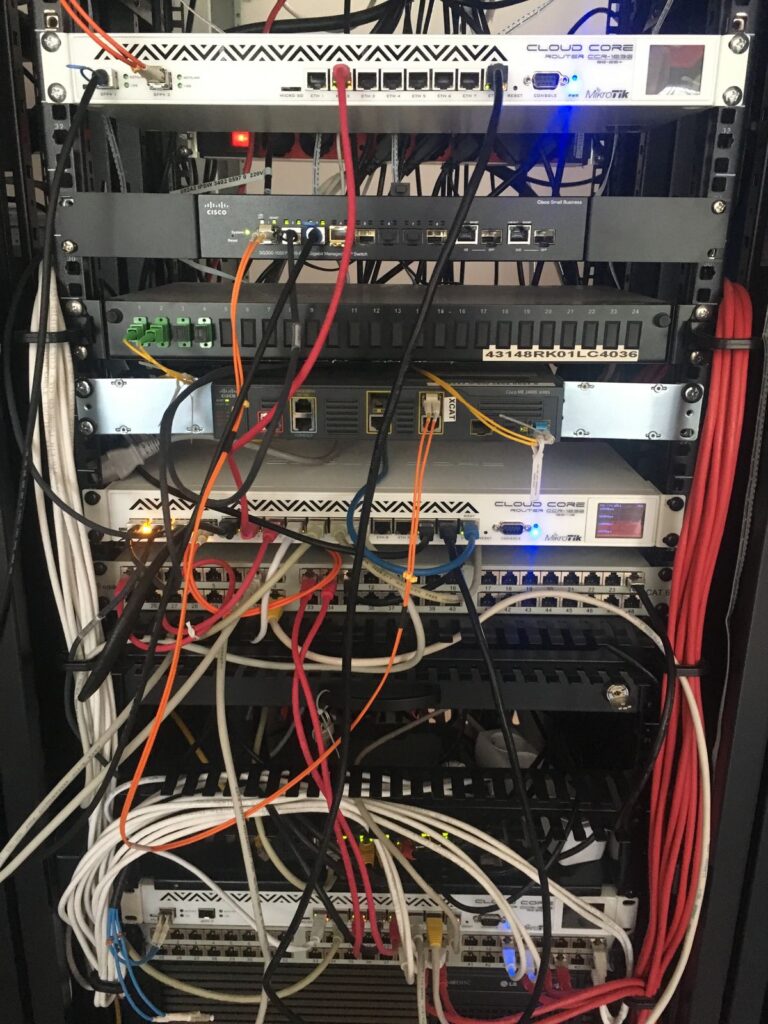
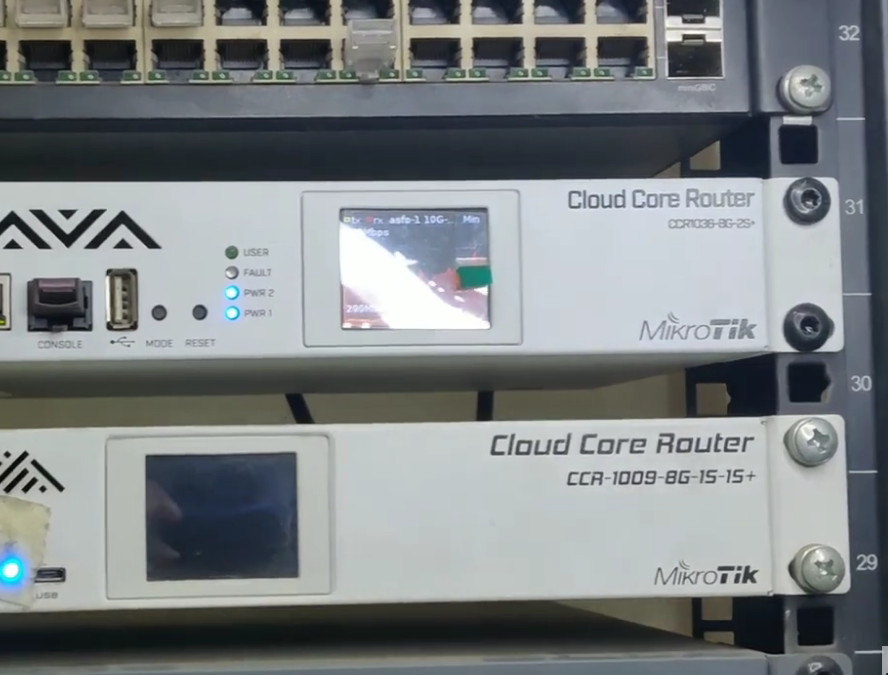
- Cloud Core Routers (CCR): High-performance routers for data centers or ISPs, supporting multiple gigabits of throughput.
- SFP Modules and Antennas: For fiber and wireless communication.
3. Winbox:
MikroTik provides a graphical user interface called Winbox for managing their devices running RouterOS. It allows users to configure network settings, monitor performance, and troubleshoot. It is especially popular because it is lightweight and allows full configuration and management of MikroTik devices.
4. Flexibility:
MikroTik’s devices and software are extremely flexible, supporting a wide range of networking configurations. You can use them for various tasks such as:
- Home networking (e.g., creating a router for your home with VPN support).
- Small-to-medium-sized business networks.
- ISP infrastructure for handling large-scale routing and wireless networks.
- Secure remote access via VPNs.
5. Cost-Effectiveness:
One of MikroTik’s standout features is its affordability compared to many other enterprise-grade networking equipment providers. This has made MikroTik a popular choice for small businesses, ISPs, and budget-conscious users who require high-quality networking features without the premium cost of brands like Cisco or Juniper.
6. Community Support:
MikroTik has a strong and active user community, with extensive forums, online tutorials, and resources available for users to troubleshoot and learn. This community support can be invaluable for resolving issues or configuring complex networking scenarios.
Common Use Cases for MikroTik:
- Internet Service Providers (ISPs): MikroTik is used by many ISPs to provide router and access point solutions due to its ability to scale and handle complex networking needs.
- Small Businesses: MikroTik routers are used for creating secure, manageable networks for offices or branch offices.
- Home Networks: With a variety of routers and wireless access points, MikroTik is a great option for tech-savvy home users looking to customize their home network.
- VPN Configurations: MikroTik devices can be used to set up secure site-to-site or remote-access VPNs for businesses and organizations.
Summary
MikroTik is a versatile networking company known for its affordable and powerful hardware and software solutions, most notably the RouterOS operating system. It caters to a wide range of networking needs, from home users to enterprise and ISP-level solutions, making it a popular choice in the global networking market.
Mikrotik Router Model
MikroTik offers a wide variety of routers under the RouterBOARD and Cloud Core Router (CCR) series, as well as wireless and specialized routers. Below is a list of some of MikroTik’s most notable router models, organized by type.
MikroTik Router Models List
1. RouterBOARD Series (RB Series)
These are MikroTik’s most commonly used routers, designed for small to medium-sized networks.
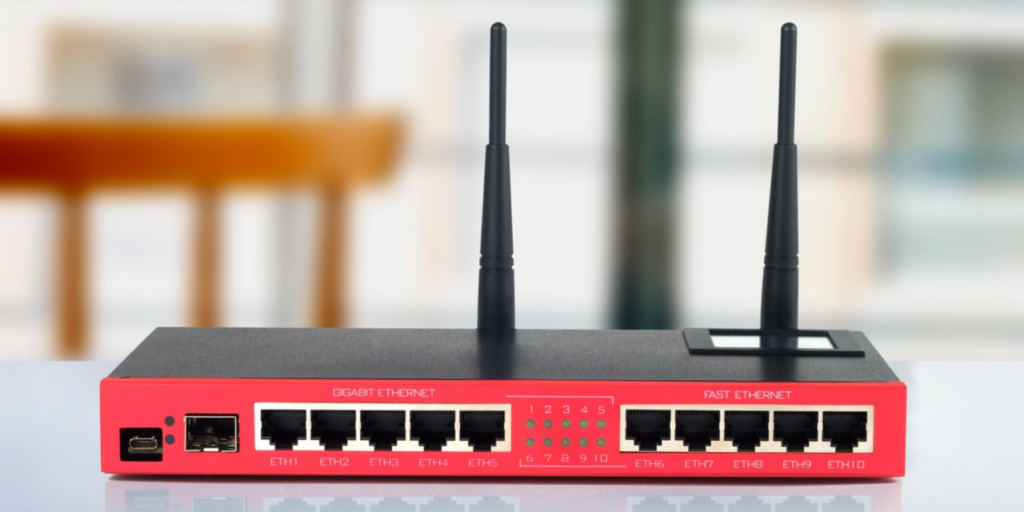
RB2011 Series: Affordable, versatile routers with multiple ports (Ethernet and SFP).
- Example Models:
- RB2011UiAS-2HnD (Wireless, 5 Gigabit Ethernet ports, 1 SFP port)
- RB2011UAS-2HnD-IN (Wireless, 5 Gigabit Ethernet ports)
- Example Models:
RB3011 Series: Higher-end models with more performance and more ports.
- Example Models:
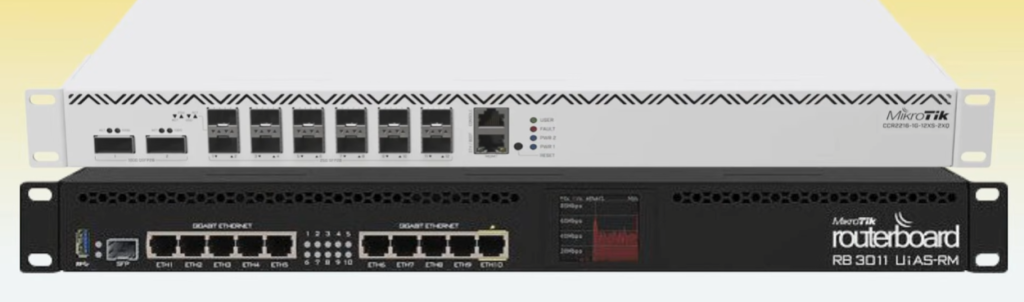
- RB3011UiAS-RM (12 Gigabit Ethernet ports, 1 SFP port, rack-mounted)
- RB3011UAS-RM (12 Ethernet ports, 1 SFP port, rack-mounted)
- Example Models:
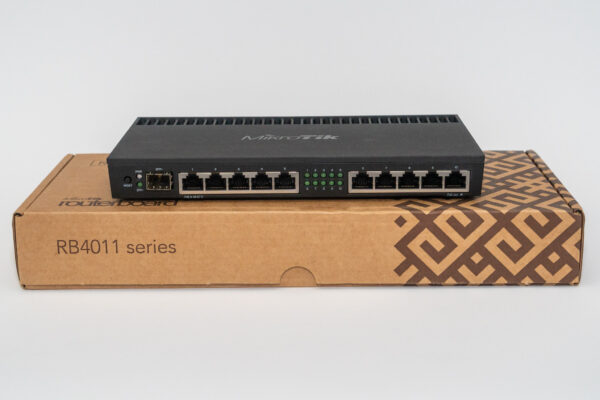
RB4011 Series: Mid-to-high-end routers with 10Gbps Ethernet and more RAM.
- Example Models:
- RB4011iGS+RM (10 Gigabit Ethernet ports, 1 SFP+ port, rack-mounted)
- Example Models:
RB750 Series: Small, budget-friendly routers.
- Example Models:
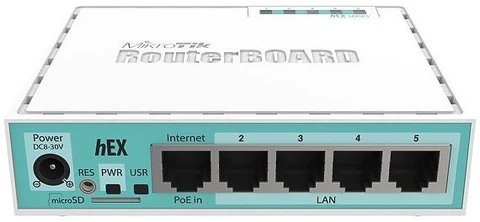
- RB750Gr3 (hEX) (5 Gigabit Ethernet ports, small form factor)
- Example Models:
RB1100 Series: High-performance routers for larger networks or businesses.
- Example Models:
- RB1100AHx4 (13 Gigabit Ethernet ports, higher processing power)
- Example Models:
RB260 Series: Budget-friendly, simpler routers.
- Example Models:
- RB260GSP (hEX PoE) (5 Gigabit Ethernet ports with PoE-out)
- Example Models:
RB5009 Series: Powerful routers with up to 9 Gigabit Ethernet ports and more.
- Example Models:
- RB5009UG+S+IN (9 Gigabit Ethernet ports, 1 SFP+ port)
- Example Models:
2. Cloud Core Router (CCR) Series
These routers are designed for high-performance and ISP-level applications. They have multiple CPU cores and are typically used in large-scale networks.
CCR1009 Series: Powerful routers with multiple CPU cores for demanding environments.
- Example Models:
- CCR1009-7G-1C-1S+ (7 Gigabit Ethernet ports, 1 SFP+ port)
- Example Models:
CCR1016 Series: Higher-end routers with more cores for large-scale enterprise networks.
- Example Models:
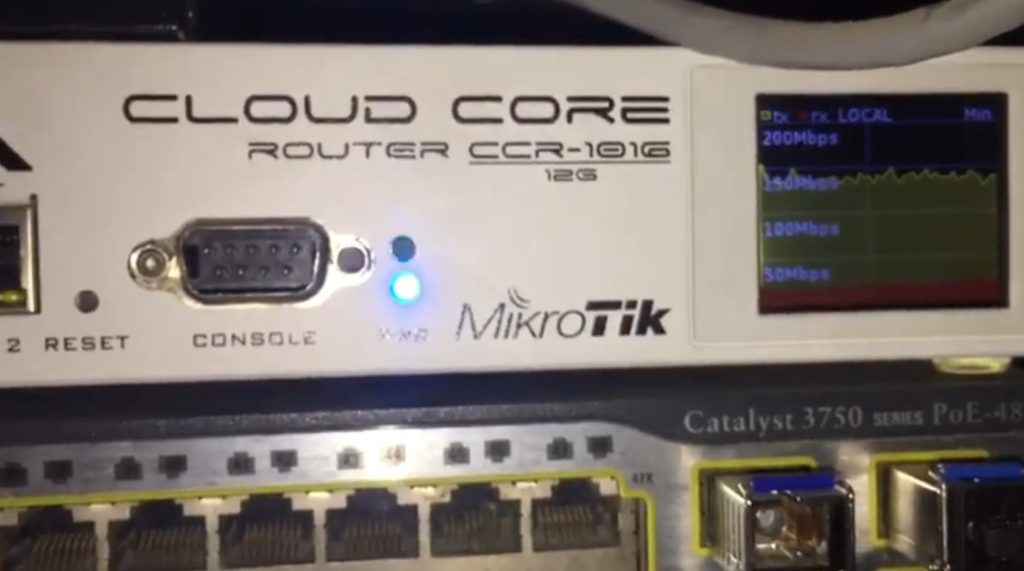
- CCR1016-12S-1S+ (12 SFP ports, 1 SFP+ port)
- Example Models:
CCR1036 Series: High-performance routers with 36 cores.
- Example Models:
- CCR1036-8G-2S+ (8 Gigabit Ethernet ports, 2 SFP+ ports)
- Example Models:
CCR1072 Series: Advanced routing and firewall capabilities with 72 cores.
- Example Models:
- CCR1072-1G-8S+ (1 Gigabit Ethernet port, 8 SFP+ ports)
- Example Models:
3. RouterBOARD Wireless Routers (RBw Series)
These routers combine both wireless and wired network functionality.
RB411 Series: Wireless routers with integrated radio for small networks.
- Example Models:
- RB411AH (Wireless, with a single miniPCI slot for expansion)
- Example Models:
RB912 Series: Outdoor wireless routers.
- Example Models:
- RB912UAG-2HPnD (Wireless, with an integrated radio)
- Example Models:
RB951 Series: Wireless routers with multiple ports.
- Example Models:
- RB951Ui-2nD (Wireless, 5 Ethernet ports)
- Example Models:
hAP Series (Home Access Point): Compact wireless routers for home networks.
- Example Models:
- hAP ac² (Dual-band wireless, 5 Gigabit Ethernet ports)
- hAP mini (Compact wireless router with 4 ports)
- Example Models:
wAP Series: Outdoor wireless routers.
- Example Models:
- wAP ac (Dual-band, weatherproof, for outdoor use)
- wAP LTE (LTE connectivity with outdoor antenna support)
- Example Models:
4. LTE Routers
MikroTik has a series of routers with built-in LTE (4G) support for mobile data connections.
- LTE Routers:
LtAP: A ruggedized LTE router for vehicle or outdoor applications.
- Example Models:
- LtAP mini (Compact, with LTE support)
- LtAP LR9 (Long-range LTE with GPS)
- Example Models:
hAP LTE Series: Affordable LTE routers for home or small offices.
- Example Models:
- hAP LTE (LTE and Wi-Fi, 4 Gigabit Ethernet ports)
- Example Models:
RBM33G: LTE router with a miniPCIe slot for LTE modems.
5. MikroTik Switches
These are MikroTik’s managed switches for enterprise networks, supporting VLANs, QoS, and other advanced features.
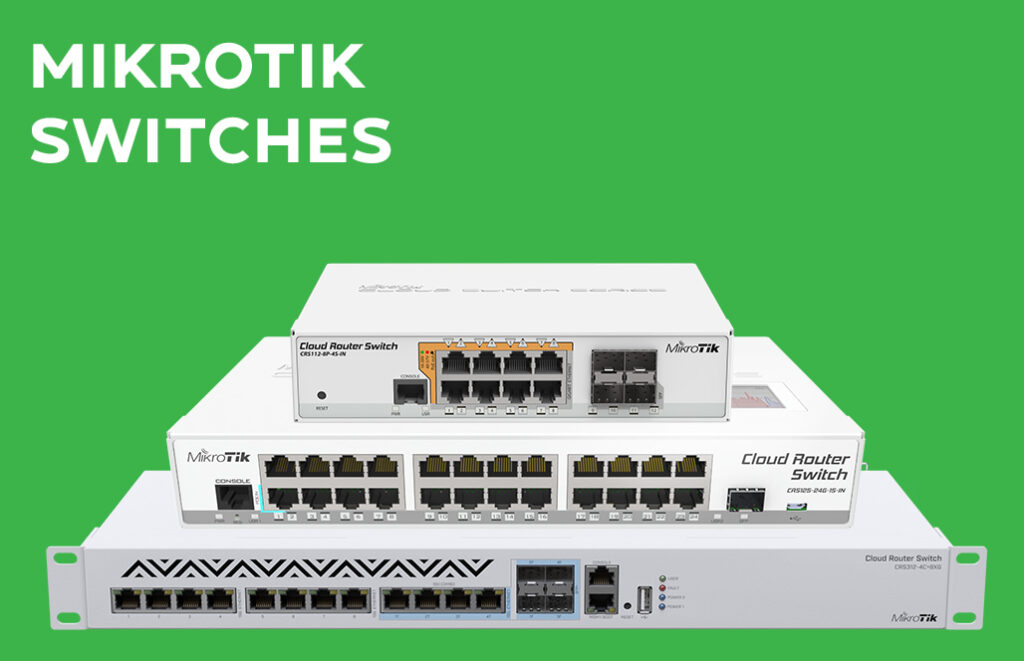
CRS (Cloud Router Switch): A combination of routing and switching functionality.
- Example Models:
- CRS112-8G-4S (8 Gigabit Ethernet ports, 4 SFP ports)
- CRS328-24P-4S+RM (24 Gigabit Ethernet ports, 4 SFP+ ports, rack-mounted)
- Example Models:
CSS (Cloud Smart Switch): Simpler, more affordable switches with Layer 2 features.
- Example Models:
- CSS610-8P-2S+ (8 Gigabit Ethernet ports with PoE, 2 SFP+ ports)
- Example Models:
6. MikroTik SFP and SFP+ Modules
MikroTik also produces SFP (Small Form-factor Pluggable) and SFP+ modules for fiber connectivity. These are used to add fiber optic capabilities to their routers and switches.
- S+ Series (SFP+):
- S+RJ10 (Gigabit Ethernet over fiber)
- S+AO10 (10Gbit SFP+ for long-range fiber)
- S+23LC10D (10G SFP+ for single-mode fiber)
Summary of Popular MikroTik Routers:
- hEX (RB750Gr3): Small, affordable router for home use.
- hAP ac²: Home access point with dual-band Wi-Fi and Gigabit Ethernet.
- CCR1009: High-performance router for business or ISP use.
- RB2011: Versatile router with multiple ports, suitable for small businesses or home offices.
- RB4011: More powerful router for larger networks.
- Cloud Core Routers (CCR1036, CCR1072): Enterprise-level, high-performance routers.
Conclusion
MikroTik offers a vast range of networking equipment designed for different needs, from budget-friendly routers to high-performance solutions for ISPs and large enterprises. Depending on your requirements (e.g., home use, small business, or high-capacity network), MikroTik has a router that fits, often at a more affordable price point compared to competitors.






MTCNA Certification
MTCNA (MikroTik Certified Network Associate) is an entry-level networking certification offered by MikroTik. It is designed for beginners who want to learn the fundamentals of networking and how to configure MikroTik devices using RouterOS. This certification helps build a strong base in networking concepts and is widely used in ISP (Internet Service Provider) environments and small to medium-sized networks.
The MTCNA course covers essential networking topics such as IP addressing, subnetting, routing, bridging, wireless configuration, firewall, NAT, DHCP, and DNS. It also includes hands-on training using MikroTik RouterOS tools like Winbox, WebFig, and CLI, allowing students to configure real network scenarios. This practical approach makes it easier to understand how networks function in real-world environments.
The certification exam is typically conducted online after completing training from an authorized trainer. It consists of multiple-choice questions, and candidates need to score at least 60% to pass. There are no strict prerequisites for MTCNA, but having basic knowledge of computers and networking can be helpful.
After completing MTCNA, candidates can start their careers as network support engineers, ISP technicians, or junior network administrators. It also serves as a foundation for advanced MikroTik certifications like MTCRE, MTCWE, and MTCSE. Although it is not as globally recognized as CCNA, it is highly valuable in organizations that use MikroTik devices due to its low cost and practical learning approach.
Overall, MTCNA is a good starting point for anyone looking to enter the networking field, especially those interested in working with MikroTik-based networks
MTCNA (MikroTik Certified Network Associate) is the entry-level certification from MikroTik.
It is designed for beginners who want to learn networking using MikroTik RouterOS and RouterBoard devices.
1. Purpose of MTCNA
- Learn basic networking concepts
- Understand RouterOS configuration
- Start career as network engineer / ISP technician
- Build foundation for advanced MikroTik certifications
2. What You Will Learn (Syllabus)
a) Introduction to Networking
- OSI & TCP/IP model
- IP addressing (IPv4)
- Subnetting basics
b) MikroTik RouterOS Basics
- Winbox, WebFig, CLI access
- Router setup and configuration
- User management
c) Interfaces & Bridging
- Ethernet interfaces
- Bridge configuration
- MAC address learning
d) IP Routing
- Static routing
- Default route
- Basic routing concepts
e) Wireless Configuration
- Access Point setup
- Station mode
- Security (WPA/WPA2)
f) Firewall & NAT
- Firewall filter rules
- NAT (Masquerade)
- Basic network security
g) DHCP & DNS
- DHCP server & client
- DNS configuration
- Network services
h) QoS (Bandwidth Control)
- Simple queues
- Traffic management
i) Tunnels & VPN Basics
- PPTP, L2TP basics
- Simple VPN setup
📝 3. Exam Details
- Exam Type: Online (after training)
- Duration: ~1 hour
- Questions: Multiple Choice
- Passing Marks: 60%
- Validity: Lifetime
🎓 4. Prerequisites
- No strict requirement
- Basic computer & networking knowledge helpful
💼 5. Job Roles After MTCNA
- Network Support Engineer
- ISP Technician
- Junior Network Administrator
- Wireless Network Engineer
💰 6. Salary in India (Approx)
- Fresher: ₹12,000 – ₹25,000/month
- With experience: ₹30,000 – ₹60,000/month