
IP Address
1. What is IP Address
An IP address (Internet Protocol Address) is a unique numerical identifier assigned to every device connected to a network that uses the Internet Protocol (IP). It works like a home address for devices so that data packets can be sent from a source device to a destination device across networks. Without IP addressing, routers and computers would not know where to send or receive dat on the Internet.
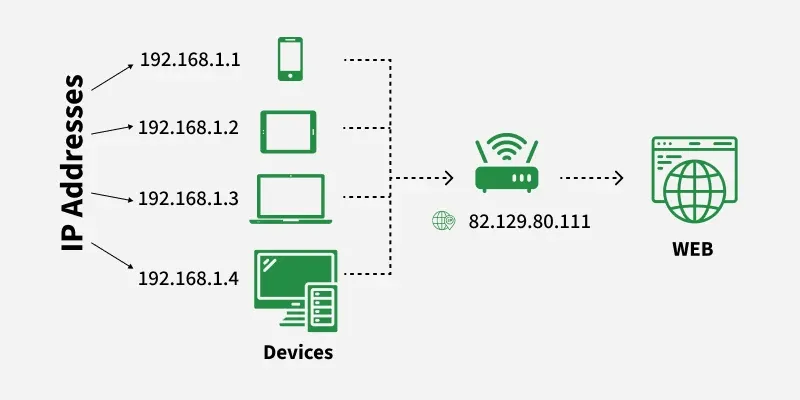
Note: In simple terms, an IP address acts like a digital home address, allowing data to be sent and received between devices correctly.
Components of an IP Address
- Network Portion: Identifies the network to which the device belongs.
- Host Portion: Identifies the individual device on the network.
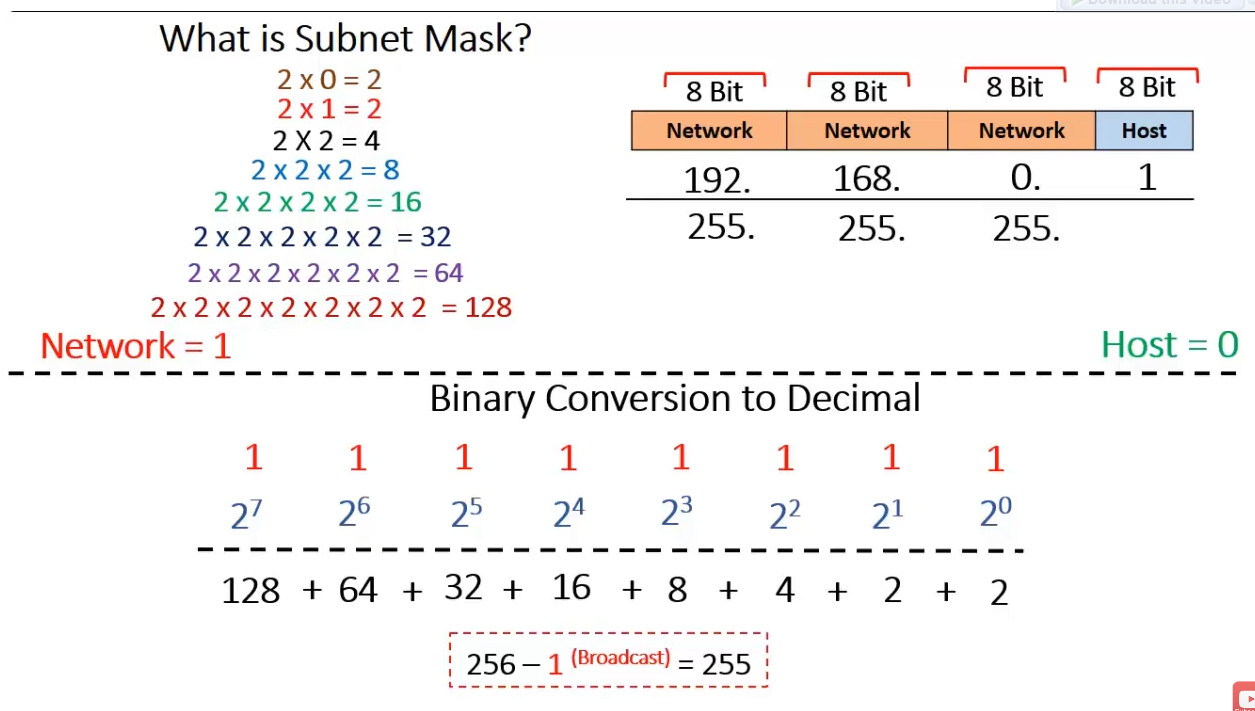
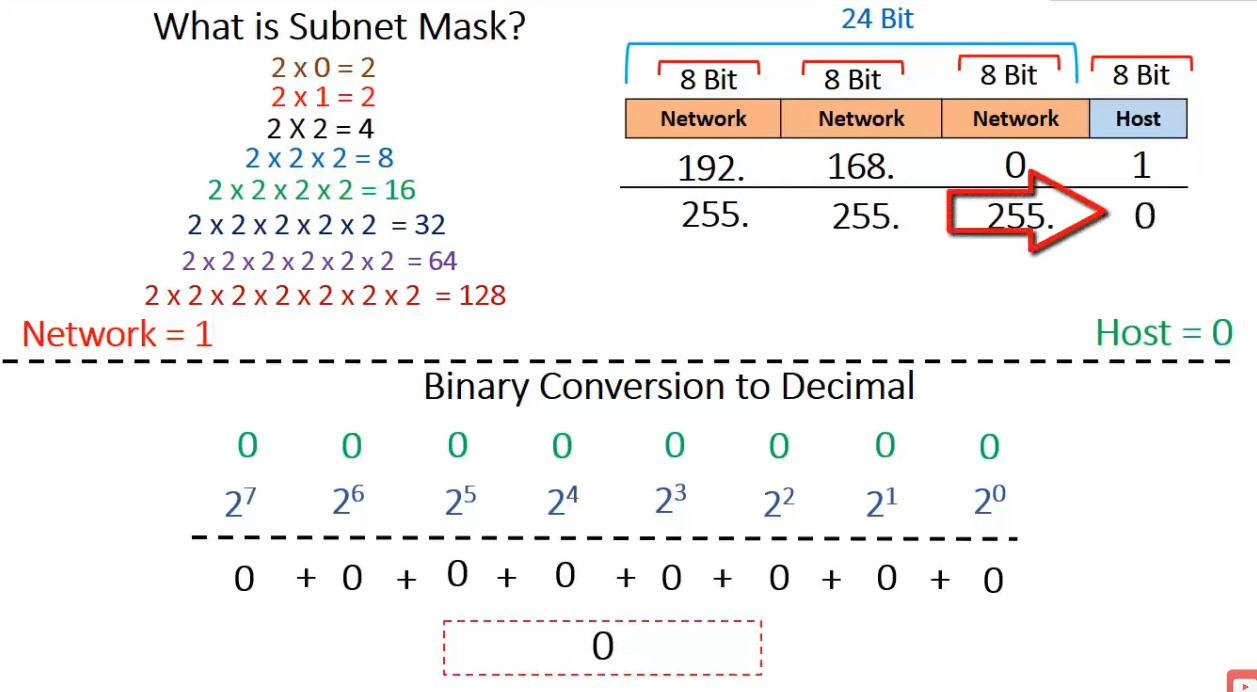
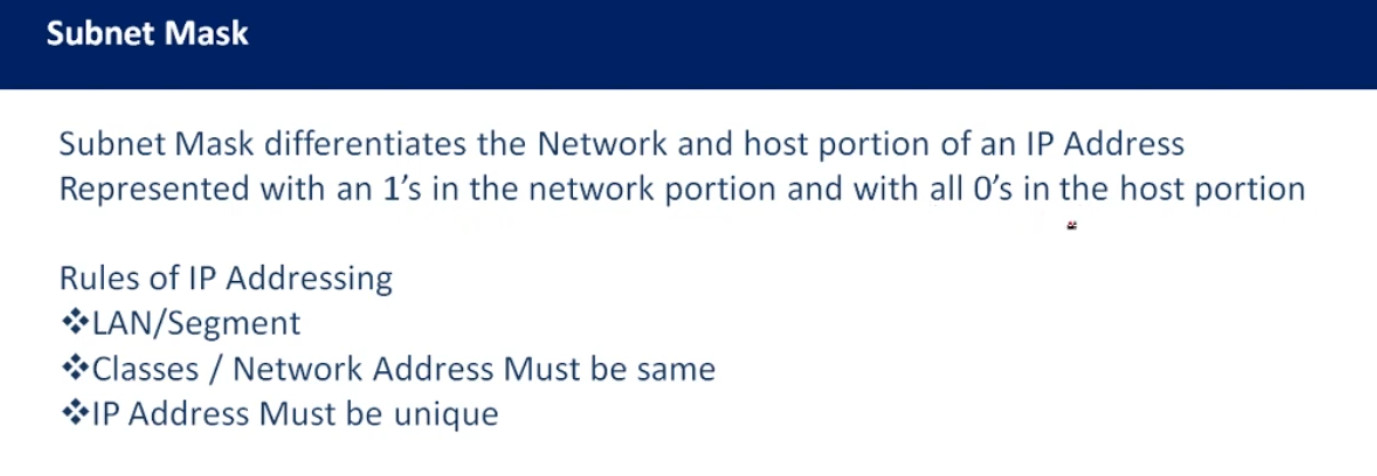
- Subnet Mask (for IPv4): Defines which part of the IP is network and which part is host.
Example: IP 192.168.1.10 with subnet mask 255.255.255.0
Network ID: 192.168.1.0
Host ID: 10Types of IP Address
IP addresses can be classified in several ways based on their structure, purpose, and the type of network they are used in. Here’s a breakdown of the different classifications of IP addresses:
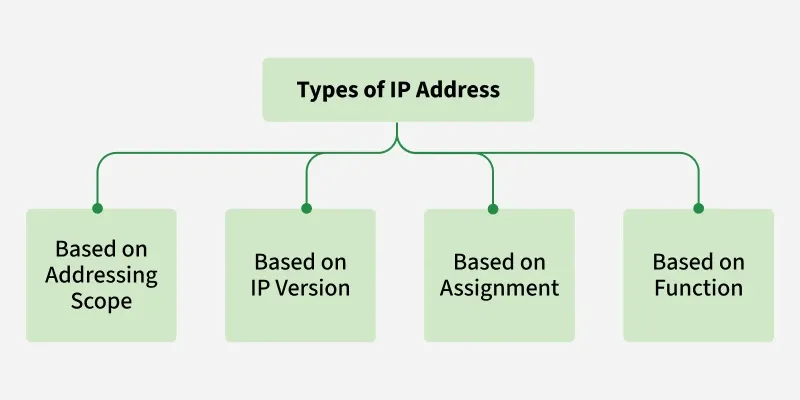
1. Based on Addressing Scope (IPv4 vs. IPv6)
1.1 Public IP Addresses
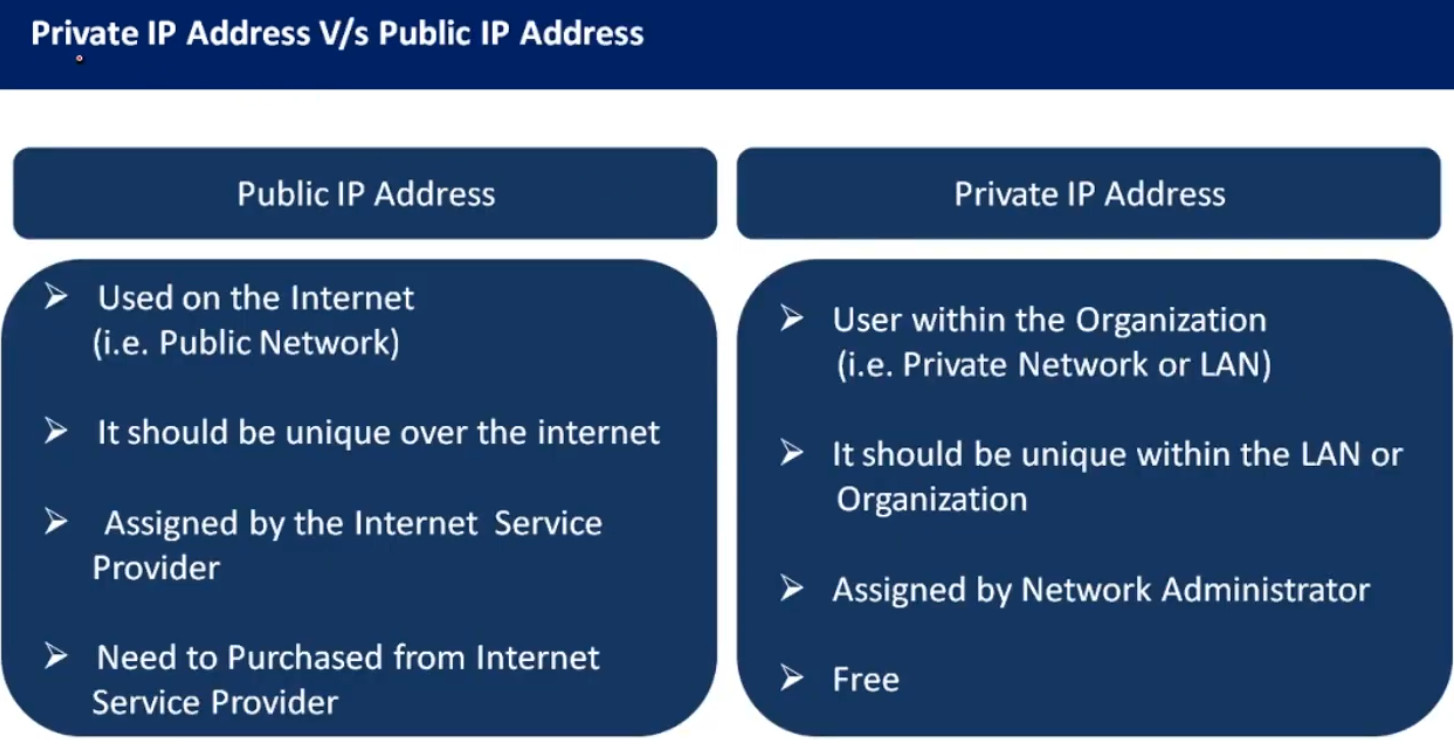
A Public IP address is assigned to every device that directly accesses the internet. This address is unique across the entire internet. Uniqueness & Accessibility are its key characteristics & are assigned by Internet Service Providers. When you connect to the internet through an ISP, your device or router receives a public IP address. These addresses can be static or dynamic.
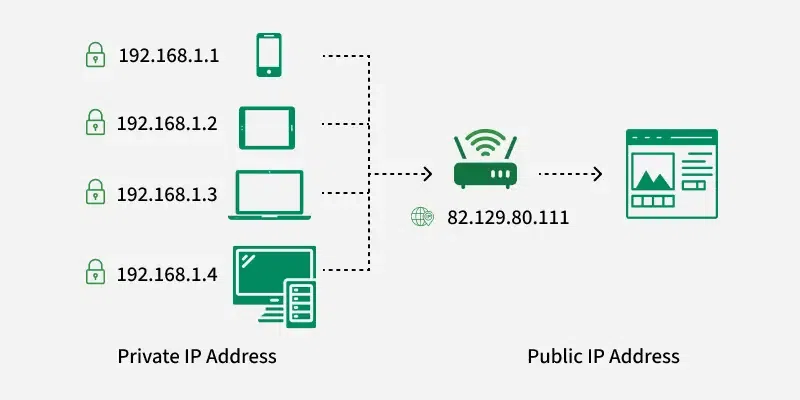
Example Use: If you host a website on your own server at home, your ISP must assign a public IP address to your server so users around the world can access your site.
| Type | IP Range | Purpose |
|---|---|---|
| Public IP | 1.0.0.0 – 223.255.255.255 (excluding reserved ranges) | Used on the Internet |
| Private IP | 10.x.x.x / 172.16–31.x.x / 192.168.x.x | Used inside local networks |
Example of Public IP Address Google DNS Server IP: 8.8.8.8
1.2 Private IP Addresses
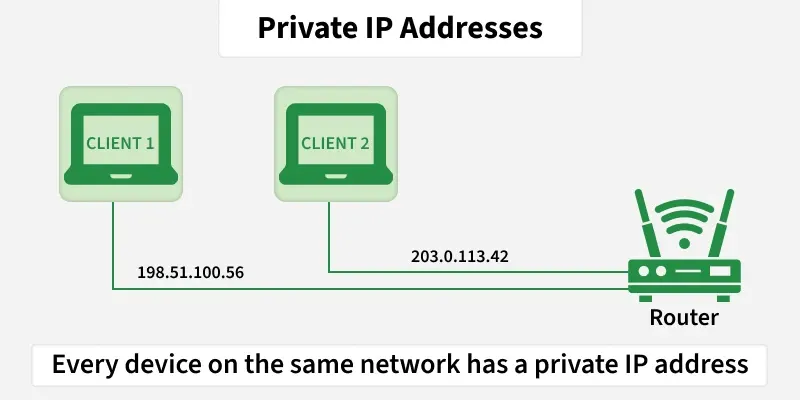
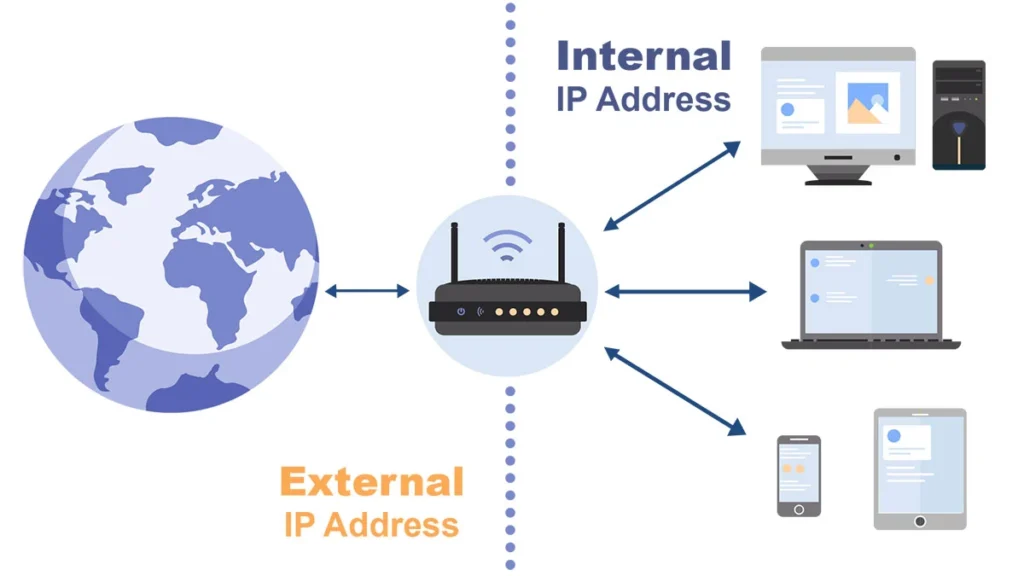
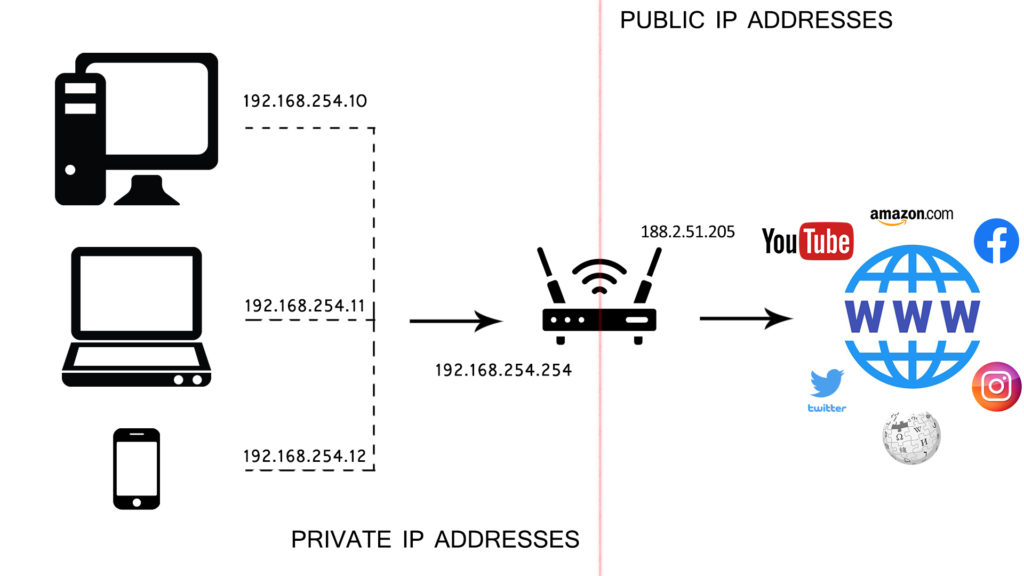
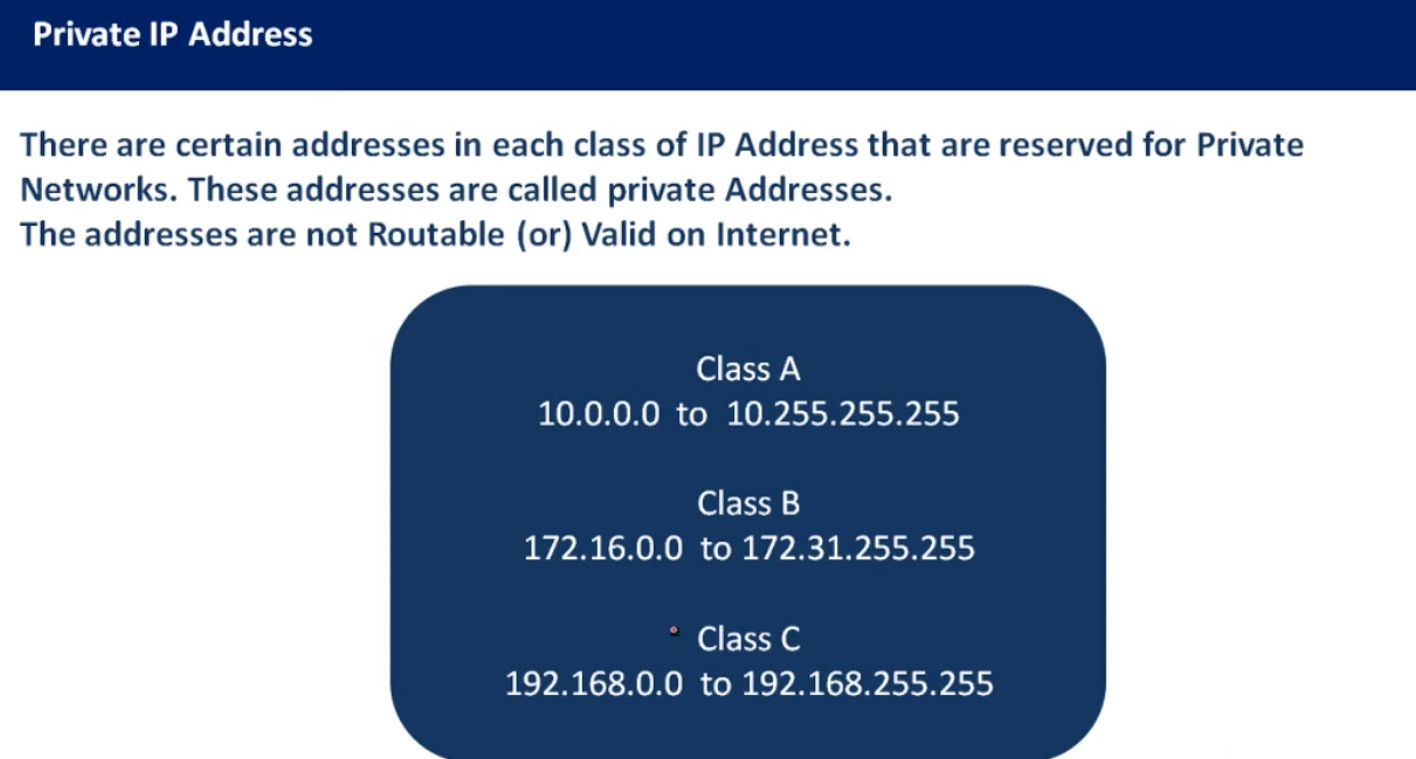
Private IP addresses are used within private networks and are not routable on the internet. This means that devices with private IP addresses cannot directly communicate with devices on the internet without a translating mechanism like a router performing Network Address Translation (NAT). These are only required to be unique within their own network & are used for communication between devices within the same network
- Defined ranges for IPv4: 10.0.0.0 to 10.255.255.255, 172.16.0.0 to 172.31.255.255, 192.168.0.0 to 192.168.255.255
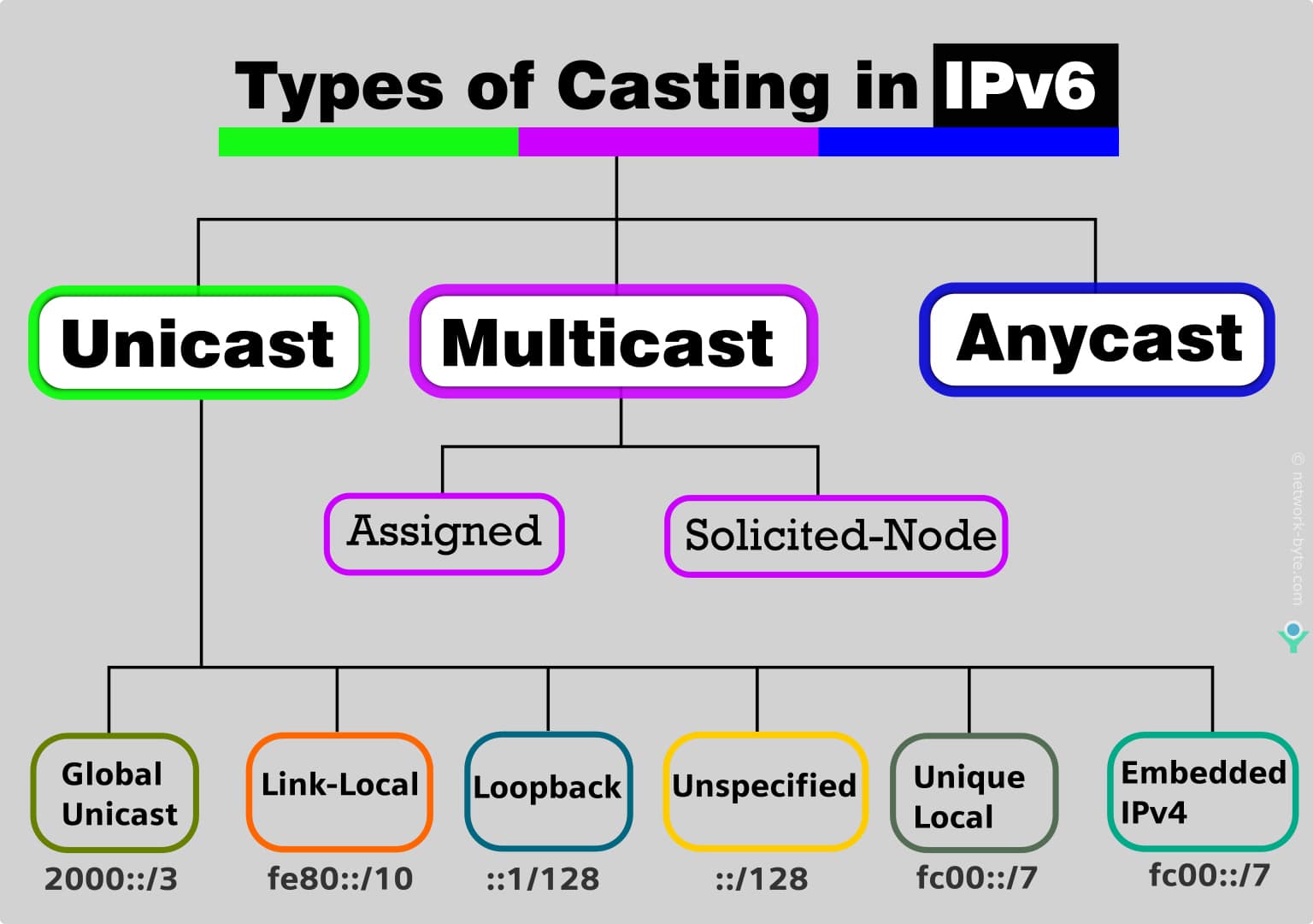
- Defined ranges for IPv6: Addresses starting with FD or FC
Example Use: In a typical home network, the router assigns private IP addresses to each device (like smartphones, laptops, smart TVs) from the reserved ranges. These devices use their private IPs to communicate with each other and with the router. The router uses NAT to allow these devices to access the internet using its public IP address.
2. Based on IP Version
Internet Protocol version 4 (IPv4)
Definition
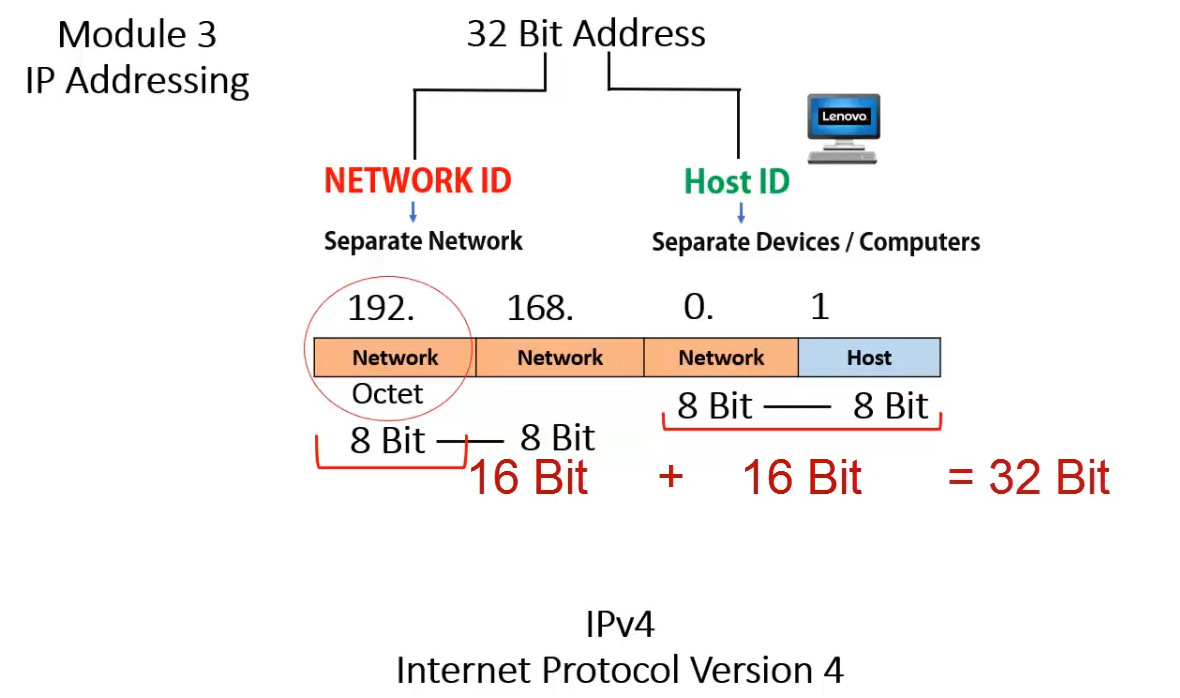
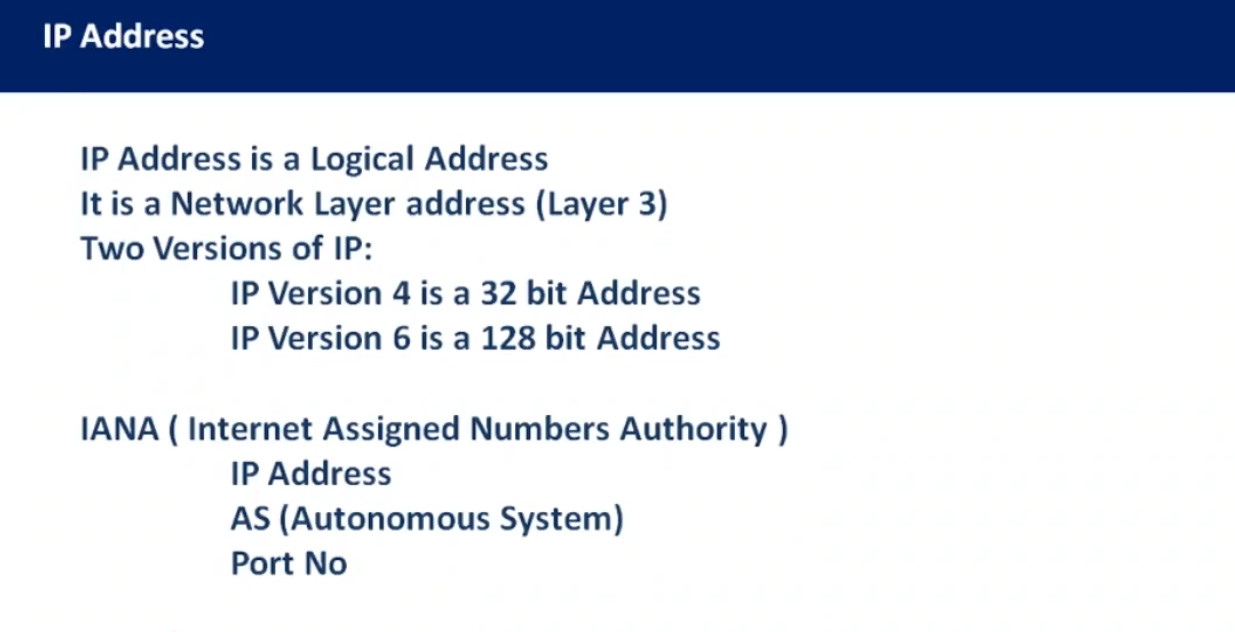
IPv4 is the fourth version of the Internet Protocol used to identify devices on a network and allow them to communicate with each other over the Internet. Every device connected to a network, such as computers, routers, or servers, must have an IP address. IPv4 assigns a unique 32-bit numerical address to each device so that data packets can be sent from a source device to a destination device across networks.
Address Structure
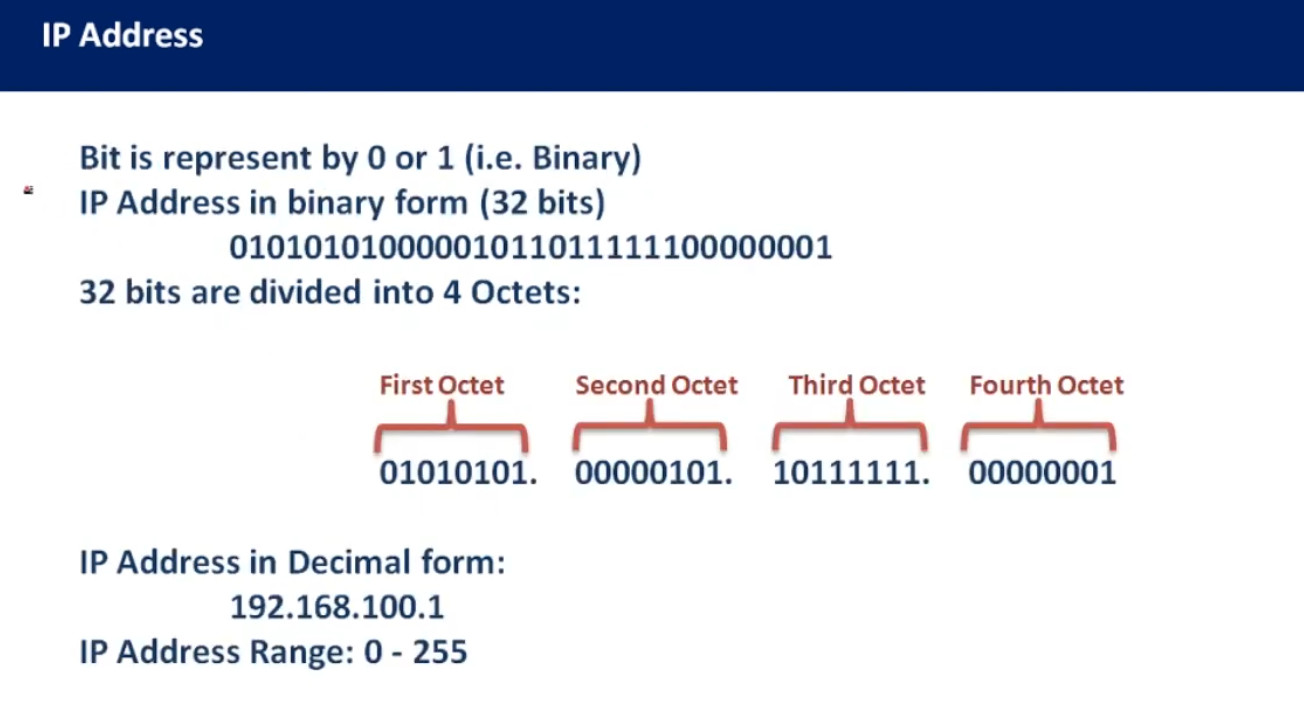
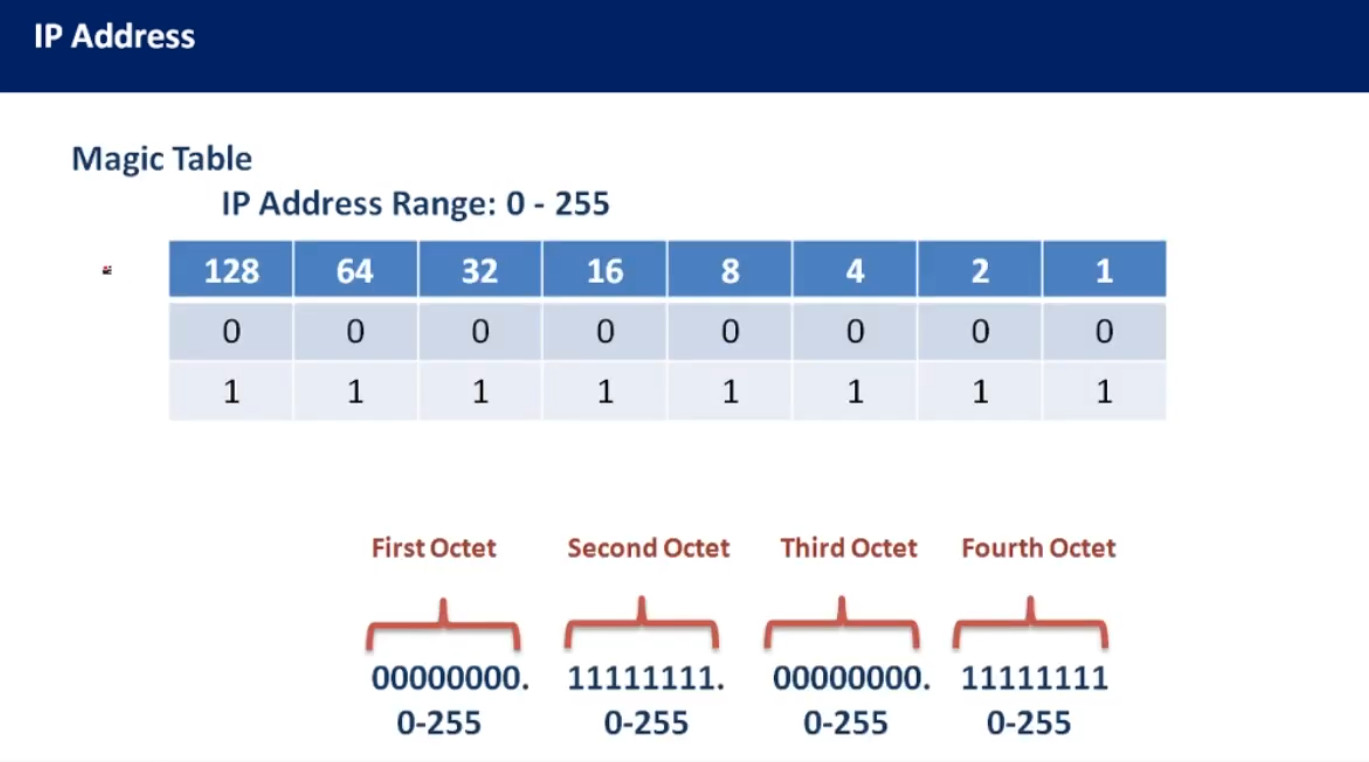
An IPv4 address is written in dotted-decimal format and consists of four numbers separated by dots. Each number ranges from 0 to 255. Because it uses 32 bits, the total number of possible IPv4 addresses is about 4.3 billion. Example of an IPv4 address:
192.168.1.10
The address contains two parts: the network portion (identifies the network) and the host portion (identifies the device within the network).
Address Classes
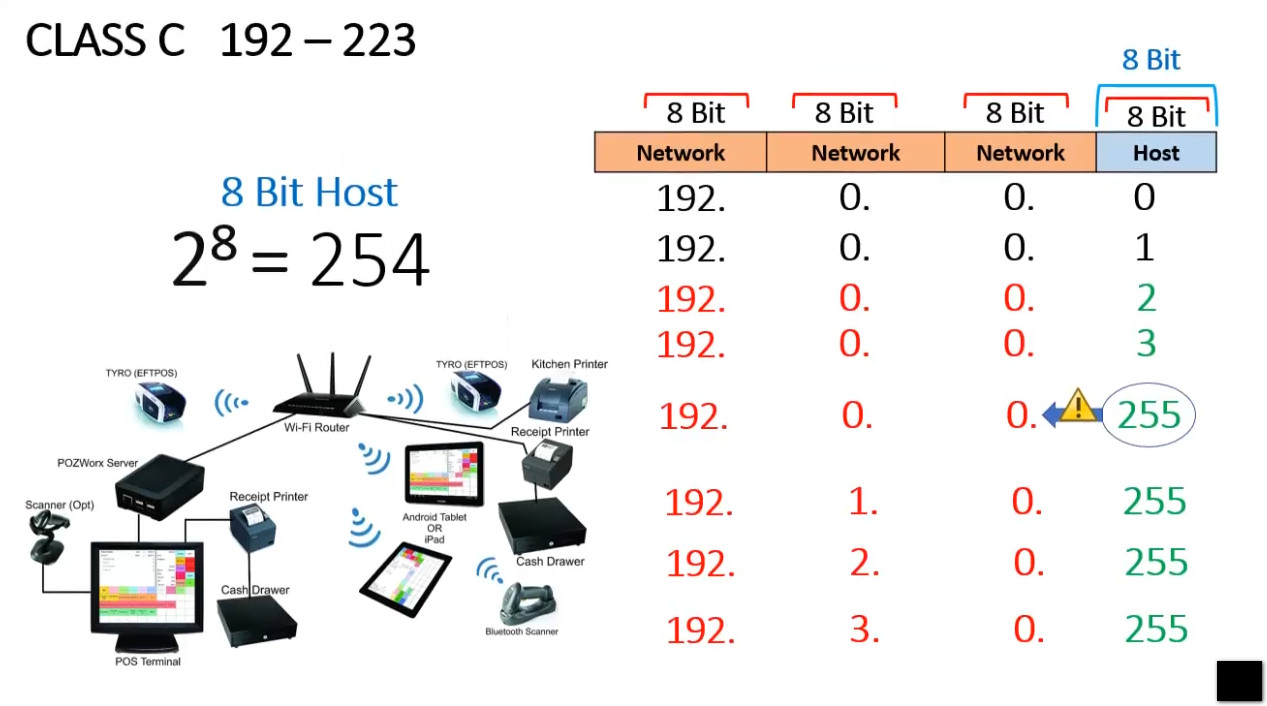
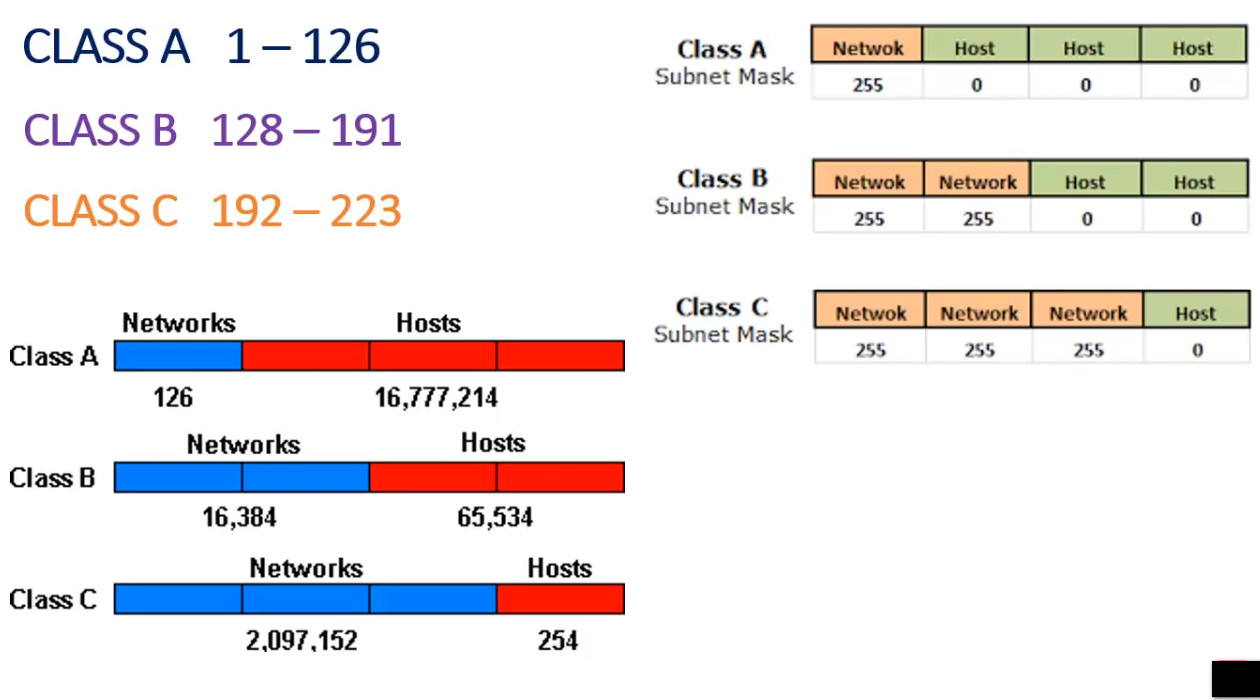
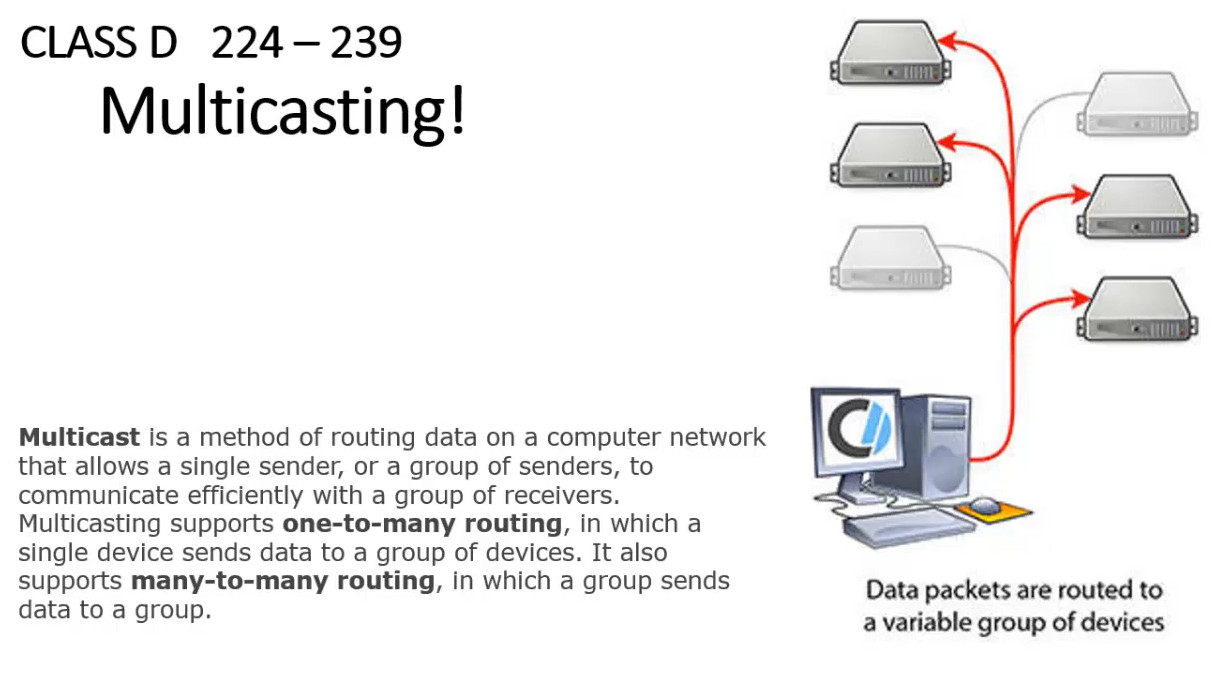
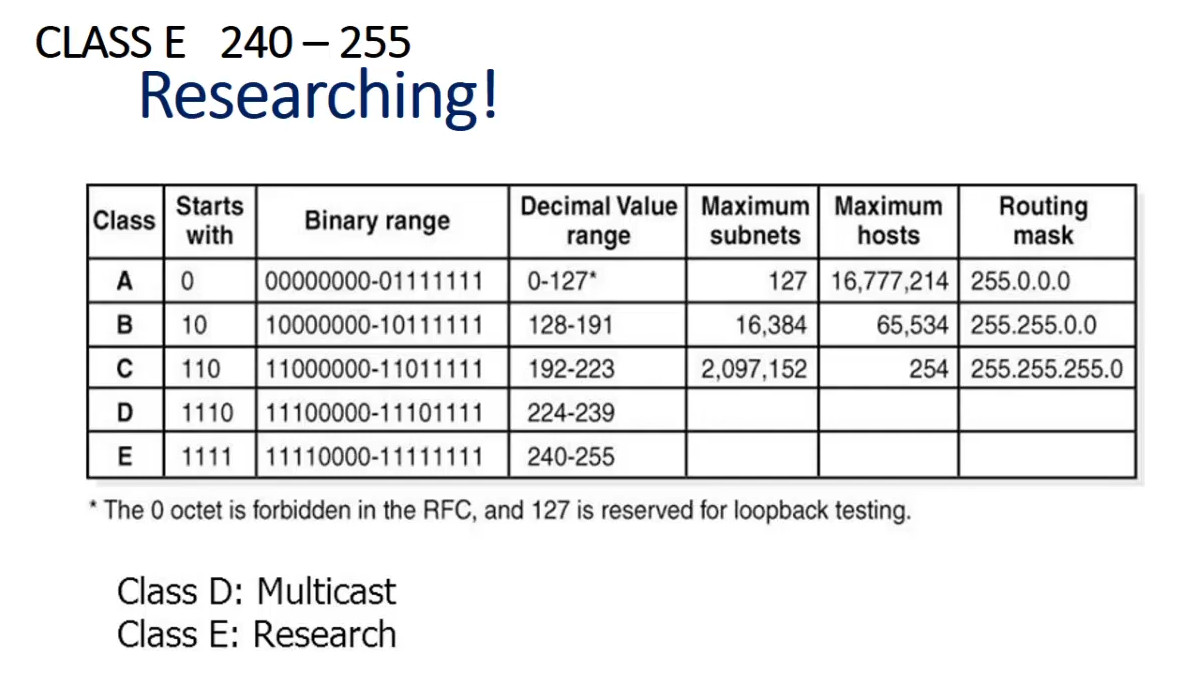
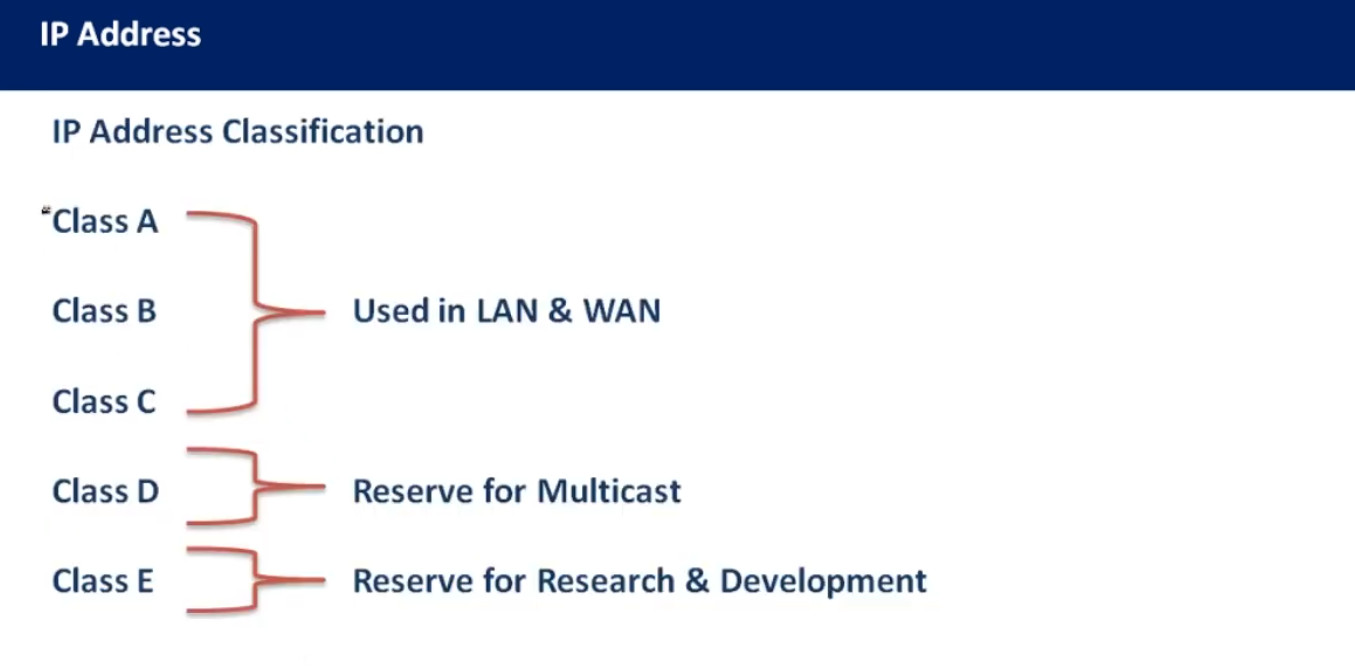
IPv4 originally used classful addressing, which divided addresses into different classes such as Class A, Class B, Class C, Class D, and Class E. These classes were designed for networks of different sizes. Class A was used for very large networks, Class B for medium networks, and Class C for smaller networks. Class D is used for multicast communication, while Class E is reserved for experimental purposes.
Limitations
One major limitation of IPv4 is the limited number of addresses available. As the number of devices connected to the Internet increased rapidly, IPv4 addresses started to run out. To reduce this problem, technologies like Network Address Translation (NAT) were introduced, allowing multiple devices to share one public IP address. However, IPv4 still faces scalability limitations for the future growth of the Internet.
Internet Protocol version 6 (IPv6)
Definition
IPv6 is the latest version of the Internet Protocol developed to replace IPv4 and solve the problem of IP address exhaustion. It was designed to provide a much larger address space and improved network efficiency. IPv6 allows billions of devices, including smartphones, computers, IoT devices, and servers, to connect to the Internet with unique addresses.
Address Structure
IPv6 uses a 128-bit address, which provides an extremely large number of possible IP addresses. IPv6 addresses are written in hexadecimal format and separated by colons. Example:
2001:0db8:85a3:0000:0000:8a2e:0370:7334
Because of its 128-bit size, IPv6 can provide approximately 340 undecillion unique addresses, which is more than enough for future Internet growth.
Features and Advantages
IPv6 offers several improvements over IPv4. It provides a much larger address space, improved routing efficiency, built-in security features such as IPsec support, and better support for mobile devices and modern networks. IPv6 also simplifies packet headers and improves network performance in large-scale networks.
Modern Usage
Today, IPv6 is gradually being adopted across the Internet alongside IPv4. Many Internet service providers and technology companies support IPv6 in their networks. Major platforms such as Google and Meta Platforms have enabled IPv6 connectivity to support the growing number of Internet devices worldwide.
3. Based on Assignment
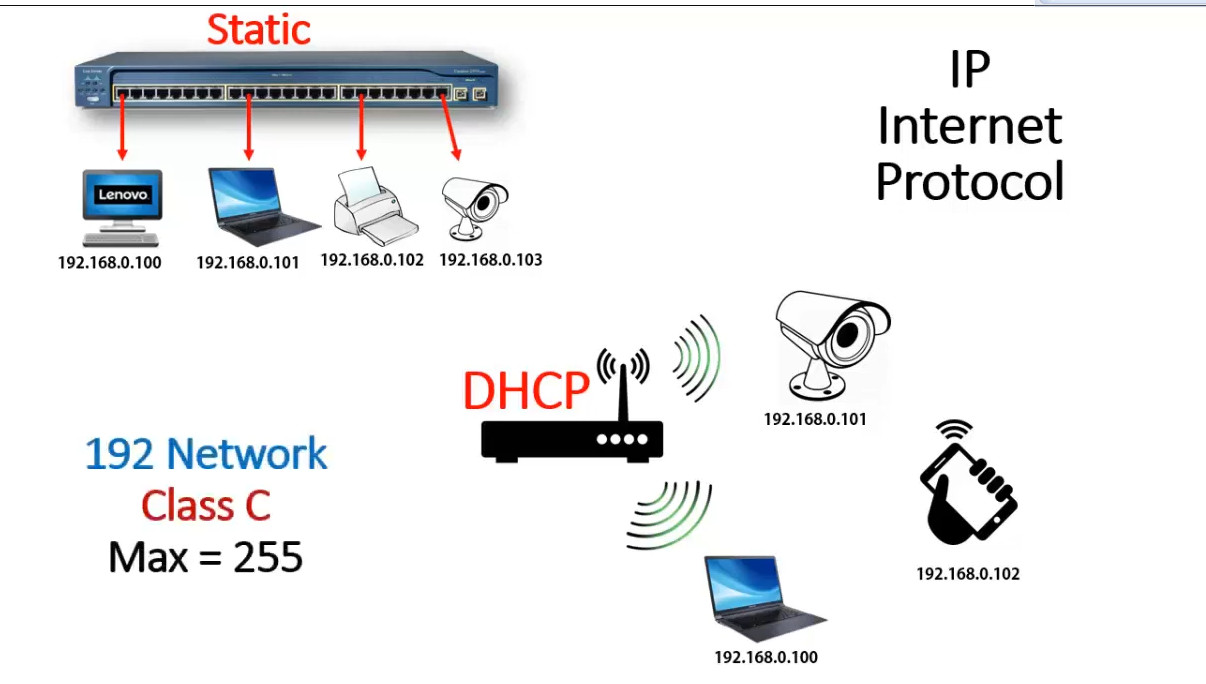
In networking, IP address assignment refers to the method used to give an IP Address to a device in a network. Based on assignment, IP addressing is mainly divided into three types.
1. Static IP Address Assignment
A Static IP Address is an IP address that is manually configured on a device by a network administrator. Once assigned, the address does not change unless it is manually modified.
Static IP addresses are usually used for devices that must always be reachable at the same address, such as servers, routers, printers, and network infrastructure devices. For example, a company web server may use a fixed IP address so that users can always access the server without any change.
Example:
					IP Address : 192.168.1.10
Subnet Mask: 255.255.255.0
Gateway    : 192.168.1.1
Advantages of static IP assignment include stable connectivity and easier remote access. However, it requires manual configuration and management, which can become difficult in large networks.
2. Dynamic IP Address Assignment
A Dynamic IP Address is automatically assigned to devices using Dynamic Host Configuration Protocol (DHCP). In this method, a DHCP server automatically provides an available IP address to a device when it joins the network.
For example, when a laptop connects to a Wi-Fi network, the router automatically assigns an IP address using DHCP. This makes network management easier because administrators do not need to configure each device manually.
Example process:
Device sends DHCP request
DHCP server offers an IP address
Device accepts the address
DHCP server confirms the assignment
Dynamic addressing is widely used in home networks and large organizations because it simplifies IP management.
3. Automatic (APIPA) IP Address Assignment
If a device cannot obtain an IP address from a DHCP server, it may automatically assign itself an address using Automatic Private IP Addressing (APIPA). This method is commonly used in Windows systems when the DHCP server is unavailable.
APIPA addresses fall within the range:
169.254.0.0 – 169.254.255.255
This type of address allows devices to communicate only within the local network but not with the Internet. It is mainly used for temporary network communication or troubleshooting purposes.
4. Based on Function
Based on Function, IP Address can be classified into three main types. These types describe how IP addresses are used in communication between devices.
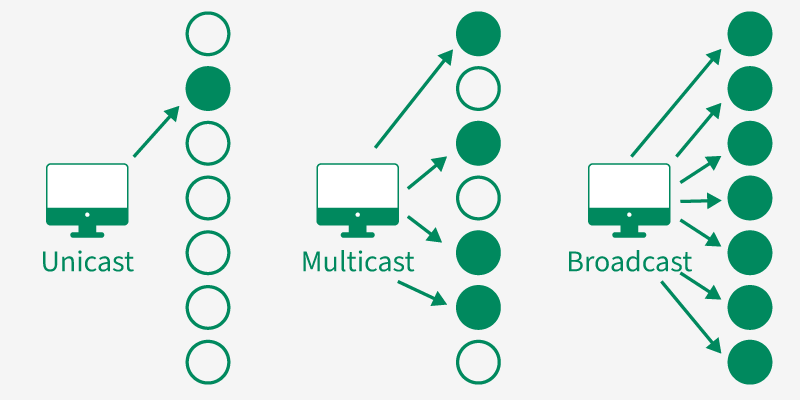
1. Unicast IP Address
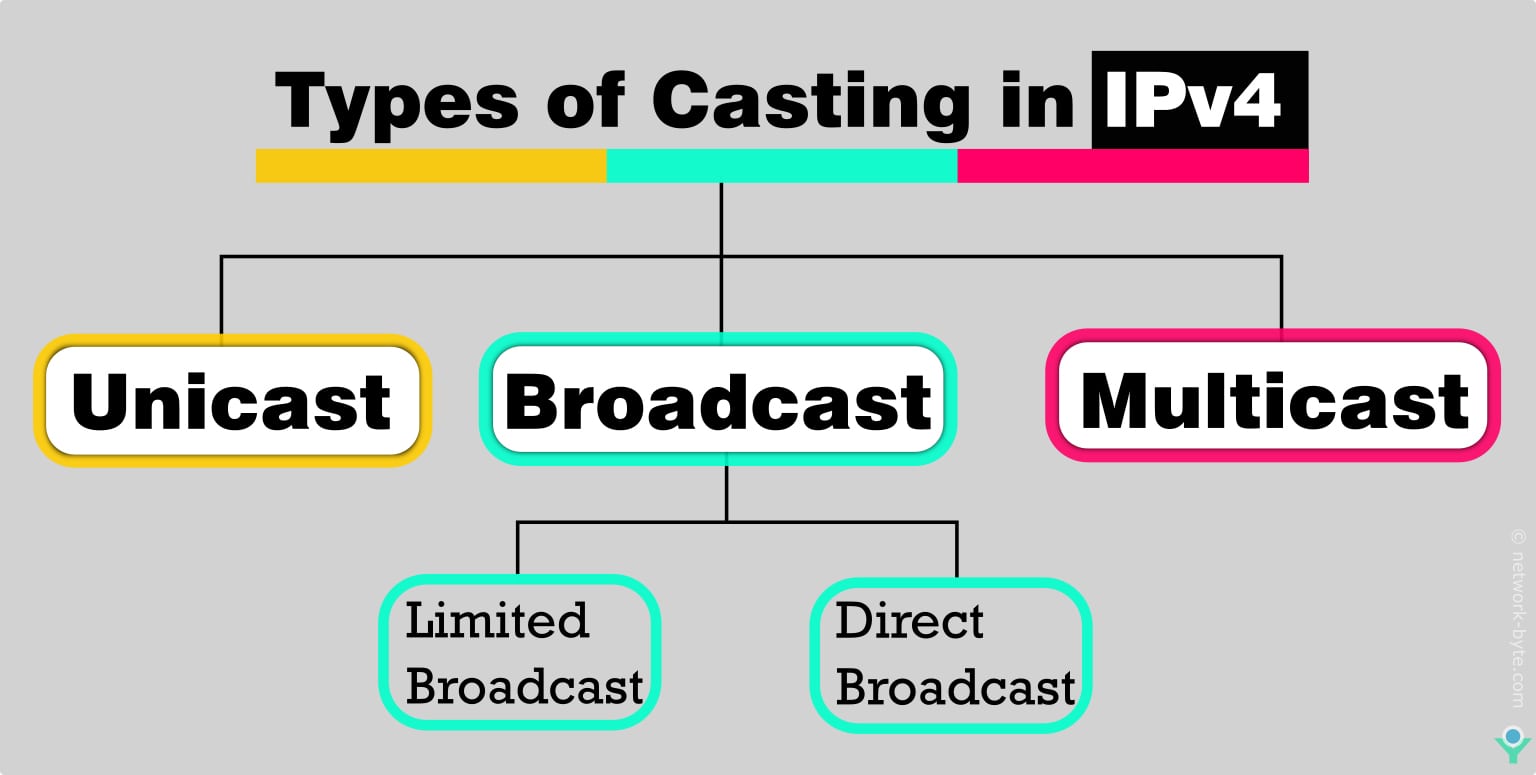
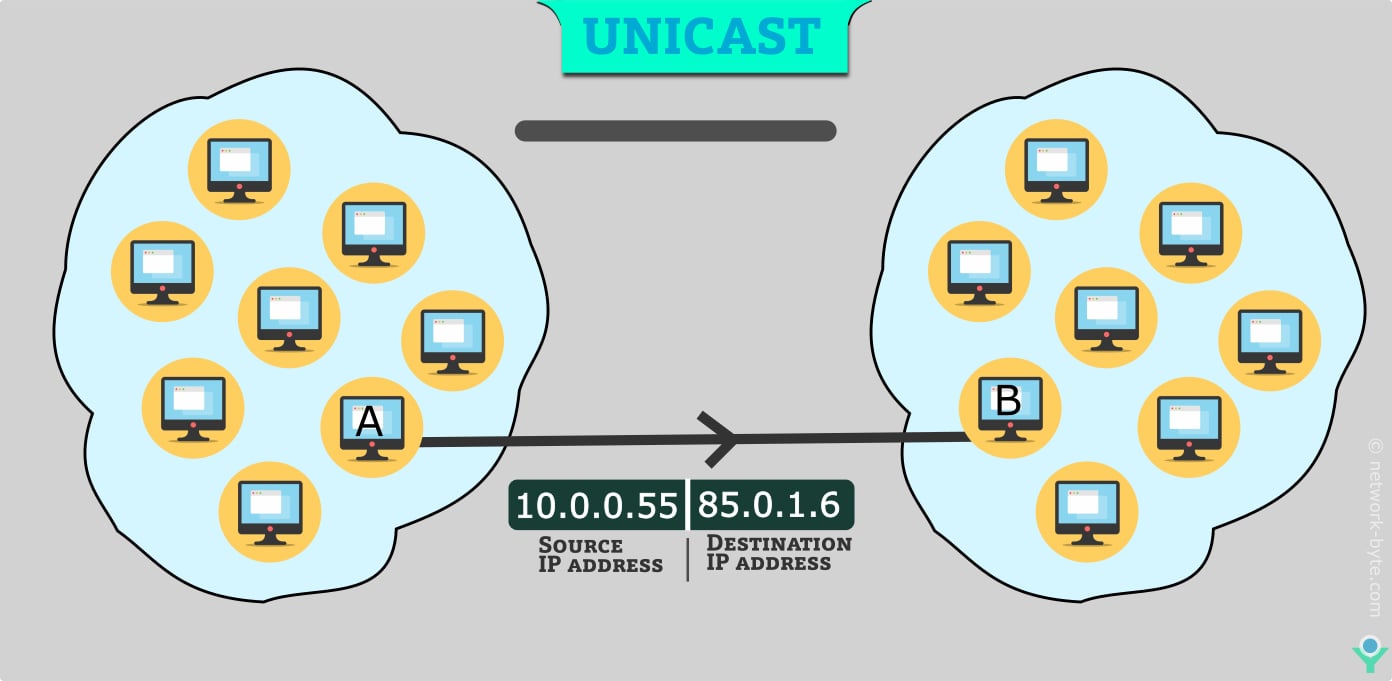
A Unicast IP address is used for one-to-one communication. In this type, data is sent from one source device to one specific destination device. This is the most common type of IP communication used on networks and the Internet.
For example, when a computer accesses a website hosted by Google, the computer sends a request directly to the server’s IP address. The packet travels from the source IP to the destination IP only.
Example:
					Source IP      → 192.168.1.10
Destination IP → 142.250.190.14
Here, only one device communicates with one specific device.
2. Broadcast IP Address
A Broadcast IP address is used for one-to-all communication within a network. In this method, a device sends data to all devices in the same network segment.
Broadcast is commonly used for network discovery processes such as Address Resolution Protocol (ARP). When a computer wants to know the MAC address of another device, it sends a broadcast message to all devices in the network.
Example broadcast address:
192.168.1.255
All devices in the network receive the broadcast message, but only the correct device responds.
3. Multicast IP Address
A Multicast IP address is used for one-to-many communication, but only to a specific group of devices, not to every device in the network.
Multicast is commonly used for applications like video streaming, online conferencing, and IPTV where the same data must be sent to multiple users at the same time.
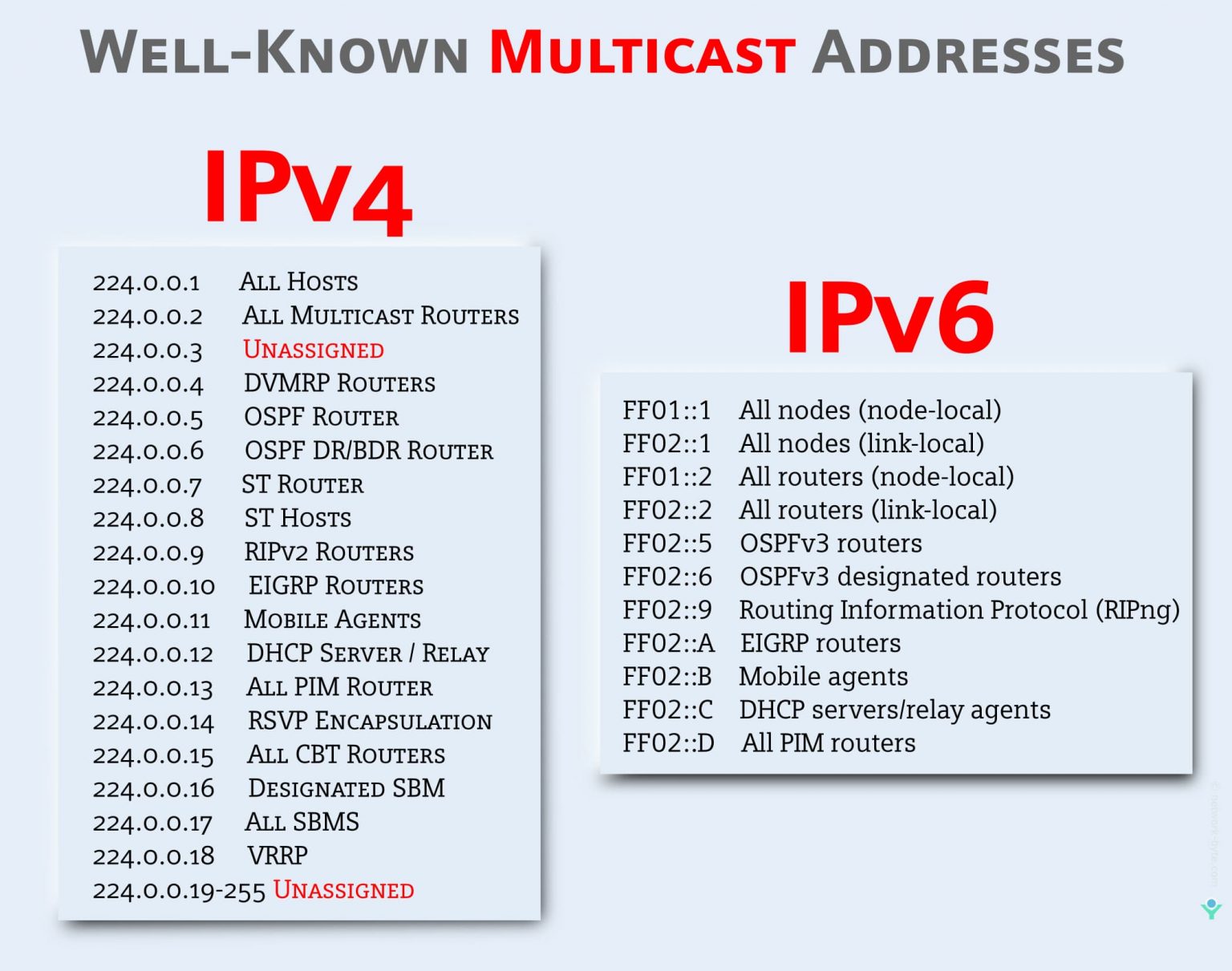
Example multicast IP range:
224.0.0.0 – 239.255.255.255
Only devices that join the multicast group receive the data packets.
Public and Private IP addresses in Details
IP addresses uniquely identify devices on a network, enabling reliable communication, traffic routing, and data delivery. Based on their routing scope and accessibility, IP addresses are broadly classified into two types:
Private IP Address
A Private IP Address is used for communication within a local network (LAN). It enables devices such as computers, smartphones, and printers to exchange data internally. These addresses are typically assigned by a router or DHCP server, ensuring that each device on the network has a unique local identifier. Private IP addresses are not routable on the public internet, meaning they cannot be accessed directly from outside the local network. While this provides network isolation, private IP addresses are not inherently secure; security depends on firewalls, NAT, and proper network configuration.
Can We Trace a Private IP Address?
A private IP address can only be identified or traced within the local network where it is assigned. Devices connected to the same LAN can view and communicate using private IP addresses. However, private IP addresses cannot be traced or accessed from the internet, as they are not visible or routable outside the local network. External networks only see the public IP address used by the router through Network Address Translation (NAT).
Key Features
- Private IP addresses are not directly reachable from the public internet, which helps reduce exposure to external attacks and unwanted traffic.
- They provide a large internal address space, allowing networks to scale easily as the number of devices and services increases.
- Organizations can freely use private IP addresses within their networks without purchasing additional public IP address blocks, making internal addressing cost-efficient.
- Devices using private IP addresses cannot communicate directly with external networks and require mechanisms such as Network Address Translation (NAT) or proxy servers.
- Integration with external services may require additional configuration, as private IP addresses are not globally routable.
- The use of NAT introduces processing overhead, added latency, and increased network complexity, especially in large-scale or high-traffic environments.
What is a Private IP Address Used for?
- Home Networks: Many domestic routers use personal IP addresses to assign unique addresses to devices in the home network. This allows more than one devices along with computers, smartphones, TVs, and IoT devices to communicate with every device securely.
- Business Networks: In large organizations, private IP addresses are used to create inner networks that join computers, servers, printers, and other devices. This permits employees to share assets and collaborate while maintaining protection and privacy.
Why Do We Need Private IP Addresses?
We need private IP addresses in order to secure and to manage our local networks. Private IPs are used internally inside a home or office network so that many devices, such as computers, smartphone, and printers, can communicate with each other using the same IP without exhausting public IPs. Public IPs are few, so conserving them through the use of private IPs would be beneficial. This private address helps in protection against harmful external attacks because they are not accessible directly from the internet. Using private IPs means that devices can communicate locally and one public IP address can connect the whole network to the internet this makes it more efficient and secure.
What are the Different Private IP Address Ranges?
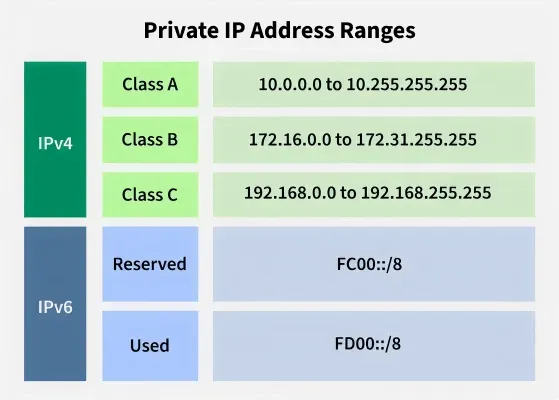
Private IP address exists within the specific ranges as reserved by the Internet Assigned Numbers Authority (IANA). Private IP address ranges are generally reserved for private networks. These include home networks, office networks, and a LAN. These are not routable on the public Internet, meaning that their primary use would be to identify the machines within the local network. There are private IP address ranges for both IPv4 and IPv6.
These private address ranges enable devices on the private network to communicate effectively without conflicting the usage of the public IP addresses, hence the need for it in network management and security.
IPv4 Private Address Ranges
Following are the three IPv4 address ranges of private IP addresses:
- In Class A, the address range assigned to Private IP Address: 10.0.0.0 to 10.255.255.255
- In Class B, the address range assigned to Private IP Address: 172.16.0.0 to 172.31.255.255
- In Class C, the address range assigned to Private IP Address: 192.168.0.0 to 192.168.255.25
Benefits of Private IP Addresses
- Security: Private IP addresses are not directly accessible from the internet, due to which they reducing the risk of unauthorized access and cyber attacks and hence more secure.
- Scalability: Private IP address ranges provide ample addressing space for small to large networks, accommodating the growth of devices and services within an organization.
- Flexibility: Network administrators have full control over the management of private IP addresses, allowing for efficient allocation of resources and customization of network configurations.
- Cost-Effectiveness: By using private IP addresses internally, organizations can avoid the need to obtain and manage large blocks of public IP addresses, reducing costs associated with internet connectivity
Limitations of Private IP Addresses
- Limited Accessibility: Private IP addresses are not available immediately from the general public internet. While this affords safety advantages by means of hiding internal community sources.
- Network Address Translation (NAT) Overhead: To permit information exchange among non-public IP addresses and public internet addresses, Network Address Translation (NAT) is often employed. NAT introduces overhead in terms of processing energy, latency, and complexity, in particular in big-scale deployments.
- Management Complexity: Managing private IP deal with allocations, subnetting, and routing configurations can grow to be complex, specially in large and allotted networks.
- Interoperability Issues: Private IP addresses may come across interoperability issues whilst integrating with external services that rely upon public IP addresses.
Private IP addresses are widely used in homes, schools, and corporate networks.
Functions of Private IP Address
| Parameter | Private IP Address |
|---|---|
| Scope | It is assigned locally within a specific network. |
| Communication | It is used by devices to communicate with one another on the same network. |
| Assigned By | It is assigned by the LAN administrator or network operator. |
| Cost | Private IP Address is free of cost. |
| Reused | Private IP addresses can be reused by the devices on another network. |
| How to find it? | The ifconfig command is used to search your Private IP address. |
Difference Between Public IP and Private IP
Public IP | Private IP |
|---|---|
A special number given to a device with a direct internet connection | Special number given to a device on a local network |
Available online and accessible from anywhere | Restricted to the local network |
Internet service providers (ISPs) is the assigning authority | Assigned by network address translators (NATs) or routers |
They are distinct throughout the whole web | Reusable across several local networks |
Recognizing devices connected to the internet and facilitating communication between them. | Recognizing devices on a local network and enabling device-to-device communication internally. |
Public IP Address
In a computer network, a Public IP address is defined as a unique numerical value that is assigned to the particular device connected in the network that makes use of internet protocol for communication and transmission.
Public IP Address basically offers a globally recognizable address that enables user devices to actually transmit and receive the data or packets across a wide range of networks. Public IP addresses are actually routable on the Internet which means that they can be accessed and communicated through any device, from any part or from any region of the world. Public IP addresses are typically assigned by an Internet Service Provider (ISP).This Public IP address assigned to every device is in the form of classes. These classes are defined by the standard Internet Assigned Numbers Authority (IANA).
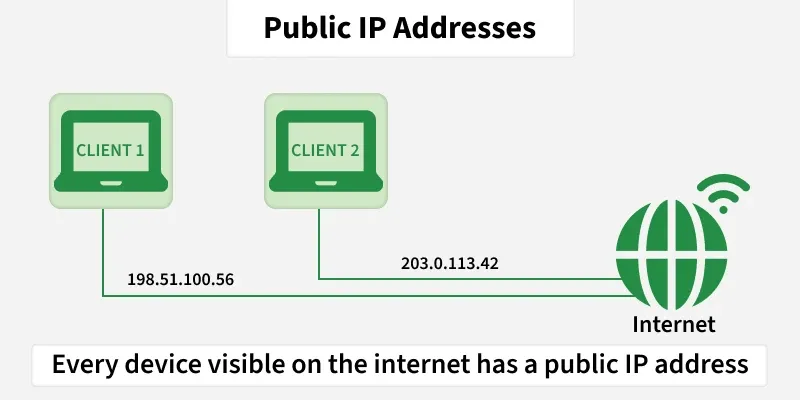
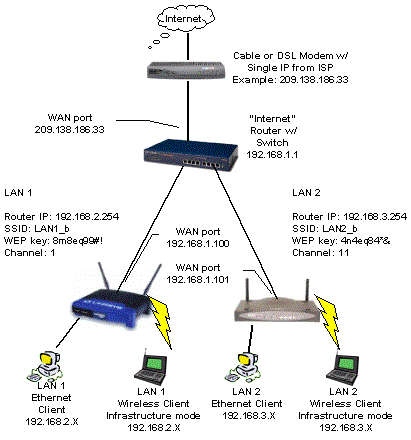
Types of Public IP Addresses
Dynamic Public IP Address: A dynamic public IP address is assigned by the ISP and may change over time, usually when the connection is reset or periodically according to the ISP’s policy. Most home and mobile internet connections use dynamic public IP addresses.
Static Public IP Address: A static public IP address remains fixed and does not change. It is commonly used by servers and services such as web servers, mail servers, and DNS servers that need a consistent and reachable address.
ISP means Internet Service Provider.
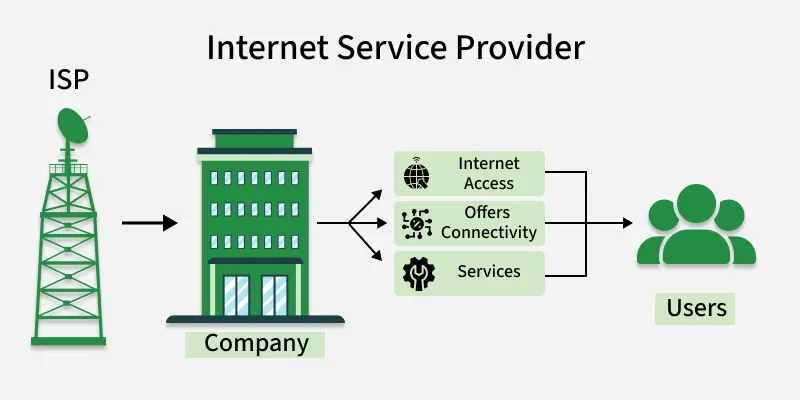
An Internet Service Provider (ISP) is a company that provides Internet connectivity to users, businesses, and organizations. It allows devices such as computers, smartphones, and routers to connect to the Internet and access websites, email, and online services. ISPs also provide services like IP addresses, bandwidth, DNS, and network routing.
Examples of ISPs:
- Reliance Jio
- Bharti Airtel
- BSNL
- Vodafone Idea
Example:
When you connect your home router to the Internet using Reliance Jio fiber or Bharti Airtel broadband, those companies act as your ISP and provide access to the Internet.ISP Provide Public IP Address Maybe Static And Dynamic
What is My Public IP Address
There are several ways to find our public IP Address. As the ISPs are assigned by Internet Service Provider, therefore the websites you visit have your public IP Address.
You can visit to Google and search “what is my IP address’. You can get your public IP Address there. Below is the image of the same.
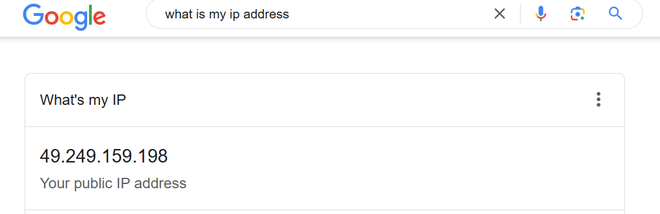
A public IP address is an IP address provided by an Internet Service Provider (ISP), that allows devices or networks to be accessible from anywhere on the internet. This address is unique and it lets other networks directly connect to it.
Are Public IP Addresses Traceable?
Yes, public IP addresses are traceable up to a certain limit. When you connect to the internet, your Internet Service Provider (ISP) assigns a public IP address to your device. This IP address is unique when you are online, which means that, in general, it can reveal certain details about you, like your approximate location (such as your country, region, or sometimes even your city) and the name of your ISP.
ISPs also keep records of which IP addresses are assigned to which users and when. in case of a legal requirement, ISP helps in identifying who was using a particular IP address at a certain time.
Difference Between Private and Public IP Addresses
| Private IP Address | Public IP Address |
|---|---|
| Used within a local or private network | Used for communication over the internet |
| Not routable on the public internet | Routable on the public internet |
| Scope is limited to the local network | Scope is global |
| Assigned by router or DHCP server | Assigned by ISP |
| Unique within a local network | Globally unique |
| Requires NAT for internet access | Does not require NAT |
| Hidden from external networks | Visible on the internet |
| Uses reserved private IP ranges | Uses globally assigned IP ranges |
| Freely usable inside networks | May involve additional ISP cost |
| Example: 192.168.1.10 | Example: 203.0.113.10 |
IP Addresses
What is an IP Address
An IP address (Internet Protocol address) is a unique identifier assigned to each device on a network. It allows devices to communicate with each other over a network, such as the internet or a local network (LAN). An IP address functions similarly to a phone number or home address, enabling data to be sent to the correct destination.
Types of IP Addresses
There are two main types of IP addresses:
IPv4 (Internet Protocol version 4):
- IPv4 is the most widely used IP address version.
- It consists of 32 bits (4 bytes), which are divided into four octets, each ranging from 0 to 255.
- Example:
192.168.1.1
IPv6 (Internet Protocol version 6):
- IPv6 is designed to address the limitations of IPv4, such as the exhaustion of available IP addresses.
- It consists of 128 bits, represented as eight groups of four hexadecimal digits.
- Example:
2001:0db8:85a3:0000:0000:8a2e:0370:7334
While IPv4 is still the most commonly used version, IPv6 adoption is increasing as the number of devices on the internet grows and the pool of IPv4 addresses becomes exhausted.
Classes of IPv4 Addresses
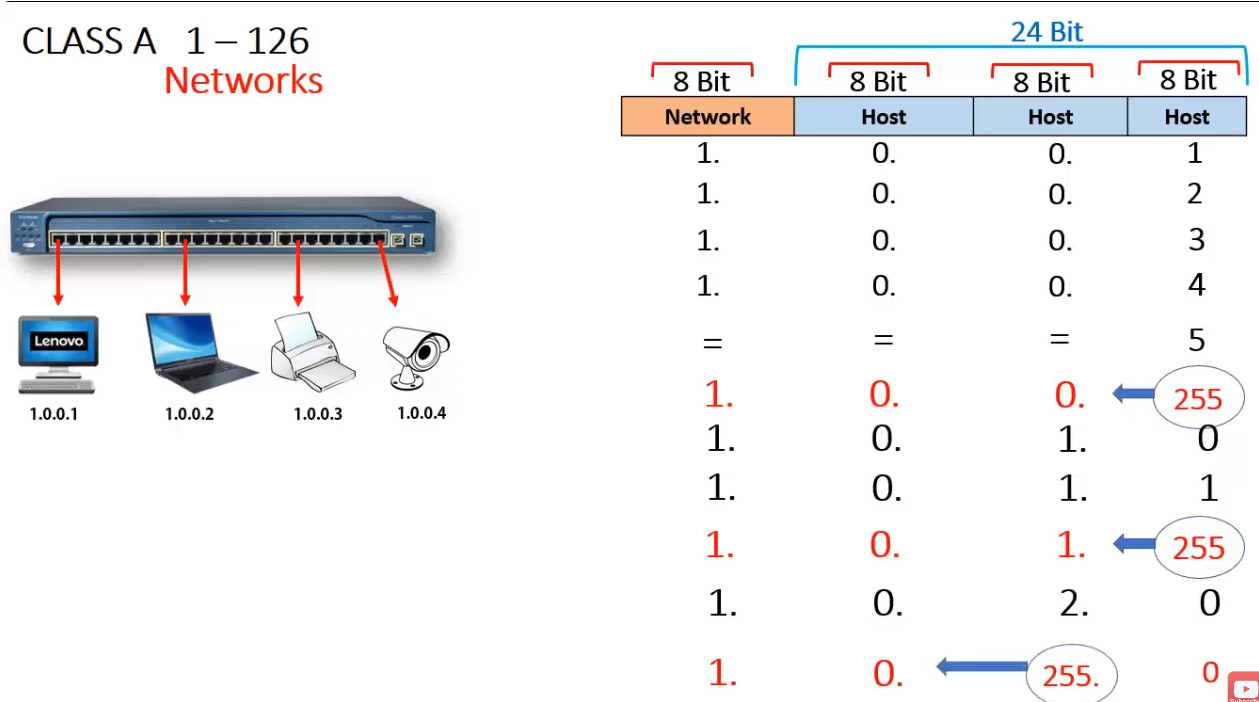
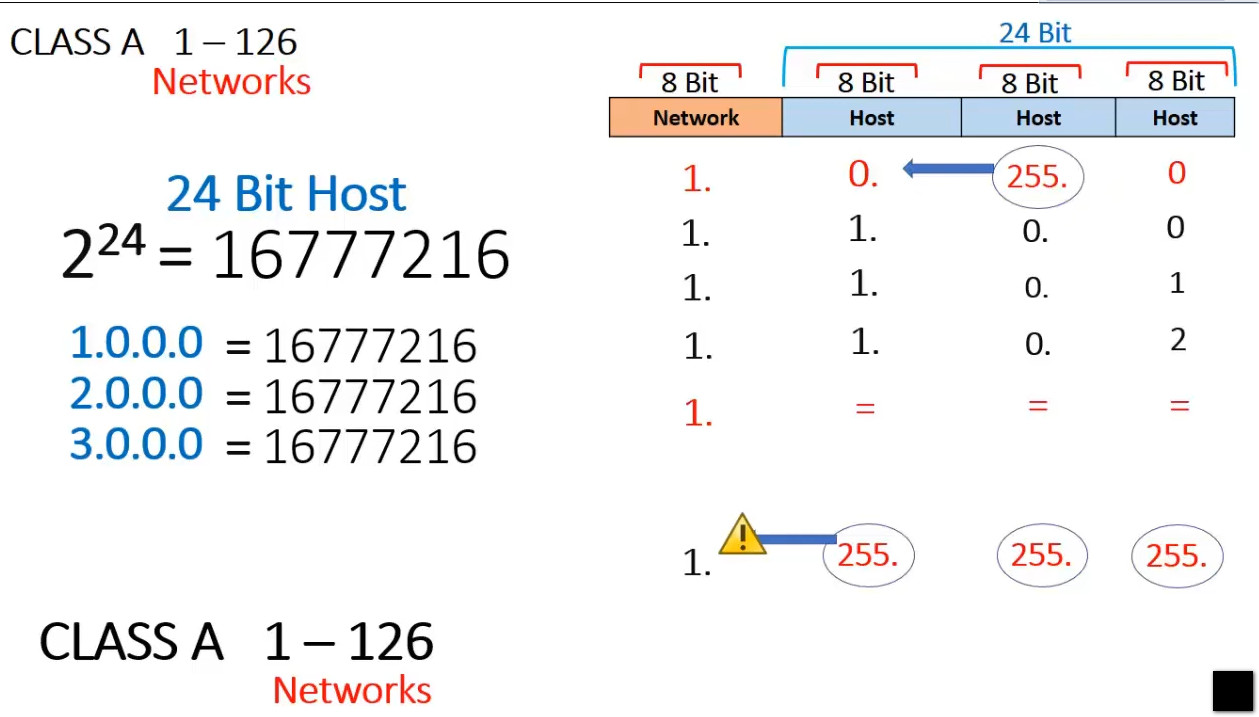
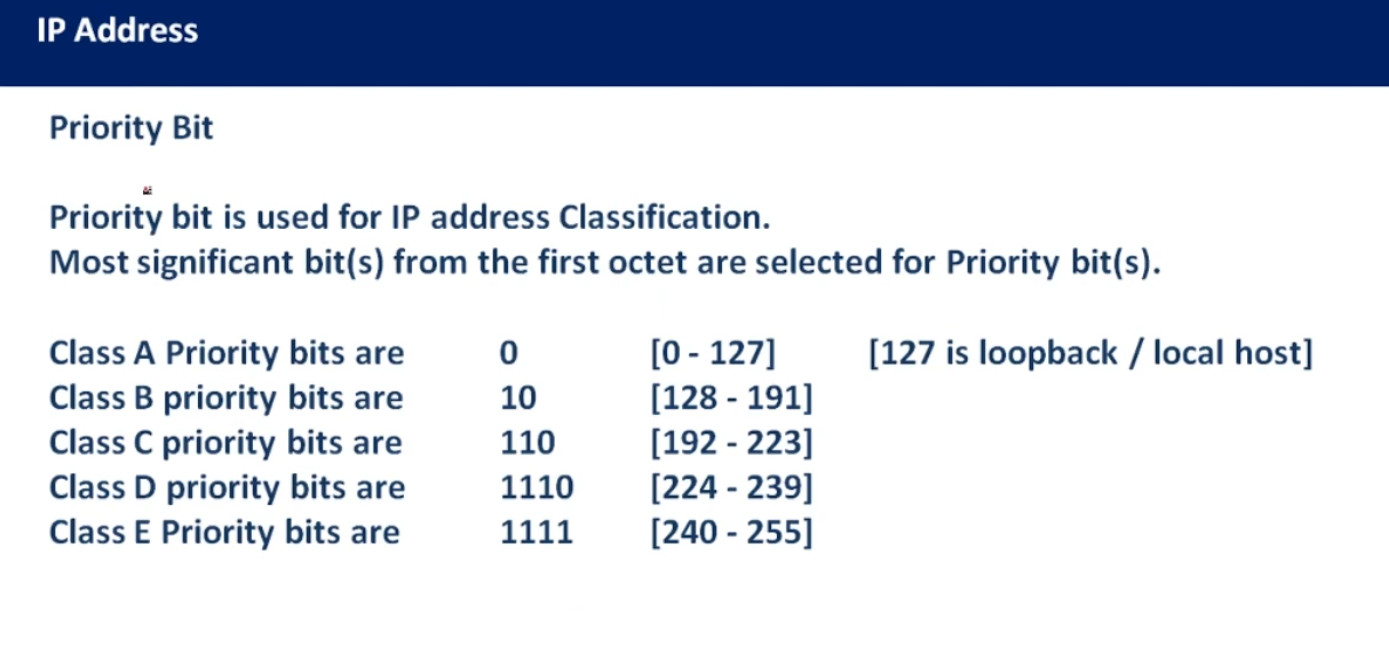
IPv4 addresses are categorized into different classes based on their range, and each class serves different purposes (e.g., public, private, reserved). There are 5 main classes of IPv4 addresses: A, B, C, D, E.
1. Class A (Large Networks)
- Range:
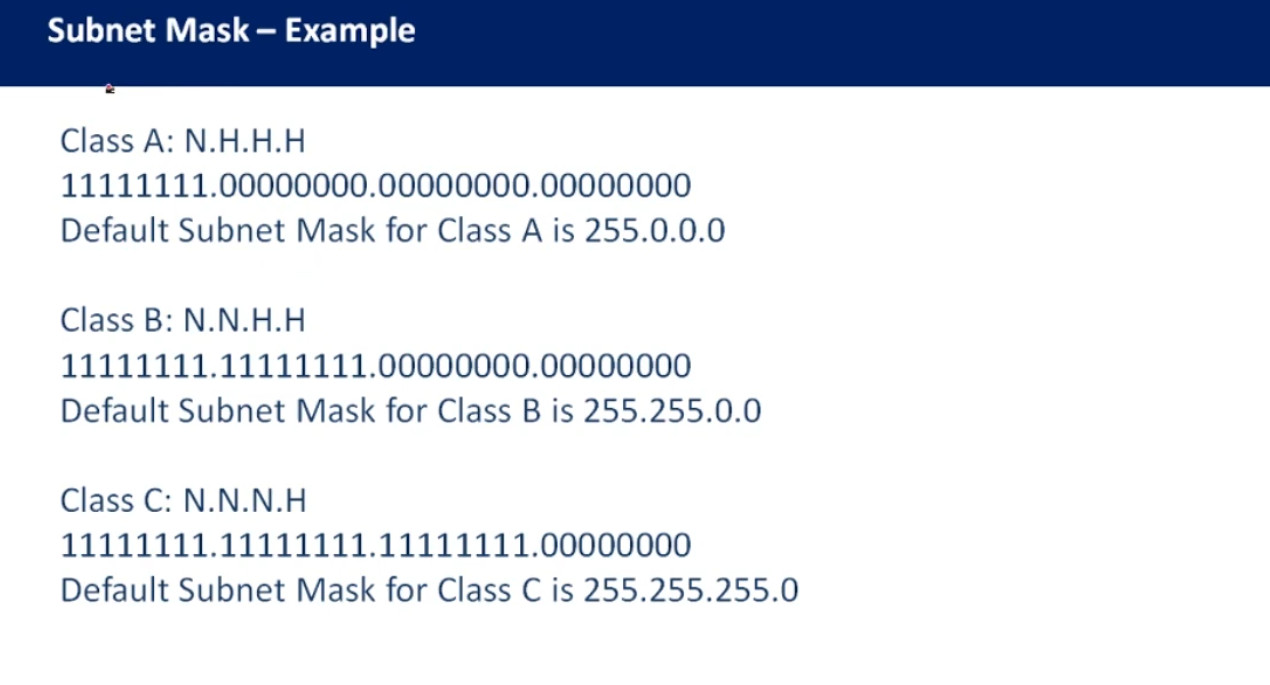
1.0.0.0to127.255.255.255 - Subnet Mask:
255.0.0.0(or/8prefix) - First Octet: Starts with
0to127 - Purpose: Class A addresses are typically used for large networks with a very large number of hosts (millions).
- Private Range:
10.0.0.0to10.255.255.255
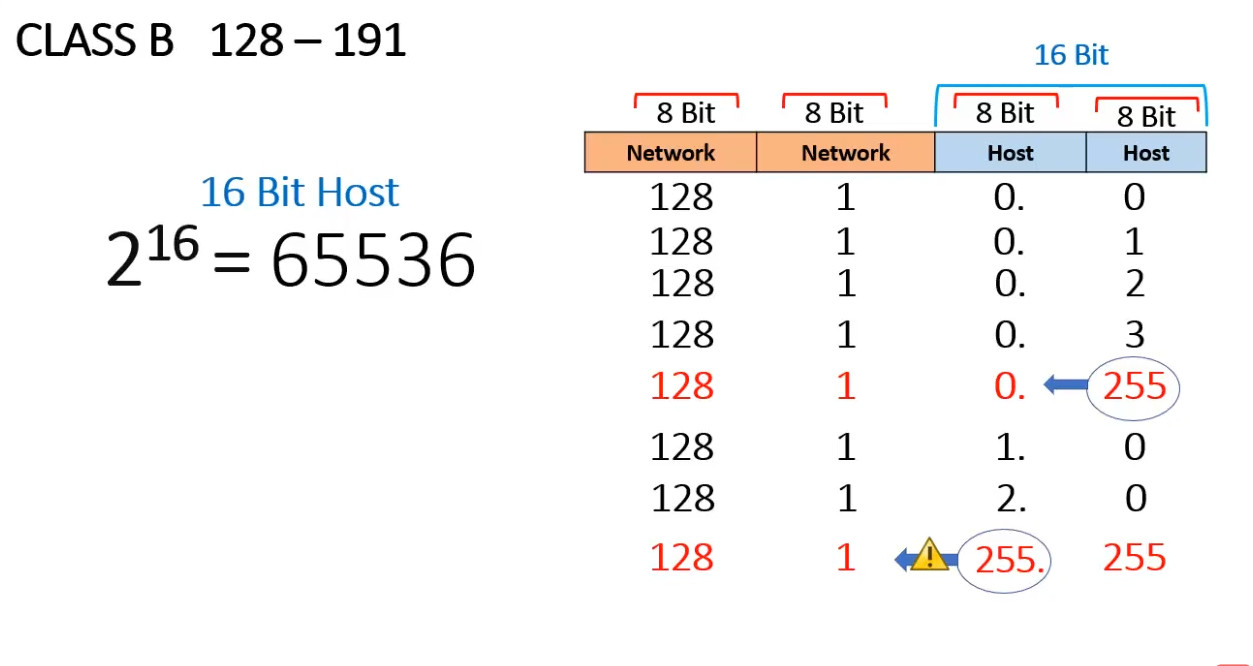
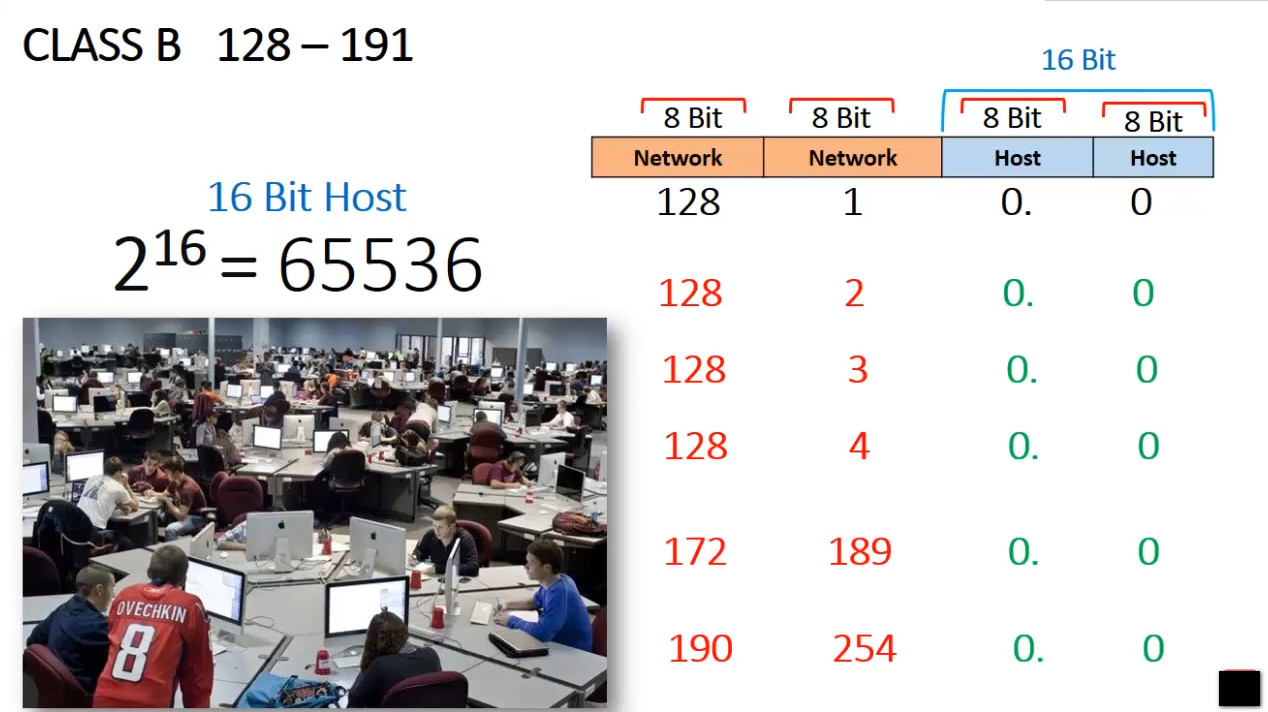
2. Class B (Medium Networks)
- Range:
128.0.0.0to191.255.255.255 - Subnet Mask:
255.255.0.0(or/16prefix) - First Octet: Starts with
128to191 - Purpose: Class B addresses are used for medium-sized networks (e.g., mid-sized businesses, large organizations).
- Private Range:
172.16.0.0to172.31.255.255
3. Class C (Small Networks)
- Range:
192.0.0.0to223.255.255.255 - Subnet Mask:
255.255.255.0(or/24prefix) - First Octet: Starts with
192to223 - Purpose: Class C addresses are used for smaller networks (e.g., home or small office networks).
- Private Range:
192.168.0.0to192.168.255.255
4. Class D (Multicast Addresses)
- Range:
224.0.0.0to239.255.255.255 - Purpose: Class D addresses are used for multicasting, where data is sent to multiple receivers at once, not individual devices.
- Note: These are not assigned to individual hosts, so they aren’t used for standard device communication.
5. Class E (Reserved for Experimental or Future Use)
- Range:
240.0.0.0to255.255.255.255 - Purpose: Class E addresses are reserved for experimental or future use. They are not used in public or private networking.
Private IP Address Ranges
Private IP addresses are reserved for use within private networks (LANs) and cannot be routed on the internet. These are commonly used in home and business networks.
Here are the private IP address ranges:
- Class A Private Range:
10.0.0.0to10.255.255.255 - Class B Private Range:
172.16.0.0to172.31.255.255 - Class C Private Range:
192.168.0.0to192.168.255.255
Devices using private IP addresses can access the internet through a Network Address Translation (NAT) service, typically provided by a router.
Special IP Address Ranges
Loopback Address (for testing):
- Range:
127.0.0.0to127.255.255.255 - This range is reserved for loopback addresses, and the most commonly used loopback address is
127.0.0.1. It is used to test network interfaces locally.
- Range:





Global IPv6 Address
2001:1234:0000:0000:0000:0000:0000:1010/64
To Short IP Address
2001:1234::1010/64
Link Local IP Address For Private IP
FE80:0000:0000:0000:0000:200:CFF:FE0A:C1D2
To Short IP Address
FE80::200:CFF:FE0A:C1D2
Full IPv6 Address (Big Form)
2001:0db8:0000:0000:0000:ff00:0042:8329
Shortening Rules
Rule 1: Remove Leading Zeros
Each block of 4 hex digits can drop leading zeros.
2001:0db8:0000:0000:0000:ff00:0042:8329
→ 2001:db8:0:0:0:ff00:42:8329
Rule 2: Use Double Colon (::)
A single sequence of consecutive zero blocks can be replaced with ::
Example:
2001:db8:0:0:0:ff00:42:8329
→ 2001:db8::ff00:42:8329
Shortest Form (Smallest Representation)
So the final shortest form of our example is
2001:db8::ff00:42:8329
Big form: 2001:0db8:0000:0000:0000:ff00:0042:8329
Short form: 2001:db8::ff00:42:8329