What is iDRAC
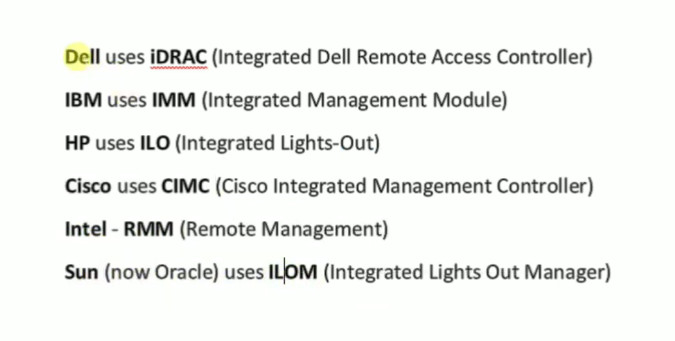
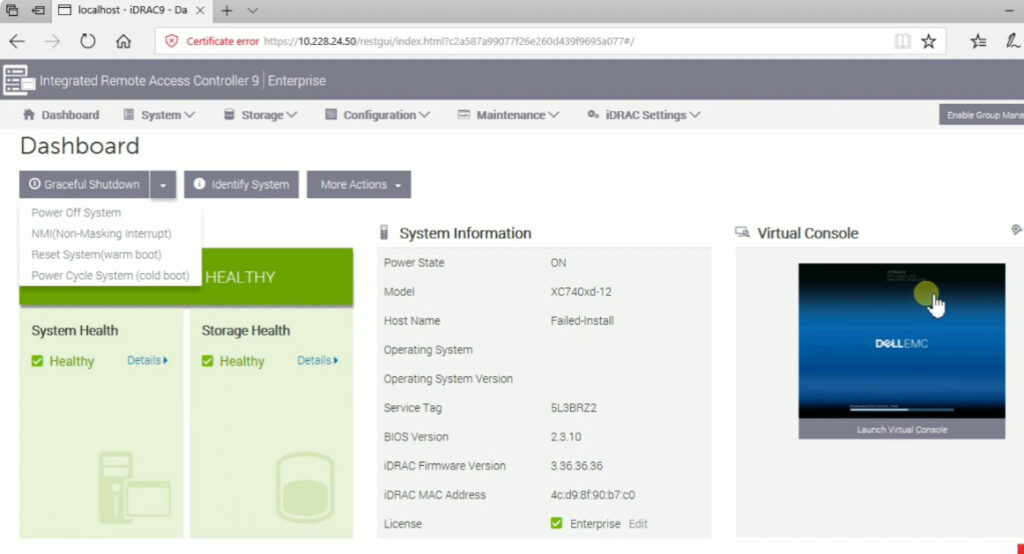
iDRAC is a built-in remote management technology embedded in Dell servers that renders various administration and monitoring options. From monitoring server health and scheduling system updates to configuring hardware settings, iDRAC simplifies system administration and reduces on-site visits, saving users time and resources.
Here are the key features of Dell iDRAC:
Remote Server Management: iDRAC allows administrators to remotely monitor, manage, and troubleshoot servers without needing physical access. This includes power cycling, rebooting, and viewing server logs.
Hardware Monitoring: It provides real-time monitoring of the server’s hardware, including CPU temperature, fan speeds, power usage, and memory status.
Virtual Console Access: Administrators can access the server’s console remotely, similar to being physically at the machine. This allows for BIOS configurations, OS installations, and troubleshooting in case of OS failure.
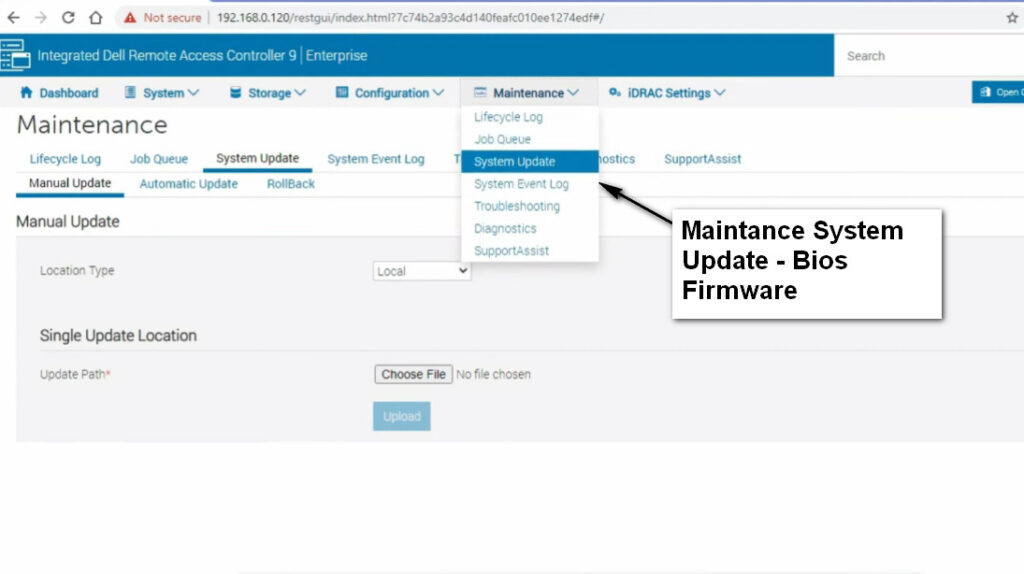
Firmware Updates: iDRAC can be used to remotely update the server’s firmware, ensuring that systems stay up to date with the latest patches and security fixes.
KVM (Keyboard, Video, Mouse) Over IP: iDRAC offers KVM over IP functionality, enabling remote access to the server’s keyboard, video output, and mouse, allowing full control over the server.
Lifecycle Controller: iDRAC includes a feature called the Lifecycle Controller, which helps with the deployment, configuration, and management of Dell servers, providing a centralized interface for server setup and maintenance.
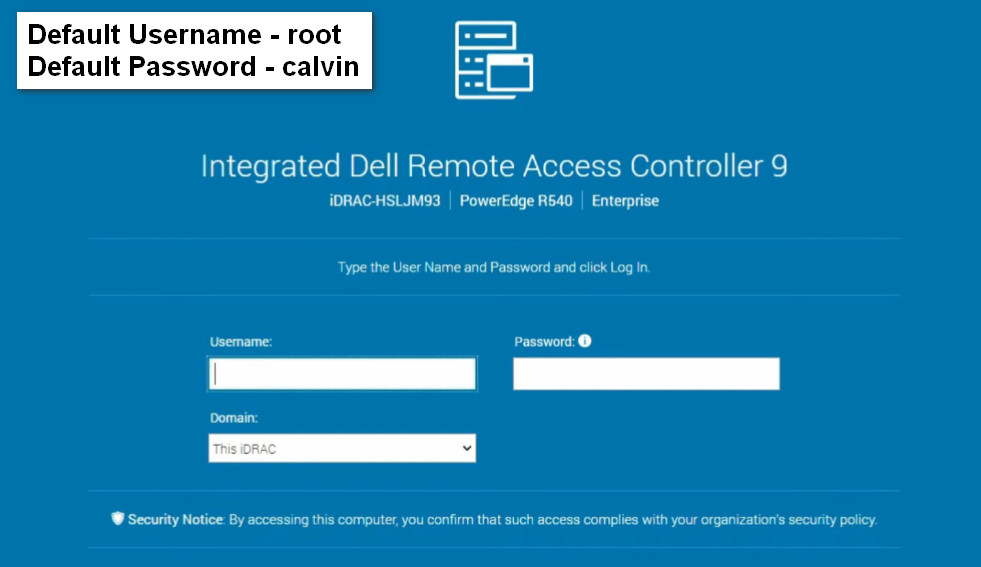
Secure Access: iDRAC supports secure login methods, including username/password authentication, as well as integration with LDAP or Active Directory.
Alerts and Notifications: iDRAC can send alerts (email, SNMP traps) when it detects hardware issues like fan failures, temperature anomalies, or disk failures.
Versions and Licensing:
Dell iDRAC comes in different versions (iDRAC Express, iDRAC Enterprise), with the Enterprise version offering more advanced features like remote media support, higher performance, and more comprehensive monitoring tools. Some of these features may require an additional license.
Overall, iDRAC is a powerful tool for managing Dell servers, providing flexibility and ensuring continuous uptime, which is crucial for mission-critical environments.





Dell Lifecycle Controller
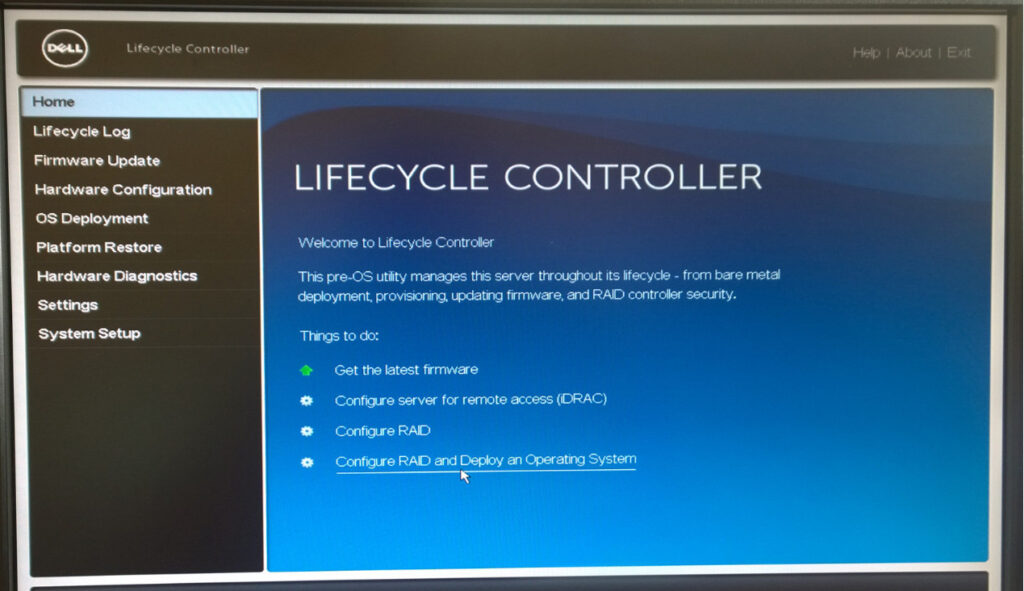
The Dell Lifecycle Controller is a feature built into Dell servers that simplifies and automates many aspects of the server lifecycle, including deployment, configuration, updates, and maintenance. It is tightly integrated with Dell’s Integrated Dell Remote Access Controller (iDRAC) and provides an out-of-band management solution that helps administrators manage servers without needing physical access to the hardware. The Lifecycle Controller is part of the server’s firmware and offers a centralized interface for server management.
Key Features of the Dell Lifecycle Controller:
Unified Management Interface:
- The Lifecycle Controller provides a single interface for all server management tasks, including hardware configuration, operating system installation, and firmware updates. This makes it easier for administrators to perform tasks efficiently without having to rely on separate tools or manually interacting with each component.
Server Deployment:
- It allows administrators to quickly deploy operating systems on new or existing Dell servers. The Lifecycle Controller can be used to install a variety of operating systems, including Windows, Linux, VMware, and others, with minimal user intervention.
Hardware Configuration:
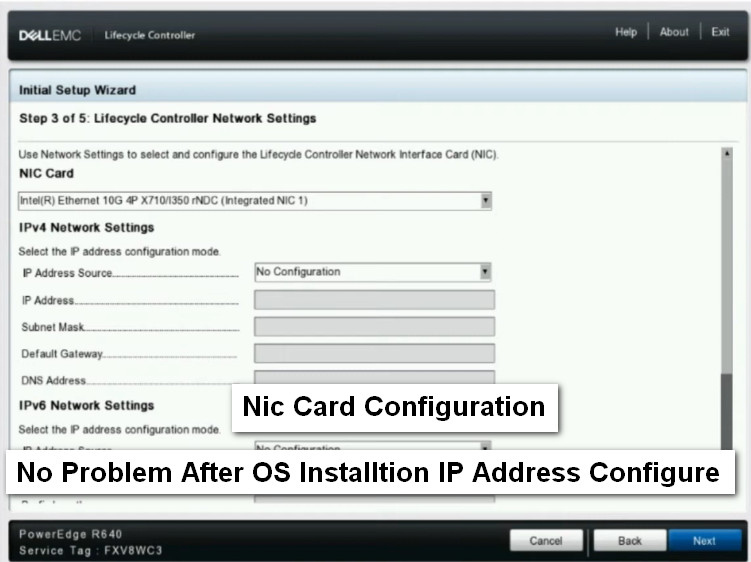
- The Lifecycle Controller enables the configuration of various hardware components, such as RAID arrays, BIOS settings, and network settings. It automates many aspects of hardware configuration, reducing the time spent on setup and ensuring consistency.
Firmware and Driver Updates:
- The controller allows for the management of firmware, BIOS, and driver updates, both from a local repository or by directly downloading them from Dell’s online repositories. This ensures that servers remain up-to-date with the latest fixes, security patches, and enhancements.
System Diagnostics:
- The Lifecycle Controller includes built-in diagnostic tools to help identify and troubleshoot hardware issues. It can run hardware diagnostics on the server to ensure that all components are functioning correctly and can help pinpoint the root cause of problems.
Remote Management:
- Since the Lifecycle Controller is integrated with iDRAC, it can be accessed remotely, allowing administrators to manage the server even when the operating system is not operational or if the server is not booting properly. This out-of-band management is especially useful for troubleshooting and performing maintenance without needing physical access.
Provisioning and Recovery:
- The Lifecycle Controller can be used for provisioning new servers, setting up RAID arrays, configuring storage, and setting up networking. It also facilitates disaster recovery, helping to restore servers to their previous configurations after hardware failures or system crashes.
Secure Boot:
- It supports Secure Boot functionality, which helps prevent unauthorized operating systems or boot loaders from running on the system, adding a layer of security to the server.
How the Dell Lifecycle Controller Works:
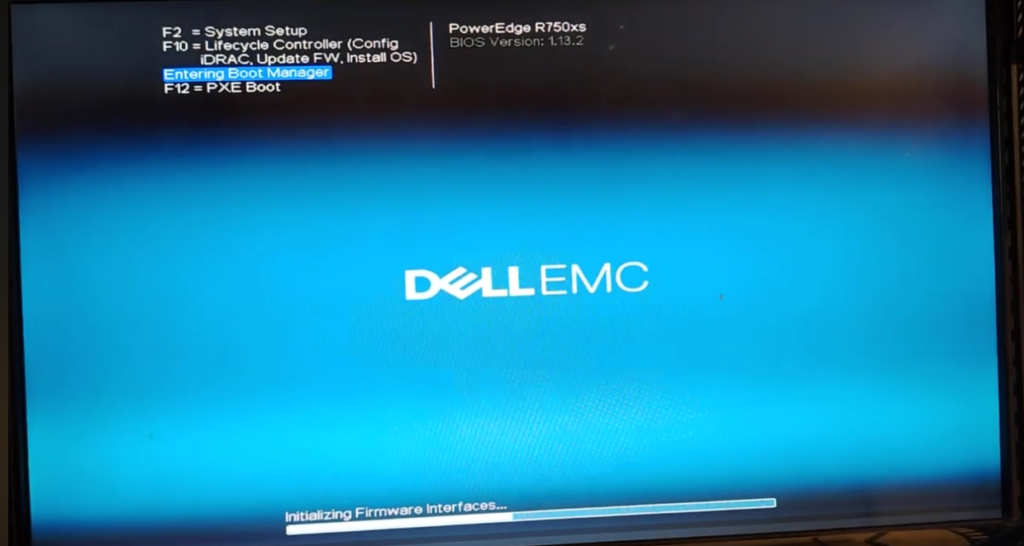
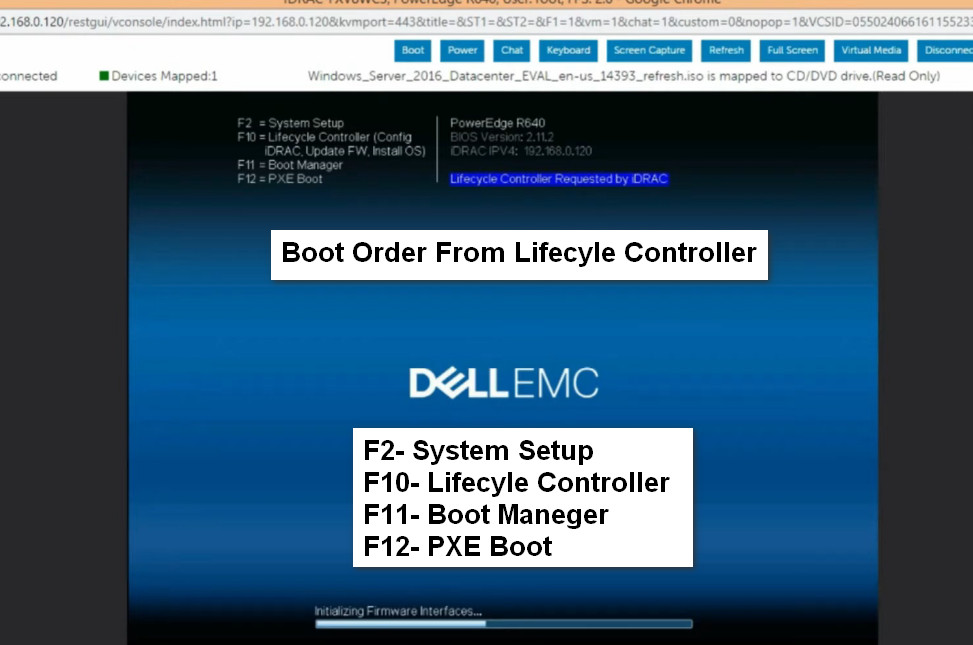
- The Lifecycle Controller is embedded into the system firmware, and it can be accessed through the server’s F10 key during the boot process.
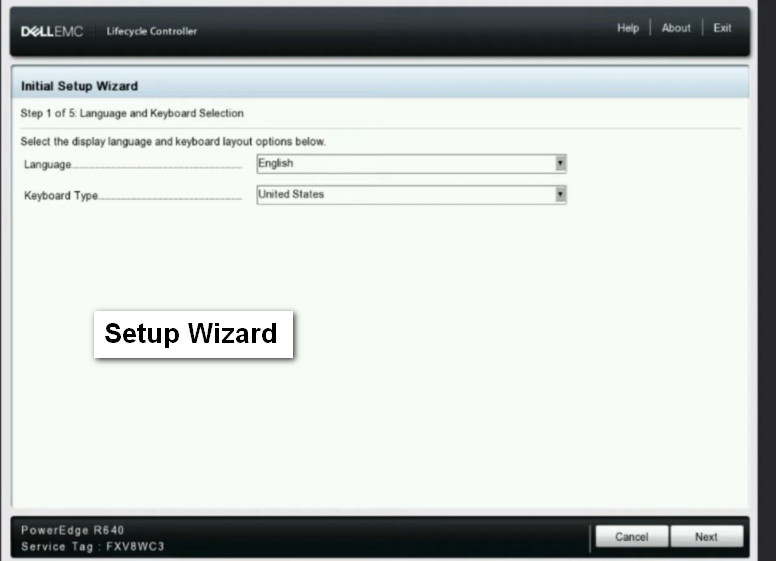
- Once inside the Lifecycle Controller, administrators can perform various tasks via a graphical user interface (GUI) or command-line interface (CLI), depending on the configuration and preferences.
Benefits:
- Streamlined Server Management: Simplifies and automates critical tasks across the server lifecycle, from deployment to updates and recovery.
- Improved Efficiency: Speeds up the process of setting up, configuring, and maintaining servers, which reduces downtime and increases overall operational efficiency.
- Enhanced Security: Facilitates updates to firmware and drivers, ensuring systems are secure and compliant with the latest patches.
- Cost-effective: Reduces the need for physical intervention, travel, or external management tools, which can lower operational costs.
Conclusion:
The Dell Lifecycle Controller is an essential tool for simplifying server lifecycle management, ensuring servers are deployed, configured, maintained, and updated in an efficient and secure manner. Its integration with iDRAC makes it an essential feature for managing Dell servers in enterprise environments, allowing administrators to handle tasks remotely and without direct interaction with the server hardware.


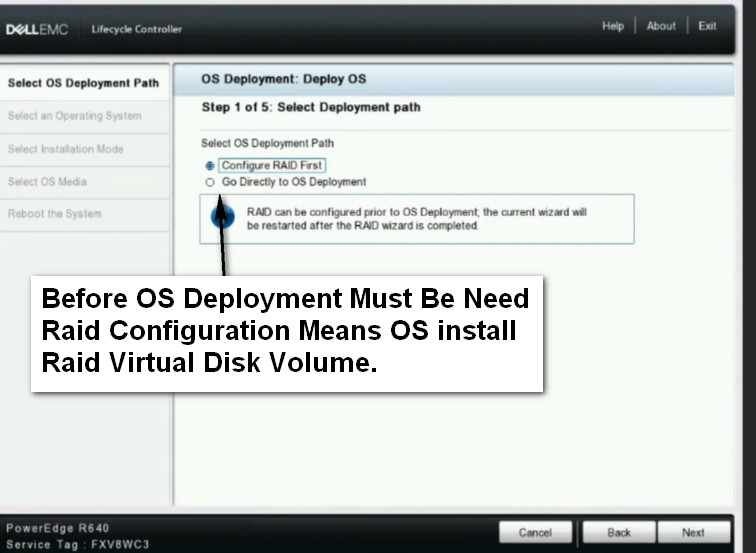
Click OS Deployment And Go Directly to OS Deployment