Firewall Technology
Table of Contents
History of Firewall
The History of firewalls began in the late 1980s when Computer Networks started connecting to the internet and security threats became a concern. The first generation of firewalls were known as Packet Filtering Firewalls, which simply checked data packets based on IP addresses, port numbers, and protocols to allow or block traffic. In the early 1990s, as attacks became more complex, Stateful inspection Firewalls were developed to track active connections and make smarter decisions based on the state of network sessions. Soon after, Proxy Firewalls (Application-Level Gateways) emerged, which could inspect traffic at the application layer and provide stronger security by acting as an intermediary between users and the internet.
The Stateful Firewall was Developed in 1993 by Gil Shwed, the founder of Check Point Software Technologies. He introduced the concept of Stateful Inspection, which allowed firewalls to track the state of active connections instead of only filtering packets by IP address and port number. This innovation made firewalls much smarter and more secure, because they could understand whether a packet belonged to a legitimate session or not. Stateful firewalls became the foundation of modern network security and are still widely used today.
In the 2000s, with the rapid growth of malware, web applications, and online services, firewalls evolved into Next-Generation Firewalls (NGFWs) that combined traditional firewall features with advanced technologies such as intrusion prevention systems (IPS), antivirus, deep packet inspection, and application control. Later, Unified Threat Management (UTM) devices were introduced to provide multiple security functions in a single solution for small and medium businesses. With the rise of cloud computing and remote work, firewalls further evolved into cloud-based firewalls (Firewall as a Service – FWaaS) that protect cloud infrastructure and users from anywhere in the world. Today, modern firewalls use automation, artificial intelligence, and threat intelligence to detect and prevent sophisticated cyberattacks, making them a critical part of modern network security systems.
Firewall Overview
What is a Firewall?
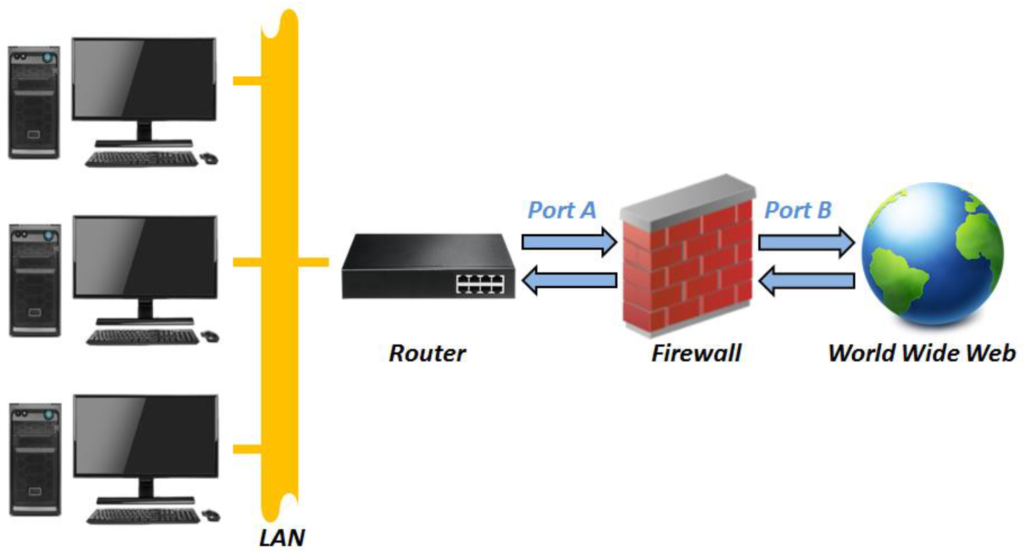
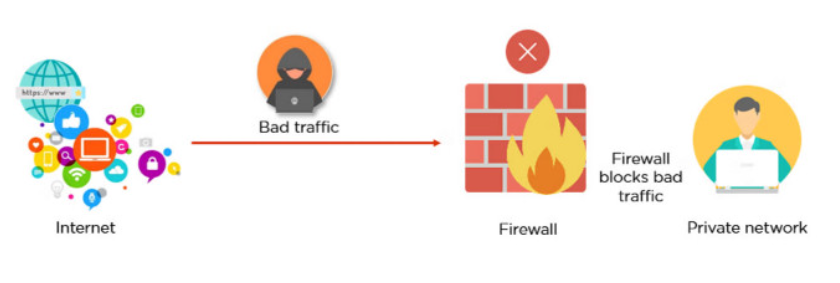
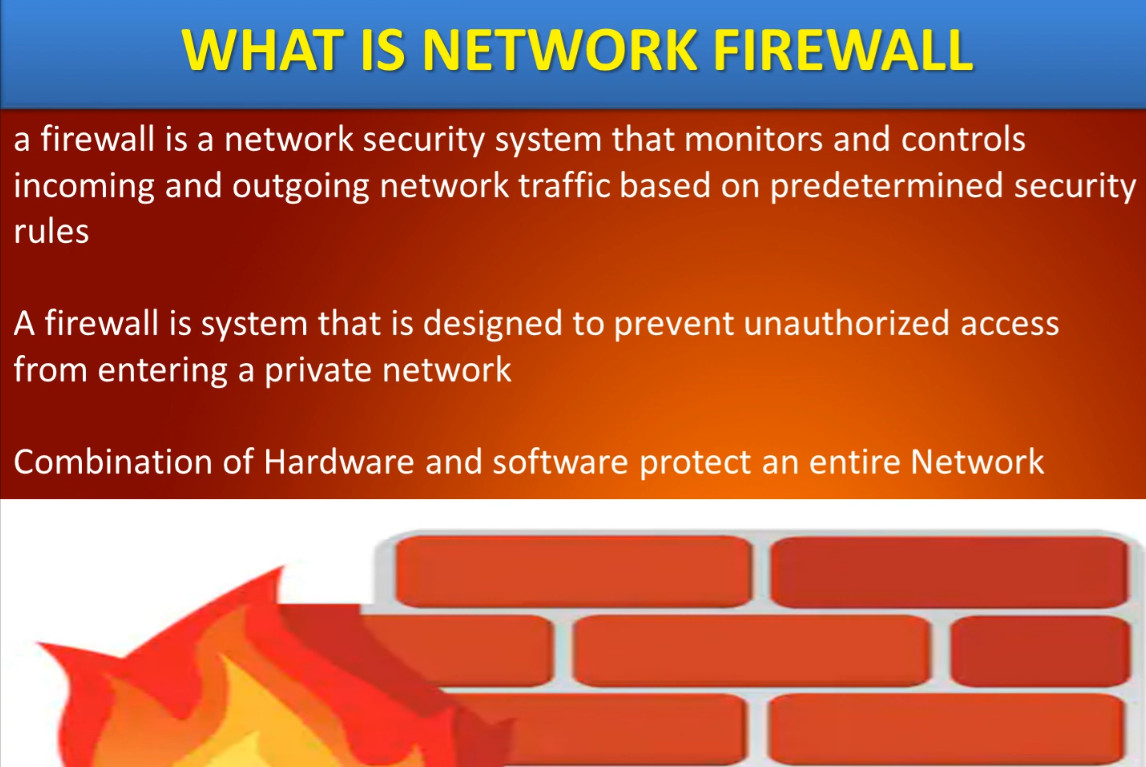
A firewall is a network security system that monitors, filters, and controls incoming and outgoing network traffic based on predefined security rules. It acts as a protective barrier between a trusted internal network and untrusted networks such as the Internet, helping to prevent unauthorized access, cyberattacks, and malicious traffic from reaching computers, servers, and other network devices.
Firewalls analyze data packets traveling across a network and determine whether they should be allowed or blocked according to security policies. They can be deployed as hardware devices, software applications, or a combination of both. Modern firewalls provide advanced security features such as application control, intrusion prevention, web filtering, VPN support, malware protection, and traffic monitoring.
Real-World Example:
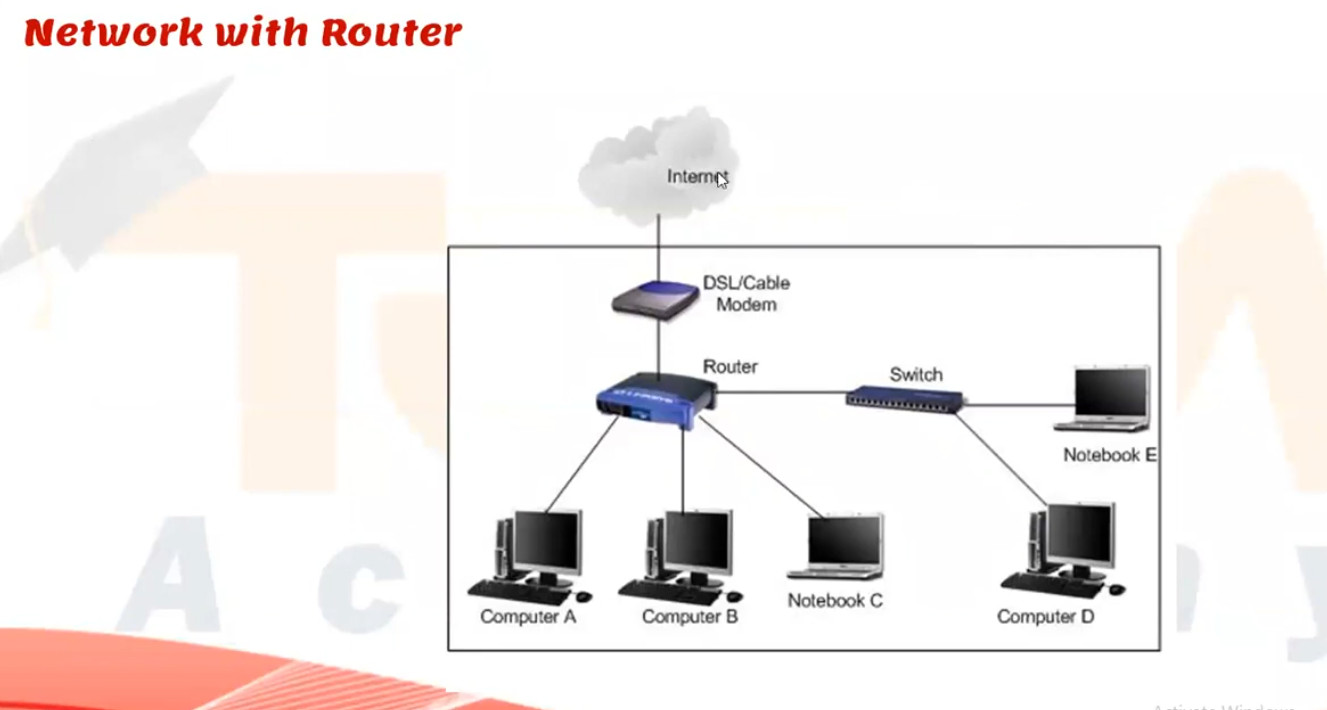
Imagine an office network connected to the Internet. Without a firewall, hackers and malicious traffic could directly attempt to access company servers and employee computers. With a firewall in place, only authorized traffic is allowed while suspicious or unauthorized connections are blocked, significantly reducing security risks and protecting sensitive business data.
Benefits of a Firewall:
- Protects against unauthorized access and cyber threats.
- Blocks malicious traffic and hacking attempts.
- Controls user access to websites and applications.
- Secures remote connections through VPN technology.
- Monitors and logs network activity for security analysis.
- Helps organizations comply with security policies and regulations.
Simple Definition:
A firewall is the first line of defense in network security, protecting computers, servers, and business networks from unauthorized access, malware, and cyberattacks while allowing legitimate communication to pass safely.
OR
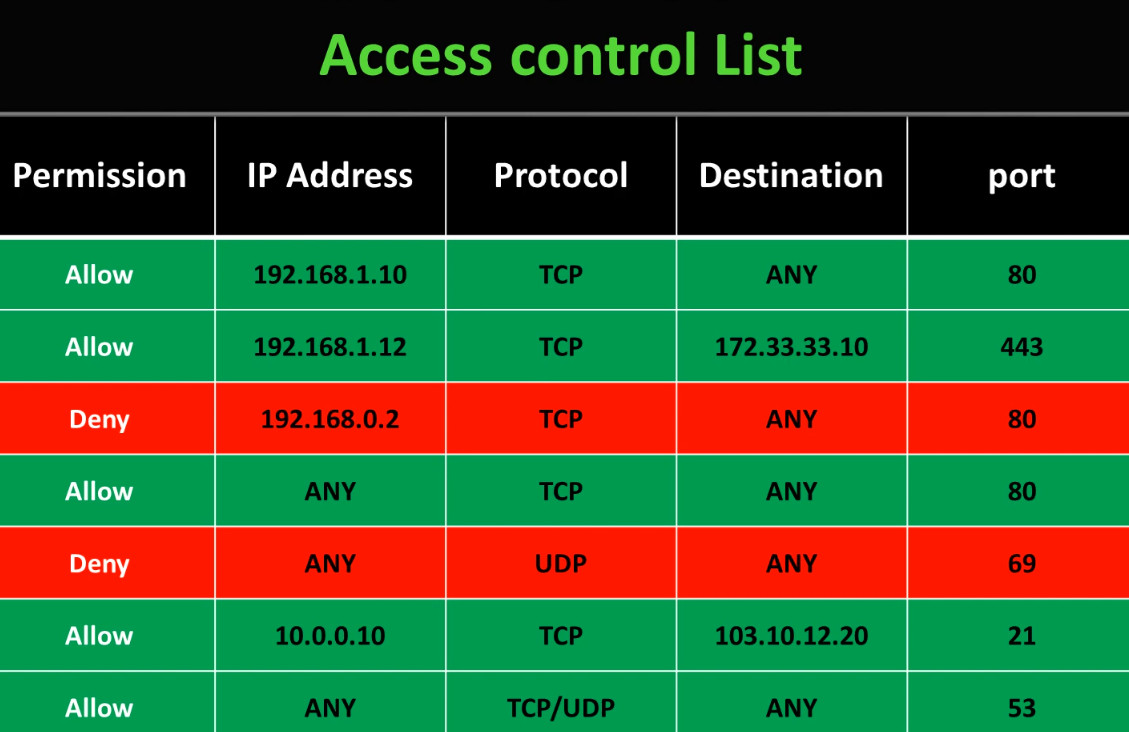
A firewall is a network security system (Hardware or Software) that protects computers and networks from unauthorized access, cyberattacks, and malicious traffic. It works as a protective barrier between a trusted internal network (such as a home or company LAN) and an untrusted external network (such as the internet). A firewall continuously monitors all incoming and outgoing data packets and allows or blocks them based on predefined security rules and policies. These rules can be created using parameters like IP addresses, port numbers, protocols, applications, and user identities. The main purpose of a firewall is to prevent hackers, viruses, worms, ransomware, and other threats from entering the network while still allowing legitimate communication.
A firewall not only blocks unwanted traffic but also helps in controlling network usage and improving overall security management. Modern firewalls can perform advanced functions such as stateful inspection, deep packet inspection, intrusion prevention (IPS), antivirus scanning, web filtering, VPN support, and logging and monitoring of network activities. Firewalls are used in homes, offices, data centers, and cloud environments to enforce security policies and protect sensitive information like personal data, business records, and financial transactions. In simple words, a firewall acts like a security guard for the network, checking every connection request and deciding whether it is safe or dangerous before allowing it to pass.
In Short Explain:
A firewall is a network security device, either hardware or software-based, which monitors all incoming and outgoing traffic and, based on a defined set of security rules, accepts, rejects, or drops that specific traffic. It acts like a security guard that helps keep your digital world safe from unwanted visitors and potential threats.
- Accept: allow the traffic
- Reject: block the traffic but reply with an “unreachable error”
- Drop: block the traffic with no reply
A firewall works like a security guard for your network, standing between your internal systems such as computers, servers, and devices and the outside world, like the internet or other networks. It carefully inspects all data entering or leaving to ensure only safe traffic is allowed through.
- When data tries to enter or leave your network, it passes through the firewall first.
- The firewall examines the data packets (small chunks of information) using predefined rules.
- Rules can be defined on the firewall based on the necessity and security policies of the organization.
- FIrewall allows decision making like Allow → If the packet matches safe rules. or Block → If the packet is suspicious, from a blacklisted source, or contains malicious code.
- The firewall records blocked or unusual traffic for security teams to review.
- Alerts can be sent in real time if a major threat is detected.

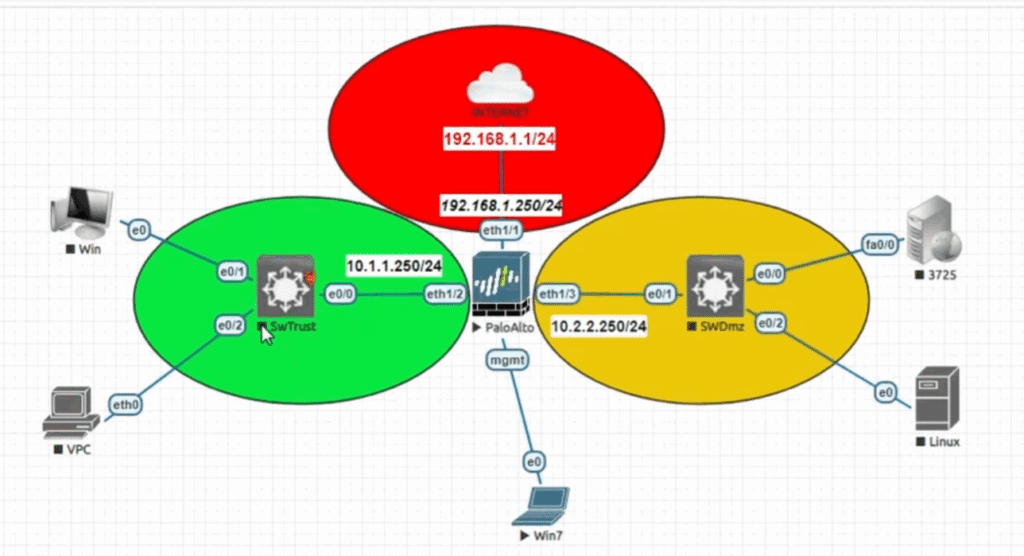
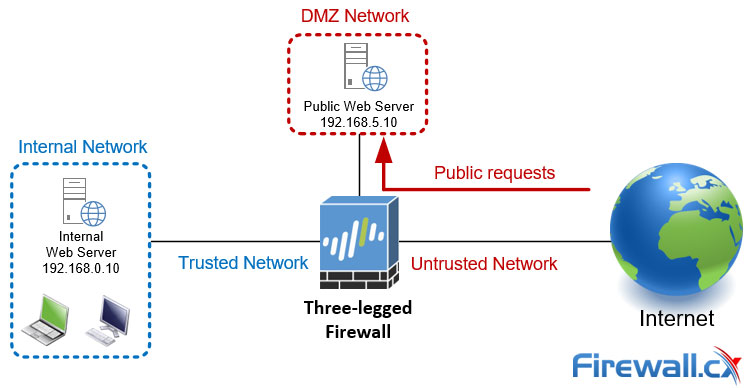
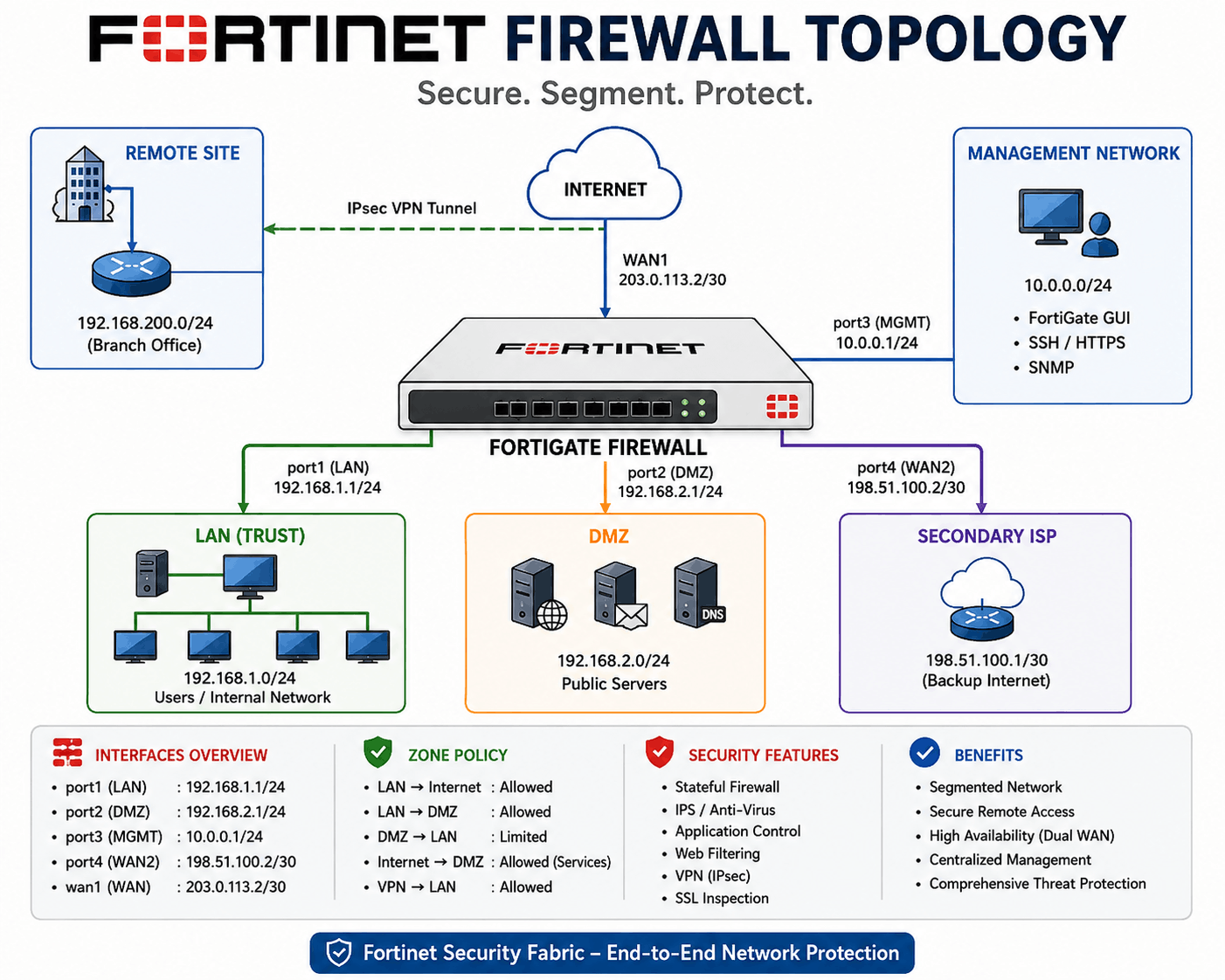
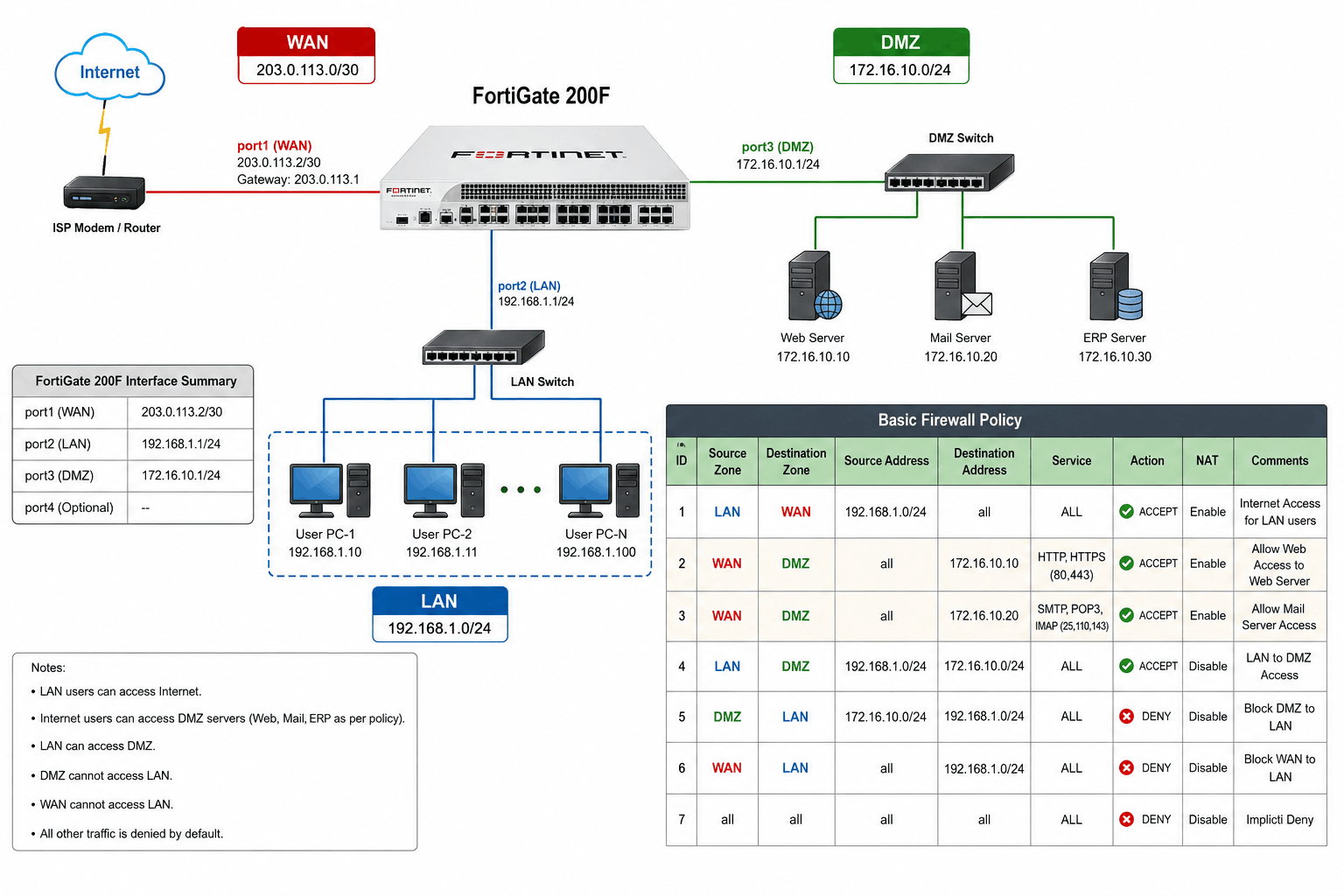
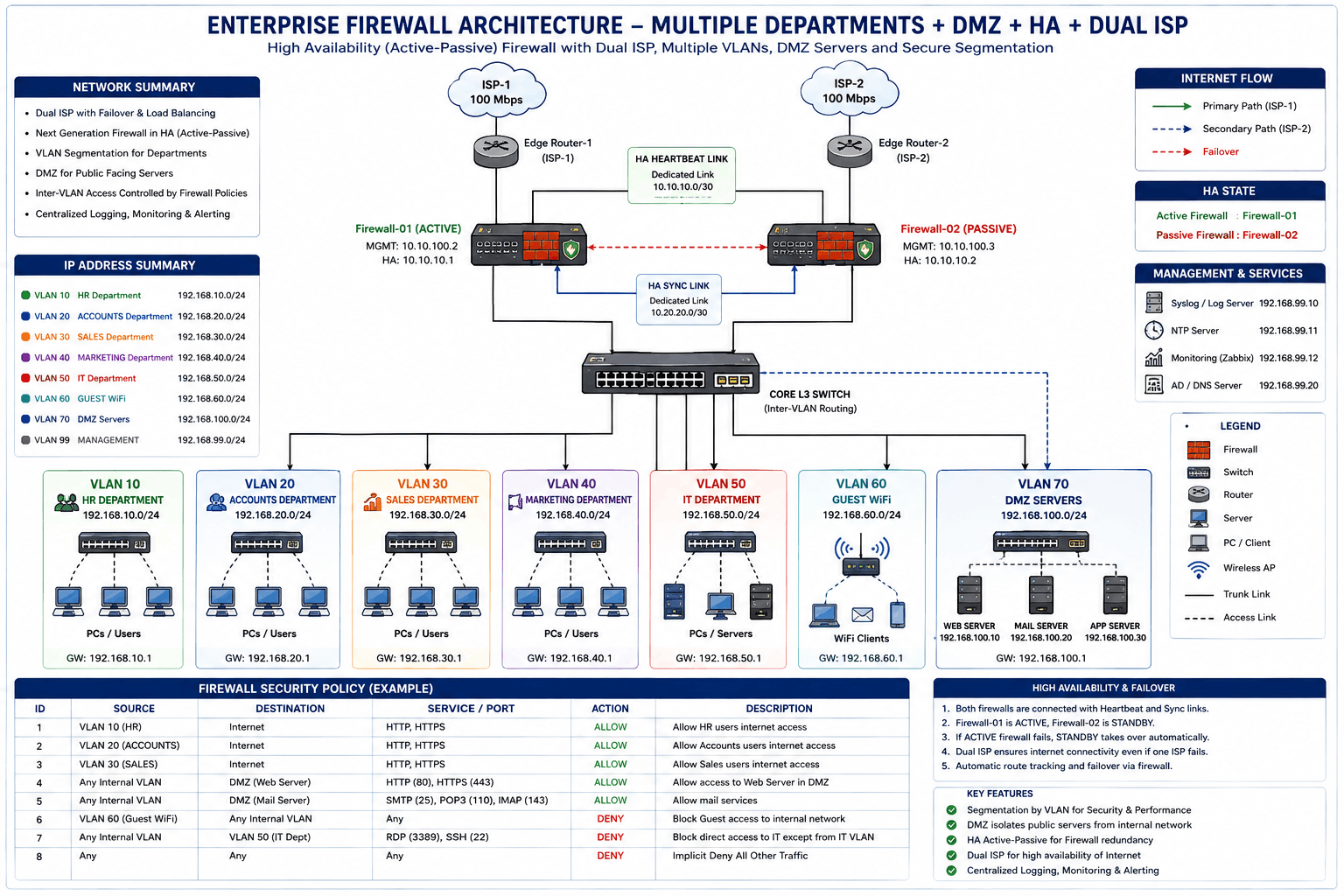

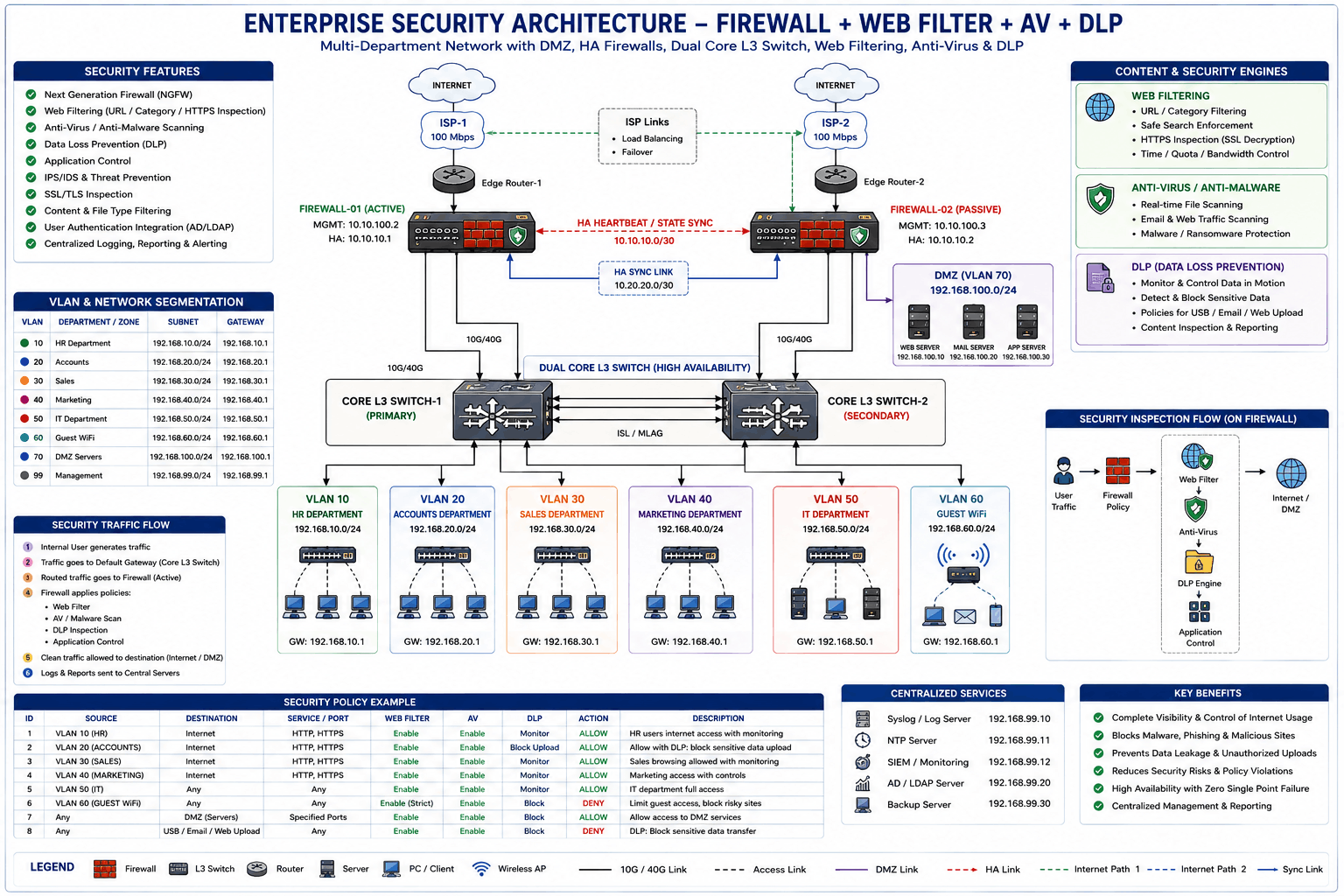

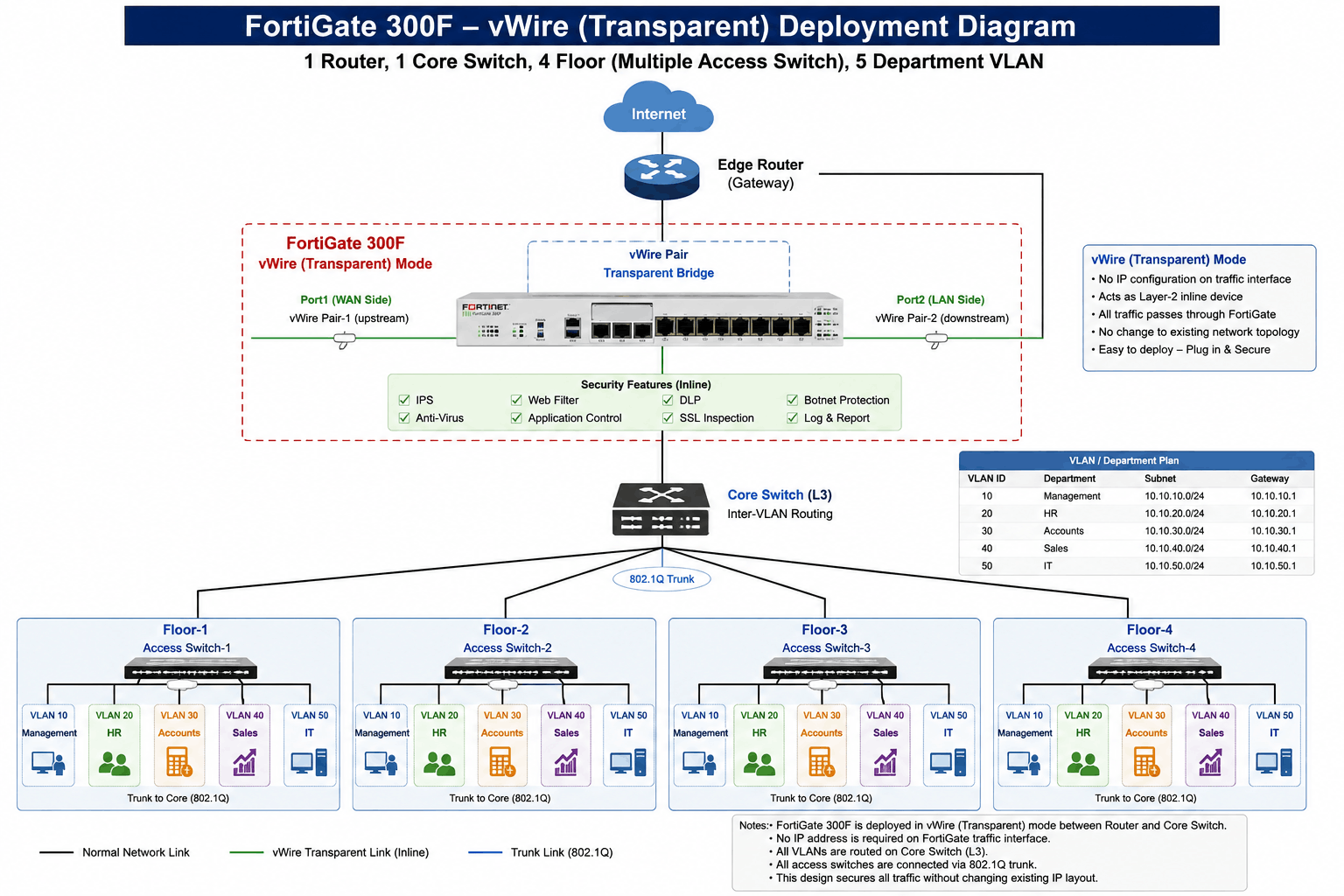
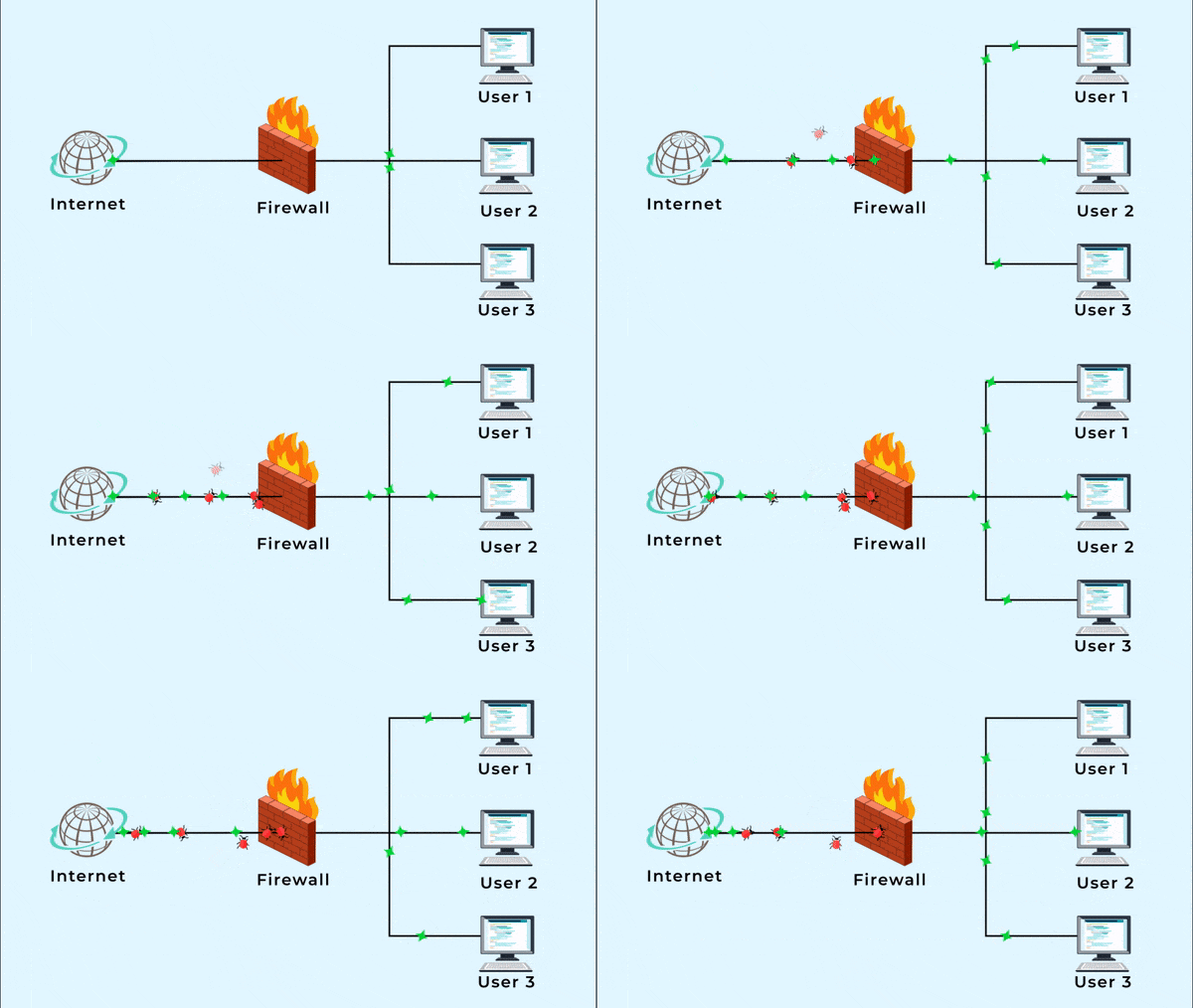
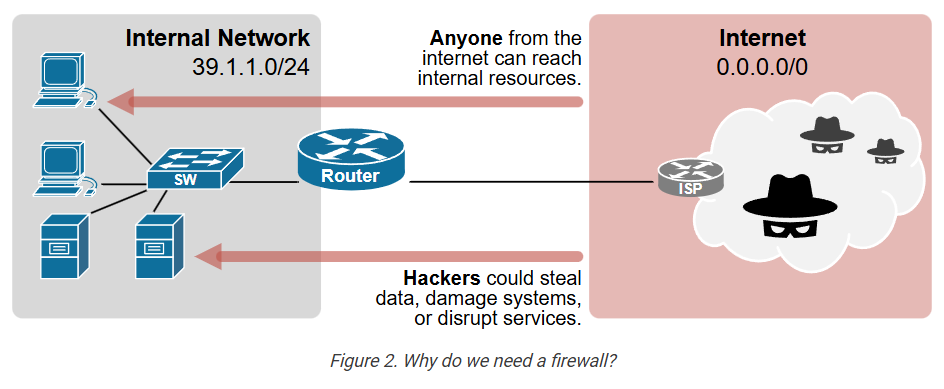
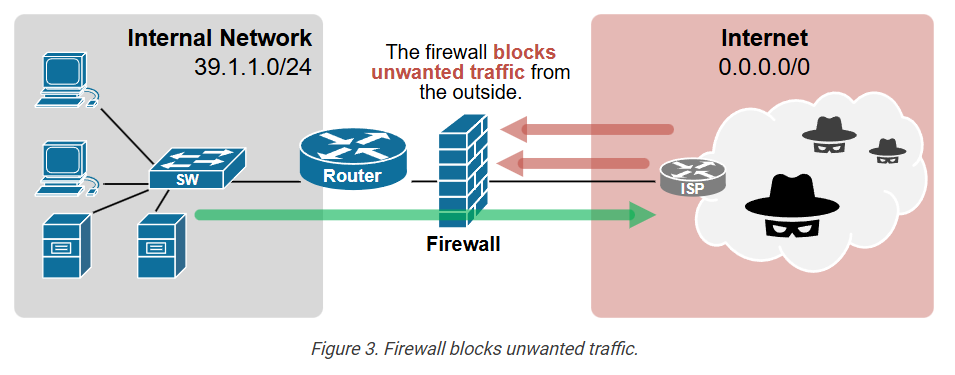
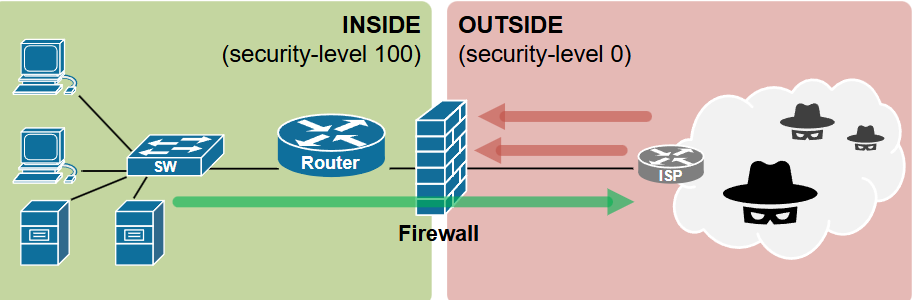
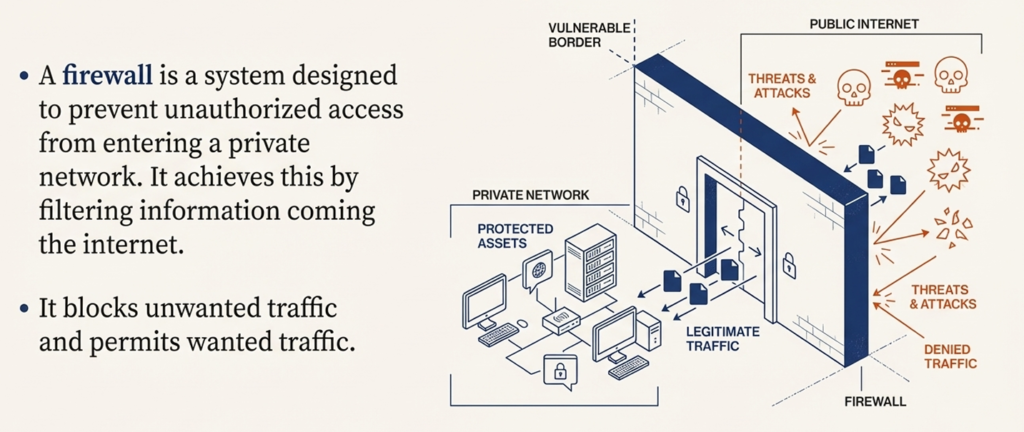
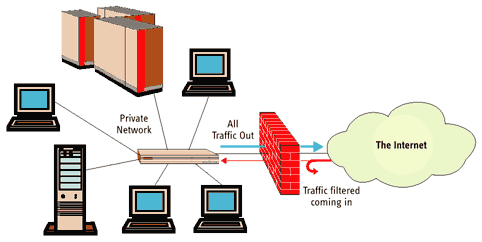
A Firewall acts like a Security Guard for your network. Just as a security guard checks who is allowed to enter a building, a firewall checks all incoming and outgoing network traffic and blocks unauthorized or suspicious access while allowing legitimate users and data to pass through safely.
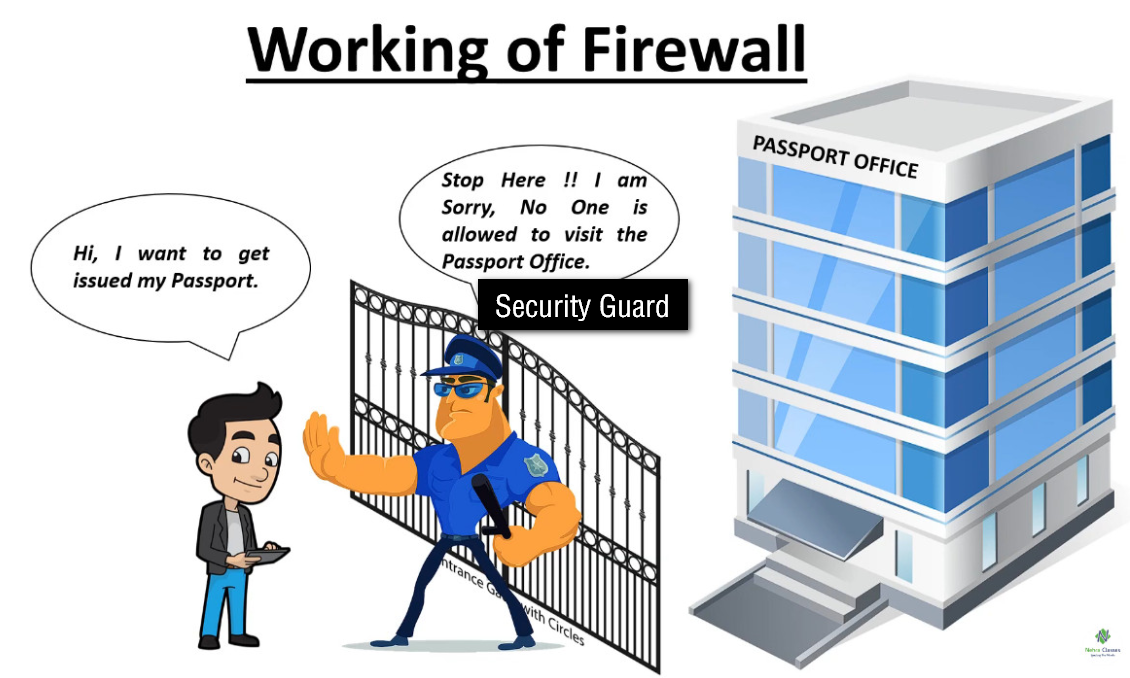
How Next Gen Firewall Management-as-a-Service Works?

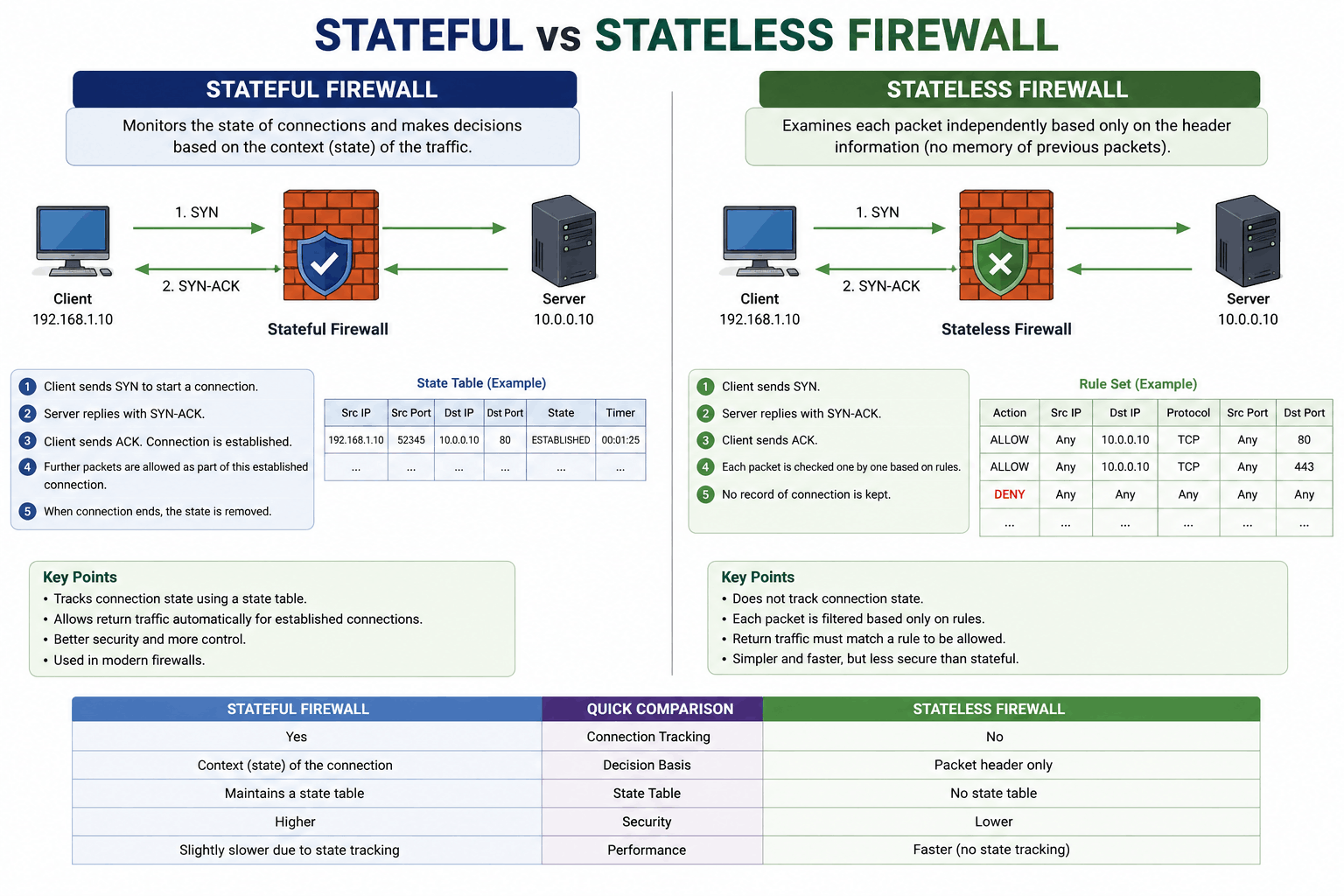
What is Stateful & Stateless Firewall
Stateful Firewall:
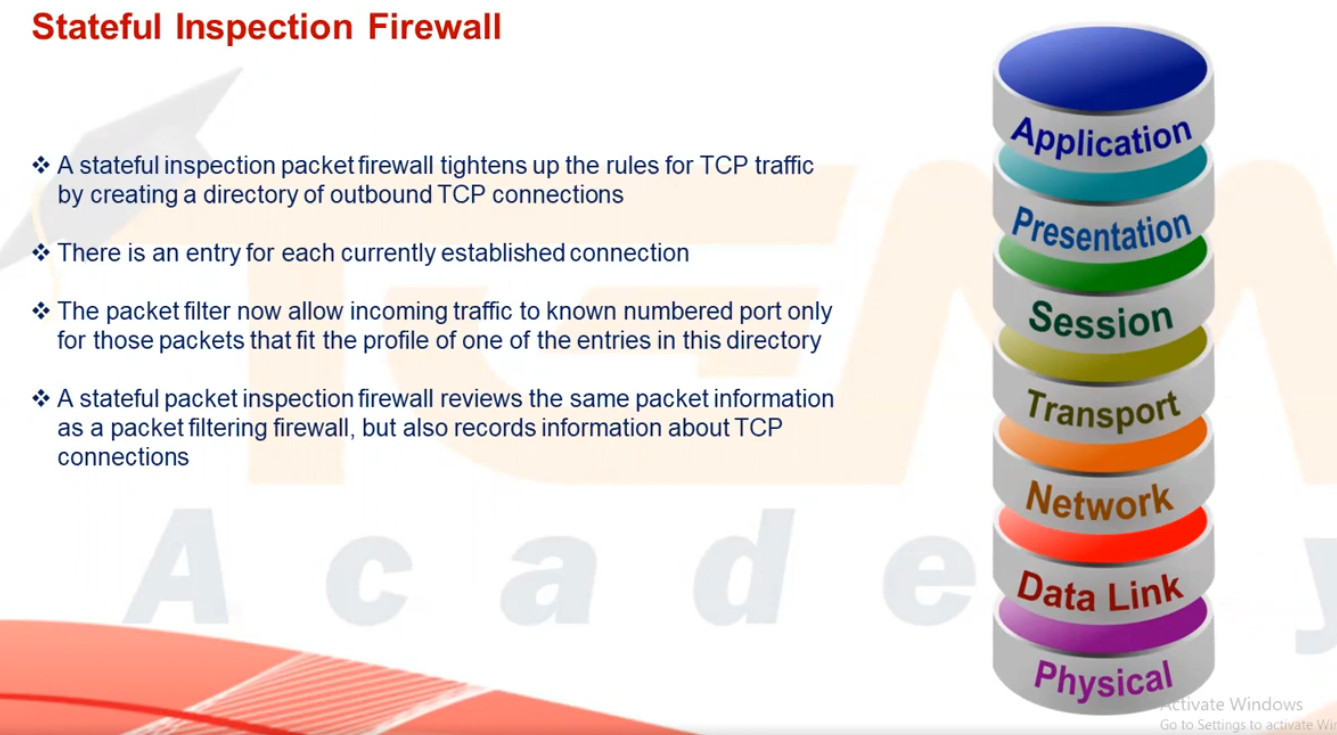
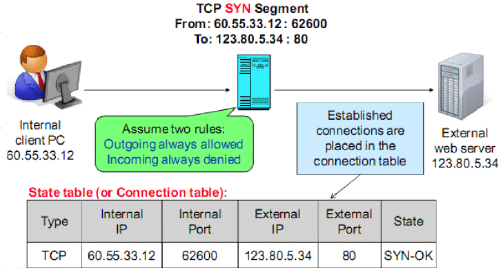
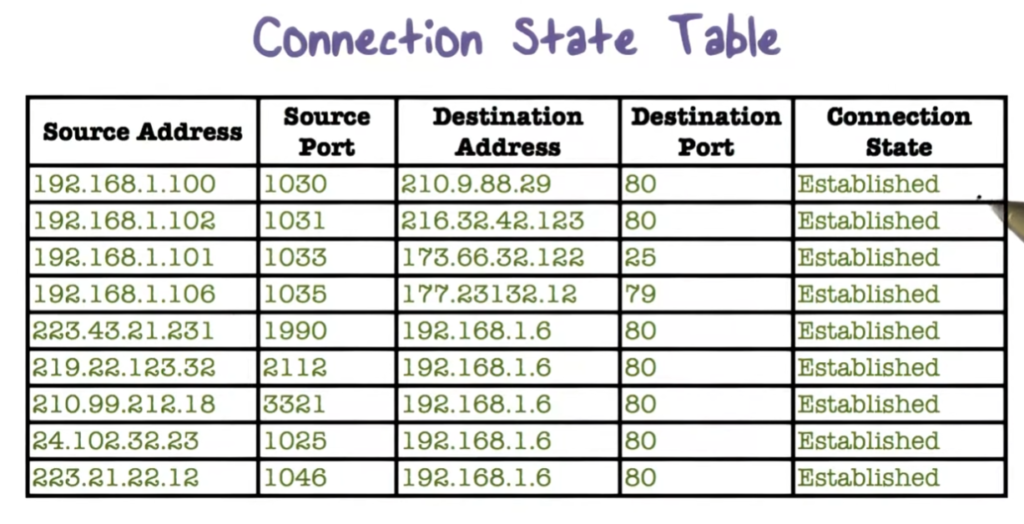
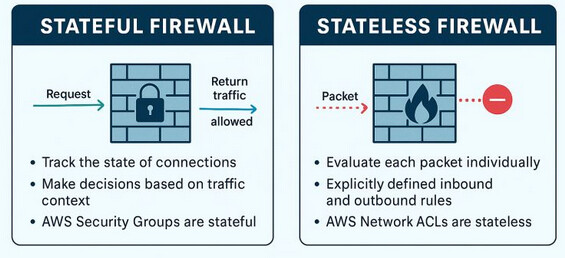
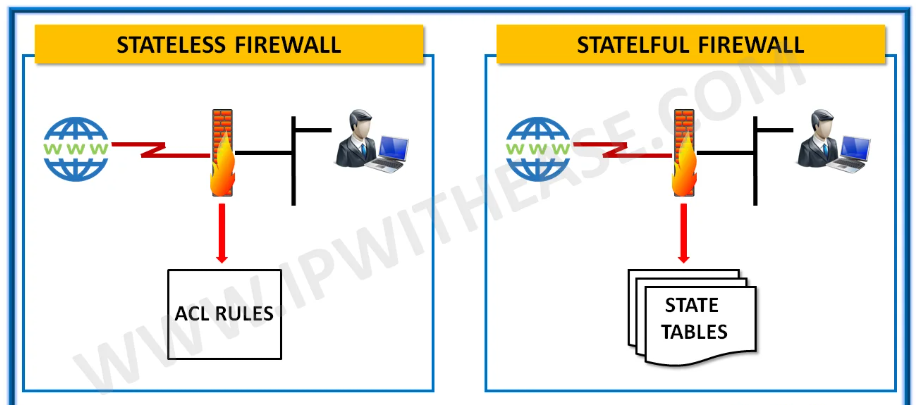
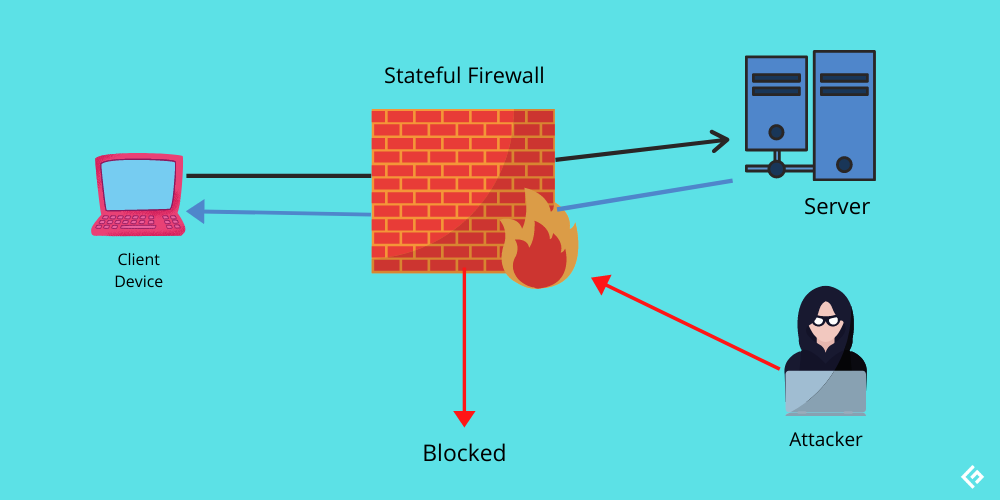
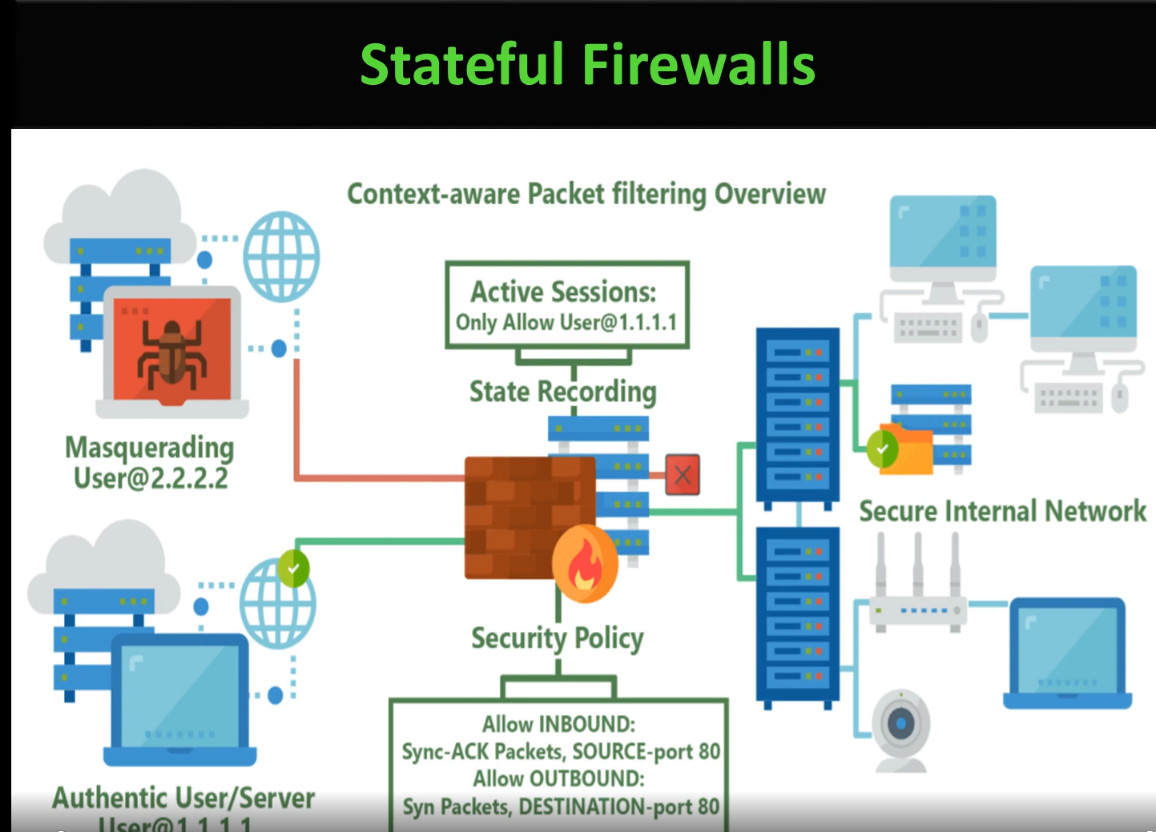
A Stateful Firewall is a type of firewall that monitors and tracks active network connections. It maintains a state table containing information about established sessions and uses this information to determine whether incoming and outgoing traffic is legitimate. When a user sends a request to a website, the firewall records the connection details. When the response returns, it verifies that the traffic belongs to the existing session before allowing it through. This provides stronger security and more intelligent traffic filtering, making stateful firewalls the preferred choice for most modern enterprise networks.
Stateless Firewall:
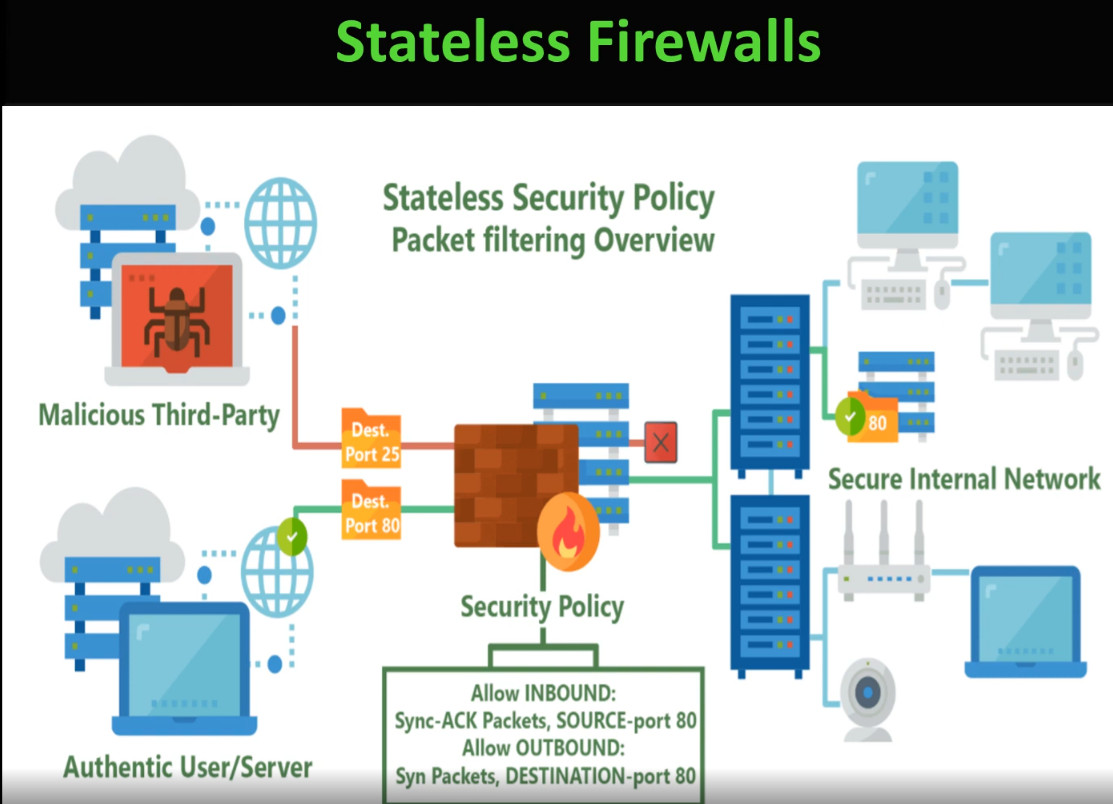
A Stateless Firewall does not keep track of connection states or previous packets. Instead, it examines each packet individually based on predefined security rules such as source IP address, destination IP address, protocol, and port number. Since it treats every packet independently, it cannot determine whether a packet is part of an established connection. While stateless firewalls are generally faster and require fewer system resources, they provide less security and are more vulnerable to certain types of network attacks.
Real-World Example:
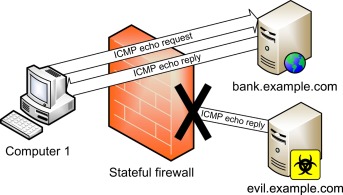
Imagine a user accessing a website. A Stateful Firewall records the outbound request and automatically allows the corresponding response because it recognizes it as part of an established session. In contrast, a Stateless Firewall evaluates each packet separately and does not know whether the response is related to a previous request. As a result, Stateful Firewalls offer better security, improved traffic control, and greater protection against unauthorized acces
OR
Stateless Firewall:
A Stateless firewall filters network traffic by examining each packet independently. It does not remember previous packets or maintain information about active connections. Every packet is evaluated only against predefined security rules such as source IP address, destination IP address, port number, and protocol. Because it has no memory of past traffic, every packet is treated as a completely new request.
In a real office environment, suppose an employee opens www.google.com from their computer. The outgoing request is checked against the firewall rules and allowed because HTTP or HTTPS traffic is permitted. When Google’s reply returns, the firewall checks those packets again as if they were unrelated to the original request. If there is no rule allowing the incoming response, the firewall may block the traffic even though it belongs to a legitimate communication.
The main advantage of a stateless firewall is its speed and low resource usage. Since it does not maintain a connection table, packet processing is fast and requires less CPU and memory. However, it provides lower security because it cannot distinguish between legitimate response traffic and unexpected packets. Stateless firewalls are commonly used in simple networks or as basic packet filters where performance is more important than advanced security.
Stateful Firewall:
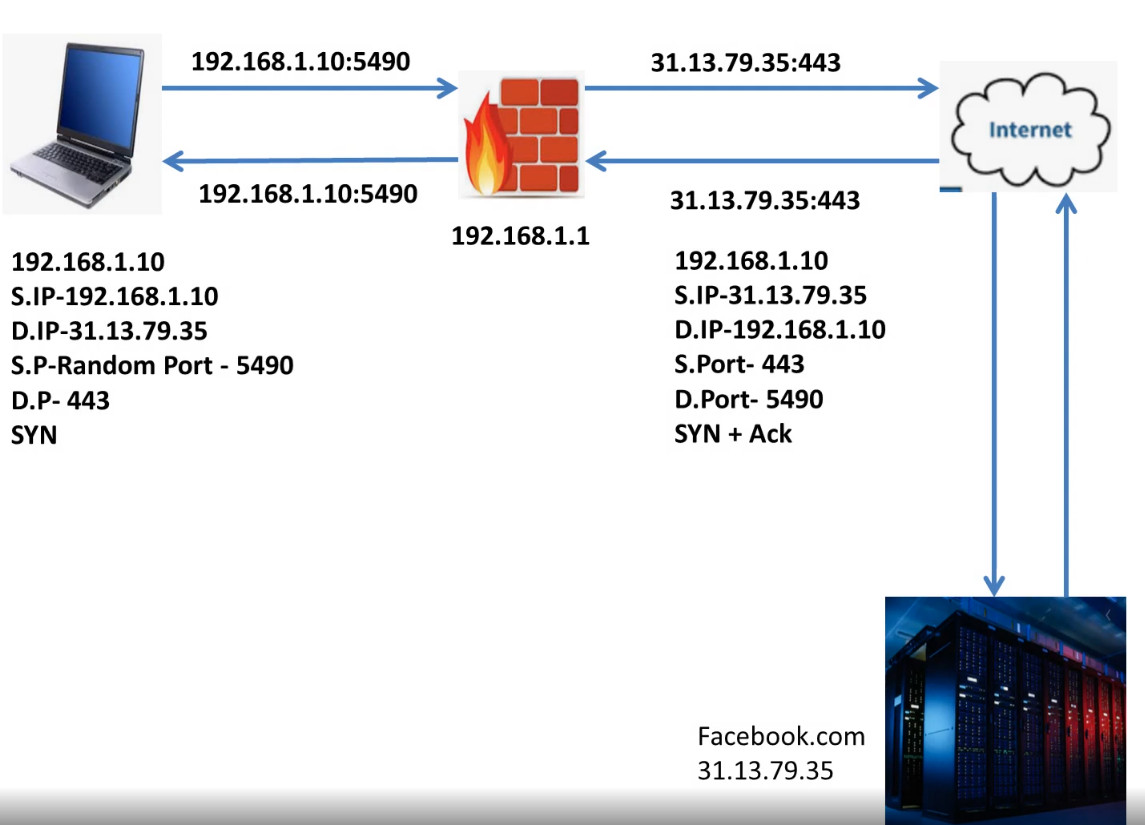
A Stateful Firewall is a more advanced type of firewall that monitors and records the state of every network connection. When a new connection is established, the firewall stores information such as the source IP address, destination IP address, source port, destination port, and connection status in a state table. Every subsequent packet is compared with this table to determine whether it belongs to an existing trusted session.
For example, an employee in a company opens https://www.google.com. The computer sends an HTTPS request through the firewall. The firewall verifies the request and creates an entry in its state table. When Google’s response arrives, the firewall recognizes that the packets belong to the previously established session and automatically allows them. If an attacker sends random packets pretending to be Google without any matching session in the state table, the firewall immediately blocks those packets because they are not part of an established connection.
The primary advantage of a stateful firewall is improved security and easier management. Since it understands the context of network communications, administrators do not need separate rules for every return packet. Although maintaining a state table requires slightly more CPU and memory, the increased security makes stateful firewalls the preferred choice for modern business networks, data centers, banks, hospitals, and enterprise environments.
Real-Life Comparison:
Imagine a company with 100 employees accessing the internet. If a Stateless Firewall is used, every packet sent and received by each employee is checked independently, requiring many detailed rules to allow legitimate communication. This increases administrative effort and the possibility of configuration errors.
With a Stateful Firewall, the firewall records each employee’s active connections. Once an employee starts a valid web session, all legitimate response traffic is automatically allowed, while unsolicited or malicious packets are blocked. This provides stronger security, simplifies firewall management, and delivers a smoother user experience, which is why nearly all modern enterprise firewalls use stateful inspection as a core feature.
Real Office Example:
Imagine a company network:
- Employee PC: 192.168.1.10
- Firewall
- Internet
Stateless Firewall:
- Employee sends a request to a website.
- Every packet is checked individually.
- The administrator may need separate rules for outgoing and incoming traffic.
- If return traffic is not explicitly allowed, communication can fail.
Stateful Firewall:
- Employee sends a request.
- The firewall creates an entry in its state table.
- Response packets are automatically allowed because they belong to the same session.
- Unsolicited packets from attackers are dropped automatically.
Simple Analogy:
Stateless Firewall:
A security guard checks every visitor’s ID every time they enter, even if they have already entered before. The guard has no memory of previous visitors.
Stateful Firewall:
A security guard keeps a visitor register. Once a visitor is verified and receives a pass, they can move in and out according to the recorded session. Unknown visitors without a valid entry are denied.
- Stateless Firewall: Basic router ACLs, simple packet filters.
- Stateful Firewall: Fortinet FortiGate, Palo Alto Networks Next-Generation Firewalls, Cisco ASA/Firepower, Sophos XGS Firewall, SonicWall Firewalls.
In modern business networks, stateful firewalls are used far more often because they provide stronger security while allowing legitimate return traffic automatically.
Main Differences
| Feature | Stateless Firewall | Stateful Firewall |
|---|---|---|
| Memory | No | Yes |
| Tracks Connections | No | Yes |
| Checks Each Packet | Independently | Based on connection state |
| Security | Lower | Higher |
| Performance | Faster | Slightly slower due to state tracking |
| Rule Management | More manual rules | Simpler because return traffic is automatic |
| Best Use | Small, simple networks | Business and enterprise networks |
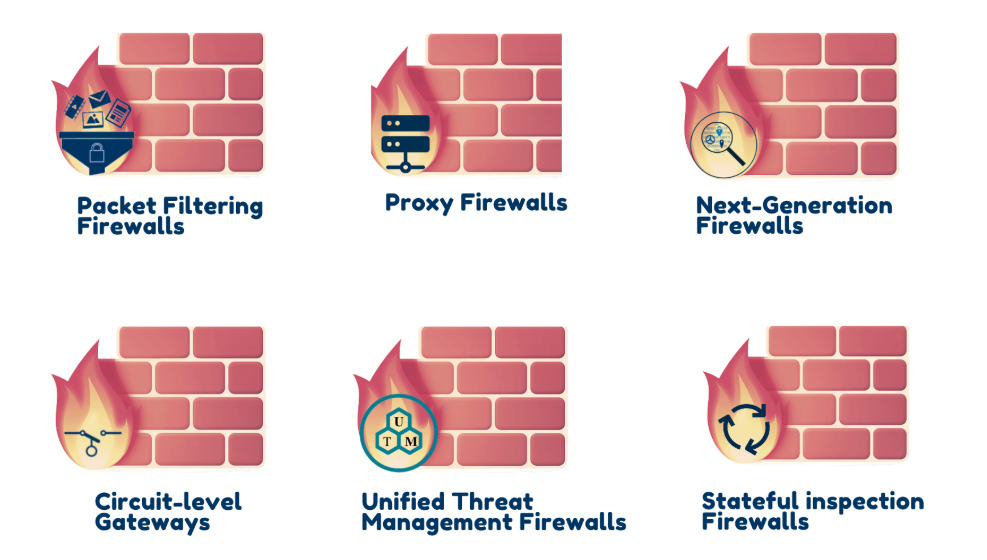
Types of Firewall
1. Packet Filtering Firewall:
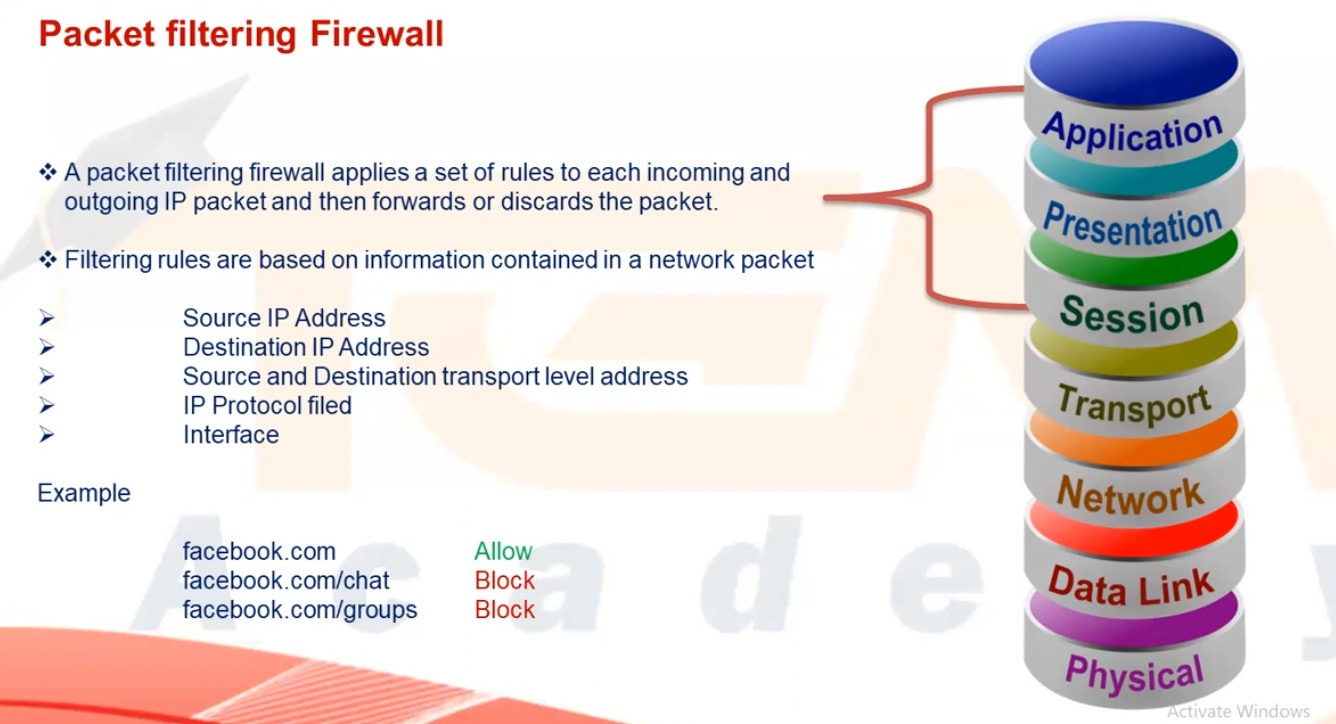
A Packet Filtering Firewall is the simplest type of firewall that works by checking each data packet based on predefined rules such as source IP address, destination IP address, port number, and protocol. It allows or blocks traffic depending on whether the packet matches the rule. This firewall does not keep track of active connections and cannot inspect the actual data inside the packet, so it provides only basic security. It is fast and inexpensive but not suitable for protecting against modern cyber threats.
2. Stateful Inspection Firewall:
A Stateful inspection Firewall improves security by monitoring the state of active connections and maintaining a state table of all ongoing sessions. It allows only those packets that belong to a valid, established connection. This type of firewall provides better protection than packet filtering because it understands the context of traffic flow. However, it still cannot deeply inspect application-level data, so it offers moderate security suitable for business networks.
3. Circuit-Level Gateway Firewall:
A circuit-level gateway firewall works at the session layer and focuses on verifying TCP handshakes and connection establishment between systems. It ensures that only legitimate sessions are created but does not inspect the actual content of data packets. This firewall hides internal network details and uses fewer resources, but it cannot protect against malware or application-level attacks, making it less secure than advanced firewalls.
4. Application-Level Gateway (Proxy Firewall):
An Application-level Gateway Firewall, also called a proxy firewall, operates at the application layer and acts as an intermediary between the user and the internet. It inspects traffic such as HTTP, FTP, and SMTP at a deeper level and can block specific applications, websites, or commands. This firewall provides very strong security and hides internal IP addresses, but it is slower in performance and requires more system resources and complex configuration.
5. Next-Generation Firewall (NGFW):
A Next-Generation Firewall combines traditional firewall features with advanced security technologies such as deep packet inspection, intrusion prevention system (IPS), antivirus, web filtering, application control, and SSL inspection. It can identify and block modern threats like malware, ransomware, and zero-day attacks. NGFW provides very high security and is widely used in enterprises, banks, and data centers, but it is more expensive and requires skilled administrators to manage.
6. Unified Threat Management (UTM) Firewall:
A UTM Firewall integrates multiple security services into one single device, including firewall, antivirus, intrusion detection and prevention, VPN, web filtering, and anti-spam. It is designed mainly for small and medium-sized organizations that need complete protection with simple management. While UTM is cost-effective and easy to use, enabling all security features may reduce performance in high-traffic networks.
7. Cloud Firewall (Firewall as a Service – FWaaS):
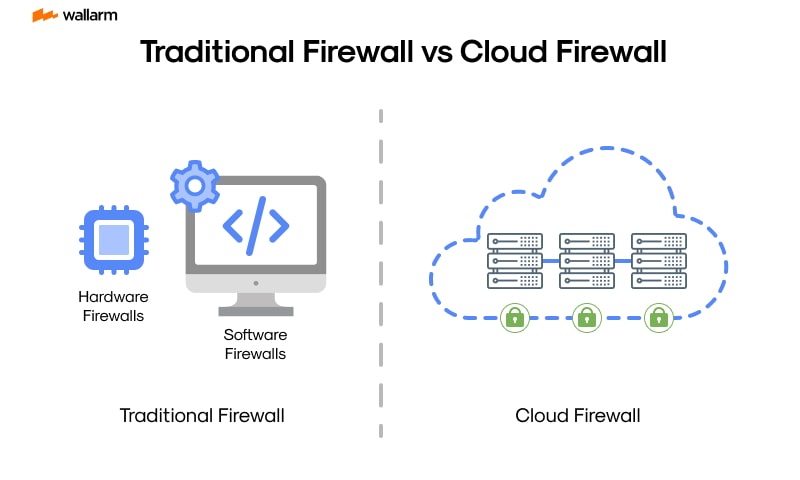
A Cloud Firewall is hosted in the cloud instead of being installed as physical hardware in an office network. It protects cloud servers, applications, and remote users by filtering traffic through cloud-based security rules. This firewall is highly scalable and suitable for modern cloud and work-from-home environments. However, it depends on internet connectivity and usually works on a subscription model.
8. Host-Based Firewall (Software Firewall):
A Host-Based Firewall is installed directly on an individual computer or server, such as Windows Firewall or Linux firewall. It controls incoming and outgoing traffic for that specific system only and helps prevent unauthorized access and malware infections. This firewall is easy to use and low cost, but it cannot protect the entire network and relies on the system’s own resources.
9. Hardware Firewall (Network Firewall):
A Hardware Firewall is a physical security device placed between the internal network and the internet. It protects all devices in the network by filtering traffic based on security rules and policies. Hardware firewalls provide high performance, centralized control, and strong protection for organizations. However, they are costly and require technical expertise to configure and maintain.
Conclusion:
Different types of firewalls are used for different needs: packet filtering and stateful firewalls provide basic and medium security, proxy and NGFW firewalls offer advanced protection, UTMs are suitable for small businesses, cloud firewalls protect cloud and remote environments, and host-based firewalls secure individual systems. Using the right type of firewall is essential for building a strong and reliable network security system.
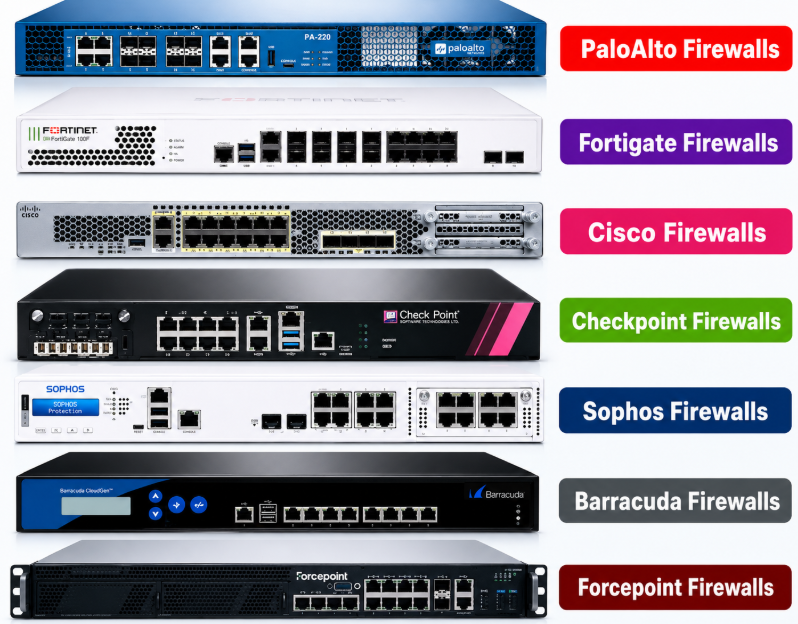
Packet Filtering Firewall:
A Packet Filtering Firewall is the most basic type of firewall. It examines each network packet individually and decides whether to allow or block it based on predefined rules. These rules typically use the source IP address, destination IP address, source port, destination port, and protocol (TCP, UDP, ICMP). It does not inspect the packet’s contents or understand the application’s data.
Real Example 1 – Allow Web Browsing:
A company wants employees to browse websites but block other unnecessary services.
The firewall is configured with these rules:
- Allow TCP Port 80 (HTTP)
- Allow TCP Port 443 (HTTPS)
- Block all other incoming traffic
When an employee opens www.google.com, the packet is sent to Port 443. The firewall checks the destination port, finds a matching rule, and allows the packet. If another application tries to use Port 23 (Telnet), the firewall blocks it because no rule allows that port.
Real Example 2 – Block a Specific IP Address:
A company detects repeated attacks from the public IP address 203.0.113.50.
The administrator creates a firewall rule to block all traffic from that IP address.
Whenever packets arrive from 203.0.113.50, the firewall compares the source IP with its rules and immediately drops the packets. Legitimate traffic from other IP addresses continues to pass normally.
Real Example 2 – Protect an Internal Server
A company hosts a web server with the IP address 192.168.10.20.
The firewall rules are:
- Allow TCP Port 80 and 443 to the web server.
- Block Ports 22 (SSH) and 3389 (RDP) from the internet.
Visitors can access the company’s website, but attackers cannot directly connect to the server using SSH or Remote Desktop.
Advantages of a Packet Filtering Firewall:
- Fast packet processing.
- Uses very little CPU and memory.
- Easy to configure for basic security.
- Suitable for simple networks and edge routers.
- Fast Performance: Processes packets quickly because it checks only packet headers, not the packet contents.
- Low Resource Usage: Requires minimal CPU and memory, making it suitable for routers and low-powered devices.
- Simple Configuration: Basic rules based on IP addresses, ports, and protocols are easy to create and manage.
- Cost-Effective: Less expensive than advanced firewalls because of its simple design.
- Basic Network Protection: Blocks unauthorized IP addresses, ports, and protocols to reduce unwanted network traffic.
- Suitable for Small Networks: Works well in home networks and small businesses with simple security requirements.
Disadvantages of a Packet Filtering Firewall:
- Does not track connection states.
- Cannot inspect application data.
- Less secure than stateful or proxy firewalls.
- Can be bypassed by attacks that use allowed ports.
- No Connection Tracking: It does not know whether a packet belongs to an existing connection because it is stateless.
- Cannot Inspect Packet Contents: It checks only header information and cannot detect malware or malicious application data.
- Limited Security: Cannot identify advanced threats such as application-layer attacks or sophisticated intrusion attempts.
- Rule Management Can Become Complex: Large networks may require hundreds of filtering rules, making administration difficult.
- Vulnerable to IP Spoofing: Attackers can forge source IP addresses to bypass simple filtering rules.
- No User Authentication: It cannot verify the identity of users before allowing traffic.
- No Application Awareness: It cannot distinguish between legitimate and malicious traffic using the same port (for example, malicious traffic over HTTPS on Port 443).
Simple Analogy:
A packet filtering firewall is like a security guard checking only the address on an envelope. If the sender, recipient, and delivery type match the rules, the envelope is allowed through. The guard does not open the envelope to inspect what’s inside.
Real Example:
A company allows TCP Port 443 (HTTPS) so employees can browse secure websites. An attacker sends malicious traffic over the same port. Since a packet filtering firewall checks only the destination port and IP addresses—not the encrypted application data—it allows the traffic. An advanced stateful or next-generation firewall (NGFW) could perform deeper inspection and may detect and block the malicious activity.
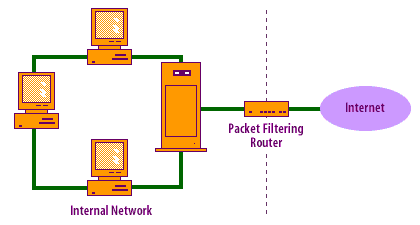
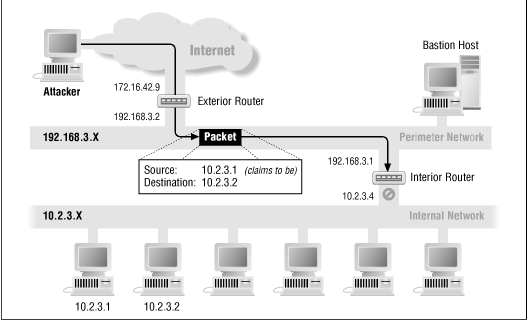
This diagram illustrates how a Packet Filtering Firewall protects an internal network by inspecting the header information of every packet before allowing it to pass.
An attacker on the Internet attempts to send a packet to a computer inside the organization’s private network. The packet reaches the Exterior Router, where the packet filtering firewall examines the packet’s header information, including the source IP address, destination IP address, protocol, and port number.
In this example, the packet claims its source IP address is 10.2.3.1 and its destination IP address is 10.2.3.2. However, the 10.2.3.x network is a private internal network and should never appear as the source of traffic coming from the Internet. This indicates that the attacker is using IP spoofing (forging the source IP address).
The packet filtering firewall detects that the source IP address is invalid because it belongs to the organization’s internal network. Based on its filtering rules, the firewall immediately drops (blocks) the packet before it can enter the internal network.
The Interior Router further separates the Perimeter Network (DMZ) from the Internal Network. A Bastion Host located in the DMZ provides public services, while the internal computers (10.2.3.1, 10.2.3.2, etc.) remain protected from unauthorized access.
This example demonstrates that a Packet Filtering Firewall makes decisions using only packet header information. It can effectively block packets with spoofed IP addresses or unauthorized source and destination addresses. However, because it does not inspect the packet payload or track connection states, it cannot detect application-layer attacks or determine whether traffic belongs to an established session.
Proxy Firewall (Application-Level Gateway)
How a Proxy Firewall Works:
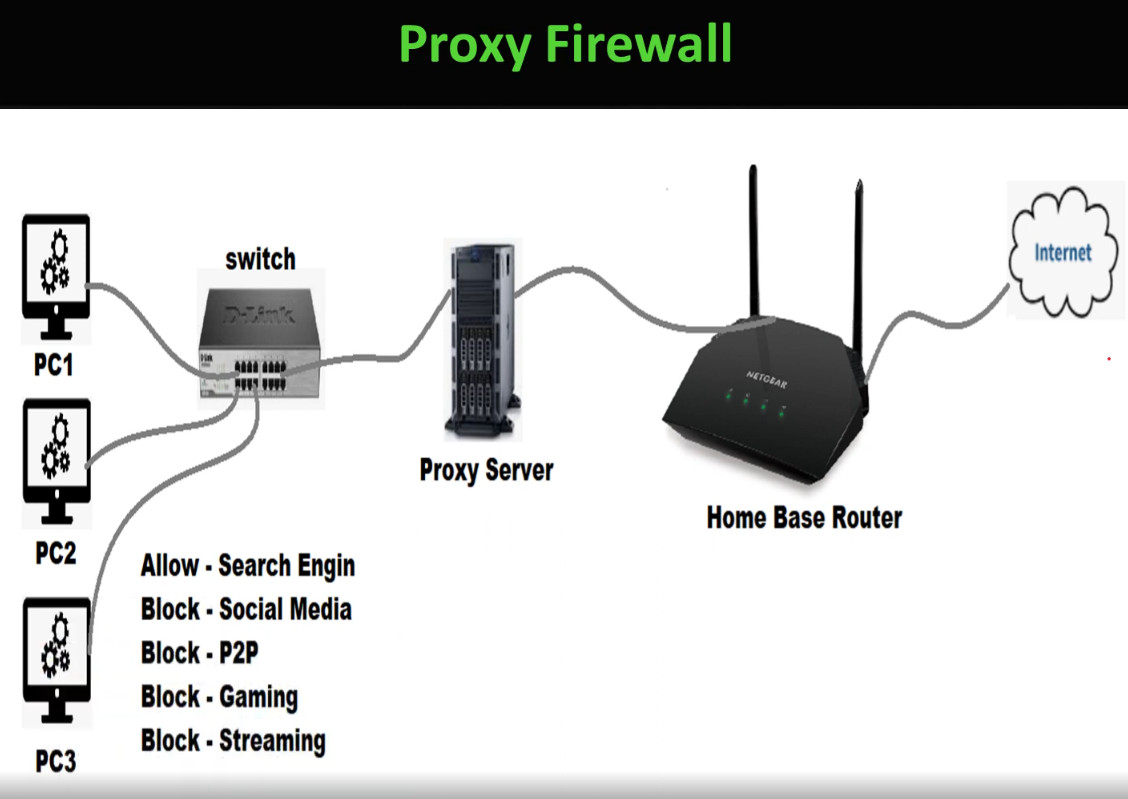
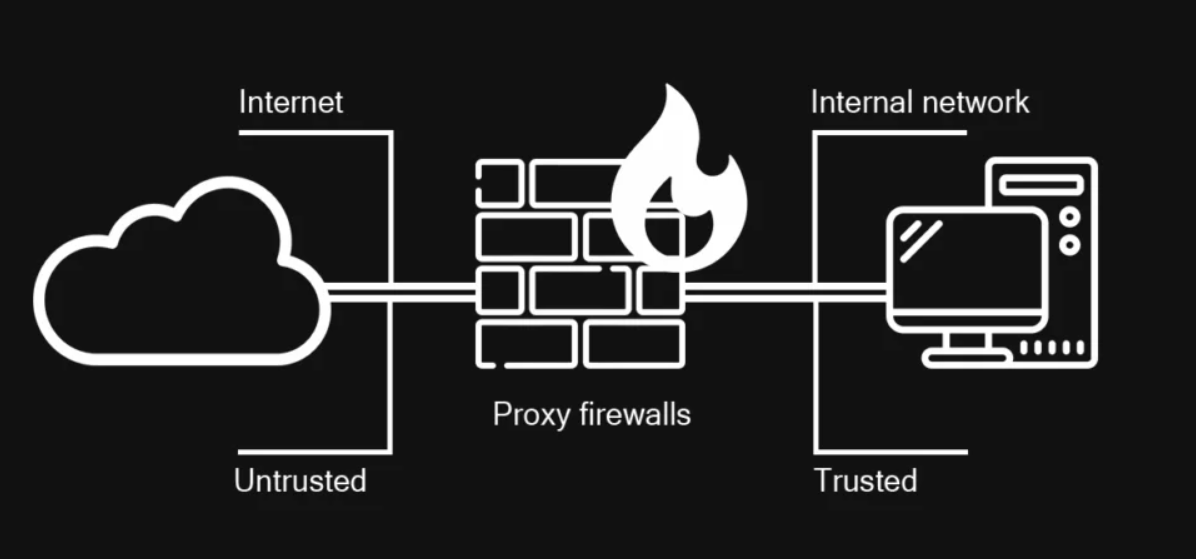
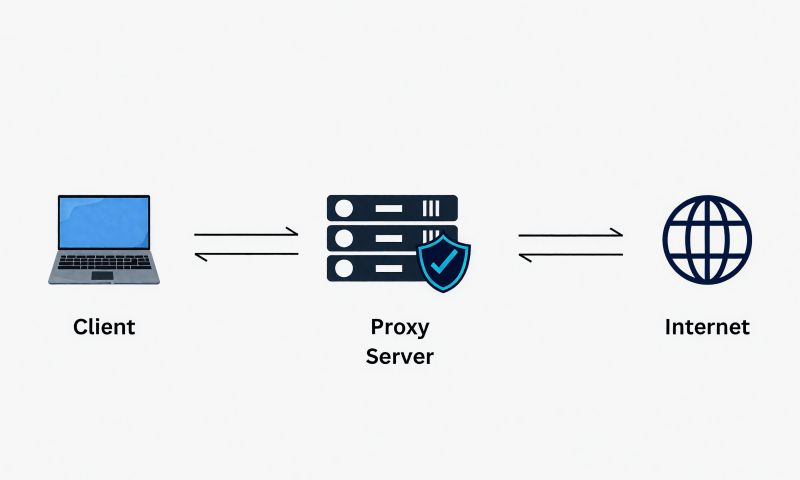
A Proxy Firewall works as an intermediary (middleman) between the client and the destination server. Unlike a packet filtering firewall, the client never communicates directly with the internet. Instead, all requests are first sent to the proxy firewall. The firewall receives the request, inspects it according to the organization’s security policies, and decides whether to allow or block it.
When a user inside a company opens a website such as www.google.com, the computer sends the request to the proxy firewall instead of directly to Google. The proxy firewall examines the request at the Application Layer (Layer 7). It checks the requested URL, application protocol (HTTP, HTTPS, FTP, etc.), user authentication, access policies, and whether the request contains any suspicious or malicious content.
If the request complies with the organization’s security policy, the proxy firewall creates a new connection to the destination server on behalf of the user. This means Google communicates only with the proxy firewall and does not see the user’s actual IP address. The proxy firewall hides the internal network, providing an additional layer of security and privacy.
When the destination server sends a response, the data first returns to the proxy firewall instead of directly reaching the user’s computer. Before forwarding the response, the proxy firewall scans it for viruses, malware, malicious scripts, or prohibited content. Some proxy firewalls also cache frequently accessed web pages to improve browsing speed and reduce internet bandwidth usage.
After completing all security checks, the proxy firewall forwards the safe content to the user’s computer. If the requested website violates company policy—for example, a blocked social media website or a malicious download—the proxy firewall blocks the request and displays an “Access Denied” or “Website Blocked” message instead of allowing the connection.
Real Example:
In a company, employees are allowed to access business websites but are not allowed to visit Facebook during working hours. When an employee enters www.facebook.com in the browser, the request first reaches the proxy firewall. The firewall checks its web filtering policy and finds that Facebook is blocked. Instead of forwarding the request to Facebook, the proxy firewall rejects it and displays an access denied page. Since the request never reaches Facebook, the company’s security policy is successfully enforced.
Flow:
Employee PC → Proxy Firewall → Internet Server → Proxy Firewall → Employee PC
The proxy firewall acts as a security checkpoint, inspecting every request and response before allowing communication between internal users and external servers. This makes it more secure than a packet filtering firewall, although it introduces slightly higher processing time because every connection is inspected in detail.
A proxy firewall is a firewall that acts as an intermediary (middleman) between a client and a server. Instead of allowing the client to communicate directly with the destination server, the proxy firewall receives the client’s request, inspects it, and then creates a new connection to the destination on the client’s behalf. This hides the client’s IP address and provides an extra layer of security.
Real Example 1 – Office Internet Access:
A company has 100 employees who access the internet through a proxy firewall.
When an employee opens www.youtube.com, the request does not go directly to YouTube. Instead, it first reaches the proxy firewall. The firewall checks the company’s security policies. If YouTube is allowed, the proxy firewall connects to YouTube, downloads the requested content, and then sends it back to the employee. If YouTube is blocked by company policy, the proxy firewall denies the request before it reaches the internet.
Real Example 2 – Web Filtering:
A school wants to prevent students from visiting social media websites during class hours.
A student tries to open www.facebook.com.
The request goes to the proxy firewall first. The firewall checks its web filtering rules and finds that Facebook is blocked. Instead of connecting to Facebook, the proxy firewall displays a “Website Blocked” message to the student. The connection to Facebook is never established.
Real Example 3 – Malware Protection:
An employee downloads a file from the internet.
The download first reaches the proxy firewall. Before sending the file to the employee’s computer, the firewall scans it for malware, viruses, or prohibited file types. If the file is safe, it is delivered to the employee. If malware is detected, the proxy firewall blocks the download and prevents it from reaching the internal network.
Simple analogy: A proxy firewall is like a receptionist in an office building. Visitors cannot go directly to the manager. They first meet the receptionist, who checks their identity and purpose. Only approved visitors are allowed through, while unauthorized visitors are turned away.
Advantages of Packet Filtering Firewall:
- High Performance: Filters packets quickly because it examines only packet headers (IP address, port, and protocol).
- Low Resource Usage: Requires minimal CPU, memory, and storage compared to advanced firewalls.
- Simple to Configure: Basic security rules are easy to create using IP addresses, ports, and protocols.
- Cost-Effective: Less expensive than stateful or next-generation firewalls.
- Basic Access Control: Can allow or block traffic based on source IP, destination IP, port number, and protocol.
- Reduces Unwanted Traffic: Blocks unauthorized packets before they enter the network.
- Suitable for Small Networks: Ideal for home networks, small offices, and basic router security.
Disadvantages of Packet Filtering Firewall:
- No Connection Tracking: It is a stateless firewall, so it cannot determine whether a packet belongs to an existing connection.
- No Deep Packet Inspection: It examines only packet headers and cannot inspect the packet payload or application data.
- Cannot Detect Advanced Threats: Unable to identify malware, viruses, or application-layer attacks.
- Vulnerable to IP Spoofing: Attackers can forge source IP addresses to bypass poorly configured rules.
- Limited Security: Cannot distinguish between legitimate and malicious traffic using the same port (such as HTTPS on Port 443).
- Complex Rule Management: Large organizations may require hundreds of firewall rules, making administration difficult.
- No User Authentication: Cannot verify the identity of users before allowing network access.
Real Example:
A company allows TCP Port 443 (HTTPS) so employees can browse secure websites. An attacker sends malicious traffic through Port 443. Since a packet filtering firewall checks only the packet header—not the encrypted content—it allows the traffic. A Stateful Firewall or Next-Generation Firewall (NGFW) could inspect the connection or application traffic and provide stronger protection.
A Proxy Firewall can be implemented as hardware, software, or a cloud service, depending on the organization’s requirements.
Hardware Proxy Firewall:
A hardware proxy firewall is a dedicated physical appliance installed at the edge of the network, between the internal network and the Internet. All user traffic passes through this device, where it is inspected, filtered, and forwarded. Hardware proxy firewalls are commonly used in medium and large organizations because they provide high performance and centralized security.
Examples:
- Blue Coat ProxySG (Broadcom)
- Forcepoint Secure Web Gateway
- Cisco Secure Web Appliance (formerly Web Security Appliance)
- Fortinet FortiProxy
Real Example:
A company with 500 employees installs a FortiProxy appliance between its router and internal switch. Every employee’s web request passes through the appliance, which blocks malicious websites, scans downloads, and enforces company internet policies.
Software Proxy Firewall:
A software proxy firewall is installed on a server running Windows or Linux. It performs the same functions as a hardware appliance but uses the server’s CPU, memory, and storage.
Examples:
- Squid Proxy Server
- Microsoft ISA Server (legacy)
- Microsoft Forefront Threat Management Gateway (TMG) (legacy)
- Kerio Control
Real Example:
A school installs Squid Proxy on an Ubuntu server. All student internet traffic passes through the server, which blocks social media and adult websites while allowing educational websites.
Cloud Proxy Firewall:
Many organizations now use cloud-based proxy firewalls. Instead of installing equipment on-site, internet traffic is routed to a cloud security provider that performs web filtering, malware scanning, and policy enforcement.
Examples:
- Zscaler Internet Access (ZIA)
- Cisco Umbrella
- Netskope Secure Web Gateway
Real Example:
Employees working from home connect to the company’s cloud proxy service. Their web traffic is inspected in the cloud before reaching the Internet, ensuring the same security policies are applied whether they are in the office or remote.
Summary:
- Hardware Proxy Firewall → Dedicated appliance for high-performance enterprise networks.
- Software Proxy Firewall → Installed on a Windows or Linux server; suitable for small and medium organizations.
- Cloud Proxy Firewall → Security delivered as a cloud service for office and remote users.
Today, hardware appliances and cloud-based proxy firewalls are the most common choices in enterprise environments, while software proxies like Squid are still widely used in schools, universities, and small businesses.
Squid Proxy:
Squid Proxy is a free and open-source software-based proxy firewall widely used in schools, universities, small businesses, and enterprise environments. It acts as an intermediary between users and the internet, inspecting HTTP and HTTPS traffic before forwarding requests to web servers. Squid supports web caching to improve browsing speed, URL filtering, user authentication, bandwidth control, and detailed access logging. It is commonly deployed on Linux servers and is ideal for organizations looking for a cost-effective web security solution.
Kerio Control:
Kerio Control is a commercial software-based proxy firewall designed for small and medium-sized businesses. It combines web proxy functionality with firewall protection, VPN connectivity, intrusion prevention, and bandwidth management. The software filters web traffic, blocks malicious websites, scans downloads, and enforces internet usage policies. Its user-friendly web interface makes it easy for administrators to manage security policies, monitor user activity, and generate detailed reports.
Forcepoint Secure Web Gateway (SWG):
Forcepoint Secure Web Gateway is an enterprise-grade software proxy firewall that protects users from web-based threats while enforcing corporate internet usage policies. It inspects HTTP and HTTPS traffic at the application layer, blocks malicious and phishing websites, performs SSL inspection, scans downloads for malware, and integrates with Active Directory for user authentication. Forcepoint also includes Data Loss Prevention (DLP), application control, and detailed reporting, making it suitable for banks, government organizations, healthcare, and large enterprises that require high levels of web security.
Forcepoint Secure Web Gateway (SWG) – Key Points
- Enterprise-grade Proxy Firewall / Secure Web Gateway (SWG)
- Acts as a middleman between users and the Internet.
- Inspects HTTP, HTTPS, and FTP traffic at the Application Layer (Layer 7).
- Blocks malicious, phishing, and unsafe websites.
- Provides URL filtering based on website categories.
- Performs SSL/TLS inspection to detect hidden threats in encrypted traffic.
- Scans downloads for viruses and malware.
- Supports User Authentication (Active Directory, LDAP, SSO).
- Enforces Internet usage policies for employees.
- Includes Data Loss Prevention (DLP) to prevent sensitive data leakage.
- Controls web applications such as Facebook, YouTube, and Dropbox.
- Generates detailed logs, reports, and user activity monitoring.
- Can be deployed as Hardware Appliance, Software, Virtual Appliance, or Cloud Service.
- Used by banks, government organizations, hospitals, universities, and large enterprises.
- Improves network security, compliance, and user productivity.
Can I reduce firewall costs by deploying a
MikroTik router first and then using a proxy firewall behind it?
Yes, deploying a MikroTik router together with a software-based proxy firewall can significantly reduce firewall costs while still providing strong network security. This architecture is commonly used by small and medium-sized businesses that need enterprise-like features without investing in expensive next-generation firewalls.
In this setup, the MikroTik router handles core networking functions such as routing, NAT, VLANs, DHCP, VPN, load balancing, and basic firewall rules. A separate proxy firewall (such as Squid, pfSense, or OPNsense) is deployed behind the MikroTik router to inspect web traffic, perform URL filtering, block malicious websites, scan downloads, enforce internet usage policies, and provide user authentication.
Example Network Design:
					Internet
     │
MikroTik Router
     │
Proxy Firewall
(Squid / pfSense / OPNsense)
     │
Core Switch
     │
Users
This design is much more affordable than purchasing a high-end enterprise firewall while still providing strong web security and internet access control.
Advantages:
- Lower deployment cost compared to enterprise firewalls.
- MikroTik handles routing, VPN, VLANs, NAT, and load balancing efficiently.
- The proxy firewall provides web filtering, URL filtering, malware protection, caching, and user authentication.
- Easy to upgrade each component independently.
- Suitable for schools, offices, ISPs, and small to medium businesses.
Limitations:
A software proxy firewall cannot fully replace an enterprise Next-Generation Firewall (NGFW). Advanced features such as:
- Deep Application Control
- Advanced Threat Protection (ATP)
- Zero-Day Threat Detection
- Sandboxing
- Integrated IPS/IDS
- Centralized enterprise management
- Vendor support and security subscriptions
are generally available only in commercial products such as FortiGate, Palo Alto Networks, Check Point, or Forcepoint.
Real Example:
A company with 200 employees deploys a MikroTik CCR for routing, VPN, VLANs, and load balancing. An Ubuntu server running Squid Proxy is installed behind the MikroTik router to filter web traffic, block social media during office hours, scan downloads, and authenticate users. This solution delivers excellent web security at a much lower cost than deploying a high-end enterprise firewall.
Conclusion: Using MikroTik + a software-based proxy firewall is a cost-effective and widely used architecture for organizations that require strong web filtering and internet access control without the expense of an enterprise-grade firewall.
Next-Generation Firewall (NGFW)
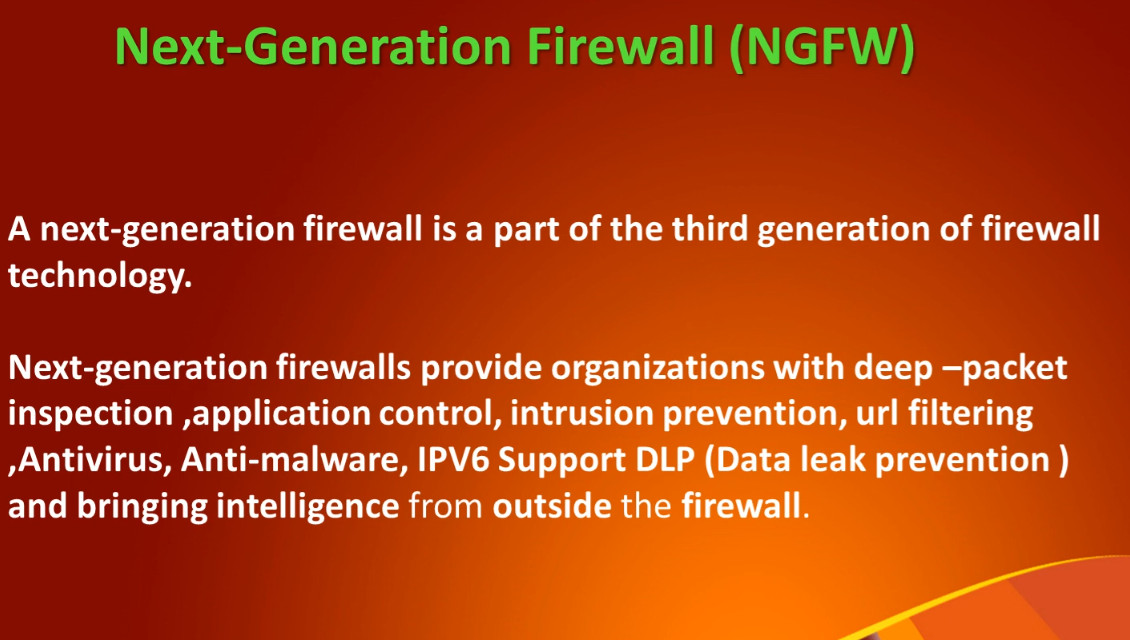
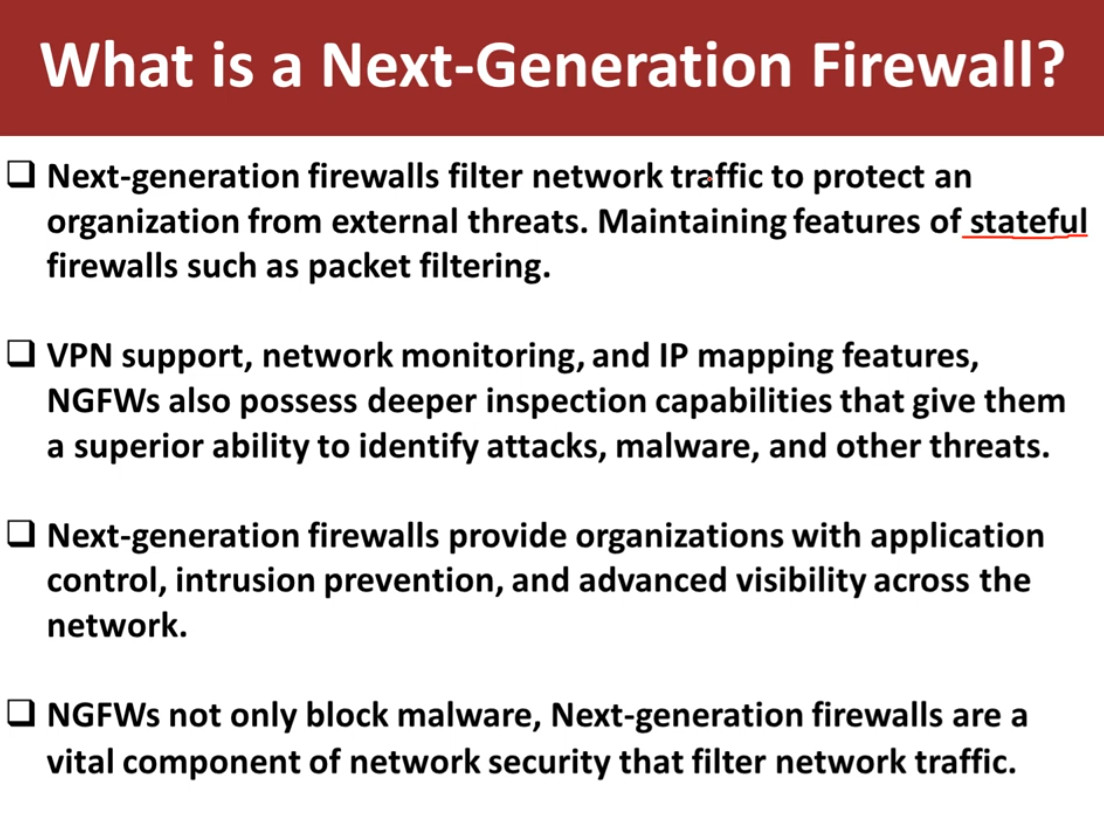
A Next-Generation Firewall (NGFW) is an advanced firewall that combines the features of a traditional stateful firewall with deep packet inspection, application awareness, intrusion prevention, malware protection, and advanced threat detection. Unlike traditional firewalls that filter traffic based only on IP addresses and ports, an NGFW analyzes network traffic at the Application Layer (Layer 7) to identify and control applications, users, and threats.
NGFWs can detect and block sophisticated cyberattacks, including malware, ransomware, phishing attempts, command-and-control (C2) communications, and unauthorized applications. They provide comprehensive visibility into network traffic and enforce security policies based on applications, users, content, and threat intelligence rather than just network addresses.
Key Point:
Unlike a traditional firewall that checks only IP addresses and ports, a Next-Generation Firewall (NGFW) understands users, applications, and content. It inspects traffic at Layers 3–7, identifies threats in real time, and enforces security policies before allowing communication. This makes NGFWs one of the most effective security solutions for modern enterprise networks.
How a Next-Generation Firewall (NGFW) Works Short Explain:
A Next-Generation Firewall (NGFW) combines traditional firewall functions with advanced security technologies such as Deep Packet Inspection (DPI), Intrusion Prevention System (IPS), Application Control, SSL Inspection, Antivirus, and Threat Intelligence. It analyzes traffic from Layer 3 to Layer 7 before allowing it into the network.
Real Example:
A company allows employees to use Microsoft Teams and Office 365 but blocks BitTorrent and unauthorized VPN applications. When an employee attempts to run BitTorrent, the NGFW identifies the application regardless of the port it uses and immediately blocks it. At the same time, Microsoft Teams traffic is recognized as a trusted business application and is allowed.
A Next-Generation Firewall (NGFW) works by combining the functions of a traditional stateful firewall with advanced security technologies such as Deep Packet Inspection (DPI), Intrusion Prevention System (IPS), Application Control, SSL Inspection, Antivirus, and Threat Intelligence. Instead of making decisions based only on IP addresses and port numbers, an NGFW analyzes network traffic from Layer 3 to Layer 7, allowing it to identify applications, users, and potential threats before permitting communication.
When a user inside an organization opens a website or application, the network request first reaches the NGFW. The firewall begins by performing stateful inspection, where it verifies the source IP address, destination IP address, protocol, port number, and the state of the connection. If the connection is valid, the firewall continues to inspect the traffic rather than forwarding it immediately.
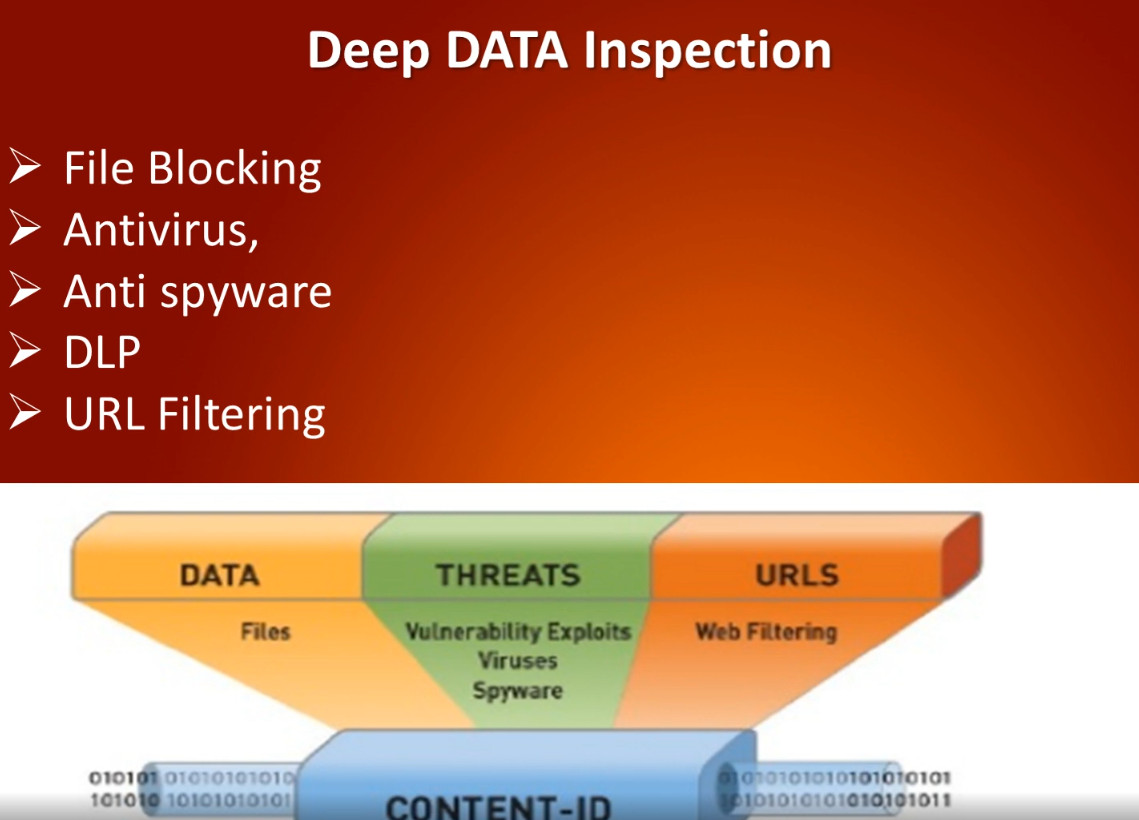
The NGFW then performs Deep Packet Inspection (DPI). Unlike a traditional firewall that examines only the packet header, DPI analyzes the entire packet, including the payload. This enables the firewall to detect malware, viruses, malicious scripts, exploits, and suspicious content hidden within the data.
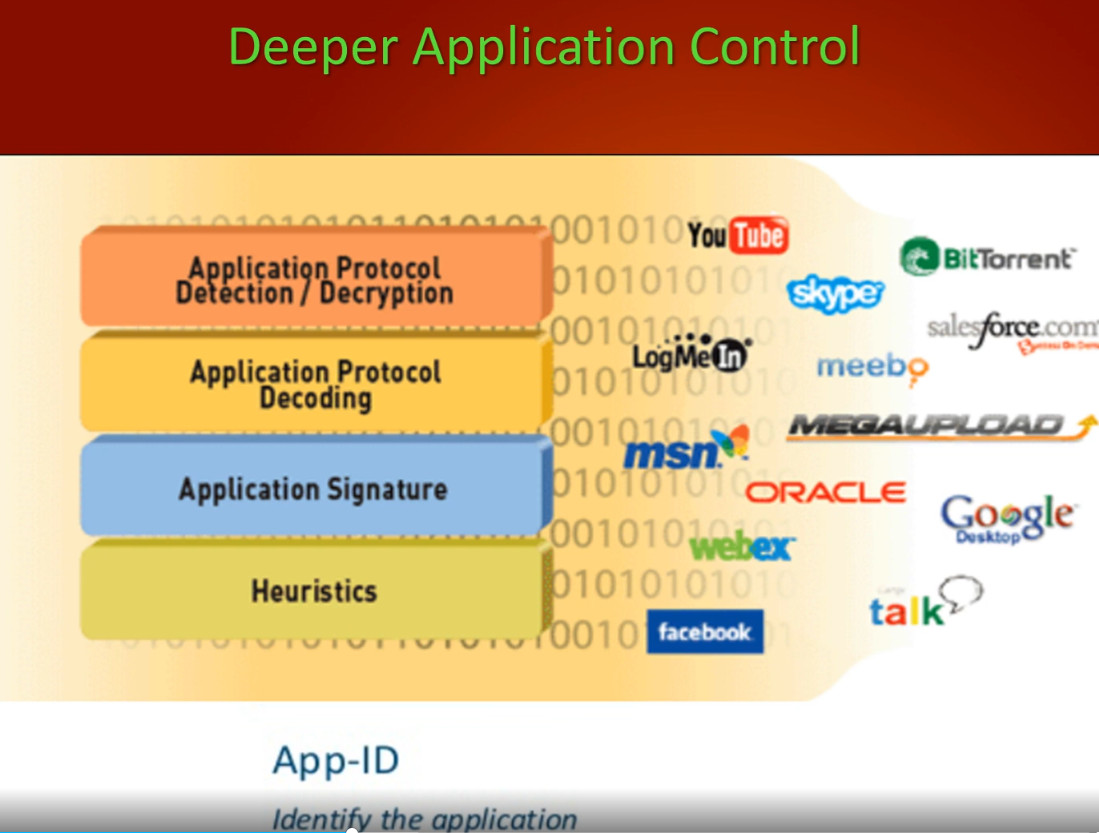
After inspecting the packet contents, the NGFW identifies the actual application generating the traffic. Even if multiple applications use the same port, such as HTTPS on Port 443, the firewall can distinguish between applications like Microsoft Teams, Zoom, Facebook, YouTube, Dropbox, or BitTorrent. This allows administrators to create security policies based on applications instead of just port numbers.
If the traffic is encrypted using HTTPS, the NGFW performs SSL/TLS inspection. The firewall temporarily decrypts the encrypted traffic, scans it for malware, malicious files, and policy violations, and then encrypts it again before forwarding it. This process allows hidden threats inside encrypted sessions to be detected and blocked.
The firewall also uses an Intrusion Prevention System (IPS) to compare the traffic against thousands of known attack signatures and behavioral patterns. If it detects attacks such as SQL Injection, Cross-Site Scripting (XSS), Remote Code Execution, Buffer Overflow, or port scanning, it immediately blocks the traffic before it reaches the destination.
Once all security checks are complete, the NGFW applies the organization’s security policies. These policies can be based on user identity, department, application, website category, device type, location, or time of day. For example, a company may allow Microsoft Teams and Office 365 for all employees while blocking BitTorrent, gambling websites, and unauthorized VPN applications.
If the traffic successfully passes every inspection stage, the NGFW allows the connection and forwards the data to the destination. If any threat, malicious application, or policy violation is detected, the firewall immediately blocks the traffic, logs the event, and can notify the network administrator.
Real Example:
In a corporate office, an employee opens https://www.microsoft.com. The request first reaches the NGFW, where the connection is verified through stateful inspection. The firewall then performs deep packet inspection, identifies the application, decrypts and inspects the HTTPS traffic, checks it against IPS signatures and antivirus databases, and confirms that it complies with company security policies. Since no threats are detected, the firewall allows the connection.
Later, another employee attempts to download a malicious file from an unknown website. The NGFW identifies the website as suspicious, scans the downloaded file, detects malware, blocks the download immediately, records the event in its logs, and prevents the infected file from entering the company’s network.
This multi-layered inspection process is what makes a Next-Generation Firewall (NGFW) significantly more secure than traditional packet-filtering or stateful firewalls. It protects organizations against modern cyber threats while providing detailed visibility and control over network traffic.
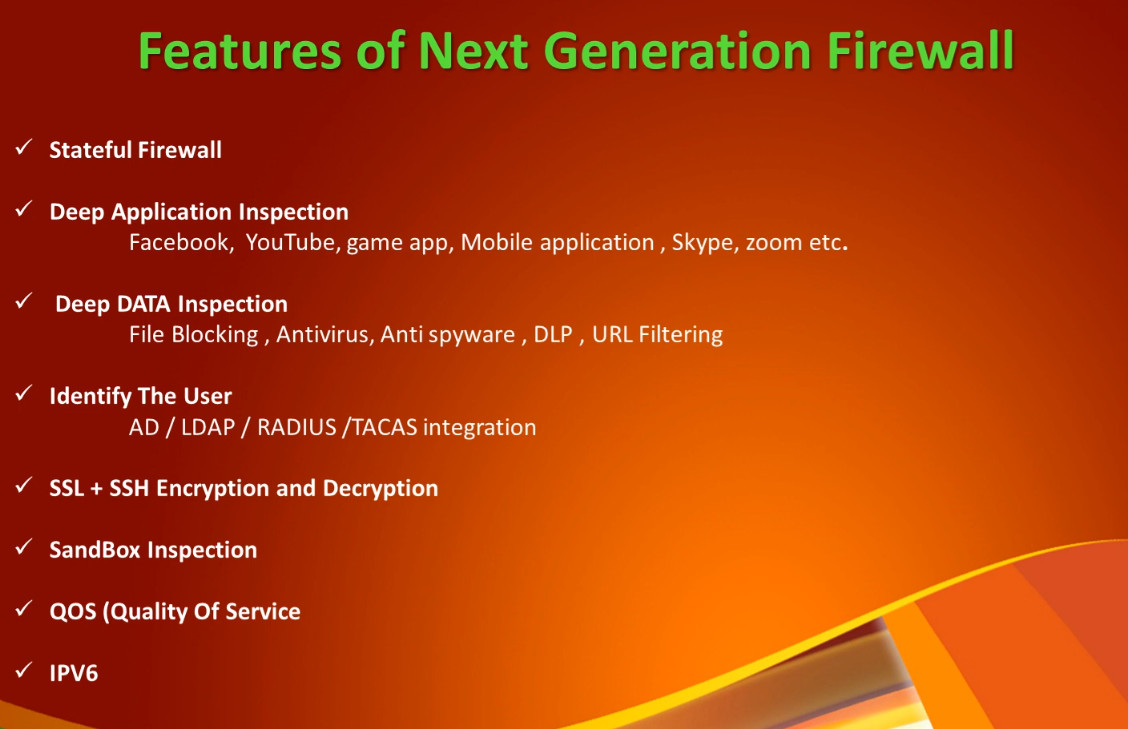
- Stateful Inspection – Monitors and tracks active network connections to allow legitimate traffic while blocking unauthorized access.
- Deep Packet Inspection (DPI) – Inspects both packet headers and payloads to detect hidden threats and malicious content.
- Application Awareness and Control – Identifies and controls applications such as Microsoft Teams, Zoom, Facebook, YouTube, and BitTorrent regardless of the port used.
- Intrusion Prevention System (IPS) – Detects and blocks network attacks, exploits, and intrusion attempts in real time.
- SSL/TLS Inspection – Decrypts, inspects, and re-encrypts encrypted HTTPS traffic to identify threats hidden inside secure connections.
- Antivirus and Anti-Malware Protection – Scans files and traffic for viruses, ransomware, spyware, and other malicious software.
- URL and Web Filtering – Blocks access to malicious, phishing, gambling, adult, or unauthorized websites based on security policies.
- User Identity and Authentication – Applies security policies based on user identity by integrating with Active Directory, LDAP, or Single Sign-On (SSO).
- Threat Intelligence Integration – Uses real-time threat intelligence feeds to detect and block newly discovered cyber threats.
- Application Layer (Layer 7) Visibility – Inspects and controls traffic at the application layer for greater security and visibility.
- VPN Support – Provides secure remote access using IPsec VPN and SSL VPN technologies.
- Quality of Service (QoS) – Prioritizes critical business applications to improve network performance.
- Data Loss Prevention (DLP) – Prevents sensitive business data from leaving the organization’s network.
- Sandboxing – Executes unknown files in an isolated environment to detect zero-day malware before allowing them into the network.
- High Availability (HA) – Ensures continuous network operation through redundant firewall deployment.
- Centralized Logging and Reporting – Generates detailed logs, reports, alerts, and security analytics for monitoring and compliance.
- Policy-Based Access Control – Enforces security rules based on users, groups, applications, devices, locations, and time schedules.
- Cloud Security Integration – Protects access to cloud applications and hybrid cloud environments.
- Real-Time Monitoring – Provides live visibility into network traffic, applications, users, and security events.
- Automatic Security Updates – Receives regular signature and threat database updates to protect against the latest cyber threats.
- Advanced Threat Protection – Detects and blocks malware, ransomware, spyware, and zero-day attacks.
- Deep Packet Inspection (DPI) – Inspects both packet headers and payloads for enhanced security.
- Application Awareness and Control – Identifies and controls applications regardless of the port being used.
- Intrusion Prevention System (IPS) – Detects and prevents network attacks in real time.
- SSL/TLS Inspection – Decrypts and scans encrypted HTTPS traffic for hidden threats.
- Comprehensive Web Filtering – Blocks malicious, phishing, gambling, and inappropriate websites.
- User-Based Security Policies – Applies access rules based on users, groups, or Active Directory identities.
- Integrated Security Features – Combines firewall, IPS, antivirus, VPN, web filtering, and application control into a single device.
- Real-Time Monitoring and Reporting – Provides detailed logs, alerts, dashboards, and traffic visibility.
- Improved Regulatory Compliance – Helps organizations meet security and compliance requirements.
- Centralized Management – Simplifies policy management across multiple firewall devices.
- Better Protection Against Modern Cyber Threats – Provides multi-layered security for enterprise networks.
- High Initial Cost – Enterprise NGFW appliances are more expensive than traditional firewalls.
- Ongoing Subscription Costs – Advanced features such as IPS, antivirus, web filtering, and threat intelligence often require annual licenses.
- Complex Configuration – Requires experienced administrators to configure and manage security policies.
- Higher Resource Usage – Deep inspection consumes more CPU, memory, and storage.
- May Increase Network Latency – Advanced security inspections can slightly reduce network performance.
- SSL Inspection Complexity – HTTPS inspection requires certificate deployment and careful configuration.
- Regular Updates Required – Signature databases and firmware must be updated frequently for effective protection.
- Potential False Positives – Legitimate applications or traffic may occasionally be blocked if policies are too restrictive.
- Training Requirements – Network administrators need specialized knowledge to manage NGFW features effectively.
- Higher Maintenance Overhead – Continuous monitoring, tuning, and policy updates are necessary to maintain optimal security.
A company deploys an NGFW to protect its network. The firewall successfully blocks ransomware, phishing websites, and unauthorized applications such as BitTorrent, greatly improving security. However, the organization must purchase annual security subscriptions, allocate a powerful appliance to handle deep packet inspection, and employ trained administrators to configure and maintain the firewall effectively.
Where is a Next-Generation Firewall (NGFW) Available?
A Next-Generation Firewall (NGFW) is available in several deployment models, allowing organizations to choose the option that best fits their network infrastructure and security requirements. Depending on the size of the organization, an NGFW can be deployed as a hardware appliance, virtual appliance, software firewall, or cloud-based firewall service.
The most common deployment method is a hardware appliance. In this model, the NGFW is installed as a dedicated physical device between the organization’s Internet connection and the internal network. All incoming and outgoing network traffic passes through the firewall, where it is inspected for malware, application usage, intrusion attempts, and policy violations before being allowed or blocked. Hardware NGFWs are widely used in enterprises, banks, hospitals, government agencies, universities, and data centers because they provide high performance, reliability, and advanced security features.
Many firewall vendors also offer virtual appliance versions of their NGFW products. These can be installed as virtual machines on platforms such as VMware ESXi, Microsoft Hyper-V, KVM, or Proxmox VE. Virtual NGFWs provide the same security capabilities as hardware appliances and are commonly deployed in data centers, private cloud environments, and virtualized infrastructures where dedicated hardware is not required.
Organizations that prefer software-based security can deploy an NGFW as software on a standard x86 server. Software NGFWs provide enterprise firewall capabilities without requiring specialized hardware. They are suitable for small and medium-sized businesses, branch offices, and organizations that already have server infrastructure and want a cost-effective firewall solution.
Modern organizations also use cloud-based NGFWs, often referred to as Firewall-as-a-Service (FWaaS). In this deployment model, firewall security is delivered from the cloud rather than from on-premises hardware. Cloud NGFWs protect users working from the office, remote locations, or cloud environments by inspecting traffic before it reaches business applications. This model is particularly useful for organizations adopting cloud computing and hybrid work environments.
Real Example:
A company with 300 employees installs a FortiGate NGFW between the ISP router and the core switch. Every packet entering or leaving the company’s network passes through the firewall. The NGFW performs stateful inspection, deep packet inspection, intrusion prevention, application control, SSL inspection, antivirus scanning, and web filtering before allowing the traffic to reach internal users or servers. This ensures that only legitimate and secure traffic is permitted while cyber threats are blocked in real time.
Popular Next-Generation Firewall (NGFW) Vendors
- Fortinet – FortiGate NGFW with IPS, Application Control, SSL Inspection, VPN, Antivirus, Web Filtering, and SD-WAN.
- Palo Alto Networks – Enterprise NGFW with App-ID, User-ID, Threat Prevention, WildFire sandboxing, and advanced security analytics.
- Check Point – Quantum Security Gateway offering IPS, Antivirus, Anti-Bot, Sandboxing, URL Filtering, and Threat Prevention.
- Cisco – Secure Firewall (Firepower) providing IPS, Malware Protection, VPN, Application Visibility, and Threat Intelligence.
- Sophos – XGS Firewall featuring Xstream Architecture, synchronized security, web filtering, SSL inspection, and VPN.
- SonicWall – TZ and NSa Series with DPI, IPS, Gateway Antivirus, Application Control, and Capture ATP.
- Juniper Networks – SRX Series offering NGFW, IPS, VPN, Application Visibility, and advanced routing capabilities.
- WatchGuard – Firebox Series with IPS, Web Filtering, Gateway Antivirus, DNS Filtering, and Cloud Management.
- Huawei – HiSecEngine Firewall with IPS, Antivirus, URL Filtering, SSL Inspection, and AI-powered threat detection.
- Hillstone Networks – Enterprise NGFW with Application Control, IPS, Sandboxing, and Cloud Security Integration.
These vendors provide NGFW solutions for small businesses, medium-sized organizations, large enterprises, data centers, government agencies, healthcare, education, and service providers. Their products differ in performance, licensing, management features, and security services, allowing organizations to choose the solution that best matches their security and budget requirements.
How much would it cost to deploy a FortiGate firewall for a company with 200 employees?
For an organization with approximately 200 employees, the cost of deploying a FortiGate Next-Generation Firewall (NGFW) depends on several factors, including the number of concurrent users, internet bandwidth, VPN users, security features, and the required support license. The firewall hardware is only one part of the total investment, as security subscriptions and deployment services also contribute to the overall cost.
For this size of organization, models such as the FortiGate 100F, FortiGate 120G, or FortiGate 200F are commonly considered. The appropriate model depends on network traffic, expected future growth, and whether advanced features such as IPS, SSL inspection, web filtering, and application control will be heavily used.
The hardware appliance typically costs between ₹2.5 lakh and ₹6 lakh, depending on the selected model. In addition to the hardware, organizations usually purchase a 1-year or 3-year security subscription, which includes IPS, antivirus, web filtering, application control, threat intelligence updates, firmware updates, and vendor technical support. These subscriptions generally cost ₹80,000 to ₹3 lakh, depending on the license bundle.
Deployment also includes installation, configuration, policy creation, VPN setup, VLAN configuration, testing, and administrator training, which may cost ₹20,000 to ₹1 lakh, depending on the complexity of the network and the implementation partner.
As a result, the total first-year investment for a company with around 200 employees is typically in the range of ₹3.5 lakh to ₹10 lakh. The exact cost depends on the firewall model, license type, deployment complexity, and support agreement.
For example, a company with 200 employees, a 300 Mbps internet connection, 10 VLANs, and 20 remote VPN users may choose a FortiGate 120G or FortiGate 200F with a Unified Threat Protection (UTP) or Enterprise Protection license. In this scenario, the total first-year deployment cost would typically be around ₹5–8 lakh, including the firewall appliance, security subscriptions, installation, and configuration.
Although a FortiGate NGFW requires a higher initial investment, it provides enterprise-grade security features such as Deep Packet Inspection (DPI), Intrusion Prevention System (IPS), SSL inspection, Application Control, Antivirus, Web Filtering, VPN, Sandboxing, and centralized management, making it a preferred choice for organizations that require comprehensive network protection.
Suitable Models for ~200 Users:
- FortiGate 100F – Suitable for approximately 100–250 users.
- FortiGate 120G – Newer generation, suitable for approximately 150–300 users.
- FortiGate 200F – Recommended if you have high internet traffic, multiple VLANs, VPN users, or future expansion.
Estimated Cost (India)
| Item | Approximate Cost |
|---|---|
| FortiGate Hardware | ₹2.5 lakh – ₹6 lakh |
| 1-Year Security License (UTM/Enterprise) | ₹80,000 – ₹3 lakh |
| Installation & Configuration | ₹20,000 – ₹1 lakh |
| Total First-Year Cost | ₹3.5 lakh – ₹10 lakh |
What is Included in the Security License?
- Intrusion Prevention System (IPS)
- Antivirus
- Web Filtering
- Application Control
- SSL Inspection
- Anti-Bot Protection
- Threat Intelligence Updates
- Firmware and Security Signature Updates
- Technical Support (depending on the license)
A company with 200 employees, 300 Mbps Internet, 10 VLANs, 20 VPN users, and approximately 150 concurrent users could use a FortiGate 120G or FortiGate 200F. The total first-year investment would typically be around ₹5–8 lakh, depending on the security bundle and support package.
If your goal is to reduce costs, a MikroTik router for routing/VLAN/VPN combined with a software proxy firewall (such as Squid or OPNsense) can cost significantly less, but it will not provide all of the advanced NGFW features (such as integrated IPS, advanced threat protection, sandboxing, and vendor-supported security services) that a FortiGate offers.
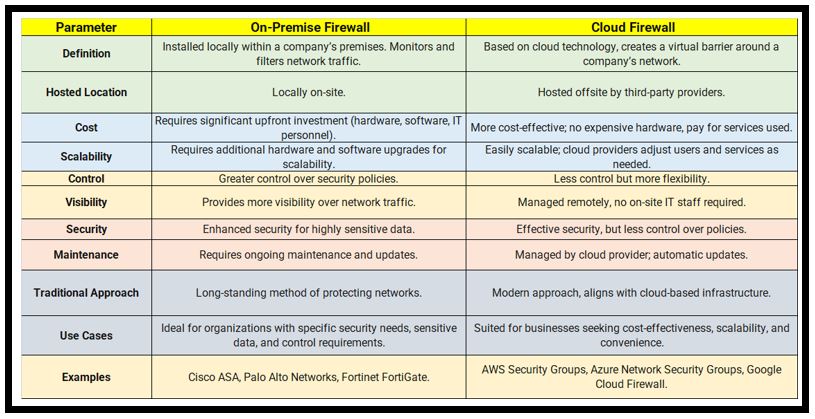
Cloud Based Firewall
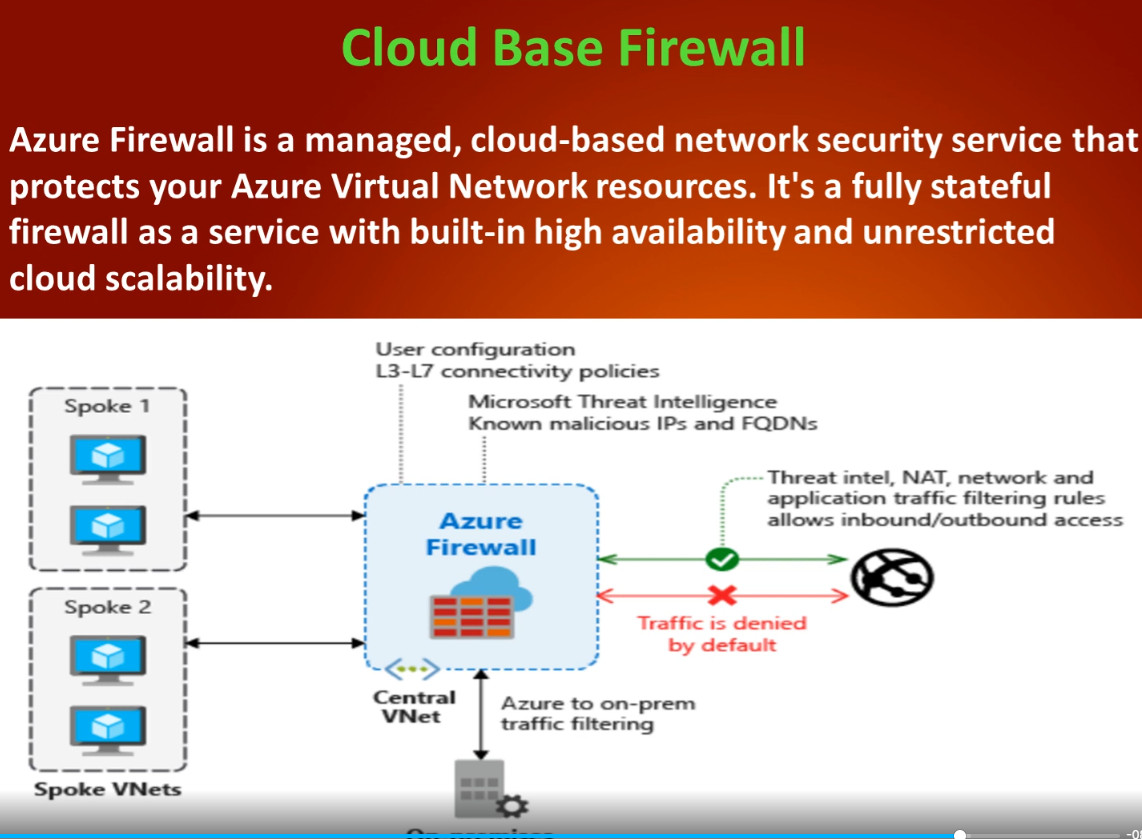
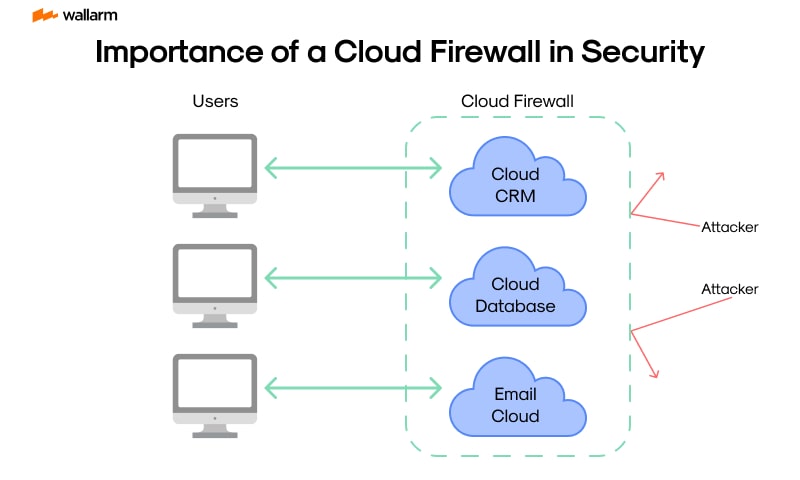
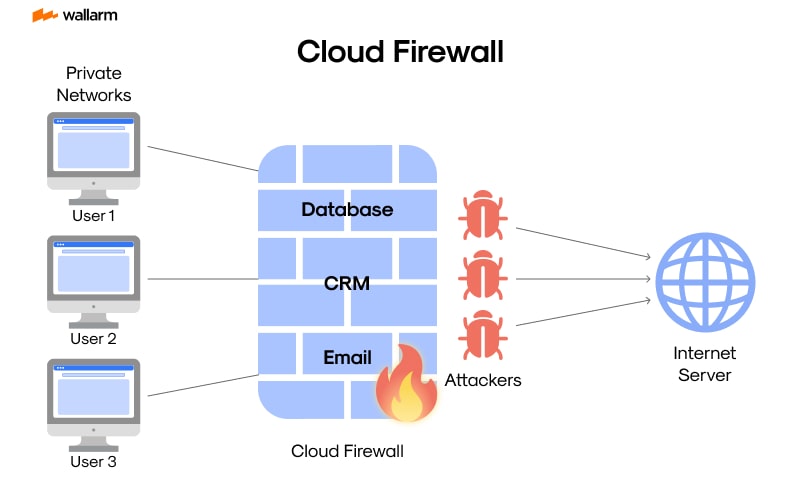
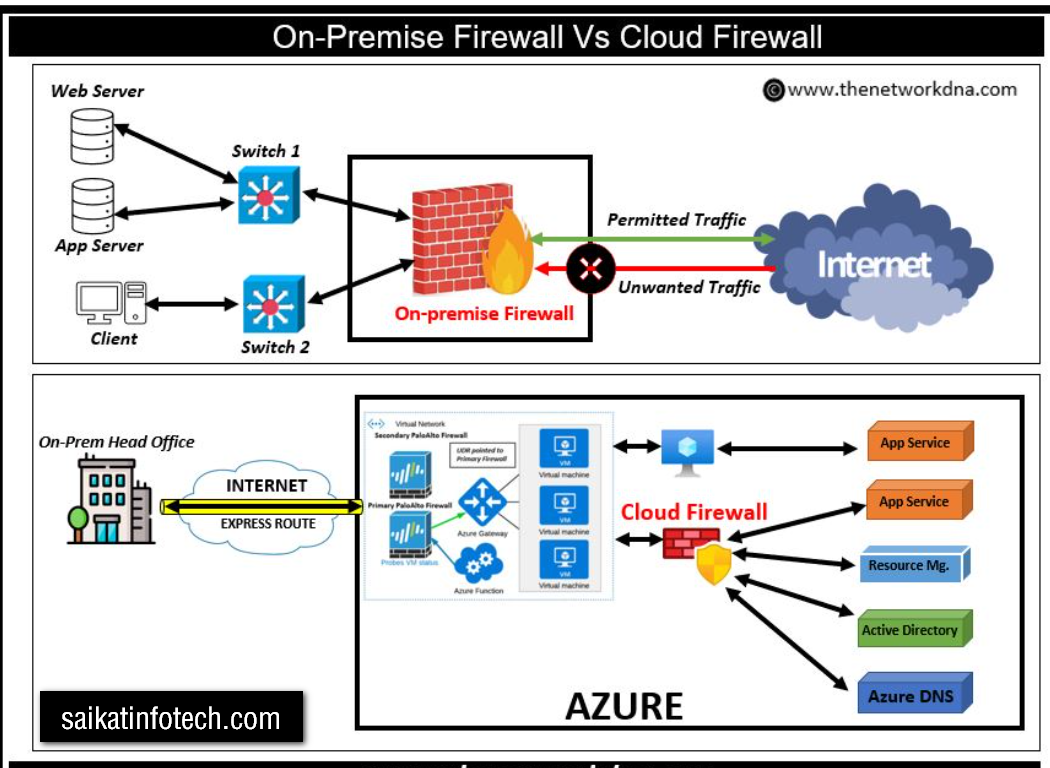
A Cloud Firewall is a cloud-based network security solution that protects users, applications, servers, and cloud resources without requiring a physical firewall appliance. Instead of installing a firewall in the office, security is delivered through the cloud. All network traffic is routed through the cloud firewall, where it is inspected, filtered, and protected against cyber threats before reaching its destination.
Cloud firewalls provide many of the same security capabilities as traditional Next-Generation Firewalls (NGFWs), including stateful inspection, deep packet inspection (DPI), intrusion prevention (IPS), application control, malware protection, URL filtering, SSL/TLS inspection, VPN, and threat intelligence. Because the firewall is hosted in the cloud, organizations can protect office users, remote employees, branch offices, and cloud workloads from a single centralized platform.
When a user accesses a website or cloud application, the traffic is first sent to the cloud firewall. The firewall inspects the traffic, identifies the user and application, scans for malware, checks security policies, and blocks malicious or unauthorized connections. If the traffic is safe, it is forwarded to the destination. If a threat is detected, the cloud firewall immediately blocks the communication and records the event for monitoring and reporting.
One of the biggest advantages of a cloud firewall is that organizations do not need to purchase, install, or maintain expensive firewall hardware. Security policies can be managed centrally, and protection is automatically extended to users regardless of whether they are working in the office, from home, or while traveling. Cloud firewalls also scale easily as the organization grows, making them well suited for businesses using cloud services such as Microsoft Azure, Amazon Web Services (AWS), and Google Cloud Platform (GCP).
Real Example:
A company has its headquarters in Kolkata and branch offices in Delhi, Mumbai, and Bangalore. Employees also work from home. Instead of installing separate firewalls at every location, the company uses a Cloud Firewall. Every user’s internet traffic is securely routed to the cloud firewall, where it is inspected for malware, phishing attacks, unauthorized applications, and policy violations. Safe traffic is forwarded to the destination, while malicious traffic is blocked. This provides consistent security for all users regardless of their location.
- No Physical Hardware Required – Eliminates the need to purchase, install, and maintain on-premises firewall appliances.
- Easy Scalability – Resources can be increased or decreased as the organization grows.
- Centralized Management – Manage security policies for all users, branches, and cloud workloads from a single console.
- Protects Remote Users – Secures employees working from home, branch offices, and mobile devices.
- Automatic Updates – Receives automatic security patches, firmware updates, and threat intelligence.
- High Availability – Cloud providers offer built-in redundancy and failover for continuous protection.
- Advanced Security Features – Includes NGFW capabilities such as IPS, DPI, URL filtering, application control, SSL inspection, and malware protection.
- Faster Deployment – Can be deployed quickly without installing physical equipment.
- Lower Maintenance – Reduces hardware maintenance and infrastructure management.
- Supports Hybrid and Multi-Cloud Environments – Protects applications hosted in AWS, Azure, Google Cloud, and private data centers.
- Internet Dependency – Requires a reliable internet connection to inspect and secure traffic.
- Subscription-Based Cost – Usually requires monthly or annual subscription fees instead of a one-time purchase.
- Potential Latency – Traffic may experience slight delays because it is inspected through the cloud.
- Limited Physical Control – Organizations do not have direct control over the underlying firewall infrastructure.
- Data Privacy Concerns – Some organizations may have regulatory or compliance restrictions on routing traffic through third-party cloud providers.
- Vendor Lock-In – Migrating to another cloud firewall provider can be time-consuming and costly.
- Service Outages – A cloud provider outage can affect firewall services, although major providers typically have high availability.
- Feature Differences – Available features and management capabilities vary between cloud firewall vendors.
- Ongoing Operational Costs – Long-term subscription expenses may exceed the cost of an on-premises firewall for some organizations.
- Configuration Complexity – Large multi-cloud or hybrid environments may require experienced administrators to configure and manage policies effectively.
- Palo Alto Networks – Prisma Access (Cloud-delivered NGFW, SASE, Zero Trust, IPS, URL Filtering, and Threat Prevention)
- Fortinet – FortiSASE and FortiGate Cloud (Cloud Firewall, Secure Web Gateway, SD-WAN, ZTNA, and Threat Protection)
- Check Point – Harmony SASE and CloudGuard (Cloud Firewall, Threat Prevention, Zero Trust, and Cloud Security)
- Cisco – Secure Access (Cloud Firewall, Secure Web Gateway, VPN, Zero Trust, and Application Security)
- Zscaler – Zscaler Internet Access (ZIA) (Cloud Firewall, Secure Web Gateway, SSL Inspection, and Zero Trust)
- Cloudflare – Cloudflare One (Cloud Firewall, Secure Web Gateway, DDoS Protection, and Zero Trust)
- Microsoft – Azure Firewall (Managed Cloud Firewall for Microsoft Azure with Threat Intelligence, Application Rules, and Network Rules)
- Amazon Web Services (AWS) – AWS Network Firewall (Managed firewall service for securing AWS Virtual Private Clouds)
- Google Cloud – Google Cloud Firewall (Built-in firewall for Google Cloud Platform workloads and virtual machines)
- Sophos – Sophos Firewall Cloud (Cloud-managed firewall with VPN, IPS, Web Filtering, and Application Control)
- Barracuda Networks – Barracuda CloudGen Firewall (Cloud security, SD-WAN, VPN, and Threat Protection)
- Juniper Networks – Juniper Secure Edge (Cloud-delivered firewall, Secure Web Gateway, and Zero Trust Network Access)
What is Cloudflare firewall?

Cloudflare is a cloud-based networking and cybersecurity company that provides services to improve the security, performance, and reliability of websites, web applications, APIs, and Internet services. Instead of users connecting directly to your server, all traffic first passes through Cloudflare’s global network, where it is inspected, filtered, and optimized before reaching the origin server.
Cloudflare acts as a reverse proxy between users and your website. It protects websites from cyberattacks such as DDoS attacks, SQL Injection (SQLi), Cross-Site Scripting (XSS), bot attacks, and other web threats while also improving website speed through its Content Delivery Network (CDN) and caching technology. Because Cloudflare has data centers around the world, it serves content from the location closest to the user, reducing latency and improving page load times.
In addition to website protection, Cloudflare provides services such as Web Application Firewall (WAF), DNS management, SSL/TLS encryption, Zero Trust Network Access (ZTNA), Secure Web Gateway (SWG), Load Balancing, API Protection, and Cloud Firewall. These services help organizations secure their websites, applications, APIs, remote users, and cloud infrastructure without requiring expensive on-premises security appliances.
Real Example:
A company hosts its website on an AWS server. Instead of exposing the server directly to the Internet, the company points its domain to Cloudflare. When users visit the website, their requests first reach Cloudflare. Cloudflare blocks malicious traffic, filters attacks, caches static content, and forwards only legitimate requests to the AWS server. As a result, the website becomes more secure, faster, and more reliable, even during cyberattacks or periods of high traffic.
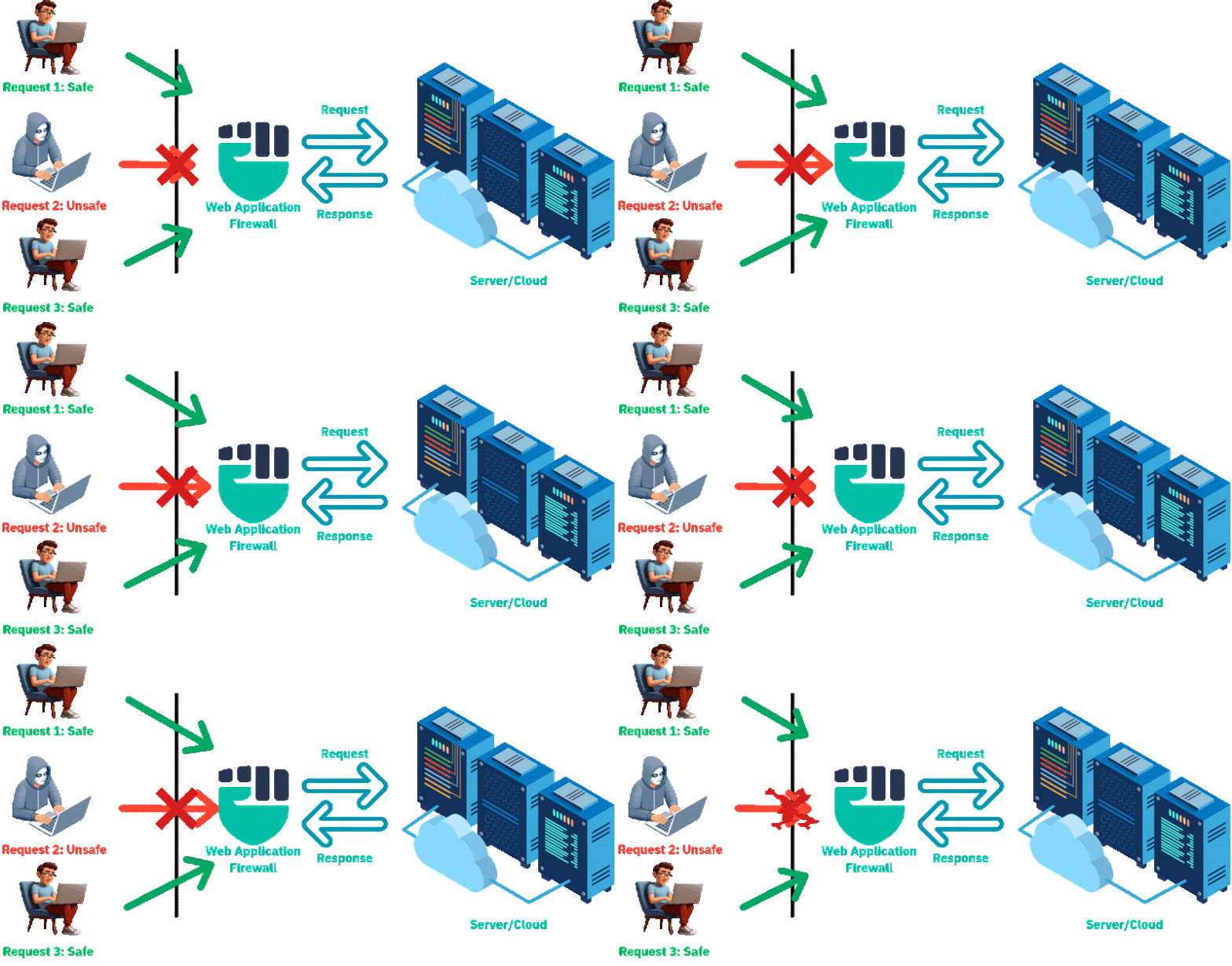
Cloudflare Firewall works as a cloud-based security layer that sits between internet users and your website or web application. Instead of allowing visitors to connect directly to your web server, all traffic is first routed through Cloudflare’s global network. This allows Cloudflare to inspect every request and block malicious traffic before it reaches the origin server.
When a user enters your website address, the DNS points the request to Cloudflare instead of directly to your server. Cloudflare receives the request and begins analyzing it. It checks the source IP address, HTTP headers, request rate, browser information, geographic location, and other security-related information to determine whether the request is legitimate or potentially malicious.
Cloudflare then applies multiple security technologies, including its Web Application Firewall (WAF), DDoS Protection, Bot Management, Rate Limiting, IP Reputation Database, and Threat Intelligence. The WAF inspects requests for common web attacks such as SQL Injection (SQLi), Cross-Site Scripting (XSS), Remote Code Execution (RCE), and Command Injection. At the same time, Cloudflare detects bots, identifies suspicious traffic patterns, and blocks known malicious IP addresses.
After inspecting the traffic, Cloudflare compares the request against the firewall rules configured by the website administrator. These rules may allow only specific countries, block certain IP addresses, limit the number of requests from a single user, require CAPTCHA verification for suspicious visitors, or restrict access to sensitive URLs such as the login page or administrative portal.
If the request passes all security checks, Cloudflare forwards it to the origin web server. The server processes the request and sends the response back to Cloudflare. Before delivering the response to the user, Cloudflare may cache static content such as images, CSS files, JavaScript files, and videos on its global edge servers. This reduces the load on the origin server and improves website performance by serving content from a location closer to the user.
If Cloudflare detects malicious traffic, such as a DDoS attack, SQL Injection attempt, or bot attack, it blocks the request immediately at the Cloudflare edge network. The malicious traffic never reaches the origin server, protecting the website from downtime, unauthorized access, and resource exhaustion.
Real Example:
A company hosts its website on an AWS EC2 server protected by Cloudflare. One day, attackers launch a DDoS attack by sending millions of fake requests to the website. Since the website’s DNS points to Cloudflare, all requests first arrive at Cloudflare’s global network. Cloudflare identifies the attack using its DDoS protection, WAF rules, and bot detection system. It blocks the malicious requests while allowing legitimate users to continue accessing the website. As a result, the AWS server remains online, website performance is maintained, and the attack is mitigated before reaching the company’s infrastructure.
Cloudflare Firewall therefore acts as a protective shield in the cloud, inspecting and filtering all incoming web traffic before it reaches the web server. This improves security, reduces server load, enhances website performance, and protects against modern web-based cyber threats.
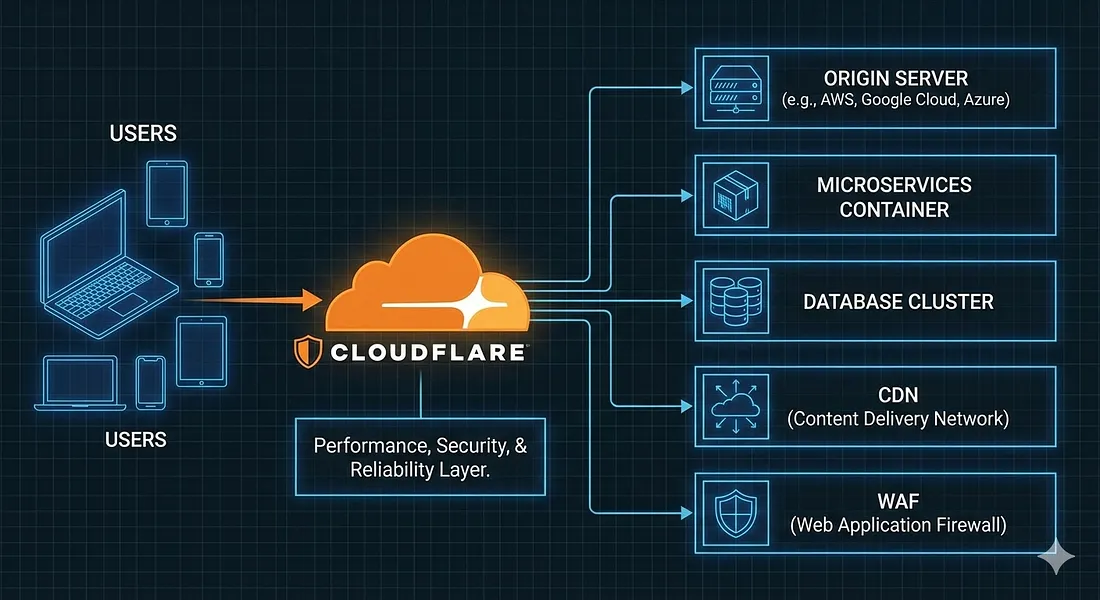
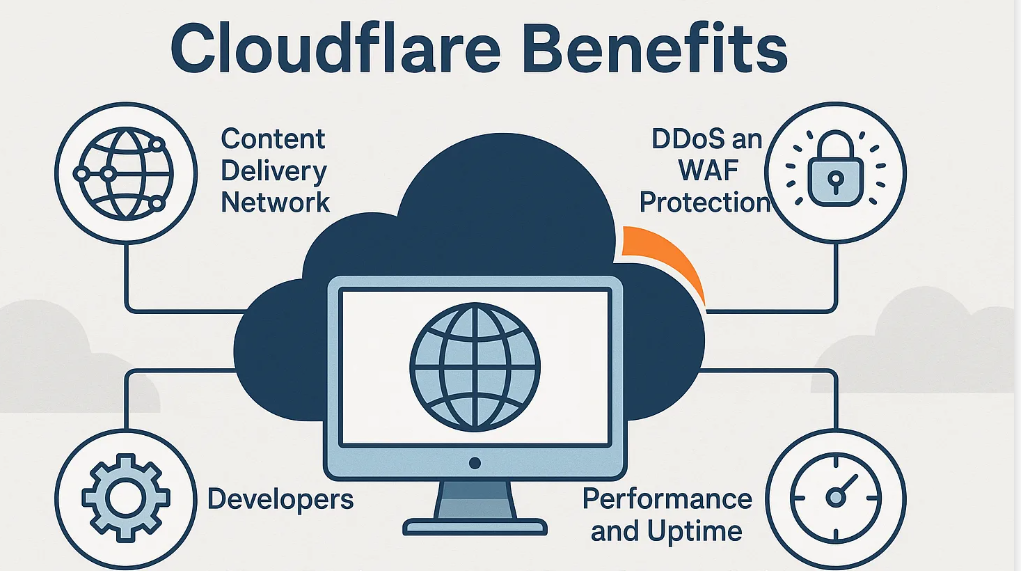
- Web Application Firewall (WAF) – Protects websites from SQL Injection (SQLi), Cross-Site Scripting (XSS), Remote Code Execution (RCE), and other web attacks.
- DDoS Protection – Automatically detects and mitigates Distributed Denial-of-Service (DDoS) attacks.
- Bot Management – Identifies and blocks malicious bots while allowing legitimate search engine crawlers.
- Rate Limiting – Limits the number of requests from a user or IP address to prevent abuse and brute-force attacks.
- IP Access Rules – Allows or blocks traffic based on IP addresses or IP ranges.
- Geo Blocking – Restricts or allows access based on the visitor’s country or region.
- Managed Firewall Rules – Provides pre-configured security rules that protect against common web vulnerabilities.
- Custom Firewall Rules – Enables administrators to create custom security policies based on IP, URL, headers, country, and request attributes.
- SSL/TLS Encryption – Secures communication between users, Cloudflare, and the origin server.
- API Protection – Protects APIs from unauthorized access, abuse, and application-layer attacks.
- Threat Intelligence – Uses Cloudflare’s global threat intelligence network to identify and block known malicious IP addresses and emerging threats.
- CDN Integration – Caches static content on Cloudflare’s global edge network to improve website performance and reduce server load.
- Real-Time Analytics – Provides dashboards, logs, and reports for monitoring traffic, attacks, and firewall activity.
- Zero Trust Network Access (ZTNA) – Securely controls user access to internal applications without exposing them to the public internet.
- DNS Security – Protects DNS traffic and improves DNS performance using Cloudflare’s global infrastructure.
- Load Balancing – Distributes traffic across multiple servers to improve availability and reliability.
- Automatic Security Updates – Continuously updates firewall rules and threat intelligence without manual intervention.
- Global Edge Network – Protects websites through Cloudflare’s worldwide network of data centers, reducing latency and improving security.
What is Cloudflare Tunnel?
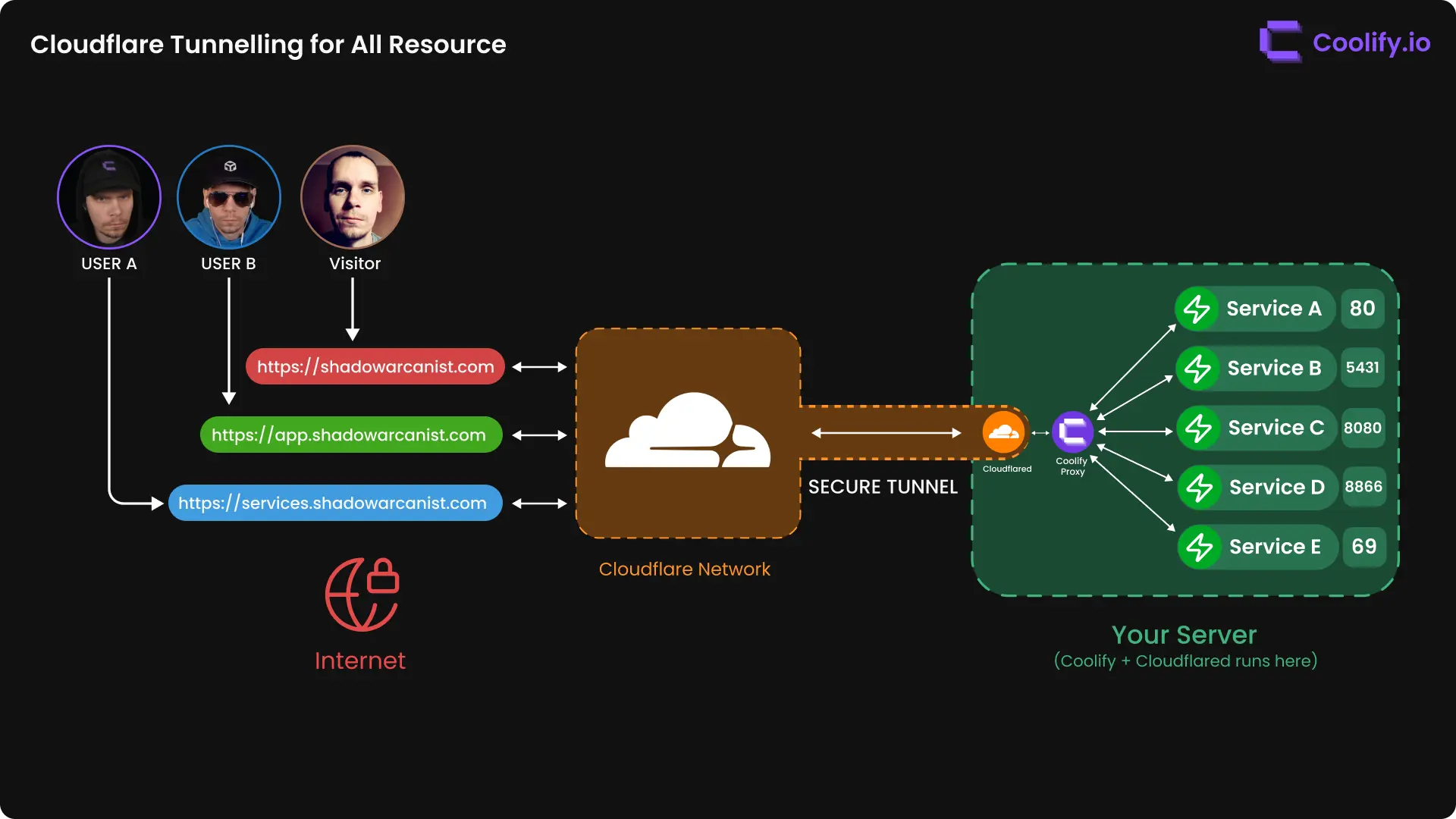
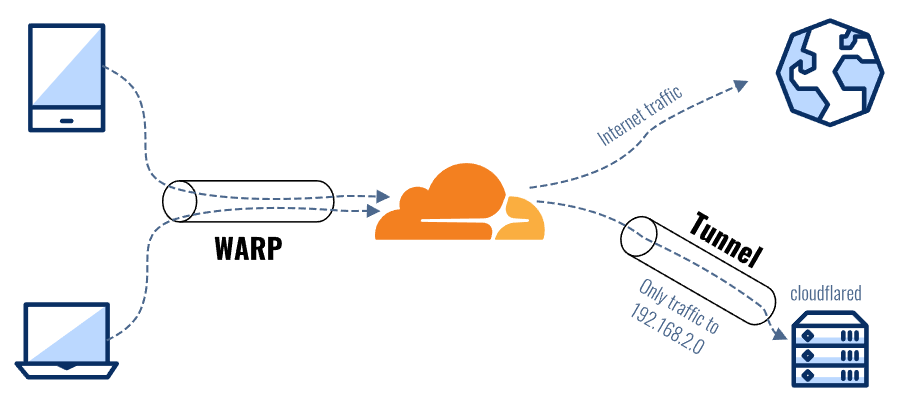
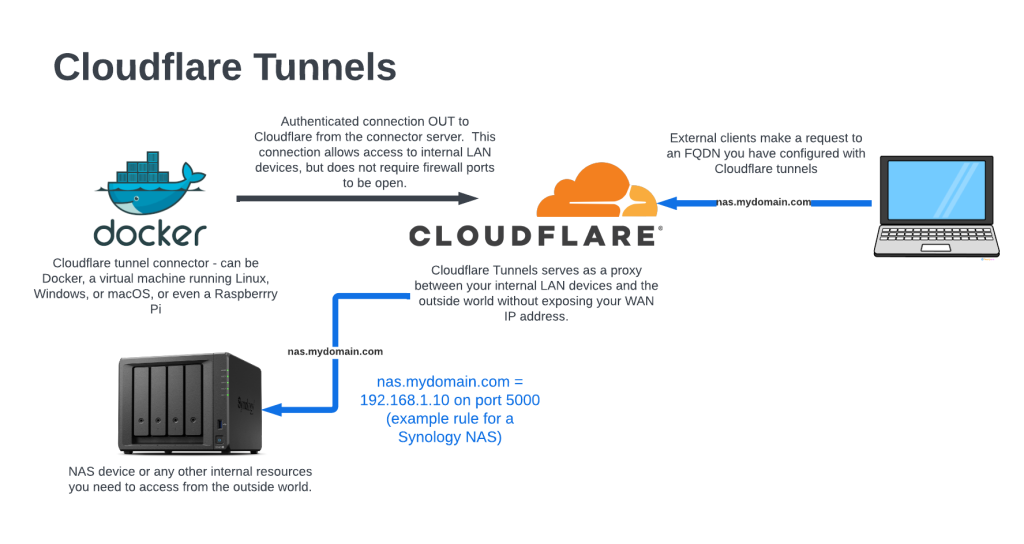
Cloudflare Tunnel is a secure networking service that allows you to publish private applications, web servers, SSH servers, RDP servers, APIs, and other services to the Internet without exposing a public IP address or opening inbound firewall ports. It creates an encrypted outbound connection from your local server to Cloudflare’s global network, enabling users to access your applications securely through Cloudflare.
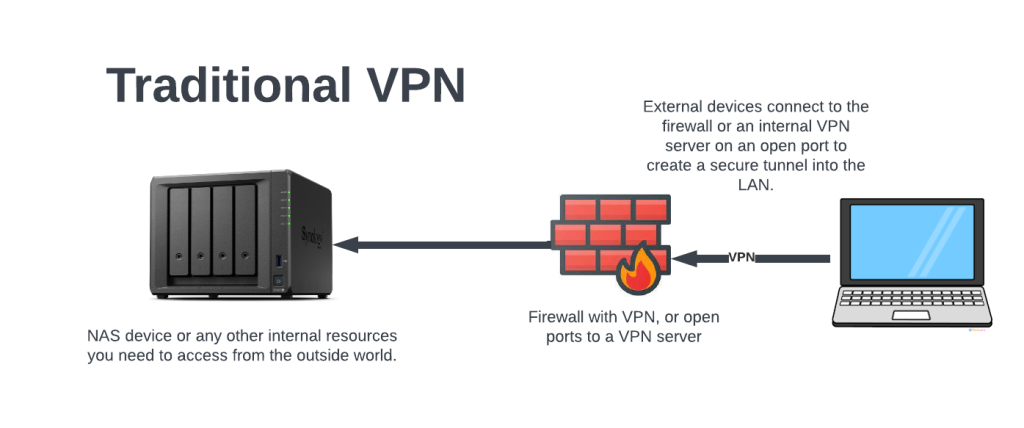
Unlike traditional port forwarding, Cloudflare Tunnel does not require opening ports such as 80, 443, 22, or 3389 on your router or firewall. This significantly reduces the attack surface and improves security.
How Cloudflare Tunnel Works:
When you install the Cloudflared connector on your local server, it establishes a secure outbound TLS connection to Cloudflare’s edge network. Because the connection is initiated from inside your network, no inbound firewall rules or port forwarding are required.
When a user accesses your domain (for example, app.example.com), the request first reaches Cloudflare. Cloudflare authenticates the request, applies security policies such as WAF, DDoS protection, Access policies, and Zero Trust controls, and then securely forwards the traffic through the encrypted tunnel to your internal server. The server processes the request and sends the response back through the same encrypted tunnel to Cloudflare, which then delivers it to the user.
Real Example:
A company has an internal web application running on 192.168.1.20:8080. The company does not want to expose its public IP address or configure port forwarding on its router.
The administrator installs Cloudflared on the server and creates a Cloudflare Tunnel. The application is mapped to app.company.com.
Now, when employees visit https://app.company.com, the traffic flows as fol
					Employee
     │
     ▼
Cloudflare Edge
     │
Encrypted Tunnel
     │
     ▼
Internal Server (192.168.1.20:8080)
Employees can securely access the application from anywhere, while the internal server remains hidden from the publi Internet.
- No Public IP Required – Access internal applications without exposing your public IP address.
- No Port Forwarding – Eliminates the need to open firewall ports such as 80, 443, 22, or 3389.
- Encrypted Tunnel – Uses secure TLS-encrypted connections between your server and Cloudflare.
- Zero Trust Integration – Supports user authentication, MFA, and access policies.
- Web Application Protection – Integrates with Cloudflare WAF and DDoS Protection.
- Works Behind NAT – Operates without requiring changes to your router or ISP configuration.
- Remote Access – Securely access web applications, SSH, RDP, APIs, and TCP services from anywhere.
- Easy Deployment – Simple setup using the Cloudflared connector.
- High Availability – Uses Cloudflare’s global edge network for reliable connectivity.
- Centralized Management – Manage tunnels and access policies through the Cloudflare dashboard.
- Supports Multiple Services – Publish multiple applications through a single tunnel.
- Cross-Platform Support – Available for Windows, Linux, macOS, Docker, and Kubernetes.
- Improves Security by hiding the origin server from the public Internet.
- Reduces Attack Surface because no inbound firewall ports need to be opened.
- Protects Against DDoS Attacks using Cloudflare’s global security network.
- Simplifies Remote Access without requiring a traditional VPN for many web applications.
- Lowers Infrastructure Costs by eliminating the need for dedicated VPN appliances in many scenarios.
- Enhances User Authentication with Single Sign-On (SSO) and Multi-Factor Authentication (MFA).
- Faster Deployment compared to configuring VPNs and port forwarding.
- Works from Any Location for remote employees and distributed teams.
- Provides Secure Access to internal applications, SSH servers, RDP servers, NAS devices, and APIs.
- Improves Reliability through Cloudflare’s globally distributed network.
- Reduces Firewall Configuration since outbound connections are used instead of inbound rules.
- Easy to Scale by adding new applications and services without changing public network settings
If you do not have a public domain, you cannot use Cloudflare Tunnel in a standard production deployment. Cloudflare uses a domain name and DNS to route user requests through its global network before securely forwarding them to your internal application.
Without a public domain, users have no hostname (such as app.company.com) to connect to, so Cloudflare cannot route the traffic to your tunnel.
For a production environment, the recommended solution is to purchase a public domain (for example, company.com) and add it to your Cloudflare account. You can then create subdomains such as hr.company.com, cctv.company.com, or nas.company.com, each pointing to an internal service through Cloudflare Tunnel.
When an employee types the domain name (for example, hr.company.com) in their browser, is that a public domain? Does the employee’s laptop need to connect directly to Cloudflare?
Yes, hr.company.com is a public domain name that is accessible over the Internet. However, the employee’s laptop does not need to install or manually connect to Cloudflare Tunnel (cloudflared).
When the employee enters https://hr.company.com in a web browser, the browser first performs a DNS lookup. Because the domain is managed by Cloudflare, the request is sent to Cloudflare’s global network. This happens automatically through DNS, so the employee does not need any special software.
Cloudflare receives the request and applies security services such as Web Application Firewall (WAF), DDoS Protection, SSL/TLS, and Zero Trust Access (if configured). If the request is allowed, Cloudflare forwards it through the encrypted Cloudflare Tunnel to the internal server where the application is running.
The Cloudflared connector is installed only on the server inside the office, not on the employee’s laptop. This connector maintains a secure outbound encrypted tunnel to Cloudflare. The employee simply uses a standard web browser.
					Employee Laptop
        │
Types: https://hr.company.com
        │
        ▼
Cloudflare
        │
(Security Check)
        │
Encrypted Tunnel
        │
Office Server (cloudflared)
        │
Internal HR Application
Key Point
The employee does connect to Cloudflare, but only through the web browser, just like visiting any normal website. The employee does not need to install Cloudflared or create a tunnel. The tunnel already exists between the office server and Cloudflare, and Cloudflare securely forwards the employee’s requests through that tunnel.
Cloudflare Tunnel looks similar to a VPN. What is the difference between Cloudflare Tunnel and a traditional VPN?
Yes,Cloudflare Tunnel looks similar to a VPN, but it is not the same. Both provide secure remote access, but they work differently.
A traditional VPN creates a secure encrypted connection between the user’s device and the organization’s entire private network. Once connected, the user can often access multiple internal resources, such as file servers, printers, databases, and applications, depending on the assigned permissions.
A Cloudflare Tunnel, on the other hand, does not give users access to the entire network. Instead, it securely publishes specific applications or services through Cloudflare. The user connects only to the application they are authorized to use, rather than joining the organization’s private network.
Real Example:
Suppose a company has an HR application, a database server, and a file server.
With a VPN, an employee connects to the VPN and becomes part of the company’s private network. If permitted, the employee can access all three resources.
With Cloudflare Tunnel, the administrator publishes only hr.company.com. When the employee visits https://hr.company.com, Cloudflare verifies the user’s identity and securely forwards the request to the HR application. The employee cannot access the database server or file server unless those services are also explicitly published and authorized.
Key Difference:
- VPN → Provides secure access to the entire private network (depending on permissions).
- Cloudflare Tunnel → Provides secure access to specific applications or services only.
For this reason, Cloudflare Tunnel is often considered a Zero Trust alternative to a traditional VPN for web applications, because it grants access only to the resources a user needs instead of exposing the whole internal network.
Host-Based Firewall
A Host-Based Firewall is a software firewall installed directly on an individual device, such as a desktop computer, laptop, server, or virtual machine. Unlike a network firewall that protects an entire network, a host-based firewall protects only the device on which it is installed by monitoring and controlling incoming and outgoing network traffic.
The firewall works by applying security rules based on IP addresses, ports, protocols, applications, and services. It can allow or block network connections to prevent unauthorized access, malware communication, and suspicious network activity. Because it operates directly on the host, it provides security even when the device is connected to different networks, such as a home Wi-Fi network, public Wi-Fi, or a corporate network.
Host-based firewalls are commonly used to protect endpoints from cyber threats by restricting unnecessary network access and allowing only trusted applications and services to communicate. They are an important layer of endpoint security and are often used together with antivirus software and network firewalls.
Real Example:
A company employee uses a Windows laptop while working from home. The laptop has Windows Defender Firewall enabled. The firewall allows web browsing (ports 80 and 443) and the company’s VPN connection but blocks unauthorized Remote Desktop (RDP) connections on port 3389 from the Internet. Even if the laptop is connected to a public Wi-Fi network, the host-based firewall continues to protect the device from unauthorized access.
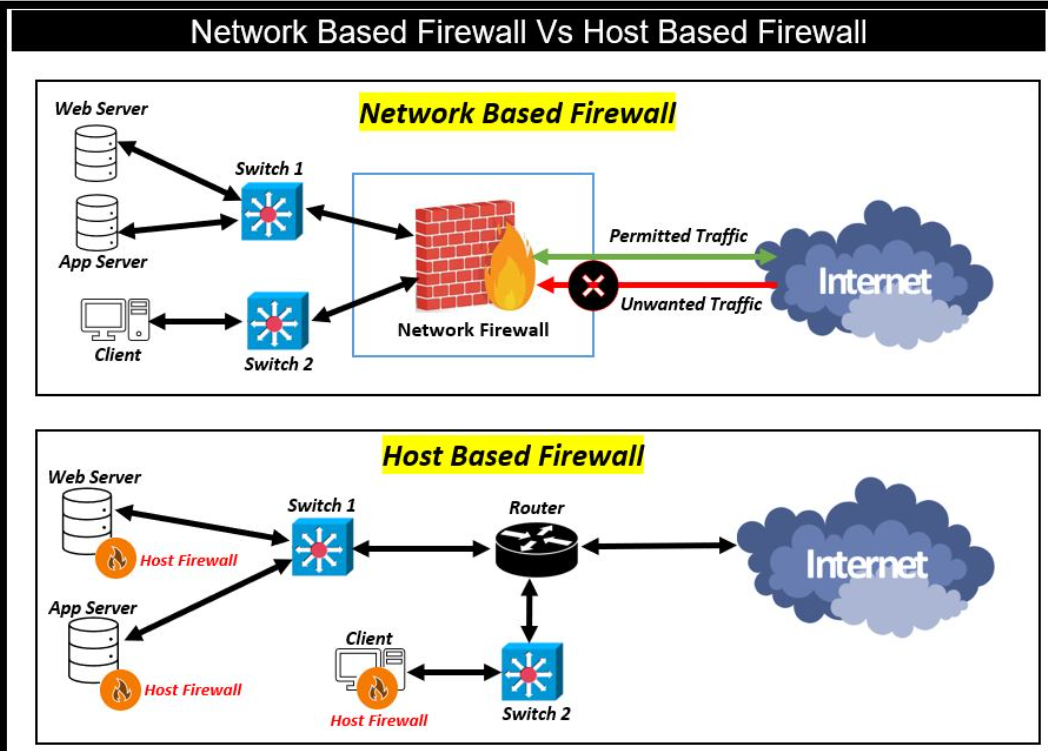
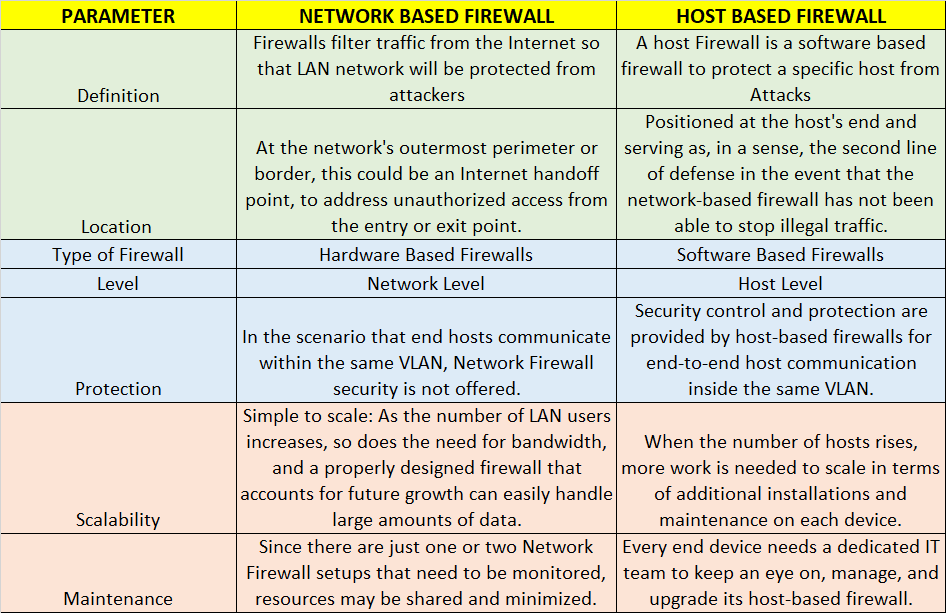
Advantages of a Host-Based Firewall:
- Protects Individual Devices – Secures desktops, laptops, servers, and virtual machines from unauthorized access.
- Application-Level Control – Allows or blocks network access for specific applications and services.
- Monitors Incoming and Outgoing Traffic – Controls both inbound and outbound network connections.
- Works on Any Network – Protects the device whether it is connected to a home, office, or public Wi-Fi network.
- Granular Security Policies – Creates firewall rules based on IP addresses, ports, protocols, users, and applications.
- Reduces Unauthorized Access – Blocks unwanted connections and network attacks.
- Supports Logging and Monitoring – Records firewall events for troubleshooting and security auditing.
- Easy to Customize – Firewall rules can be configured according to the device’s security requirements.
- Complements Network Firewalls – Provides an additional layer of security for endpoint devices.
- Improves Endpoint Security – Helps prevent malware and attackers from communicating with the device.
Disadvantages of a Host-Based Firewall:
- Protects Only One Device – Does not secure other computers or the entire network.
- Management Overhead – Each device must be configured and maintained individually.
- Consumes System Resources – Uses CPU, memory, and storage during operation.
- Complex in Large Environments – Managing firewall policies across hundreds of devices can be challenging without centralized management.
- Risk of Misconfiguration – Incorrect firewall rules may block legitimate applications or services.
- Requires Regular Updates – Firewall rules and software should be updated to maintain security.
- Can Be Disabled by Users – If users have administrative privileges, they may disable the firewall.
- Limited Network Visibility – Cannot monitor or control traffic between other devices on the network.
- May Affect Application Performance – Strict firewall rules can interfere with normal application communication.
- Depends on Host Security – If the operating system is compromised, the host-based firewall may also be affected.
Hardware Based Firewall
A Hardware Firewall is a physical network security appliance installed between the Internet and an organization’s internal network. It monitors, filters, and controls all incoming and outgoing network traffic based on predefined security policies. Unlike a software firewall, which protects a single computer, a hardware firewall protects an entire network, including computers, servers, printers, IP phones, CCTV systems, and other connected devices.
A hardware firewall acts as the first line of defense against cyber threats. It inspects network traffic, blocks unauthorized access, prevents malicious connections, and enforces security policies before traffic reaches internal devices. Modern hardware firewalls, especially Next-Generation Firewalls (NGFWs), provide advanced features such as Stateful Inspection, Deep Packet Inspection (DPI), Intrusion Prevention System (IPS), VPN, Application Control, Web Filtering, SSL Inspection, Antivirus, and Threat Intelligence.
Hardware firewalls are commonly deployed in businesses, enterprises, data centers, schools, hospitals, government organizations, and Internet Service Providers (ISPs) to provide centralized security for the entire network. They are typically installed at the network gateway, between the ISP modem/router and the internal LAN.
Real Example:
A company with 200 employees has a network consisting of computers, servers, CCTV cameras, VoIP phones, and Wi-Fi access points. The organization installs a FortiGate hardware firewall between the ISP connection and the internal network. Every incoming and outgoing packet passes through the firewall, where it is inspected for malware, unauthorized access, web threats, and policy violations. Legitimate traffic is allowed to reach the internal network, while malicious traffic is blocked before it reaches company devices.
Hardware Based Firewall Features
- Network-Wide Protection – Secures all devices connected to the network, including computers, servers, printers, IP phones, CCTV systems, and IoT devices.
- Stateful Packet Inspection (SPI) – Tracks active connections and allows only legitimate traffic.
- Deep Packet Inspection (DPI) – Examines packet contents to detect and block advanced threats.
- Intrusion Prevention System (IPS) – Detects and prevents network attacks in real time.
- Virtual Private Network (VPN) – Supports secure remote access and site-to-site VPN connections.
- Application Control – Identifies and controls network traffic based on applications rather than ports.
- Web and URL Filtering – Blocks access to malicious, harmful, or unauthorized websites.
- Antivirus and Anti-Malware Protection – Scans and blocks malware before it reaches the internal network.
- SSL/TLS Inspection – Inspects encrypted traffic to identify hidden threats.
- Network Address Translation (NAT) – Hides private IP addresses and improves network security.
- Traffic Monitoring and Logging – Records network activity for monitoring, troubleshooting, and compliance.
- Bandwidth Management (QoS) – Prioritizes critical applications and manages network bandwidth efficiently.
- VLAN Support – Segments the network into secure virtual LANs for improved security.
- High Availability (HA) – Provides redundancy and failover to ensure continuous network protection.
- Threat Intelligence Integration – Uses real-time threat feeds to detect and block emerging cyber threats.
- Centralized Security Management – Allows administrators to configure and manage security policies from a single interface.
- User Authentication – Supports user-based access control using LDAP, Active Directory, or RADIUS.
- Reporting and Analytics – Generates detailed security reports, logs, and traffic analytics.
- Automatic Security Updates – Regularly updates firmware and threat signatures to defend against new attacks.
Common Hardware Firewall Vendors
- Fortinet – FortiGate hardware firewalls for SMBs, enterprises, and data centers with NGFW, VPN, IPS, and SD-WAN features.
- Palo Alto Networks – High-performance Next-Generation Firewalls (PA-Series) with advanced threat prevention and application-aware security.
- Cisco – Cisco Secure Firewall (formerly Firepower) offering enterprise-grade network security, VPN, IPS, and malware protection.
- Check Point – Quantum Security Gateways providing NGFW, intrusion prevention, sandboxing, and Zero Trust security.
- Sophos – Sophos Firewall appliances with synchronized security, web filtering, VPN, and application control.
- SonicWall – Hardware firewalls designed for small businesses, enterprises, and branch offices with deep packet inspection and threat protection.
- Juniper Networks – SRX Series firewalls offering enterprise security, VPN, routing, and intrusion prevention.
- WatchGuard – Firebox appliances providing network security, web filtering, VPN, and centralized management.
- Barracuda Networks – CloudGen Firewall appliances with SD-WAN, VPN, and advanced threat protection.
- Huawei – Enterprise firewall appliances with NGFW, IPS, VPN, and application control for large organizations.
- Forcepoint – NGFW appliances designed for enterprise security, network segmentation, and advanced threat defense.
These vendors provide hardware firewall solutions for small businesses, medium-sized organizations, large enterprises, data centers, government agencies, educational institutions, healthcare organizations, and Internet Service Providers (ISPs).
UTM Firewall (Unified Threat Management Firewall)
A UTM (Unified Threat Management) Firewall is an all-in-one network security solution that combines multiple security features into a single hardware or software appliance. Instead of deploying separate devices for firewall protection, antivirus, intrusion prevention, web filtering, VPN, and content filtering, a UTM firewall integrates these functions into one centralized platform. This simplifies security management while providing comprehensive protection against a wide range of cyber threats.
A UTM firewall inspects all incoming and outgoing network traffic, applies security policies, scans for malware, blocks unauthorized access, filters web content, prevents intrusion attempts, and secures remote connections through VPN. Because multiple security services are integrated into one solution, organizations can manage their entire network security from a single interface.
UTM firewalls are widely used by small and medium-sized businesses (SMBs), branch offices, schools, hospitals, retail stores, and organizations that require enterprise-level security without deploying multiple standalone security appliances.
Real Example:
A company with 75 employees has computers, servers, IP phones, Wi-Fi access points, and CCTV cameras connected to its network. Instead of purchasing separate devices for a firewall, antivirus, IPS, VPN, and web filtering, the company installs a Sophos XGS UTM Firewall. The UTM firewall inspects all network traffic, blocks malware, filters malicious websites, prevents cyberattacks, provides secure VPN access for remote employees, and manages all security policies from a single dashboard. This reduces hardware costs and simplifies network security management.
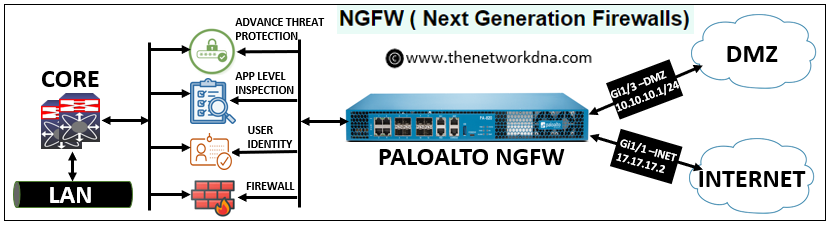
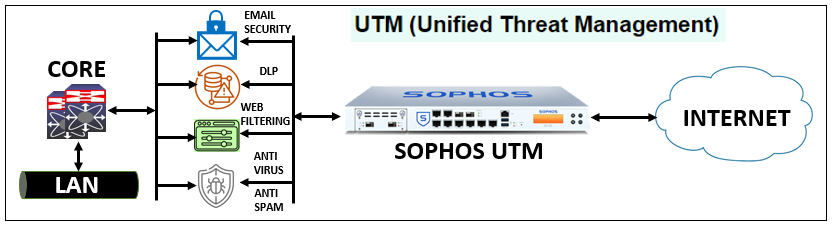
Some of the most popular UTM (Unified Threat Management) firewall vendors today are:
- Fortinet – FortiGate UTM Firewalls
- Sophos – Sophos XGS Firewalls
- WatchGuard Technologies – Firebox Series
- SonicWall – TZ and NSa Series
- Check Point Software Technologies – Quantum Security Gateways
- Cisco – Secure Firewall
- Juniper Networks – SRX Series
- Barracuda Networks – CloudGen Firewall
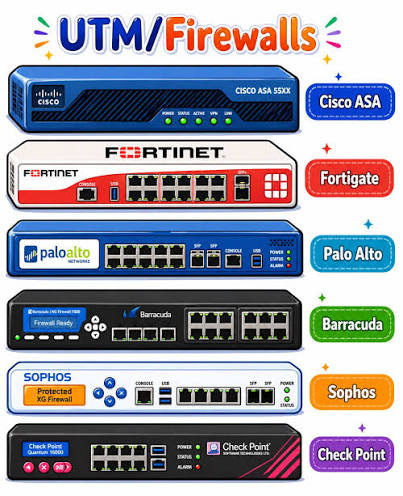

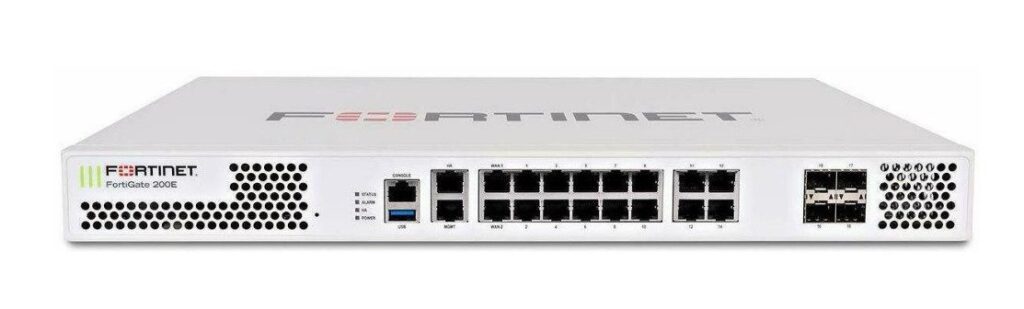

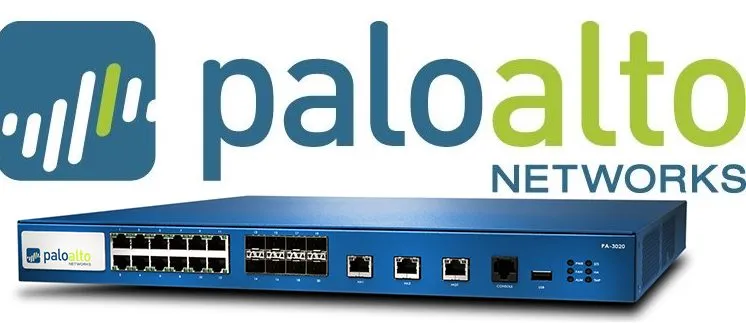

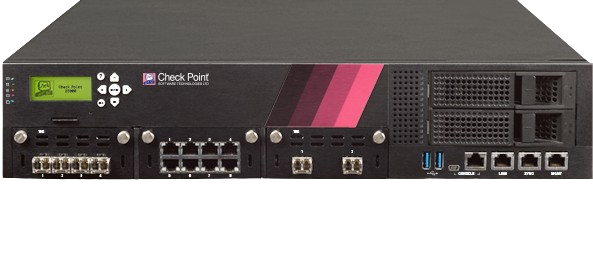

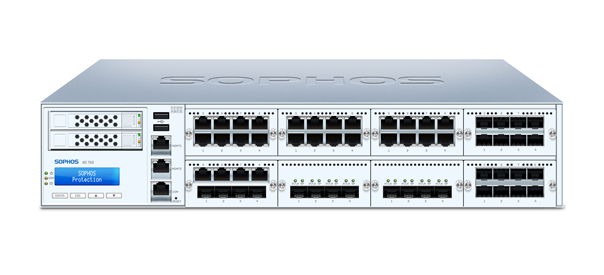

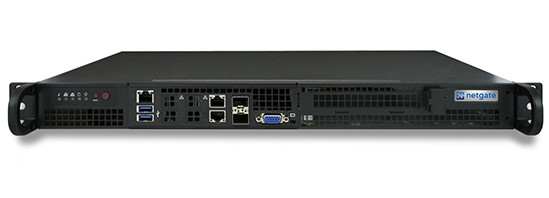

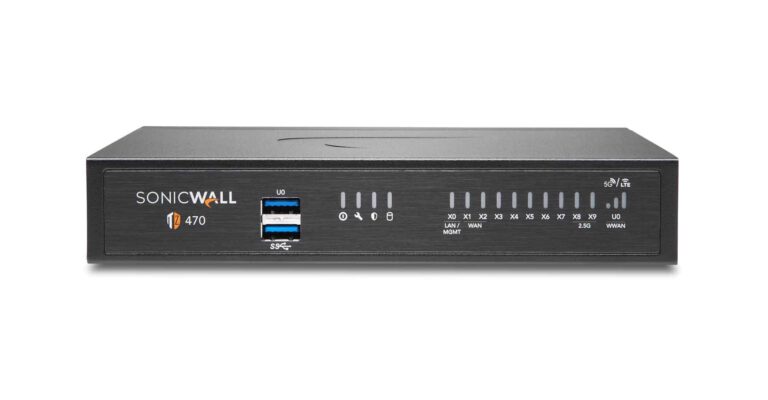
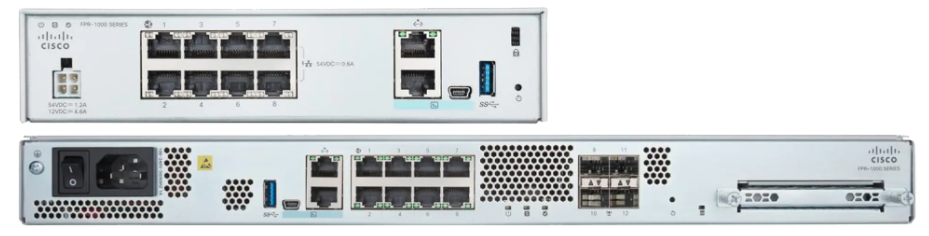

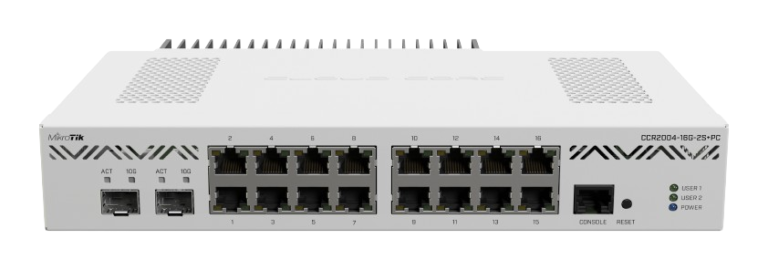
Firewall Dashboard
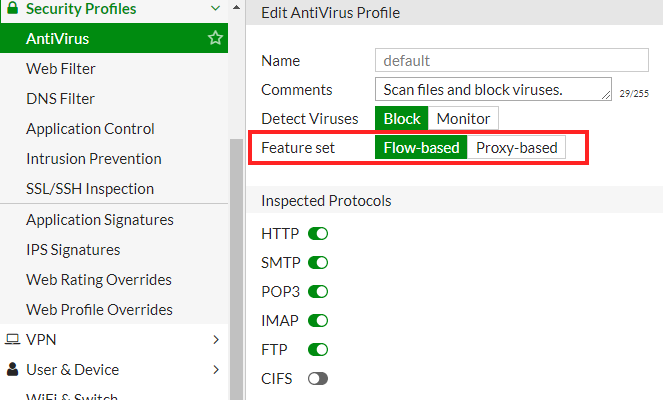
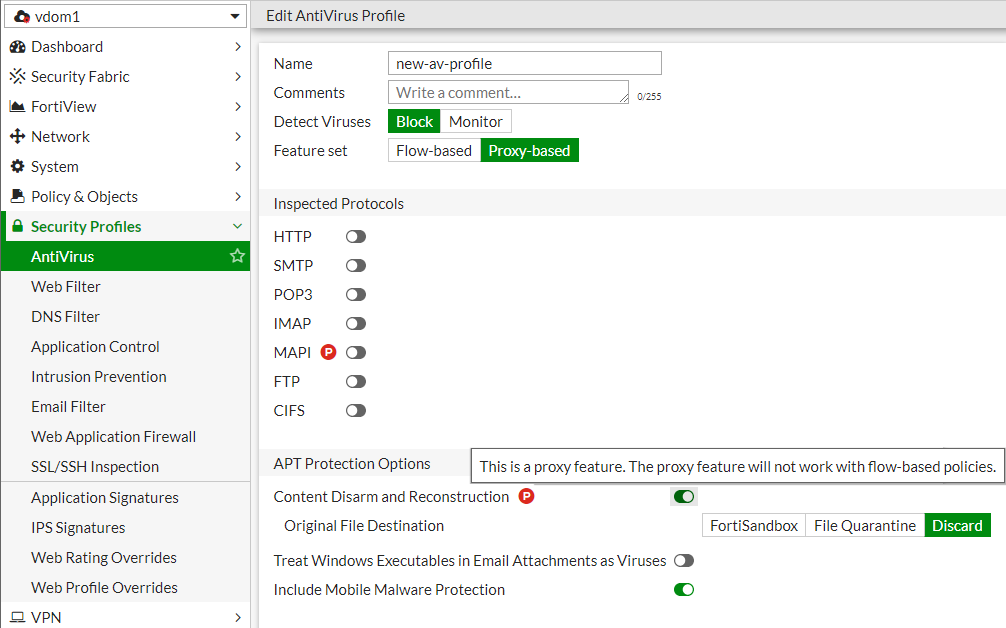
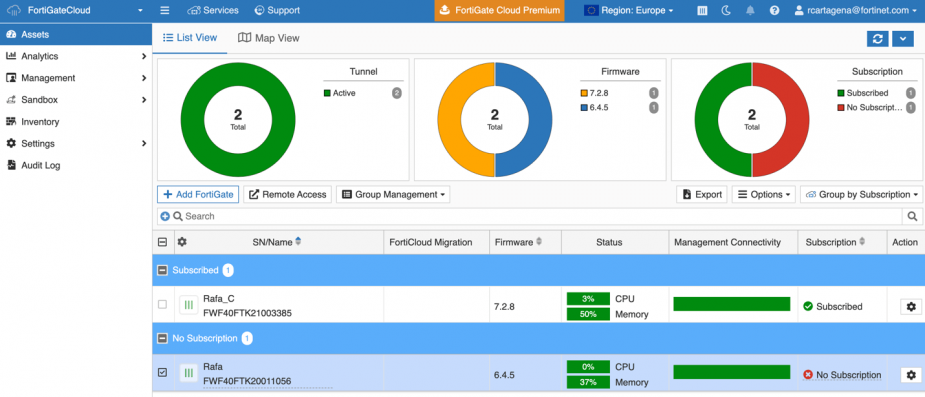
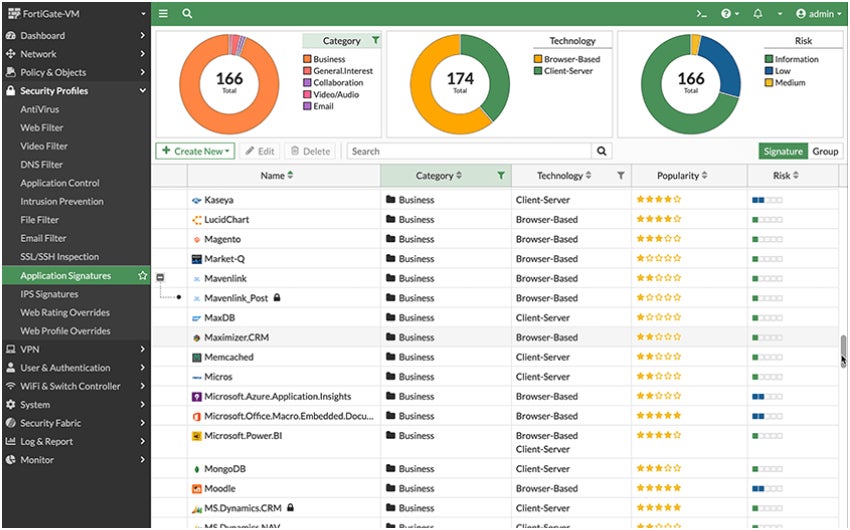
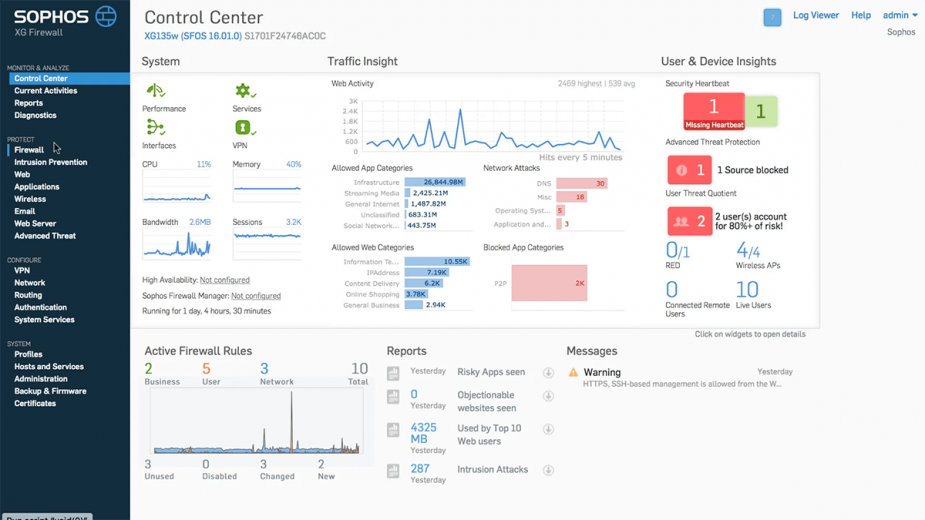
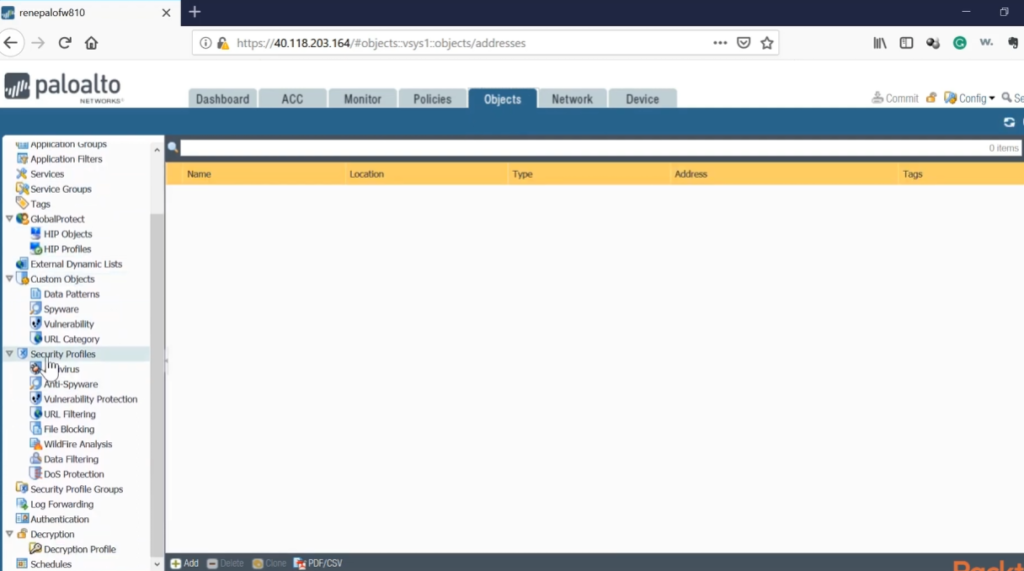
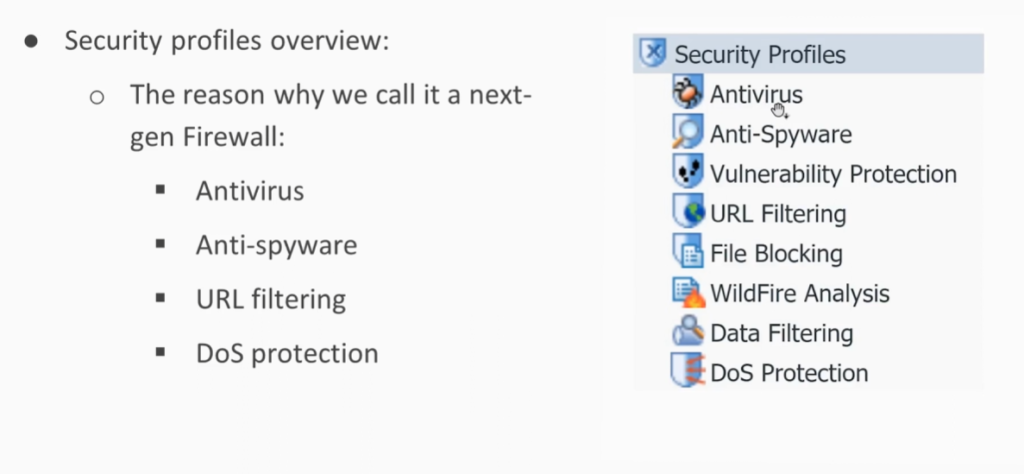
Types of Firewall Rules
Firewall rules are defined based on the direction that traffic is traveling. The two types include:
Inbound Rules: Inbound rules are applied to incoming traffic attempting to enter the protected network. Typically, organizations deny inbound traffic by default and then define exceptions for permitted types of traffic. For example, many organizations permit HTTPS and DNS traffic to enter their networks to support employees’ web browsing.
Outbound Rules: Outbound rules specify the types of outgoing traffic permitted to leave the network and often default to allowing traffic out. Organizations then specify the types of traffic that should not be permitted to leave. For example, blocking ICMP traffic at the private network perimeter can help protect against network scanning and information leaks due to error messages.
Firewall rules are instructions that tell a firewall which network traffic is allowed and which traffic must be blocked. These rules are created based on different parameters such as IP address, port number, protocol, application, and user identity. Below are the main types of firewall rules .
Allow (Permit) Rule:
An allow rule permits specific network traffic to pass through the firewall based on defined conditions such as source IP, destination IP, port, and protocol. For example, an allow rule can permit web traffic on port 80 or 443. This rule is used to let trusted and required services communicate while blocking everything else by default for security.
Deny (Block) Rule:
A deny rule blocks certain types of traffic that are considered unsafe or unnecessary. It prevents unauthorized users, malicious IP addresses, or suspicious applications from accessing the network. Deny rules are very important for stopping hacking attempts and reducing attack surfaces.
Source-Based Rule:
A source-based rule filters traffic according to the source IP address or network from where the traffic originates. For example, traffic from a trusted internal network may be allowed, while traffic from unknown or blacklisted IP addresses is blocked. This rule is useful for controlling access based on location or device.
Destination-Based Rule:
A destination-based rule controls traffic based on the destination IP address or server. It allows or blocks access to specific servers such as web servers, database servers, or mail servers. This helps protect critical systems from unauthorized access.
Port-Based Rule:
A port-based rule allows or blocks traffic according to port numbers like 21 (FTP), 22 (SSH), 25 (SMTP), 80 (HTTP), and 443 (HTTPS). For example, unused ports can be blocked to reduce security risks, while required service ports are allowed.
Protocol-Based Rule:
This rule filters traffic based on protocols such as TCP, UDP, ICMP, or GRE. For instance, ICMP (ping) traffic may be blocked to prevent network scanning, while TCP traffic for business applications is allowed.
Application-Based Rule:
An application-based rule controls traffic by identifying specific applications such as YouTube, WhatsApp, Skype, or BitTorrent. Modern firewalls can inspect traffic at the application level and allow or block applications regardless of port number, providing stronger control over network usage.
User-Based Rule:
A user-based rule applies firewall policies according to user identity instead of IP address. For example, managers may be allowed access to cloud services, while normal users are restricted. This rule improves security and policy enforcement in corporate environments.
Time-Based Rule:
A time-based rule allows or blocks traffic during specific times or days. For example, social media websites can be blocked during office hours and allowed after work hours. This rule is useful for productivity control and security management.
NAT (Network Address Translation) Rule:
NAT rules translate private IP addresses into public IP addresses and vice versa. They are used to allow internal devices to access the internet securely and to publish internal servers (like web or mail servers) to external users.
Logging and Monitoring Rule:
These rules are used to log and monitor network traffic activities. They record allowed and blocked traffic for auditing, troubleshooting, and security analysis. Logs help administrators detect attacks and unusual behavior.
Conclusion:
Firewall rules are the foundation of network security. Different types of rules such as allow, deny, source-based, destination-based, port-based, protocol-based, application-based, and time-based rules work together to protect the network. Properly configured firewall rules ensure secure communication, prevent unauthorized access, and reduce cyber threats.
Firewall Rule Example in a Real Network:
A firewall rule is a security policy that tells the firewall which network traffic should be allowed and which should be blocked. In a typical office network, firewall rules are used to protect internal systems while allowing employees to access the resources they need. For example, a rule may allow users on the local network to browse the internet using HTTP and HTTPS services, while another rule blocks access to social media websites during office hours to improve productivity and reduce security risks.
Another common firewall rule is used to publish a company website. The firewall allows incoming HTTPS traffic from the internet to reach the internal web server, making the website accessible to customers. At the same time, the firewall blocks all direct access attempts to sensitive systems such as database servers, file servers, and employee computers. Organizations also use firewall rules to allow secure VPN connections for remote workers, enabling them to access company resources safely from home or while traveling.
These rules work together to ensure that only authorized users and services can communicate through the network, helping protect the organization from cyberattacks, unauthorized access, and data breaches. A properly configured firewall is one of the most important components of a secure network infrastructure.
Firewall Rule Example 2 in a Real Company Network:
Consider a company with 100 employees, a web server, a file server, and internet access. The company installs a firewall at the network gateway to control and secure all traffic entering and leaving the network.
Employees are allowed to browse websites and use business applications through HTTP and HTTPS services. The company’s public website is hosted on an internal web server, so the firewall allows incoming HTTPS traffic from the internet to that server. However, direct access from the internet to the company’s file server and database server is blocked to protect sensitive business data.
The company also has employees who work remotely. A VPN rule on the firewall allows authorized users to securely connect to the office network from home. In addition, the firewall blocks malicious websites, unauthorized applications, and suspicious traffic that could contain malware or cyber threats.
For example, if a hacker attempts to access the company’s database server directly from the internet, the firewall immediately blocks the connection because no rule permits such access. At the same time, customers can still access the company website normally because HTTPS traffic to the web server is specifically allowed. This combination of allow and deny rules helps keep the business network secure while ensuring normal operations continue without interruption.
Components of Firewall Rules
Firewall rules can identify permitted or denied traffic based on a few different features, including:
Source IP Address: The source IP address identifies the origin of the traffic. An organization may block traffic from certain known-bad IP addresses or IP ranges. Alternatively, particular computers or services may be only accessible from allowlisted IP addresses.
Destination IP Address: The destination IP address specifies where the traffic is going. For example, a company may specify that users can’t browse to certain domains that are known to be malicious or in violation of corporate policies.
Protocol Type: Firewall rules may also specify whether the traffic uses the Transmission Control Protocol (TCP), User Datagram Protocol (UDP), or Internet Control Message Protocol (ICMP). For example, organizations commonly block ICMP traffic at the network perimeter.
Port Range: TCP/UDP ports are used to specify which application is listening for network traffic, and firewall rules use these ports to specify the types of application traffic allowed to enter or leave the network. For example, a firewall rule allowing inbound HTTPS traffic would specify that TCP traffic to port 443 should be permitted to enter the network.
In a corporate network, firewall rules are often configured to block specific ports and services to enhance security. For example, a company may block FTP traffic on Port 21 to prevent employees from downloading files from external FTP servers. Since FTP transfers data without strong encryption and can be used to distribute malicious files, many organizations disable it completely. When an employee attempts to connect to an FTP server using Port 21, the firewall detects the traffic and immediately blocks the connection according to the security policy Rule.
Firewall Rule Example: Blocking FTP and EXE File Downloads:
In many organizations, firewall rules are configured to prevent employees from downloading files through FTP or downloading executable files such as .exe from the internet. This security measure helps protect the company from malware, ransomware, viruses, and unauthorized software installations. When an employee attempts to connect to an FTP server to download a file, the firewall detects the FTP traffic and blocks the connection based on the company’s security policy. Similarly, if a user tries to download an executable file from a website, the firewall’s web filtering, application control, or content filtering feature identifies the file type and prevents the download before it reaches the user’s computer.
For example, an employee may be able to browse websites normally, but if they attempt to download a file named setup.exe from the internet, the firewall will automatically block the download and display a security warning. By enforcing these rules, organizations can reduce security risks, maintain compliance with IT policies, and ensure that only approved software is installed on company devices. This approach significantly improves overall network security and helps prevent cyber threats from entering the corporate environment.
NGFW vs Traditional Firewall
Traditional Firewall:
A traditional firewall mainly focuses on filtering network traffic based on basic parameters such as IP address, port number, and protocol. It works at the network and transport layers (Layer 3 and Layer 4 of the OSI model). Traditional firewalls use packet filtering and stateful inspection to allow or block traffic but cannot understand or control specific applications. They provide basic security and are suitable for small networks or simple environments. However, they cannot detect modern threats like malware hidden inside traffic, application-based attacks, or encrypted threats.
NGFW (Next-Generation Firewall):
A Next-Generation Firewall (NGFW) is an advanced firewall that combines traditional firewall functions with modern security technologies such as deep packet inspection (DPI), application awareness and control, intrusion prevention system (IPS), antivirus, web filtering, and SSL inspection. NGFW works at the application layer (Layer 7) and can identify applications like Facebook, YouTube, or Zoom regardless of port number. It protects networks from advanced cyber threats such as ransomware, zero-day attacks, and sophisticated malware. NGFW is widely used in enterprises, banks, and data centers where high security is required.
NGFW vs Traditional Firewall (Comparison Table):
|
Feature |
Traditional Firewall |
NGFW |
|
Security Level |
Basic |
Very High |
|
OSI Layer |
Layer 3 & 4 (Network & Transport) |
Layer 3 to Layer 7 (Application layer) |
|
Traffic Inspection |
Packet filtering & stateful inspection |
Deep packet inspection (DPI) |
|
Application Control |
|
|
|
Intrusion Prevention (IPS) |
|
|
|
Antivirus / Malware Protection |
|
|
|
Web Filtering |
|
|
|
SSL/HTTPS Inspection |
|
|
|
Threat Detection |
Limited |
Advanced (zero-day & ransomware) |
|
Performance |
Faster |
Slightly slower (due to deep inspection) |
|
Cost |
Low |
High |
|
Usage |
Small networks |
Enterprise & large networks |
 Not supported
 Supported
Key Differences in Simple Words:
- Traditional firewall checks only who and which port is communicating.
- NGFW checks who, which port, and which application and what data is being sent.
- Traditional firewall blocks or allows traffic only based on IP and port.
- NGFW blocks traffic based on application type, user identity, and threat behavior.
Conclusion:
Traditional firewalls are useful for basic network protection, but they are not enough for modern cyber threats. NGFW provides complete security by combining firewall, IPS, antivirus, and application control in one device. Therefore, most organizations today prefer NGFW for strong and intelligent network security.
What are Next Generation Firewall Features
A Next-Generation Firewall (NGFW) works across multiple layers of the OSI model, mainly from Layer 3 (Network layer) to Layer 7 (Application layer).
A Next-Generation Firewall (NGFW) provides advanced security by combining traditional firewall functions with modern threat prevention technologies. Below are the main features of NGFW explained in paragraph with points:
Application Awareness and Control:
NGFW can identify and control applications such as Facebook, YouTube, WhatsApp, Skype, and cloud services regardless of port number. It allows administrators to permit or block specific applications and control how they are used inside the network, improving security and productivity.
Deep Packet Inspection (DPI):
NGFW examines not only packet headers but also the actual data inside packets. This helps detect hidden malware, suspicious content, and unauthorized data transfers that traditional firewalls cannot see.
Intrusion Prevention System (IPS):
NGFW includes IPS to detect and block known and unknown attacks such as exploits, buffer overflow attacks, and network intrusions in real time. It protects the network from hackers and malicious activities.
Antivirus and Malware Protection:
NGFW scans traffic for viruses, worms, ransomware, spyware, and trojans. It blocks infected files before they enter the internal network, providing strong protection against malware threats.
Web Filtering and URL Control:
NGFW can block access to harmful or inappropriate websites such as phishing sites, adult content, and malicious domains. It also allows administrators to control internet usage based on categories and company policies.
SSL / HTTPS Inspection:
NGFW can decrypt and inspect encrypted HTTPS traffic to detect threats hidden inside secure connections. This is important because most modern cyberattacks use encrypted channels to bypass security.
User and Identity Awareness:
NGFW applies security rules based on user identity instead of only IP addresses. For example, different policies can be applied to managers, employees, and guests, improving access control and security management.
Advanced Threat Protection (ATP):
NGFW uses threat intelligence, sandboxing, and behavior analysis to detect zero-day attacks and unknown malware. Suspicious files are tested in a secure virtual environment before allowing them into the network.
VPN Support (IPSec & SSL VPN):
NGFW supports secure remote access through VPN tunnels, allowing employees to connect safely from outside the office while protecting data confidentiality.
Logging, Monitoring, and Reporting:
NGFW provides detailed logs and reports of network traffic, security events, and user activities. This helps administrators analyze threats, troubleshoot issues, and meet compliance requirements.
High Availability (HA) and Scalability:
NGFW supports failover and redundancy to ensure continuous security service if one firewall fails. It can also scale to handle large network traffic in enterprise environments.
Integration with Security Systems:
NGFW integrates with other security tools such as SIEM, endpoint protection, and cloud security platforms, forming a complete security ecosystem.
Conclusion:
Next-Generation Firewalls provide intelligent, multi-layer security by combining firewall filtering with application control, IPS, antivirus, web filtering, SSL inspection, and advanced threat protection. These features make NGFW essential for protecting modern enterprise networks from sophisticated cyber threats.
Why Need Firewall in Company Network
A firewall is very important in a company environment because it protects the organization’s network, data, and systems from cyber threats and unauthorized access. Companies use the internet daily for emails, banking, cloud applications, and customer data, which makes them a target for hackers and malware. A firewall acts as the first line of defense by controlling all incoming and outgoing network traffic based on security rules and company policies.
Why a Firewall is Needed in a Company:
Protection from Cyber Attacks:
A firewall prevents hackers, viruses, ransomware, spyware, and malicious traffic from entering the company network. It blocks suspicious IP addresses, unknown connections, and harmful applications before they can damage systems or steal data.
Prevents Unauthorized Access:
Only authorized users and devices are allowed to access company servers and resources. The firewall stops outsiders from directly connecting to internal systems such as file servers, databases, and email servers.
Data Security and Privacy:
Companies store sensitive information such as customer data, financial records, employee details, and business secrets. A firewall helps protect this data from leakage and data theft by controlling which traffic can enter or leave the network.
Control of Internet Usage:
A firewall allows administrators to block unwanted websites (social media, gaming, adult sites) and restrict unnecessary applications. This improves employee productivity and reduces security risks.
Protection for Remote Access (VPN):
Firewalls support VPN services that allow employees to connect securely from outside the office. This ensures encrypted communication and safe remote work.
Monitoring and Logging:
Firewalls record logs of network activity. These logs help administrators detect attacks, troubleshoot network problems, and maintain security audits and compliance requirements.
Compliance and Legal Requirement:
Many industries (banks, hospitals, IT companies) must follow security standards such as ISO, PCI-DSS, and data protection laws. A firewall helps meet these security and compliance requirements.
Network Segmentation:
Firewalls divide the network into secure zones (LAN, DMZ, Guest network). This prevents an attack in one part of the network from spreading to the entire company.
⚠️ Problems if a Company Does NOT Use a Firewall:
❌ 1. High Risk of Hacking
Without a firewall, hackers can directly access company systems and exploit open ports and vulnerabilities.
❌ 2. Data Theft and Data Loss
Sensitive company and customer data can be stolen or leaked, causing financial loss and damage to company reputation.
❌ 3. Malware and Ransomware Attacks
Viruses and ransomware can spread easily inside the network, encrypt files, and stop business operations.
❌ 4. Network Misuse by Employees
Employees may access unsafe websites, download illegal software, or use company bandwidth for personal use, which increases security risks.
❌ 5. No Control over Network Traffic
Without firewall rules, there is no way to control which applications or services are allowed or blocked.
❌ 6. Legal and Compliance Issues
Companies may face legal penalties if customer data is breached due to lack of security protection.
❌ 7. Business Downtime
Cyberattacks can shut down servers and networks, stopping work and causing huge financial loss.
Example Scenario (Without Firewall):
If a company has no firewall, a hacker can scan the network, find an open port on a server, install malware, and steal customer data. This can lead to:
- Loss of customer trust
- Financial penalties
- Business shutdown
- Reputation damage
Conclusion:
A firewall is essential for every company because it protects the network from cyber threats, prevents unauthorized access, secures data, controls internet usage, and ensures smooth and safe business operations. Without a firewall, a company is exposed to hacking, data loss, malware infections, and legal problems. In today’s digital world, a firewall is not optional—it is a basic and necessary security requirement for any organization.
Why Firewall is Needed in Schools and Colleges
Protection from Cyber Threats:
Schools and colleges are connected to the internet all the time, which makes them targets for viruses, malware, hacking, and ransomware. A firewall blocks suspicious traffic and prevents cyberattacks from entering the network and damaging computers and servers.
Safe Internet Access for Students:
A firewall helps block harmful and inappropriate websites such as adult content, gambling sites, and malicious pages. This ensures that students use the internet only for educational and safe purposes.
Protection of Student and Staff Data:
Institutions store sensitive information such as student records, exam results, personal details, and staff information. A firewall prevents unauthorized access and protects this data from being stolen or leaked.
Control of Network Usage:
Firewalls allow administrators to restrict access to social media, gaming, and video streaming websites during class hours. This helps students stay focused on learning and prevents misuse of internet bandwidth.
Secure Online Exams and Learning Platforms:
During online exams and digital classes, a firewall ensures that only authorized users can access learning management systems (LMS) and exam portals, preventing cheating and hacking attempts.
Protection from Internal Threats:
Not only external attackers, but sometimes infected student devices (USB drives, laptops) can bring viruses into the campus network. A firewall helps stop malware from spreading inside the school or college network.
Monitoring and Logging:
Firewalls keep logs of internet activity and network usage. This helps IT staff detect unusual behavior, investigate security issues, and maintain discipline in network usage.
Compliance with Rules and Policies:
Many educational boards and governments require data protection and safe internet practices. A firewall helps institutions follow cybersecurity and child safety regulations.
Network Segmentation:
Firewalls can separate networks into zones such as student network, staff network, and administration network. This prevents students from accessing confidential staff or office systems.
⚠️ Problems If Schools and Colleges Do NOT Use a Firewall:
❌ 1. High Risk of Virus and Malware Infection
Without a firewall, infected websites or files can easily spread viruses across all computers in the campus.
❌ 2. Exposure to Inappropriate Content
Students may access unsafe or adult websites, which can negatively affect their learning and discipline.
❌ 3. Data Theft and Privacy Issues
Student personal information and exam data can be stolen or misused by hackers.
❌ 4. Network Misuse
Students may use the internet for gaming, movies, or illegal downloads, causing slow network speed and security risks.
❌ 5. Disruption of Classes and Exams
Cyberattacks or malware can shut down systems, interrupt online classes, and affect exams and administration work.
How Does A Firewall Protect Data
Firewall filters keep harmful data outside your computer. Some of the top risks from which firewalls protect your computer include backdoors, denial-of-service (DoS) attacks, macros, remote logins, spam, and viruses. These protections reinforce the core firewall benefits, helping organizations reduce exposure before attackers can exploit system vulnerabilities.
Backdoors are “doorways” to applications with vulnerabilities that attackers exploit to get inside. This includes operating systems that may have bugs that hackers can use to gain access to your computer.
DoS attacks are executed when a hacker requests permission to connect to a server, and when the server responds, it cannot find the system that made the request. When this is done again and again, the server gets flooded and has to expend so much power to deal with the mass of requests, rendering it unable to meet the needs of legitimate visitors. In some cases, the server has to come offline completely. There are some firewalls that can check whether the connection requests are legitimate, and thus, protect your network from DoS attacks.
Macros refer to scripts run by applications to automate processes. A macro can contain a series of dependent steps that are all launched by one command. Hackers design or purchase macros intended to work within certain applications. A macro can be hidden inside seemingly innocent data, and once it enters your computer, it wreaks havoc on your system. A firewall can detect malicious macros as it examines the packets of data that attempt to pass through.
Remote logins are often used to help someone with a computer issue. However, in the hands of the wrong person, they can be abused, particularly because remote logins provide nearly complete access to your system.
Spam can sometimes include links to malicious websites. These types of sites activate malicious code that forces cookies onto a computer. The cookies create backdoors for hackers to gain access to the computer. Preventing a spam attack is often as simple as not clicking on anything suspicious in an email, regardless of who the sender appears to be. A firewall can inspect your emails and prevent your computer from getting infected.
Viruses, once on a computer, copy themselves and spread to another device on the network. Viruses can be used to do a variety of things, ranging from relatively harmless activity to erasing data on your computer. Firewalls can inspect data packets for viruses, but it is better to use antivirus software in conjunction with a firewall to maximize your security.
Firewall Benefits
Understanding the benefits of firewall security is the first step in helping your business grow safely in the ever-changing digital age. Even if your business only relies on technology and networks for a small piece of your operations, it is still equally important that you take proactive steps to keep things protected. Firewalls serve as a first line of defense to external threats, malware, and hackers trying to gain access to your data and systems.
Monitors network traffic:
All of the benefits of firewall security start with the ability to monitor network traffic. Data coming in and out of your systems creates opportunities for threats to compromise your operations. By monitoring and analyzing network traffic, firewalls leverage preestablished rules and filters to keep your systems protected. With a well-trained IT team, you can manage your levels of protection based on what you see coming in and out through your firewall.
Stops virus attacks:
Nothing can shut your digital operations down faster and harder than a virus attack. With hundreds of thousands of new threats developed every single day, it is vital that you put the defenses in place to keep your systems healthy. One of the most visible benefits of firewalls is the ability to control your system’s entry points and stop virus attacks. The cost of damage from a virus attack on your systems could be immeasurably high, depending on the type of virus.
Prevents hacking:
Unfortunately, the trend of businesses moving more toward digital operations invites thieves and bad actors to do the same. With the rise of data theft and criminals holding systems hostage, firewalls have become even more important, as they prevent hackers from gaining unauthorized access to your data, emails, systems, and more. A firewall can stop a hacker completely or deter them to choose an easier target.
Stops spyware:
In a data-driven world, a much-needed benefit is stopping spyware from gaining access and getting into your systems. As systems become more complex and robust, the entry points criminals can use to gain access to your systems also increase. One of the most common ways unwanted people gain access is by employing spyware and malware—programs designed to infiltrate your systems, control your computers, and steal your data. Firewalls serve as an important blockade against these malicious programs.
Promotes privacy:
An overarching benefit is the promotion of privacy. By proactively working to keep your data and your customers’ data safe, you build an environment of privacy that your clients can trust. No one likes their data stolen, especially when it is clear that steps could have been taken to prevent the intrusion.
Additionally, upgraded data-protection systems can be a competitive advantage and a selling point to customers and clients. The benefit increases the more sensitive the data your company deals with.
Hardware Firewall vs Software Firewall
Hardware Firewall:
A hardware firewall is a physical device installed between the internal network and the internet. It protects the entire network by filtering all incoming and outgoing traffic based on security rules and policies. Hardware firewalls are commonly used in companies, schools, and data centers because they provide centralized security control for many devices at once. They offer strong protection, high performance, and support advanced features such as VPN, intrusion prevention, and web filtering. However, hardware firewalls are more expensive and require technical expertise to install, configure, and maintain.
Software Firewall:
A software firewall is installed directly on an individual computer or server as a program or operating system feature (such as Windows Firewall or Linux firewall). It protects only that specific device by controlling which applications and services can access the network. Software firewalls are easy to use, low cost, and ideal for personal computers and small setups. However, they cannot protect an entire network and depend on the system’s own resources, which may reduce performance.
Hardware vs Software Firewall (Comparison Table):
Feature | Hardware Firewall | Software Firewall |
Form | Physical device | Software program |
Protection Scope | Entire network | Single computer |
Installation | Between network and internet | Installed on OS |
Security Level | High | Medium |
Performance | High (dedicated hardware) | Depends on system resources |
Cost | Expensive | Free or low cost |
Management | Centralized | Individual device management |
Common Use | Companies, schools, data centers | Home users, single PCs |
Examples | Network firewall devices | Windows Firewall, Linux firewall |
Key Differences in Simple Words:
- Hardware firewall protects all devices in a network.
- Software firewall protects only one device.
- Hardware firewall is stronger but costly.
- Software firewall is cheaper but limited.
Conclusion:
Both hardware and software firewalls are important for network security. Hardware firewalls are best for organizations that need strong and centralized protection, while software firewalls are suitable for individual systems and small environments. For maximum security, many organizations use both together.
Difference between next gen firewalls and unified threat management
NGFW (Next-Generation Firewall):
A Next-Generation Firewall (NGFW) is an advanced firewall designed mainly for large organizations and enterprise networks. It provides deep security by combining traditional firewall functions with modern features such as application awareness, deep packet inspection (DPI), intrusion prevention system (IPS), antivirus, SSL inspection, and advanced threat protection. NGFW can identify applications like Facebook, YouTube, or Zoom even if they use common ports like 80 or 443. It focuses on high performance, scalability, and protection against modern cyber threats such as ransomware and zero-day attacks. NGFW requires skilled administrators and is more expensive but offers very strong and intelligent security.
UTM (Unified Threat Management):
Unified Threat Management (UTM) is an all-in-one security device mainly designed for small and medium businesses (SMBs). It combines multiple security services such as firewall, antivirus, intrusion detection and prevention (IDS/IPS), VPN, web filtering, and anti-spam into a single device with simple management. UTM focuses on ease of use and cost-effectiveness rather than very high performance. When all security features are enabled, performance may decrease, but it provides complete basic protection for smaller networks.
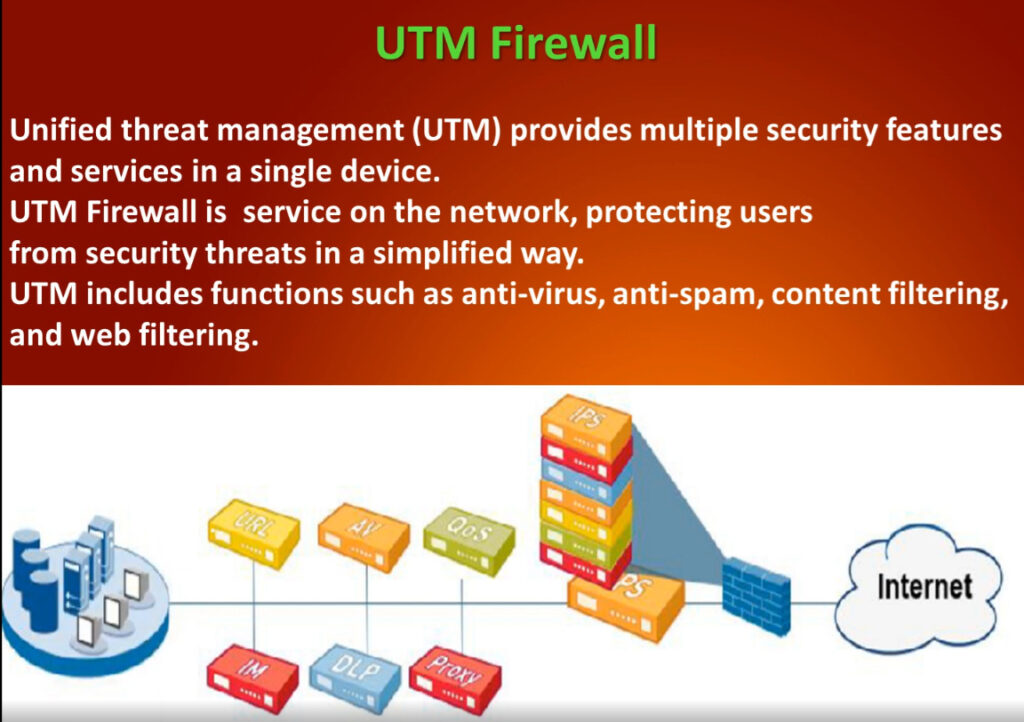
Difference Between NGFW and UTM:
| Feature | NGFW | UTM |
|---|---|---|
| Full Form | Next-Generation Firewall | Unified Threat Management |
| Target Users | Large enterprises, data centers | Small & medium businesses |
| Security Level | Very high, advanced threat protection | High but basic compared to NGFW |
| Application Control | Yes (Layer 7 control) | Limited or basic |
| Deep Packet Inspection | Advanced | Basic |
| Performance | High throughput, scalable | Lower when many features enabled |
| Management | Complex, needs skilled admin | Simple and easy to manage |
| Cost | Expensive | More affordable |
| Threat Detection | Zero-day & advanced malware protection | Known threats and basic protection |
| Scalability | Highly scalable | Limited scalability |
Key Differences in Simple Words:
- NGFW = Advanced, powerful, and intelligent firewall for large networks.
- UTM = All-in-one security device for small networks with simple management.
- NGFW focuses on deep security and performance.
- UTM focuses on simplicity and cost-effectiveness.
Conclusion:
NGFW is best for organizations that need strong security, application control, and high performance, such as enterprises and data centers. UTM is best for small and medium businesses that want an easy-to-use and affordable security solution in one device. Both provide firewall, antivirus, and IPS features, but NGFW offers more advanced protection against modern cyber threats.
Firewall Slide Note