
What Is SFP Technology
What is SFP
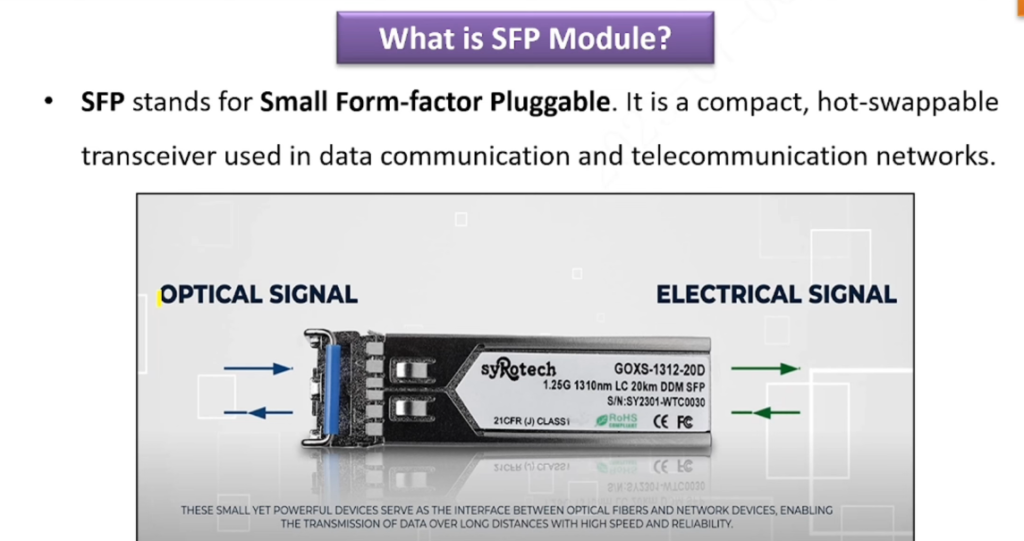
SFP (Small Form-factor Pluggable) is a small, hot-swappable transceiver module used in network devices such as switches and routers. It connects the device to fiber optic cable or copper Ethernet cable for data communication. SFP modules are removable, so you can easily change connection type, speed, or distance without replacing the whole device. It is commonly used for 1G network links, while newer versions like SFP+ support higher speeds such as 10G.
How SFP Works?
An SFP module plugs into a switch or router port and acts as a signal converter. It converts the device’s electrical signal into an optical signal (for fiber cable) or sends it as an electrical Ethernet signal (for copper cable). On the receiving side, another SFP converts the signal back into data the device can understand. This allows fast and reliable network communication over short or long distances.
SFP Example
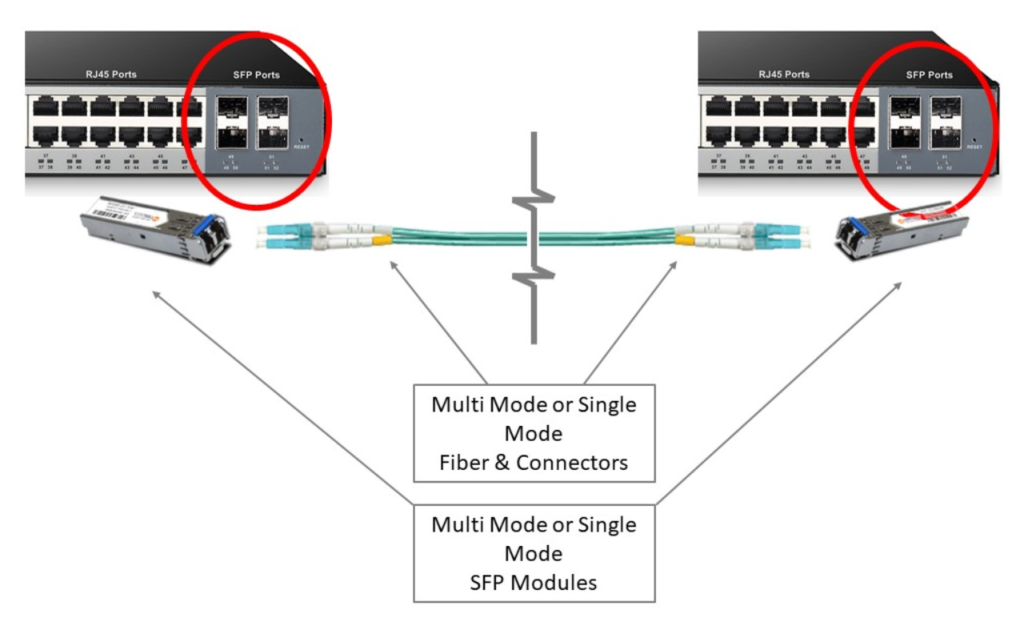
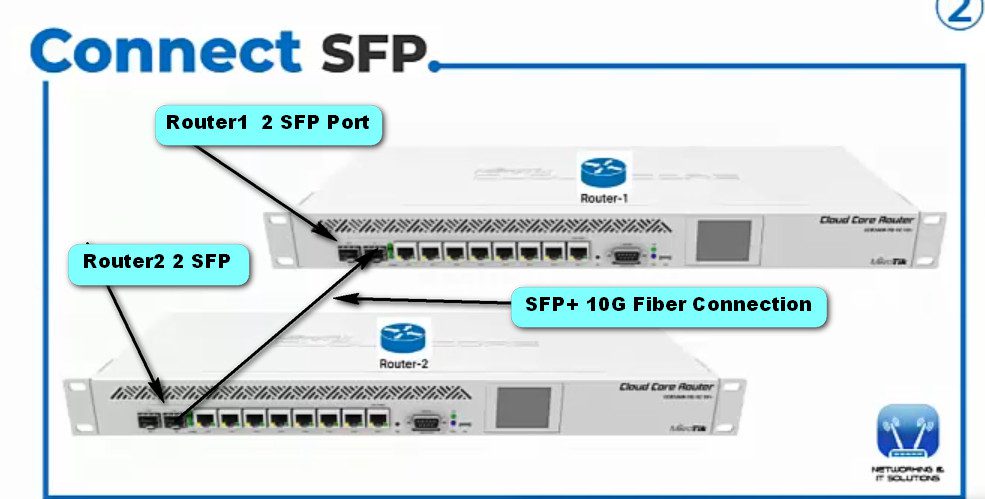
Suppose two Cisco Systems switches are in different buildings. You insert an SFP module into each switch and connect them with a fiber optic cable.
- Switch 1 sends data as an electrical signal.
- SFP module converts it into a light (optical) signal.
- The fiber cable carries that light signal to the other building.
- The second SFP module converts the light signal back into an electrical signal.
- Switch 2 receives the data.
This is how SFP helps devices communicate over distance quickly and reliably.
Example of How SFP Works (Long Explanation):
- Imagine two Cisco Systems switches placed in two different office buildings. The buildings are 2 kilometers apart, so a normal Ethernet copper cable cannot reliably connect them because copper links are usually limited to about 100 meters. To solve this, network engineers use SFP modules with fiber optic cable.
- First, an SFP module is inserted into the SFP port of Switch 1, and another matching SFP module is inserted into Switch 2. Then both SFP modules are connected using a fiber optic cable (single-mode or multimode, depending on distance and module type).
- When a computer connected to Switch 1 sends data, the switch creates an electrical signal. The SFP module receives that electrical signal and converts it into an optical (light) signal. This light signal travels through the fiber optic cable at very high speed over the 2 km distance with very little signal loss.
- At the other end, the SFP module in Switch 2 receives the optical signal and converts it back into an electrical signal. The switch then reads the data and forwards it to the destination device, such as a server, PC, or another network device.
In simple words:
Data → Electrical Signal → SFP converts to Light → Fiber carries Light → SFP converts back to Electrical → Destination receives Data
This process allows high-speed, long-distance, and reliable communication, which is why SFP is commonly used in enterprise networks, campuses, and data centers.
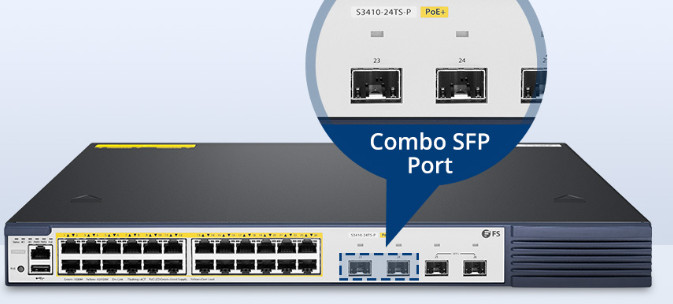
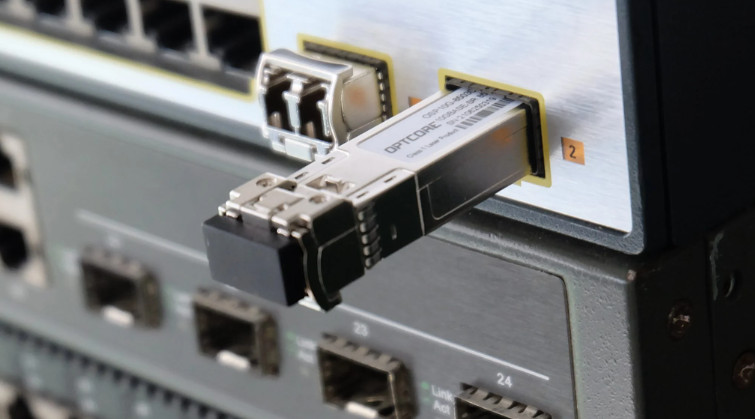
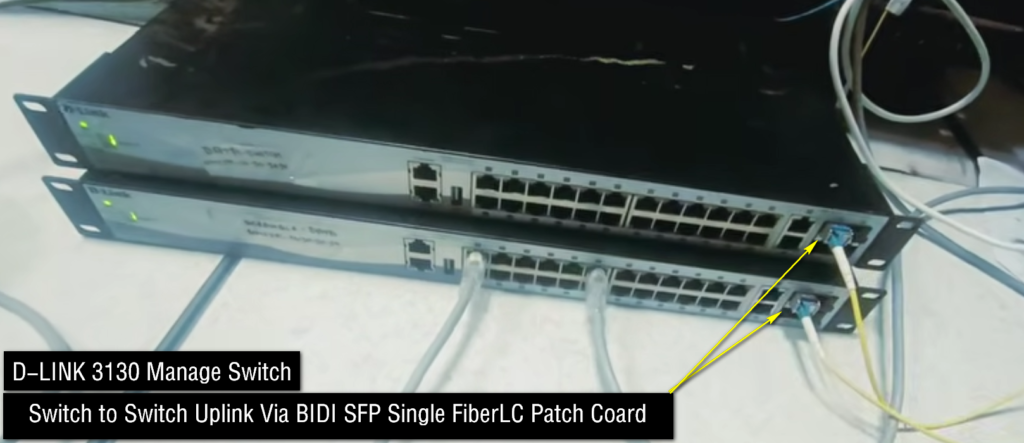
Why SFP Is Needed for Switch-to-Switch Connection
Why SFP Is Needed for Switch-to-Switch Connection?
- When two switches need to connect, SFP ports are often used because they provide faster, longer-distance, and more flexible connections than normal Ethernet ports.
- First, distance is a major reason. Normal copper Ethernet ports usually support up to 100 meters. If two switches are in different buildings, floors, or far apart, copper may not work reliably. An SFP fiber link can connect switches over hundreds of meters to many kilometers.
- Second, higher bandwidth is important. Switch-to-switch links carry traffic from many users at once. A normal access port may become a bottleneck, while SFP ports can support 1G, 10G, 25G, or higher, giving more bandwidth for uplink traffic.
- Third, better reliability. Fiber SFP links are immune to electromagnetic interference (EMI), so they are more stable in industrial areas, data centers, and high-noise environments.
- Fourth, flexibility. By changing the SFP module, you can choose short-range, long-range, copper, single-mode, or multimode connection types without replacing the switch.
- Example:
A 48-port access switch connects 48 office users. If all user traffic goes to another switch, one high-speed SFP uplink connects that access switch to the core/distribution switch, carrying all aggregated traffic efficiently.
In short:
SFP between switches = Longer distance + Higher speed + Better reliability + Flexible connection type.
Switch Uplink Port VS Normal Port
- A normal port on a network switch is a standard Ethernet port used to connect end devices such as PCs, printers, IP phones, access points, or servers. These ports usually operate at common access speeds like 1G or sometimes 100 Mbps, and are mainly used for user/device connectivity in the access layer.
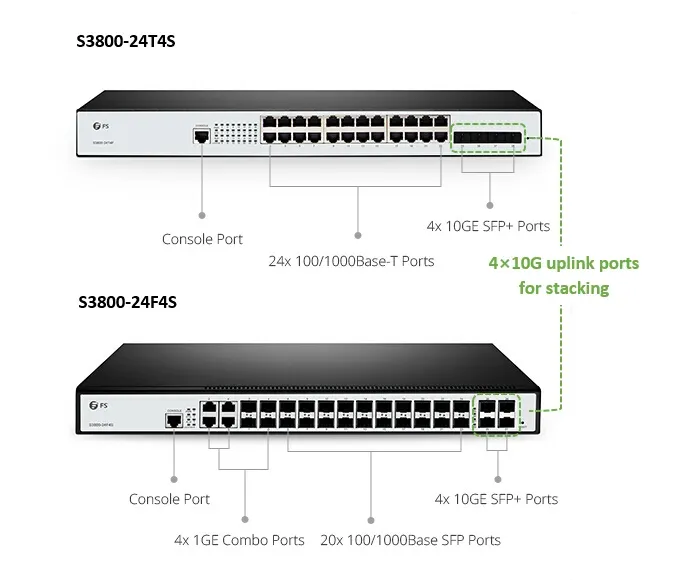
- An uplink port is a dedicated high-speed port used to connect one switch to another switch, router, firewall, or core/distribution network device. Uplink ports are designed for backbone traffic, so they often support higher speeds such as 1G, 10G, 25G, 40G, or 100G, and commonly use SFP/SFP+/QSFP modules or high-speed Ethernet interfaces.
The main difference is purpose and bandwidth.
- Normal port → Connects end devices
- Uplink port → Connects network devices / carries larger traffic load
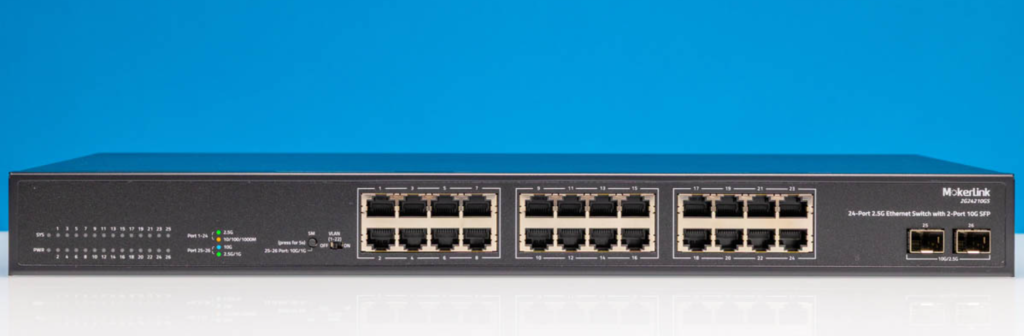
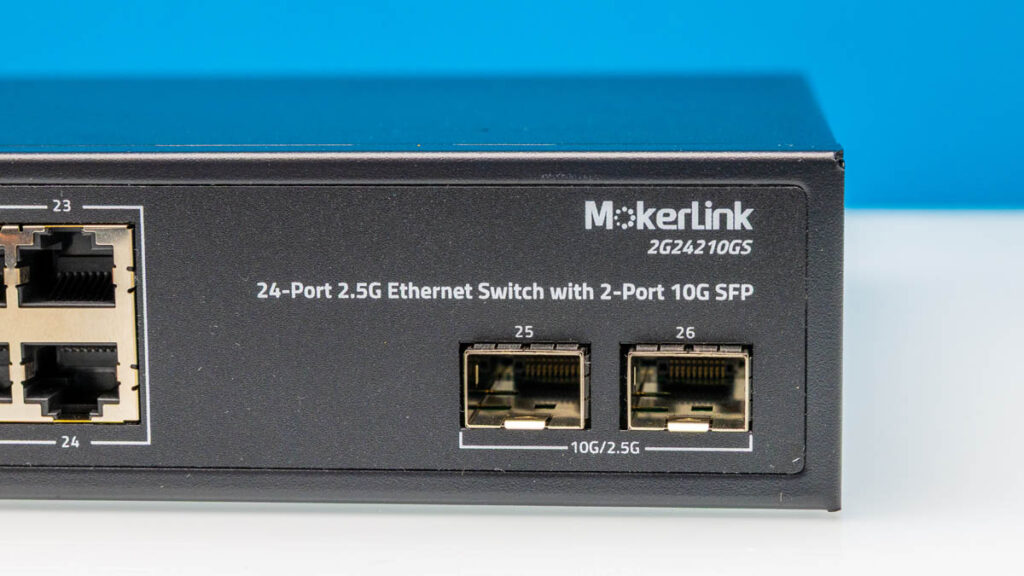
For example, in a 48-port switch, ports 1–48 may be normal user ports, while 2 additional SFP+ ports act as uplink ports to connect that switch to a distribution switch or core switch. This uplink carries traffic from all 48 users toward the larger network.
IF Is SFP Installation Network Knowledge Mandatory
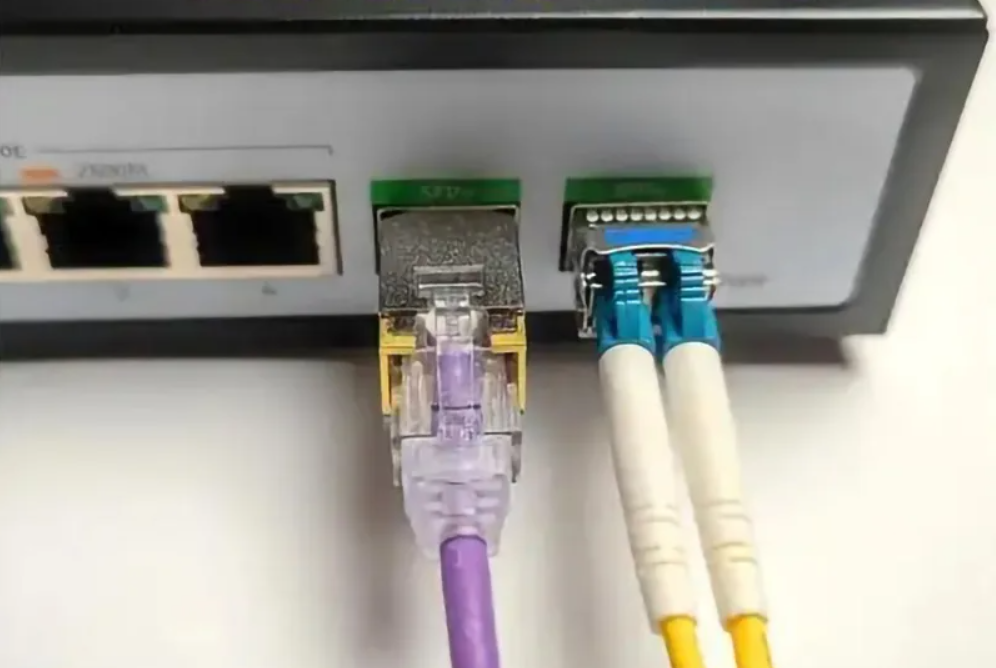
- Basic network knowledge is highly recommended, but for simple installation it is not always mandatory. Physically installing an SFP is easy—insert the module into the SFP port, connect the correct fiber/copper cable, and verify the link LED comes up.
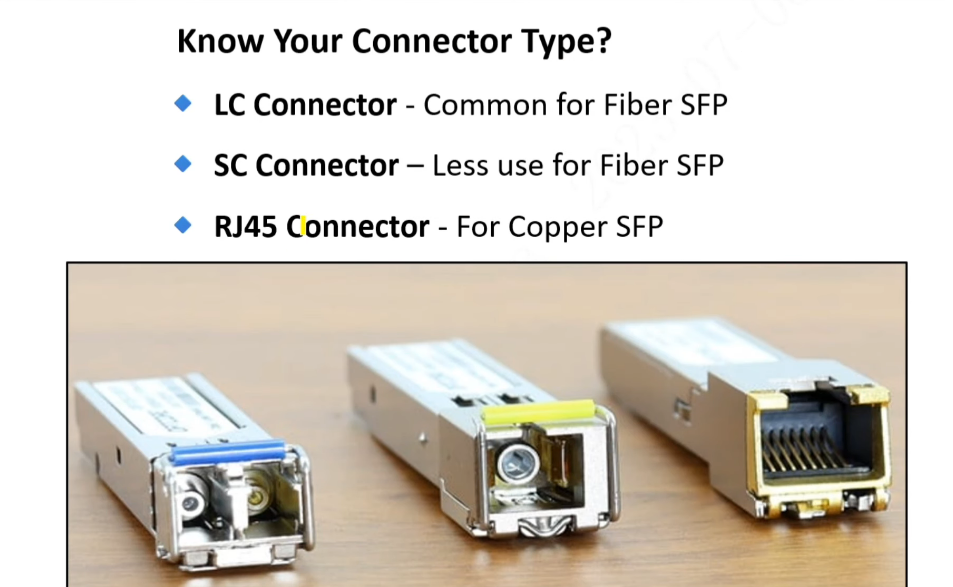
- However, proper use requires networking knowledge because you must choose the correct SFP type (SX/LX/ZX/BiDi), matching wavelength, single-mode vs multimode fiber, connector type (LC/RJ45), and speed compatibility (1G, 10G, etc.). You also need to understand switch configuration such as port enable/disable, VLAN, trunk/access mode, duplex/speed settings, and link monitoring.
- Incorrect installation can cause link failure, no light signal, mismatched wavelength, unsupported module errors, or poor performance.
So:
- Physical installation → Easy
- Correct selection/configuration → Requires network knowledge
- Troubleshooting → Strong network knowledge needed
What is SFP in Details Explain
- SFP (Small Form-factor Pluggable) is a compact, hot-swappable network transceiver module used in switches, routers, firewalls, and servers. It allows a network device to connect to different types of transmission media, such as fiber optic cable or copper Ethernet cable, without changing the device hardware. Because it is hot-swappable, an SFP module can be inserted or removed while the equipment is running, making maintenance and upgrades easier.
- SFP modules are mainly used to convert electrical signals into optical signals, and optical signals back into electrical signals, for data transmission over network links. Fiber-based SFP modules support high-speed communication over short, medium, and long distances depending on the module type, while copper SFP modules use standard RJ45 Ethernet connections for shorter distances.
- One of the biggest advantages of SFP is flexibility. Network administrators can change connection types, transmission distance, or media type simply by replacing the SFP module instead of replacing the whole switch or router. For example, a device can use a short-range fiber SFP today and later be upgraded to a long-range optical SFP if network requirements change.
- There are several types of SFP modules, including SX, LX, ZX, Copper SFP, and BiDi SFP. SX is commonly used with multimode fiber for short distances, LX is used with single-mode fiber for longer distances, ZX supports very long-distance links, Copper SFP works with Ethernet cables, and BiDi SFP allows two-way communication over a single fiber strand, reducing cabling requirements.
- Cisco Systems, Juniper Networks, and Hewlett Packard Enterprise commonly use SFP ports in their networking equipment. SFP technology is widely used in enterprise networks, data centers, and service provider networks because it provides scalable, reliable, and high-speed connectivity.

Type of SFP
SFP (Small Form-factor Pluggable) modules are classified based on speed, fiber type, transmission distance, and wavelength. Each type is designed for a specific network requirement. Below is a detailed explanation of the main types of SFP modules.
1. 1G SFP Modules (Gigabit SFP)
These modules support 1 Gbps speed and are commonly used in enterprise and campus networks.
SFP SX (Short Wavelength)
Uses multi-mode fiber (MMF) with 850 nm wavelength and supports distances up to 550 meters. It is mainly used inside buildings or data centers.SFP LX (Long Wavelength)
Uses single-mode fiber (SMF) with 1310 nm wavelength and supports distances up to 10 km. It is suitable for inter-building or campus connections.SFP ZX
Uses single-mode fiber with 1550 nm wavelength and supports long distances up to 70–80 km. It is used for long-haul WAN or ISP links.Copper SFP (RJ45 SFP)
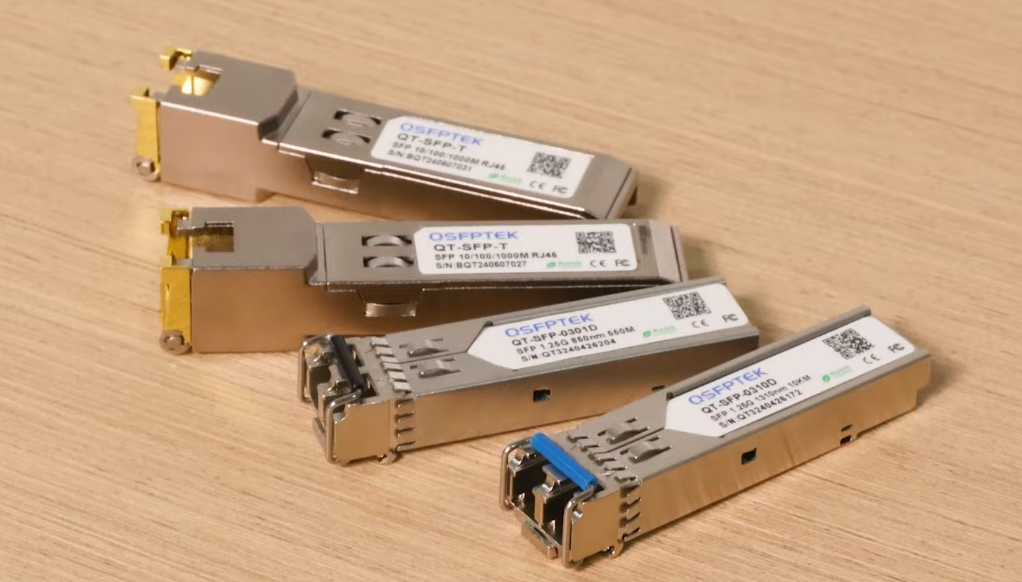
Uses normal Ethernet copper cable and supports distances up to 100 meters. It is useful when a switch has only SFP ports but copper connectivity is required.
2. SFP+ Modules (10G SFP)
These modules support 10 Gbps speed and are used in data centers and backbone networks.
SFP+ SR (Short Range)
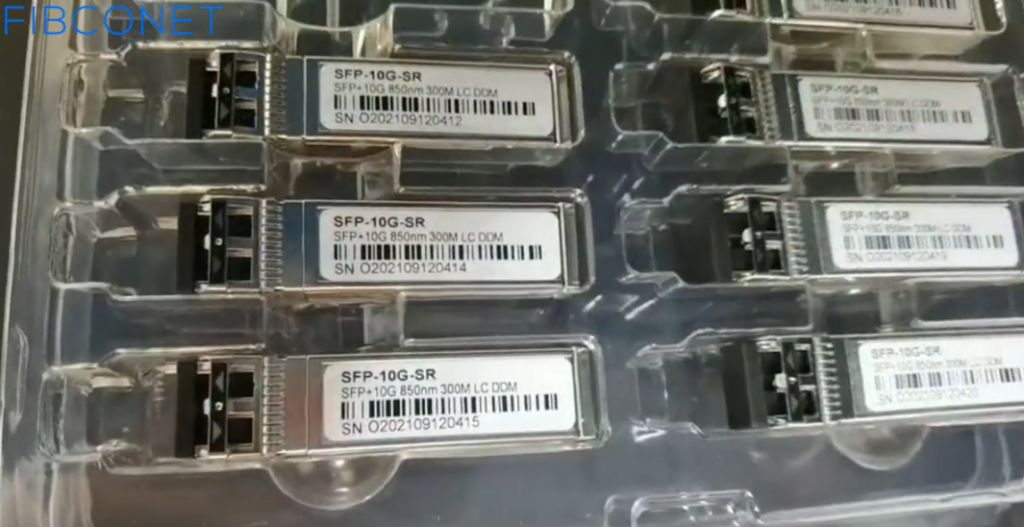
Uses multi-mode fiber and supports distances up to 300 meters.SFP+ LR (Long Range)
Uses single-mode fiber and supports distances up to 10 km.SFP+ ER (Extended Range)
Uses single-mode fiber and supports distances up to 40 km.SFP+ ZR
Uses single-mode fiber and supports distances up to 80 km.
3. SFP28 Modules (25G SFP)
These modules support 25 Gbps speed and are used in high-performance enterprise and data-center networks.
- SFP28 SR – Multi-mode fiber (short distance)
- SFP28 LR – Single-mode fiber (long distance)
4. QSFP+ Modules (40G)
These modules support 40 Gbps speed and are used for core and aggregation switches.
- QSFP+ SR4 – Multi-mode fiber
- QSFP+ LR4 – Single-mode fiber
5. QSFP28 Modules (100G)
These modules support 100 Gbps speed and are mainly used in ISP and data-center backbone networks.
- QSFP28 SR4
- QSFP28 LR4
- QSFP28 ER4
6. By Fiber Type
SFP modules can also be grouped by fiber type:
- Multi-mode fiber (MMF) → SX, SR
- Single-mode fiber (SMF) → LX, LR, ER, ZR
Summary (Easy)
- 1G SFP: SX, LX, ZX, RJ45
- 10G SFP+: SR, LR, ER, ZR
- 25G SFP28: SR, LR
- 40G QSFP+: SR4, LR4
- 100G QSFP28: SR4, LR4, ER4
In short, SFP allows a network device to support different types of connections (fiber or copper) and different distances by simply changing the module instead of replacing the whole switch.
OR
There are several types of SFP (Small Form-factor Pluggable) modules, classified by fiber type, distance, speed, and connector type.
1) SX SFP (Short Range)
SX SFP is used for short-distance communication over multimode fiber (MMF). It usually operates at 850 nm wavelength and supports distances up to 220–550 meters, depending on cable quality. It is commonly used inside buildings, campuses, and data centers for short fiber links.
2) LX / LH SFP (Long Range)
LX (Long Wavelength) or LH (Long Haul) SFP is used for single-mode fiber (SMF) and operates at 1310 nm wavelength. It supports distances up to 10 km or more. This type is commonly used for connecting buildings, branch offices, and metro networks.
3) ZX SFP (Extended Range)
ZX SFP is designed for very long-distance communication over single-mode fiber. It usually operates at 1550 nm wavelength and can support distances of 40 km to 80 km depending on module design. It is often used by ISPs and telecom backbone networks.
4) Copper SFP (RJ45 SFP)
Copper SFP uses a standard RJ45 Ethernet connector instead of fiber. It supports Cat5e/Cat6 cables and usually works up to 100 meters at 10/100/1000 Mbps speeds. It is useful when fiber is not required.
5) BiDi SFP (Bidirectional)
BiDi SFP allows two-way communication over a single fiber strand by using different transmit and receive wavelengths. It reduces fiber usage and cabling cost, making it ideal where fiber resources are limited.
6) CWDM / DWDM SFP
These are used for wavelength division multiplexing, where multiple signals travel over one fiber using different wavelengths. CWDM supports fewer channels, while DWDM supports many high-capacity channels for telecom and large backbone networks.
7) SFP+
SFP+ is an advanced version of SFP that supports 10 Gbps speed. It is widely used in high-speed enterprise networks and data centers.
8) QSFP / QSFP+ / QSFP28
QSFP modules are higher-capacity versions supporting 40G, 100G, and beyond. They are mainly used in core networks and data centers.
- QSFP (Quad Small Form-factor Pluggable) is a high-speed transceiver module designed for larger bandwidth connections. “Quad” means it uses 4 transmission lanes, combining multiple channels into one module. Standard QSFP is commonly used for 4×10 Gbps lanes, giving a total bandwidth of around 40 Gbps. It is widely used in core switches, data centers, and high-capacity uplinks.
- QSFP+ is an enhanced version of QSFP that mainly supports 40 Gbps Ethernet. It uses 4 lanes of 10 Gbps each (4×10G). QSFP+ became very common in enterprise data centers and aggregation/core layer networks because it provides high bandwidth in a compact form factor compared to multiple SFP+ modules.
- QSFP28 is a newer generation module that supports 100 Gbps Ethernet. It uses 4 lanes of 25 Gbps each (4×25G) to achieve 100G speed. QSFP28 is widely used in modern cloud networks, hyperscale data centers, and service provider backbone networks because it offers high performance, lower power consumption, and efficient cabling.
- QSFP-DD (Quad Small Form-factor Pluggable Double Density) is an advanced version of QSFP designed for ultra-high-speed networking. “Double Density” means it has 8 electrical lanes instead of 4, effectively doubling the bandwidth capacity while keeping a similar physical footprint. QSFP-DD supports 200G (8×25G), 400G (8×50G), and newer versions can support even higher speeds such as 800G with advanced signaling technologies.
- One major advantage of QSFP-DD is backward compatibility. Many QSFP-DD ports can also accept older QSFP28 and QSFP+ modules, allowing easier upgrades from 40G/100G networks to 400G networks without changing the entire infrastructure.
In summary:
- QSFP → ~40G class module
- QSFP+ → 40G (4×10G)
- QSFP28 → 100G (4×25G)
- QSFP-DD → 200G / 400G / 800G class (8 lanes)
These modules are commonly used by networking vendors like Cisco Systems, Juniper Networks, and Nokia in high-speed switching and routing platforms.
SFP Wavelength
In fiber-optic communication, wavelength (measured in nanometers – nm) refers to the color of light used to transmit data through the fiber cable. Different wavelengths are used because each one behaves differently in terms of distance, signal loss (attenuation), and performance. Fiber optics mainly use three important wavelength ranges: 850 nm, 1310 nm, and 1550 nm, along with some extended and special wavelengths for advanced systems.
1. 850 nm (Short wavelength – Multimode fiber)
The 850 nm wavelength is mainly used with multimode fiber (MMF). It is suitable for short-distance communication such as inside buildings, data centers, and server rooms. This wavelength has higher signal loss compared to others, so it is limited to shorter distances (typically up to 300–550 meters). It is commonly used by SFP/SFP+ SR modules and is cost-effective for local networks.
2. 1310 nm (Long wavelength – Single-mode fiber)
The 1310 nm wavelength is used mostly with single-mode fiber (SMF) and is designed for longer distances such as between buildings or across a campus. It has lower attenuation than 850 nm and can travel up to 10 km or more depending on the transceiver type. It provides stable performance and is widely used in enterprise and ISP networks (LX, LR modules).
3. 1550 nm (Extended / very long distance wavelength)
The 1550 nm wavelength is used for very long-distance fiber communication. It has the lowest signal loss, which allows transmission up to 40 km, 80 km, or even more. This wavelength is commonly used in backbone networks, metro networks, and WAN links (ER, ZR modules). It is also used in DWDM (Dense Wavelength Division Multiplexing) systems where multiple wavelengths travel on the same fiber.
4. CWDM Wavelengths (1270 nm – 1610 nm)
CWDM (Coarse Wavelength Division Multiplexing) uses multiple wavelengths such as 1270, 1290, 1310, 1330 … up to 1610 nm. Each wavelength carries separate data on the same fiber. This is used to increase capacity without installing new fiber cables and is common in telecom and ISP networks.
5. DWDM Wavelengths (1525 nm – 1565 nm)
DWDM mainly operates in the 1550 nm band (C-band and L-band) and supports many closely spaced wavelengths. It is used for extremely high-capacity long-distance transmission (hundreds of kilometers) in backbone and submarine fiber networks.
OR
SFP Wavelength Details
In fiber optic SFP modules, wavelength means the color/type of light used to transmit data through fiber cable. It is measured in nanometers (nm). Different wavelengths are used for different distances and fiber types.
850 nm
This wavelength is mainly used in SX SFP modules with multimode fiber (MMF). It is suitable for short-distance communication, usually up to 550 meters. Commonly used in LAN networks, offices, and data centers.
1310 nm
This is commonly used in LX / LH SFP modules with single-mode fiber (SMF), and sometimes multimode with special conditioning cable. It supports medium to long distances, typically 10 km to 40 km depending on the module. It is widely used for campus and metro connections.
1490 nm
This wavelength is often used in BiDi (Bidirectional) SFP modules. One side may transmit at 1490 nm and receive at 1310 nm (or vice versa), allowing two-way communication over one fiber strand.
1550 nm
This wavelength is used for long-distance SFP modules, such as ZX/ER optics. It supports 40 km, 80 km, or more because signal loss is lower at this wavelength in single-mode fiber.
1270–1610 nm (CWDM range)
Used in CWDM SFP modules. Multiple wavelengths in this range allow several channels of data to travel through a single fiber, increasing capacity.
Dense wavelength spacing (DWDM)
In DWDM SFP modules, many very closely spaced wavelengths around 1550 nm are used. This allows dozens or even hundreds of separate channels on one fiber, mainly in telecom backbone networks.
SFP Wavelength Details in Short:
In fiber optic SFP modules, wavelength is the light frequency used to carry data through fiber cable, measured in nanometers (nm). Different wavelengths are selected based on distance, fiber type, and transmission technology.
- 850 nm – Used for short-distance links on multimode fiber.
- 1310 nm – Used for medium/long-distance links on single-mode fiber.
- 1490 nm – Commonly used in BiDi SFP for one-way transmit/receive channels.
- 1550 nm – Used for long-distance transmission with lower signal loss.
- CWDM/DWDM wavelengths – Used to send multiple data channels over one fiber.
Choosing the correct wavelength improves signal quality, transmission distance, and network reliability. Both ends of the fiber link must use compatible wavelengths for proper communication.
SFP Types Chart
SFP Types Chart Following
| SFP Type | Full Name | Wavelength | Fiber Type | Distance | Use Case |
|---|---|---|---|---|---|
| SX | Short Wavelength | 850 nm | Multimode (MMF) | 220–550 m | Office LAN, Data Center |
| LX | Long Wavelength | 1310 nm | Single-mode (SMF) | 10 km | Building-to-building link |
| LH | Long Haul | 1310 nm | Single-mode | 10–20 km | Metro network |
| EX | Extended Reach | 1310 nm | Single-mode | 40 km | Long fiber connection |
| ZX | Extended Long Reach | 1550 nm | Single-mode | 70–80 km | ISP / Backbone |
| Copper SFP | RJ45 SFP | Electrical | Cat5e/Cat6 | 100 m | Ethernet cable link |
| BiDi SFP | Bidirectional | 1310/1490 nm | Single-mode | 10–80 km | One fiber, two-way data |
| CWDM SFP | Coarse WDM | 1270–1610 nm | Single-mode | 40–80 km | Multiple channels on one fiber |
| DWDM SFP | Dense WDM | Around 1550 nm | Single-mode | 80+ km | Telecom backbone |
| SFP+ | Enhanced SFP | Various | Fiber/Copper | Depends | 10G network link |
| SFP28 | Advanced SFP | Various | Fiber | Depends | 25G network link |
SFP by Cable Core Diameter Chart
Fiber cable core diameter is important because it decides which SFP module can be used, distance, and speed.
| Fiber Type | Core Diameter | Used With SFP | Common Wavelength | Distance | Use Case |
|---|---|---|---|---|---|
| Multimode OM1 | 62.5 µm | SX SFP | 850 nm | 220–275 m | Old LAN networks |
| Multimode OM2 | 50 µm | SX SFP | 850 nm | 550 m | Office / Campus |
| Multimode OM3 | 50 µm (Laser optimized) | SX / SFP+ | 850 nm | 300–550 m | Data center |
| Multimode OM4 | 50 µm | SX / SFP+ | 850 nm | 400–1000 m | High-speed LAN |
| Single-mode OS1 | 8–10 µm | LX / EX / ZX | 1310 / 1550 nm | 10–80 km | Building link |
| Single-mode OS2 | 8–10 µm | LX / EX / ZX / DWDM | 1310 / 1550 nm | 80+ km | ISP backbone |
Difference Between OM1, OM2, OM3, and OM4
OM1, OM2, OM3, and OM4 are multimode fiber optic cable standards. The main differences are core size, bandwidth, speed support, and transmission distance.
| Type | Core Diameter | Color | Bandwidth | Max Distance (10G) | Performance |
|---|---|---|---|---|---|
| OM1 | 62.5 µm | Orange | Low | 33 m | Basic |
| OM2 | 50 µm | Orange | Medium | 82 m | Better |
| OM3 | 50 µm | Aqua | High | 300 m | High-speed |
| OM4 | 50 µm | Aqua / Violet | Very High | 400–550 m | Best |
OM1, OM2, OM3, OM4 – Speed Difference
| Fiber Type | Supported Speed | Typical Distance | Use Case |
|---|---|---|---|
| OM1 | 1G / 10G | 1G = 275–1000 m, 10G = 33 m | Old LAN network |
| OM2 | 1G / 10G | 1G = 550–1000 m, 10G = 82 m | Office network |
| OM3 | 1G / 10G / 40G / 100G | 10G = 300 m, 40G/100G = 100 m | Data center |
| OM4 | 1G / 10G / 40G / 100G | 10G = 400–550 m, 40G/100G = 150 m | High-speed network |
SFP Transceiver Speed Chart
| Module Type | Speed | Lane | Common Use |
|---|---|---|---|
| Fast Ethernet SFP | 100 Mbps | 1 | Legacy network |
| SFP | 1 Gbps | 1 | Standard uplink |
| SFP+ | 10 Gbps | 1 | Data center / uplink |
| SFP28 | 25 Gbps | 1 | Modern server link |
| QSFP+ | 40 Gbps | 4 × 10G | Core switch |
| QSFP28 | 100 Gbps | 4 × 25G | Backbone / DC |
| QSFP56 | 200 Gbps | 4 × 50G | High-performance network |
| QSFP-DD | 400 Gbps | 8 × 50G | Cloud / ISP backbone |
| OSFP | 800 Gbps | 8 × 100G | AI / hyperscale network |
How Many Types of SFP Transceivers
How Many Types of SFP Transceivers Do You Know?

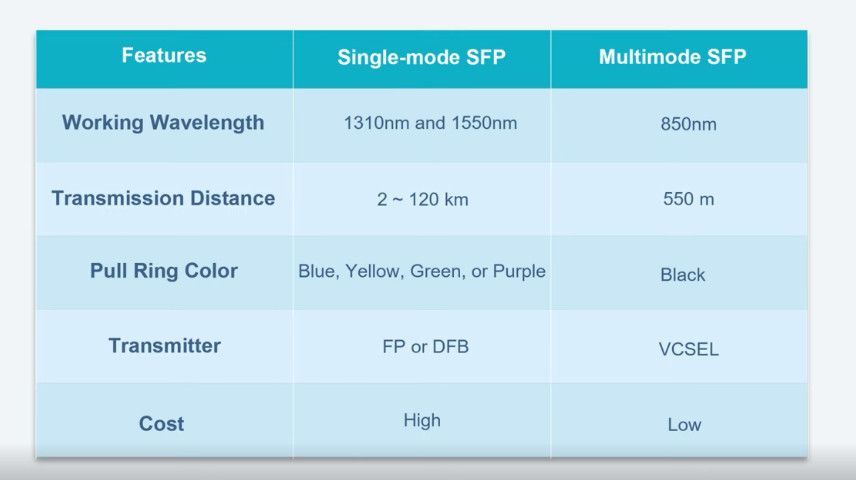
Specfication | Multimode SFP | Single-mode SFP |
Fiber Type | 62.5/125µm or 50/125µm core MMF | 9/125µm core SMF |
Working Wavelength | Mainly in 850 nm and 1300 nm | Mainly in 1310 nm and 1550 nm |
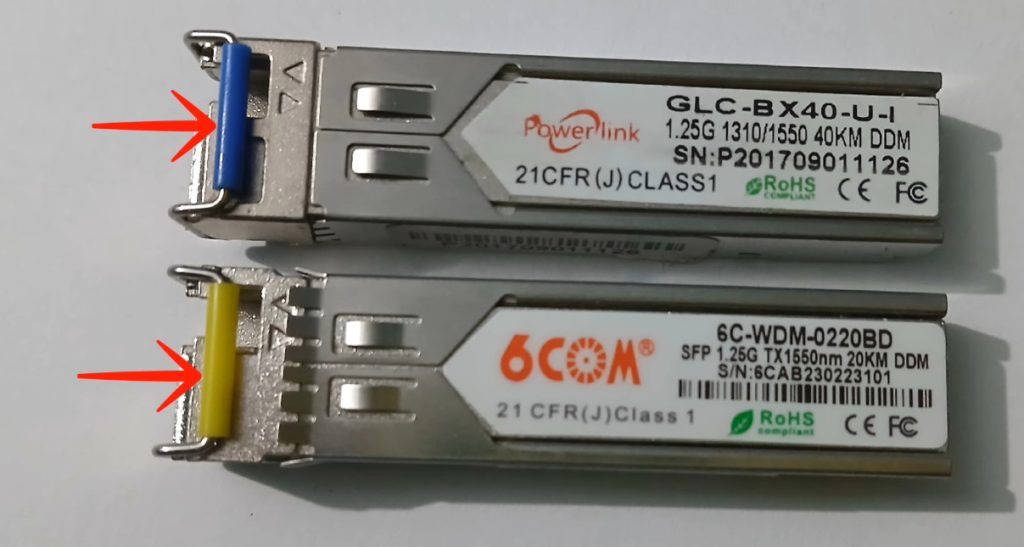
Color Coding | Black | Blue for 1310nm SFP Yellow for 1550nm SFP |
Transmission Distance | 100m / 550m | 2km up to 200km |
Specfication | Multimode SFP | Single-mode SFP |
Fiber Type | 62.5/125µm or 50/125µm core MMF | 9/125µm core SMF |
Working Wavelength | Mainly in 850 nm and 1300 nm | Mainly in 1310 nm and 1550 nm |
Color Coding | Black | Blue for 1310nm SFP Yellow for 1550nm SFP |
Transmission Distance | 100m / 550m | 2km up to 200km |
Product | Wavelength | Max. Transmit Distance | Connector | |
Multimode SFP | 1000BASE-SX-85 | 850nm | 550m | LC Duplex |
1000BASE-SX-31 | 1310nm | 2km | LC Duplex | |
Single mode SFP | 1000BASE-LX-31 | 1310nm | 20km | LC Duplex |
1000BASE-LH-31 | 1310nm | 40km | LC Duplex | |
1000BASE-EX-55 | 1550nm | 40km | LC Duplex | |
1000BASE-ZX-55 | 1550nm | 80km | LC Duplex | |
1000BASE-EZX-55 | 1550nm | 120km | LC Duplex | |
1000BASE-ZXC-55 | 1550nm | 160km | LC Duplex | |
BiDi SFP | 1000BASE-BX | 1310nm/1550nm, 1310nm/1490nm, 1510nm/1590nm | 2km~160km | LC Duplex/Simplex |
WDM SFP | 1000BASE-CWDM | 1270nm~1610nm | 20km~160km | LC Duplex |
1000BASE-DWDM | C17~C61 | 80km~100km | LC Duplex |
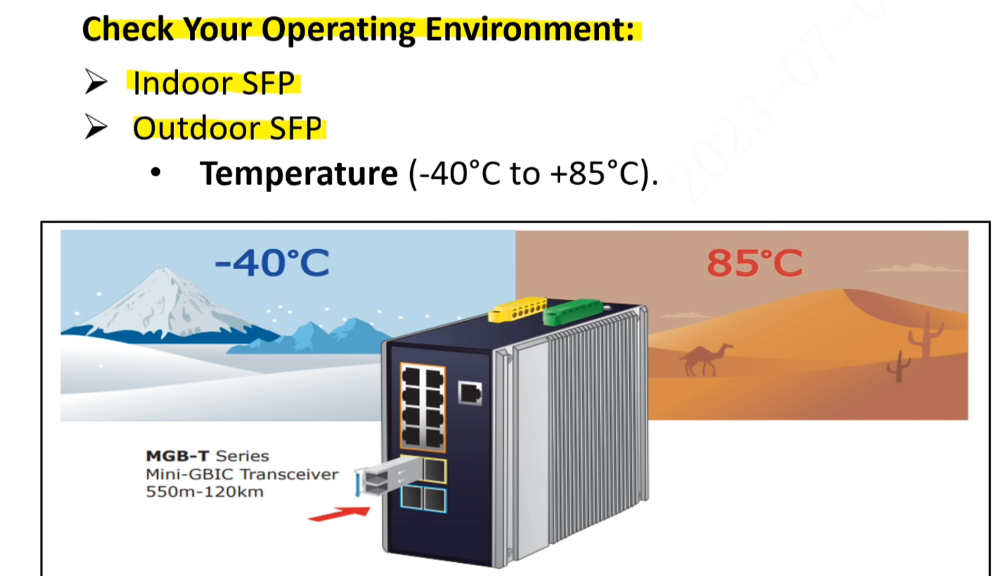
Commercial grade (Commercial)
Commercial grade SFP modules are suitable for standard work environments, and their operating temperature range is usually between 0 ° C and 70 ° C. This type of SFP module performs well in ordinary office and data center environments.
Industrial grade (Industrial)
Industrial grade SFP modules are designed for use in more demanding industrial environments, where the operating temperature range is typically between -40 ° C and 85 ° C. This type of SFP module is suitable for industrial control systems, outdoor equipment, and other applications that require reliable operation in extreme temperature conditions.
Military Grade (Military)
Military grade SFP modules are designed for military applications and typically operate over a temperature range of -55 ° C to 100 ° C. This type of SFP module offers greater durability and reliability for long periods of stable operation in extreme environmental conditions.
SFP
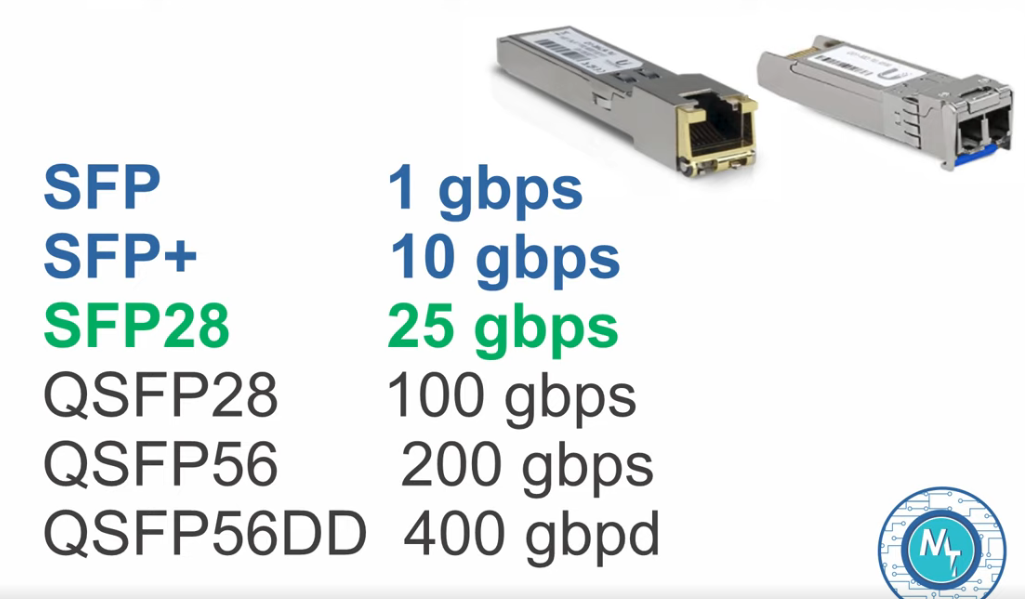
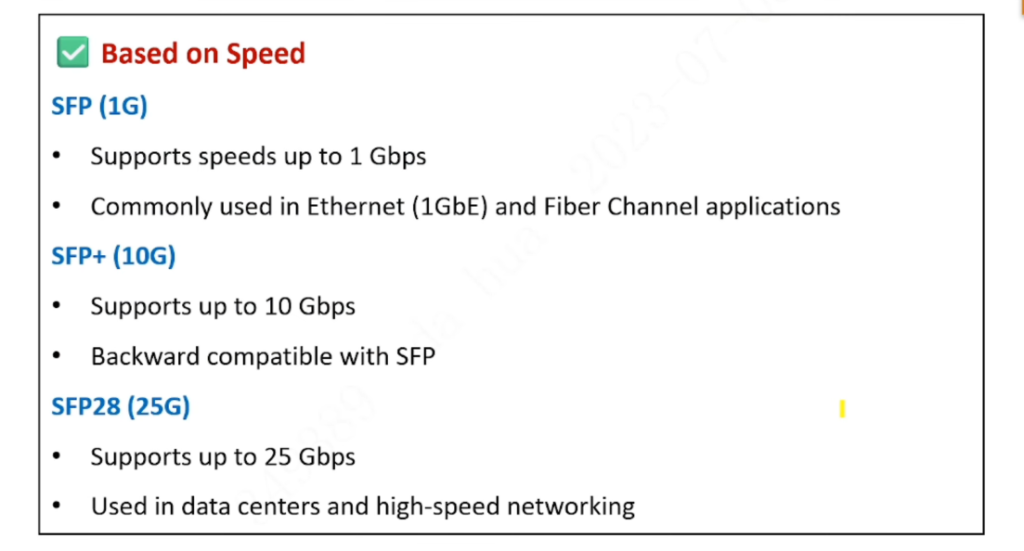
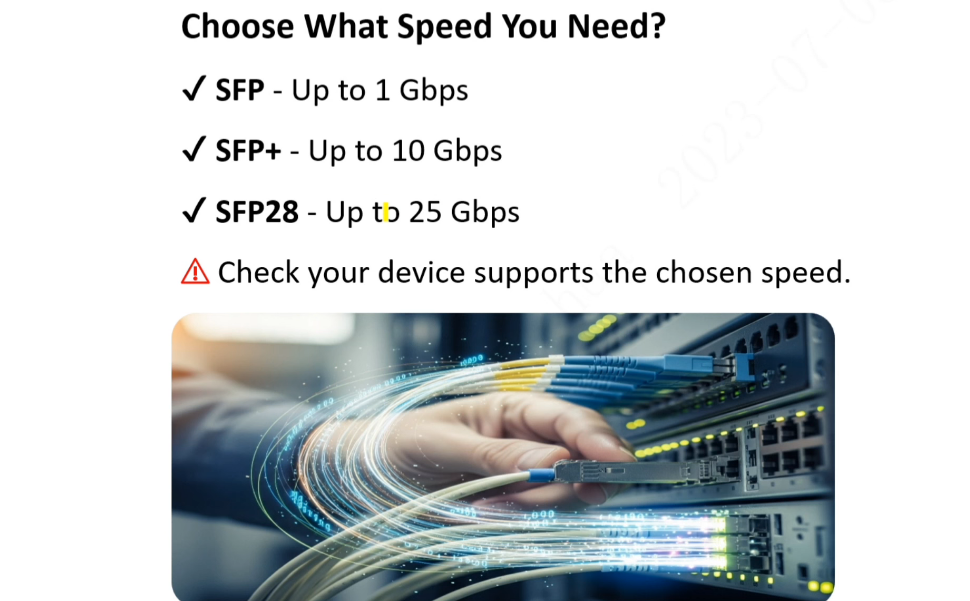
The standard SFP transceivers support speeds up to 1 Gbps and are used for Gigabit Ethernet and Fibre Channel.
SFP+
An enhanced version of the SFP that supports data rates up to 10 Gbps. SFP+ modules are commonly used in 10 Gigabit Ethernet and can support 8 Gbps Fibre Channel, and some variants offer Direct Attach (DAC) capabilities with copper cables.
SFP28
QSFP
Quad Small Form-factor Pluggable modules are not the same size as SFPs; they’re wider and support four channels of data transfer, providing solutions for 40 Gbps (QSFP+) and even 100 Gbps (QSFP28) rates.
- Regular SFP: Most commonly transceivers that deliver data via a duplex fiber. Based on market development and user requests, 2.5G SFP and 100M SFP have emerged successively
- BIDI SFP: Can transmit and receive signals in simplex fiber.
- WDM SFPs: Support CWDM/DWDM transmission to maximize the bandwidth while saving the fiber cabling.
- SONET/SDH SFP: Compatible with the SONET/SDH and ATM standard which covers the standard range of data rates extending from OC-3/STM-1 (155 Mbps) to OC-48/STM-16 (2488 Gbps) for multimode (MM), short-reach (SR), intermediate-reach (IR1), and long-reach (LR1/LR2) applications.
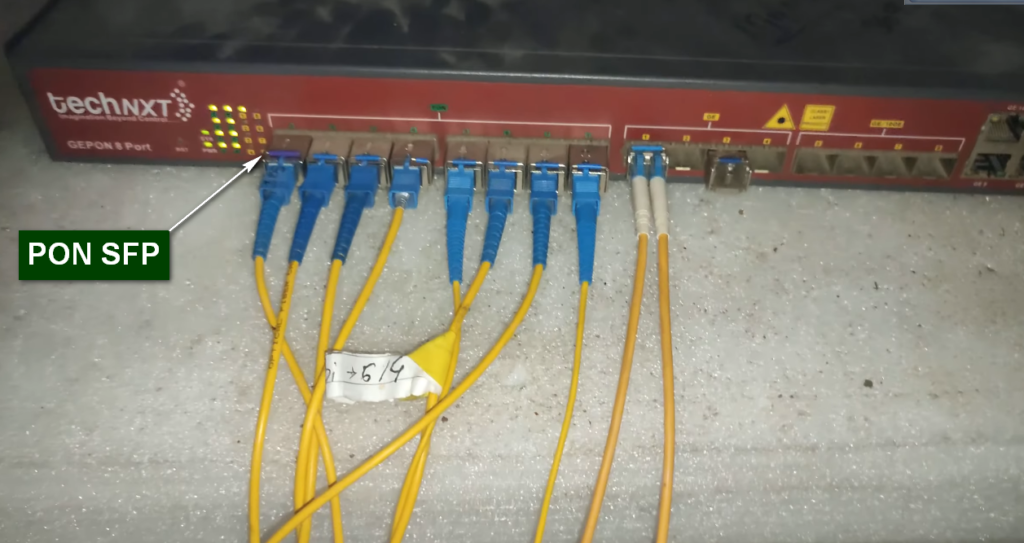
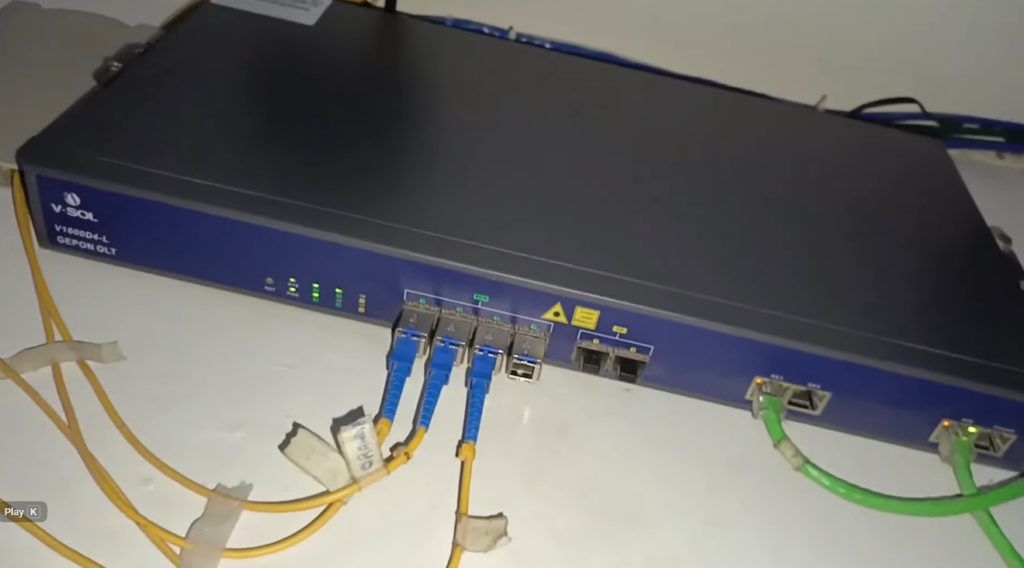
- PON SFPs: Used in the Optical Line Terminal (OLT) at the Central Office and the Optical Network Terminal/Unit (ONT/ONU) at the subscriber’s premises.
- 3G-SDI video SFPs: Designed to meet the high standard video transmission needs in the High Definition (HD) environment.
- SONET/SDH SFP: Compatible with the SONET/SDH and ATM standard which covers the standard range of data rates extending from OC-3/STM-1 (155 Mbps) to OC-48/STM-16 (2488 Gbps) for multimode (MM), short-reach (SR), intermediate-reach (IR1), and long-reach (LR1/LR2) applications.
- Fibre Channel SFP: A high-speed network technology (commonly running at 1, 2, 4, 8, 16, 32, and 128 gigabits per second rates) primarily used to connect computer data storage to servers in the SAN data center environment.
SFP, SFP+, SFP28, QSFP+, QSFP28, What Are the Differences?
SFP, SFP+, SFP28, QSFP+, and QSFP28 are different fiber transceiver types on the market. They are all hot-pluggable optical modules that are used to connect network switches or other devices. Then, SFP vs. SFP+, SFP28 vs. SFP+, QSFP vs. QSFP28, what are their differences? Can SFP28 transceiver plug into SFP+ slots? And how to choose between these five form factors transceiver modules? All explanations are here.
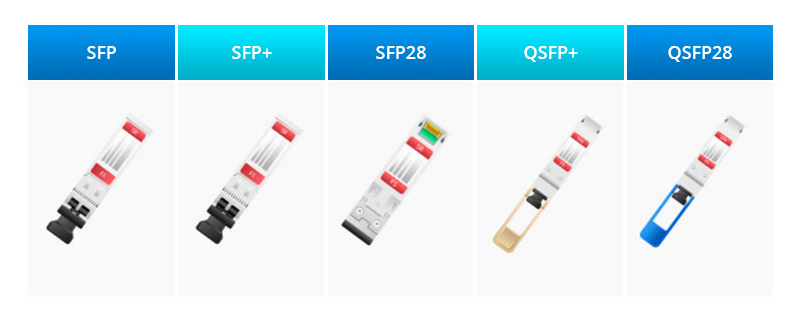
- SFP: SFP was first introduced in 2001, and built to replace the larger form factor GBIC and support data rates of up to 1G data rate. But with the demands for higher bandwidths like 5G applications or IoT, 1G SFP modules nowadays are estimated to be out of the market in the future, although they still have some market share.
- SFP+: 2006 saw the introduction of SFP+, an enhanced version of SFP with a higher data rate of up to 10 Gbps. SFP+ module is now still a dominant industry format transceiver module. Data transmission is available at 8Gbps, 10Gbps, and 16Gbps. Transmission distances cover from 30m to 120km and SFP+ transceivers are available with several different connector types such as LC Duplex, LC Simplex, and RJ45.
- SFP28: With the same physical dimensions as the SFP and SFP+, the SFP28 fiber transceiver type was launched in 2014 and designed for up to 25Gbps transmission rate. Mainly used for 25G Ethernet and 100G (4x25Gbps) Ethernet.
- QSFP+: Launched in 2012, QSFP+ (Enhanced Quad Small Form-factor Pluggable) is composed of 4 channels of 10Gb/s rate that support LC duplex and MPO-12 fiber connectors.
- QSFP28: QSFP28 was also introduced in 2014 and shares the same physical dimensions as QSFP+, but uses 4 lanes of 25Gbps. QSFP28 is now the standard interface of choice for 100G applications.
Product | Wavelength | Max. Transmit Distance | Connector | |
Multimode SFP | 1000BASE-SX-85 | 850nm | 550m | LC Duplex |
1000BASE-SX-31 | 1310nm | 2km | LC Duplex | |
Single mode SFP | 1000BASE-LX-31 | 1310nm | 20km | LC Duplex |
1000BASE-LH-31 | 1310nm | 40km | LC Duplex | |
1000BASE-EX-55 | 1550nm | 40km | LC Duplex | |
1000BASE-ZX-55 | 1550nm | 80km | LC Duplex | |
1000BASE-EZX-55 | 1550nm | 120km | LC Duplex | |
1000BASE-ZXC-55 | 1550nm | 160km | LC Duplex | |
BiDi SFP | 1000BASE-BX | 1310nm/1550nm, 1310nm/1490nm, 1510nm/1590nm | 2km~160km | LC Duplex/Simplex |
WDM SFP | 1000BASE-CWDM | 1270nm~1610nm | 20km~160km | LC Duplex |
1000BASE-DWDM | C17~C61 | 80km~100km | LC Duplex |
How to Tell if My SFP is Single-Mode or Multimode
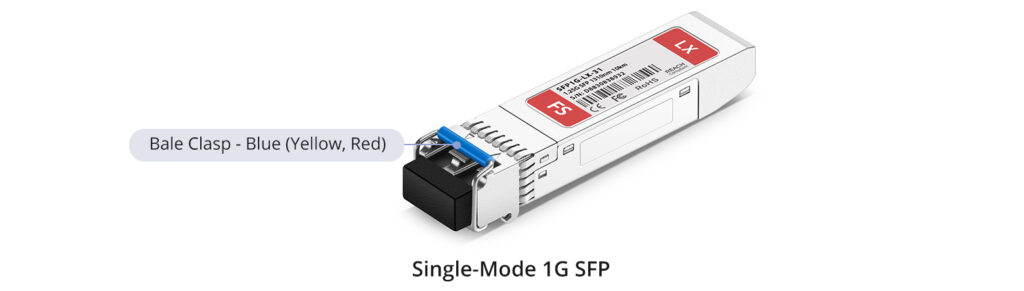
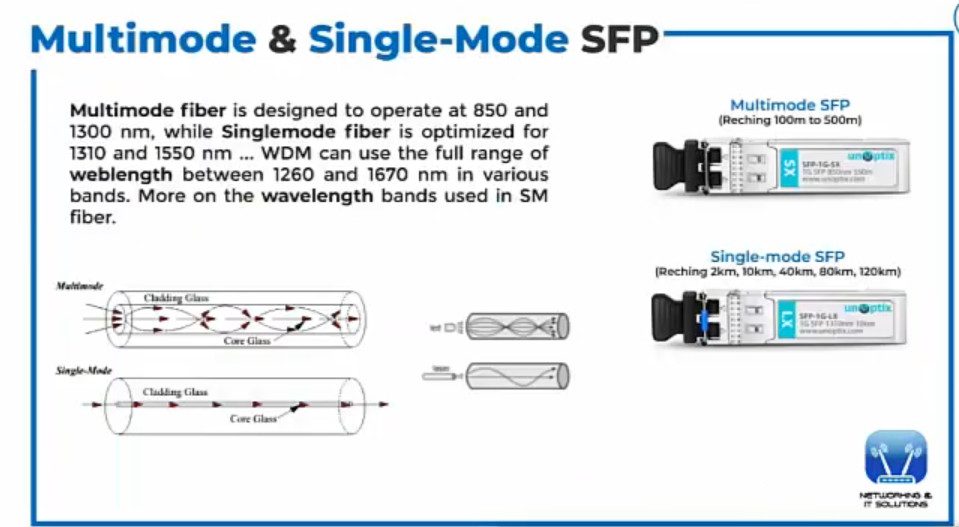
To determine if your SFP (Small Form-factor Pluggable) module is single mode or multimode, you can look for specific markings or labels on the module itself. Typically, single mode SFP modules are labeled as “SM” or “single mode,” while multimode modules may be labeled as “MM” or “multimode.” Additionally, single mode modules often have yellow-colored connectors, while multimode modules may have orange or aqua-colored connectors. It is important to check the specifications or documentation provided by the manufacturer to confirm the mode of your SFP module, as the labeling and color coding conventions may vary.
- Fiber Type: Single-mode fiber (SMF) uses one mode of light to propagate through the fiber. This means there is a single light path and it’s usually a laser-based light source.
- Core Diameter: A single-mode fiber has a small core diameter, typically around 9 micrometers.
- Distance: Single-mode SFP can transmit data over long distances, generally up to 150 kilometers, depending on the SFP model and its optical budget.
- Speed and Bandwidth: Single-mode fiber offers higher bandwidth than multimode and can support higher data rates because it has no modal dispersion due to the single light path.
- Fiber Type: Multimode fiber (MMF) allows multiple modes or light paths to propagate through the fiber, resulting in differential mode delay. This is usually an LED-based light source but can be laser-optimized for higher performance on later multimode fiber versions.
- Core Diameter: Multimode fiber has a larger core size, usually 50 or 62.5 micrometers, which enables multiple light paths.
- Distance: Multimode SFPs are suitable for shorter distances, generally up to 2 kilometers, but most are used for distances under 600 meters.
- Speed and Bandwidth: Multimode SFPs offer high bandwidth at short distances, but the bandwidth potential decreases with increased cable length due to modal dispersion.
- Color Coding: Multimode SFPs often have a black or beige bail, or aqua in the case of the enhanced 10Gbps versions (OM3/OM4).
- When choosing an SFP for a network application, it’s essential to consider the required distance, data rate, compatibility with the existing network infrastructure, and the cost. Single-mode fiber solutions are generally more suitable for long-haul applications, whereas multimode fiber is often preferred for short-range data communications, such as within a data center or a building.



SFP Slide Guide



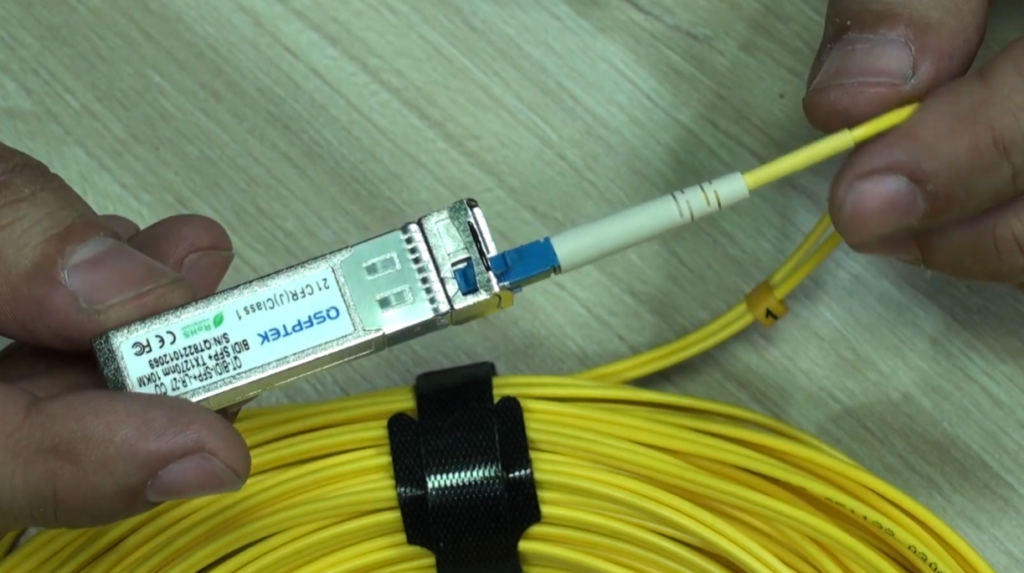
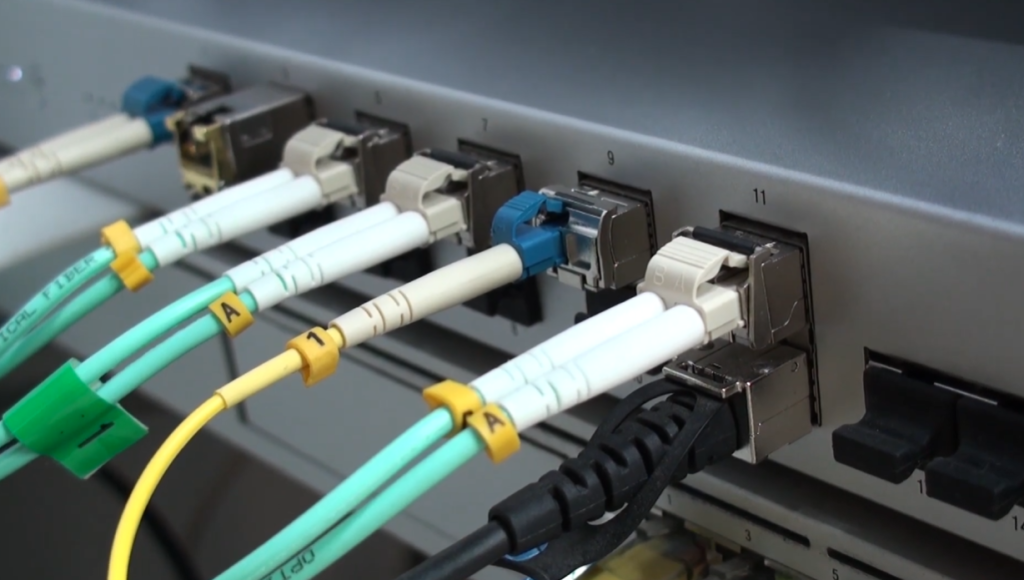
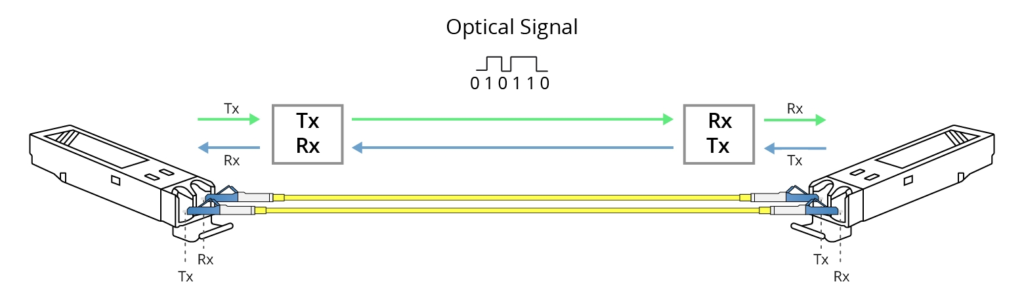




















PON SFP Details
- PON SFP (Passive Optical Network SFP) is a special type of optical transceiver module used in fiber-based broadband networks to connect network devices like OLT (Optical Line Terminal), switches, or routers to a PON fiber network. Unlike normal Ethernet SFP modules (which work point-to-point), a PON SFP works in a point-to-multipoint architecture where one fiber from the OLT is split using passive splitters to serve many ONUs/ONTs (customers). PON SFP modules support standards such as EPON, GPON, XG-PON, and XGS-PON and are designed to handle downstream broadcast traffic and upstream time-shared traffic using TDMA (Time Division Multiple Access).
- A PON SFP uses different wavelengths for upstream and downstream communication. For example, GPON SFP typically uses 1490 nm for downstream data, 1310 nm for upstream data, and 1550 nm for video (optional RF overlay). XG-PON and XGS-PON use higher wavelengths such as 1577 nm for downstream and 1270 nm for upstream, allowing higher bandwidth and coexistence with older PON systems on the same fiber. These SFP modules are usually classified into optical power classes like B+, C+, or C++ (GPON) and PR10/PR20/PR30 (XG/XGS-PON), which define how far the signal can travel (20 km, 30 km, or even 40 km).
- Functionally, a PON SFP installed in an OLT port manages authentication and communication with multiple ONTs using unique identifiers (ONU IDs) and encryption (AES). Downstream traffic is broadcast to all ONTs, but only the intended ONT can decrypt and read its own data. Upstream traffic is carefully scheduled so that each ONT transmits in its assigned time slot, preventing collisions. This makes PON SFP modules critical components in ISP networks, FTTH (Fiber to the Home) deployments, and enterprise fiber access solutions. In short, a PON SFP is not just a fiber optic transmitter—it is a smart optical interface designed for high-speed, long-distance, multi-user fiber access networks.
PON SFP Output Power
- A PON SFP (Passive Optical Network SFP) is a special optical transceiver module used in OLT equipment to transmit and receive fiber signals in a PON network. The two most important technical characteristics of a PON SFP are its output power (optical power class) and its wavelengths, which determine how far the signal can travel and how many users can be served on one fiber through passive splitters.
- In GPON PON SFP modules, different power classes such as B+, C+, and C++ define the optical output power and link budget. A B+ class PON SFP typically transmits downstream at around +1.5 dBm to +5 dBm and supports up to 20 km distance with an optical budget of about 28 dB. A C+ class PON SFP has higher output power, usually around +3 dBm to +7 dBm, allowing distances up to 30 km with an optical budget of about 32 dB. The highest common class, C++, provides even stronger output power of approximately +5 dBm to +9 dBm, enabling transmission up to 40 km and supporting high splitter ratios such as 1:64 or 1:128. Higher power output means the signal can overcome more fiber loss and splitter attenuation, but it also requires proper design to avoid overloading the receiver.
- PON SFP modules use different wavelengths for upstream and downstream traffic so both directions can work simultaneously on a single fiber. In GPON, the downstream wavelength from OLT to ONU is 1490 nm, while the upstream wavelength from ONU to OLT is 1310 nm. An optional video overlay service uses 1550 nm. In newer technologies like XG-PON and XGS-PON, higher wavelengths are used: 1577 nm for downstream and 1270 nm for upstream, which allows higher data rates and coexistence with GPON on the same fiber. In summary, a PON SFP’s output power determines how far and how many users it can serve, while its wavelengths determine how upstream and downstream communication are separated and optimized on a single optical fiber.
Quick Comparison (Output Power)
| Class | TX Output Power (1490 nm) | Optical Budget | Distance |
|---|---|---|---|
| B+ | +1.5 to +5 dBm | ~28 dB | 20 km |
| C+ | +3 to +7 dBm | ~32 dB | 30 km |
| C++ | +5 to +9 dBm | ~35 dB | 40 km |
Downstream Upstream EPON GPON How Work OLT ONU
- In fiber access networks, EPON (Ethernet Passive Optical Network) and GPON (Gigabit Passive Optical Network) use a point-to-multipoint architecture where one fiber from the OLT is shared by many ONUs through passive splitters. The terms download stream (downstream) and upload stream (upstream) describe the direction in which data flows between the service provider and the customer. Although EPON and GPON are based on different standards, both use separate wavelengths and controlled transmission methods to allow reliable two-way communication on a single optical fiber.
- In both EPON and GPON, the downstream (download stream) is the traffic sent from the OLT to all connected ONUs. This stream carries user data such as web pages, video streaming, software downloads, IPTV, and updates from the service provider. Downstream traffic is broadcast in nature, meaning the OLT sends data to every ONU on the same PON line at the same time, but each ONU only reads and decrypts the data meant for it. EPON downstream typically operates at 1.25 Gbps using a wavelength of 1490 nm (or sometimes 1550 nm), while GPON downstream operates at 2.5 Gbps using a wavelength of 1490 nm. Because downstream is shared among many users, the available bandwidth is divided among all connected ONUs based on demand and OLT scheduling policies.
- The upstream (upload stream) is the traffic sent from each ONU back to the OLT. This stream includes activities such as uploading files, sending emails, video conferencing, cloud backups, and any data generated by the user toward the internet. Since many ONUs share the same fiber path back to the OLT, upstream communication is carefully controlled using TDMA (Time Division Multiple Access). The OLT assigns specific time slots to each ONU so that only one ONU transmits at a time, preventing signal collision on the fiber. In EPON, upstream speed is typically 1.25 Gbps at a wavelength of 1310 nm, while in GPON the upstream speed is 1.25 Gbps also at 1310 nm. This structured time-slot system ensures fair bandwidth usage and stable performance for all users.
- In summary, for both EPON and GPON, the downstream (download stream) flows from OLT to ONU using higher-power broadcast transmission to deliver internet and media services, while the upstream (upload stream) flows from ONU to OLT using time-controlled transmission to avoid collisions. EPON usually provides symmetrical speeds of about 1.25 Gbps in both directions, whereas GPON provides higher downstream speed (2.5 Gbps) and lower upstream speed (1.25 Gbps), making GPON more suitable for services like video streaming and IPTV where download traffic is heavier than upload traffic.
In simple terms:
OLT → ONU (Downstream): 1490 nm (GPON/EPON) or 1577 nm (XG/XGS-PON)
ONU → OLT (Upstream): 1310 nm (GPON/EPON) or 1270 nm (XG/XGS-PON)
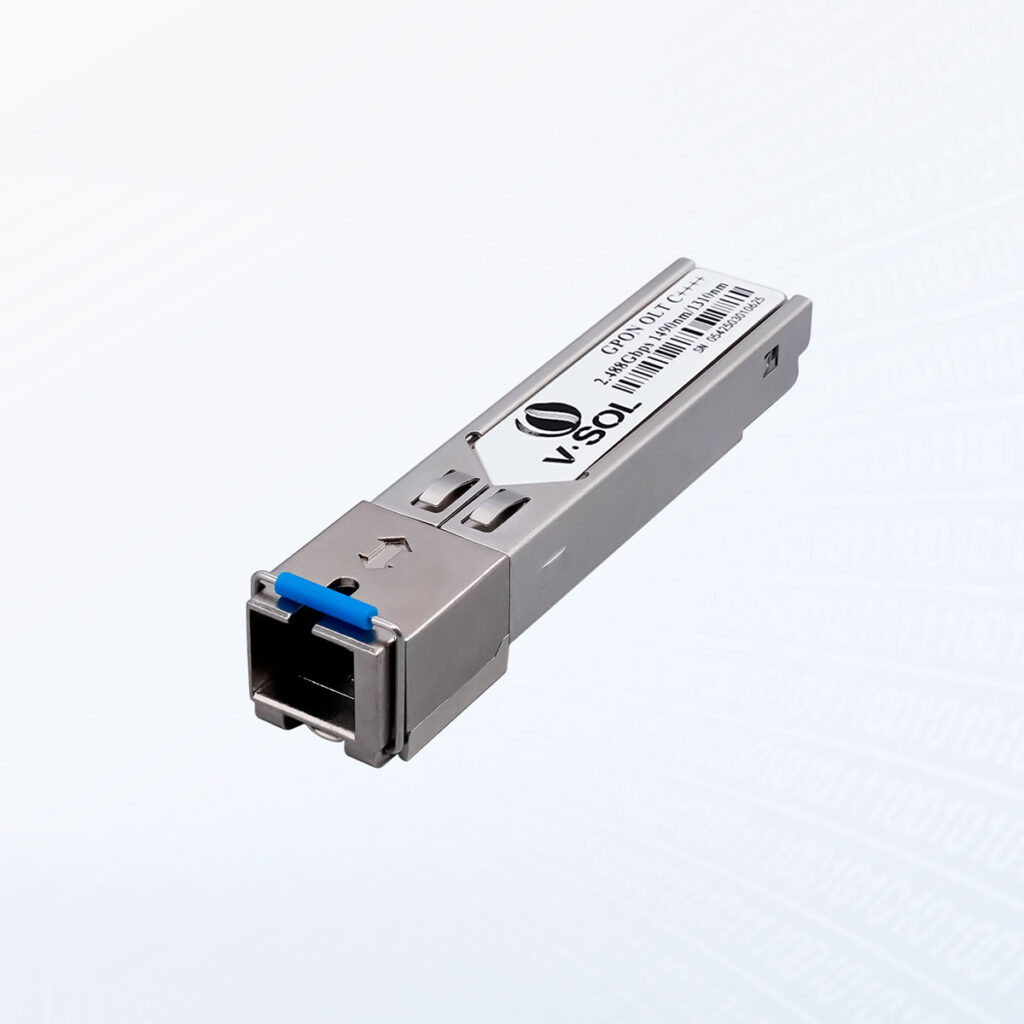
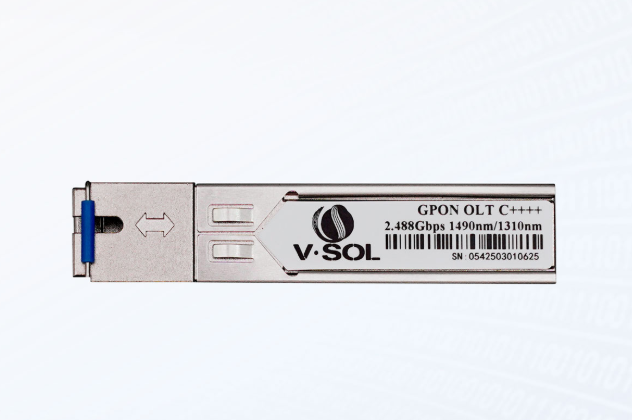
GPON OLT SFP Class C++ 1490nm-TX/1310nm-RX 20km Transceiver

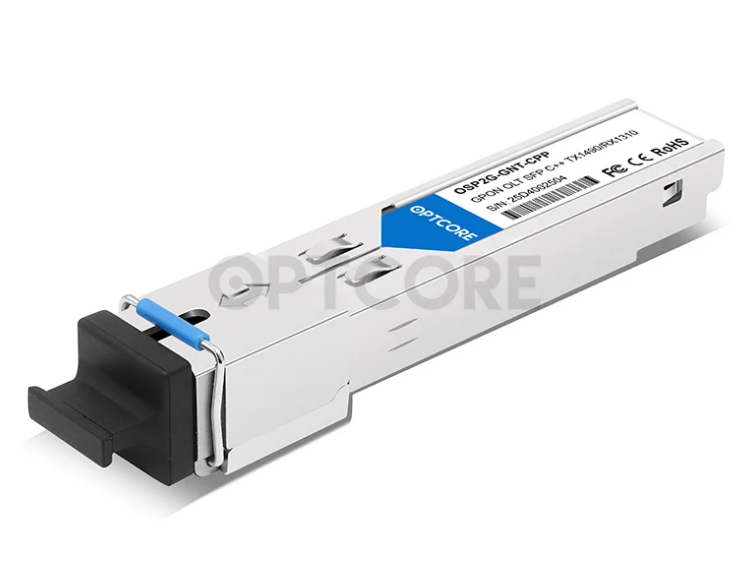
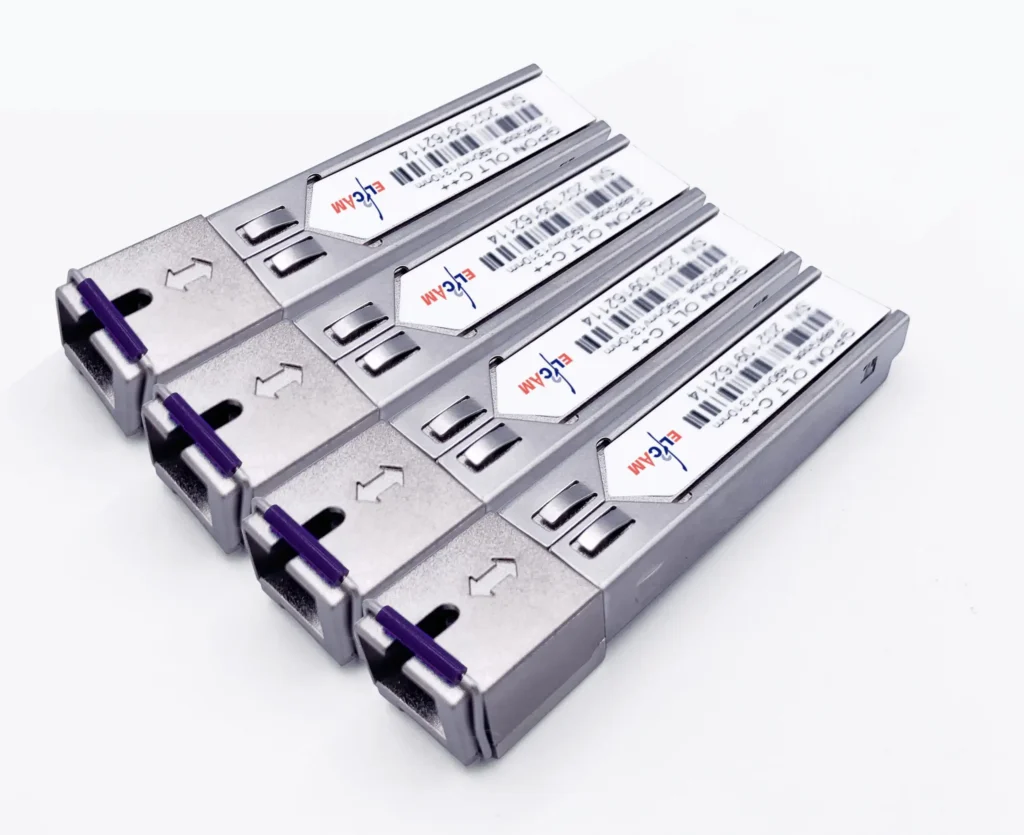
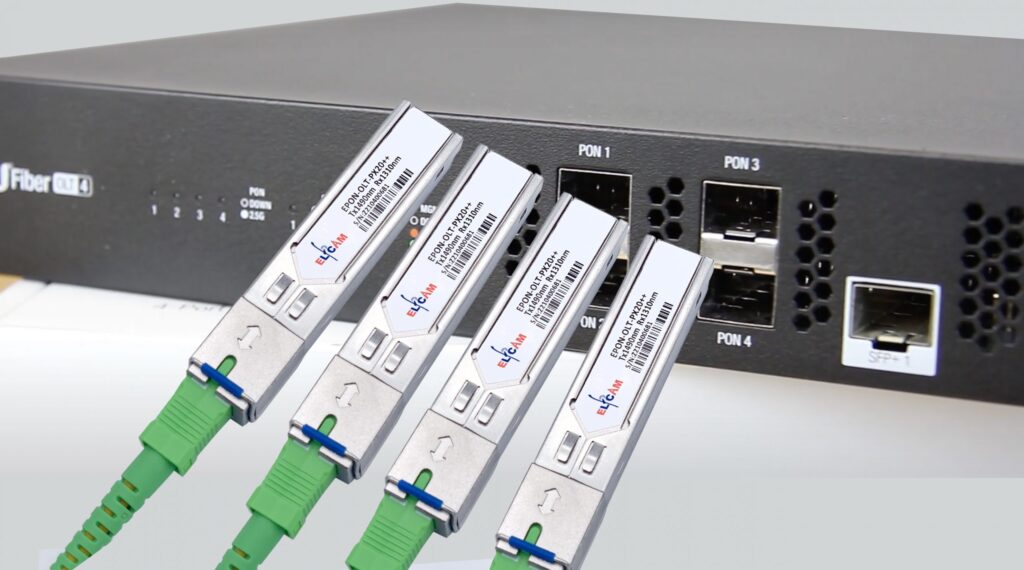

GPON OLT SFP C++++ Optical Module TX Power: 9~13dBm Rx Sensitivity: ≤-33dBm
PON SFP Types & Output Power Chart
PON SFP Types & Output Power Chart
| PON Type | Speed (Down / Up) | Tx Wavelength | Typical Output Power | Distance |
|---|---|---|---|---|
| APON / BPON | 155M / 622M | 1490 nm | 0 to +3 dBm | 10–20 km |
| EPON | 1.25G / 1.25G | 1490 nm | +2 to +7 dBm | Up to 20 km |
| GPON B+ | 2.5G / 1.25G | 1490 nm | +1.5 to +5 dBm | Up to 20 km |
| GPON C+ | 2.5G / 1.25G | 1490 nm | +3 to +7 dBm | 20–40 km |
| GPON C++ | 2.5G / 1.25G | 1490 nm | +5 to +9 dBm | 40 km+ |
| 10G-EPON | 10G / 10G | 1577 nm | +2 to +6 dBm | Up to 20 km |
| XG-PON | 10G / 2.5G | 1577 nm | +2 to +6 dBm | Up to 20 km |
| XGS-PON | 10G / 10G | 1577 nm | +2 to +7 dBm | Up to 20 km |
| NG-PON2 | 40G+ | Multiple | +4 to +8 dBm | 40 km+ |