Web Filtering & Content Filtering
Table of Contents
What is Web Filtering Policy

Firewall Web Filter is a security feature used in enterprise firewalls like Fortinet that controls and monitors access to websites based on security rules and policies.
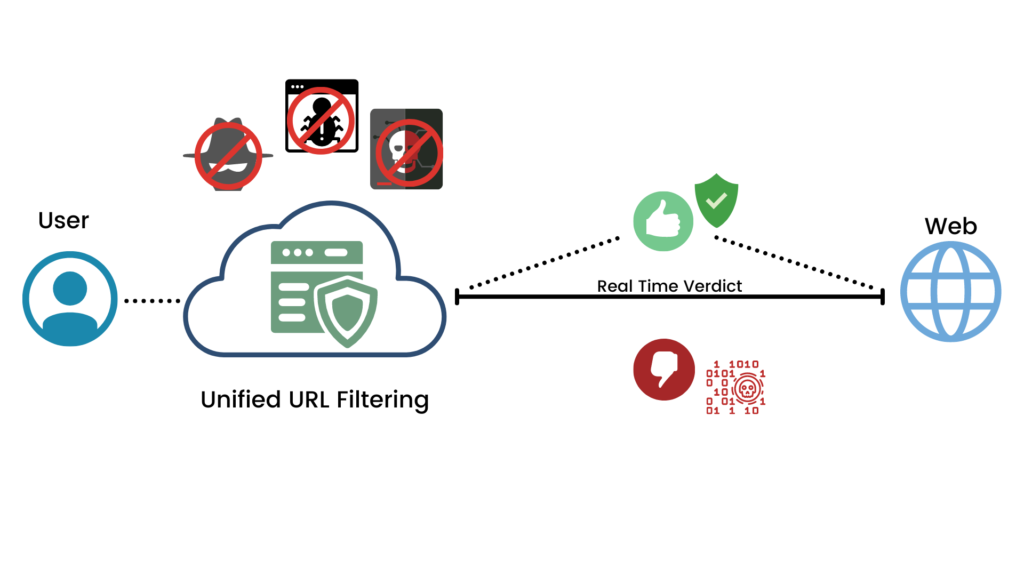
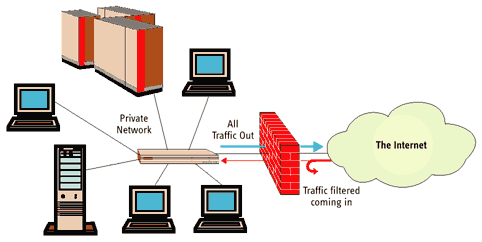
Web filtering works by checking every website request made by a user. When a user tries to open a website, the Firewall compares it with its Database and Policy rules to decide whether to allow, Block, or Restrict Access.
It is mainly used to protect organizations from harmful websites such as Phishing Sites, Malware-Infected Pages, and fake download links. This helps prevent cyber attacks and data theft.
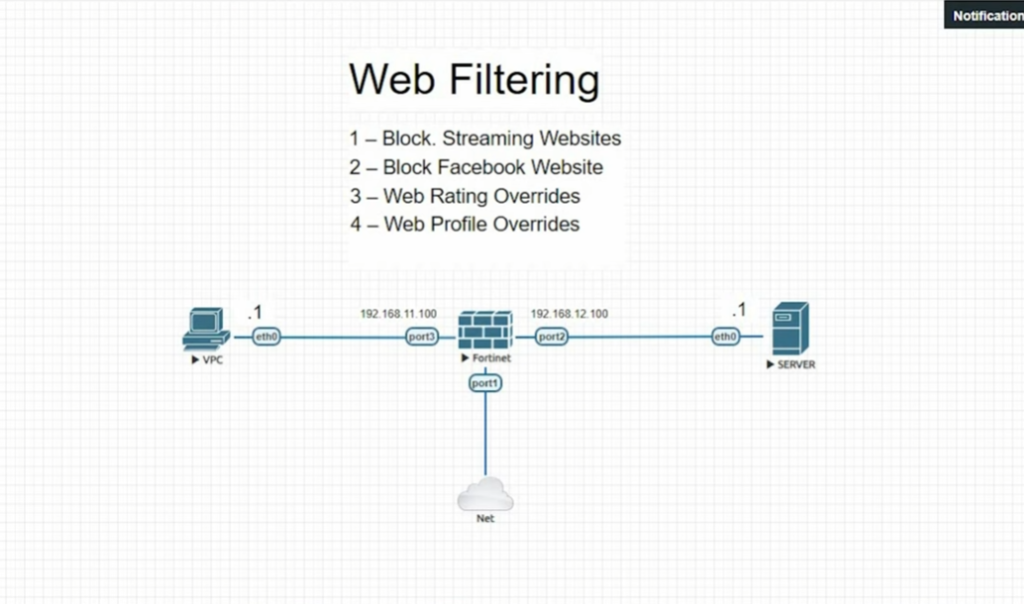
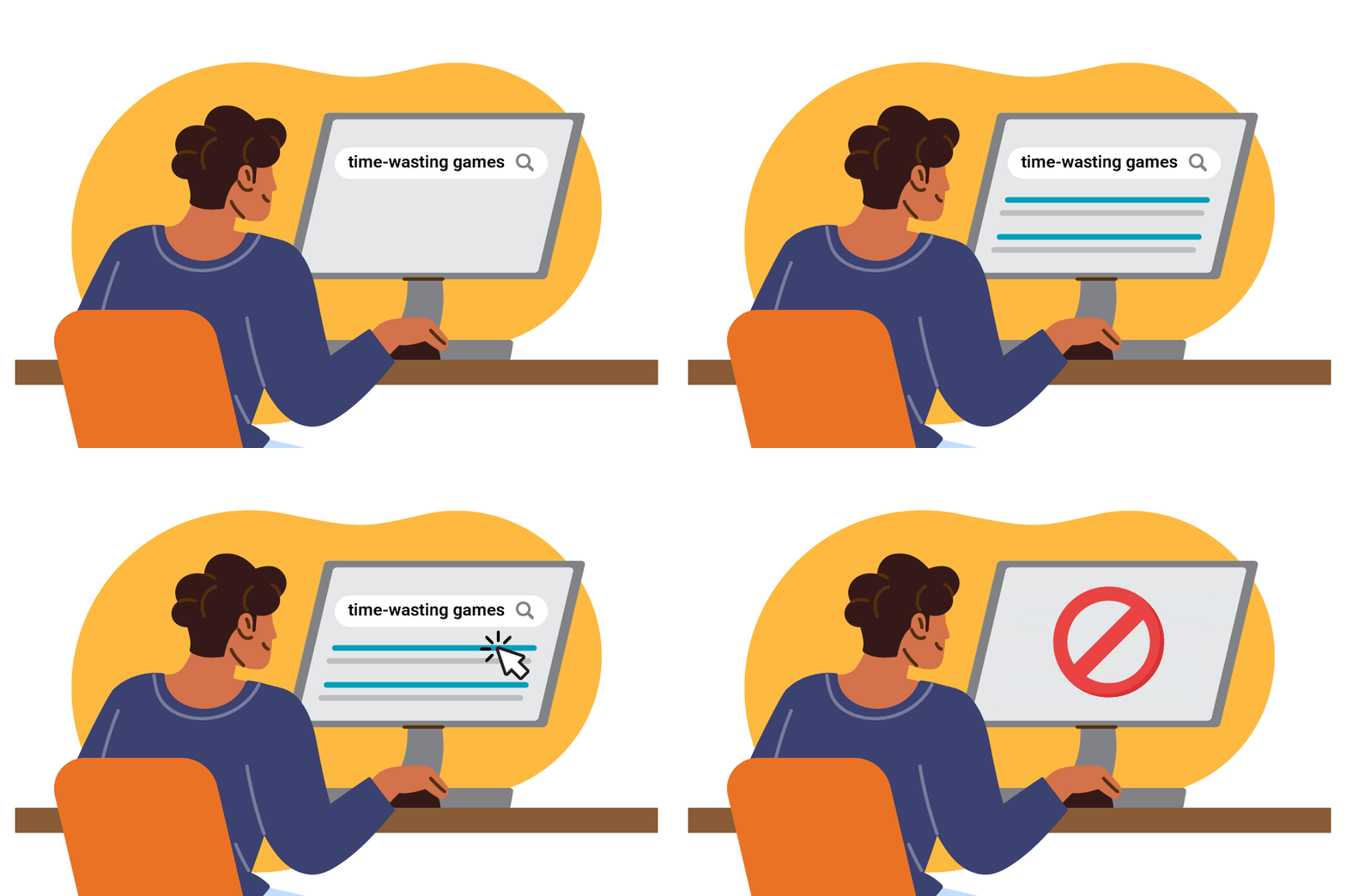
Web filters also block non-productive or unwanted websites in workplaces, such as social media, gaming, or streaming sites, depending on company policy.
The filtering system uses categories like social media, gambling, adult content, news, shopping, and malicious websites. Administrators can choose which categories should be allowed or blocked.
Another important feature is URL and keyword filtering, where specific websites or words can be blocked directly. It can also enforce safe search on platforms like Google and YouTube.
In enterprise environments, web filtering is used to protect employees, secure sensitive data, and maintain productivity. It also provides logs and reports of user internet activity for monitoring purposes.
In summary, firewall web filtering is a security mechanism that controls internet access, blocks harmful websites, and protects the organization from cyber threats while managing user browsing activity.
Example in Real Life:
In a bank, employees cannot access social media or unknown websites. The firewall allows only business-related sites, improving security and productivity.
Features of Web Filter Policy
1. URL Filtering:
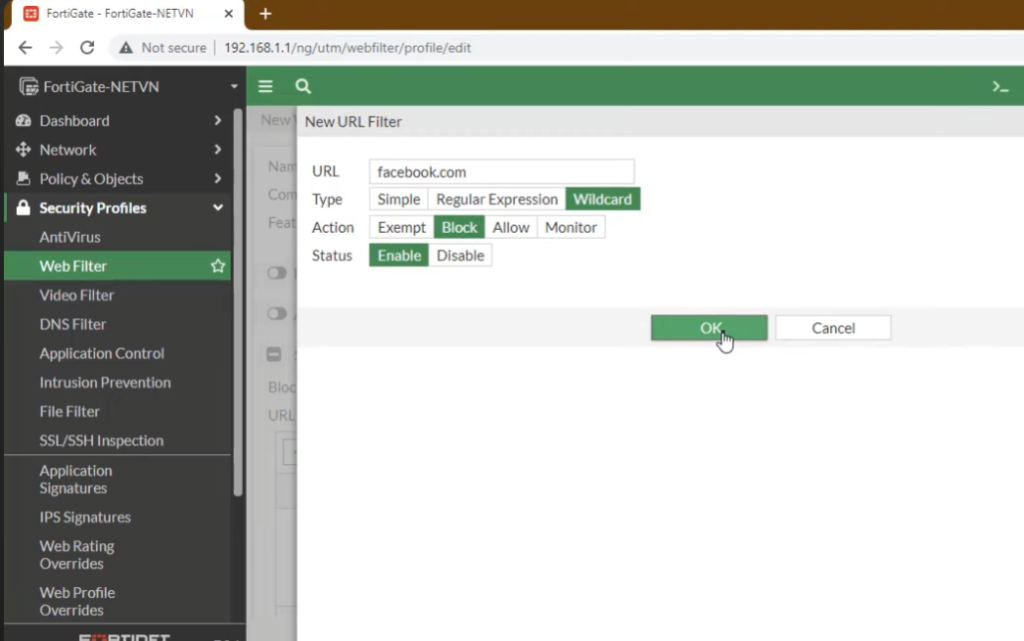
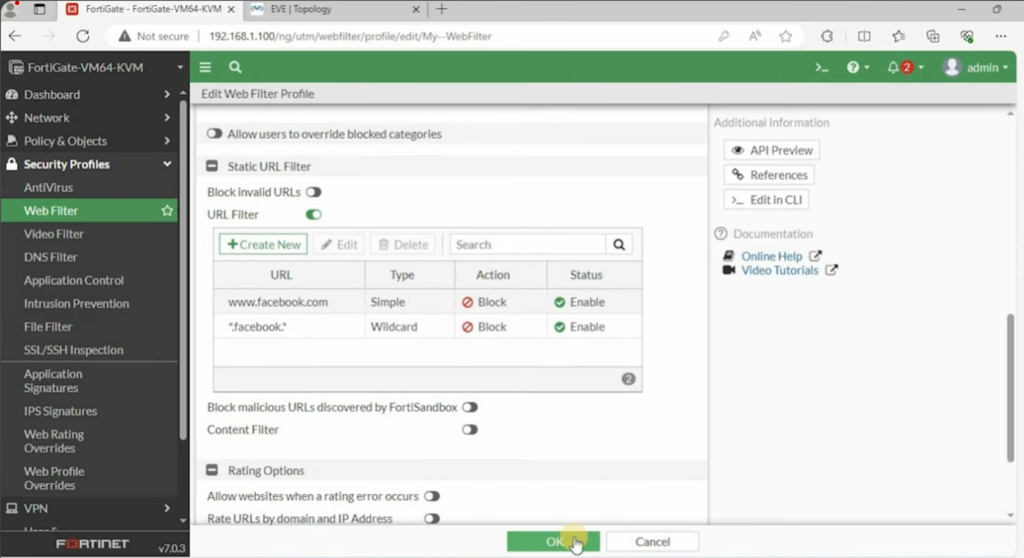
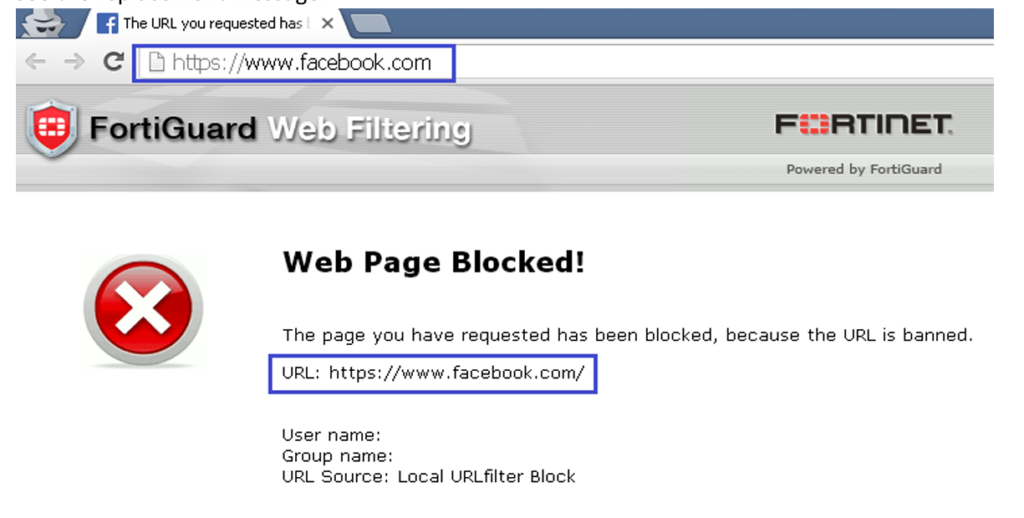
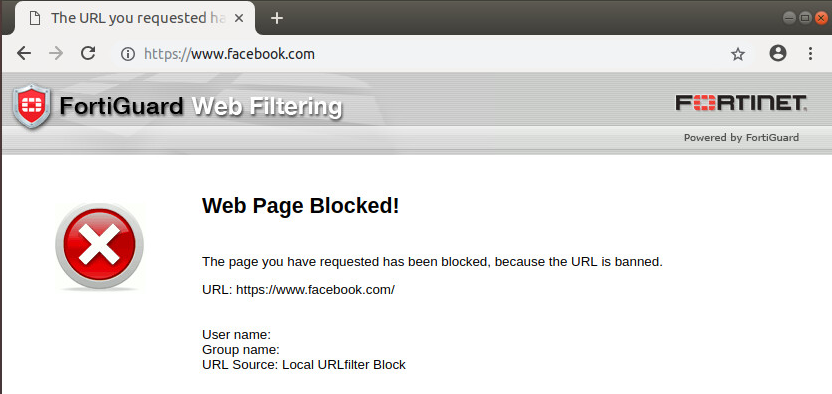
URL filtering allows the firewall to Allow or Block Specific Websites Based on their exact web address. For example, an organization can block facebook.com, youtube.com, or any unsafe site while allowing educational websites. It gives direct control over website access.
2. Web Category Filtering:
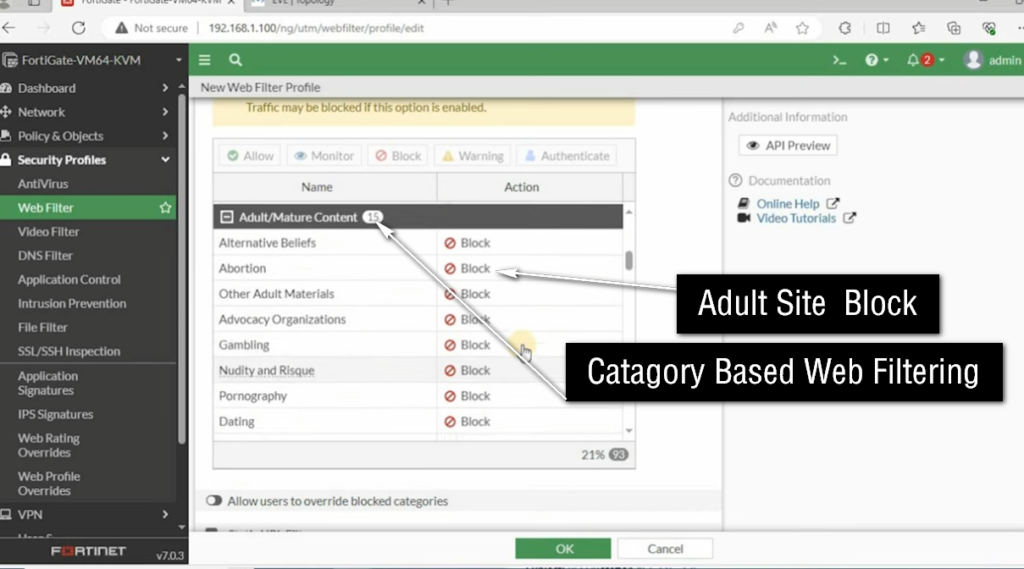
In this feature, websites are grouped into categories like Social Media, Gaming, Adult Content, news, streaming, shopping, and malware. The administrator can block or allow entire categories at once, making management easier and faster in large organizations.
3. Keyword Filtering:
Keyword Filtering blocks websites that contain specific words in the URL or page content. For example, if “games” is blocked, any website containing that keyword may also be restricted. This helps in preventing access to unwanted or risky content.
4. Safe Search Enforcement:
This feature forces search Engines like Google, YouTube, and Bing to use safe search mode, which filters out inappropriate or explicit content from search results. It is widely used in schools and offices.
5. HTTPS/SSL Inspection:
Modern websites use HTTPS encryption. Web filtering can inspect encrypted traffic to detect and block malicious or restricted content inside secure websites. Without this, threats hidden in HTTPS traffic cannot be detected.
6. Real-Time Threat Intelligence:
Web filters use updated cloud databases to block newly discovered malicious websites. If a site is reported as dangerous anywhere in the world, it can be automatically blocked in real time.
7. User-Based and Group-Based Policies:
Different rules can be applied for different users or departments. For example, students may have restricted access, while IT staff have full access. This provides flexible control based on roles.
8. Logging and Reporting:
Web filtering records all browsing activity, including allowed and blocked websites. These logs help administrators monitor user activity, investigate issues, and generate security reports.
9. Time-Based Access Control:
Web access can be controlled based on time. For example, social media sites may be allowed after working hours but blocked during office or class hours. This improves productivity.
10. Bandwidth Optimization:
Web filtering helps control bandwidth usage by blocking high-traffic sites like streaming or gaming platforms. This ensures important business or educational applications run smoothly.
Conclusion:
Web Filter provides security, control, monitoring, and productivity management by controlling how users access the internet and protecting the organization from harmful online content.
Without Web Filtering Policy, Schools and Colleges Problem
Without Web Filtering, schools and colleges can face several serious problems in their network and learning environment.
Students may access unwanted or harmful websites such as adult content, gambling sites, or violent material. This can affect discipline and create a negative learning atmosphere.
There is also a high risk of cybersecurity threats. Students may accidentally or intentionally open phishing sites, download malware, or click unsafe links, which can infect the entire school network.
Another problem is loss of productivity. Instead of studying, students may spend time on social media, Adult Site, gaming sites, or streaming platforms during class hours, which reduces focus on education.
Without web filtering, the institution also faces Bandwidth Misuse. Heavy usage of non-educational websites can slow down the internet for important academic work like online classes or research.
Schools may also face legal and compliance risks if students access illegal or restricted content using the institution’s network.
In some cases, there can be network security breaches, where hackers exploit unsafe browsing to attack school systems or steal data.
Without a Web Filter, students may be able to access inappropriate websites, including adult and pornographic content, if no other security controls are in place. This can create safety, productivity, and compliance issues for the school.
In summary, without web filtering, schools and colleges may face security risks, poor discipline, low productivity, and network misuse, making it difficult to maintain a safe and effective learning environment.
With Web Filtering,Policy Schools and Colleges
With Web Filtering in schools and colleges, the internet becomes safe, controlled, and focused on education.
Web Filtering blocks access to unwanted or harmful websites such as adult content, gambling, violence, and illegal sites. This ensures students are protected from inappropriate material and maintain discipline in the learning environment.
It also protects the network from cybersecurity threats. Malicious websites, phishing links, and infected downloads are automatically blocked, reducing the risk of viruses and hacking attacks on the school system.
With Web Filtering, students are guided to use the internet for educational purposes only. Websites related to learning, research, and academic resources are allowed, while non-productive sites like gaming or social media can be restricted during class hours.
It helps improve productivity and focus, as students spend more time studying instead of browsing entertainment websites. This creates a better academic environment.
Web Filtering also helps in managing internet bandwidth, ensuring that important applications like online classes, exams, and research tools run smoothly without slowdowns.
In addition, it provides monitoring and control for administrators, allowing schools to track internet usage and apply different rules for students, teachers, and departments.
Example of a School Network:
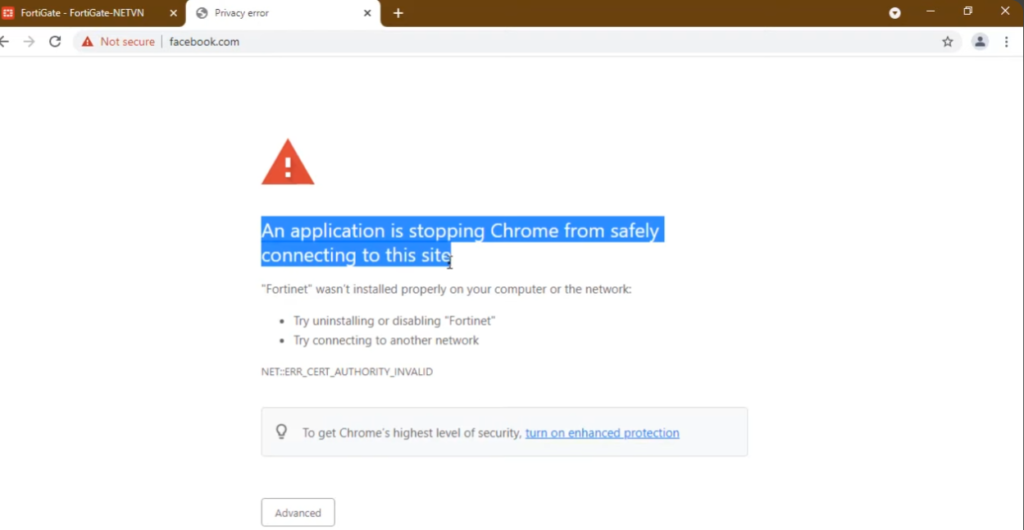
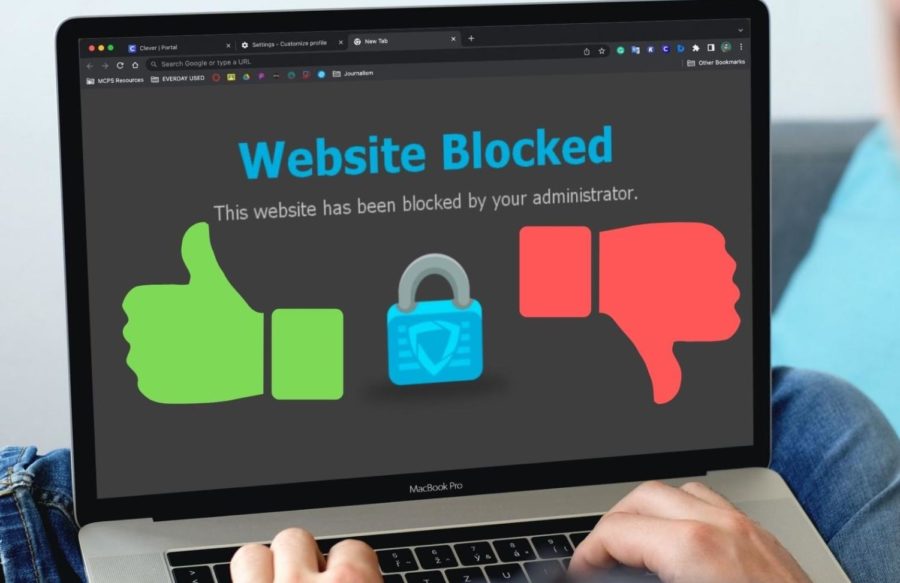
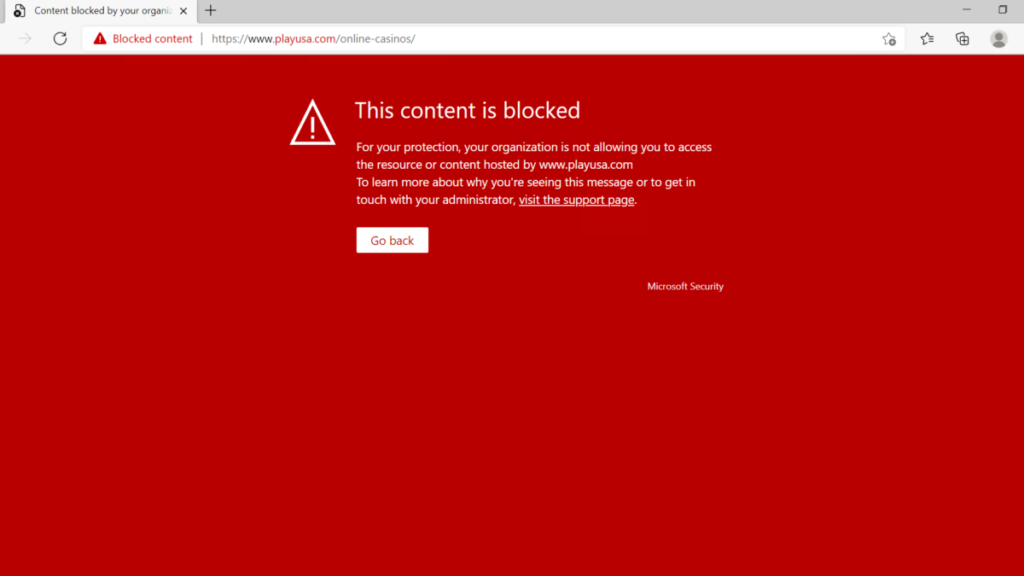
A school with 500 students provides internet access through its network. If web filtering is not enabled, a student may attempt to visit an adult website by entering its URL into a browser. With a web filtering solution such as a FortiGate Web Filter policy, the website category is identified and access is blocked. The student receives a message such as “Access Denied” or “Blocked by Web Filter Policy.”
In summary, with web filtering, schools and colleges get a secure, disciplined, and efficient internet environment that supports learning while protecting students and systems from online risks.
Web Filtering Types
1. URL-Based Filtering:
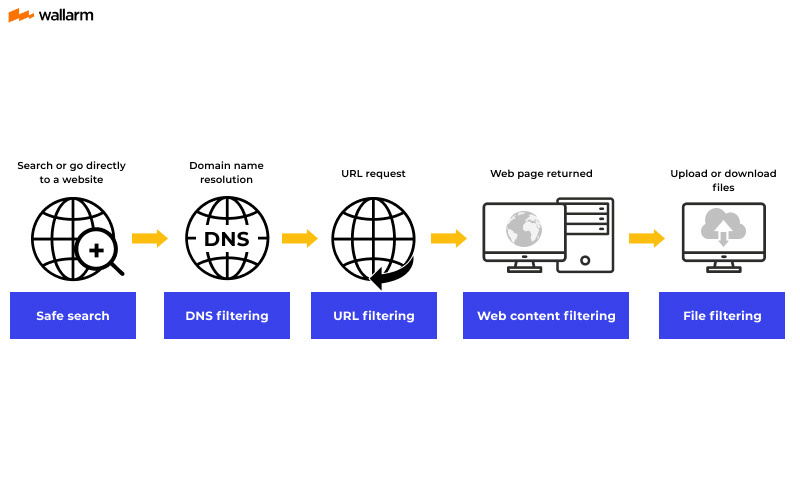
This type blocks or allows websites based on their exact URL (web address). For example, blocking facebook.com or allowing google.com. It gives direct control over specific websites.
2. Category-Based Filtering:
Websites are grouped into categories like social media, gambling, adult content, news, shopping, and malware. Administrators can block or allow entire categories instead of individual sites, making it easier to manage.
3. Keyword-Based Filtering:
This type blocks websites that contain specific keywords in the URL or content. For example, blocking the word “games” or “hack” can restrict related websites automatically.
4. DNS-Based Filtering:
In this method, the firewall blocks websites at the DNS level. When a user tries to open a domain, DNS filtering checks it and stops resolution if it is unsafe or restricted.
5. IP-Based Filtering:
Instead of domain names, this method blocks or allows websites based on their IP address. If a website’s IP is blocked, users cannot access it even if they know the domain.
6. File-Type Filtering:
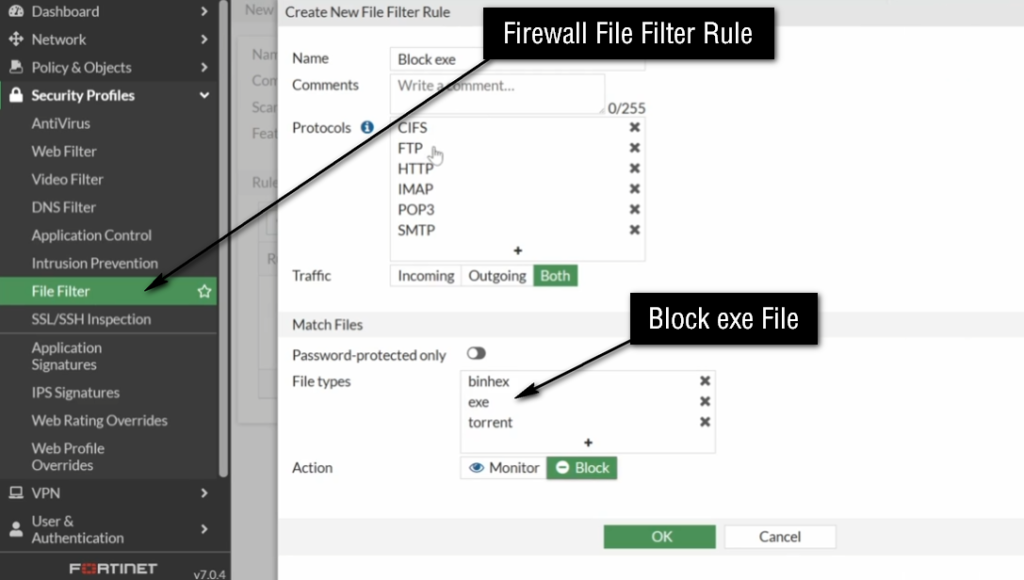
This type controls downloads based on file extensions. For example, it can block .exe, .apk, or other risky file types to prevent malware infections.
7. AI / Reputation-Based Filtering:
Modern firewalls use threat intelligence to check the reputation of websites in real time. If a site is marked as dangerous or suspicious, it is automatically blocked.
Conclusion:
Web filtering types help organizations control internet access in different ways—by URL, category, DNS, IP, keywords, file types, and real-time threat intelligence—ensuring strong security and safe browsing.
What is Content Filtering

Content Filtering in a Firewall is a security feature that controls and monitors the type of content users can access on the internet or network. It works by inspecting web traffic and blocking or allowing it based on predefined security rules such as website categories, keywords, file types, or URLs. The main purpose is to ensure that users only access safe and authorized content while preventing harmful or inappropriate material.
When a user tries to open a website or download a file, the firewall checks the request in real time. It compares the requested content with the configured filtering policies. If the content matches a blocked category or rule, the firewall denies access. If it is allowed, the user can access it normally. This process happens automatically and very quickly.
Content filtering can control different types of online elements such as websites, applications, keywords, and file downloads. For example, an organization may block social media sites, gaming platforms, or executable files (.exe) to reduce security risks and improve productivity. It can also block websites that contain malware, phishing links, or inappropriate content.
For example, in a school network, students are usually allowed to access educational websites but restricted from visiting social media or gaming websites. This restriction is implemented using content filtering rules in the firewall to ensure a safe and focused learning environment.
Content filtering is important because it protects users from cyber threats, prevents access to harmful or inappropriate content, and helps organizations maintain proper internet usage policies. It also reduces the risk of malware infections and improves overall network security.
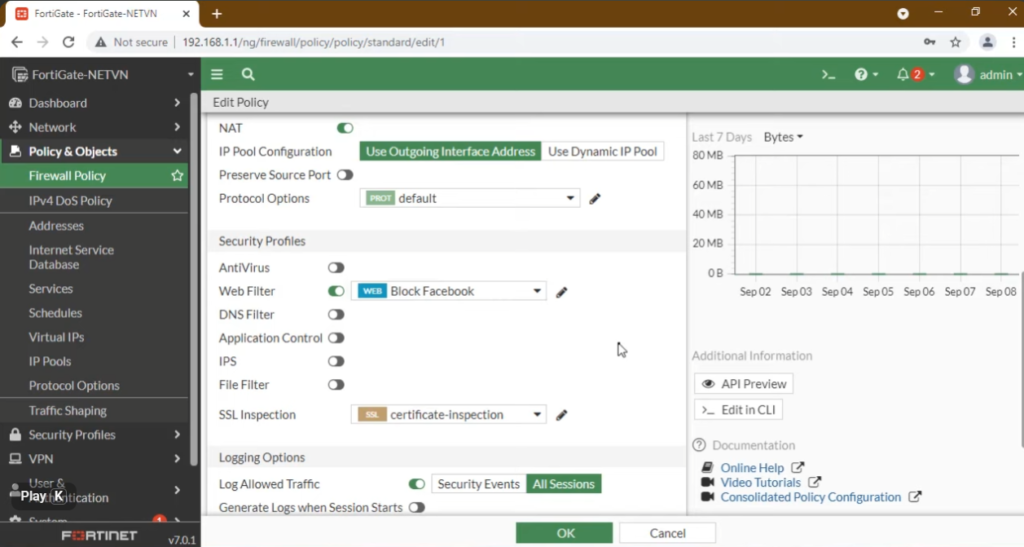
In advanced firewall systems like Fortinet FortiGate, content filtering is implemented through web filtering profiles where administrators can easily define categories and rules to control internet access based on organizational requirements.
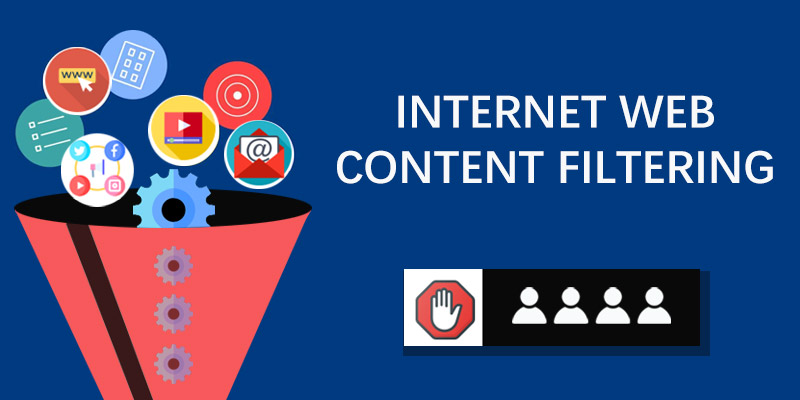
Example of Content Filtering in Firewall:
In an office network, the company uses a firewall to control employee internet usage. The administrator configures content filtering rules to block social media websites like Facebook, Instagram, and YouTube during working hours. So, when an employee tries to open these websites, the firewall automatically blocks the request and shows an “Access Denied” message.
In a school network, content filtering is used to ensure students only access educational resources. For example, websites related to online games, adult content, and streaming platforms are blocked. However, educational websites like Google Classroom or Wikipedia are allowed. This helps students stay focused on studies and avoids distractions.
In another example, if a user tries to download a harmful file like a “.exe” program from an unknown website, the firewall detects it as risky content and blocks the download. This prevents malware or virus infections in the system.
In advanced firewalls like Fortinet FortiGate, administrators can set categories such as “Social Media,” “Gambling,” or “Malware Sites” and apply filtering rules easily to allow or deny access based on company policy.
For example, a company may configure its content filtering policy to allow PDF and Microsoft Office documents while blocking executable files. When an employee attempts to download a file named setup.exe, the content filter detects the .exe extension and blocks the download. However, if the employee downloads a file named report.pdf, the download is allowed because it complies with the organization’s security policy.
Overall, content filtering improves network security, prevents malware infections, protects sensitive data, enforces organizational policies, and creates a safer computing environment for users.