Hierarchical Networking Diagram Architecture
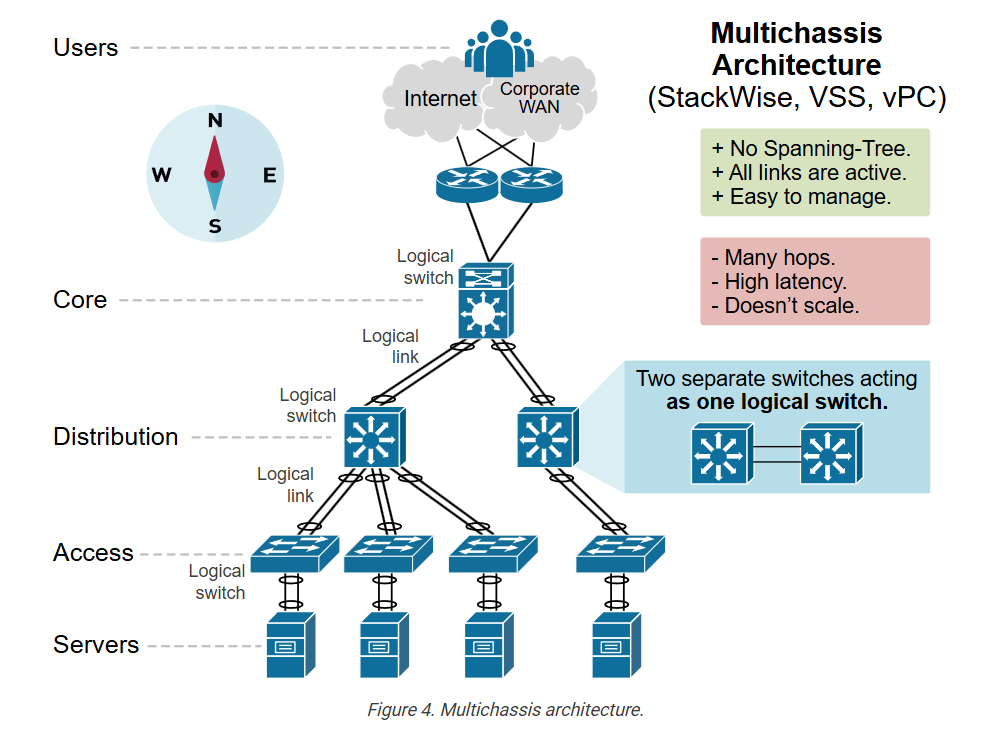
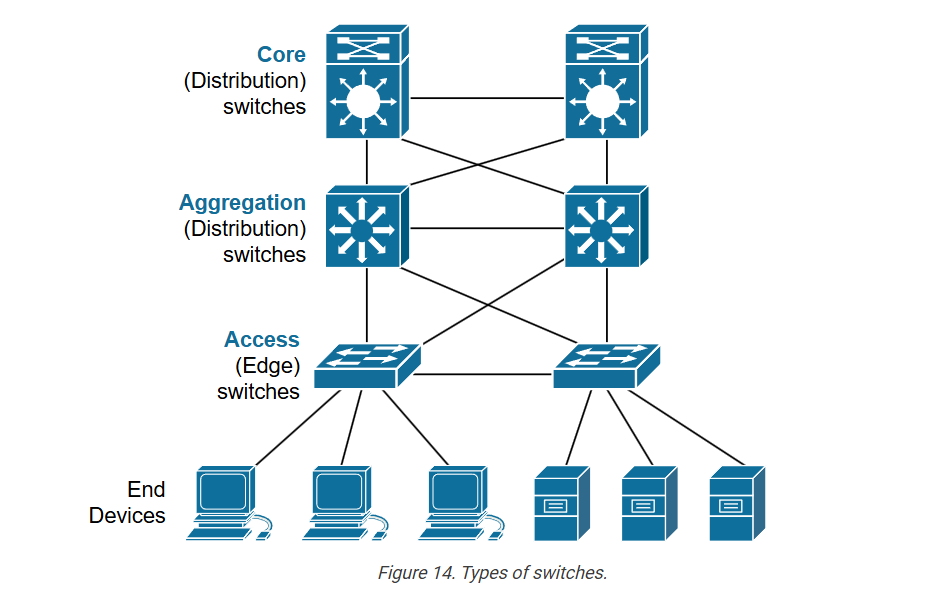
Network Designing is a process of placing the network devices (currently in use or to be used in the future) in such a manner that it follows all the Structured Engineering Principles which include Hierarchy, Modularity, Resiliency, and Flexibility. This Network Design often depends on the network size and requirements which are a critical factors for the successful implementation of any network.
Access Layer:
This layer consists of end devices (end-users, local servers, etc.) that have local access to the network.
- The Access Layer (commonly referred to as the network edge) is where the end-user devices connect to the network.
- It provides high-bandwidth connectivity.
- It provides Layer 2 Switching capabilities.
- Services like Port Security, Quality of Service (QoS), ARP Inspection are used in this layer.
- Discovery and Configuration Services like CDP, LLDP also run in the Access Layer.
- This layer plays a big role in protecting the network and malicious attacks because of its connection with the endpoints of the network.
Distribution Layer:
This layer basically provides policy-based connectivity and acts as a boundary between the Access Layer and the Core Layer. Data Filtering and Routing take place in this layer.
- The Distribution Layer is mainly responsible for collecting/aggregating data from the Switches of the Access Layer and distributing it to the rest of the network.
- It acts as a border as well as a connector to both the Access Layer and the Core Layer.
- It provides policy-based security by using Access Control Lists (ACLs) and filtering.
- The use of routing services (like EIGRP, OSPF. Etc.) also takes place in this layer.
- It provides Redundancy and Load Balancing.
Core Layer:
This layer is often considered to be the Backbone of the network which provides fast transport between the switches present in the Distribution Layer of the network. The Core Layer is considered to be the Backbone of the network and acts as an aggregation point for multiple networks.
- It consists of high-speed network devices responsible for switching packets as fast as possible.
- It provides interconnectivity between the Distribution Layer devices.
- It provides reliability and fault tolerance to maximize performance.
- It also plays a crucial role in avoiding CPU-intensive packet manipulation caused by security services (restrictive ACLs), Quality of Service (QoS) classification, inspection, etc.
Enterprise Network Architecture
What is Enterprise Network Architecture?
Enterprise Network Architecture is the overall design and structure of a company’s entire computer network.
It defines how servers, switches, routers, firewalls, data centers, branch offices, and users are connected to securely share data, applications, and internet services.
👉 In simple words:
It’s the blueprint of how a large organization’s network is built and works together.
Main Goals of Enterprise Network Architecture
Connectivity: All users, servers, and offices can communicate.
Security: Data and systems are protected from internal and external threats.
Performance: Fast, stable, and reliable connections.
Scalability: Easy to expand as the company grows.
Manageability: Centralized monitoring and control of the entire network.
Redundancy: Backup links and servers for high availability.
3-Tier Enterprise Network Architecture (Cisco Standard Model)
Enterprise networks are usually built in 3 layers 👇
Core Layer (Network Backbone)?
High-speed backbone of the network.
Connects all distribution layers and data centers.
Focuses on speed, redundancy, and reliability.
Devices:
High-end routers, Layer 3 switches, core firewalls.
Distribution Layer (Control & Management Layer)?
Connects access layer switches to the core.
Controls traffic with routing, VLANs, and access policies.
Acts as a bridge between users and the core network.
Devices:
Layer 3 switches, distribution routers, access control firewalls.
Access Layer (User Connectivity Layer)?
Provides direct connectivity to users and devices (PCs, printers, IP phones, Wi-Fi).
Controls who can access what.
Devices:
Access switches, wireless access points, edge firewalls.
Benefits of Good Enterprise Network Architecture?
High security and data protection
Fast and reliable communication
Centralized user and resource management
Easier troubleshooting and monitoring
Future-ready (scalable and flexible)
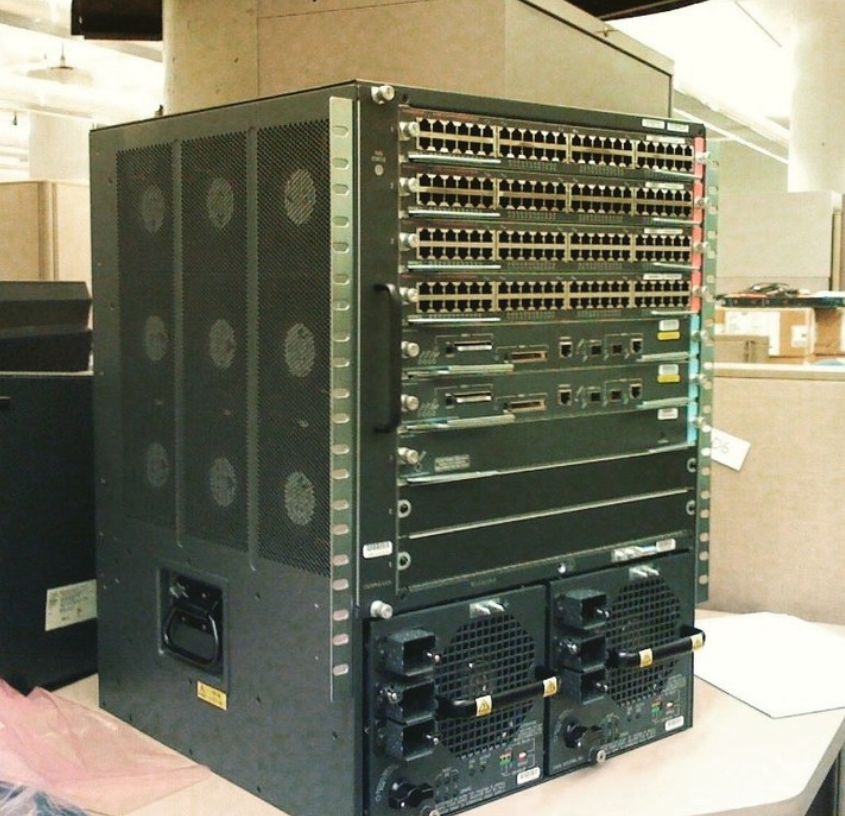
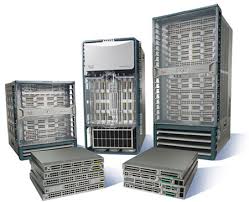
Cisco Core Layer Switch Models
Core Layer Overview
Core Layer = The backbone of the network.
Connects distribution layers and data centers.
Focuses on high speed, redundancy, and reliability.
Minimal packet processing — primarily switches traffic quickly.
Key Features of Core Layer Switches:
Very high throughput (10GbE, 40GbE, 100GbE, or higher)
Redundant power supplies and fans
High port density
Advanced routing capabilities (Layer 3)
Support for virtualization and high availability
Popular Cisco Core Layer Switch Models
| Model | Description / Use Case |
|---|---|
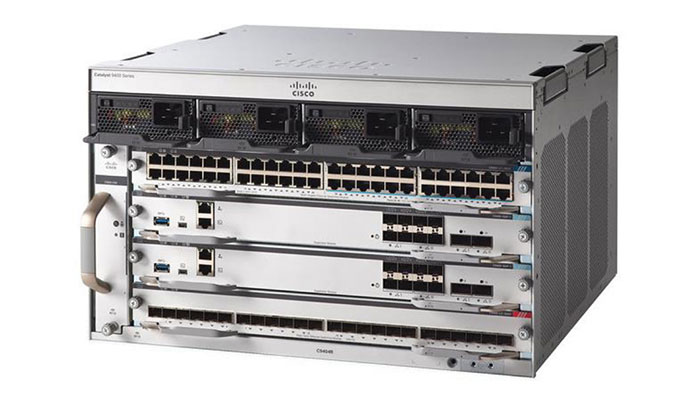
| Cisco Catalyst 9600 Series | Modular core switch for large campus networks. High performance, redundant, and scalable. |
| Cisco Catalyst 9500 Series | Fixed high-end core switch for enterprise campus networks. Layer 3 routing, high throughput. |
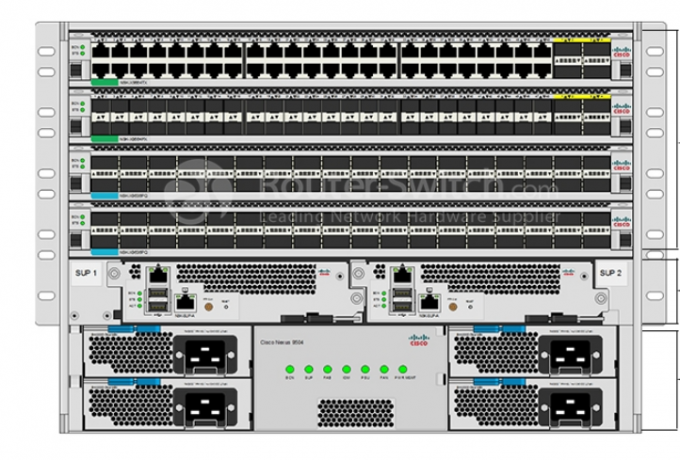
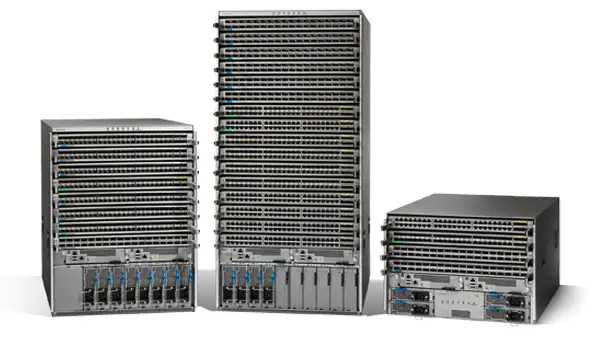
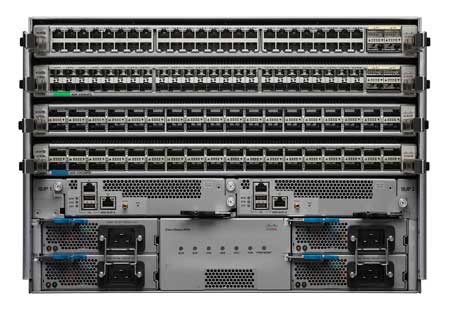
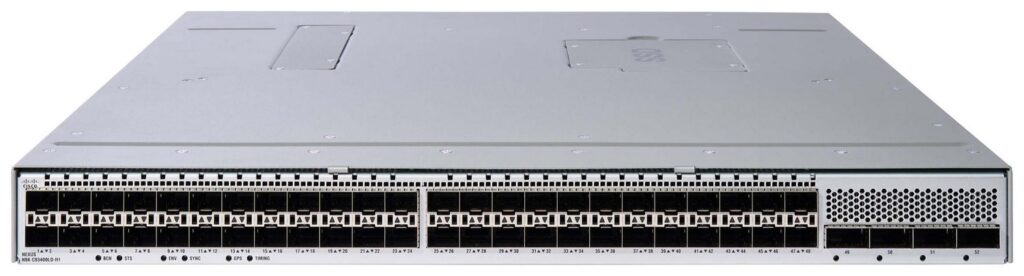
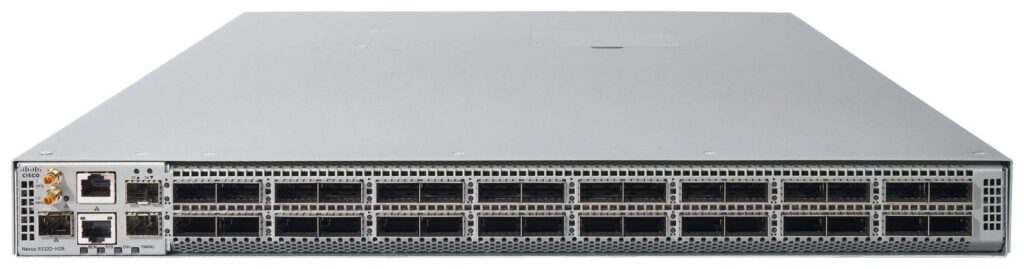
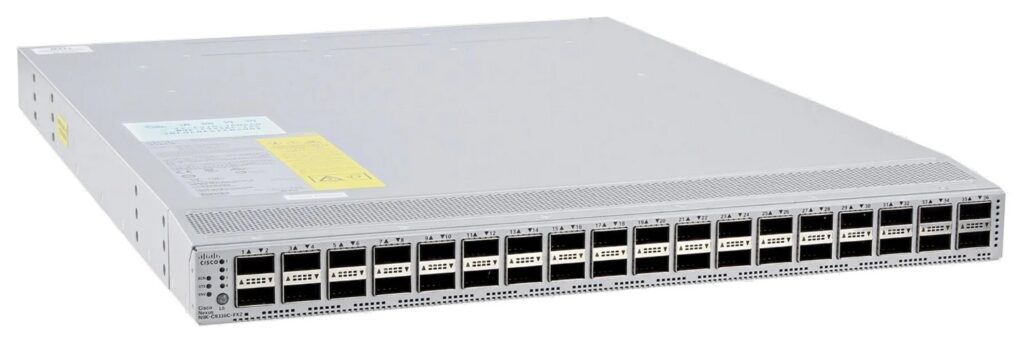
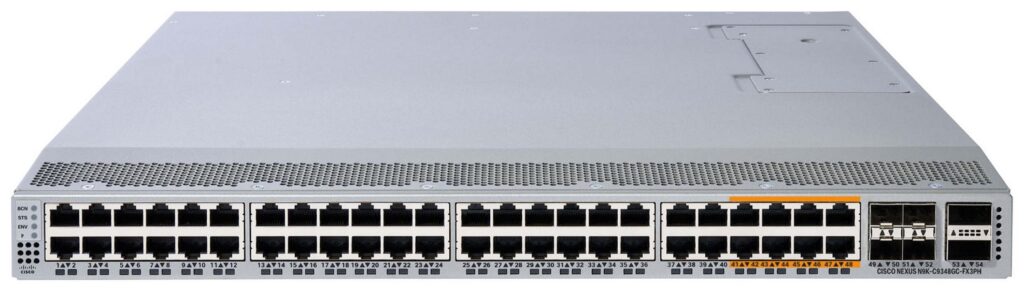
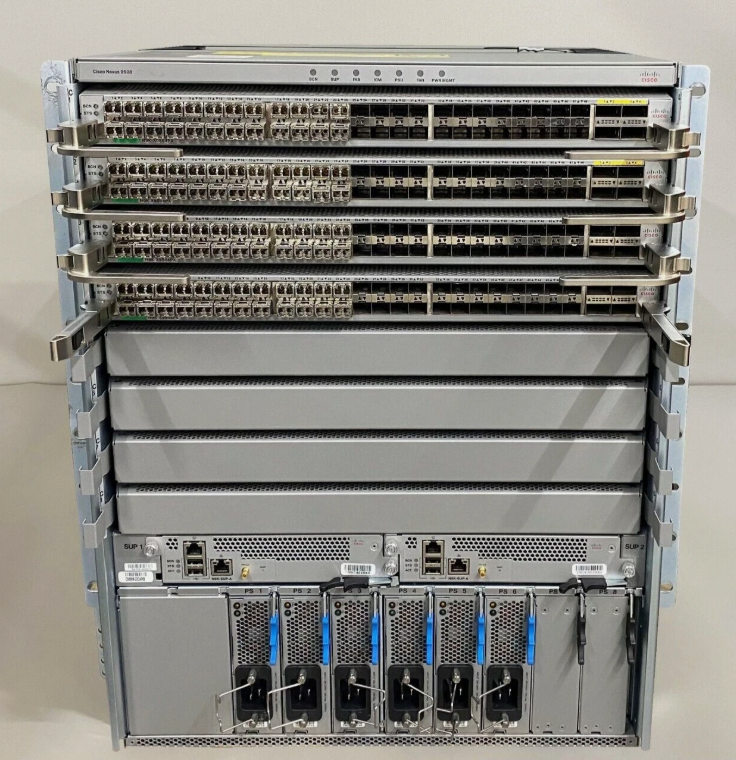
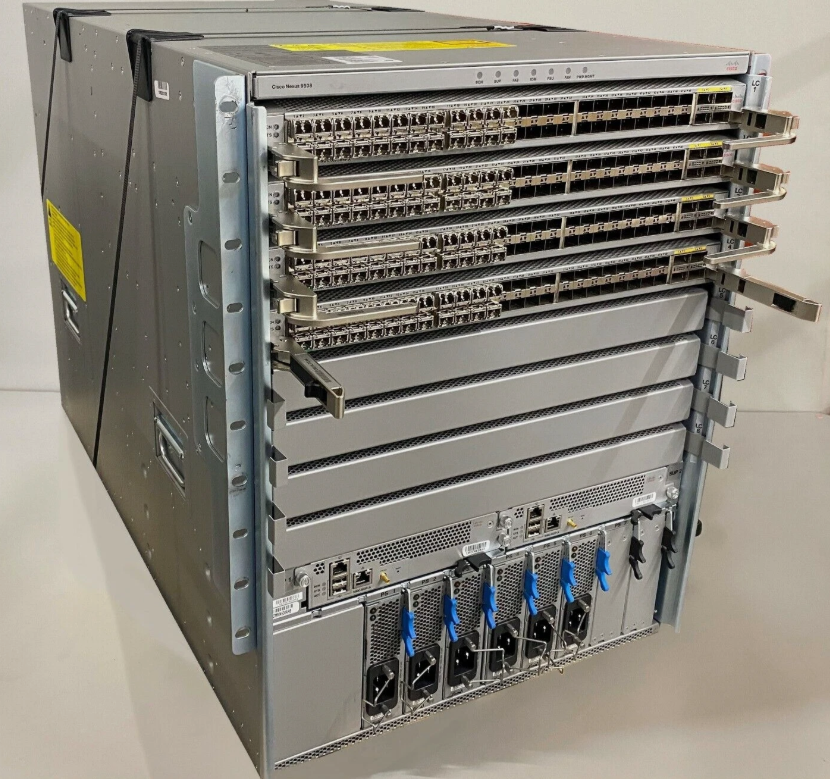
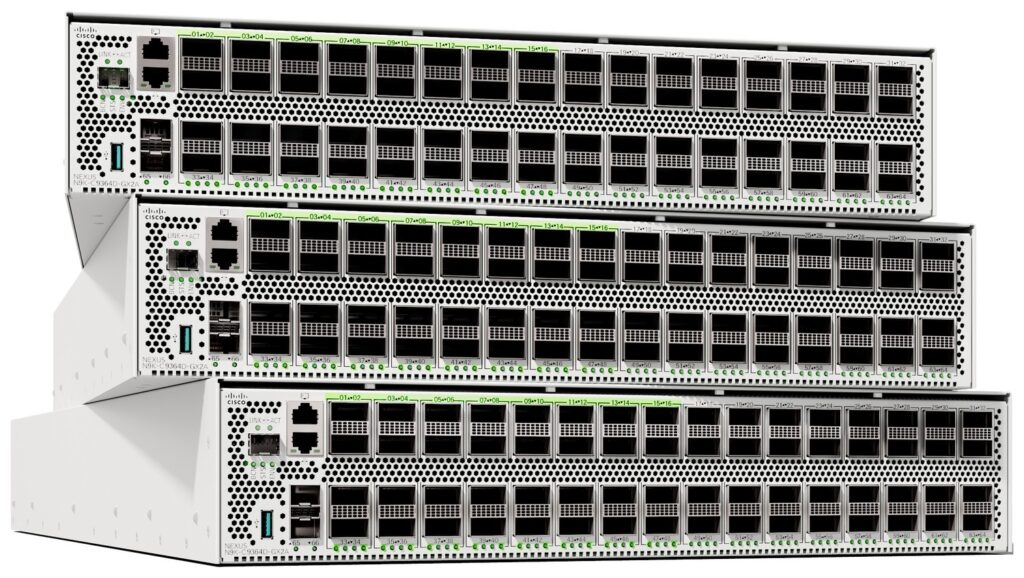
| Cisco Nexus 9000 Series | Data center core & spine switch. Very high bandwidth, low latency, designed for cloud-scale networks. |
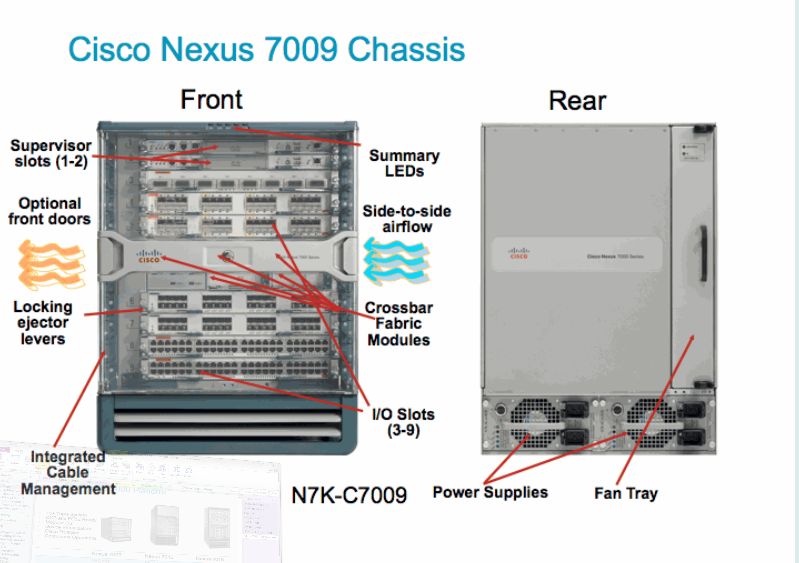
| Cisco Nexus 7000 Series | Modular data center core switches (older generation, still widely used). |
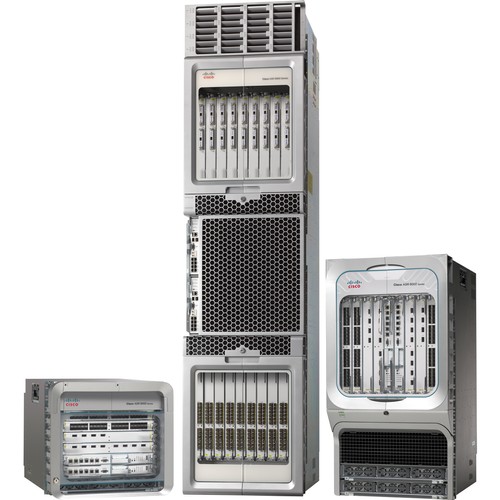
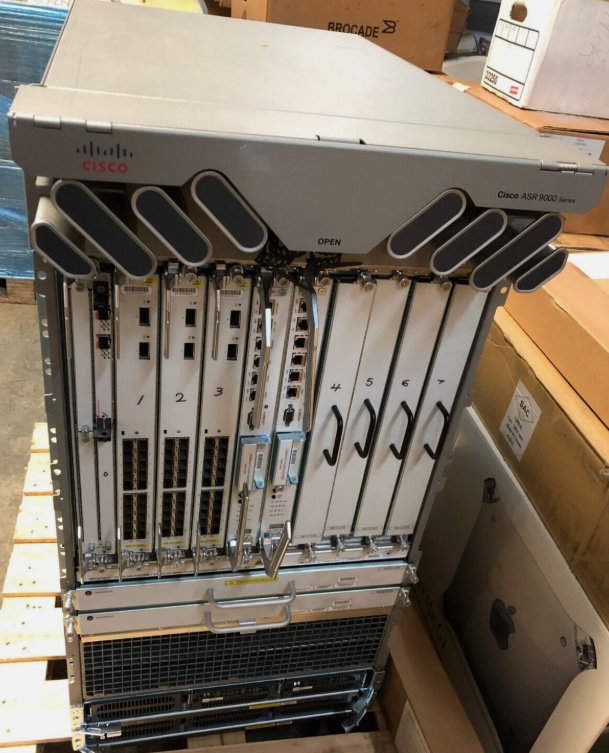
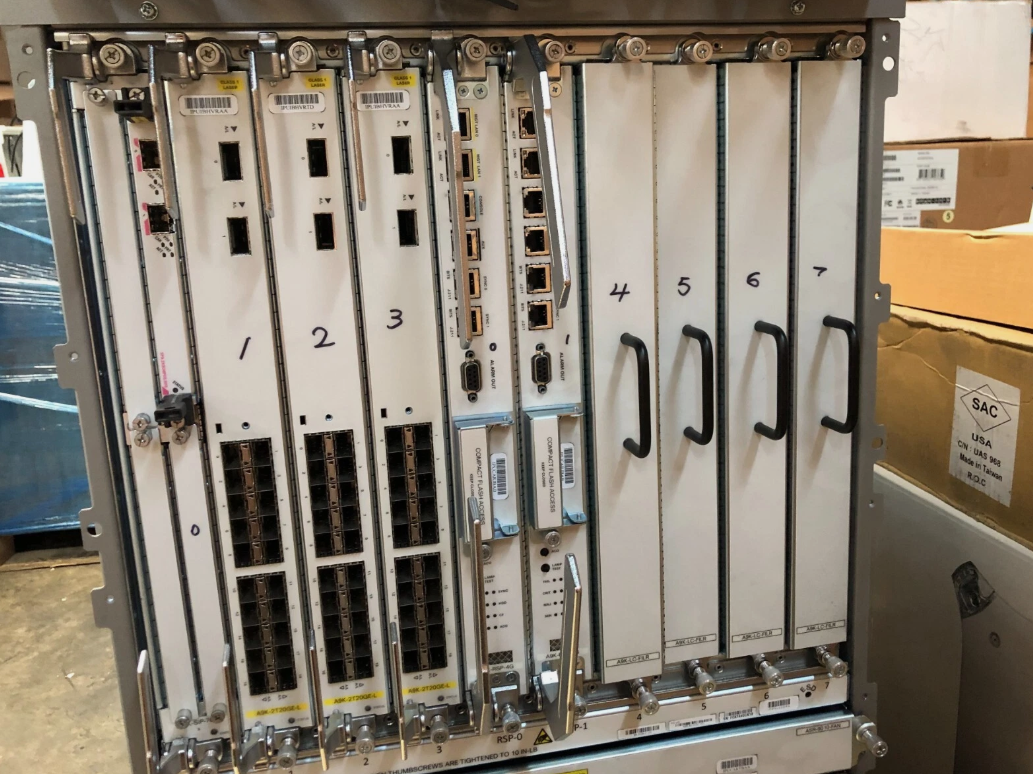
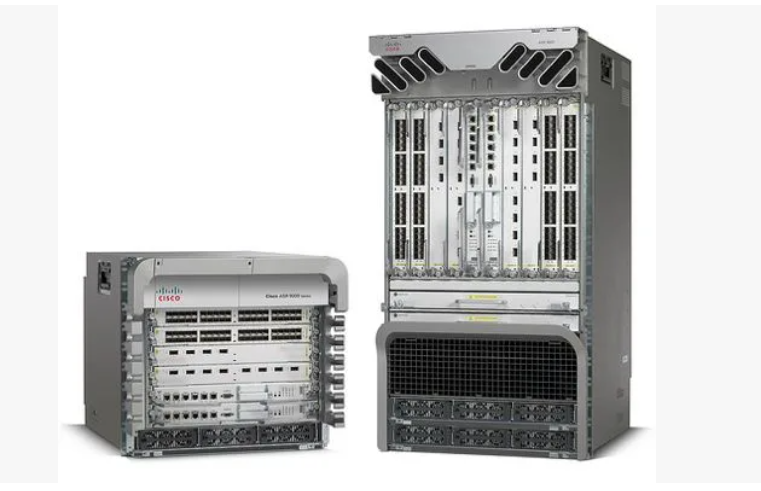
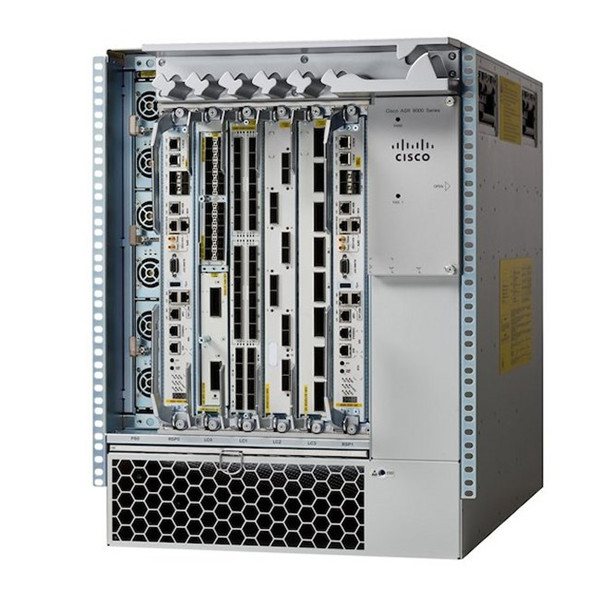
| Cisco ASR 1000 / 9000 Series | Core router-class devices, sometimes used as core switches in large enterprise WANs. |
Core Layer Design Principles
High-speed backbone: Handles massive traffic between distribution switches.
Redundancy: Dual power supplies, redundant supervisor modules, and link aggregation.
Layer 3 Routing: Supports inter-VLAN routing and advanced routing protocols (OSPF, EIGRP, BGP).
Minimal Latency: Avoids unnecessary processing; focuses on fast packet forwarding.
Scalability: Can expand port density or bandwidth as enterprise grows.
Summary
Core Layer Switch = Backbone Switch
Handles high-speed traffic between distribution layers
Cisco models: Catalyst 9600 / 9500, Nexus 9000, Nexus 7000
Focus: High throughput, redundancy, scalability, and Layer 3 routing
Cisco Distribution Layer Switch
Distribution Layer Overview
Distribution Layer = The aggregation layer between the Core Layer and Access Layer.
Aggregates multiple access switches.
Implements routing, policies, and security controls.
Controls traffic flow between VLANs and subnets.
Key Features of Distribution Layer Switches:
Layer 3 routing between VLANs/subnets
Policy enforcement (ACLs, QoS)
Redundancy and link aggregation
High port density (but less than core)
Stackable or modular depending on network siz
Popular Cisco Distribution Layer Switch Models
| Model | Description / Use Case |
|---|---|
| Cisco Catalyst 9300 Series | Stackable distribution switch for enterprise campus networks. Supports Layer 3 routing, PoE+, and advanced security. |
| Cisco Catalyst 9400 Series | Modular distribution switch for large campus networks. High scalability, redundancy, and advanced features. |
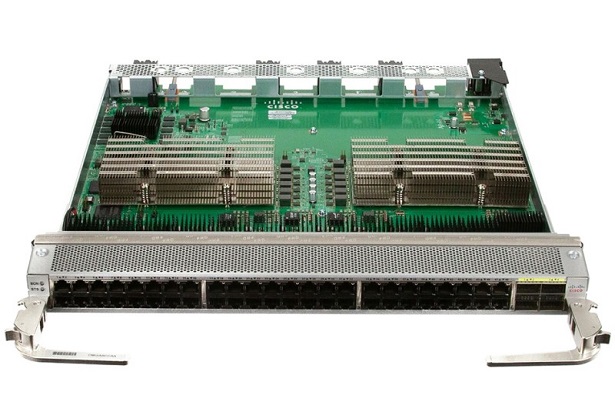
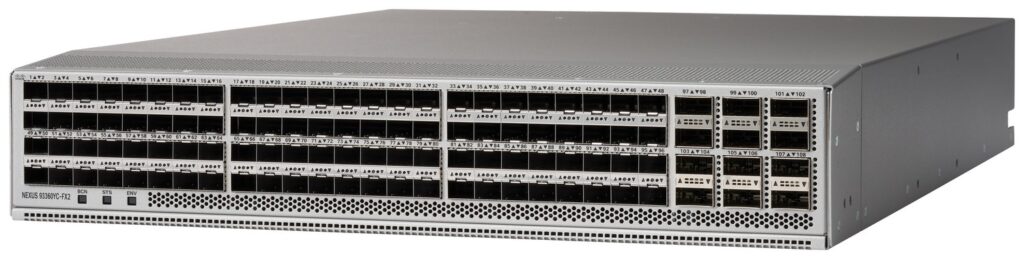
| Cisco Nexus 9300 Series | Data center leaf/distribution switch for aggregating servers and connecting to Nexus core switches. |
| Cisco Catalyst 3850 Series | Older stackable distribution switch with Layer 3 routing and PoE support. Still used in many campuses. |
| Cisco Catalyst 4500 Series | Modular distribution switch for medium-to-large enterprise campuses. Supports high-density ports and Layer 3 features. |
Distribution Layer Design Principles
Routing Between VLANs:
Supports inter-VLAN routing so users in different subnets can communicate.Policy Enforcement:
Implements ACLs, QoS, and security policies for traffic control.Aggregation:
Connects multiple access switches and uplinks to the core layer.Redundancy & High Availability:
Supports dual supervisors, redundant links, and stacking for resilience.Scalability:
Can handle more users or devices as the campus grows.
Simple Recommendation
| Enterprise Size | Cisco Distribution Switch Suggestion |
|---|---|
| Small-to-Medium Campus | Catalyst 9300 Series |
| Large Campus / HQ | Catalyst 9400 Series |
| Data Center Aggregation | Nexus 9300 Series |
| Medium-to-Large Campus | Catalyst 4500 Series |
Summary
Distribution Layer Switch = Aggregation / Policy Layer
Connects Access Layer to Core Layer
Cisco models: Catalyst 9300, 9400, 4500, Nexus 9300
Focus: Routing, security policies, redundancy, and traffic aggregation
Cisco Access Layer Switches
Access Layer Overview?
Access Layer = The layer where end devices connect to the network.
Connects PCs, laptops, IP phones, printers, and Wi-Fi access points.
Provides VLAN segmentation, port security, and PoE (Power over Ethernet).
Controls who can access the network.
Key Features of Access Layer Switches:
Layer 2 switching (sometimes Layer 3 for small networks)
PoE/PoE+ support for devices like IP phones and wireless APs
VLAN segmentation for traffic isolation
Port security and access control
Stackable for scalability
Popular Cisco Access Layer Switch Models?
| Model | Description / Use Case |
|---|---|
| Cisco Catalyst 9200 Series | Stackable access switch for enterprise campus networks. PoE+, Layer 2/3 support, advanced security. |
| Cisco Catalyst 2960-X / 2960-XR Series | Fixed access switch, Layer 2 switching with optional Layer 3 static routing. PoE support for IP phones and APs. |
| Cisco Catalyst 1000 Series | Small office / branch office access switch. Simple deployment, PoE, basic security features. |
| Cisco Catalyst 2960-L Series | Entry-level access switch for small campuses and branch offices. PoE support, stackable, compact design. |
| Cisco Catalyst 9200L Series | Economical version of 9200, stackable, Layer 2/3, PoE+ support. |
Access Layer Design Principles?
End-User Connectivity:
Connects all desktops, laptops, IP phones, and Wi-Fi APs.VLAN Segmentation:
Groups devices into logical networks (e.g., HR VLAN, Sales VLAN).PoE/PoE+:
Powers devices like IP phones and wireless access points without extra power cables.Port Security:
Limits which devices can connect to specific ports to prevent unauthorized access.Scalability:
Stackable switches allow multiple switches to act as one, simplifying management.
In Short
Access Layer Switch = User / Device Connectivity Layer
Provides network access to all end devices
Supports PoE, VLANs, and security
Common Cisco models: Catalyst 9200, 2960-X/XR, 1000
Catalyst 2960-X and 2960-XR Switches
Data Center Network Like Google,Facebook,Youtube
What is a Data Center Network (DCN)?
A Data Center Network is the network infrastructure inside a data center that connects servers, storage systems, and network devices to deliver applications, data, and services efficiently and securely.
👉 In simple words:
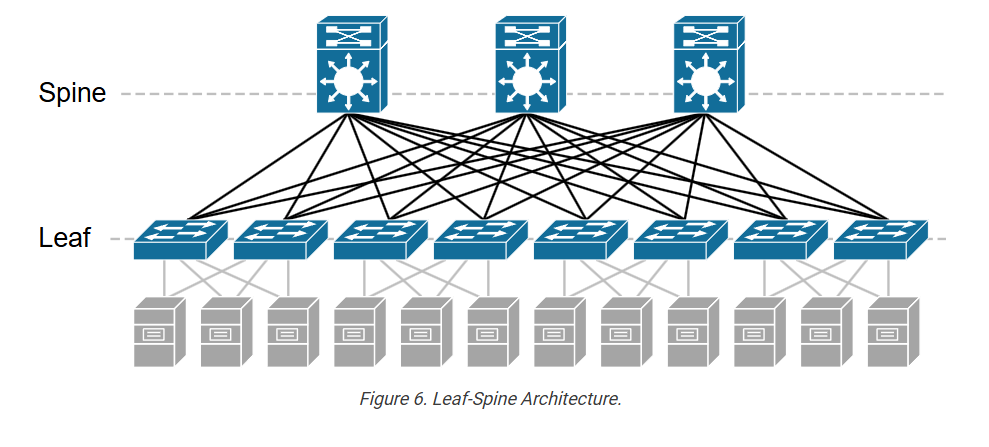
It’s the network “spine and leaf” system that ensures all servers, storage, and users inside and outside the data center can communicate quickly and reliably.
Main Goals of a Data Center Network
High Performance:
Supports large amounts of traffic between servers and storage.
Low Latency:
Ensures fast communication for applications like databases, virtualization, or cloud services.
High Availability & Redundancy:
No single point of failure — ensures continuous uptime.
Scalability:
Easy to add new servers, storage, or racks without redesigning the network.
Security:
Protects sensitive data using firewalls, ACLs, segmentation, and encryption.
Data Center Network Architecture?
Modern data centers often use a Leaf-Spine Architecture:
Core / Spine Layer
High-speed switches forming the backbone of the DC network.
Connects all leaf switches (access switches for servers).
Provides high bandwidth and low latency.
Devices: Cisco Nexus 9000, Cisco ACI Spine Switches
Leaf / Access Layer?
Connects servers, storage, and other devices to the network.
Handles east-west traffic (server-to-server inside the data center).
Devices: Cisco Nexus 9300, Catalyst 9500 (DC), Hypervisor NICs
Edge / Border Layer?
Connects the data center to external networks or the Internet.
Includes firewalls, load balancers, and WAN routers.
Devices: Cisco ASR 1000, Firewalls, Load Balancers
Traffic Types in Data Center Networks?
North-South Traffic:
Between data center and external networks (users accessing web applications).
East-West Traffic:
Between servers within the data center (VM-to-VM, storage access).
[Edge / Border Layer]
Firewall / Load Balancer
│
[Core / Spine Layer]
Nexus 9500 / 9000
┌───────────────┐
│ │
[Leaf / Access Layer] [Leaf / Access Layer]
Nexus 9300 / Catalyst Nexus 9300 / Catalyst
│ │
┌────────────┐ ┌────────────┐
│ Servers / │ │ Servers / │
│ Storage │ │ Storage │
└────────────┘ └────────────┘
Key Components of a Data Center Network
| Component | Purpose |
|---|---|
| Core / Spine Switches | High-speed backbone, connect all leaf switches |
| Leaf / Access Switches | Connect servers, storage, hypervisors |
| Firewalls / Load Balancers | Security and traffic optimization |
| Storage Network (SAN/NAS) | Data storage connectivity |
| Servers / Hypervisors | Run applications, VMs, or databases |
| Management & Monitoring | NMS, DCIM, logging, performance monitoring |
Benefits of a Well-Designed Data Center Network
High-speed connectivity between servers and storage
Efficient resource utilization
Easy scaling as business grows
High availability and redundancy
Strong security and traffic control
💡 In Short
A Data Center Network is the high-speed, reliable, and secure network inside a data center that connects servers, storage, and external networks to deliver applications and services efficiently.
Data Center Network Device Vendor Model
Data Center Core / Spine Switches
Purpose:
High-speed backbone connecting all leaf/access switches.
Handles east-west traffic (server-to-server inside the DC).
Ensures low latency, high throughput, and redundancy.
Popular Vendors & Models:
| Vendor | Model | Notes |
|---|---|---|
| Cisco | Nexus 9000, Nexus 9500 | Spine switches, high throughput, VXLAN & ACI support |
| Arista | 7280R, 7500R | Spine switches for cloud-scale DCs, low latency |
| Juniper | QFX10000, QFX5100 | High-performance spine, VXLAN support |
| HPE / Aruba | 8400, 8320 | Modular switches for enterprise DCs |
Data Center Leaf / Access Switches?
Purpose:
Connect servers, storage, and hypervisors.
Handles east-west traffic and provides PoE if needed (mainly in campus DCs).
Popular Vendors & Models:?
| Vendor | Model | Notes |
|---|---|---|
| Cisco | Nexus 9300, Catalyst 9500 (DC variant) | Leaf switches, VXLAN, high-density ports |
| Arista | 7050X, 7060X | Leaf switches for high-density 10/25/40/100GbE |
| Juniper | QFX5100, QFX5110 | Leaf switches with EVPN / VXLAN support |
| HPE / Aruba | 8320, 8325 | Leaf switches, scalable for enterprise DC |
Data Center Routers / Edge Routers?
Purpose:
Connect the data center to WAN, Internet, or cloud.
Handles north-south traffic (incoming/outgoing from DC).
Performs routing, VPN termination, NAT, and security policies.
Popular Vendors & Models:
| Vendor | Model | Notes |
|---|---|---|
| Cisco | ASR 1000, ASR 9000 | High-performance edge routers, WAN aggregation |
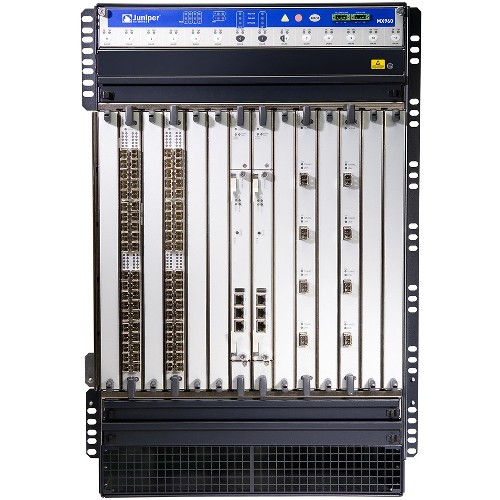
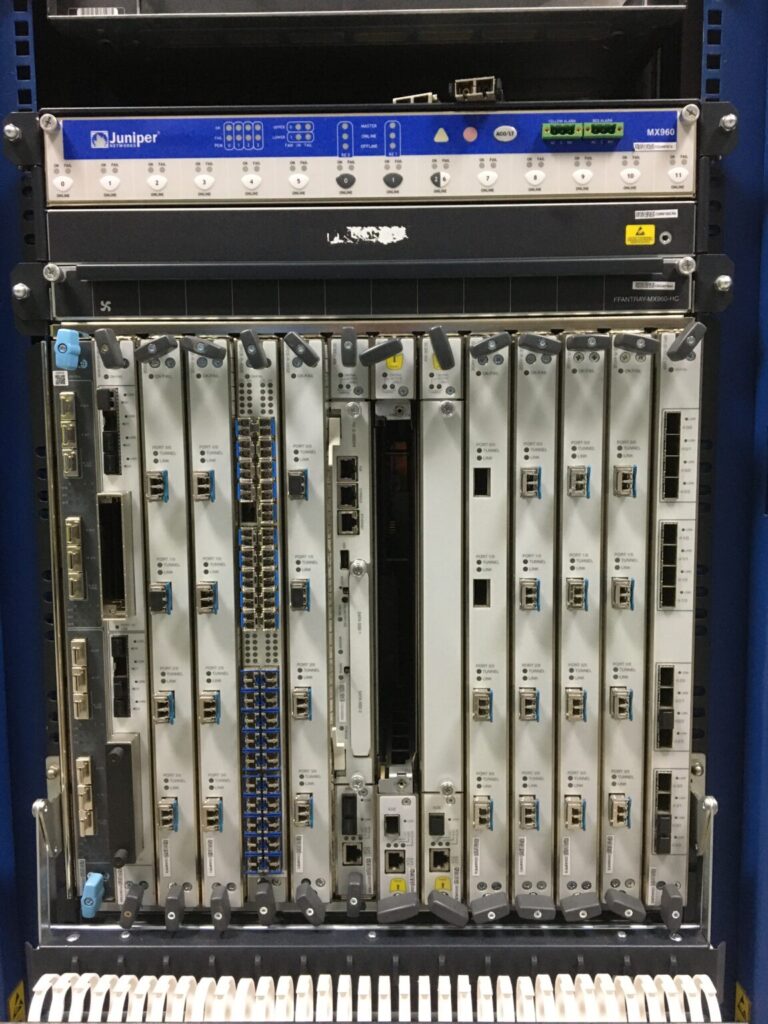
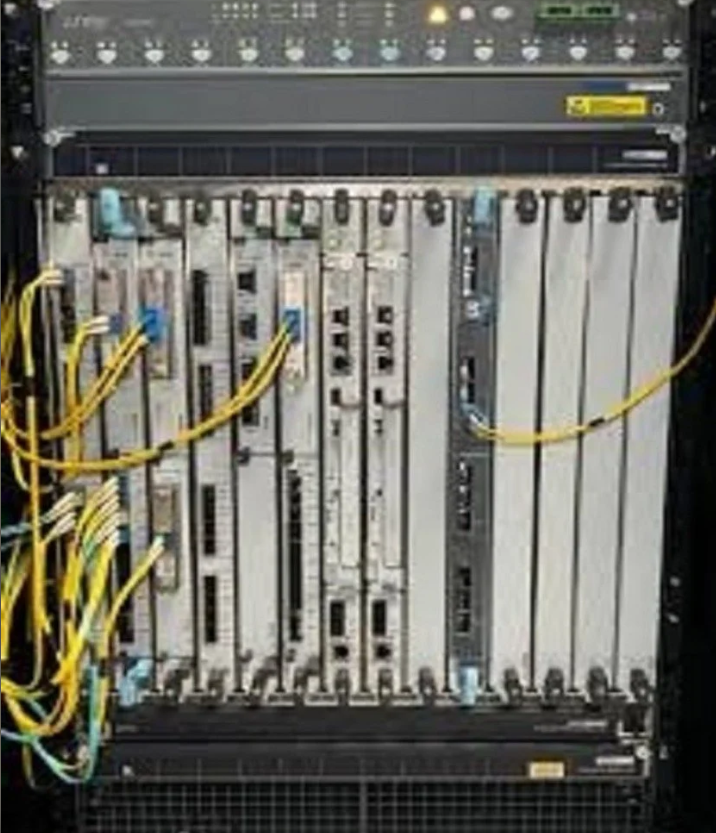
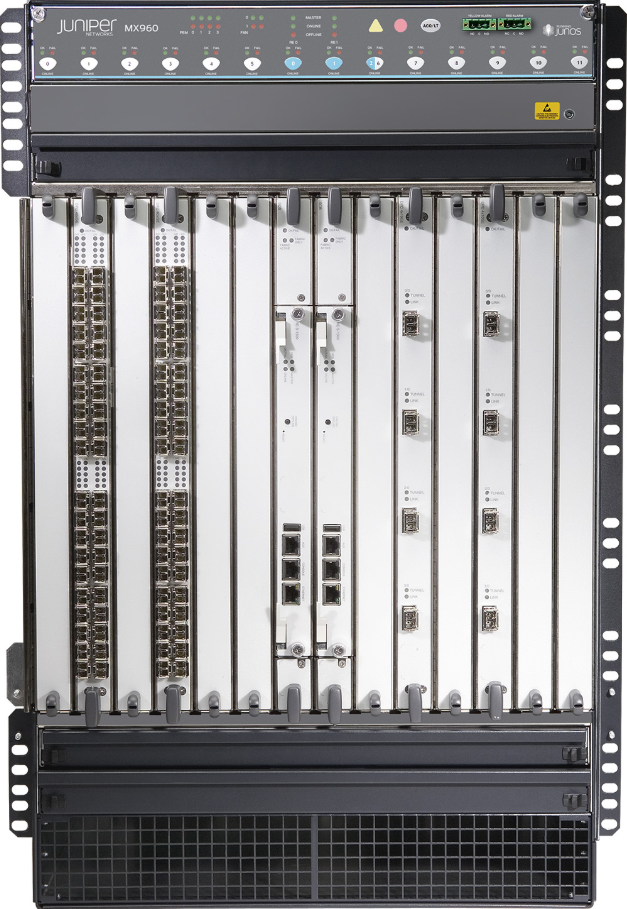
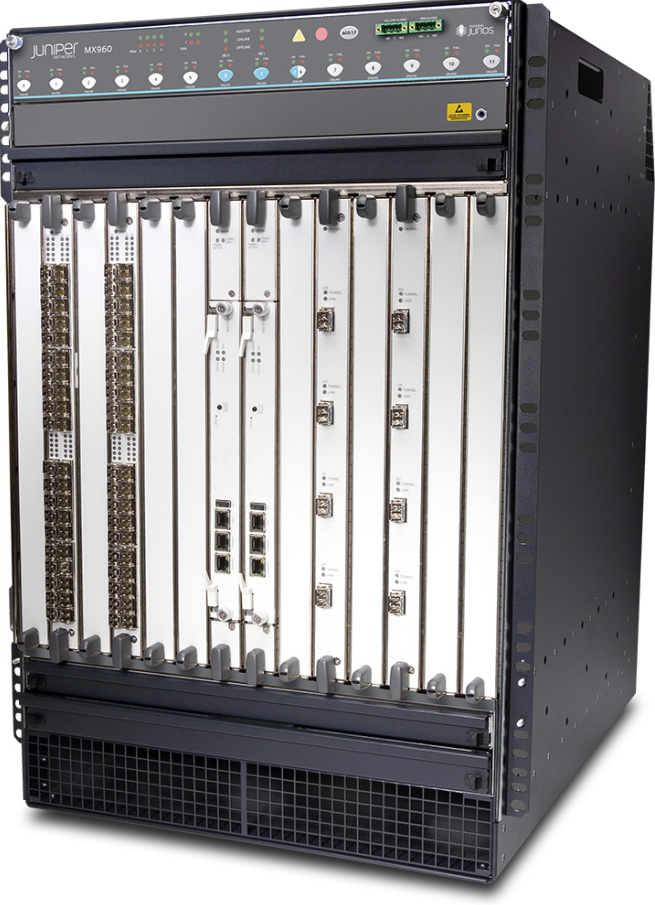
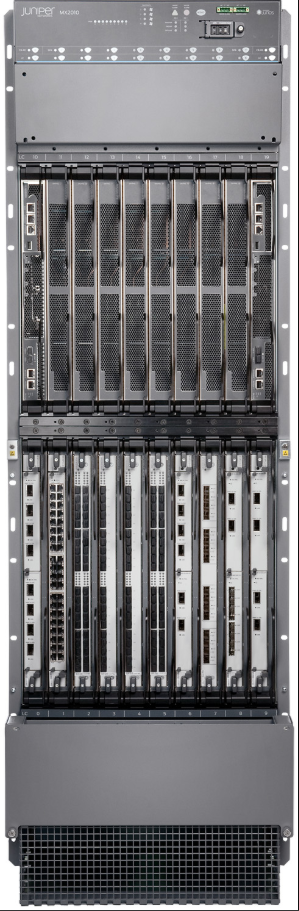
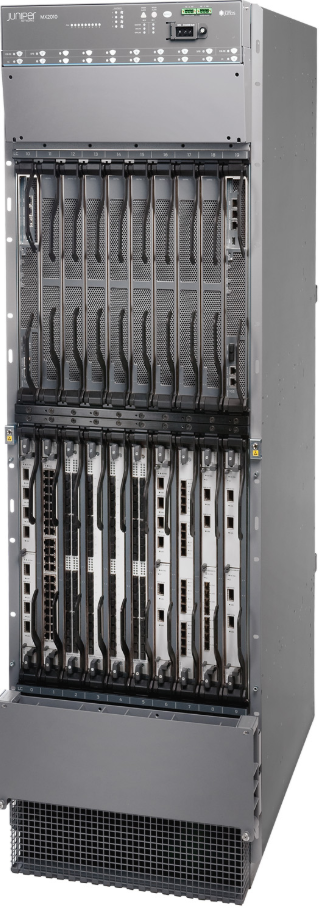
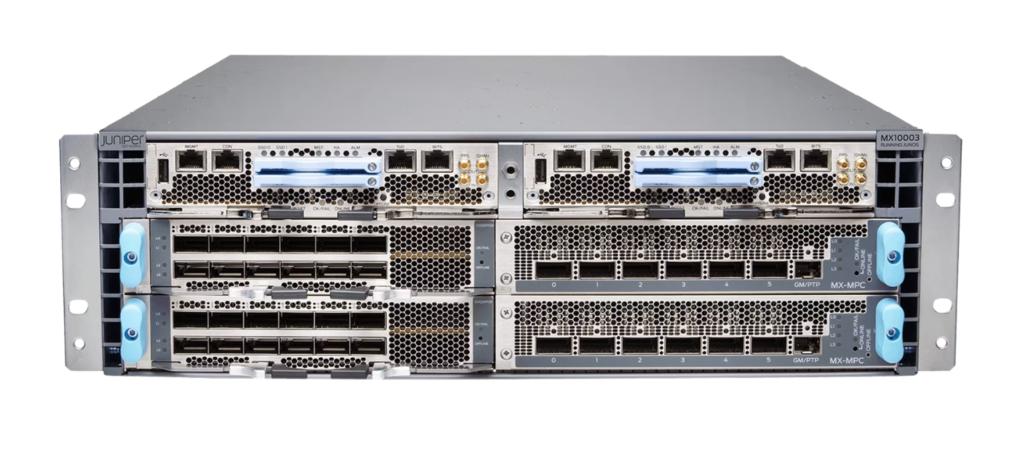
| Juniper | MX Series | Carrier-grade WAN routers for DC edge |
| Arista | 7500R Series | Sometimes used as DC edge routers |
| HPE / Aruba | 8400 Series | High-performance routing features in DC |
Load Balancers
Purpose:
Distribute incoming traffic evenly across servers.
Ensures high availability, redundancy, and faster response.
Performs SSL offloading, content switching, and application health monitoring.
Popular Vendors & Models:
| Vendor | Model | Notes |
|---|---|---|
| F5 Networks | BIG-IP iSeries | Industry standard, advanced L4-L7 load balancing |
| Citrix | ADC (NetScaler) | High-performance application delivery and security |
| Cisco | ACE / NLB | Legacy DC load balancing, now integrated in Nexus / ACI |
| Kemp | LoadMaster | Affordable, flexible DC load balancer |
| Arista / Brocade | vEOS / vLB | Software-defined DC load balancing |
⚡ Summary Table
| Layer / Function | Device | Cisco Model | Other Vendors |
|---|---|---|---|
| Core / Spine | High-speed DC backbone | Nexus 9000 / 9500 | Arista 7280/7500, Juniper QFX10000 |
| Leaf / Access | Server & storage connectivity | Nexus 9300 | Arista 7050X/7060X, Juniper QFX5100 |
| Edge / WAN Router | DC to WAN/Internet | ASR 1000/9000 | Juniper MX Series, HPE 8400 |
| Load Balancer | Traffic distribution | F5 BIG-IP, Cisco NLB | Citrix ADC, Kemp, Arista vLB |
Tips for Data Center Network Design:?
Core switches: High throughput, redundancy, minimal latency.
Leaf switches: Connect servers, scale horizontally.
Routers: Handle north-south traffic and WAN connectivity.
Load balancers: Ensure high availability and distribute application traffic.
Vendor choice: Cisco, Arista, Juniper, HPE, F5, Citrix are top DC vendors.
100G/400G to Create More Efficient and Large Data Center
F5 Load balancer LTM
Service Provider Network (ISP Network) Like Jio,Airtel,BSNL
What is a Service Provider Network?
A Service Provider Network is the large-scale network infrastructure owned and managed by Internet Service Providers (ISPs), telecom companies, or carriers that deliver Internet, voice, video, cloud, and data services to customers.
👉 In simple words:
It’s the backbone of the Internet — connecting millions of users, enterprises, and data centers worldwide.
Main Goals of a Service Provider Network
Provide Internet connectivity to homes, businesses, and mobile users.
Ensure high availability and reliability — always online.
Handle massive data traffic across countries and continents.
Offer scalable services like MPLS, VPN, VoIP, IPTV, and cloud.
Maintain strong security and network management.
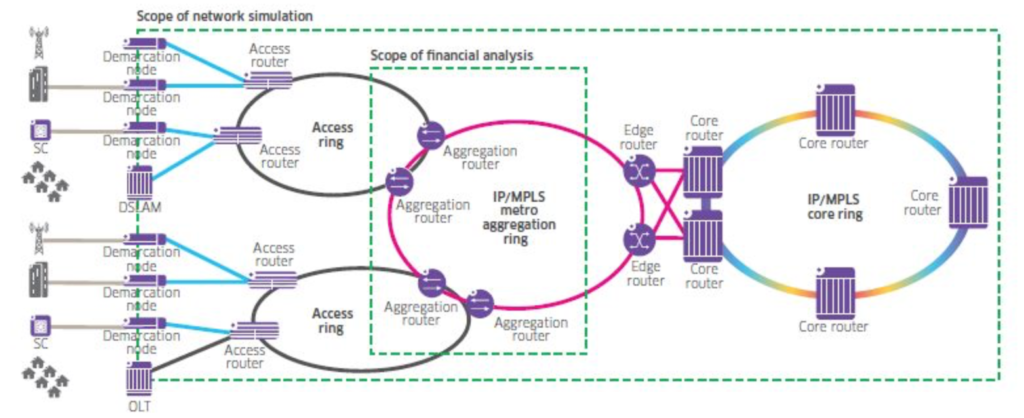
Service Provider Network Architecture (3-Layer Design)?
Cisco and other vendors follow a three-tier SP network model:
Core Layer (Backbone Network)
High-speed routers connecting major cities, regions, or countries.
Responsible for long-distance traffic (WAN backbone).
Uses high-capacity fiber links (10G, 40G, 100G, 400G).
Protocols: MPLS, BGP, IS-IS, OSPF
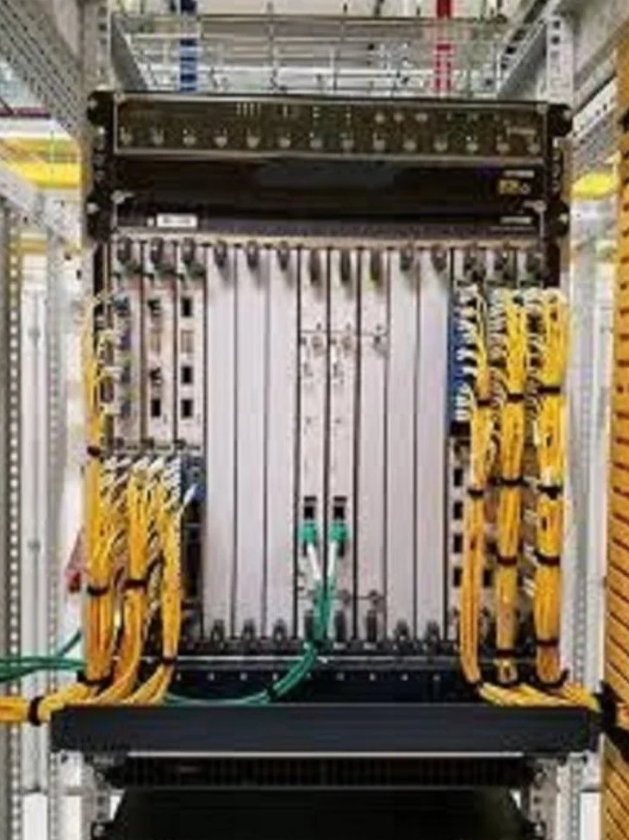
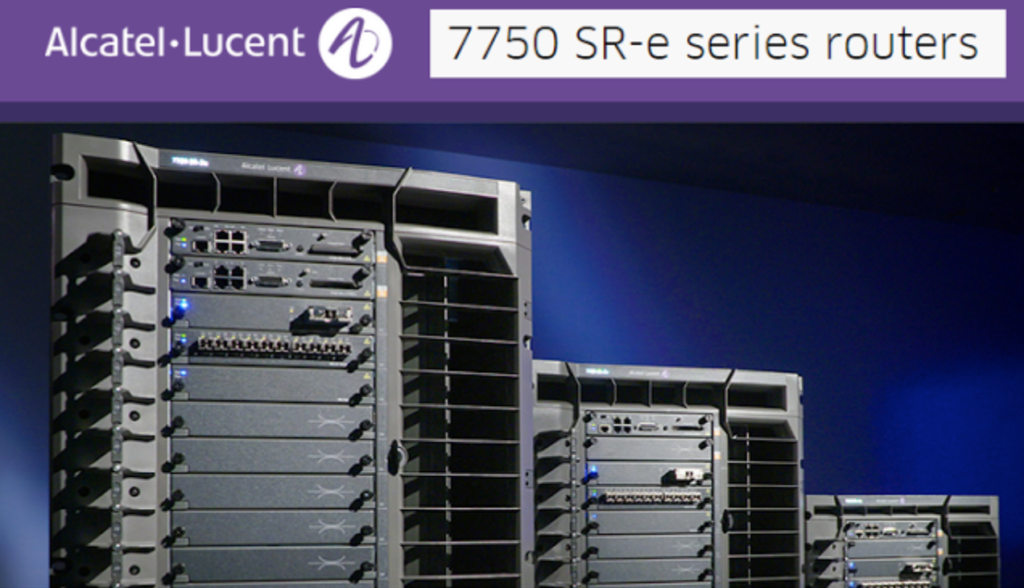
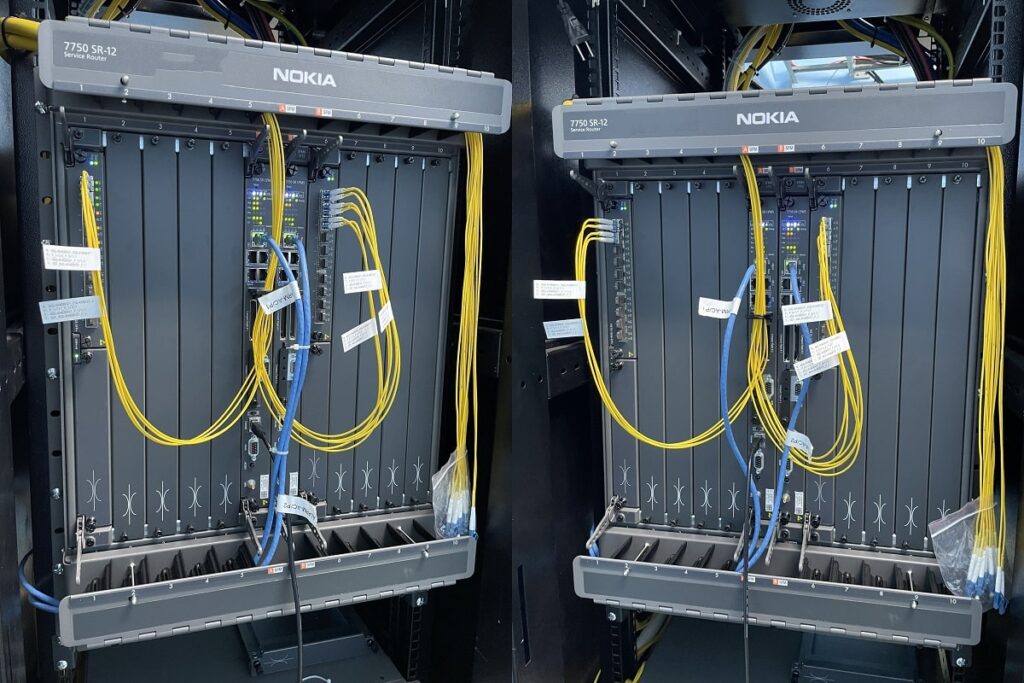
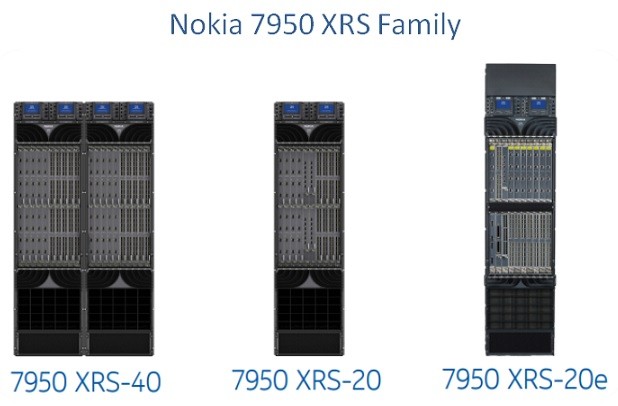
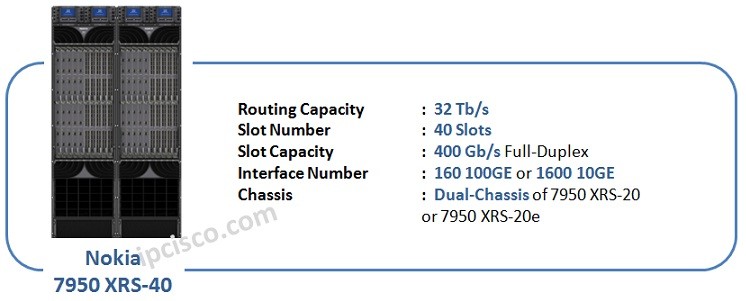
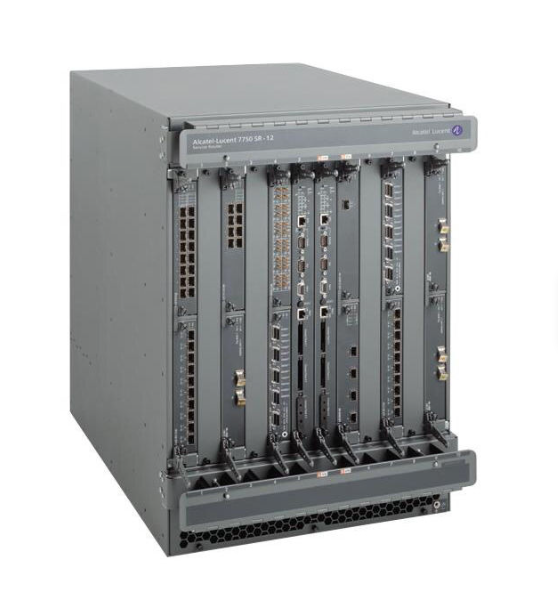
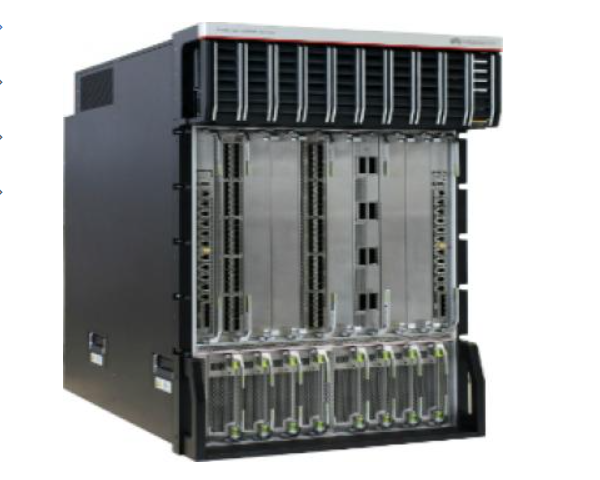
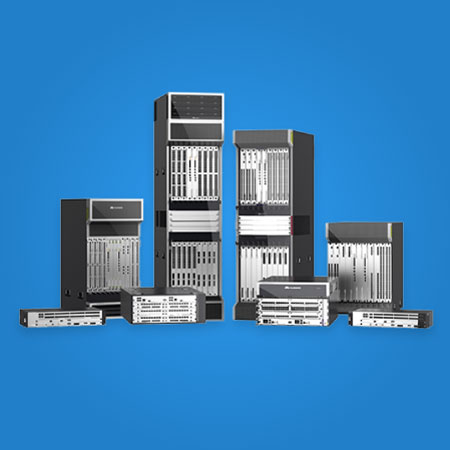
Devices: Cisco ASR 9000, Juniper PTX, Nokia 7750, Huawei NE9000
Distribution / Aggregation Layer
Connects access networks (customers) to the core network.
Performs traffic aggregation, QoS, policy control, and MPLS edge routing.
Often called the Provider Edge (PE) in MPLS networks.
Devices: Cisco ASR 1000, Juniper MX Series, Huawei NE8000
Access Layer
Connects end users or enterprises to the service provider network.
Includes technologies like Fiber (FTTH/GPON), DSL, Metro Ethernet, or Wireless (4G/5G).
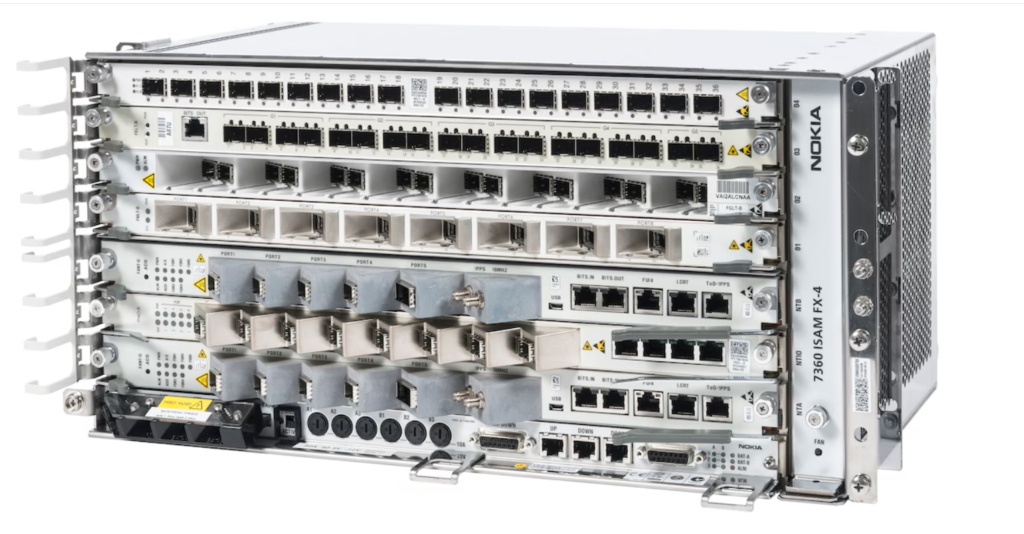
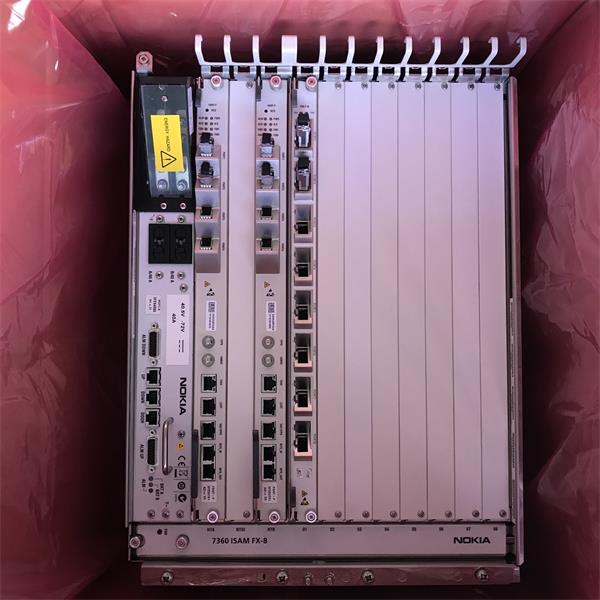
Devices: Cisco ME 3600, Huawei MA5800 (OLT), Juniper ACX, Nokia ISAM
Key Technologies in Service Provider Networks?
| Technology | Purpose |
|---|---|
| MPLS (Multiprotocol Label Switching) | Core traffic forwarding and VPN services |
| BGP (Border Gateway Protocol) | Internet routing between providers |
| QoS (Quality of Service) | Prioritize voice/video traffic |
| SDN / NFV | Software-defined and virtualized network control |
| IPTV / VoIP / VPN | Customer services delivered over the network |
| FTTH / GPON | Fiber-based last-mile access for customers |
Types of Services Delivered?
| Service | Description |
|---|---|
| Internet Access | Broadband for homes and businesses |
| MPLS VPN | Private WANs for enterprises |
| Metro Ethernet | High-speed LAN extension over fiber |
| VoIP / SIP Trunking | Voice over IP services |
| IPTV / OTT Video | Television and streaming services |
| Cloud Connectivity | Links between data centers and cloud providers |
| Mobile Backhaul | Transport for 4G/5G networks |
WAN Technology (Wide Area Network)
What is WAN (Wide Area Network)?
WAN stands for Wide Area Network.
It is a large-scale network that connects computers, offices, or data centers across cities, countries, or even continents.
💡 In simple words:
A WAN connects multiple LANs (Local Area Networks) using telecommunication links like fiber, leased lines, or satellite.
Why We Need WAN
To connect branch offices to the head office.
To access centralized servers, databases, and applications remotely.
To provide Internet, VPN, and cloud services to distributed users.
To share data and communicate securely over long distances.
WAN Network Architecture (Layers)?
A typical WAN is built with 3 main layers:
| Layer | Description | Example Devices |
|---|---|---|
| Core / Backbone | Connects major cities or data centers | High-end routers (Cisco ASR, Juniper MX) |
| Distribution / Aggregation | Connects regional offices | MPLS Edge routers |
| Access / Edge | Connects end users to WAN | CPE routers, modems, firewalls |
Main WAN Technologies
Here are the most common WAN technologies used today — from old to modern:
| Technology | Description | Speed Range | Example Use |
|---|---|---|---|
| Leased Line (Point-to-Point) | Dedicated fiber or copper line between two sites | 2 Mbps – 10 Gbps | Corporate private links |
| MPLS (Multiprotocol Label Switching) | High-performance private WAN service using labels instead of IP routing | Up to 100 Gbps | Enterprise WAN / Service Provider backbone |
| Frame Relay | Legacy packet-switched WAN technology | Up to 45 Mbps | Old enterprise WANs (now replaced) |
| ATM (Asynchronous Transfer Mode) | Fixed-size cells for voice/video | 155 Mbps – 622 Mbps | Telecom networks (legacy) |
| ISDN (Integrated Services Digital Network) | Circuit-switched digital WAN | 64 Kbps – 128 Kbps | Backup or small WAN links |
| DSL (Digital Subscriber Line) | WAN over telephone line | 1 – 100 Mbps | Internet for home/SMB |
| Metro Ethernet | WAN over fiber using Ethernet | 10 Mbps – 100 Gbps | City-wide enterprise connectivity |
| SD-WAN (Software-Defined WAN) | Software-managed WAN using multiple Internet links | Any speed | Modern WAN with automation |
| VPN (Virtual Private Network) | Secure encrypted tunnel over Internet | Depends on ISP | Remote users or branch sites |
| Satellite WAN | Wireless WAN via satellite | 10 Mbps – 500 Mbps | Remote or rural locations |
| 4G/5G WAN | Wireless broadband WAN | 10 Mbps – 1 Gbps | Backup or mobile sites |
Modern WAN Evolution?
| Generation | Technology | Features |
|---|---|---|
| Legacy WAN | Frame Relay, ATM | Slow, hardware-based |
| MPLS WAN | MPLS, Leased Line | Private, reliable, expensive |
| Next-Gen WAN | SD-WAN, VPN, 5G | Cloud-ready, intelligent, cheaper |
WAN Protocols?
| Protocol | Function | Layer |
|---|---|---|
| PPP (Point-to-Point Protocol) | Used over serial links | Layer 2 |
| HDLC (High-Level Data Link Control) | Cisco default encapsulation | Layer 2 |
| Frame Relay | Packet-switched link-layer WAN | Layer 2 |
| MPLS | Label-based routing for WAN traffic | Layer 2.5 |
| IPSec | Secure encryption for VPNs | Layer 3 |
| GRE (Generic Routing Encapsulation) | Tunnel creation for VPN | Layer 3 |
| BGP (Border Gateway Protocol) | WAN routing between ISPs | Layer 3 |
Devices Used in WAN
| Device | Function |
|---|---|
| Router | Connects LAN to WAN and routes traffic |
| Modem | Converts digital to analog signal for ISP link |
| Firewall | Secures WAN traffic |
| Switch (L3) | Handles VLAN and routing at edge |
| Load Balancer | Distributes WAN or VPN traffic |
| SD-WAN Appliance | Smart controller for multiple WAN links |
Advantages of WAN
✅ Connects remote branches or offices
✅ Centralized data access
✅ Scalable to global level
✅ Secure (with VPN/MPLS)
✅ Supports cloud, VoIP, video conferencing
Challenges
❌ Higher cost than LAN
❌ More complex configuration (BGP, MPLS, VPNs)
❌ Dependent on ISP reliability
❌ Latency in long-distance communication
💡 In Short
| Feature | WAN Summary |
|---|---|
| Full Form | Wide Area Network |
| Purpose | Connect LANs over long distances |
| Key Devices | Routers, Firewalls, SD-WAN, Modems |
| Key Tech | MPLS, VPN, Metro Ethernet, SD-WAN |
| Modern Trend | Cloud-based SD-WAN and 5G WAN |
Understanding WAN Technologies
We will explain the functions and correct uses of the WAN and describe the protocols that to get involved and how they map to the OSI model. In listing the components, we will describe hardware devices with routers, playing a major role in WAN infra structures. Finally, we will try to describe and list the layer 2 protocols commonly used in WAN deployments.
Wide-Area Network
A wide area network is a data communications network that operates beyond the geographic scope of a LAN. There are three major characteristics of LANs. They connect devices that are separated by wide geographical areas. They also use the service of carriers such as cell phone companies or cable companies, satellite systems, and network providers. Typically, the customer equipment will use various types of serial connections to connect to the wide area network.
The Internet could be seen as the WAN of whims, it covers all requirements and major characteristics, however, the term WAN is often referred to and used in private networking scenarios. In other words, for connectivity between offices and branches of the same organization. To the service provider, it is the backbone of sources of revenue not only for connectivity to customers but also for additional services like internet access, office-to-office connectivity, and voice transmissions among others.
Need for WANs?
So WANs were born to meet the wide area communications needs of organizations of all kinds. Through the years though, the concept has been expanded to not only connect branch offices to remote offices, but also allow organizations to communicate with business partners, suppliers and customers. Also, with the transient mobility and universal access, telecommuters and mobile workers have been included as beneficiaries of WAN services, due to the pneumatic nature of those connections. More ubiquitous networks like the Internet have been used to expand the WAN and allow connectivity to this mobile users.
WANs vs. LANs?
The differences between WANs and LANs are intuitive. One is for wide area connectivity; the other one is for local connectivity within a small geographic area, buildings, campuses, etc. Also, the WAN typically uses an outside service provider, whereas the LAN is owned by the organization. The important point in today’s reality though is the fact that the boundaries are blurring and if we think of technologies like MPLS and virtual private networks, then a wide area connection is virtually part of the LAN and a logical extension of the LAN and is treated other than distance and perhaps performance as another LAN connection.
There is also the concept of the metropolitan area network (MAN), which is perhaps a smaller WAN with some LAN capabilities, if you think of metro Ethernet services at a high speed. In terms of this criteria though, area and ownership, there is a clear distinction between WANs and LANs.
WAN Access and the OSI Reference Model?
When your organization connects to a wide area service provider, the conversation will be typically along the lines of physical layer and data link layer. The service provider will define the physical layer options and of course that deals with the electrical, mechanical, and operational features of the connection. Access options to that media will also be defined and some options are listed here, frame-relay is one, ATM or HDLC encapsulation on serial links.
WAN Devices
In terms of components at both layers and more, the WAN connection typically looks like this:
A router at a customer premises providing traffic segmentation and also the wealth of interfaces that can connect to service provider offerings. Today’s routers include modular chassis that can upgrade or change to a different service used by changing the modules or network cards. The router will be typically connected to a modem or DSU/CSU, depending on the type of service, and those devices will be responsible for converting the signals coming from the router into whichever format the service provider transmission requires. We can define the following devices:
- Routers
- CSU/DSU
- WAN switches
- Core routers
Also, those devices sometimes define the demarcation point between the administrative scope of the provider and the administrative scope of the customer. The cloud there represents the service provider network and those technologies listed here: ATM, frame relay, or the PSTN are implemented as a full network of WAN networking devices with high levels of reliability and availability to support multiple customers. Perhaps the one option not listed here is MPLS or Multi-Protocol Label Switching.
If we use a magnifying glass to look at the customer premises and the required equipment there, we will see a data terminal equipment, typically a router connecting to a data communications equipment, which prepares the data sent by the router for transmission into the service provider network.
WANs have been around for a while and the people who build these WAN technologies like to come up with a lot of acronyms. And so, we’re going to see some extra acronyms that we may not be super used to yet. CPE, what does CPE stand for? It stands for Customer Premise Equipment.
This means, there is gear on our site. So that’s not a router that is sitting on the street that connects to us, no, that’s inside of our building. There is also a term that we don’t see here called demarc – also known as Demarcation Point – where stuff on our side of demarc is our responsibility, and on their side of the demarc, it’s the service provider’s responsibility. So, we see some other acronyms here, oh, CSU/DSU, that’s a big one, and something we definitely want to understand what it’s about. So this channel service unit/data service unit, what does that do for us?
Well this device is going to be responsible for terminating that leased line, specifically, a digital leased line from our ISP or service provider. An example would be a T1 connection.
Let’s talk about a T1 connection. We’re not going to really focus too much on it, but a T1 connection is really interesting. First, how fast is a T1? 1.544 megabits per second. Okay, and also if you’re in Europe, E1 would be 2.048 megabits per second. If we were to dissect this, we get out our scalpel and you know, the formaldehyde, and we dissect a T1 or an E1 or an N1, what we would find is a channelized service. Channelized being, we’ve got more than one sort of pathway inside of that for the signalling. And that’s why we need this device. It’s going to terminate a digital line like a T1 or an E1. And we need it because we’ve got this thing that our router isn’t prepared for. The router is not prepared for these 24 channels. So that’s the thing that makes these 24 channels into one usable data circuit that we can latch onto. That’s a pretty important thing.
How are we going to connect that router up to the CSU/DSU? We have a serial cable. But notice that there is another term here associated with this CSU/DSU. What is it called? DCE – also known as data communications equipment.
Yes, DCE, that’s a general term, just so we’re clear at this point. DTE – also known as data terminal equipment – and DCE are general terms that apply to not just this. CSU/DSU, that’s a very specific thing. DCE is one side of that serial cable, so I want you to focus here. We were pointing at the serial cable that we see here, there are two sides of the serial cable, data terminal equipment or sometimes said data terminating equipment, that’s fine. And then, data communications equipment, it is usually what most people say the CE is, data communications equipment. Two sides of a serial connection which are different. This is fundamentally different than the cable types that we’ve learned about with Ethernet.
Ethernet doesn’t really matter which side is which. But does it matter to get the cable right when we’re using a serial cable, does it matter DTE goes on one side, DCE goes on another?
It definitely matters and we have to make sure we cable it correctly. Because if we don’t cable it correctly, we’re not going to experience the communication that we expect. So we’ll see a little more on this later and it’s really, really important. And honestly, knowing the serial cable is the most important thing that you can pick up in this discussion in this lesson.
If you’re talking broadband, that could be cable, it could be DSL – also known as digital subscriber line. And think about what you use in your home. You probably you have DSL or cable in your home, okay, right? Think about that.
You’ve got your broadband router, I don’t care what vendor it is. It’s probably not Cisco and you’re connecting that up to some external box that could be a DSL modem, it could be a cable modem. And what does modem stand for? Modulate and demodulate. And they are modulating and demodulating, even though this isn’t a modem for a regular telephone line, which would be an asynchronous modem, it would be an analog modem. These are some modems that connect up to the telephone line, that’s DSL. And if this was a cable modem, it would connect up to coaxial pipe that we get our TV service through, and that cable modem does quite a bit, or the DSL. But it gives us connectivity, and we use Ethernet typically to cable ourselves to those modems.
We see also, there’s potential for an optical converter here. Fiber optic to your sites, is a little less common in the customer side of things. But it certainly has been around a while on the production enterprise network side of things. Fiber is great, because it can go really far, that’s its real strength. The photons that travel in the fiber-optic core don’t have to deal with resistance like with all the others that are based on sending electric signals. So this is very different signaling type and we need something to terminate that. And in all of these, I would classify the cable modem and the optical converter also as DCEs from a general classification standpoint, right? They are the things that we attach to, to get connectivity. They are that intermediary. So even a classic regular modem would also be classified as a DCE when we’re using the general terminology. But understand also, there’s a specific terminology that applies that to serial cables, which is very important.
We mentioned a very important term earlier, the demarc point. Folks, look at the devices we have here. We have routers, CSU/DSU, DSL modems, optical converters, we also have the Internet. Where would you typically find that demarc point? Now that we’ve defined all these devices for you, where would you typically find that demarc point? What is that point all about? It’s that dividing line between where your responsibility begins and your service provider’s ends, so it’s that connection. So if you’re saying CSU/DSU or DSL modem or optical converter, that would be that dividing line, that would be the demarc point. So the cables coming in, whether it’s the telephone, the coaxial cable, the fiber cable, whatever it is, digital, analog from the ISP connects up to these devices or from that point on inwards, it’s your responsibility. So would you own these DCEs as we call them or would you lease them? It could be either, or. You could own them or you could lease them, it really all depends on your service provider and the type of contract you have with them.
Serial Point-to-Point Connections
The serial cable connecting the DTE and the DCE will have different options to terminate at both devices, a router and the CSU/DSU, in this example.
Typically, Cisco routers support a 60-pin connector on the router side. More recent models support the 26-pin connector, which is less bulky and supports higher densities. On the DCE side, several options are available including V35, X21, and RS 232, with differences in terms of distance and speed.
WAN – Multiple LANs
When you look at the bigger picture, what we have is a connection of LANs connected by the wide area network. Routers will connect to the LAN and optionally you offer services like DHCP, inter-VLAN routing, and more recently things like voice services acting as a gateway and offering call routing capabilities. The WAN connection will be dependent on the flavor of wide area network service and the different offerings by the service provider. The router will provide routing functions to forward packets to those remote destinations and nowadays it also provides security options to filter traffic, keep the “bad traffic out” and also actually provide firewalling services.
WAN Data-Link Protocols
The WAN will also provide data link layer capabilities for access to the media. The protocols and encapsulation methods are here:
- HDLC
- PPP
- Frame Relay (LAPF)
- ATM
All of them are layer 2 and they go from the more simple scenario of a point-to-point link, encapsulating packets with HDLC or PPP to the more complex scenarios based on virtual circuits like frame relay and ATM. All of these include encapsulation and framing capabilities and will present different options and advantages and disadvantages that define their use.
WAN Link Options
In choosing, a wide area network service, it is important to understand the categories and their advantages and disadvantages. One of the criteria to compare is cost versus availability and bandwidth, and so dedicated lines will be exactly that. Dedicated point-to-point links typically are leased from a carrier. That is why they are called leased lines, and their use is typically linked to the willingness of users to pay for these dedicated lines. Switched options are typically shared networks that will be less costly in terms of data communications.
Typically, Cisco routers support a 60-pin connector on the router side. More recent models support the 26-pin connector, which is less bulky and supports higher densities. On the DCE side, several options are available including V35, X21, and RS 232, with differences in terms of distance and speed.
WAN – Multiple LANs
When you look at the bigger picture, what we have is a connection of LANs connected by the wide area network. Routers will connect to the LAN and optionally you offer services like DHCP, inter-VLAN routing, and more recently things like voice services acting as a gateway and offering call routing capabilities. The WAN connection will be dependent on the flavor of wide area network service and the different offerings by the service provider. The router will provide routing functions to forward packets to those remote destinations and nowadays it also provides security options to filter traffic, keep the “bad traffic out” and also actually provide firewalling services.
WAN Data-Link Protocols
The WAN will also provide data link layer capabilities for access to the media. The protocols and encapsulation methods are here:
- HDLC
- PPP
- Frame Relay (LAPF)
- ATM
All of them are layer 2 and they go from the more simple scenario of a point-to-point link, encapsulating packets with HDLC or PPP to the more complex scenarios based on virtual circuits like frame relay and ATM. All of these include encapsulation and framing capabilities and will present different options and advantages and disadvantages that define their use.
WAN Link Options
In choosing, a wide area network service, it is important to understand the categories and their advantages and disadvantages. One of the criteria to compare is cost versus availability and bandwidth, and so dedicated lines will be exactly that. Dedicated point-to-point links typically are leased from a carrier. That is why they are called leased lines, and their use is typically linked to the willingness of users to pay for these dedicated lines. Switched options are typically shared networks that will be less costly in terms of data communications.
Circuit Switching — is a network communication method where a dedicated physical path (circuit) is established between two devices before they start communication.
This path stays reserved for the entire duration of the session.
How Circuit Switching Works?
Connection Setup:
A path is established between sender and receiver through intermediate switches.
(Example: when you dial a phone number, the telephone exchange sets up the path.)Data Transfer:
Once the circuit is ready, data flows continuously in sequence — just like a water pipe.Connection Termination:
After the call or session ends, the circuit is released for others to use.
Example
Traditional telephone networks (PSTN)
ISDN (Integrated Services Digital Network)
When you make a call, a dedicated line is reserved between you and the receiver until the call ends.
Advantages
Dedicated bandwidth → no congestion.
Guaranteed data order and steady connection.
Low delay and good quality for voice/video.
Disadvantages
Inefficient use of bandwidth — line stays reserved even during silence.
Slow setup time before data starts.
Expensive compared to shared networks.
Packet Switching — is a data communication method where information is broken into small packets and sent individually through the network.
Each packet can take different routes, and all are reassembled at the destination.
How Packet Switching Works?
Data is divided into small packets (each with source & destination address).
Packets travel independently across the network — possibly through different routes.
Destination device collects all packets and reassembles them into the original message.
Example
When you browse the Internet, send emails, or watch YouTube — your data travels as packets using TCP/IP over the Internet.
Types of Packet Switching?
Datagram Packet Switching:
Each packet is routed independently.
No fixed path (used in IP networks).
Example: Internet data transfer.
Virtual Circuit Packet Switching:
A logical path is established before transfer.
All packets follow the same route.
Example: Frame Relay, ATM.
Advantages
Efficient bandwidth use: many users share the same network.
No need for dedicated lines.
Fault tolerance: if one path fails, packets use another route.
Faster and cheaper for data communication.
Disadvantages
Variable delay (latency): packets may arrive at different times.
Packet loss or reordering can occur.
More complex at receiver side (needs reassembly).
Real-World Examples
Internet (TCP/IP)
Email, Web Browsing, VoIP, Video streaming.
Frame Relay Network — is a Wide Area Network (WAN) technology that sends data in the form of variable-size frames across a shared network using virtual circuits.
It is used to connect multiple remote sites or branch offices to a central location efficiently.
Definition
Frame Relay is a packet-switched network technology operating at the Data Link Layer (Layer 2) of the OSI model.
It transmits data over virtual circuits (VCs) between endpoints instead of using dedicated physical lines.
How Frame Relay Works?
Virtual Circuits (VCs):
Logical connections between devices.
Two types:
PVC (Permanent Virtual Circuit): always active.
SVC (Switched Virtual Circuit): temporary, created when needed.
DLCI (Data Link Connection Identifier):
Each VC is identified by a DLCI number.
Tells the network where to deliver each frame.
Frames:
Data is placed into variable-length frames and sent to the Frame Relay switch.
The provider’s network routes the frames to the correct destination.
Example Scenario
Let’s say a bank has:
A Head Office in Mumbai
Branches in Delhi, Kolkata, and Chennai
Using Frame Relay:
The bank connects each branch office to the provider’s Frame Relay cloud.
PVCs are set up between the head office and each branch.
The bank can send/receive data (like transactions, emails, etc.) over the same network efficiently.
Advantages
✅ Cost-effective: Cheaper than leased lines since bandwidth is shared.
✅ Scalable: Easy to add new sites.
✅ Efficient: Uses bandwidth only when data is sent.
✅ Reliable: Uses error detection at Layer 2.
Disadvantages
❌ No guaranteed Quality of Service (QoS).
❌ Not suitable for real-time voice/video.
❌ Technology is now obsolete, replaced by MPLS and VPNs.
Real Use Examples (in the past)
Banks and government offices connecting multiple branches.
Corporate WANs before MPLS and VPN became popular.
ATM Network (Asynchronous Transfer Mode Network) — is a high-speed, connection-oriented network technology designed to transmit voice, video, and data over the same network using fixed-size cells.
It operates mainly at the Data Link Layer (Layer 2) of the OSI model.
Definition
ATM (Asynchronous Transfer Mode) is a cell-switching and multiplexing technology that sends all information in small, fixed 53-byte cells:
5 bytes for header (control information)
48 bytes for data (payload)
This fixed size makes ATM fast and predictable, ideal for real-time traffic like voice and video.
How ATM Network Works
Data Conversion:
Voice, video, or data is broken into 53-byte cells.Virtual Circuits:
A logical connection (called a Virtual Circuit) is created between the source and destination.
Two types:
PVC (Permanent Virtual Circuit) – always available.
SVC (Switched Virtual Circuit) – created when needed.
ATM Switches:
Each cell passes through ATM switches that read the header and forward it to the correct path.
Reassembly:
At the destination, all cells are reassembled back into the original data.
Key Features
Fixed-size cells (53 bytes) for fast processing.
Connection-oriented (Virtual Circuits).
Supports multiple services: data, voice, and video.
High-speed (up to Gbps range).
QoS (Quality of Service) support — can prioritize traffic.
Advantages
✅ Very high speed and low latency.
✅ Guaranteed Quality of Service (QoS) — good for voice/video.
✅ Works well for real-time traffic.
✅ Scalable for large networks.
Disadvantages
❌ Expensive setup and management.
❌ Complex configuration.
❌ Mostly obsolete, replaced by MPLS and Ethernet networks.
Example Use
In the 1990s–2000s, ATM was used in:
Telecom backbone networks (BSNL, MTNL, etc.)
Broadband DSL networks (ADSL used ATM in the core).
Universities and ISPs for connecting routers and switches with high QoS.
Real Example
Suppose an ISP uses ATM in its core network to carry:
Internet traffic (data)
VoIP calls (voice)
IPTV (video)
ATM ensures each service gets guaranteed bandwidth and low delay.
Leased Line — is a dedicated, private communication connection between two locations, provided by a telecom company or Internet Service Provider (ISP).
It is called “leased” because a business rents (leases) the line for continuous use.
Definition
A Leased Line is a permanent point-to-point connection that provides exclusive bandwidth — it is not shared with anyone else.
It’s mainly used for internet access, data transfer, or connecting branch offices.
How a Leased Line Works
The ISP or telecom company creates a dedicated circuit between two points (e.g., your office ↔ data center).
This line is always active (24/7).
It provides symmetric speed — same upload and download rate.
It can connect LANs of different offices securely and reliably.
Example Scenario
A company with:
Head Office (Mumbai)
Branch Office (Delhi)
→ uses a leased line to connect both offices directly for:
File sharing
VoIP calls
Database access
Video conferencing
The line is private, so no bandwidth sharing or slowdown due to public traffic.
Features
| Feature | Description |
|---|---|
| Dedicated Connection | Not shared with anyone else |
| Always ON | 24×7 active connection |
| Symmetric Speed | Equal upload and download speed |
| Reliable & Secure | Ideal for business-critical data |
| Point-to-Point Link | Connects two fixed locations |
Advantages
✅ High reliability — minimal downtime
✅ Stable bandwidth — constant performance
✅ Secure communication — private connection
✅ Low latency — great for real-time applications
✅ Supports multiple services — Internet, VoIP, VPN, etc.
Disadvantages
❌ Expensive — costlier than broadband or shared connections
❌ Fixed connection — not flexible for changing locations
❌ Long installation time
Common Uses
Connecting head office and branch offices
Corporate Internet access
Video conferencing / VoIP systems
Data center or cloud access
Difference between a
Lased line and broadband
| Leased Line | Broadband |
| Downloads and uploads have identical speeds. | Download speed is more than upload speed |
| Speeds are extremely high in this setup | Speeds are moderate in this, especially as compared to Leased line |
| The connection here is dedicated, does not cause interruptions | Bandwidth is shared between several people |
What is Public WAN and a Private WAN
WAN (Wide Area Network) — Overview
A WAN connects computers or networks over large geographic areas — cities, states, or even countries.
Examples: Internet, MPLS, VPN, Leased Line connections, etc.
There are two main types of WANs:
Public WAN
Private WAN
1. Public WAN
Definition
A Public WAN uses a public network infrastructure, such as the Internet, to connect different locations.
How it Works
Data travels over the shared Internet.
You can still make it secure using technologies like VPN (Virtual Private Network) or IPsec tunnels.
It’s less expensive because bandwidth is shared among many users.
Examples
Internet-based WAN connections
VPN connections over the Internet
Cloud-based WANs
Advantages
✅ Low cost
✅ Easy to set up and scale
✅ Global availability (Internet access anywhere)
Disadvantages
❌ Less secure (uses public paths)
❌ Performance can vary (depends on ISP congestion)
❌ Higher latency and lower reliability
2. Private WAN
Definition
A Private WAN uses dedicated or controlled network infrastructure — not shared with the public — to connect multiple sites securely.
How it Works
Created using Leased Lines, MPLS, Frame Relay, or ATM.
Data travels only through the service provider’s private backbone network, not the Internet.
Provides consistent speed, low latency, and high security.
MPLS WAN (used by enterprises)
Leased Line between data centers
Frame Relay or ATM WAN (older tech)
Advantages
✅ Highly secure and reliable
✅ Guaranteed bandwidth and QoS
✅ Consistent performance and low latency
Disadvantages
❌ More expensive
❌ Longer setup time
❌ Less flexible (fixed connections)
Comparison Table
| Feature | Public WAN | Private WAN |
|---|---|---|
| Connection Type | Shared (Internet) | Dedicated (Private line/MPLS) |
| Security | Lower, needs VPN/IPsec | Very high |
| Cost | Cheap | Expensive |
| Reliability | Variable | High |
| Speed | Depends on ISP | Guaranteed |
| Example | Internet VPN | MPLS, Leased Line |
| Use Case | Small businesses, remote users | Enterprises, data centers |
Example Scenarios
Public WAN Example:
A small company connects its offices in Delhi and Mumbai using VPN over the Internet — secure but low cost.
Private WAN Example:
A bank connects its branches across India using MPLS or Leased Lines for secure financial data transfer.
What is Internet, Intranet, and Extranet
1. Internet
Definition
The Internet is a global network that connects millions of computers and networks worldwide.
It is a public network, open to everyone, used to share information and communicate globally.
Key Points
Public access — anyone can connect.
Uses standard TCP/IP protocols.
Provides services like websites, email, social media, online banking, etc.
🔹 Examples
Google, YouTube, Facebook, Wikipedia, etc.
Email, video calls, cloud services.
Used By
General public (open access).
2. Intranet
🔹 Definition
An Intranet is a private network that uses Internet technologies (like web browsers and HTTP) but is accessible only to authorized users inside an organization.
Key Points
Restricted to employees or members of an organization.
Used for internal communication, document sharing, company policies, etc.
Not accessible to the public Internet.
🔹 Examples
Company HR portal or internal employee dashboard.
School or college internal portal for teachers and students.
Used By
Employees within a company or institution.
3. Extranet
🔹 Definition
An Extranet is an extension of an Intranet that allows authorized external users (such as partners, suppliers, or customers) to access specific parts of the internal network.
Key Points
A controlled private network with limited external access.
Provides collaboration between businesses securely.
Requires login credentials or VPN access.
🔹 Examples
A manufacturer allowing suppliers to check inventory status online.
A university giving alumni limited access to internal resources.
Used By
Business partners, vendors, customers, or clients.
Comparison Table
| Feature | Internet | Intranet | Extranet |
|---|---|---|---|
| Access Type | Public | Private (internal only) | Private (external partners) |
| Users | Anyone | Employees only | Employees + selected outsiders |
| Security | Low (open) | High | High |
| Example Use | Email, websites | Internal HR, reports | Supplier or customer portal |
| Ownership | No single owner (global) | Owned by one organization | Shared between organizations |
Simple Example
| Scenario | Network Used |
|---|---|
| You browse Google or YouTube | Internet |
| You log into your company HR site (only employees allowed) | Intranet |
| Your supplier logs into your company’s partner portal | Extranet |
Branch Office to Head Office (HO) Connectivity in Banking SBI,HDFC,ICICI BANK
To connect all bank branches, ATMs, and the Head Office / Data Center securely so that:
Customer data, transactions, and reports sync in real time
Banking applications (like Core Banking System – CBS) run smoothly
Communication (emails, VoIP, video calls) happens safely and fast
Main Connectivity Methods Used
1. MPLS (Multiprotocol Label Switching)
Most common for banks.
Private WAN service provided by telecom companies (like Airtel, BSNL, Jio).
Data from all branches travels through a secure MPLS cloud to the head office.
Advantages:
✅ High speed & secure
✅ QoS (Quality of Service)
✅ Centralized management
Example:
SBI or HDFC Bank uses MPLS to connect 1000+ branches securely to their central data center.
2. Leased Line Connection
A dedicated private line between branch and head office.
Provides fixed bandwidth and always-on connectivity.
Used for major branches or data centers.
Advantages:
✅ 24×7 availability
✅ Secure & stable performance
✅ No sharing with other users
Example:
Main regional branches or data centers use leased lines (e.g., 100 Mbps fiber link).
3. VPN over Internet (IPsec VPN)
Uses the public Internet but creates an encrypted tunnel between branch and head office.
Cheaper than MPLS or leased line.
Used in small branches or ATMs.
Advantages:
✅ Low cost
✅ Flexible & quick setup
Disadvantages:
❌ Relies on Internet quality
❌ Slightly higher latency
4. VSAT (Very Small Aperture Terminal)
Satellite-based connectivity — used for remote or rural branches where fiber isn’t available.
Connects branch directly to the bank’s satellite hub.
Advantages:
✅ Works anywhere in the country
✅ Reliable for remote areas
Disadvantages:
❌ Slower speed
❌ High cost per MB
❌ Weather can affect signal
Data Flow Example
Customer makes a withdrawal at Branch A.
Transaction is sent securely via MPLS/VPN/VSAT to the Core Banking Server at HO.
HO updates the customer’s account in real-time.
Same update reflects in all other branches instantly.
Security in Banking Networks
Firewalls – protect from unauthorized access.
IPsec encryption – secures data over the Internet.
Network segmentation – separates internal systems.
Redundant links – backup connectivity (like secondary MPLS or 4G failover).
Technology Usage Summary
| Technology | Use Case | Speed | Cost | Typical Branch Type |
|---|---|---|---|---|
| MPLS | Secure private WAN | High | Medium–High | City & major branches |
| Leased Line | Dedicated connection | Very High | High | Data centers, HO |
| VPN over Internet | Secure tunnel on Internet | Medium | Low | Small branches |
| VSAT | Satellite link | Low | High | Remote areas |
In Simple Words
Urban branches → connect to HO via MPLS or leased lines.
Small / rural branches → use VPN or VSAT.
All branches communicate with the Core Banking System at HO for real-time bankin
What is Fiber Cable Rent On ISP
What is Cable Rent?
Cable Rent is the monthly or yearly fee a company pays to a telecom/ISP for using fiber optic or leased cable lines to connect its offices, data centers, or branch locations.
The company does not own the cable; the ISP provides the physical fiber connection and maintains it.
Payment covers usage, maintenance, and guaranteed bandwidth.
Example:
A company pays ₹50,000 per month to ISP for a 100 Mbps dedicated fiber link between its head office and branch.
2. Why Rent Fiber Cable from ISP?
a) High Cost of Laying Own Fiber
Installing own fiber cables requires digging trenches, buying fiber, laying equipment, and getting permissions.
Extremely expensive and time-consuming.
b) Maintenance Responsibility
ISP maintains the fiber line.
If there’s a fault, ISP repairs it — company doesn’t need to hire extra engineers for cable maintenance.
c) Guaranteed Bandwidth
Renting fiber gives dedicated bandwidth, unlike public Internet.
Critical for business applications like VoIP, video conferencing, and banking systems.
d) Security
Private fiber is more secure than public Internet connections.
Less risk of interception or hacking.
e) Reliability & Uptime
ISPs provide Service Level Agreements (SLA) guaranteeing uptime (e.g., 99.9%).
Important for financial institutions, corporate data centers, and large enterprises.
f) Quick Deployment
ISP can connect your office in weeks.
Laying your own fiber might take months due to civil works and approvals.
3. Use Case Example
A bank rents a fiber line from Airtel between its Head Office and Data Center for real-time banking transactions.
The fiber is dedicated, high-speed, and secure — perfect for Core Banking Systems.
Branch offices may use MPLS or leased fiber lines from the same ISP.
In Short
Cable Rent = Renting a dedicated fiber line from an ISP
Reason: Cheaper, faster, secure, reliable, and SLA-backed connectivity without owning or maintaining the infrastructure.
FIBER MANAGEMENT SYSTEM
AFMS (Fiber Management System) manages the fiber connections from outside of fiber rack to the fiber routers. Fiber cable duct containing many fibers come from far end sites and terminate on FMS usingsplicingtechnology. FMS has fiber in and fiber out ports. From fiber out port the fiber patch will go tofiber opticsbased router.
RACKOM Offers best quality Fiber LIU For Your Network Applications, CATV Applications, Broadband Applications, Telecom Applications
We have 6 Core fiber FMS to 144 Core Fiber LIU FMS
24 Core FMS LIU Fiber Management System
48 Core Fiber Termination Box
Fiber Distribution Management System FDMS
Enterprise CCTV Network Components
What is a CCTV Network?
A CCTV (Closed-Circuit Television) network is a video surveillance system that transmits video signals from cameras to recording and monitoring devices over a closed network (not public).
It’s used for security, monitoring, and evidence recording in homes, offices, campuses, and public areas.
Main Components of a CCTV Network
1. Cameras (IP or Analog)
Function: Capture video footage of the monitored area.
Types:
Analog Cameras: Used in traditional CCTV (connect via coaxial cable).
IP Cameras (Network Cameras): Send video over LAN/WAN using Ethernet cables (Cat6, Cat7).
Common Types: Dome, Bullet, PTZ (Pan-Tilt-Zoom), Turret, Fisheye.
2. Recording Device
DVR (Digital Video Recorder):
Used with analog cameras.
Converts analog signals to digital and stores on hard drive.
NVR (Network Video Recorder):
Used with IP cameras.
Records video streams received over a network.
Often includes PoE (Power over Ethernet) ports for camera power and data.
3. Cables and Connectivity
Coaxial Cable (RG59): For analog camera connection to DVR.
Ethernet Cable (Cat5e/Cat6): For IP camera connection to NVR or network switch.
Fiber Optic Cable: For long-distance transmission between buildings or large campuses.
PoE (Power over Ethernet): Single cable for both power and data for IP cameras.
4. Network Devices
Switch: Connects multiple IP cameras to the network and NVR.
Router: Connects CCTV network to internet for remote access.
PoE Switch: Provides both power and data connection to cameras.
Firewall: Secures the network from unauthorized access.
5. Storage
HDD (Hard Disk Drive): Installed inside DVR/NVR for video storage.
NAS (Network Attached Storage): Centralized external storage for large CCTV setups.
Cloud Storage: Used for offsite backup and remote video viewing.
6. Display & Monitoring
Monitor/TV: Displays live or recorded video feeds.
Video Wall (optional): Used in large control rooms for multiple camera feeds.
7. Power Supply
SMPS (Switch Mode Power Supply): Powers analog cameras.
PoE (Power over Ethernet): Powers IP cameras via Ethernet cable.
UPS (Uninterruptible Power Supply): Keeps system running during power cuts.
8. Remote Access & Management
Mobile App / Web Portal: Access live and recorded footage remotely.
VMS (Video Management Software): Manages multiple cameras, analytics, and alerts.
Benefits of CCTV Network
24×7 surveillance & security
Remote monitoring
Evidence recording
Access control integration
Deterrence against theft or vandalism
CCTV Network Diagram
Voice IP PBX Network Diagram
What is PBX (Private Branch Exchange)?
PBX stands for Private Branch Exchange — it is a private telephone system used inside an organization to manage internal and external calls.
Main Functions of PBX:
Connect internal phones (extensions)
Share limited external telephone lines among many users
Manage incoming and outgoing calls
Provide features like:
Call transfer
Call hold / forward
Voicemail
IVR (Interactive Voice Response)
Conference calling
🧩 Example:
A company has 50 employees but only 10 external phone lines.
PBX allows all 50 employees to talk internally using extension numbers (e.g., 101, 102).
When someone dials outside, PBX uses one of the 10 external lines.
Types of PBX Systems
| Type | Technology Used | Description | Ideal For |
|---|---|---|---|
| 1. Analog PBX | Analog signals (Copper lines, RJ11 cables) | Traditional PBX using PSTN lines. Each call uses a separate line. | Small offices, old setups |
| 2. Digital PBX | Digital TDM (Time Division Multiplexing) | Uses ISDN or PRI lines (one line carries many voice channels). Better voice quality and capacity. | Medium businesses |
| 3. IP PBX | Internet Protocol (VoIP network) | Uses LAN/WAN instead of copper lines. Connects IP phones via Ethernet. Uses SIP trunks for external calls. | Modern businesses |
| 4. Hybrid PBX | Mix of Analog + IP | Works with both analog phones and IP phones. Easy upgrade from old systems. | Companies migrating to VoIP |
| 5. Cloud PBX (Hosted PBX) | Cloud / Internet-based | Hosted by a service provider. No physical PBX hardware at office. Managed online, supports remote workers. | Multi-branch or remote teams |
Benefits of PBX
Centralized communication
Cost savings (shared lines)
Internal extensions (no call charges)
Advanced features (IVR, voicemail, conferencing)
Scalable and manageable
✅ In short:
PBX = Office telephone exchange system.
Analog PBX = Uses old copper lines.
Digital PBX = Uses PRI/ISDN digital lines.
IP PBX = Uses Internet (VoIP).
Hybrid PBX = Combines old and new.
Cloud PBX = Fully hosted online by provider.
What is VoIP (Voice over Internet Protocol)?
VoIP stands for Voice over Internet Protocol —
It is a technology that allows you to make voice calls using the Internet or IP network instead of traditional telephone lines (PSTN).
In VoIP, your voice is converted into digital data packets, sent over a network, and then converted back into sound at the receiver’s end.
💡 Example:
When you make calls using Skype, WhatsApp, Zoom, Microsoft Teams, or an IP Phone,
you are using VoIP.
2. Based on Device Type
| Type | Description | Example |
|---|---|---|
| Hard Phone (IP Phone) | Physical desk phones connected via LAN (RJ45). | Cisco, Yealink, Grandstream IP Phones |
| Softphone | Software-based phone on PC or mobile app. | Zoiper, Bria, 3CX App, Teams |
| ATA (Analog Telephone Adapter) | Converts analog phones to work with VoIP. | Grandstream HT801, Cisco ATA |
3. Based on VoIP Protocol
| Protocol Type | Description | Used In |
|---|---|---|
| SIP (Session Initiation Protocol) | Most common VoIP signaling protocol for call setup and control. | IP Phones, IP PBX, SIP Trunks |
| H.323 | Older video/voice protocol, used before SIP. | Legacy video conferencing systems |
| MGCP / SCCP | Used in Cisco and other vendor-specific systems. | Cisco CallManager |
| WebRTC | Modern browser-based VoIP communication. | WhatsApp Web, Google Meet |
4. Based on Call Routing
| Type | Description | Example |
|---|---|---|
| Computer-to-Computer | Calls between two PCs or apps using Internet. | Skype-to-Skype, WhatsApp-to-WhatsApp |
| Computer-to-Phone | From app to normal phone number. | Skype-Out, Google Voice |
| Phone-to-Phone (IP Phones) | Between two IP phones over LAN or Internet. | IP PBX setups |
| App-to-App / Mobile VoIP | Calls via mobile VoIP apps. | WhatsApp, Viber, Signal |
Benefits of VoIP
Lower call cost (especially international)
High-quality audio and video calls
Works anywhere with Internet
Advanced features: voicemail, IVR, call recording, conferencing
Easy integration with business software (CRM, email, etc.)
In Short:
| Term | Meaning |
|---|---|
| VoIP | Voice over Internet Protocol (Voice using Internet) |
| IP PBX | Office call management system for VoIP |
| SIP Trunk | Internet-based phone line for VoIP calls |
| Softphone | App-based phone software |
| Hosted VoIP | Cloud-managed phone system |
What is VoIP? (Quick Reminder)
VoIP (Voice over Internet Protocol) means making voice calls using the Internet or LAN network instead of traditional phone lines.
It converts voice into digital data packets and sends them over the network.
VoIP phones can be of two main types:
👉 Softphone
👉 Hardware (IP) Phone
1. Softphone (Software Phone)
🧩 Definition:
A Softphone is a software-based phone that runs on a computer, laptop, tablet, or smartphone to make and receive VoIP calls.
It uses your device’s microphone, speaker, or headset — no physical desk phone needed.
How It Works:
Installed as an app or software on your device.
Connects to your VoIP provider or IP PBX using your SIP account (username, password, server).
Makes calls over Internet or LAN.
Examples of Softphones:
3CX App
Zoiper
Bria / CounterPath
MicroSIP
Linphone
Microsoft Teams, Zoom, Google Meet (built-in VoIP softphones)
Advantages:
✅ No hardware required (only software & Internet)
✅ Low cost and quick setup
✅ Portable – works from anywhere
✅ Video calling and chat integration
✅ Easy updates and features
Disadvantages:
❌ Needs good headset or mic for clear voice
❌ Depends on computer/mobile performance
❌ Needs Internet always on
2. Hardware Phone (IP Phone / Hard Phone)
🧩 Definition:
A Hardware VoIP Phone (or IP Phone) is a physical desk phone that connects to the network using an Ethernet cable (RJ45) instead of a phone line (RJ11).
It looks like a normal phone but has built-in VoIP software to connect directly to an IP PBX or SIP server.
How It Works:
Connects to LAN / PoE switch via Ethernet cable.
Gets power and network connection (PoE = Power over Ethernet).
Registers with your IP PBX or VoIP provider using SIP credentials.
Can make calls locally or over the Internet.
Examples of IP Phones:
Cisco IP Phone (e.g., 8800 Series)
Yealink T Series
Grandstream GXP Series
Avaya J Series
Polycom VVX Series
Advantages:
✅ Professional call quality (HD Voice)
✅ Reliable and always ready (no software crashes)
✅ PoE power (no separate adapter needed)
✅ Dedicated buttons for call control (mute, transfer, hold, etc.)
✅ Works with or without a PC
Disadvantages:
❌ Higher cost than softphone
❌ Fixed to desk (less portable)
❌ Needs setup and cabling
Softphone vs Hardware (IP) Phone Comparison
| Feature | Softphone | Hardware / IP Phone |
|---|---|---|
| Type | Software-based | Physical device |
| Connection | Internet (via PC/Mobile) | Ethernet (LAN/PoE) |
| Hardware Needed | Headset, mic, speakers | IP Phone unit |
| Setup Cost | Low | Higher |
| Portability | High (works anywhere) | Low (desk-based) |
| Audio Quality | Depends on device | Very clear (HD voice) |
| Power Source | PC / Mobile battery | PoE or power adapter |
| Use Case | Remote users, mobile staff | Office desk phones |
In Short:
Softphone → Software VoIP phone on your PC or mobile.
Hardware Phone (IP Phone) → Physical desk phone that works on Internet.
Both connect to IP PBX or SIP provider for calling.
AP Mode, Station Mode, and Repeater Mode
1. AP Mode (Access Point Mode)
📘 Meaning:
In AP Mode, the device acts as a wireless transmitter.
It converts a wired network (LAN) into a wireless network (Wi-Fi) — allowing wireless devices like laptops, mobiles, and tablets to connect.
How It Works:
The AP connects to a router or switch using a LAN cable.
It creates and broadcasts a Wi-Fi signal (SSID).
Wireless clients connect to this SSID and gain internet access through the wired network.
The main router handles DHCP (IP addresses), firewall, and internet access.
Use Case:
Offices, hotels, schools, or large homes — where wired internet is available, but you want to provide Wi-Fi access.
Expanding wireless coverage across multiple rooms or floors using LAN cables.
2. Station Mode (Client Mode / STA Mode)
📘 Meaning:
In Station Mode, the access point acts like a Wi-Fi client (receiver) instead of a transmitter.
It connects to another AP’s Wi-Fi network and shares that connection with wired-only devices through its Ethernet port.
How It Works:
The AP (in Station Mode) connects wirelessly to the main router or AP.
It receives the internet signal over Wi-Fi.
It passes that connection to a wired device like a PC, printer, DVR, or camera through its LAN port.
Acts as a wireless-to-wired bridge.
Use Case:
Connecting a wired device to a wireless network without laying new cables.
Example: A network camera or desktop computer located far from the router can get Wi-Fi internet via an AP in station mode.
3. Repeater Mode (Range Extender Mode)
📘 Meaning:
In Repeater Mode, the device acts as a signal booster or extender.
It connects to an existing Wi-Fi network wirelessly and rebroadcasts the same signal to cover a wider area.
How It Works:
The AP connects wirelessly to your main router’s Wi-Fi.
It amplifies and rebroadcasts that Wi-Fi under the same or different SSID.
Devices in areas with weak signal connect to this repeater instead.
No cable is needed, but speed can drop because data travels twice over Wi-Fi.
Use Case:
Extending Wi-Fi coverage in large homes, offices, or warehouses.
Eliminating Wi-Fi dead zones where the main router’s signal is weak.
Quick Comparison Table
| Mode | Direction | Connection Type | Purpose | Cable Needed? |
|---|---|---|---|---|
| AP Mode | Wired ➜ Wireless | Ethernet to Wi-Fi | Create Wi-Fi from LAN | ✅ Yes |
| Station Mode | Wireless ➜ Wired | Wi-Fi to Ethernet | Connect wired device to Wi-Fi | ❌ No |
| Repeater Mode | Wireless ➜ Wireless | Wi-Fi to Wi-Fi | Extend Wi-Fi range | ❌ No |
Real Deployment Example (Combined Use)
In a company campus:
Main Building: Router + AP in AP Mode (creates Wi-Fi)
Warehouse: AP in Repeater Mode (extends range)
CCTV DVR Room: AP in Station Mode (connects DVR via Wi-Fi link)