Computer Networking

History of Computer Network

History of Computer Network

The history of computer networks began when scientists and researchers tried to connect computers to share data and resources. Over time, network technology developed from small experimental networks to the global Internet used today.

Early Development (1960s)

In the 1960s, the first computer network was developed for research purposes. The most important early network was ARPANET, created by the Advanced Research Projects Agency (ARPA) in the United States. It connected several universities and research centers to share information and computing resources.

Growth of Networking (1970s)

During the 1970s, new networking technologies and protocols were developed. The most important development was Transmission Control Protocol/Internet Protocol (TCP/IP), which allowed different networks to communicate with each other. This became the foundation of modern internet communication.

Expansion of the Internet (1980s)

In the 1980s, computer networks expanded to universities, government organizations, and companies. The National Science Foundation created NSFNET, which connected many research networks and helped expand the early internet.

Commercial Internet Era (1990s)

In the 1990s, the internet became available for commercial and public use. The invention of the World Wide Web by Tim Berners-Lee made it easy for people to access information using web browsers and websites.

Modern Networking (2000s – Present)

Today, computer networks support high-speed internet, cloud computing, mobile networks, and the Internet of Things (IoT). Technologies such as fiber optics, 5G networks, and large data centers allow billions of devices around the world to communicate and share information.

 
Father of the Internet

The father of the Internet is Vint Cerf. He is called the father of the Internet because he co-designed the TCP/IP protocol, which is the main communication protocol used to connect networks and form the Internet.

Another important person is Bob Kahn, who worked with Vint Cerf to develop TCP/IP in the 1970s. This protocol made it possible for different computer networks to communicate with each other.

Short answer:
Vint Cerf is known as the Father of the Internet.


World Wide Web

The World Wide Web (WWW) was developed by Tim Berners-Lee in 1989 while working at CERN (European Organization for Nuclear Research).

He created the main technologies of the web:

  • HTTP (HyperText Transfer Protocol)
  • HTML (HyperText Markup Language)
  • World Wide Web system for accessing web pages

Short Answer:
Tim Berners-Lee developed the World Wide Web (WWW).


Domain Name System

The Domain Name System (DNS) was developed by Paul Mockapetris in 1983.

DNS was created to make the Internet easier to use by converting domain names (like google.com) into IP addresses that computers use to communicate.

Example:
When you type google.com in a browser, DNS translates it into an IP address so the computer can find the correct server.

Short Answer:
Paul Mockapetris developed the Domain Name System (DNS).

Based on Types of Communication

Networks can also be divided based on the types of communication they use:

1. Point-to-Point Networks

Point-to-Point networking establishes a direct link between two networking nodes, such as a computer and a printer. This type of network ensures that data is transmitted directly from one device to another without intermediaries. It is commonly used for simple, dedicated connections where only two devices need to communicate. The communication medium can be wired, such as a cable, or wireless, such as infrared or radio signals. Examples include a computer connected to a printer or a direct dial-up connection between two computers.

Advantages:

  • Provides a dedicated and direct connection, ensuring reliable communication between two devices.
  • Simple to set up and configure due to the limited number of devices involved.
  • Offers low latency as there are no intermediate devices or complex routing.
  • Secure communication as data travels directly between the two nodes without passing through other devices.

Disadvantages:

  • Limited to only two devices, making it unsuitable for networks requiring multiple device connections.
  • Not scalable, as adding more devices requires additional dedicated links.
  • May require physical cables for wired connections, which can limit flexibility.
  • Lacks fault tolerance; if the direct link fails, communication is disrupted.

2. Multipoint Networks

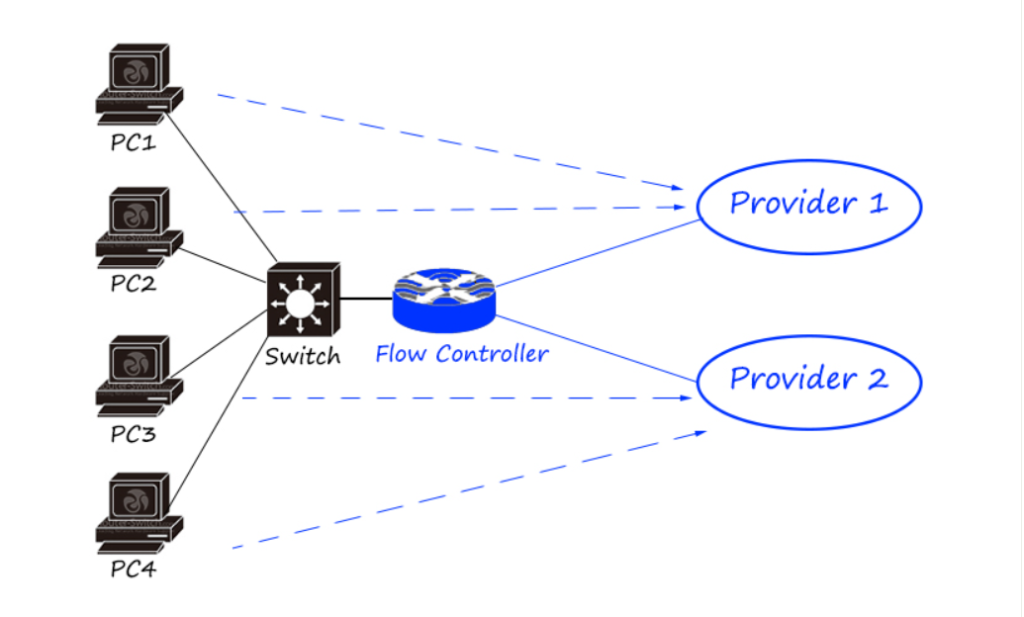
Multipoint networks involve more than two devices sharing a single communication link. The capacity of the channel is shared either spatially (multiple devices use the link simultaneously) or temporally (devices take turns using the link). This type of network is used in scenarios where multiple devices need to communicate over a shared medium, such as in bus or ring topologies. An example is a Wi-Fi network where multiple devices connect to a single access point.
Advantages:

  • Allows multiple devices to share a single communication channel, reducing the need for multiple dedicated links.
  • More cost-effective than point-to-point networks for connecting multiple devices.
  • Supports dynamic communication, where devices can join or leave the network easily.
  • Suitable for environments like offices or homes where multiple devices need to communicate.

Disadvantages:

  • Shared bandwidth can lead to congestion and reduced performance when many devices are active.
  • Complex to manage compared to point-to-point networks due to multiple devices sharing the link.
  • Potential for interference or collisions in spatially shared connections.
  • Security risks may increase as multiple devices access the same communication medium.

3. Broadcast Networks

Broadcast networks use a single communication channel where one sender transmits data that can be received by multiple parties simultaneously. In this setup, data travels in one direction, from the sender to all potential receivers. A common example is a radio station, where the station broadcasts signals that can be picked up by any radio receiver within range. Another example is a television network broadcasting to multiple viewers.

Advantages:

  • Efficient for distributing data to a large number of recipients simultaneously.
  • Simple to implement for one-to-many communication scenarios.
  • Reduces the need for individual connections to each receiver, saving resources.
  • Ideal for applications like broadcasting news, updates, or streaming media.

Disadvantages:

  • Data is sent in one direction, limiting two-way communication.
  • No guarantee that all intended recipients receive the data reliably.
  • Can lead to bandwidth wastage if not all receivers need the transmitted data.
  • Security concerns, as broadcasted data can potentially be intercepted by unauthorized parties.

1. Peer-to-Peer (P2P) Networks

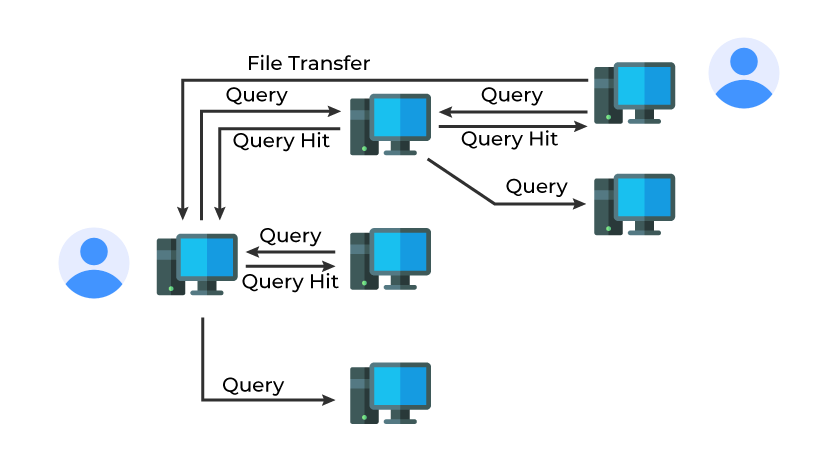
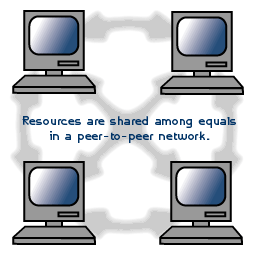
Peer-to-Peer networks consist of computers with similar capabilities and configurations, referred to as peers, connected over the Internet. In a P2P network, each peer acts as both a client and a server, allowing direct file sharing and communication without relying on a central server. This architecture is commonly used for file-sharing applications like BitTorrent, where peers share resources directly with each other.

Advantages:

  • No need for a central server, reducing setup and maintenance costs.
  • Highly scalable, as adding more peers increases the network’s resource-sharing capacity.
  • Resilient to failures, as there is no single point of failure; peers can continue sharing even if some nodes go offline.
  • Efficient for decentralized applications like file sharing or distributed computing.

Disadvantages:

  • Security risks, as peers directly share files, which may expose systems to malware or unauthorized access.
  • Performance can vary depending on the number and reliability of peers in the network.
  • Difficult to manage and monitor due to the lack of centralized control.
  • May face legal issues in cases of unauthorized file sharing or copyrighted content.

2. Client-Server Networks

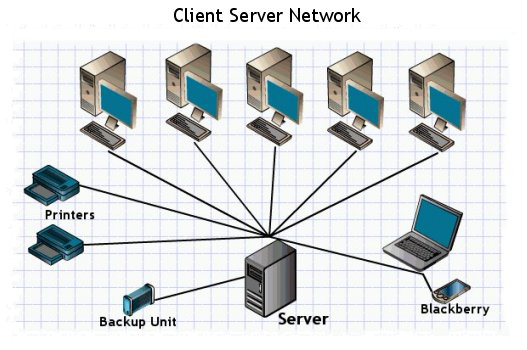
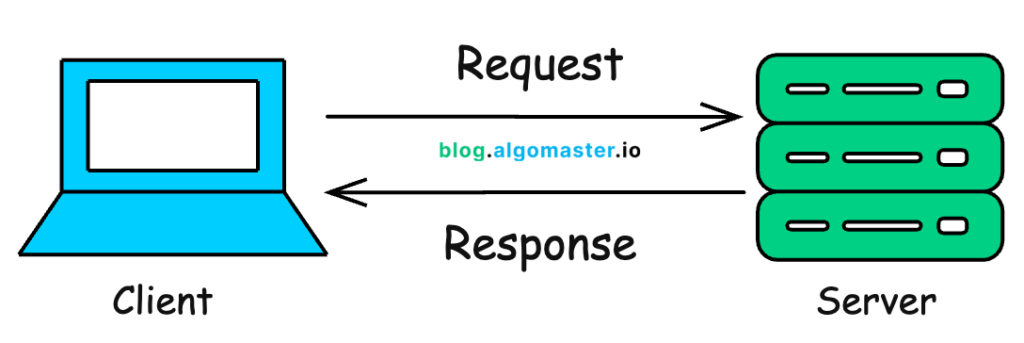
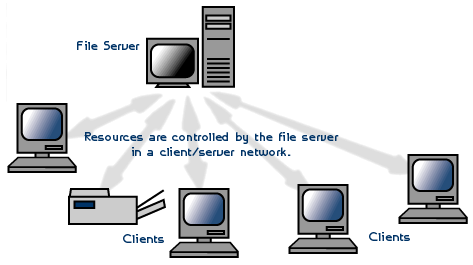
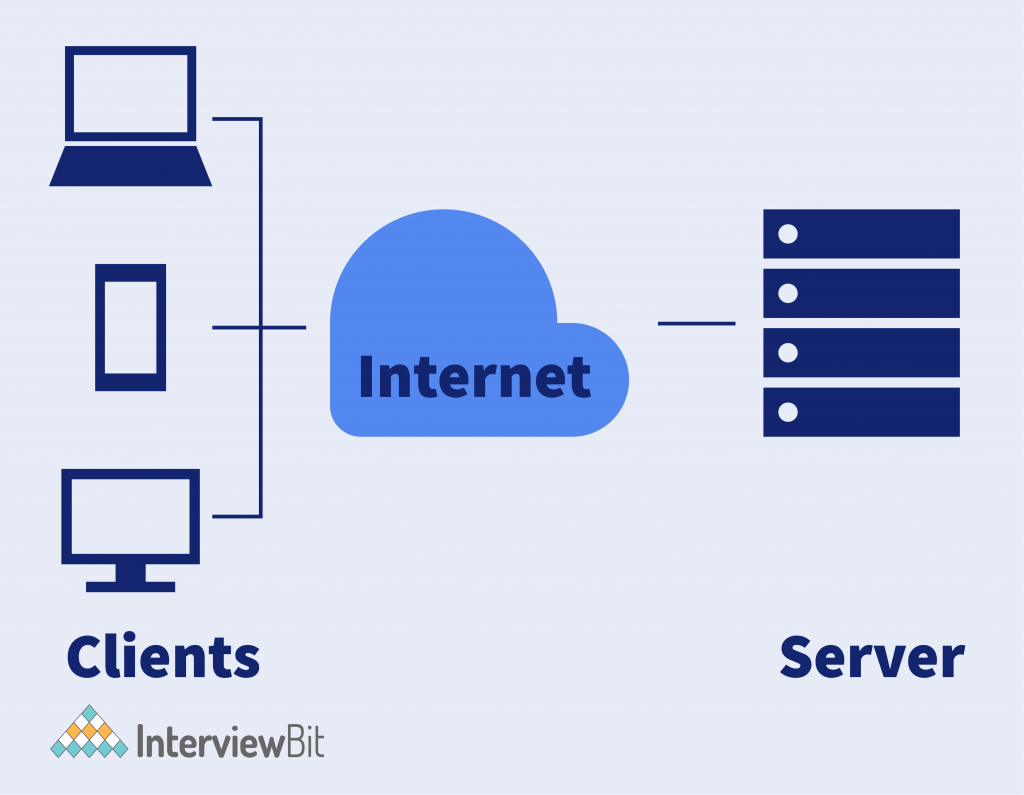
In a Client-Server network, each computer or process on the network is either a client or a server. Clients request services or resources, while servers provide those services. Servers are typically high-performance computers managing resources like files (file servers), printers (print servers), or network traffic (network servers). This architecture is widely used in web applications, where clients (e.g., web browsers) request data from servers (e.g., websites).

Advantages:

  • Centralized management makes it easier to control, secure, and maintain the network.
  • Efficient resource allocation, as servers are dedicated to providing specific services.
  • Scalable, as additional servers can be added to handle increased demand.
  • Enhanced security through centralized authentication and access control mechanisms.

Disadvantages:

  • High setup and maintenance costs due to the need for dedicated server hardware and software.
  • Single point of failure; if the server goes down, clients lose access to services.
  • Can experience performance bottlenecks if the server is overloaded with requests.
  • Requires skilled administration to manage and secure the server effectively.

3. Hybrid Networks

Hybrid networks combine elements of both client-server and peer-to-peer architectures. They leverage the centralized control of client-server networks and the decentralized resource sharing of P2P networks. An example is a torrent network, where a central tracker (server) coordinates peers, but file sharing occurs directly between peers. Hybrid networks are used in applications requiring both centralized management and distributed resource sharing.

Advantages:

  • Combines the benefits of centralized control and decentralized resource sharing.
  • Flexible, allowing adaptation to different use cases and requirements.
  • Can provide redundancy and fault tolerance by distributing tasks across peers and servers.
  • Efficient for applications requiring both centralized coordination and direct peer communication.

Disadvantages:

  • Complex to design and maintain due to the combination of two architectures.
  • May face security challenges from both client-server and P2P components.
  • Higher costs compared to pure P2P networks due to the need for server infrastructure.
  • Performance may vary depending on the balance between client-server and P2P operations.

Type of Computer Network

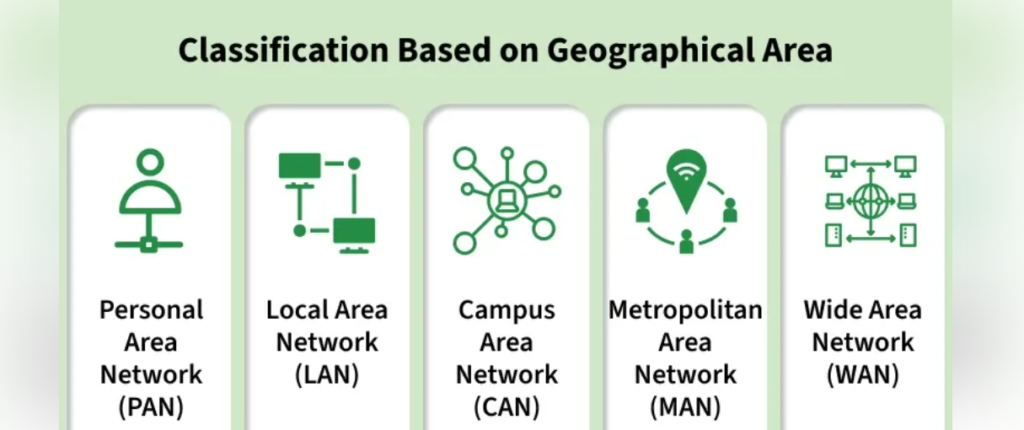
  • PAN (Personal Area Network)
    A small network used to connect personal devices within a short distance like a smartphone, laptop, or Bluetooth headset.

  • LAN (Local Area Network)
    A network that connects computers and devices within a small area such as a home, office, or school. It allows sharing of files, printers, and the Internet.

  • CAN (Campus Area Network)
    A network that connects multiple LANs within a campus such as a university, hospital, or company campus.

  • MAN (Metropolitan Area Network)
    A network that covers a city and connects many LANs together using high-speed fiber links, for example across Kolkata.

  • WAN (Wide Area Network)
    A large network that connects multiple cities or countries. The Internet is the biggest example of a WAN.

  • (SAN) Storage Area Network 

is a high-speed network used to connect servers to storage devices like disk arrays or storage systems.

  • NAS (Network Attached Storage)

is a storage device connected to a network that allows multiple users or computers to store, access, and share data from a central location.

What is Computer Network

What is a Network

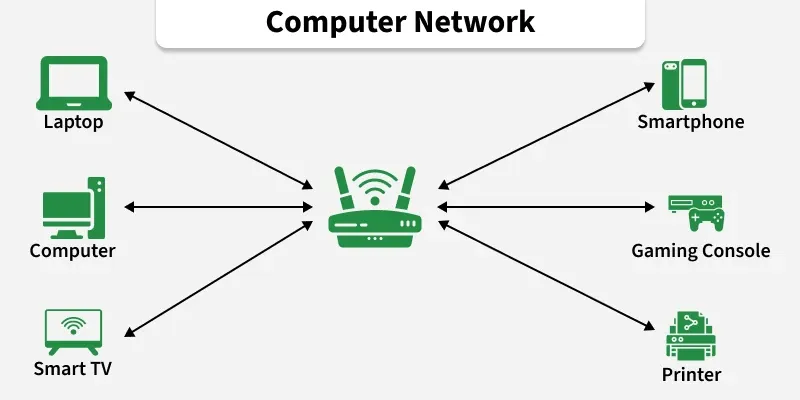
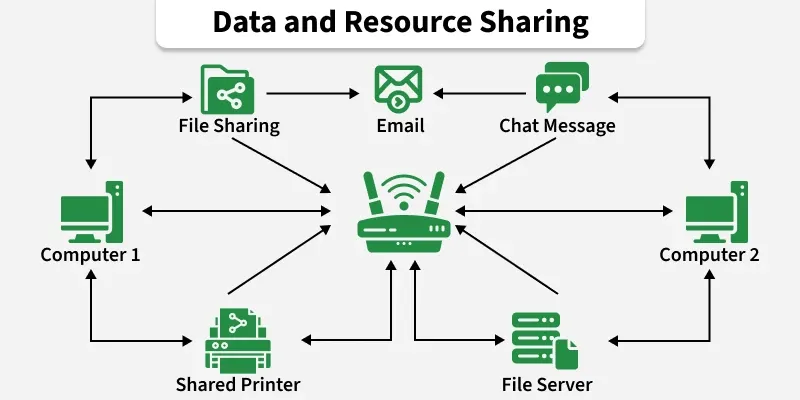
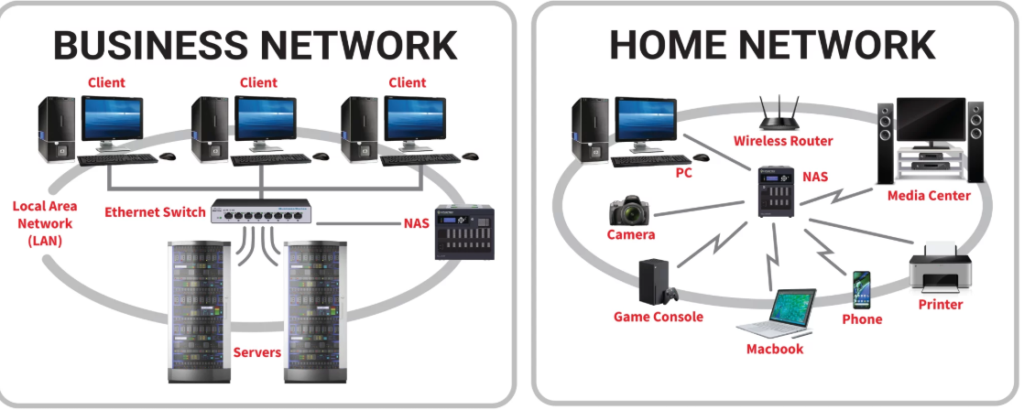
A network is a group of two or more computers or devices connected together to communicate and share resources such as data, files, printers, and the Internet. Devices in a network are connected using cables (Ethernet) or wireless technology (Wi-Fi).

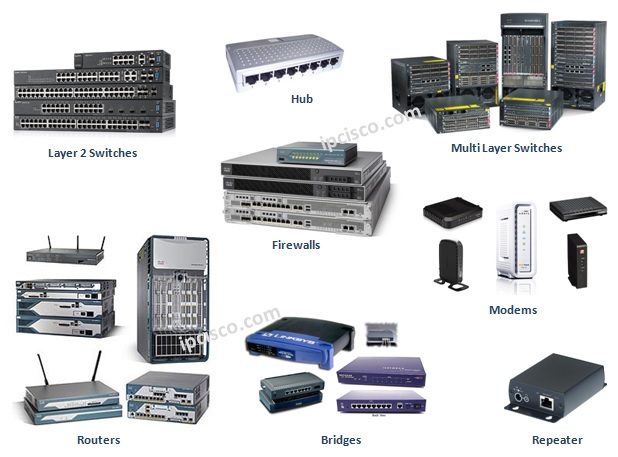
In a network, devices like computers, servers, switches, and routers work together to send and receive information between users. Networks are used in homes, offices, schools, companies, and data centers to make communication and resource sharing easier and faster.

Example:
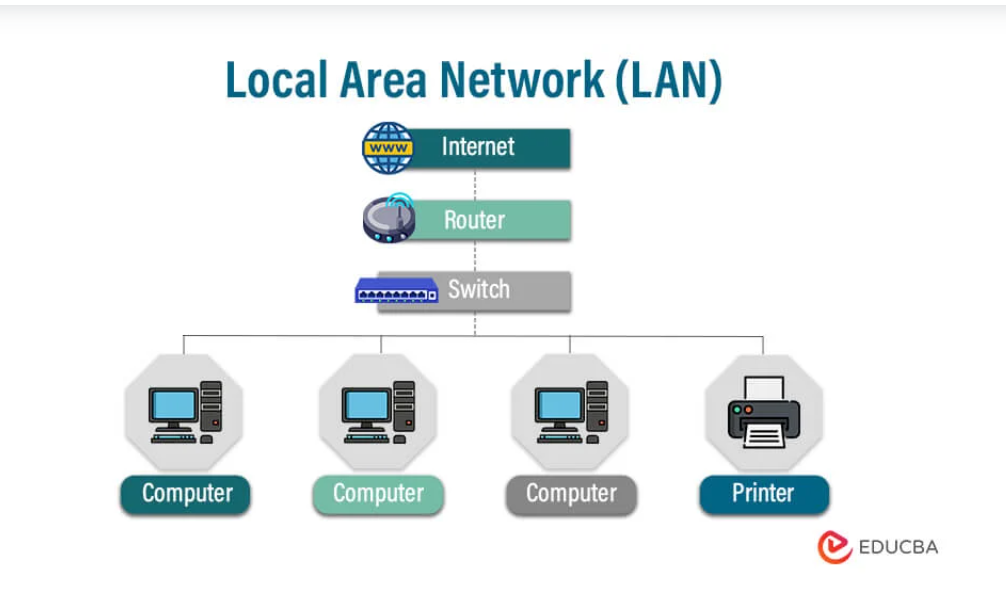
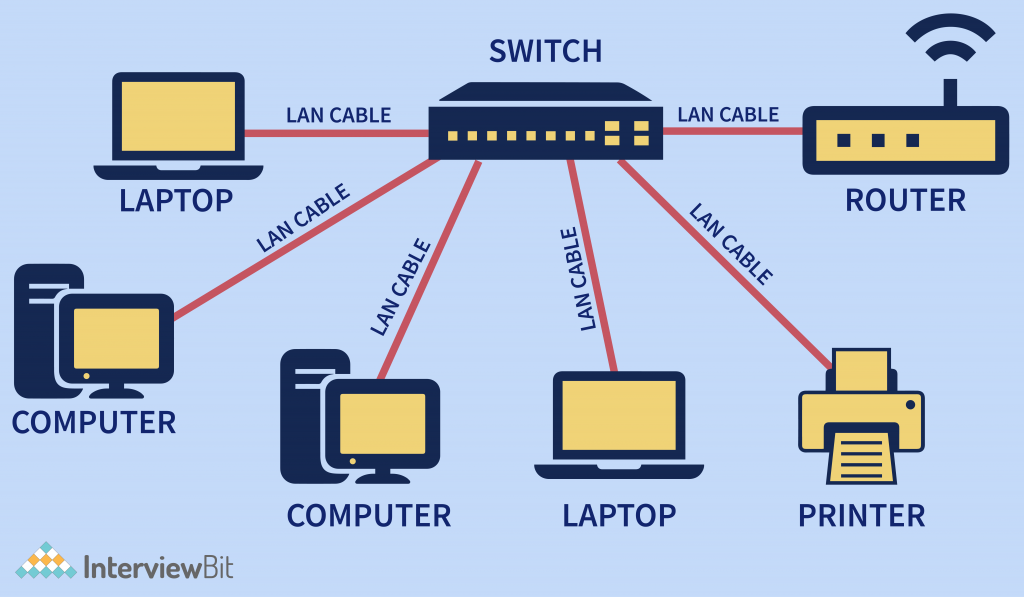
Computers in an office connected through a switch and router to share files and access the Internet.

What is Local Area Network LAN

What is LAN (Local Area Network)

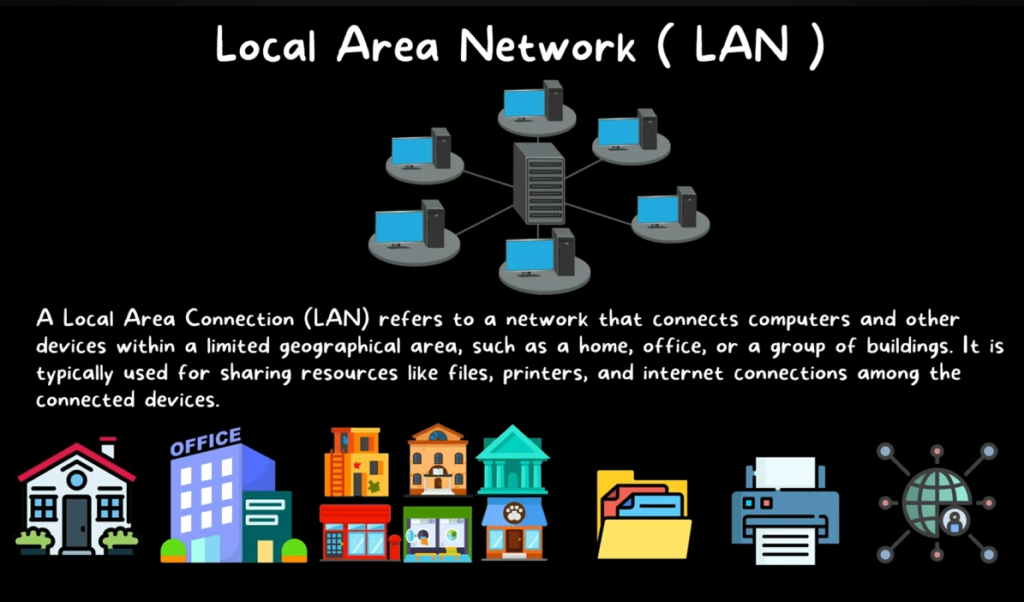
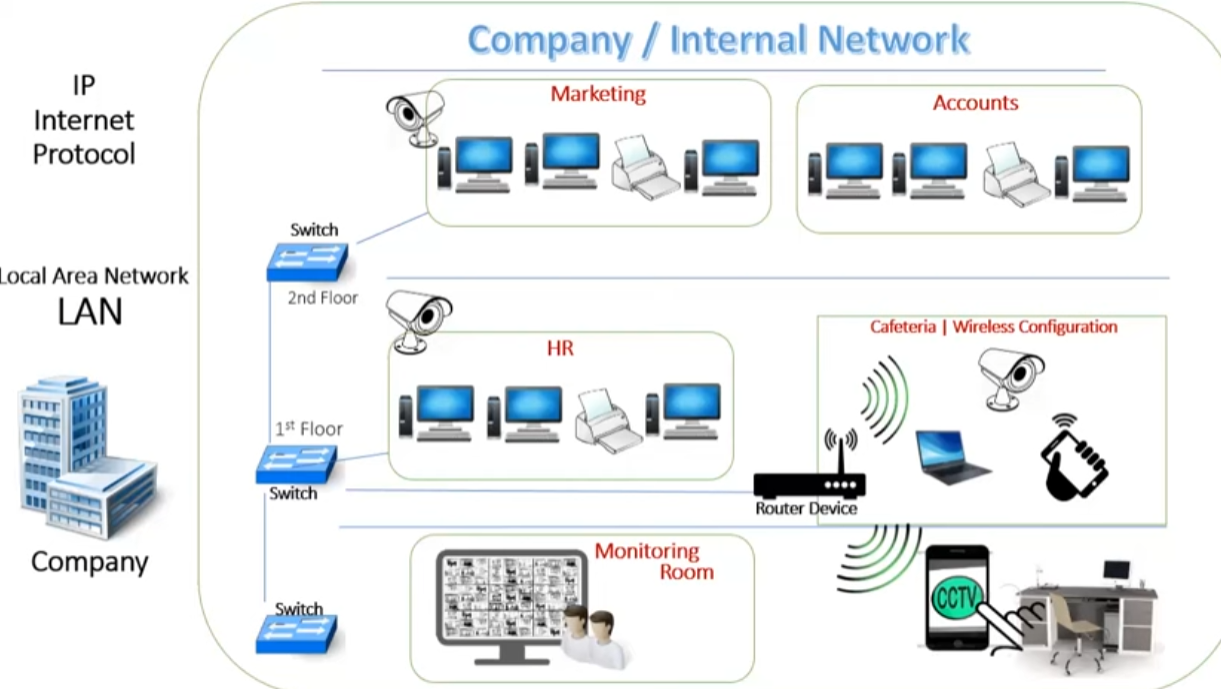
A LAN (Local Area Network) is a network that connects multiple computers and devices within a small geographical area, such as a home, office, school, or building. The main purpose of a LAN is to allow devices to communicate with each other, share resources, and exchange data quickly. LAN networks usually use Ethernet cables or Wi-Fi to connect devices like computers, printers, servers, IP phones, and network storage. Because the devices are located close together, LAN provides very high speed communication, low delay (latency), and reliable connectivity.

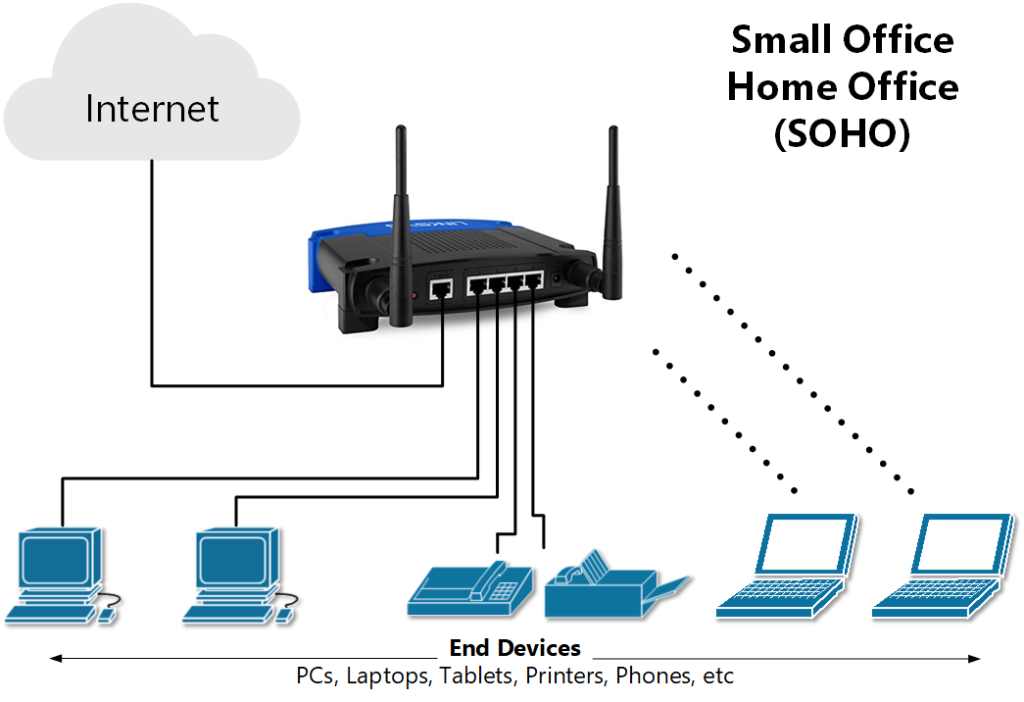
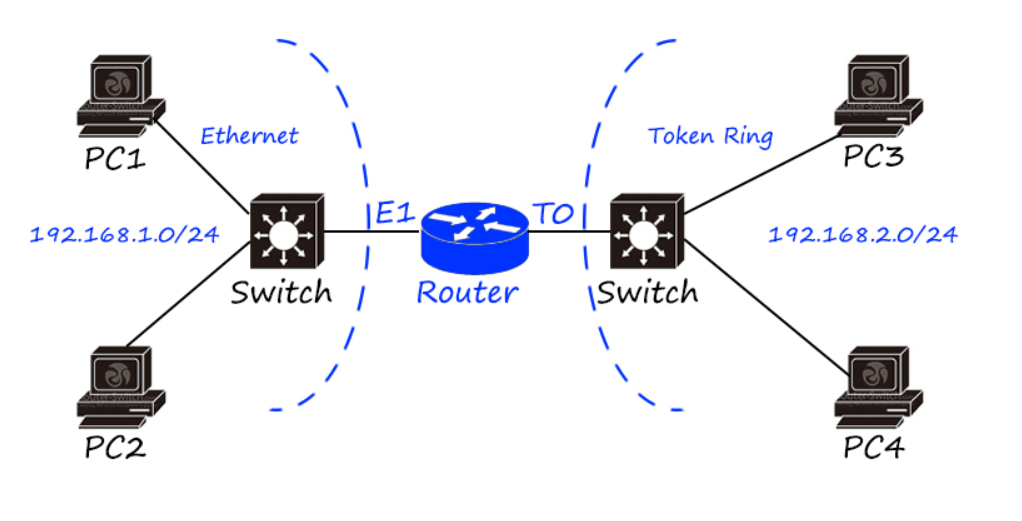
In a LAN, a network switch is commonly used to connect many devices together, while a router connects the LAN to other networks or to the Internet. Most modern companies use LAN networks to manage internal communication, share files, and provide centralized services like printers and servers. LANs are widely used in organizations because they are easy to manage, secure, and cost-effective compared to large networks like WAN.


Example of LAN

1. Office LAN Example
In a company office, many computers are connected to a network switch using Ethernet cables. The switch connects to a router, which provides access to the Internet. Employees can share printers, access a local file server, and communicate with each other inside the office network. This entire internal network is called a LAN.

2. School or College LAN Example
In a school computer lab, 30–40 computers are connected through switches to a central server. Students can access shared learning resources, print documents, and access the internet through the same network. This setup is also a LAN.

3. Home LAN Example
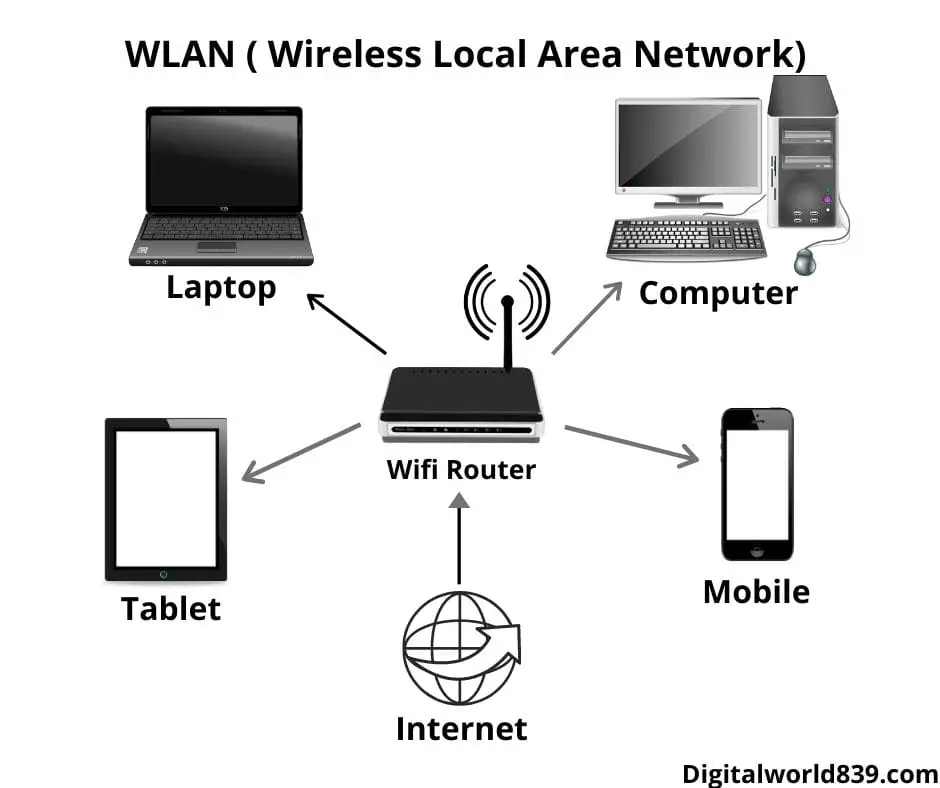
At home, devices like a laptop, smartphone, smart TV, and printer connect to a Wi-Fi router. These devices communicate with each other and access the Internet through the router. This home network is also considered a LAN.


Main Characteristics of LAN

  • Covers a small area (home, office, building).
  • Provides high-speed communication (100 Mbps, 1 Gbps, or higher).
  • Uses devices like switches, routers, and access points.
  • Allows resource sharing (files, printers, servers).
  • Easy to manage and maintain.

Key characteristics of LANs include:

  1. Small Scale: They typically cover a small area, like a building or a campus.
  2. High-Speed Connections: LANs usually offer faster speeds compared to wide-area networks (WANs) because of the short distances between devices.
  3. Private Ownership: The network is usually owned and managed by a single entity, such as a business or household.
  4. Wired or Wireless: LANs can be wired (using Ethernet cables) or wireless (using Wi-Fi).
  5. Resource Sharing: Devices on a LAN can easily share resources like printers, storage devices, and internet access.
  6. Communication: It allows devices to communicate and transfer data with each other quickly.

In short, a LAN is designed to enable devices within a small area to communicate and share resources efficientl

Advantages And Disadvantages of LAN

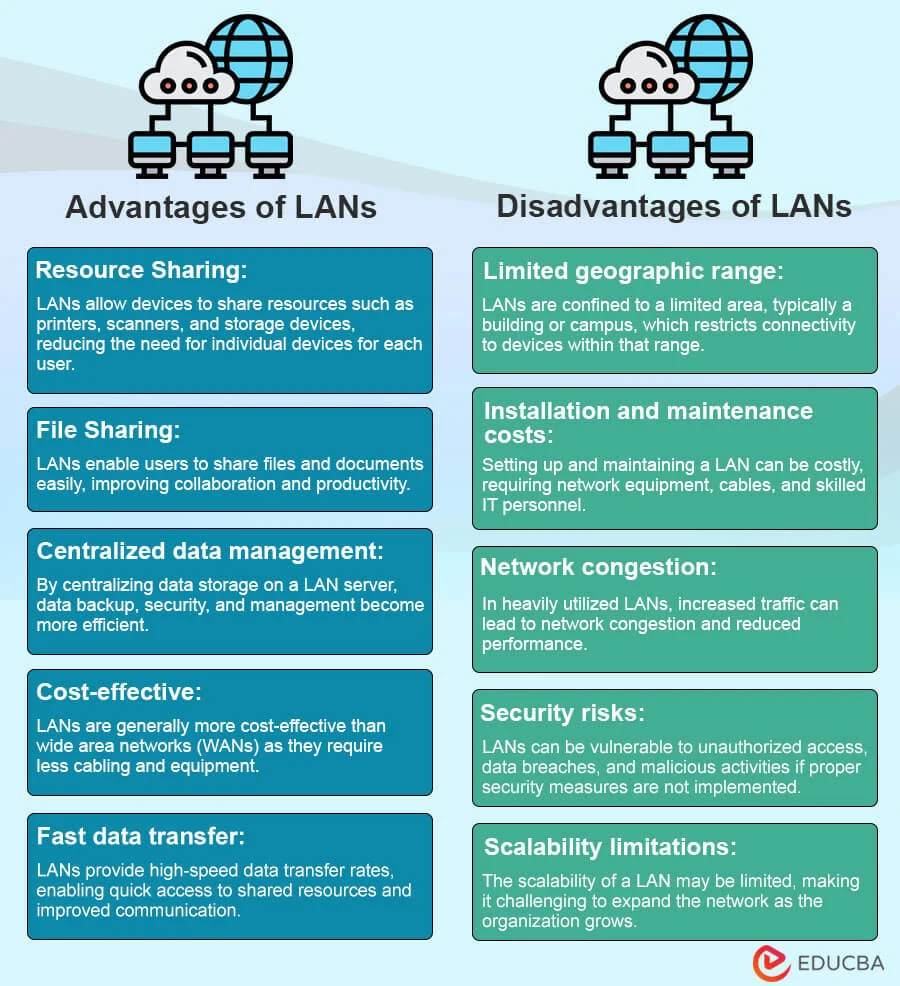
Advantages of LAN (Local Area Network)

  1. Resource Sharing
    Devices in a LAN can share resources like printers, files, applications, and the Internet, which reduces cost.

  2. High Speed
    LAN networks provide very fast data transfer (100 Mbps, 1 Gbps, or more) because devices are located close to each other.

  3. Centralized Data Management
    Data can be stored on a central server, making it easier to manage, backup, and secure information.

  4. Easy Communication
    Users in the same network can easily communicate and share information.

  5. Cost Effective
    LAN setup and maintenance costs are lower compared to large networks like WAN.


Disadvantages of LAN

  1. Limited Coverage Area
    LAN covers only a small area like a building, office, or campus.

  2. Security Risk
    If the network is not properly secured, unauthorized users may access shared data.

  3. Server Failure Problem
    If the central server fails, many network services may stop working.

  4. Maintenance Required
    LAN requires network management and maintenance by IT staff.

  5. Virus Spread
    Viruses or malware can spread quickly between connected devices in the network.

What is Metropolitan Area Network (MAN)

What is MAN (Metropolitan Area Network)

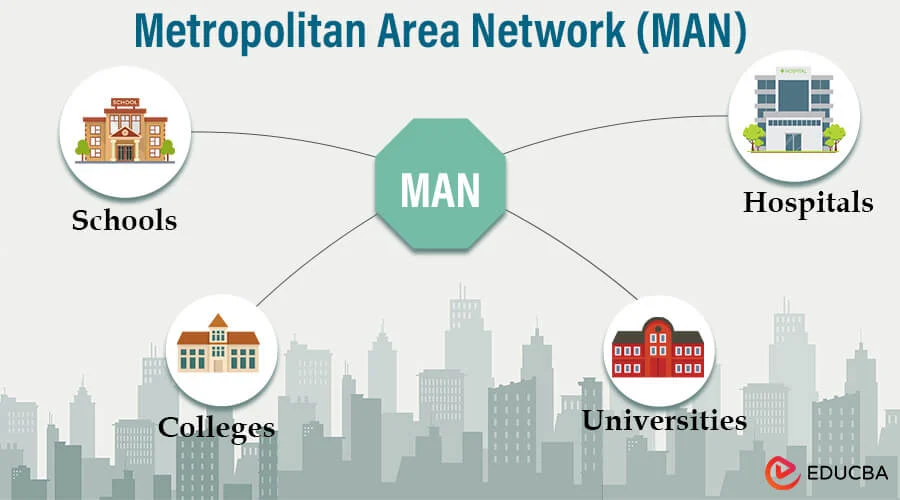
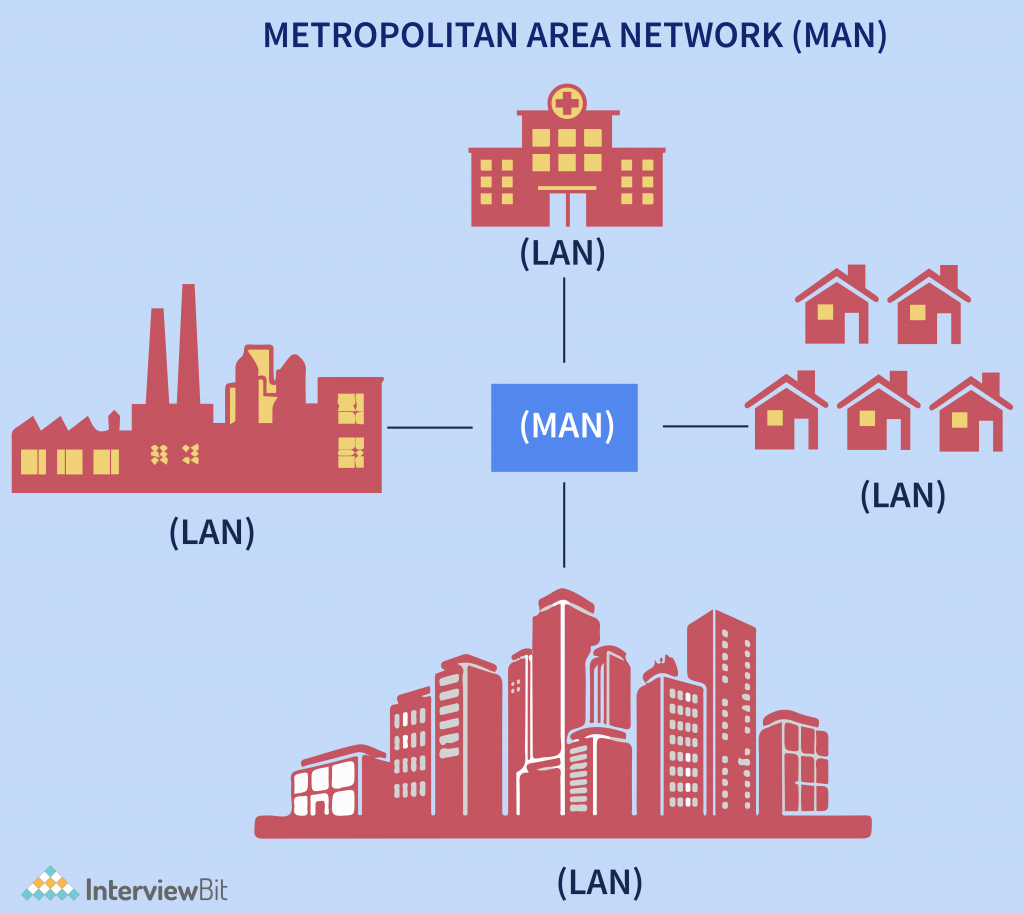
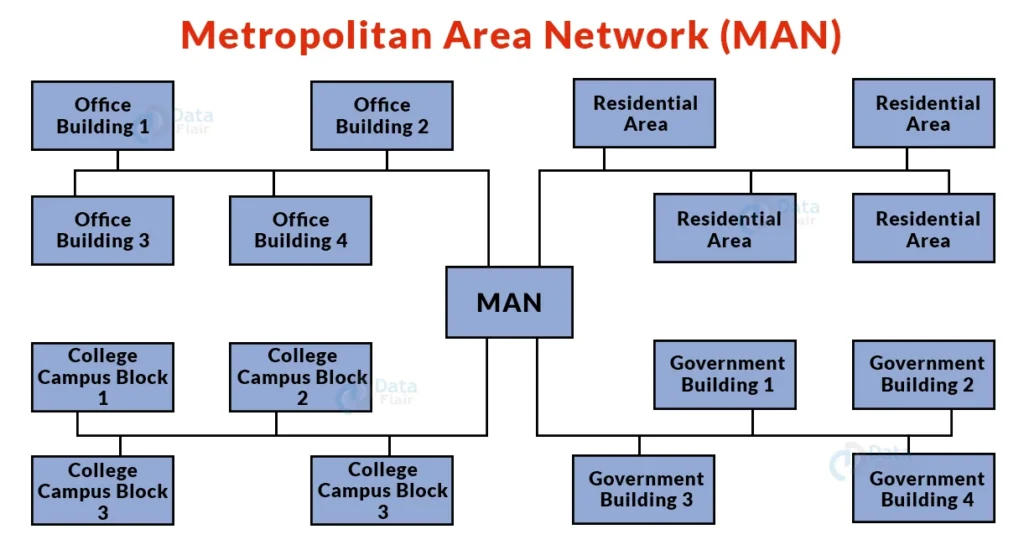
A MAN (Metropolitan Area Network) is a type of computer network that connects multiple LANs (Local Area Networks) within a large geographic area such as a city or metropolitan region. MAN is larger than a LAN but smaller than a WAN. It is designed to provide high-speed communication and data transfer between different locations within the same city.

MAN networks usually use fiber optic cables, high-capacity routers, and switches to connect different offices, universities, government buildings, and data centers. These networks are often managed by telecommunication companies or Internet Service Providers (ISPs) to deliver services like broadband internet, cable TV, and enterprise connectivity. Because of fiber infrastructure, MAN networks can provide very high bandwidth and reliable communication across the city.

Example of MAN

1. City Fiber Network
In a city like Kolkata, many companies, universities, banks, and government offices are connected through a city-wide fiber optic network. This network links multiple LANs from different buildings and organizations together, creating a MAN.

2. ISP Network Example
An Internet Service Provider such as Airtel or Jio uses a MAN infrastructure to distribute internet services across different areas of a city. The ISP connects its data centers to local distribution points using fiber networks.

3. University City Network
Several campuses of a university located in different parts of a city can be connected through a MAN, allowing them to share servers, data, and internet connectivity.


Key Features of MAN

  • Covers a city or metropolitan area
  • Connects multiple LANs together
  • Uses high-speed fiber optic communication

Advantages And Disadvantages of MAN

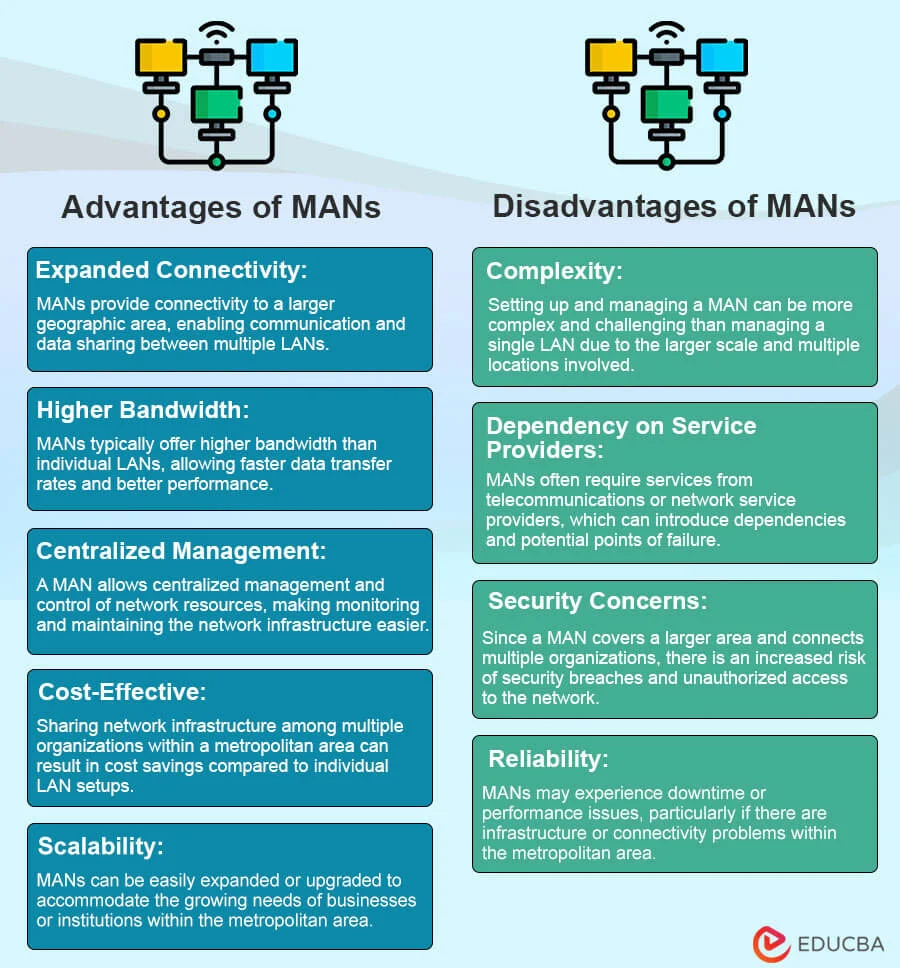
Advantages of MAN (Metropolitan Area Network)

  1. Large Coverage Area
    MAN covers a large area such as a city, connecting many LAN networks together.

  2. High-Speed Connectivity
    It uses fiber optic networks, which provide high bandwidth and fast data transfer.

  3. Resource Sharing
    Organizations in the same city can share data, services, and internet connections easily.

  4. Better Communication
    Companies with multiple offices in a city can communicate quickly and efficiently.

  5. Support for Many Users
    MAN networks can support thousands of users and organizations within a city like Kolkata.


Disadvantages of MAN

  1. High Setup Cost
    Building a MAN network requires fiber infrastructure and expensive networking equipment.

  2. Complex Management
    MAN networks are more complex to manage and maintain compared to LAN.

  3. Security Issues
    Because many networks are connected, security risks can increase if proper protection is not used.

  4. Maintenance Difficulty
    Maintaining a city-wide network requires skilled technicians and regular monitoring.

What is Wide Area Network WAN

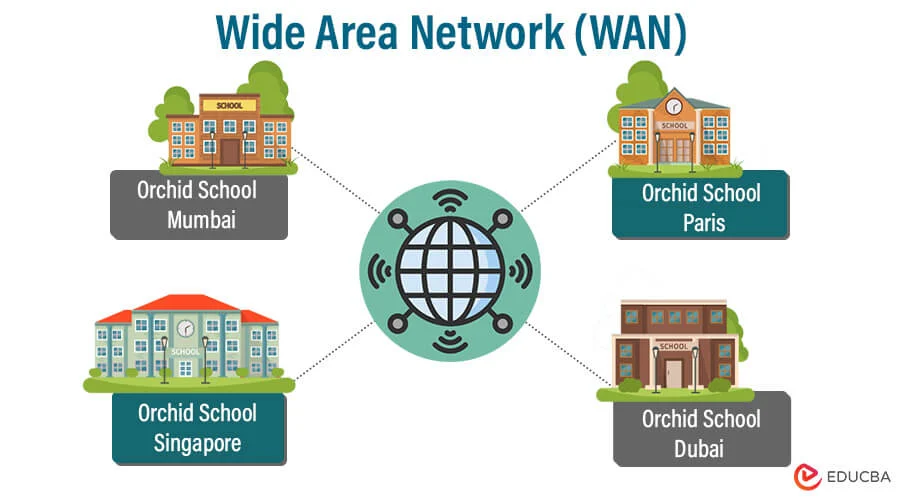
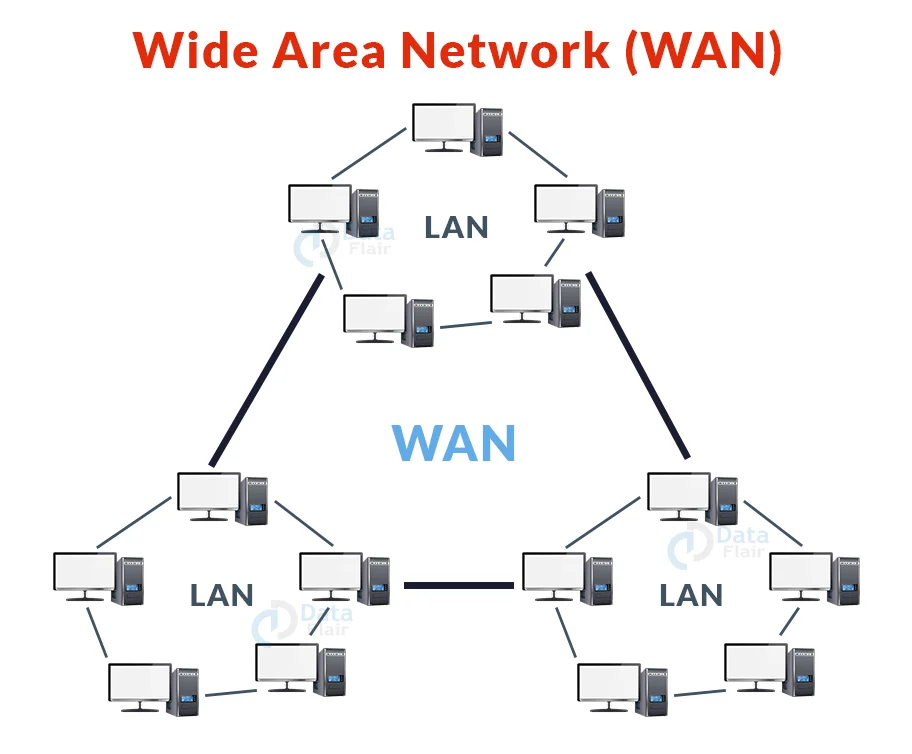
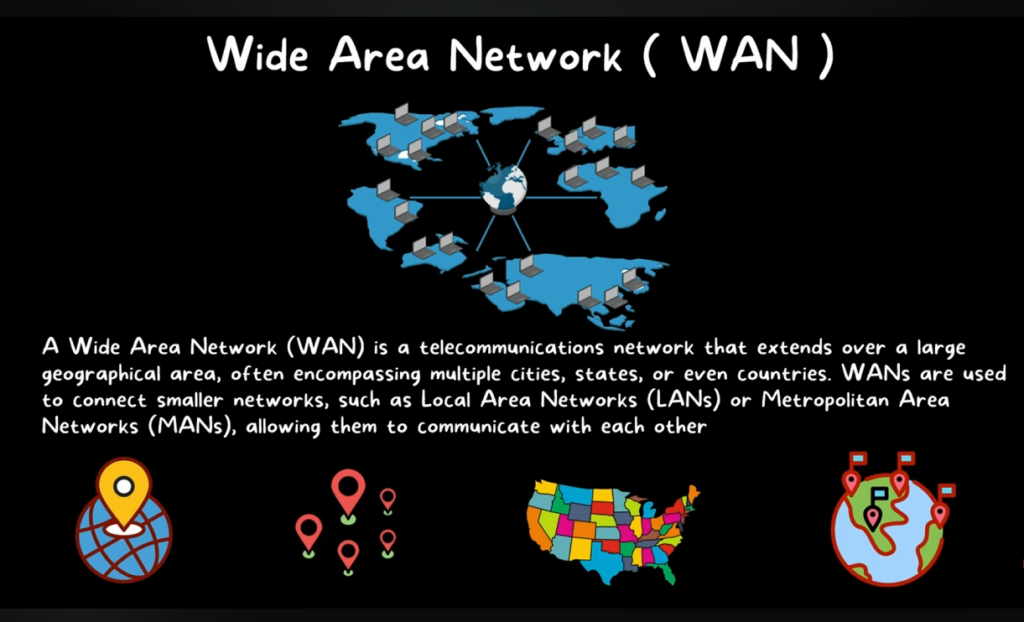
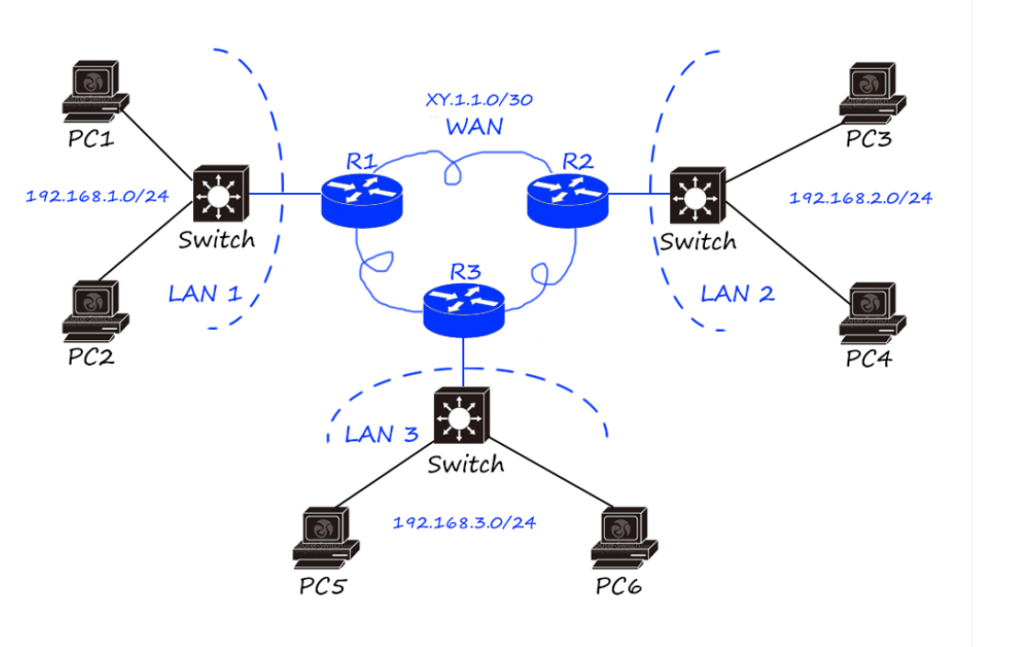
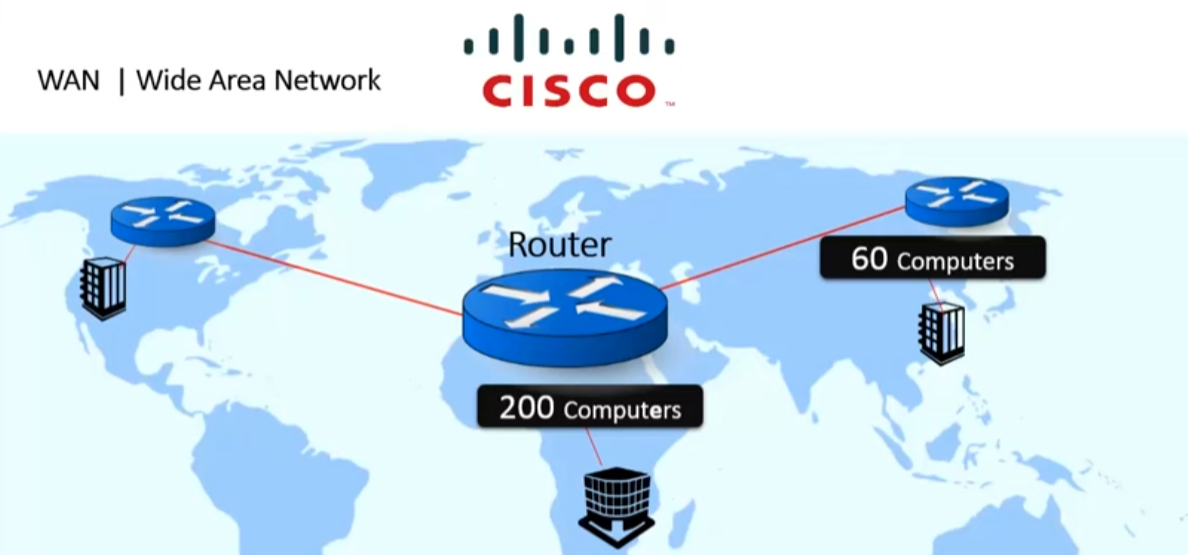
A Wide Area Network (WAN) is a type of computer network that connects computers, networks, or devices over a large geographical area such as cities, countries, or even continents. It allows different local networks to communicate with each other through routers, leased lines, fiber optics, or satellite links. WAN is mainly used by large organizations, service providers, and governments to connect multiple branches or offices located in different places.

In a WAN, data travels through various networking devices such as routers, switches, and transmission media like fiber optic cables and wireless links. WAN technology uses communication protocols such as TCP/IP, MPLS, and BGP to transmit data efficiently between distant networks. Internet Service Providers (ISPs) build and maintain WAN infrastructure so users and companies can access remote networks and the internet.

A common example of a WAN is the Internet, which connects millions of networks and devices worldwide. For example, if a company has one office in Kolkata and another office in Delhi, they can connect both offices using a WAN so employees can share data, access servers, and communicate with each other.

Another example: Banks use WAN networks to connect their ATMs and branches across different cities, allowing customers to withdraw money and access their accounts from anywhere.

In short: WAN connects multiple smaller networks (like LANs) over a very large distance to enable communication and data sharing.

Advantages And Disadvantages of WAN

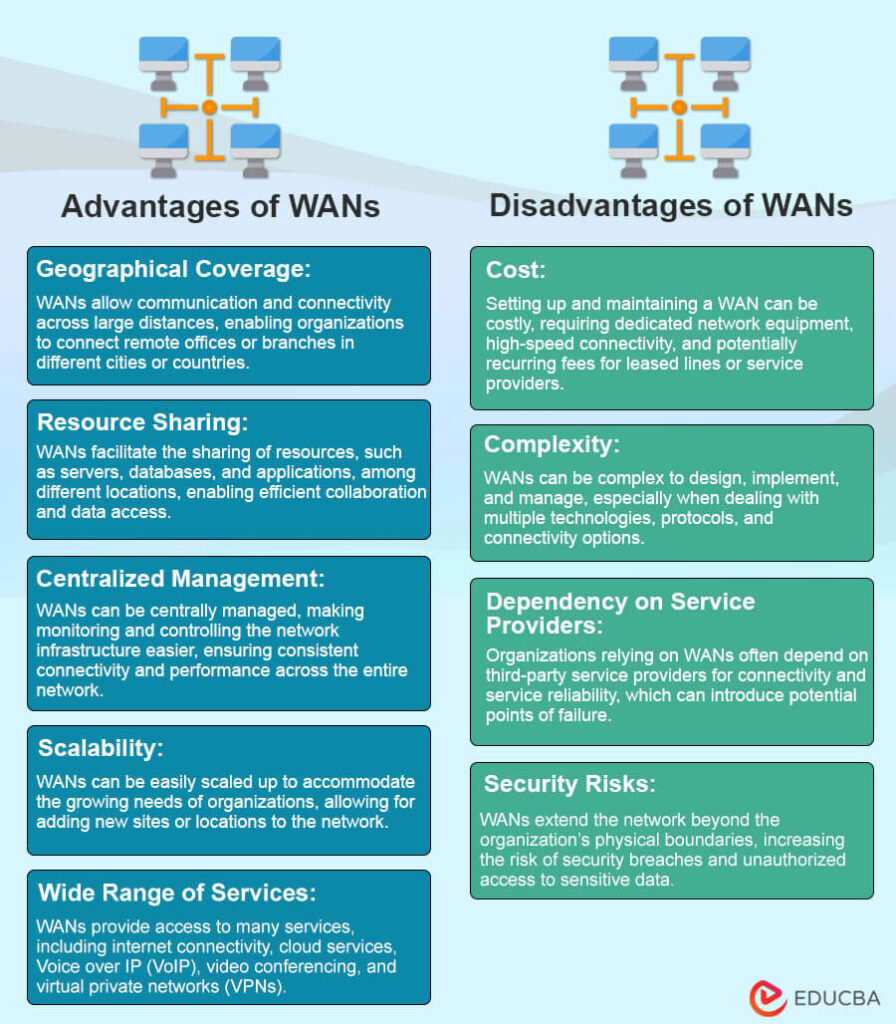
Advantages of Wide Area Network (WAN)

1. Large Geographical Coverage
WAN connects computers and networks over very large distances such as cities, countries, or continents. It allows organizations to link multiple branch offices in different locations.

2. Resource Sharing
Users in different locations can share resources like servers, databases, applications, and files through a WAN network.

3. Centralized Data Management
Companies can store data in a central data center so all branch offices can access the same information easily.

4. Communication Between Branches
Employees in different offices can communicate using email, VoIP calls, video conferencing, and internal applications through WAN.

5. Remote Access
Employees can securely access company networks from remote locations using technologies like VPN over WAN.

Example:
The Internet is the biggest WAN that connects millions of computers and networks worldwide.


Disadvantages of Wide Area Network (WAN)

1. High Setup Cost
Building and maintaining WAN infrastructure (leased lines, routers, fiber links) is expensive compared to LAN networks.

2. Complex Management
WAN networks are large and require skilled network engineers to configure, monitor, and manage them.

3. Security Risks
Since WAN connects networks over public or long-distance links, there is a higher risk of hacking, data theft, and cyber attacks.

4. Slower Speed Compared to LAN
WAN generally has lower speed and higher latency than a Local Area Network (LAN) because data travels long distances.

5. Troubleshooting Difficulty
If a problem occurs in WAN links or service provider networks, it can be difficult and time-consuming to identify and fix the issue.


Short Summary:

  • Advantages: Large coverage, resource sharing, remote access, centralized data.
  • Disadvantages: High cost, complex management, security risk, slower than LAN.

Difference between (LAN), (MAN), (WAN)

The Local Area Network (LAN), Metropolitan Area Network (MAN), and Wide Area Network (WAN) are different types of computer networks based on their coverage area, size, and usage.

FeatureLANMANWAN
Full FormLocal Area NetworkMetropolitan Area NetworkWide Area Network
Coverage AreaSmall area such as a room, office, or buildingCovers a city or metropolitan areaCovers very large areas like countries or continents
Network SizeSmallMediumVery large
SpeedVery high speedHigh speedLower than LAN and MAN
CostLowMediumHigh
OwnershipUsually owned by one organizationManaged by telecom companies or city authoritiesManaged by multiple service providers

Short Summary:

  • LAN: Small area network (office, school).
  • MAN: City-level network.
  • WAN: Very large network connecting cities and countries.

Personal Area Network (PAN)

Personal Area Network (PAN)

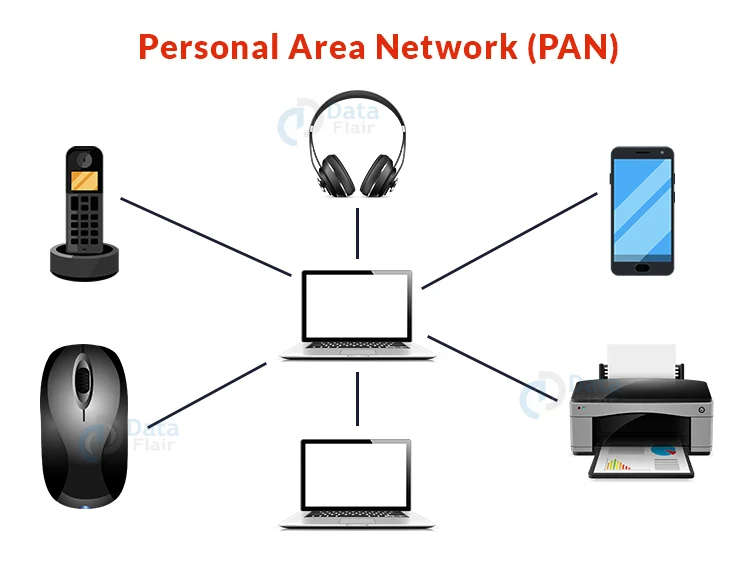
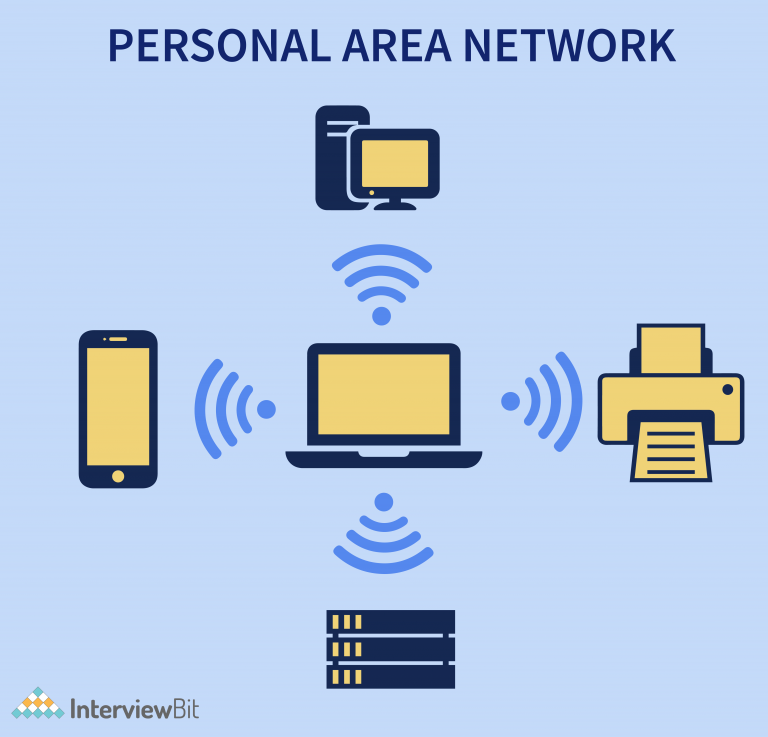
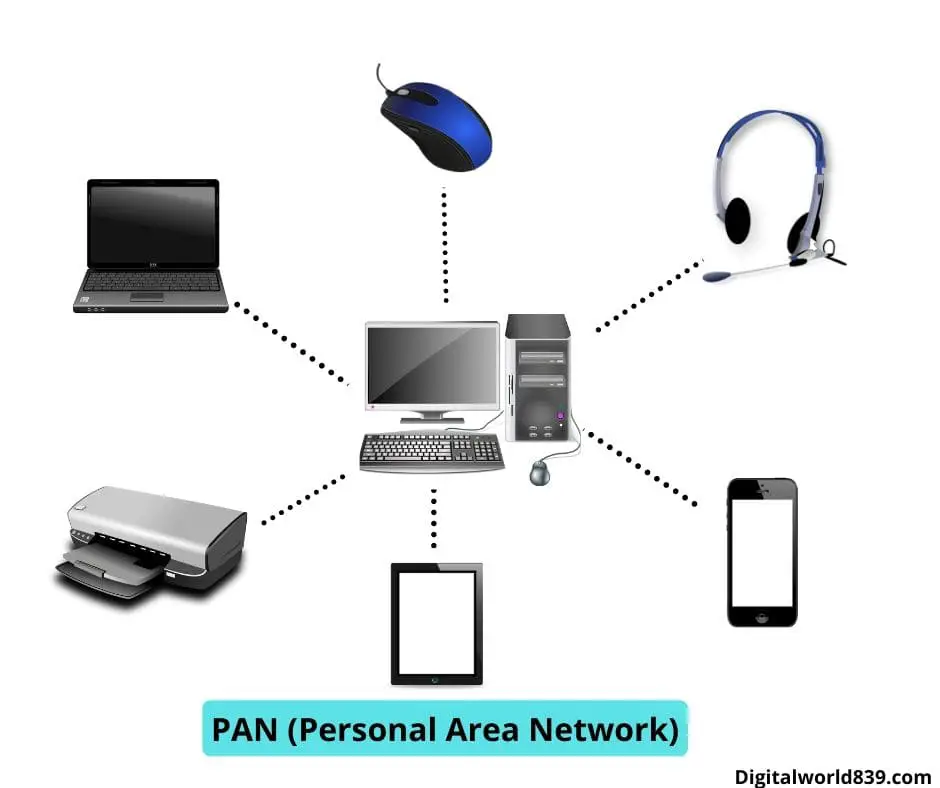
A Personal Area Network (PAN) is a small computer network used to connect personal devices within a very short distance, usually within 10 meters. It is mainly used for communication between devices belonging to one person.

PAN allows devices such as smartphones, laptops, tablets, headphones, and smartwatches to share data and communicate with each other using technologies like Bluetooth, USB, or Wi-Fi.

This type of network is commonly used for personal use and does not require complex network infrastructure like routers or large switches.

Example:

  • Connecting a smartphone to wireless earbuds using Bluetooth.
  • Connecting a laptop to a smartphone hotspot to access the Internet.
  • Connecting a smartwatch to a mobile phone.

Key Features of PAN

  • Very small coverage area (about 10 meters).
  • Used for personal devices.
  • Easy to set up and low cost.
  • Uses technologies like Bluetooth, USB, and Wi-Fi.

Short Definition:
A PAN is a network that connects personal devices around a single user within a short distance.

  • Advantages: Easy setup, low cost, portable, wireless connectivity.
  • Disadvantages: Short range, limited devices, slower speed, security risks.

Campus Area Network (CAN)

Campus Area Network (CAN)

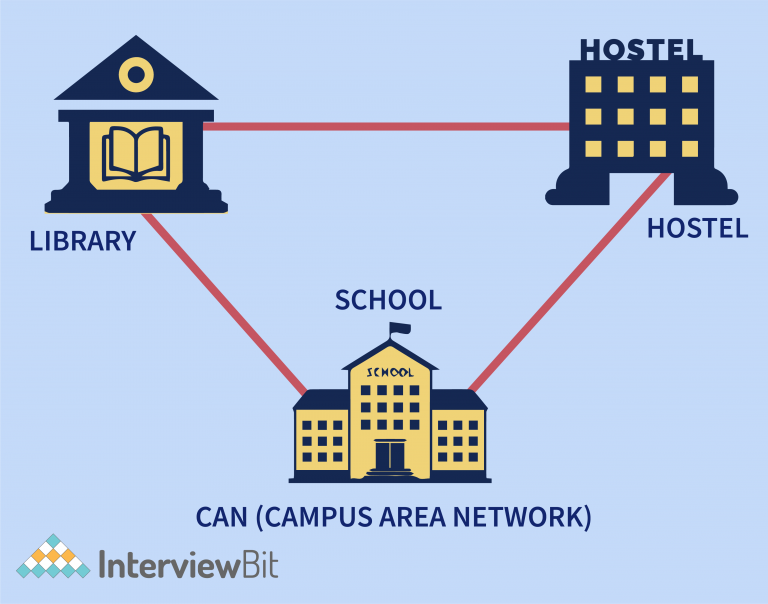
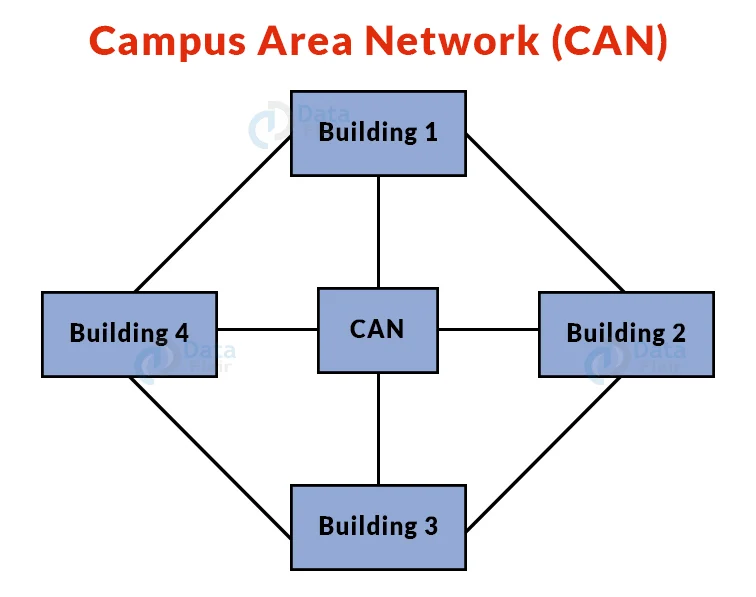
A Campus Area Network (CAN) is a type of computer network that connects multiple buildings within a limited geographical area, such as a university campus, college, school, corporate campus, or military base.

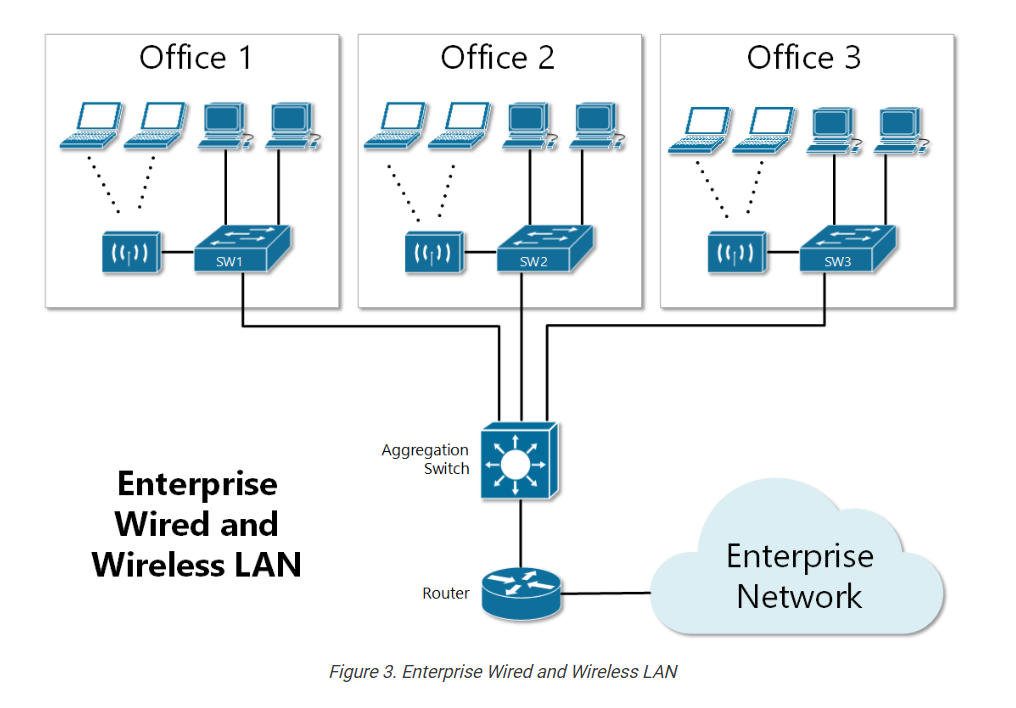
A CAN is larger than a Local Area Network (LAN) but smaller than a Metropolitan Area Network (MAN). It links different LANs together using high-speed connections such as fiber optic cables.

In a CAN, network devices like routers, switches, and servers connect different buildings so users can share resources such as internet access, printers, databases, and applications across the campus.

Example:
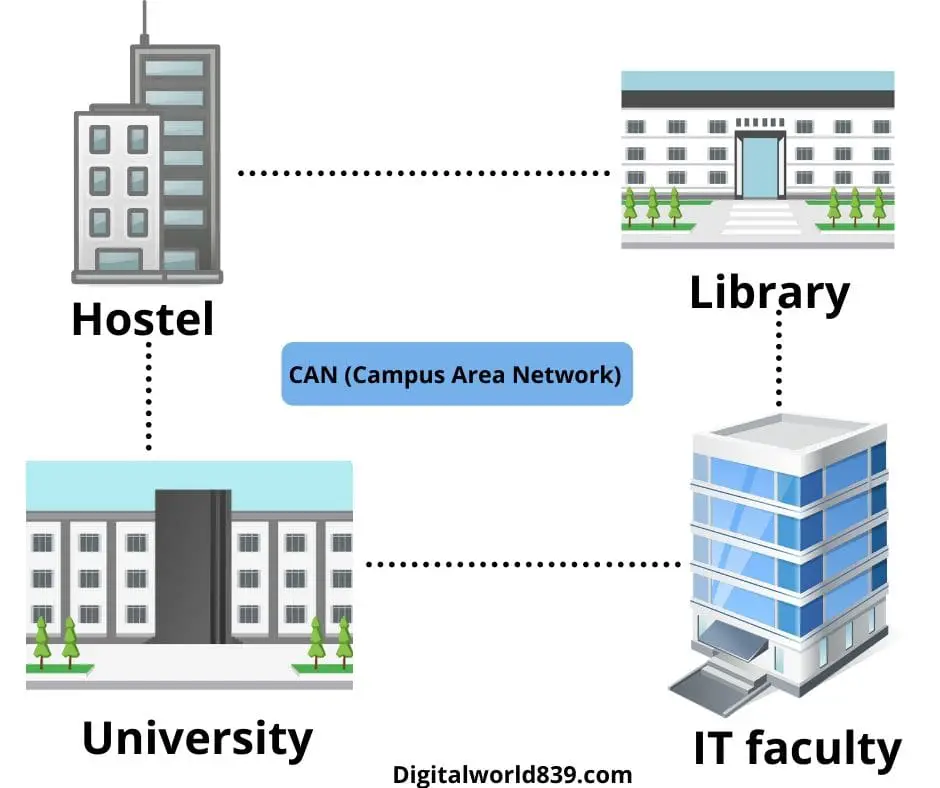
A university campus connects the library, administration building, hostels, and computer labs using fiber optic cables so students and staff can access the same network and the Internet.


Key Features of CAN

  • Covers a campus or organization area (1–5 km).
  • Connects multiple LAN networks.
  • Uses high-speed fiber or Ethernet connections.
  • Usually owned and managed by one organization.

Short Definition:
A Campus Area Network (CAN) is a network that connects multiple buildings within a campus or organization to share resources and communication services.

Storage Area Network (SAN)

Storage Area Network (SAN)

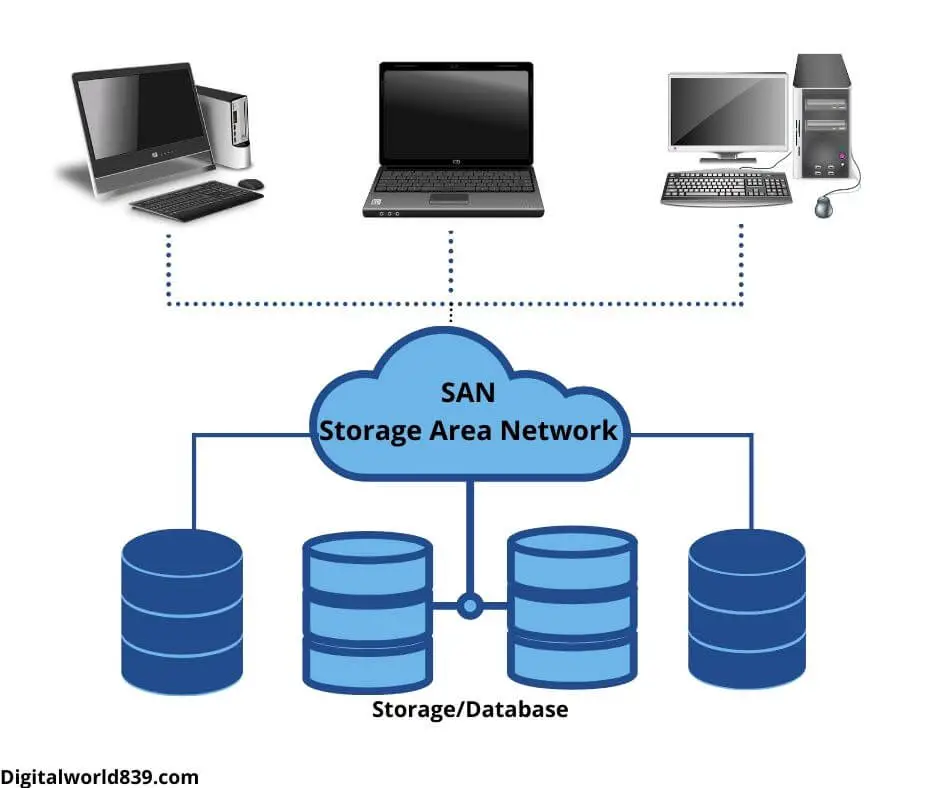
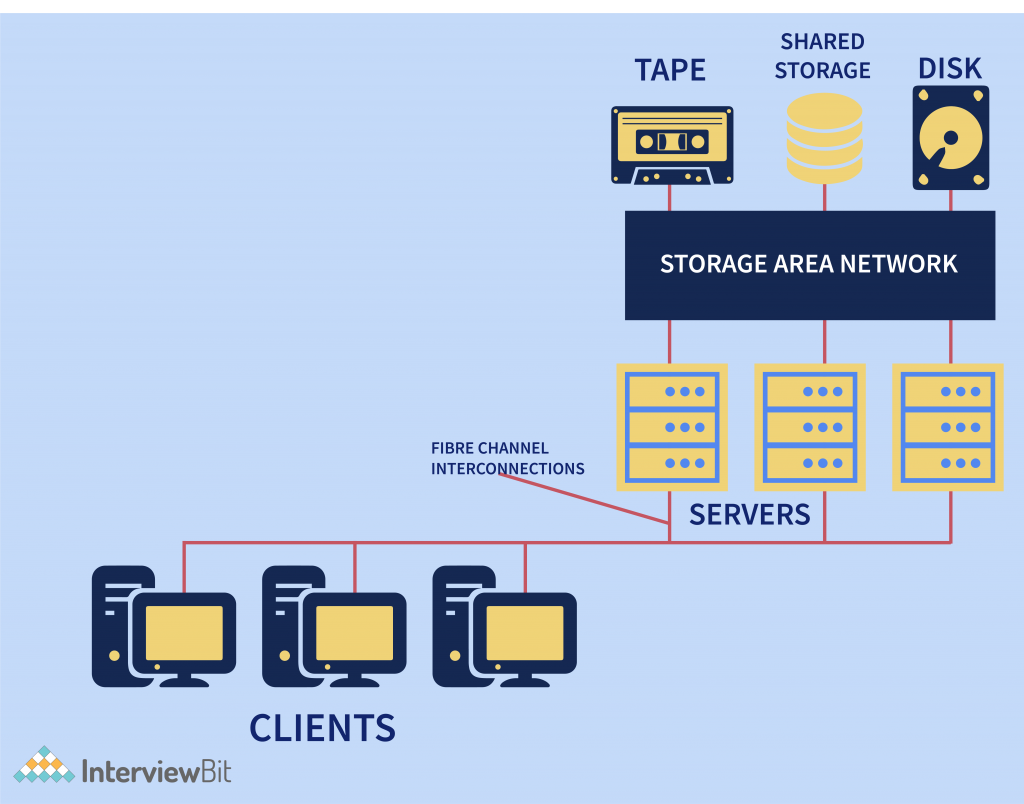
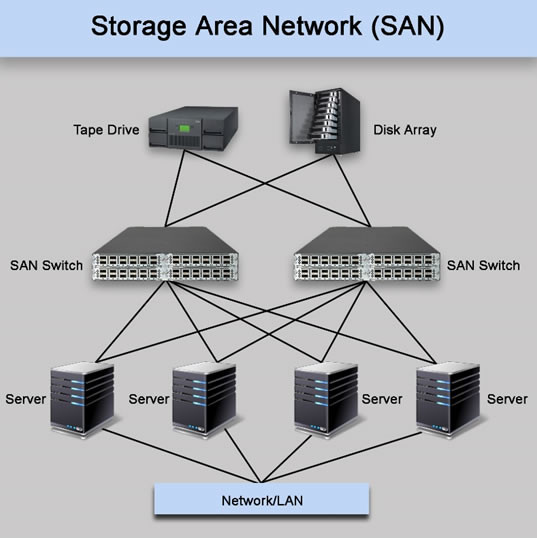
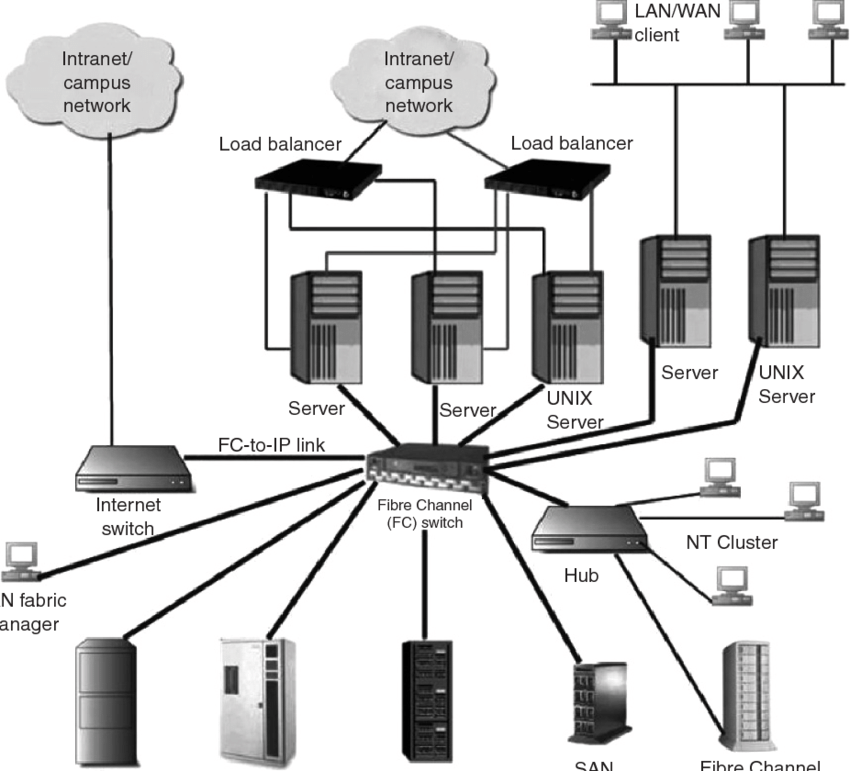
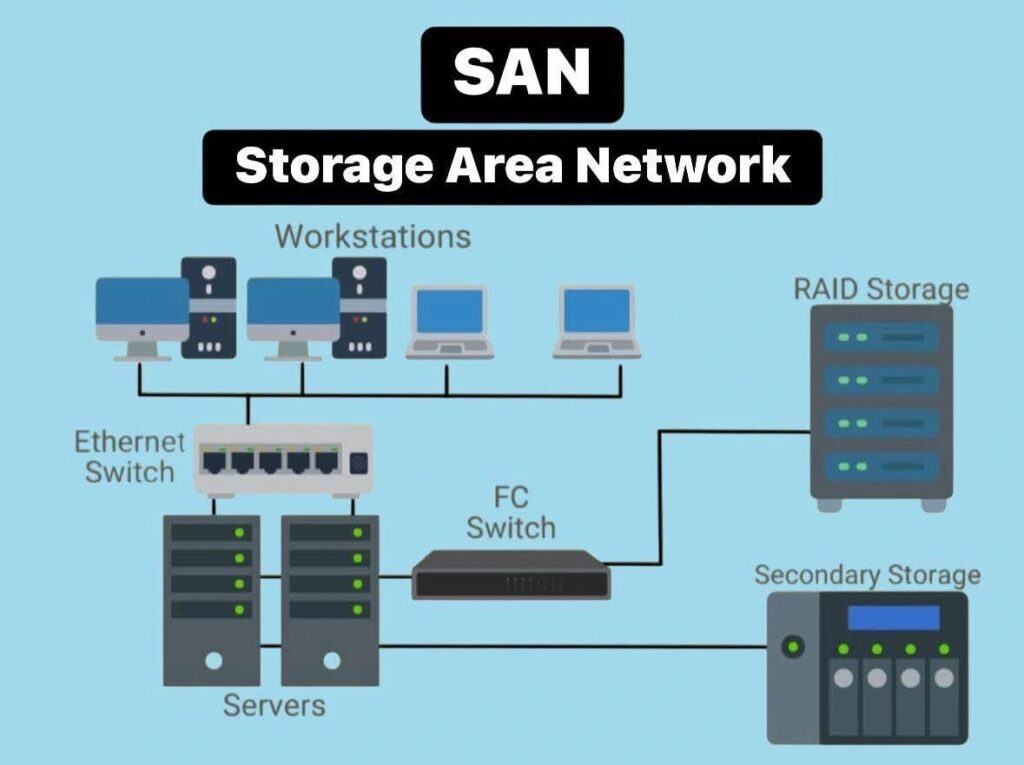
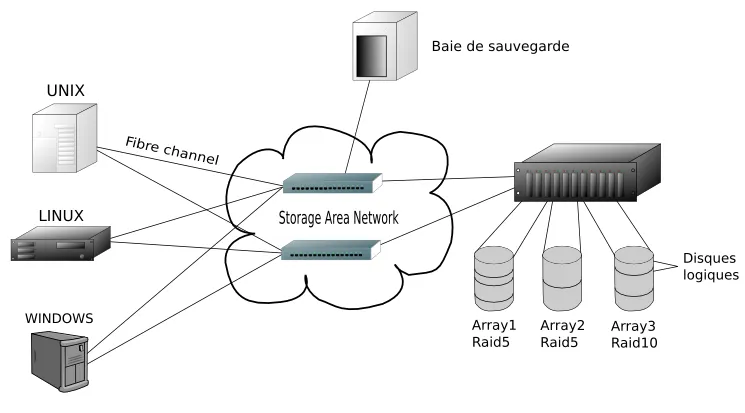
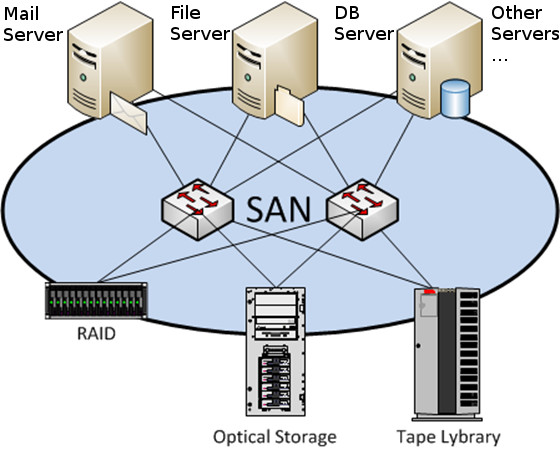
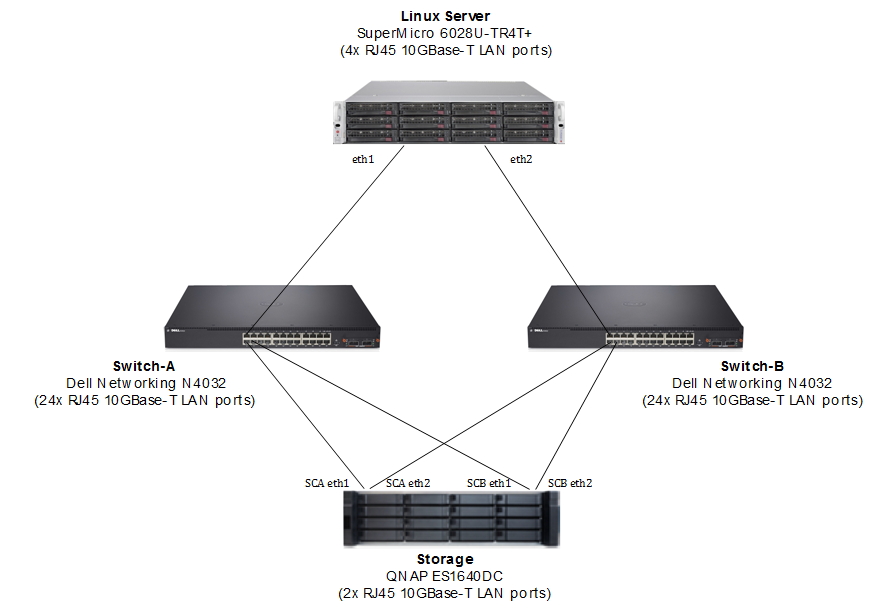
A Storage Area Network (SAN) is a high-speed specialized network that connects servers to large storage devices such as disk arrays and storage systems. It allows multiple servers to access shared storage as if it were directly connected to them.

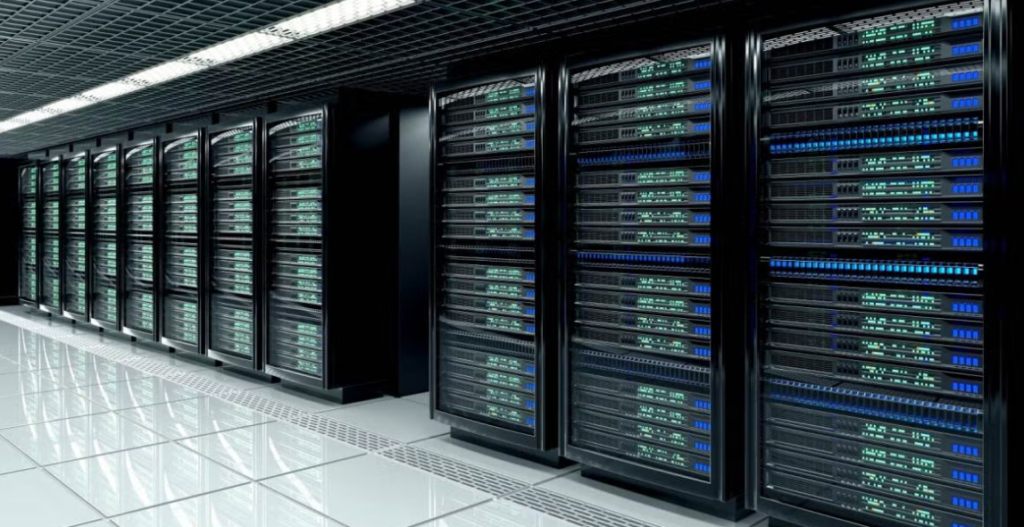
SAN is mainly used in data centers and large companies where a large amount of data needs to be stored, managed, and accessed quickly. It improves performance, reliability, and storage management by separating storage traffic from normal network traffic.

SAN usually uses high-speed technologies like Fibre Channel, iSCSI, or Fibre Channel over Ethernet (FCoE) to transfer data between servers and storage systems.

Example:
In a company data center, several servers connect to a shared storage system through a SAN network to store databases, applications, and backup data.


Short Definition:
A SAN is a high-speed network that connects servers to centralized storage devices for fast and reliable data access.

A Storage Area Network (SAN) is a specialized, high-speed network that provides block-level storage to multiple servers. SANs allow servers to access storage devices directly. This is different from traditional network storage. In traditional storage, data is accessed over a network and stored at the file level.

Consider a Storage Area Network as an electricity grid. Instead of each house (server) generating its own power (local storage), they all connect to a central power plant (centralized storage). The power plant generates electricity (data) and distributes it efficiently across the grid (SAN). This allows for more consistent power delivery and easier management, just as a SAN centralizes and manages data storage for multiple servers.

How does SAN work

  • Data Access: Servers access storage devices over the SAN as if they were local drives. Managed at the block level, this access allows for high-speed data processing.
  • Connectivity: SANs use dedicated switches and protocols (like Fibre Channel) to maintain high-speed, reliable connections between servers and storage devices.
  • Storage Pooling: Storage Area Networks allow pooling of multiple storage devices and managed as a single resource, making it easier to allocate and scale storage based on demand

Features of SAN

  • Block-Level Storage: SAN provides block-level access to storage devices, meaning data is stored and managed in blocks, which are the basic units of storage. This allows for high-performance, low-latency access to data, similar to a local hard drive.
  • High-Speed Connectivity: SANs use high-speed networking technologies like Fibre Channel (FC), iSCSI, or Fibre Channel over Ethernet (FCoE) to connect servers to storage devices, ensuring fast data transfer rates and low latency.
  • Centralized Storage Management: SANs enable centralized management of storage resources, allowing administrators to manage multiple storage devices and allocate storage to servers as needed from a single interface.

Major Types of SAN Storage Connections

  • Fibre Channel over Ethernet (FCoE): FCoE extends Fibre Channel capabilities by encapsulating Fibre Channel frames over Ethernet networks. This allows organizations to leverage existing Ethernet infrastructure while maintaining the performance benefits of Fibre Channel, typically at speeds of 10 Gbps or higher.
  • iSCSI (Internet Small Computer System Interface): iSCSI is another popular SAN connection type, running over standard IP networks. It enables servers to connect to storage devices using TCP/IP, making it a cost-effective alternative to Fibre Channel. iSCSI is commonly used in small to medium-sized businesses where simplicity and cost savings are priorities, with speeds generally ranging from 1 Gbps to 10 Gbps.
  • Fibre Channel over IP (FCIP): FCIP allows Fibre Channel data to be transmitted over IP networks, enabling SAN connections over long distances. This capability is particularly useful for disaster recovery and remote storage replication, with speeds dependent on the underlying IP network
  • Non-Volatile Memory Express over Fibre Channel (NVMe-FC): NVMe-FC is a high-performance, low-latency storage protocol that combines the advantages of Non-Volatile Memory Express (NVMe) and Fibre Channel (FC). It offers a significant boost in storage performance, scalability, and efficiency, making it ideal for demanding workloads such as high-performance computing (HPC), databases, and data analytics.

Benefits of SAN

  • High Performance: Storage Area Networks are designed for high-performance data transfers, often using Fibre Channel or iSCSI, making them ideal for demanding applications like databases, large-scale virtualization, and high-performance computing.
  • Scalability: SANs are highly scalable, allowing for easy expansion of storage capacity without disrupting existing operations. This is particularly beneficial for growing businesses or data centres that need to manage large volumes of data.
  • Centralized Management: SANs centralize storage resources, making it easier to manage and allocate storage across multiple servers. This centralized approach simplifies backup, replication, and disaster recovery processes.
  • Fault Tolerance: SANs often incorporate features like RAID (Redundant Array of Independent Disks) and hot-swappable components to ensure data redundancy and minimize downtime in case of hardware failures.
  • Compatibility: SAN networks are compatible with a wide range of operating systems and hardware platforms, making them versatile and flexible solutions for various environments.
  • Security: Storage Area Networks often incorporate advanced security features, such as encryption and access control, to protect sensitive data. The isolated nature of SAN environments also reduces the risk of unauthorized access compared to traditional network storage.

What is NAS (Network Attached Storage)

What is NAS (Network Attached Storage)

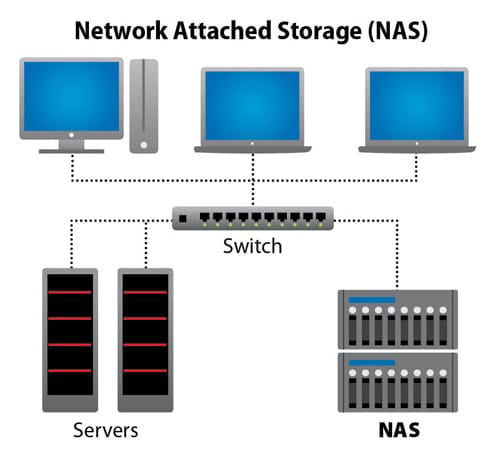
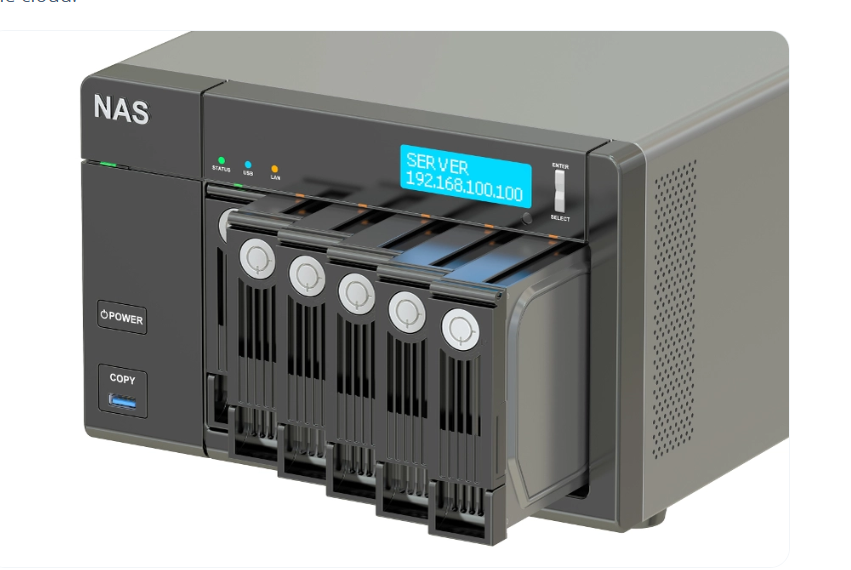
NAS (Network Attached Storage) is a dedicated storage device connected to a network that allows multiple users and computers to store, access, and share data from a central location through the network. It works like a file server and provides easy data access over a LAN or WAN.

How NAS Works

A NAS device is connected to a network switch or router using an Ethernet cable. Users on the same network can access the stored files using protocols like NFS, SMB/CIFS, or FTP. The NAS has its own operating system, CPU, RAM, and hard drives, which manage data storage and sharing.

Components of NAS

  • Storage Drives – HDD or SSD used to store data.
  • Network Interface – Ethernet port to connect to the network.
  • NAS Operating System – Manages file sharing and storage services.
  • Processor and RAM – Handle file requests and system operations.

Features of NAS

  • Centralized data storage
  • File sharing for multiple users
  • Data backup and recovery
  • Remote access to files
  • RAID support for data protection

Example of NAS

In a company office, a NAS device is connected to the network. All employees can store documents, videos, and backups on the NAS and access them from their computers.

For example, if 50 employees need to access shared project files, they can store the files on the NAS instead of saving them on individual computers.

Advantages of NAS

  • Easy data sharing
  • Centralized storage management
  • Scalable storage capacity
  • Data protection with RAID

Disadvantages of NAS

  • Performance depends on network speed
  • Initial cost can be high
  • Security configuration is required to protect data.

Differences between Network Attached Storage (NAS) and Storage Area Network (SAN)

FeatureNAS (Network Attached Storage)SAN (Storage Area Network)
DefinitionNAS is a storage device connected to a network that provides file-level storage to multiple users.SAN is a high-speed dedicated network that provides block-level storage to servers.
Access TypeFile-level access (users access files and folders).Block-level access (servers access raw storage blocks).
Network TypeUses normal LAN / Ethernet network.Uses high-speed network like Fibre Channel or iSCSI.
UsageUsed for file sharing, backups, and media storage.Used in data centers and enterprise applications like databases and virtualization.
PerformanceLower performance compared to SAN.Very high performance and low latency.
CostLess expensive and easy to deploy.More expensive and complex to manage.
ManagementSimple to install and manage.Requires specialized management and configuration.

Example

  • NAS Example: A company stores employee documents and shared files on a NAS device.
  • SAN Example: A large data center uses SAN to store and manage high-speed database storage for many servers.

What is Internet, Intranet and Extranet

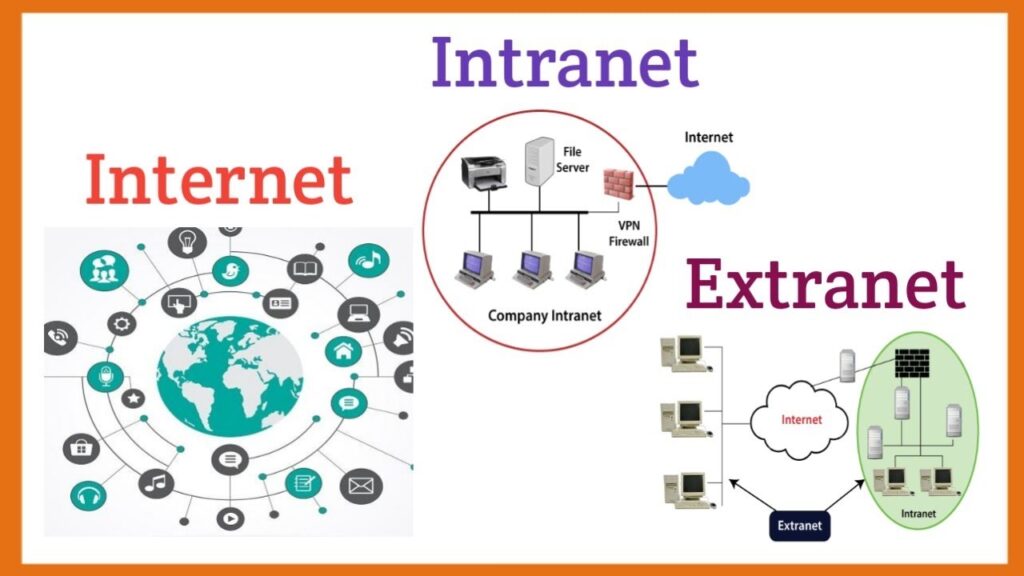
A network facilitates the sharing, transmission, and management of information. Among the various types of networks, the three most common are the Internet, Intranet, and Extranet, each designed to support distinct communication and collaboration requirements – from global connectivity to controlled organizational information exchange

Internet

The Internet is the world’s largest public network, connecting millions of computers, devices, and servers across the globe. It has no single owner and functions through cooperation between Internet Service Providers (ISPs), organizations, and network infrastructures.

Features of Internet

  • Accessibility: Open to everyone with a network connection.
  • Availability: Global reach with billions of users worldwide.
  • Purpose: Facilitates communication, information sharing, e – commerce, research, social networking, and online collaboration.
  • Security: Dependent on user – side protections such as antivirus, firewalls, and encryption.

Example: Browsing websites like Google, Facebook, or Wikipedia.

Example:
Using websites like GoogleYouTube, or WhatsApp through the internet.


Intranet

An Intranet is a private network designed for internal use within an organization. It leverages the same technologies as the Internet (TCP/IP, HTTP, web browsers) but restricts access only to authorized employees.

An Intranet is a private network used inside an organization. Only employees or authorized users of the company can access it. It is used to share company information, internal websites, documents, and applications.

Example:
A company has an internal website where employees check HR policies, salary details, leave applications, and company announcements. This internal system works only inside the company network.

Types of Communication (in Computer Networks)

Types of Communication (in Computer Networks)

  1. Simplex Communication
    In simplex communication, data flows in only one direction. One device only sends data, and the other only receives data.
    Example: Keyboard sending data to a computer, TV broadcasting signals.

  2. Half-Duplex Communication
    In half-duplex communication, data can flow in both directions but not at the same time. One device sends data while the other receives, then they switch.
    Example: Walkie-talkie communication.

  3. Full-Duplex Communication
    In full-duplex communication, data can flow in both directions at the same time. Both devices can send and receive data simultaneously.
    Example: Telephone conversation or modern Ethernet networks.

Network Diagram