
Router Technology
What is Router
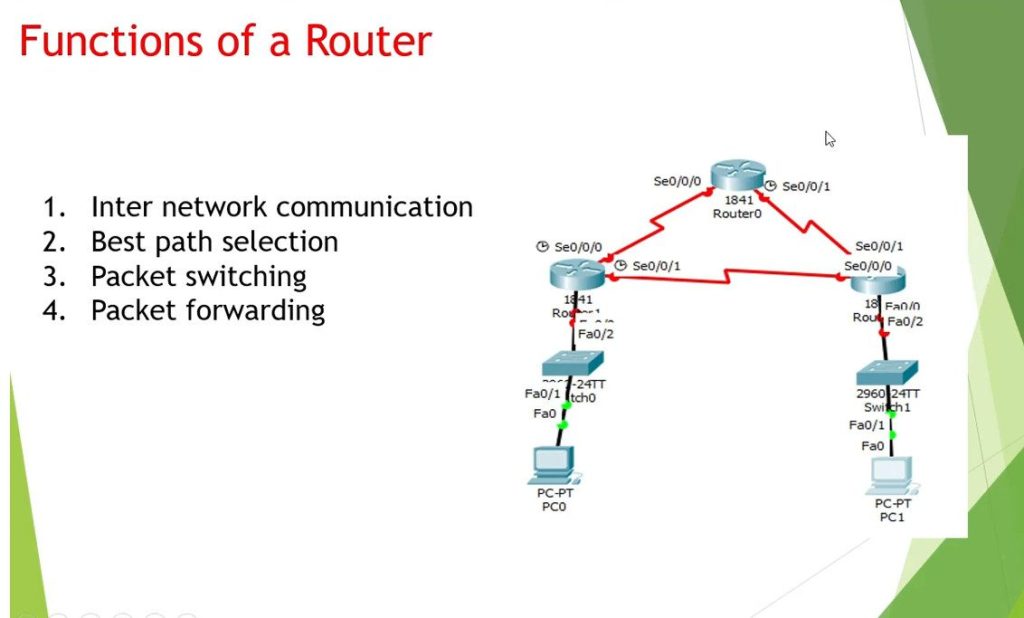
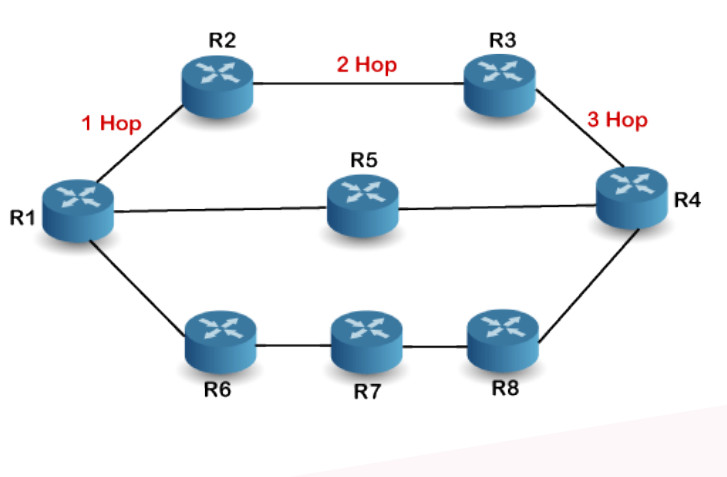
A Router is a networking device used to connect multiple networks and forward data packets between them. It works mainly at Layer 3 (Network Layer) of the OSI Model. The main function of a router is to examine the IP address of incoming data packets and decide the best path to send them to the correct destination network. Routers maintain a routing table that stores information about different network paths, and they use routing protocols such as OSPF, RIP, and BGP to exchange routing information with other routers. In a company network, routers are used to connect LANs (Local Area Networks) to other LANs or to the internet. For example, a router connects an office network to an ISP so employees can access websites and cloud services. Routers can also provide additional features such as NAT (Network Address Translation), DHCP services, traffic filtering, and basic firewall security. By controlling how data travels between networks, routers help ensure efficient communication, improve network performance, and increase security in small, medium, and large enterprise environments.
In Shorts
A Router is a networking device that connects different networks and forwards data packets between them using IP addresses. It works at Layer 3 (Network Layer) of the OSI Model and decides the best path for data to travel from the source network to the destination network, such as connecting a company LAN to the internet.
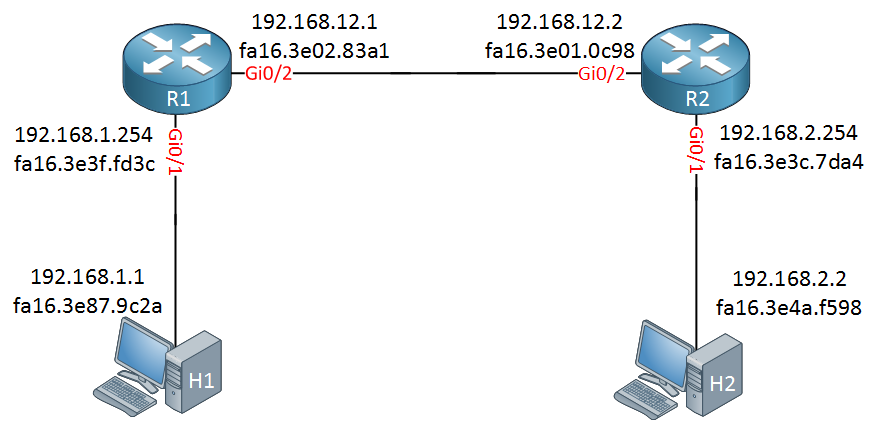
How a Router Works
A router works by receiving data packets from one network and forwarding them to another network based on the destination IP address. It mainly operates at Layer 3 (Network Layer) of the OSI Model. The router analyzes the packet header, checks the routing table, and decides the best path for the packet to reach its destination.
Step-by-step working process:
Receive Data Packet
When a device (computer, phone, or server) sends data, the packet first reaches the router. The router receives the packet through one of its interfaces.Read Destination IP Address
The router checks the packet header and reads the destination IP address to determine where the data needs to go.Check Routing Table
The router looks into its routing table, which contains information about different networks and the best path to reach them. Routing tables can be created manually (static routing) or dynamically using protocols like OSPF, RIP, and BGP.Select the Best Path
Based on the routing table, the router selects the best route to send the packet to the next device or next router.Forward the Packet
The router forwards the packet through the appropriate outgoing interface toward the destination network.Packet Reaches Destination
The packet may pass through multiple routers until it finally reaches the destination device.
Example:
In a company network, when a user opens a website, the computer sends a request packet to the router. The router checks the destination IP (website server), finds the best path through the internet, and forwards the packet to the ISP network until it reaches the server. The server then sends the response back through routers to the user’s computer.
In summary:
A router works like a traffic manager for networks, analyzing packet addresses and directing them along the most efficient path so that data can travel between different networks quickly and correctly.
Why Router Are Important
Routers are important because they connect different networks and allow devices to communicate with each other. They forward data packets between networks using IP addresses and choose the best path for data transmission. Routers operate at Layer 3 (Network Layer) of the OSI Model.
In a company network, routers are essential for connecting the internal LAN to external networks such as the internet. They help manage network traffic, reduce congestion, and improve communication between different networks or branches. Routers also provide features like NAT, basic security filtering, and routing protocols such as OSPF and BGP to ensure efficient and reliable data delivery. Because of these functions, routers play a critical role in maintaining network connectivity, performance, and security in modern networks.
Why Routers Are Important:
- Internet Access: Without a router, you wouldn’t be able to connect to the internet, as it connects your local network to the wider internet.
- Networking: Routers allow multiple devices within a network to communicate with each other and share resources (e.g., printers, files).
- Security: Routers with firewalls protect your home or office network from unauthorized external access.
Types of Router
Wireless Router
A wireless router provides both routing and Wi-Fi connectivity. It allows multiple devices such as laptops, smartphones, and tablets to connect to the network without cables. It is commonly used in homes and small offices.Wired Router
A wired router connects devices using Ethernet cables. It provides stable and high-speed connections and is often used in offices and enterprise networks.Core Router
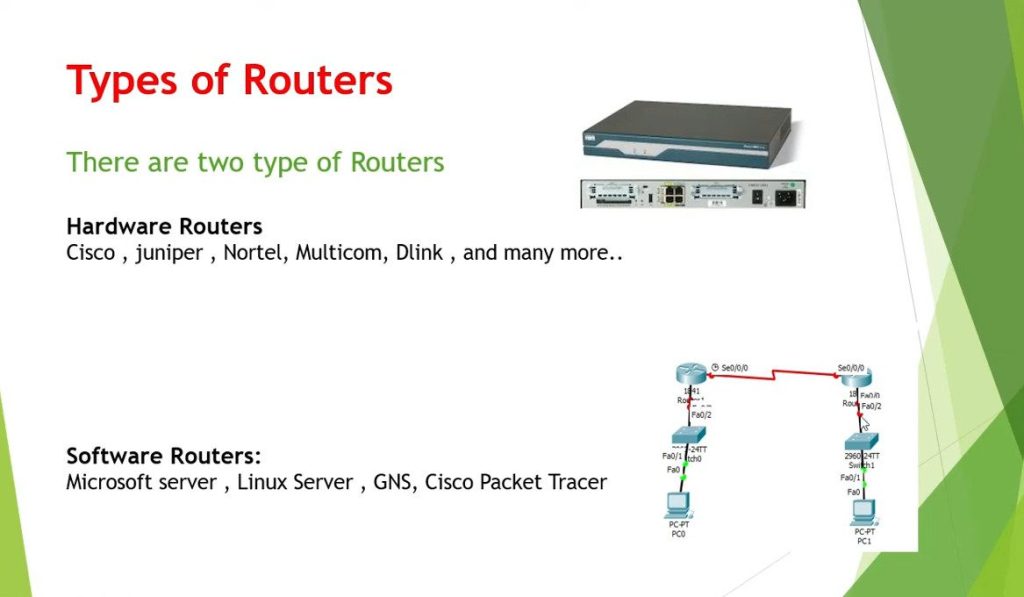
A core router is used in the backbone of large networks such as ISPs or large enterprises. It handles a large amount of network traffic and connects multiple routers inside a big network.Edge Router
An edge router is placed at the edge of a network and connects the internal network to external networks like the internet or another WAN.Virtual Router
A virtual router is a software-based router that runs on virtual machines or cloud platforms. It performs routing functions without requiring dedicated hardware.Broadband Router
A broadband router is used to connect home or office networks to a broadband internet connection such as DSL, fiber, or cable.
In short: Different types of routers are used depending on network size and purpose, from small home networks to large enterprise and ISP networks.
Summary of Router Types:
- Home Router: For typical home networks; combines routing, NAT, and Wi-Fi.
- Wireless Router: For Wi-Fi access in homes or offices.
- Modem Router (Gateway): Combines modem and router functions.
- Core Router: High-performance router for large-scale networks or ISPs.
- Edge Router: Connects internal networks to external networks, often used by businesses.
- Virtual Router: A software-based router for cloud or virtualized environments.
- VPN Router: Provides secure remote access to a network via VPN.
- Industrial Router: Built for rugged, industrial environments.
- Dual-Band Router: Supports both 2.4 GHz and 5 GHz Wi-Fi bands for better performance.
- Tri-Band Router: Adds a second 5 GHz band to reduce congestion and improve speeds.
- Gigabit Router: Supports high-speed Gigabit Ethernet and advanced Wi-Fi.
- SOHO Router: Aimed at small offices or home offices with advanced features.
Cisco Router Models
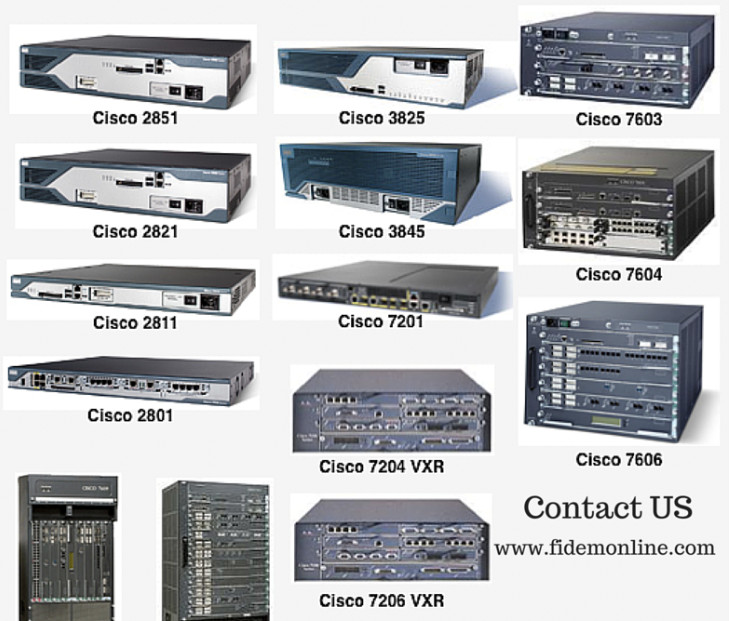
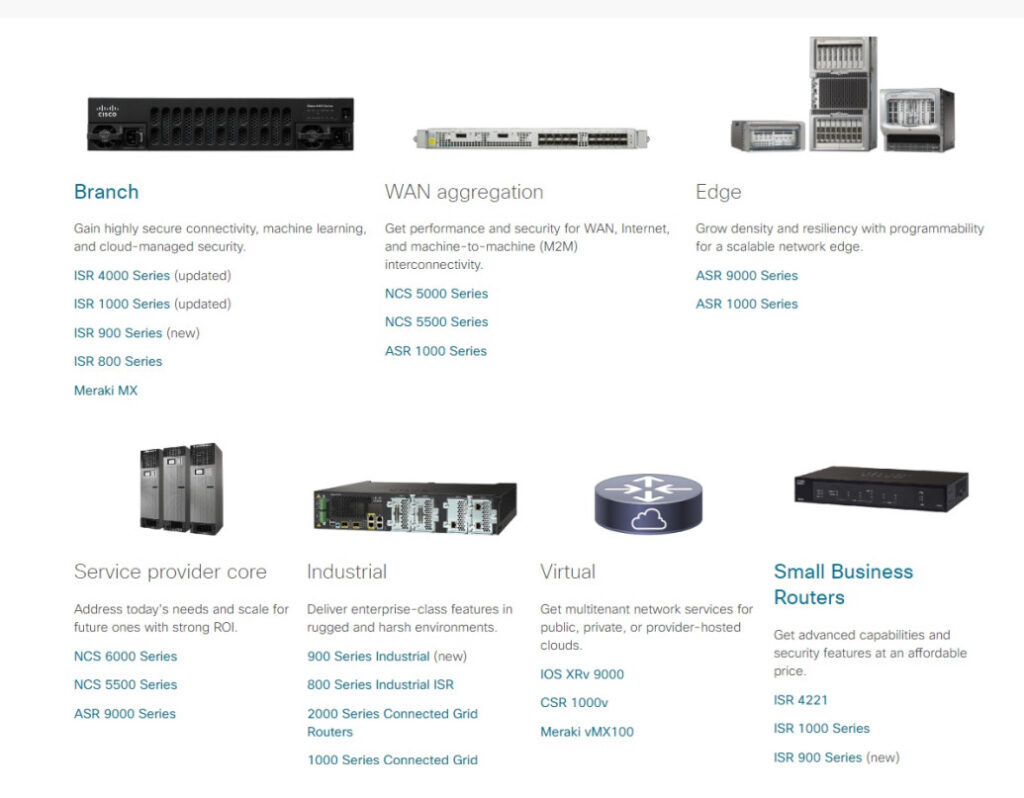
Cisco Systems manufactures many router models for different types of networks such as small offices, enterprise companies, and internet service providers. Each Cisco router series is designed for a specific purpose depending on network size, traffic load, and required features. Below are some important Cisco router models explained paragraph-wise with their uses.
Cisco ISR 800 Series Router:
The Cisco ISR 800 series router is designed mainly for small offices, home offices, and small branch networks. These routers provide basic routing, firewall, VPN, and wireless connectivity in a compact device. Companies use this router when they need secure internet access and connectivity for a small number of users. It is cost-effective and easy to deploy in small business environments.
Cisco ISR 1000 Series Router:
The Cisco ISR 1000 series router is used in small branch offices and enterprise edge networks. It supports secure WAN connectivity, VPN, and advanced routing features. This router is designed for organizations that need reliable internet connectivity and secure communication between branch offices and the main corporate network.
Cisco ISR 4000 Series Router:
The Cisco ISR 4000 series router is widely used in medium and large enterprise branch offices. These routers provide integrated services such as routing, security, voice, video, and WAN optimization in a single platform. Companies deploy ISR 4000 routers to handle higher network traffic and provide stable connectivity between branch offices and data centers.
Cisco ASR 1000 Series Router:
The Cisco ASR 1000 series router is designed for large enterprises and service provider networks. These routers offer very high performance and are capable of handling large volumes of data traffic. They are commonly used at the network edge of data centers, ISP networks, and large corporate WAN infrastructures where high scalability and reliability are required.
Cisco Catalyst 8000 Series Edge Router:
The Cisco Catalyst 8000 series router is the modern enterprise edge platform used for cloud connectivity and SD-WAN deployments. Organizations use these routers to securely connect branch offices, cloud services, and corporate data centers. They provide advanced security, automation, and high-performance networking capabilities.
Cisco CRS (Carrier Routing System):
The Cisco CRS router is used by telecom operators and large internet service providers. It is designed for internet backbone networks where extremely high bandwidth and scalability are required. These routers can handle massive data traffic and ensure reliable internet connectivity across large global networks.
Cisco 1900 / 2900 / 3900 Series Routers:
These routers are older enterprise routers that were widely used in branch offices and enterprise networks. They support routing, VPN, and voice services. Although many organizations now use newer models, these routers are still commonly used in training labs and some legacy networks.
Summary:
Different Cisco router models are used for different network environments. Small routers are used in small offices, ISR routers are used in enterprise branch networks, ASR routers are used in large enterprise and ISP networks, and CRS routers are used in global internet backbone infrastructures. Each model is designed to provide reliable connectivity, security, and efficient data routing.
1. Basic / Small Network Routers
Cisco 800 Series
Example Models: Cisco 801, 803, 805, 806, 851, 857, 881, 887
Use:
These routers are designed for small offices, home offices (SOHO), and small branch networks. They provide basic routing, internet connectivity, firewall security, and VPN support. Small businesses use these routers when only a few users need internet and secure network access.
Cisco RV Series (Small Business Routers)
Example Models: RV160, RV260, RV340, RV345
Use:
Cisco RV series routers are used in small businesses that require simple network management with security features such as VPN and firewall. These routers are easy to configure and cost-effective.
2. Entry-Level Enterprise Routers
Cisco 1900 Series
Example Models: Cisco 1921, 1941
Use:
The Cisco 1900 series routers are used in small branch offices of companies. They support WAN connectivity, VPN, routing protocols, and basic security features.
Cisco 2900 Series
Example Models: Cisco 2901, 2911, 2921, 2951
Use:
These routers are used in medium enterprise branch networks. They support voice, video, VPN, and advanced routing features for corporate environments.
Cisco 3900 Series
Example Models: Cisco 3925, 3945
Use:
The Cisco 3900 series routers are designed for large branch offices. They provide higher performance, multiple WAN connections, and integrated services such as voice and security.
3. Modern Enterprise Routers
Cisco ISR 1000 Series
Example Models: ISR 1100, ISR 1111, ISR 1121
Use:
These routers are used in enterprise branch networks and support modern features like secure WAN connectivity, cloud access, and VPN.
Cisco ISR 4000 Series
Example Models: ISR 4321, 4331, 4351, 4431, 4451
Use:
ISR 4000 routers are widely used in enterprise branch offices. They provide integrated services such as routing, security, voice, and WAN optimization.
4. Enterprise Edge / SD-WAN Routers
Cisco Catalyst 8000 Series
Example Models:
- Catalyst 8200
- Catalyst 8300
- Catalyst 8500
Use:
These routers are used in modern enterprise edge networks and SD-WAN deployments. They connect branch offices to cloud services, data centers, and corporate networks securely.
5. High-Performance Service Provider Routers
Cisco ASR 1000 Series (Aggregation Services Router)
Example Models: ASR 1001, ASR 1002, ASR 1006, ASR 1013
Use:
These routers are used in large enterprise networks, data centers, and ISP edge networks where high bandwidth and performance are required.
Cisco ASR 9000 Series
Example Models: ASR 9001, ASR 9006, ASR 9010
Use:
The ASR 9000 series routers are used by internet service providers (ISP) and telecom companies for high-capacity routing.
6. Carrier-Grade Internet Backbone Routers
Cisco CRS (Carrier Routing System)
Example Models: CRS-1, CRS-3
Use:
These routers are used in global internet backbone networks by large telecom providers. They support extremely high traffic and scalability.
Simple Order (Basic → Advanced)
| Level | Cisco Router Series |
|---|---|
| Basic | 800 Series, RV Series |
| Entry Enterprise | 1900 Series |
| Medium Enterprise | 2900 Series |
| Large Branch | 3900 Series |
| Modern Enterprise | ISR 1000 / ISR 4000 |
| Enterprise Edge | Catalyst 8000 |
| Service Provider | ASR 1000 / ASR 9000 |
| Internet Backbone | CRS Series |
Cisco Router OS
Cisco Systems routers run different operating systems depending on the router model and the type of network where they are deployed. Cisco develops several router operating systems such as Cisco IOS, IOS XE, and IOS XR. Each operating system is designed to support different levels of performance, scalability, and network requirements.
Cisco IOS Operating System:
Cisco IOS (Internetwork Operating System) is the traditional operating system used in many older and entry-level Cisco routers. Router models such as the Cisco 800 series, 1800 series, 1900 series, 2800 series, 2900 series, and 3900 series run Cisco IOS. This operating system provides important networking features such as routing protocols, access control lists (ACL), NAT, VPN, and security functions. It is commonly used in small to medium enterprise networks and branch offices where stable routing and basic network services are required.
Router models using Cisco IOS:
- Cisco 800 Series
- Cisco 1800 Series
- Cisco 1900 Series
- Cisco 2800 Series
- Cisco 2900 Series
- Cisco 3800 Series
- Cisco 3900 Series
Cisco IOS XE Operating System:
Cisco IOS XE is a modern and advanced version of Cisco IOS that runs on a Linux-based architecture. It provides better performance, modular software design, and improved scalability compared to traditional IOS. Router models such as the ISR 1000 series, ISR 4000 series, ASR 1000 series, and Catalyst 8000 series use IOS XE. This operating system is mainly used in enterprise networks, branch office connectivity, SD-WAN deployments, and cloud-connected environments where higher performance and automation features are needed.
Router models using IOS XE:
- Cisco ISR 1000 Series
- Cisco ISR 4000 Series
- Cisco ASR 1000 Series
- Cisco Catalyst 8000 Series
Cisco IOS XR Operating System:
Cisco IOS XR is designed for very large networks and service provider environments. It is a highly scalable and reliable operating system used in carrier-grade routers. Router models such as the ASR 9000 series and CRS (Carrier Routing System) run IOS XR. This operating system supports advanced routing capabilities and is commonly used by internet service providers (ISP) and telecom companies to manage extremely high levels of network traffic.
Router models using IOS XR:
- Cisco ASR 9000 Series
- Cisco CRS Series (Carrier Routing System)
Cisco NX-OS Operating System:
Cisco NX-OS is mainly designed for data center networking platforms, especially high-performance switching devices. Although it is primarily used in Nexus switches, it also supports advanced routing features in large data center environments. This operating system focuses on high availability, virtualization, and automation for modern data center infrastructure.
Summary:
Different Cisco router models use different operating systems based on their network role. Cisco IOS is used in traditional enterprise routers, IOS XE is used in modern enterprise and SD-WAN routers, IOS XR is used in service provider and telecom networks, and NX-OS is used mainly in data center platforms. These operating systems allow Cisco routers to deliver reliable routing, security, and high-performance networking.
Summary Table
| Cisco Router OS | Used In Router Models | Purpose |
|---|---|---|
| Cisco IOS | 800, 1800, 1900, 2800, 2900, 3900 | Traditional enterprise routing |
| Cisco IOS XE | ISR 1000, ISR 4000, ASR 1000, Catalyst 8000 | Modern enterprise and SD-WAN |
| Cisco IOS XR | ASR 9000, CRS | ISP and telecom networks |
| Cisco NX-OS | Nexus platforms | Data center networking |
What is Core Router
A core router is a high-performance router used in the core layer (backbone) of a large network to handle very large volumes of data traffic. It connects multiple distribution routers or networks and ensures fast and reliable data transmission across the entire network infrastructure. Core routers are designed for high speed, high capacity, and high reliability, because they carry most of the traffic inside large enterprise networks, data centers, and internet service provider (ISP) networks.
In a large company or ISP network, the core router sits at the center of the network architecture and manages communication between different parts of the network such as branch offices, data centers, and external internet connections. These routers usually support advanced routing protocols, high-bandwidth interfaces, redundancy, and fault tolerance to ensure the network remains operational even if a device fails.
Examples of core routers include models from Cisco Systems such as the Cisco ASR 9000 Series and the Cisco CRS (Carrier Routing System), which are used by large enterprises and telecom operators to manage backbone network traffic.
In simple terms:
A core router is the main backbone router of a large network that handles heavy traffic and connects multiple networks together for fast and reliable communication.
What is Edge Router
A Service Provider Edge Router is a high-performance router used by Internet Service Providers (ISPs) to connect customer networks to the service provider’s core network. It is placed at the edge of the ISP network, where customer traffic enters or leaves the provider’s infrastructure. This router acts as the connection point between businesses, homes, or organizations and the ISP network.
The main work of a service provider edge router is to receive traffic from customer networks and forward it into the ISP core network. It manages large amounts of data from many customers and ensures the traffic is routed to the correct destination across the Internet. These routers are designed to handle high bandwidth, many connections, and continuous network operation.
Another important function of the service provider edge router is running advanced routing protocols such as BGP and OSPF. BGP is commonly used to exchange routing information between different networks or autonomous systems on the Internet. This allows the ISP to properly route traffic between its network and other global networks.
Service provider edge routers also support customer services and traffic control. They can provide technologies such as MPLS, VPN services, Quality of Service (QoS), and traffic filtering. These features allow the ISP to deliver services like business VPN connections, Internet access, and managed network services.
In simple terms, a service provider edge router connects customer networks to the ISP network and manages the traffic between them, ensuring reliable, fast, and secure communication across the Internet.
Router Manufacture Company
Many companies manufacture routers for home, enterprise, and telecom networks. Below are some major router manufacturing companies explained paragraph-wise.
1. Cisco Systems
Cisco is one of the world’s leading networking companies and a major manufacturer of routers. Cisco routers are widely used in enterprises, data centers, internet service providers (ISPs), and large corporate networks. Popular Cisco router series include ISR (Integrated Services Routers), ASR (Aggregation Services Routers), and CSR routers. Cisco routers run on operating systems such as Cisco IOS, IOS-XE, and IOS-XR. They are known for high reliability, advanced security features, and strong network performance.
2. Juniper Networks
Juniper Networks is another well-known router manufacturer that focuses mainly on service provider and large enterprise networks. Juniper routers are widely used by telecom companies and internet providers because they support high-speed routing and scalability. Their routers use the Junos operating system, which provides strong automation and security features. Popular Juniper router series include MX Series, PTX Series, and ACX Series.
3. Huawei Technologies
Huawei is a global technology company that produces networking equipment including routers, switches, and telecom infrastructure. Huawei routers are widely used by telecom operators and enterprises around the world. Their router series such as NE (Network Engine) and AR (Access Router) provide high performance and advanced routing capabilities. Huawei routers run on the VRP (Versatile Routing Platform) operating system.
4. Hewlett Packard Enterprise (HPE)
HPE manufactures networking devices under its Aruba networking division. These routers are mainly used in enterprise and campus networks. HPE routers provide secure connectivity, VPN support, and cloud-based management. Many companies use HPE networking solutions because of their reliability and integration with enterprise IT infrastructure.
5. MikroTik
MikroTik is a networking company known for affordable but powerful routers. MikroTik routers are popular among small businesses, ISPs, and network engineers. They use the RouterOS operating system, which provides many advanced networking features such as firewall, VPN, routing protocols, and bandwidth management.
6. TP-Link
TP-Link manufactures routers mainly for home and small office networks. Their routers are easy to install and cost-effective. TP-Link products include wireless routers, broadband routers, and mesh networking devices. They are widely used for internet connectivity in homes and small businesses.
7. D-Link
D-Link is another networking equipment company that produces routers, switches, and wireless networking devices. Their routers are commonly used in homes, small offices, and educational institutions. D-Link routers are known for simple configuration and affordable pricing.
Conclusion:
Different router manufacturers focus on different types of networks. Companies like Cisco, Juniper, and Huawei mainly produce routers for large enterprise and telecom networks, while TP-Link, D-Link, and MikroTik are more common in home, small office, and ISP environments.






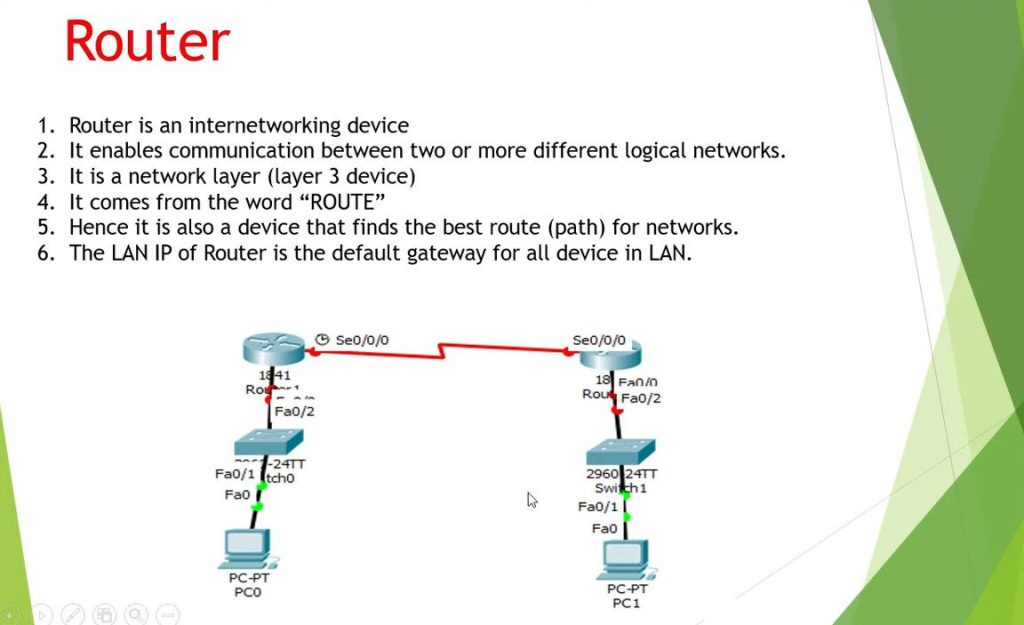
Router Slide
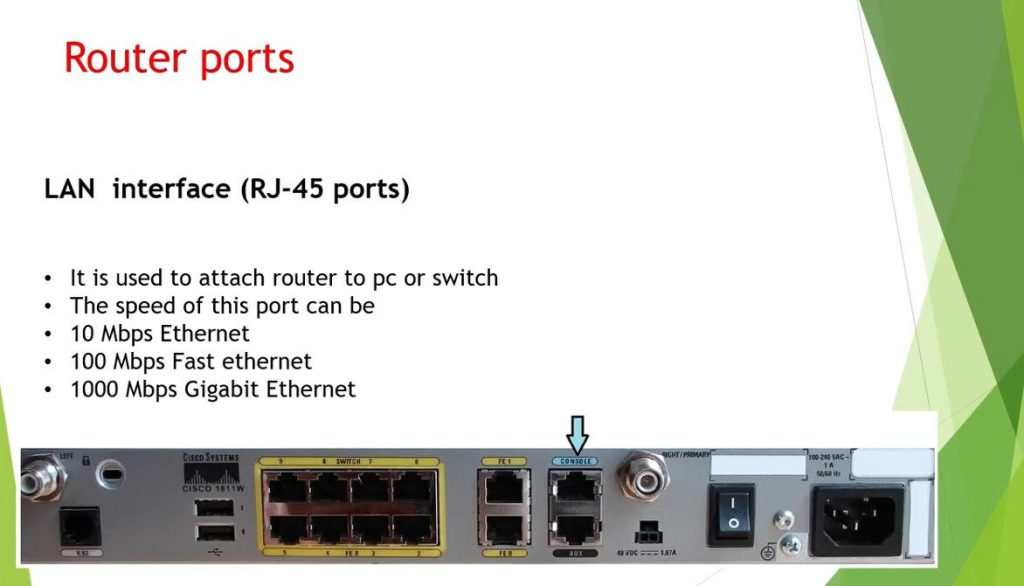
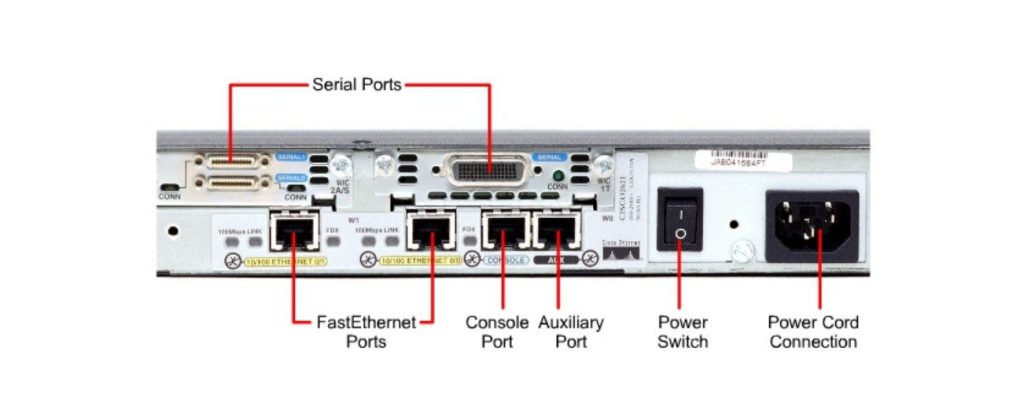
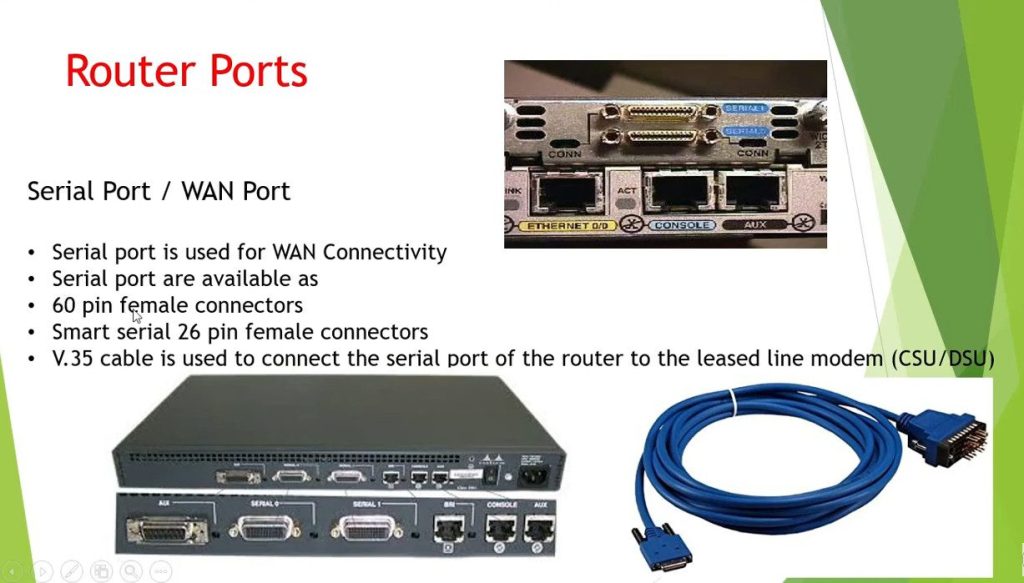
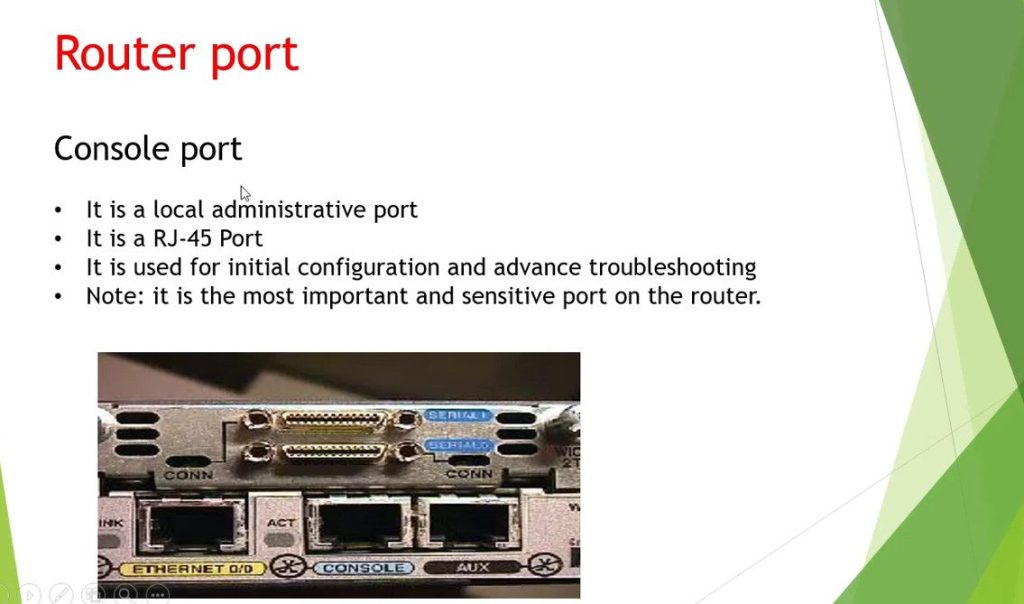
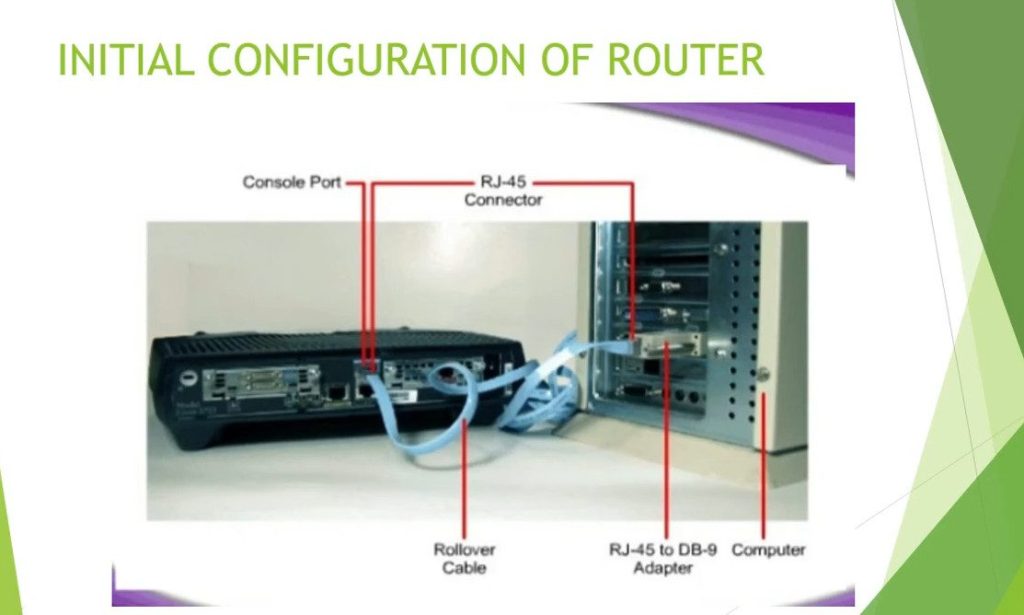
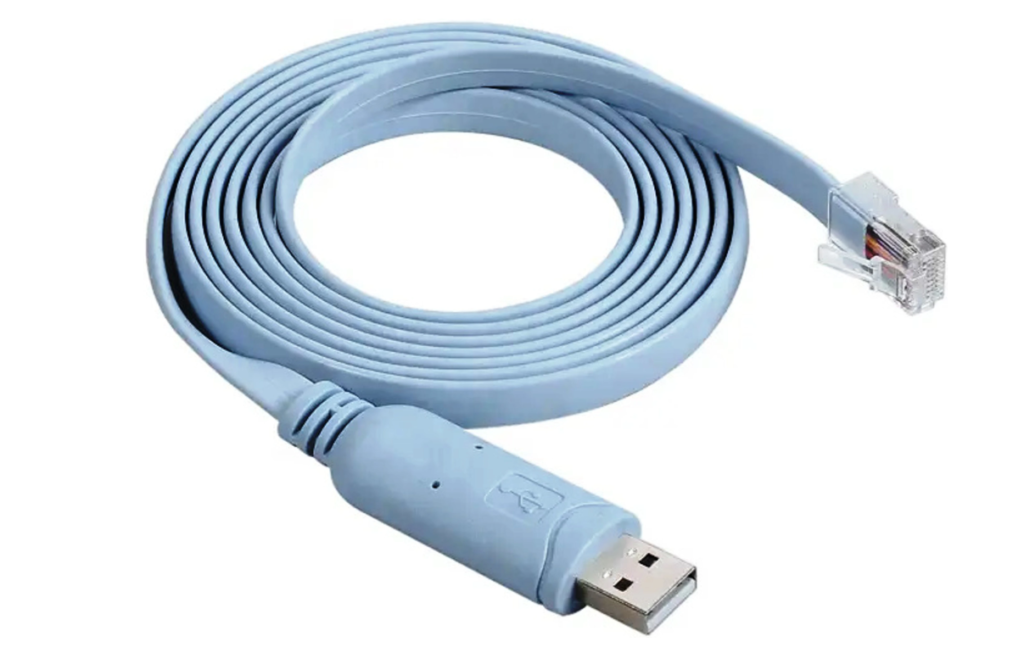
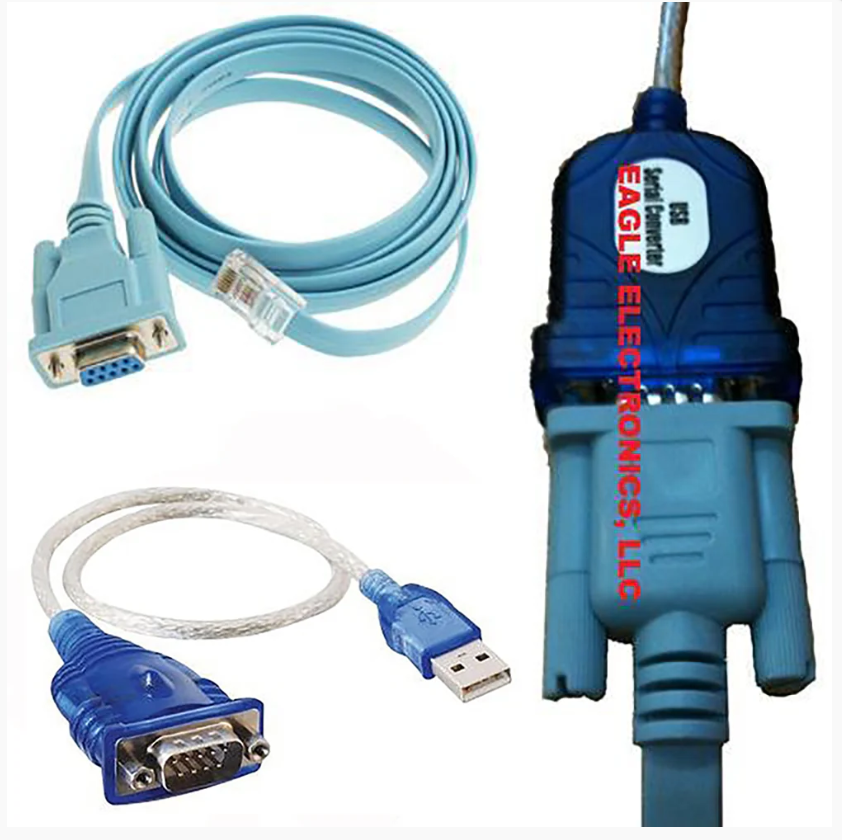
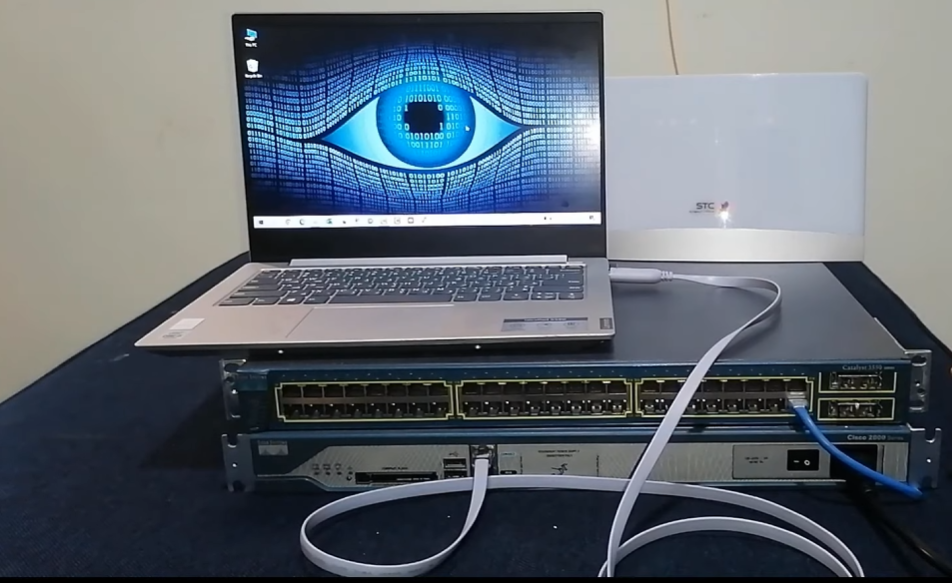
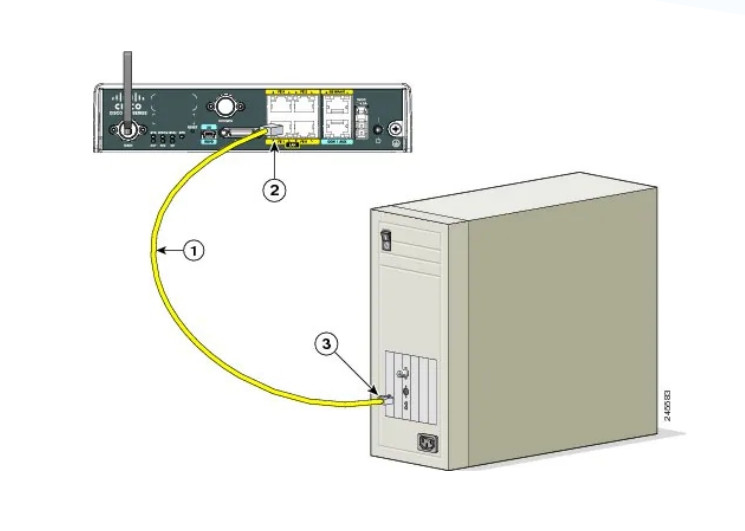
USB to Serial Adapter Cable
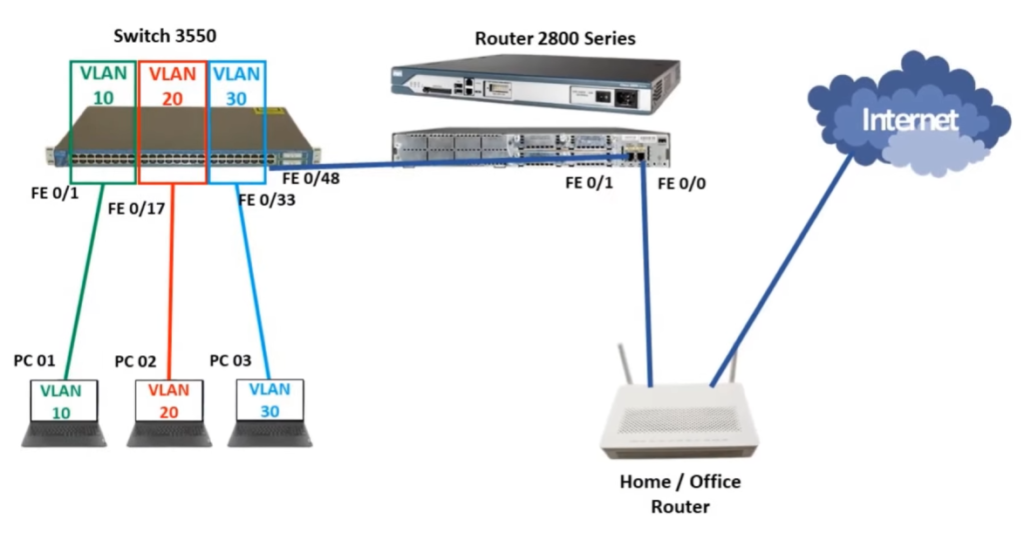
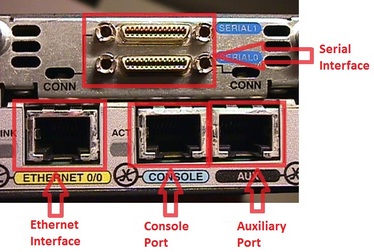
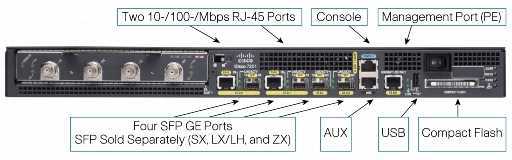
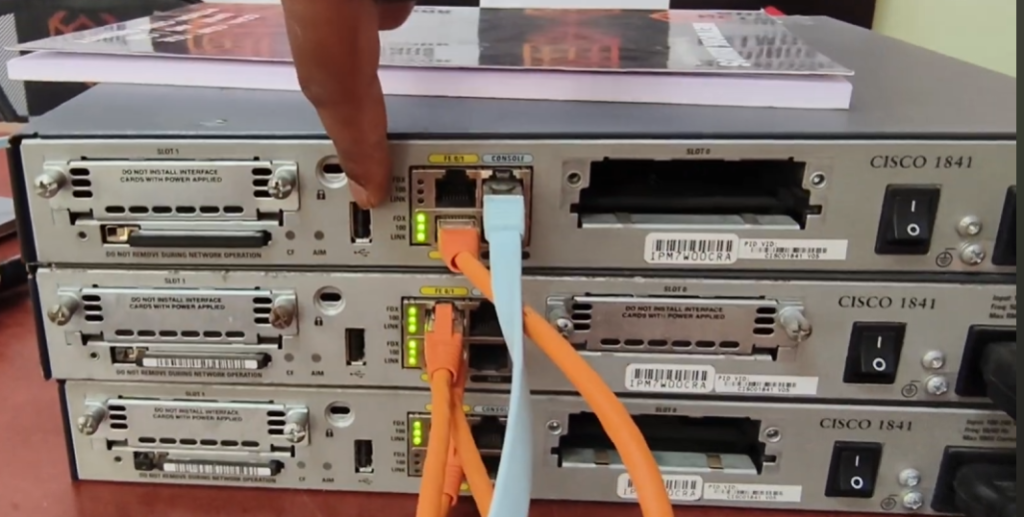
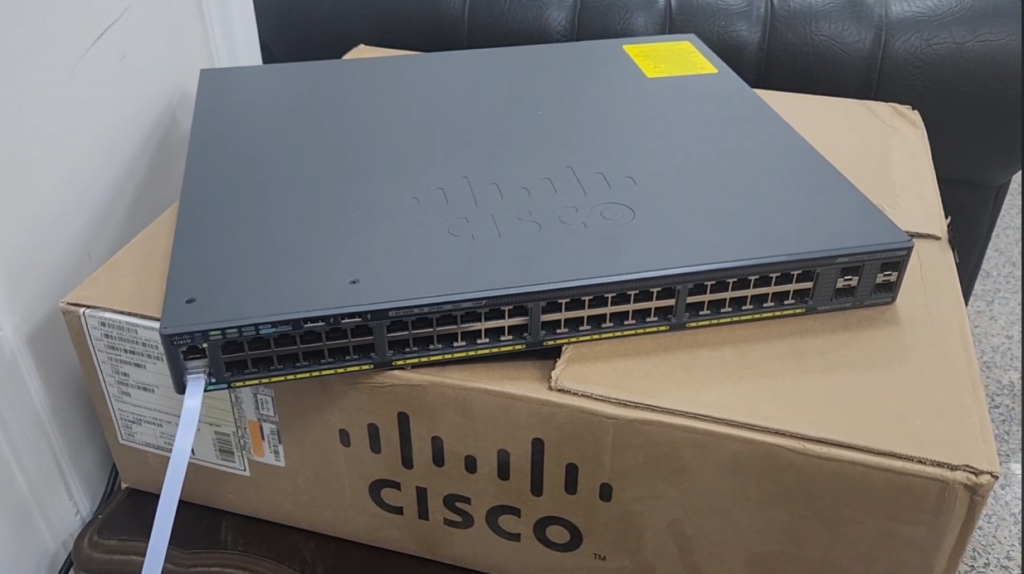
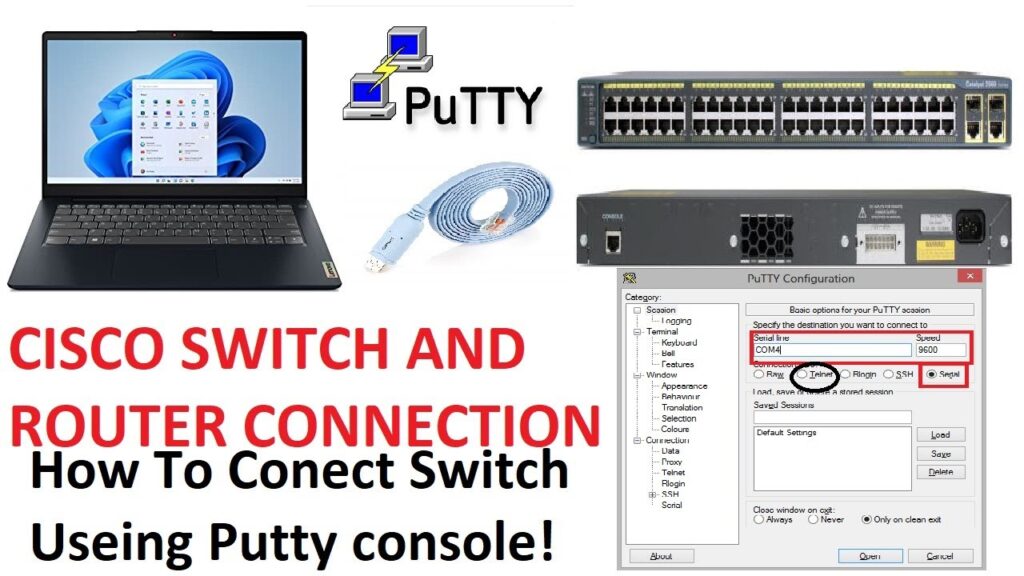
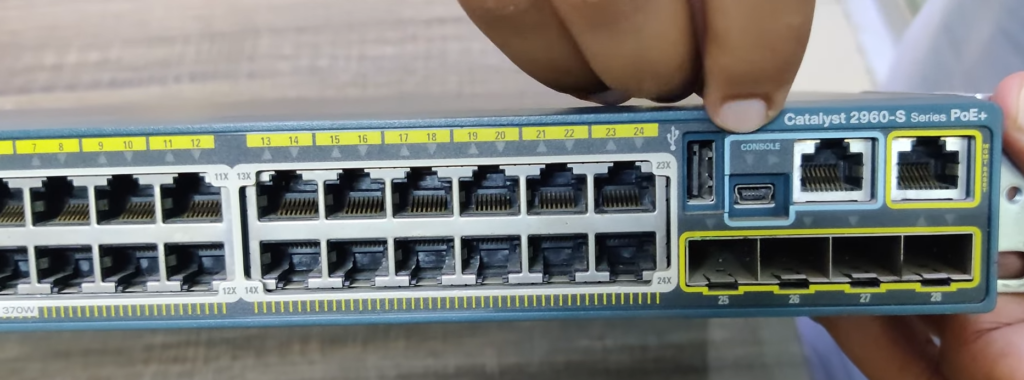
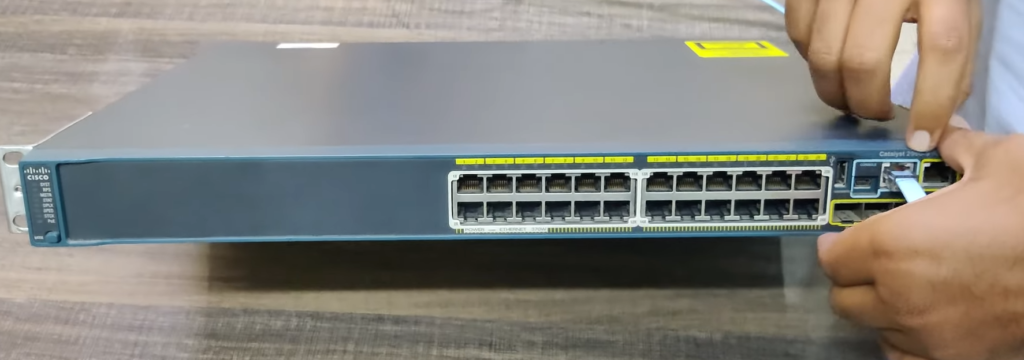
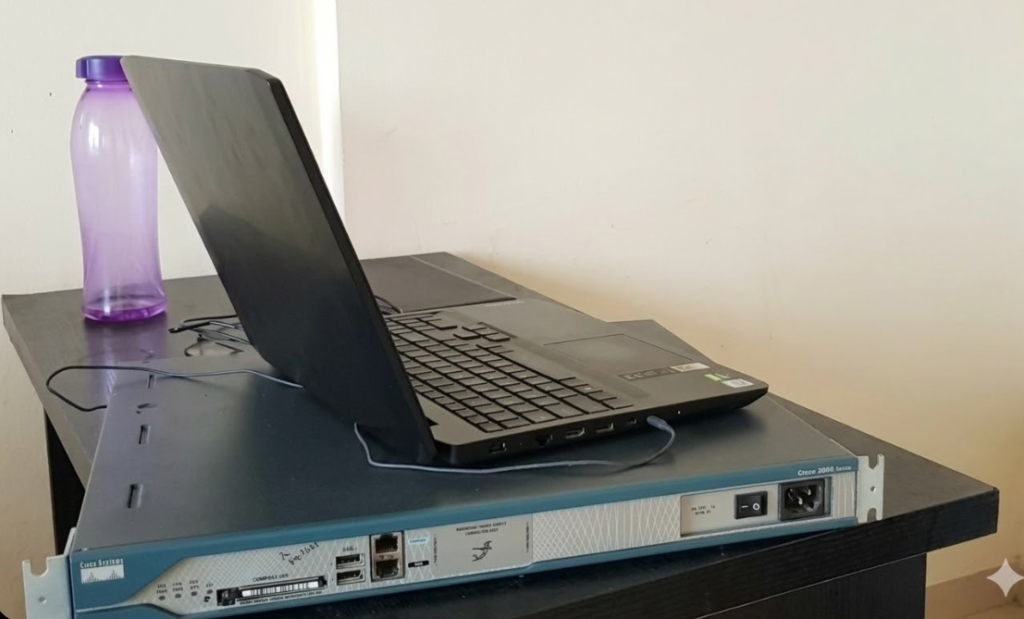
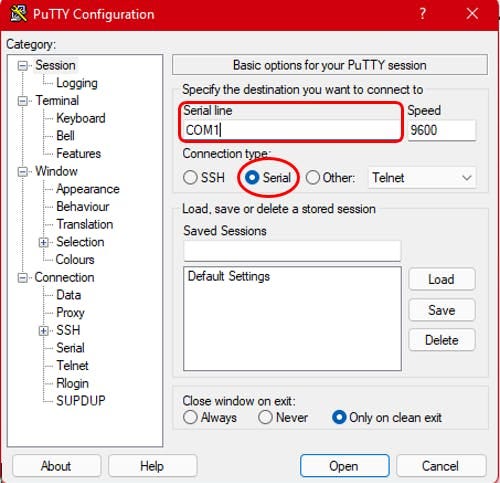


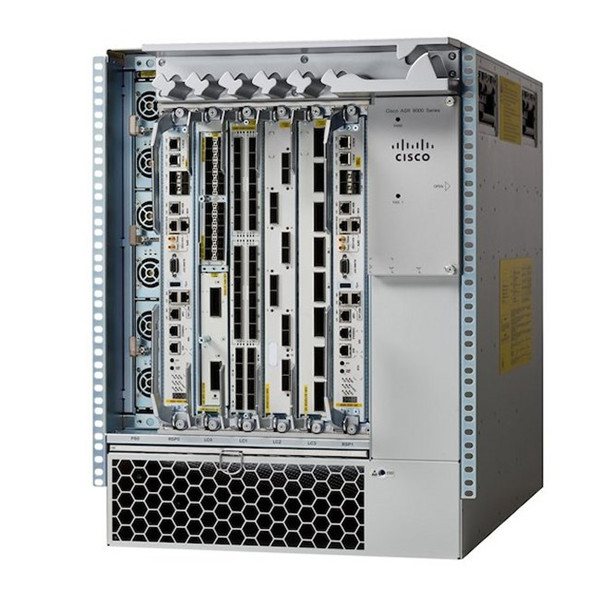
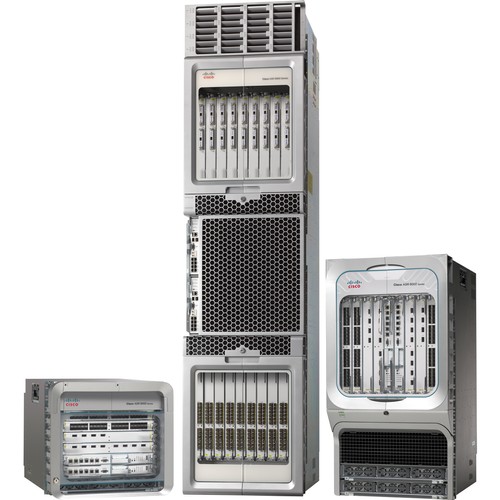
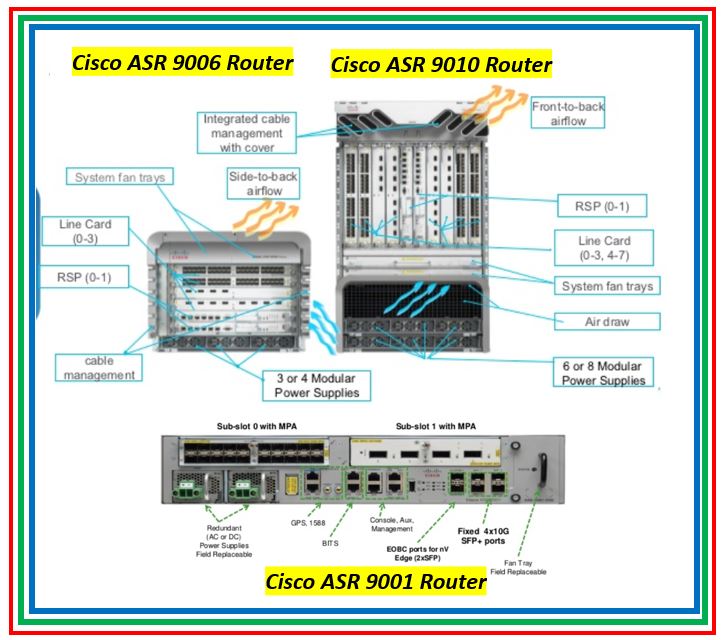
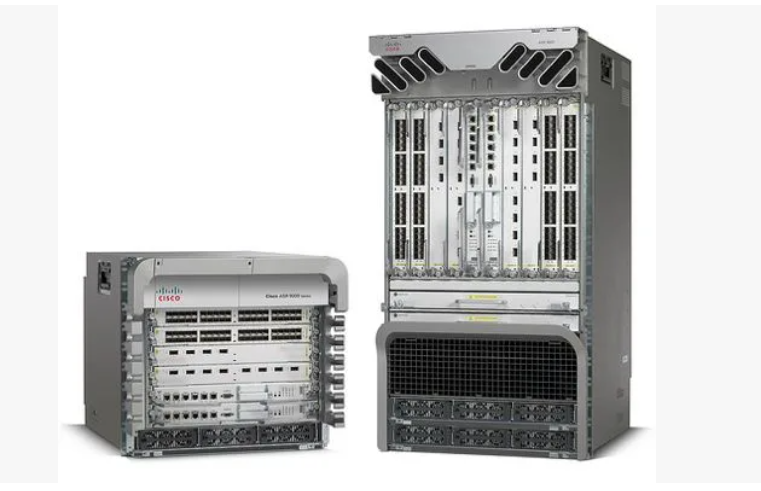
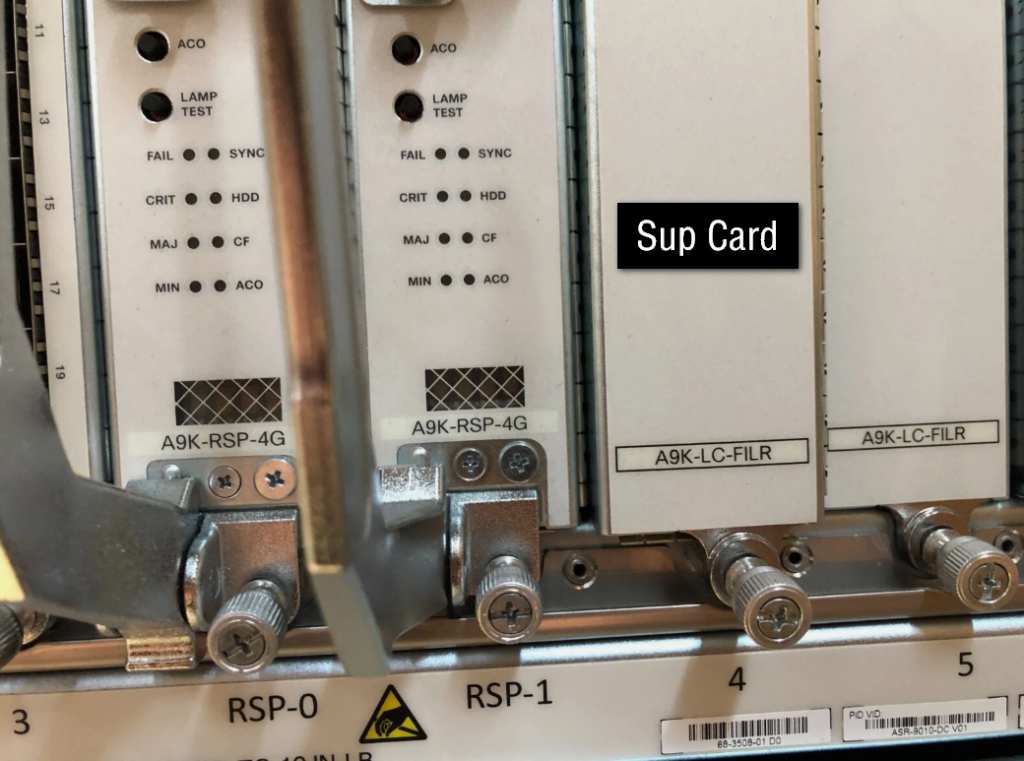
Cisco ASR-920-12-CZ
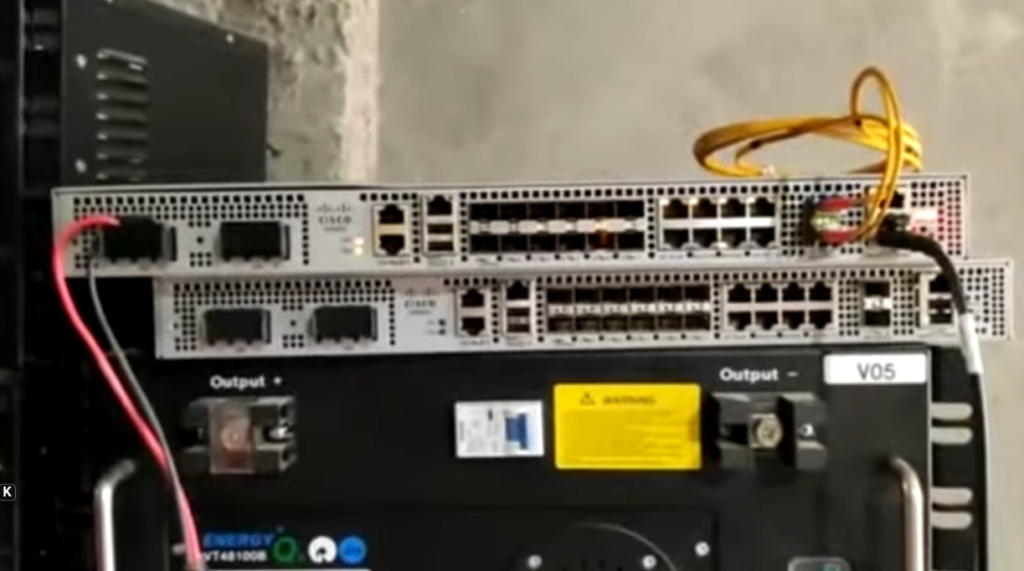
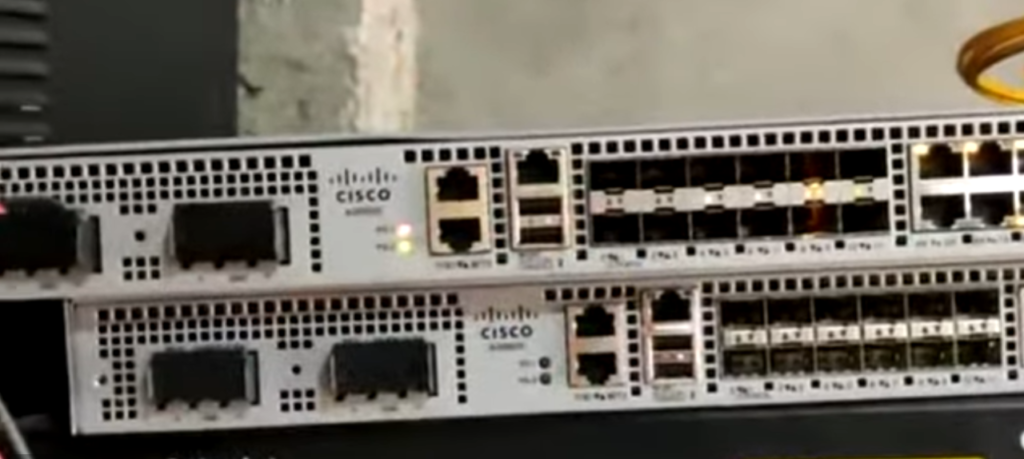
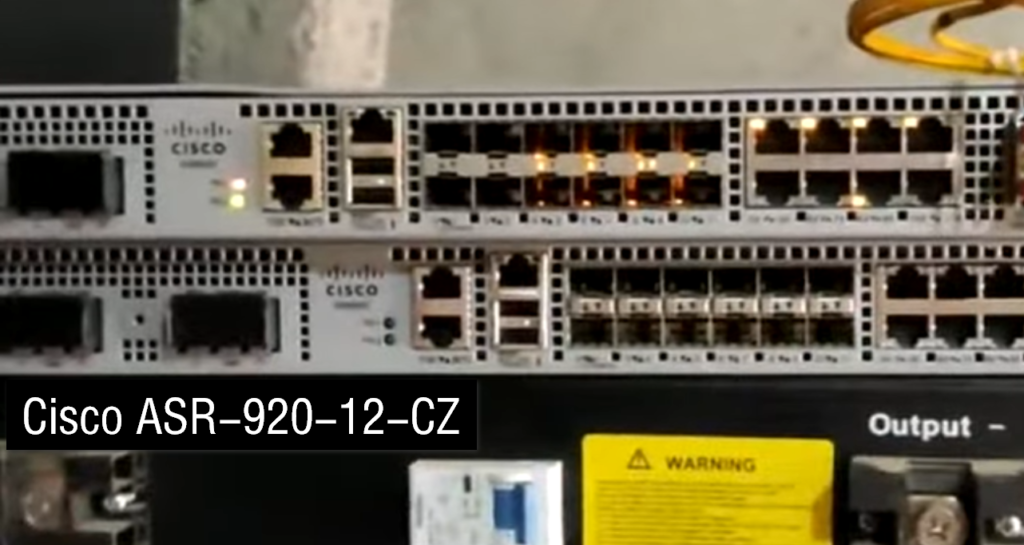
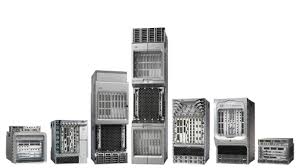
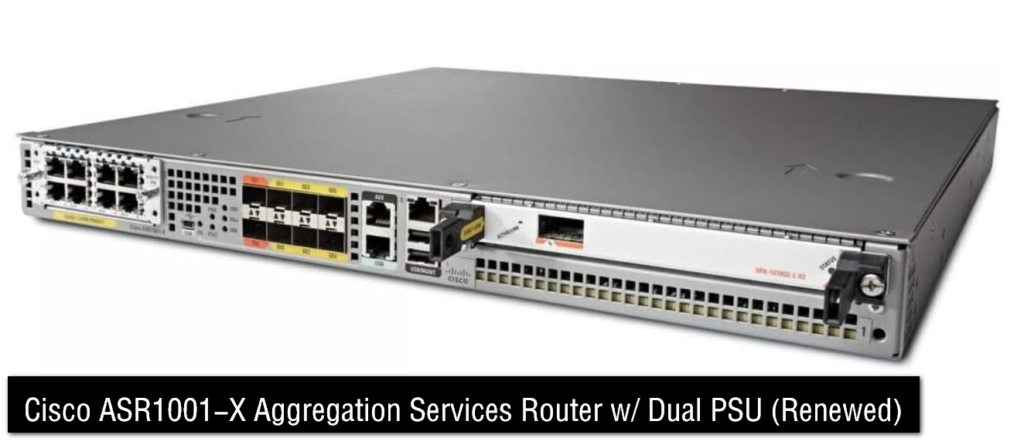
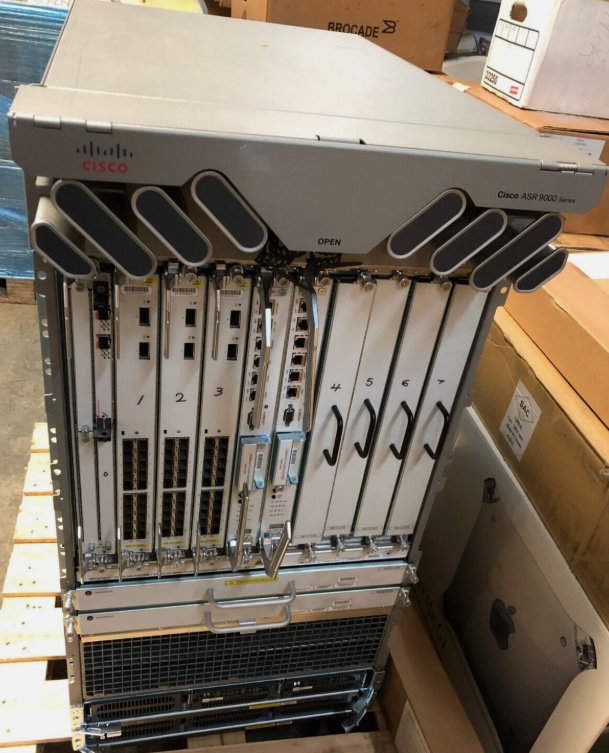
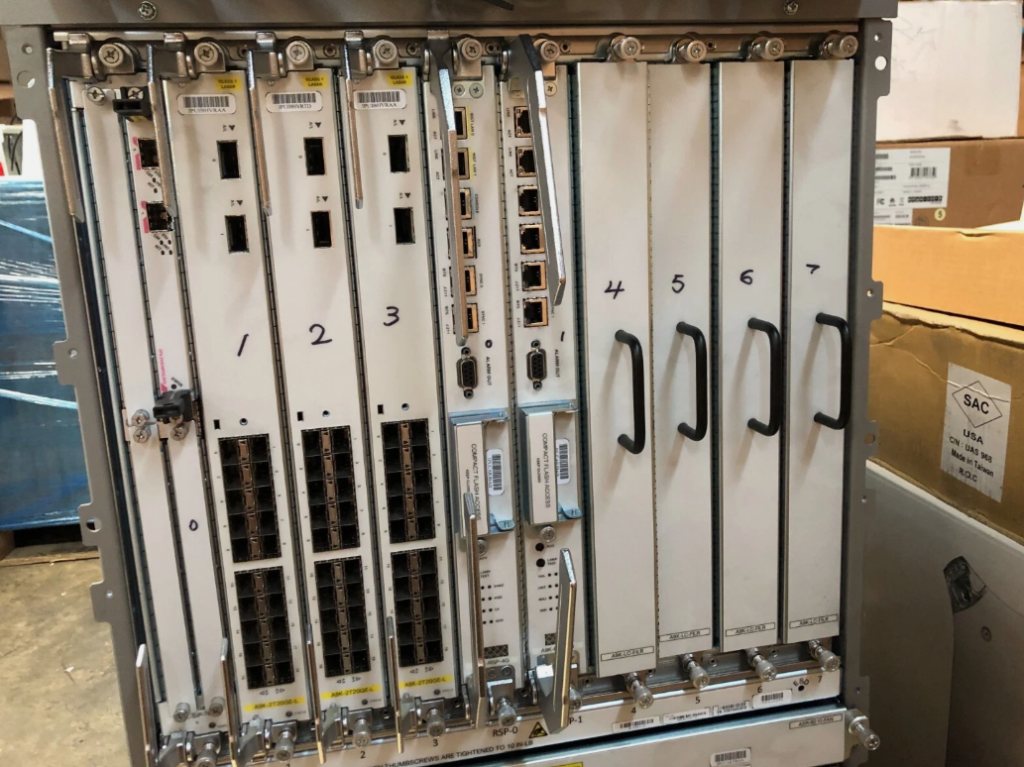
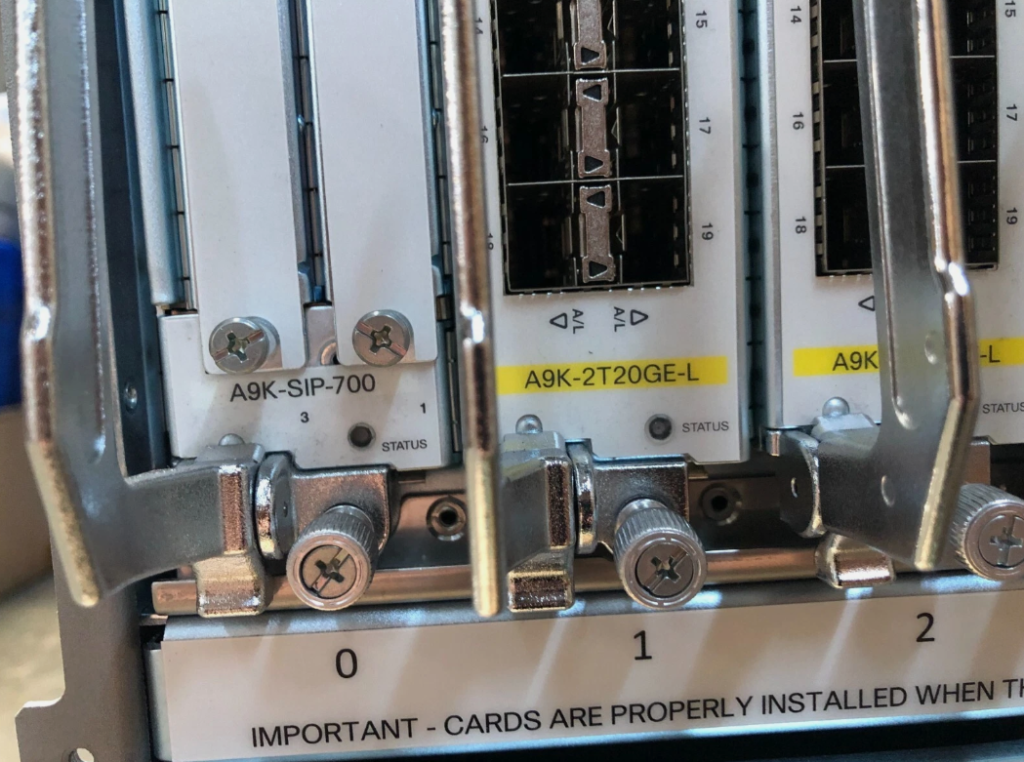
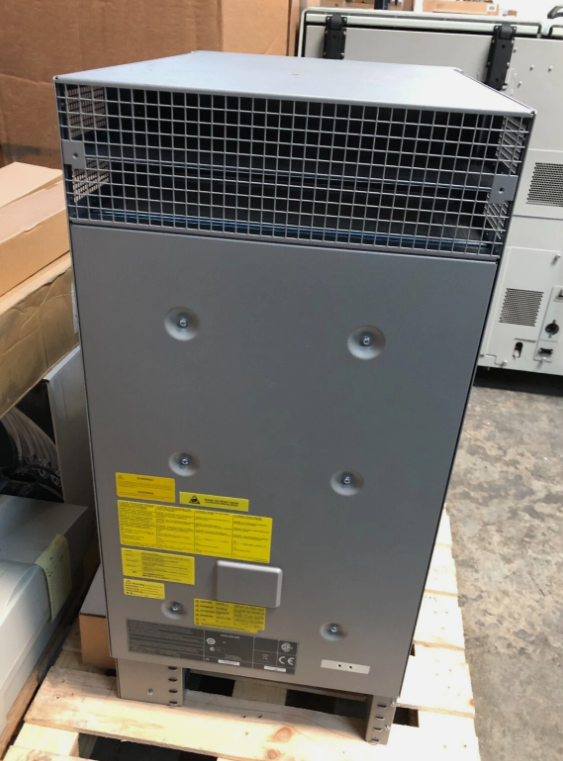
Cisco ASR 9000 Series ASR 9010 Router
Telnet & SSH & Basic Configuration
					BASIC COMMANDS
User mode
.........
Router >
Router > enable


Privilege mode
..............
show running-config
show startup-config
show flash
show version
show ip interface brief

Global configuration mode
.........................
configure terminal

Assigning ip address to Ethernet interface
...........................................
interface fa0/0
ip address 192.168.1.1 255.255.255.0
no shut


Show commands
.............
show running-config
show startup-config
show version
show flash
show ip protocols
show hosts
show users
show ip interface brief
show ip route


Commands to save the configuration
..................................
Router # copy running-config startup-config

( OR )
Router # write memory
( OR )
Router # write


Configuring Enable Mode Password Router
....................................
enable password 123
enable secret cisco


Router & Switch  Usermode Password Protected
............................................
line console 0
password 123
login
exit
service password-encryption <MD5 Encrption


Configuring Telnet Authentication Router & Switch
...............................................
line vty 0 4
password cisco
login


Configuring Local Telnet Authentication Router & Switch
...................................................
username admin password cisco
line vty 0 4
login local


Configuring SSH Authentication Router And Switch
.............................................
username ali password 123
ip domain-name ksa.com
crypto key generate RSA
line vty 0 4
login local
transport input ssh

SSH Access Any PC CMD Commnd
............................
ssh -l ali 192.168.1.1


Telnet Access Any PC CMD Commnd
...............................
telnet 192.168.1.1


Password Encryption Router & Switch
................................
service password-encryption
enable password cisco
no service password-encryption


Login Banner Router & Switch
..........................
banner login $ Login Message $
banner motd & Message here &
Basic Show Commands
Router#show running-config
Router#show flash
Router#show ip protocols
Use this command to view the status of the current layer 3 routed protocols running on your
router
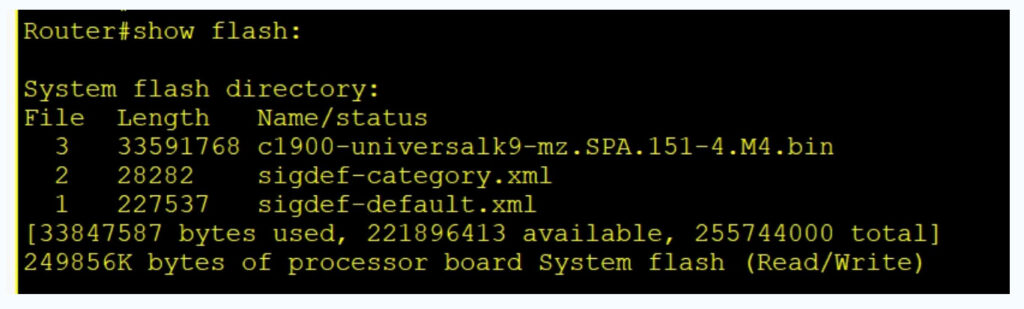
Router#show version
This command will give you critical information, such as: router platform type, operating
system revision, operating system last boot time and file location, amount of memory, number
of interfaces, and configuration register
Router#show clock
*1:46:13.169 UTC Mon Nov 1 2009
Will show you Routers clock
Router#show hosts
will display a cached list of hosts and all of their interfaces IP addresses
Router#show users
Will show a list of all users who are connected to the router
Router#show interfaces
will give you detailed information about each interface
Router#show protocols
will show the global and interface-specific status of any layer 3 protocols
Router#show ip interface brief
This command will show brief descriptions about interface. This command mostly used in
troubleshooting.
There may be three possible conditions of status.
UP: – interface is up and operational
DOWN: – physical link is detected but there is some problem in configurations.
Administratively down: – port is disable by shutdown command (Default mode of any port on
router.)
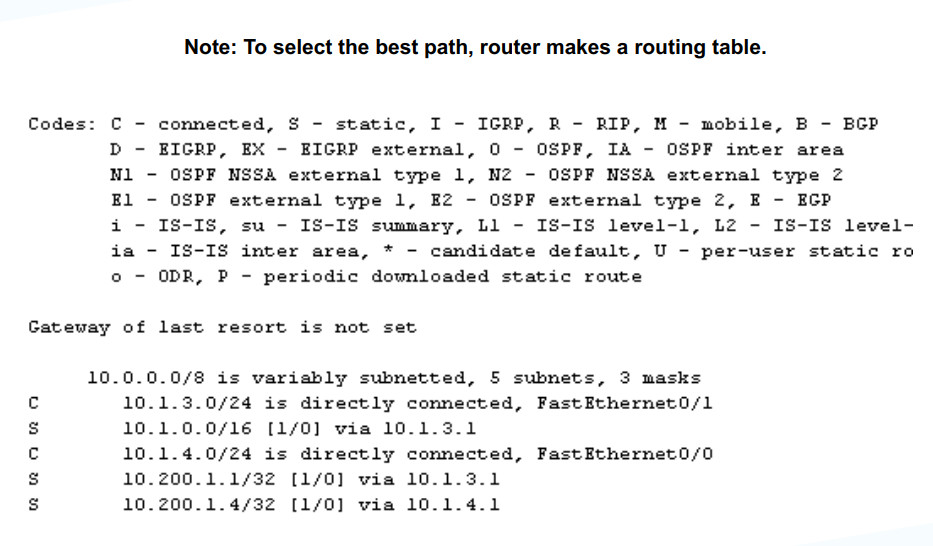
R1#show ip route
This command will give a detail about known route. Router will not forward packet if route is
not shown here for that packet. Router’s routing decision is made by this routing table.
R1#show controllers serial 0/0/0
Most common use of this command is to find out whether the port is DCE end or DTE. If the port
is DCE end then clock rate and bandwidth command will require. As you can see in output that
port is DCE.
R1#show ip protocols
Use this command to know about running routing protocols.
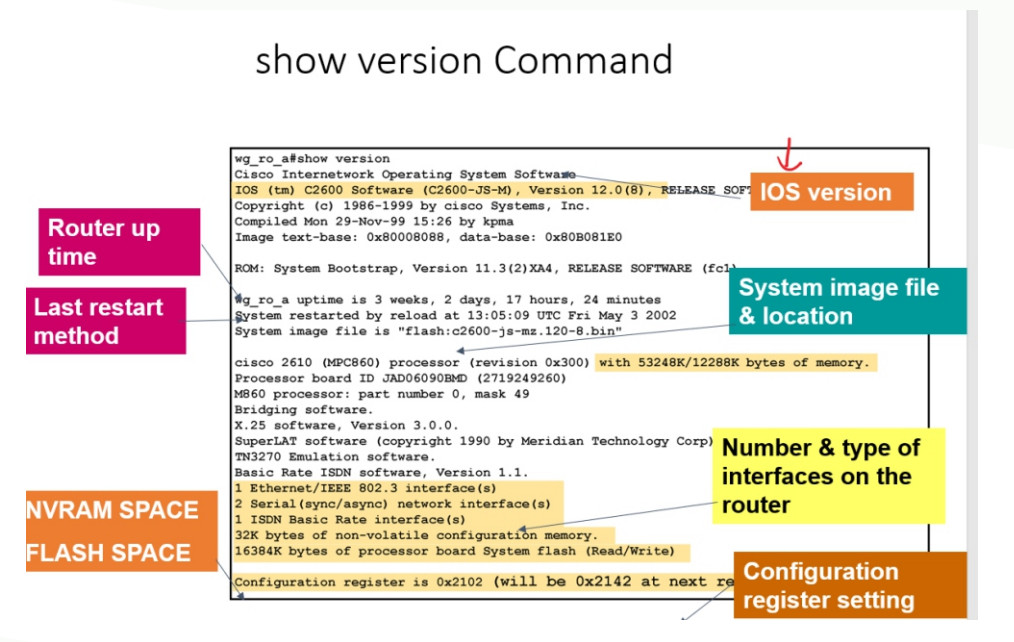
Show flash : To check the IOS File in flash memory.
To change the hostname:
Router>enable
Router# configure terminal
Enter configuration commands, one per line. End with CNTL/Z.
Router(config)#hostname Delhi-Gw1
Delhi-Gw1(config)#
To check the current configuration:
Delhi-Gw1#show running-config ( Ram )
To check the Startup configuration:
Delhi-Gw1#show startup-config ( NVRAM)
To save the configuration:
Delhi-Gw1#write
Building configuration…
[OK]
To reload the Router:
Delhi -Gw1#reload
Proceed with reload? [confirm]
To check the routing table:
Delhi -Gw1#show ip route
To Check the interfaces/ports status and Ip address.

Enter Privileged EXEC Mode
enable
Enter Global Configuration Mode
configure terminal
Show Running Configuration
show running-config
Show Startup Configuration
show startup-config
Show Interface Status
show interfaces
Show IP Interface Brief
Configure an Interface
interface [type] [number]
ip address [ip-address] [subnet-mask]
no shutdown
Example—-
interface GigabitEthernet0/1
ip address 192.168.1.1 255.255.255.0
no shutdown
Set a Hostname
hostname [desired-name]
Example–
hostname Router1
Set a Password for Console Access
line con 0
password [your-password]
login
Router Privalge Mode Password Configration
config-t
enable secret <saikat>
How to Convert Type – 7 Encription All Password
service password-encryption
Router Username Password Configration
config-t
username <saikat> secret <saikat>
line console 0
login local
Set a Password for VTY Access (Telnet/SSH)
enable secret saikat
line vty 0 4
password 3055
login
Telnet Company Use Method-2
username saikat secret saikat123
line vty 0 4
login local
exit
service password-encryption
SSH Configure
ip domain name cisco
username saikat secret saikat123
line vty 0 4
transport input ssh
login local
exit
crypto key generate rsa
Save Configuration
write memory
OR
copy running-config startup-config
Configure a Static Route
ip route [destination-network] [subnet-mask] [next-hop-ip]
ip route 192.168.2.0 255.255.255.0 192.168.1.254
Remove a Static Route
no ip route [destination-network] [subnet-mask] [next-hop-ip]
no ip route 192.168.2.0 255.255.255.0 192.168.1.254
Reload the Router
reload
Exit from Configuration Mode
end
Configure Banner (For Security)
banner motd # Unauthorized access is prohibited. #
Radius Server Configuration
Configuration Radius Server Step-1
aaa new-model
aaa authentication login default group radius local
username bob password bob
radius-server host 192.168.1.106 auth-port 1812 acct-port 1813 key hello123
exit
SSH Configuration Commnd Step-2
hostname R1
ip domain name cisco
crypto key generate rsa modulus 1024
ip ssh version 2
line vty 0 15
transport input ssh
login authentication default