
Integrated Graphics and Dedicated Graphics
What is Integrated Graphics and Dedicated Graphics
What is Integrated Graphics?
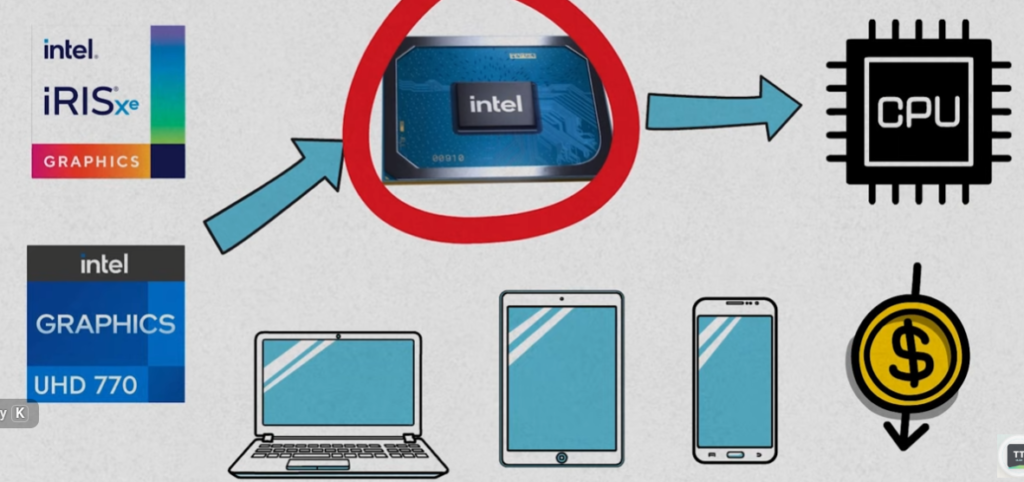
- Integrated Graphics, often called an iGPU (Integrated Graphics Processing Unit), is a graphics processor that is built directly into the computer’s CPU. Since the graphics processor is part of the same chip as the processor, there is no need for a separate graphics card. Integrated graphics use a portion of the computer’s system RAM as graphics memory instead of having dedicated video memory.
- Integrated graphics are designed for everyday computing tasks such as web browsing, office applications, watching videos, online meetings, programming, and light gaming. Because they are built into the processor, they consume less power, generate less heat, and reduce the overall cost of the computer. Modern integrated graphics found in AMD Ryzen and Intel Core processors are much more powerful than older generations and can even run many popular games at moderate settings.
- Examples of integrated graphics include AMD Radeon Graphics, Radeon Vega Graphics, Radeon 780M, Intel UHD Graphics, and Intel Iris Xe Graphics.
What is Dedicated Graphics?
- Dedicated Graphics, also known as a discrete GPU (dGPU), is a separate graphics card installed in a computer. Unlike integrated graphics, a dedicated graphics card has its own graphics processor, dedicated video memory (VRAM), cooling system, and power circuitry. Because it does not share resources with the CPU, it can deliver significantly higher graphics performance.
- Dedicated graphics cards are designed for demanding tasks such as modern gaming, 3D modeling, animation, video editing, artificial intelligence, machine learning, scientific computing, and professional rendering. These graphics cards can process complex graphics and large amounts of data much faster than integrated graphics.
- Examples of dedicated graphics cards include AMD Radeon RX 6600, Radeon RX 7900 XTX, NVIDIA GeForce RTX 4060, RTX 5070, and RTX 5090.
Performance Difference:
- The biggest difference between integrated and dedicated graphics is performance. Integrated graphics share system resources with the CPU and RAM, which limits their graphical capabilities. Dedicated graphics cards have their own powerful GPU and dedicated memory, allowing them to process graphics-intensive tasks much more efficiently.
- For basic tasks such as web browsing, video streaming, and office work, integrated graphics are usually sufficient. However, for gaming at high settings, professional content creation, and advanced computing workloads, dedicated graphics provide a much better experience.
Memory Usage:
- Integrated graphics do not have their own memory. Instead, they borrow a portion of the system RAM to store graphics data. This means that some of the available RAM is reserved for graphics processing.
- Dedicated graphics cards include their own VRAM (Video Random Access Memory), such as 8GB, 12GB, 16GB, or more. This dedicated memory allows the graphics card to handle high-resolution textures, complex 3D models, and large datasets without affecting system RAM.
Power Consumption
- Integrated graphics are designed to be power-efficient. Since they are built into the CPU, they consume relatively little electricity and generate less heat. This makes them ideal for laptops, mini PCs, and energy-efficient desktop systems.
- Dedicated graphics cards require significantly more power. High-performance gaming and professional GPUs may consume hundreds of watts and often require additional power connectors from the power supply.
Cost Difference:
- Computers with integrated graphics are generally less expensive because no separate graphics card is required. This makes them a popular choice for students, office users, and home users.
- Dedicated graphics cards increase the overall cost of a computer because they include additional hardware, memory, cooling systems, and power requirements. However, they provide much higher performance for demanding applications.
Which One Should You Choose?
- If your primary activities include web browsing, document editing, online classes, video streaming, and general productivity, integrated graphics are usually more than enough.
- If you plan to play modern games, edit videos, create 3D models, perform AI development, or work with professional design software, a dedicated graphics card is the better choice because it offers much greater performance and capabilities.
Conclusion
- Integrated graphics and dedicated graphics serve different purposes. Integrated graphics focus on affordability, efficiency, and everyday computing, while dedicated graphics focus on maximum performance for gaming, content creation, and professional workloads. Choosing between them depends on your budget and the type of work you intend to perform.
One-Line Definition
Integrated graphics are built into the processor and share system memory, while dedicated graphics are separate graphics cards with their own GPU and VRAM, providing significantly higher performance for demanding tasks.
Integrated Graphics (iGPU):
- Built directly into the processor (CPU).
- Uses system RAM instead of dedicated video memory.
- Lower power consumption and less heat generation.
- Suitable for web browsing, office work, video playback, and light gaming.
- Found in many AMD Ryzen and Intel Core processors.
Dedicated Graphics (dGPU):
- Separate graphics card installed in the computer.
- Has its own GPU chip and dedicated VRAM.
- Provides much higher gaming and graphics performance.
- Ideal for gaming, video editing, 3D rendering, AI, and professional workloads.
- Common examples include AMD Radeon RX and NVIDIA GeForce RTX graphics cards.
Simple Difference
- Integrated Graphics → Low cost, low power, basic graphics performance.
- Dedicated Graphics → Higher cost, higher power, much better graphics performance.
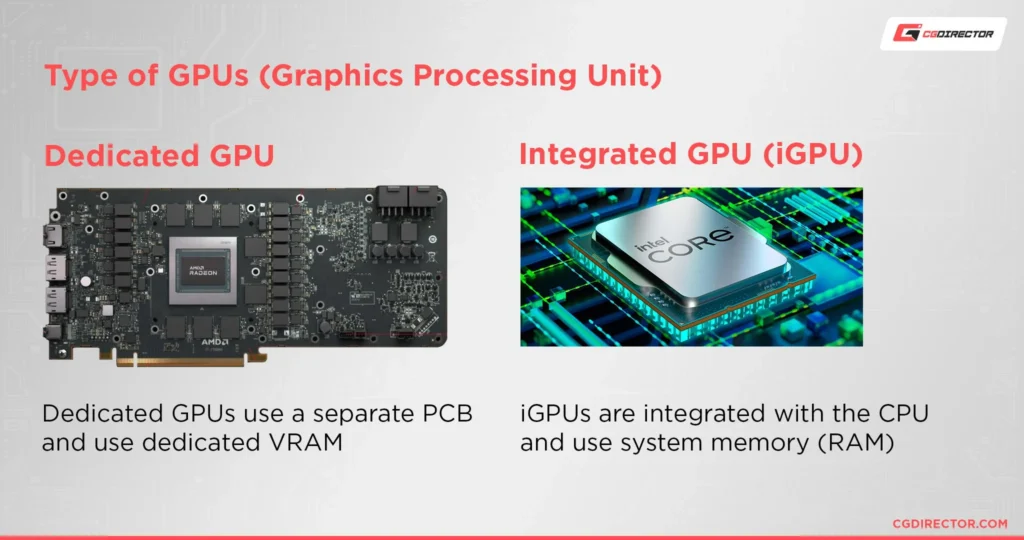
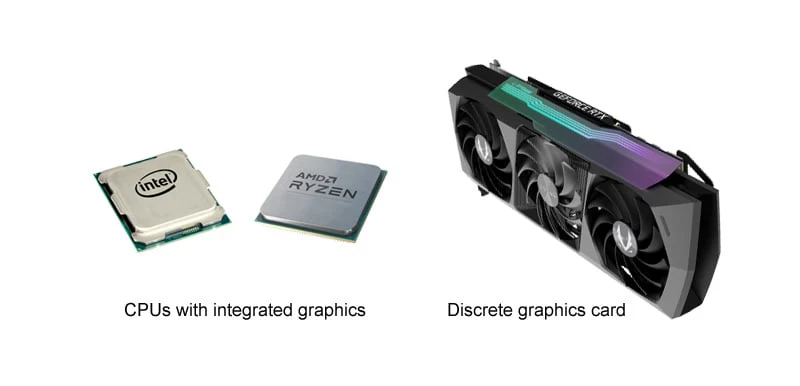
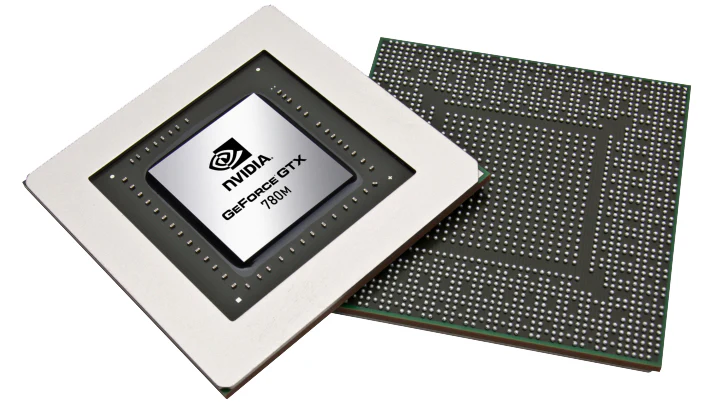
Integrated Graphics vs Dedicated Graphics Real-Life Example
Integrated Graphics Example:
- Imagine you buy a computer with an AMD Ryzen 5 5600G processor. This processor includes built-in Radeon Graphics, which means the computer can display images, videos, and run applications without a separate graphics card. You can browse the internet, use Microsoft Office, watch YouTube videos, attend online classes, and even play light games such as Minecraft, Valorant, or League of Legends. Since the graphics processor is built into the CPU, the system costs less, consumes less electricity, and generates less heat.
- For most students, office workers, and home users, integrated graphics provide enough performance for everyday tasks. Many modern laptops also use integrated graphics because they help improve battery life and reduce system size.
Dedicated Graphics Example:
- Now imagine you buy a gaming computer with an AMD Ryzen 7 9700X processor and an AMD Radeon RX 7800 XT graphics card. In this case, the graphics card is a separate piece of hardware installed inside the computer. It has its own processor and dedicated video memory (VRAM), allowing it to handle demanding graphics workloads much more efficiently.
- With this setup, you can play modern games such as Cyberpunk 2077, Call of Duty, Red Dead Redemption 2, and other AAA titles at high settings. You can also edit 4K videos, create 3D models, render animations, and run AI applications much faster than with integrated graphics.
Real-Life Comparison:
- Think of integrated graphics as a small family car. It is affordable, efficient, and perfect for everyday transportation. It gets the job done without consuming much fuel or requiring expensive maintenance.
- Dedicated graphics are like a high-performance sports car. They cost more, consume more power, and require better cooling, but they provide much greater speed and performance when handling demanding tasks.
Student Example:
A student who mainly uses a computer for online classes, web browsing, assignments, and video streaming can comfortably use integrated graphics. Purchasing a dedicated graphics card would often be unnecessary because the extra performance would not be used.
Gamer Example:
A gamer who wants to play modern games at high settings and high frame rates needs a dedicated graphics card. Integrated graphics may run some games, but a dedicated GPU will provide a much smoother and more enjoyable gaming experience.
Professional Example:
An architect, video editor, animator, or engineer working with large projects and professional software typically relies on dedicated graphics. These applications require significant graphics processing power, and dedicated GPUs can dramatically reduce rendering and processing times.
Conclusion:
Integrated graphics are ideal for everyday computing, office work, multimedia, and light gaming because they are affordable and power-efficient. Dedicated graphics are designed for gaming, content creation, engineering, AI, and professional workloads where maximum performance is required.
One-Line Summary
Integrated graphics are best for everyday users, while dedicated graphics are best for gamers, creators, engineers, and professionals who need high graphics performance.
Types of AMD Graphics
AMD Graphics Types
AMD produces different types of graphics solutions for home users, gamers, professionals, and data centers. These graphics technologies can be broadly divided into integrated graphics and dedicated graphics, with several product families designed for specific purposes.
Radeon Integrated Graphics:
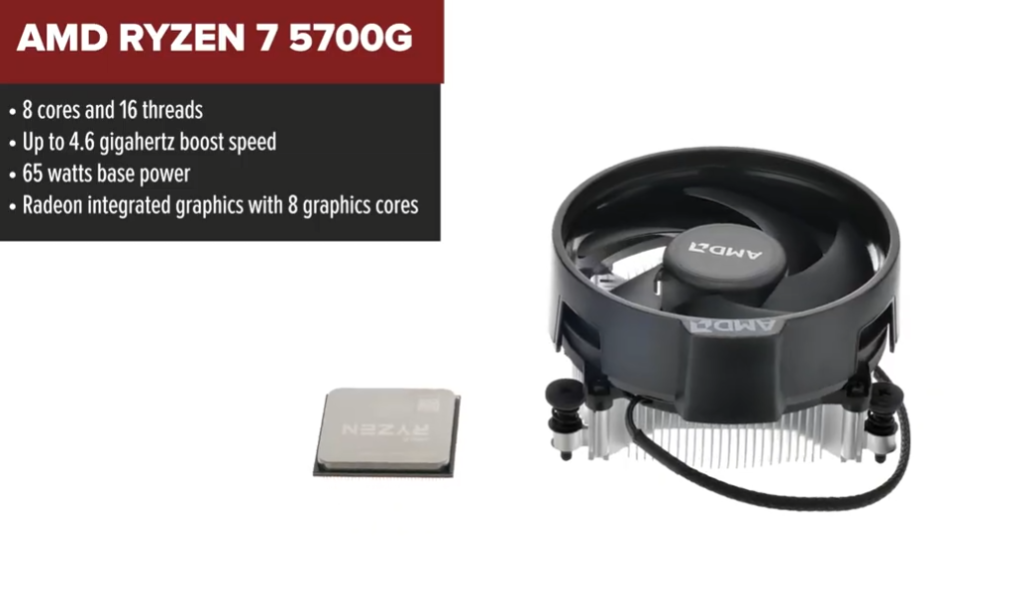
Radeon Integrated Graphics are built directly into AMD processors. These graphics processors share system memory and do not require a separate graphics card. They are commonly found in Ryzen processors and are suitable for web browsing, office applications, video streaming, multimedia playback, and light gaming. Modern integrated graphics such as Radeon 780M and Radeon 890M can even run many modern games at playable settings.
Radeon Vega Graphics:
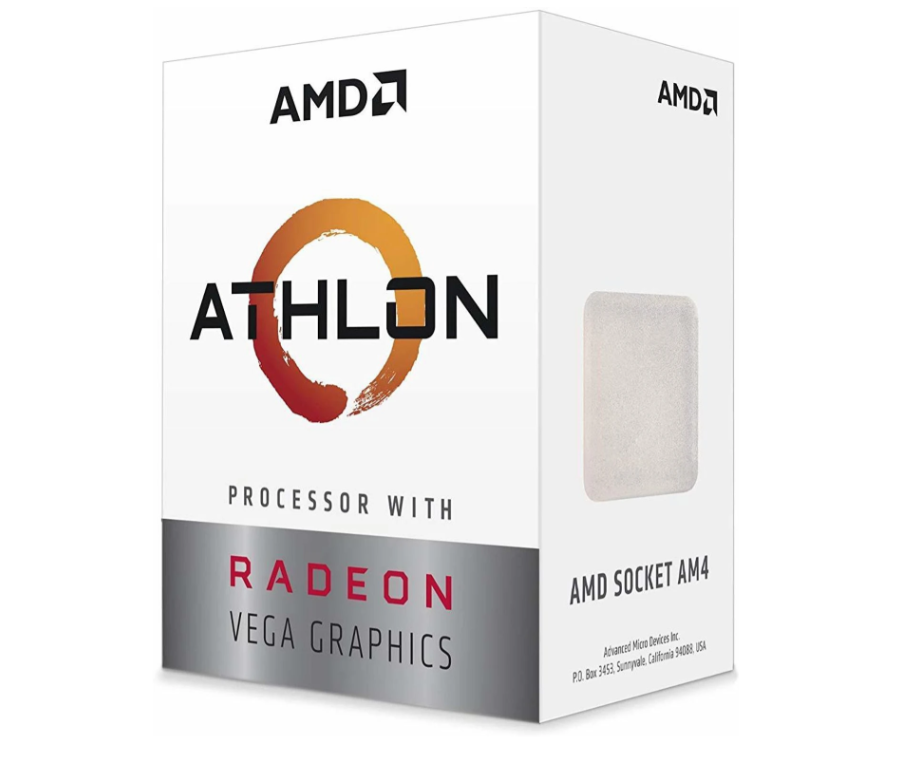
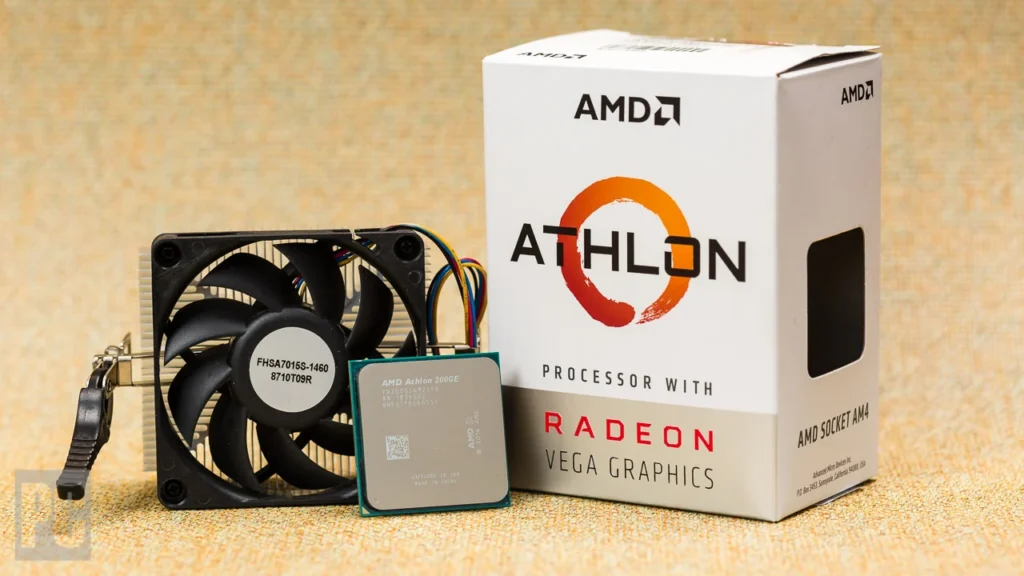
Radeon Vega Graphics is an integrated graphics architecture used in many AMD Ryzen APUs. Models such as Vega 3, Vega 6, Vega 8, Vega 10, and Vega 11 became popular because they offered some of the best integrated gaming performance available at the time. Vega graphics allowed users to enjoy casual gaming without purchasing a dedicated graphics card.
Radeon HD Series:
The Radeon HD Series was AMD’s graphics card family from the late 2000s to the early 2010s. It included the HD 2000, 3000, 4000, 5000, 6000, and 7000 series. These graphics cards introduced technologies such as DirectX 10 and DirectX 11 and helped AMD compete strongly in the gaming graphics market. The Radeon HD series was widely used by gamers and PC enthusiasts.
Radeon R Series:
The Radeon R Series replaced the HD series and was divided into R5, R7, and R9 product families. R5 models targeted entry-level users, R7 models served mainstream gamers, and R9 models were designed for enthusiasts. This series acted as a transition between the Radeon HD generation and the later Radeon RX family.
Radeon RX Series:
The Radeon RX Series is AMD’s primary gaming graphics card family. It includes RX 400, RX 500, RX Vega, RX 5000, RX 6000, RX 7000, and RX 9000 series graphics cards. These GPUs are designed for gaming, streaming, content creation, and high-performance computing. Modern Radeon RX cards support advanced features such as ray tracing, AI acceleration, and high-resolution gaming.
Radeon Pro Series:
The Radeon Pro Series is AMD’s professional workstation graphics family. These graphics cards are optimized for applications used by engineers, architects, designers, animators, and video editors. Radeon Pro cards offer certified drivers, enhanced reliability, and specialized performance for professional software such as CAD, 3D modeling, rendering, and visualization applications.
AMD Instinct Series:
The AMD Instinct Series is designed for data centers, artificial intelligence, machine learning, and scientific computing. Unlike gaming graphics cards, Instinct GPUs focus on computational performance rather than gaming. Models such as MI100, MI250X, MI300X, and MI325X are used in supercomputers, cloud platforms, and AI training systems around the world.
Summary:
AMD graphics solutions cover a wide range of applications. Integrated Radeon and Vega graphics serve everyday users, Radeon HD and Radeon RX graphics serve gamers, Radeon Pro graphics serve professional creators and engineers, and AMD Instinct accelerators power artificial intelligence and data-center workloads.
One-Line Definition
AMD graphics technology includes Radeon Integrated Graphics, Vega Graphics, Radeon HD Series, Radeon R Series, Radeon RX Series, Radeon Pro Series, and Instinct Series, each designed for different levels of performance and workloads.
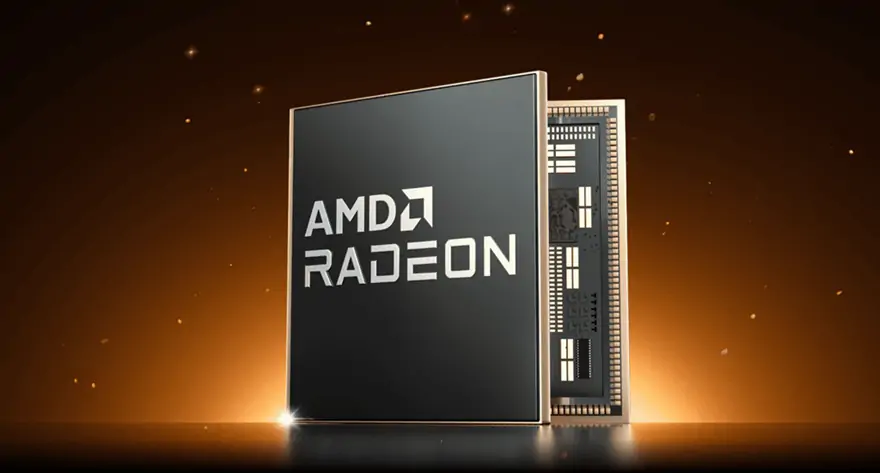
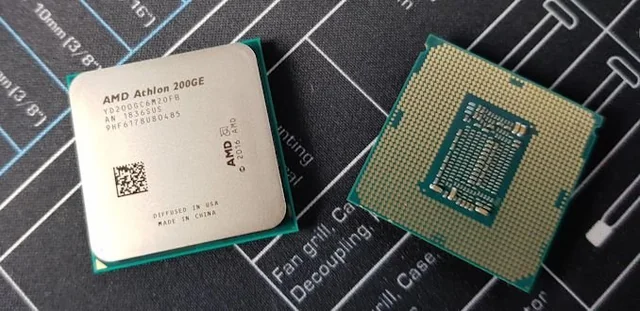
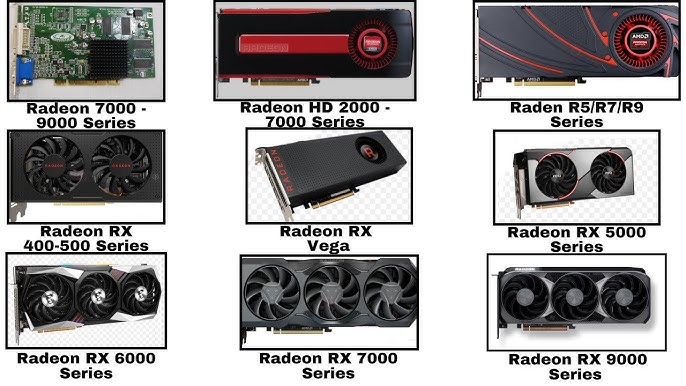
AMD Graphics Types:
- Radeon Graphics – Basic integrated graphics built into AMD processors.
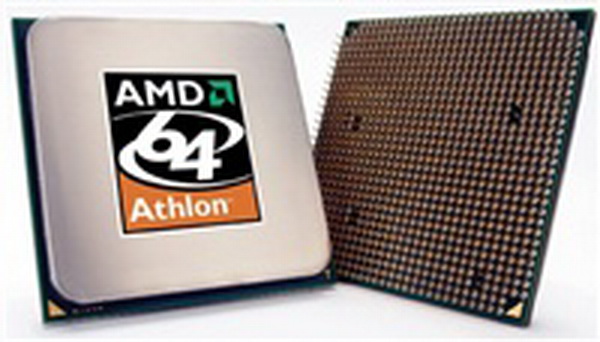
- Radeon Vega Graphics – Enhanced integrated graphics for multimedia and light gaming.
- Radeon 600M Series – RDNA 2-based integrated graphics.
- Radeon 700M Series – RDNA 3-based integrated graphics.
- Radeon 800M Series – RDNA 3.5 integrated graphics for modern laptops.
- Radeon HD Series – Legacy gaming graphics cards from HD 2000 to HD 7000.
- Radeon R5 Series – Entry-level dedicated graphics cards.
- Radeon R7 Series – Mainstream gaming graphics cards.
- Radeon R9 Series – High-performance enthusiast graphics cards.
- Radeon RX Series – Modern gaming graphics card family.
- Radeon RX Vega Series – High-end gaming and compute graphics cards.
- Radeon Pro Series – Professional workstation graphics cards.
- Radeon Pro WX Series – Workstation GPUs for CAD and design.
- Radeon Pro W Series – Advanced professional graphics solutions.
- AMD FirePro Series – Legacy professional workstation graphics cards.
- AMD Instinct Series – AI, machine learning, and data-center accelerators.
Simple Classification:
- Integrated Graphics → Radeon Graphics, Vega, 600M, 700M, 800M.
- Gaming Graphics → Radeon HD, R5, R7, R9, RX Series.
- Professional Graphics → Radeon Pro, FirePro.
- Data Center Graphics → AMD Instinct Series.
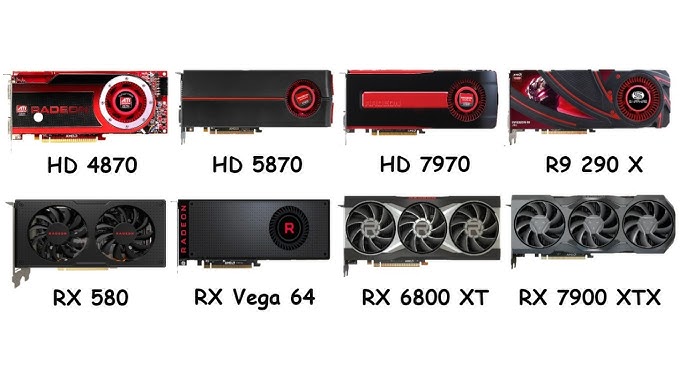
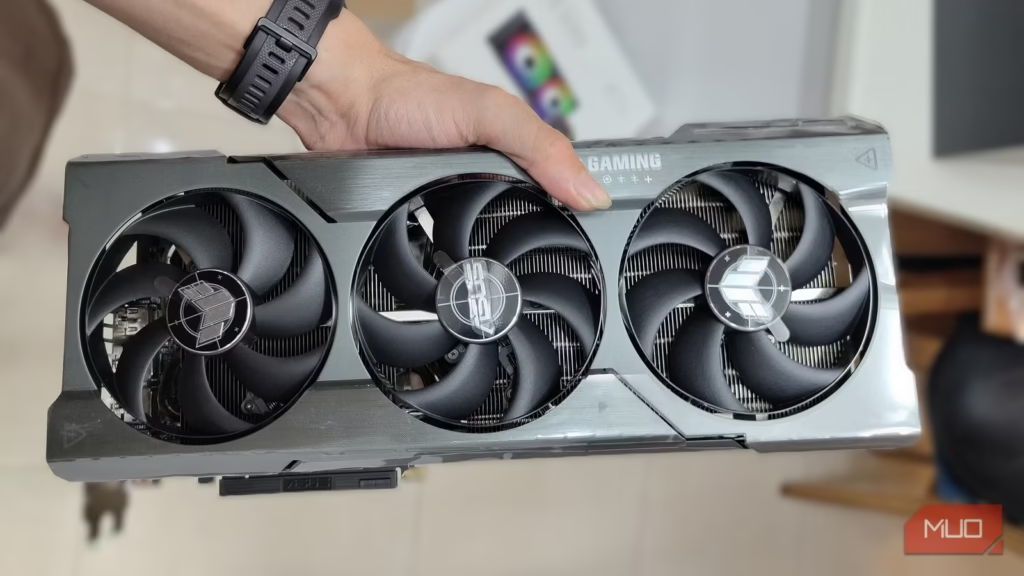
Types of Intel Graphics
Intel Extreme Graphics:
Intel Extreme Graphics was one of Intel’s earliest integrated graphics solutions. It was introduced for desktop and laptop computers that needed basic display capabilities. These graphics processors were designed mainly for office applications, internet browsing, and simple multimedia tasks. Gaming performance was very limited, but they provided an affordable solution for everyday computer users.
Intel Graphics Media Accelerator (GMA):
The Intel Graphics Media Accelerator, commonly known as GMA, succeeded the Extreme Graphics family. It offered improved graphics performance, better video playback support, and enhanced display capabilities. GMA graphics became very popular in budget laptops and desktop systems during the mid-2000s. While they could handle everyday computing tasks well, they were not intended for demanding games or professional graphics work.
Intel HD Graphics:
Intel HD Graphics represented a major step forward in integrated graphics technology. With the introduction of Intel Core processors, graphics functionality was integrated directly into the processor package. This provided better performance, improved power efficiency, and support for high-definition video playback. Intel HD Graphics became widely used in home computers, office systems, and entry-level laptops.
Intel UHD Graphics:
Intel UHD Graphics was introduced as an improved version of Intel HD Graphics. It provided better multimedia capabilities, support for higher display resolutions, and improved overall graphics performance. UHD Graphics became common in many Intel Core processors and is widely used in business laptops, educational systems, and home computers.
Intel Iris Graphics:
Intel Iris Graphics was developed to offer significantly better graphics performance than standard HD and UHD Graphics. These graphics processors included additional processing resources and improved architecture, making them suitable for content creation, multimedia editing, and light gaming. Iris Graphics was often found in premium laptops and ultrabooks.
Intel Iris Plus Graphics:
Intel Iris Plus Graphics expanded on the Iris family by providing even greater graphics power. It was designed for users who needed stronger integrated graphics performance for photo editing, video editing, creative applications, and casual gaming. Iris Plus became a popular choice for thin and lightweight laptops.
Intel Iris Xe Graphics:
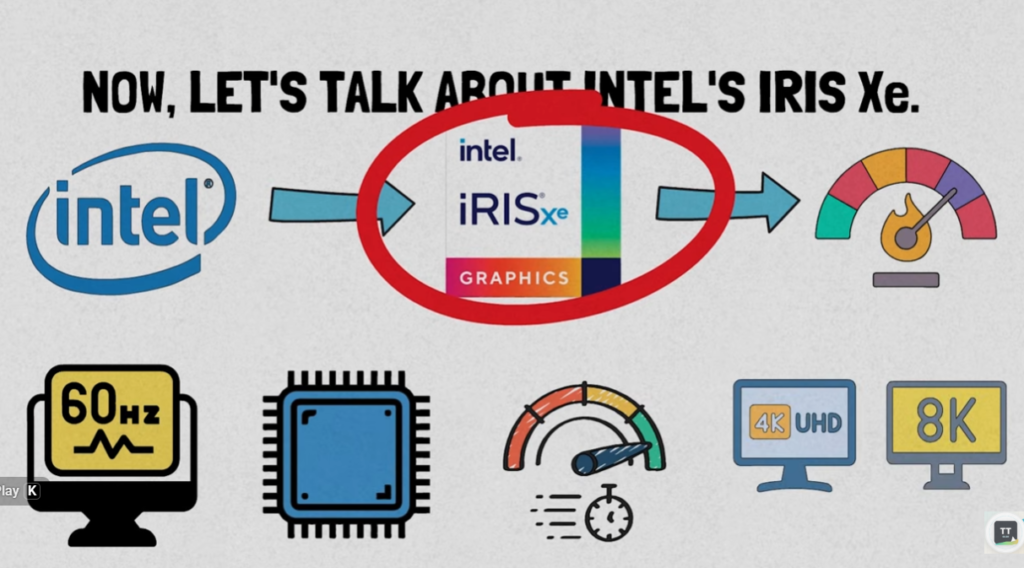
Intel Iris Xe Graphics marked one of the most important advancements in Intel’s integrated graphics technology. Built on the Xe architecture, it delivered substantial improvements in gaming performance, multimedia processing, and content creation capabilities. Iris Xe graphics are commonly found in modern laptops and can handle many games and creative applications without requiring a dedicated graphics card.
Intel Arc Integrated Graphics:
Intel has also introduced Arc-based integrated graphics in newer processors. These graphics processors use technology derived from Intel’s Arc dedicated GPUs and offer improved gaming, AI processing, and multimedia capabilities. They represent the latest generation of Intel integrated graphics solutions.
Intel Arc A-Series Graphics:
The Intel Arc A-Series is Intel’s first major family of dedicated gaming graphics cards. Unlike integrated graphics, these GPUs are separate hardware components with dedicated memory and significantly higher performance. Arc A-Series graphics cards are designed for gamers, streamers, and content creators who require stronger graphics capabilities.
Intel Arc B-Series Graphics:
The Arc B-Series is Intel’s newer generation of dedicated gaming graphics cards. These GPUs provide improved performance, better efficiency, and enhanced support for modern gaming technologies. They are intended to compete directly with other gaming graphics cards in the market.
Intel Arc Pro Graphics:
Intel Arc Pro graphics cards are designed for professional workstation environments. These GPUs are optimized for engineering, architecture, CAD design, 3D modeling, rendering, and content creation applications. Arc Pro products focus on stability, certified drivers, and professional software compatibility.
Intel Data Center GPU Series:
The Intel Data Center GPU Series is designed for artificial intelligence, machine learning, cloud computing, and scientific research. These graphics accelerators are used in servers, supercomputers, and enterprise data centers rather than personal computers. Their primary focus is computational performance rather than gaming.
Conclusion:
Intel graphics technology has evolved from simple integrated solutions such as Extreme Graphics and GMA to modern Iris Xe and Arc architectures. Today, Intel offers graphics products for basic computing, multimedia, gaming, professional workstations, artificial intelligence, and enterprise computing, making it one of the major graphics technology providers in the industry.
One-Line Summary:
Intel graphics include Extreme Graphics, GMA, HD Graphics, UHD Graphics, Iris, Iris Xe, Arc Gaming GPUs, Arc Pro Workstation GPUs, and Data Center GPUs for AI and enterprise applications.

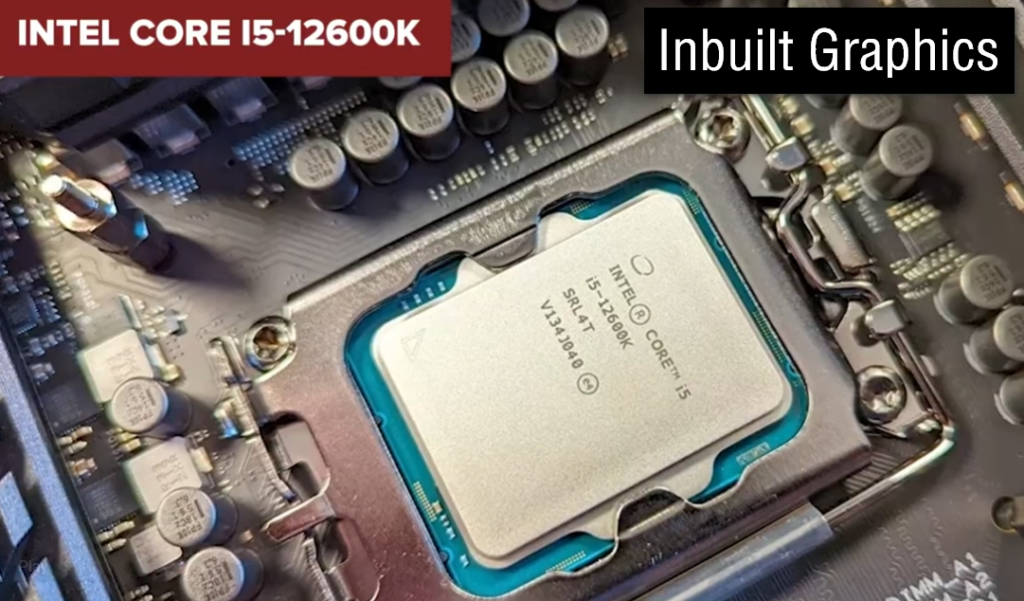
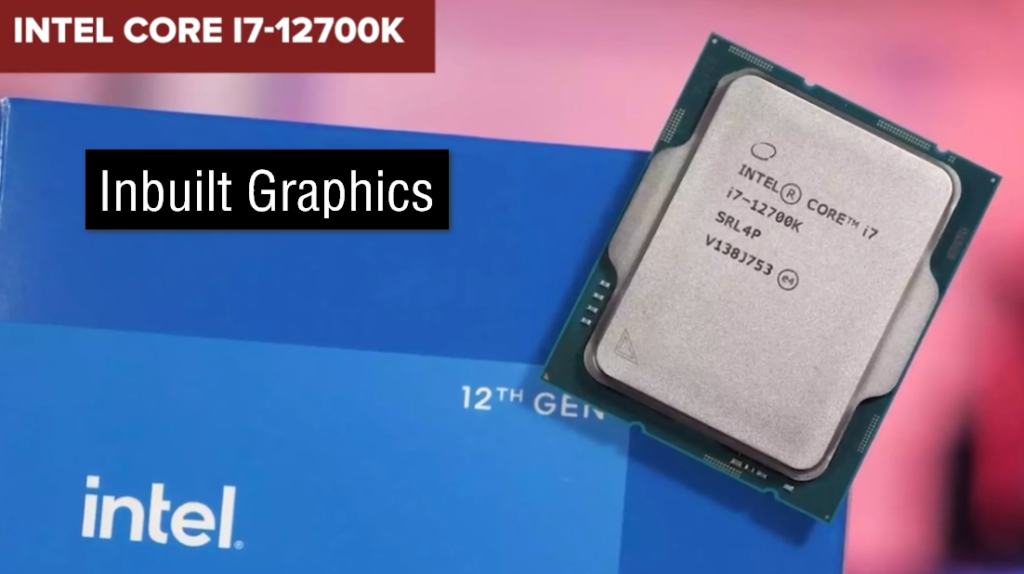

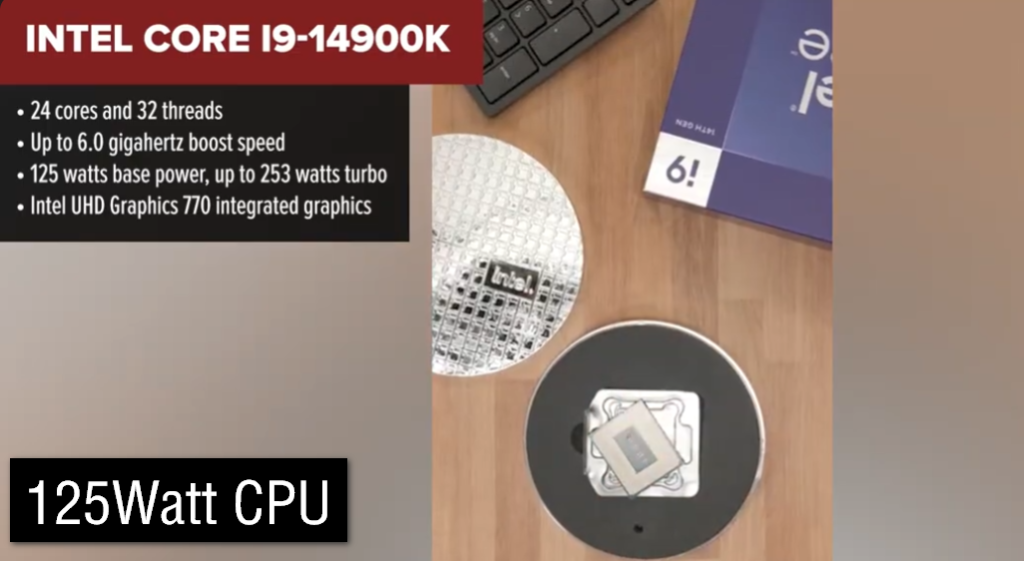
Intel Graphics Types:
- Intel Extreme Graphics – Early integrated graphics for basic display and office tasks.
- Intel Graphics Media Accelerator (GMA) – Legacy integrated graphics for everyday computing.
- Intel HD Graphics – Mainstream integrated graphics used in older Intel processors.
- Intel UHD Graphics – Improved integrated graphics with better multimedia performance.
- Intel Iris Graphics – Enhanced integrated graphics for productivity and light gaming.
- Intel Iris Plus Graphics – More powerful integrated graphics with higher performance.
- Intel Iris Xe Graphics – Modern integrated graphics designed for gaming, multimedia, and content creation.
- Intel Arc Graphics (Integrated) – Integrated GPU based on Intel Arc architecture in newer processors.
- Intel Arc A-Series – Dedicated gaming graphics cards for desktop and laptop PCs.
- Intel Arc B-Series – New-generation dedicated graphics cards with improved gaming performance.
- Intel Arc Pro Series – Professional workstation graphics cards for CAD, AI, and content creation.
- Intel Data Center GPU Series – Graphics accelerators for AI, cloud computing, and data centers.
Problems of a CPU Without Integrated Graphics (No iGPU)
Problems of a CPU Without Integrated Graphics (No iGPU):
A processor without integrated graphics does not have a built-in graphics processor. In such systems, a separate graphics card is usually required to display anything on the monitor.
No Display Output:
The biggest disadvantage is that the computer cannot produce a display signal by itself. If no dedicated graphics card is installed, the monitor may remain blank and the system may not be usable normally.
Additional Cost:
You must purchase a dedicated graphics card, which increases the overall cost of the computer. Even a basic display output requires a graphics card.
Higher Power Consumption:
A dedicated graphics card consumes additional electricity. As a result, the entire system uses more power compared to a processor with integrated graphics.
More Heat Generation:
Dedicated graphics cards generate extra heat inside the computer case. This may require better cooling solutions and improved airflow.
More Hardware Required:
A system without integrated graphics depends on an additional graphics card. If the graphics card fails, display output may be lost until the card is repaired or replaced.
Troubleshooting Difficulty:
When diagnosing hardware problems, integrated graphics can be useful because you can remove the graphics card and still get display output. Without an iGPU, troubleshooting becomes more difficult.
Example
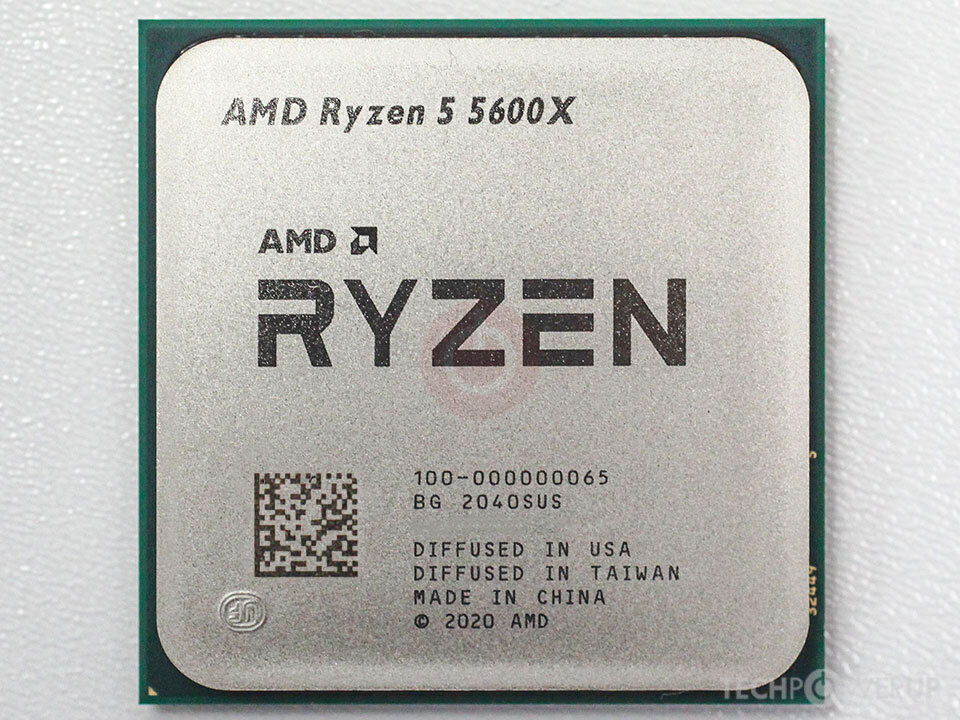
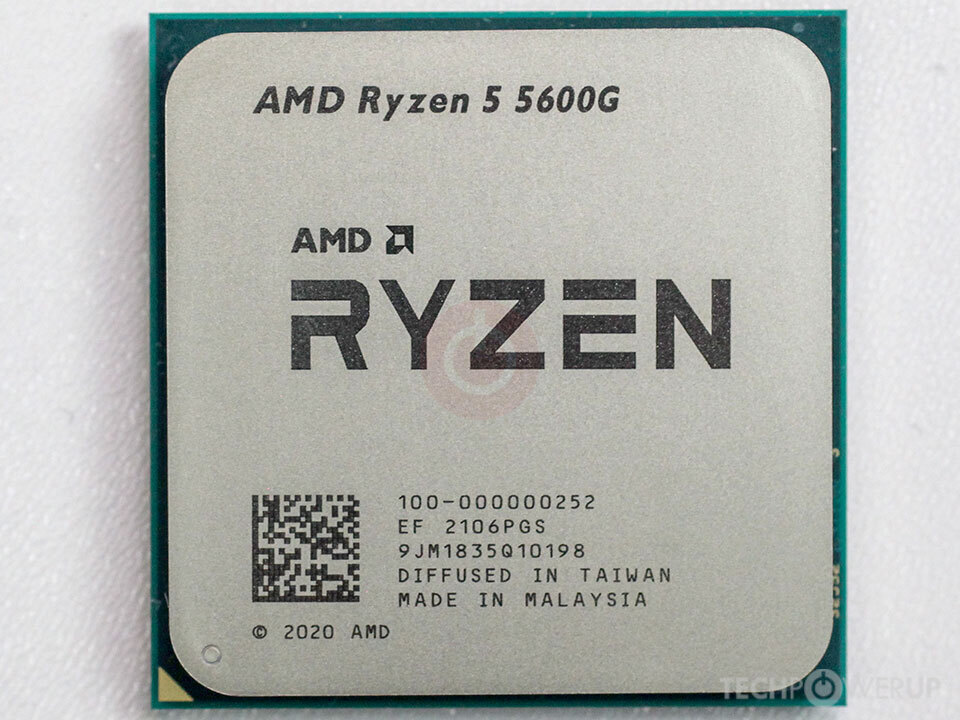
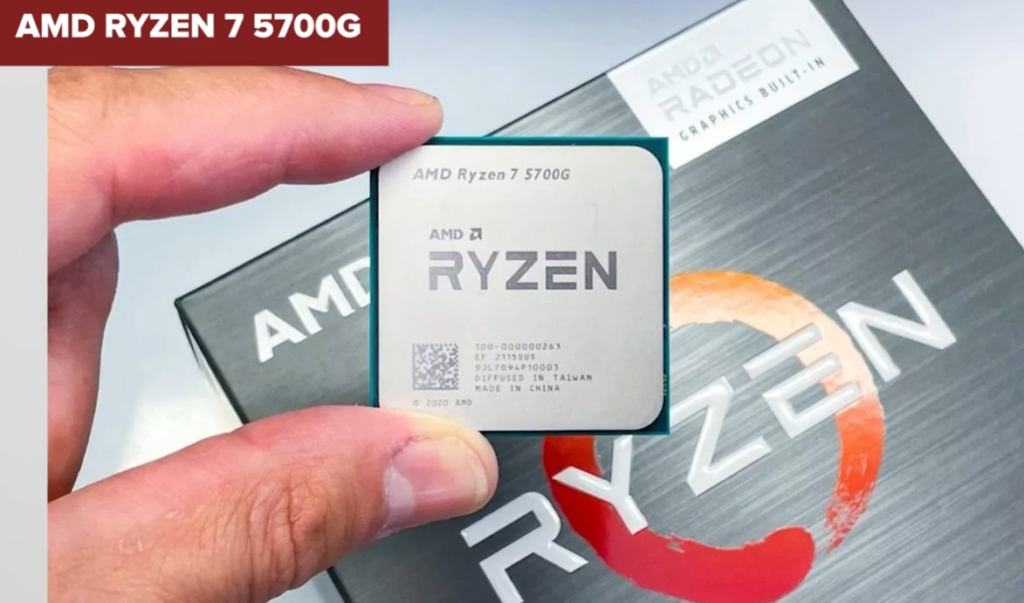
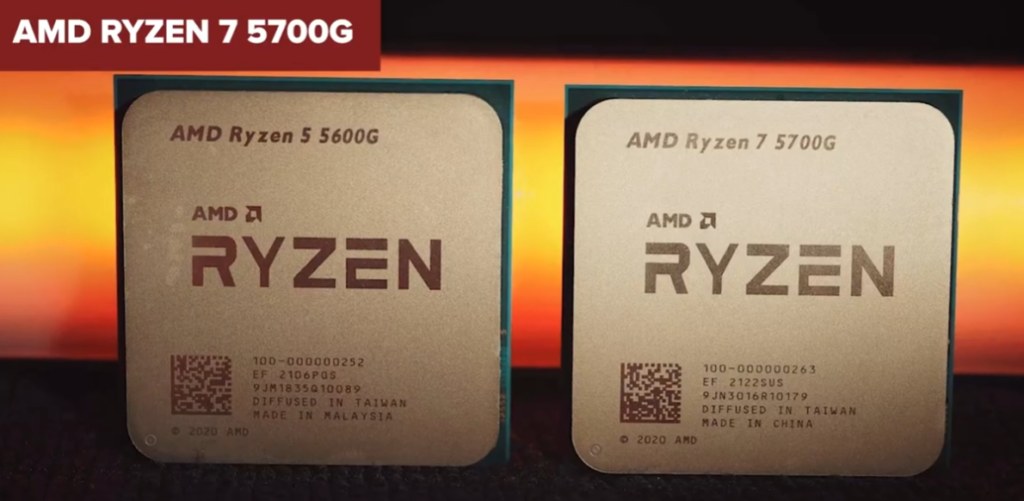
- AMD Ryzen 5 5600X – No integrated graphics, requires a dedicated GPU for display.
- AMD Ryzen 5 5600G – Includes Radeon Graphics, can provide display output without a separate graphics card.
CPU Without Integrated Graphics (No iGPU):
- No built-in graphics processor.
- Requires a dedicated graphics card for display output.
- No monitor signal without a GPU (in most systems).
- Increases overall PC build cost.
- Consumes more power when using a dedicated GPU.
- Generates more heat inside the system.
- Requires additional hardware installation.
- Harder to troubleshoot display issues.
- Not ideal for low-budget office PCs.
- Commonly used in gaming and workstation builds.
- Often offers better value for users who already have a graphics card.
- Suitable for high-performance gaming systems.
Examples
- AMD Ryzen 5 5600X – No integrated graphics.
- AMD Ryzen 7 5800X – No integrated graphics.
- Intel Core i5-14600KF – No integrated graphics.
- Intel Core i7-14700KF – No integrated graphics.
What Happens If a Computer Has No GPU
What Happens If a Computer Has No GPU?
A GPU (Graphics Processing Unit) is responsible for generating and displaying images, videos, animations, and graphical content on a monitor. Without a GPU, a computer’s ability to display and process graphics depends entirely on whether the processor includes integrated graphics.
If the CPU Has Integrated Graphics:
- Many modern processors include an integrated graphics processor (iGPU) built into the CPU. In this case, the computer can function normally without a dedicated graphics card. The integrated graphics handle display output, video playback, web browsing, office applications, and even some light gaming.
- For example, a computer using an AMD Ryzen 5 5600G or an Intel Core i5-14400 can operate without a dedicated graphics card because the processor already contains graphics hardware. Users can connect a monitor directly to the motherboard’s display ports and use the system normally.
- However, integrated graphics generally provide lower performance than dedicated graphics cards. They are suitable for everyday computing, multimedia, education, and light gaming but may struggle with modern AAA games, professional rendering, and advanced AI workloads.
If the CPU Does Not Have Integrated Graphics:
- If a processor does not include integrated graphics and no dedicated graphics card is installed, the computer usually cannot produce a display signal. Although the CPU, RAM, and storage may still function, the user will not see anything on the monitor.
- For example, processors such as AMD Ryzen 5 5600X or Intel Core i5-14600KF do not include integrated graphics. These processors require a dedicated graphics card to provide display output. Without one, the monitor will typically show a “No Signal” message.
Effects on Gaming:
- Gaming relies heavily on graphics processing. Without a GPU, modern games cannot run properly. Even if a system has integrated graphics, gaming performance will be limited compared to a dedicated graphics card.
- A dedicated GPU such as an AMD Radeon RX or NVIDIA GeForce RTX card contains thousands of processing cores specifically designed for graphics workloads. Without this hardware, demanding games may run slowly or may not run at all.
Effects on Video Editing and Content Creation:
- Video editing, 3D modeling, animation, and rendering software often use GPU acceleration to speed up processing. Without a dedicated GPU, these applications rely more heavily on the CPU, which can significantly increase rendering times and reduce performance.
- Professional creators typically use dedicated graphics cards because they provide much faster rendering, smoother previews, and improved workflow efficiency.
Effects on Artificial Intelligence and Scientific Computing:
- AI training, machine learning, scientific simulations, and large-scale computations often depend on GPU acceleration. GPUs are designed to perform thousands of calculations simultaneously, making them much faster than CPUs for these workloads.
- Without a powerful GPU, many AI and scientific applications become much slower and less practical to run.
Power Consumption and Cost:
A system without a dedicated GPU usually consumes less power and generates less heat. It is also less expensive because there is no need to purchase an additional graphics card. This is one reason why office computers, school computers, and budget home PCs often rely solely on integrated graphics.
Real-Life Examples:
- A student using a Ryzen 5 5600G can browse the internet, attend online classes, watch videos, and complete assignments without a dedicated graphics card because the processor includes integrated Radeon Graphics.
- A gamer using a Ryzen 7 9700X requires a dedicated graphics card such as a Radeon RX 7800 XT or GeForce RTX 5070 because the processor itself cannot provide display output or gaming-level graphics performance.
Conclusion:
A computer can operate without a dedicated GPU if the processor includes integrated graphics. For basic tasks, integrated graphics are often sufficient. However, for gaming, professional content creation, AI development, and other demanding workloads, a dedicated graphics card provides significantly better performance and capabilities.
Problem Computer Without a GPU :
- Cannot display images if the CPU also lacks integrated graphics.
- Monitor may show a blank screen or “No Signal.”
- Cannot play games that require graphics processing.
- Poor performance in video editing and 3D applications.
- No hardware acceleration for many graphics tasks.
- Unable to run most modern graphics-intensive software.
- AI, rendering, and CAD workloads become very limited.
- Suitable only if the CPU has integrated graphics.
- Lower system cost when using integrated graphics instead of a dedicated GPU.
- Common in office PCs, school computers, and basic home systems.
Real Example:
- Ryzen 5 5600G (with integrated Radeon Graphics) → Works without a dedicated GPU.
- Ryzen 5 5600X (no integrated graphics) → Will not display anything without a GPU.
- Intel Core i5-14400 (with Intel UHD Graphics) → Works without a dedicated GPU.
- Intel Core i5-14600KF (no integrated graphics) → Requires a GPU for display.
Problems of Video Editing and Gaming Without a GPU:
- Slower Video Rendering – Videos take much longer to render because the CPU must handle all processing tasks.
- Long Export Times – Exporting large video projects can take several times longer than with a dedicated GPU.
- Choppy Timeline Playback – Video previews may lag or stutter when editing high-resolution footage.
- Poor 4K Video Editing Performance – Editing 4K and 8K videos becomes difficult due to limited graphics processing power.
- Lower Gaming FPS – Games run at lower frame rates, resulting in less smooth gameplay.
- Reduced Graphics Quality – Many games must be played at low settings to achieve acceptable performance.
- Modern Games May Not Run Well – New AAA games often require a powerful GPU for proper performance.
- High CPU Usage – The processor works harder because it must handle graphics tasks normally performed by a GPU.
- More System Lag – Gaming and editing can become less responsive due to hardware limitations.
- Slow 3D Rendering – Creating 3D models and animations takes significantly more time.
- Limited AI Features – Many AI-powered editing and graphics tools rely on GPU acceleration.
- No Ray Tracing Support – Advanced visual effects available in modern games may not be supported.
- Reduced Multitasking Performance – Running multiple demanding applications simultaneously becomes more difficult.
- Poor Streaming Performance – Gaming and streaming at the same time may cause lag and performance drops.
- Lower Productivity for Creators – Professional video editors and designers may experience slower workflows.
When Do You Need a Dedicated GPU
When Do You Need a Dedicated GPU?
A dedicated GPU (Graphics Processing Unit) becomes necessary when your computer work goes beyond basic tasks like browsing, office work, and video playback. While integrated graphics can handle everyday use, they are limited in performance. A dedicated graphics card is designed specifically for heavy graphical and parallel processing workloads.
Gaming Requirements:
- You need a dedicated GPU when you want to play modern games smoothly. New AAA games like open-world or high-graphics titles require strong GPU power to render detailed environments, textures, lighting, and effects.
- Without a dedicated GPU, games may run at low settings, low resolution, or may not run at all. A GPU is essential for achieving high FPS (frames per second), smooth gameplay, and advanced features like ray tracing.
Video Editing and Content Creation:
- If you work with video editing software such as Adobe Premiere Pro, DaVinci Resolve, or After Effects, a dedicated GPU is very important. It helps in faster video rendering, smooth timeline playback, and quick export times.
- Editing high-resolution videos like 4K or 8K becomes very difficult without GPU acceleration. A dedicated GPU significantly improves workflow speed and reduces rendering time.
3D Modeling and Animation:
- Software like Blender, Maya, Cinema 4D, and 3ds Max heavily depend on GPU performance for rendering 3D scenes. Without a dedicated GPU, rendering complex models, animations, and visual effects takes a very long time.
- A powerful GPU allows real-time previews, faster rendering, and smoother handling of large 3D projects.
Artificial Intelligence and Machine Learning:
- Modern AI and machine learning tasks rely heavily on GPU acceleration. Training models, processing large datasets, and running neural networks require high parallel processing power.
- Without a dedicated GPU, these tasks become extremely slow and inefficient. GPUs are essential in data science, deep learning, and scientific computing.
Streaming and Multitasking:
- If you want to stream gameplay while playing games, a dedicated GPU is required. It handles encoding and rendering simultaneously, reducing lag and improving stream quality.
- Similarly, multitasking with multiple high-resolution applications, monitors, or creative software works much better with a GPU.
Professional and Engineering Work:
- Engineers, architects, and designers use software like AutoCAD, SolidWorks, and Revit. These applications need strong GPU performance for rendering designs, simulations, and technical drawings.
- A dedicated GPU ensures smoother performance and faster processing in professional environments.
High-Resolution and Advanced Display Usage:
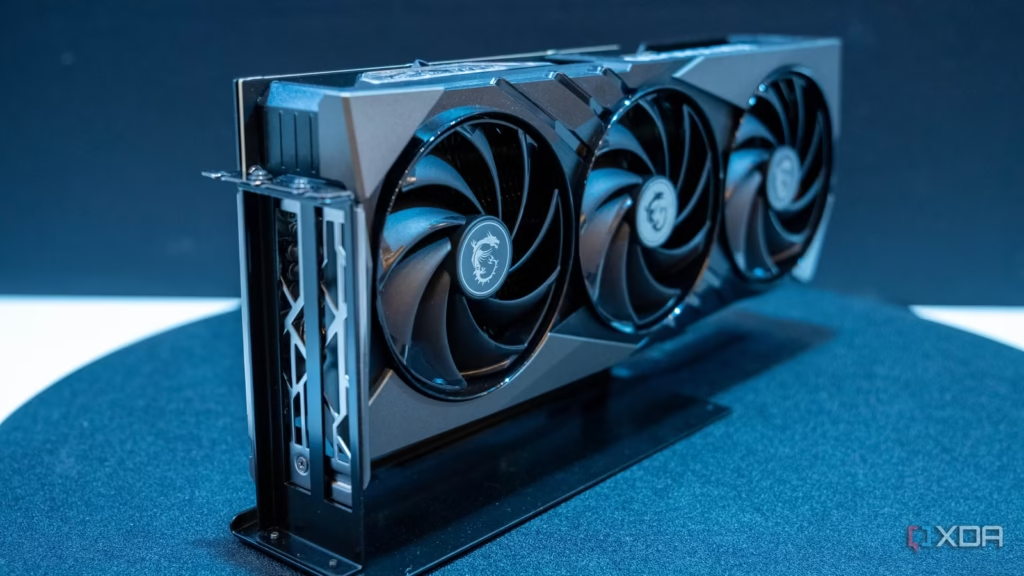
- If you use multiple monitors, 4K or 8K displays, or high refresh rate monitors, a dedicated GPU is required to handle the increased graphical load.
- Integrated graphics may struggle with high-resolution outputs or multiple display setups.
When Integrated Graphics Are Not Enough
Integrated graphics are suitable for basic tasks, but they struggle with:
- Modern gaming at high settings
- Heavy video editing
- 3D rendering and animation
- AI and machine learning workloads
- Professional design software
When you start noticing lag, slow performance, or long processing times, it is a clear sign that you need a dedicated GPU.
Cost vs Performance Consideration:
A dedicated GPU increases the cost of a system, but it also dramatically improves performance. For gamers, creators, and professionals, this investment is necessary for productivity and smooth experience.
Conclusion:
A dedicated GPU is required when your computer tasks involve high graphics processing, heavy computation, or real-time rendering. It is essential for gaming, video editing, 3D design, AI workloads, and professional applications where integrated graphics cannot deliver sufficient performance.
When Do You Need a Dedicated GPU:
- When playing modern AAA games at high or ultra settings.
- When aiming for high FPS gaming (60–240 FPS).
- When doing 3D modeling, animation, or rendering work.
- When editing 4K or 8K videos smoothly.
- When using professional software like Blender, Maya, or AutoCAD.
- When working with AI, machine learning, or deep learning tasks.
- When streaming games while playing at the same time.
- When using multiple high-resolution monitors for work.
- When doing heavy photo editing or VFX work.
- When needing faster video export and rendering times.
- When running GPU-accelerated software applications.
- When working in engineering, simulation, or CAD projects.
- When needing ray tracing and advanced graphics effects in games.
- When upgrading overall gaming or creative performance.
- When integrated graphics are not powerful enough for your workload.