
Fortigate Certification
What is FortiGate Certification Course
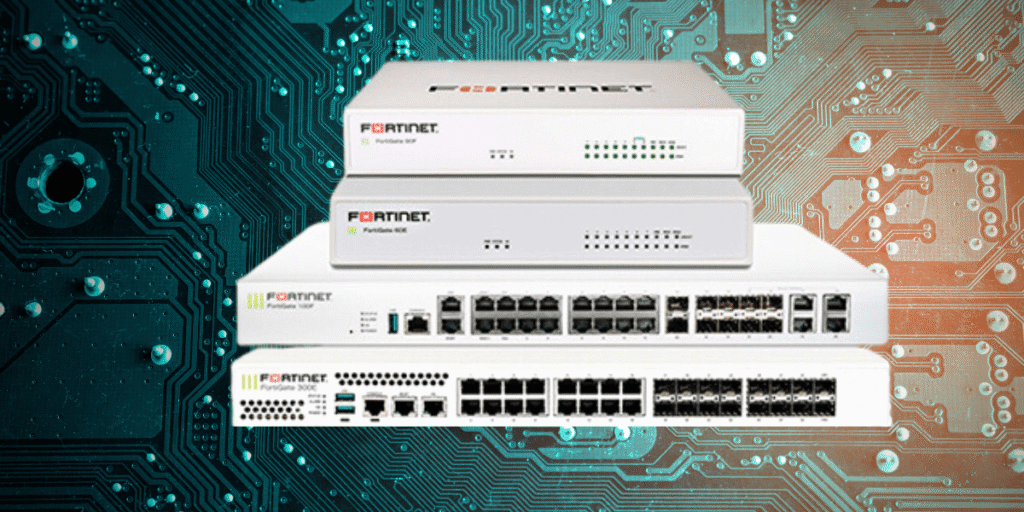
FortiGate Certification is a professional cybersecurity training program focused on Configuring, Managing, and Securing Networks using FortiGate Firewalls. The course includes Theory + Hands-on Lab Practice, where you learn Firewall Policies, VPN, Security Profiles, and Real-World Network Protection techniques. It is widely used for jobs like Network Security Engineer and Firewall Administrator.
Purpose of the Course
The main purpose of the FortiGate certification course is to develop practical skills in network security. It trains learners to protect networks from cyber threats by using Firewall Policies, VPNs, and Advanced Security Features. This course is widely used by IT professionals who want to build a career in cybersecurity and network security.
What You Learn in the Course
In the FortiGate certification course, you learn both theoretical concepts and hands-on skills. The key topics include Firewall Configuration, Network Traffic Control, NAT (Network Address Translation), VPN setup (IPsec and SSL), intrusion prevention systems (IPS), antivirus, Web Filtering, and User Authentication. You also learn how to Monitor and Troubleshoot network security issues in real-world environments.
FortiGate Certification Course Certification Levels
The FortiGate Certification Course under the Fortinet training program is divided into structured certification levels. These levels help you progress from basic knowledge to advanced expertise in network security and FortiGate firewalls.
Fortinet Certified Fundamentals (FCF):
This is the Beginner Level Certification. It introduces you to basic cybersecurity concepts such as types of Cyber Threats, Attack Methods, and general security awareness. You also get an overview of Fortinet products and how network security works. It is ideal for students and beginners with no prior experience.
Fortinet Certified Associate (FCA):
This level focuses on Basic FortiGate Skills. You learn how to operate and manage a FortiGate firewall at a basic level, including simple configurations and understanding core features. It builds a foundation for working with firewalls in real environments.
Fortinet Certified Professional (FCP):
This is the most important level for FortiGate. At this stage, you gain practical, job-ready skills. You learn firewall configuration, NAT, VPN (IPsec & SSL), security policies, intrusion prevention, antivirus, and troubleshooting. This certification is highly valued for roles like Network Security Engineer.
Fortinet Certified Solution Specialist (FCSS):
This is an Advanced-level Certification. It focuses on specialized areas like network security management, security operations, and advanced Fortinet solutions such as FortiManager and FortiAnalyzer. It is suitable for professionals who want deeper expertise in enterprise security environments.
Fortinet Certified Expert (FCX):
This is the Highest Level Certification offered by Fortinet. It is designed for experienced professionals who can design, implement, and troubleshoot complex security infrastructures. It includes both a written exam and a practical lab exam.
Fortinet FCP (Fortinet Certified Professional) Certification Syllabus
The Fortinet FCP (Fortinet Certified Professional) Certification Syllabus under Fortinet focuses on practical skills required to configure and manage FortiGate firewalls in real-world networks. It is designed to make you job-ready in network security roles.
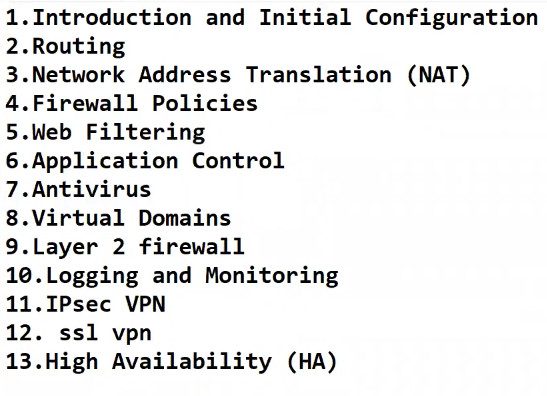
The syllabus begins with System Configuration and Deployment, where you learn how to set up a FortiGate firewall from scratch. This includes accessing the device using GUI and CLI, configuring network interfaces, managing firmware updates, and setting system parameters like DNS and time settings. These basics are essential for preparing the firewall for use in an organization.
Another major part is Firewall Policies and NAT, which is the core of FortiGate functionality. You learn how to create rules that control network traffic, allowing or blocking connections based on conditions. You also understand Network Address Translation (NAT), which enables internal users to access external networks securely while hiding private IP addresses.
The syllabus also covers User Authentication and Access Control, where you learn how to verify user identities before allowing access to network resources. This includes working with local users, external authentication servers like LDAP or RADIUS, and implementing multi-factor authentication for added security.
A very important section is VPN Configuration, where you learn to create secure connections over the internet. This includes setting up IPsec VPN for site-to-site connectivity and SSL VPN for remote user access. You also learn how to troubleshoot VPN issues, which is a common requirement in real jobs.
The course includes Security Profiles and Threat Protection, which are advanced features of FortiGate. You learn how to use tools like intrusion prevention systems, antivirus, web filtering, and application control to detect and block cyber threats such as malware and unauthorized access.
Another key topic is Routing and SD-WAN, where you understand how data travels across networks. You learn static routing, basic dynamic routing, and SD-WAN configuration to optimize network traffic and ensure better performance and reliability.
The syllabus also includes High Availability (HA), which ensures network continuity. You learn how to configure multiple FortiGate devices in a cluster so that if one device fails, another automatically takes over, minimizing downtime.
Finally, the course focuses on monitoring and troubleshooting, where you learn to analyze logs, monitor traffic, and diagnose network problems. You also get an introduction to the Fortinet Security Fabric, which integrates multiple security components into a single system for better visibility and control.
- FortiGate Dashboard
- Initial Working Lab
- Interfaces
- Zone
- Virtual Wire Pair
- Administrative Access
- DNS Server
- Addresses Objects
- Services Objects
- Static-Policy-Route
- RIP
- OSPF
- Routing Protocols Redistribution
- BGP Border Gateway Protocol
- Policies
- Policy-Labs-MAC
- Policy-Labs-LocalUser
- User Based,IP Based,Mac Based Policy
- Configure & Verify Virtual Domains (VDOMs)
- Transparent Mode
- Virtual Wire Pairing
- Software Switch
- SNMP Access-Lab
- Backup and Restore
- Configure Syslog in FortiGate Firewall
- NAT-Basic
- Network Address Translation
- SNAT Lab
- DNAT Lab
- Policy, Source, Overload NAT Lab
- Policy, Source, One-To-One NAT Lab
- Policy, Source, Fixed Port Range NAT Lab
- AV-Security Profiles
- Web Filter Profiles
- DNS Filter Profiles
- Application Control Profiles
- Intrusion Prevention System Profiles
- Inspection Mode
- NGFW Modes
- FortiGateAD
- Passive Authentication AD
- VPN Concept
- Site2Site-Policy-Based-VPN
- Site-to-Site IPSec Route-Based VPN
- Site-to-Site IPSec VPN Template Lab.
- Remote Access VPN
- Remote Access SSL VPN Web Portal Theory & Lab
- What is HA
- Active-Passive Lab
- Active-Active Lab
Old Certification (NSE 1–8 Model – Before 2023)
Old vs new Fortinet certification (FortiGate/NSE) under Fortinet:
Old Certification (NSE 1–8 Model – Before 2023)
The old Fortinet certification system was a linear structure called NSE (Network Security Expert) Levels 1 to 8. Each level represented a step in your learning journey, starting from beginner (NSE 1) to expert (NSE 8). You had to progress step-by-step, and each level was considered a full certification.
In this system, the focus was mainly on technical progression, not job roles. For example, NSE 4 was focused on FortiGate firewall skills, NSE 5 on management tools, and higher levels on advanced specialization. The structure was simple but rigid, meaning you had limited flexibility to choose your career path.
New Certification (FCF → FCA → FCP → FCSS → FCX – After 2023)
Fortinet introduced a new role-based certification structure in October 2023 to make learning more flexible and aligned with real job roles.
The new system includes:
- FCF (Fundamentals)
- FCA (Associate)
- FCP (Professional)
- FCSS (Specialist)
- FCX (Expert)
Instead of just levels, certifications are now based on job roles like network security, cloud, and SOC operations. This makes it easier for learners to choose a path based on their career goals rather than following a strict ladder.
Key Difference: Structure:
In the old system, NSE 1–8 were direct certification levels.
In the new system, NSE numbers are mostly used as exam levels, while certifications are named FCF, FCA, FCP, etc.

Before Starting a Firewall Course
To join any firewall course (such as training on Fortinet, Palo Alto, or Cisco firewalls), you should have basic knowledge of Computers and Networking so that you can understand how firewalls control and protect network traffic. First, you need a clear understanding of computer fundamentals, including how Windows or Linux operating systems work, basic file management, and simple command-line usage. Second, you must know networking fundamentals such as IP addressing, Subnet Masks, Gateways, LAN and WAN concepts, and common protocols like HTTP, HTTPS, FTP, DNS, and SMTP. This is important because firewall rules are based on IP addresses, ports, and protocols.
In addition, some basic security concepts are required, such as what a firewall is, how viruses and malware spread, and the idea of authentication, authorization, and encryption. Knowledge of routers and switches, along with concepts like VLAN, NAT, and basic routing, will help you understand how traffic flows through a firewall. You should also have a simple idea of VPN technology (remote access VPN and site-to-site VPN), because most firewall courses include VPN configuration as a core topic. Overall, with basic computer skills, networking fundamentals, and introductory security knowledge, you can easily start a firewall course and build a strong foundation for a career in network security.
Before starting a Firewall course (like Fortinet / Palo Alto / Cisco Firewall training), you should have some basic IT and networking knowledge. This will help you understand firewall concepts easily and get a job faster.
Here is the required knowledge for a Firewall course 👇
1. Basic Computer Knowledge
You Should Know:
- What is OS (Windows / Linux)
- File system & folders
- IP address basics
- Command Prompt / Terminal
2. Networking Fundamentals (Very Important)
You Must Understand:
- TCP/IP model & OSI model
- IP addressing (IPv4, subnet mask, gateway)
- LAN, WAN, MAN
- Switch & Router basics
- VLAN concept
- DNS, DHCP
- Ports & Protocols (HTTP, HTTPS, FTP, SMTP, SSH)
3. Security Basics
You Should Know:
- What is Firewall
- Virus, Malware, Ransomware
- IDS & IPS
- Antivirus & Web filtering
- Authentication & Authorization
- Encryption basics
4. Operating System Knowledge
Basic Knowledge of:
- Windows Server
- Linux basics (commands, permissions)
5. Routing & Switching (Helpful)
- Static routing
- Dynamic routing (RIP, OSPF – basic idea)
- NAT concept
6. VPN Knowledge (Important for Firewall Jobs)
- What is VPN
- Site-to-Site VPN
- Remote Access VPN
- IPSec & SSL VPN basics
7. Cloud & Virtualization (Optional but Good)
- VMware / VirtualBox
- Basic AWS / Azure networking
- Virtual firewall concept
8. Who Can Learn Firewall Course
- BCA / BSc IT / BTech students
- Diploma holders
- Network engineers
- IT support / Helpdesk
- Freshers interested in Cyber Security
9. Minimum Entry Level Knowledge (Simple)
- If you are a beginner, at least know:
- What is IP address
- What is Router & Switch
- What is Firewall
- Basic Windows & Linux
- Basic Networking
What are the job roles after the FortiGate Firewall Course Training
The job roles after completing a FortiGate Firewall certification course from Fortinet are diverse and focused on network security and cybersecurity operations.
Network Security Engineer:
A Network Security Engineer is responsible for designing, implementing, and managing secure networks. After FortiGate training, you will configure firewall policies, VPNs, and security features to protect organizational networks from cyber threats.
Firewall Administrator:
This role focuses specifically on managing firewall devices like FortiGate. You will create and monitor firewall rules, control network traffic, and ensure that only authorized access is allowed while blocking malicious activities.
SOC Analyst (Security Operations Center):
A SOC Analyst monitors network activity and security alerts in real time. With FortiGate knowledge, you can analyze logs, detect threats, and respond to security incidents using firewall data and security tools.
Network Administrator:
As a Network Administrator, you manage overall network infrastructure, including routers, switches, and firewalls. FortiGate skills help you secure the network and maintain stable connectivity.
Cybersecurity Engineer:
This role involves protecting systems, networks, and data from cyberattacks. You will use FortiGate firewall features along with other security tools to implement strong defense mechanisms.
VPN Engineer / Network Support Engineer:
You will configure and manage secure remote connections using VPN technologies (IPsec and SSL VPN). This role is important for companies with remote employees or multiple branch offices.
Security Consultant:
A Security Consultant advises organizations on improving their cybersecurity. With FortiGate expertise, you can recommend firewall solutions, design security architectures, and help companies implement best practices.
Technical Support Engineer (Firewall/Network):
In this role, you troubleshoot network and firewall issues. You help users and organizations resolve connectivity, VPN, and security-related problems.
The job Roles After the FortiGate Firewall Course
- Network Security Engineer
- Firewall Engineer
- Security Analyst
- Security Consultant
- Security Architect
- Information Security Specialist
- Cybersecurity Analyst
- Cybersecurity Consultant
- Security Operations Center (SOC) Analyst
- Network Administrator
- Network Engineer
- IT Security Manager
- Penetration Tester
- Vulnerability Analyst
- Security Compliance Analyst
- Information Assurance Specialist
- IT Risk Management Specialist
- Cybersecurity Trainer
- Firewall Administrator
- Security Systems Administrator
Fortinet Firewall Job Salaries in India
After completing a FortiGate Firewall certification (FCP) from Fortinet, salaries in India
Entry-Level Salary (0–2 Years):
At the beginner level, you can expect around ₹15,000 to ₹50,000 per month. Freshers in roles like Network Support Engineer or Junior Firewall Administrator usually start in this range, depending on their skills and company.
Mid-Level Salary (2–5 Years):
With some experience and hands-on knowledge, salaries increase to around ₹50,000 to ₹1,00,000 per month. Roles like Network Security Engineer or Firewall Administrator fall into this category.
Experienced Level Salary (5–10 Years):
At this stage, professionals earn approximately ₹1,00,000 to ₹2,00,000+ per month. These roles include Senior Security Engineer, Security Consultant, or Lead Firewall Engineer.
High-Paying / Expert Level:
Highly skilled professionals with advanced certifications (like FCSS/FCX) can earn ₹2,00,000 to ₹3,00,000+ per month, especially in large companies or MNCs.
Average Monthly Salary:
On average, a Firewall/Network Security professional earns about ₹65,000 to ₹95,000 per month in India, depending on experience and location.
Fortigate Forti-Manager Course NSE5 OLD Certification

NSE 5 Training is an intermediate-level course in the Fortinet NSE Certification Program offered by Fortinet. It focuses on network security management and analytics tools, rather than basic firewall configurat
Meaning of NSE 5 Training:
NSE 5 training is designed to teach how to centrally manage, monitor, and analyze multiple Fortinet devices. While NSE 4 focuses on FortiGate firewall configuration, NSE 5 focuses on tools that help manage those firewalls in large networks.
Main Focus of NSE 5:
The training mainly covers two important tools:
- FortiManager – used for centralized configuration and policy management of multiple FortiGate devices
- FortiAnalyzer – used for log analysis, reporting, and monitoring network activity
What is Forti-Manager
FortiManager is a centralized management system developed by Fortinet that allows you to manage multiple FortiGate firewalls from a single interface instead of configuring each device separately.
Meaning of FortiManager:
FortiManager is used to control, configure, and monitor many FortiGate devices in one place. It is especially useful in large organizations where multiple firewalls are deployed across different locations (branches, offices, data centers).
Why FortiManager is Used:
Without FortiManager, administrators must log in to each firewall individually to make changes. With FortiManager, you can apply configurations, policies, and updates to all devices at once, saving time and reducing errors.
Key Features of FortiManager:
Centralized Management:
You can manage hundreds or even thousands of FortiGate firewalls from a single dashboard.
Policy Management:
Create firewall policies once and apply them to multiple devices. This ensures consistency across the network.
Device Configuration:
You can push configurations, updates, and settings to many firewalls simultaneously.
Backup and Restore:
Automatically store configuration backups and restore them when needed.
Role-Based Access Control (RBAC):
Different users can have different permissions (admin, read-only, etc.).
How It Works:
FortiManager connects to FortiGate devices and acts as a central controller. Administrators create policies and configurations in FortiManager, and then deploy them to all connected firewalls.
Example (Real-World):
Imagine a company with 10 branch offices, each having a FortiGate firewall.
- Without FortiManager → Configure 10 devices separately
- With FortiManager → Configure once, apply to all 10 devices
Forti-Manager Course Outline / Syllabus
INTRODUCTION AND INITIAL CONFIGURATION:
- ADMINISTRATION AND MANAGEMENT
- DEVICE REGISTRATION
- DEVICE-LEVEL CONFIGURATION AND INSTALLATION
- POLICY AND OBJECTS
- DIAGNOSTICS AND TROUBLESHOOTING
- ADDITIONAL CONFIGURATION
Fortinet NSE 7: What You Need to Know

This NSE 7 training maps to the Fortinet NSE 7 – SD-WAN and Fortinet NSE 7 – Enterprise Firewall exam objectives, and covers topics such as:
- Configuring SD-WAN rules, routing, and traffic shaping
- Configuring and monitoring an SD-WAN deployment from FortiManager
- Deploying a hub-and-spoke IPsec topology for SD-WAN and ADVPN
- Troubleshooting FortiGuard issues
- Troubleshooting web filtering issues
- Troubleshooting Border Gateway Protocol (BGP) routing for enterprise traffic
Fortinet NSE7_NST-7.2 Exam Overview:
| Exam Name | Fortinet NSE 7 – Network Security Support Engineer 7.2 |
| Exam Number | NSE7_NST-7.2 NSE 7 Network Security Support Engineer |
| Exam Price | $200 USD |
| Duration | 60 minutes |
| Number of Questions | 35 |
| Passing Score | Pass / Fail |
| Recommended Training | Network Security Support Engineer |
| Exam Registration | PEARSON VUE |
| Sample Questions | Fortinet NSE7_NST-7.2 Sample Questions |
| Practice Exam | Fortinet Certified Solution Specialist – Network Security Practice Test |
Fortinet NSE7_NST-7.2 Exam Topics:
| Section | Objectives |
|---|---|
| System troubleshooting | – Troubleshoot automation stitches – Troubleshoot resource problems using built-in tools – Troubleshoot different operation modes for an FGCP HA cluster – Troubleshoot Security Fabric issues between FortiGate devices – Troubleshoot connectivity problems using built-in tools |
| Authentication | – Troubleshoot local and remote authentication – Troubleshoot Fortinet Single Sign-On (FSSO) issues |
| Security profiles | – Troubleshoot FortiGuard issues – Troubleshoot web filtering issues – Troubleshoot the intrusion prevention system (IPS) |
| Routing | – Troubleshoot routing packets using static routes – Troubleshoot BGP routing for enterprise traffic – Troubleshoot OSPF routing for enterprise traffic |
| VPN | – Troubleshoot IPsec IKE version 1 and 2 issues |