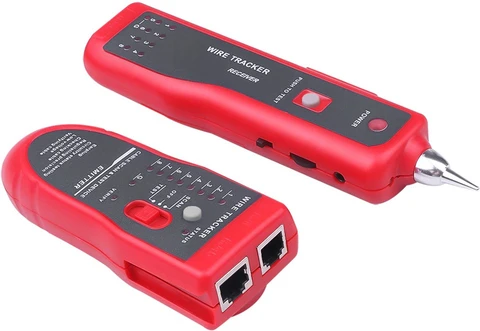
Ethernet Connector
RJ45 Connector
What is “RJ45”
Do you know the meaning of “RJ45”? Let me explain it.
“RJ” is the abbreviation of “registered jack”, which originally means a standardized telecoms network interface for voice and data devices connection. It was first defined in the USCO (Universal Service Ordering Code) of Bell System and in the 1970s, it was licensed by FCC (Federal Communications Commission) to maintain the compatibility between customer devices and telephone service provider equipment. “45” means the listing number of networking interface standards.
What is an RJ45 Connector? RJ45 vs. 8P8C?
There are different types of modular connectors for telephone and network applications and the RJ45 is one kind of modular plug used in the network.
In fact, the RJ45 connector is a technically incorrect term, and the correct way to call it is “8P8C modular plug”. “8P8C” refers to “8 Positions and 8 Contacts”, which is often used at the end of Ethernet cables. A network patch cable is usually made of an Ethernet cable and two RJ45 connectors on both ends.
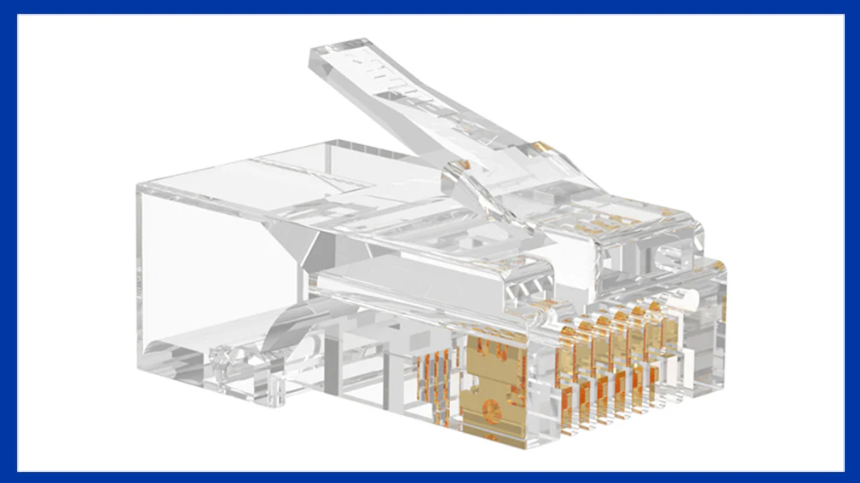
Components
This tiny network connector is made of several important parts.
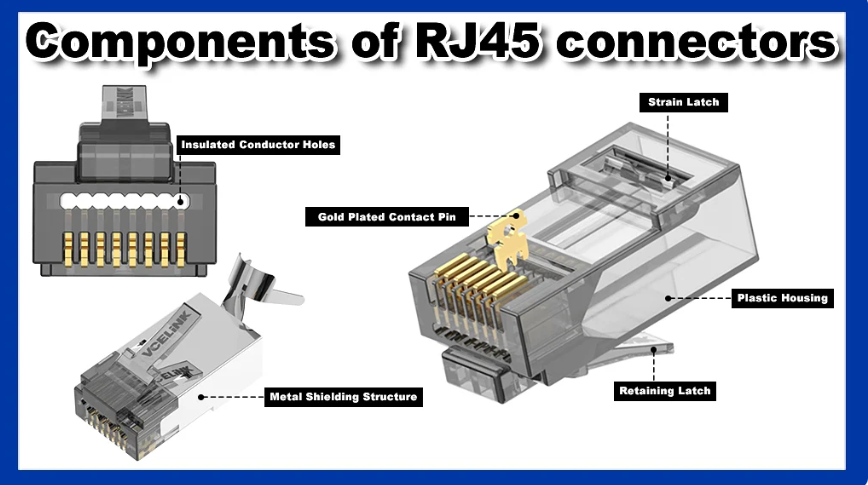
- Plastic Housing: A good-quality Ethernet connector usually features a plastic housing made of high-performance PC materials. The more transparent the design, the better its material.
- Eight Contacts: Not all RJ45 connectors on the market feature gold-plated contacts. But RJ45 connectors with gold-plated contacts offer better corrosion and oxidation resistance. There are two types of gold-plated contacts: two-prong and three-prong contacts. RJ45 connectors with two-prong contacts are designed for stranded cable wires, whereas three-prong connectors can be used in both solid and stranded wires. Three-prong connectors can help well fix the cable wire for a stable connection.
- Strain Latch and Retaining Latch: The strain latch is designed to make the RJ45 connector snap in the interface and avoid being loose. Most Ethernet connectors feature a strain latch and a rectangular hole and if you use these connectors, you need to use the specific crimping tool. The retaining latch is designed to fix the network cable and prevent it from falling off. Remember to press the retaining latch when inserting or pulling out the modular plug.
For some scenarios full of EMI and RFI, shielded RJ45 connectors are used and they feature a metal shielding structure to help avoid interference.
Different RJ45 connectors have different types of insulated conductor holes. Eight insulated conductor holes of Cat5 connectors are arranged neatly, while Cat6 connectors generally have a staggered pin layout. But this is not the standard and it depends on different manufacturers.
RJ45 Connector Pinout
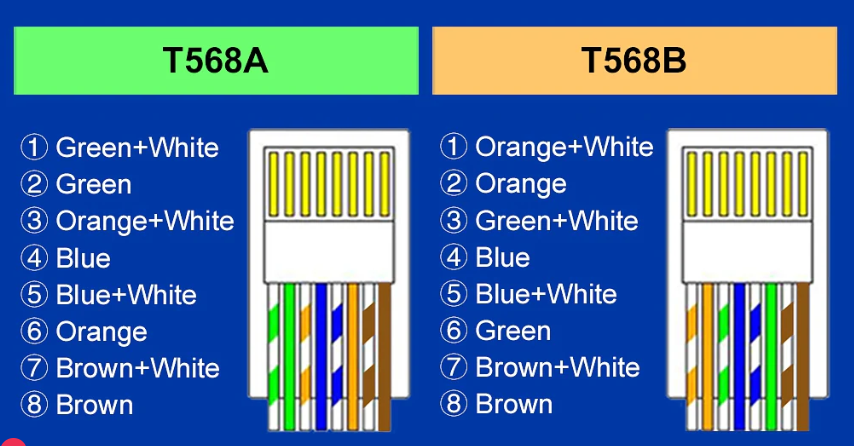
As is known to all, RJ45 connectors are made to connect Ethernet cables. There are two wiring standards for terminating network cables with RJ45 connectors: T568A and T568B. The main difference between these two color codes is the interchange of orange and green wires. T568B is more popular than T568A, but either one is OK according to your own requirements. All you need to do is choose one wiring standard and then insist on it.
RJ45 Connector Types
To meet the different needs of network installation, RJ45 connectors can be classified into various types. There are Cat5e connectors, Cat6 connectors, Cat6a connectors, Cat7 connectors that are designed to be compatible with different categories of network cables. RJ45 connectors can also be divided into other types according to applications and designs. Do you know the types of RJ45 connectors? Read on to know more details.
Standard vs. Pass-through RJ45 Connectors
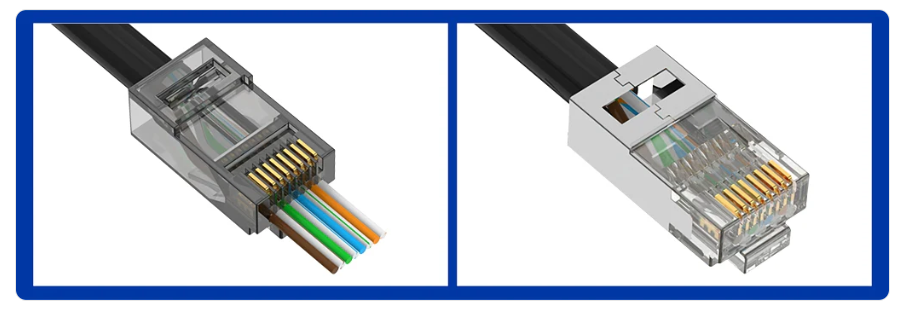
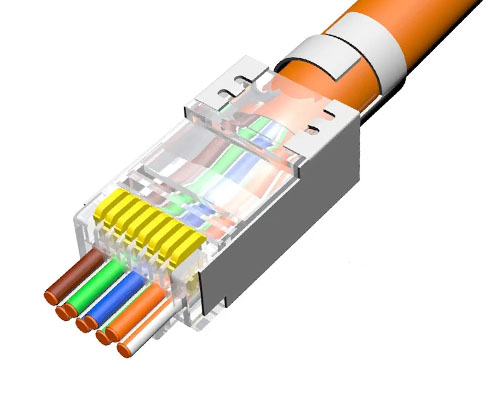
Standard RJ45 connectors can also be named as non-pass-through RJ45 connectors, which are usually referred to as 8P8C modular plugs. Pass-through RJ45 connectors allow the network cable wires to pass out of the connector body. Compared to standard RJ45 connectors, pass-through RJ45 connectors are easy to keep Ethernet cable wires aligned before terminating the connectors. In addition, pass-through RJ45 connectors are easier to operate, ideal for novices or DIYers. Pass-through RJ45 connectors usually require a specific crimping tool.
Shielded vs. Unshielded RJ45 Connectors
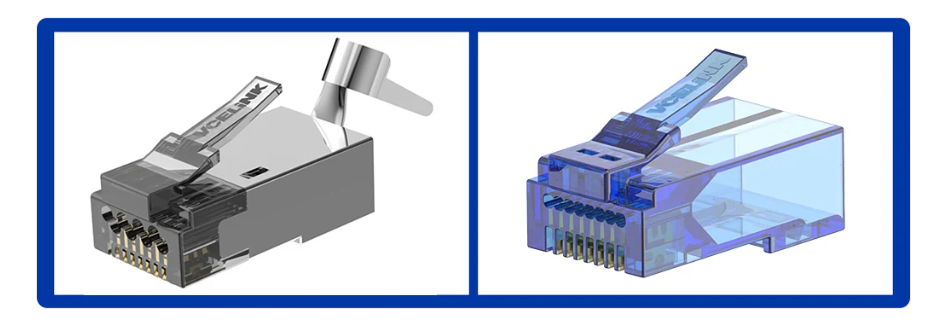
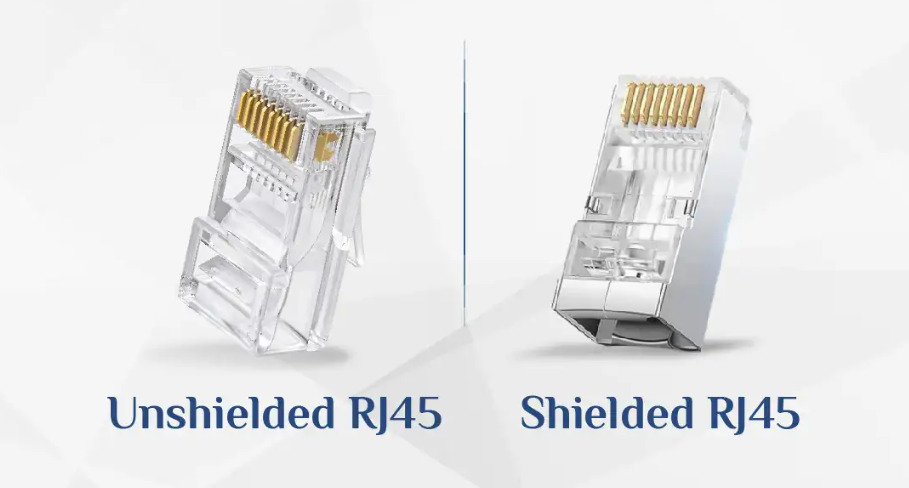
Unshielded RJ45 connectors have a plastic housing, while shielded RJ45 connectors usually feature a metal shield to avoid too much electromagnetic interference (EMI).
The metal shielding structure is usually plated with nickel or gold. But a nickel-plated shielding structure is more common on the market.
Remember not to use a shielded RJ45 connector on an unshielded network cable, as it may affect the connection. Shielded RJ45 connectors are often paired with shielded Ethernet cable for maximum performance. If you use an unshielded cable, choose an unshielded connector, and if the cable is shielded, use the shielded RJ45 connector.
Applications
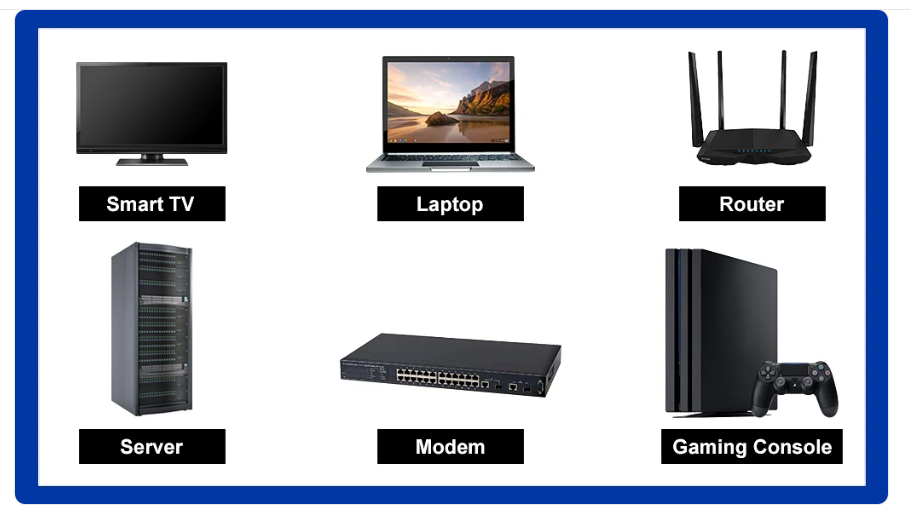
Never underestimate the power of these tiny things. These connectors can be used to connect a computer to a server, router, TV, or any other device to make a local area network. RJ45 connectors are essential parts in the cabling system, which are often used in large data centers or server rooms. Besides, they can also be used in the factory, such as Industrial Process Control and Quality Control Systems. These Ethernet connectors allow for stable, high-speed, and secure data transmission when you make the system connect to the Internet.
1. What is RJ45
RJ45 (Registered Jack 45) is a standard network connector used in Ethernet networking. It is an 8-pin connector (8P8C) that connects twisted pair cables like Cat5e, Cat6, and Cat7 to devices such as computers, routers, and switches.
👉 In simple words:
RJ45 is the plug at the end of a LAN (Ethernet) cable
2. Structure of RJ45
RJ45 connector has 8 metal pins that connect to the 8 wires inside a twisted pair cable. It uses a plastic clip to lock into the port and ensure a secure connection.
👉 It follows wiring standards like T568A and T568B for proper data transmission.
3. Uses of RJ45
RJ45 is widely used in:
- Computer networks (LAN)
- Connecting routers, switches, and PCs
- Internet connections in homes and offices
- Data communication systems
👉 Example:
When you plug an Ethernet cable into your laptop or router, you are using an RJ45 connector.
4. History of RJ45
The term “Registered Jack (RJ)” comes from standards developed by the Federal Communications Commission in the United States during the 1970s. These standards defined different types of connectors for telecommunications.
RJ45 was originally designed for telephone and modem connections, not for Ethernet.
5. Evolution into Ethernet Use
Later, with the growth of Ethernet networking and standardization by the IEEE (IEEE 802.3), the RJ45 connector became widely used for twisted pair Ethernet cables.
👉 It replaced older connectors like BNC used in coaxial networks.
6. Modern RJ45 Usage
Today, RJ45 is the most common connector in networking. It is used in almost all Ethernet cables and supports high-speed networks from 100 Mbps to 10 Gbps and beyond depending on the cable category.
7. Advantages of RJ45
- Easy to use and install
- Standardized worldwide
- Supports high-speed data transfer
- Reliable connection
8. Conclusion
RJ45 is a key component of modern networking, evolving from telephone connector standards to become the universal connector for Ethernet cables used in homes, offices, and data centers.

RJ11 Connector
1. What is RJ11
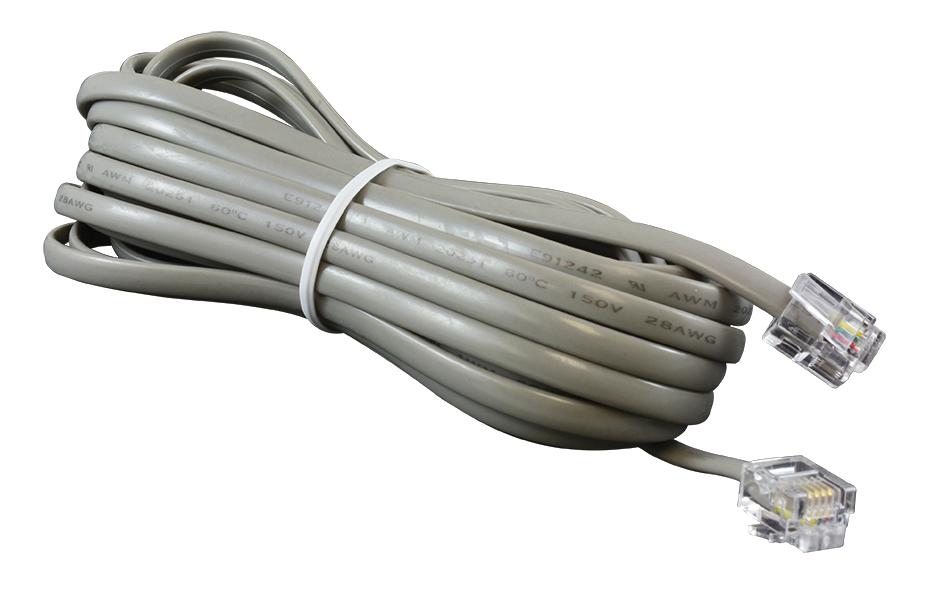
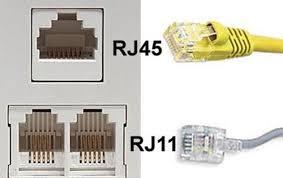
RJ11 (Registered Jack 11) is a standard connector used for telephone communication. It is commonly used to connect landline phones, modems, and DSL internet lines. RJ11 is smaller than RJ45 and is designed mainly for voice signals and low-speed data.
👉 In simple words:
RJ11 is the telephone cable connector used in homes and offices
2. Structure of RJ11
RJ11 connector usually has 6 positions (6P) but uses 2 or 4 pins (6P2C or 6P4C) for communication. The connector has a plastic clip to lock it into the socket securely.
👉 It carries signals through fewer wires compared to RJ45.
3. Uses of RJ11
RJ11 is widely used in:
- Landline telephone connections
- DSL broadband internet
- Fax machines
- Modems
👉 Example:
The cable connecting your telephone to the wall socket uses an RJ11 connector.
4. History of RJ11
The term “Registered Jack (RJ)” comes from standards developed by the Federal Communications Commission in the 1970s. These standards defined how telephone equipment should be connected to public networks.
RJ11 was introduced as a standard connector for single-line telephone systems.
5. Evolution and Usage Over Time
Initially, RJ11 was widely used for basic telephone services. Later, it became important for dial-up internet connections and DSL broadband. Even today, it is still used in many places for telephone and DSL connections.
6. Modern Relevance
Although modern networks use Ethernet (RJ45) and fiber, RJ11 is still used in:
- Traditional telephone systems
- Some DSL internet connections
👉 However, its use is decreasing due to advanced technologies.
7. Advantages of RJ11
- Simple and low-cost
- Easy to install
- Suitable for voice communication
8. Disadvantages of RJ11
- Supports only low-speed communication
- Not suitable for modern high-speed networking
- Limited number of wires
9. Conclusion
RJ11 is an important part of communication history, used mainly for telephone and early internet connections. Even though newer technologies have replaced it in many areas, it still plays a role in basic communication systems.
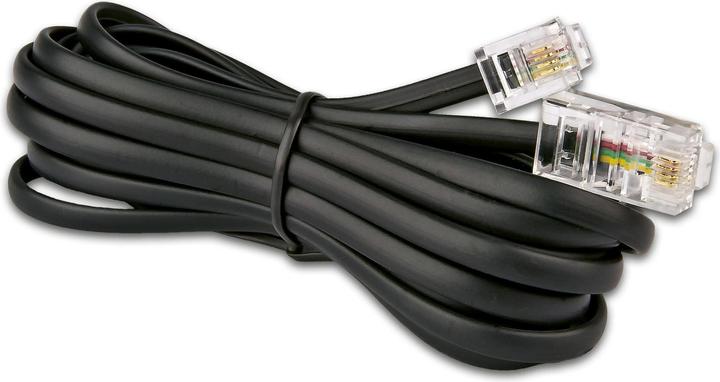
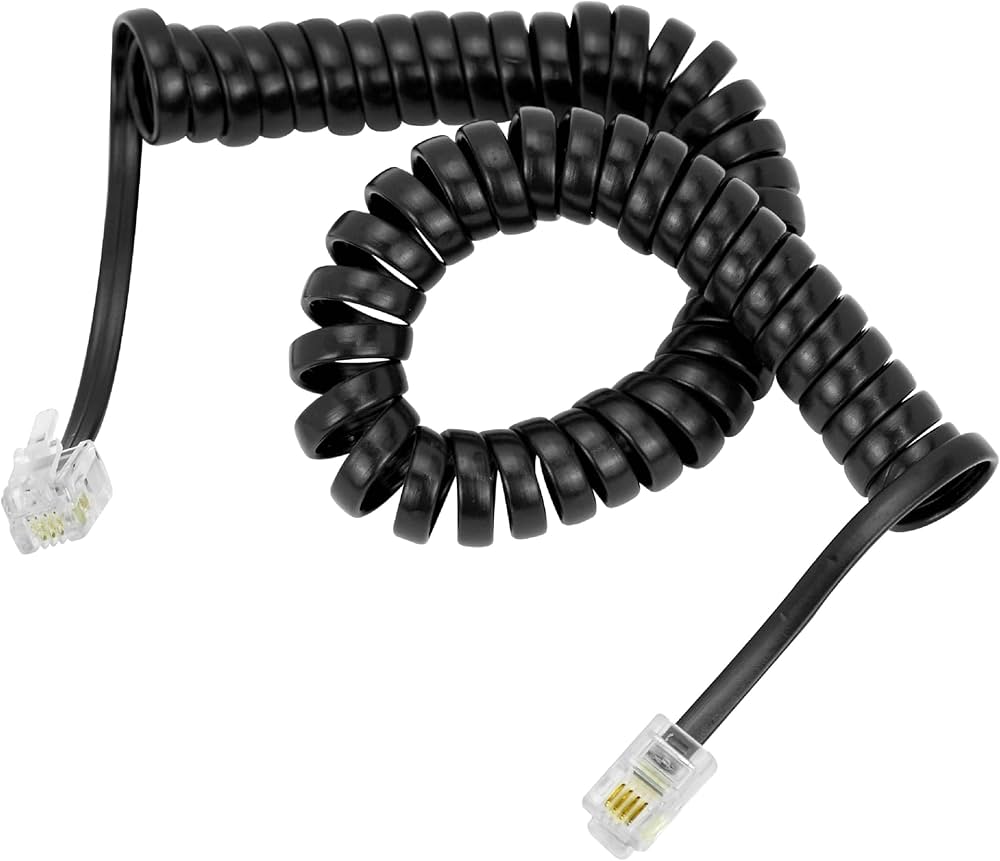
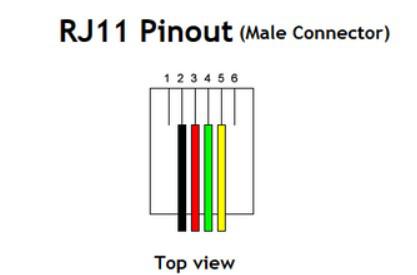
All common RJ (Registered Jack) connectors
1. What is RJ (Registered Jack)
RJ (Registered Jack) is a standard interface defined for connecting telecommunications and network devices. These standards were introduced by the Federal Communications Commission in the 1970s to ensure proper connection of telephone and data systems.
👉 In simple words:
RJ is a standard type of connector used in communication cables
2. RJ9 / RJ10 / RJ22
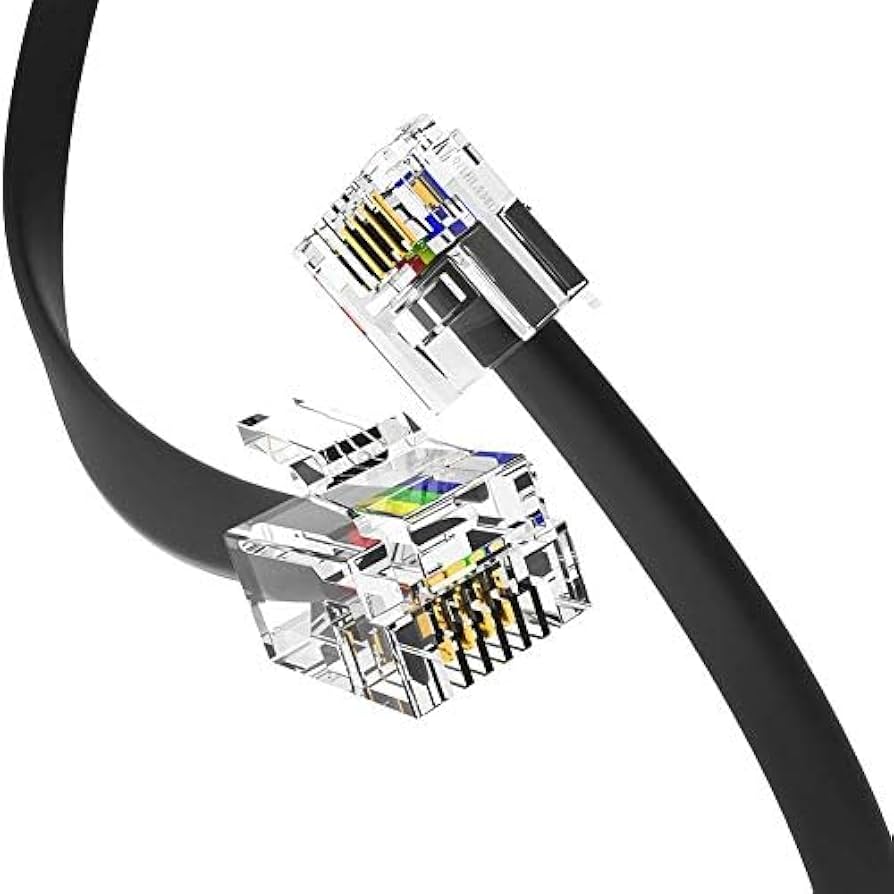
RJ9, RJ10, and RJ22 are small connectors used for telephone handsets (receiver part). They are often confused because they look similar and are used for connecting the phone base to the handset.
👉 Example:
Telephone receiver (handset) cable
3. RJ11
RJ11 is the most common connector used for single-line telephone connections. It usually has 2 or 4 wires (6P2C / 6P4C) and is widely used in homes.
👉 Example:
Landline phone connection
4. RJ12
RJ12 is similar to RJ11 but uses all 6 wires (6P6C). It is used for multi-line telephone systems.
👉 Example:
Office telephone systems
5. RJ25
RJ25 is also a 6-position connector (6P6C) used for three telephone lines. It is less common but used in advanced telephony setups.
6. RJ45
RJ45 is the most popular connector used in Ethernet networking. It has 8 pins (8P8C) and is used with twisted pair cables like Cat5e and Cat6.
👉 Example:
LAN cable connecting computer to router
7. RJ48
RJ48 looks similar to RJ45 but is used for special network connections like T1/E1 lines in telecom systems. It has shielding for better performance.
8. RJ50
RJ50 is a 10-pin connector (10P10C) used in special applications like industrial devices and barcode scanners.
9. Differences Between RJ Connectors
- RJ11 / RJ12 / RJ25: Used for telephone systems
- RJ45: Used for Ethernet networking
- RJ9: Used for handset connections
- RJ48 / RJ50: Used for specialized telecom and industrial purposes
10. Conclusion
RJ connectors are essential in communication systems, ranging from simple telephone connections to advanced network cables. Among all, RJ11 and RJ45 are the most commonly used in everyday life.
Ethernet color code and its history
1. What is Ethernet Color Code
Ethernet color code refers to the standard arrangement of colored wires inside an Ethernet cable (RJ45 connector). These colors define how wires are connected to pins for proper data transmission.
👉 In simple words:
Color code = correct order of wires in LAN cable
2. Why Color Code is Important
The color code ensures proper communication between devices. If wires are not arranged correctly, the network will not work or may give poor performance.
👉 It also helps avoid crosstalk and signal interference.
3. Types of Ethernet Color Codes
There are two main standards used worldwide:
T568A Standard
- White-Green
- Green
- White-Orange
- Blue
- White-Blue
- Orange
- White-Brown
- Brown
T568B Standard (Most Common)
- White-Orange
- Orange
- White-Green
- Blue
- White-Blue
- Green
- White-Brown
- Brown
4. Straight vs Crossover Cable
- Straight Cable: Same color code on both ends (A-A or B-B)
- Crossover Cable: One end T568A, other end T568B
👉 Used to connect different or same devices respectively.
5. History of Ethernet Color Code
Ethernet wiring standards were defined by the TIA/EIA in the 1990s. These standards (T568A and T568B) were created to ensure uniform wiring practices across networks.
Later, Ethernet itself was standardized by the IEEE under IEEE 802.3, which made Ethernet globally accepted.
6. Evolution of Usage
Initially, different companies used their own wiring methods, which caused compatibility issues. After standardization, T568A and T568B became the global standard, making installation and troubleshooting easier.
7. Real-Life Example
- LAN cable used in home internet (RJ45 connector)
- Office network wiring
- Connecting PC to router or switch
8. Conclusion
Ethernet color codes (T568A and T568B) are essential standards that ensure correct wiring and smooth data transmission. Their standardization helped Ethernet become the most widely used networking technology.


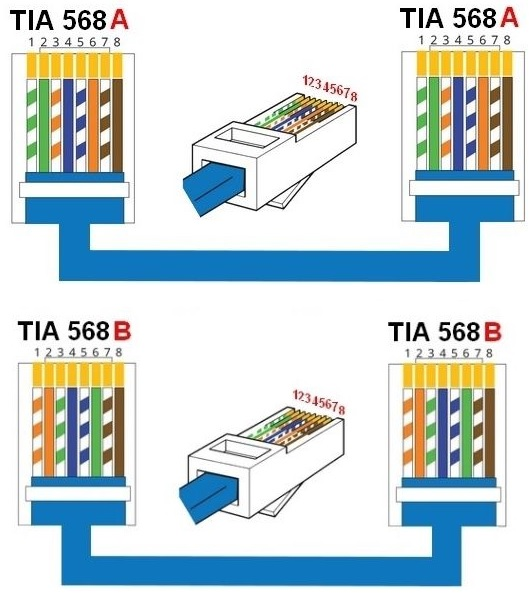


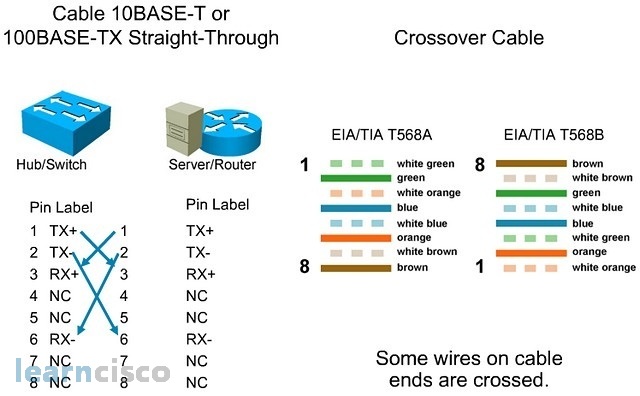

Straight Cable and Crossover Cable
1. What is Straight Cable
A straight-through cable is a type of Ethernet cable in which both ends have the same wiring standard (either T568A–T568A or T568B–T568B). The wire color order is identical on both sides.
👉 In simple words:
Same color arrangement on both ends
2. Use of Straight Cable
Straight cable is used to connect different types of devices.
Examples:
- Computer to Switch
- Computer to Router
- Switch to Router
👉 Most commonly used in home and office networks.
3. What is Crossover Cable
A crossover cable is a type of Ethernet cable where one end is wired as T568A and the other end as T568B. This causes the transmit (TX) and receive (RX) wires to cross.
👉 In simple words:
Different color arrangement on both ends
4. Use of Crossover Cable
Crossover cable is used to connect similar types of devices directly.
Examples:
- Computer to Computer
- Switch to Switch
- Router to Router
👉 Used when no switch/hub is present.
5. Key Difference
- Straight cable → same wiring on both ends
- Crossover cable → different wiring on each end
👉 Straight = different devices
👉 Crossover = same devices
6. Modern Note
In modern networking, most devices support Auto MDI/MDIX, which means they can automatically detect cable type. So, crossover cables are rarely needed today.
Straight Cable vs Crossover Cable
| Feature | Straight Cable | Crossover Cable |
|---|---|---|
| Definition | Same wiring on both ends | Different wiring on both ends |
| Color Standard | T568A–T568A or T568B–T568B | One end T568A, other end T568B |
| Wire Connection | No crossing of wires | Transmit & Receive wires crossed |
| Purpose | Connect different devices | Connect similar devices |
| Common Use | PC to Switch, Router to Switch | PC to PC, Switch to Switch |
| Usage Frequency | Very common | Rarely used nowadays |
| Modern Support | Works with all devices | Mostly replaced by Auto MDI/MDIX |
| Example | Home/office LAN cable | Direct PC-to-PC connection |


1. What is Rollover Cable
A rollover cable is a special type of Ethernet cable in which the pin order is completely reversed from one end to the other. Pin 1 on one side connects to pin 8 on the other, pin 2 to pin 7, and so on.
👉 In simple words:
Rollover cable = fully reversed wiring cable
2. Why it is Called “Rollover”
It is called rollover because if you flip (roll over) one end of the cable, the wire sequence matches the other end. The entire pin configuration is reversed.
3. Pin Configuration
In a rollover cable:
- Pin 1 → Pin 8
- Pin 2 → Pin 7
- Pin 3 → Pin 6
- Pin 4 → Pin 5
👉 All 8 wires are reversed.
4. Use of Rollover Cable
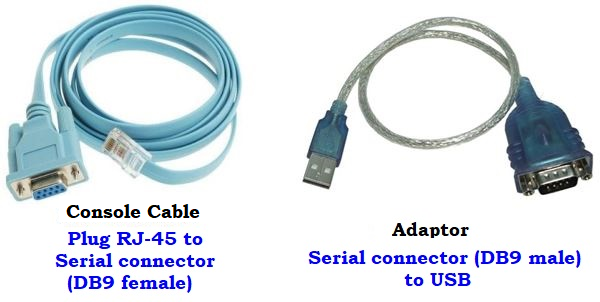
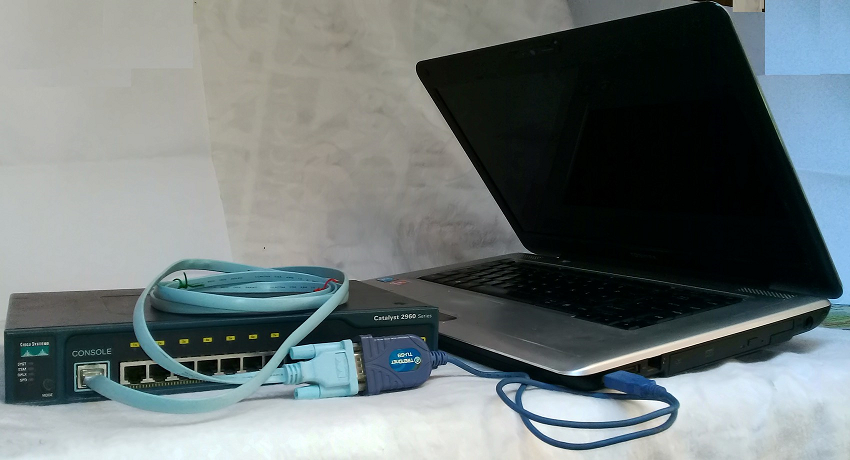
Rollover cables are mainly used for console connections, not for normal data transmission.
Examples:
- Connecting a computer to a router console port
- Connecting a computer to a switch for configuration
👉 Commonly used with networking devices like Cisco routers and switches.

Crimping