Network Topology
Network Topology
1. Bus Topology
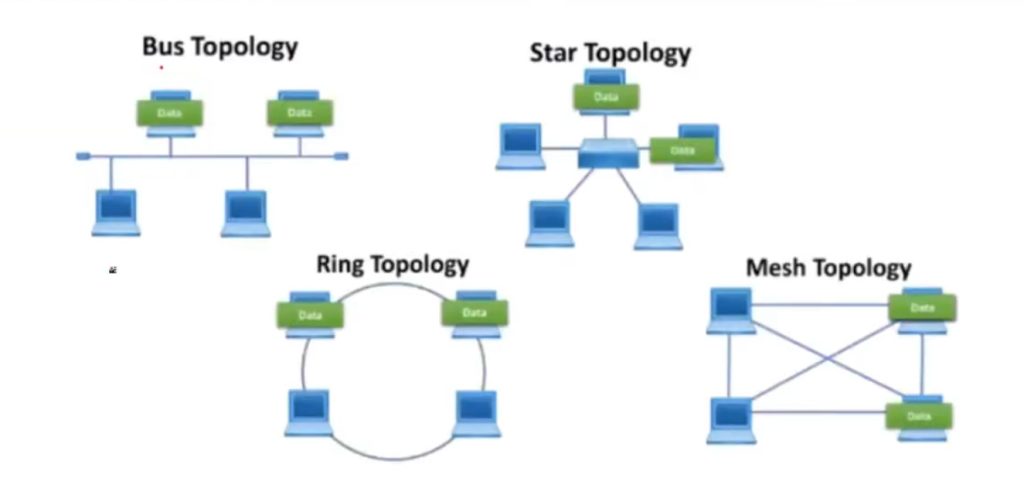
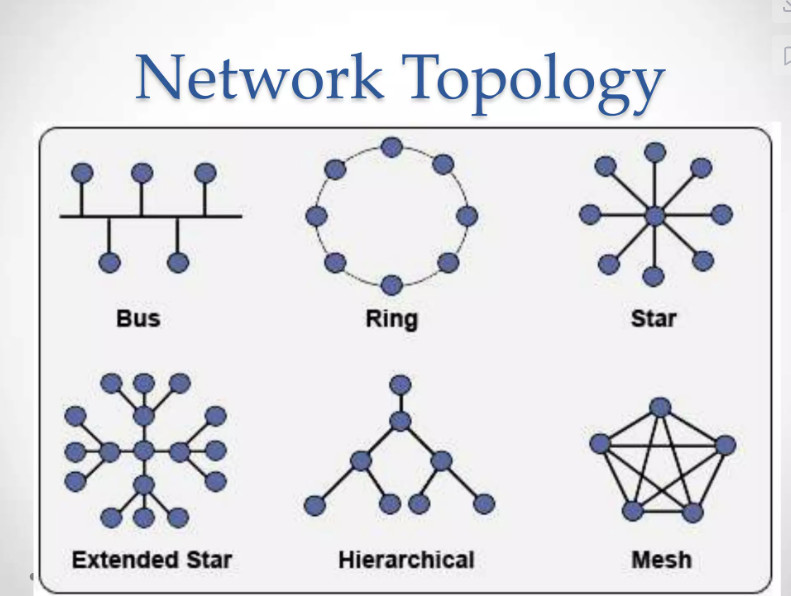
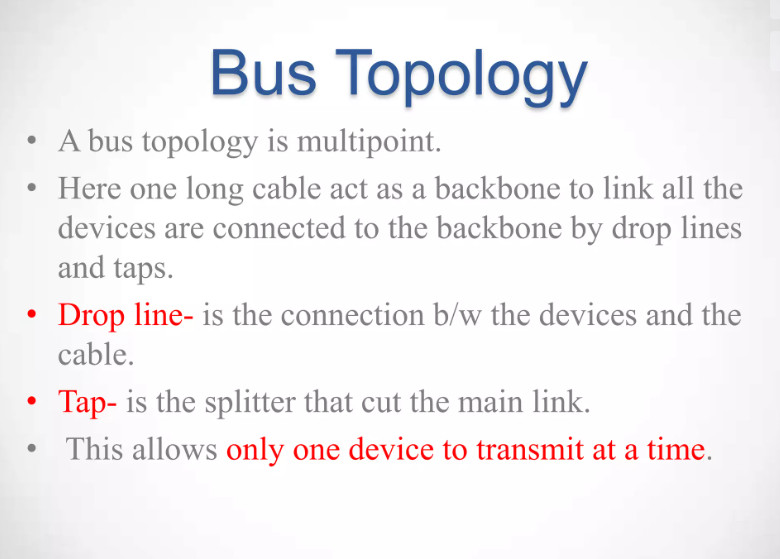
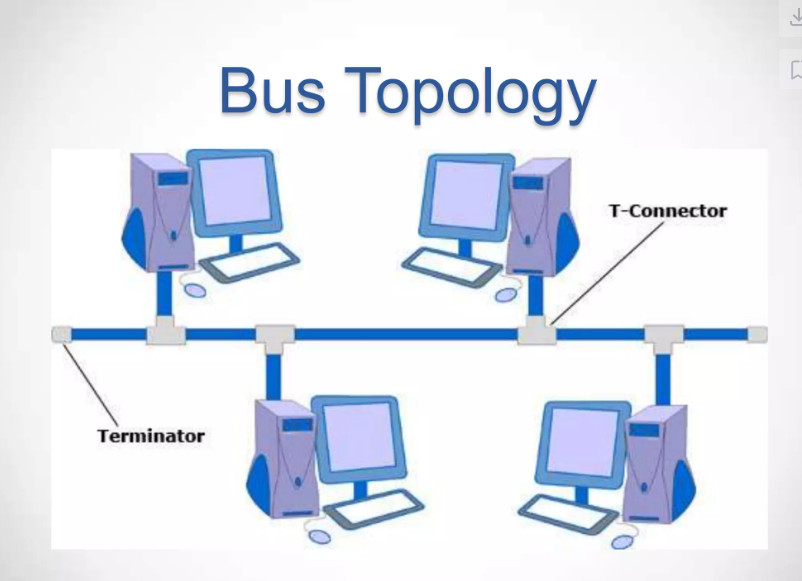
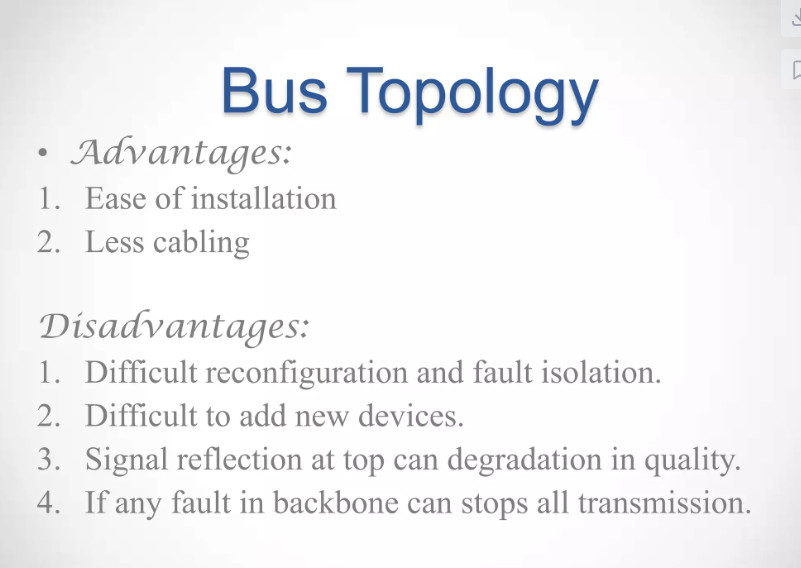
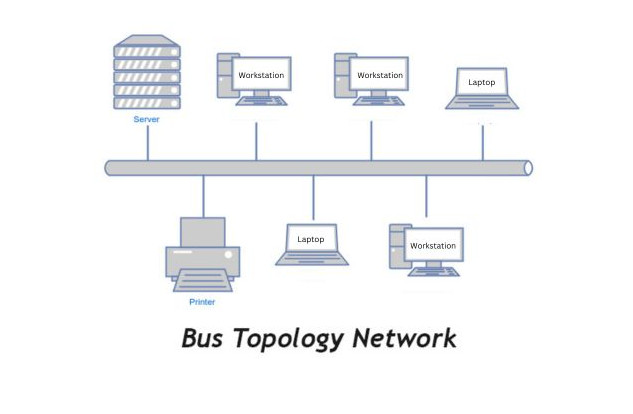
In Bus Topology, all computers and network devices are connected to a single main cable called a backbone cable. Data travels through this main cable, and every device checks the data to see if it is meant for it. It was commonly used in early Ethernet networks. This topology is simple and low cost because it uses less cable, but if the main backbone cable fails, the entire network stops working.
2. Star Topology
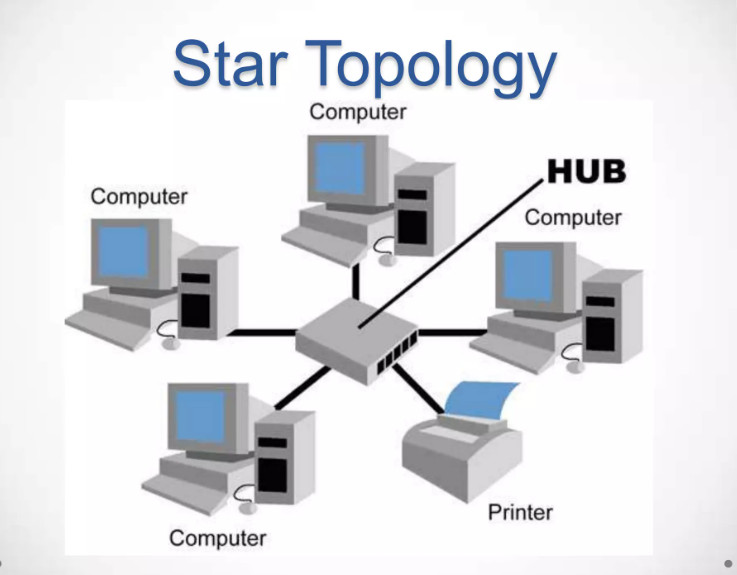
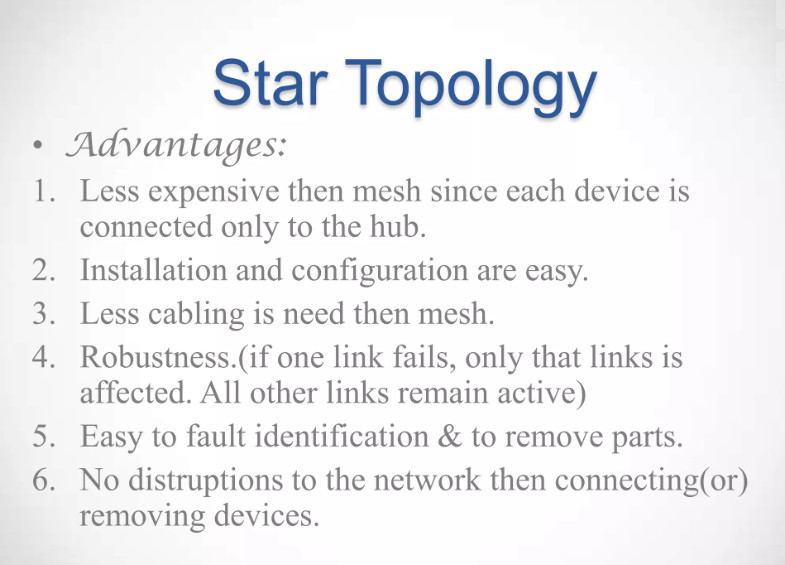
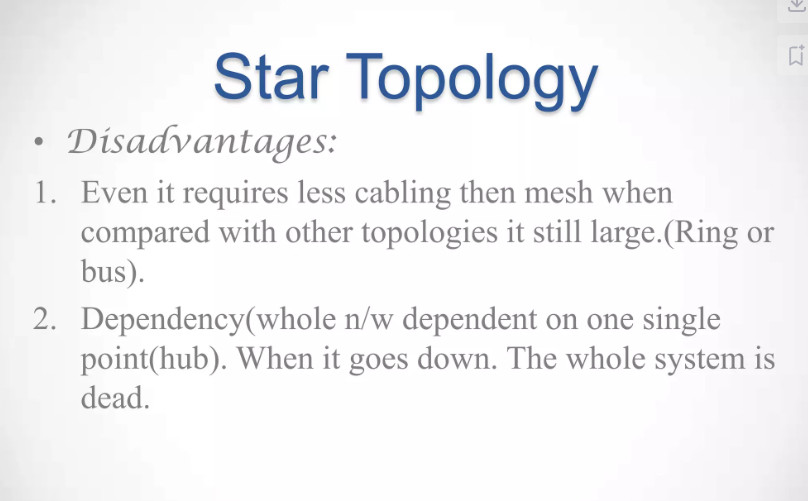
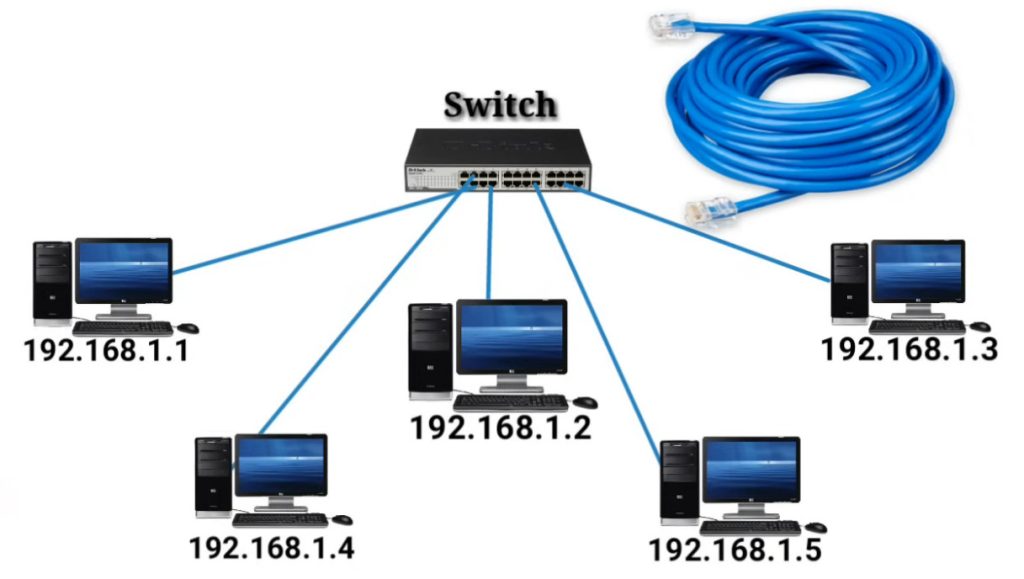
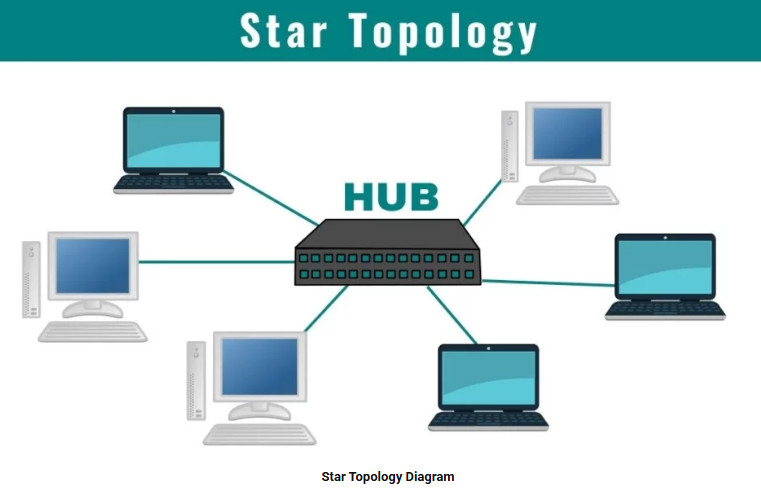
In Star Topology, all devices are connected to a central device such as a switch or hub. All communication between devices passes through this central device. It is one of the most commonly used network topologies in modern LAN networks. It is easy to install, manage, and troubleshoot. However, if the central switch or hub fails, the entire network will stop working.
3. Ring Topology
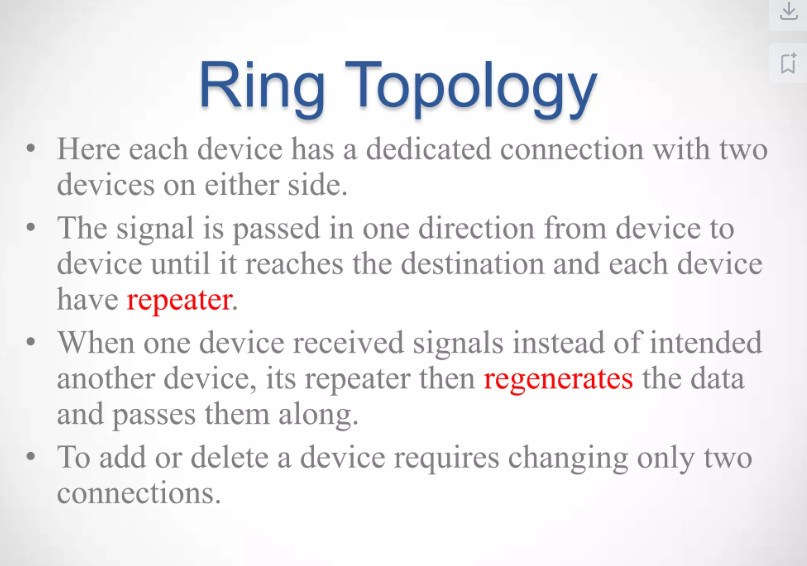
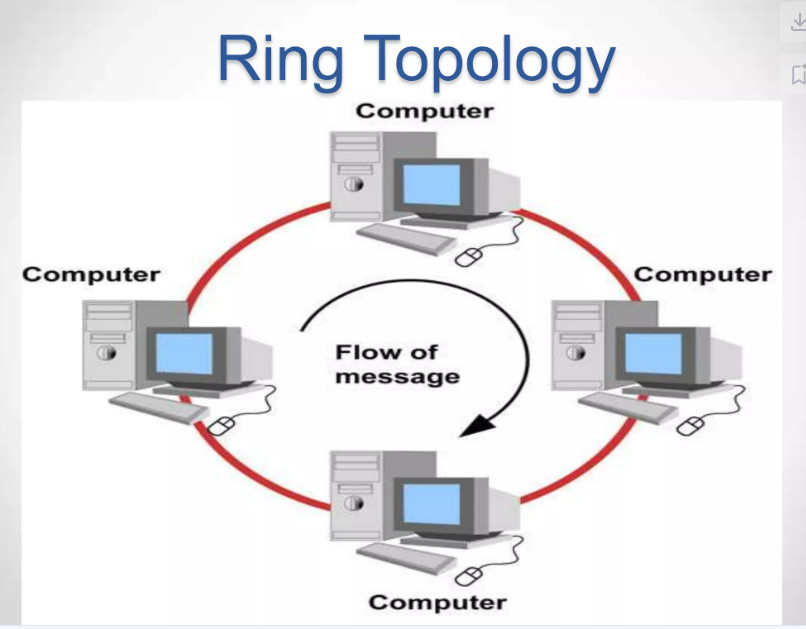
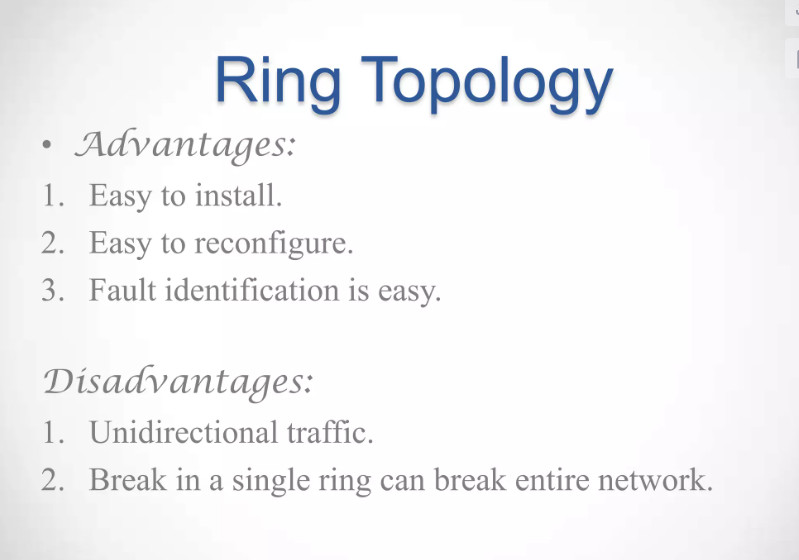
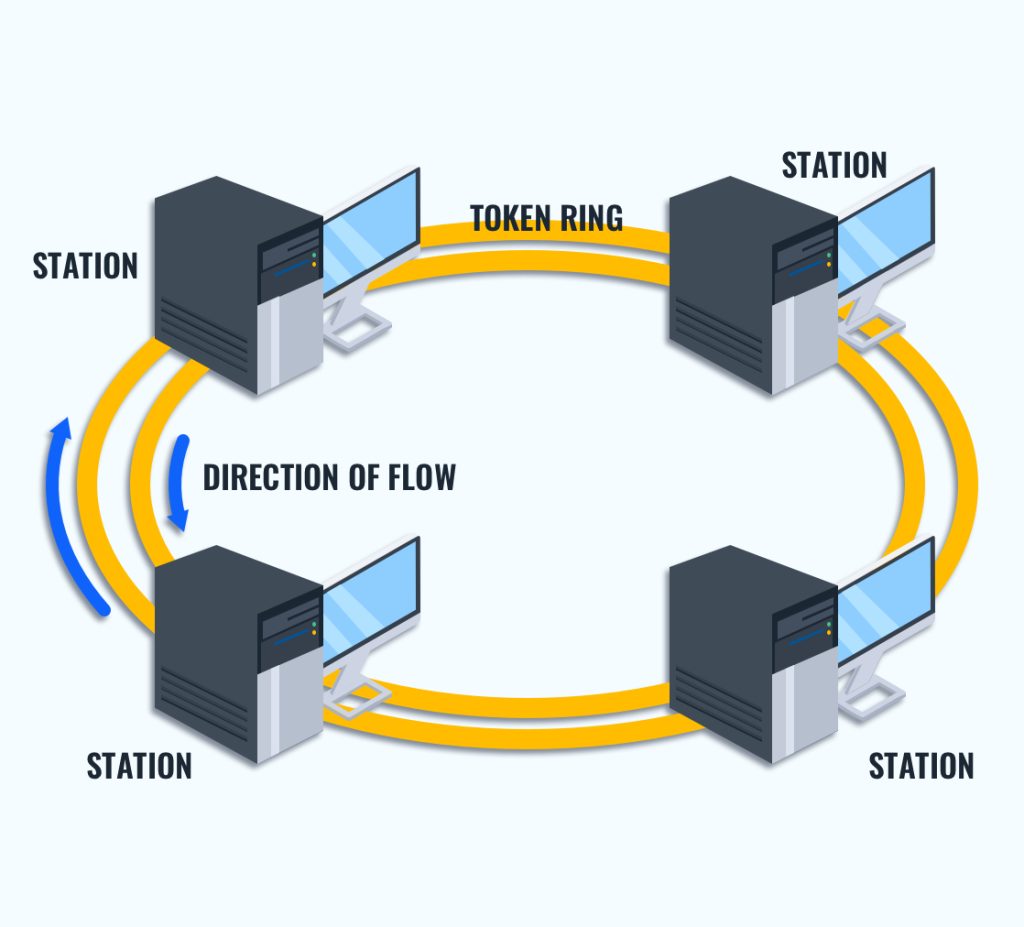
In Ring Topology, each device is connected to two other devices, forming a circular path (ring). Data travels around the ring in one direction until it reaches the destination device. This topology reduces data collisions but can cause network failure if one device or connection breaks.
4. Mesh Topology
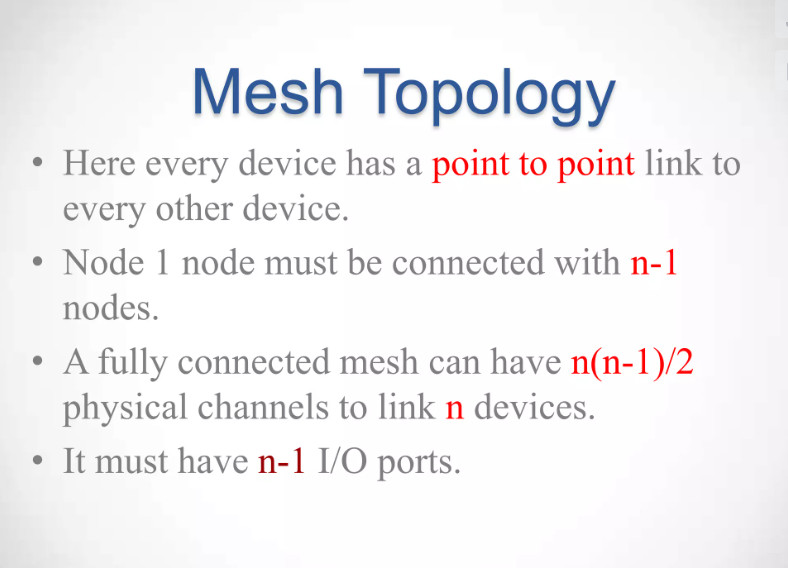
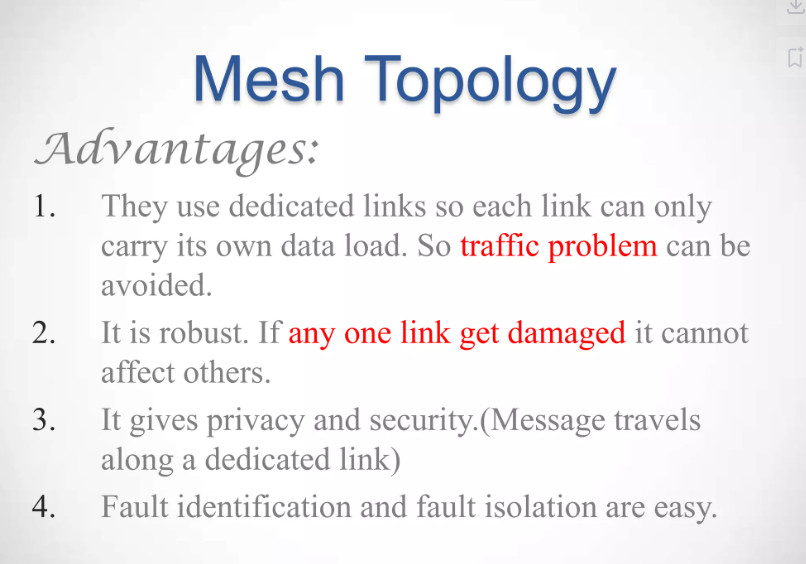
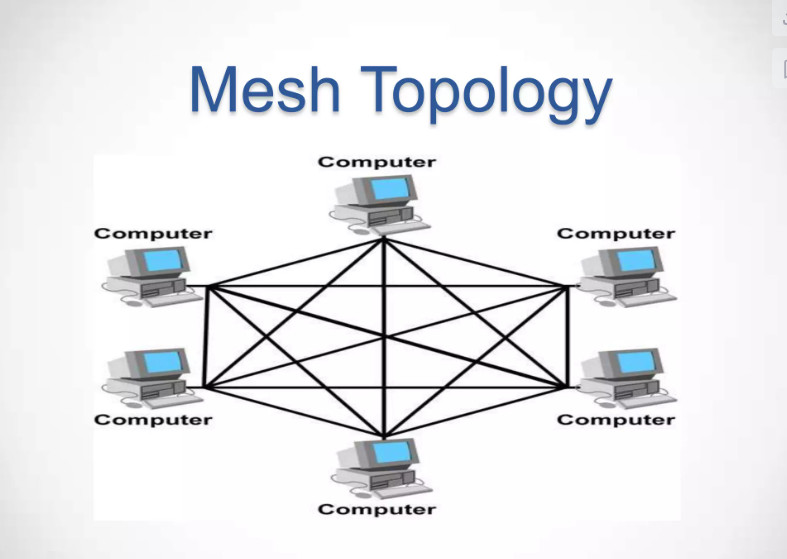
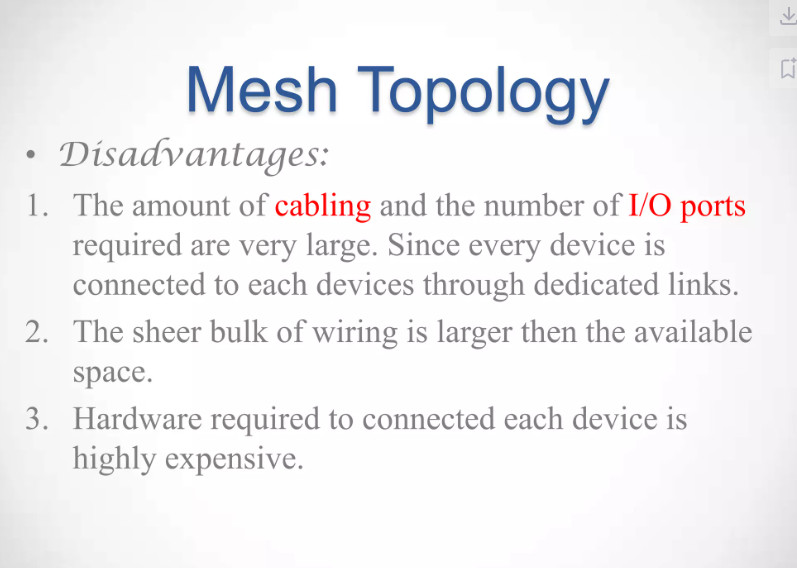
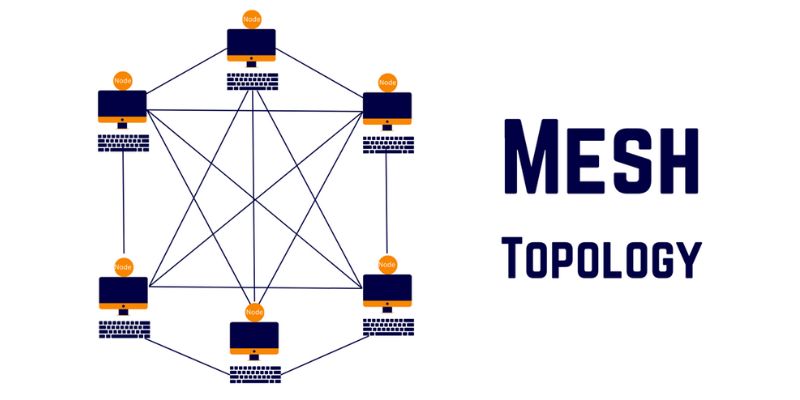
In Mesh Topology, every device is connected to multiple other devices in the network. This creates many possible paths for data to travel. Because of this, mesh topology is very reliable and provides high redundancy. If one link fails, data can still travel through another path. However, it is expensive and complex because it requires many cables and ports.
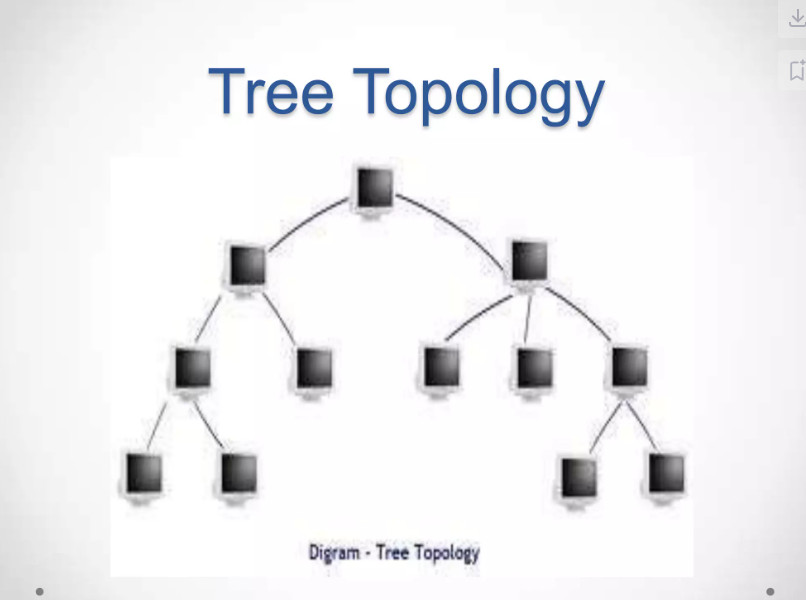
5. Tree Topology
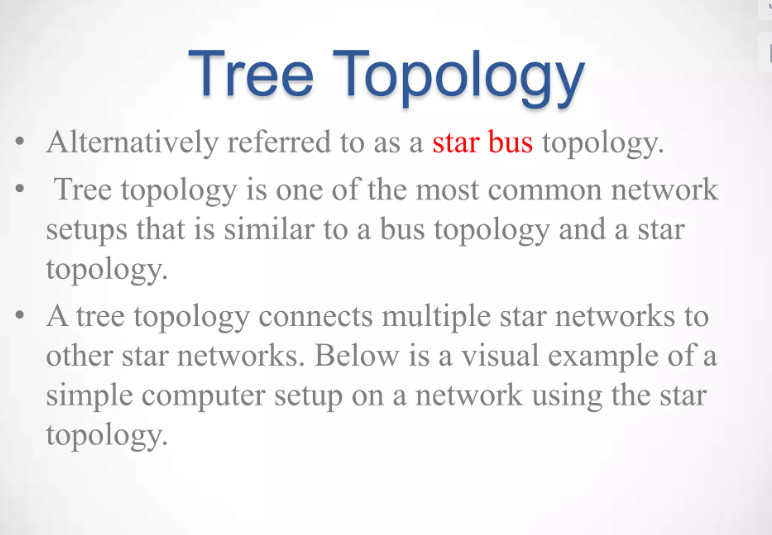
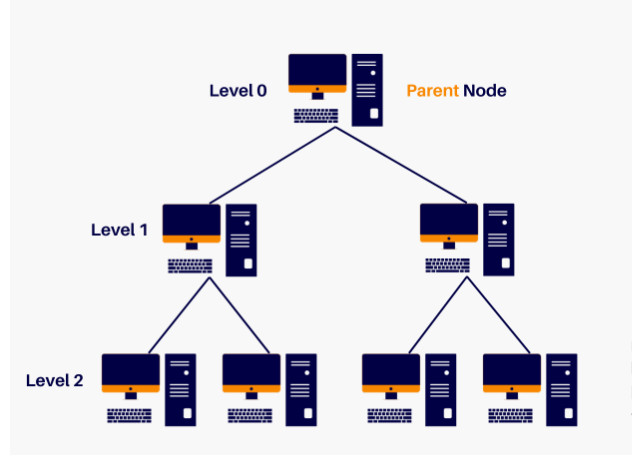
Tree Topology is a hierarchical structure that combines bus and star topologies. It has a root node and multiple levels of devices connected like branches of a tree. This topology is commonly used in large organizations because it supports network expansion. However, if the main backbone fails, many parts of the network can be affected.
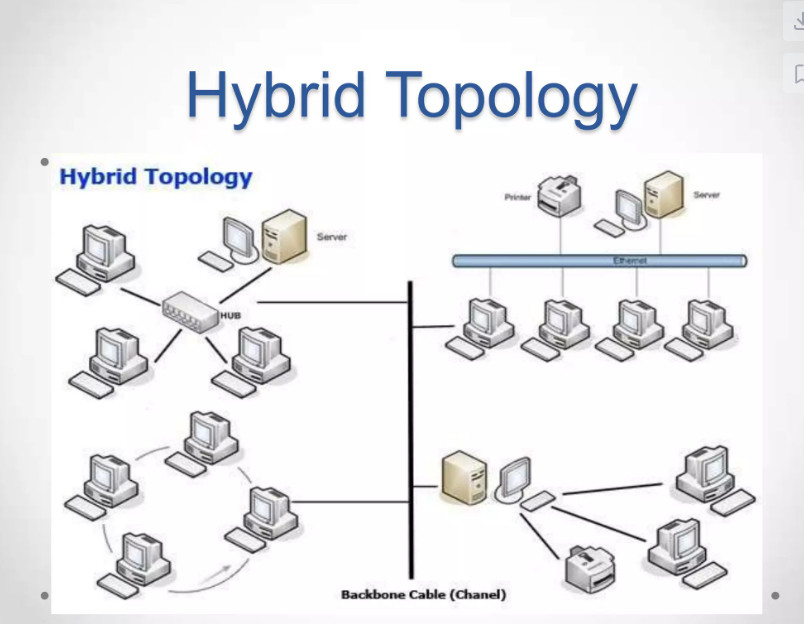
6. Hybrid Topology
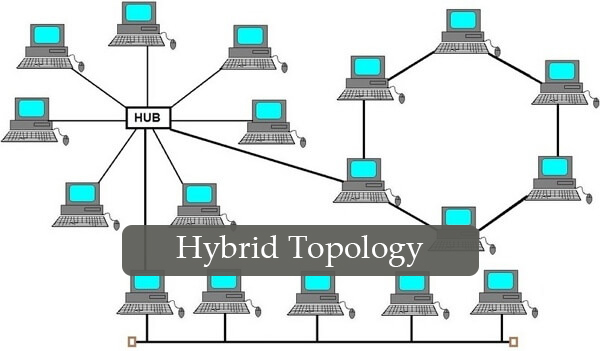
Hybrid Topology is a combination of two or more different network topologies, such as star, mesh, or bus. It is used in large networks to take advantage of the benefits of different topologies. Hybrid topology is flexible and scalable, but it is more complex and expensive to design and manage.

What is a Network Topology?
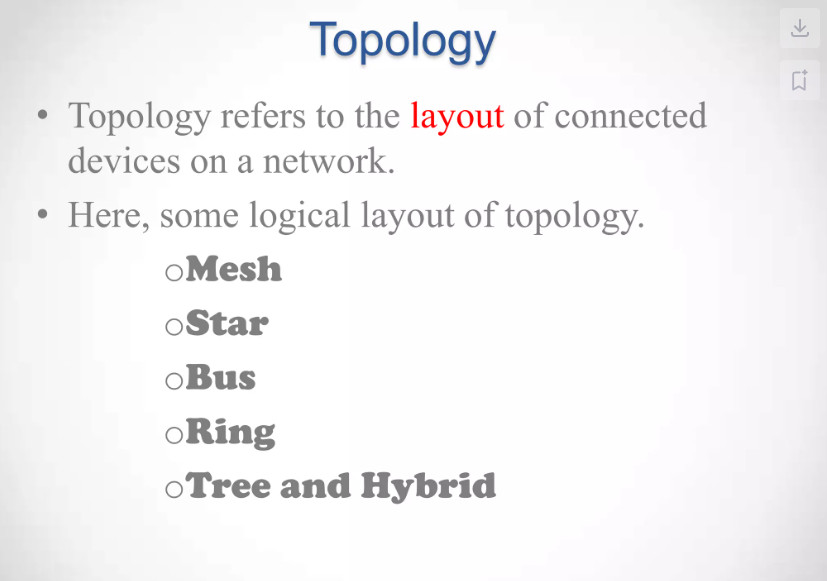
Network topology refers to the layout and interconnection of devices within a network. It describes how network components like computers, servers, and other devices are connected and communicate with each other.
Network topology is crucial for optimizing network performance and reliability. It defines the arrangement of nodes and connections, which directly impacts data flow efficiency.
A well-structured topology reduces congestion and latency, ensuring smooth data transmission. It also supports scalability, enabling easy integration of new devices without disrupting operations.
Understanding and effectively implementing network topology enhances performance, scalability, and fault tolerance, ensuring reliable communication and efficient data transfer.
Types of Network Topology
There are 7 Types of network topologies in computer networking:
1. Point-to-Point
2. Bus
3. Star
4. Ring
5. Mesh
6. Tree
7. Hybrid
Now let’s discuss these topologies one by one.
1. Point-to-Point Topology
Point-to-point topology is the simplest network configuration, connecting two nodes directly through a dedicated communication link. This setup resembles a direct line between two endpoints, allowing for efficient and fast data transfer.
Think of a telephone call between two people. In a point-to-point topology, like that call, two connected devices communicate directly without interference, sharing the entire bandwidth for high performance and low latency.
Advantages:
● High bandwidth and fast communication speeds.
● Easy to maintain and troubleshoot since only two nodes are involved.
Disadvantages:
● Limited to two devices; expanding the network requires additional links.
● If the connection fails, communication between the two nodes is disrupted.
2. Bus Topology
Imagine a long cable, resembling a bus route, with devices connected along its length. This is the essence of a bus topology. In a bus network, all devices share the same communication channel. Data travels along the cable, and each device checks if the data is intended for it. If so, it accepts the data; otherwise, it ignores it.
Think of a school bus with seats for students. In a bus topology, devices like computers and printers are arranged in a line along a single cable, which serves as their communication pathway, similar to the bus route.
3. Star Topology
In a star topology, each device is connected directly to a central hub or switch. All communication between devices must go through this central point. It’s like a hub-and-spoke model, with the hub being the focal point for data transmission.
Advantages:
● Easy to install, manage, and troubleshoot.
● Isolates issues to individual connections; a failure in one device doesn’t affect others.
Disadvantages:
● Dependence on the central hub; if it fails, the entire network goes down.
● More cabling is required, making it costlier than bus topology.
4. Ring Topology
In a ring topology, each device is connected to exactly two other devices, forming a closed loop or ring. Data circulates around the ring in one direction. When a device receives data, it processes it and passes it along to the next device until it reaches its destination.
Advantages:
● Even data distribution, as each device has an equal opportunity to transmit.
● Simple and predictable data path.
Disadvantages:
● A break in the ring can disrupt the entire network.
● Adding or removing devices can be complex.
5. Mesh Topology
Mesh topology is like a web of connections, where each device is connected to every other device. This creates redundancy and multiple paths for data to travel. Mesh networks can be either full mesh (every device is connected to every other) or partial mesh (some devices have fewer connections).
Advantages:
● High redundancy; network remains operational even if some connections fail.
● Scalable and adaptable; can handle a large number of devices.
Disadvantages:
● Expensive due to the numerous cables and ports required.
● Complex to set up and maintain.
6. Tree Topology
A tree topology combines characteristics of star and bus topologies, arranging nodes in a hierarchical structure that resembles a tree. In this layout, multiple star networks are connected to a central bus, allowing for a scalable and organized network design.
Think of a family tree, where each branch represents different family members connected to a common ancestor. Similarly, in a tree topology, the central node acts as the trunk, with branches extending to various sub-nodes.
Advantages:
● Scalable and easy to expand by adding new nodes without disrupting the entire network.
● Facilitates better management and organization of devices.
Disadvantages:
● If the central trunk fails, it can disrupt the entire network.
● More complex to configure and maintain compared to simpler topologies.
Hybrid topology
A hybrid topology combines two or more different topologies into a single network. This is often done to harness the strengths of one topology while mitigating its weaknesses. For example, a network might use a star topology for its core infrastructure and a bus topology for a smaller, isolated segment.
Advantages:
● Flexibility to tailor the network to specific needs.
● Enhanced fault tolerance by combining different topologies.
Disadvantages:
● Complexity increases with the number of topologies integrated.
● requires careful planning to ensure smooth operation.
Types of Network Topology and Their Uses
Let’s look at the uses of different topology types to get an understanding of where to use a specific type of topology:
Types of Network Topology and Their Uses
Let’s look at the uses of different topology types to get an understanding of where to use a specific type of topology:
| Topology Type | Description | Common Uses |
|---|---|---|
| Bus Topology | Connects all devices to a single central cable. | Small networks, simple LANs where cost-effectiveness is key. |
| Ring Topology | Devices are connected circularly, with data traveling in one direction. | Applications requiring data integrity, such as token-based networks (e.g., FDDI). |
| Mesh Topology | Each device is interconnected, providing multiple paths for data. | High availability environments like mobile ad hoc networks and air traffic control systems. |
| Star Topology | All devices connect to a central hub or switch. | Modern Ethernet LANs, office networks, and Wi-Fi setups for easier management. |
| Tree Topology | A hierarchical structure combining star and bus topologies. | Large organizations needing a structured layout with easy expansion. |
| Hybrid Topology | Combines multiple topologies for flexibility and scalability. | Complex enterprise networks and backbone infrastructures. |
| Point-to-Point | Direct connection between two nodes. | Dedicated connections like leased lines or direct links between devices. |
Types of Network Topology Architectures
Here are the standard types of network topology architectures used in today’s environment.
1. Two-tier Network Topology
Two-tier network topology is a flat or collapsed core design. It consists of two layers i.e., the access layer and the core layer. In the organizations where network is smaller, and scalability and complexity are not much concern generally adopt this type of architecture. Here is the topology of the two-tier network topology for your reference.

Scenario: In a small office network, a two-tier topology may consist of access switches connecting end-user devices (such as computers and printers) in the access layer. These access switches are then connected to a core switch or router, which provides connectivity to other networks or the internet.
2. Three-tier Network Topology
Three-tier network topology is a 3-layer architecture in which the network is divided into.
✓ Access layer
✓ Distribution layer
✓ Core layer
It provides better scalability, flexibility, and network segmentation compared to a two-tier design. Here is the three-tier network topology diagram for your reference.


Three-tier Network Topology
Access Layer
The Access Layer is the first layer of the three-tier network architecture. It is the layer where end-user devices connect to the network, such as computers, printers, IP phones, and wireless access points. Access switches are usually used in this layer to provide connectivity. This layer also performs functions like VLAN configuration, port security, and basic network access control. In simple terms, it is the entry point of users into the network.
Distribution Layer
The Distribution Layer is the middle layer between the access layer and the core layer. It is responsible for controlling and managing network traffic coming from the access layer. This layer performs tasks such as routing between VLANs, applying security policies, filtering traffic, and load balancing. Distribution switches collect traffic from multiple access switches and forward it to the core layer.
Core Layer
The Core Layer is the top layer and acts as the backbone of the network. It provides high-speed and reliable data transfer between different distribution layers or network segments. The core layer focuses mainly on fast packet forwarding and high availability. High-performance switches or routers are typically used in this layer to ensure quick and efficient communication across the network.
Working of Three-Tier Architecture
In a three-tier architecture, user devices first connect to the access layer switches. The access layer sends the traffic to the distribution layer, where routing decisions, filtering, and policies are applied. After that, the core layer transfers the data at high speed to other parts of the network or to other distribution layers. This layered design helps improve network performance, scalability, and easier management in large enterprise networks.
Cisco Portfolio switch which can be used in core and distribution layers of enterprise network as per the design requirements.These devices are :
- Cisco Nexus 7000 Series
- Cisco catalyst 6800 Switch
- Cisco catalyst 6500 Switch
- Cisco catalyst 4500-X switches
- Cisco 3850 Switches
- Meraki MS400 series Switches
- Cisco 4500 E Switch
- Cisco 3850 Switch
- Cisco 3600 Switch
- Cisco 2960 X/XR/L Switches
- Meraki MS series switches
Types of Devices in Three-Tier Architecture
Access Layer Devices
The Access Layer connects end-user devices to the network. The devices used in this layer provide basic network access for users.
Devices used:
- Access Switches Layer 2
- Wireless Access Points (Wi-Fi AP)
- IP Phones
- Network Interface Cards (NIC) in computers
Example: Office floor switches that connect employee computers and printers.
Distribution Layer Devices
The Distribution Layer manages traffic between the access layer and the core layer. Devices here perform routing, VLAN management, security policies, and traffic control.
Devices used:
- Layer 3 Switches
- Distribution Switches
- Enterprise Routers
Example:
A distribution switch like Cisco Catalyst 3850 used to manage VLAN routing and policies.
Core Layer Devices
The Core Layer is the backbone of the network and handles high-speed data transfer between different network segments.
Devices used:
- Core Switches
- High-performance Routers
- Data center backbone switches
Example:
A core switch such as Cisco Nexus 9500 used in large enterprise or data center networks.
3. Spine-Leaf Network Topology
The Spine-leaf network topology, also referred to as leaf-spine or Clos architecture, is a highly scalable and high-performance design frequently employed in large data centers or cloud environments. It facilitates low-latency and non-blocking communication among devices, ensuring efficient and rapid data transmission. Here is the spine and leaf network topology for your reference.

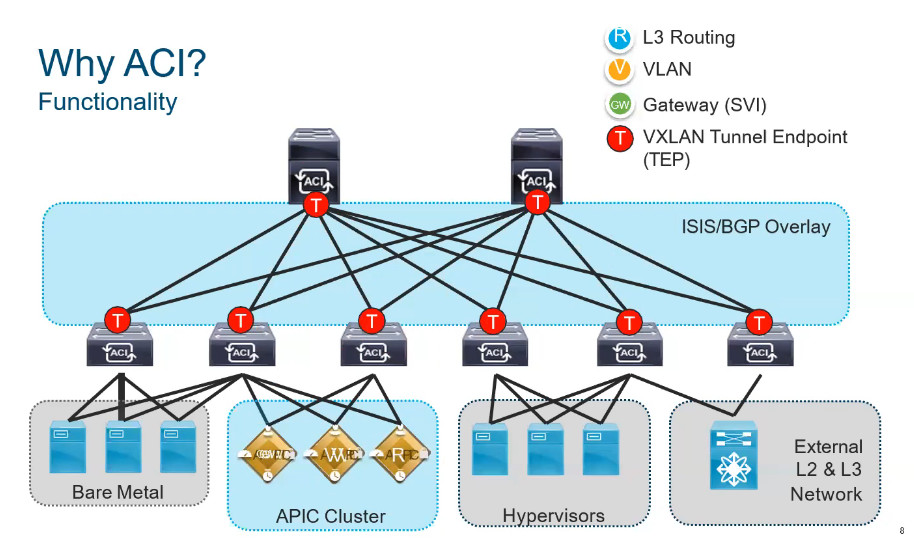

Scenario: In a data center, a spine-leaf topology may consist of leaf switches in the access layer connecting servers or storage devices. These leaf switches are then connected to spine switches in the spine layer, which provide connectivity between leaf switches and facilitate east-west traffic. This design ensures that any device in the network can reach any other device with minimal latency.
4. WAN Network Topology
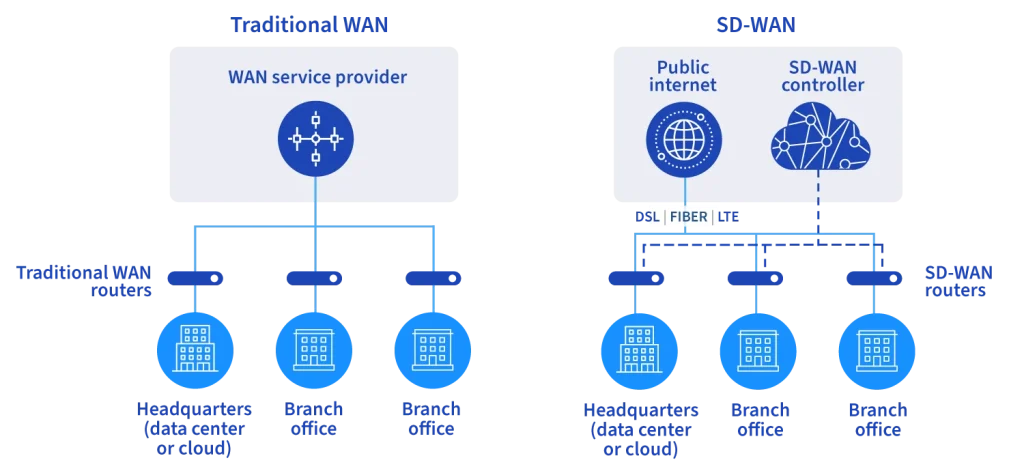
WAN (Wide Area Network) topology refers to the network architecture used to interconnect geographically dispersed locations or branch offices. Here is the WAN topology in which branch offices, regional offices, remote offices, and data centers are connected. There can be thousands of branches which are connected to the WAN infrastructure.
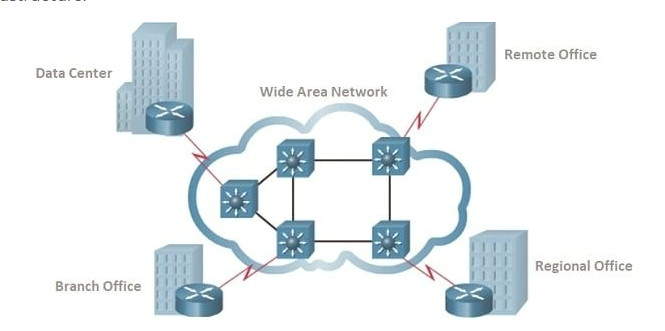
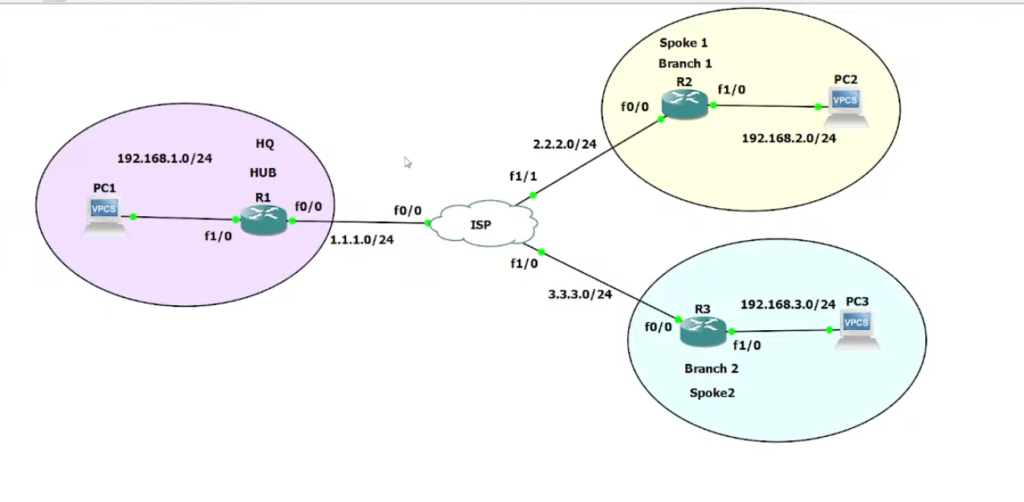

Scenario: In a multi-site organization, a WAN topology may involve multiple branch offices connected to a central headquarters. Each branch office typically has its own local area network (LAN) connected to a router, which establishes a connection to the WAN.
The WAN network can be implemented using technologies such as leased lines, MPLS (Multi-Protocol Label Switching), VPN (Virtual Private Network), or SD-WAN (Software-Defined Wide Area Network).