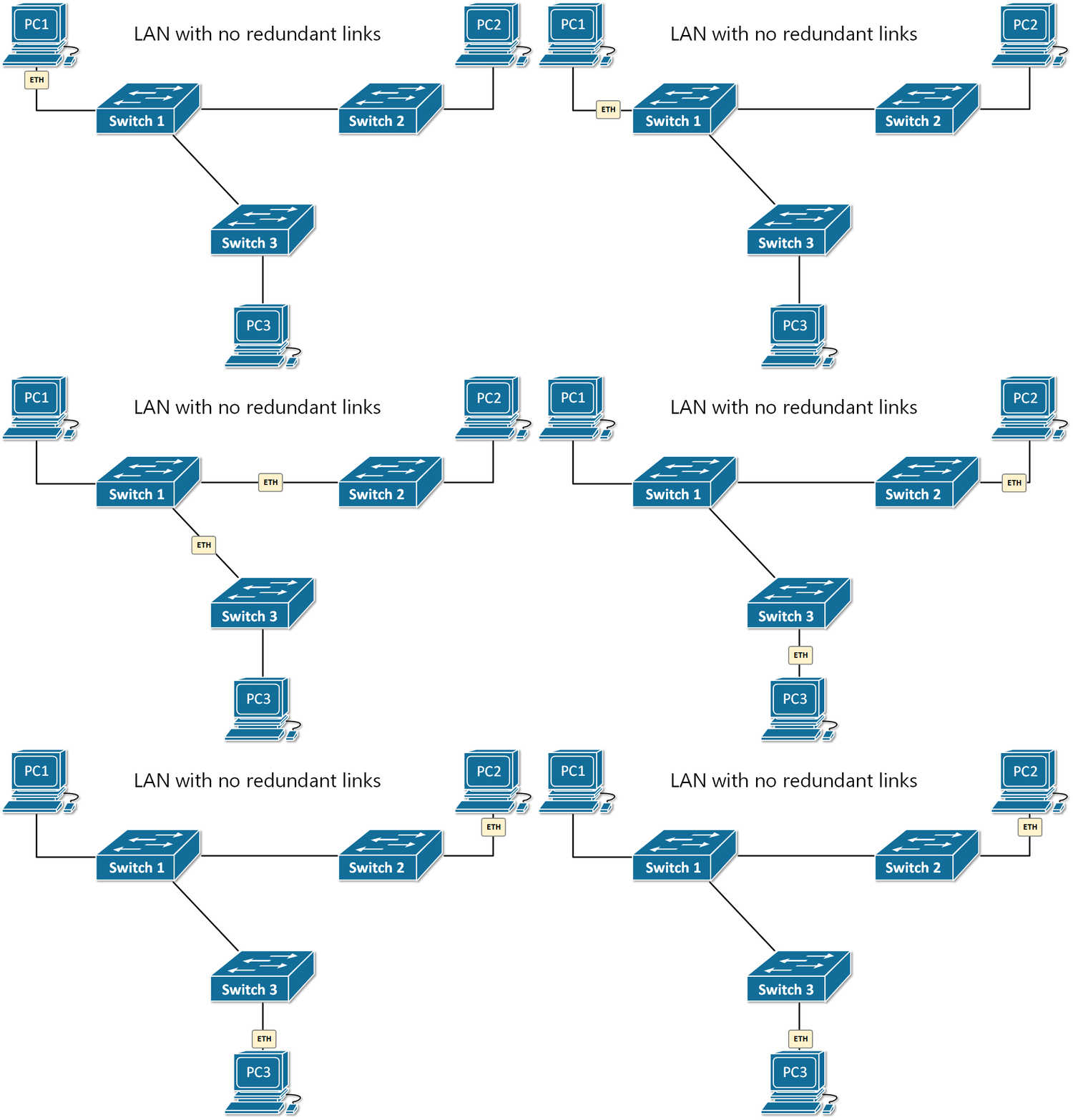
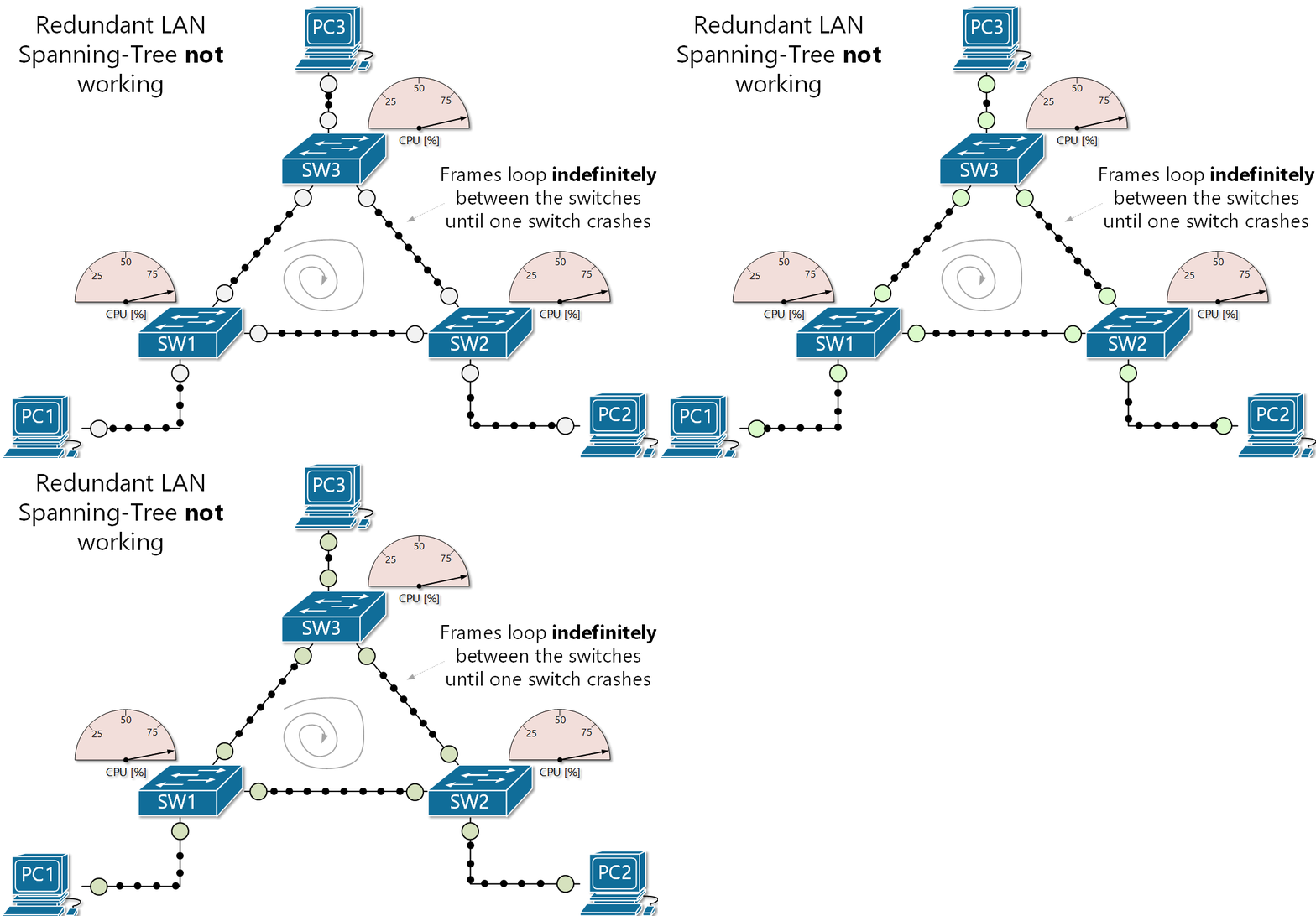
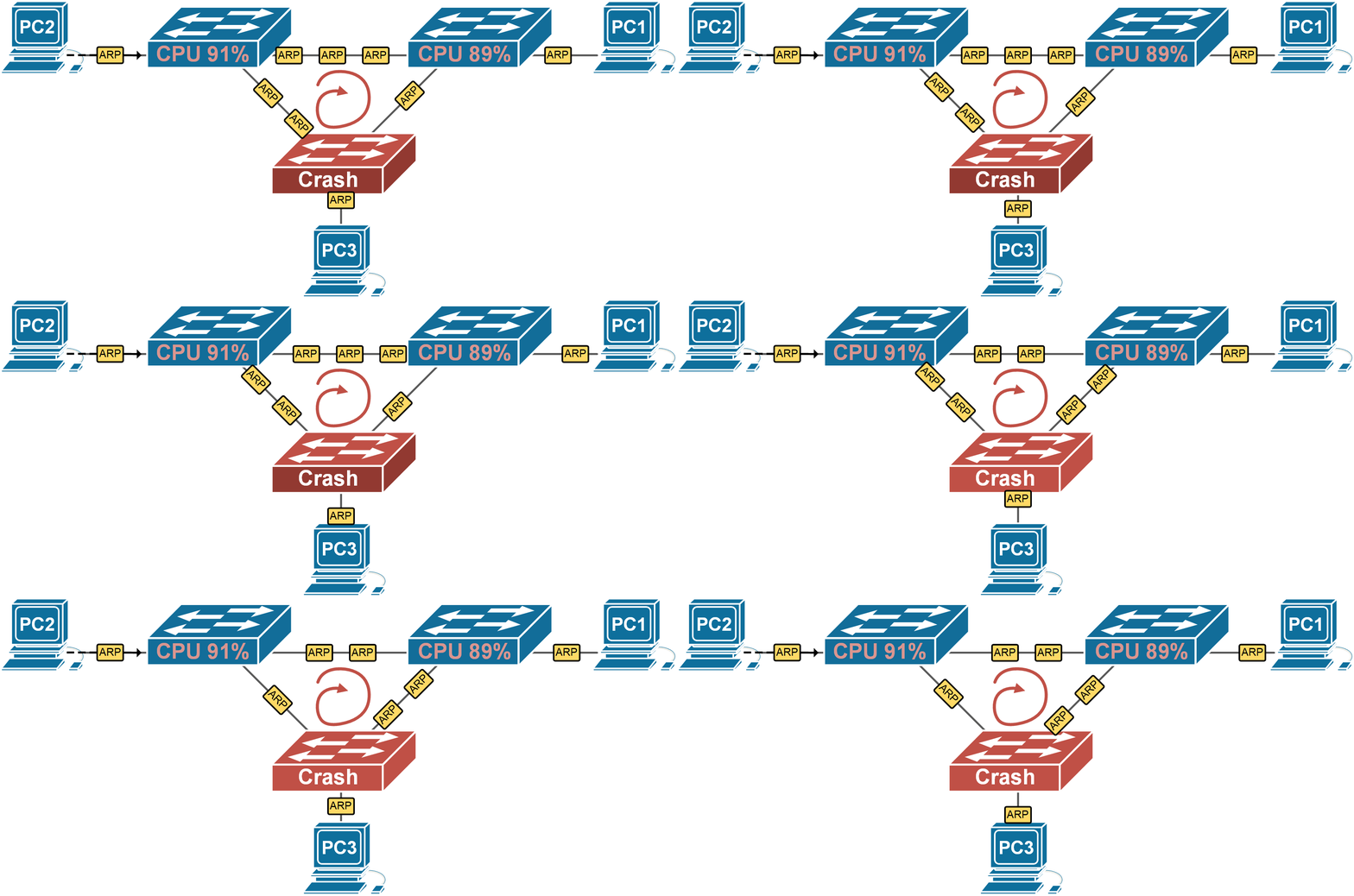
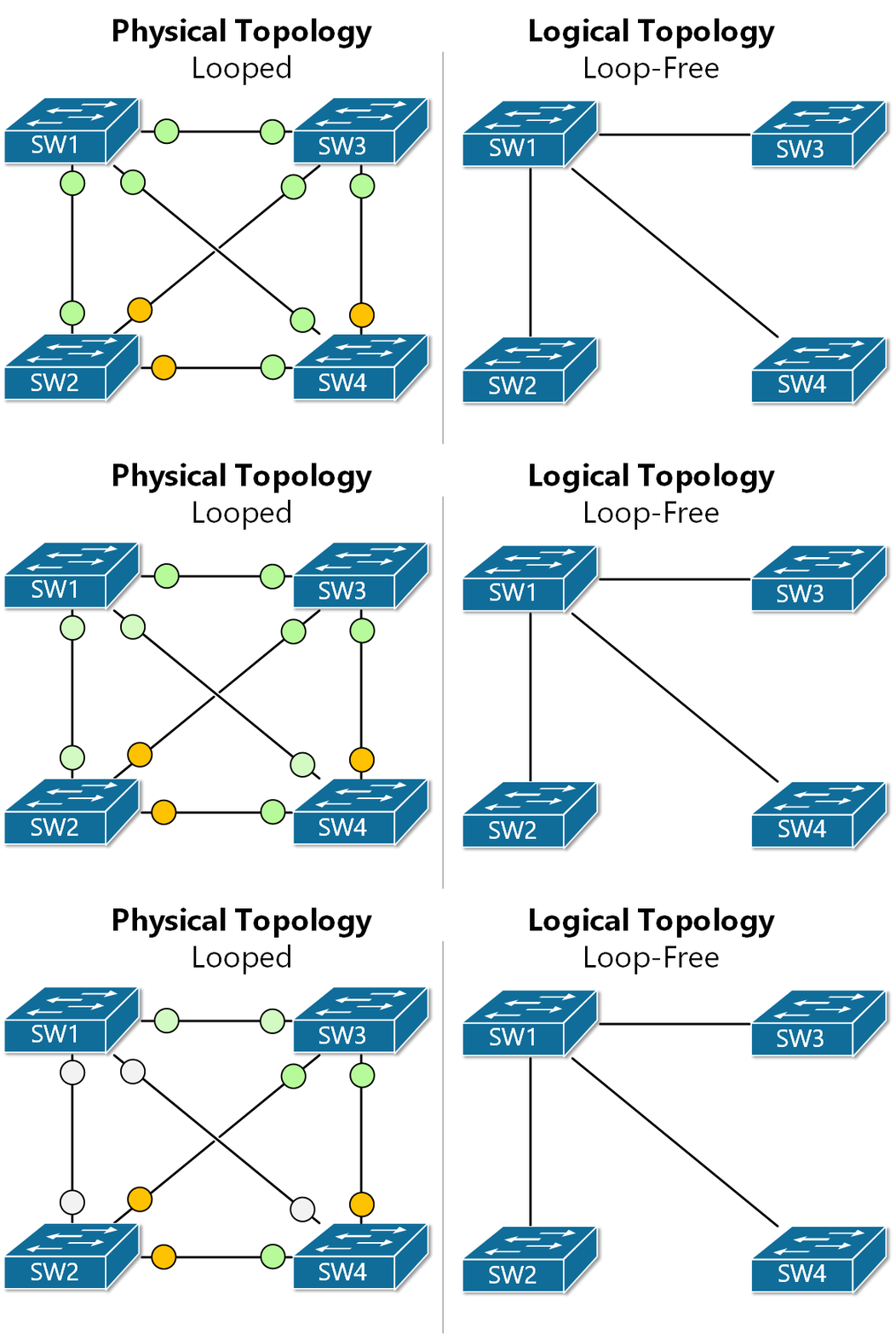
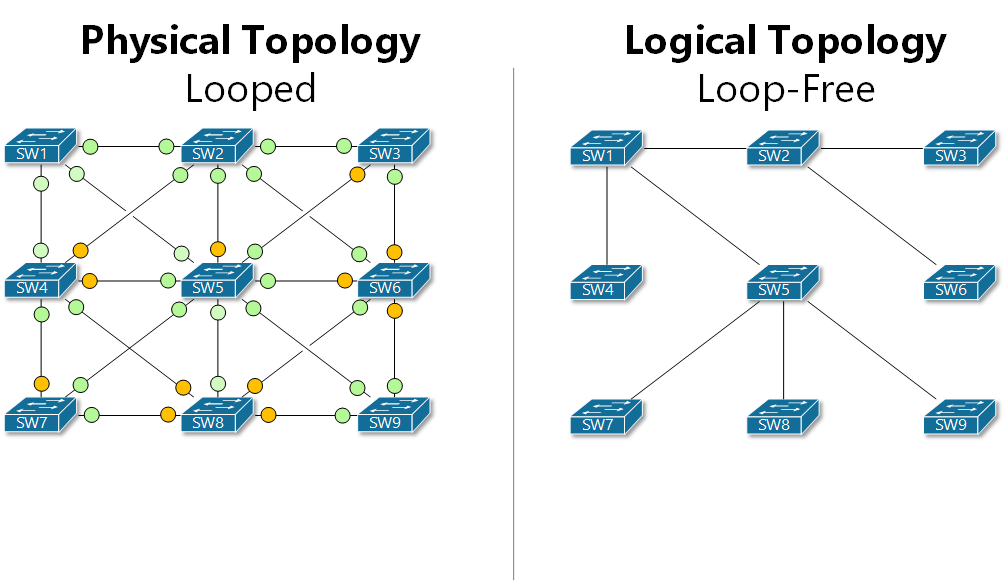
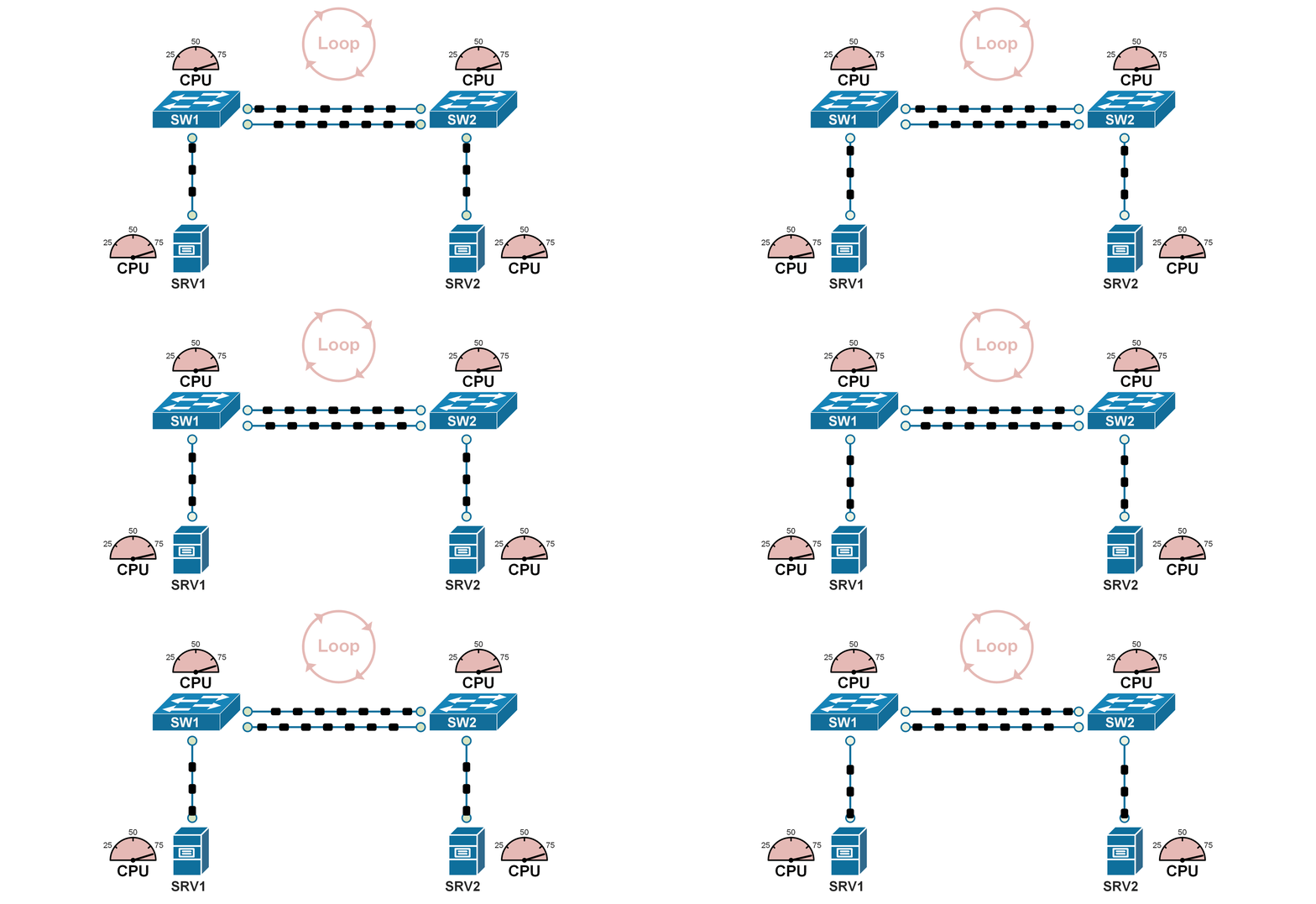
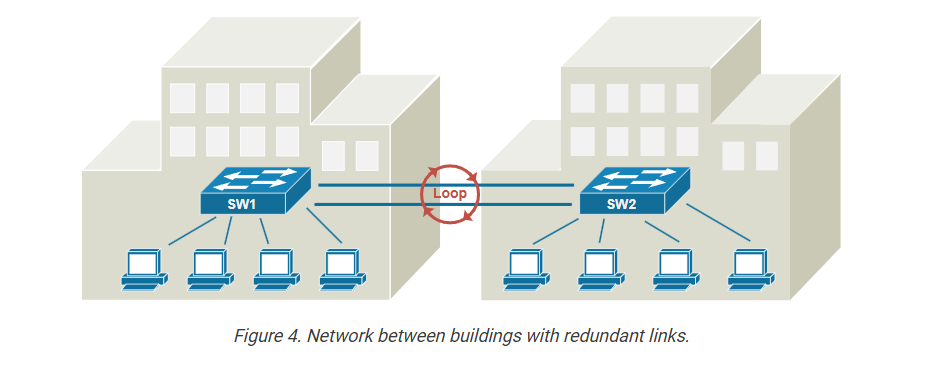
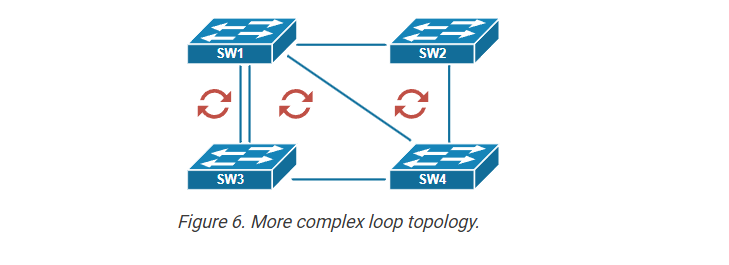
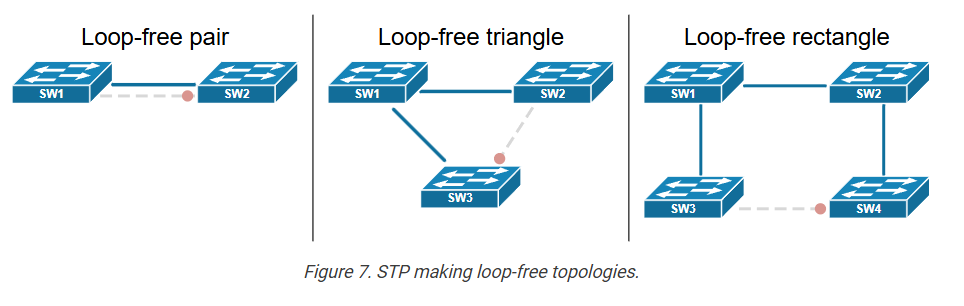
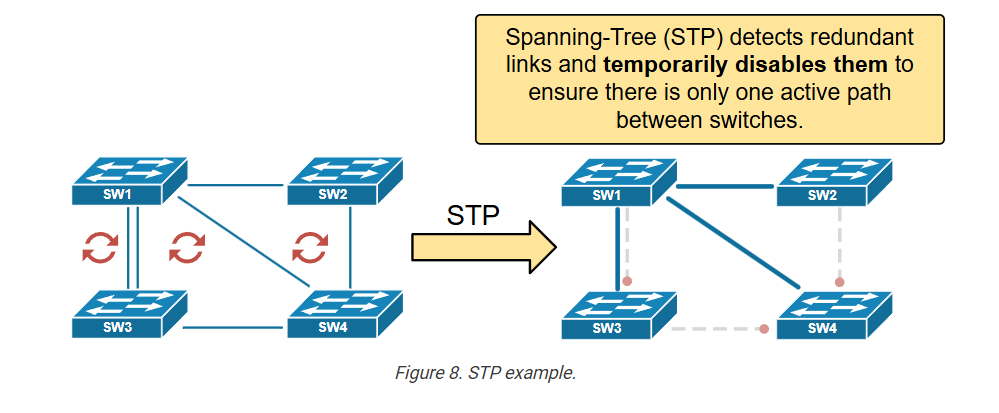
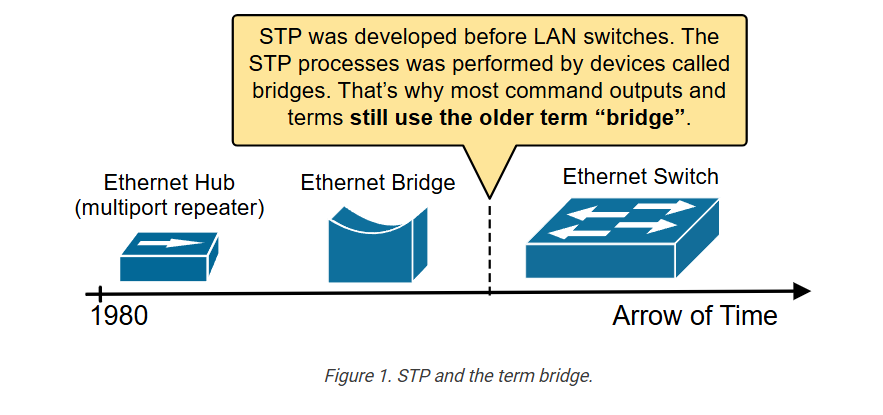
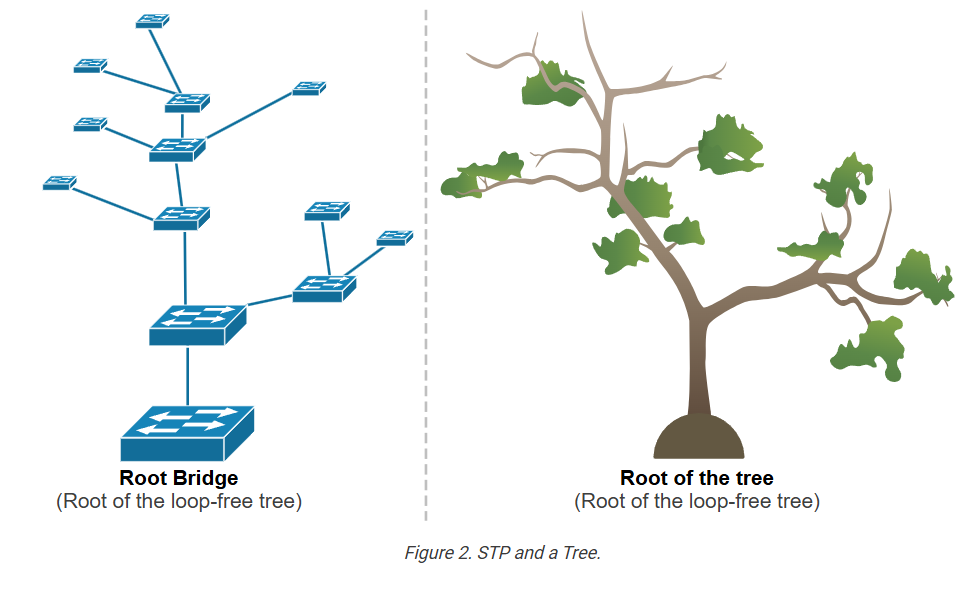
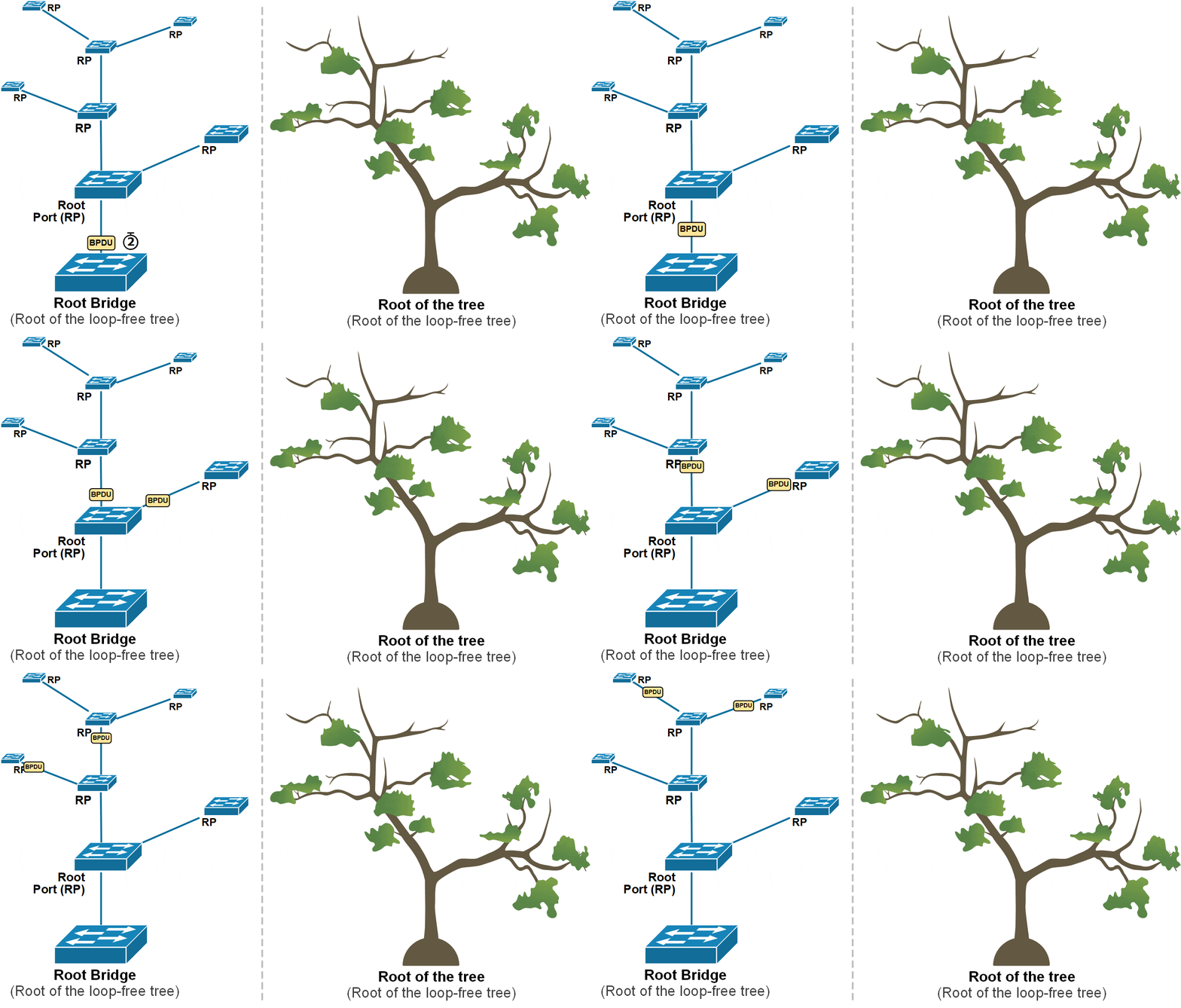
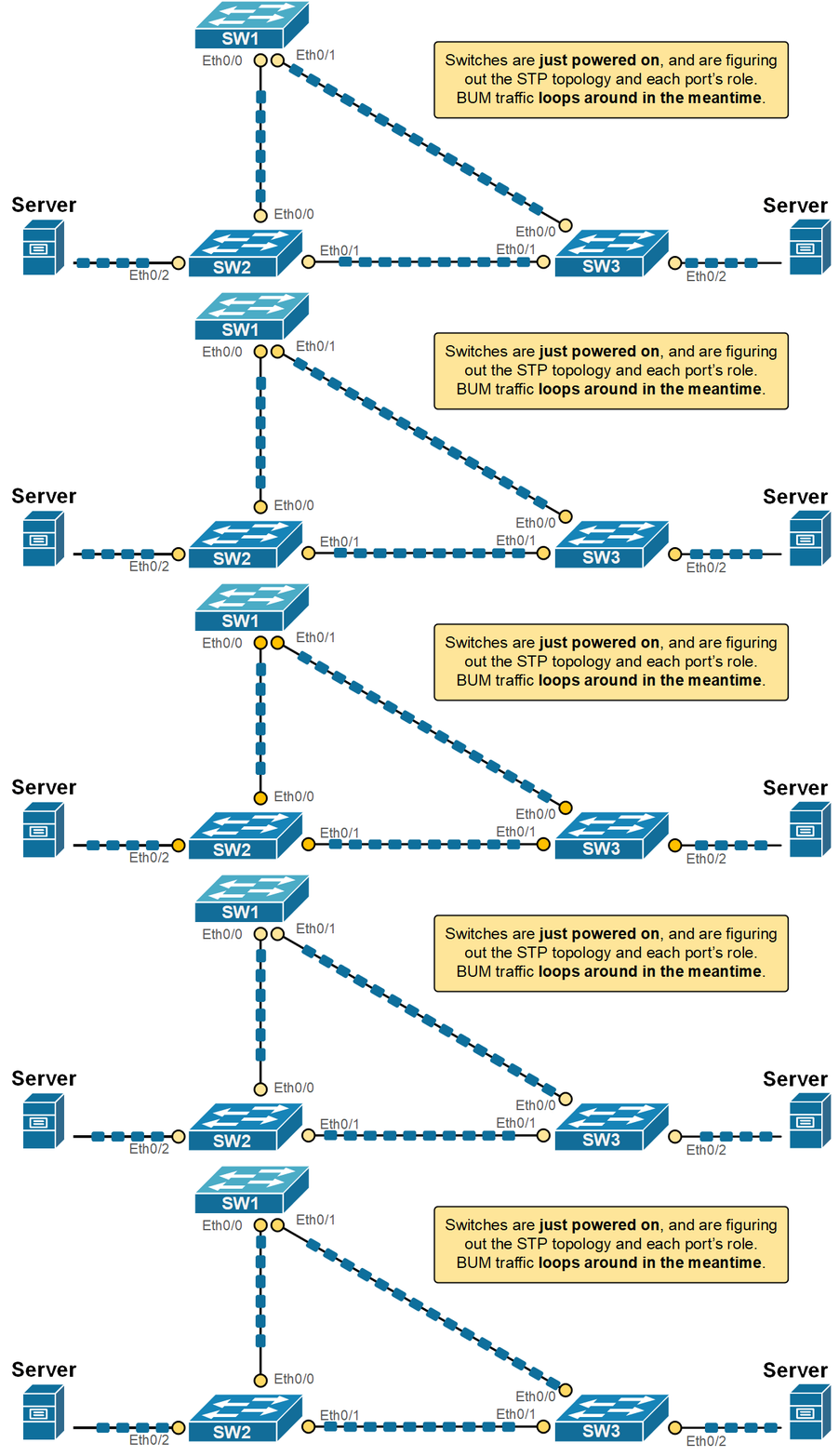
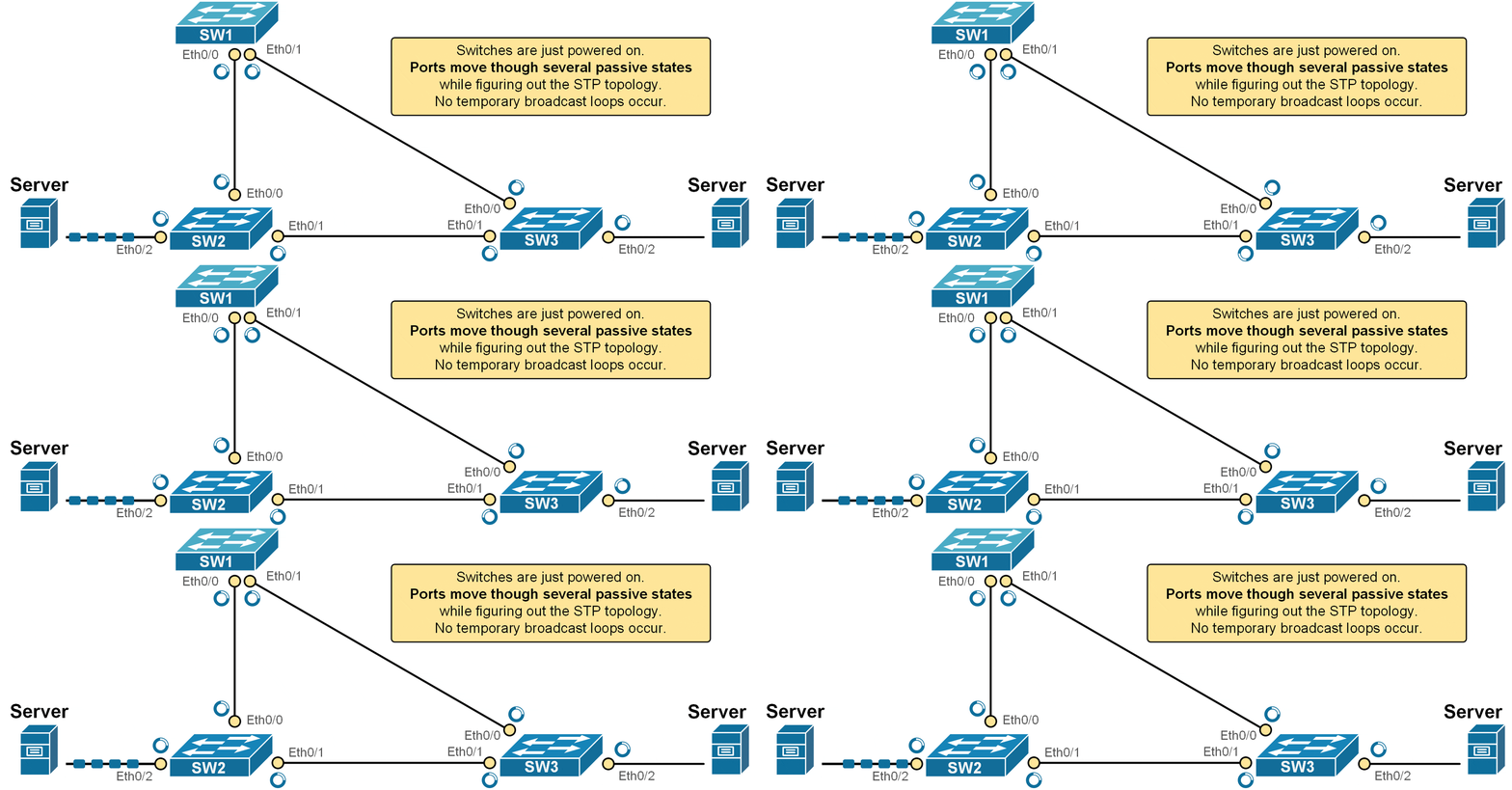
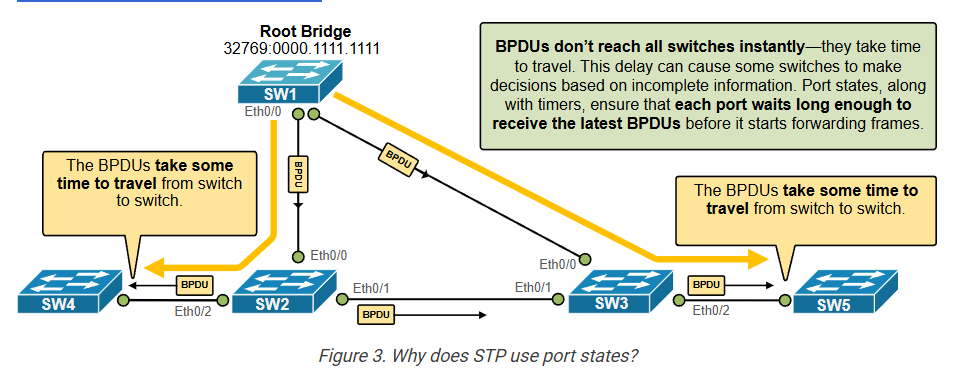
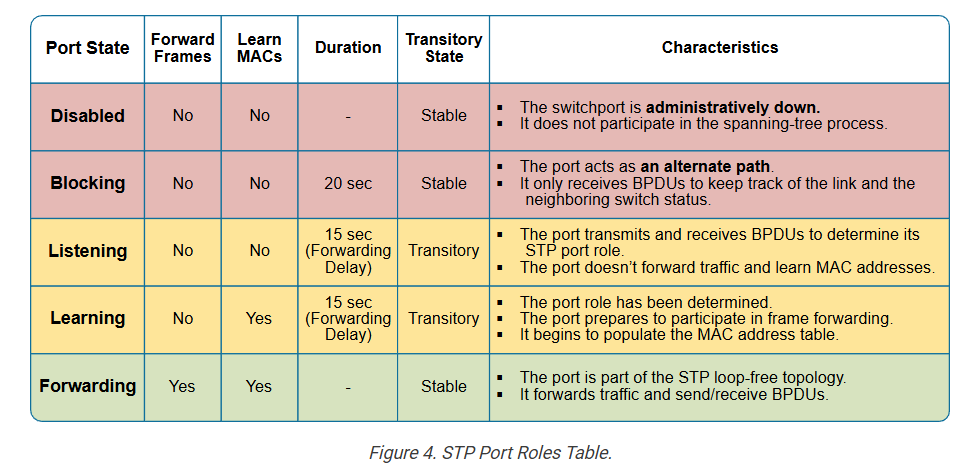
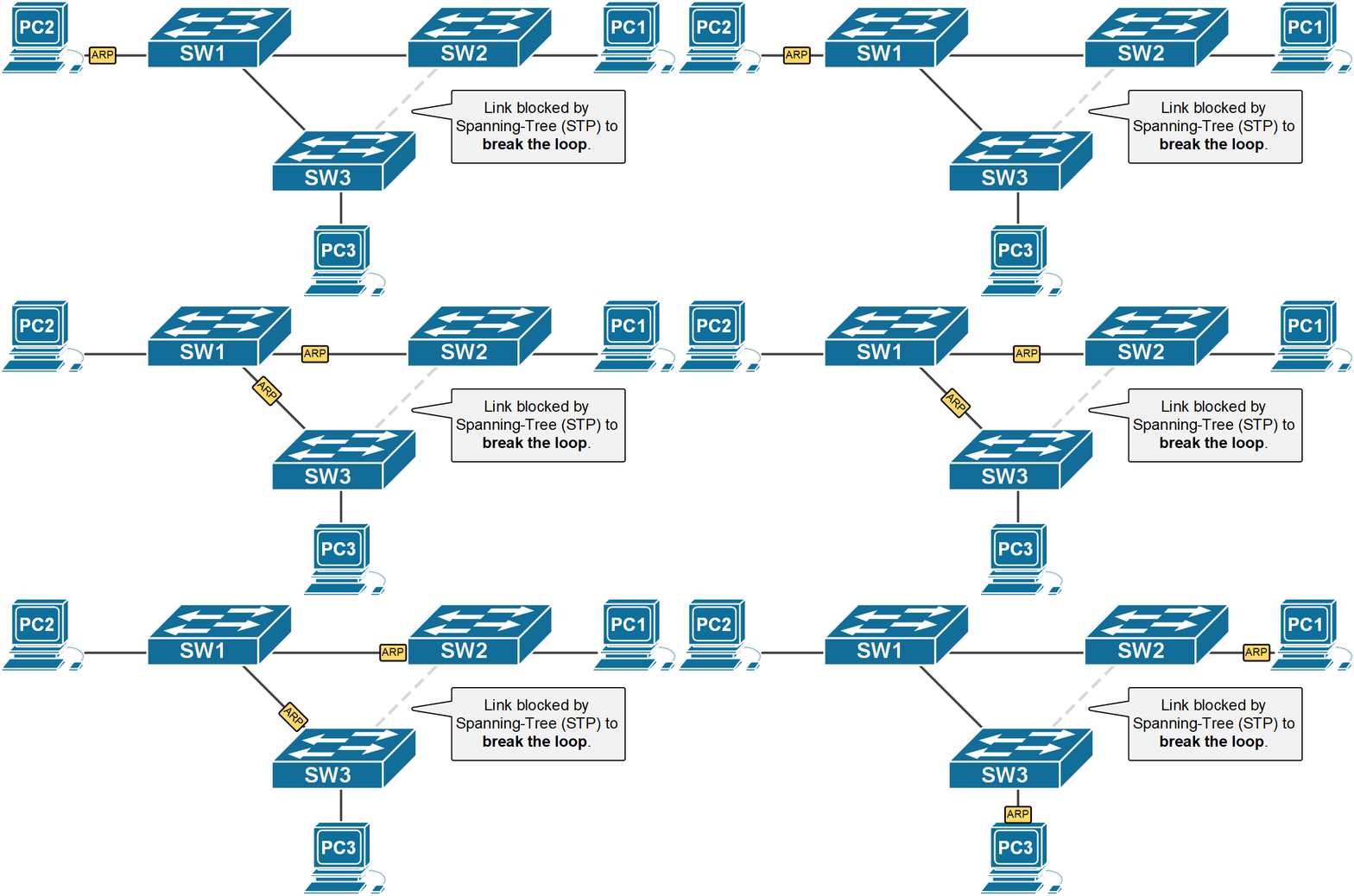
Spanning Tree Protocol (STP) is a Layer 2 network protocol used in switches to prevent switching loops in Ethernet networks. In many company networks, switches are connected with redundant links to provide backup paths if one connection fails. While redundancy improves reliability, it can also create loops where packets continuously circulate between switches. STP solves this problem by creating a loop-free logical path and blocking unnecessary redundant links.
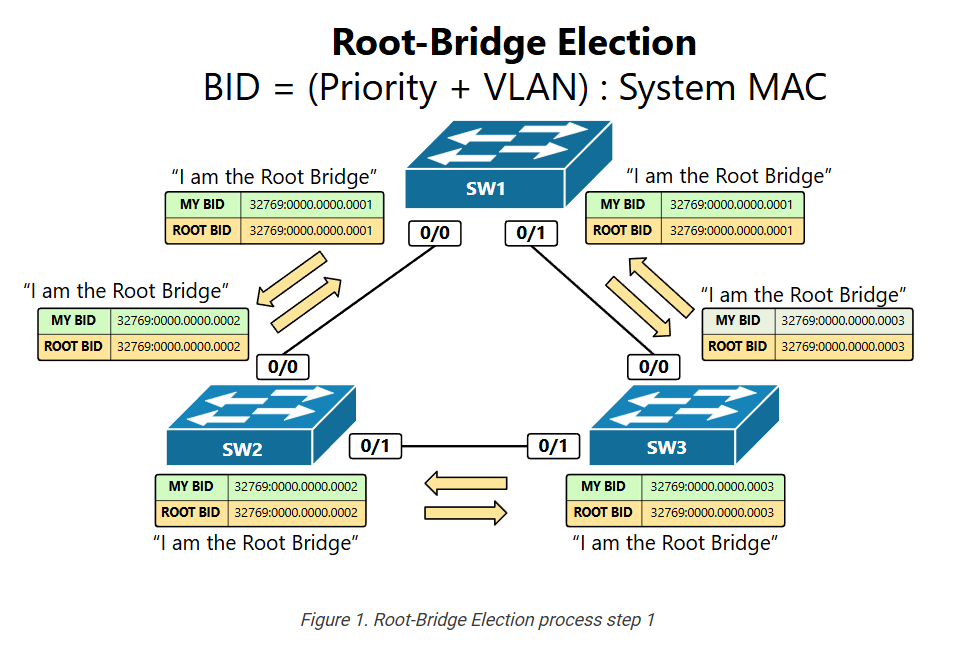
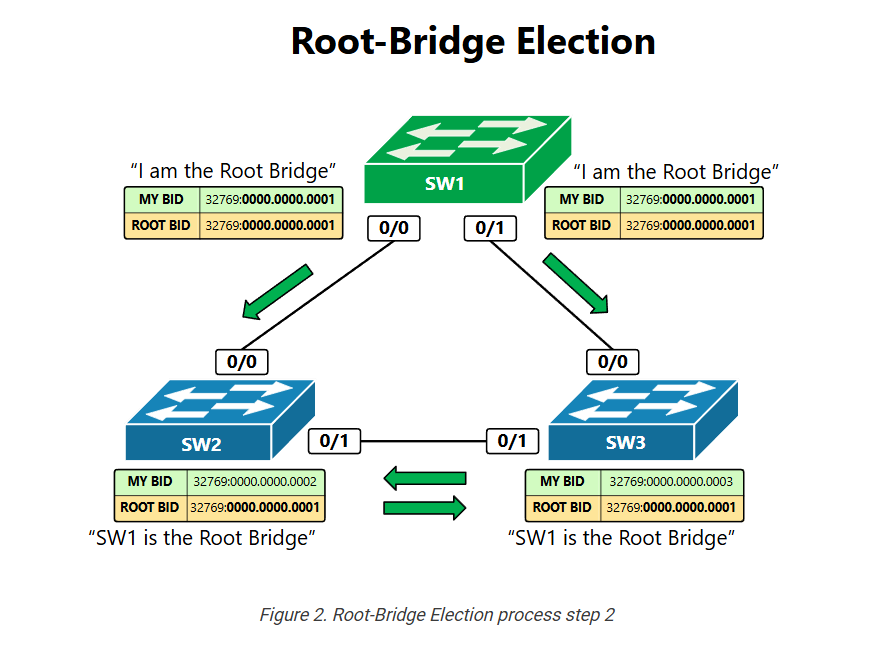
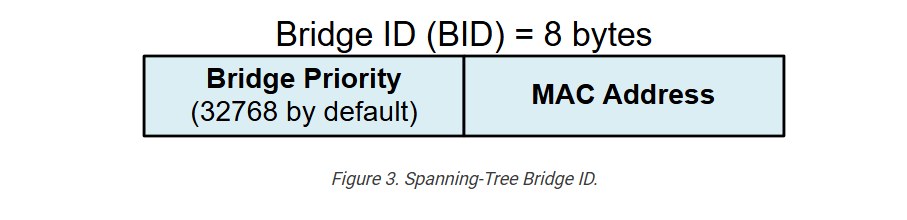
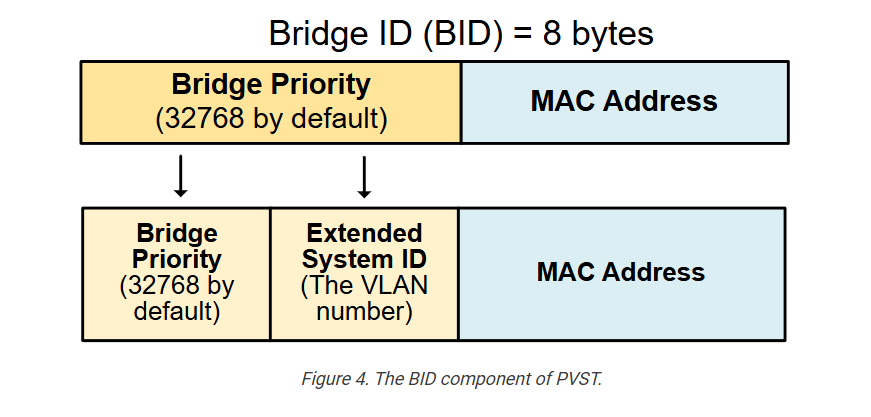
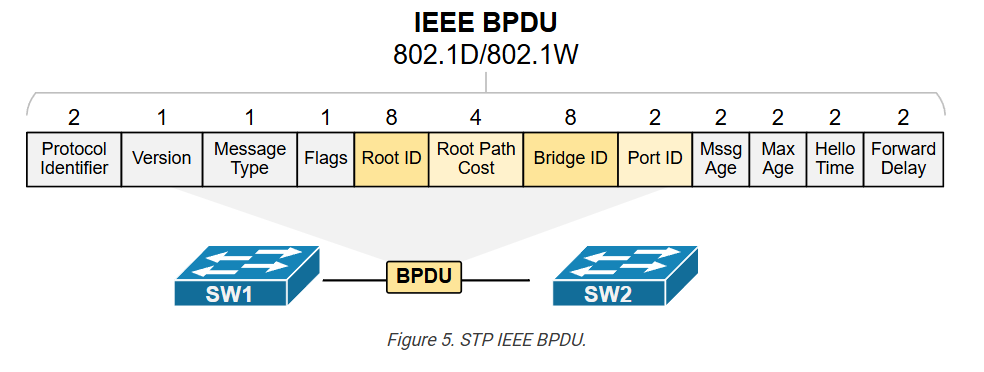
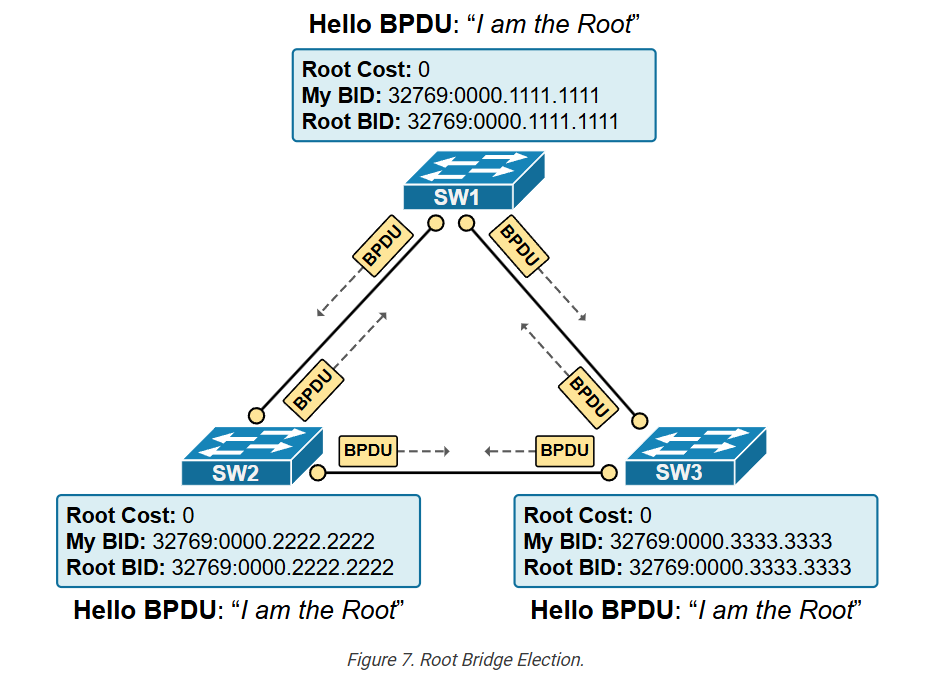
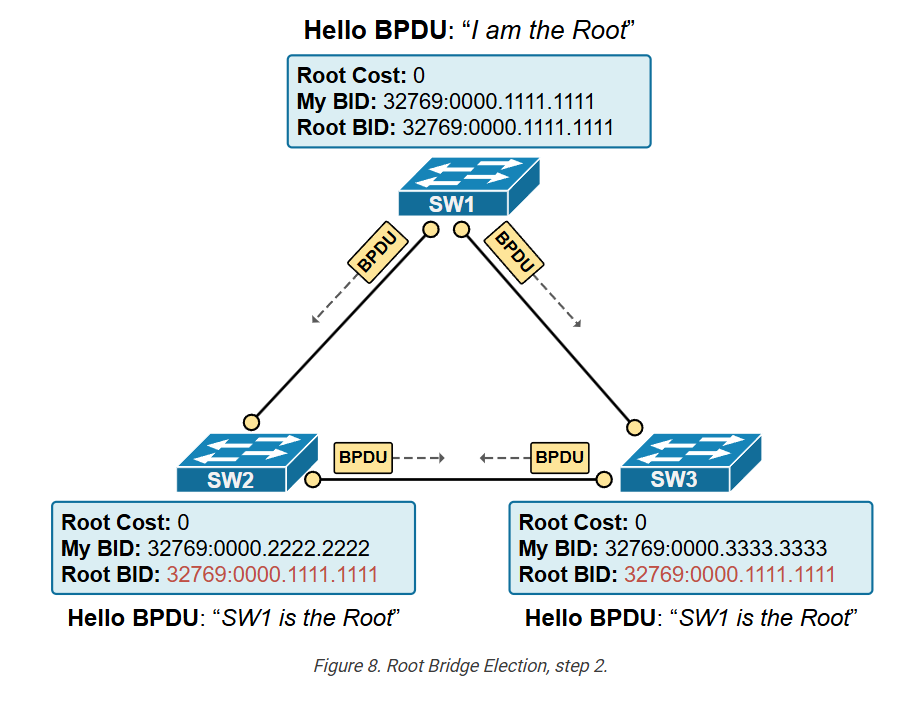
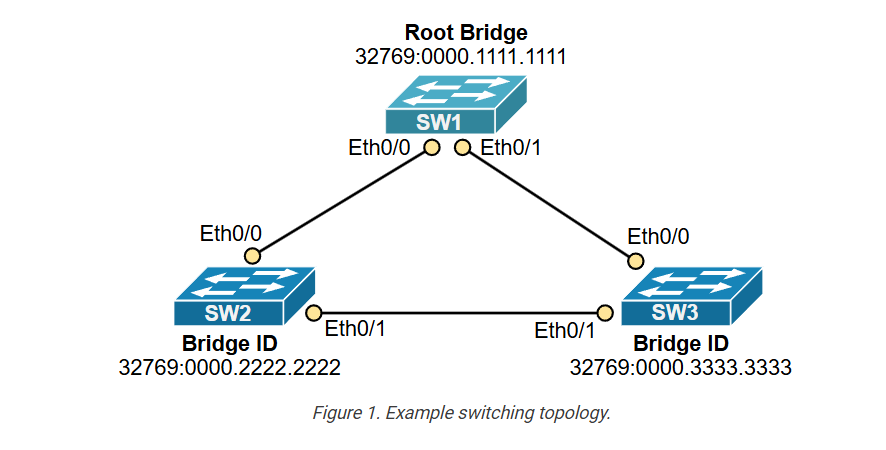
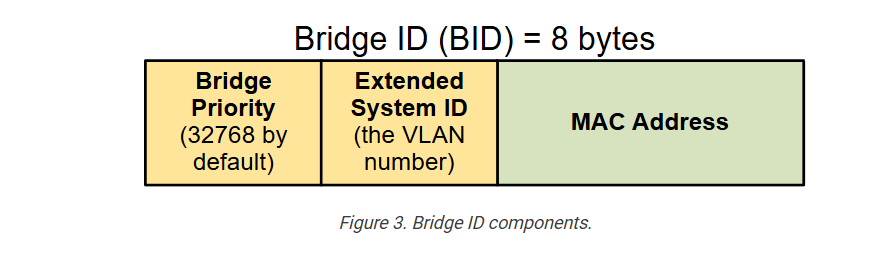
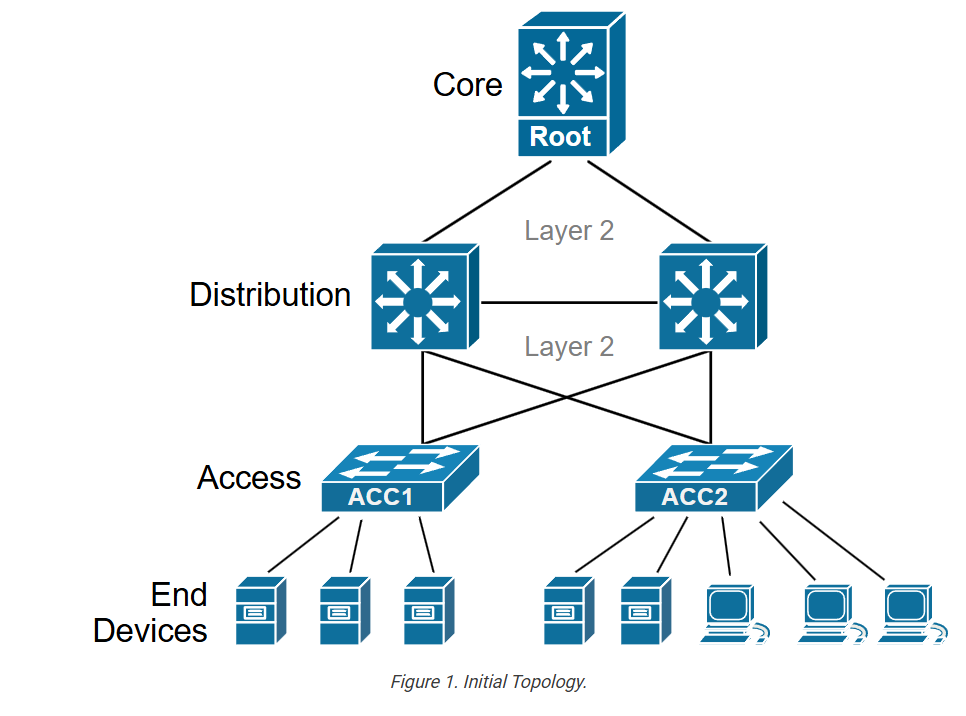
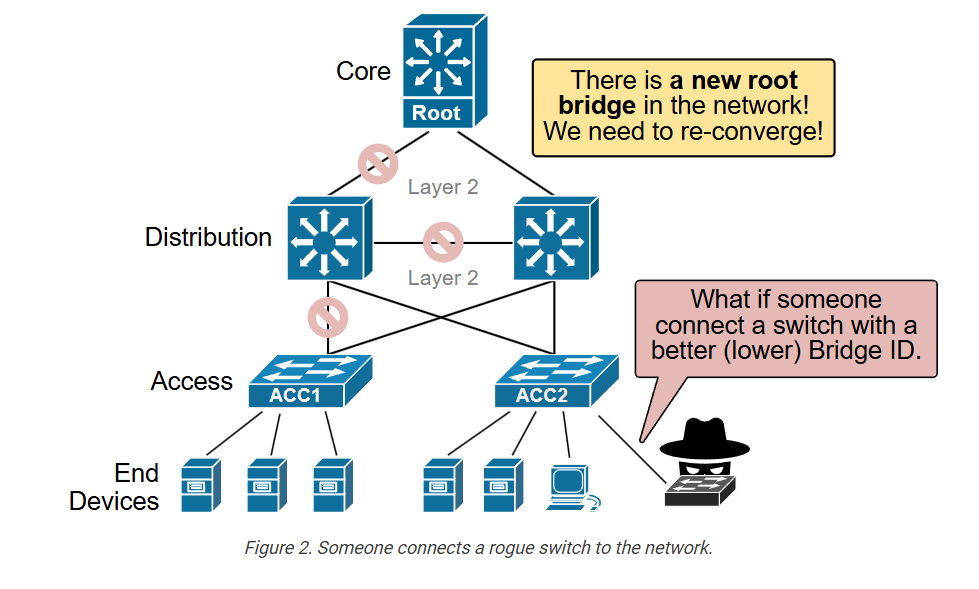
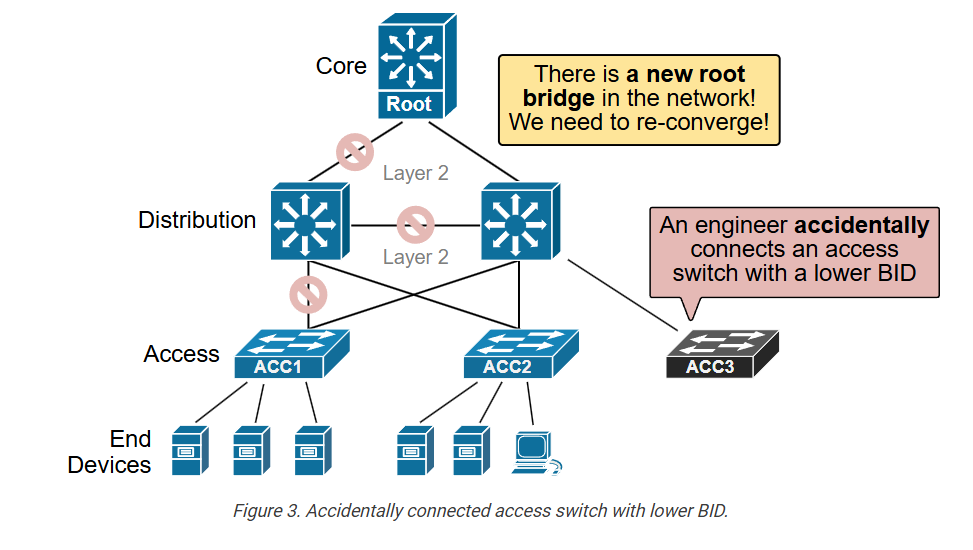
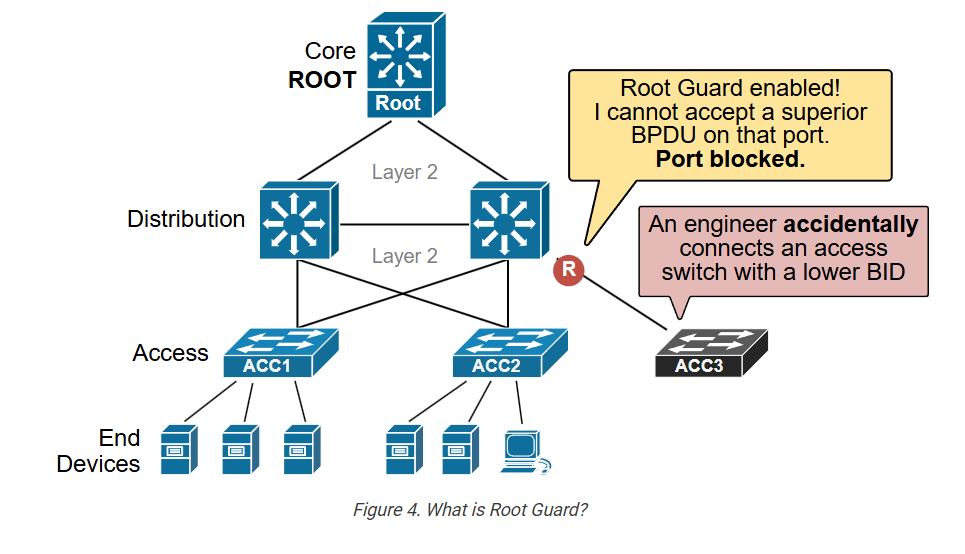
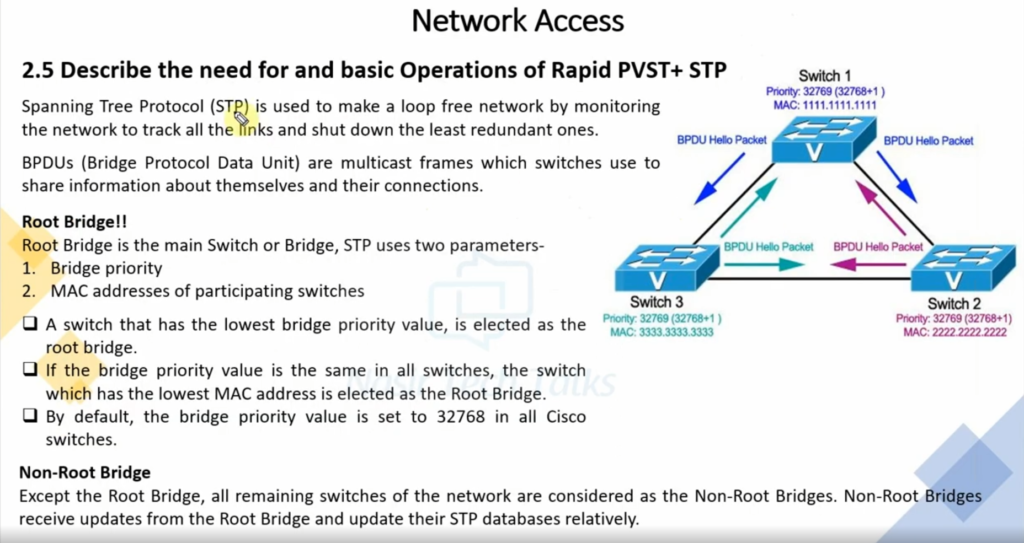
STP works by first exchanging special control messages called BPDU (Bridge Protocol Data Units) between all connected switches. These messages contain important information such as switch priority and MAC address, together called the Bridge ID. Using this information, all switches compare themselves, and the switch with the lowest Bridge ID becomes the Root Bridge. The Root Bridge acts as the central reference point for the entire switched network.
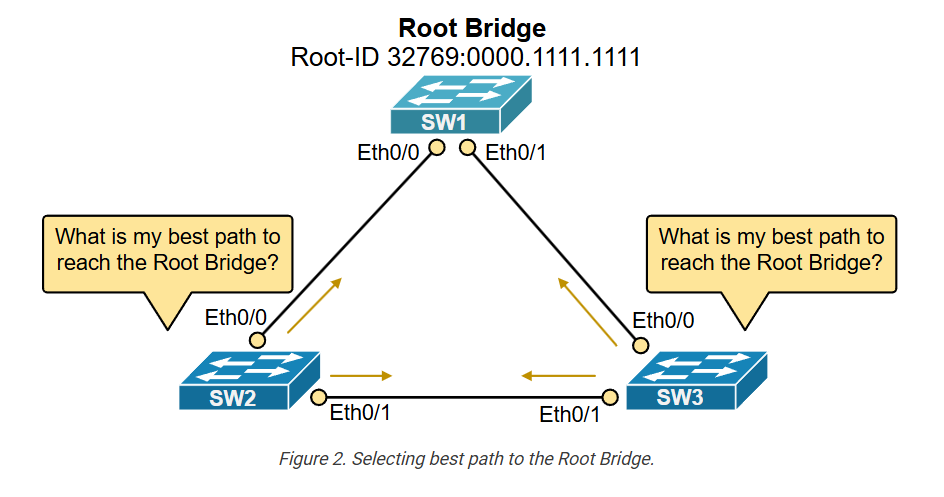
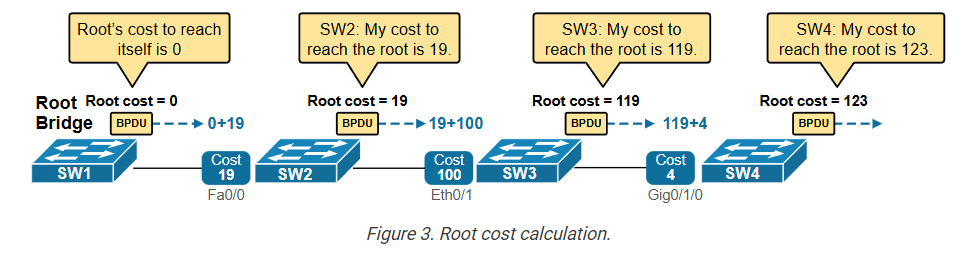
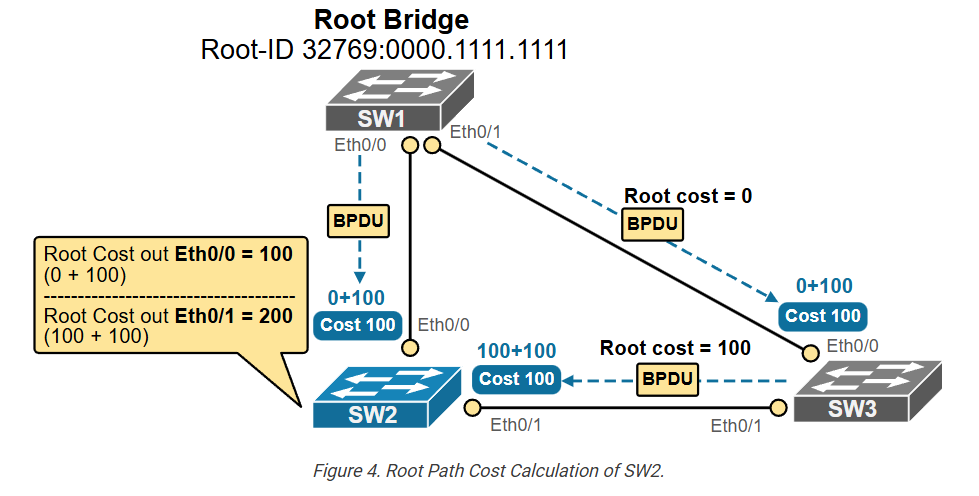
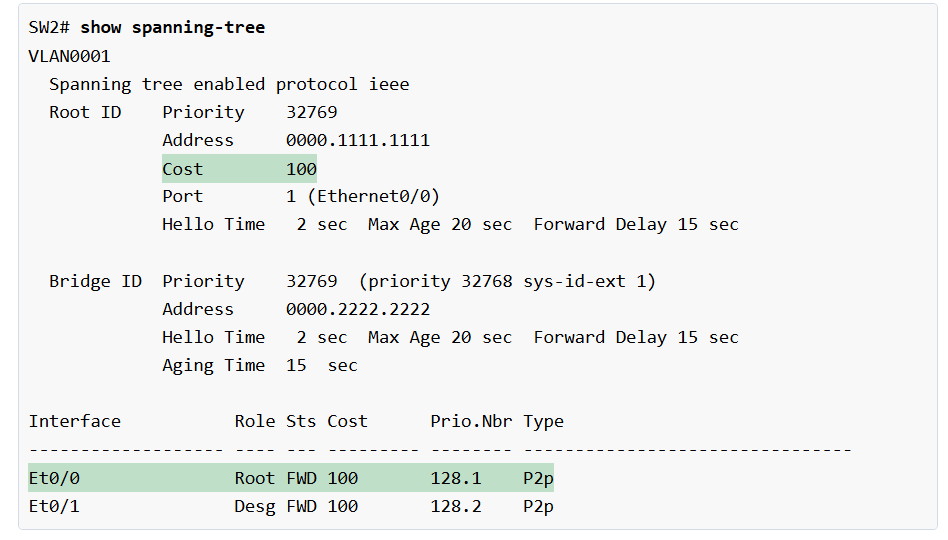
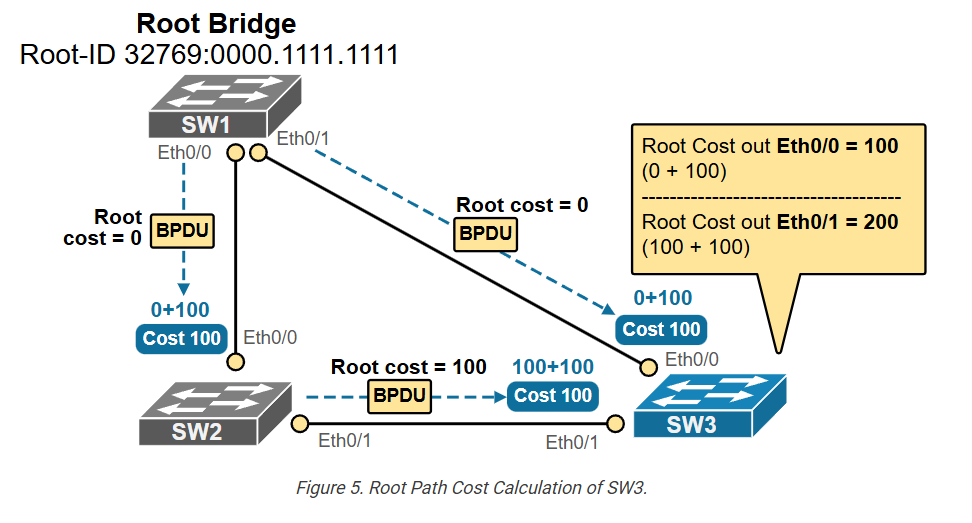
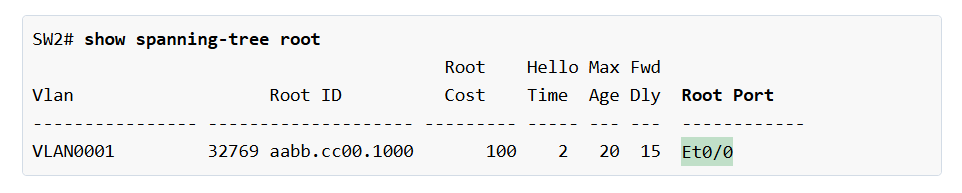
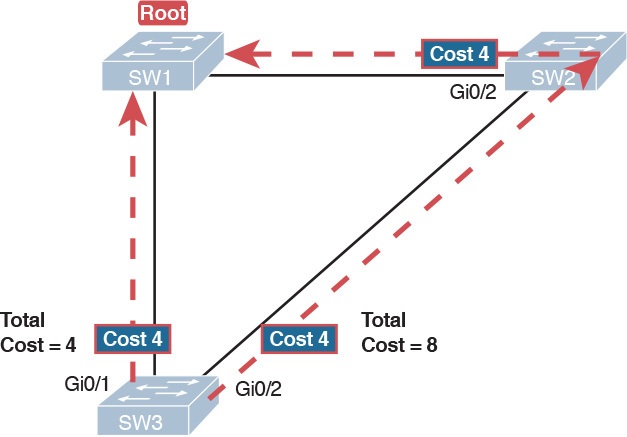
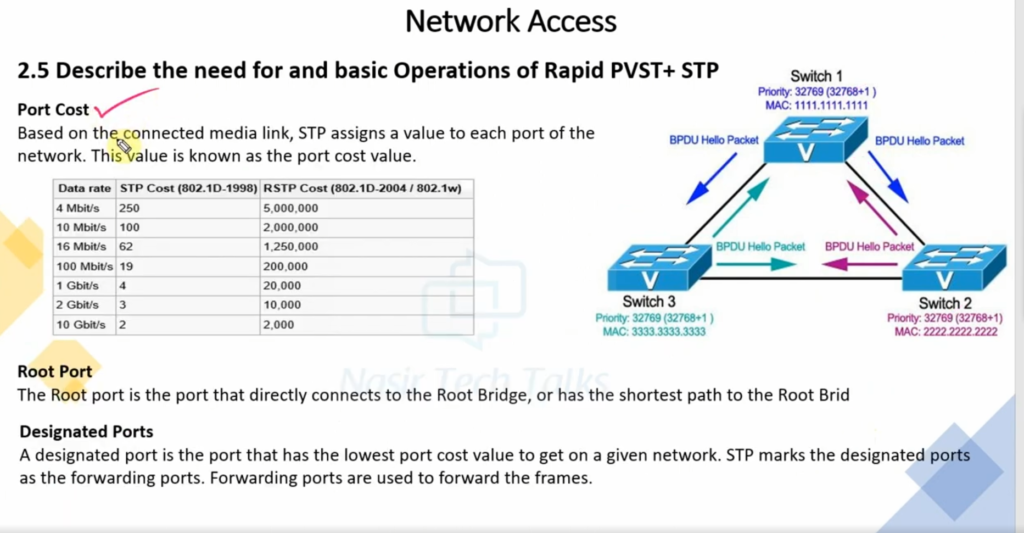
After the Root Bridge is selected, every other switch calculates the best and shortest path to reach the Root Bridge. This calculation is based on path cost, which depends on link speed—faster links have lower cost. The port on each switch that provides the lowest-cost path to the Root Bridge becomes the Root Port. This is the main forwarding port used by that switch to communicate toward the Root Bridge.
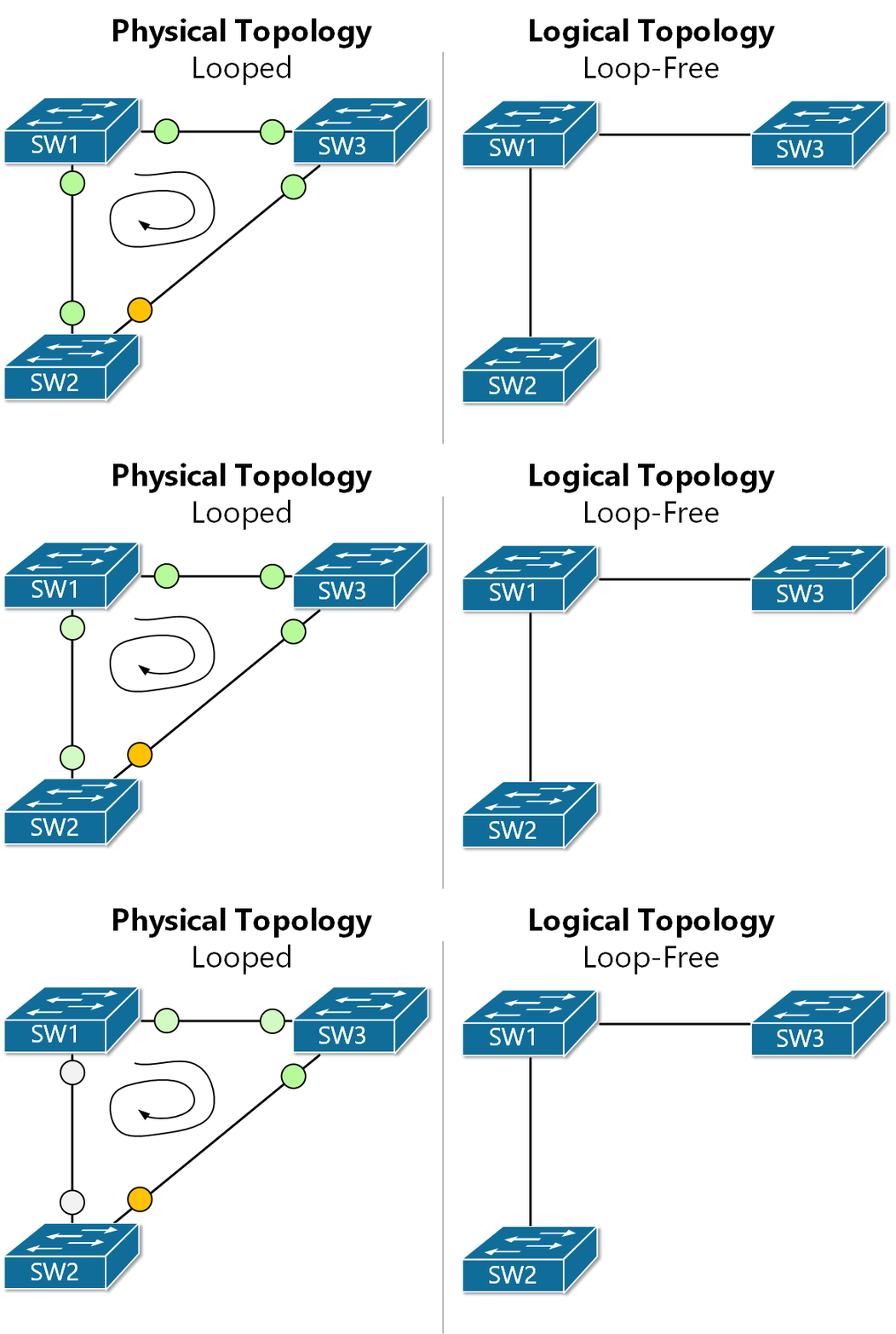
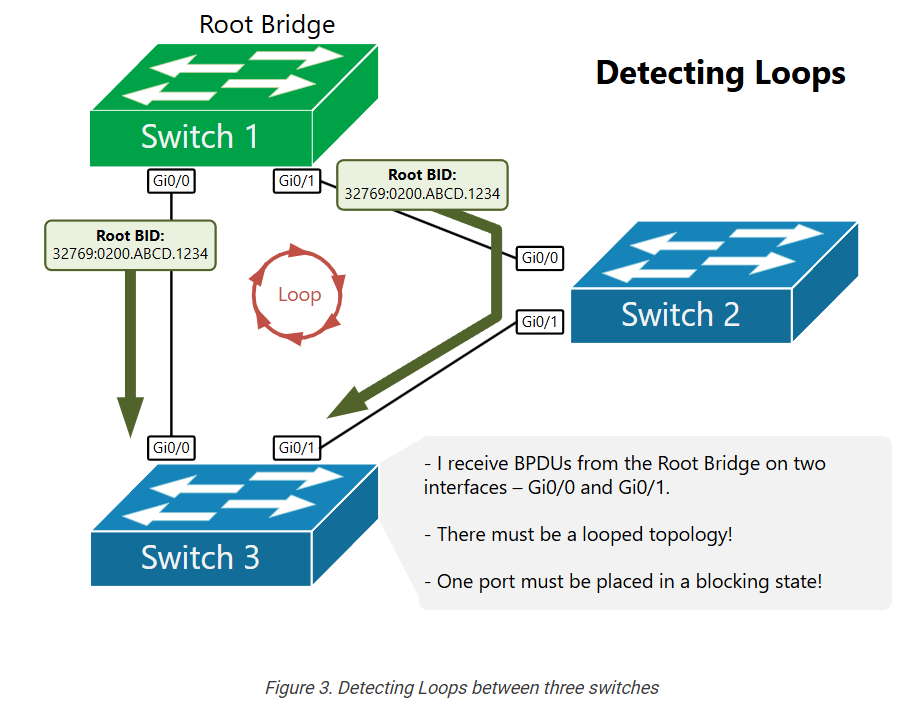
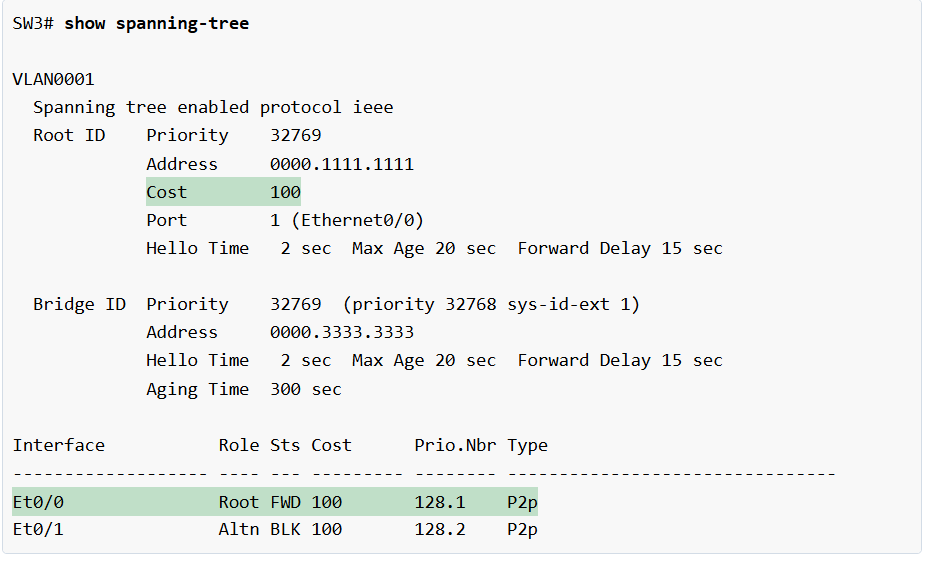
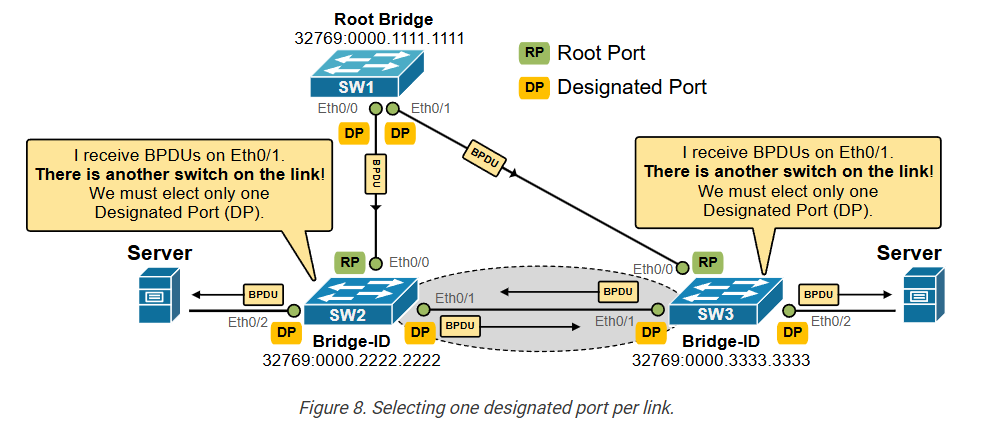
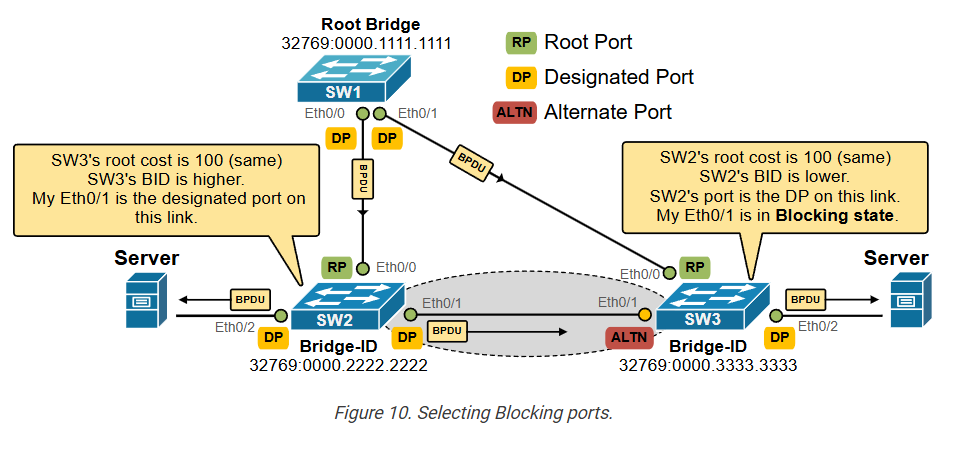
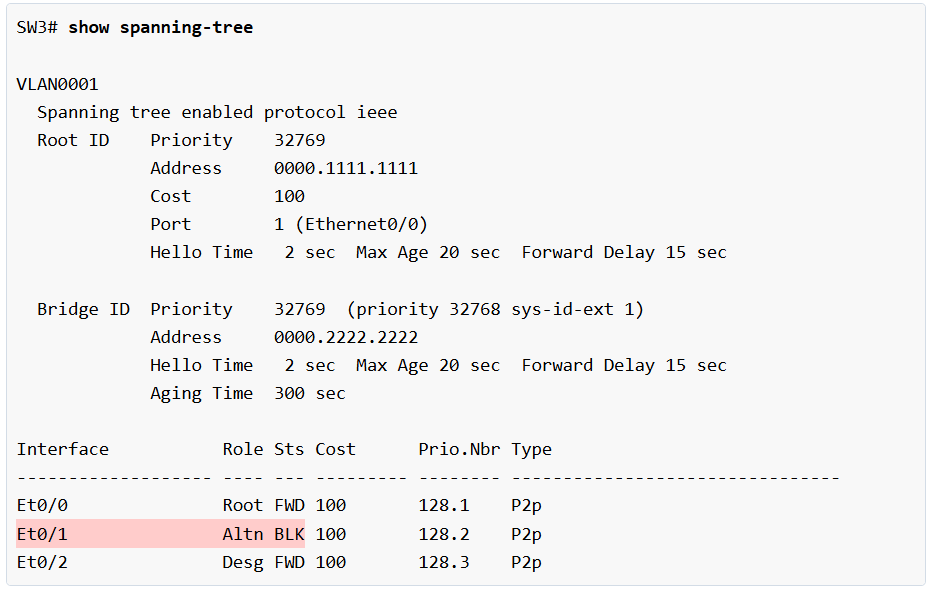
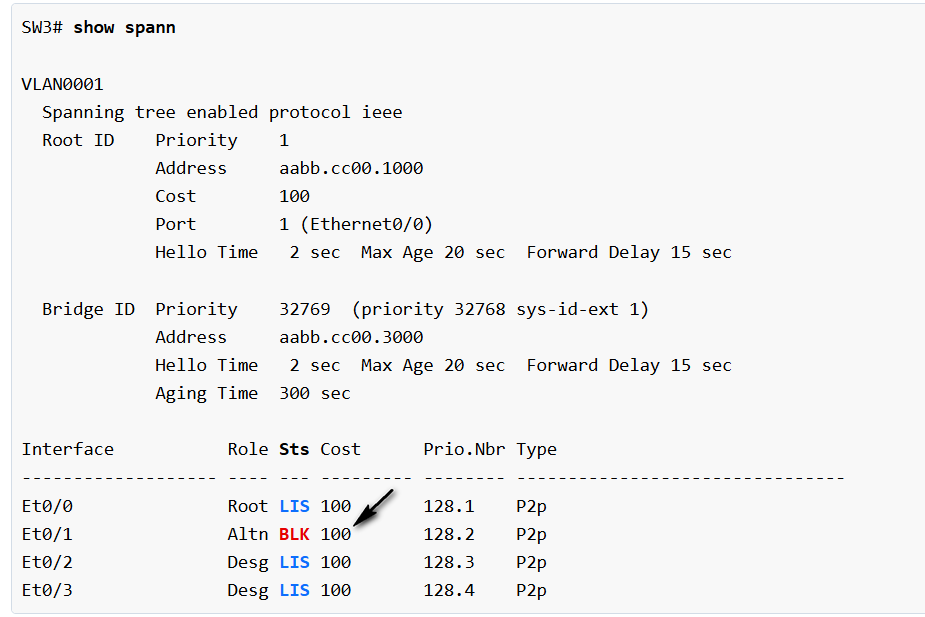
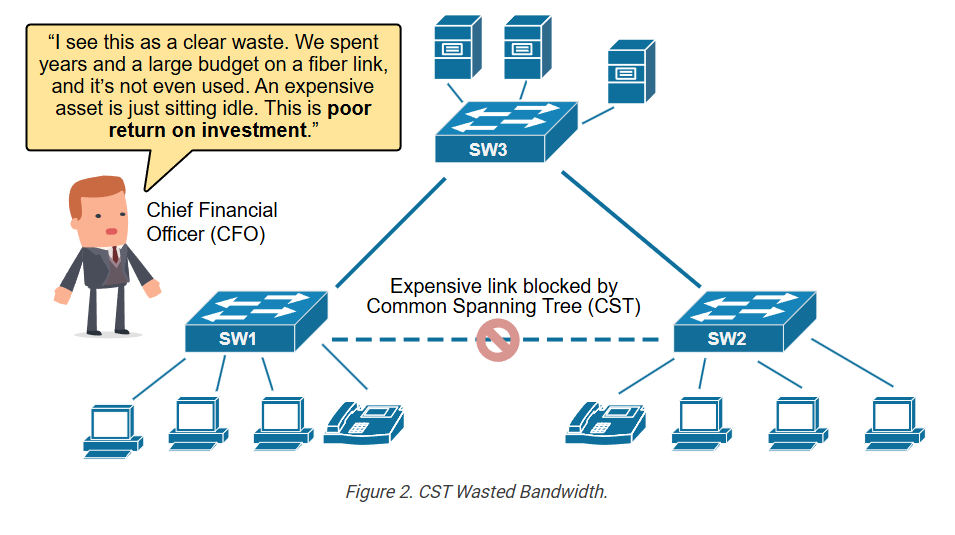
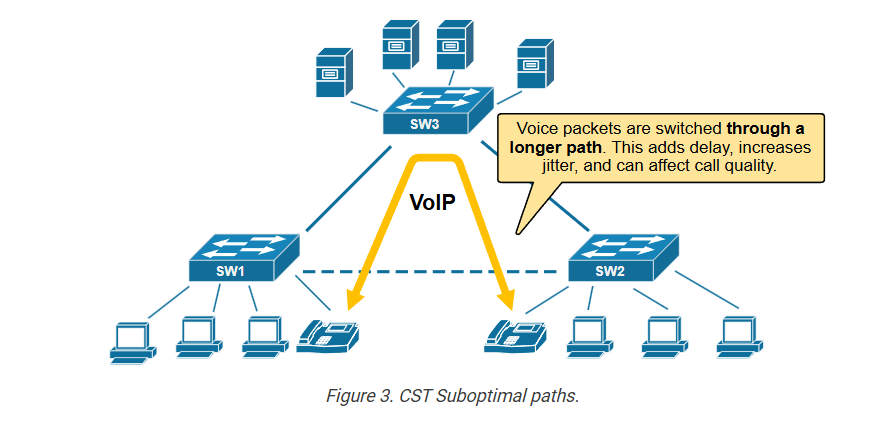
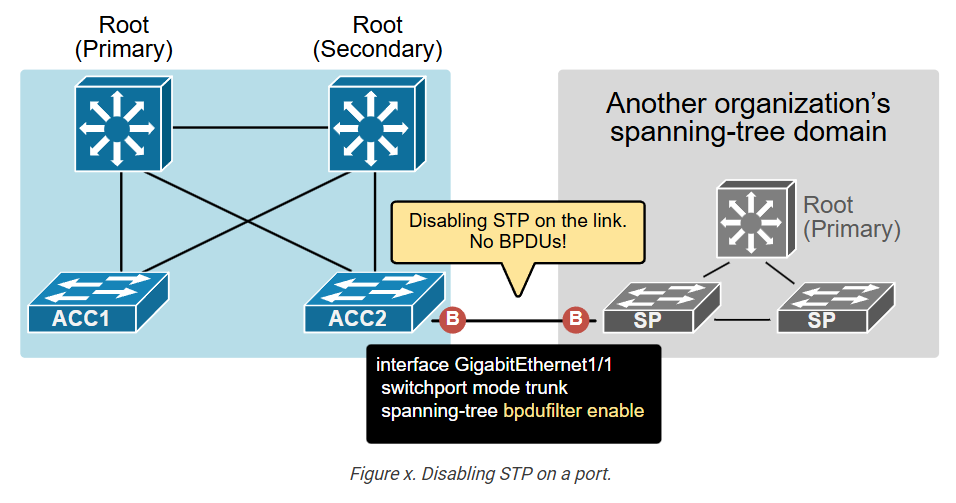
Next, STP selects a Designated Port on each network segment. The Designated Port is responsible for forwarding traffic on that segment. If there is another redundant path that could create a loop, STP places one of those ports into a Blocking state, where it does not forward normal data traffic. By blocking redundant paths, STP removes loops while still keeping backup links available.
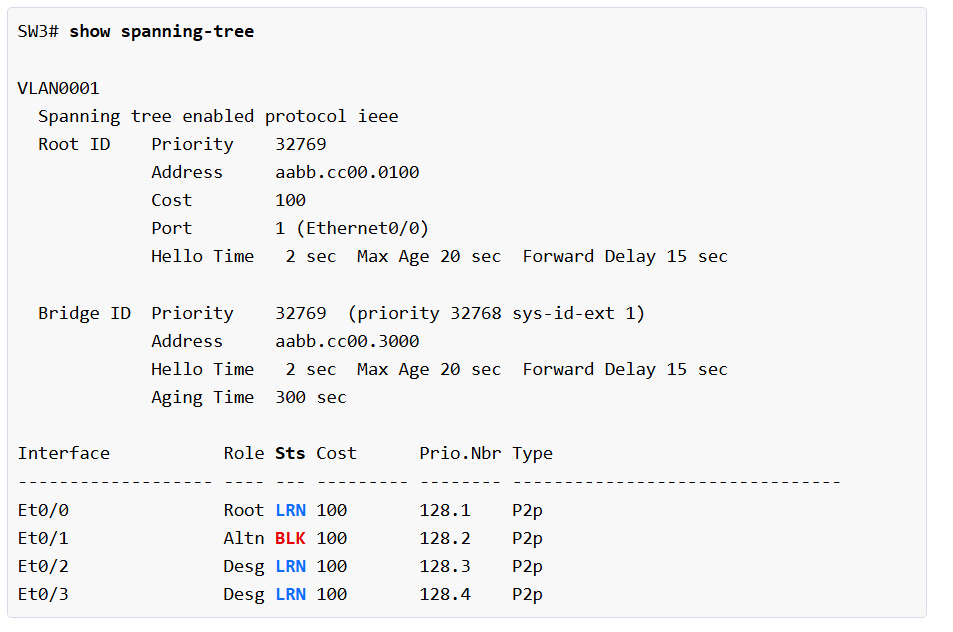
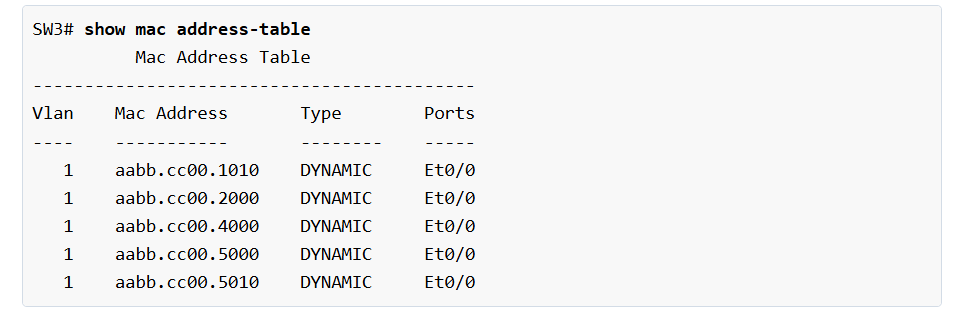
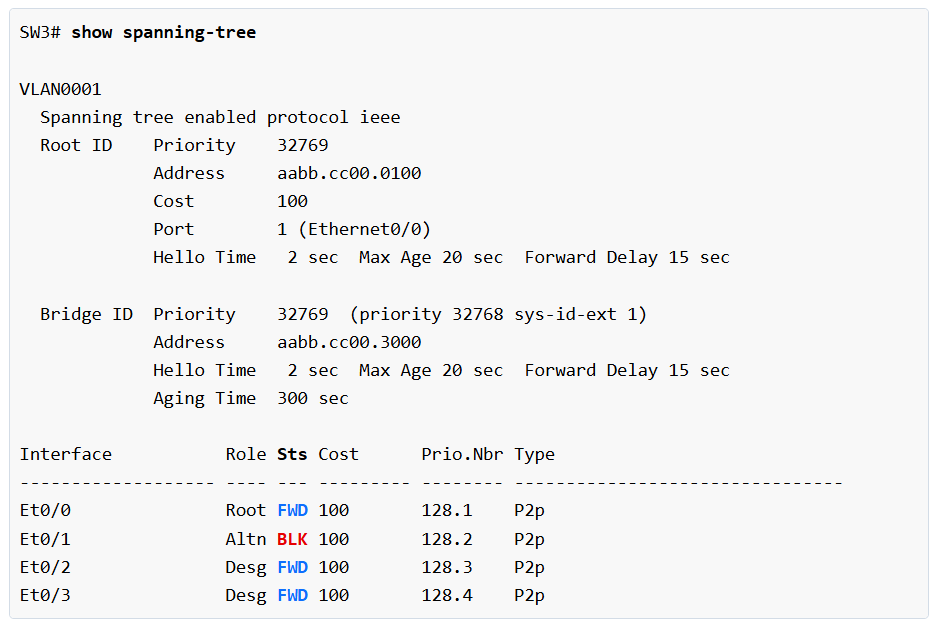
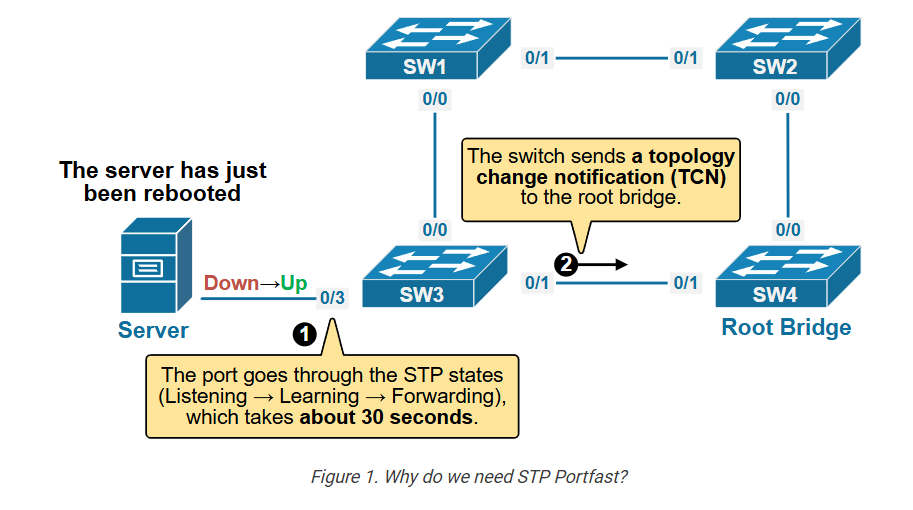
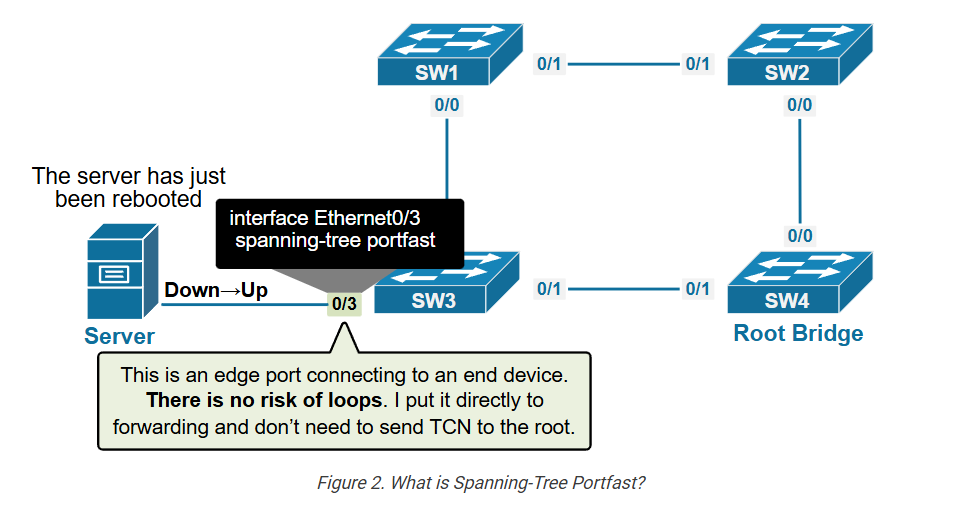
STP ports move through different states before forwarding traffic. These states include Blocking, Listening, Learning, and Forwarding. In Blocking state, the port only listens for BPDU messages. In Listening state, the switch prepares topology information. In Learning state, it starts learning MAC addresses. Finally, in Forwarding state, the port begins sending and receiving normal network traffic. This process helps create a stable and loop-free network.
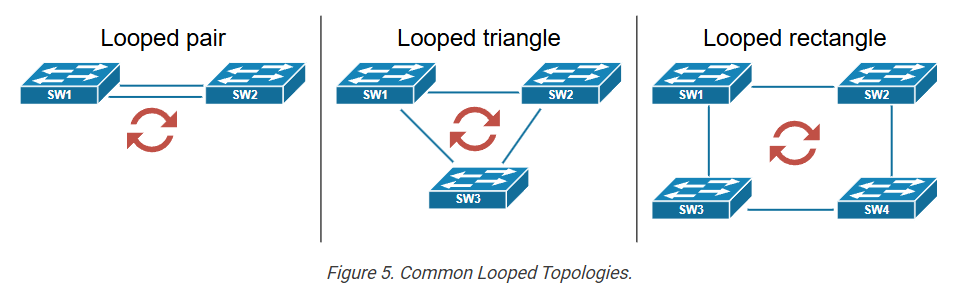
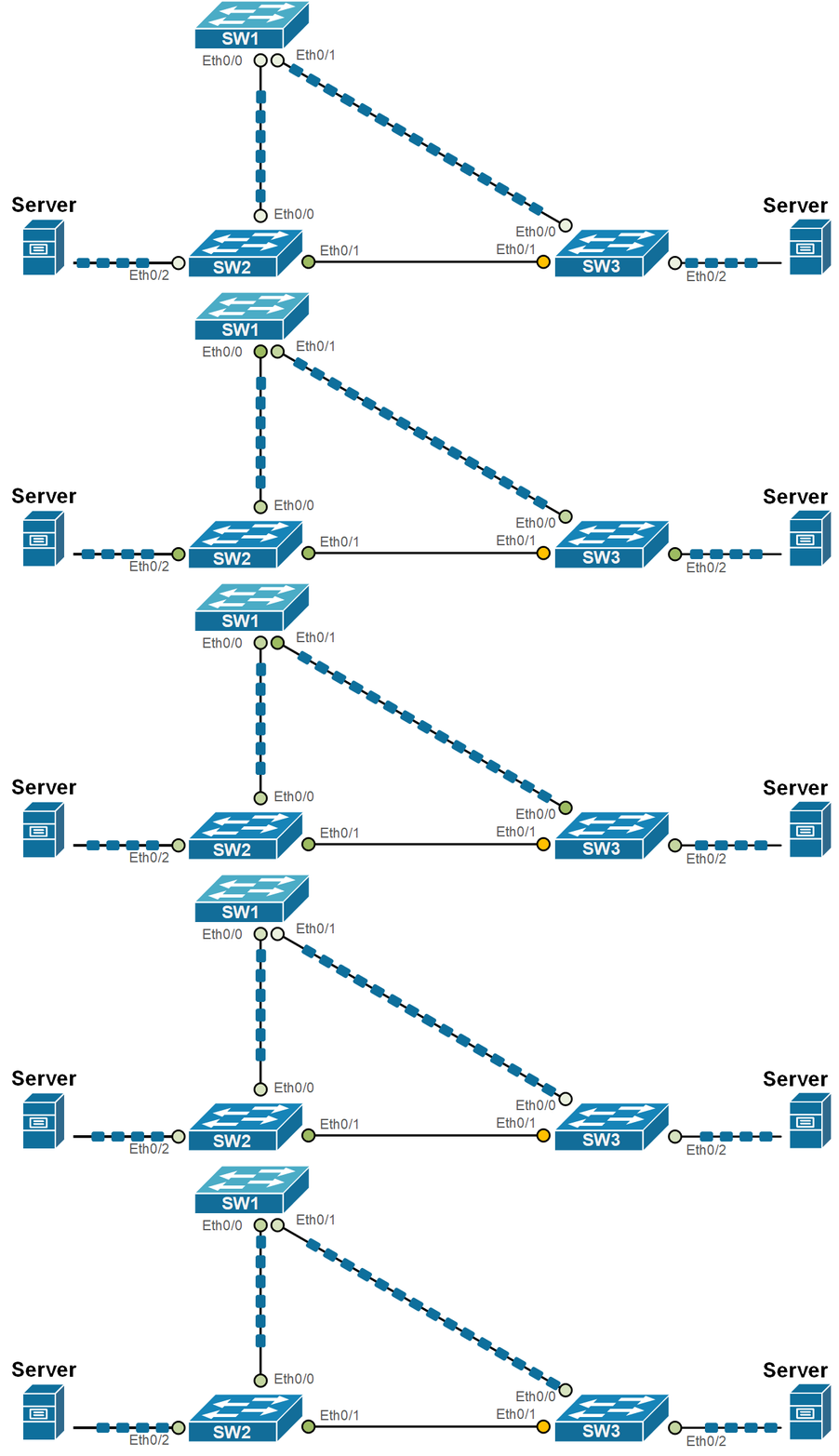
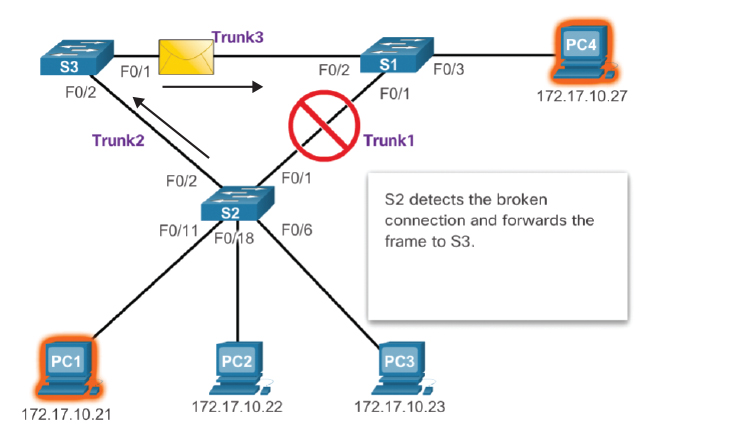
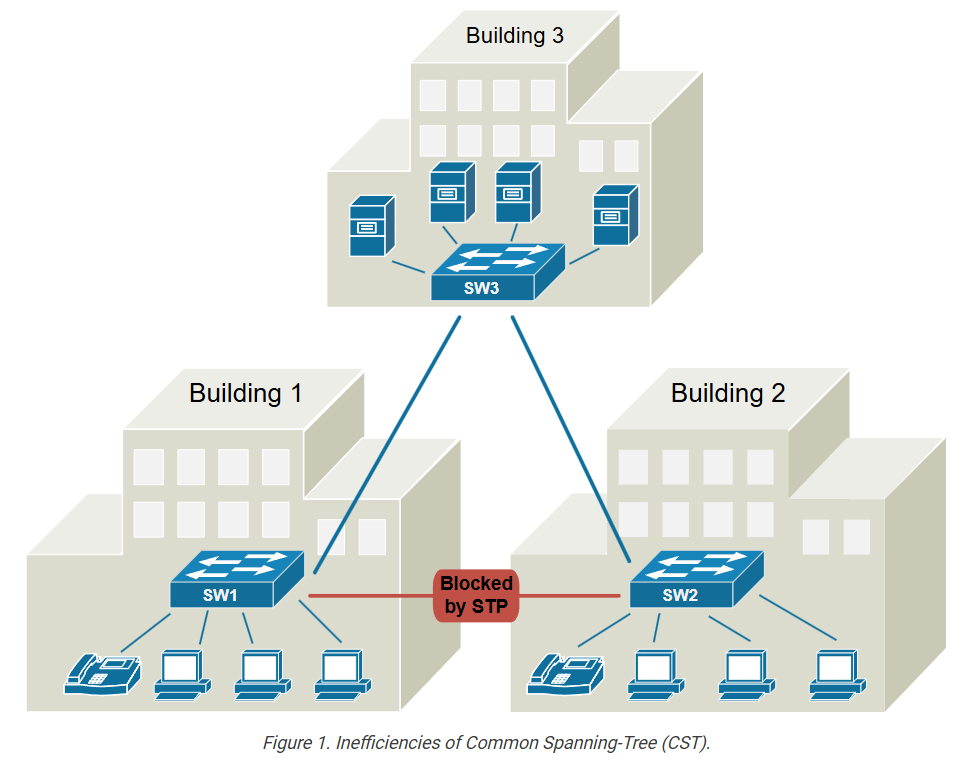
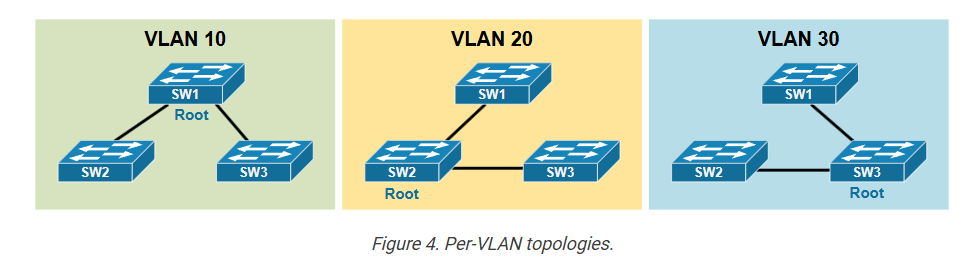
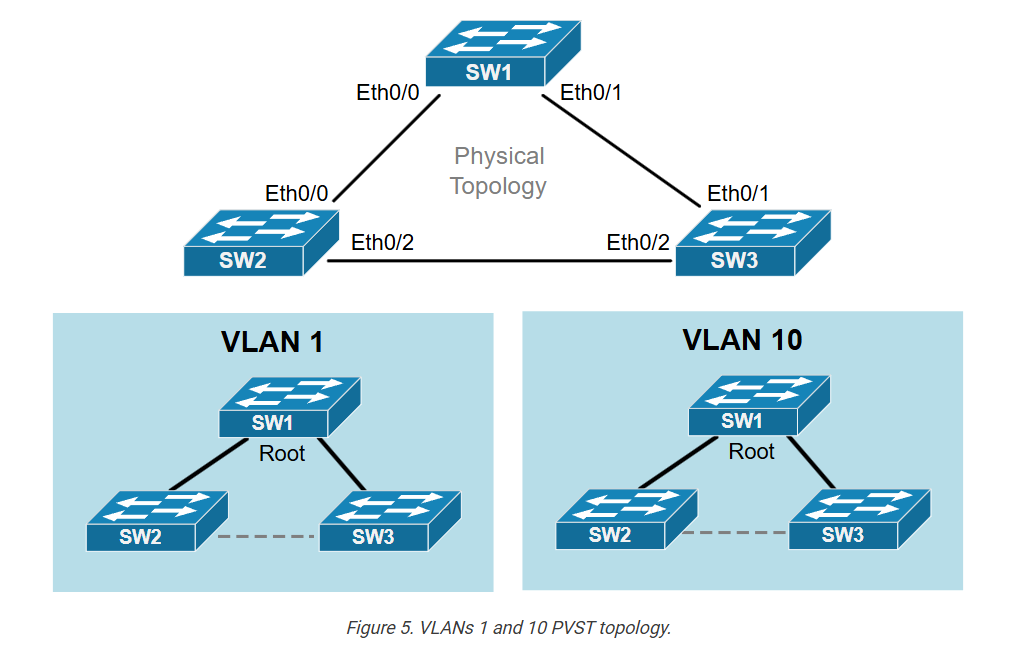
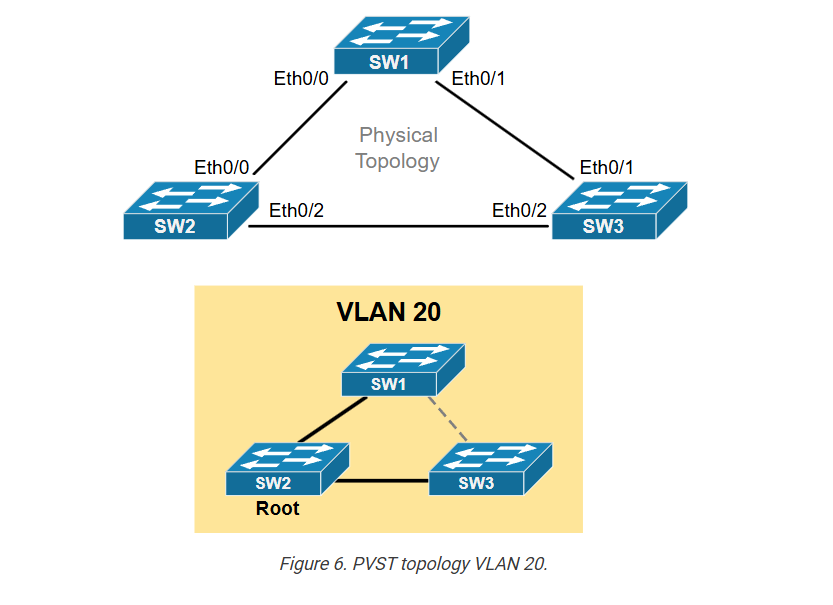
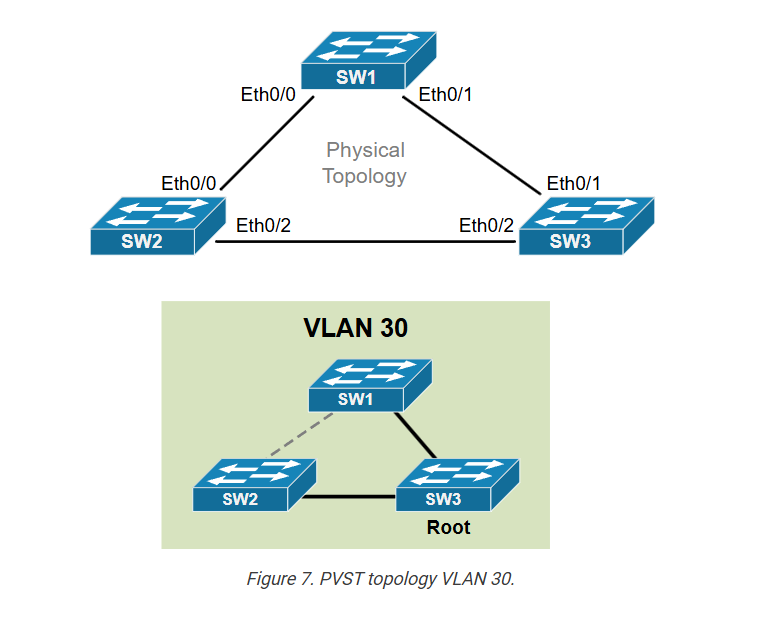
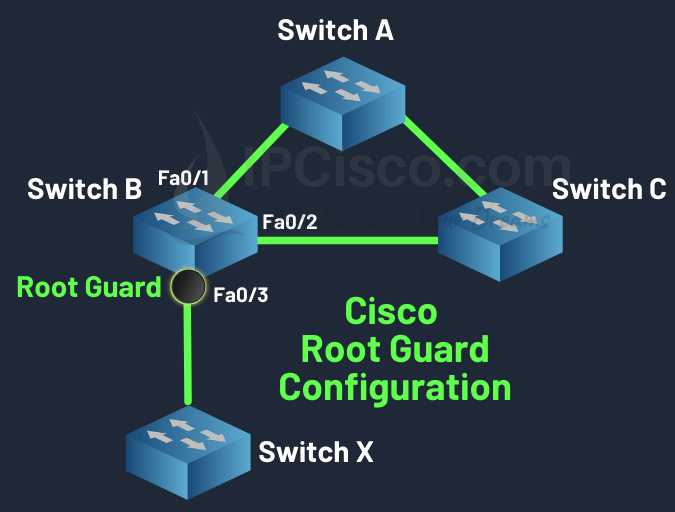
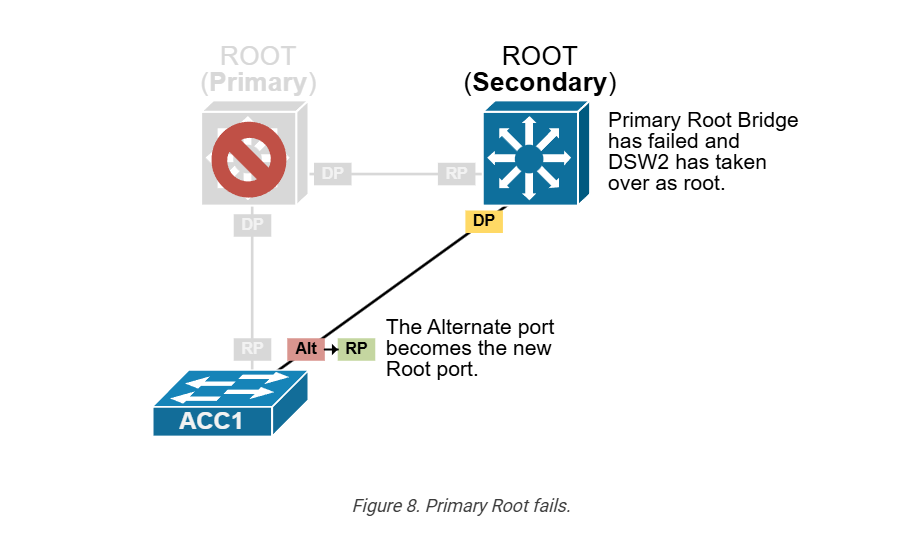
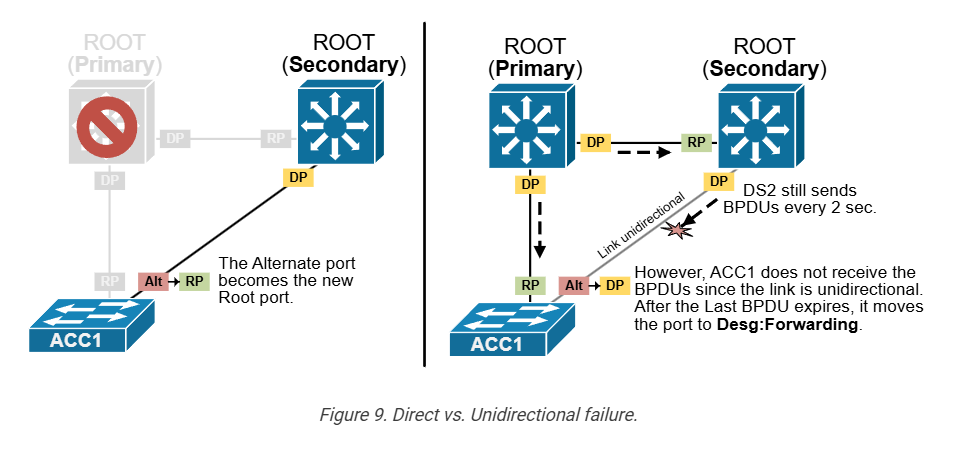
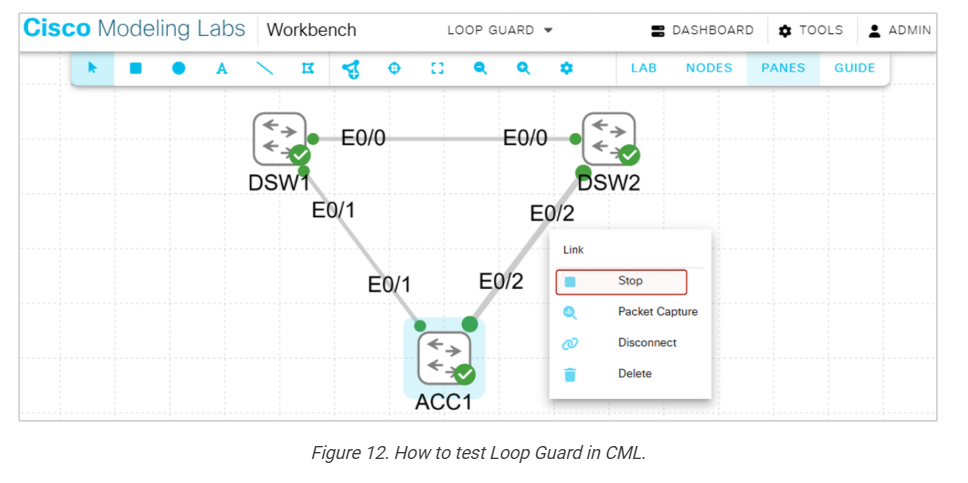
For example, imagine a company network using three switches from Cisco Systems connected in a triangle. Normally, this design creates a loop. STP automatically elects one switch as Root Bridge, chooses the best forwarding paths, and blocks one redundant link. If the active link fails, STP can automatically activate the blocked backup link, keeping the network running without manual intervention.
In short, STP works by electing a Root Bridge, choosing the best communication path, blocking extra loop-causing links, and maintaining a safe backup path for network reliability.
Root Switch Selection Process:?
1. Compare Bridge Priority
Each switch has a Bridge Priority value (default is often 32768).
The switch with the lowest priority is selected as Root Switch.
2. If priority is same → Compare MAC Address
If two switches have the same priority, STP checks their MAC addresses.
The switch with the lowest MAC address becomes Root Switch.
3. Root switch election
After comparison, one switch is elected as the Root Switch, and all other switches calculate the best path toward it.
Example:
Switch A → Priority 32768, MAC 00:11:22:33:44:55
Switch B → Priority 24576, MAC 00:11:22:33:44:66
Switch C → Priority 32768, MAC 00:11:22:33:44:77
Here, Switch B becomes Root Switch because 24576 is the lowest priority.
If all priorities were equal, the switch with the lowest MAC address would become Root Switch.
What is RP DP BP?
RP (Root Port)?
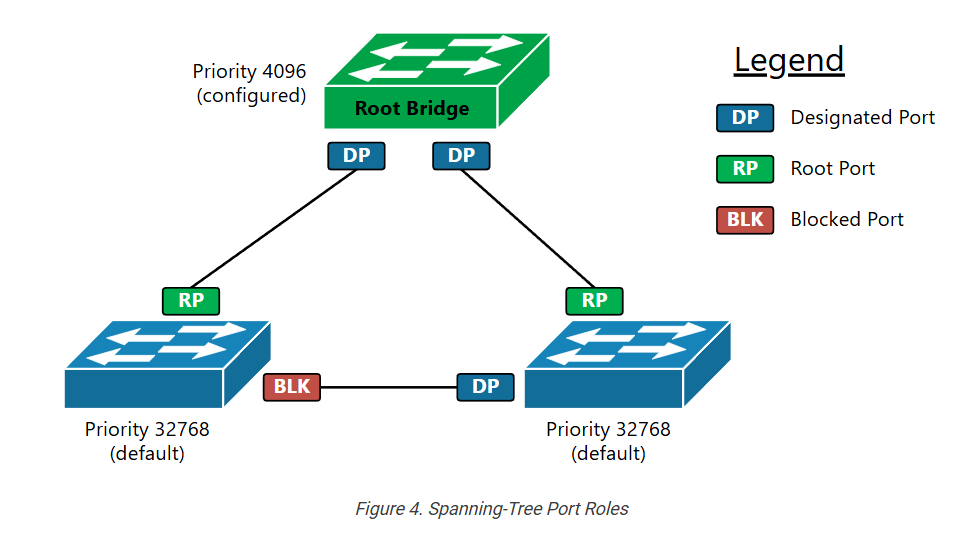
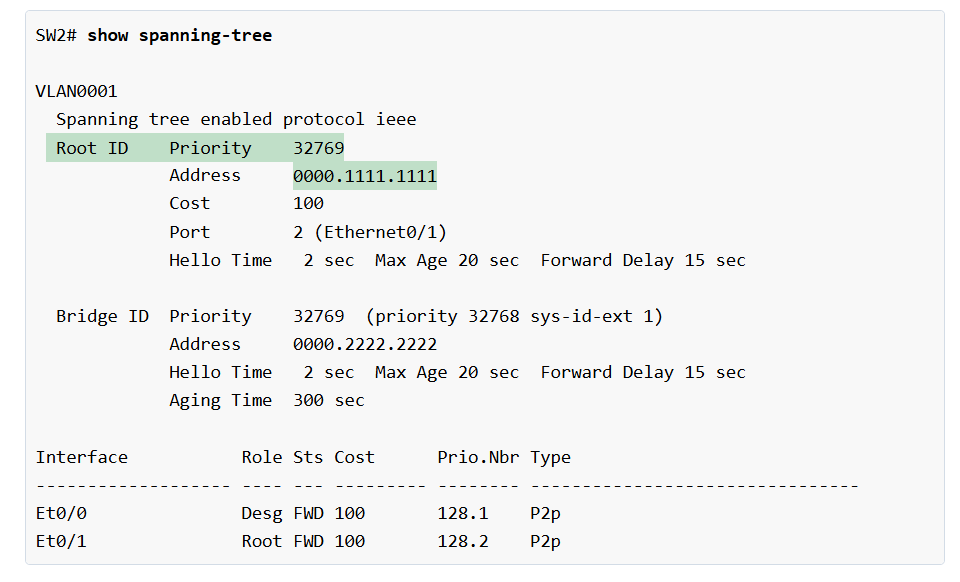
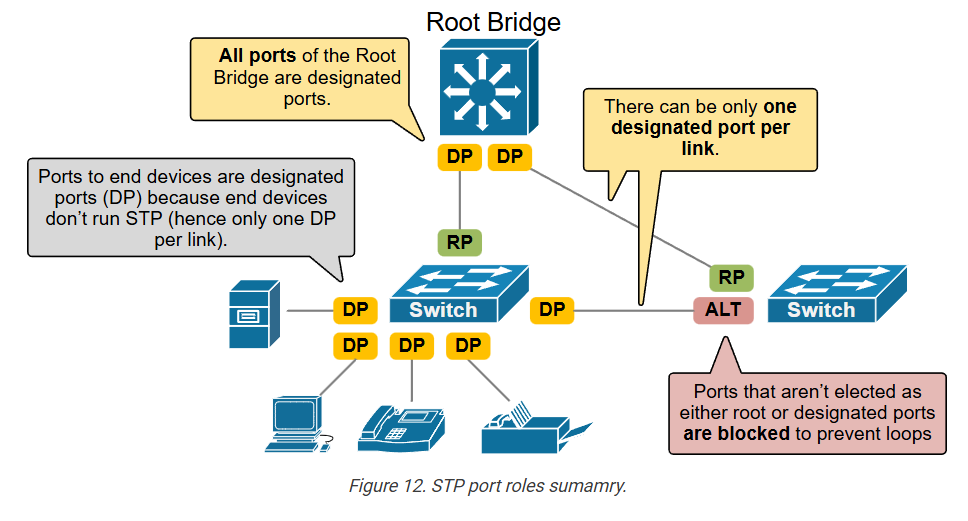
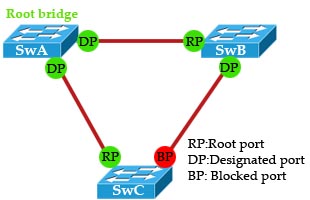
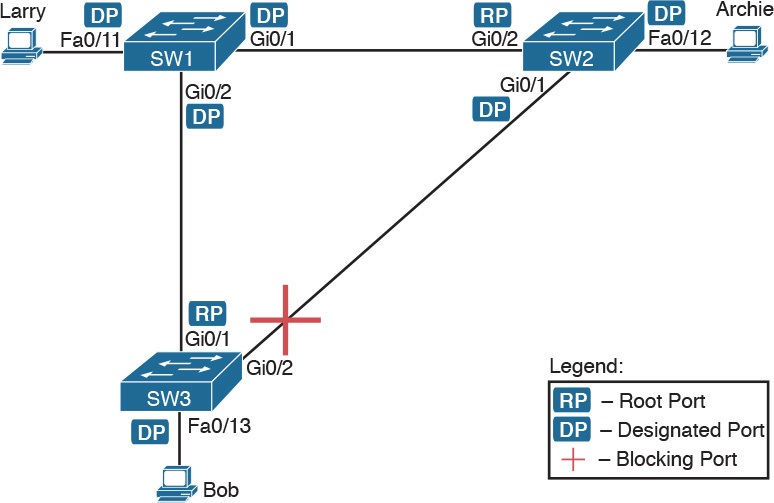
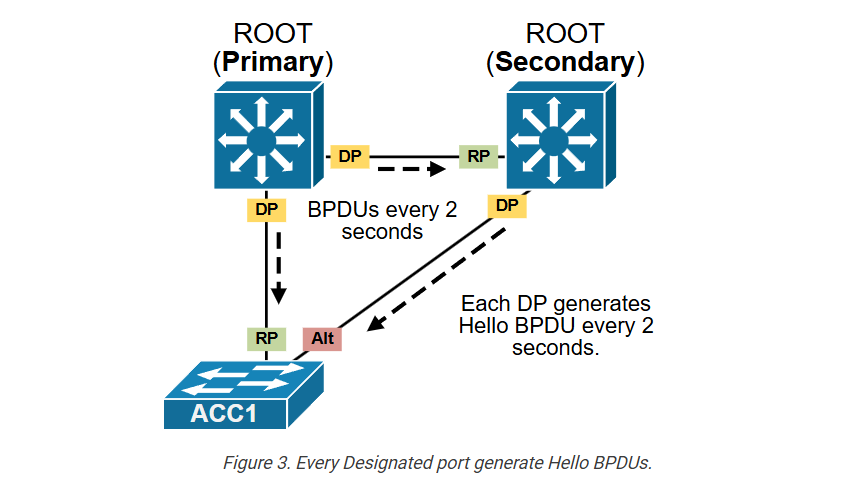
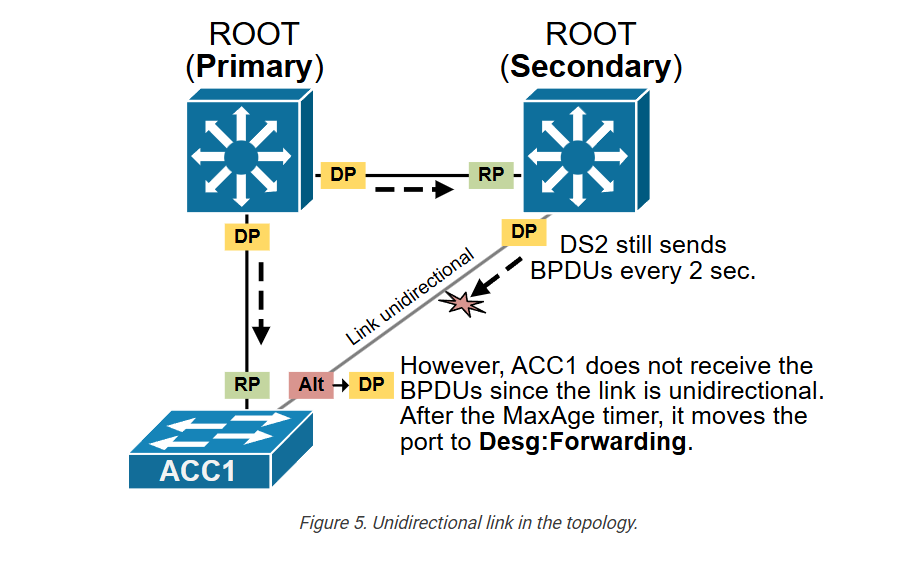
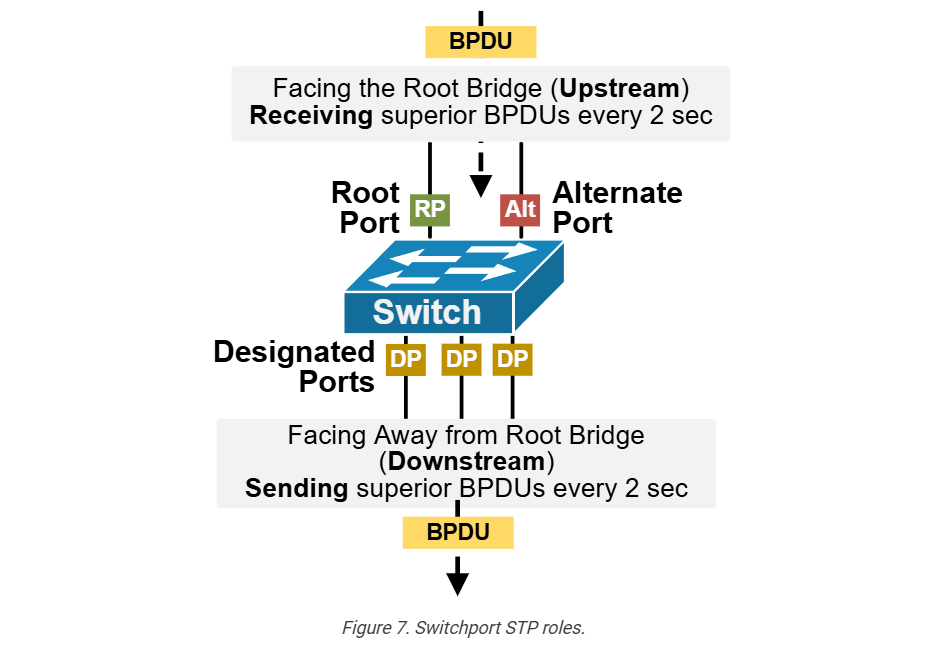
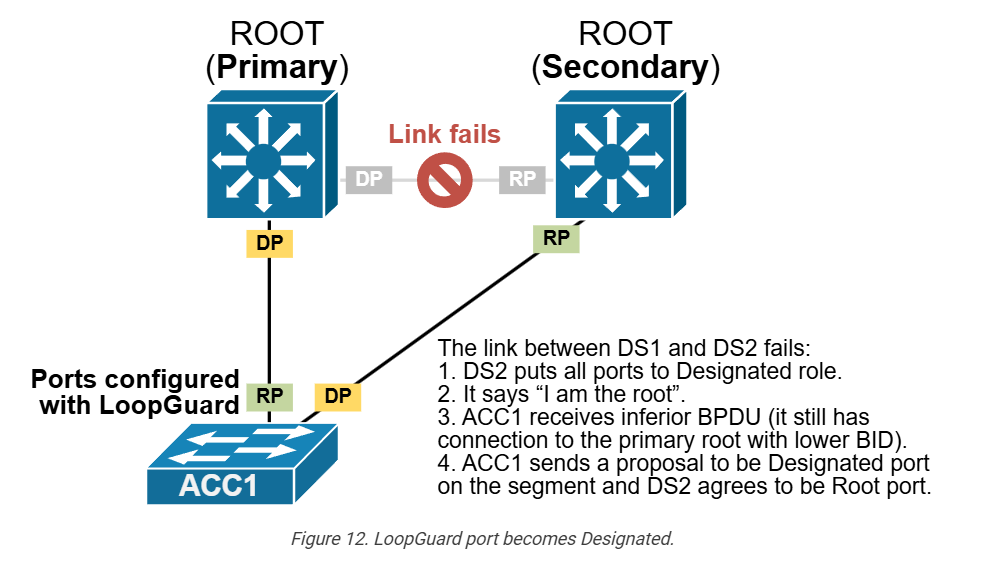
A Root Port is the port on a non-root switch that has the shortest and best path to the Root Switch. Every non-root switch has only one Root Port. This port is used to send traffic toward the root switch and remains in forwarding state.
DP (Designated Port)?
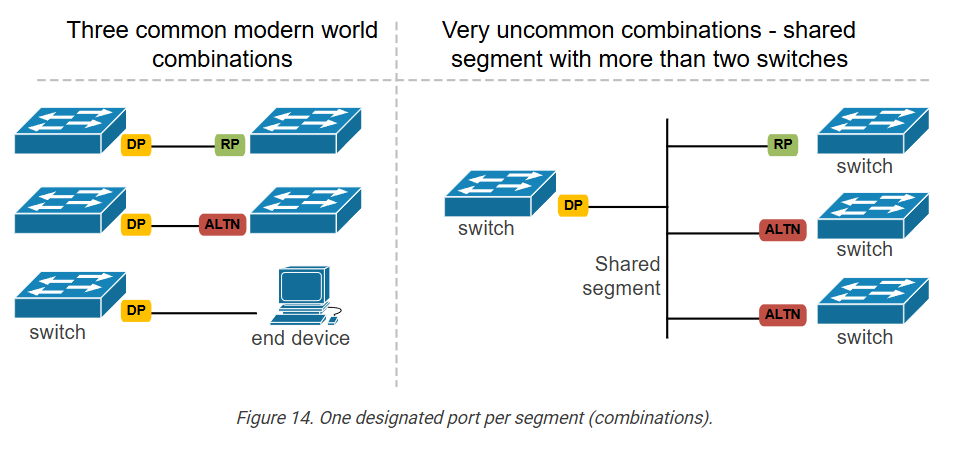
A Designated Port is the best port on a network segment chosen by Spanning Tree Protocol (STP) to forward traffic. This port handles communication on that segment and stays active in forwarding mode.
BP (Blocked Port)?
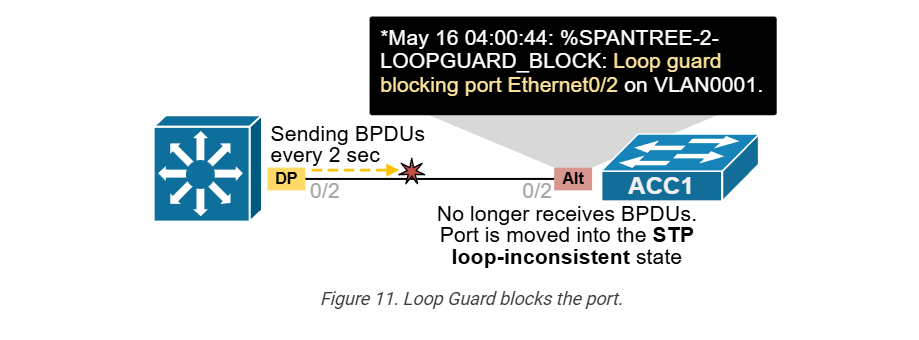
A Blocked Port is a port placed in blocking state by STP to prevent network loops. It normally does not forward traffic, but it acts as a backup link. If the active path fails, the blocked port can become active automatically.
Example
Suppose Switch A is the Root Switch, and Switch B and Switch C are connected to it. The ports on Switch B and Switch C that connect toward Switch A become Root Ports (RP). On each segment, one port becomes the Designated Port (DP) for forwarding traffic. If there is an extra connection between Switch B and Switch C, STP blocks one side of that link, making it a Blocked Port (BP) to stop looping traffic.
What is Switch BPDU?
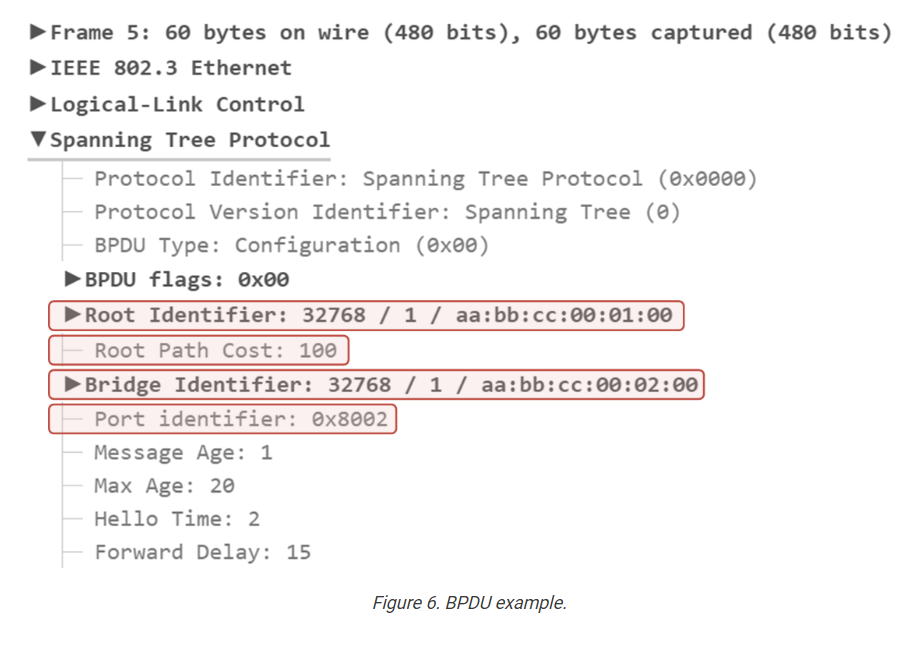
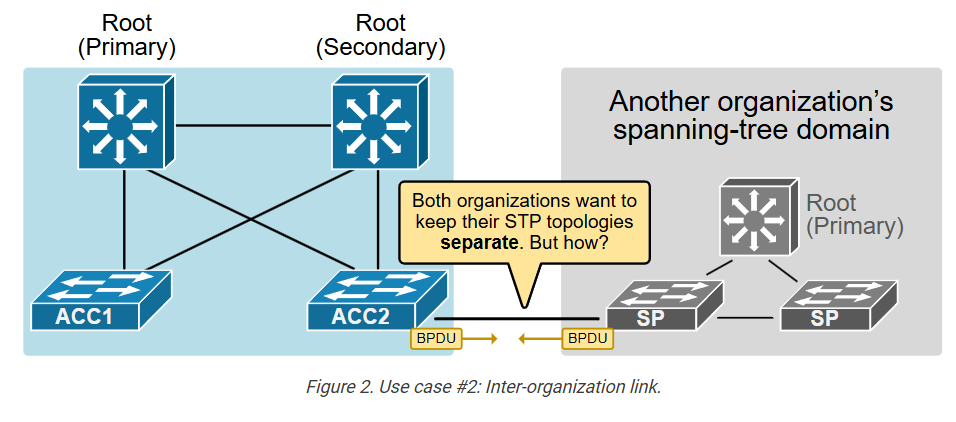
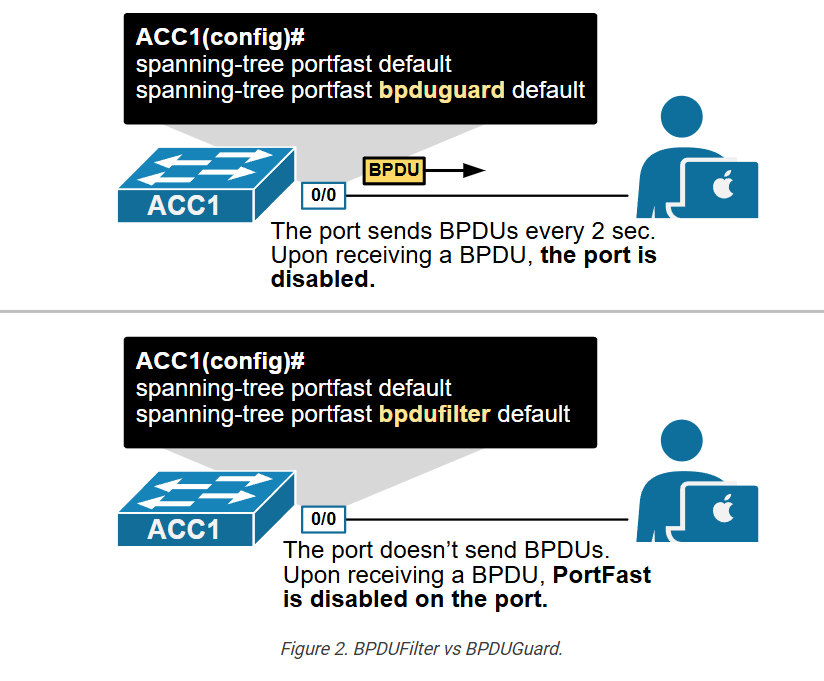
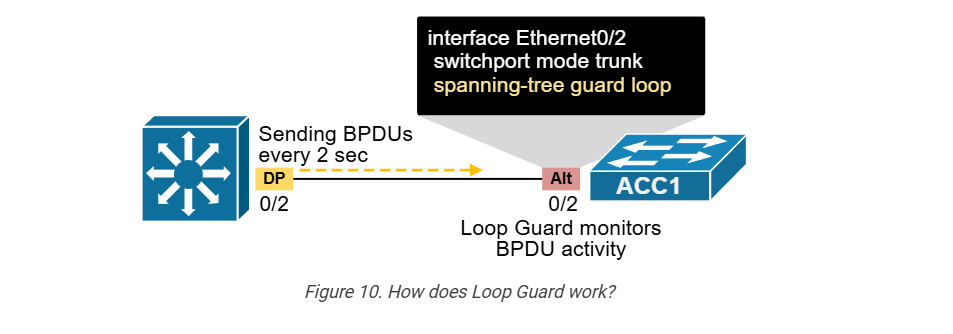
BPDU (Bridge Protocol Data Unit) is a control message sent between network switches in Spanning Tree Protocol networks. It helps switches communicate with each other and build a loop-free network path.
Purpose of BPDU?
The main purpose of BPDU is to prevent network loops. When multiple cables connect switches, loops can happen. Loops cause broadcast storms, duplicate packets, and network slowdown. BPDU helps switches decide which path should stay active and which path should be blocked.
How BPDU Works
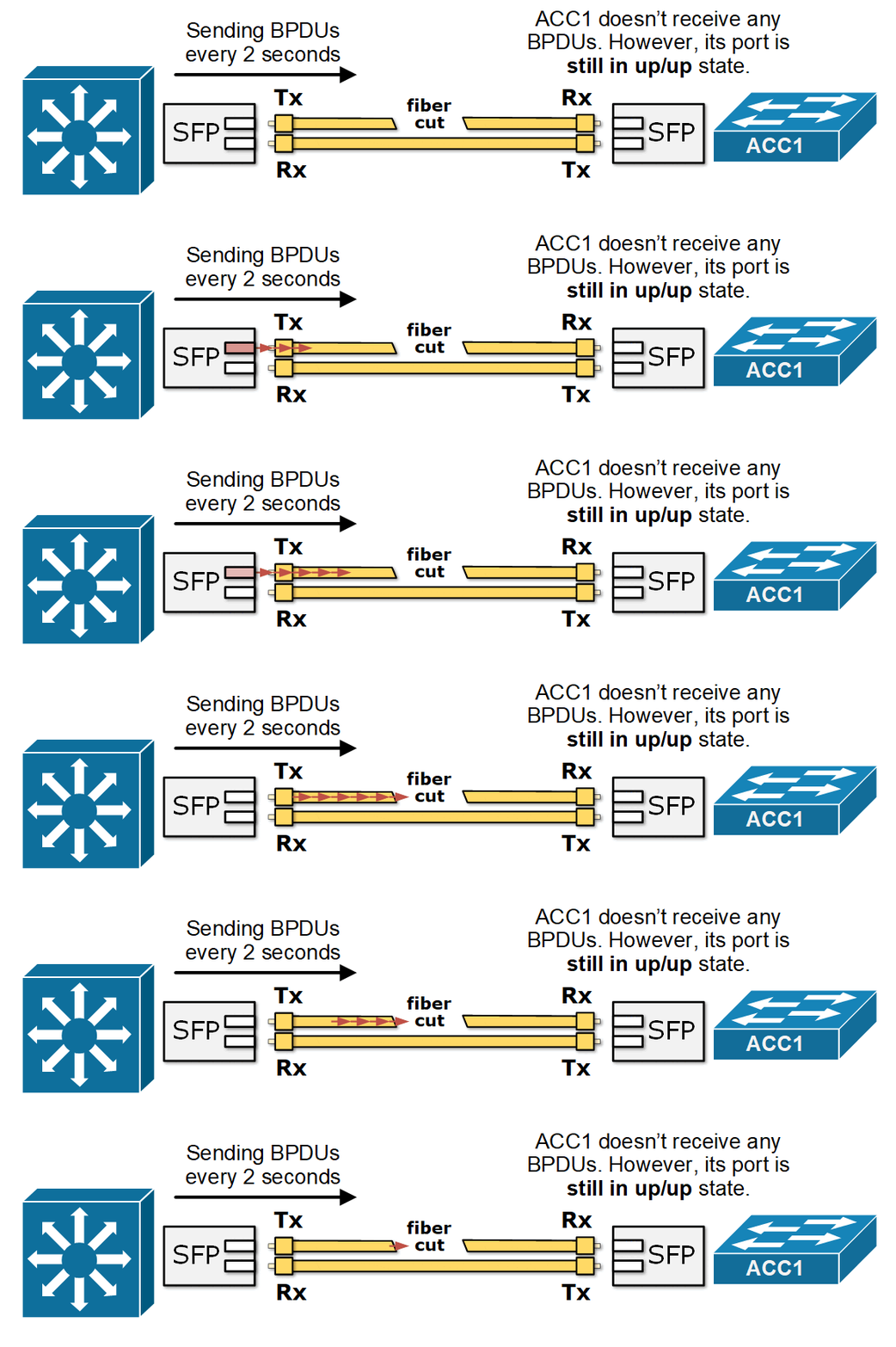
Each switch sends BPDU messages to neighboring switches regularly. These messages contain switch information such as:
- Bridge ID (switch identity)
- Root Bridge ID
- Path cost
- Port priority
- Timer values
By comparing this information, switches decide the best path for traffic.
Root Bridge Selection?
BPDU helps elect one switch as the Root Bridge. The switch with the lowest Bridge ID becomes root. All other switches calculate the shortest path to reach the root switch.
Port Role Decision?
Using BPDU, switches assign port roles:
- Root Port – Best path toward root bridge
- Designated Port – Forwarding port on network segment
- Blocked Port – Stops traffic to prevent loops
BPDU Example:
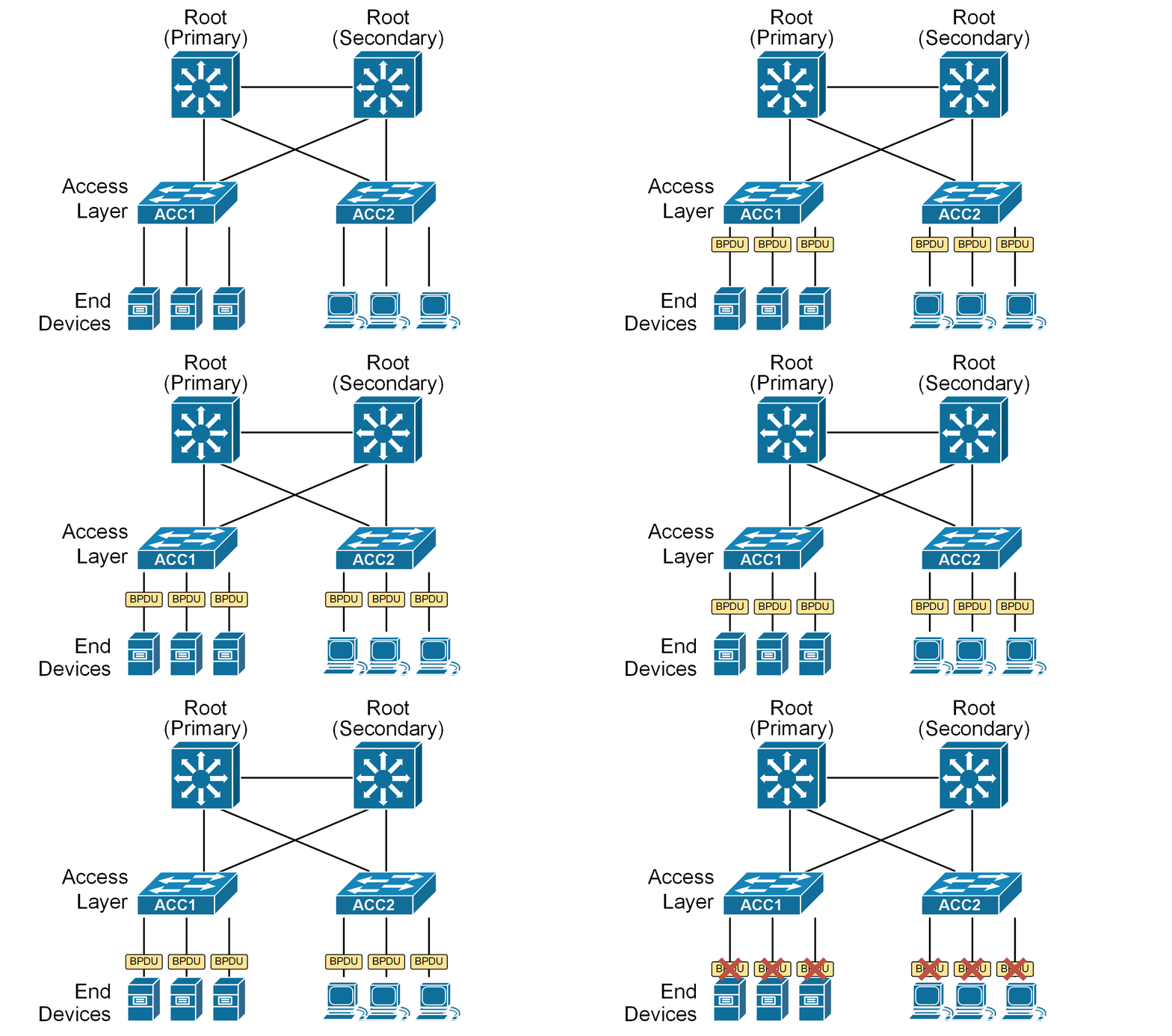
Imagine three switches connected in triangle shape. This creates a loop. Switches exchange BPDUs, elect one root bridge, and block one port. Now traffic flows in one active path, and loop is prevented.
Simple Meaning?
In short, BPDU is like a communication message between switches that helps STP keep the network safe, organized, and loop-free.