
Firewall Quick Guide
What is a Firewall?
A firewall is a network security device or software that monitors and controls incoming and outgoing network traffic based on predefined security rules. It protects a computer or network from unauthorized access, malicious traffic, and potential cyber threats
OR
A firewall is a network security system that monitors and controls incoming and outgoing network traffic based on predefined security rules. It acts as a security barrier between a trusted internal network and an untrusted network such as the Internet.
A firewall checks traffic such as IP addresses, ports, protocols, applications, and connections to determine whether the traffic should be allowed or blocked. For example, it may allow HTTPS traffic on port 443 while blocking unauthorized connections to internal systems.
In an organization, a firewall can protect users, servers, applications, and network resources from unauthorized access and various network-based threats. Modern firewalls can also provide features such as Application Control, Web Filtering, Antivirus, IPS, VPN, NAT, and SSL Inspection.
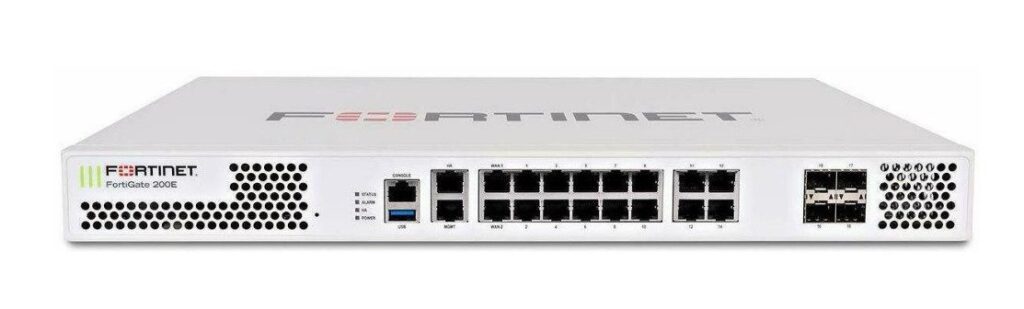
Real Example: A company uses a FortiGate firewall between its LAN and the Internet. Employees can access approved websites and applications, while unauthorized applications and suspicious incoming connections are blocked according to company security policies.
Example: Port Scanning Attack
An attacker on the Internet scans a company’s public IP address to find open ports such as 22 (SSH), 3389 (RDP), or 443 (HTTPS). The firewall detects the unauthorized connection attempts and can block or limit the suspicious traffic.
Example: Brute-Force Attack
An attacker repeatedly tries different usernames and passwords to access an exposed server. The firewall can detect repeated connection attempts and block the attacker’s IP address or apply rate-limiting rules.
Example: DDoS Attack
An attacker sends a very large amount of traffic toward a company’s public IP. The firewall or upstream protection can identify abnormal traffic and help filter or mitigate it so legitimate users can continue accessing the service.
How Does a Firewall Work?
A Firewall Works by Checking Network Traffic against predefined Security Rules and deciding whether the traffic should be Allowed or Blocked.
When a user sends a request to the Internet, the traffic first reaches the firewall. The firewall checks information such as the source IP, destination IP, port, protocol, and application.
The firewall then compares the traffic with its security policies. If the traffic matches an Allow rule, the firewall forwards it to the destination. If it matches a Deny/Block Rule, the firewall Drops The Traffic.
For Example, an employee accesses a website using HTTPS (TCP 443). If the firewall policy allows HTTPS traffic, the firewall permits the connection. If the employee tries to use a blocked application such as Torrent, the firewall can identify the application and block it.
For incoming traffic, the firewall also checks whether the connection is authorized. For example, if an attacker tries to connect to an internal PC using RDP port 3389 without an appropriate firewall rule, the firewall blocks the connection.
Modern firewalls can perform additional security inspection using features such as IPS, Antivirus, Web Filtering, Application Control, SSL Inspection, and URL Filtering.
Firewall Blocking Facebook, YouTube & Adult Websites
A company uses a FortiGate firewall to control employees’ Internet access. The IT administrator creates a Web Filter Policy and Blocks Categories such as Social Media, Streaming Media, and Adult/Mature Content.
When an employee tries to open Facebook, the firewall identifies the website/category and blocks the request. The user receives a “Website Blocked” message.
Similarly, if the company wants to restrict YouTube, the firewall can block YouTube through Web Filtering or Application Control. Employees will not be able to access YouTube according to the configured policy.
For Adult Websites, the Administrator enables the Adult/Mature Content category in the Web-Filtering Profile. When a user attempts to visit a website classified in that category, the firewall blocks the connection.
Simple Flow:
Employee PC → Firewall → Web Filter → Check Website Category → Allow / Block
Blocking Trojan/Malicious File Downloads
A company uses a FortiGate firewall to protect employees from malicious downloads. When a user downloads a file from the Internet, the firewall can inspect the traffic using Antivirus and Security Inspection.
If the downloaded file is identified as a Trojan, malware, or malicious file, the firewall blocks the download before it reaches the user’s computer and generates a security log.
For example, an employee clicks a suspicious email link and tries to download a malicious .exe file. The firewall scans the file, detects the malware signature, and Blocks the Download.
Simple flow:
User → Internet → Firewall → Antivirus Scan → Malicious File Detected → Block + Log
Content Filtering
Content Filtering is a firewall security feature that controls access to Internet content based on website categories, keywords, file types, or content.
What Does File Type Mean?
File type means the format or extension of a file, such as:
.exe→ Executable program.zip/.rar→ Compressed files.pdf→ PDF document.docx→ Word document.jpg/.png→ Image files.mp4→ Video file
Real Example: A company may configure the firewall to block .exe and .zip downloads from untrusted websites to reduce the risk of malware or ransomware entering the network.
Real Example: File-Type Filtering
A company wants to prevent employees from downloading potentially dangerous files from the Internet. The firewall’s Content Filtering policy blocks certain file types.
For Example, .exe files are blocked because they can contain malicious programs. .zip and .rar files may also be blocked because attackers can hide malware inside compressed files.
At the same time, normal business files such as .pdf and .docx are allowed.
Ransomware Virus Attack Protection
A company has 200 employees connected through a FortiGate firewall. An employee accidentally downloads a ransomware file from a malicious website or email link.
The firewall’s Antivirus, Web Filtering, IPS, and Application Control features can inspect the traffic and block known malicious files, URLs, or suspicious connections. If the infected PC tries to communicate with a known malicious Command-and-Control (C2) server, the firewall can block that connection and generate a security log.
Example: Employee PC → Malicious Website → Firewall → Malware Detected → Download Blocked → Security Log
What is Ransomware?
Ransomware is a type of malware that encrypts a victim’s files or locks their system and demands money (a ransom) to restore access.
Example: An employee opens a malicious attachment, ransomware infects the PC, encrypts company files, and displays a message demanding payment to unlock them.
Firewall DLP Protection
DLP (Data Loss Prevention) is a security technology that prevents sensitive company data from being stolen, leaked, copied, or sent to unauthorized locations.
Real Example:
An employee tries to send a confidential customer database or financial report to a personal Gmail account. The firewall/DLP system detects sensitive information and blocks the upload or email, while recording the event in the security log.
Simple flow:
Employee → Sensitive Data → DLP Check → Block / Allow + Log
Employee Monitoring
A company can use a firewall and security monitoring system to monitor employees’ network activity. The IT team can see which websites and applications are being accessed, bandwidth usage, blocked activities, and security events.
Real Example:
An employee tries to access Facebook, YouTube, or an adult website. The firewall records the user, website/category, time, and action (allowed or blocked) in the logs.
Simple Flow:
Employee PC → Firewall → Monitor Traffic → Allow/Block → Logs & Reports
Application Control: Facebook Chat Block
A company can use Application Control on a firewall to allow employees to access Facebook, while blocking specific Facebook features such as Facebook Chat/Messenger.
Example: An employee can open and view Facebook, but when they try to use Chat/Messenger, the firewall identifies the application/service and blocks it according to the security policy.
Simple Flow:
Employee → Facebook → Application Control → Facebook Allowed → Chat/Messenger Blocked
WhatsApp: Text Allowed, Audio/Video Calls Blocked
A company can use Application Control on a Next-Generation Firewall to allow WhatsApp Messaging while Blocking WhatsApp Voice and Video Calling, if the firewall can identify those specific WhatsApp services.
Example: Employees can send and receive WhatsApp text messages, but when they try to make a voice or video call, the firewall blocks the calling service.
Simple Flow:
Employee → WhatsApp → Application Control → Text: Allow | Voice/Video Call: Block
Network Port Control
A firewall can allow or block network ports based on company requirements. Only the ports required for business services should be opened; unnecessary ports should remain blocked.
- FTP – Port 21: Allow only if FTP is required.
- RDP – Port 3389: Allow only for authorized users or VPN users.
- SSH – Port 22: Allow only for administrators.
- DNS – Port 53: Allow DNS traffic to approved DNS servers.
- DHCP – UDP 67/68: Allow for devices that need DHCP.
- Unused Ports: Keep them blocked to reduce the attack surface.
Problems with Opening Extra Ports?
Opening unnecessary ports can increase the company’s attack surface. Attackers can scan these ports and try to exploit vulnerable services.
For example, if RDP (3389) is unnecessarily exposed to the Internet, attackers may attempt brute-force Attacks or Exploit Vulnerabilities. Similarly, an exposed SSH (22) service can become a target for unauthorized login attempts.
Best practice: Keep unnecessary ports closed and allow only the ports and sources required for legitimate business services.
Bandwidth Control / Traffic Shaping
Bandwidth Control, also called Traffic Shaping, is a firewall feature used to control and manage how much network bandwidth different users, applications, or services can use.
Real Example:
A company has a 500 Mbps Internet connection. During office hours, employees start Watching YouTube, causing business applications to become slow. The IT team configures traffic shaping to limit YouTube/streaming traffic to 50 Mbps while giving higher priority to ERP, VoIP, and Microsoft 365 traffic.
Example Policy:
- ERP → High Priority
- VoIP → High Priority
- Microsoft 365 → Normal/High Priority
- YouTube → Limited to 50 Mbps
- Downloads/Torrent → Very Low or Blocked
Simple Flow:
Users → Firewall → Identify Traffic → Apply Bandwidth Policy → Internet
Main benefit: Traffic shaping ensures that non-business traffic does not consume all available bandwidth, keeping important business applications fast and stable.
Schedule-Based Firewall Policy
A Schedule-Based Firewall Policy allows the firewall to automatically allow or block traffic during specific days and times.
Real Example:
A company wants employees to access YouTube and Facebook only After Office Hours. The IT team creates a firewall policy:
- 9:00 AM – 6:00 PM: Facebook & YouTube → Blocked
- 6:00 PM – 9:00 AM: Facebook & YouTube → Allowed
- Saturday/Sunday: → Allowed
The firewall automatically applies the policy according to the configured schedule, so the IT team does not need to manually change the rule every day.
Simple Flow:
User → Firewall → Check Time/Schedule → Apply Policy → Allow / Block
Difference Between Web Filter and Application Control
Web Filter mainly decides which websites or web-content categories users can access. It looks at the destination website, URL, or category. For example, the company can allow normal business websites but block Adult, Gambling, Social Media, or Malicious Websites.
Application Control mainly decides which application or application feature/service can be used. It identifies applications even when they use common web ports such as HTTPS. For example, the firewall can allow Facebook but block a specific Facebook feature, or allow WhatsApp messaging while blocking voice/video calls when those functions are identifiable.Example Youtube App, Facebook App,Whatsapp App,Amazon App
Simple difference:
Web Filter = Website / Web Content Control
Application Control = Application / Application Function Control
VPN Feature in Firewall
firewall commonly provides Site-to-Site VPN and Remote Access VPN to securely connect users and different company locations over the Internet.
1. Site-to-Site VPN
Site-to-Site VPN connects two or more Company Networks through an Encrypted Tunnel.
Real Example:
A company has a Head Office in Kolkata and a Branch Office in Mumbai. Both offices have firewalls connected to the Internet. A VPN Tunnel is created between the two firewalls, allowing users in the Head Office to Securely Access Servers and Resources at the Branch Office.
Flow:
Head Office LAN → Firewall → Encrypted VPN Tunnel → Firewall → Branch Office LAN
2. Remote Access VPN
Remote Access VPN allows an individual employee to securely connect to the company network from home or another remote location.
Real Example:
An employee is Working From Home and needs to access the company’s ERP or File Server. The employee connects to the firewall using a VPN client. After authentication, the firewall creates an encrypted tunnel and provides access to the permitted internal resources.
Flow:
Employee Laptop → Internet → Firewall → Encrypted VPN Tunnel → Company LAN → Server
Main Difference
Site-to-Site VPN: Connects office network to office network.
Remote Access VPN: Connects individual user to company network.
Firewall HA (High Availability) Features
Firewall HA (High Availability) uses two or more firewalls together to provide continuous network security and reduce downtime. If the primary firewall fails, the backup firewall can automatically take over.
Real Example:
A company has two FortiGate firewalls configured in Active-Passive HA mode. The primary firewall handles all traffic, while the secondary firewall continuously monitors the primary. If the primary firewall fails because of a hardware or power problem, the secondary firewall becomes active and continues handling network traffic.
Simple Flow:
Internet → Firewall 1 (Active) → LAN
** ↓ Fail**
Internet → Firewall 2 (Passive/Standby) → LAN
Main Benefit:
HA provides Redundancy, Higher Availability, and Reduced Network Downtime.
What is Next-Generation Firewall (NGFW)
A Next-Generation Firewall (NGFW) is an Advanced Firewall that not only controls traffic based on IP addresses and ports, but also identifies Applications, Users, Websites, and Security Threats. It provides features such as Application Control, Web Filtering, IPS, Antivirus, SSL Inspection, and User-Based Policies.
Example – 1
A company has 100 employees using the Internet. The administrator configures the NGFW to Allow Facebook but Block Facebook Messenger, Allow YouTube but limit video streaming, Block Malware Websites, Detect Network Attacks, and give the IT team different access from other employees. The NGFW can identify and control this traffic based on the application, user, website, and security threat—not just the port number.
Example – 2
Suppose a company has HR, Accounts, Sales, and IT departments. The company uses an NGFW to control Internet access and protect internal systems.
The administrator creates different policies for each department. HR users can access HR-related websites and applications, while Accounts users can access banking and financial applications. Sales users can access CRM and business applications, while the IT team gets administrative access to servers and network devices.
The NGFW can also detect applications, block malicious websites, detect network attacks using IPS, scan suspicious files for malware, and identify users through Active Directory integration.
Example – 3
Suppose a company provides Wi-Fi access to employees and guests. The administrator wants employees to have full business Internet access but wants to restrict guest users.
The NGFW can identify different users or networks and apply separate policies. Employees can access business applications such as ERP, email, and Microsoft Teams, while guest users can access only normal Internet browsing. The NGFW can also block malware websites and detect suspicious traffic using IPS.
Example Policy:
Employee Network → ERP + Email + Internet → Allow
Guest Network → Internet Browsing → Allow
Guest Network → Internal Servers → Block
Malicious Websites → Block
Network Attacks → IPS → Block
Next-Generation Firewall vs Traditional Firewall
Traditional Firewall Overview
A Traditional Firewall mainly works using Packet Filtering and ACL (Access Control List) Concepts. It controls network traffic by checking information available in the packet header, such as Source IP Address, Destination IP Address, Protocol, Source Port, and Destination Port. Based on predefined firewall or ACL rules, it decides whether traffic should be Allowed or Denied.
Example: Suppose a company wants to Allow employees to access HTTPS websites but block Telnet. The administrator can create an ACL rule to allow TCP port 443 and deny TCP port 23. When traffic reaches the firewall, it checks the packet against these rules and takes the appropriate action.
Next-Generation Firewall (NGFW)
A Next-Generation Firewall (NGFW) is an advanced firewall that performs traditional packet filtering and ACL-based traffic control, but also provides deeper security features such as Application Control, Web Filtering, IPS, Antivirus, User-Based Policies, SSL Inspection, and Advanced Threat Protection. Instead of looking only at IP addresses and ports, an NGFW can identify which application is being used, which user is generating the traffic, which website is being accessed, and whether the traffic contains a security threat.
Example: Suppose an employee accesses Facebook over HTTPS. A traditional firewall may simply see TCP port 443 and allow the connection. An NGFW can identify the traffic as Facebook, allowing the administrator to allow Facebook but block Facebook Messenger/chat, while also applying web filtering, IPS, and malware protection.
1. Traffic Filtering
A Traditional Firewall mainly controls network traffic using basic information such as source IP address, destination IP address, port number, and protocol. For example, an administrator can allow TCP port 443 for HTTPS or block TCP port 23 for Telnet. A Next-Generation Firewall (NGFW) can perform the same basic filtering but also examines the traffic at a deeper level. It can identify the application, user, website, and potential security threats associated with the traffic.
Example: A traditional firewall may allow HTTPS traffic on port 443, while an NGFW can determine which application is actually using that HTTPS connection.
2. Application Control
A Traditional Firewall generally does not have detailed application awareness. It mainly sees network connections based on IP addresses and ports. An NGFW has Application Control, which allows administrators to identify and control specific applications.
Example: A company wants employees to access Facebook but does not want them to use Facebook Messenger. A traditional firewall may have difficulty separating these services because they can use the same HTTPS ports. An NGFW can identify the Facebook application and its functions and create a policy to Allow Facebook But Block Messenger.
3. Web Filtering
Traditional Firewalls usually provide basic network access control and may not provide advanced website categorization. An NGFW can inspect web traffic and classify websites into categories such as Social Media, Gambling, Malware, Phishing, Adult Content, Streaming, and Business.
Example: A company can configure the NGFW to allow business websites but block gambling and malicious websites for all employees.
4. Intrusion Prevention System (IPS)
A Traditional Firewall primarily decides whether traffic should be Allowed or Denied according to Configured Rules. An NGFW can include an Intrusion Prevention System (IPS) that analyzes traffic for known attack patterns, exploits, and suspicious behavior.
Example: If an attacker attempts to exploit a vulnerability in a company’s web server, the NGFW’s IPS can detect the attack pattern and block the malicious traffic before it reaches the server.
5. User-Based Security
Traditional firewall policies are commonly created using IP addresses and network objects. NGFWs can integrate with identity systems such as Active Directory and create policies based on users and groups.
Example: A company has HR, Accounts, Sales, and IT Departments. The administrator can create different Internet policies for each group. The IT team may receive administrative access to certain systems, while normal employees receive restricted access.
6. Malware and Antivirus Protection
A traditional firewall generally focuses on controlling network connections rather than deeply inspecting files and content. NGFW platforms can include or integrate Antivirus and Anti-Malware capabilities to inspect network traffic and files for malicious content.
Example: If an employee downloads a file containing malware from the Internet, the NGFW can inspect the traffic and, depending on the configured Security Profile, Detect and Block the Malicious File.
7. SSL/HTTPS Inspection
A large amount of modern Internet traffic is encrypted using HTTPS. Traditional firewalls may only see the encrypted connection and basic connection information. NGFWs can support SSL/TLS inspection, allowing the firewall to decrypt and inspect permitted traffic for threats.
Example: If a malicious file is downloaded through an encrypted HTTPS connection, an NGFW with appropriate SSL inspection can inspect the content and potentially detect the threat.
8. Traffic Visibility
Traditional firewalls generally provide information such as source IP, destination IP, port, and protocol. NGFWs provide much deeper visibility into network activity.
Example: An administrator can see that a particular user is using YouTube, Facebook, WhatsApp, or another application and determine how much bandwidth that application is consuming.
9. Bandwidth Control
Traditional firewalls may provide basic traffic control, but NGFWs can apply bandwidth policies based on applications, users, groups, or traffic categories.
Example: A company can give high priority to business applications such as ERP and Microsoft Teams while limiting bandwidth for YouTube or other streaming applications.
10. Security Policies
Traditional firewall policies are usually based on network information such as source, destination, service, and port. NGFW policies can include additional security conditions such as application, user, web category, IPS, antivirus, and other security profiles.
Example: An administrator can create a policy such as:
Sales Users → Internet → Allow → Web Filter + Antivirus + IPS + Application Control.
This provides much more detailed control over the traffic.
11. Overall Security
A traditional firewall primarily provides Basic Network Access Control and Traffic Filtering. It is useful for controlling which networks and services can communicate with each other.
An NGFW provides all of these traditional firewall functions plus Application Awareness, User Identification, Web Filtering, IPS, Malware Protection, SSL inspection, and Advanced Traffic Visibility.
Next-Generation Firewall Features Points
- Application Control
Controls traffic based on applications, not only IP addresses and ports.
Example: Allow Facebook but block Facebook Messenger/Chat. - Web Filtering
Blocks or allows websites based on categories or URLs.
Example: Allow business websites but block gambling, adult, and malicious websites. - Antivirus / Malware Protection
Scans network traffic for viruses and malware.
Example: If a user downloads an infected.exefile, the firewall can detect and block it. - IPS (Intrusion Prevention System)
Detects and blocks known attacks and exploit attempts.
Example: An attacker tries to exploit a vulnerable web server; IPS detects the attack and blocks it. - SSL/Deep Inspection
Inspects encrypted HTTPS traffic to detect hidden threats.
Example: A user downloads malware through an HTTPS website; SSL inspection allows the firewall to inspect the traffic and detect the malware. - User-Based Policy
Policies can be applied to specific users or groups.
Example: IT team can access servers through SSH/RDP, while normal employees cannot. - Application-Based Bandwidth Control
Controls bandwidth according to applications.
Example: Give Microsoft Teams high priority but limit YouTube bandwidth. - DLP (Data Loss Prevention)
Helps prevent sensitive information from leaving the organization.
Example: Block users from uploading confidential company documents to unauthorized websites. - VPN
Provides secure remote and site-to-site connectivity.
Example: A branch office connects securely to the head office using Site-to-Site IPsec VPN. - Threat Intelligence
Uses threat databases to identify known malicious IPs, domains, and URLs.
Example: If a user tries to connect to a known malicious IP, the firewall blocks the connection. - Application Layer Visibility
Shows which applications are actually using the network.
Example: The administrator can see that users are using YouTube, WhatsApp, Facebook, Microsoft Teams, etc. - Logging and Reporting
Records network and security activities.
Example: The administrator can check which user accessed which website and when.
Firewall User-Based, MAC-Based & IP-Based Policies
1. User-Based Policy
- Firewall identifies the user through Windows Server AD/LDAP, RADIUS Server, SSO, or Local Firewall authentication.
- Policy is applied based on the Username/Group, not only the IP address.
- Example: IT Team can access SSH, RDP, Servers, and Administrative Applications.
- HR Team can access HR applications but Cannot Access Network Administration services.
- Useful when users may change their IP address but should still have the same security permissions.
2. MAC-Based Policy
- Firewall identifies a device using its MAC Address.
- A specific device can be allowed or blocked based on its MAC.
- Example:
00:11:22:33:44:55= company laptop → allow Internet and business applications. - Unknown device MAC → restrict or block network access.
- Useful for device-level access control, especially in LAN environments.
- Note: MAC-based identification generally works only when the firewall can actually see the Layer-2 MAC information; MAC addresses normally do not traverse routers.
3. IP-Based Policy
- Firewall identifies traffic using the source IP address, destination IP address, subnet, service/port, etc.
- Example:
192.168.10.0/24→ Staff VLAN → Internet allowed.192.168.20.0/24→ Server VLAN → only required services allowed.192.168.30.0/24→ Guest VLAN → Internet only, no access to internal servers.
- This is one of the most common methods used in firewall security policies.
Company Network:
Users → Switch → Firewall → Internet
- User-based:
IT_Group → RDP/SSH/Server access - MAC-based:
Company Laptop MAC → Allow,Unknown MAC → Block/Restrict - IP-based:
Staff VLAN 10 → Internet & Internal Server,Guest VLAN 30 → Internet only
Firewall User-Based Policy – Real-World Example
In this example, a company has 3 Floors, and each floor has 100 PCs, so there are approximately 300 PCs in total. The firewall uses User-Based Policies, meaning access is controlled according to the logged-in user’s identity, not only by IP address or PC.
1. User-Based Policy Concept
The firewall authenticates users through Windows Server Active Directory/LDAP, RADIUS Server, SSO, or Local Database Firewall authentication. After authentication, the firewall identifies the user and Applies the Appropriate Security Policy.
For Example:
- Priya → Normal User Policy
- Rahul → Restricted User Policy
- Saikat → Administrator Policy Full Access Permission
The important advantage is that the Same User can receive the same Security Policy even when using Different PCs, provided user authentication is properly integrated.
2. Priya – Normal User Policy
Priya is a normal employee and can use the Internet for general business activities.
Policy:
- ❌ Facebook → Block
- ❌ YouTube → Block
- ✅ Business Websites → Allow
- ✅ Email → Allow
- ✅ Office/ERP applications → Allow
- ❌ Gaming websites → Block
- ❌ Adult websites → Block
- ❌ Unauthorized applications → Block
Example:
If Priya logs into Floor 1 PC-25, the firewall identifies her as Priya and Applies the Priya Policy.
If she later logs into Floor 3 PC-75, the Same Priya Policy is Applied.
3. Rahul – Restricted User Policy
Rahul requires Internet access, but the company wants stronger Restrictions.
Policy:
- ❌ Download PDF → Block
- ❌ Download EXE → Block
- ❌ Gaming → Block
- ❌ Adult websites → Block
- ❌ YouTube → Block
- ✅ Facebook → Allow
- ✅ Business websites → Allow
- ✅ Email → Allow
- ✅ Required company applications → Allow
For Example
Rahul can open Facebook for permitted communication, but the firewall can block YouTube and restrict downloads based on file type, application, URL category, or security policy.
4. Saikat – Administrator Policy
Saikat is the Network/IT Administrator.
Policy:
- ✅ YouTube → Allow
- ✅ Facebook → Allow
- ✅ Business websites → Allow
- ✅ Required downloads → Allow
- ✅ Administrative applications → Allow
- ✅ SSH → Allow
- ✅ RDP → Allow
- ✅ Network management → Allow
- ✅ Server access → Allow
Saikat can have a much less restrictive Internet policy because he needs access to technical resources for administration and troubleshooting.
5. Saikat Can Login From Any Floor
This is an important feature of a User-Based Policy.
Suppose Saikat has permission to use all company PCs:
Floor 1PC-01 → Saikat login → Admin Policy
Floor 2PC-35 → Saikat login → Admin Policy
Floor 3PC-90 → Saikat login → Admin Policy
The firewall does not need to create a separate policy for every PC. It identifies Saikat’s authenticated identity and applies his administrator policy.
This requires proper user authentication/identity integration. The firewall must be able to reliably identify the logged-in user.
1. Priya – Normal User Policy
- Web Filter → Block Facebook, YouTube, Gaming, Adult websites
- Application Control → Block Facebook/YouTube applications
- Antivirus → Scan downloaded files and web traffic
- IPS → Detect and block network attacks
- DNS Filter → Block malicious and inappropriate domains
- SSL/Deep Inspection → Inspect HTTPS traffic where permitted
- File Filter → Restrict unwanted file types
- Traffic Shaping → Control bandwidth usage
- Logging → Record web/application activity
2. Rahul – Restricted User Policy
- Web Filter → Block YouTube, Gaming, Adult websites
- Application Control → Block gaming and unauthorized applications
- File Filter → Block PDF/EXE downloads as required
- Antivirus → Scan downloaded files
- IPS → Protect against exploits and attacks
- DNS Filter → Block malicious/adult domains
- SSL Inspection → Inspect HTTPS traffic if required
- Traffic Shaping → Limit non-business traffic
- Logging & Reporting → Track Rahul’s Internet activity
3. Saikat – Administrator Policy
- Web Filter → Minimal/reduced restriction
- Application Control → Required applications allowed
- Antivirus → Enabled
- IPS → Enabled
- DNS Filter → Security/malware filtering enabled
- SSL Inspection → Applied according to company policy
- File Filter → More permissive, but malware scanning remains enabled
- Traffic Shaping → Higher priority/bandwidth
- Logging → Full administrator activity logging
Important Point
User-Based Policy Decides WHO Gets Access, while security profiles decide HOW the traffic is inspected and Protected.
So even though Saikat has Full Access, you would normally Not Disable Antivirus, IPS, or malware protection. Full access means fewer content restrictions, not no security.
Why Does a Company Need a Firewall?
A Company Needs a Firewall to Protect its Internal Network from Unauthorized Access, Cyber Attacks, and Unwanted Network Traffic. It works as a security gateway between the company network and the Internet.
The Firewall Helps the company Control Internet Access. For example, employees may be allowed to use Google, Microsoft 365, and business applications, while websites or applications such as Torrent can be blocked according to company policy.
A Firewall Protects Company Servers and Critical Resources. For example, Web, ERP, Database, and File Servers can be protected by allowing only the required ports and authorized connections.
A Firewall can also help Protect against Network Attacks such as Port Scanning, Brute-force attempts, Malware Traffic, and suspicious connections. Advanced firewalls can use features such as IPS, Antivirus, Application Control, and Web Filtering.
Companies also use Firewalls for Secure Remote Access. Employees Working from Home can connect through a VPN, and the firewall can control which internal resources each VPN user is allowed to access.
Finally, a firewall provides Logging and Monitoring. The IT team can check which traffic was allowed or Blocked, identify suspicious activity, and investigate security incidents
OR
A company needs a firewall to protect its network, users, servers, and business applications from unauthorized access and cyber threats. It controls which traffic is allowed to enter or leave the company network.
1. Protect Internal Network:
The firewall prevents unauthorized users from directly accessing internal systems and network resources.
2. Control Internet Access:
The company can allow or block websites, applications, and services according to its security policy.
3. Protect Servers:
The firewall can restrict access to servers such as Web, Database, ERP, and File Servers, allowing only required ports and users.
4. Block Cyber Attacks:
Security features such as IPS, Antivirus, Application Control, and Web Filtering can help detect and block different types of malicious traffic.
5. Secure Remote Access:
Employees can securely connect to company resources through VPN, while firewall policies control what they can access.
6. Monitor Network Traffic:
The firewall maintains logs and reports showing who accessed what, when, and whether traffic was allowed or blocked.
Problems a Company Can Face Without a Firewall
1. No Centralized Internet Control
Without a firewall, a company cannot centrally control how employees use the Internet. Employees May Access Social Media, Gaming, Streaming, Adult, or other Non-Business Websites, which can reduce productivity and consume company bandwidth.
2. No User-Based Policy
Without a firewall, it becomes difficult to apply different Internet policies to different users. For example, Priya may need Facebook and YouTube blocked, Rahul may need YouTube and file downloads blocked, while Saikat, as an administrator, may require broader access. A firewall can identify the user and automatically apply the appropriate policy.
3. Malware and Virus Risk
Employees may accidentally download malicious files or visit infected websites. Malware, viruses, trojans, and ransomware can enter the network through web browsing, downloads, email, or other Internet traffic. A firewall with security profiles can provide an additional layer of protection.
4. No Web Filtering
Without a firewall, centralized web filtering is difficult. Users may access adult, gaming, gambling, phishing, malicious, or other unwanted websites. A firewall can categorize websites and allow or block them according to company policy.
5. No Application Control
Employees may use unauthorized applications such as gaming applications, BitTorrent, remote-access tools, or other unwanted software. Application Control on a firewall can identify and control these applications even when users attempt to access them through different ports or protocols.
6. Uncontrolled File Downloads
Without proper security controls, users may download EXE, ZIP, ISO, PDF, or other files from the Internet. Some files may contain malware. A firewall can combine File Filter, Antivirus, Web Filter, and Application Control to reduce this risk.
7. Bandwidth Problems
In a company with hundreds of PCs, users watching YouTube, streaming videos, downloading large files, or using cloud applications can consume a large amount of Internet bandwidth. This can make important business applications and websites slow for other employees.
8. No Centralized Monitoring
Without a firewall, the administrator may not have a central view of network traffic. It becomes difficult to determine which user accessed a website, which application consumed bandwidth, or which device generated suspicious traffic. Firewall logs and reports provide centralized visibility.
9. Higher Network Attack Risk
A firewall can control traffic entering and leaving the company network and block unnecessary connections. Without appropriate perimeter and internal security controls, the company’s network may have greater exposure to unauthorized access, scanning, exploits, and other attacks.
10. Difficult Remote Access Management
If employees or administrators need VPN, RDP, SSH, or other remote-access services, managing these connections securely becomes more difficult without a centralized security gateway. A firewall can provide authentication, access policies, VPN controls, and logging.
11. Difficult VLAN and Department Security
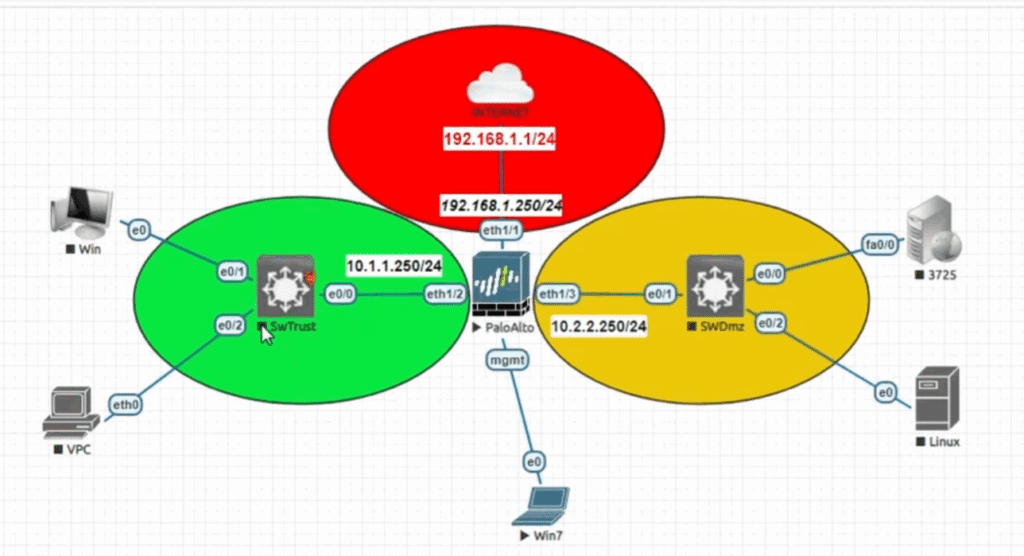
A company may have separate VLANs for HR, Accounts, IT, Management, and Guest users. Without a firewall or suitable inter-VLAN security control, controlling communication between these networks becomes more difficult. A firewall can define exactly which VLANs are allowed to communicate.
12. No Centralized Security Policy
For a company with 3 floors and around 300 PCs, configuring security individually on every PC is difficult. A firewall allows the administrator to create centralized policies based on user, group, IP, device, application, website category, and service.
13. Business and Security Impact
Ultimately, operating without proper firewall protection can increase the risk of malware infection, data leakage, unauthorized access, bandwidth abuse, productivity loss, and security incidents. A firewall provides a centralized enforcement point where security policies can be applied, monitored, and logged across the organization.
14. Data Loss
Without proper network security controls, attackers or malware may gain unauthorized access to company systems. Important data such as customer information, business documents, employee records, databases, and project files can be deleted, modified, encrypted, or stolen. Data loss can interrupt normal business operations and may require significant time and money to recover.
15. Ransomware Attack
Ransomware can enter through malicious websites, infected downloads, phishing, vulnerable services, or compromised devices. Once inside the network, ransomware may encrypt files and potentially spread to other systems. The company may lose access to important servers, databases, and shared files, resulting in major operational disruption.
16. Virus and Malware Infection
Employees may accidentally download infected files or visit malicious websites. Viruses, Trojans, spyware, and other malware can compromise computers and potentially spread across the internal network. Security controls such as Antivirus, IPS, Web Filtering, DNS Filtering, and Application Control can provide additional protection.
17. Financial Loss
A security incident can create direct and indirect financial costs. The company may need to spend Money on System Recovery, Data Restoration, incident response, security improvements, and professional support. Business downtime can also result in lost sales and lost revenue.
18. Reputation Damage
A serious security breach can damage the company’s reputation. If customer or business data is leaked, customers may lose trust in the company. Recovering that reputation can take a long time and may affect future business opportunities.
19. Business Downtime
If malware or ransomware affects critical servers and computers, employees may be unable to access ERP, databases, file servers, email, applications, or other business systems. Even a few hours of downtime can significantly affect company operations.
17. Data Theft
Attackers may attempt to steal confidential information such as customer data, financial records, business documents, credentials, and intellectual property. Data theft can create both financial and legal consequences.
18. Unauthorized Access
Without proper access-control mechanisms, attackers may attempt to exploit exposed services such as RDP, SSH, VPN, web applications, or other network services. A firewall can help restrict which connections are allowed and from where.
19. Phishing and Malicious Websites
Employees may accidentally open phishing or malicious websites. Attackers can use these websites to steal usernames and passwords or deliver malware. Web Filter and DNS Filter can help block known malicious or inappropriate destinations.
20. Excessive Internet Usage
Employees may use company bandwidth for YouTube, gaming, streaming, large downloads, social media, or other non-business activities. This can slow down Internet access for critical business applications.
21. Loss of Productivity
Unrestricted access to gaming, entertainment, and social-media services can reduce employee productivity. A firewall can enforce different policies for different users or departments.
22. Compliance and Legal Problems
If sensitive customer or business information is compromised, the company may face regulatory, contractual, or legal consequences, depending on the type of data and applicable laws.
23. Difficult Investigation
Without centralized firewall logs and security monitoring, it can be difficult to determine who accessed what, which device generated suspicious traffic, when the incident occurred, and how the attack entered the network.
So, a firewall should be considered an important security layer, although it should be combined with endpoint protection, backups, MFA, patch management, user awareness training, and other security controls.
Company Benefits of Using a Firewall
- Data Protection: Controls unauthorized access to company data and servers.
- Ransomware Protection: Helps block malicious traffic, suspicious downloads, and known attack patterns.
- Virus & Malware Protection: Security profiles such as Antivirus, IPS, Web Filter, and DNS Filter provide additional protection.
- Financial Protection: Reduces the risk of costly downtime, recovery, and data-loss incidents.
- Reputation Protection: Helps prevent security breaches that can damage customer trust and company reputation.
- Web Control: Blocks unwanted websites such as gaming, adult, malicious, or unauthorized websites.
- Application Control: Controls applications such as BitTorrent, gaming, and unauthorized remote-access tools.
- User-Based Policy: Different users can receive different policies—for example, Priya, Rahul, and Saikat can have separate access rules.
- Bandwidth Control: Prevents non-business traffic from consuming excessive Internet bandwidth.
- Centralized Monitoring: Logs users, applications, websites, connections, and security events from one place.
- Secure Remote Access: Provides controlled VPN, RDP, and administrative access.
- Business Continuity: Reduces the chance that attacks will interrupt important business systems and services.
Problems Without a Firewall School, College & Bank
1. School – Internet Misuse
Without a firewall, students may access gaming, social media, streaming, adult, or other inappropriate websites without centralized control.
Example:
A school has 200 PCs. During computer class, students use YouTube and gaming websites instead of educational resources. This consumes Internet bandwidth and affects normal school activities.
2. School – Virus & Malware
Without a firewall and other security controls, students may download unknown software or files from the Internet. A malicious file can infect a computer.
Example:
A student downloads a free game containing malware. The infected PC connects to the school network and starts generating malicious traffic.
Impact: Virus infection + possible data loss + recovery cost.
3. School – Data Loss
Schools maintain important information such as Student Records, Examination Results, Attendance, and Administrative documents.
Example:
An infected computer provides an attacker with access to shared folders containing student documents.
Impact: Data theft, Modification, or Loss.
4. College – Student Data Risk
A college may have Admission Systems, Student Databases, ERP, Examination Systems, and Staff Records. Without proper network security controls, these systems can become targets.
Example:
An attacker compromises an employee PC and attempts to reach the college database server.
Impact: Student information may be exposed and services may be disrupted.
5. College – Bandwidth Problem
Without centralized traffic control, students may consume large amounts of bandwidth through YouTube, streaming, gaming, torrents, or large downloads.
Example:
500 students connect to college Wi-Fi and many start streaming HD videos simultaneously.
Impact: ERP, online classes, email, and other important services become slow.
6. College – Financial Loss
Without a firewall and proper network security controls, a college can face direct and indirect financial losses due to cyberattacks, malware, ransomware, data breaches, and system downtime.
Example:
A college has an ERP, admission system, fee-payment system, examination database, and file server. An attacker compromises an employee’s PC and spreads ransomware to the internal network. The admission and fee-management systems become unavailable.
Financial Impact:
- 💰 Cost of system recovery and professional IT support
- 💰 Data restoration and backup recovery costs
- 💰 Loss of admission/fee-collection activities during downtime
- 💰 Cost of replacing or repairing affected systems
- 💰 Possible legal or compliance-related expenses
- 💰 Loss of student/parent trust and future business opportunities
7. College – Reputation Damage
Without a firewall and proper security controls, a college may suffer reputation damage if student, staff, admission, examination, or financial data is compromised.
Example:
Suppose an attacker gains access to a college employee’s computer and steals student personal information, admission records, or examination data. If the incident becomes public, students, parents, and staff may lose confidence in the college.
8. Bank – Problems Without a Firewall
1. Customer Data Loss
Without proper network security, attackers may attempt to access sensitive information such as customer details, account information, transaction records, and employee credentials.
Example:
An attacker compromises an employee PC and attempts to reach an internal database server.
Impact: Data theft, privacy issues, financial and legal consequences.
2. Bank – Ransomware Attack
Without proper network security controls, a bank can face a ransomware attack in which attackers encrypt or disrupt access to critical systems and demand payment.
Example:
An employee receives a phishing email and opens a malicious attachment. The malware compromises the workstation and attempts to spread to other systems through the internal network. Critical file servers or business applications may become unavailable.
3. Bank – Regulatory & Compliance Risk
Banks handle highly sensitive customer, financial, transaction, and account information, so they must follow strict security and regulatory requirements. Without proper network security controls, a cyberattack or data breach can create compliance problems.
Example:
An attacker gains unauthorized access to a bank system and customer information is exposed. The bank may need to investigate the incident, report it to the appropriate authorities, and take corrective security measures.
4. Bank – Business Downtime
Without proper network security, a cyberattack can make important banking systems and applications unavailable. Since banks depend on online banking, ATM services, transaction systems, databases, and internal applications, even a short outage can affect many customers and employees.
Example:
An attacker compromises a bank workstation and malware spreads to an important application server. The server becomes unavailable, so employees cannot process normal banking operations and some customer services may be disrupted.
🏫 School
- Student Internet Abuse: Students may access gaming, adult, social-media, or other inappropriate websites.
- Malware & Virus: Infected downloads or malicious websites can infect lab computers.
- Data Loss: Student records, examination data, and administrative documents may be exposed or deleted.
- Bandwidth Problem: Video streaming and gaming can consume Internet bandwidth.
- Unauthorized Access: Attackers may attempt to access school servers, CCTV systems, or administrative PCs.
- Productivity Loss: Uncontrolled Internet usage can affect teaching and administrative work.
🎓 College
- Student & Staff Data Risk: Personal, academic, admission, and examination information may be exposed.
- Ransomware Risk: Malware can encrypt shared files, servers, and important college data.
- Unauthorized Applications: Torrent, gaming, and other high-bandwidth applications can consume network resources.
- Server Attacks: Web, database, ERP, email, and other servers can become targets for unauthorized access.
- Financial Loss: System downtime can affect admission, examination, fee collection, and other operations.
- Reputation Damage: A major data breach can reduce student and parent confidence.
🏦 Bank
- Customer Data Theft: Customer information and confidential banking data may be targeted.
- Financial Fraud: Attackers may attempt to compromise systems and steal financial information.
- Ransomware & Malware: Critical banking systems may be disrupted or encrypted.
- Unauthorized Network Access: Attackers may attempt to reach servers, ATMs, applications, or internal systems.
- Business Downtime: Security incidents can interrupt banking services and transactions.
- Reputation Damage: A security breach can seriously affect customer trust.
- Regulatory/Compliance Risk: A bank must maintain strong security controls to protect sensitive financial information.
- High Financial Impact: A successful cyberattack can result in direct financial losses, recovery costs, and business disruption.
Benefits of Firewall School, College & Bank
🏫 School
- Web Filtering: Blocks gaming, adult, malicious, and unwanted websites.
- User-Based Policy: Different access policies can be applied to students, teachers, and administrators.
- Application Control: Blocks unauthorized applications and excessive streaming.
- Antivirus & IPS: Helps detect and block malware and suspicious attacks.
- Bandwidth Control: Prevents students from consuming excessive Internet bandwidth.
- Data Protection: Helps protect student records, examination data, and administrative systems.
- Centralized Monitoring: IT administrators can monitor traffic and security events.
- Safe Internet Access: Provides controlled Internet access for students and staff.
🎓 College
- Student Data Protection: Helps protect admission, examination, ERP, and student information.
- Ransomware Protection: IPS and threat-protection features can help detect and block malicious activity.
- Web & Application Control: Restricts gaming, torrents, unauthorized applications, and unwanted websites.
- Network Segmentation: Controls communication between student, staff, server, and guest networks.
- Bandwidth Management: Gives priority to online classes, ERP, and other important services.
- Server Protection: Controls access to web, database, ERP, and file servers.
- Logging & Reporting: Provides centralized visibility into users and network activity.
- Reduced Financial Risk: Helps reduce downtime, recovery costs, and business disruption.
🏦 Bank
- Customer Data Protection: Controls access to sensitive banking systems and databases.
- Network Segmentation: Separates employee PCs, servers, ATM-related networks, DMZ, and other sensitive zones.
- IPS: Helps detect and block network attacks and exploitation attempts.
- Application Control: Controls unauthorized applications and risky network traffic.
- Secure Remote Access: Provides controlled VPN access for authorized employees and administrators.
- Malware Protection: Security controls help detect malicious traffic and files.
- Centralized Logging: Records security events for monitoring, investigation, and auditing.
- Business Continuity: Helps reduce the risk of attacks causing prolonged service disruption.
- Compliance Support: Firewall logs, access controls, and segmentation can support security and audit requirements.
- Reputation Protection: Reducing the likelihood and impact of breaches helps protect customer trust.
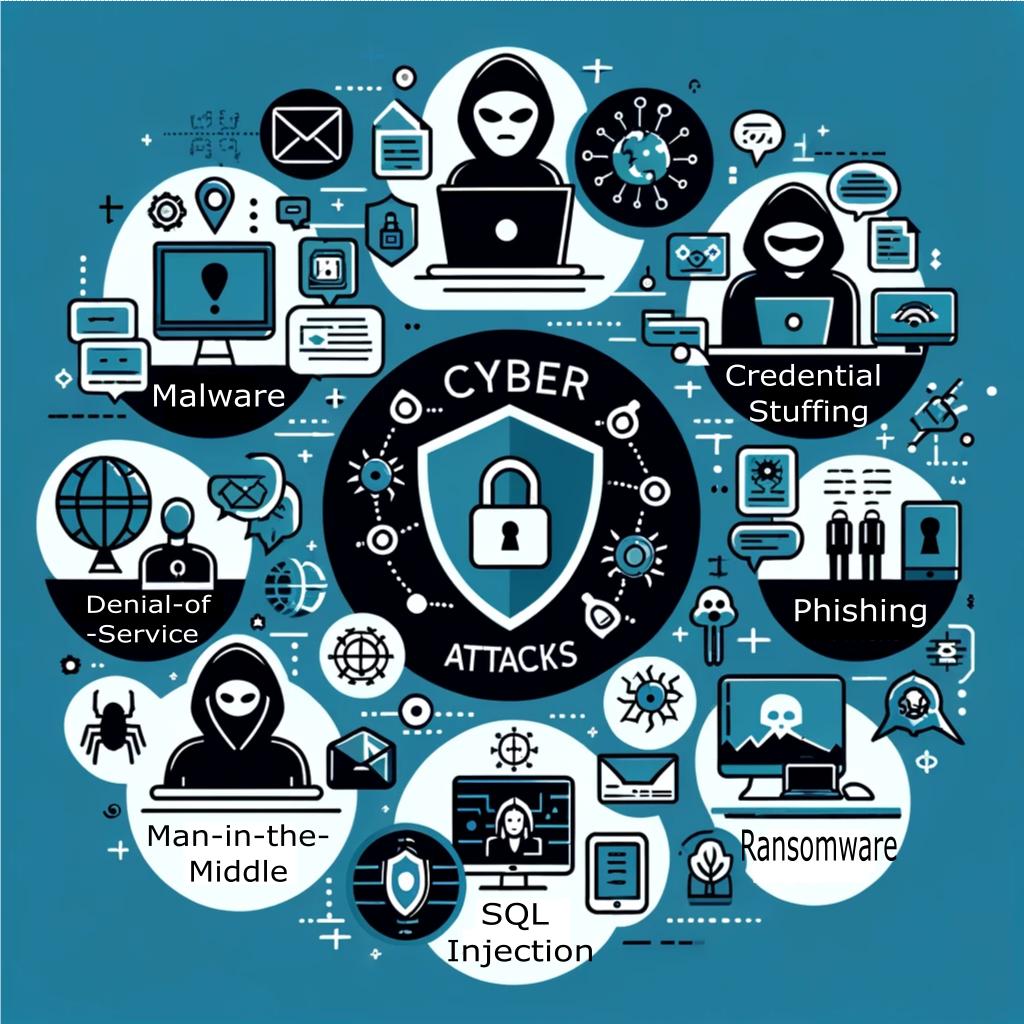
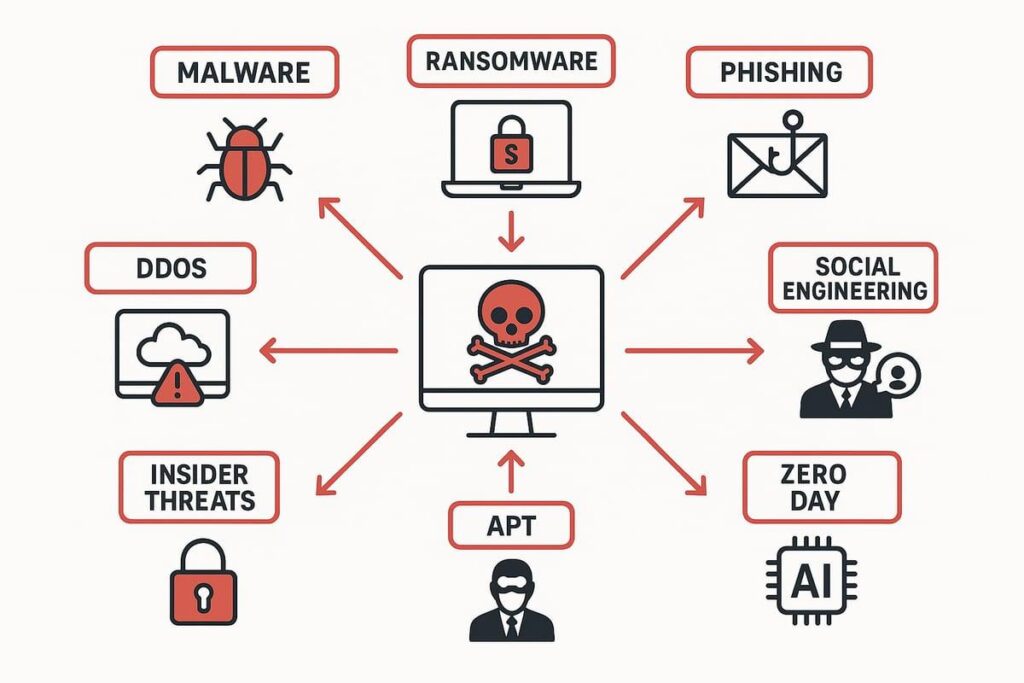
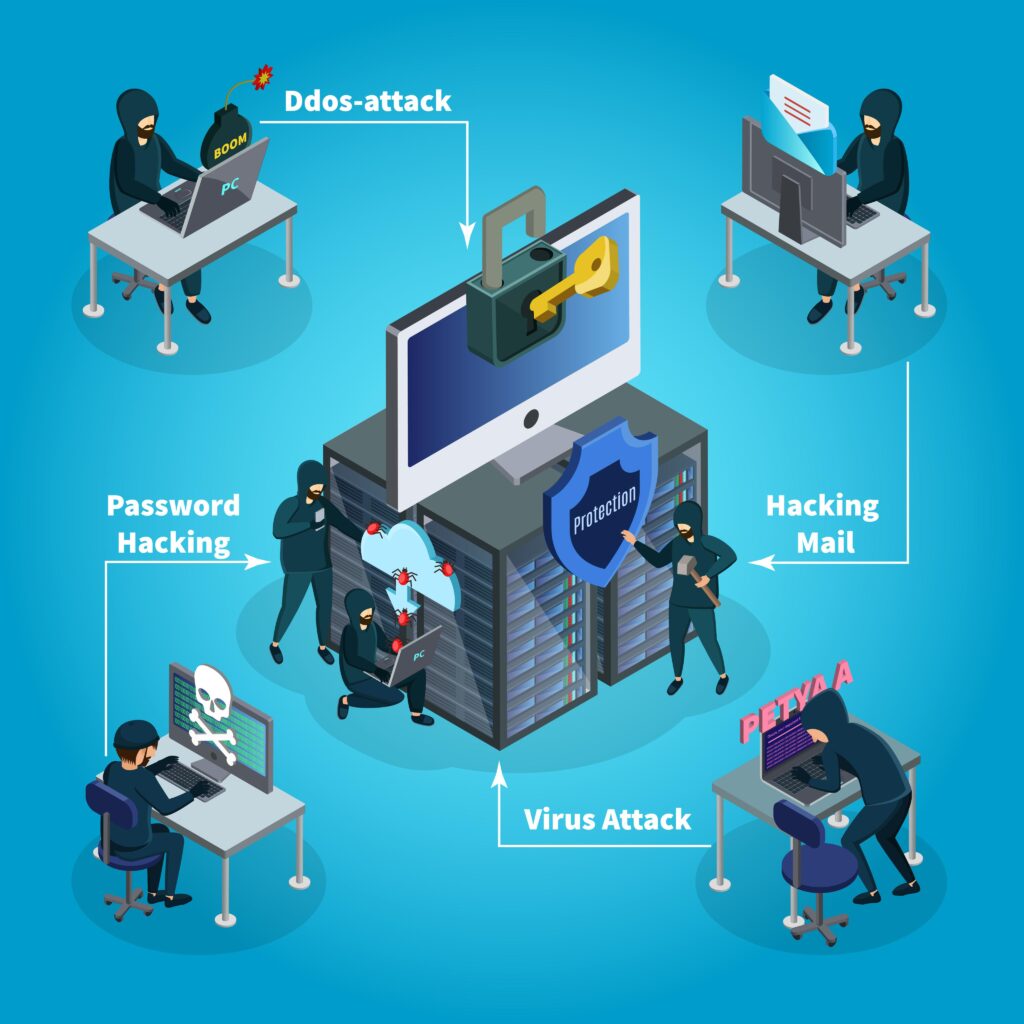
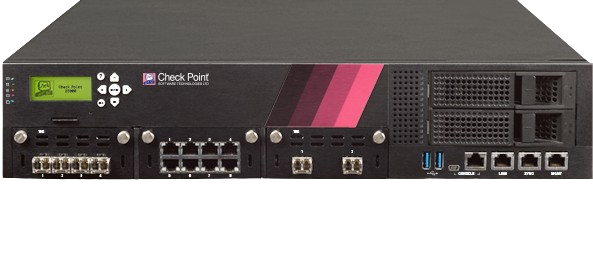
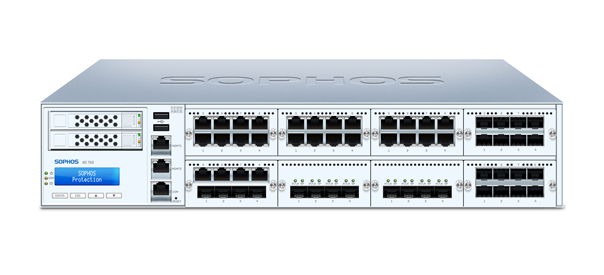
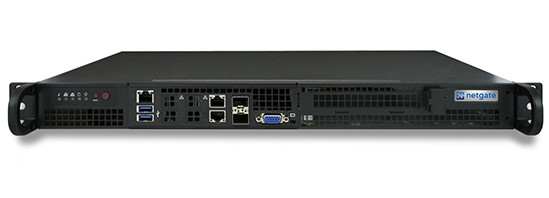
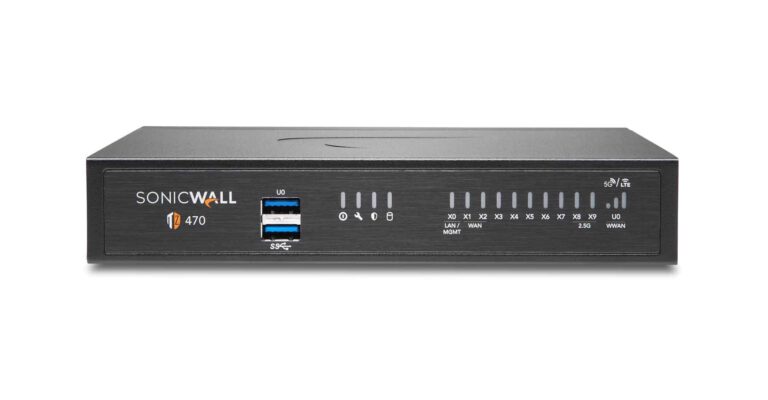
Firewall Slide
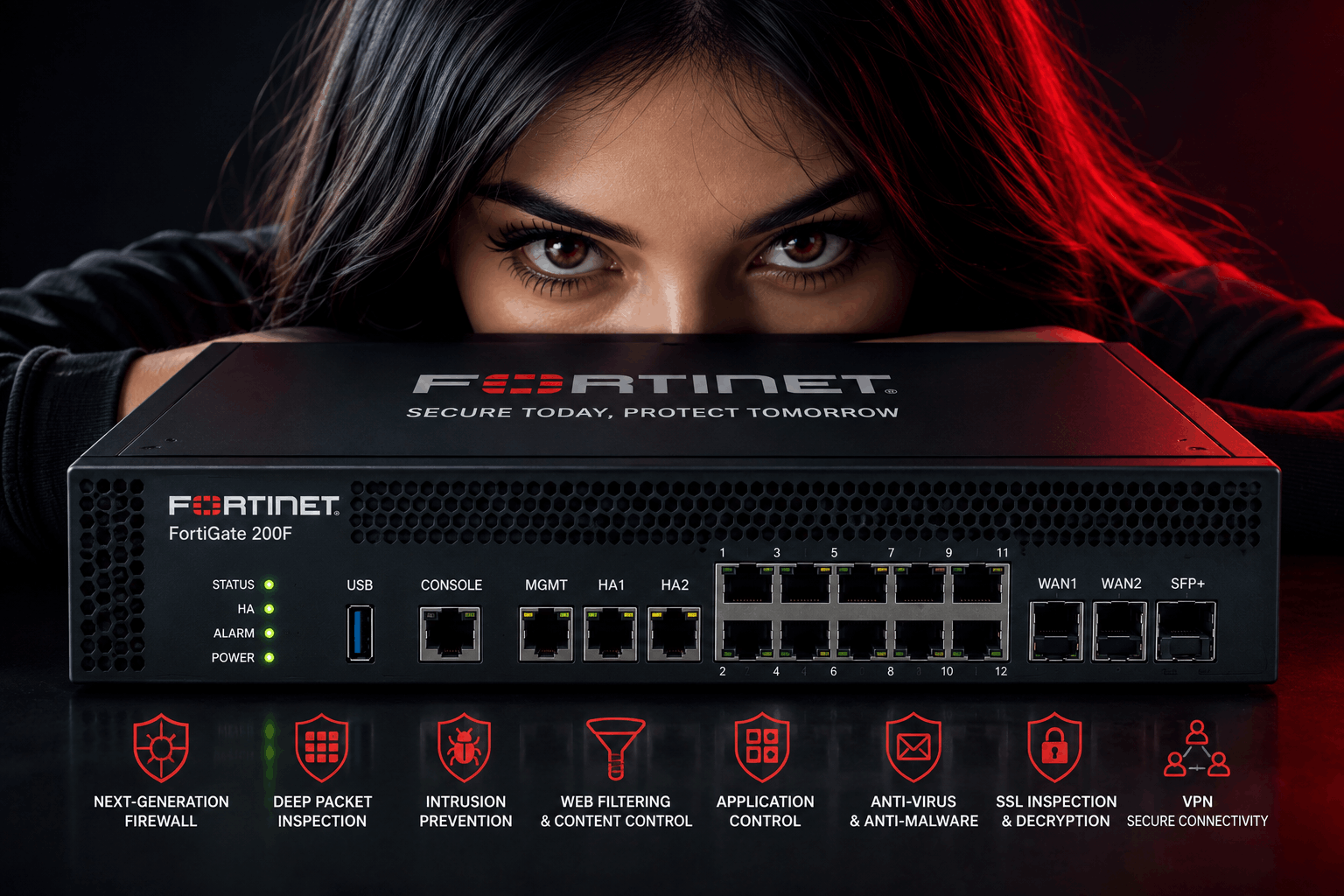
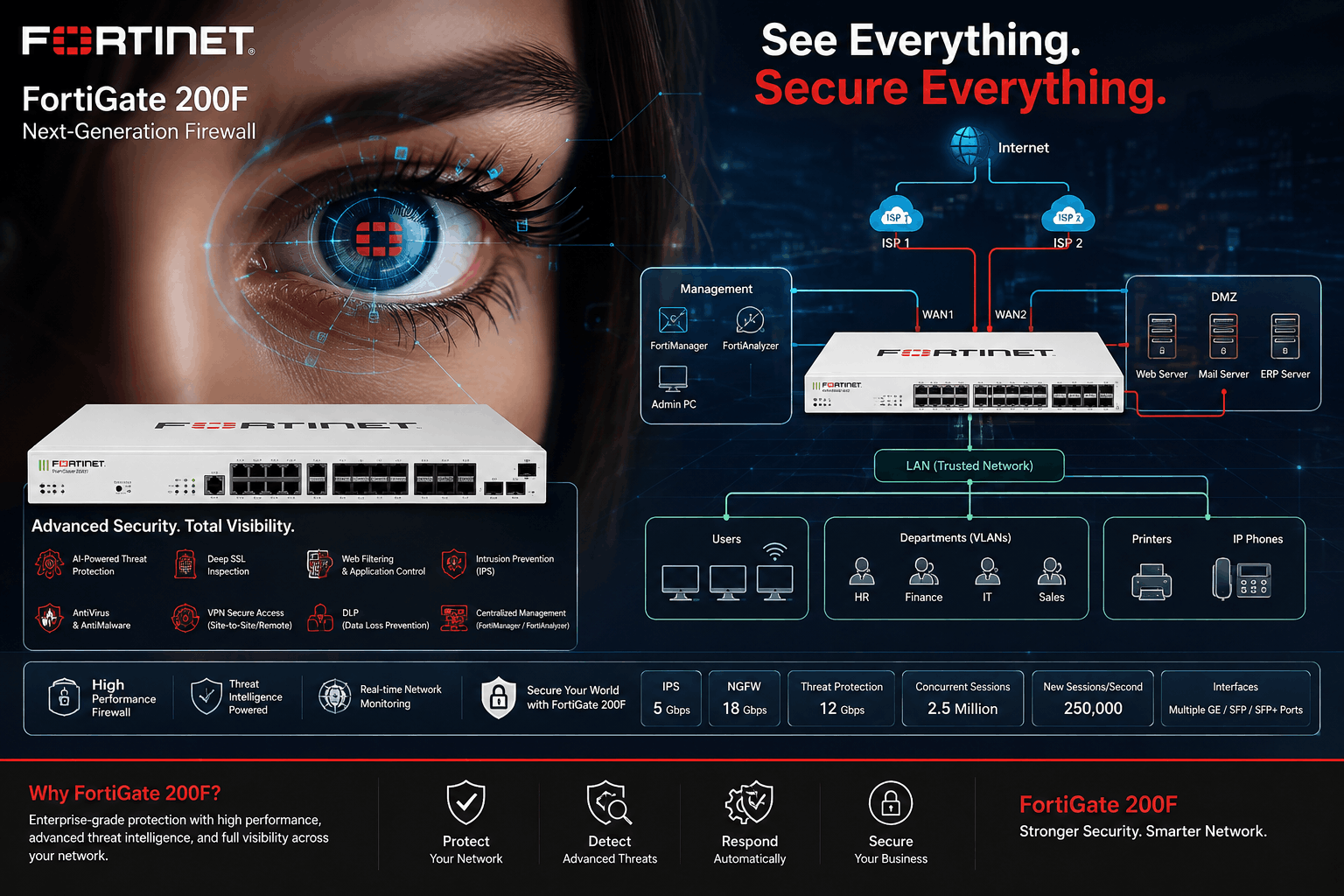
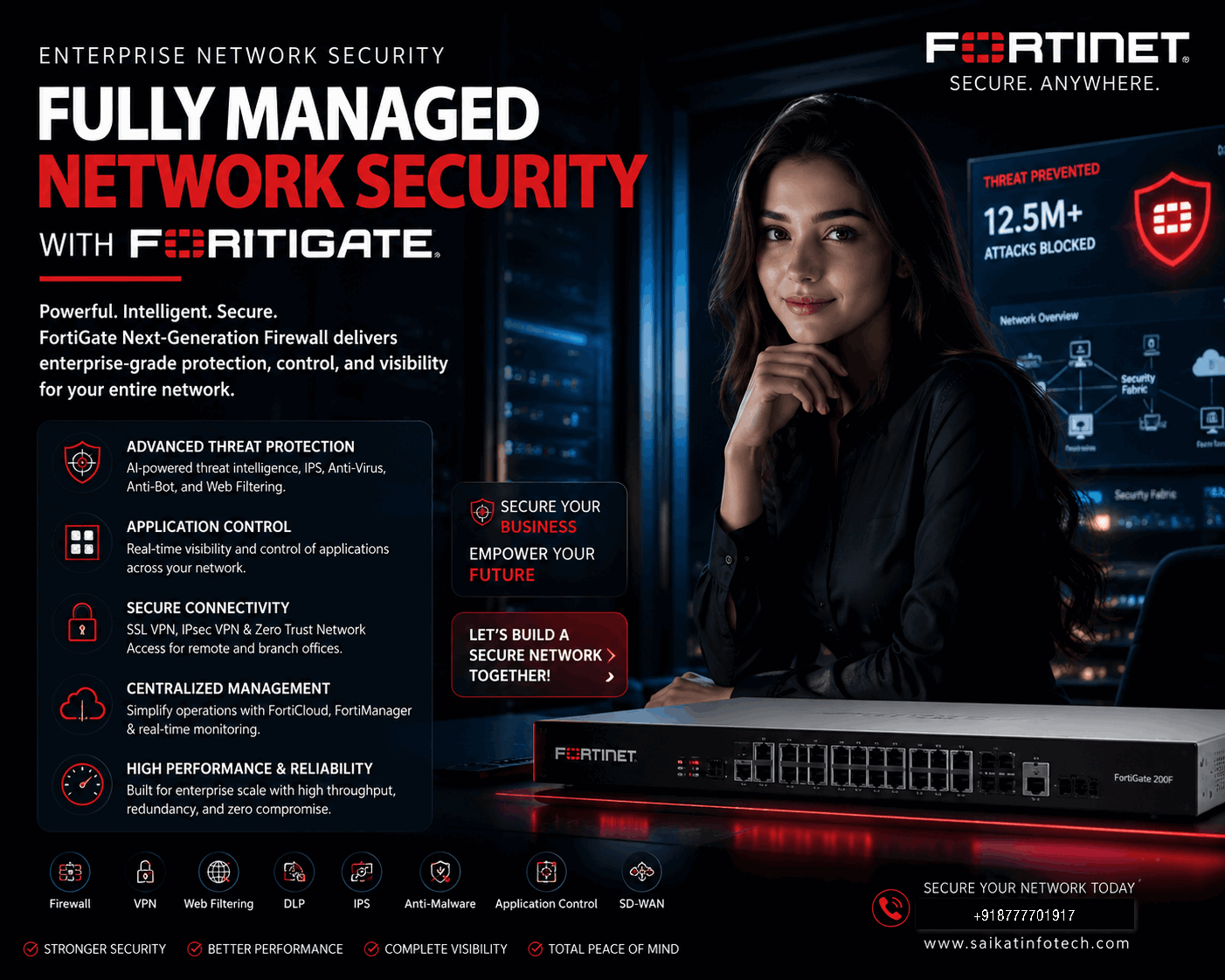
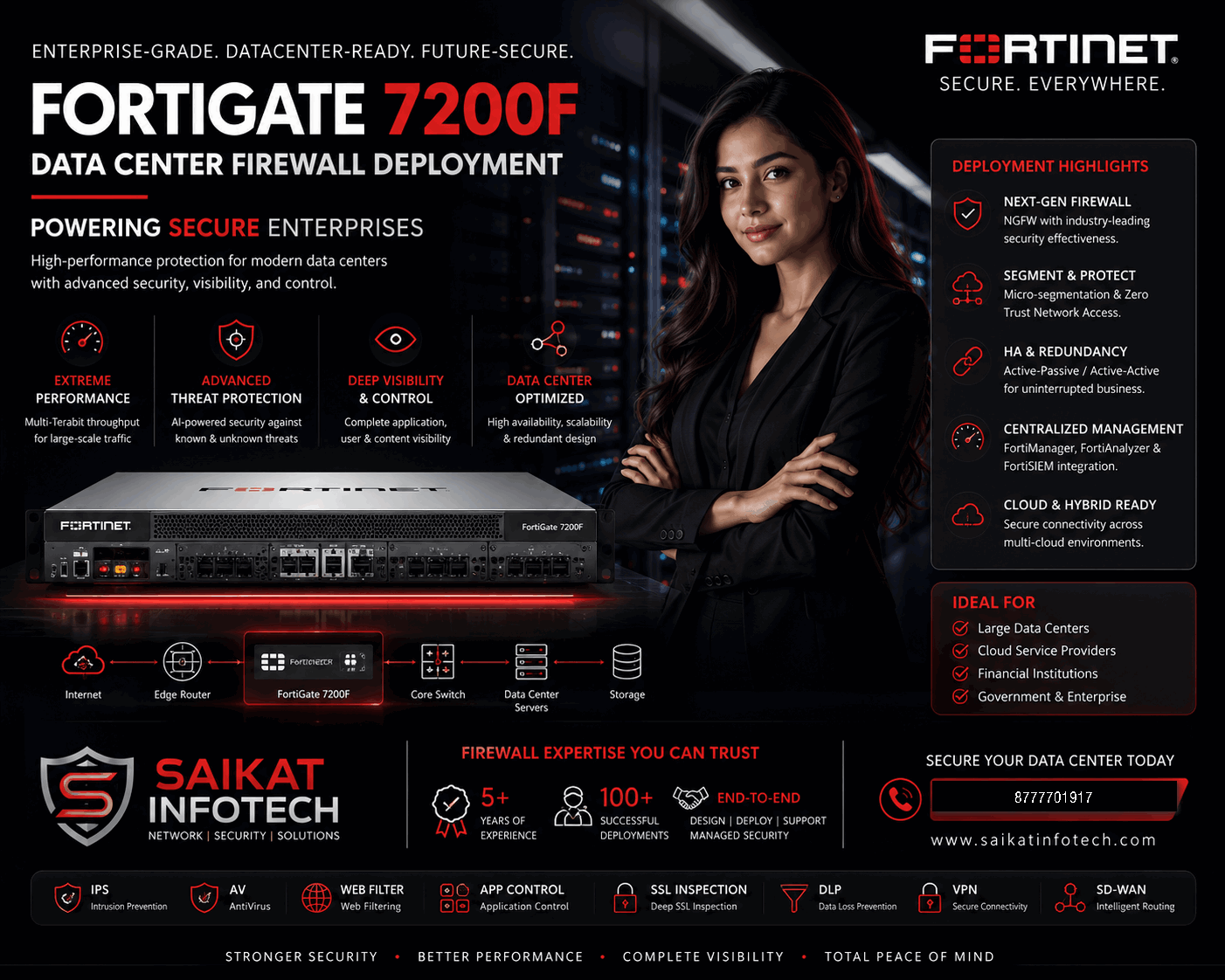
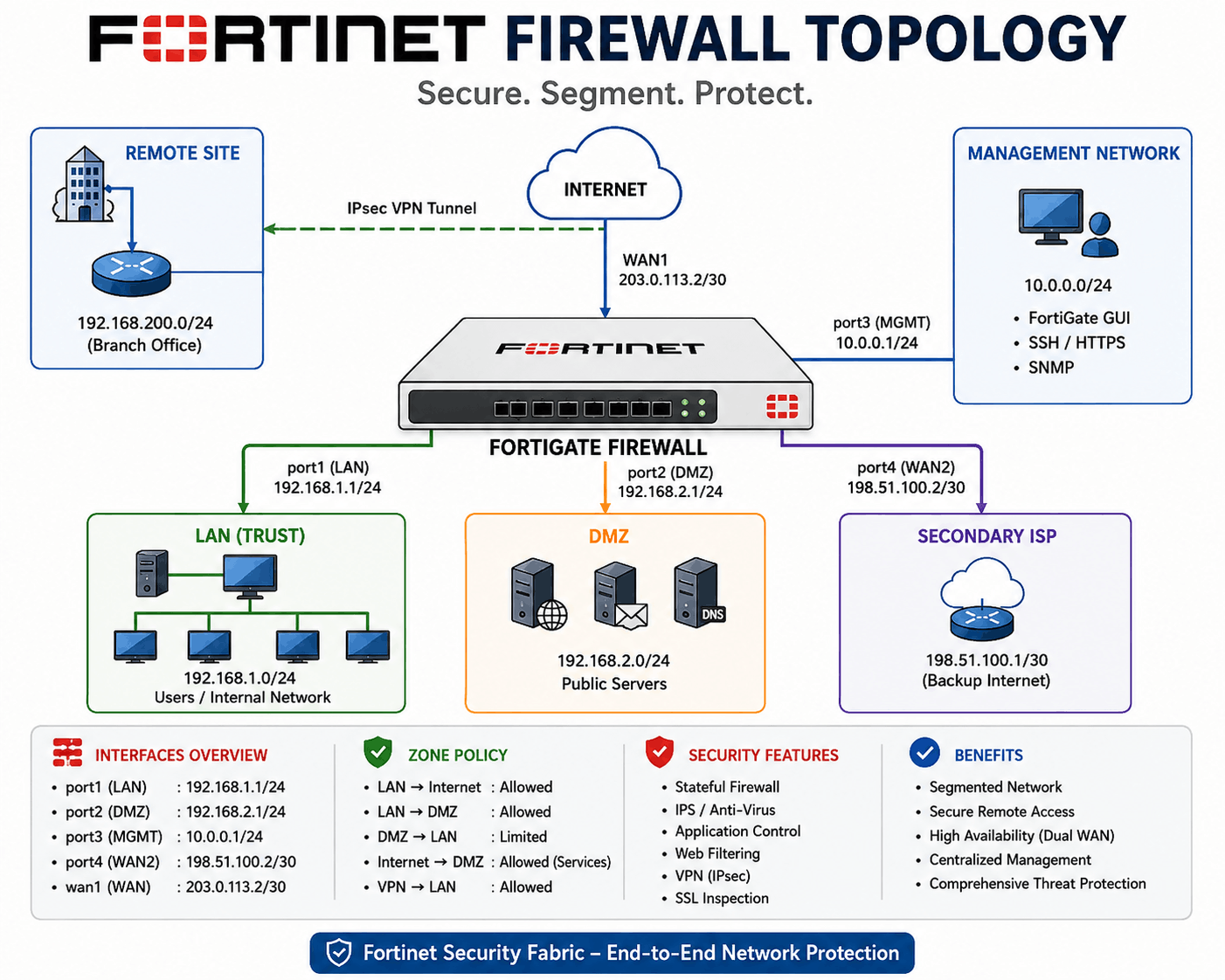


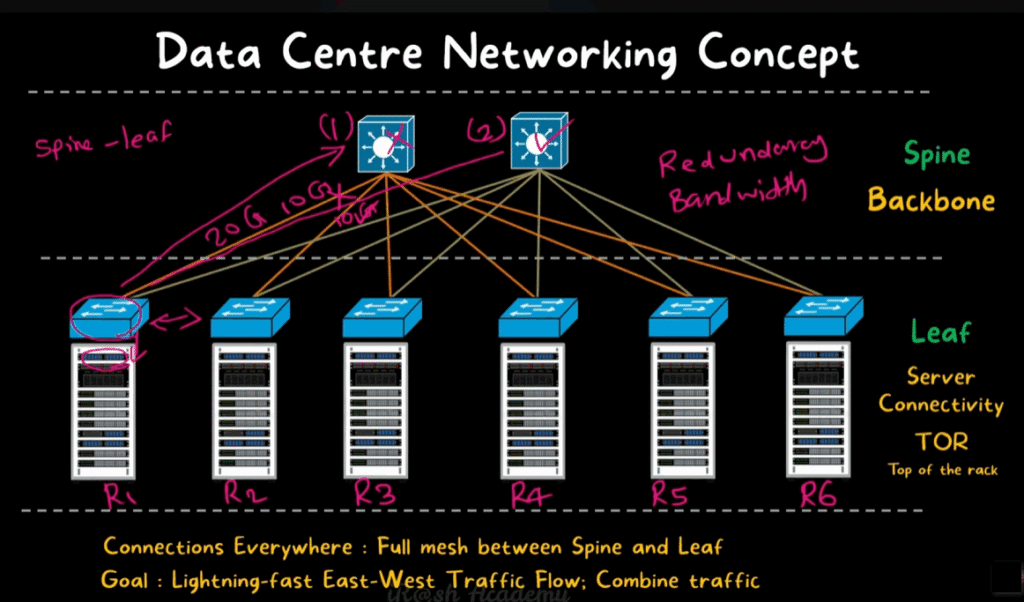
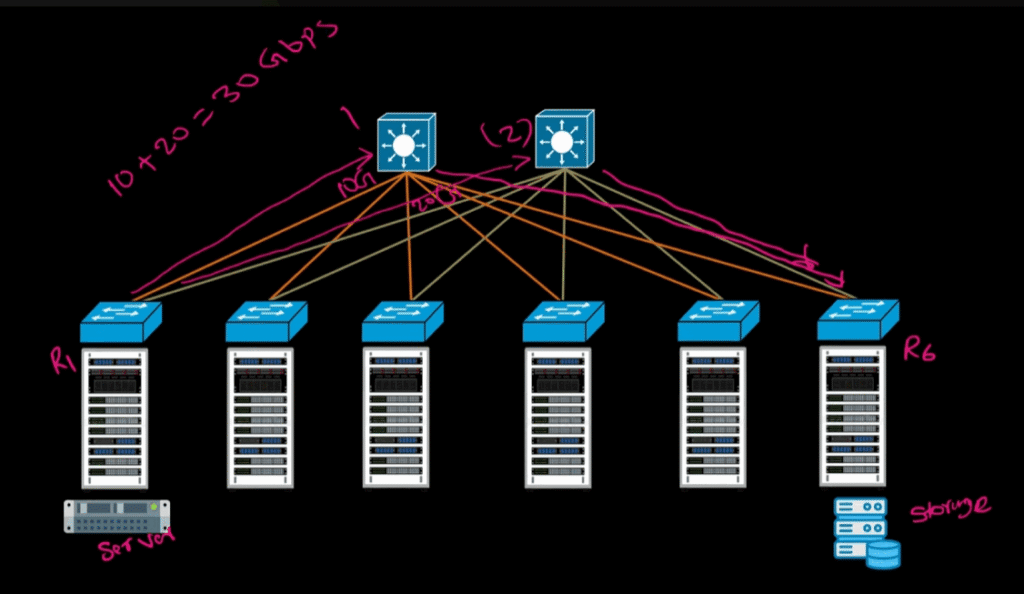
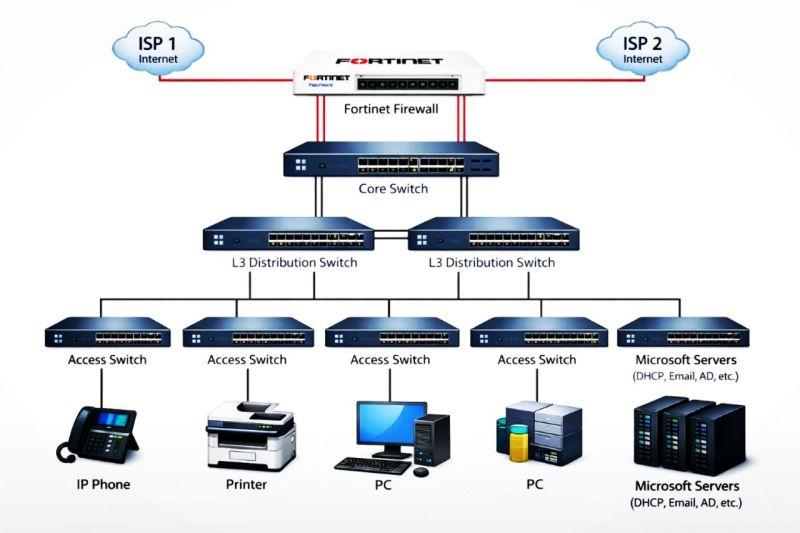
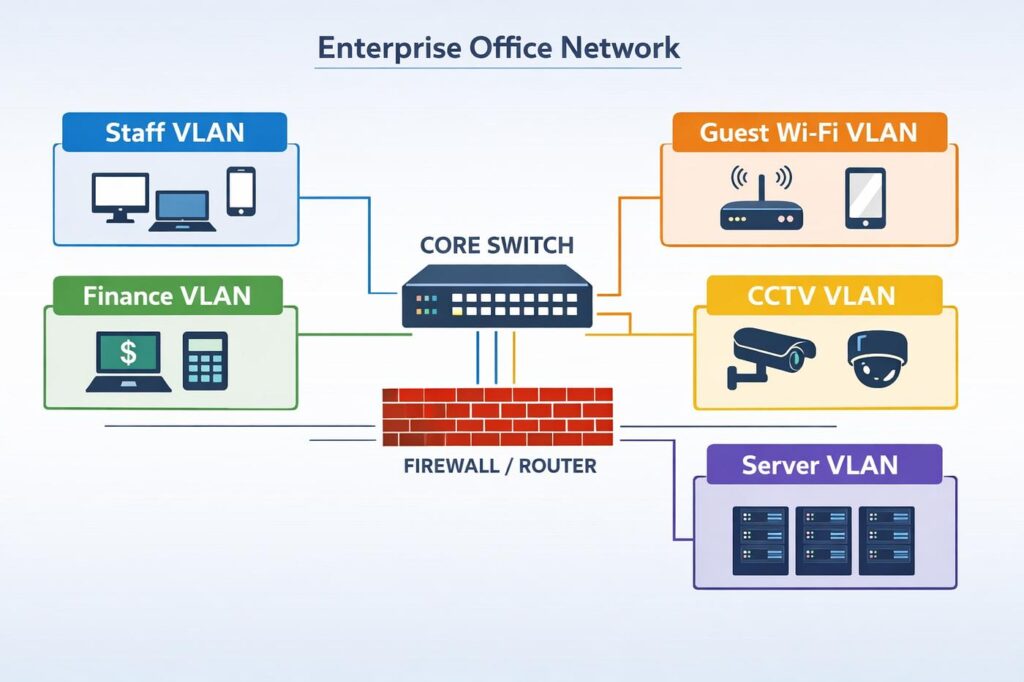







Firewall Client Meeting Topics
1. Client Network Overview
- Number of users and devices
- Number of offices and branches
- Current network topology
- Internet bandwidth
- Number of ISP connections
- Existing firewall and network devices
2. Current Security Challenges
- Malware and ransomware protection
- Unauthorized access
- Phishing attacks
- Internet security
- Data leakage
- Suspicious applications and websites
- Remote-access security
3. Firewall Requirements
- Firewall throughput
- Number of concurrent users
- Number of concurrent sessions
- VPN requirements
- Web filtering
- Application control
- Antivirus
- IPS/IDS
- SSL inspection
- DNS security
4. Network Segmentation
Discuss separate VLANs for:
- Users
- Servers
- Finance
- HR
- CCTV
- Guest Wi-Fi
- Voice/VoIP
- Management
5. Internet Security
- Web filtering
- Application control
- Bandwidth management
- Social media control
- Torrent blocking
- Malware protection
- HTTPS/SSL inspection
6. VPN Requirements
- Remote-access VPN
- Site-to-site VPN
- Branch-office connectivity
- Secure RDP access
- Work-from-home users
- MFA/OTP authentication
7. Dual ISP & SD-WAN
- ISP failover
- Load balancing
- Automatic link monitoring
- Application-based routing
- Internet redundancy
8. DMZ & Server Security
Discuss protection for:
- Web Server
- Mail Server
- Application Server
- Database Server
- Public-facing services
9. High Availability
- Active-Passive firewall HA
- Firewall failover
- Redundant power
- Redundant ISP
- Business continuity
- Minimum downtime
10. Monitoring & Reporting
- Real-time traffic monitoring
- Top users
- Top applications
- Bandwidth usage
- Threat detection
- Blocked websites
- Security reports
- Log retention
11. Firewall Management
- Centralized management
- Configuration backup
- Firmware updates
- Security-policy management
- User-based policies
- Role-based administration
12. Proposed Architecture
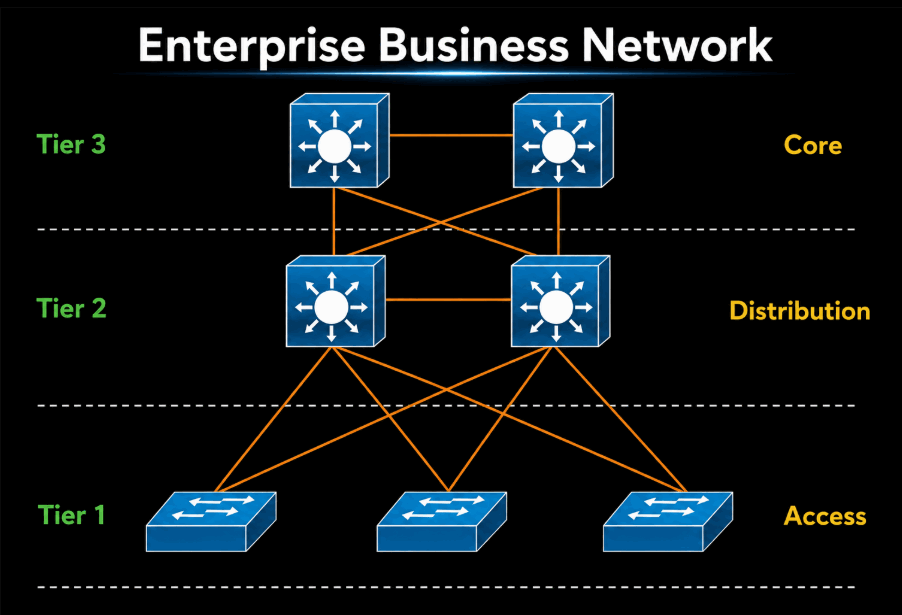
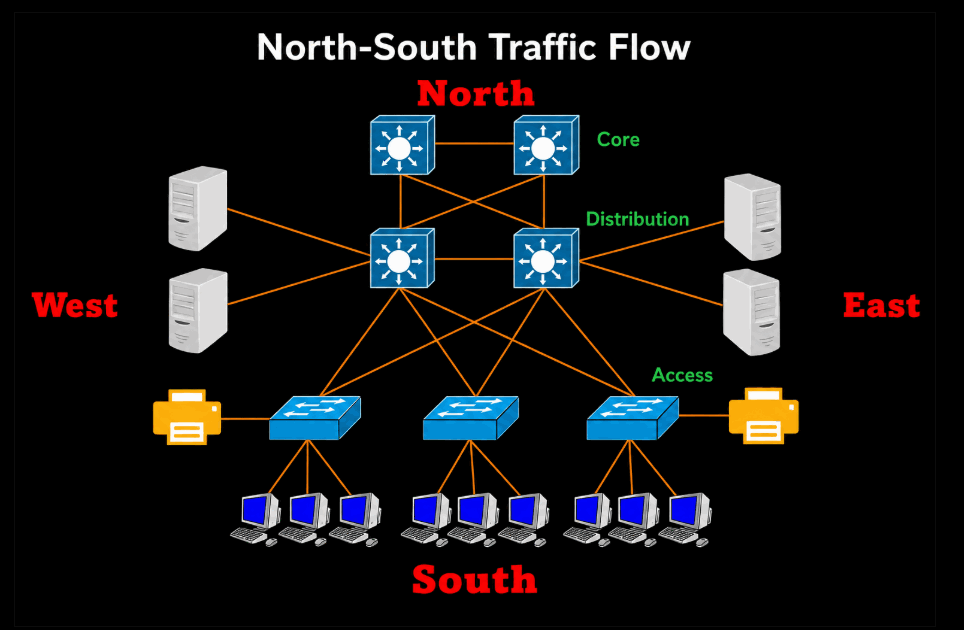
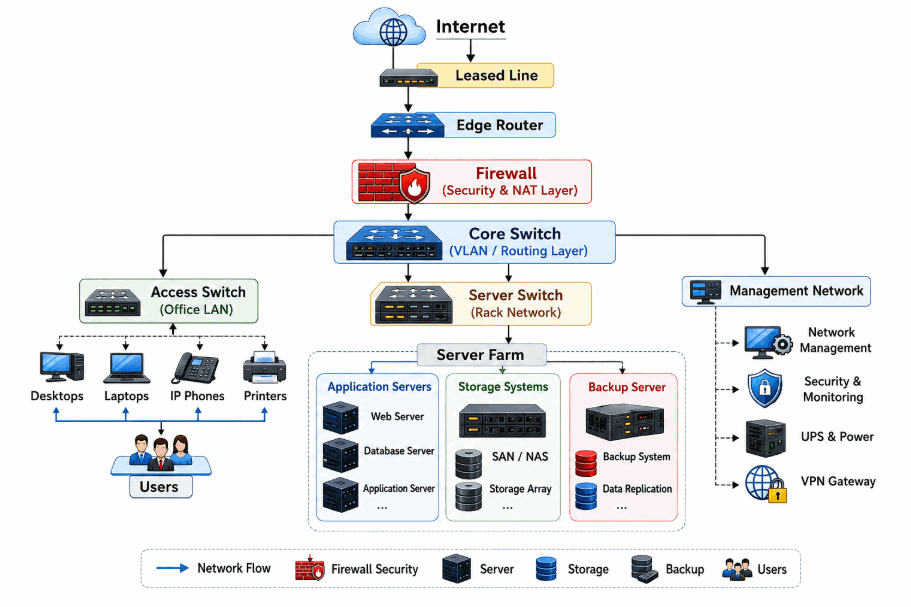
Internet → Firewall → Core Switch → Distribution Switch → Access Switch → Users
Additional zones:
Internet → Firewall → DMZ → Public Servers
Remote Users → VPN → Firewall → Internal Network
13. Client Questions
- How many users do you have?
- How many devices are connected?
- How many ISP connections do you have?
- What is your current internet bandwidth?
- Do you have multiple branches?
- Do you need remote VPN access?
- Do you have public-facing servers?
- Do you require web filtering?
- Do you need application control?
- Do you require firewall HA?
- What is your current firewall model?
- What are your biggest current security problems?
14. Final Discussion
- Recommended firewall model
- Network architecture
- Security policies
- Required licenses
- Implementation plan
- Migration plan
- Testing
- Documentation
- AMC/support
- Future scalability
Our objective is not simply to install a firewall. We will design a secure, scalable, and highly available network security architecture based on your business requirements.