
MikroTik Recursive Failover
MikroTik Recursive Failover (2 ISP)
MikroTik Recursive Failover (2 ISP):
Recursive Failover is a MikroTik routing method that checks actual internet connectivity instead of only checking whether the ISP gateway is reachable. It provides more reliable failover between two internet connections.
How It Works:
- In a normal failover setup, MikroTik only checks if the ISP gateway is alive. If the gateway responds to ping but the ISP’s internet service is down, traffic may still be sent to the failed ISP.
- With Recursive Failover, MikroTik first checks a public IP address such as
8.8.8.8or1.1.1.1. If the public IP becomes unreachable, MikroTik assumes the internet connection has failed and automatically switches traffic to the backup ISP.
Example Network:
- ISP1 Gateway: 192.168.1.1
- ISP2 Gateway: 192.168.2.1
- ISP1 Check IP: 8.8.8.8
- ISP2 Check IP: 1.1.1.1
Normal Operation
When both internet connections are working, MikroTik uses the primary ISP (ISP1) because it has the lowest route distance. All user traffic passes through ISP1.
ISP1 Failure:
If ISP1 loses internet access and MikroTik cannot reach 8.8.8.8, the primary route becomes inactive. MikroTik automatically redirects all traffic through ISP2 without manual intervention.
ISP1 Recovery
When ISP1 internet service is restored and MikroTik can again reach 8.8.8.8, the primary route becomes active and traffic automatically switches back to ISP1.
Advantages
- Recursive Failover checks actual internet connectivity by monitoring public IP addresses, making it much more reliable than traditional gateway-only failover methods.
- When the primary ISP loses internet access, MikroTik automatically redirects traffic to the backup ISP, minimizing network downtime and maintaining user productivity.
- Once the primary ISP connection is restored, traffic automatically switches back without requiring any manual intervention from the administrator.
- It can detect upstream ISP problems even when the ISP gateway is still responding to pings, preventing traffic from being sent through a non-functional internet connection.
- The solution is highly stable and widely used in office, business, educational, and enterprise environments where continuous internet availability is important.
- Recursive Failover can be combined with PCC Load Balancing to provide both efficient bandwidth utilization and reliable failover protection.
- Detects real internet outages, not just gateway failures.
- Automatic failover to backup ISP without manual intervention.
- Automatically switches back when the primary ISP recovers.
- More reliable than basic gateway monitoring.
- Reduces internet downtime for users.
- Suitable for office, business, and enterprise networks.
Limitations
- Recursive Failover is designed for redundancy and automatic ISP switching; it does not distribute traffic across multiple internet connections like load balancing methods do.
- The configuration is more complex than basic gateway failover because it requires proper route, scope, and target-scope settings to function correctly.
- The mechanism depends on external public IP addresses for connectivity checks, so selecting reliable monitoring targets is important.
- If only a single public IP is used for monitoring, temporary issues affecting that destination may trigger an unnecessary failover even when the ISP is functioning normally.
- During an ISP failure, there may be a brief interruption while MikroTik detects the outage and updates the routing table to use the backup connection.
- Administrators must regularly verify routing and monitoring configurations to ensure failover continues to operate correctly as network conditions change.
- Provides failover only; it does not perform load balancing.
- Requires public IPs (such as 8.8.8.8 or 1.1.1.1) for monitoring.
- Slightly more complex to configure than simple failover.
- False failovers can occur if only one check IP is used.
- Route convergence may take a few seconds during ISP failure.
- Advanced configurations may require careful route and scope settings.
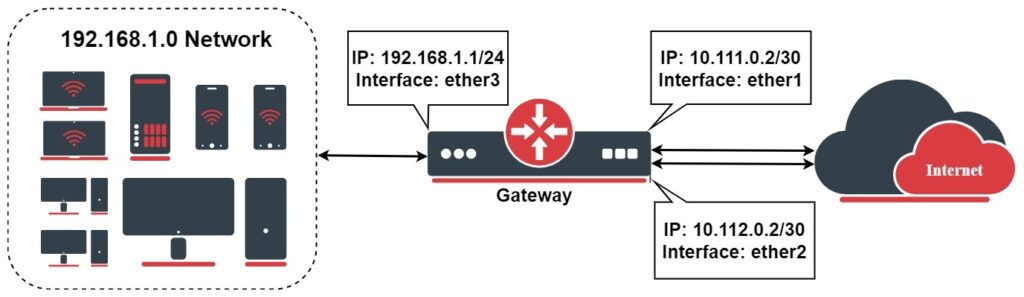
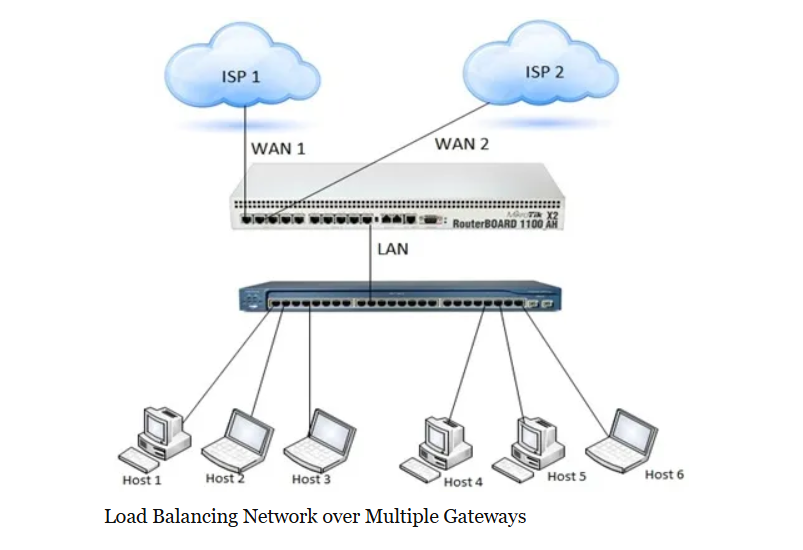
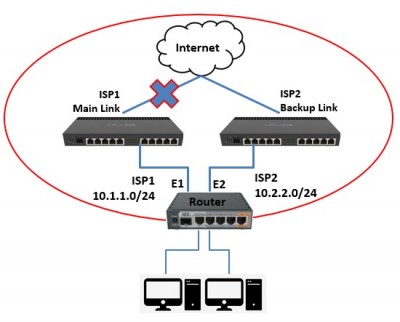
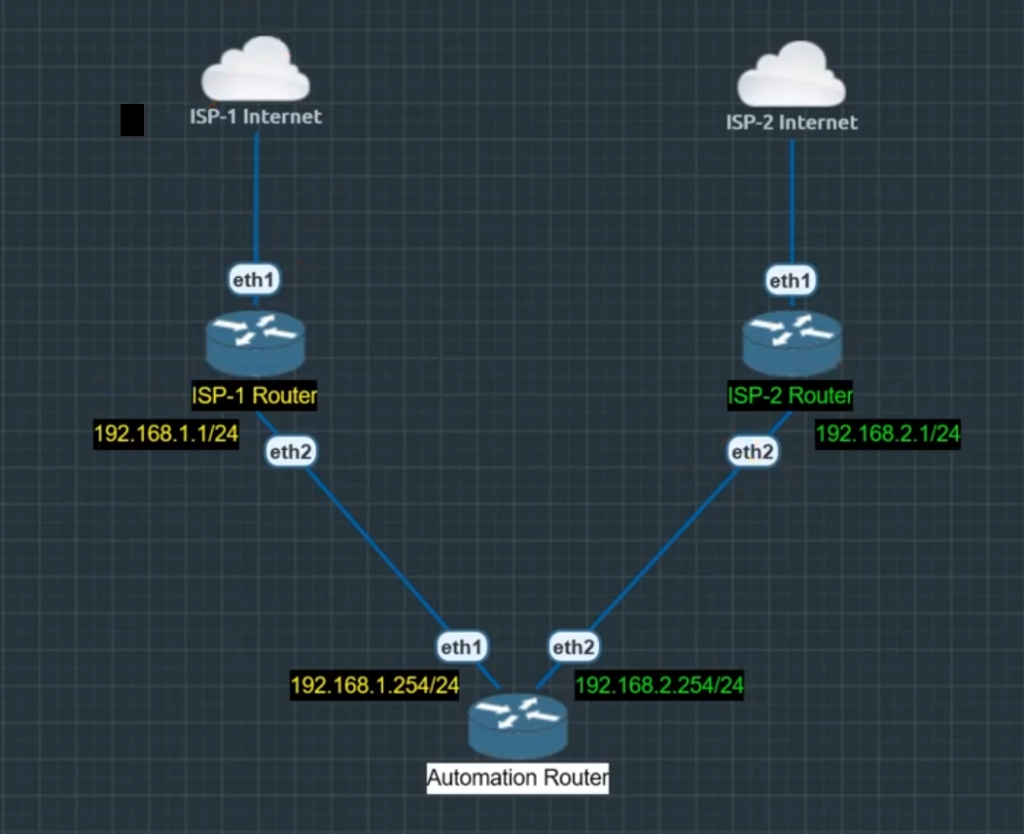
Recursive Failover Example
- MikroTik Recursive Failover is an advanced routing method used to provide automatic internet backup between two or more ISPs. Unlike basic failover, which only checks whether the ISP gateway is reachable, Recursive Failover verifies actual internet connectivity by monitoring public IP addresses such as
8.8.8.8or1.1.1.1. This allows MikroTik to make more accurate routing decisions when an internet outage occurs. - In a traditional failover setup, the router may continue sending traffic through an ISP if its gateway is still responding to pings, even though the ISP’s internet service is down. As a result, users lose internet access despite the route appearing active. Recursive Failover solves this problem by checking destinations beyond the ISP network, ensuring that internet connectivity is genuinely available.
- For example, consider a company with two internet connections. ISP1 is the primary connection and ISP2 is the backup connection. MikroTik continuously checks a public IP address through ISP1. As long as the public IP is reachable, all user traffic is sent through ISP1. This provides normal internet access while keeping ISP2 available as a standby connection.
- If ISP1 experiences an outage and the monitored public IP becomes unreachable, MikroTik automatically marks the primary route as inactive. The router then redirects all internet traffic through ISP2 without requiring any manual changes. Users can continue accessing websites, cloud applications, email services, and remote connections with minimal interruption.
- When ISP1 is restored and the monitored public IP becomes reachable again, MikroTik automatically reactivates the primary route. Internet traffic is then switched back to ISP1 because it has the preferred route priority. This entire process occurs automatically in the background.
- Recursive Failover is widely used in offices, businesses, schools, and enterprise networks because it provides reliable internet redundancy. It helps reduce downtime, improves network availability, and ensures that users remain connected even when the primary ISP experiences problems.
- Although Recursive Failover is highly reliable, it is designed for failover only and does not perform load balancing. If an organization wants to use bandwidth from multiple ISPs simultaneously while also maintaining automatic failover, Recursive Failover is commonly combined with PCC Load Balancing to achieve both objectives.
MikroTik Recursive Failover:
- Advanced failover method for dual ISP networks.
- Checks actual internet connectivity, not just the ISP gateway.
- Uses public IPs such as
8.8.8.8or1.1.1.1for monitoring. - Automatically switches traffic to the backup ISP when the primary ISP fails.
- Automatically returns traffic to the primary ISP when it recovers.
- Prevents internet outages caused by upstream ISP problems.
- More reliable than basic gateway failover.
- Commonly used in office, business, and enterprise networks.
- Provides failover only; it does not perform load balancing.
- Can be combined with PCC Load Balancing for load balancing and failover together.
Example
- ISP1 = Primary Internet
- ISP2 = Backup Internet
- ISP1 Down → Traffic switches to ISP2
- ISP1 Up Again → Traffic returns to ISP1 automatically.
A business office uses:
- ISP1: 200 Mbps Fiber (Primary)
- ISP2: 100 Mbps Broadband (Backup)
If the fiber provider experiences an outage, employees can continue using email, cloud applications, VoIP, and remote access services through the backup connection. This helps maintain business continuity and reduces downtime.
Summary
Recursive Failover ensures that MikroTik switches between ISPs based on actual internet availability rather than only gateway status, making it one of the most reliable failover methods for dual-WAN networks.
					Step 1: Create Recursive Check Routes
.....................................
ISP1
/ip route
add dst-address=8.8.8.8 gateway=192.168.1.1 scope=10 comment="ISP1 Check"


ISP2
/ip route
add dst-address=1.1.1.1 gateway=192.168.2.1 scope=10 comment="ISP2 Check"


Step 2: Create Default Routes
.............................
Primary Route (ISP1)
/ip route
add dst-address=0.0.0.0/0 gateway=8.8.8.8 distance=1 target-scope=11 check-gateway=ping comment="Primary ISP1"

Backup Route (ISP2)
/ip route
add dst-address=0.0.0.0/0 gateway=1.1.1.1 distance=2 target-scope=11 check-gateway=ping comment="Backup ISP2"


Step 3: Configure DNS
.....................
/ip dns
set servers=8.8.8.8,1.1.1.1 allow-remote-requests=yes


Step 4: NAT Configuration
.........................
/ip firewall nat
add chain=srcnat out-interface=ether1 action=masquerade comment="ISP1 NAT"

add chain=srcnat out-interface=ether2 action=masquerade comment="ISP2 NAT"


Step 5: Verify Routes
.....................
/ip route print detail

Expected result:
A S dst-address=0.0.0.0/0 gateway=8.8.8.8 distance=1
S   dst-address=0.0.0.0/0 gateway=1.1.1.1 distance=2


Better Production Configuration 2 DNS IP Monitoring
...................................................

/ip route
add dst-address=8.8.8.8 gateway=192.168.1.1 scope=10
add dst-address=8.8.4.4 gateway=192.168.1.1 scope=10

add dst-address=1.1.1.1 gateway=192.168.2.1 scope=10
add dst-address=1.0.0.1 gateway=192.168.2.1 scope=10