
File & Video Filtering
What is File Filtering
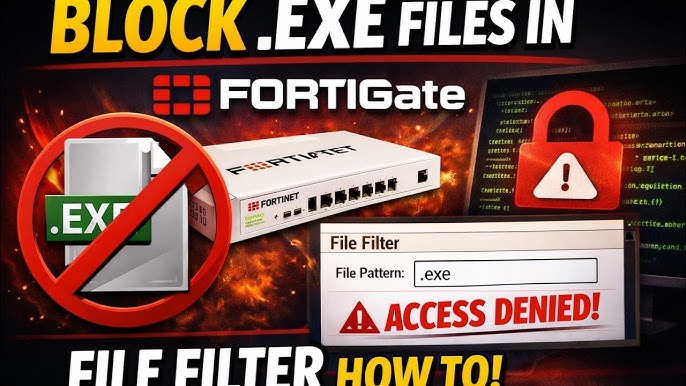
File filtering is a security feature of a firewall that controls, blocks, or allows files based on their type, extension, or content while they are being downloaded or uploaded over a network. Its main purpose is to prevent harmful or unauthorized files from entering or leaving the organization’s network.
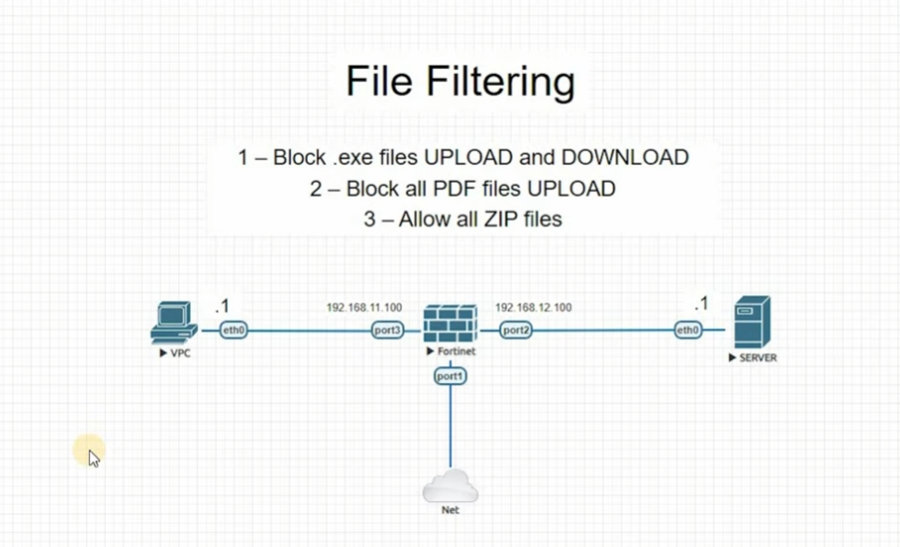
When a user tries to download or upload a file, the firewall checks the file type such as .exe, .zip, .pdf, .doc, or .mp3. It then compares it with predefined security rules. If the file type is considered unsafe or not allowed, the firewall blocks the transfer. If it is safe and permitted, the file is allowed to pass through.
File filtering is commonly used to stop malware infections. For example, executable files (.exe) from unknown websites are often blocked because they may contain viruses or ransomware. Similarly, organizations may block large file types or personal media files to save bandwidth and improve productivity.
For example, in an office environment, employees may be allowed to download only work-related documents like PDF or Word files, while downloads of software installers or compressed files from unknown sources are blocked by the firewall.
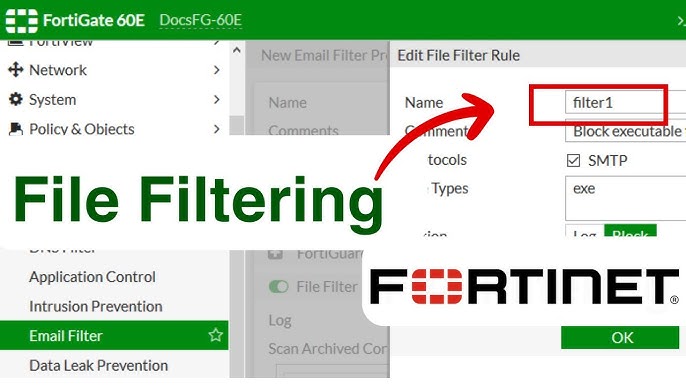
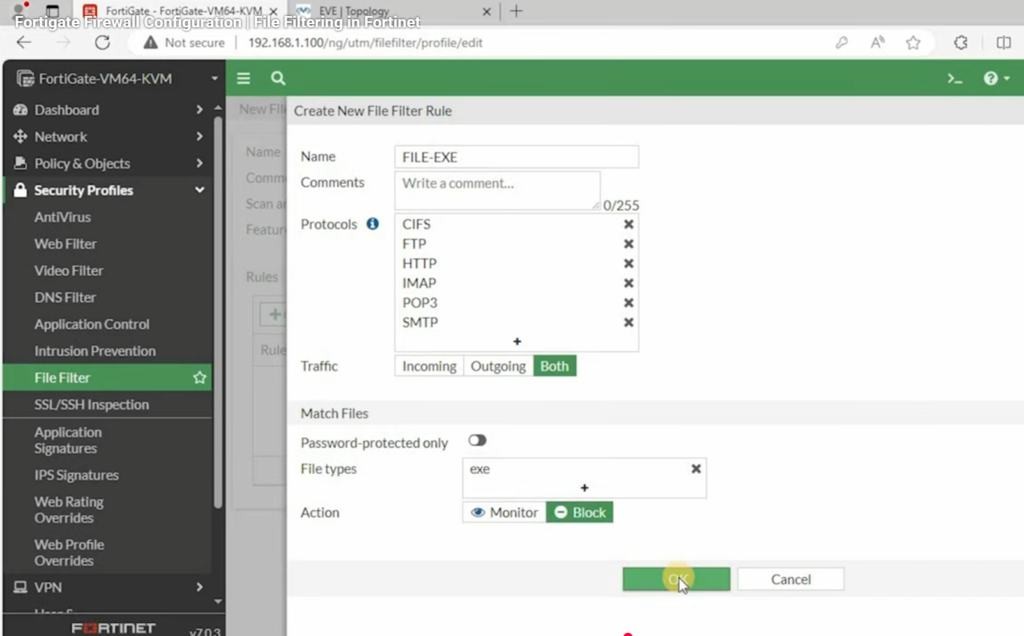
In advanced firewalls like Fortinet FortiGate, file filtering is implemented using security profiles where administrators can define which file types are allowed or blocked based on security policies.
File Filtering (Firewall) with Example:
File filtering is a firewall security feature that controls which types of files can be downloaded or uploaded in a network based on file extension, type, or risk level. It helps prevent dangerous files like viruses, malware, or unauthorized software from entering the system.
When a user tries to transfer a file, the firewall checks its format such as .exe, .pdf, .zip, .mp3, etc. If the file matches a blocked rule, the firewall stops the transfer. If it matches an allowed rule, the file is permitted.
Example 1 (Office Network):
In a company network, the firewall is configured to allow only document files like .pdf, .docx, and .xlsx. If an employee tries to download a software installer like setup.exe from the internet, the firewall blocks it because executable files may contain viruses.
Example 2 (School Network):
In a school, students are allowed to download study materials like PDF notes. But if a student tries to download a game file or compressed file like .zip from an unknown website, the firewall blocks it to ensure safety and focus on studies.
Example 3 (Security Protection):
If a user downloads a file from an unknown website and it contains malware hidden inside a .zip file, the firewall detects the risky file type and blocks it before it reaches the system, protecting the network from infection.
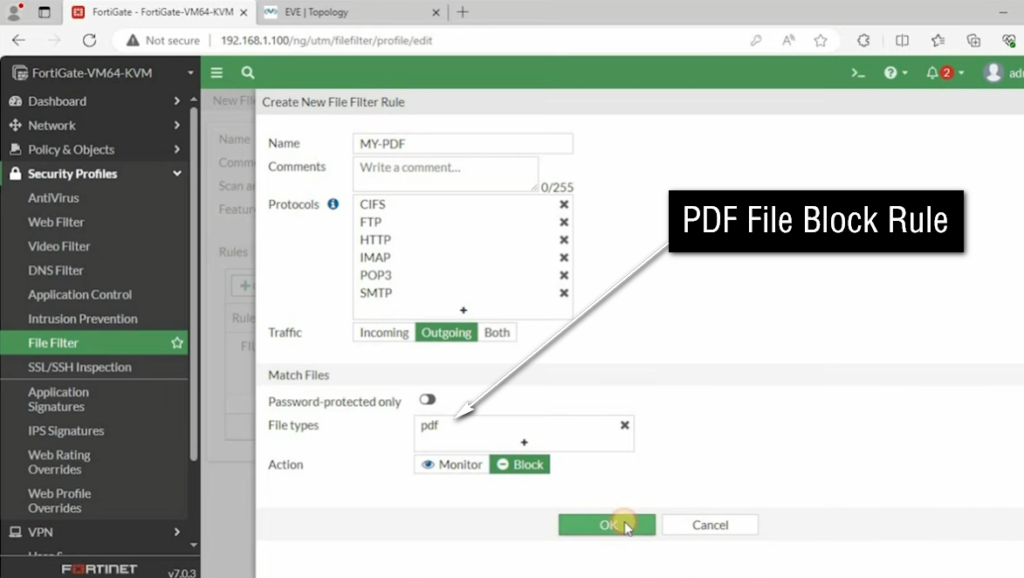
In advanced firewalls like Fortinet FortiGate, file filtering is managed through security profiles where administrators can easily define which file types are allowed or blocked based on company security policies.
Benefits of File Filtering
File filtering in a firewall provides several important advantages for network security and management.
1. Protection from malware and viruses:
File filtering blocks harmful file types such as .exe, .bat, or infected .zip files that may contain viruses, ransomware, or spyware. This helps protect systems from cyberattacks.
2. Prevents unauthorized file downloads:
Organizations can restrict users from downloading unapproved software or files, ensuring only safe and authorized files are used in the network.
3. Improves network security:
By filtering risky files at the firewall level, the network becomes more secure against external threats and malicious content.
4. Increases productivity:
Employees or students are prevented from downloading unnecessary files like games or entertainment software, which helps them stay focused on work or study.
5. Saves bandwidth:
Blocking large or unnecessary file downloads reduces network traffic and improves overall internet performance.
6. Reduces data leakage risk:
File filtering can also restrict uploading sensitive company files to external websites, helping prevent data theft or leakage.
In advanced firewalls like Fortinet FortiGate, file filtering is part of security profiles that allow administrators to define strict rules for controlling file transfers and improving overall cybersecurity.
What is Video Filtering
Video Filtering is a security feature of a firewall that Controls or Restricts access to online video content based on rules such as website, category, keywords, or streaming platform. It helps organizations manage and monitor video streaming activities on their network.
When a user tries to access a video on platforms like YouTube or other streaming sites, the firewall checks the request. Based on the configured policy, it can allow, block, or restrict certain videos or entire video categories. This filtering is usually done using URL filtering, content categories, or application control.
Video Filtering is commonly used in Schools, Colleges, and Offices to prevent distraction and control bandwidth usage. For Example, an organization may allow educational videos but block entertainment or gaming videos. This ensures that network resources are used for productive purposes.
Example:
In a School Network, students are allowed to watch educational videos related to studies, but access to entertainment videos or movie streaming websites is blocked using video filtering rules in the firewall.
In an Office, YouTube may be allowed only for training or business-related content, while entertainment channels are restricted to improve productivity.
Advanced Firewalls like Fortinet FortiGate provide video filtering through web and application control features, where administrators can easily block or allow video streaming platforms based on organizational policies.