Remote Access VPN
What is Remote Access VPN
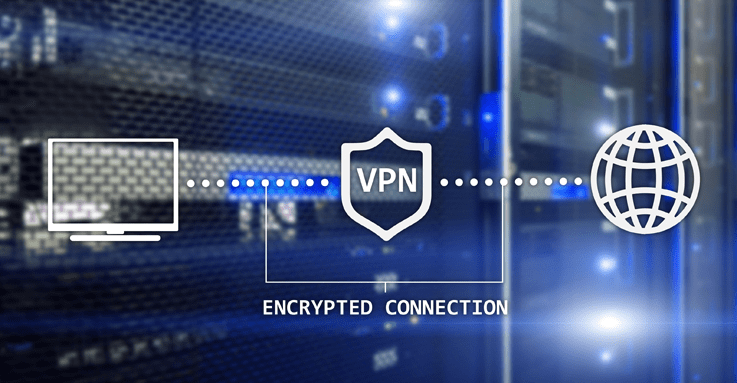
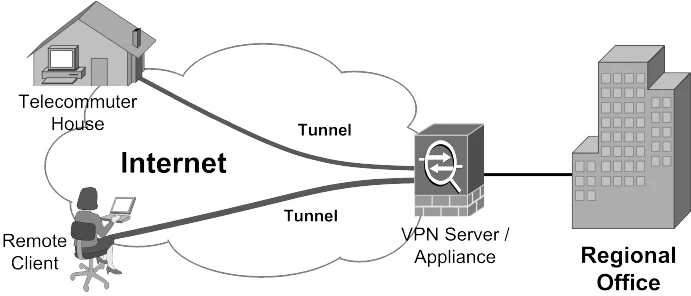
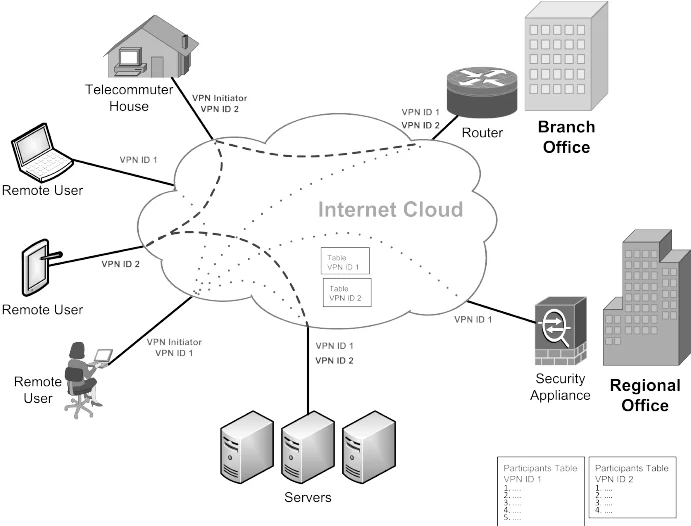
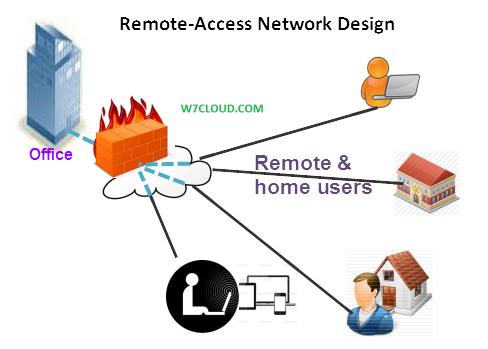
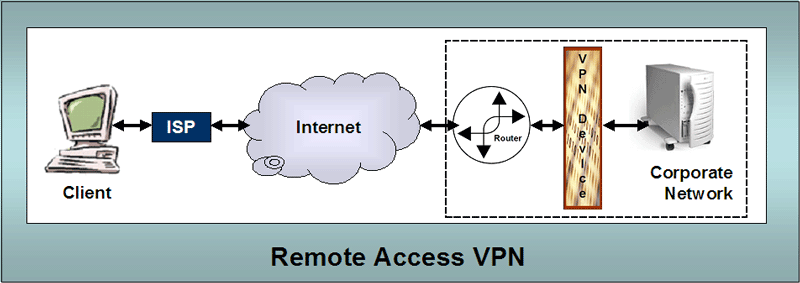
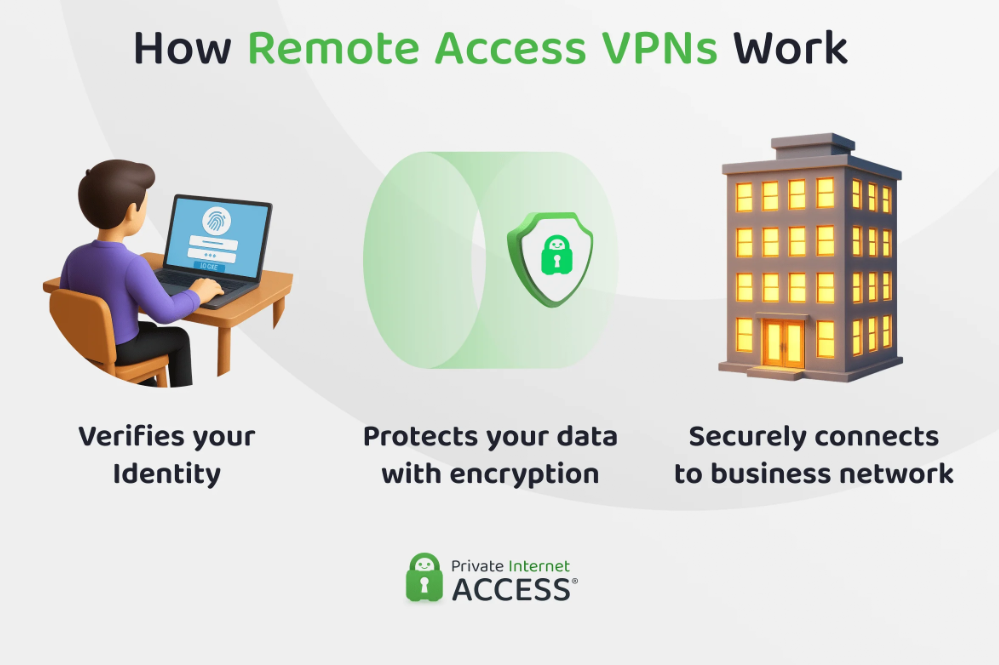
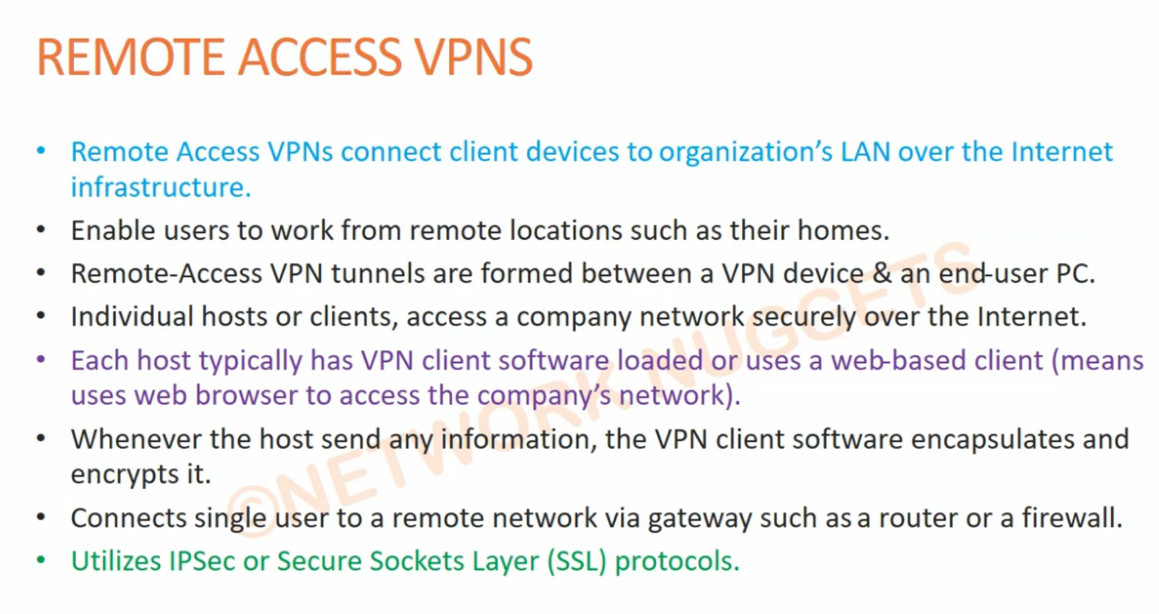
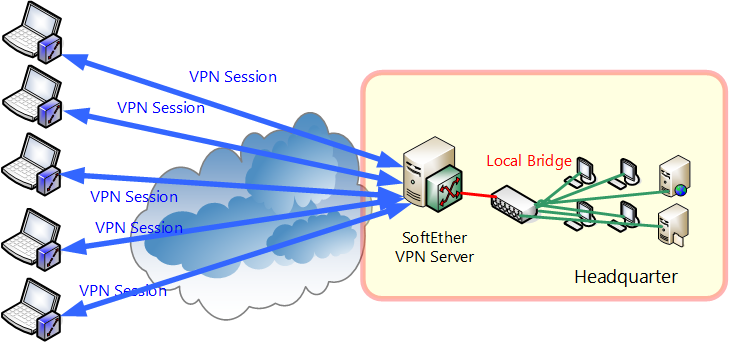
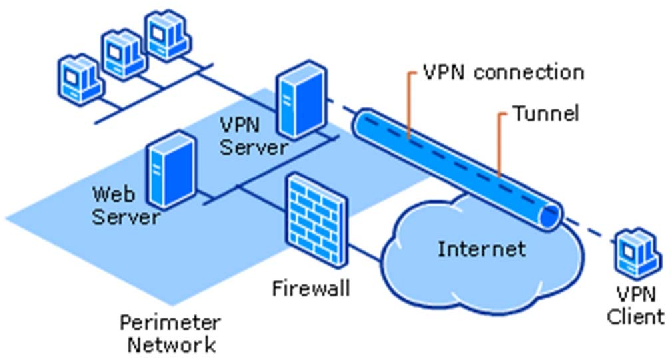
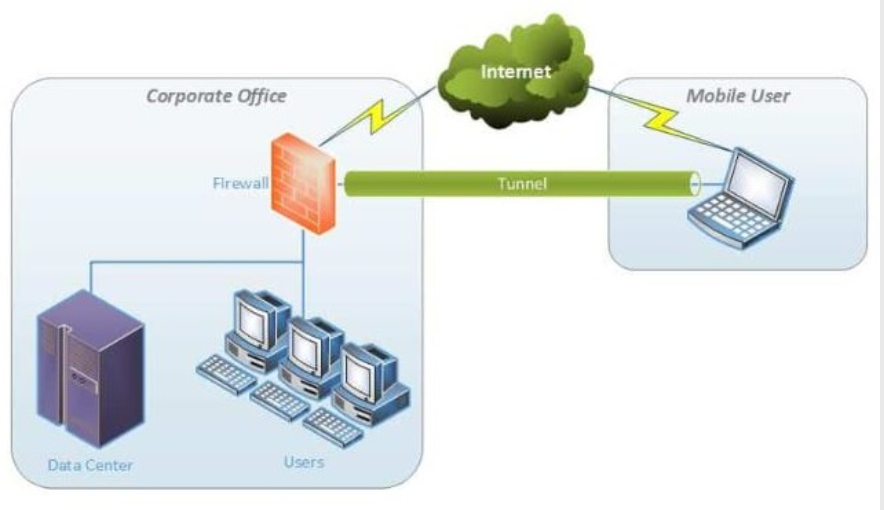
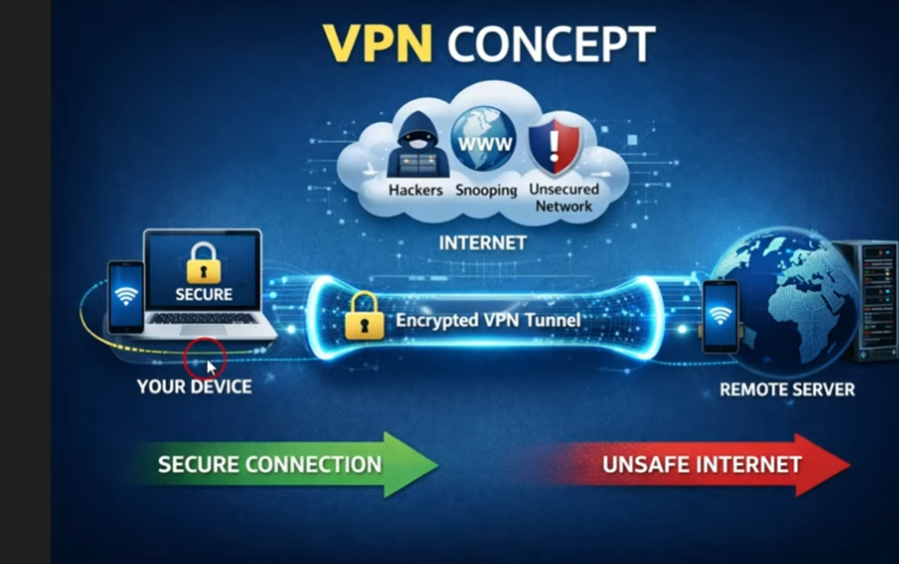
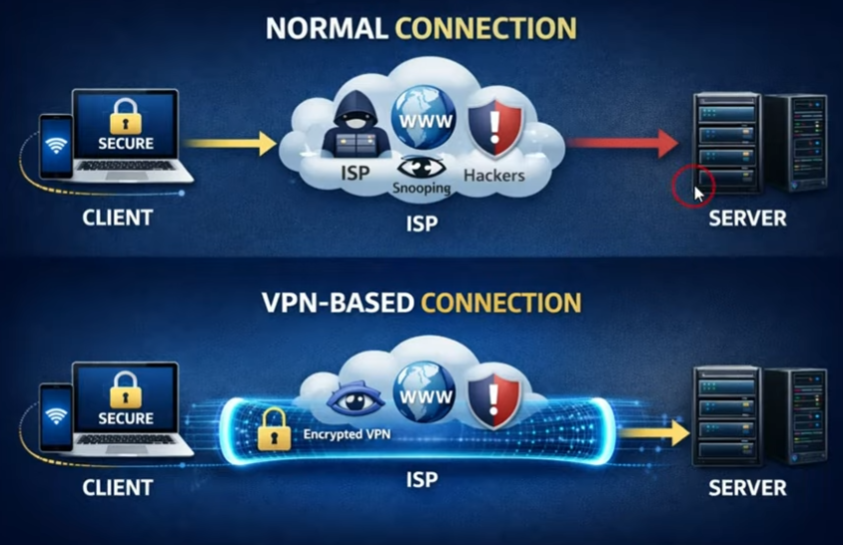
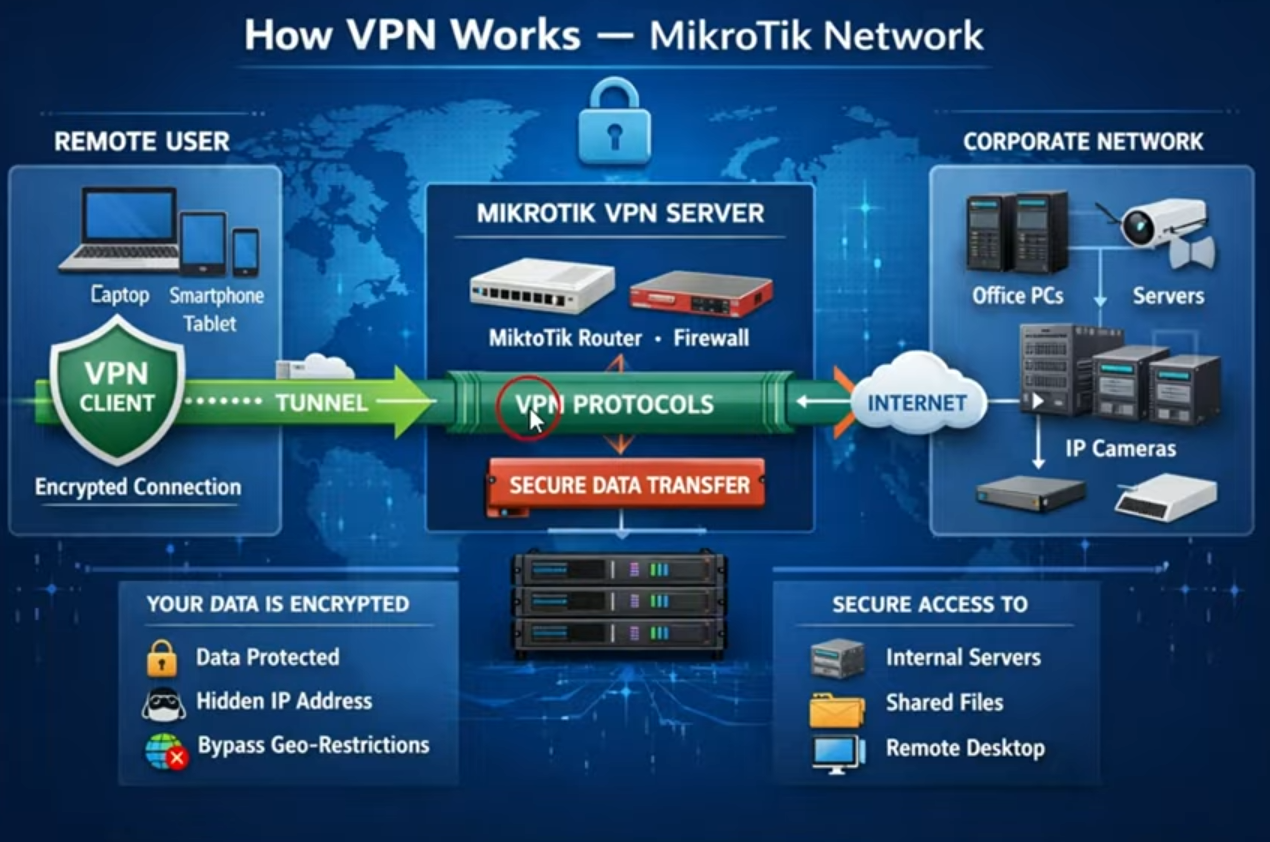
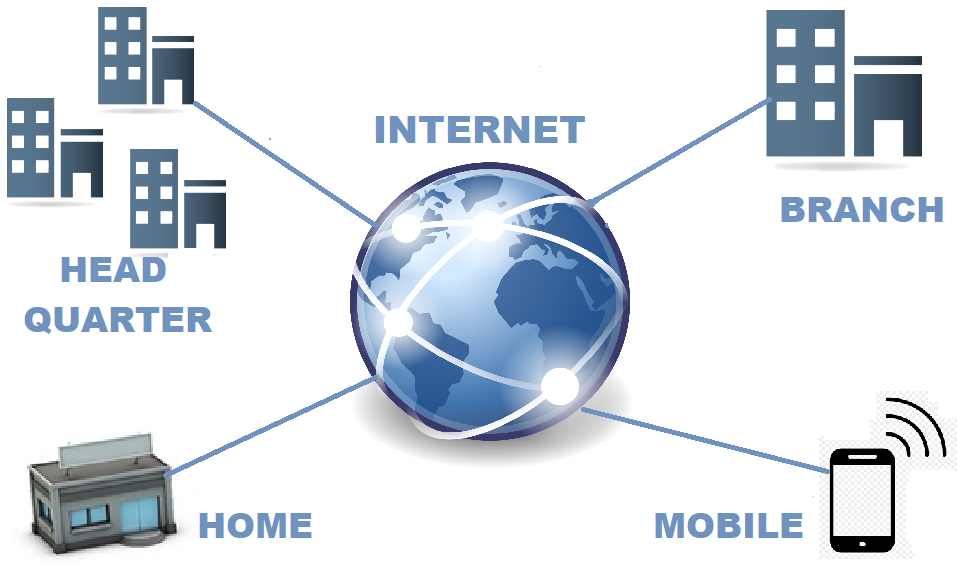
- A Remote Access VPN (Virtual Private Network) is a technology that allows a user to securely connect to a private network from a remote location using the internet. It is commonly used by employees working from home, traveling, or accessing office resources from outside the organization. The VPN creates an encrypted “tunnel” between the user’s device and the company network, ensuring that data remains safe from hackers or unauthorized access.
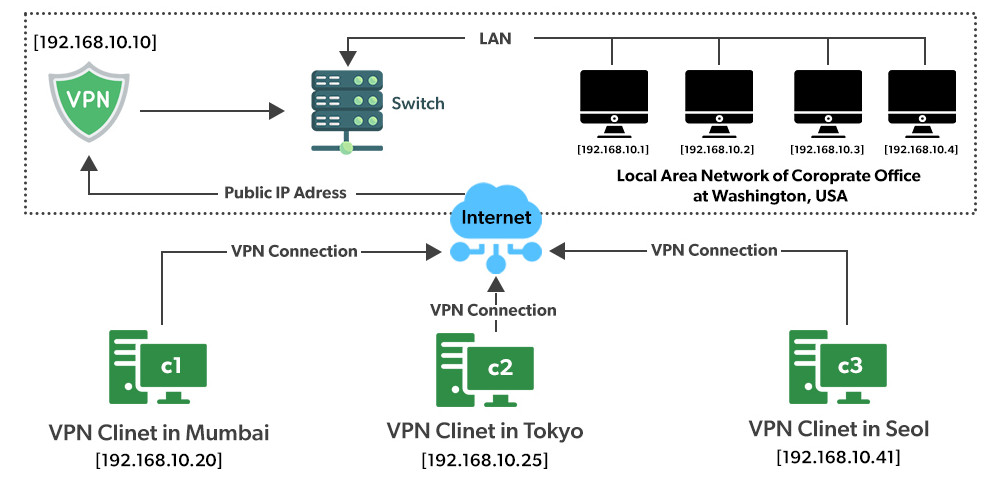
- In simple terms, when a user connects to a Remote Access VPN, their device behaves as if it is directly connected to the office network. For example, an employee sitting in Kolkata can securely access files, servers, or applications located in a company office in another city. This makes remote work efficient and secure without physically being present in the office.
- The working process of a Remote Access VPN involves authentication, encryption, and tunneling. First, the user logs in using credentials such as a username/password or multi-factor authentication. Then, the VPN software encrypts the data before sending it over the internet. This encrypted data travels through a secure tunnel to the VPN server, where it is decrypted and forwarded to the internal network. Common VPN protocols used include IPsec, SSL, and L2TP.
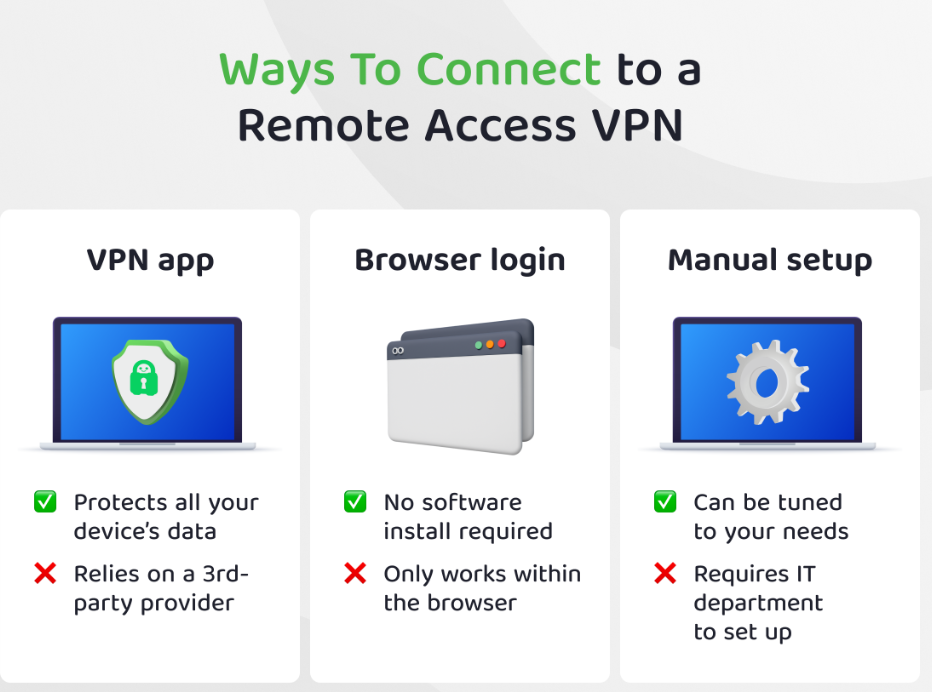
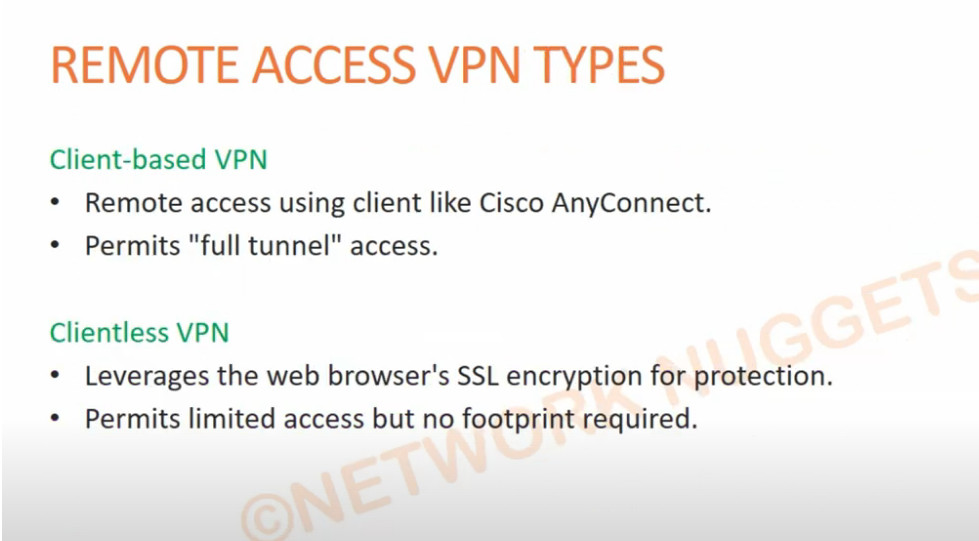
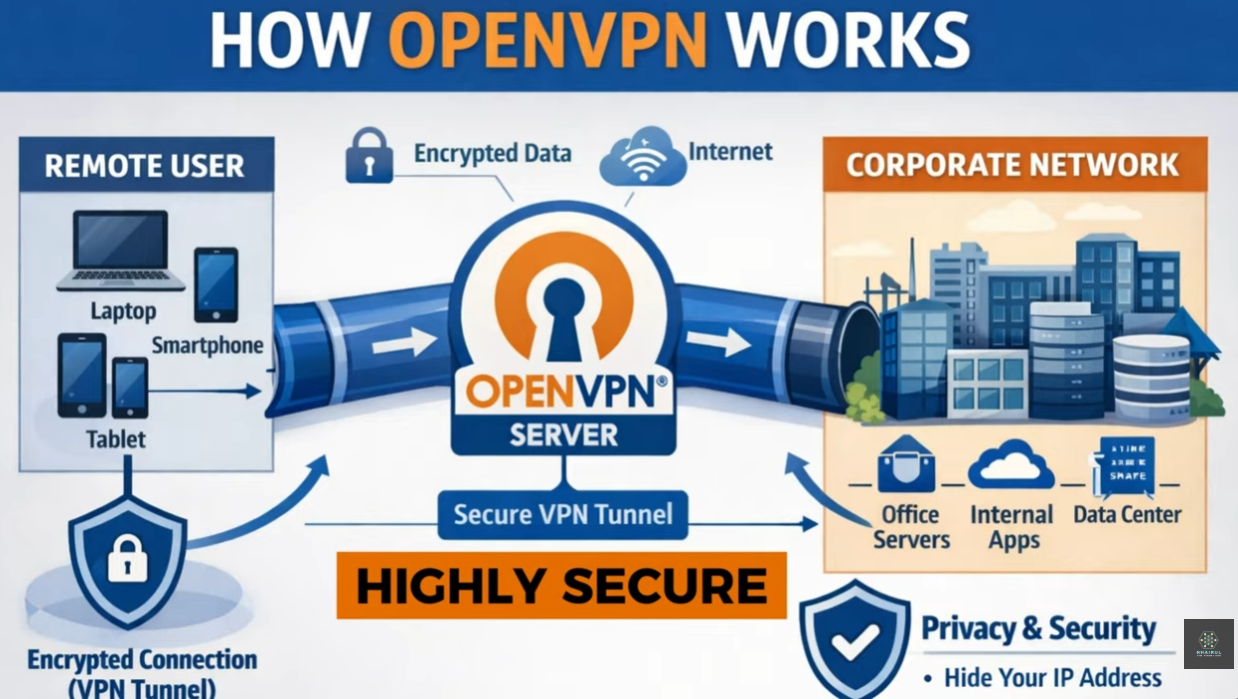
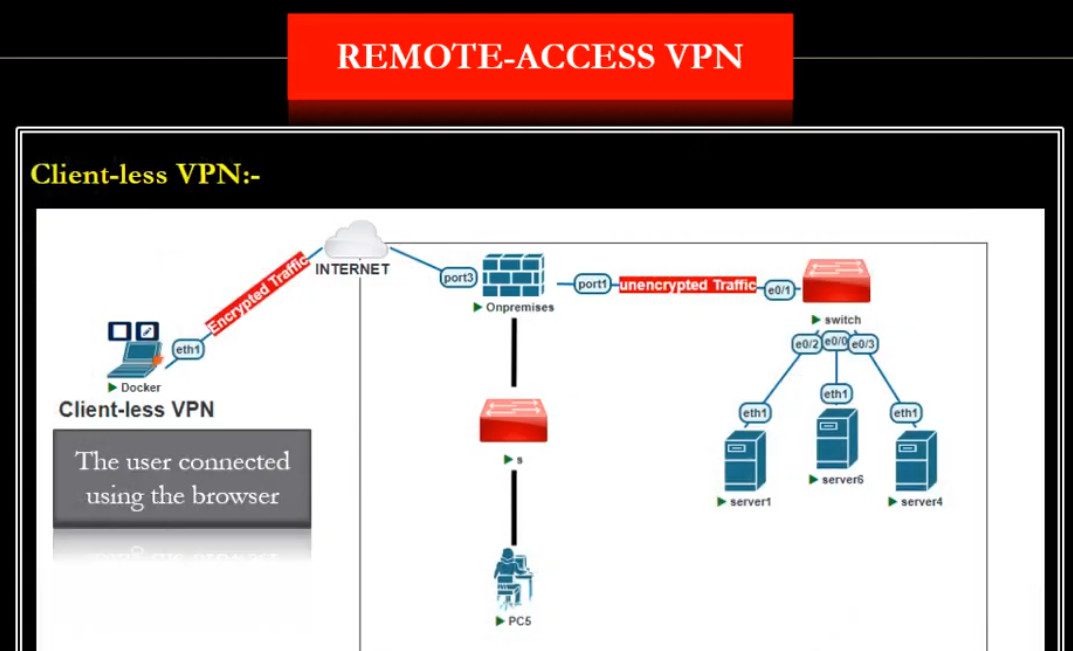
- There are mainly two types of Remote Access VPNs: client-based and browser-based. In a client-based VPN, users install software (like Cisco AnyConnect or OpenVPN or Forticlient) on their devices to connect securely. In a browser-based VPN, users access the VPN through a web browser without installing additional software, typically using HTTPS-based secure connections.
- Remote Access VPNs are widely used in organizations such as banks, IT companies, and government offices. For example, a bank employee can securely access customer databases from home using a VPN, ensuring sensitive financial data is protected. Without a VPN, transmitting such data over the public internet could expose it to cyber threats like hacking or data interception.
- The advantages of Remote Access VPN include secure communication, flexibility for remote work, cost savings (no need for dedicated leased lines), and easy scalability. However, there are also some disadvantages, such as slower internet speed due to encryption overhead, dependency on internet quality, and potential security risks if user devices are not properly protected.
- In conclusion, a Remote Access VPN is an essential tool in modern networking that enables secure and reliable remote connectivity. It plays a critical role in supporting remote work environments while maintaining data privacy and network security.
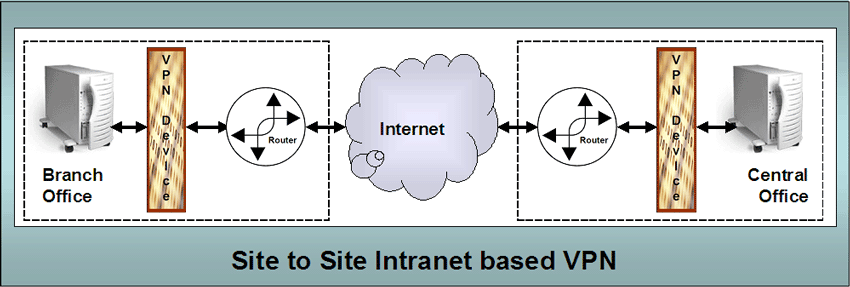
Types of Remote Access VPN
1. Client-Based Remote Access VPN:
This is the most common type of Remote Access VPN. In this method, the user must install VPN software (like Cisco AnyConnect or OpenVPN or Forticlient) on their device. After installation, the user logs in with credentials, and the software creates a secure encrypted tunnel between the device and the VPN server. This type provides strong security and full access to the internal network, making it ideal for employees who need regular and complete access to office resources.
2. Browser-Based (Clientless) VPN:
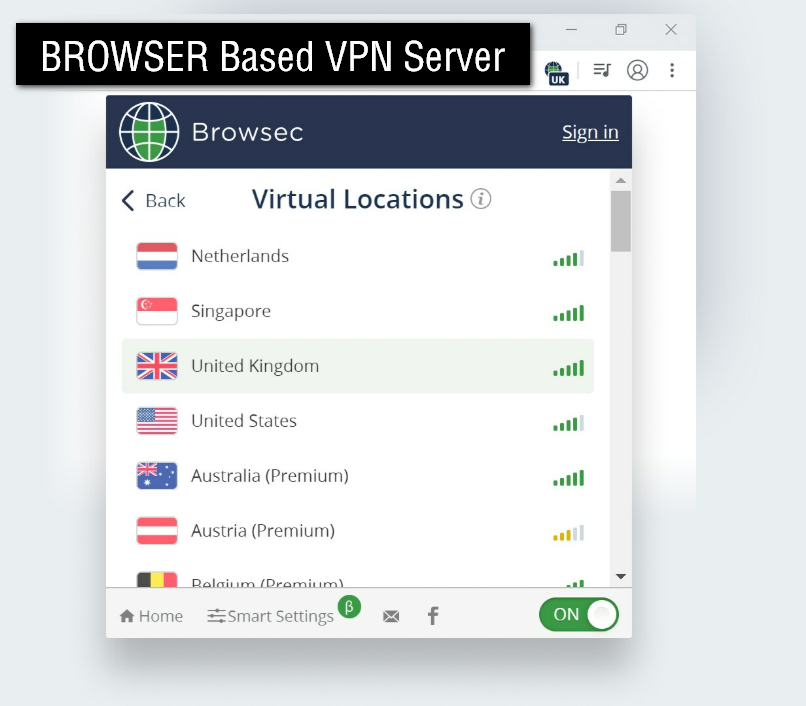
In this type, users do not need to install any software. They simply open a web browser and connect to the VPN using a secure HTTPS connection (based on SSL technology). After login, they can access specific applications like email, internal websites, or portals. This method is easy to use and suitable for temporary or limited access, but it usually provides less functionality compared to client-based VPNs.
3. IPsec Remote Access VPN:
This type uses IPsec to create a secure tunnel at the network layer. It ensures strong encryption and secure communication between the remote user and the company network. IPsec VPNs are widely used in enterprise environments because they provide high security, but they may require proper configuration and VPN client software.
4. SSL VPN (Secure Socket Layer VPN):
SSL VPNs use SSL or its modern version TLS to secure the connection. These VPNs are very popular because they work easily over the internet and often support both client-based and browser-based access. SSL VPNs are flexible and user-friendly, making them suitable for remote employees and mobile users.
What is Work From Home Employees Remote Access VPN
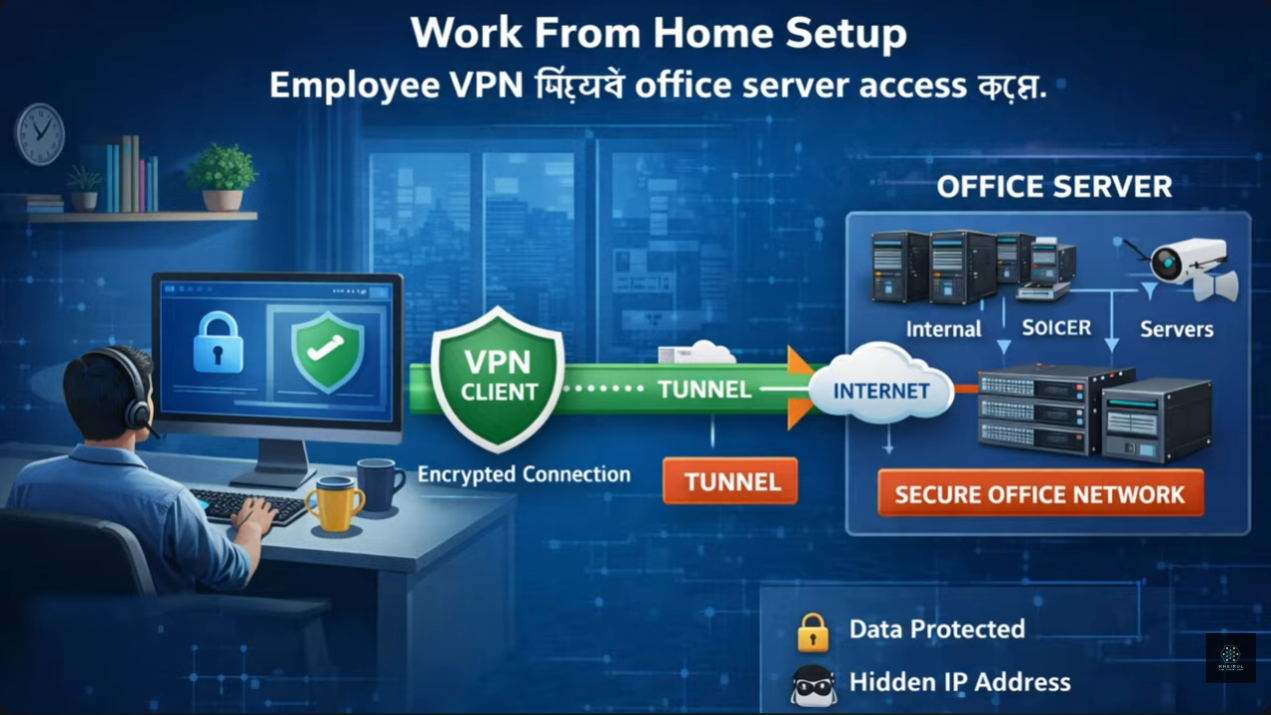
- Work-from-home employees can securely connect to their office network using a Remote Access VPN. This makes it possible to access office files, applications, and servers from anywhere while keeping data safe.
- A Remote Access VPN allows employees to securely connect to their company network from home using the internet. By using VPN software like Cisco AnyConnect or OpenVPN, employees log in with credentials and create an encrypted connection using protocols such as IPsec or SSL.
- This secure connection makes the employee’s device act like it is inside the office network, allowing safe access to files, applications, and servers from home.
How it Becomes Possible:
- First, the employee installs a VPN client such as Cisco AnyConnect or OpenVPN on their laptop or mobile. The company provides login credentials (username, password, sometimes OTP for extra security).
- Next, when the employee is at home and connects to the internet, they open the VPN software and log in. The VPN uses protocols like IPsec or SSL to create a secure encrypted tunnel between the employee’s device and the company’s VPN server.
- Once connected, the employee’s device behaves as if it is inside the office network. For example, someone working from Kolkata can access company systems located in another city or even another country. They can open internal websites, use company software, access shared drives, and even log into office servers.
Real example:
Suppose an IT employee needs to access a company database. Without VPN, the database is blocked from public internet access for security reasons. But after connecting to VPN, the system recognizes the employee as part of the internal network, so access is allowed safely.
Why VPN is important for work from home:
VPN protects sensitive data by encrypting it, preventing hackers from stealing information over public or home internet. It also ensures only authorized users can access company resources.
Simple Summary:
- VPN makes work-from-home possible by creating a secure “virtual office connection” over the internet. It gives employees safe access to internal systems just like they are sitting in the office.
- A Remote Access VPN allows employees to securely connect to their company network from home using the internet. By using VPN software like Cisco AnyConnect or OpenVPN, employees log in with credentials and create an encrypted connection using protocols such as IPsec or SSL.
- This secure connection makes the employee’s device act like it is inside the office network, allowing safe access to files, applications, and servers from home.
Benefits of Remote Access VPN
A Remote Access VPN (Virtual Private Network) allows individual users—especially employees working from home or traveling—to securely connect to a company’s private network over the internet. It offers several important benefits:
1. Secure Communication
Remote Access VPN uses encryption protocols such as IPsec or SSL to protect data. This ensures that sensitive information (like passwords, files, and emails) cannot be intercepted by hackers.
2. Safe Work From Home
Employees can safely access office systems from home. For example, a worker in Durgapur can securely connect to their company server located in another city without exposing data to public internet risks.
3. Access to Internal Resources
Users can access company resources such as shared drives, internal websites, databases, and applications as if they were physically in the office.
4. Cost Savings
Companies do not need to build expensive private networks or lease dedicated lines. Remote Access VPN uses the public internet, reducing infrastructure and maintenance costs.
5. Flexibility and Mobility
Employees can work from anywhere—home, hotel, or while traveling—using laptops, tablets, or smartphones. This improves productivity and work-life balance.
6. Authentication and Access Control
VPNs require user authentication (username, password, or multi-factor authentication). This ensures that only authorized users can access the network.
7. Data Integrity
VPN ensures that data is not altered during transmission. Any tampering can be detected immediately.
8. Scalability
Organizations can easily add new users without major network changes. This is especially useful for growing companies or remote teams.
9. Bypass Geographic Restrictions
Remote Access VPN allows users to access company services even if they are in different countries or restricted networks.
10. Improved Privacy
User IP addresses are hidden, which helps maintain privacy and reduces tracking risks while accessing company systems.
Remote Access VPN Slide


Fortinet Firewall VPN Client Software Forticlient
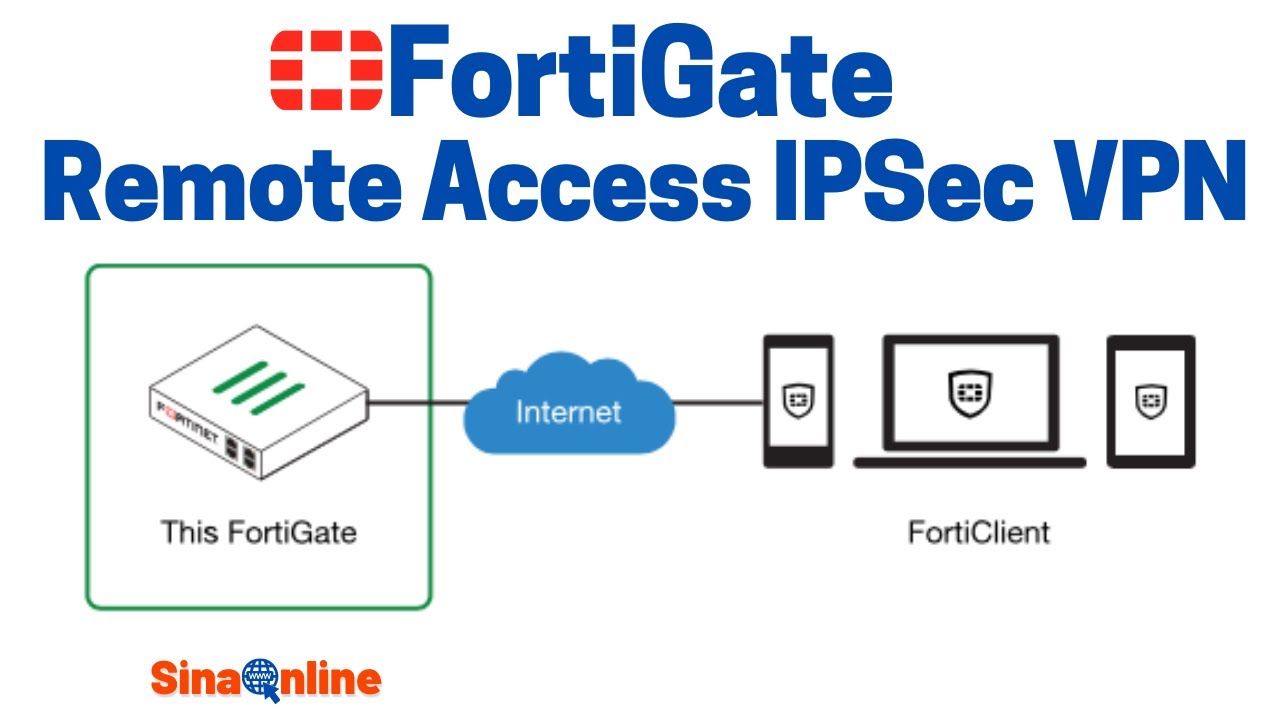
- FortiClient is a VPN client software that enables secure remote access to an organization’s network. It creates an encrypted tunnel between the user’s device and the company firewall, ensuring safe communication over the internet. It is widely used in companies for work-from-home and remote connectivity.
- FortiClient supports both IPsec VPN and SSL VPN technologies. These protocols help in encrypting data and maintaining confidentiality while accessing internal resources such as servers, files, and applications.
- The software is available in two main versions: a free VPN-only client and a full-featured version. The free version provides basic VPN connectivity, while the full version includes advanced security features like endpoint protection, web filtering, and centralized management.
- FortiClient also offers Zero Trust Network Access (ZTNA), which ensures that users are verified before accessing applications. It includes features like multi-factor authentication (MFA), single sign-on (SSO), and device security checks to improve overall network security.
- Another important feature is endpoint security. FortiClient can protect devices with antivirus, ransomware protection, and firewall capabilities. It helps detect and prevent cyber threats before they enter the network.
- The software supports centralized management through FortiClient EMS (Endpoint Management Server). This allows IT administrators to monitor, configure, and control all connected devices from a single dashboard, making management easier in large organizations.
- FortiClient is compatible with multiple platforms such as Windows, macOS, Linux, Android, and iOS. This flexibility allows employees to connect securely from laptops, desktops, or mobile devices.
- In summary, FortiClient is a powerful and widely used VPN client software that provides secure remote access, strong encryption, endpoint protection, and centralized control, making it ideal for modern enterprise networks.



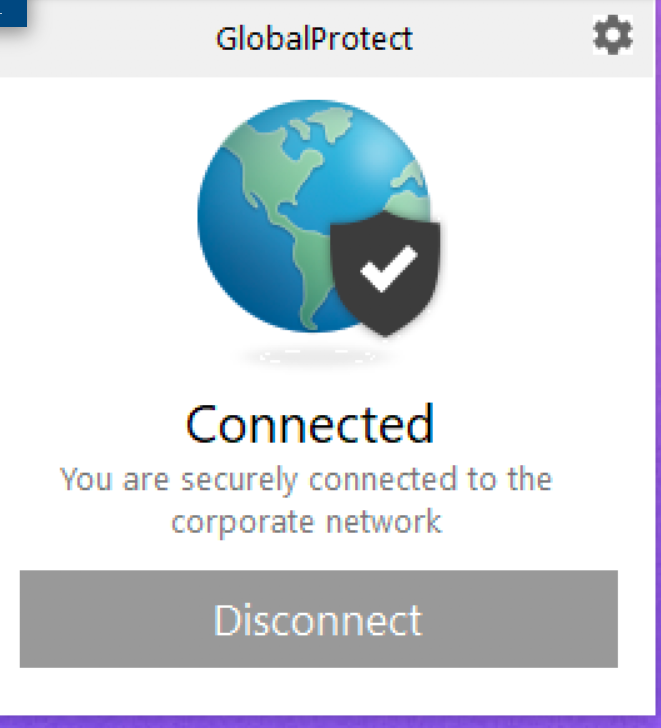
Paloalto Firewall VPN Client Software GlobalProtect
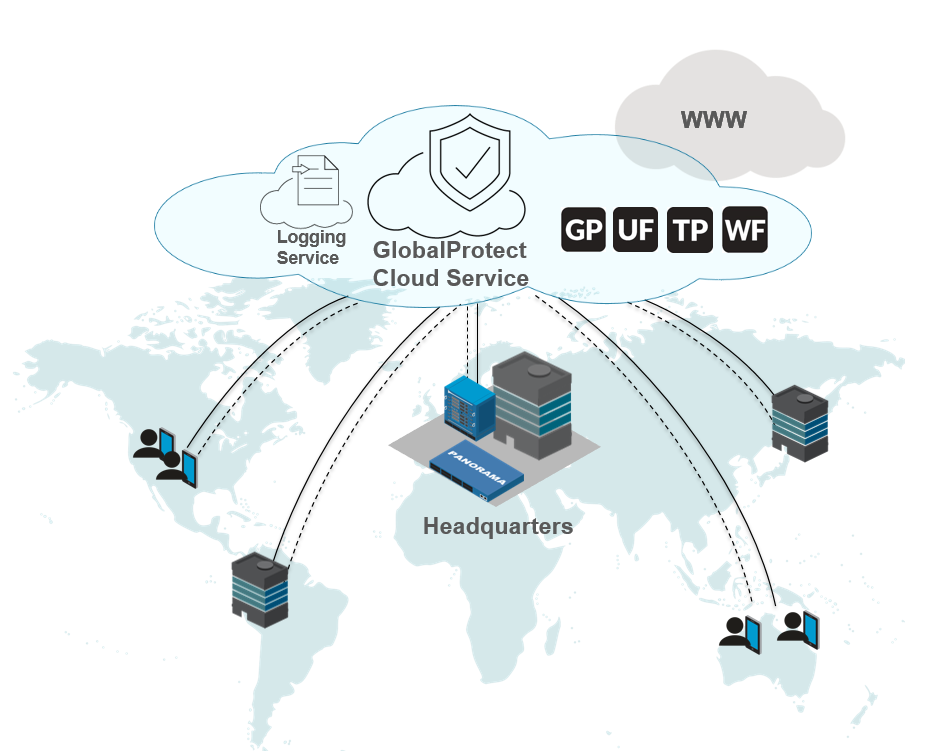
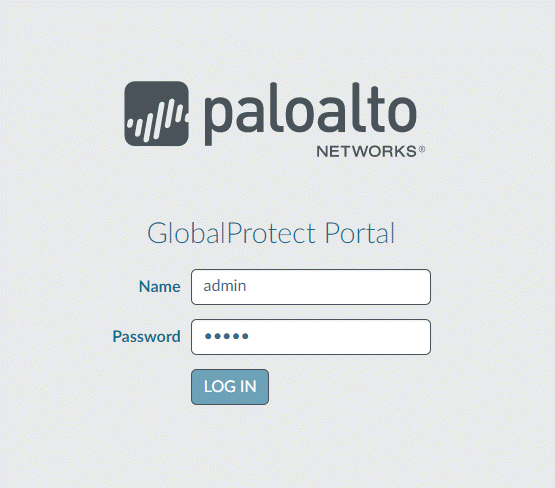
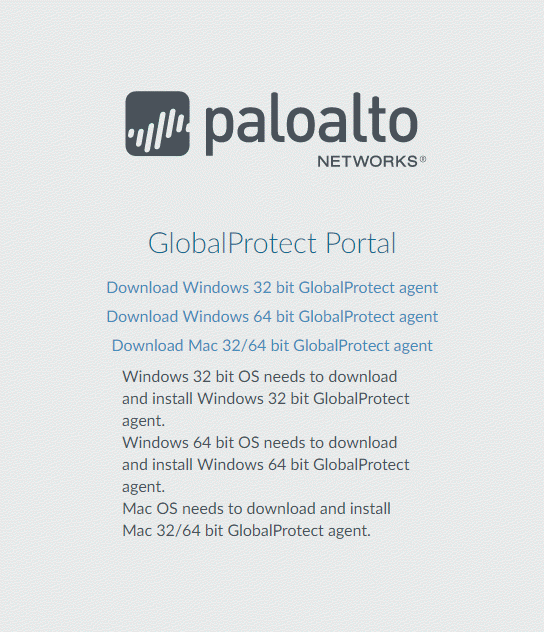
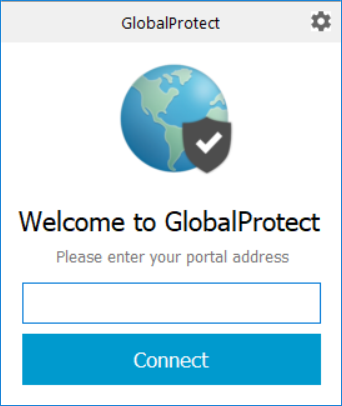
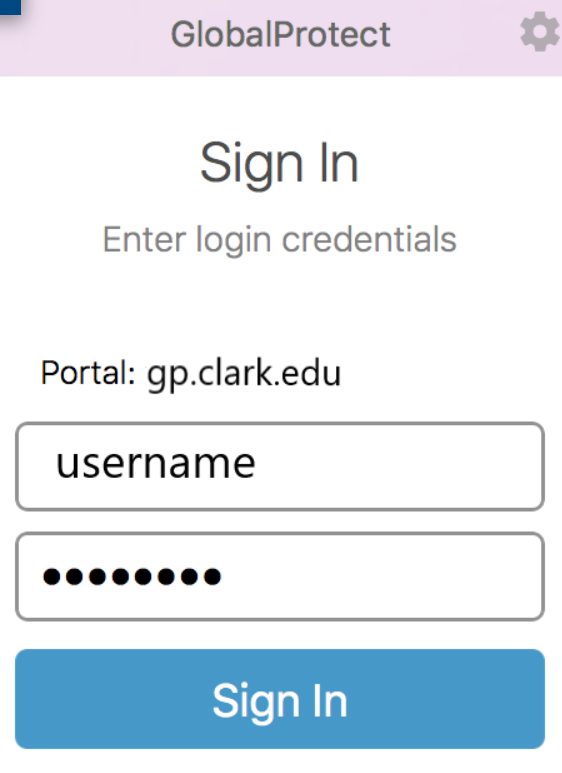
- GlobalProtect is a VPN client developed by Palo Alto Networks. It allows employees to securely connect to their organization’s network from remote locations such as home, office branches, or while traveling. It creates a safe tunnel between the user device and the company firewall.
- GlobalProtect supports both IPsec VPN and SSL VPN technologies. These protocols encrypt data during transmission, ensuring that sensitive company information like files, emails, and login credentials remain protected from cyber threats.
- One key feature of GlobalProtect is Zero Trust security. It verifies both the user and the device before granting access. This includes multi-factor authentication (MFA), device health checks, and user identity validation to ensure only authorized users can access resources.
- The software provides secure access to internal applications. Users can connect to company servers, databases, and internal web applications as if they are physically present in the office network.
- GlobalProtect also includes endpoint security features. It checks whether the user’s device meets security requirements (such as antivirus, OS updates, etc.) before allowing access, helping to prevent infected or unsafe devices from connecting.
- Another advantage is centralized management. IT administrators can monitor user connections, enforce security policies, and manage VPN access from a central Palo Alto firewall or management system.
- GlobalProtect is compatible with multiple platforms including Windows, macOS, Linux, Android, and iOS, allowing users to connect from different devices easily.
- In summary, GlobalProtect is a secure and advanced VPN software that provides encrypted remote access, strong authentication, device security checks, and centralized control, making it widely used in enterprise environments.

Cisco Firewall VPN Client Software Cisco AnyConnect
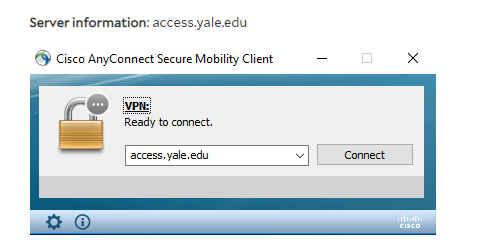
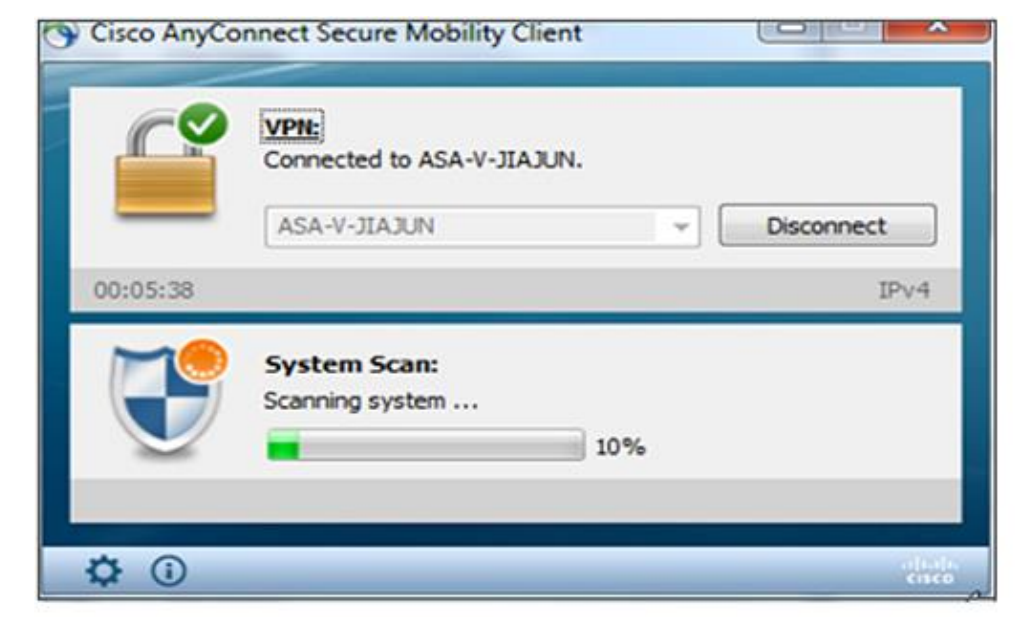
- Cisco AnyConnect is a popular VPN client software developed by Cisco. It is used with Cisco firewalls (like ASA or Firepower) to provide secure remote access to company networks.
- Cisco AnyConnect is designed to allow employees to connect securely to their organization’s internal network from remote locations. It creates an encrypted tunnel over the internet so that users can safely access company systems, files, and applications.
- The software supports both SSL VPN and IPsec VPN technologies. These protocols ensure that all data transmitted between the user and the company network is encrypted and protected from unauthorized access or cyber attacks.
- One of the main features of Cisco AnyConnect is strong security and authentication. It supports multi-factor authentication (MFA), certificates, and secure login methods to ensure that only authorized users can access the network.
- Cisco AnyConnect also provides endpoint security checks. Before allowing access, it verifies whether the user’s device meets company security policies, such as updated antivirus, firewall status, and operating system compliance.
- Another important feature is Always-On VPN. This ensures that the VPN connection remains active at all times, automatically reconnecting if the connection drops, which improves security and user experience.
- It offers secure access to internal resources, allowing users to work remotely as if they are inside the office network. This includes access to servers, internal websites, and enterprise applications.
- Cisco AnyConnect is compatible with multiple platforms such as Windows, macOS, Linux, Android, and iOS, making it flexible for different devices and work environments.
- In summary, Cisco AnyConnect is a powerful and widely used VPN client that provides secure remote access, strong encryption, endpoint security, and reliable connectivity, making it ideal for enterprise and corporate networks.
Checkpoint Firewall VPN Client Software Endpoint Security
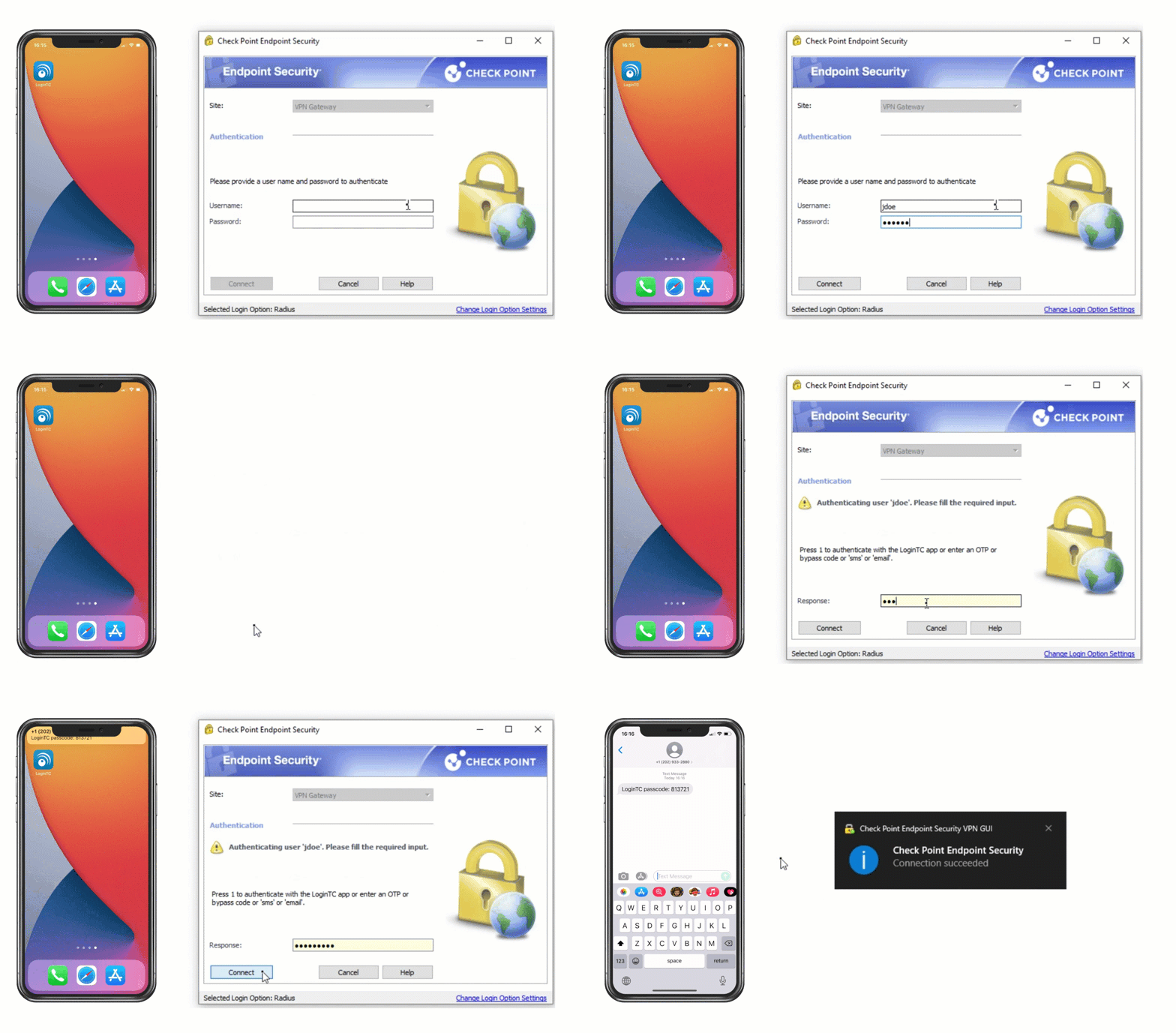
- Check Point Endpoint Security VPN is the VPN client software used with Check Point Software Technologies firewalls to provide secure remote access to users.
- Check Point Endpoint Security VPN allows employees to securely connect to their organization’s internal network from remote locations. It creates an encrypted tunnel between the user’s device and the company firewall, ensuring safe communication over the internet.
- The software supports IPsec VPN and SSL VPN technologies. These protocols encrypt data during transmission, protecting sensitive information such as login credentials, emails, and business data from cyber threats.
- One important feature is strong authentication and access control. It supports multi-factor authentication (MFA), user authentication, and certificate-based login, ensuring that only authorized users can access the network.
- It also provides endpoint compliance checks. Before allowing access, the VPN verifies whether the user’s device meets security policies, such as updated antivirus, firewall enabled, and proper system configuration.
- Another advantage is secure access to internal resources. Users can access company servers, internal applications, and databases from anywhere, just like working inside the office network.
- Check Point VPN offers centralized management, allowing IT administrators to monitor connections, enforce policies, and control user access from a central management system.
- The client supports multiple platforms such as Windows, macOS, Linux, and mobile devices, making it flexible for different users and environments.
- In summary, Check Point Endpoint Security VPN is a reliable VPN software that provides encrypted remote access, strong security, device compliance checks, and centralized control, making it widely used in enterprise networks.

Sophos XG/XGS Firewall VPN Client Software Sophos Connect
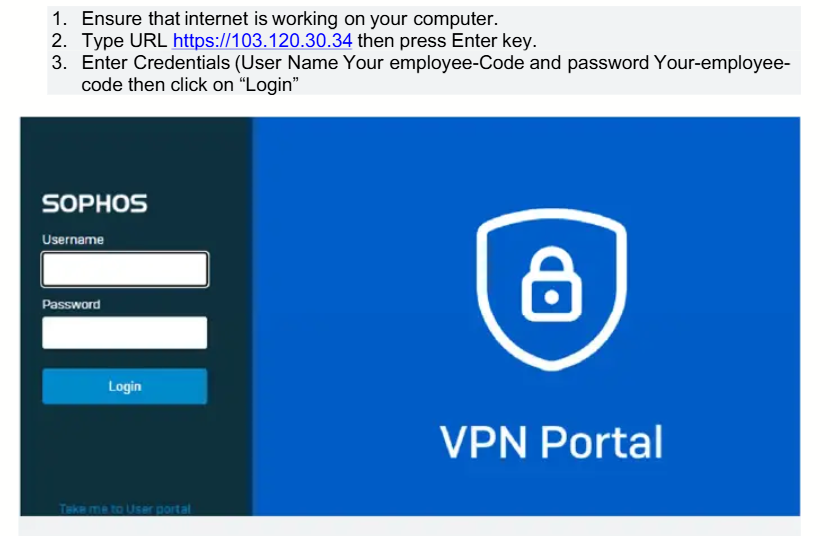
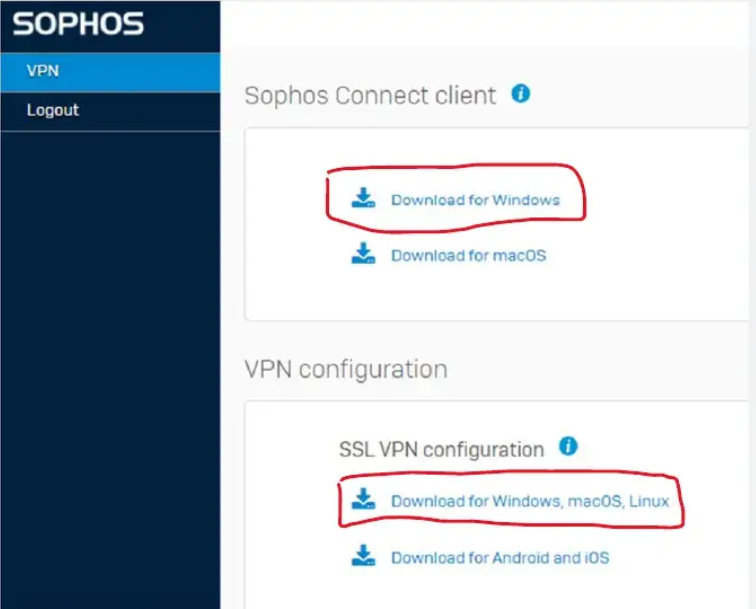
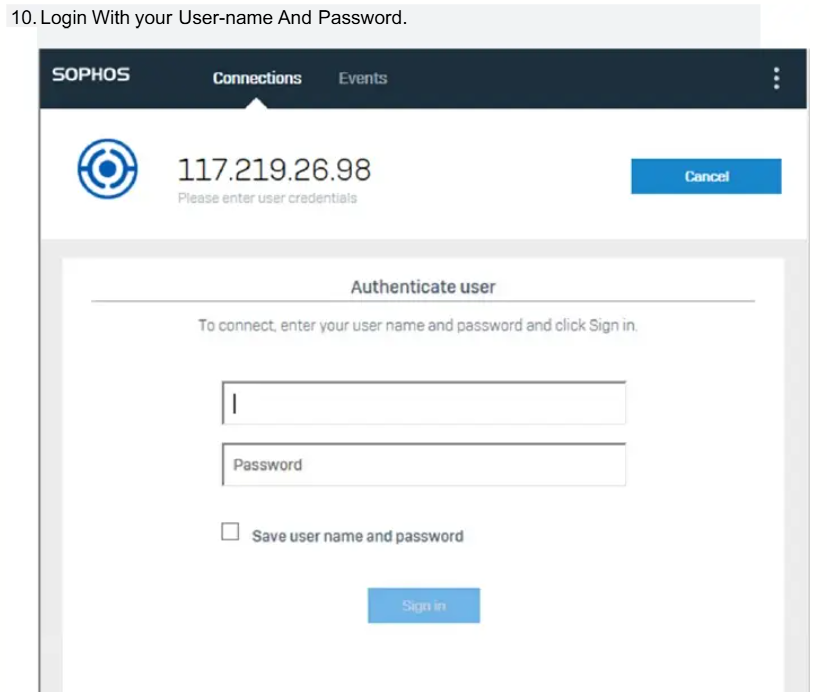
- Sophos Connect is the VPN client software used with Sophos firewalls (like Sophos XG/XGS) to provide secure remote access to users.
- Sophos Connect allows employees to securely connect to their organization’s internal network from remote locations such as home or while traveling. It creates an encrypted tunnel between the user’s device and the company firewall, ensuring safe communication over the internet.
- The software supports both IPsec VPN and SSL VPN technologies. These protocols encrypt data during transmission, protecting sensitive information like company files, emails, and login credentials from hackers.
- One key feature is strong authentication and security. It supports user authentication, certificates, and multi-factor authentication (MFA), ensuring that only authorized users can access the network.
- Sophos Connect also provides secure access to internal resources. Users can access servers, shared folders, and internal applications as if they are working from inside the office network.
- Another advantage is simple configuration and user-friendly interface. The client is easy to install and configure, making it suitable for both IT professionals and normal users.
- It offers centralized management through Sophos firewall systems. Administrators can monitor VPN users, apply security policies, and manage access control from a single dashboard.
- The software supports multiple platforms such as Windows and macOS, and mobile users can use alternative apps like Sophos Intercept X for Mobile for secure connectivity and protection.
- In summary, Sophos Connect is a reliable VPN client that provides encrypted remote access, strong authentication, easy management, and secure connectivity, making it suitable for small to large business environments.