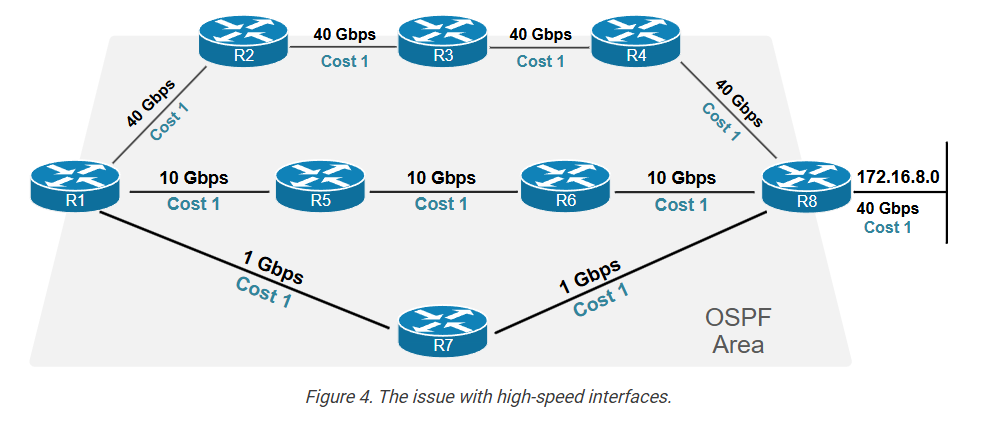
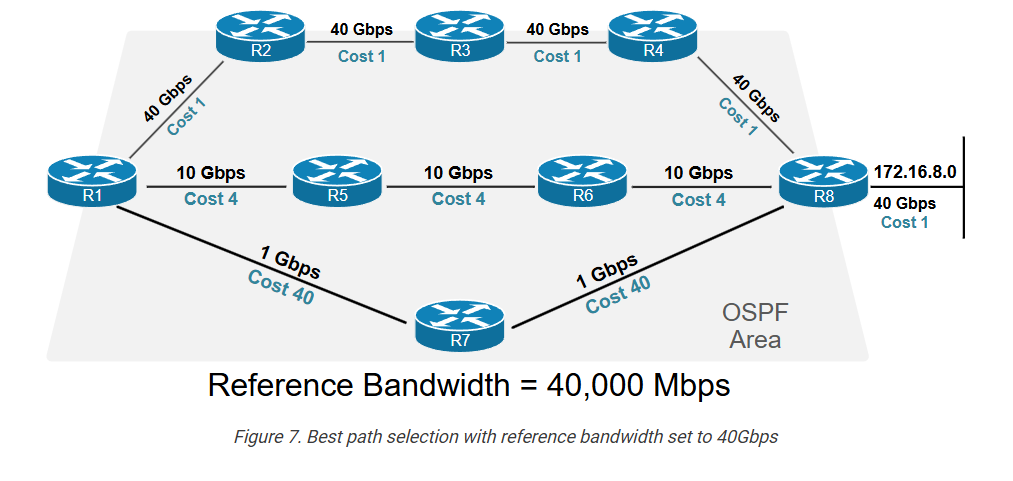
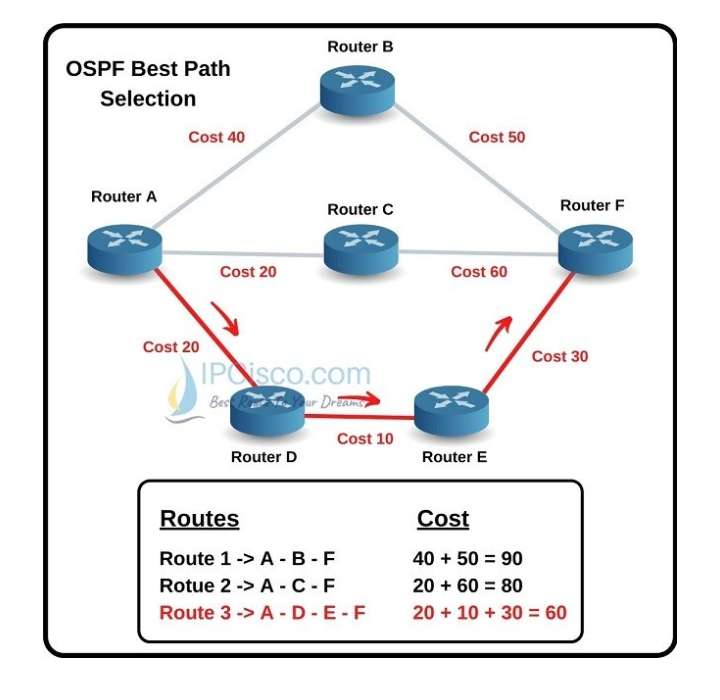
Let’s compare the three available routes to 172.16.8.0/24 in the context of the link state protocol.
Table 2. The total cost of each available path is in Figure 4.| Path | Total Cost [lower is better] |
| R1-R2-R3-R4-R5-R8 | 5 |
| R1-R5-R6-R8 | 4 |
| R1-R7-R8 | 3 (best) |
According to the default OSPF best-path algorithm, the path R1-R7-R8 is the best to 172.16.8.0/24. However, is it really?
If you look at the diagram again, you can easily figure out that you can send 40 Gbps over the path via R2-R3-R4-R8. Also, you can transmit 10 Gbps via R5-R6-R8. However, over the path via R7-R8, you can only transfer 1Gbps, so the path that OSPF has chosen as best is actually the slowest of the three.
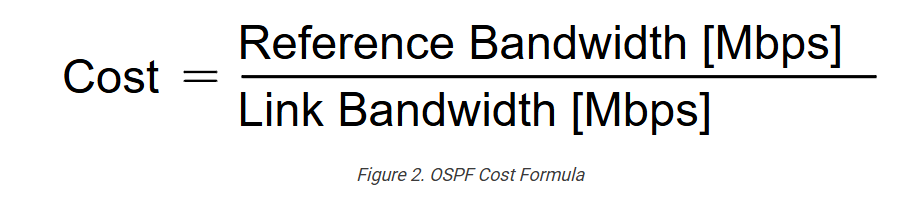
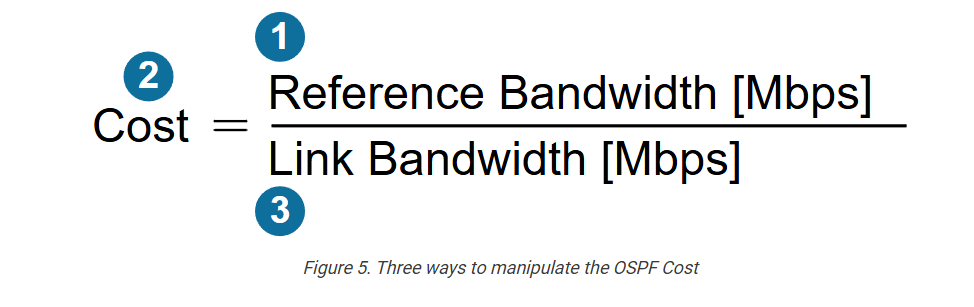
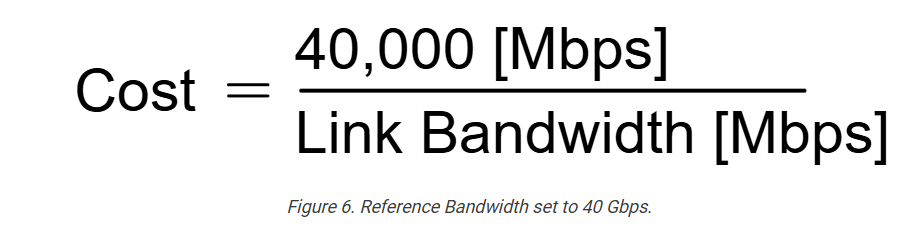
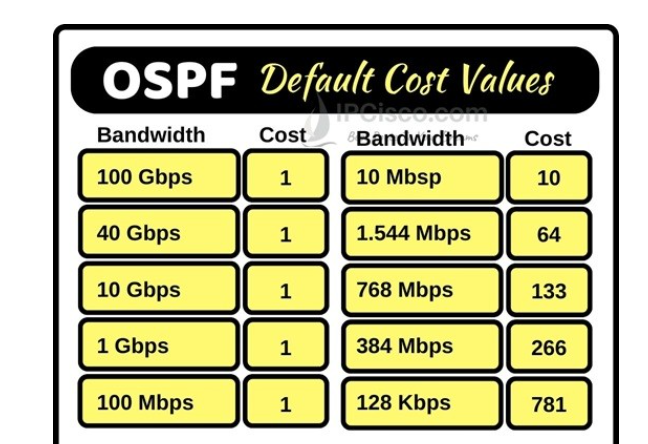
The problem is that because of the default reference bandwidth of 100Mbps, the calculated cost of every link is 1. Fortunately, the protocol was designed to account for that and allow us to change the reference bandwidth. Let’s see how.
Manipulating the OSPF Cost
Since the metric formula has three components, there are three ways to manipulate the OSPF cost of links, as shown in the diagram below.