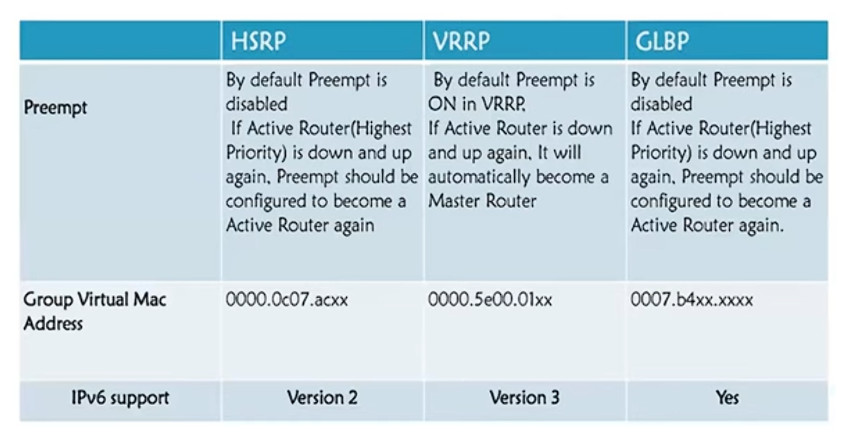
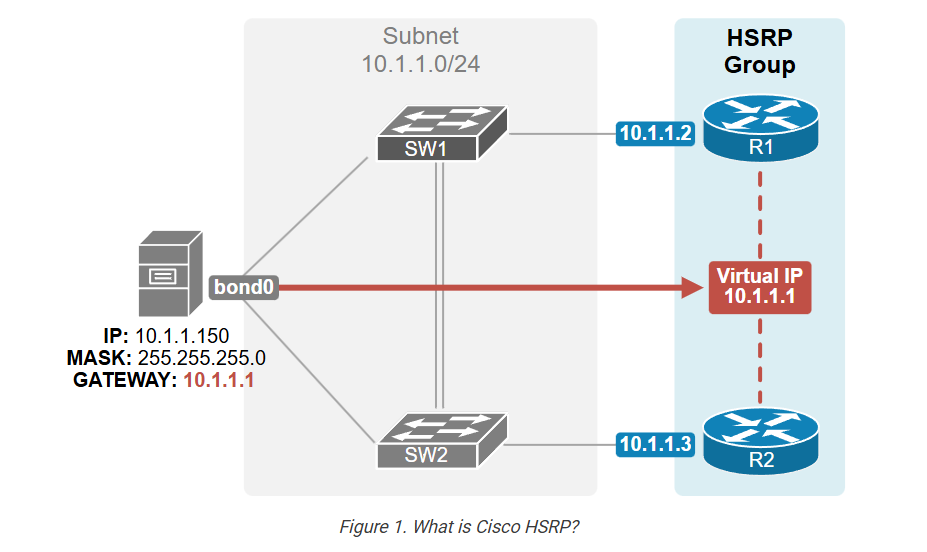
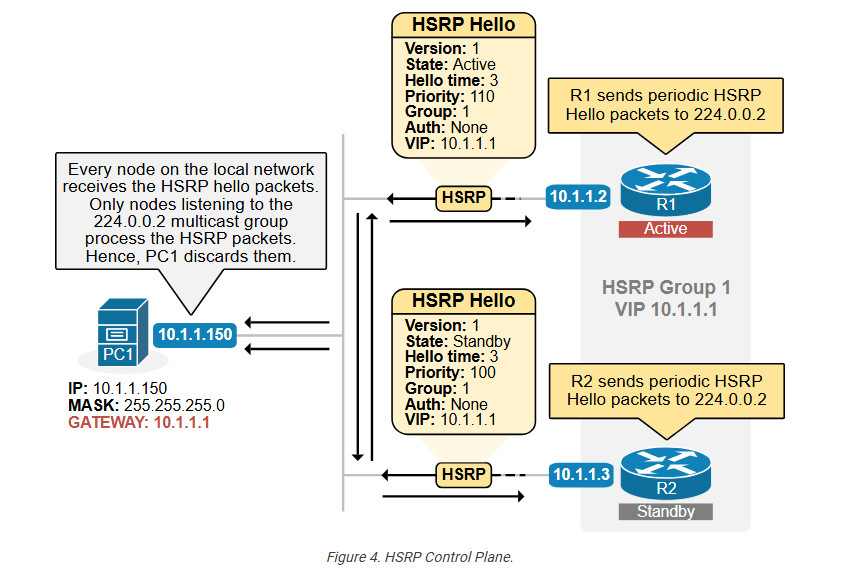
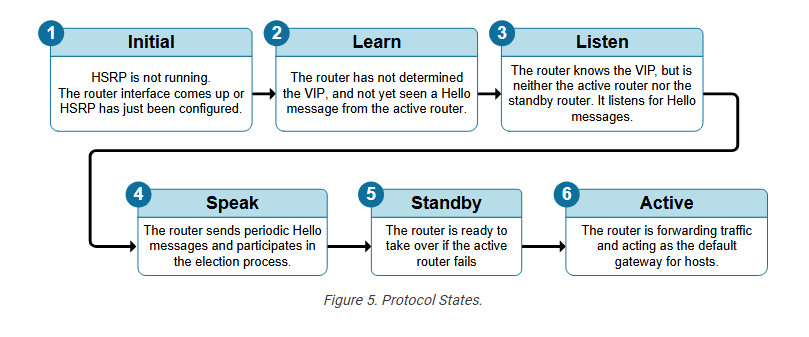
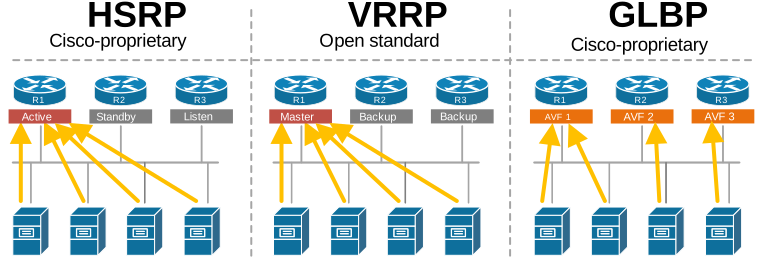
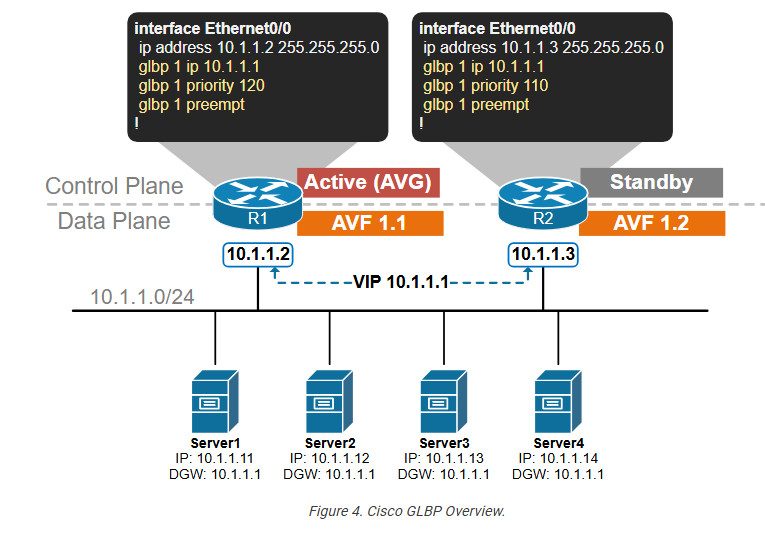
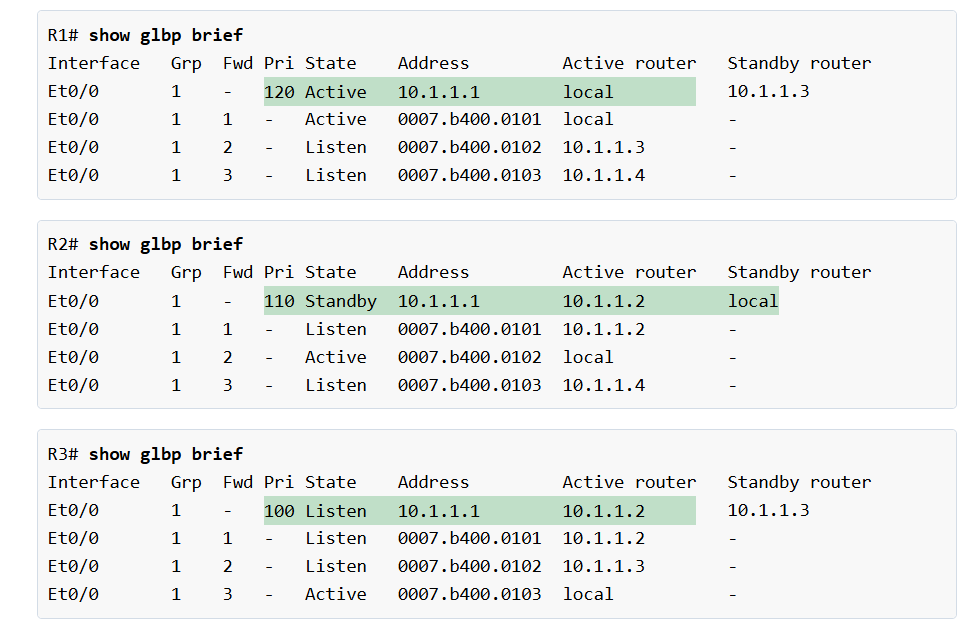
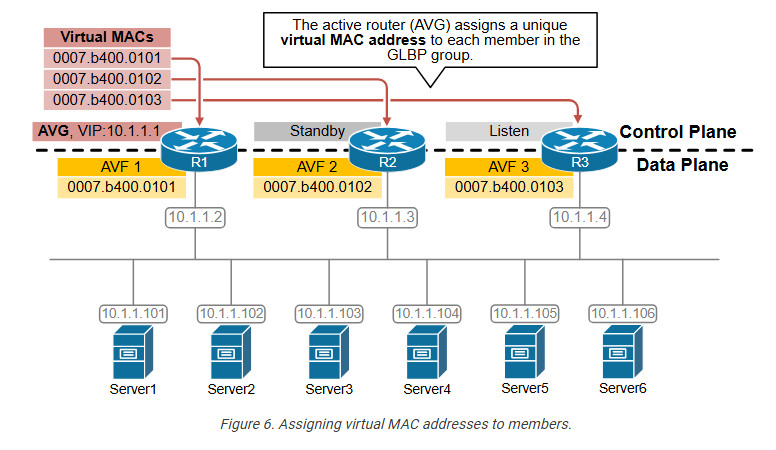
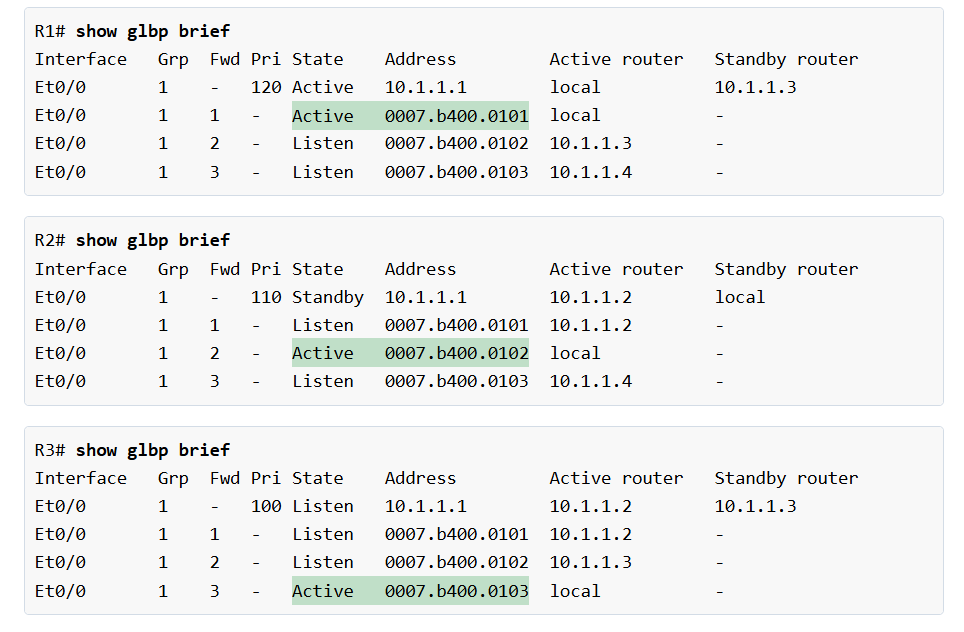
At first glance, you can notice a few major differences between VRRP and HSRP, as shown in the diagram above.
- The routers that share a virtual IP address are called the “Virtual router group” (not the HSRP group).
- The virtual IP address is called the “Virtual router group IP address.“
- The virtual router address (the VIP) can be the IP address of the physical interface of one of the routers. For example, R1’s physical interface is 10.1.1.1, and the virtual router group IP address is 10.1.1.1.
- The active router is called the “Master virtual router.”
- The standby routers are called “Backup virtual routers.”
When the virtual router address uses R1’s physical interface’s IP address, R1 assumes the role of the master virtual router and is also known as the IP address owner. As the master virtual router, R1 controls the virtual router IP address 10.1.1.1 and is responsible for forwarding packets sent to this IP address.
R2 functions as a backup virtual router. If the master virtual router fails, the backup router becomes the master virtual router and provides uninterrupted service for the LAN hosts. In VRRP, preemption is enabled by default. When R1 recovers, it becomes the master virtual router again.
The history of VRRP
HSRP and VRRP were introduced at the same time in the 1990s when organizations started relying heavily on their corporate networks. Cisco identified the need for first-hop router redundancy but, in the absence of a standards-based solution, developed HSRP as a proprietary protocol. Later, the IETF introduced VRRP, which offers similar features but as an open-standard protocol.
VRRP provides the same functionality as HSRP. Both protocols aim to offer redundancy for hosts’ default gateway and optional preemption.
Versions
The protocol has evolved into three major versions: VRRPv1, VRRPv2, and VRRPv3. However, Version 1 is now completely obsolete and not supported by modern network devices. It has been completely replaced by VRRPv2 and VRRPv3 for enhanced features and security. The following table compares the two modern versions.
Table 1. VRRPv2 vs. VRRPv3.| Feature | VRRPv2 | VRRPv3 |
| IP Protocol Support | Only IPv4 | IPv4 and IPv6 |
| Authentication | Does not support authentication | IPsec-based authentication |
| Multicast address | Uses 224.0.0.18 for IPv4 | Uses 224.0.0.18 for IPv4 and FF02::12 for IPv6 |
| Priority | 1–255, where higher is better | 1–255, where higher is better |
| Virtual MAC address | 0000.5E00.01xx for IPv4 | 0000.5E00.01xx for IPv4 and 0000.5E00.02xx for IPv6 |
| RFC | RFC3768 | RFC5798 |
In summary, VRRPv3 is an improvement over VRRPv2. It primarily adds support for IPv6 and enhances security with IPsec authentication. In this lesson, when we say “VRRP,” we refer to VRRPv3.
VRRPv3 vs HSRPv2
The following table compares the differences between the most modern versions of HSRPv2 and VRRPv3.
Table 2. VRRPv3 vs. HSRPv2.| | HSRP | VRRP |
| Cisco-propriatary | Yes | No (open standard) |
| The virtual IP must be different from routers’ physical IPs? | Yes | No |
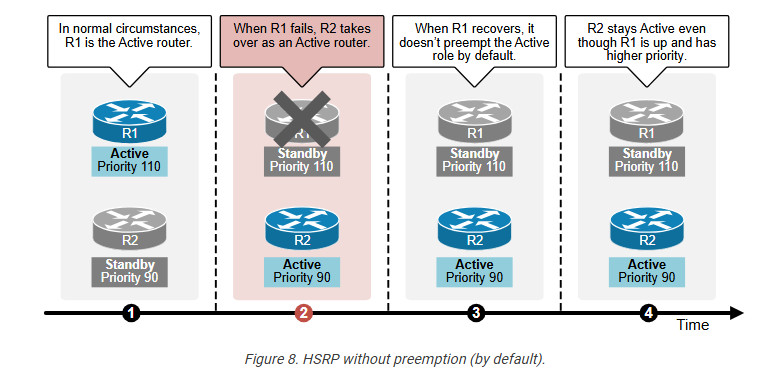
| Preemption disabled by default | Yes | No |
| Supports IPv4 and IPv6 | Yes | Yes |
| Multicast address | 224.0.0.102 | 224.0.0.18 |
| Virtual MAC | 0000.0c9f.fxxx | 0000.5e00.01xx |
| Max group numbers supported | 4096 (0-4095) | 255 (1-255) |
| Transport | UDP/1985 | IP/112 |
| Default Hello timer | 3 seconds | 1 second |
In summary, the essential difference is that HSRP is Cisco-proprietary, while VRRP is open-standard. You can safely use either one as a first-hop redundancy protocol and have a resilient default gateway. Typically, the design choice of which one to use depends on the type of network equipment. If the network is 100% Cisco-based, you use HSRP. If it is another vendor, you use VRRP.
VRRP Concept
Now, let’s zoom into VRRP a little bit more and examine the most fundamental aspects of the protocol.
Basic Configuration
Let’s start with the basic configuration. Although it is not part of the CCNA blueprint, knowing how to configure the protocol helps a lot in understanding how it works. The following diagram shows the most basic configuration setup.