PBX & EAPBX System
Table of Contents
History of the Intercom System
Real-Life Examples of Intercom Systems
Types of Intercom Systems
Benefits of an Intercom System in Organizations, Schools, Colleges, and Hospitals
Deployment Locations of an Intercom System
History of the Telephony System
What is an Automatic Telephone Exchange?
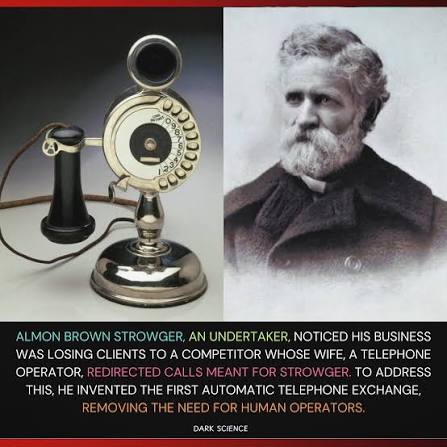
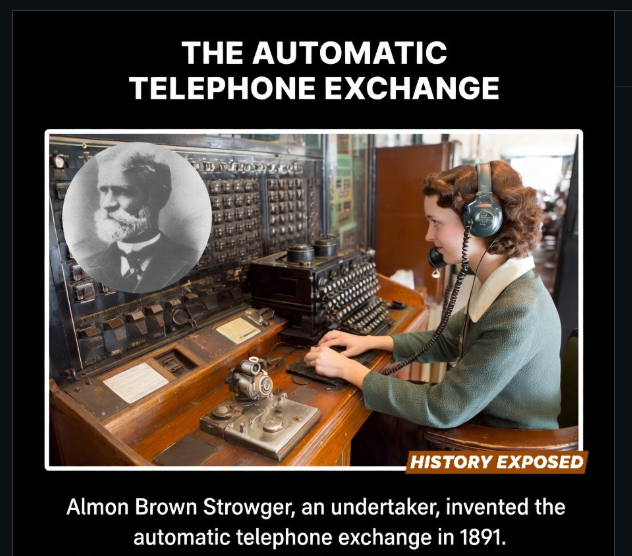
Automatic Telephone Exchange Inventor Details
Manually by Operators
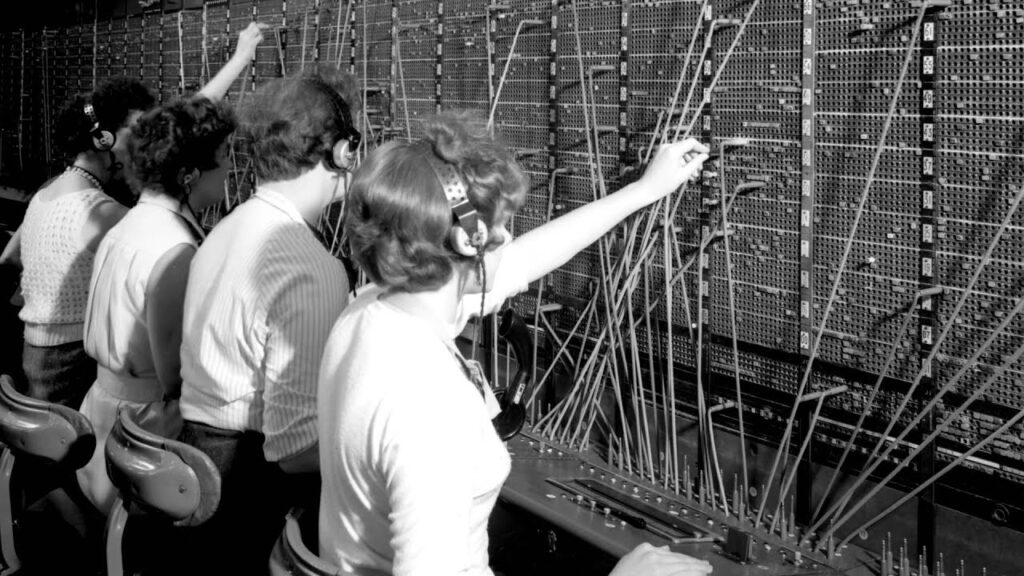

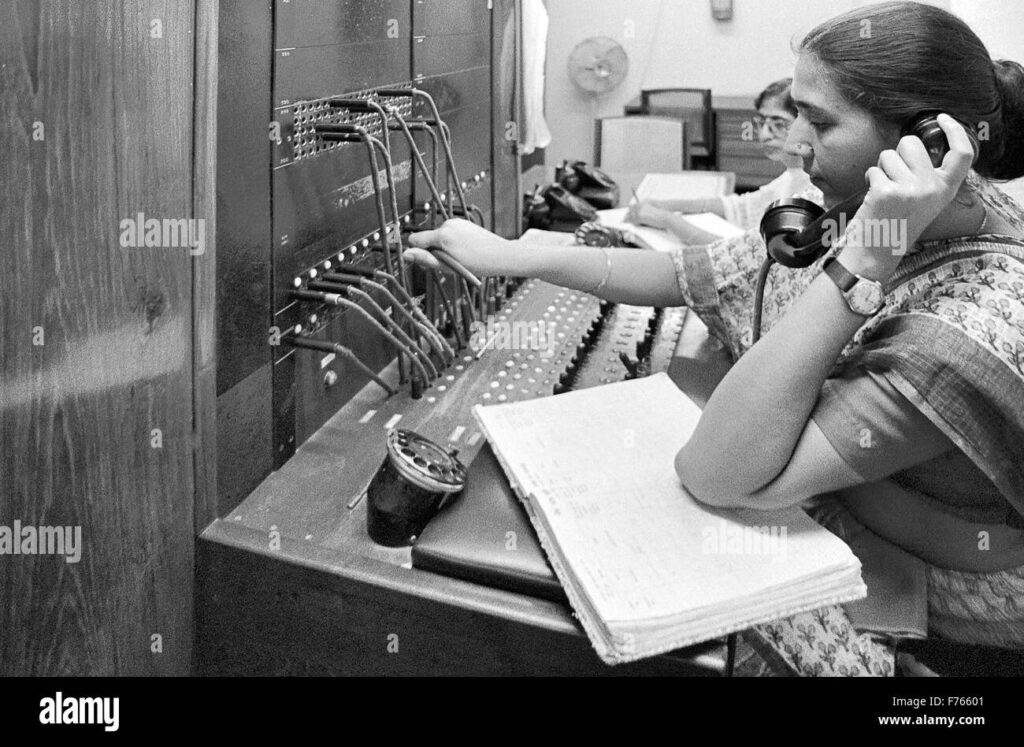
Automatic Telephone Exchange
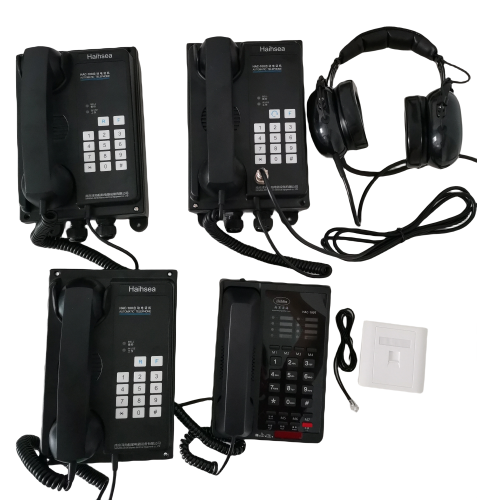
What is a Telephony System?
Why Do Schools, Hospitals, Offices, and Organizations Need a Telephony System?
RealLife Examples of Telephony System Usage
Problems Without a Telephony System?
What is PBX System?

What is EPABX System?
Key Features of EPABX:
- Automatic Call Transfer: Automatically transfers incoming calls to the appropriate extension without requiring a telephone operator.
- Extension Dialing: Allows users to call colleagues internally using short extension numbers instead of full telephone numbers.
- Call Hold: Places a caller on hold temporarily while the user attends another call or retrieves information.
- Call Transfer: Transfers an active call from one extension to another without disconnecting the caller.
- Call Forwarding: Redirects incoming calls to another extension or mobile phone when the user is unavailable or busy.
- Conference Calling: Enables three or more participants to communicate together in a single telephone call.
- Auto Attendant (IVR): Automatically answers incoming calls and guides callers to the appropriate department using voice prompts.
- Voicemail: Records voice messages when the called person cannot answer, allowing messages to be retrieved later.
- Caller ID Display: Displays the caller’s name or phone number before the call is answered.
- Call Waiting: Alerts users about another incoming call while they are already on an active call.
- Call Pickup: Allows a user to answer a ringing call from another extension within the same office.
- Speed Dial: Stores frequently dialed numbers, allowing users to make calls quickly with a single button or short code.
- Do Not Disturb (DND): Prevents incoming calls from ringing the extension when the user does not wish to be disturbed.
- Music on Hold (MOH): Plays music or recorded announcements while callers are waiting on hold.
- Call Logging: Maintains detailed records of incoming, outgoing, and missed calls for monitoring and reporting.
- Least Cost Routing (LCR): Automatically selects the most economical telephone line for outgoing calls, reducing communication costs.
- Hotline / Direct Dial: Automatically dials a predefined number when the handset is lifted or a specific key is pressed.
- Night Mode: Routes incoming calls differently during non-business hours, such as to security, reception, or voicemail.
- Paging and Intercom: Enables instant voice communication and announcements between internal extensions.
- Multiple CO Line Support: Supports multiple external telephone lines, allowing several users to make and receive calls simultaneously.
- Call Recording (if supported): Records telephone conversations for quality assurance, training, or legal compliance.
- Busy Lamp Field (BLF): Displays the status of extensions (idle, busy, or ringing), helping users know whether an extension is available.
- Direct Inward Dialing (DID): Allows external callers to reach specific extensions directly without going through the operator.
- Toll Restriction / Call Barring: Restricts selected extensions from making local, national, international, or premium-rate calls to control telephone expenses.
- Hunt Groups: Automatically distributes incoming calls among a group of extensions so that calls are answered more efficiently.
- Operator Console Support: Provides receptionists or operators with an interface to manage, monitor, transfer, and route calls efficiently.
- Emergency Call Support: Ensures users can quickly place emergency calls and, in some systems, automatically provides caller location information.
- Remote Extension Support: Allows employees to use their office extension from remote locations through the internet or VPN.
- SIP Trunk Support (in IP EPABX Systems): Connects the EPABX to Internet Telephony Service Providers (ITSPs) using SIP, reducing the need for traditional telephone lines.
- Voice over IP (VoIP) Support (in IP EPABX Systems): Enables voice communication over IP networks, reducing call costs while providing high-quality voice and advanced communication features.


Difference Between PBX and EPABX System?
Types of PBX Systems?

1. Analog PBX:
An Analog PBX uses traditional analog telephone lines (PSTN) to connect internal and external calls. It supports basic telephony features such as extension dialing, call transfer, call hold, and call forwarding. Analog PBX systems are reliable and easy to operate, making them suitable for small businesses and offices with basic communication requirements.
2. Digital PBX:
A Digital PBX uses digital switching technology instead of analog circuits, providing better voice quality, faster call processing, and greater reliability. It supports advanced features such as voicemail, caller ID, conference calling, auto attendant, and call logging. Digital PBX systems are commonly used in medium and large organizations.

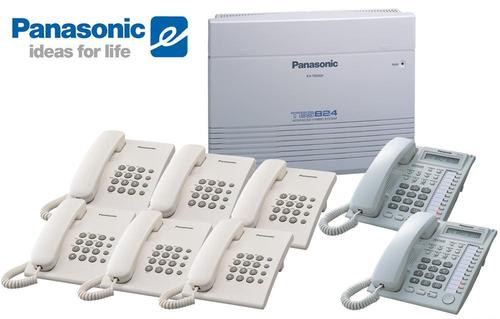
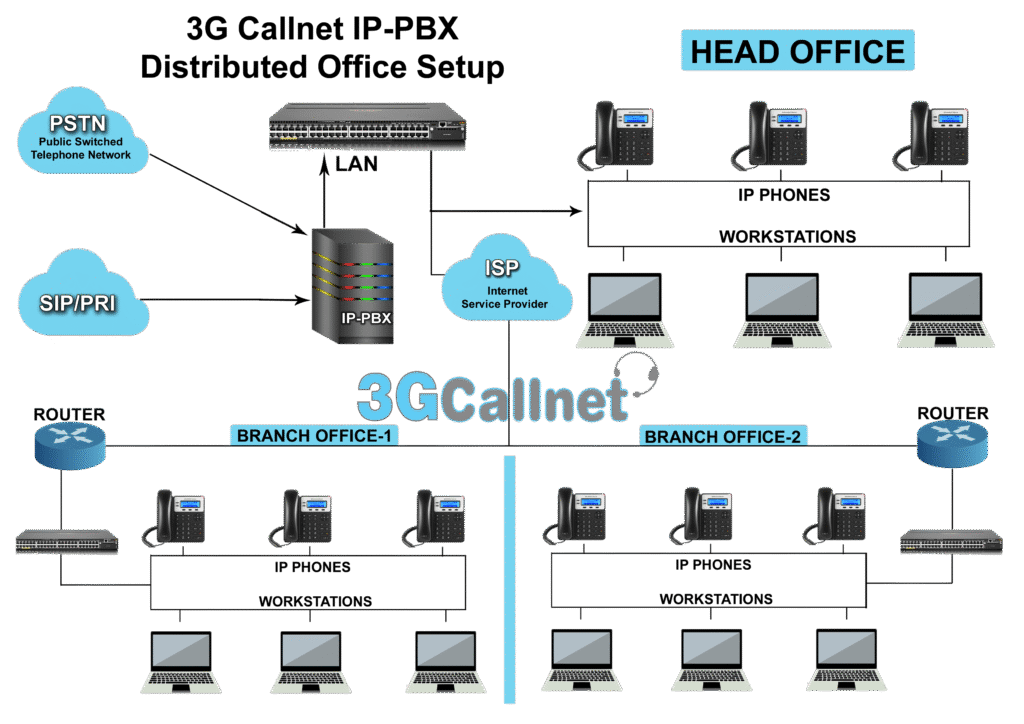
3. IP PBX (Internet Protocol PBX):
An IP PBX uses Internet Protocol (IP) networks to transmit voice calls through VoIP (Voice over Internet Protocol) technology. It supports IP phones, softphones, video conferencing, SIP trunks, and remote extensions. IP PBX systems reduce communication costs, improve flexibility, and are ideal for modern businesses with multiple locations or remote employees.


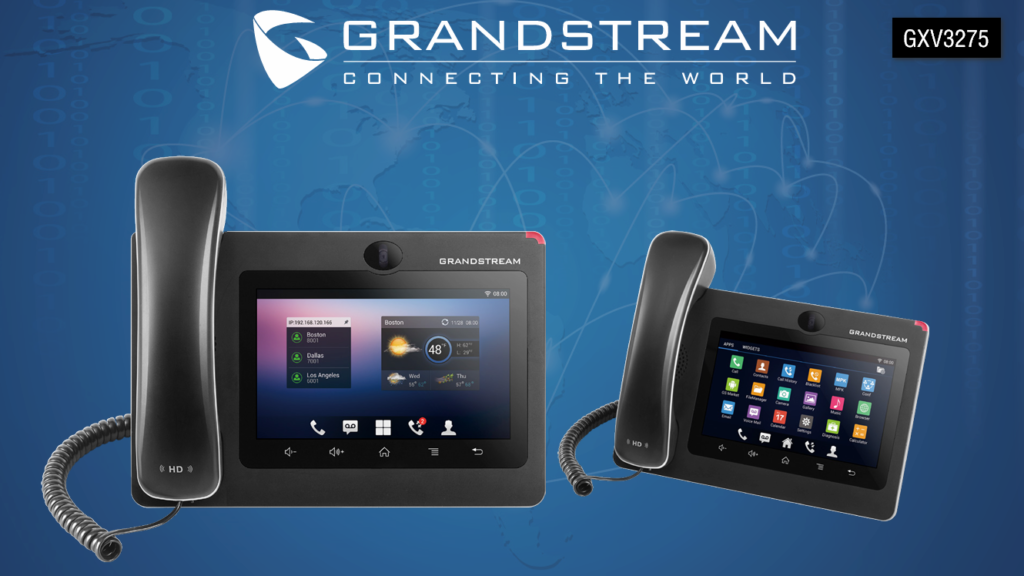
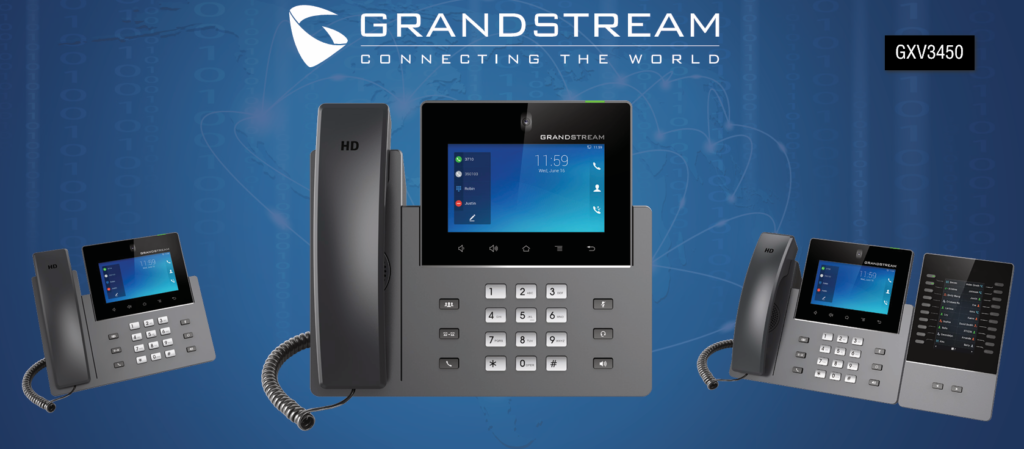
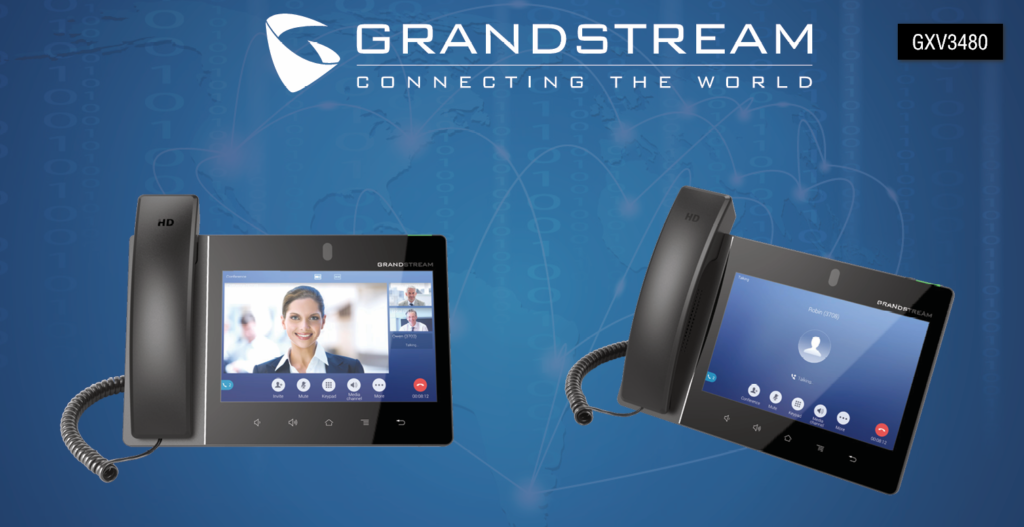
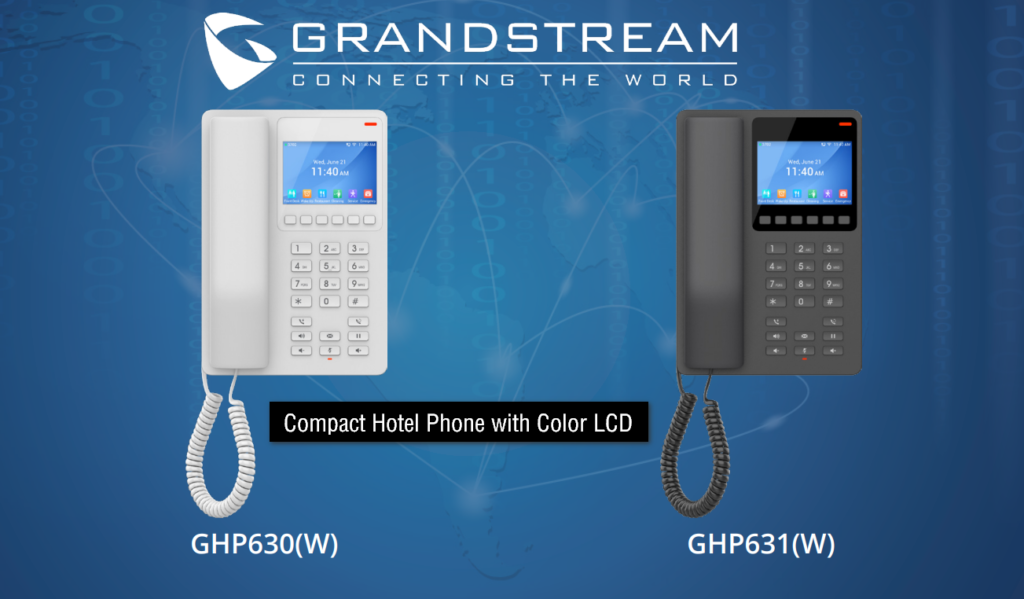
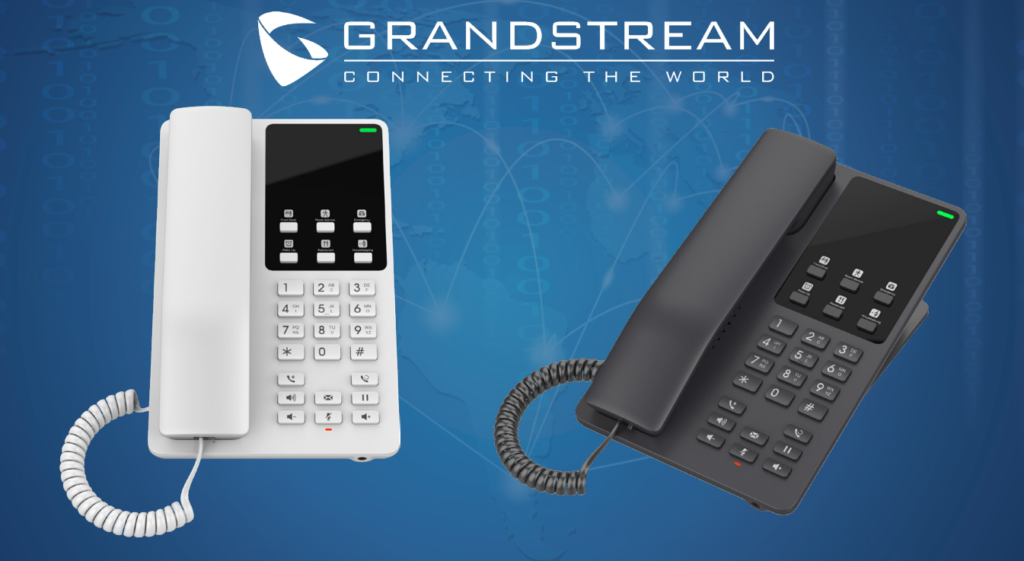
Grandstream GHP63x Series Hotel IP Phones
Hotel-Oriented Design:
The Grandstream GHP63x Series Hotel IP Phones are specially designed for the hospitality industry. Unlike standard office IP phones, they include features that improve guest communication and hotel operations. They are ideal for hotels, resorts, serviced apartments, dormitories, hospitals, and guest houses.
Customizable Service Keys:
One of the key features of the GHP63x Series is its programmable service keys. Hotels can configure these keys to provide one-touch access to services such as Front Desk, Housekeeping, Room Service, Restaurant, Concierge, Wake-Up Call, Maintenance, and Emergency Assistance. This allows guests to contact hotel services quickly and conveniently.
Color LCD Display:
The phones feature a 3.5-inch color LCD display that clearly shows caller information, date, time, menus, and service options. The color display improves usability and provides a more modern and professional user experience.
Built-in Wi-Fi 6 (W Models):
The GHP630W and GHP631W models include dual-band Wi-Fi 6, allowing the phones to connect to the network wirelessly. This eliminates the need for Ethernet cabling in locations where wired connections are difficult or unavailable.
USB Type-C Charging Port:
The GHP63x Series includes a USB Type-C charging port, allowing guests to charge smartphones and other compatible devices directly from the phone. This provides additional convenience for hotel guests.
HD Voice Quality:
The phones support HD Voice and advanced audio codecs such as Opus, delivering crystal-clear voice communication. Even in networks with packet loss or limited bandwidth, the phones maintain excellent audio quality.
GDMS Cloud Management:
The GHP63x Series supports Grandstream Device Management System (GDMS), enabling administrators to remotely deploy, configure, monitor, and update phones from a centralized cloud platform. This greatly simplifies device management across multiple hotel locations.
Flexible Installation:
These phones can be installed on a desk or mounted on a wall, providing flexibility for different hotel room layouts and installation requirements.
Enterprise-Level Security:
The phones include advanced security features such as Secure Boot, encrypted configuration files, and secure communication protocols. These features help protect the devices and ensure secure voice communications.
Multiple SIP Accounts:
The GHP63x Series supports 2 SIP accounts and 2 lines, allowing hotels to manage internal extension calls and external calls efficiently through a single device.
Summary:
The Grandstream GHP63x Series Hotel IP Phones provide several features that are not commonly found in standard IP phones, including customizable hotel service keys, a color LCD display, Wi-Fi 6 (selected models), USB Type-C charging, GDMS cloud management, HD voice quality, enterprise security, flexible installation, and hospitality-focused functionality. These features make the GHP63x Series an excellent communication solution for hotels and other hospitality environments.


4. Hosted PBX (Cloud PBX):
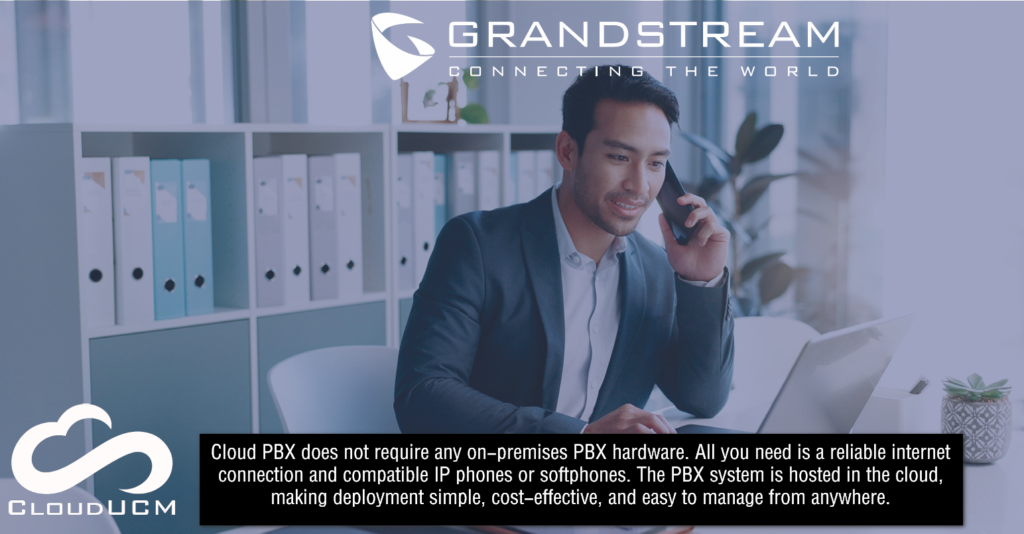
A Hosted PBX, also known as Cloud PBX, is a telephone system hosted and managed by a cloud service provider. No PBX hardware is required at the customer’s premises because all call processing is performed in the cloud. Users can access the system through the internet from any location, making it a cost-effective and scalable solution for businesses of all sizes.



5. Hybrid PBX:
A Hybrid PBX combines the features of both Analog PBX and IP PBX in a single system. It allows organizations to use traditional analog telephone lines while gradually adopting VoIP technology. This provides flexibility, protects existing investments, and enables a smooth migration to IP-based communication.


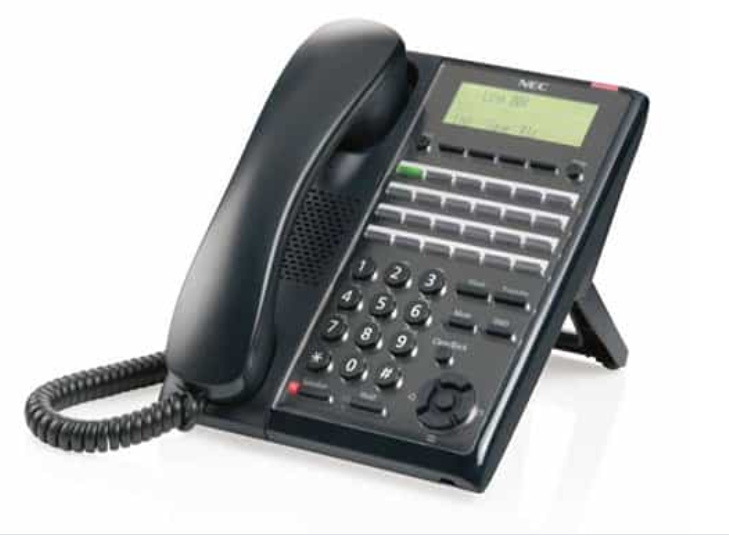
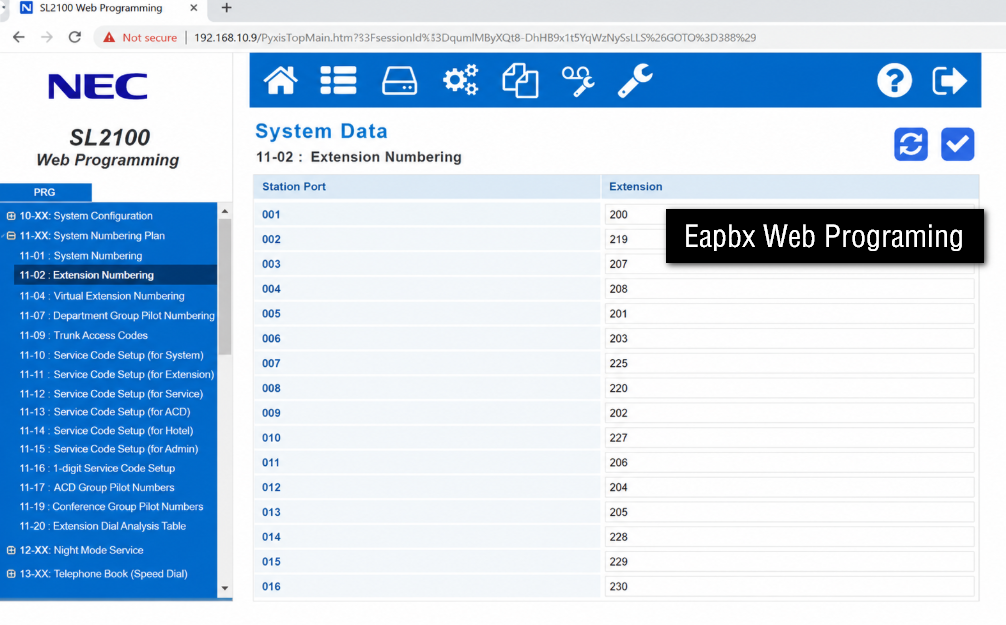


5. Software-Based PBX:
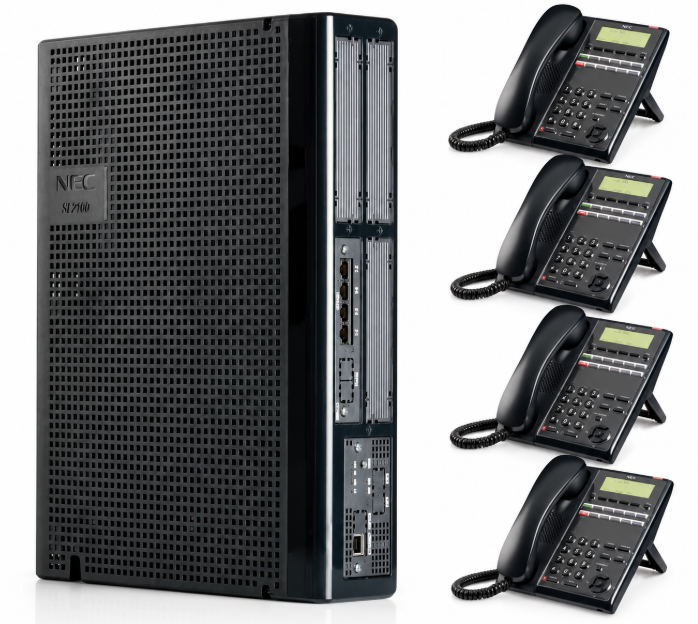
A Software-Based PBX (Private Branch Exchange) is a telephone system that runs as software on a computer, virtual machine (VM), or cloud server instead of using a dedicated PBX hardware appliance. It manages voice calls, video calls, extensions, voicemail, and other communication services over an IP network.
Unlike a traditional hardware PBX, a software-based PBX uses the server’s CPU, memory, and storage to perform all call processing and communication functions.
Real Example:
A company with 100 employees installs a software-based PBX on a virtual server.
- Reception – Extension 100
- Sales – Extension 101
- Accounts – Extension 102
- Manager – Extension 103
Employees use IP phones in the office and softphones on their laptops or smartphones. When an employee dials another extension, the software PBX connects the call. External calls are routed through a SIP trunk.
Popular Software-Based PBX Solutions:
- Asterisk
- FreePBX
- FreeSWITCH
- Grandstream SoftwareUCM
- 3CX
- FusionPBX
Summary:
A Software-Based PBX is a modern IP telephone system that runs on a server, virtual machine, or cloud platform rather than dedicated PBX hardware. It provides all the features of a traditional PBX—such as extension management, voice and video calling, IVR, voicemail, conferencing, and call routing—while offering greater flexibility, scalability, and lower deployment costs.
What is Software UCM?
SoftwareUCM is a software-based IP PBX solution that provides voice, video, messaging, conferencing, and unified communications without requiring dedicated PBX hardware. It can be deployed on virtual machines, private servers, or cloud infrastructure.

What is Grandstream Device Management System (GDMS)
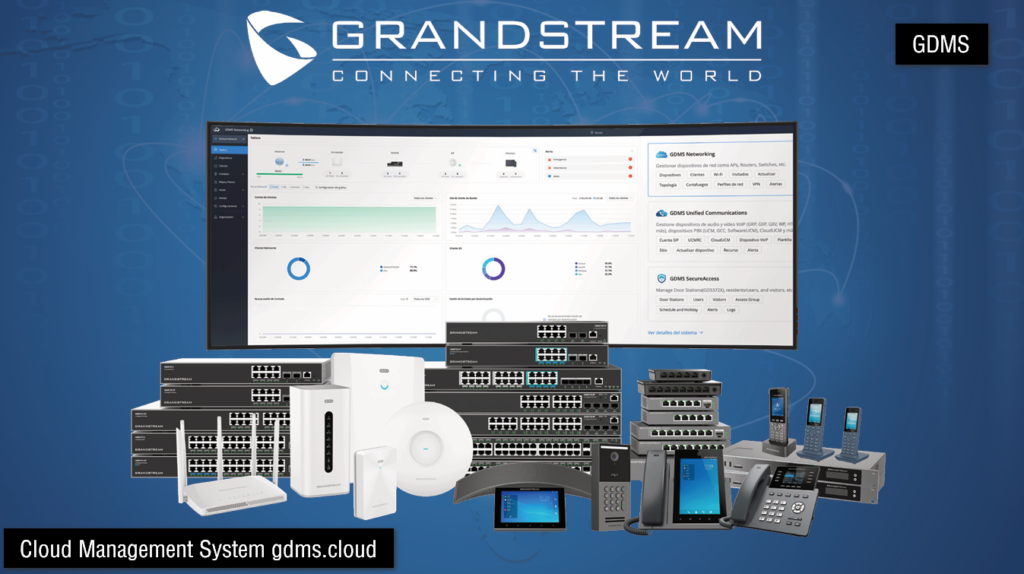
What is Grandstream Device Management System (GDMS):
Grandstream Device Management System (GDMS) is a cloud-based device management platform developed by Grandstream. It enables administrators to remotely configure, monitor, provision, update, and manage Grandstream devices from a centralized web portal. With GDMS, there is no need to visit each device physically, making deployment and maintenance much easier.
How Does GDMS Work?
GDMS connects supported Grandstream devices to the cloud through an internet connection. After a device is registered with a GDMS account, administrators can log in through a web browser to view device status, change configurations, update firmware, and troubleshoot issues remotely. All management tasks are performed from a single centralized dashboard.
Devices Supported by GDMS:
GDMS supports a wide range of Grandstream products, including IP Phones, UCM IP PBX systems, SoftwareUCM, Video Intercoms, Wi-Fi Access Points (GWN Series), Routers, Analog Telephone Adapters (ATA), VoIP Gateways, and other compatible networking devices.
Key Features of GDMS:
GDMS provides centralized device management, zero-touch provisioning, remote configuration, firmware upgrades, device monitoring, backup and restore, bulk configuration, multi-site management, alerts, and real-time device status. These features help administrators deploy and maintain large numbers of devices efficiently.
Benefits of GDMS:
GDMS reduces installation time by allowing devices to be configured remotely. It lowers maintenance costs because administrators do not need to travel to remote sites. The platform improves operational efficiency by enabling centralized management, quick troubleshooting, automatic firmware updates, and easy deployment of new devices across multiple locations.
Real-World Example:
Suppose a company has a head office and several branch offices. Each office contains Grandstream IP phones, UCM IP PBX systems, Wi-Fi access points, and video intercom devices. Instead of visiting each office to configure or update the devices, the network administrator logs in to GDMS from any location. From the GDMS dashboard, the administrator can monitor device health, update firmware, change SIP settings, restart devices, and configure new installations remotely.
Benefits:
- No need to configure each device manually.
- Saves time and travel costs.
- Centralized management for multiple locations.
- Faster deployment of new devices.
- Easy troubleshooting and maintenance.
- Secure cloud-based access from anywhere.
Why Organizations Use GDMS:
Organizations use GDMS because it simplifies device management, reduces downtime, supports remote administration, improves security through centralized control, and allows IT teams to manage thousands of devices from a single platform. It is especially valuable for businesses with multiple branches, hotels, hospitals, schools, universities, and managed service providers (MSPs).
Summary:
Grandstream Device Management System (GDMS) is a cloud-based centralized management platform that enables organizations to deploy, configure, monitor, update, and maintain Grandstream communication and networking devices remotely. It simplifies administration, saves time and cost, improves operational efficiency, and provides a secure and scalable solution for managing devices across one or multiple locations.
Why Businesses Need a PBX System?
Businesses use a PBX (Private Branch Exchange) system to improve internal and external communication while reducing telephone costs. It provides a centralized telephone network that connects employees, departments, and customers efficiently.
Reasons Why Businesses Need a PBX:
- Internal Communication: Allows employees to call each other using extension numbers without using external telephone lines, reducing communication costs.
- Cost Savings: Shares a limited number of external telephone lines among many users, reducing installation and monthly telephone expenses.
- Professional Call Management: Features such as call transfer, call forwarding, call hold, and auto attendant help manage customer calls professionally.
- Improved Productivity: Employees can communicate quickly with different departments, improving workflow and reducing response time.
- Multiple Users: Supports many extensions on a single telephone system, allowing several employees to make and receive calls simultaneously.
- Better Customer Service: Automatically routes calls to the correct department, reducing waiting time and ensuring customers receive prompt assistance.
- Scalability: New extensions and users can be added easily as the business grows without replacing the entire system.
- Advanced Features: Modern PBX systems offer voicemail, conference calling, caller ID, call recording, and call logging to enhance business communication.
- Centralized Management: All telephone extensions and call settings can be managed from a single system, making administration easier.
- Business Continuity: IP PBX and Cloud PBX systems support remote extensions, allowing employees to stay connected even when working from home or other locations.
Example : Office
A company has several departments, including Reception, Sales, Technical Support, Human Resources (HR), Accounts, and the Manager’s office. Without a PBX system, employees would need separate telephone lines or mobile phones to communicate, which increases costs and reduces efficiency. With a PBX system, each department is assigned an extension number (e.g., Reception – 100, Sales – 101, HR – 102). Employees can communicate instantly by dialing extension numbers, and incoming customer calls can be transferred quickly to the appropriate department.
Company operates without a PBX?
When a company operates without a PBX (Private Branch Exchange) system, communication becomes slower, more expensive, and less organized. Each employee or department may require a separate telephone line, making it difficult to manage internal and external calls efficiently.
Problems Without a PBX:
- Higher Communication Costs: Every employee may need a separate telephone line, increasing installation and monthly telephone expenses.
- No Internal Extension Dialing: Employees cannot call each other using extension numbers and must use external phone numbers or mobile phones.
- Difficult Call Transfer: Incoming calls cannot be transferred easily to the correct department, causing delays and inconvenience.
- Poor Customer Service: Customers may experience long waiting times or may be connected to the wrong person.
- Reduced Productivity: Employees waste time walking to other departments or using personal mobile phones for communication.
- No Centralized Call Management: Telephone lines are managed separately, making monitoring and administration difficult.
- Limited Communication Features: Advanced features such as voicemail, conference calling, auto attendant, call recording, and call forwarding are unavailable.
Real Example: Company Operating Without a PBX:
A computer sales and service company has 20 employees working in different departments such as Reception, Sales, Technical Support, Accounts, and the Manager’s office. The company does not have a PBX system. Each department uses a separate mobile phone or landline number for communication.
A customer calls the Reception and wants to speak with the Technical Support department. Since there is no PBX system, the receptionist cannot transfer the call directly. Instead, the receptionist gives the customer the Technical Support phone number and asks the customer to call again. This wastes time and creates inconvenience for the customer.
Similarly, if the Accounts department needs to speak with the Sales department, an employee must use a mobile phone, call the external number, or walk to the Sales office. This increases communication costs and reduces employee productivity.
As the company grows, managing multiple telephone numbers becomes more difficult. Customers may call the wrong department, employees may miss important calls, and the company appears less professional.
With a PBX system, each department receives an extension number (such as Reception – 100, Sales – 101, Technical Support – 102, Accounts – 103). The receptionist can transfer customer calls instantly, employees can communicate internally using extension numbers, and the company provides faster, more professional customer service while reducing telephone costs.
Benefits of IP PBX over Analog PBX
Analog PBX:
An Analog PBX (Private Branch Exchange) is a traditional telephone system that uses analog telephone lines (PSTN) to connect internal extensions and external calls. It provides basic telephony features such as extension dialing, call transfer, call hold, and call forwarding. Analog PBX systems are reliable and simple to operate but have limited advanced features and require dedicated telephone wiring.
IP PBX:
An IP PBX (Internet Protocol Private Branch Exchange) is a modern telephone system that uses Internet Protocol (IP) networks to transmit voice calls through Voice over Internet Protocol (VoIP) technology. It supports IP phones, softphones, SIP trunks, video conferencing, remote extensions, and advanced call management features. IP PBX systems are flexible, scalable, and cost-effective, making them ideal for modern businesses.
1. Lower Communication Cost:
An IP PBX uses Voice over Internet Protocol (VoIP) to transmit voice calls over an IP network instead of traditional telephone lines. This significantly reduces the cost of local, long-distance, and international calls, making it a cost-effective solution for businesses.
2. Better Voice Quality:
IP PBX systems provide high-definition (HD) voice quality with clearer audio and less background noise than traditional analog PBX systems. This improves communication between employees and customers.
3. Easy Installation and Scalability:
Unlike Analog PBX, which requires separate telephone wiring, an IP PBX uses the existing computer network (LAN/WAN). New extensions and users can be added easily without major hardware changes, making it ideal for growing organizations.
4. Remote Access and Mobility:
An IP PBX allows employees to use their office extension from home, branch offices, or any location with an internet connection. This supports remote work and ensures continuous business communication.
5. Advanced Communication Features:
IP PBX systems include advanced features such as auto attendant (IVR), voicemail, call recording, conference calling, video calling, call forwarding, caller ID, and call analytics. These features improve productivity and provide a more professional communication system.
6. Easy Integration with Business Applications:
An IP PBX can integrate with business applications such as CRM, ERP, email systems, and help desk software. This allows employees to access customer information, manage calls efficiently, and improve overall business operations.
7. Lower Maintenance and Future Expansion:
IP PBX systems require less physical hardware and can be managed through a web-based interface. Software updates can add new features without replacing the entire system, making IP PBX a flexible and future-ready communication solution.
Conclusion:
Compared to an Analog PBX, an IP PBX offers lower operating costs, superior voice quality, advanced features, easy expansion, remote accessibility, and better integration with modern business applications. These advantages make it the preferred choice for today’s businesses and organizations.
Difference Between IP PBX and Analog PBX
| Analog PBX | IP PBX |
|---|---|
| Uses analog telephone lines (PSTN). | Uses IP networks (LAN/WAN/Internet). |
| Supports analog telephones. | Supports IP phones, softphones, and smartphones. |
| Higher long-distance call costs. | Lower call costs using VoIP technology. |
| Basic communication features. | Advanced features such as IVR, voicemail, video calling, and call recording. |
| Requires separate telephone cabling. | Uses the existing computer network. |
| Difficult to expand. | Easily scalable by adding new users and extensions. |
| Limited remote access. | Supports remote working from any location with an internet connection. |
| More hardware maintenance. | Easier management through a web-based interface. |


What is FXS (Foreign Exchange Station)?
FXS (Foreign Exchange Station) is an analog telephone interface that provides telephone service to analog devices such as telephones, fax machines, and cordless phones. An FXS port generates the dial tone, supplies battery power, and provides the ringing voltage needed for analog telephones to make and receive calls.
An FXS port is commonly found on IP PBX systems, EPABX systems, VoIP gateways, and Analog Telephone Adapters (ATA). It acts as the service provider for the connected analog telephone by supplying the electrical signals required for normal telephone operation.
When a user lifts the handset of an analog telephone connected to an FXS port, the FXS port detects that the phone is off-hook and immediately provides a dial tone. The user can then dial an extension number or an external telephone number. During an incoming call, the FXS port sends a ringing voltage that causes the telephone to ring until the call is answered.
For example, in an office with an IP PBX and 20 analog telephones, each telephone is connected to an FXS port. When an employee picks up the handset, the FXS port provides the dial tone. When another employee or an outside caller calls that extension, the FXS port sends the ringing signal, allowing the employee to answer the call.
In simple terms, an FXS port provides telephone service to analog phones. Without an FXS port, an analog telephone cannot receive a dial tone, ring during incoming calls, or communicate through the telephone system.
What is FXO (Foreign Exchange Office)?
FXO (Foreign Exchange Office) is an analog telephone interface that connects a PBX, EPABX, IP PBX, or VoIP gateway to the Public Switched Telephone Network (PSTN) provided by a telephone company. An FXO port receives the telephone service, including the dial tone, battery power, and ringing voltage, from the telephone company’s telephone line.
Unlike an FXS port, an FXO port does not generate a dial tone. Instead, it receives the dial tone from the telephone service provider and uses it to make and receive external telephone calls. The FXO port acts as the connection between the organization’s telephone system and the outside telephone network.
When an employee makes an external call, the PBX routes the call through the FXO port, which sends it to the telephone company’s network. Similarly, when an outside caller dials the company’s telephone number, the call enters the PBX through the FXO port and is then routed to the appropriate extension.
For example, an office has an IP PBX, one BSNL telephone line, and 20 internal extensions. The BSNL telephone line is connected to the FXO port of the IP PBX. When an employee dials an external number, the call passes through the FXO port to the BSNL network. When a customer calls the company’s main number, the call first arrives at the FXO port, and the PBX transfers it to the required extension.
In simple terms, an FXO port connects the PBX to the outside telephone network (PSTN). It receives telephone service from the service provider, enabling users to make and receive external telephone calls.


What is SIP Protocol
SIP (Session Initiation Protocol) is a signaling protocol used to establish, manage, modify, and terminate voice, video, and multimedia communication sessions over IP networks such as the Internet or a Local Area Network (LAN). It is the most widely used protocol in VoIP (Voice over Internet Protocol) systems and is commonly used in IP PBX, IP phones, softphones, and SIP trunking.
SIP does not carry the voice itself. Instead, it is responsible for setting up and controlling the communication session between two or more devices. Once the session is established, the actual voice or video data is usually transmitted using the Real-time Transport Protocol (RTP).
In an IP PBX system, SIP allows IP phones and softphones to register with the PBX and communicate with each other. It also enables the IP PBX to connect with a SIP Trunk, allowing users to make and receive external telephone calls over the Internet instead of traditional analog telephone lines.
For example, a company has an IP PBX with 50 IP phones connected through a LAN. Each IP phone registers with the IP PBX using SIP. When an employee dials another extension, SIP establishes the call between the two phones. If the employee calls a customer outside the company, the IP PBX uses a SIP Trunk to route the call through the Internet to the telephone service provider.
Benefits of SIP Voice:
- Lower Cost – No need for expensive phone lines; calls go over the internet.
- Scalability – Add or remove lines (SIP trunks) easily.
- Mobility – Employees can call from anywhere (softphones on mobile/laptop).
- Advanced Features – Video calls, instant messaging, call analytics.
- Unified Communications – Integrates voice, video, chat, and conferencing.
- Disaster Recovery – Calls can automatically reroute if the main lie fails.
In Short:
SIP Voice means using the Session Initiation Protocol to make and manage voice calls over the internet (VoIP) instead of old-style phone lines.
What is Softphone?
A Softphone is a software application that allows users to make and receive telephone calls over the Internet using Voice over Internet Protocol (VoIP) instead of a traditional telephone. It performs the same functions as a physical IP phone but runs on devices such as computers, laptops, smartphones, and tablets.
A softphone connects to an IP PBX or SIP server using the Session Initiation Protocol (SIP). Once registered, users can make internal extension calls and external calls through a SIP trunk or VoIP service provider. Most softphones also support advanced features such as call transfer, call hold, call forwarding, conference calling, voicemail, caller ID, and instant messaging.
Softphones are widely used in businesses, call centers, customer support teams, and remote work environments because they eliminate the need for dedicated desk phones. Employees can use their office extension from anywhere with an internet connection, making communication more flexible and cost-effective.
For example, a company uses an IP PBX with 100 employees. Employees working in the office use IP phones, while employees working from home install a softphone application on their laptops or smartphones. After logging in with their SIP account, they can make and receive office calls using their office extension exactly as if they were in the office.
In Short:
A softphone is a software app that turns your computer or smartphone into a virtual phone for making VoIP/SIP calls — offering all the features of a desk phone, but over the internet.


How an IP PBX Connects to an Analog Phone
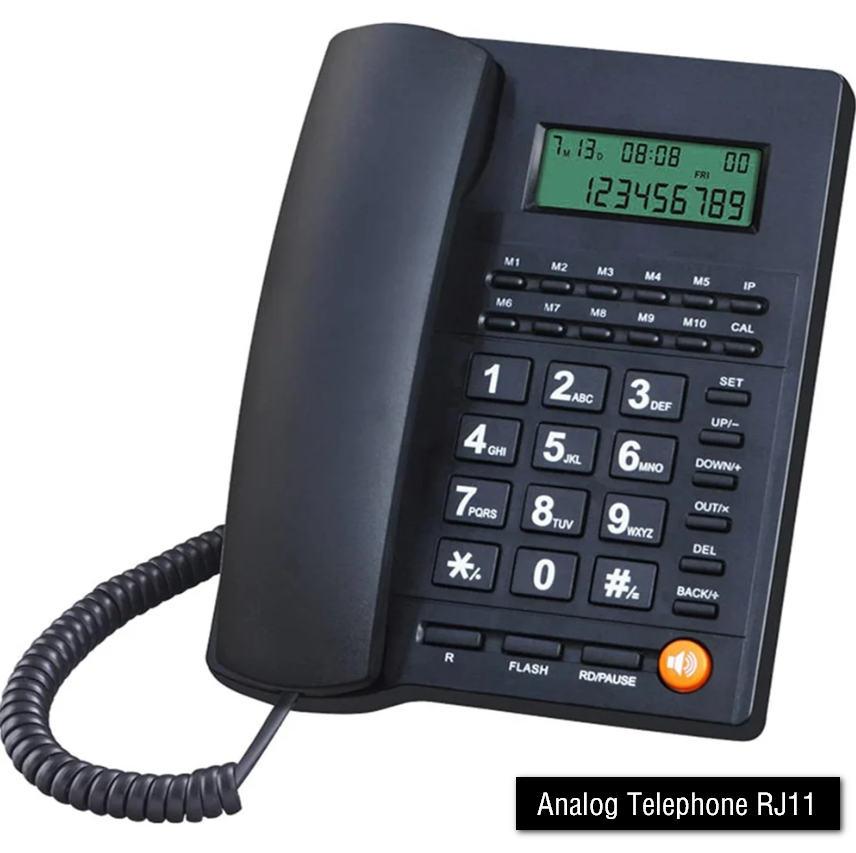
An IP PBX is designed to communicate using Internet Protocol (IP) and Voice over Internet Protocol (VoIP) technology. However, a traditional analog telephone cannot understand IP signals because it works only with analog voice signals. Therefore, a conversion device is required to connect an analog phone to an IP PBX.
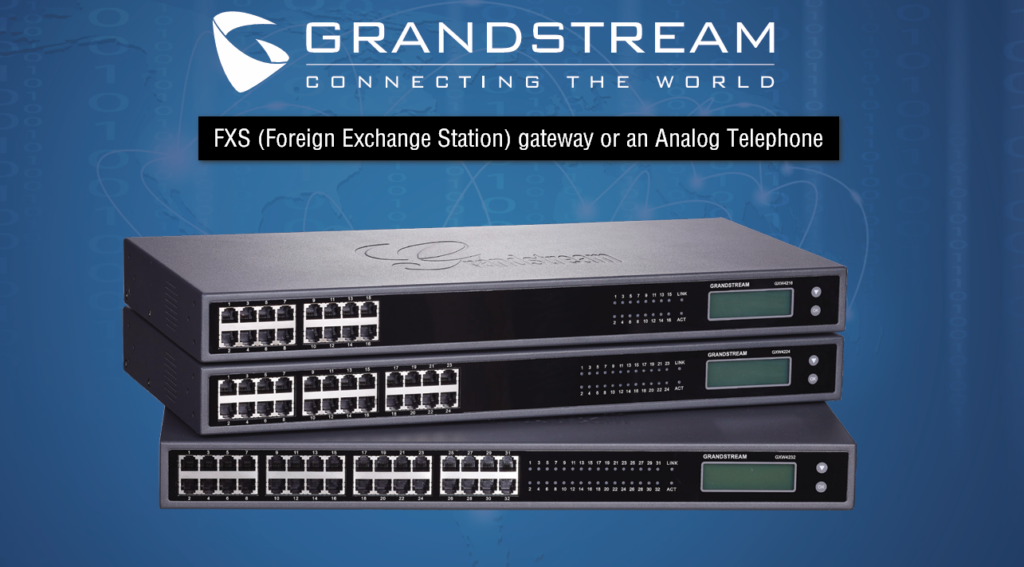
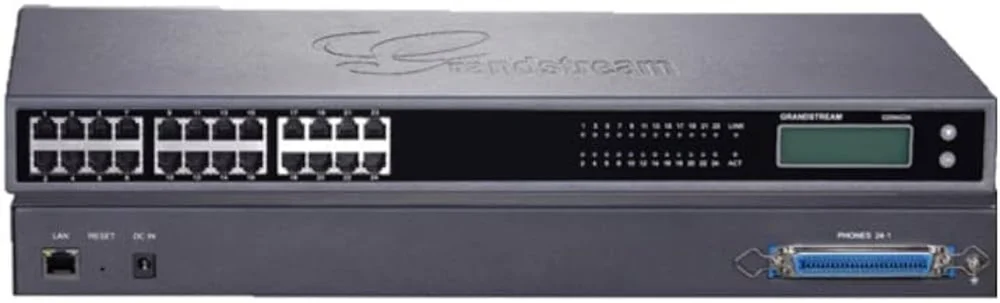
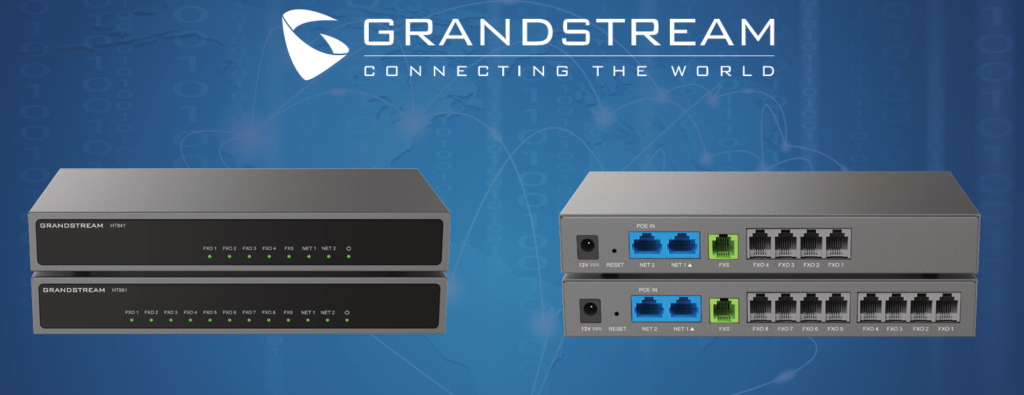
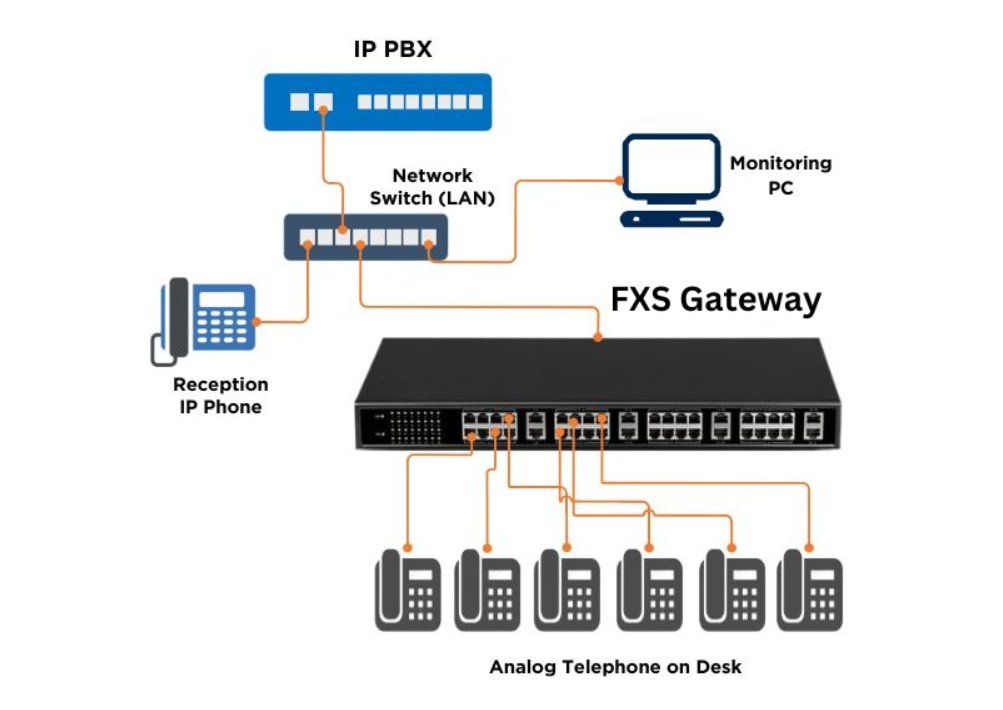
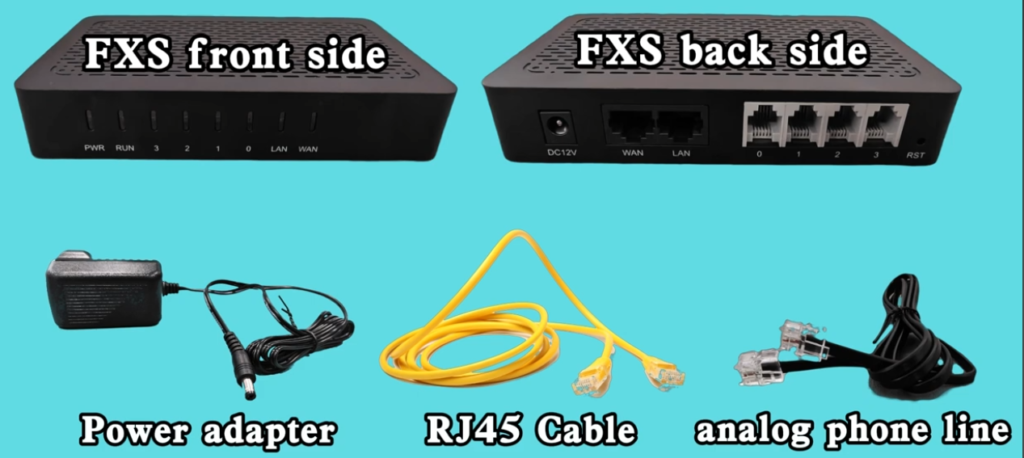
The conversion is performed by an FXS (Foreign Exchange Station) gateway or an Analog Telephone Adapter (ATA). This device converts the digital VoIP signals from the IP PBX into analog signals that a traditional telephone can understand. At the same time, it converts analog voice signals from the telephone back into digital VoIP packets for transmission through the IP network.
The analog telephone is connected to an FXS port on the gateway or ATA using a standard RJ-11 telephone cable. The gateway or ATA is then connected to the office Local Area Network (LAN), where it communicates with the IP PBX using the Session Initiation Protocol (SIP).
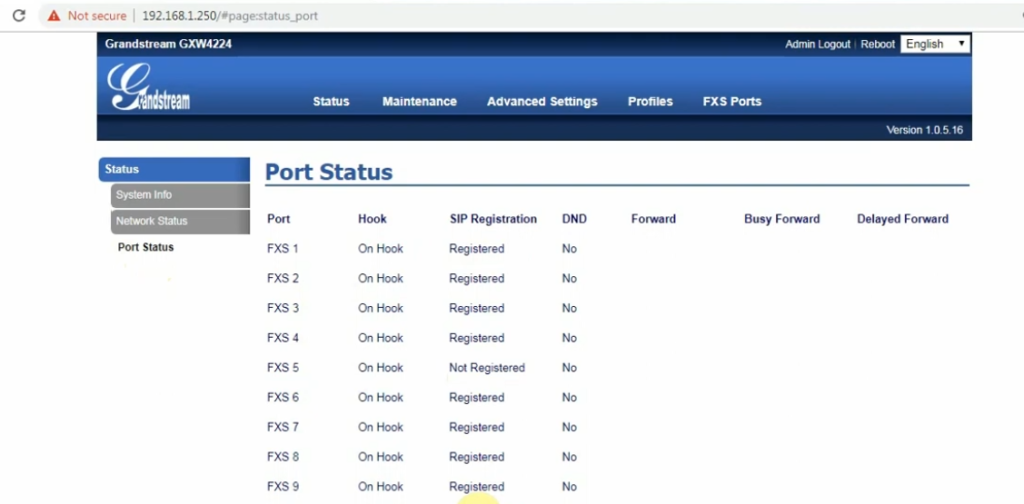
When the gateway starts, it registers each FXS port as an extension with the IP PBX. For example, the IP PBX may assign Extension 101 to the analog telephone connected to FXS Port 1. From that point onward, the analog phone functions like any other extension in the IP PBX system.
When a user picks up the analog telephone handset, the FXS port provides a dial tone. As the user dials a number, the gateway sends the dialing information to the IP PBX using SIP. The IP PBX processes the call and routes it either to another internal extension or to an external telephone line through a SIP trunk or FXO gateway.
For example, a company has an IP PBX, a 24-port FXS gateway, and 20 analog telephones. Each telephone is connected to an FXS port on the gateway. The gateway registers all 20 extensions with the IP PBX. Employees can make internal calls using extension numbers and external calls through the IP PBX, even though they are using traditional analog telephones.
In this way, an FXS gateway or ATA acts as a bridge between the analog telephone and the IP PBX, allowing organizations to continue using their existing analog telephones while benefiting from modern VoIP communication technology.
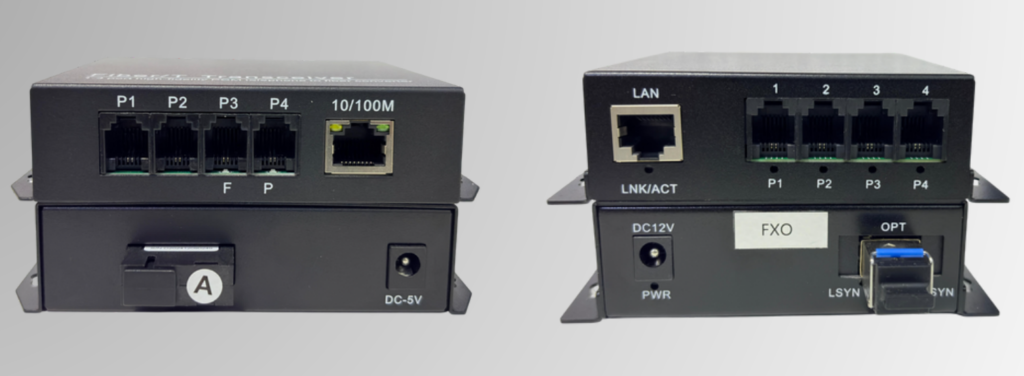
What is a Multiplexer?
A Multiplexer (MUX) is a communication device that combines multiple input signals into a single transmission channel. It allows several data, voice, or video signals to share one communication link, reducing the number of cables and transmission costs. At the receiving end, a Demultiplexer (DEMUX) separates the combined signals back into their original form.
A multiplexer works by selecting one of several input signals at a time and transmitting it over a single communication line. This makes efficient use of available bandwidth and is widely used in telecommunication networks, computer networks, fiber optic communication, and digital communication systems.
In telephone systems, a multiplexer allows multiple voice channels to be transmitted over a single communication link instead of using separate cables for each telephone line. Similarly, in computer networks, it enables multiple data streams to travel over one network connection, improving efficiency and reducing infrastructure costs.
For example, a company has eight branch offices, each requiring a separate telephone connection to the headquarters. Instead of installing eight individual communication lines, a multiplexer combines all eight voice channels into a single fiber optic cable. At the headquarters, a demultiplexer separates the signals, allowing each branch office to communicate independently.
Multiplexers are commonly used in fiber optic networks, telephone exchanges, satellite communication, cable television, radio communication, and data centers where multiple signals need to be transmitted efficiently over a single medium.
Types of Multiplexing:
- Time Division Multiplexing (TDM): Multiple signals share the same communication channel by taking turns in different time slots.
- Frequency Division Multiplexing (FDM): Multiple signals are transmitted simultaneously using different frequency bands.
- Wavelength Division Multiplexing (WDM): Used in fiber optic communication, where different light wavelengths carry multiple signals over a single optical fiber.
- Code Division Multiplexing (CDM/CDMA): Multiple signals share the same frequency by using unique codes to separate them.
In Simple Terms
A Multiplexer (MUX) is like a traffic controller that combines many communication signals into one cable, while a Demultiplexer (DEMUX) separates them again at the destination. This saves bandwidth, reduces cabling costs, and makes communication systems more efficient.
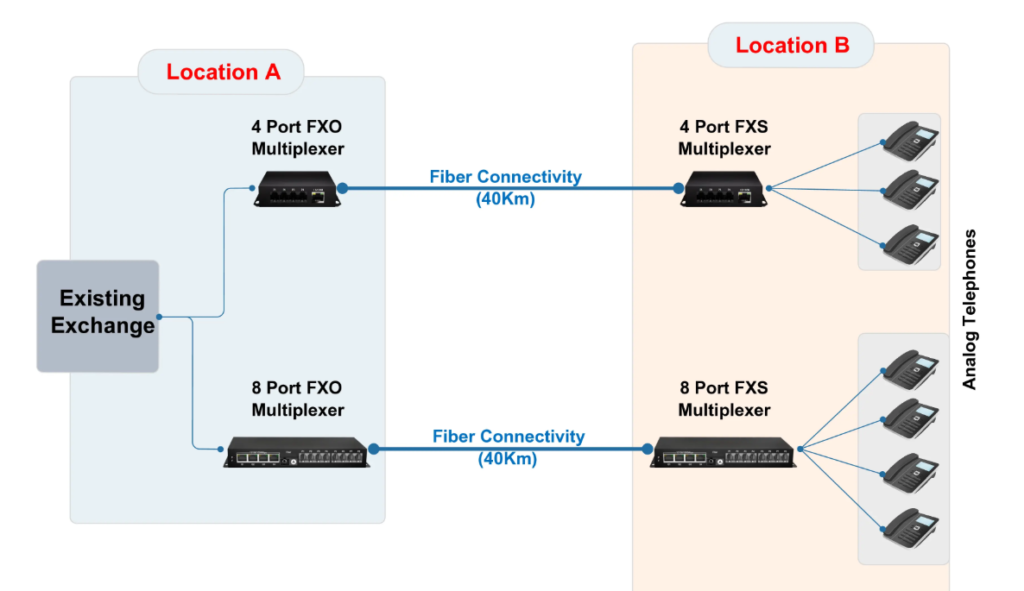
Analog Telephone (FXS) over Fiber
Analog Telephone over Fiber is a communication solution that allows an analog telephone signal (FXS) to be transmitted over a fiber optic cable instead of a traditional copper telephone cable. This is useful when the distance between the PBX and the telephone is too long for copper cabling.
The analog telephone is connected to the FXS port of an EPABX, IP PBX, or FXS gateway. The analog voice signal is then connected to an Analog-over-Fiber converter (also called a Voice Fiber Multiplexer or FXS Fiber Extender). This device converts the analog electrical signal into an optical signal that travels through a fiber optic cable.
At the remote location, another fiber converter receives the optical signal and converts it back into an analog telephone signal. The analog telephone then works exactly as if it were directly connected to the PBX.
					Analog Phone
      │
   RJ-11 Cable
      │
   FXS Port
      │
+------------------+
| FXS Fiber Unit A |
+------------------+
      │
   Fiber Optic Cable
      │
+------------------+
| FXS Fiber Unit B |
+------------------+
      │
   RJ-11 Cable
      │
EPABX / IP PBX / FXS Gateway
Real Example:
A factory has its main EPABX in the administration building, but the security gate is 2 km away. Running an analog telephone cable over this distance would result in signal loss and poor voice quality.
Instead, the company installs:
- An FXS Fiber Converter near the EPABX.
- Another FXS Fiber Converter at the security gate.
- A single fiber optic cable between the two locations.
The security guard can use the analog telephone normally to call office extensions or receive incoming calls, even though the phone is located 2 km away.
Advantages
- Supports long-distance communication (up to several kilometers, depending on the equipment).
- Provides clear voice quality without signal degradation.
- Immune to electrical interference (EMI/RFI) and lightning.
- Uses lightweight, high-bandwidth fiber optic cable.
- Suitable for factories, hospitals, campuses, hotels, railways, airports, and industrial sites.
Note:
If the telephone is analog, you use an FXS over Fiber solution.
If the telephone is an IP phone, you do not need FXS over fiber. You simply connect the IP phone to the network through a fiber switch or media converter, because IP phones already communicate over Ethernet/IP.