Linux Boot Process
What Is the Linux Boot Process?
The boot process is the sequence of operations that a Linux system performs from the moment you power on the computer until the login prompt or GUI appears.
7 Stages of the Linux Boot Process
| Stage | Name | Description |
|---|---|---|
| 1 | BIOS / UEFI | Hardware initialization and POST check |
| 2 | MBR / GPT | Bootloader location information on disk |
| 3 | Bootloader (GRUB / LILO / systemd-boot) | Loads the Linux kernel |
| 4 | Kernel Initialization | Kernel loads drivers and mounts root filesystem |
| 5 | initramfs / initrd | Temporary filesystem for early boot tasks |
| 6 | Init / systemd | Starts system services and background daemons |
| 7 | Login / GUI | User login shell or graphical interface |
Stage 1: BIOS / UEFI (Firmware Stage)
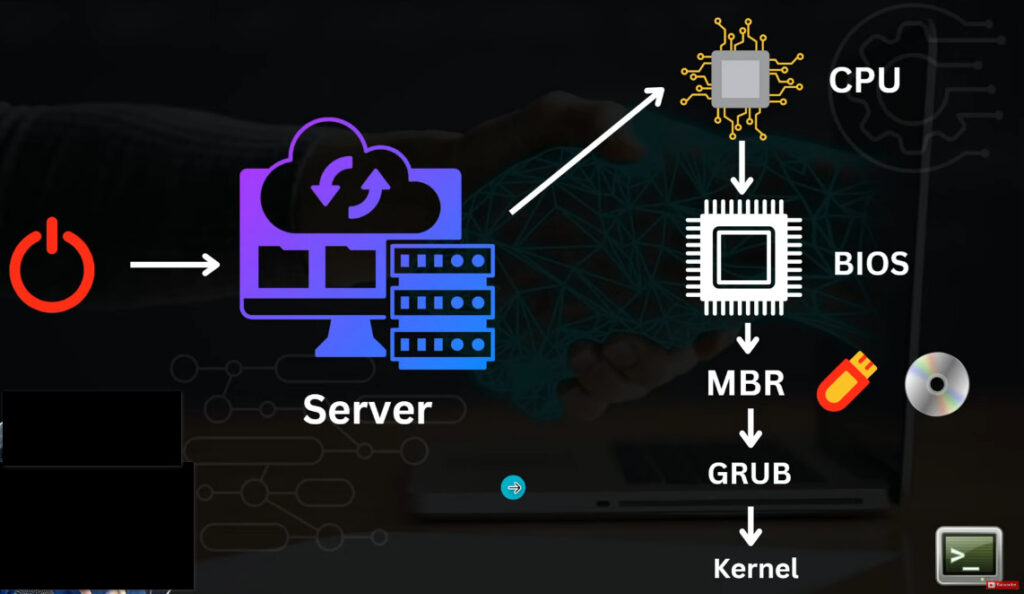
BIOS (Basic Input/Output System) or UEFI runs first when the computer starts.
Performs POST (Power-On Self Test) — checks CPU, RAM, keyboard, etc.
Looks for a bootable disk (based on boot order).
Hands control to the bootloader stored in the MBR (Master Boot Record) or EFI partition.
File involved: Firmware chip on motherboard
Output: Bootloader code in memory
Stage 2: MBR / GPT
MBR (Master Boot Record) or GPT (GUID Partition Table) contains partition info and the bootloader’s location.
The MBR is located in the first 512 bytes of the disk.
Points to the bootloader program (like GRUB).
Files: /dev/sda, partition tables
Output: Bootloader execution
Stage 3: Bootloader (GRUB, LILO, systemd-boot)
The bootloader is responsible for loading the Linux kernel into memory.
Common Linux bootloader: GRUB (GRand Unified Bootloader).
Displays a boot menu if multiple OSes are installed.
Main Tasks:
Locate and load the kernel image (
/boot/vmlinuz).Load the initial RAM disk (
/boot/initrdor/boot/initramfs).Pass control to the kernel.
Files:
/boot/grub/grub.cfg(GRUB configuration)/boot/vmlinuz-*(kernel)/boot/initrd.img-*(initial RAM disk)
Output: Linux kernel loaded in memory
Stage 4: Kernel Initialization
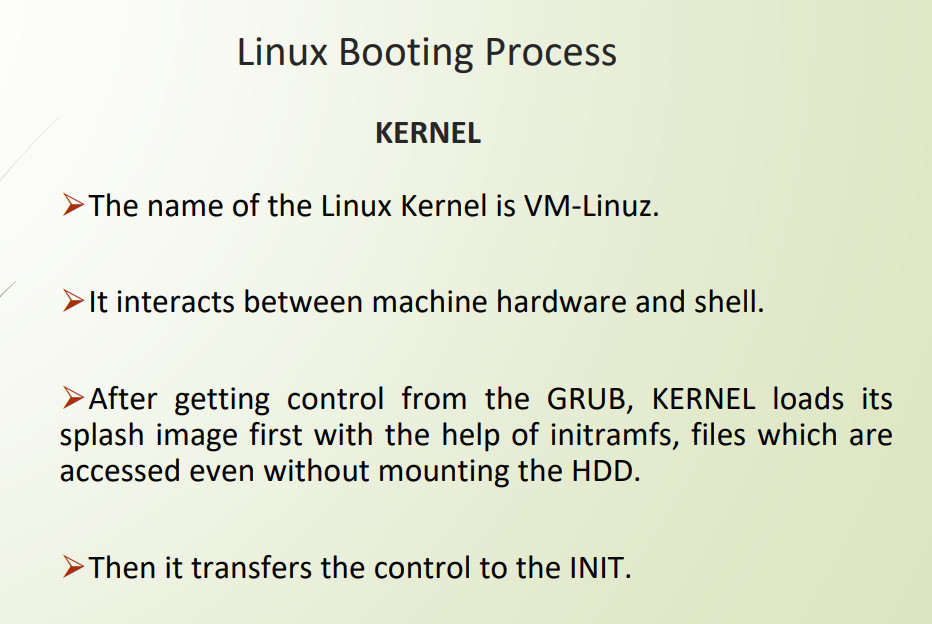
Kernel is now running — it’s the core of Linux.
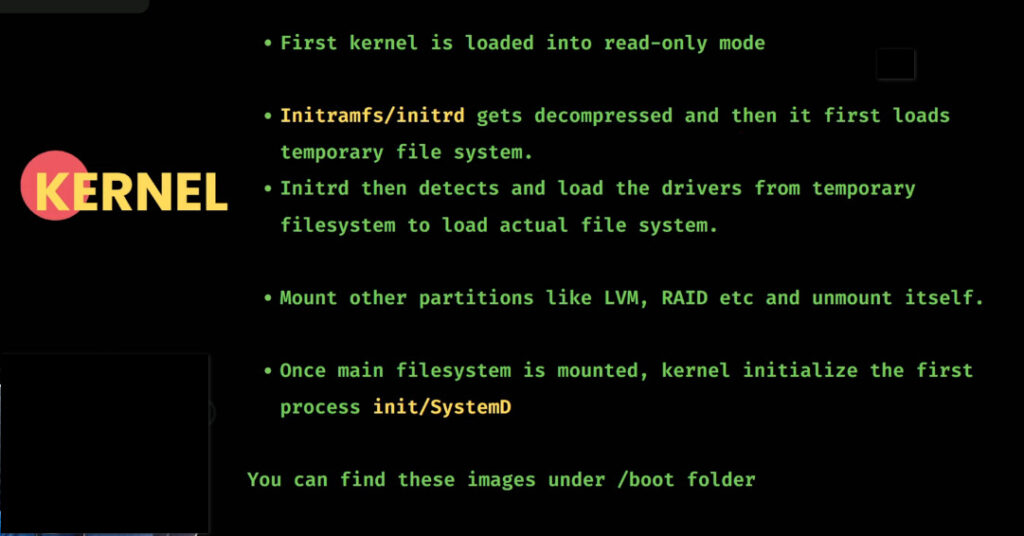
Initializes CPU, memory, device drivers, and mounts the root file system.
Switches from real mode to protected mode (full CPU control).
Loads necessary modules (network, file system, etc.).
Mounts the root filesystem
/(read-only initially).
Files: /boot/vmlinuz-*, /lib/modules/
Output: Root filesystem mounted
Stage 5: initramfs / initrd (Initial RAM Disk)
A temporary root file system loaded into RAM before the real root filesystem mounts.
Used to load drivers needed to access the actual root partition (like RAID, LVM, or encrypted disks).
Once real root mounts, initramfs is removed from memory.
Files: /boot/initramfs-* or /boot/initrd-*
Output: Real root file system mounted
Stage 6: Init Process / systemd
After mounting the root filesystem, kernel executes the init process — traditionally
/sbin/init, but now systemd in most Linux distros.
Systemd Responsibilities:
Mount remaining file systems
Start essential background services (network, logging, SSH, etc.)
Manage targets (runlevels)
Old Runlevels (SysVinit) → systemd Targets
| Runlevel | systemd Target | Description |
|---|---|---|
| 0 | poweroff.target | Halt |
| 1 | rescue.target | Single-user mode |
| 3 | multi-user.target | Text-based multi-user mode |
| 5 | graphical.target | GUI mode |
| 6 | reboot.target | Reboot |
📍 Files: /etc/systemd/, /lib/systemd/system/
📍 Output: All services started
Stage 7: Login / GUI
After all system services start, the system presents:
CLI Login Prompt (tty)
or Graphical Login Screen (GDM, LightDM, etc.)
📍 Files: /etc/passwd, /etc/profile, ~/.bashrc
📍 Output: User shell or desktop environment