
VLAN Technology
Table of Contents
What is VLAN
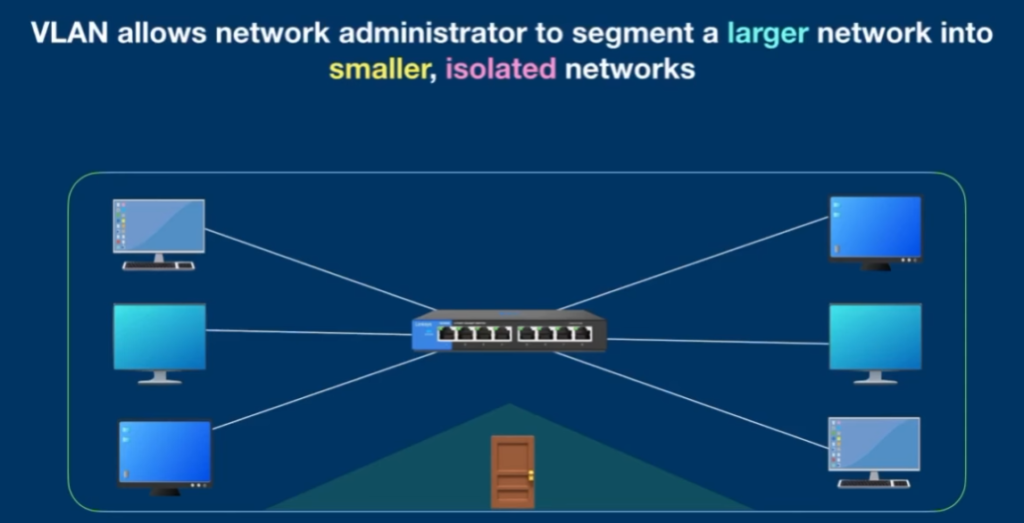
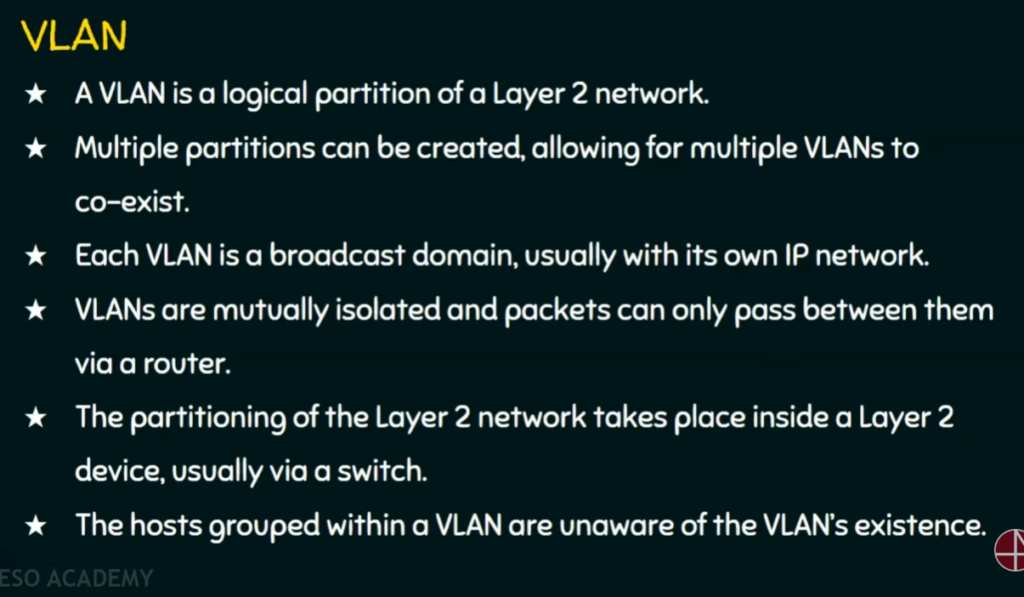
A VLAN (Virtual Local Area Network) is a logical way to divide one physical network into multiple smaller and secure networks without using separate switches or cables. It allows network administrators to group devices based on function, department, or security needs instead of their physical location. For example, computers in the Accounts department can be placed in one VLAN and computers in the IT department in another VLAN, even if they are connected to the same switch. VLANs reduce unnecessary broadcast traffic, improve network performance, and increase security by isolating sensitive data from other users. In short, VLAN helps create organized, efficient, and secure networks within a single physical infrastructure.
OR
What is VLAN?
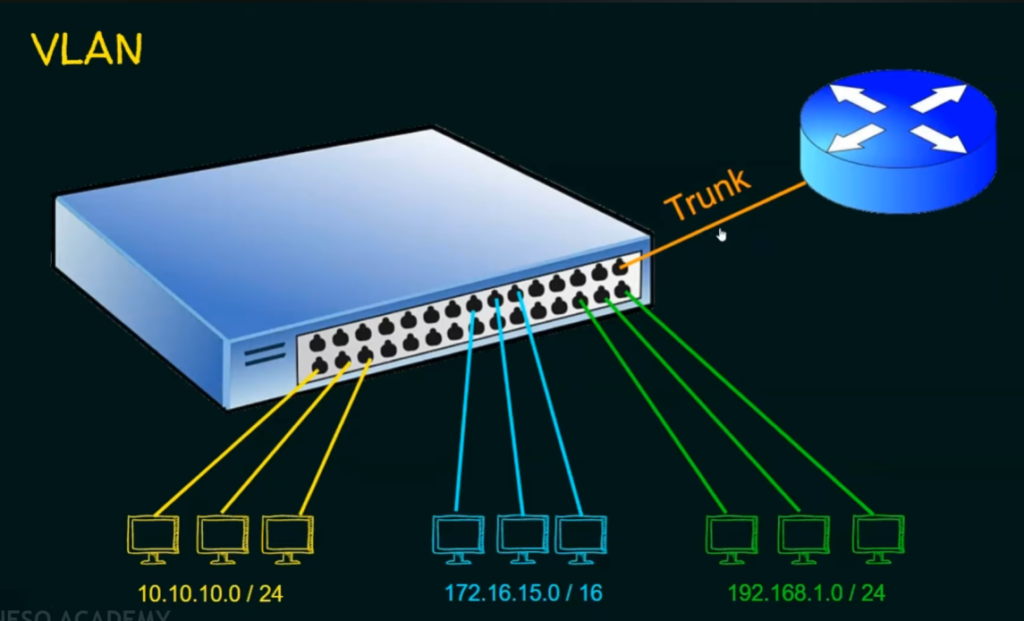
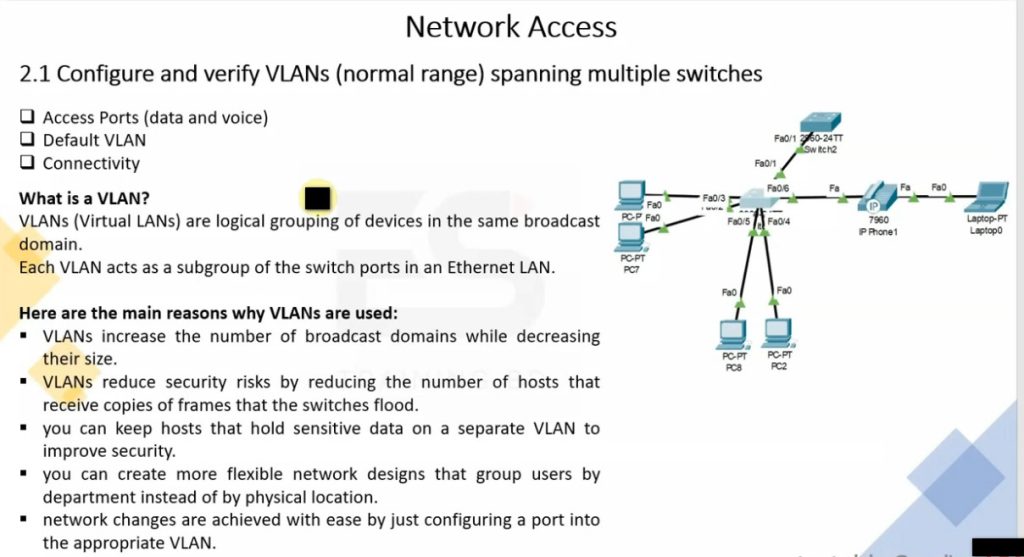
VLAN (Virtual Local Area Network) is a technology that divides one physical network switch into multiple logical or virtual networks. Even though devices are connected to the same switch, VLAN separates them into different networks, so they work independently like separate switches.
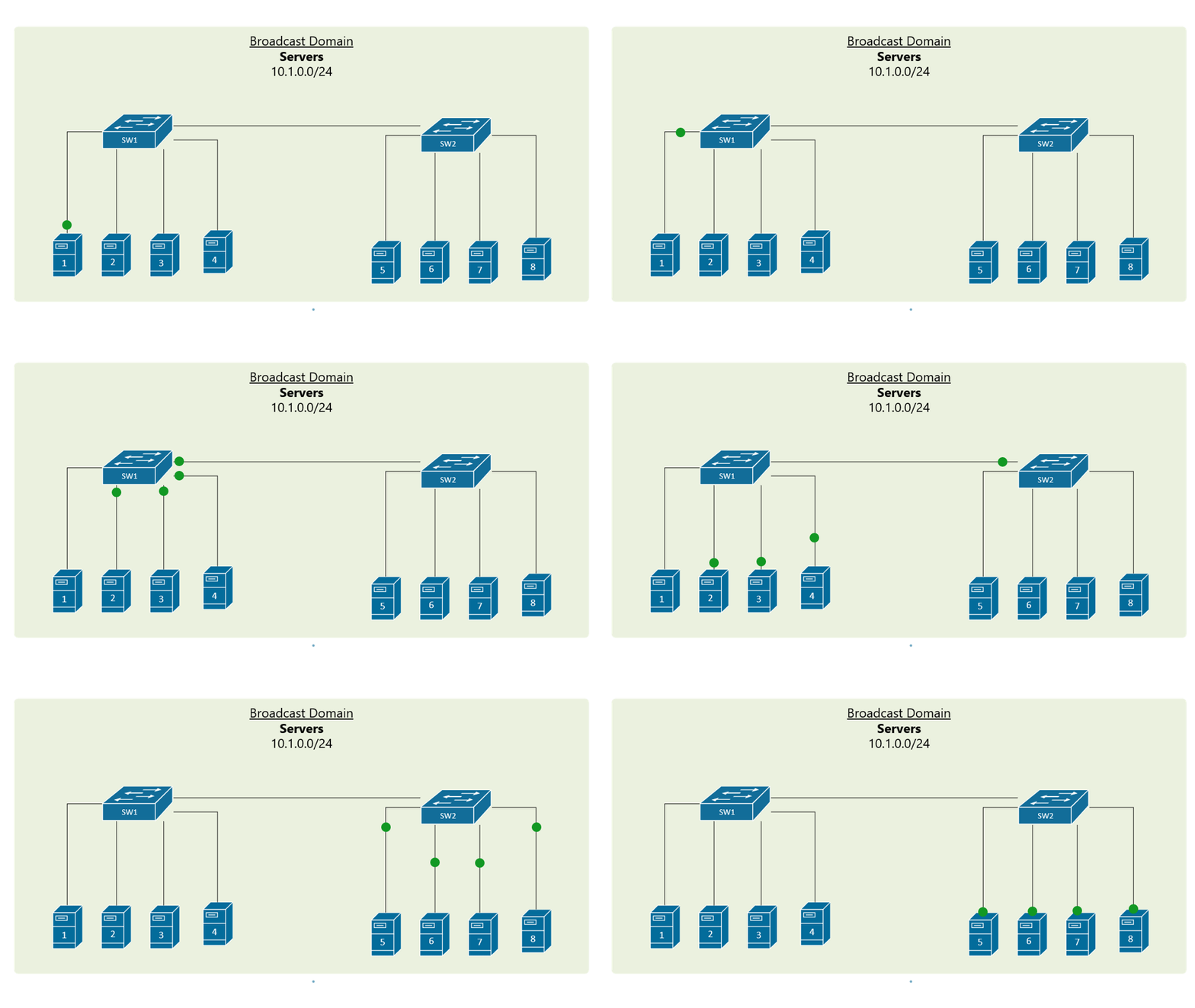
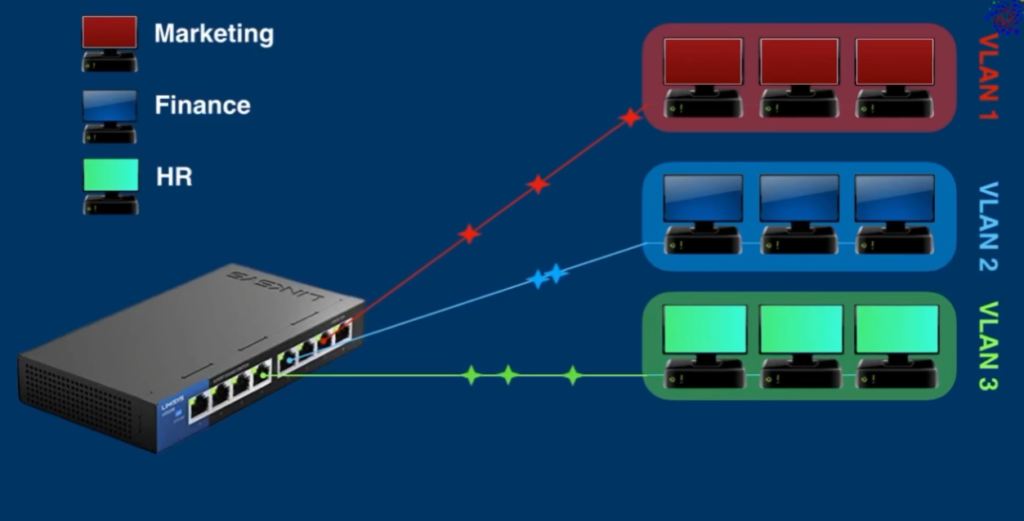
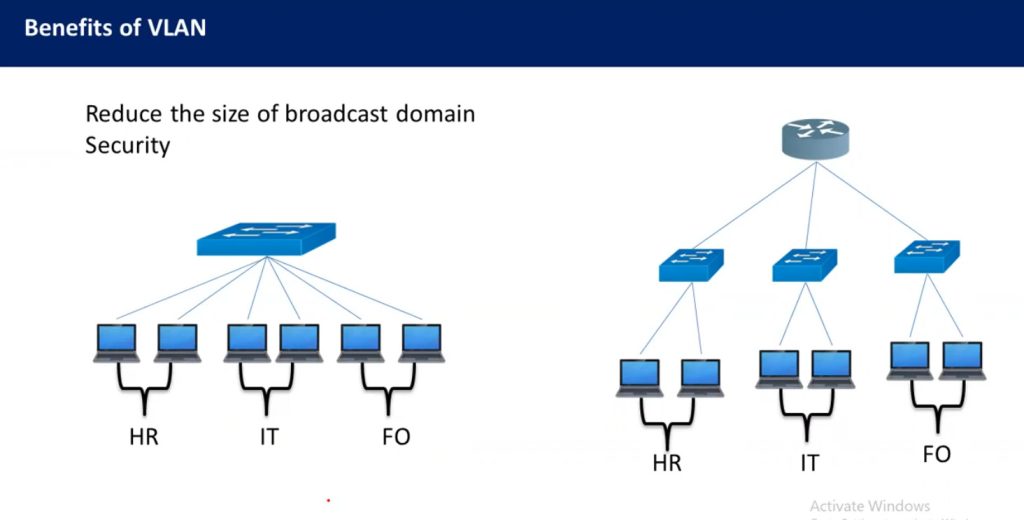
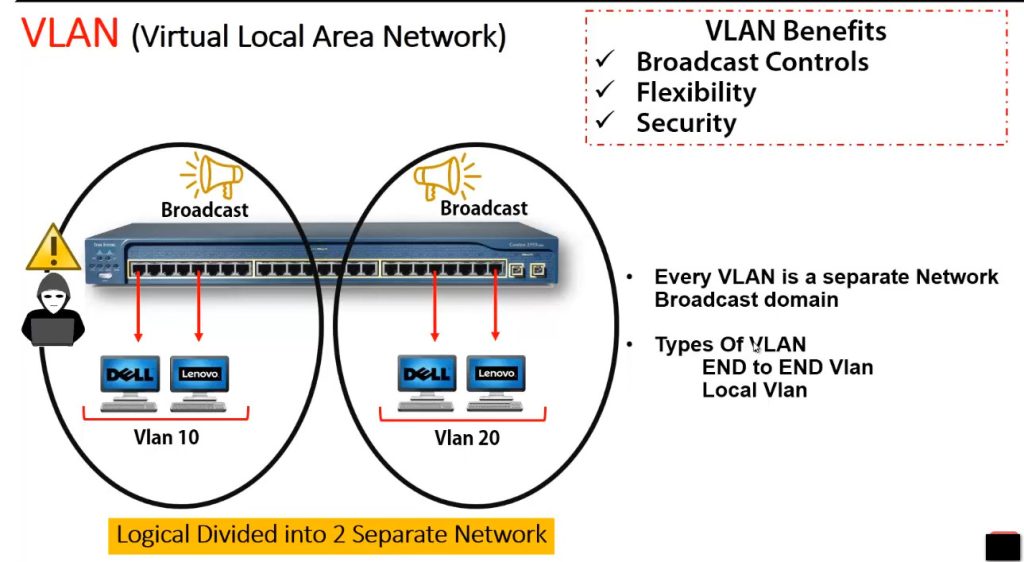
A VLAN creates separate broadcast domains, which means traffic from one VLAN does not automatically go to another VLAN. This improves network security, performance, and management. VLAN is commonly used to separate departments such as HR, Sales, IT, Guest Wi-Fi, and Voice networks.
Example:
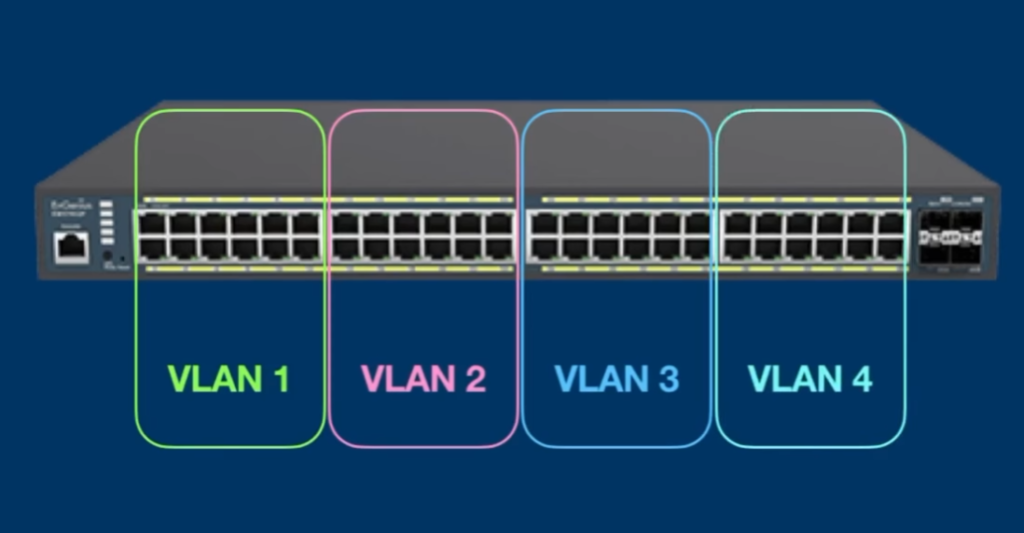
One 48-port switch can be divided into:
- VLAN 10 – HR → 192.168.10.0/24
- VLAN 20 – Sales → 192.168.20.0/24
- VLAN 30 – IT → 192.168.30.0/24
- VLAN 40 – Guest → 192.168.40.0/24
Even though all devices connect to the same switch, HR devices cannot directly communicate with Sales or IT devices unless routing is allowed.
In Short:
- VLAN = Virtual separation of network
- One switch → Multiple logical networks
- Improves security
- Reduces broadcast traffic
- Makes network management easier
- Used in offices, schools, data centers, and enterprise networks
Problems Without VLAN Any Office IF Large Network?
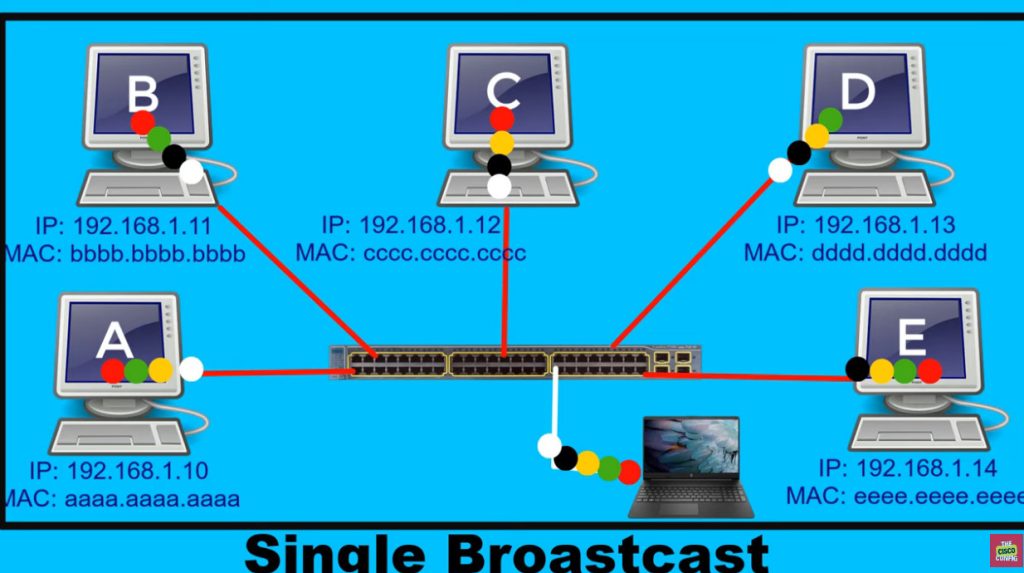
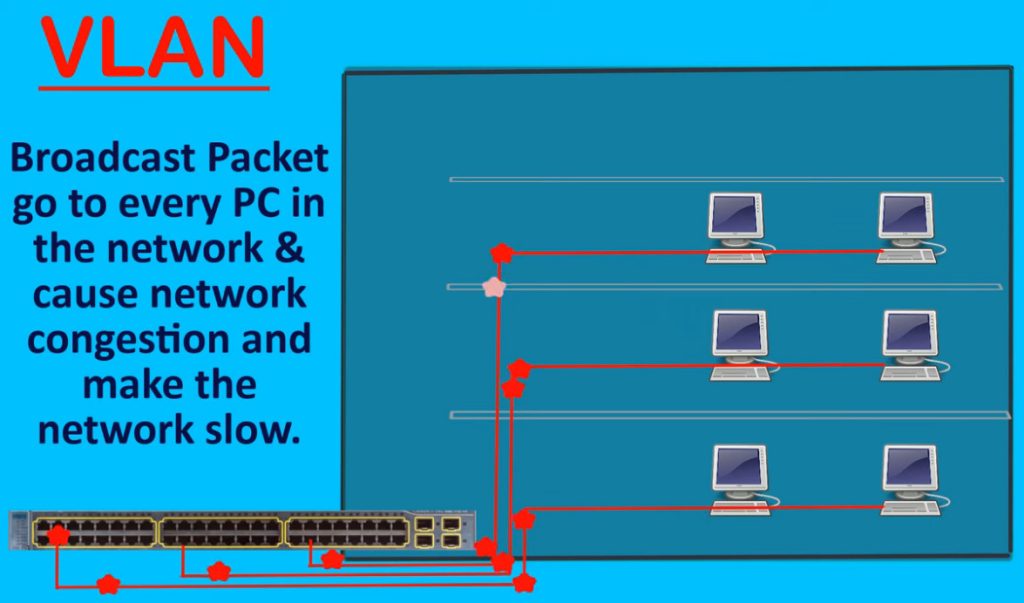
- Large Broadcast Traffic – Broadcast messages go to all devices, causing congestion.
- Poor Network Performance – Too much unnecessary traffic slows the network.
- Low Security – All users are in one network, making unauthorized access easier.
- No Department Separation – HR, Sales, IT, and Guests stay in same network.
- Difficult Management – Harder to organize and control users/devices.
- Network Congestion – Heavy traffic from one department affects all users.
- Broadcast Storm Risk – Too much broadcast traffic can crash the network.
- Troubleshooting Hard – Difficult to find network problems in one large network.
- No Traffic Priority – Voice, data, and guest traffic mix together.
- Poor Scalability – As network grows, performance and management become difficult.
VLAN Benefits?
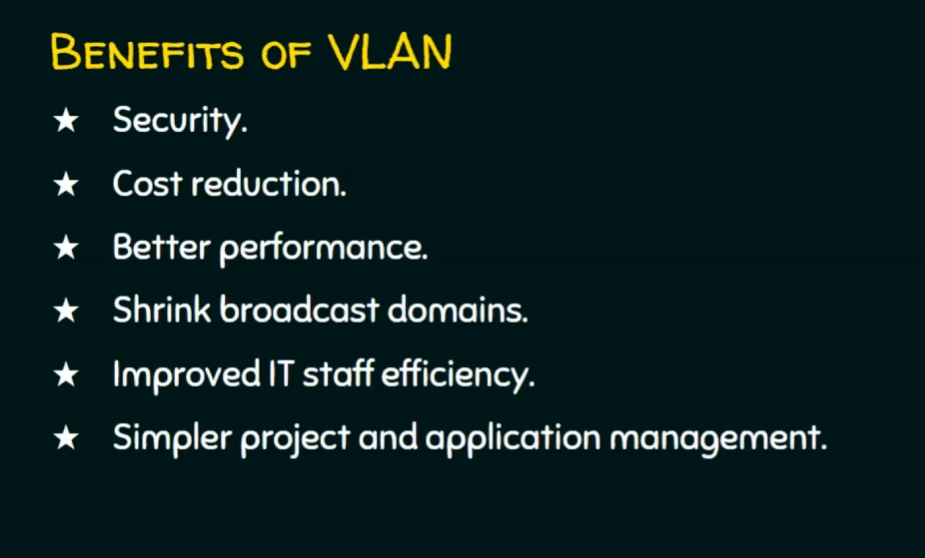
- Better Security – Separates departments/users, reducing unauthorized access.
- Less Broadcast Traffic – Broadcast stays inside one VLAN, reducing network congestion.
- Better Performance – Smaller broadcast domains improve network speed and efficiency.
- Easy Management – Departments can be organized logically (HR, Sales, IT, Guest).
- Cost Saving – One physical switch can create multiple virtual networks, reducing hardware cost.
- Improved Scalability – Easy to add new VLANs when the company grows.
- Traffic Control – Voice, data, and guest traffic can be separated for better control.
- Supports QoS – Voice VLAN can prioritize IP phone traffic for clear calls.
- Flexible Network Design – Users can be grouped by department, not by physical location.
- Better Troubleshooting – Problems can be isolated to a specific VLAN quickly.
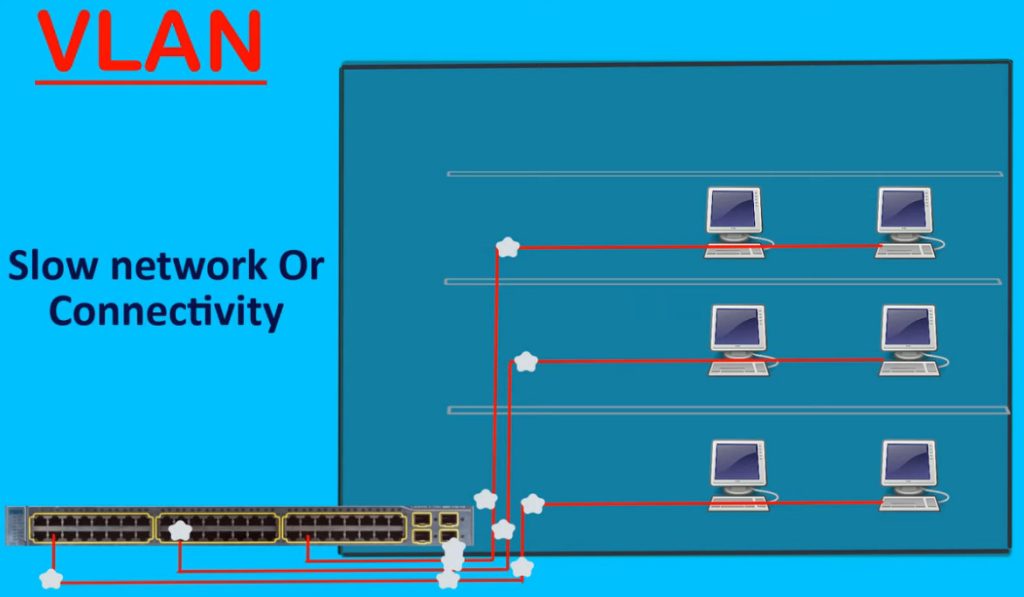
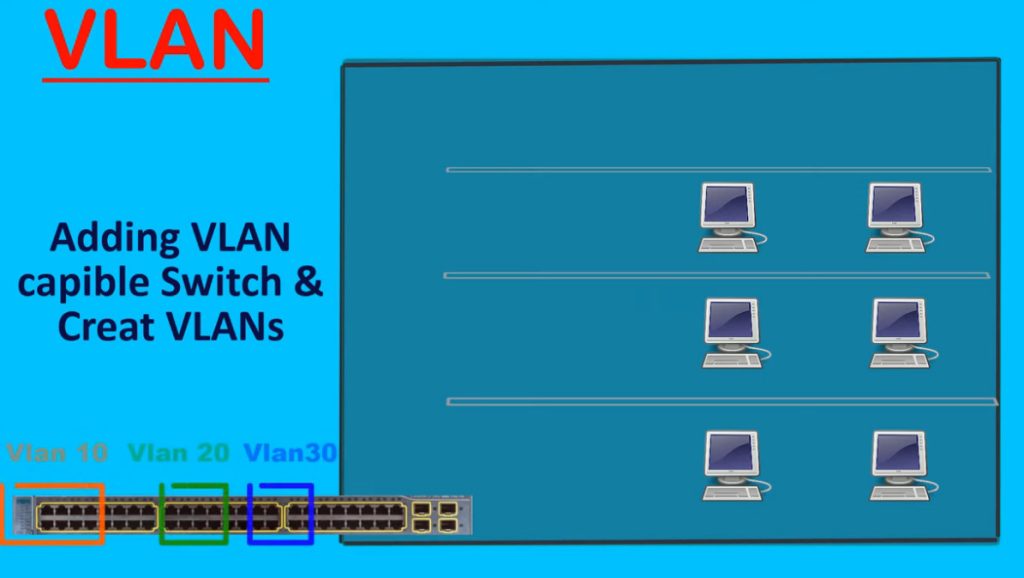
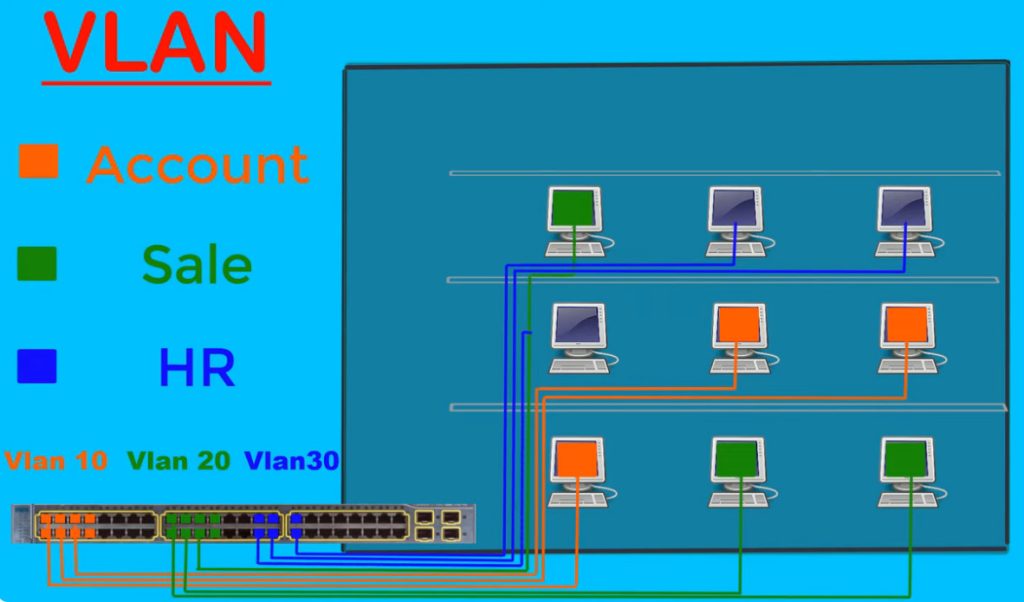
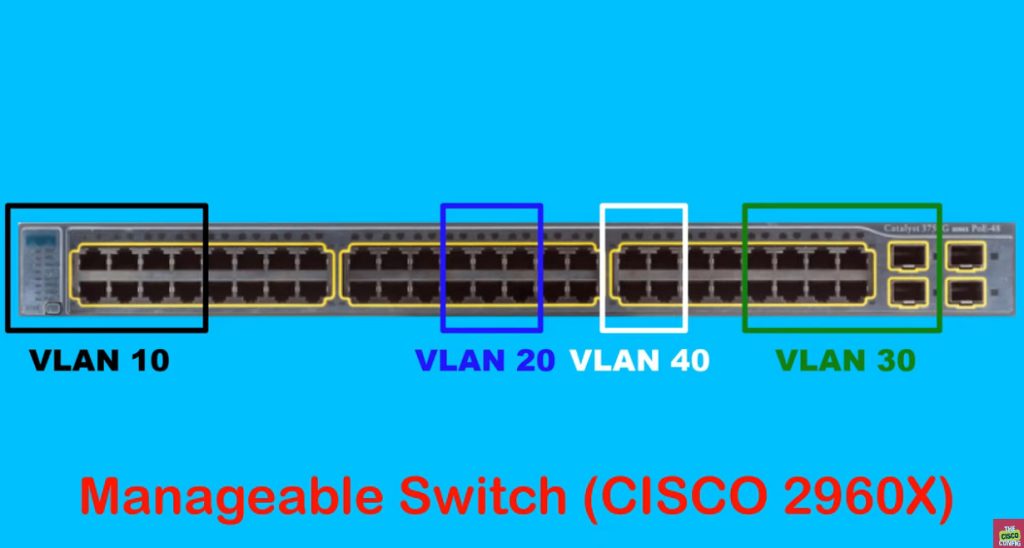
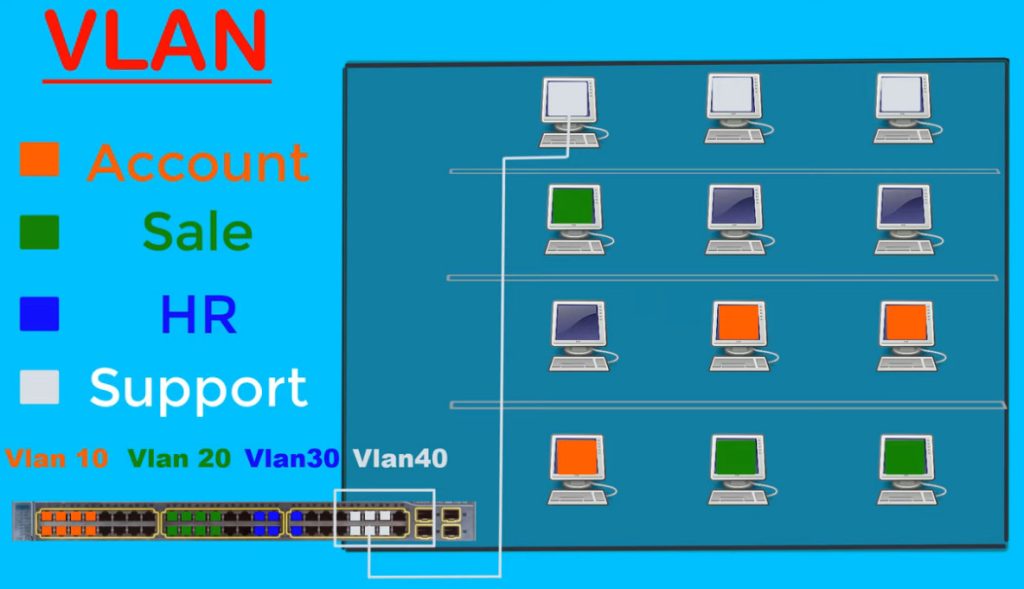
How VLAN Works
1. Creating Virtual Network
VLAN (Virtual Local Area Network) works by dividing one physical switch into multiple logical or virtual networks. Even if all computers are connected to the same switch, VLAN makes them behave like separate networks. This allows organizations to separate departments such as HR, Sales, and IT without installing separate switches for each department.
2. Port Assignment to VLAN
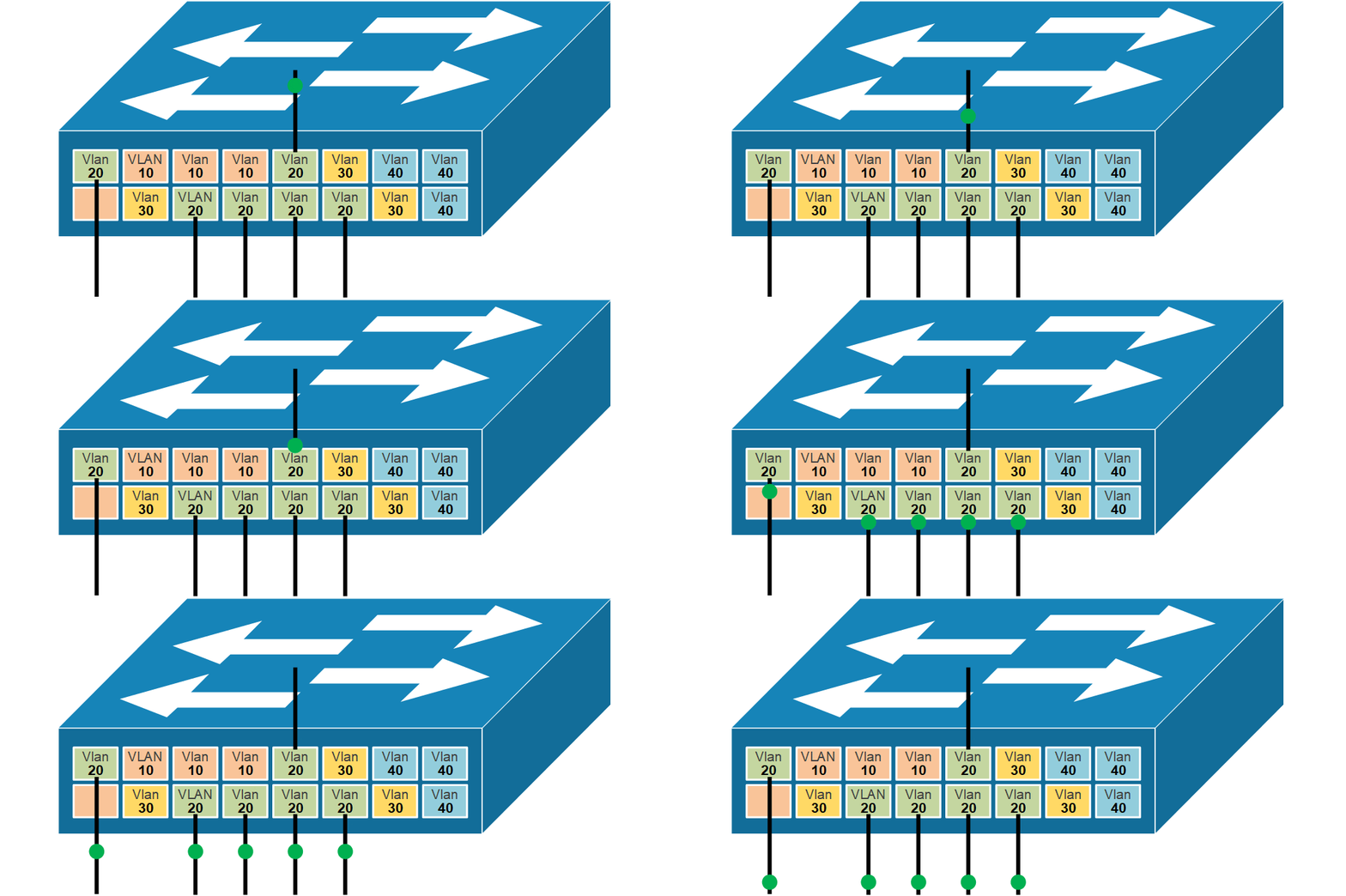
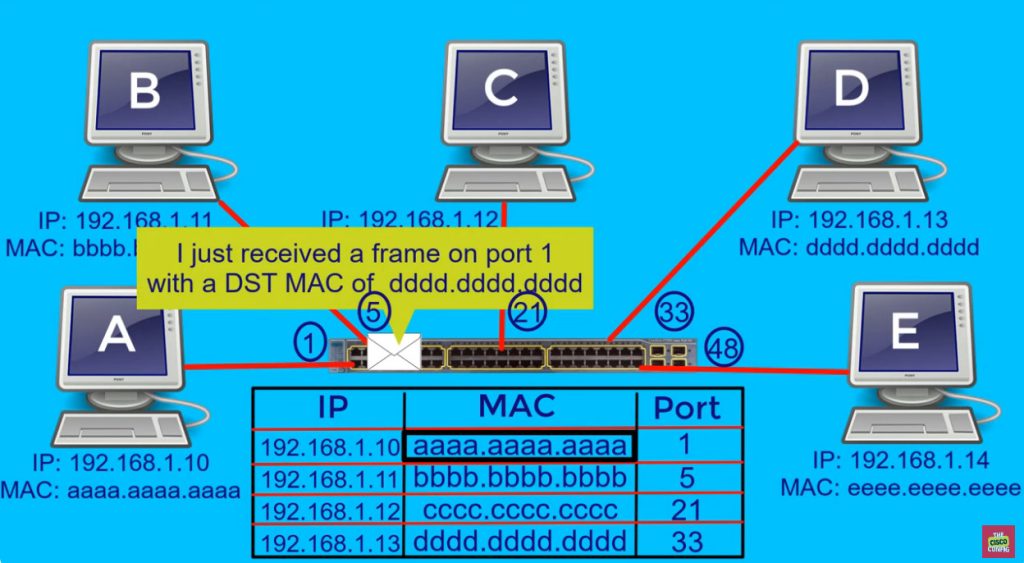
Each switch port is assigned a VLAN ID by the network administrator. When a computer, printer, IP phone, or other device connects to that port, it automatically becomes part of that VLAN. The switch stores this information in its VLAN table and uses it to decide how traffic should be handled inside the network.
3. Communication Within Same VLAN
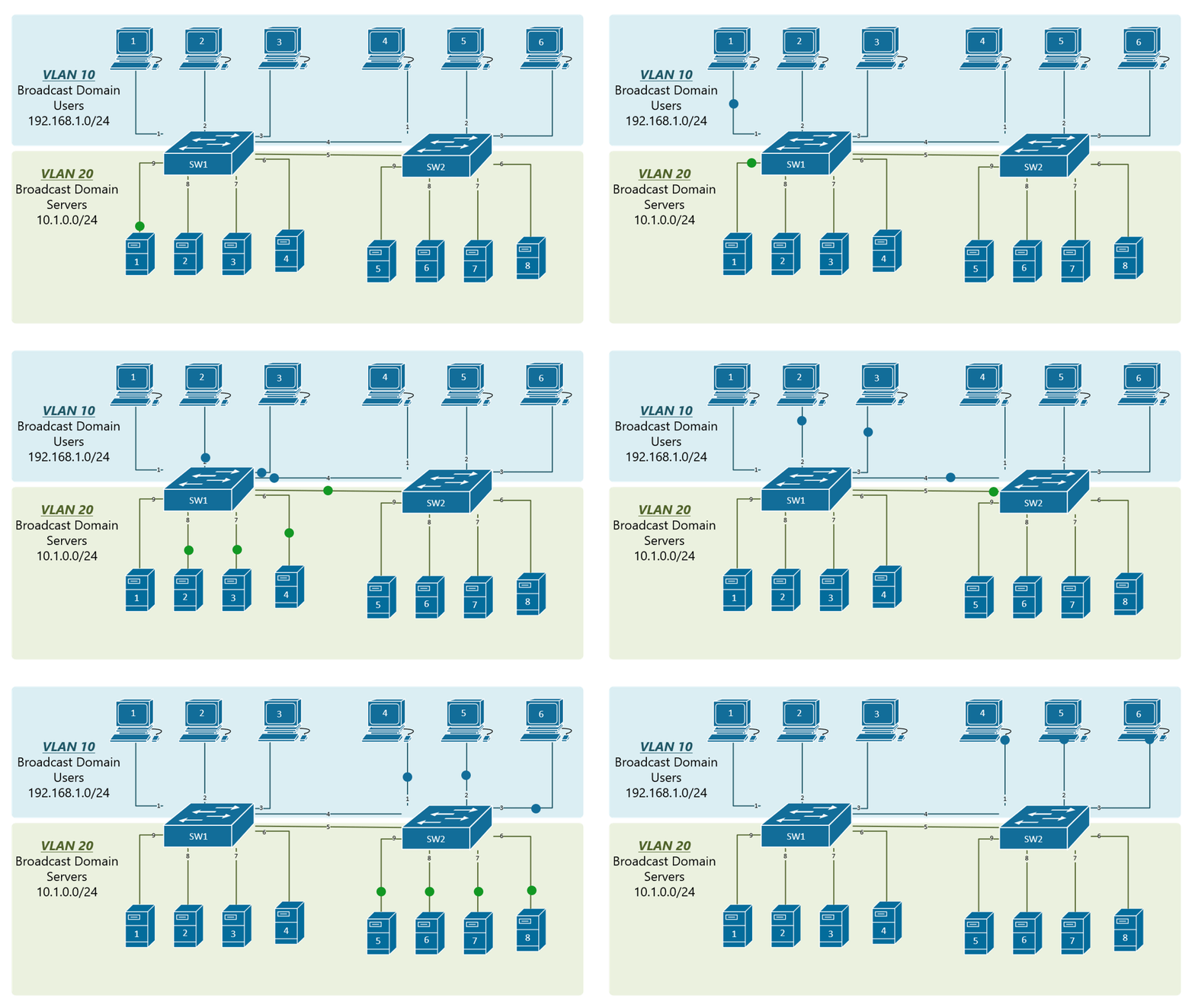
Devices connected to the same VLAN can communicate directly with each other through the switch. The switch forwards frames only to ports that belong to that VLAN. Broadcast traffic is also limited to that VLAN only, which reduces unnecessary network traffic and improves performance.
4. Communication Between Different VLANs
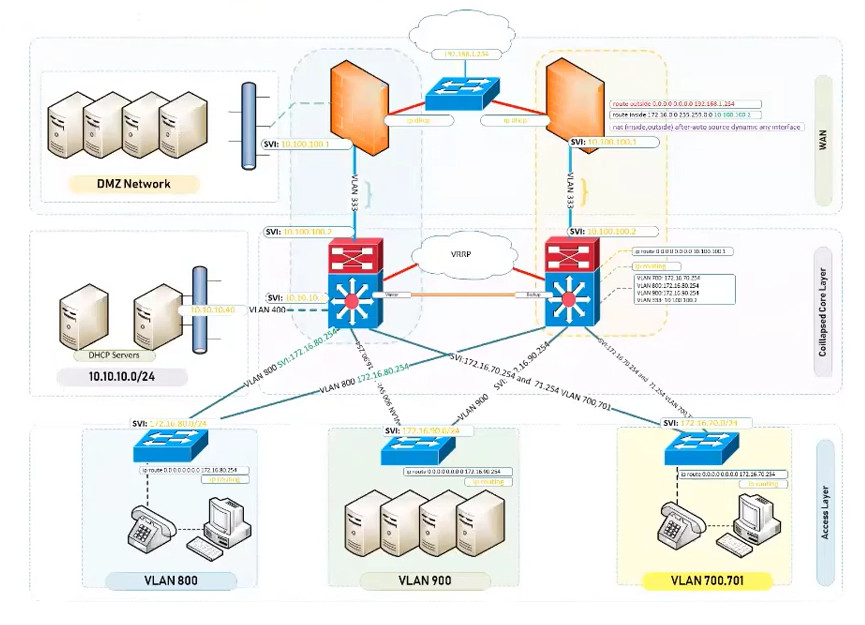
Devices in different VLANs cannot communicate directly because each VLAN acts as a separate network. If communication is needed between VLANs, a router or Layer 3 switch is required. This process is called Inter-VLAN Routing, where the router forwards traffic from one VLAN network to another based on IP addresses.
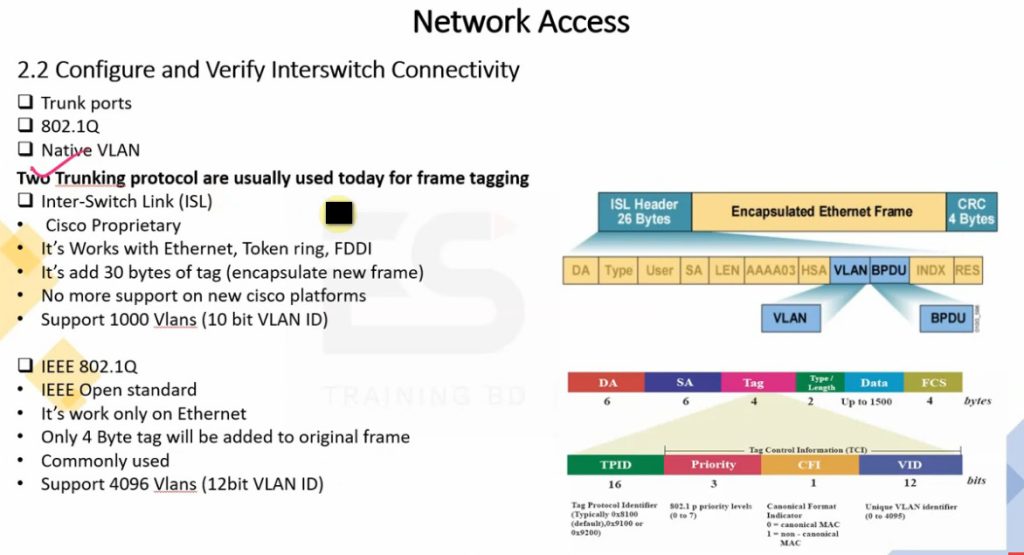
5. VLAN Tagging
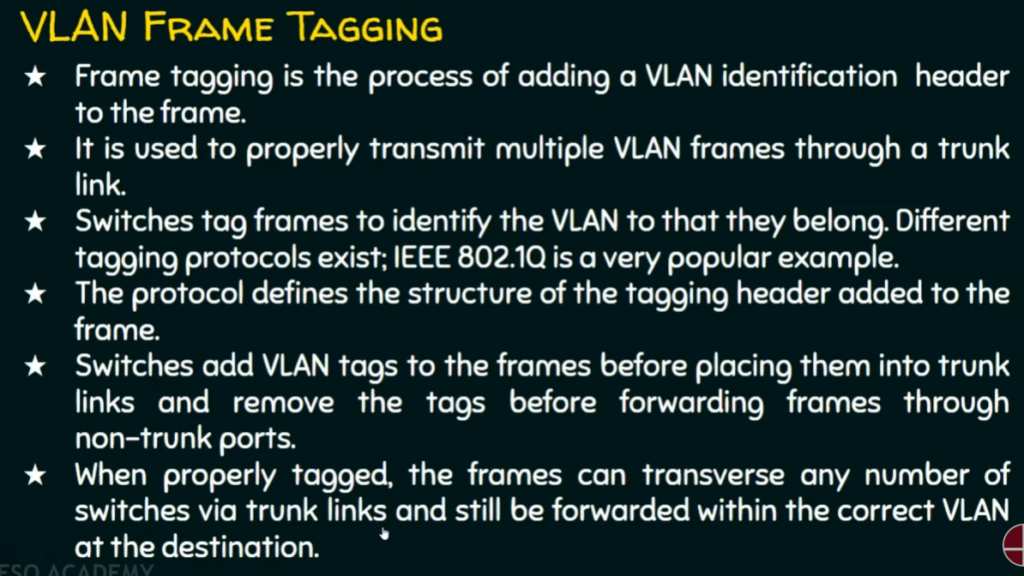
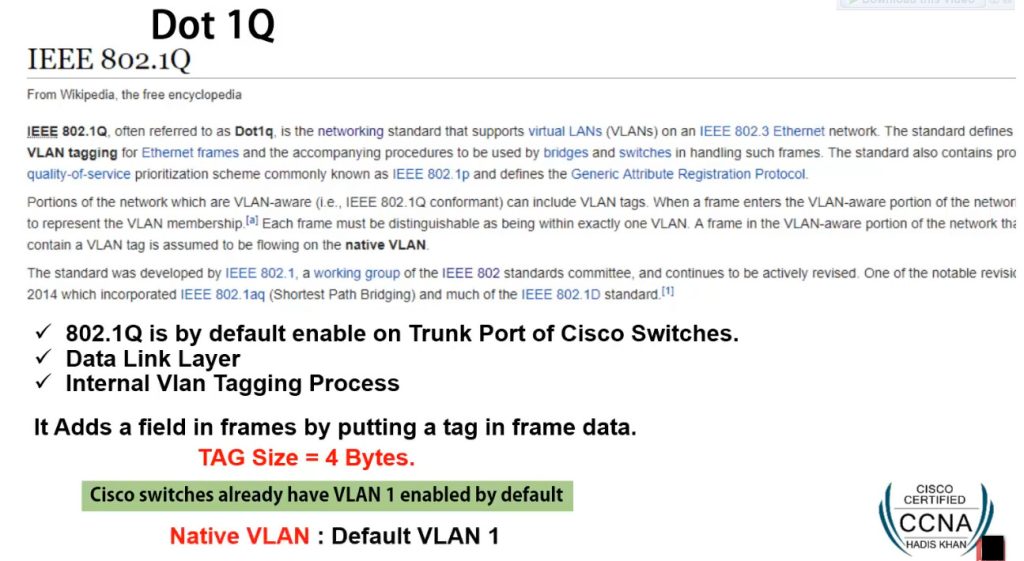
When multiple switches are connected, VLAN traffic travels through trunk links. VLAN tagging, usually using IEEE 802.1Q standard, adds a VLAN ID to Ethernet frames. This tag helps the receiving switch understand which VLAN the traffic belongs to, allowing multiple VLANs to pass through a single cable connection.
6. Broadcast Traffic Separation
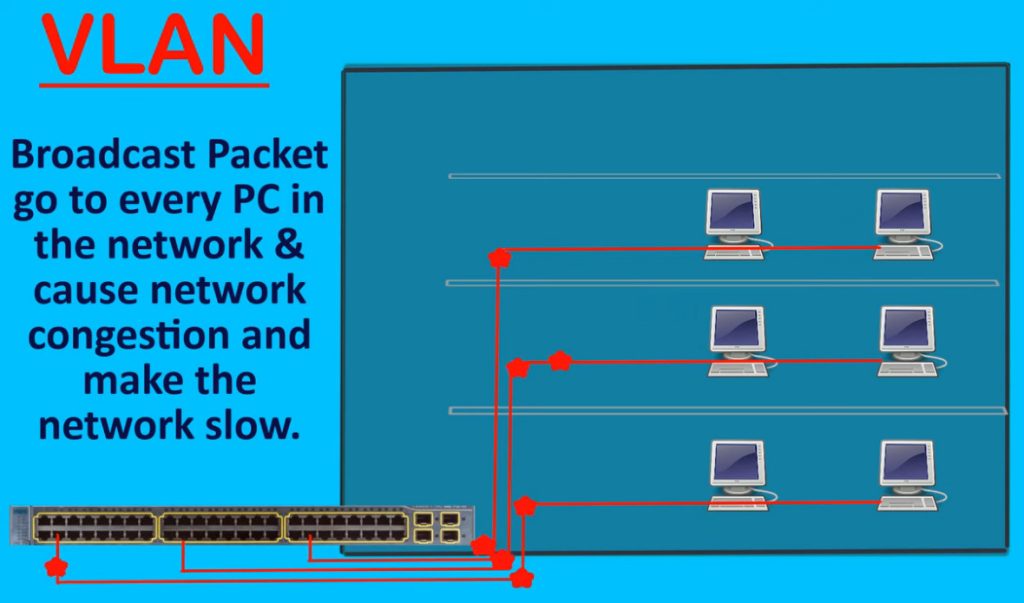
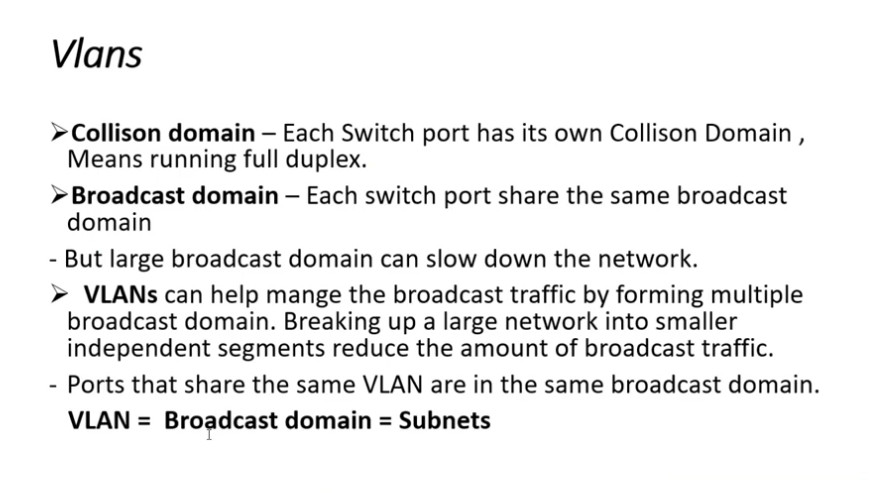
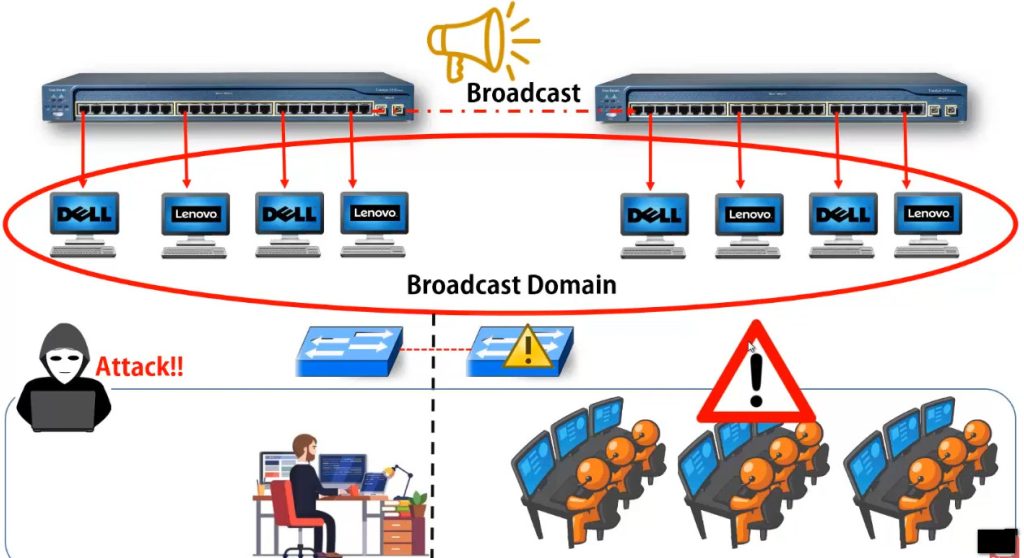
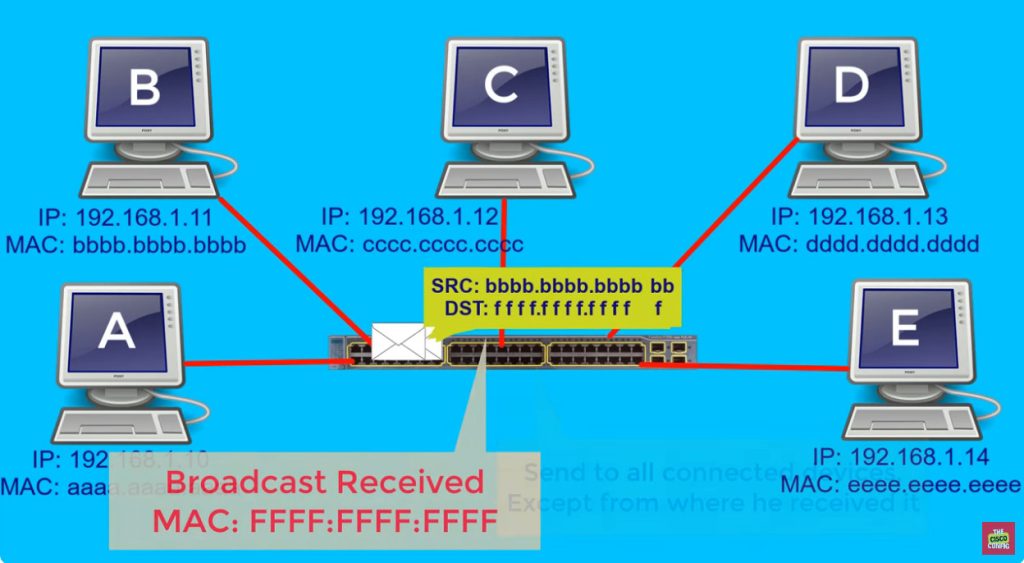
One major way VLAN works is by controlling broadcast traffic. In a normal flat network, broadcast messages reach every connected device. In a VLAN network, broadcast traffic stays only inside its assigned VLAN. This reduces network congestion, improves speed, and prevents broadcast storms from affecting the whole network.
7. Security and Access Control
VLAN improves security by separating users and devices into different virtual networks. For example, employee devices can be placed in one VLAN, guest users in another VLAN, and servers in a separate secure VLAN. This limits direct access between groups and helps administrators apply security policies more effectively.
8. Example of VLAN Working
Suppose a company has one switch with 48 ports. Ports 1–15 are assigned to HR VLAN 10, ports 16–30 to Sales VLAN 20, and ports 31–45 to IT VLAN 30. Even though all devices use the same physical switch, HR users can only directly communicate with HR VLAN devices, Sales users with Sales VLAN devices, and IT users with IT VLAN devices unless routing is configured between VLANs.
How VLAN Works with IP Address:
1. Separate IP Network for Each VLAN
When a VLAN is created, it is usually assigned its own IP subnet. This means each VLAN becomes a separate logical network with its own IP address range. Devices connected to that VLAN receive IP addresses from that subnet, allowing proper communication within the same VLAN. This separation makes the network more organized and easier to manage.
Example: VLAN 10 may use 192.168.10.0/24, VLAN 20 may use 192.168.20.0/24, and VLAN 30 may use 192.168.30.0/24.
2. Device Gets IP Based on VLAN
When a device connects to a switch port, it becomes part of the VLAN assigned to that port. After joining that VLAN, the device receives an IP address from that VLAN’s subnet, usually from a DHCP server or manual configuration. This IP address identifies the device within that VLAN network and allows it to communicate with other devices in the same subnet.
Example: A PC connected to VLAN 10 may receive IP 192.168.10.25, while a PC in VLAN 20 may receive 192.168.20.35.
3. Same VLAN Communication
Devices that belong to the same VLAN and same IP subnet can communicate directly through the switch. The switch forwards traffic only between ports that are members of that VLAN. Since both devices are in the same logical network, no router is needed for communication. This provides fast local communication inside the VLAN.
Example: 192.168.10.10 can directly communicate with 192.168.10.50 because both belong to VLAN 10.
4. Different VLAN Communication
Devices in different VLANs belong to different IP networks, so they cannot communicate directly at Layer 2. To allow communication between VLANs, a router or Layer 3 switch is needed. This device performs Inter-VLAN Routing by checking destination IP addresses and forwarding packets between VLAN networks.
Example: A PC with IP 192.168.10.15 in VLAN 10 cannot directly talk to 192.168.20.25 in VLAN 20 without routing.
5. Gateway for Each VLAN
Each VLAN is usually assigned a default gateway IP address, which is used when traffic needs to leave that VLAN and reach another network. This gateway is configured on a router interface or Layer 3 switch VLAN interface. Devices send traffic to the gateway when the destination IP belongs to another VLAN or outside network.
Example: VLAN 10 gateway = 192.168.10.1, VLAN 20 gateway = 192.168.20.1, VLAN 30 gateway = 192.168.30.1.
6. Broadcast Traffic Stays in Same VLAN
Broadcast messages such as ARP requests are limited to the VLAN’s IP subnet only. They do not travel to other VLANs because each VLAN is its own broadcast domain. This reduces unnecessary traffic in the network and improves overall performance.
Example: A broadcast from device 192.168.10.20 in VLAN 10 stays only within VLAN 10 and does not reach VLAN 20 devices.
7. Real Network Example
In a company network, HR users may use VLAN 10 (192.168.10.0/24), Sales users may use VLAN 20 (192.168.20.0/24), IT users may use VLAN 30 (192.168.30.0/24), and Guest users may use VLAN 40 (192.168.40.0/24). Even if all are connected to the same physical switch, VLAN and IP subnet separation make them operate as different networks, improving security, traffic control, and network management.
Different VLAN Communication – Real Example:
Company Office Network Example
A company separates departments into different VLANs for security and management, but departments still need to communicate for daily work.
- VLAN 10 – HR Department → 192.168.10.0/24
- VLAN 20 – Sales Department → 192.168.20.0/24
- VLAN 30 – IT Department → 192.168.30.0/24
- VLAN 40 – Server VLAN → 192.168.40.0/24
- VLAN 50 – Printer VLAN → 192.168.50.0/24
- VLAN 60 – Guest VLAN → 192.168.60.0/24
1. HR Department to Server VLAN
In a company network, the HR department may be placed in VLAN 10 (192.168.10.0/24), while company application servers are placed in Server VLAN 40 (192.168.40.0/24) for security and centralized management. When an HR employee opens payroll software or accesses employee records, the HR computer sends the request to its default gateway 192.168.10.1. The router or Layer 3 switch checks the destination IP address and routes the traffic to VLAN 40, allowing HR staff to access the server.
2. Sales Department to Printer VLAN
The Sales department may use VLAN 20 (192.168.20.0/24), while shared network printers are placed in Printer VLAN 50 (192.168.50.0/24). When a Sales employee prints invoices, reports, or customer documents, the Sales PC sends print traffic to its gateway 192.168.20.1. The router or Layer 3 switch routes that traffic to Printer VLAN 50, where the network printer receives the job and prints the document. This allows multiple departments to share printing resources while keeping printers in a separate VLAN.
3. IT Department Communication with All VLANs
The IT department is often placed in VLAN 30 (192.168.30.0/24) and is given access to multiple VLANs for management and support work. IT administrators may need to remotely troubleshoot HR computers, update Sales systems, manage servers, or configure printers. When the IT team connects to devices in other VLANs, the Layer 3 switch routes traffic between VLAN 30 and the destination VLAN, allowing centralized management across the company network.
4. Employee Access to Shared Services
Many company services such as email servers, database servers, backup storage, and internal web applications are placed in separate VLANs. Employees from HR, Sales, Finance, and IT VLANs need communication access to these shared services for daily operations. Inter-VLAN routing makes this possible by forwarding traffic from employee VLANs to service VLANs while security policies control who can access which service.
5. Guest VLAN Restricted Communication
Visitors and temporary users are usually connected to Guest VLAN 60 (192.168.60.0/24). This VLAN is separated from internal company VLANs for security. Guests can access the internet, but routing rules and firewall policies block access to HR VLAN, Sales VLAN, Server VLAN, and Printer VLAN. This protects company resources while still providing network connectivity to visitors.
6. Real Office Working Example
In a real office, an HR employee may log in to a payroll server in another VLAN, a Sales employee may print through a printer VLAN, and IT staff may manage all VLAN devices from their management VLAN. Even though all these departments are separated into different VLANs, routers or Layer 3 switches allow required communication between VLANs securely and efficiently. This is how different VLAN communication works in real business networks.
Types of VLANs
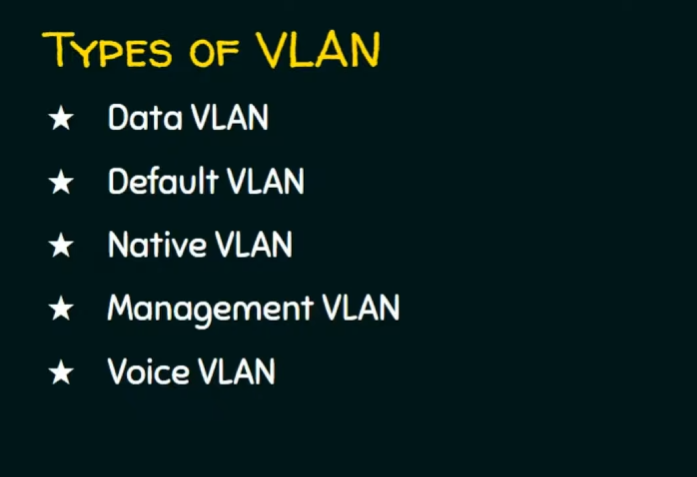
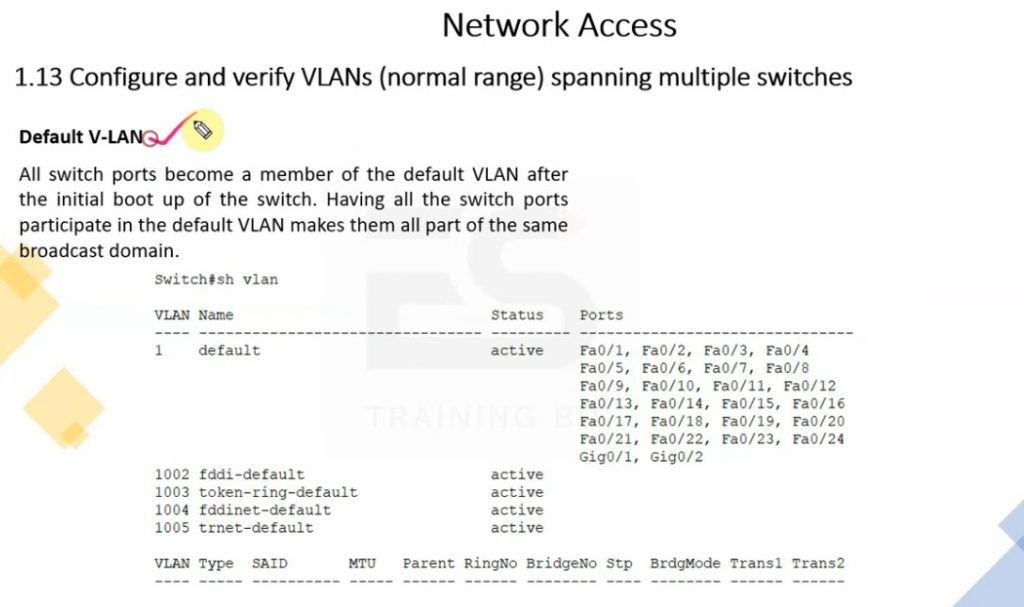
- Default VLAN – Default switch VLAN (usually VLAN 1) where all ports are assigned initially.
Example: New switch all ports in VLAN 1. - Data VLAN – Used for normal user data traffic like email, browsing, and file sharing.
Example: HR PCs in VLAN 10. - Voice VLAN – Dedicated VLAN for IP phones and VoIP traffic.
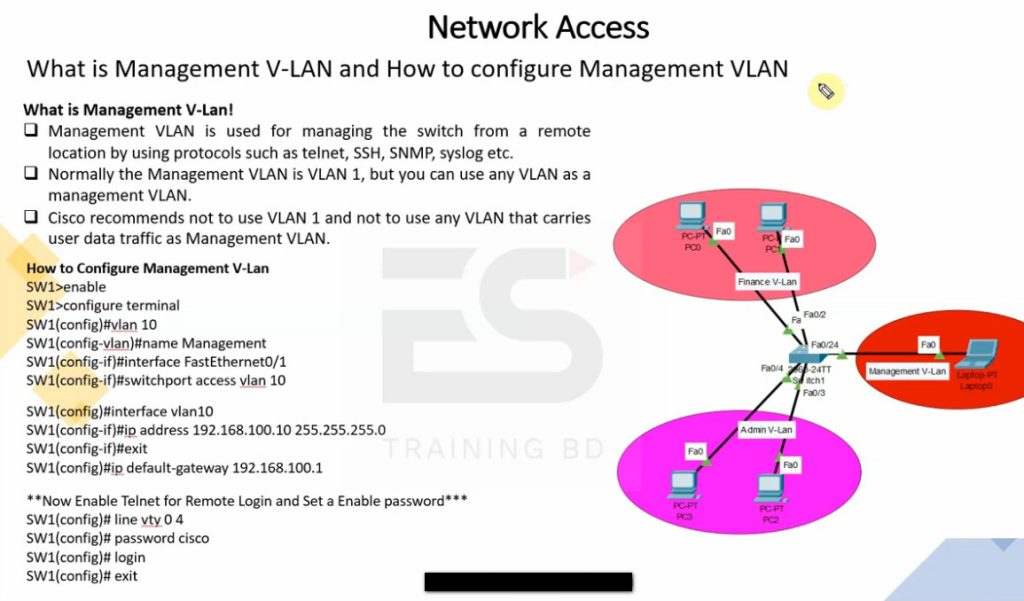
Example: Office phones in VLAN 20. - Management VLAN – Used for managing switches, routers, and network devices.
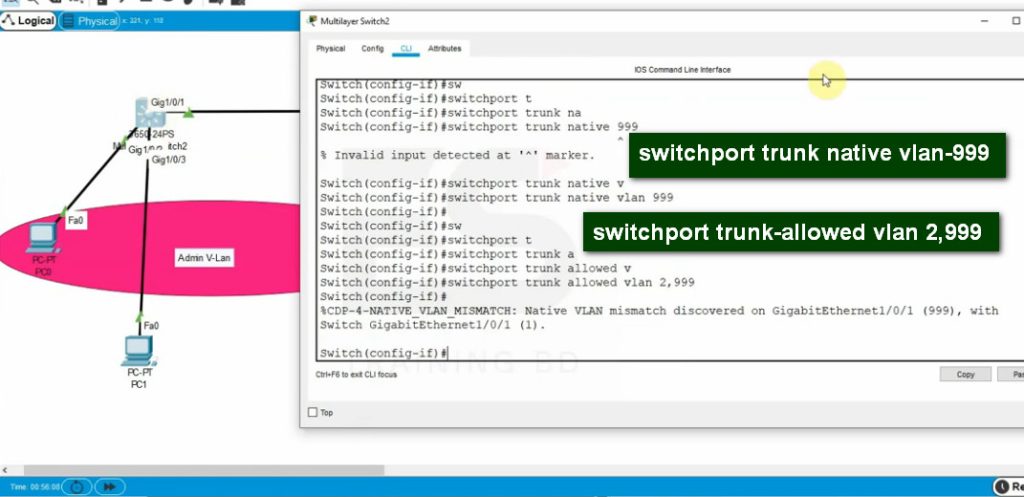
Example: Network devices in VLAN 99. - Native VLAN – Carries untagged traffic on trunk links.
Example: Switch trunk uses VLAN 100 as native VLAN. - Static VLAN – VLAN assigned manually to switch ports.
Example: Port 1–10 assigned to VLAN 10. - Dynamic VLAN – VLAN assigned automatically based on policy/MAC/user login.
Example: User joins VLAN 15 automatically. - Private VLAN (PVLAN) – Isolates devices in same VLAN for security.
Example: Hotel guests cannot access each other’s devices. - Guest VLAN – Separate VLAN for visitors with internet-only access.
Example: Visitors connect to VLAN 50.
1. Default VLAN
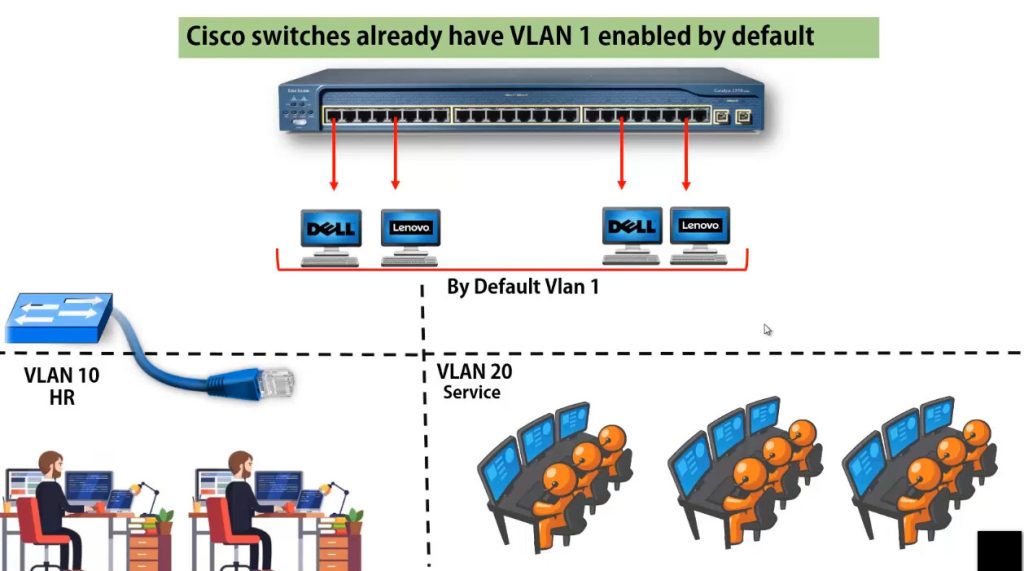
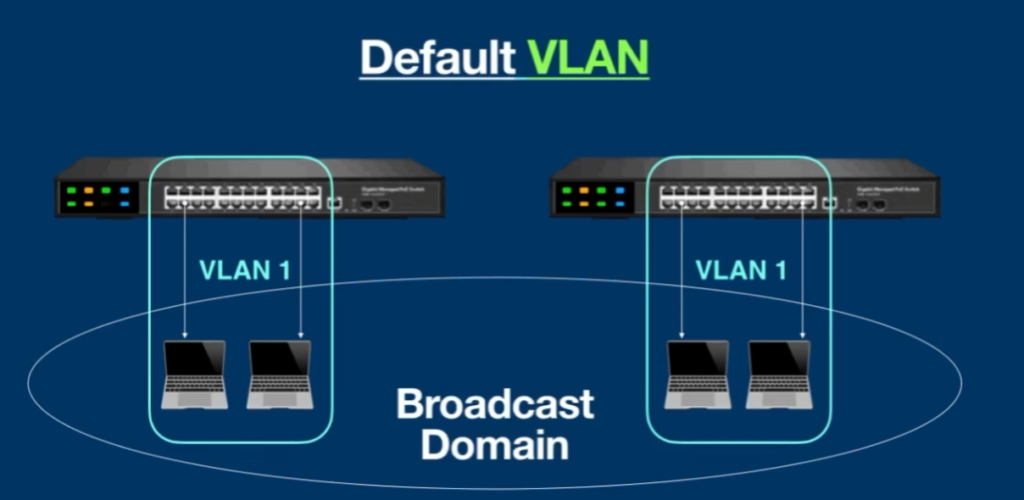
Default VLAN is the VLAN that exists on a switch by default, usually VLAN 1. When a new managed switch is installed, all switch ports are automatically assigned to this VLAN unless the administrator changes the configuration. Devices connected to ports in the default VLAN can communicate with each other normally. It is mainly used for initial setup, testing, and basic switch communication before creating separate VLANs for departments or services.
Example: In a new 24-port switch, all 24 ports are initially in VLAN 1, so all connected PCs belong to the same network.
2. Data VLAN
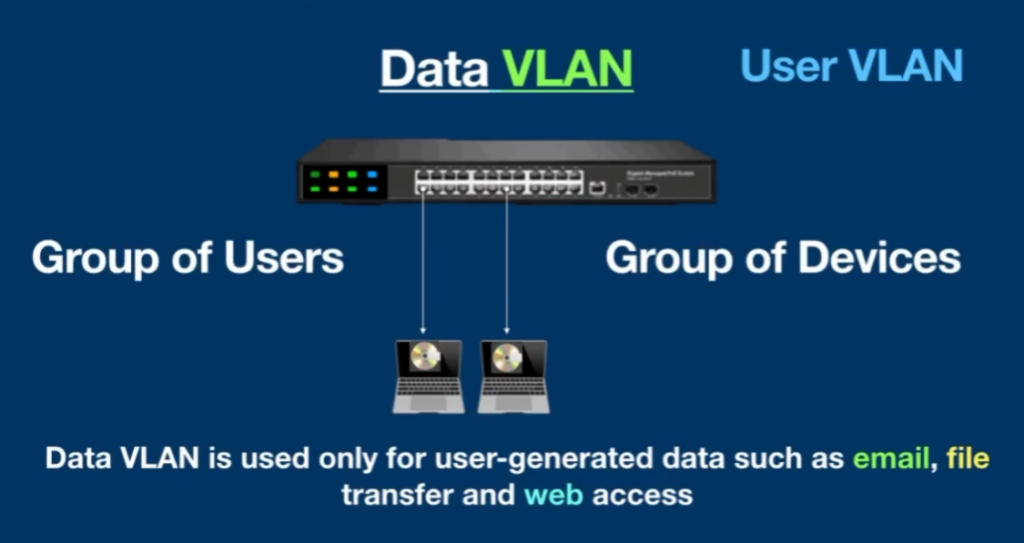
A Data VLAN is used to carry normal user-generated network traffic such as email, web browsing, file sharing, video meetings, and business applications. It separates employee data traffic from voice, management, and guest traffic, which helps improve performance, security, and network organization. Most office computers, laptops, and user devices are connected to Data VLANs based on department or work function.
Example: Employee PCs in the HR department may be placed in VLAN 10 (192.168.10.0/24) for daily office work.
3. Voice VLAN
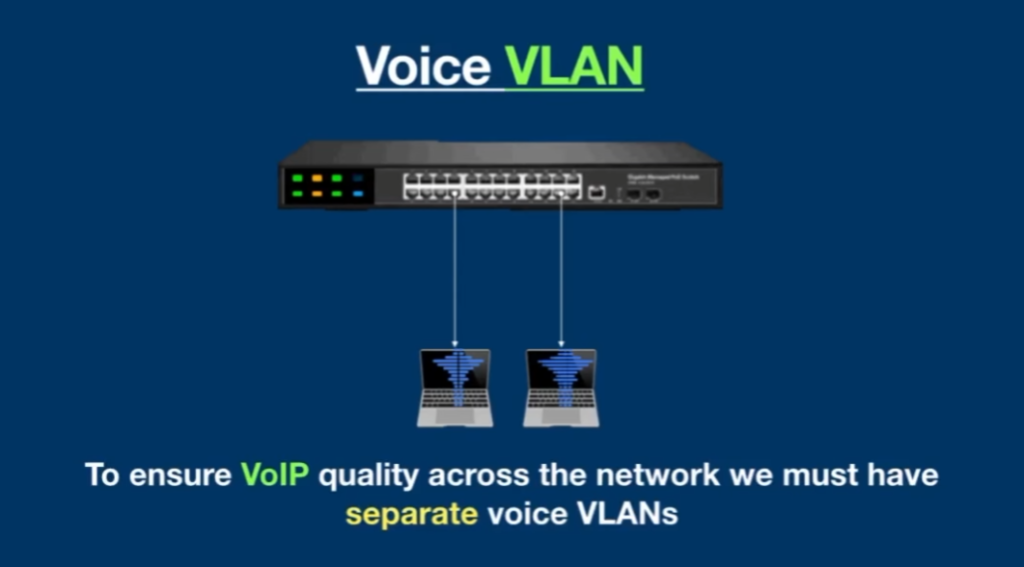
A Voice VLAN is specially designed for IP phones and VoIP communication. It separates voice traffic from normal data traffic so voice packets can receive higher priority through Quality of Service (QoS). This helps reduce delay, jitter, and packet loss, ensuring clear voice communication during calls. Voice VLANs are commonly used in offices, call centers, and enterprise communication systems.
Example: Company IP phones may use VLAN 20 (192.168.20.0/24), while computers remain in a separate Data VLAN.
4. Management VLAN
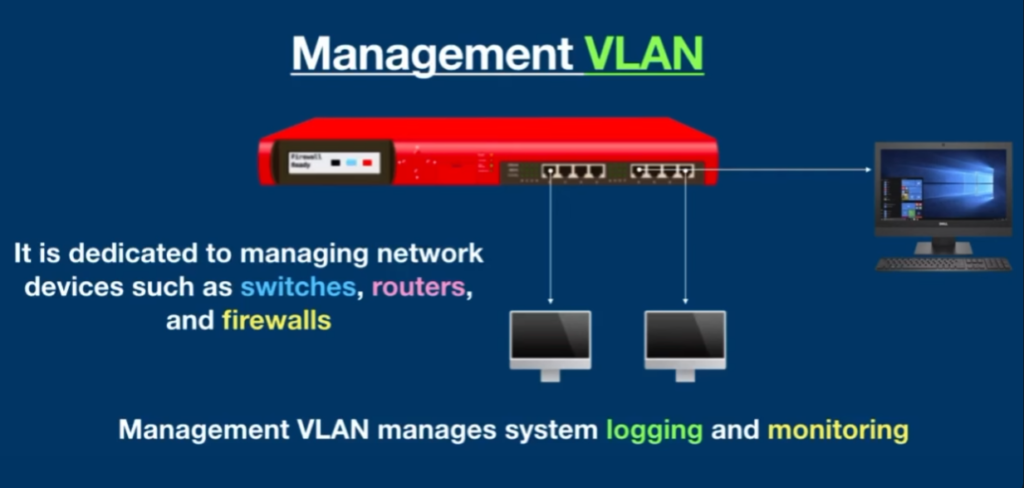
A Management VLAN is used for managing and monitoring network devices such as switches, routers, firewalls, access points, and controllers. Network administrators use this VLAN for SSH login, SNMP monitoring, configuration changes, and troubleshooting. Keeping management traffic separate from normal user traffic improves security and gives administrators a dedicated network for device control.
Example: All company switches and routers may use VLAN 99 (192.168.99.0/24) for management access.
5. Native VLAN
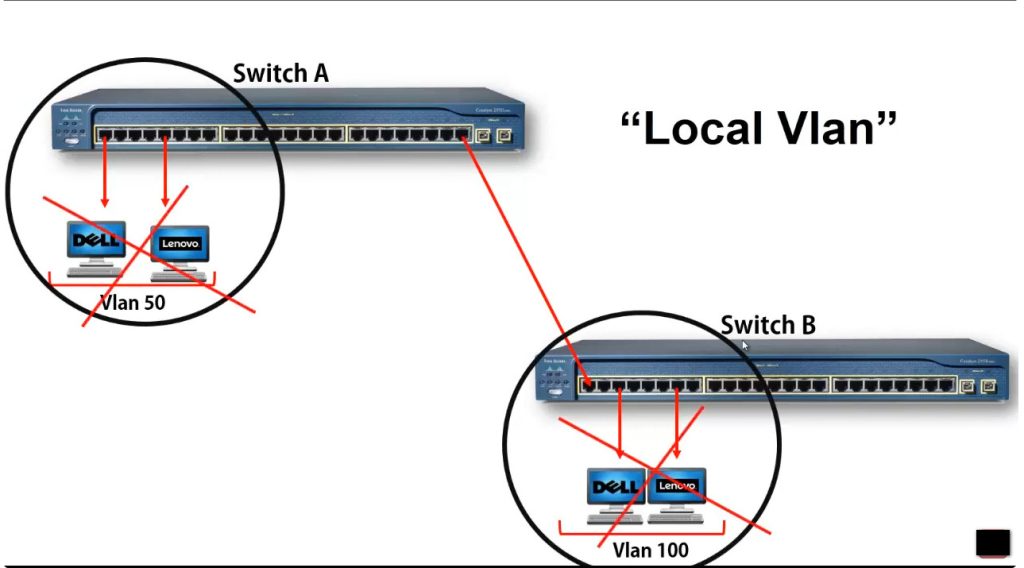
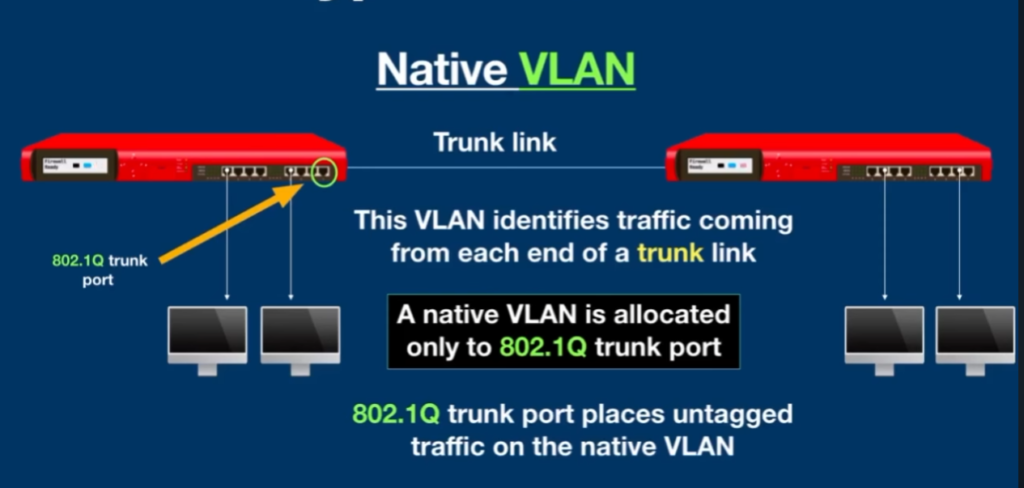
A Native VLAN is used on trunk links between switches in IEEE 802.1Q VLAN tagging. It carries untagged traffic between network devices. If an Ethernet frame arrives on a trunk link without a VLAN tag, the switch places it into the Native VLAN. For security reasons, network administrators often change the Native VLAN from the default VLAN to a dedicated VLAN number.
Example: Two switches connected by a trunk port may use VLAN 100 as the Native VLAN for untagged traffic.
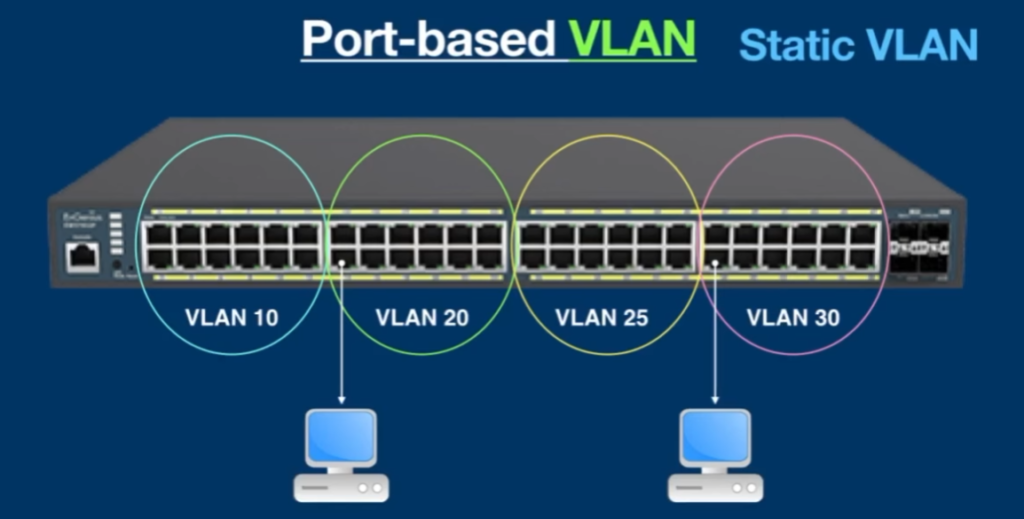
6. Static VLAN (Port-Based VLAN)
Static VLAN is the most common VLAN type in networks. In this method, the network administrator manually assigns switch ports to specific VLANs. Any device connected to that port automatically becomes part of that VLAN. This method is simple, reliable, and easy to manage in office and campus networks where device locations are fixed.
Example: Ports 1–10 may be assigned to HR VLAN 10, ports 11–20 to Sales VLAN 20, and ports 21–24 to IT VLAN 30.
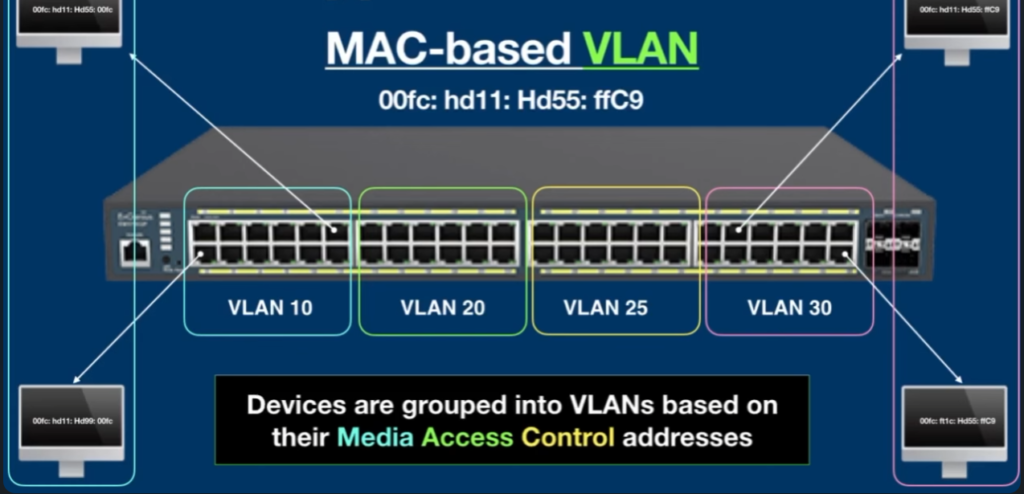
7. Dynamic VLAN
Dynamic VLAN automatically assigns devices to VLANs based on MAC address, user authentication, device type, or network policy. This means a user can connect to any switch port and still be placed into the correct VLAN automatically. Dynamic VLANs are useful in large enterprise networks where users frequently move between offices or workstations.
Example: An employee logs in from any network port, and the system automatically places that device into Employee VLAN 15.
8. Private VLAN (PVLAN)
Private VLAN is used to isolate devices within the same VLAN. Devices can connect to shared resources such as servers, gateways, or internet access, but they cannot directly communicate with each other. This improves security in shared environments where many users are on the same network but should remain isolated. Private VLAN is commonly used in hotels, cloud hosting, and data centers.
Example: Hotel guests use the same Wi-Fi VLAN but cannot access other guests’ laptops, phones, or smart devices.
9. Guest VLAN
A Guest VLAN is created for visitors, customers, contractors, or temporary users who need network access. It usually allows internet connectivity but blocks access to internal company servers, printers, and sensitive business systems. This keeps guest traffic separate from employee traffic and improves network security. Guest VLANs are commonly used in offices, hotels, hospitals, and public Wi-Fi environments.
Example: Office visitors connect to Guest VLAN 50 (192.168.50.0/24) and can browse the internet but cannot access company files, printers, or internal applications.
VLAN Range
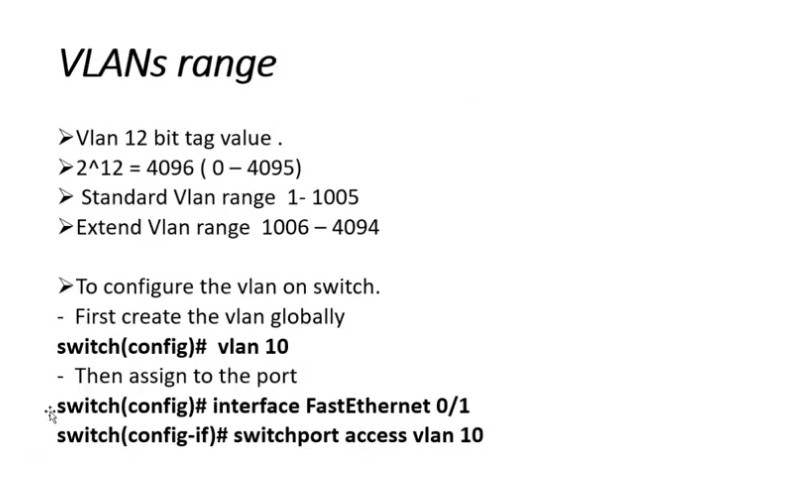
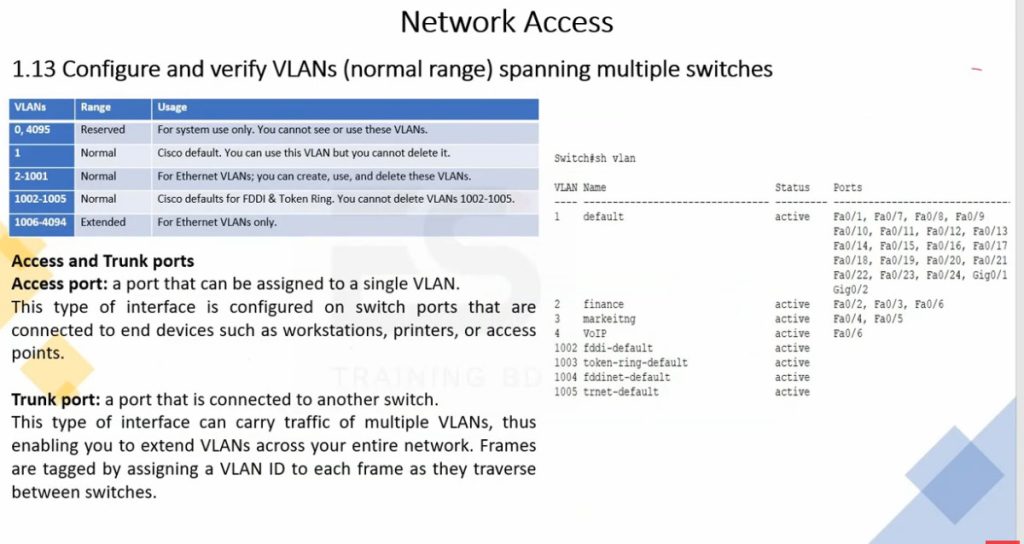
The VLAN range defines the possible VLAN ID numbers that can be created on a switch. VLAN IDs are 12-bit numbers, so they range from 1 to 4094. This range is divided into two main categories:
Normal Range VLANs (1–1005)
These VLANs are commonly used in most networks and are stored in the switch’s VLAN database. VLAN 1 is the default VLAN and is used for management and control traffic by default. VLANs from 2 to 1005 can be created for different departments such as HR, IT, Finance, or Servers.Extended Range VLANs (1006–4094)
These VLANs are mainly used in large or service-provider networks where many VLANs are required. They are stored in the running configuration instead of the VLAN database and are usually supported on newer switches.
In short, the valid VLAN ID range is 1 to 4094, with 1–1005 for normal use and 1006–4094 for extended use.
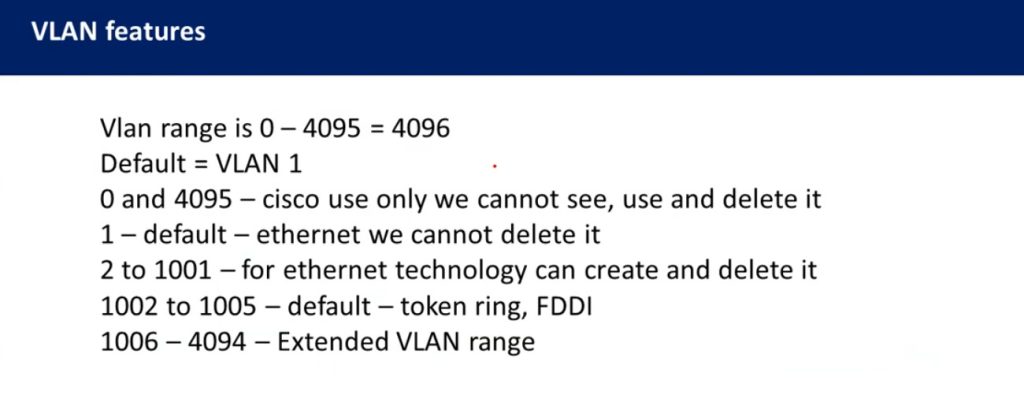
VLAN Range
| Range | Description |
| VLAN 0-4095 | This range of VLAN IDs is to be used on switches. |
| VLAN 1 | This is the default VLAN of switches. It can be used, but you can’t delete or edit it. |
| VLAN 2-1001 | It is a normal VLAN range. It can be created, edited, and deleted by you. |
| VLAN 1002-1005 | These ranges are CISCO defaults for token rings and FDDI. You cannot delete this VLAN. |
| VLAN 1006-4094 | It is an extended range of VLANs. |
Why Need VLAN
VLAN is needed to make a network more organized, secure, efficient, and easy to manage. In a normal network without VLAN, all devices are in one large broadcast domain, which means every broadcast message is sent to every device. This creates heavy traffic, slows down the network, and increases the chance of security problems. VLAN solves these issues by logically dividing a single physical network into multiple smaller networks based on department, function, or security level, such as HR, Accounts, IT, or Guest users.
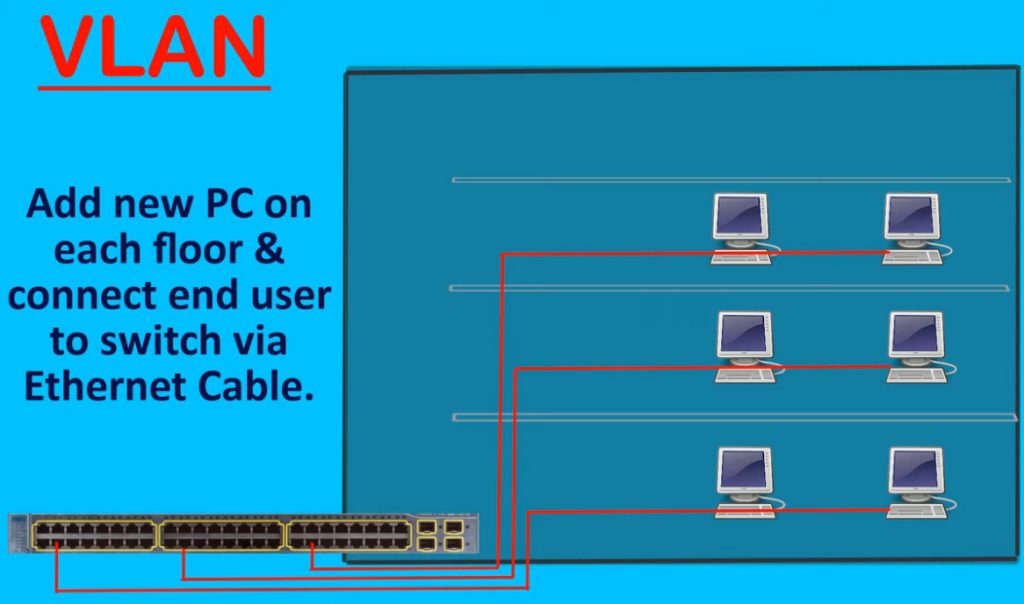
VLAN improves network security by isolating users and sensitive systems from each other. For example, employees in the Finance VLAN cannot directly access systems in the Guest VLAN. It also improves performance by reducing unnecessary broadcast traffic and keeping data local to each group. VLAN makes network management easier because administrators can control access, apply policies, and troubleshoot problems more efficiently. Additionally, VLAN allows flexible network design, meaning users can be in the same VLAN even if they are on different floors or buildings. Overall, VLAN is essential for building a safe, fast, and well-structured company network.
Without VLAN Problem in Company Network
In a company network without VLAN, all computers, printers, servers, and devices are placed in one single network (One Broadcast Domain). This creates many serious problems. First, network traffic becomes very high because every broadcast message is sent to all devices, which slows down the network and reduces performance, especially as the number of users increases. Second, Security Risks increase because all users can see and access the same network. For example, guest users or regular employees may be able to access important servers or sensitive company data, which can lead to data theft or misuse.
Another big problem is Poor Network Management and Troubleshooting. If a virus, loop, or misconfiguration happens, it can affect the entire company network at once, causing downtime for all departments. There is also no control over user access, meaning HR, Finance, and IT departments cannot be separated logically. This makes it difficult to apply different rules or policies for different users. Finally, the network becomes hard to scale because adding more users increases congestion and confusion. In short, without VLAN, a c
VLAN Benefits in a Company Network
VLAN provides many important benefits in a company network by making it more secure, efficient, and well-organized. One major benefit is Improved Security because users and devices are separated into different VLANs based on departments such as HR, Finance, IT, and Guest users. This prevents unauthorized access to sensitive data and reduces the risk of internal attacks. Even though all devices may be connected to the same physical switch, VLAN keeps their traffic logically isolated.
Another key benefit is Better Network Performance. VLAN Reduces Unnecessary Broadcast Traffic by dividing one large network into smaller broadcast domains, which helps the network run faster and more smoothly. VLAN also makes network management easier because administrators can control access, apply policies, and troubleshoot problems for each department separately. It allows flexible network design, meaning users can be in the same VLAN even if they are on different floors or buildings. Overall, VLAN helps a company build a secure, scalable, and efficient network while using the same physical infrastructure, saving cost and improving reliability.
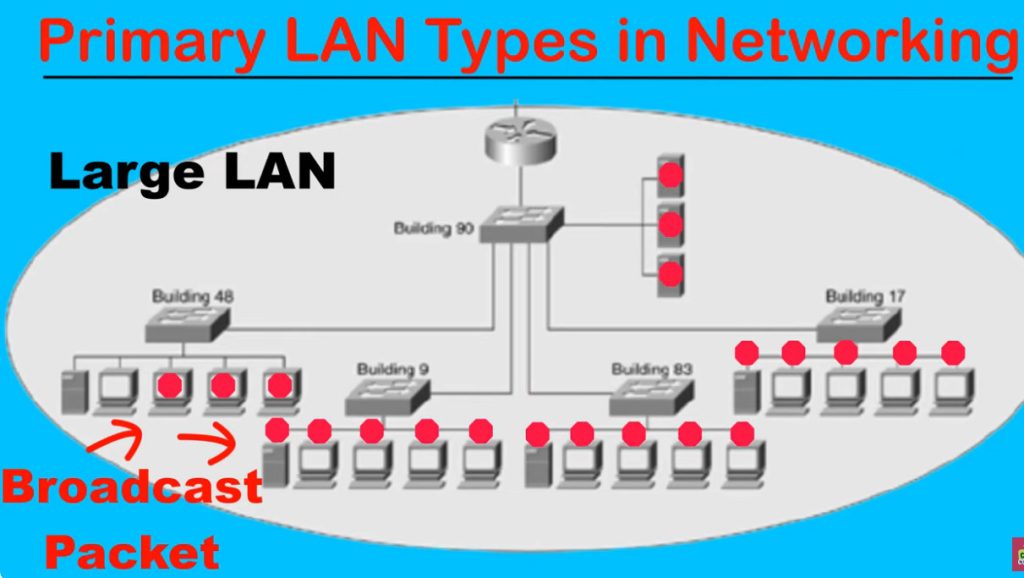
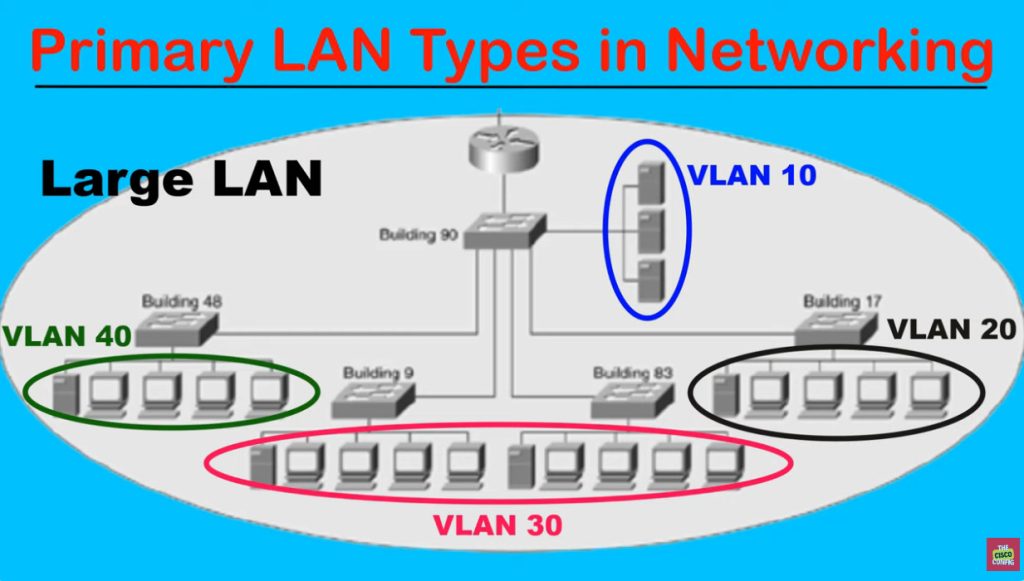
VLAN Benefits in Large Network
- Better Network Organization – Separates departments like HR, Sales, IT, Finance into different VLANs.
- Improved Security – Sensitive VLANs (Finance, Server VLAN) stay isolated from normal users.
- Less Broadcast Traffic – Broadcast stays inside one VLAN, reducing congestion in large networks.
- Better Performance – Smaller broadcast domains improve speed and network efficiency.
- Easy Management – Large networks become easier to control, monitor, and troubleshoot.
- Scalability – New departments, branches, or services can be added by creating new VLANs.
- Traffic Separation – Data VLAN, Voice VLAN, Management VLAN, and Guest VLAN stay separate.
- Supports Large Multi-Switch Network – VLANs can extend across many switches using trunk ports.
- Centralized Security Control – ACLs / firewall rules can control VLAN-to-VLAN communication.
- Cost Saving – One physical network infrastructure can support multiple logical networks.
Advantages of VLAN And Disadvantages of VLAN
Advantages of VLAN
Improved Security – VLAN separates users and devices into different groups (HR, Finance, IT, Guest), so unauthorized users cannot easily access sensitive data.
Better Network Performance – By dividing one large broadcast domain into smaller ones, VLAN reduces broadcast traffic and improves overall network speed.
Easy Network Management – Administrators can control and manage each VLAN separately, making troubleshooting and monitoring easier.
Flexibility – Users can be placed in the same VLAN even if they are in different physical locations (floors or buildings).
Cost Effective – VLAN works on the same physical switches and cables, so there is no need to buy extra hardware for separate networks.
Scalability – New users or departments can be added easily without redesigning the whole network.
❌ Disadvantages of VLAN
Initial Configuration Complexity – Setting up VLANs requires skilled network administrators and proper planning.
Inter-VLAN Routing Required – Devices in different VLANs cannot communicate without a Layer 3 device (router or Layer 3 switch), which adds cost and complexity.
Misconfiguration Risk – Wrong VLAN or trunk configuration can cause network issues or security problems.
Troubleshooting Can Be Difficult – VLAN problems are harder to identify compared to a simple flat network.
Hardware Dependency – VLAN requires managed switches; unmanaged switches cannot support VLANs.
Conclusion
VLAN is very useful for security and performance in company networks, but it needs proper design and skilled management. When configured correctly, the advantages of VLAN are much greater than its disadvantages.
VLAN Configuration Needs Networking Knowledge Why Required
- Yes, VLAN Configuration Requires Networking Knowledge because proper setup needs Technical Understanding of Switching and Routing.
- Configuring VLANs requires networking knowledge and an Experienced Network Engineer because VLAN setup affects communication, security, and network performance.
Requirements:
- VLAN ID Planning – Decide VLAN numbers for departments.
Example: HR = VLAN 10, Sales = VLAN 20. - IP Addressing Knowledge – Each VLAN needs separate subnet.
Example: VLAN 10 = 192.168.10.0/24, VLAN 20 = 192.168.20.0/24. - Switch Port Configuration – Configure access ports and trunk ports correctly.
- 802.1Q Tagging Knowledge – Understand VLAN tagging between switches.
- Inter-VLAN Routing – Configure router or Layer 3 switch for VLAN communication.
- DHCP Setup – Create separate DHCP scope for each VLAN.
- Security Configuration – Apply ACL/firewall rules between VLANs.
- Troubleshooting Skills – Fix VLAN mismatch, gateway errors, trunk issues.
Problems if VLAN Is Configured Without Proper Knowledge
- Wrong VLAN Setup – A person without networking knowledge may assign wrong VLAN IDs or wrong switch ports. Devices may join the wrong network.
- Communication Failure – PCs, printers, IP phones, or servers may stop communicating because VLAN, IP subnet, or gateway settings are incorrect.
- Internet Access Problem – Wrong gateway or routing configuration can stop users from accessing the internet.
- Trunk Port Mistake – If trunk ports are configured incorrectly, VLAN traffic will not pass between switches, causing network disruption.
- Security Weakness – Sensitive networks like HR, Finance, or Server VLAN may accidentally become accessible to unauthorized users.
- Guest Network Risk – Guest VLAN may be connected to the internal office network, creating a major security problem.
- IP Address Conflicts – Wrong DHCP or subnet design can cause duplicate IPs or wrong IP assignment.
- Voice / Phone Issues – IP phones may lose connection or have poor call quality if Voice VLAN is misconfigured.
- Network Loop / Broadcast Storm – Incorrect switch connections or STP settings can create loops and crash the network.
Differences Between LAN and VLAN
1. Network Type
A LAN (Local Area Network) is a physical local network where devices such as computers, printers, servers, and switches are connected within a limited area like an office, school, or home. All connected devices usually belong to one common network unless separated by routers. A VLAN (Virtual Local Area Network) is a logical network created inside a switch that divides one physical LAN into multiple virtual networks. Even though devices connect to the same physical switch, VLAN separates them logically into different networks.
2. Broadcast Domain
In a normal LAN, all devices often belong to one large broadcast domain, meaning broadcast traffic is sent to all connected devices. This increases unnecessary traffic as the network grows. In a VLAN, each VLAN creates its own separate broadcast domain. Broadcast traffic stays only inside that VLAN, reducing congestion and improving network performance.
3. Security
LAN provides basic connectivity, but security is lower because all devices are commonly part of the same network and may directly communicate. VLAN improves security by separating users, departments, and services into different logical networks. Sensitive departments like Finance, HR, and Servers can be isolated from Guest or general employee networks, reducing unauthorized access.
4. Traffic Management
In a LAN, all types of traffic—data, voice, management, guest access, and server traffic—may travel together on the same network, making traffic control difficult. VLAN allows traffic separation by creating dedicated VLANs for different purposes such as Data VLAN, Voice VLAN, Management VLAN, and Guest VLAN. This makes network traffic easier to manage and control.
5. Performance
As a LAN becomes larger, broadcast traffic and unnecessary communication increase, which can slow network performance. In VLAN, the network is divided into smaller logical groups, reducing broadcast traffic and improving bandwidth usage. This makes VLAN networks perform better, especially in medium and large organizations.
6. Scalability and Management
Managing a large LAN becomes difficult because all users and devices remain in one common network. Troubleshooting, expansion, and security control become complex. VLAN makes large networks easier to manage by grouping devices logically by department, location, or service type. New VLANs can be created easily when the company grows, making VLAN highly scalable.
7. Real Example
In a normal LAN, HR, Sales, IT, printers, servers, and guests may all share one network such as 192.168.1.0/24, where everyone is in the same broadcast domain. In a VLAN network, the same office can be separated into HR VLAN 10 (192.168.10.0/24), Sales VLAN 20 (192.168.20.0/24), IT VLAN 30 (192.168.30.0/24), and Guest VLAN 40 (192.168.40.0/24). Although all devices use the same physical switch infrastructure, they work as separate logical networks, improving security, performance, and management.
Differences Between LAN and VLAN Chart
| Feature | LAN | VLAN |
|---|
| Meaning | A physical network that connects devices in a limited area (office, building, campus). | A logical network created within a LAN to divide it into smaller networks. |
| Basis | Based on physical connection and location of devices. | Based on logical grouping (department, function, security). |
| Broadcast Domain | One LAN usually has one broadcast domain. | Each VLAN is a separate broadcast domain. |
| Security | Low security because all devices can access the same network. | Higher security because users are isolated into different VLANs. |
| Performance | More broadcast traffic, which can slow down the network. | Less broadcast traffic, so performance is better. |
| Flexibility | Devices must be physically close to be in the same LAN. | Devices can be in the same VLAN even if they are in different locations. |
| Management | Harder to manage in large networks. | Easier to manage and control users with policies. |
| Cost | May require more hardware to separate networks. | Cost-effective because it uses the same physical infrastructure. |
| Communication | All devices communicate directly in the same network. | Different VLANs need a router or Layer 3 switch to communicate (Inter-VLAN routing). |
Summary
- LAN is a physical network of connected devices.
- VLAN is a logical division inside a LAN to improve security, performance, and management.
Types of Switch Ports in VLAN
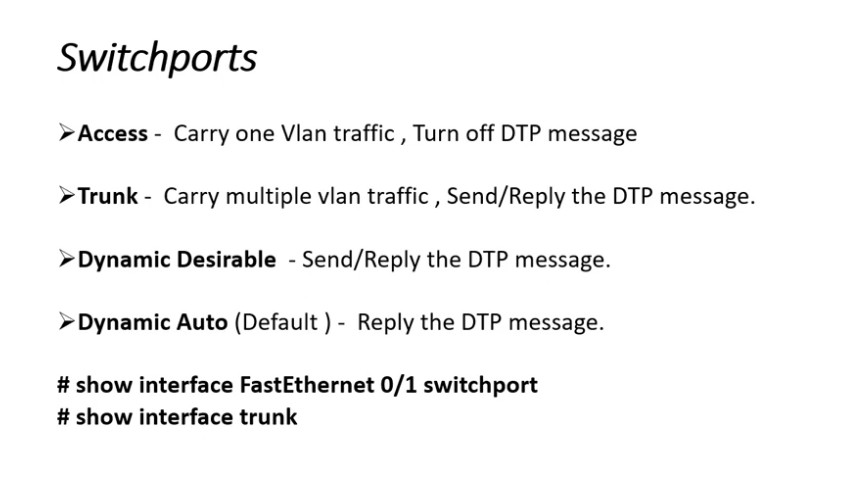
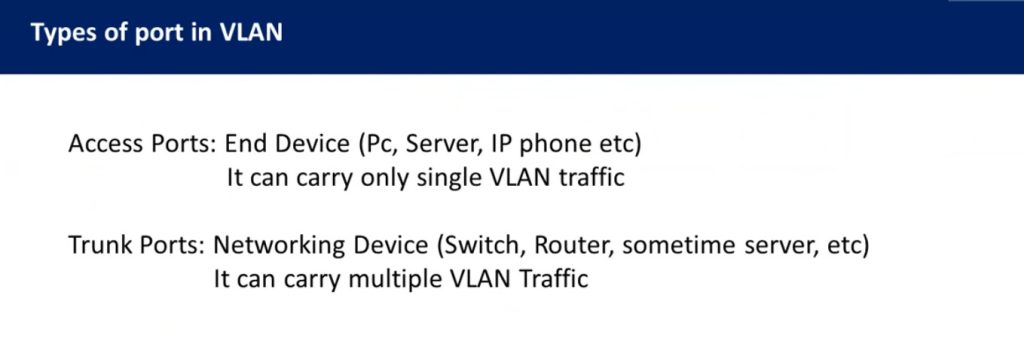
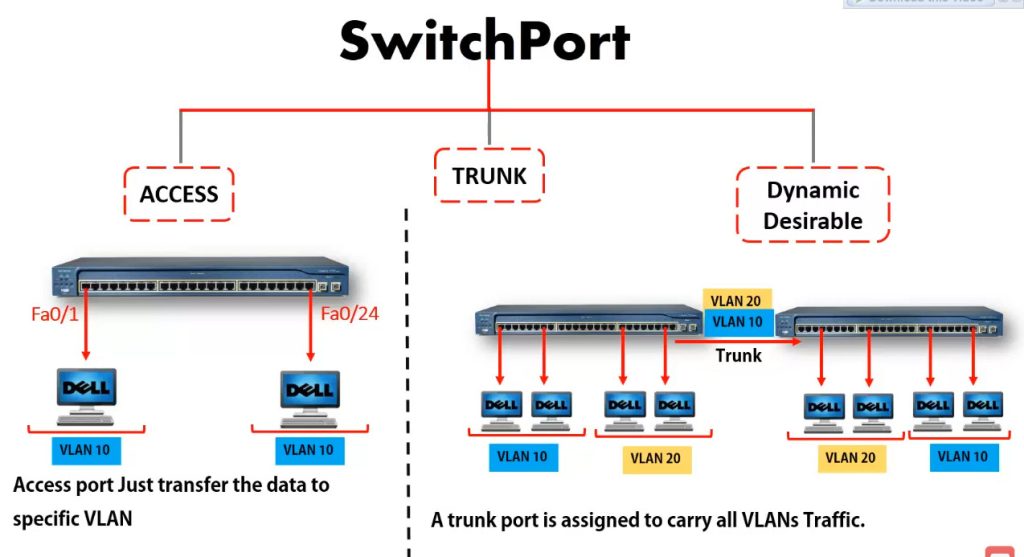
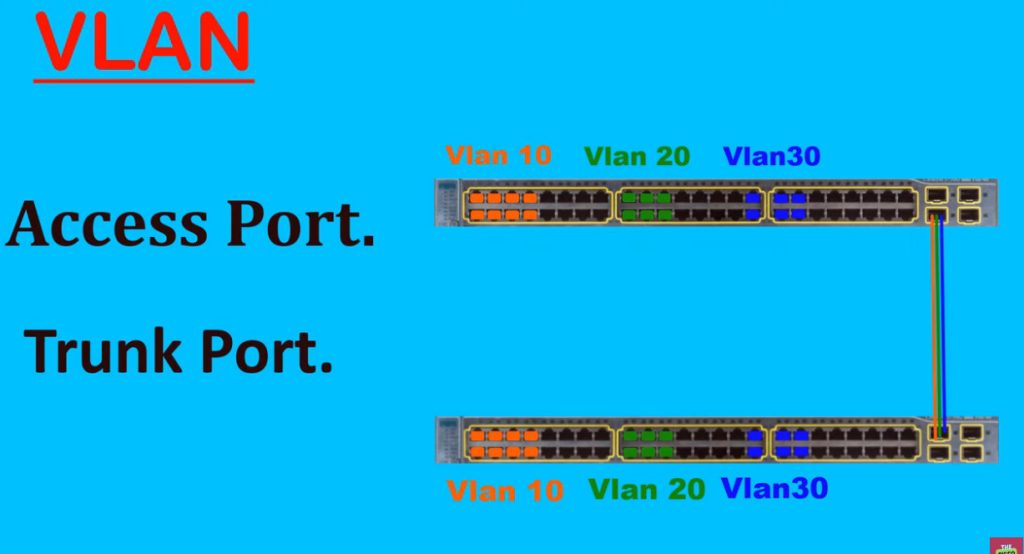
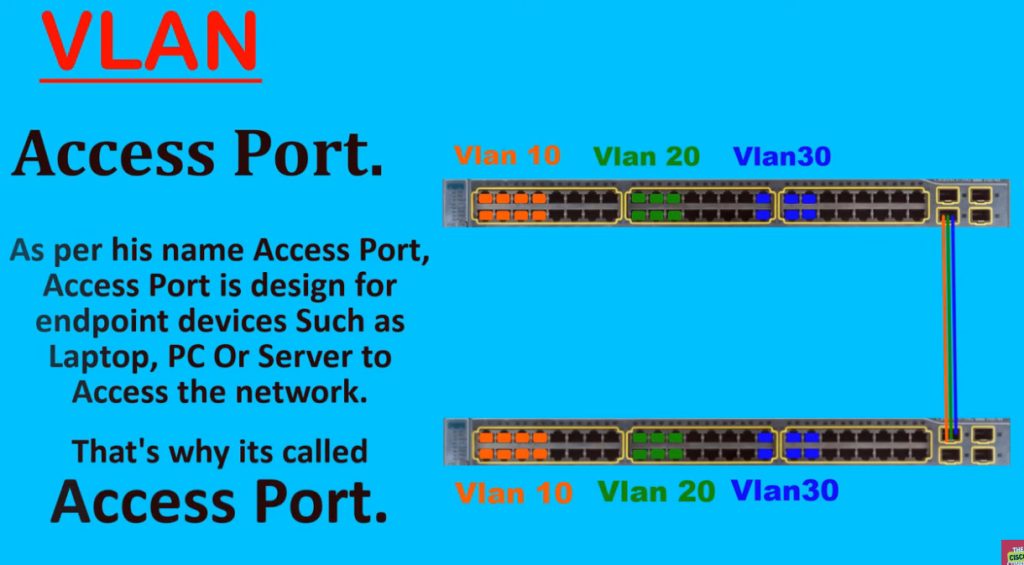
1. Access Port
An Access Port is a switch port that belongs to only one VLAN. It is mainly used to connect end-user devices such as computers, printers, scanners, servers, and IP phones. When a device connects to an access port, it automatically becomes part of the VLAN assigned to that port. Access ports normally carry untagged traffic because most end devices do not understand VLAN tags. This is the most common port type used in office networks.
Example: A PC connected to Port 5 assigned to VLAN 10 receives an IP like 192.168.10.20 and communicates only within VLAN 10 unless routing is enabled.
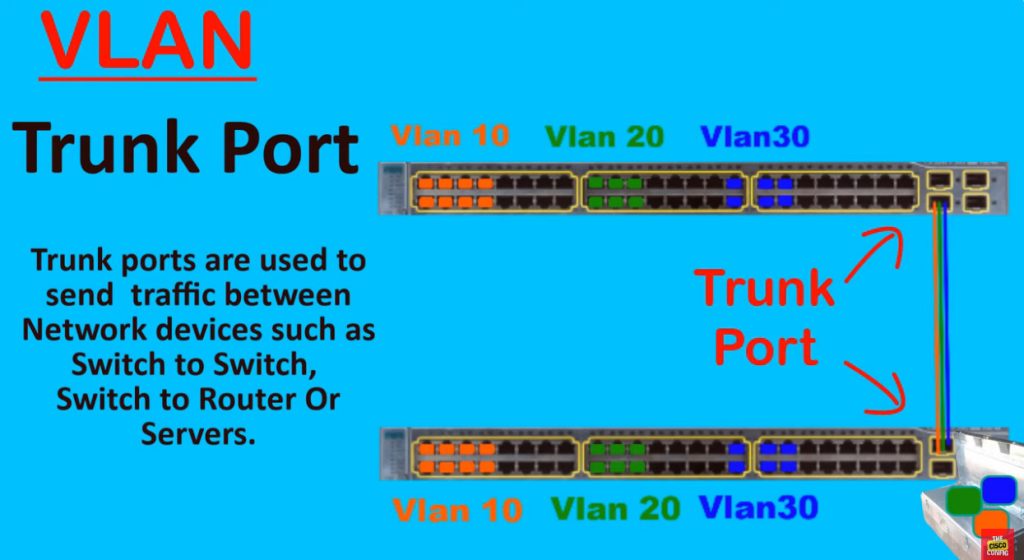
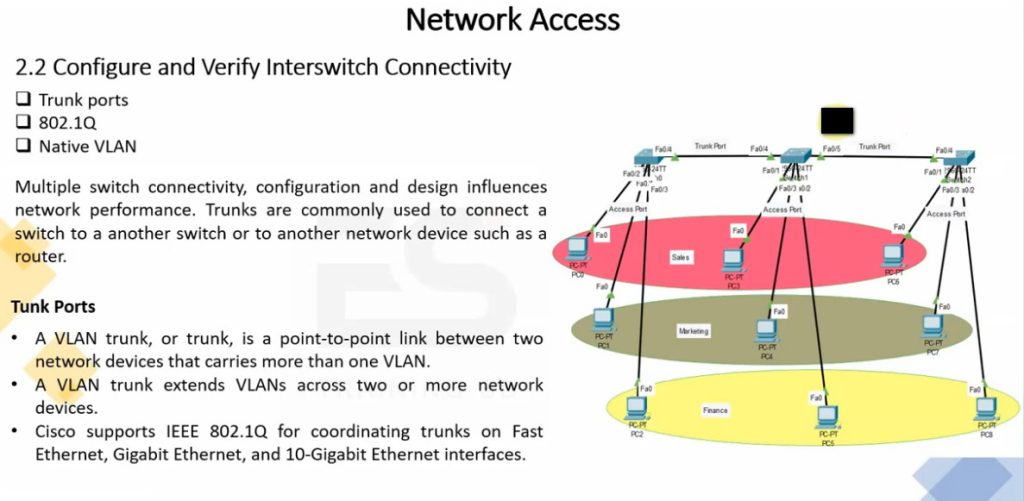
2. Trunk Port
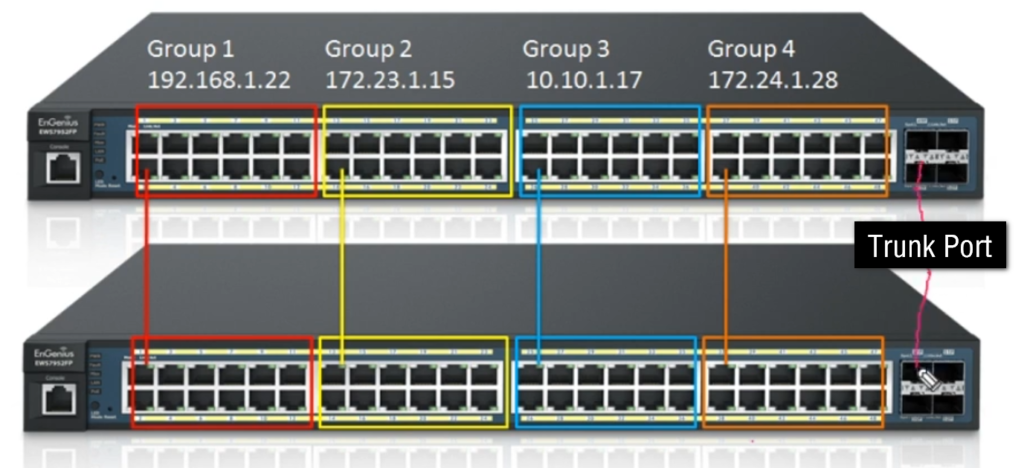
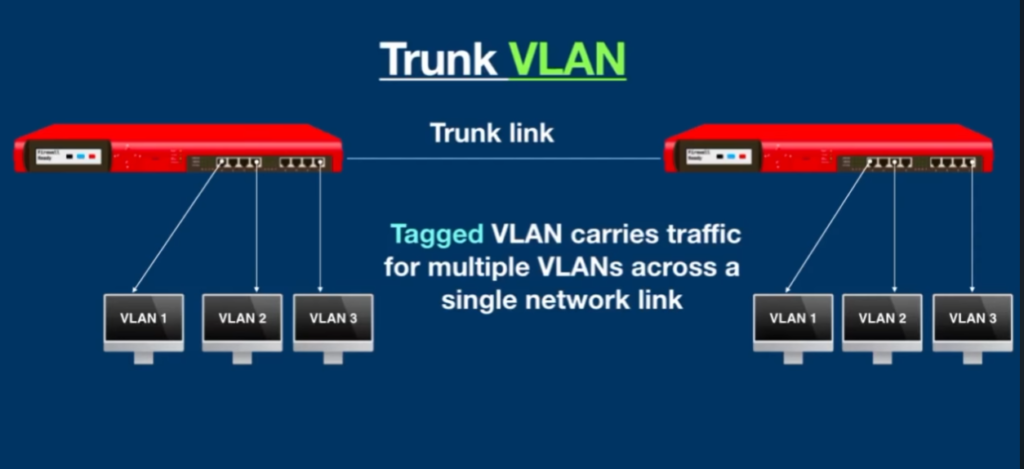
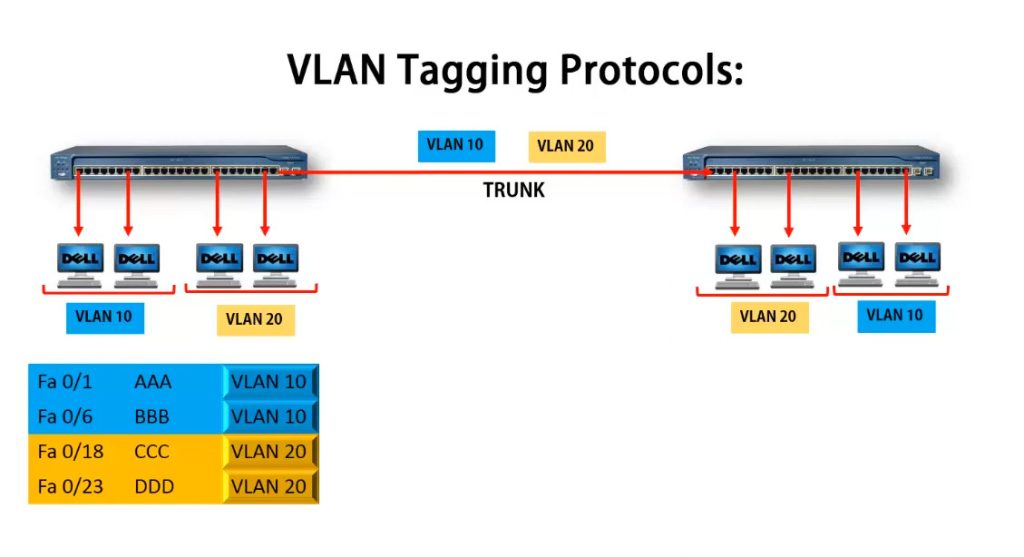
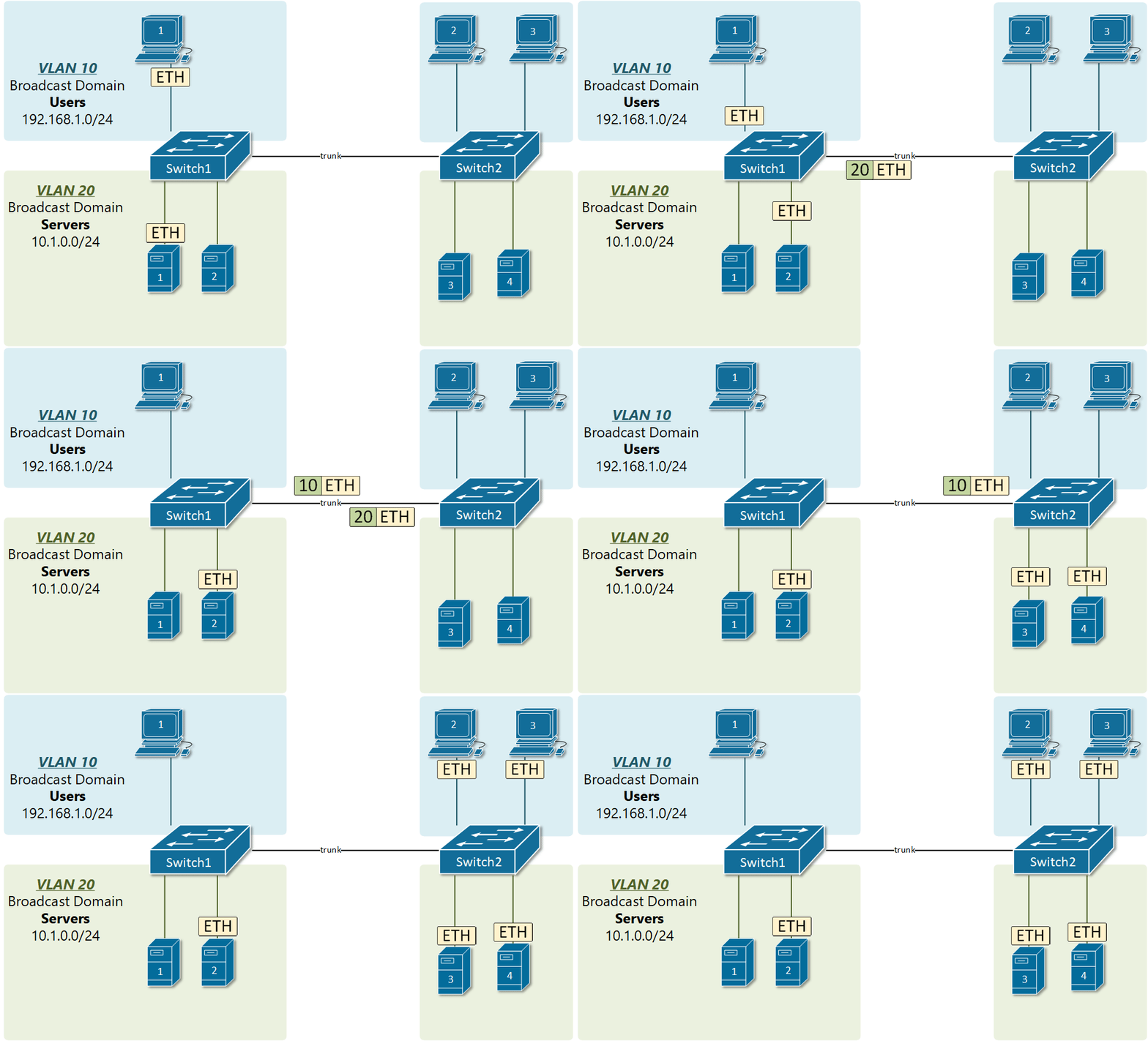
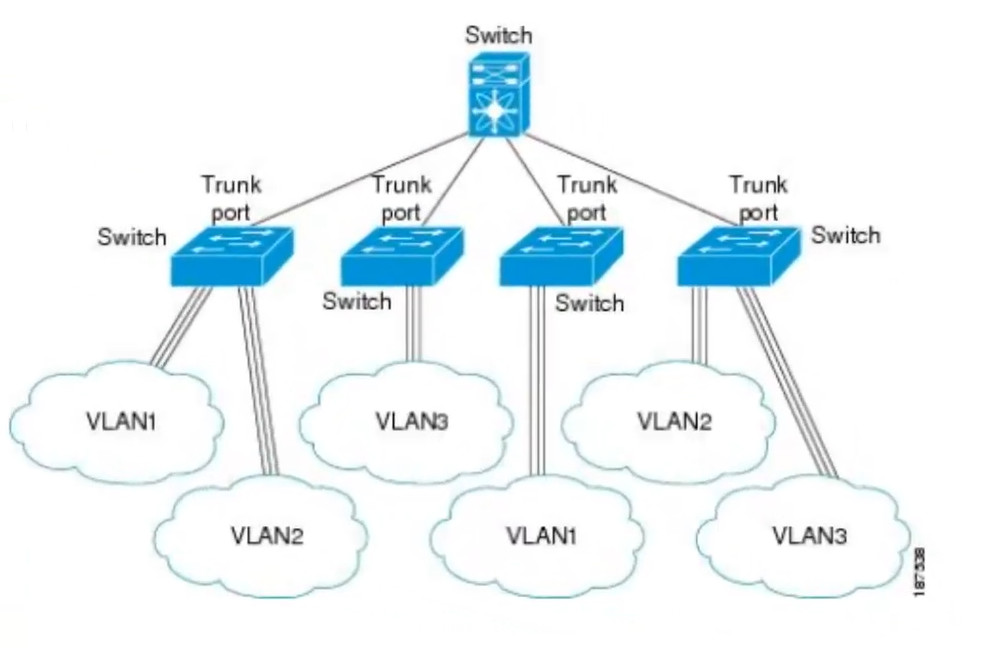
A Trunk Port is used to carry traffic for multiple VLANs over a single physical connection. It is commonly used between switch-to-switch links, switch-to-router links, or switch-to-firewall links. Trunk ports use IEEE 802.1Q VLAN tagging, which adds a VLAN ID to Ethernet frames so the receiving device knows which VLAN the traffic belongs to. This allows one cable to carry traffic for many VLANs, reducing the number of physical connections needed.
Example: A trunk cable between two switches can carry VLAN 10 (HR), VLAN 20 (Sales), and VLAN 30 (IT) traffic at the same time.
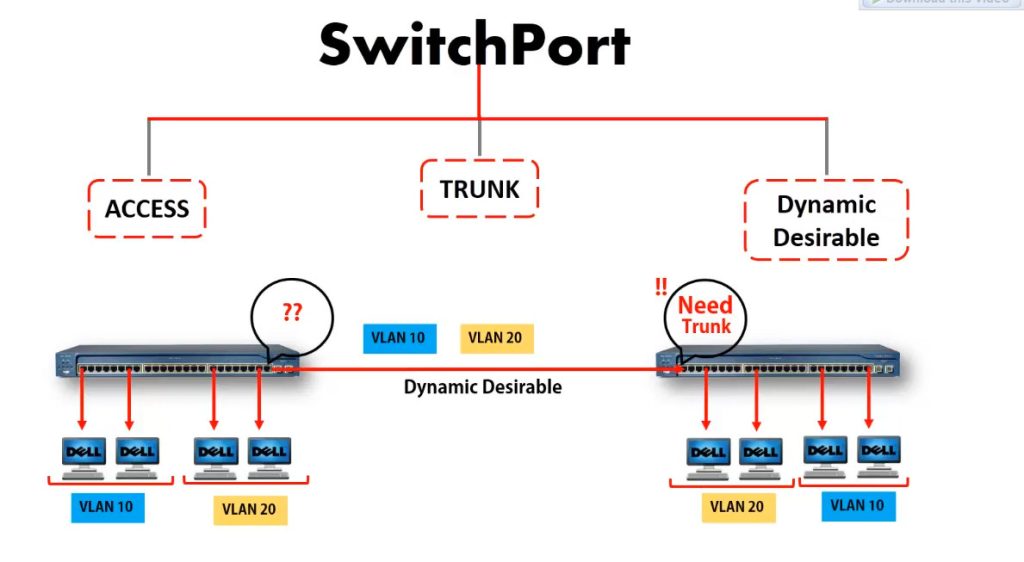
3. Hybrid Port
A Hybrid Port is a switch port that can carry both tagged and untagged VLAN traffic on the same interface. It combines features of access ports and trunk ports. Hybrid ports are commonly used in advanced enterprise networks, wireless access point connections, and IP phone + computer shared port setups. Depending on switch vendor support, some VLAN traffic can be tagged while other VLAN traffic remains untagged on the same port.
Example: An IP phone may send Voice VLAN traffic as tagged, while a connected PC sends Data VLAN traffic as untagged through the same switch port.
Why Trunk Port Is Needed in Details
1. Multiple VLAN Traffic on One Cable
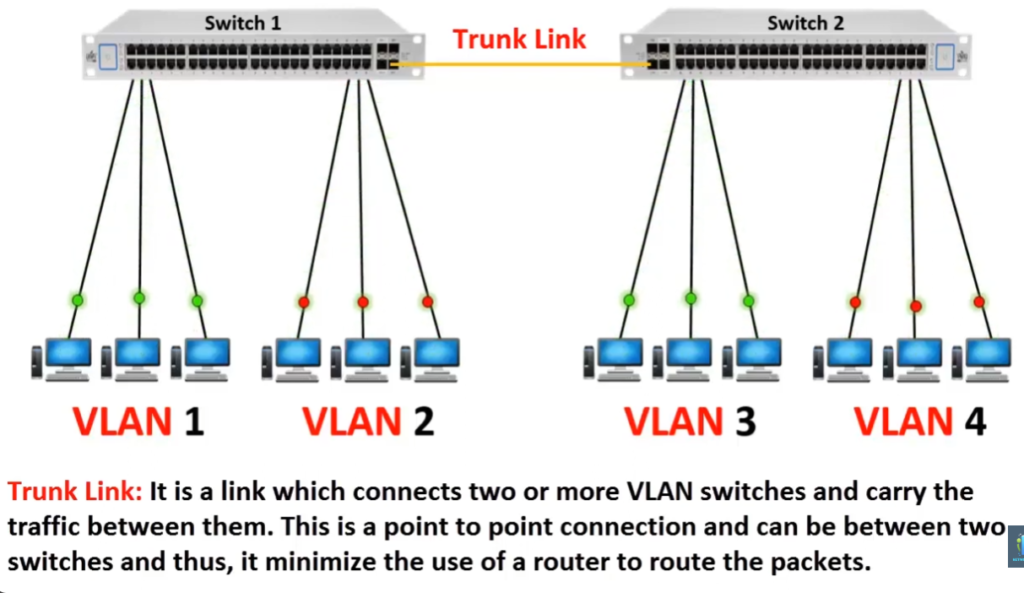
A trunk port is needed because it can carry traffic from multiple VLANs over a single physical cable. In a VLAN network, different departments such as HR, Sales, and IT may use separate VLANs, but when traffic needs to move between switches, all VLAN traffic must pass through the link. A trunk port uses IEEE 802.1Q VLAN tagging to add VLAN IDs to Ethernet frames, allowing one cable to transport multiple VLANs at the same time. This makes the network simple, organized, and efficient.
2. Connection Between Switches
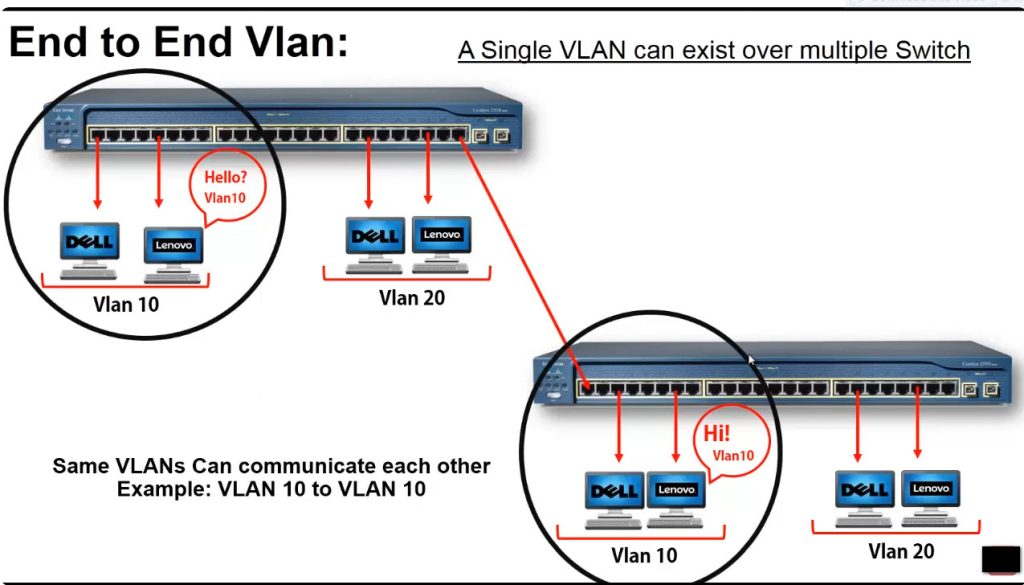
Large office networks often use multiple switches on different floors, rooms, or buildings. Trunk ports are used to connect these switches so VLAN traffic can travel between them while keeping VLAN separation. Because of trunking, devices in the same VLAN can communicate even if they are connected to different switches in different locations.
Example: HR users connected to Switch A and HR users connected to Switch B can remain in VLAN 10 (192.168.10.0/24) through a trunk link.
3. Required for Inter-VLAN Routing
Trunk ports are also needed when connecting a switch to a router or Layer 3 switch for Inter-VLAN Routing. Since multiple VLANs need to send traffic to the router, a trunk port carries all VLAN traffic through one connection. The router then routes packets between VLAN networks based on IP addresses, allowing communication between departments when required.
4. Saves Ports and Reduces Cabling
Without a trunk port, each VLAN would need a separate cable and separate switch port for communication between network devices. This would waste switch ports and create too much cable clutter. Trunking allows many VLANs to use one cable, saving hardware resources and reducing installation cost. It also keeps the network cleaner and easier to manage.
5. Problem Without Trunk Port
If trunk ports are not used, VLAN traffic cannot easily move between switches. Network administrators would need multiple cables—one for HR VLAN, one for Sales VLAN, one for IT VLAN, and so on. This increases cost, wastes switch ports, makes expansion difficult, and creates a complicated network design. In large enterprise networks, managing separate cables for each VLAN would become very difficult.
6. Real Example
Suppose a company has three VLANs: VLAN 10 – HR (192.168.10.0/24), VLAN 20 – Sales (192.168.20.0/24), and VLAN 30 – IT (192.168.30.0/24). If two switches are connected using a trunk port, one cable can carry all three VLANs together. Without trunking, three separate cables and three separate switch ports would be required to carry the same VLAN traffic. This is why trunk ports are very important in VLAN networks.
VLAN Slide PPT
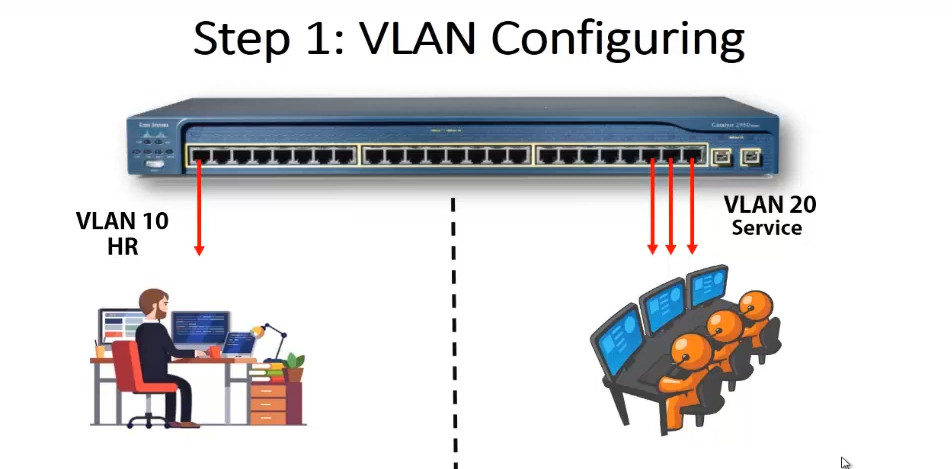
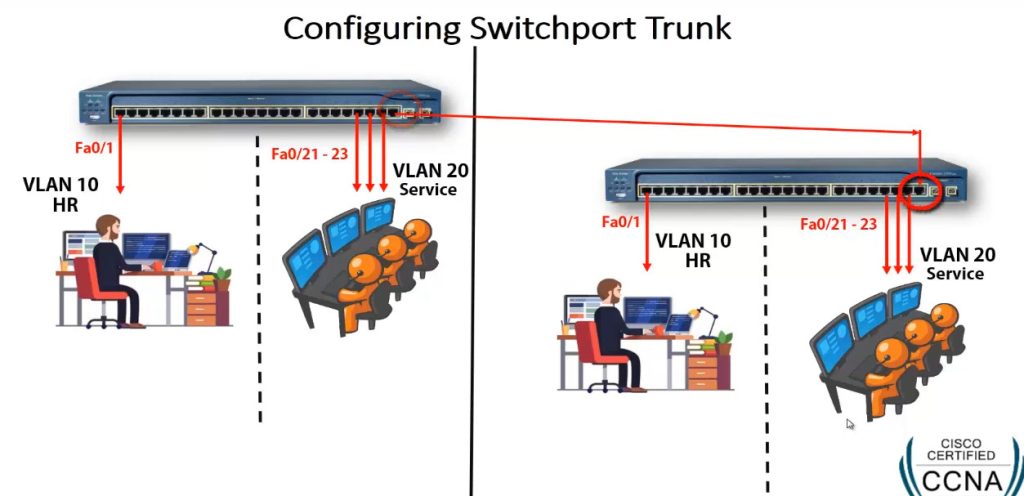
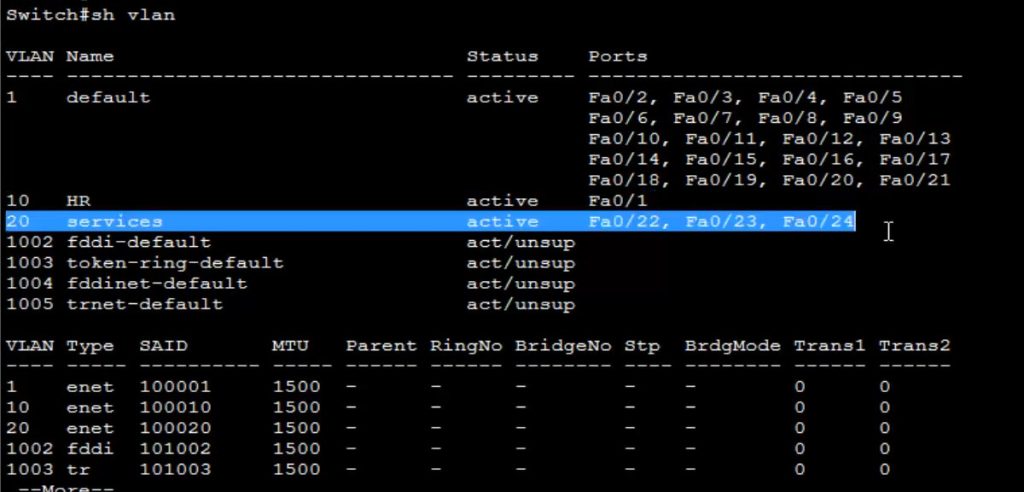
					Switch VLAN Configuration

config t
vlan 10
name HR
exit


vlan 20
name SERVICES
exit


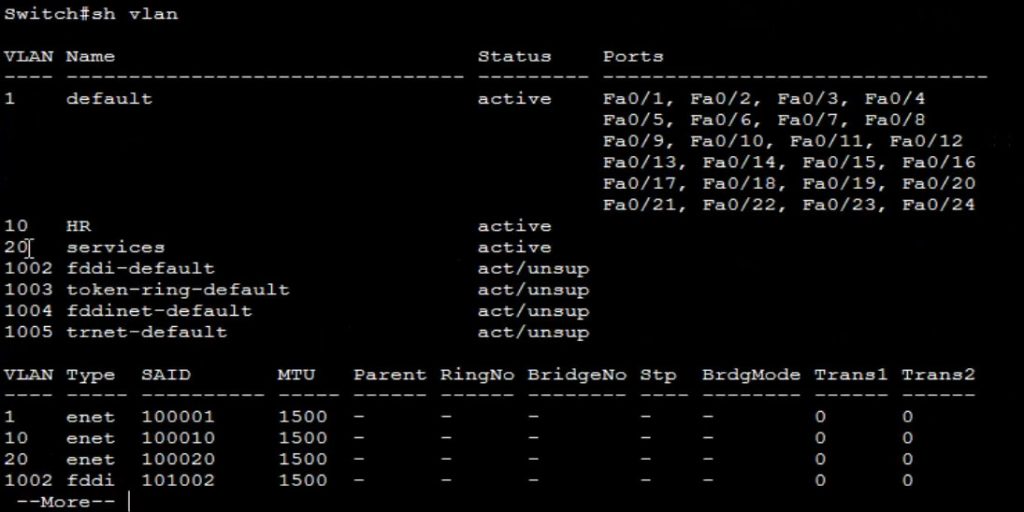
show vlan <This Commnd Checking All Created Vlan>


Assign Switch Port

config t
interface fa0/1
switchport mode acces
switchport acces vlan 10
exit


interface range fa0/22-24
switchport mode acces
switchport acces vlan 20


show vlan

show run  <This Commnd View All Switch Configuration>


Configure Trunk For Cary Multiple VLAN Pass

interface fa0/24

switchport mode trunk
VLAN Interview QNA
Here are common VLAN Interview Questions and Answers (Q&A) that are frequently asked in networking interviews (CCNA / system & network admin level):
1. What is VLAN?
A VLAN (Virtual Local Area Network) is a logical network that divides one physical LAN into multiple broadcast domains to improve security, performance, and management.
2. Why is VLAN used?
VLAN is used to reduce broadcast traffic, improve network performance, increase security, and logically separate departments like HR, IT, Finance, and Guest users.
3. What is the VLAN ID range?
VLAN IDs range from 1 to 4094.
- Normal range: 1–1005
- Extended range: 1006–4094
4. What is a default VLAN?
Default VLAN is VLAN 1. All switch ports belong to VLAN 1 by default.
5. What is an access port?
An access port belongs to only one VLAN and is used to connect end devices like PCs and printers.
6. What is a trunk port?
A trunk port carries traffic for multiple VLANs between switches using VLAN tagging (802.1Q).
7. What is native VLAN?
Native VLAN is the VLAN that carries untagged traffic on a trunk port (by default VLAN 1).
8. What is inter-VLAN routing?
Inter-VLAN routing allows communication between different VLANs using a router or Layer 3 switch.
9. Difference between LAN and VLAN?
LAN is a physical network, while VLAN is a logical network created inside a LAN for segmentation and security.
10. What is broadcast domain?
A broadcast domain is a network area where broadcast packets are sent to all devices. Each VLAN is one broadcast domain.
11. What is management VLAN?
A VLAN used to manage switches and routers (SSH, Telnet, SNMP).
12. What is voice VLAN?
A VLAN specially created for IP phones to give priority to voice traffic.
13. What happens if VLAN is not used?
The network becomes slow, insecure, hard to manage, and vulnerable to broadcast storms.
14. Which protocol is used for VLAN tagging?
IEEE 802.1Q protocol is used for VLAN tagging.
15. What is Private VLAN (PVLAN)?
PVLAN isolates devices within the same VLAN to improve security.
16. Can two VLANs communicate directly?
No. They need a router or Layer 3 switch (Inter-VLAN routing).
17. What is VLAN hopping?
A security attack where a device gains access to another VLAN illegally.
18. What is the benefit of VLAN in company networks?
Security, performance, reduced broadcast traffic, easy management, and scalability.
19. Difference between access VLAN and trunk VLAN?
Access VLAN carries traffic for one VLAN; trunk VLAN carries traffic for multiple VLANs.
20. What devices support VLAN?
Managed switches and Layer 3 switches support VLAN.
Frequently Asked Questions
Q1. What is VLAN and why it is used?
A VLAN (Virtual Local Area Network) is a method of creating virtual networks within a physical network infrastructure. It is used to improve network flexibility, security, and performance by logically separating devices into distinct groups, regardless of their physical location. VLANs enable efficient network management and enhance overall network efficiency.
Q2. What is a VLAN with example?
A VLAN (Virtual Local Area Network) is a virtual network that allows devices to communicate as if they were on the same physical network, providing segmentation and security. For example, in an educational institution, VLANs can be set up for students, faculty, and administration, enabling separate networks while utilizing the same network infrastructure.
Q3. What are the 3 types of VLANs?
The three types of VLANs are:
- Port-based VLAN: Devices are grouped into VLANs based on the physical switch ports they are connected to.
- MAC-based VLAN: Devices are assigned to VLANs based on their MAC addresses, allowing for flexibility when devices are moved to different ports.
- Protocol-based VLAN: Devices are assigned to VLANs based on the network protocol used, such as IP addresses or specific application requirements.
Q4. Why is VLAN trunking used?
VLAN trunking is used to transport traffic for multiple VLANs over a single network link, enabling efficient utilization of network resources. It simplifies network design, reduces the number of physical connections needed, and facilitates the exchange of VLAN traffic between switches or network devices.