As a Windows administrator, it’s important to be familiar with the various networking commands which can be used for network troubleshooting.
Networking commands are an essential part of any network administrator’s toolkit and can help to solving networking issues, manage network settings, and much more.
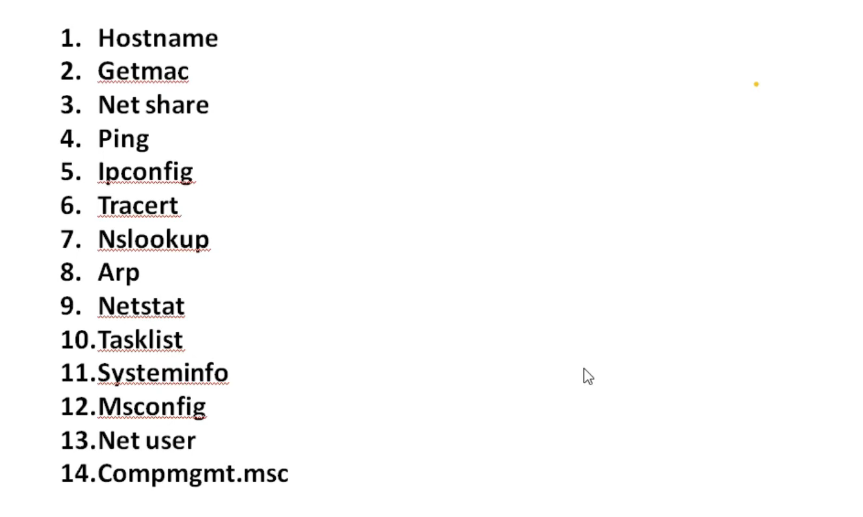
In this guide, we’ll highlight the 12 essential networking commands that every Windows admin should be familiar with. These range from basic networking utilities to more advanced tools
As a Windows administrator, it’s important to be familiar with the various networking commands which can be used for network troubleshooting.
Networking commands are an essential part of any network administrator’s toolkit and can help to solving networking issues, manage network settings, and much more.
In this guide, we’ll highlight the 12 essential networking commands that every Windows admin should be familiar with. These range from basic networking utilities to more advanced tools.
Using the Windows Key + R keyboard combination to open the Run dialogue box is the quickest way to get to the command prompt in Windows 10. To open the command prompt, type “cmd” and hit Enter.
1- Ping
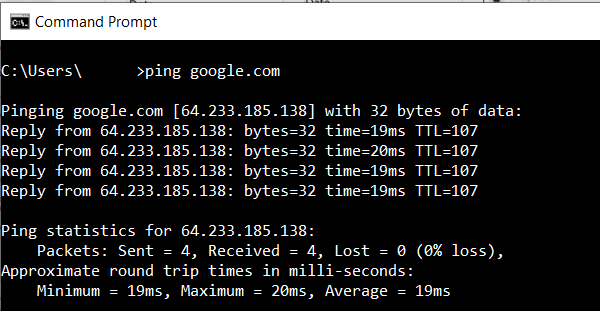
The ping command is a networking utility used to test the reachability of a host on an Internet Protocol (IP) network. It can be used to determine whether a specific IP address is accessible, and also measures the round-trip time for messages sent from the localhost to a remote host. In addition, Ping can provide information about the network routes and the amount of time required to traverse them.